






Still downloading templates?
There’s an easier way. Try a free AI Agent in ClickUp that actually does the work for you—set up in minutes, save hours every week.
Sorry, there were no results found for “”
Sorry, there were no results found for “”
Sorry, there were no results found for “”
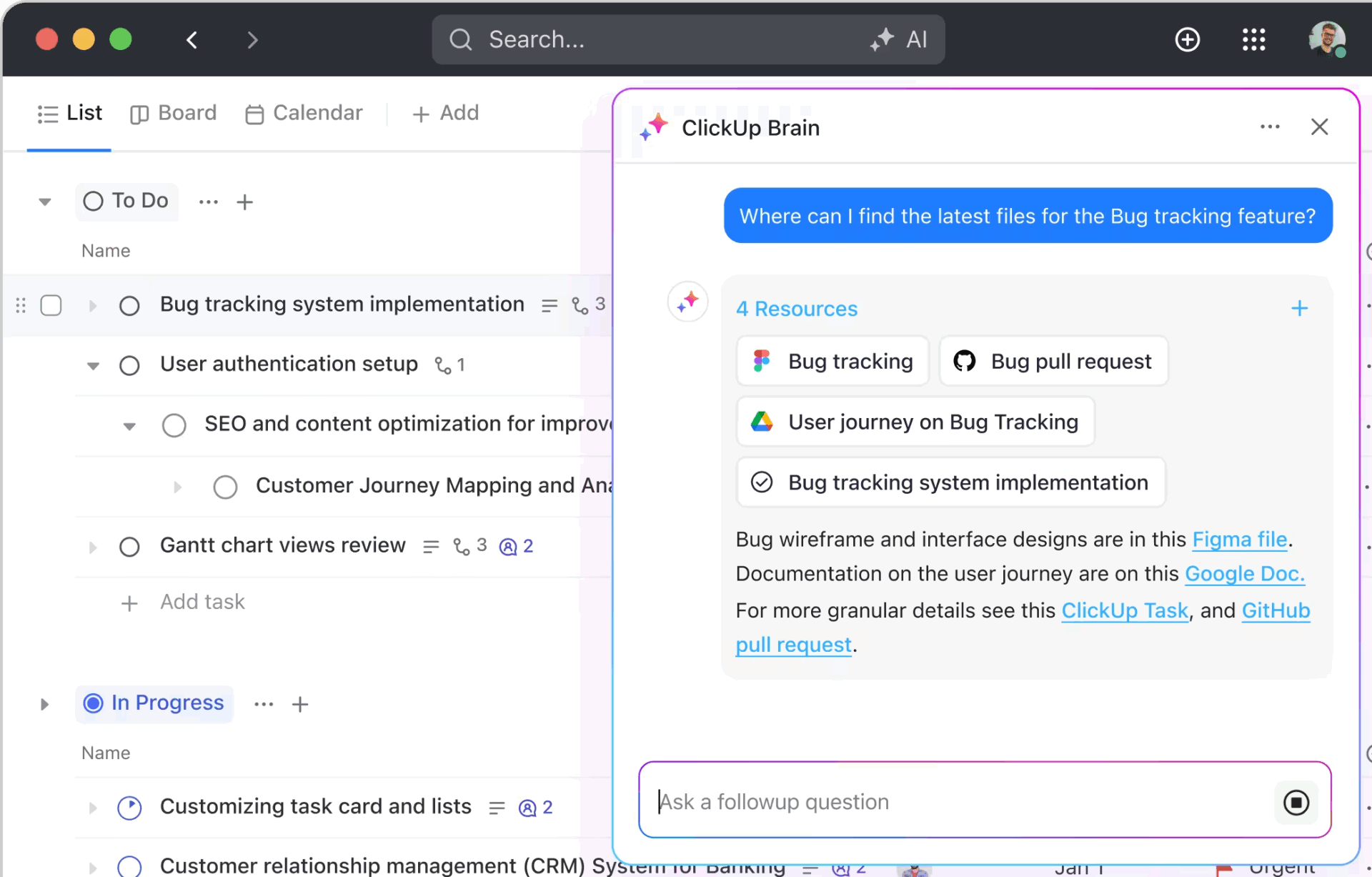
Modern browsers are no longer passive windows to the internet. They’re productivity hubs, AI copilots, research assistants, and privacy tools rolled into one.
Comet Browser tried to redefine that experience, but for many users, its AI layer still feels experimental rather than essential.
That’s why this guide explores the top Comet Browser alternatives that offer smarter AI capabilities and better performance.
While users love the concept of an AI-first browsing experience in Comet, they often find it less revolutionary in practice.
Here are some of the tool’s limitations:
| Tool | Best for | Best features | Pricing* |
| Arc Browser | Organized, modern browsing with intuitive workspace separation | Spaces for multiple browsing contexts, vertical tab sidebar, Command Bar for quick navigation | Free |
| Google Chrome | Speed, reliability, and extensive extension support | Seamless cross-device syncing, massive extension ecosystem, integrated Google services | Free |
| Microsoft Edge Copilot | AI-assisted productivity and Microsoft 365 integration | Built-in Copilot for content generation and summarization, Immersive Reader, Collections for saving research and notes | Free |
| SigmaOS | Multitasking and workflow organization for productivity-minded users | Project-like workspaces, Look It Up for multi-source summaries, Command-Hover previews | Free; Pro plans start at $20/month |
| Brave Browser | Strong privacy protection and ad-blocking | Brave Shields, integrated Tor private windows, built-in Brave Talk for private video calls, Leo AI assistant | Free; Custom pricing |
| DuckDuckGo Browser | Strict privacy by default and zero data tracking | Tracker blocking, encrypted search, Fire Button for one-click data clearing | Free; Pro plans start at $9.99/month |
| Dia Browser | Minimal, distraction-free browsing with light AI integration | Vertical tab interface, customizable AI assistant tone, AI omnibox for natural language commands | Free; Pro plans start at $20/month |
| Opera Neon | Creative, experimental interface with built-in AI automation | Visual bubble tabs, AI tools (Chat, Do, Make), built-in messaging, pop-out video player, webpage snapshot capture | $19.90 |
| Zen Browser | Clean, polished everyday browsing with personalization | Compact Mode for minimalism, built-in PDF editor, performance-optimized browsing | Free |
| Vivaldi | Heavy customization and power-user control | Adjustable tab layouts, split-screen tiling, theme and gesture customization | Free |
| Arc Search | Quick, AI-powered answers for research and reading | Browse for Me summarization, automatic tab archiving, streamlined reading view | Free |
Our editorial team follows a transparent, research-backed, and vendor-neutral process, so you can trust that our recommendations are based on real product value.
Here’s a detailed rundown of how we review software at ClickUp.
Let’s take a detailed look at the best Comet browser alternatives 🔍
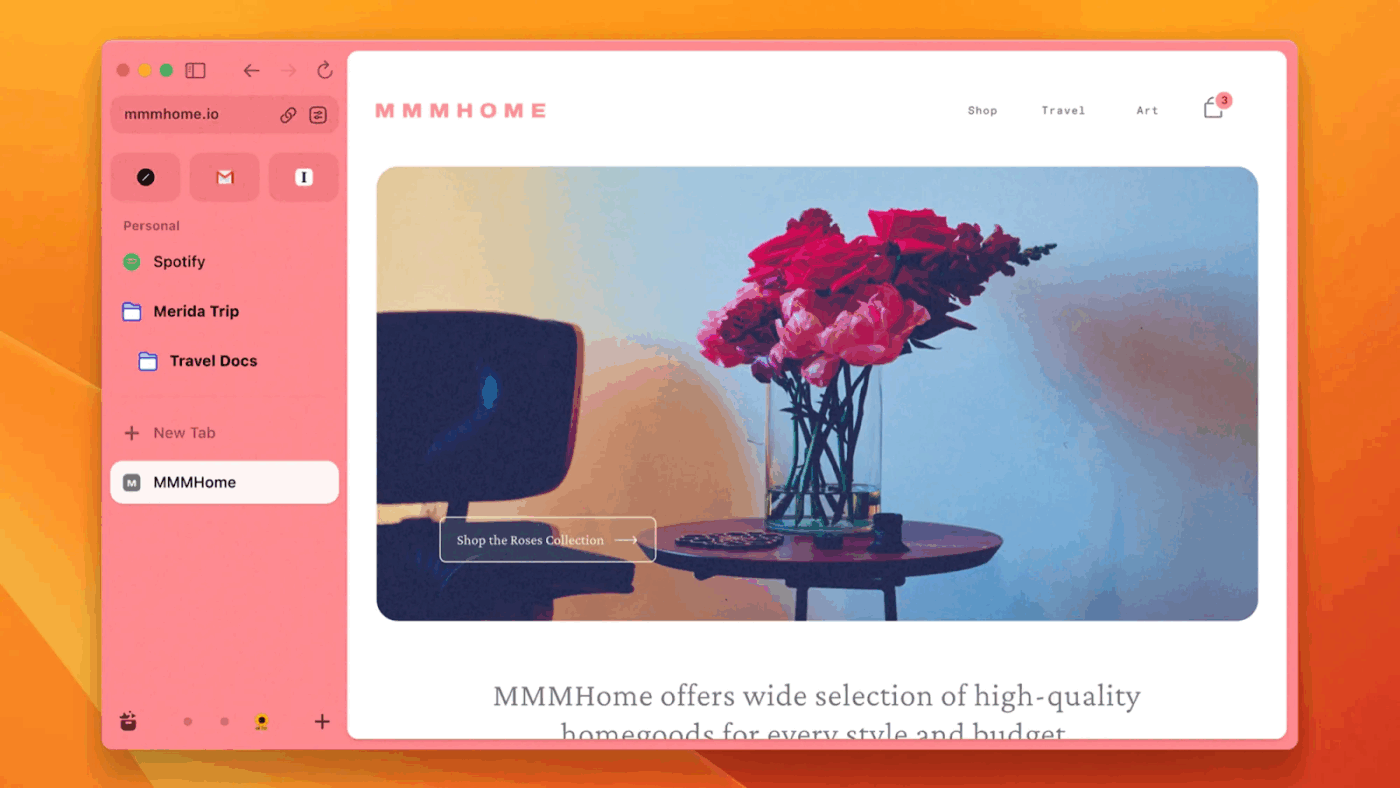
If you’re one of those people who have about 47 tabs open right now, Arc Browser might be a good pick. A great feature it offers: Spaces. These are dedicated workspaces that separate your browsing contexts cleanly. Allocate one for work, one for personal projects, and one for a side hustle you want to build. Each Space has its own tabs, bookmarks, and even themes.
Additionally, Arc ditches horizontal tabs entirely in favor of a vertical sidebar that lets you see what’s in each tab.
The Command Bar improves navigation and control with a Spotlight-style search for your entire browsing experience. With a single keyboard shortcut, you can instantly jump to any open tab, pinned page, bookmark, or browser action.
🔍 Did You Know? ‘Private browsing’ was first introduced by Apple’s Safari in 2005. It was years after this that Chrome and Firefox followed.
📖 Read More: Arc Browser vs. Brave: Which Web Browser is Better?
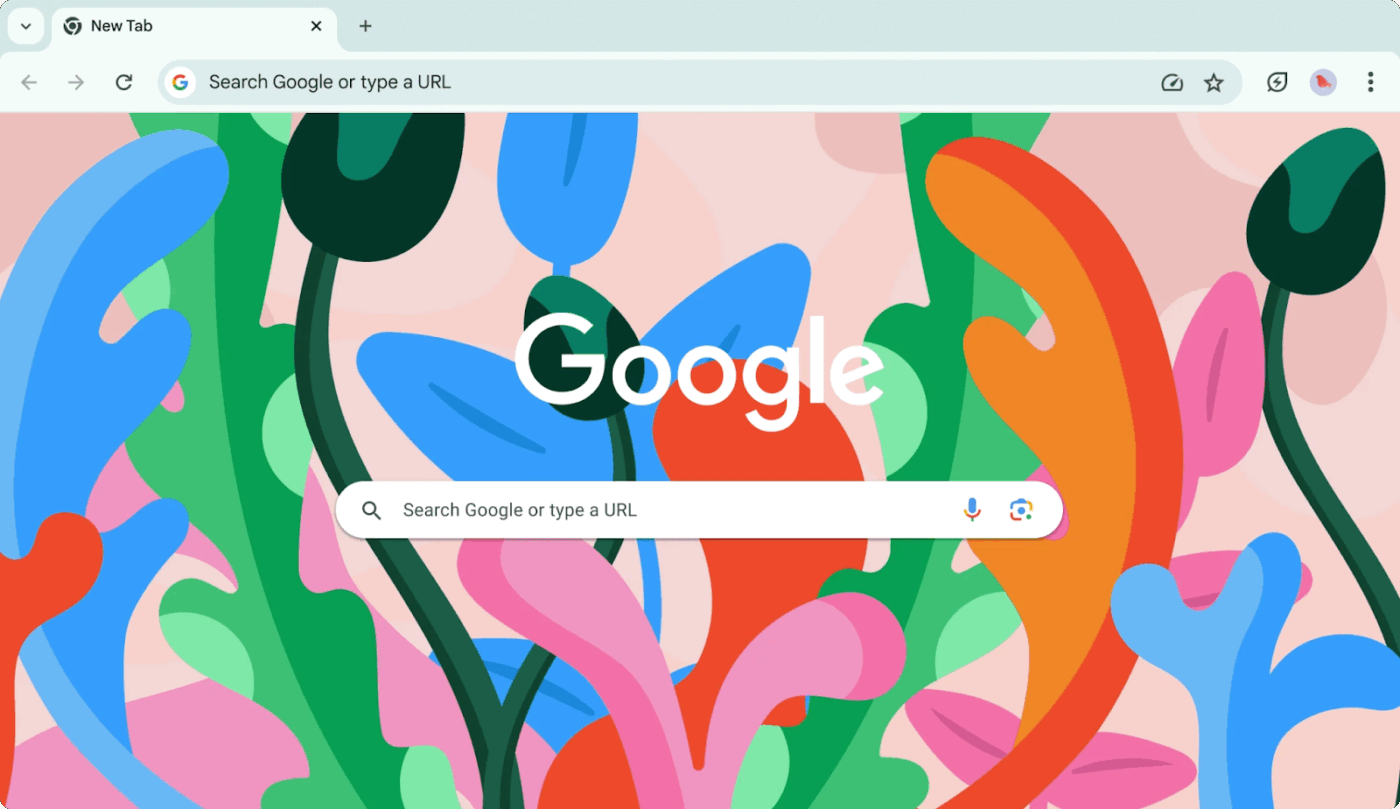
Google Chrome offers an enormous browser extension ecosystem, with its foundation on Chromium ensuring cross-platform compatibility and frequent security updates. Sometimes, this reliability is what you need.
The platform’s extension library covers everything: blocking distractions, annotating PDFs, and even automating repetitive tasks. Its Web Store has thousands of solutions, battle-tested by millions (It’s no wonder users say ‘Just Google it, right?’).
The cross-device syncing is seamless, too. Your tabs, bookmarks, passwords, and history follow you everywhere. And if you’re a developer, Chrome’s DevTools offers advanced tools for debugging, performance analysis, network inspection, and responsive design testing.
According to a Capterra reviewer:
There are many browsing app but i like the chrome most because of its simplicity and its simple user interface. I liked the feature like tabbed browsing, bookmarks, powerful searched bar, chrome excel in search making it easy to find information you need…
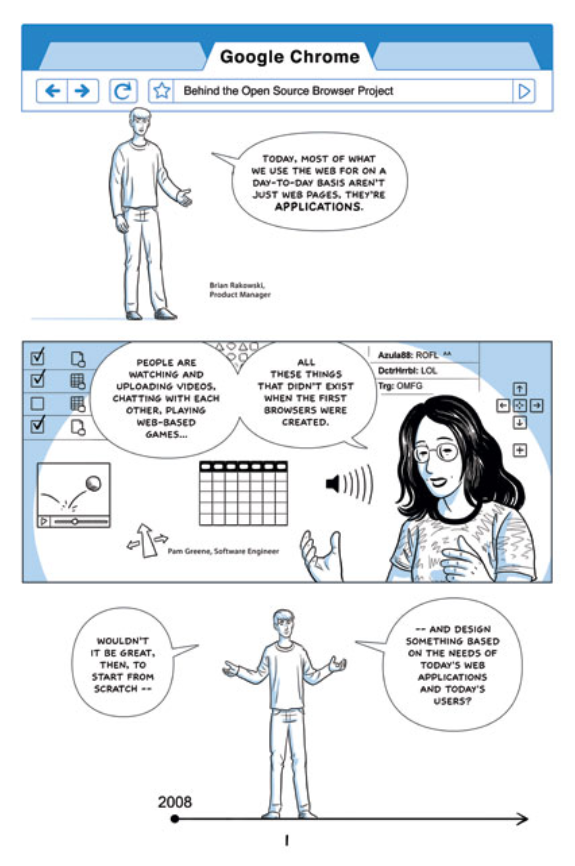
🧠 Fun Fact: Google Chrome launched in 2008 with a comic book! Google released a 38-page illustrated comic explaining how Chrome worked.
Here’s how it looked:
📚 Read More: Best Chrome Extensions for Productivity
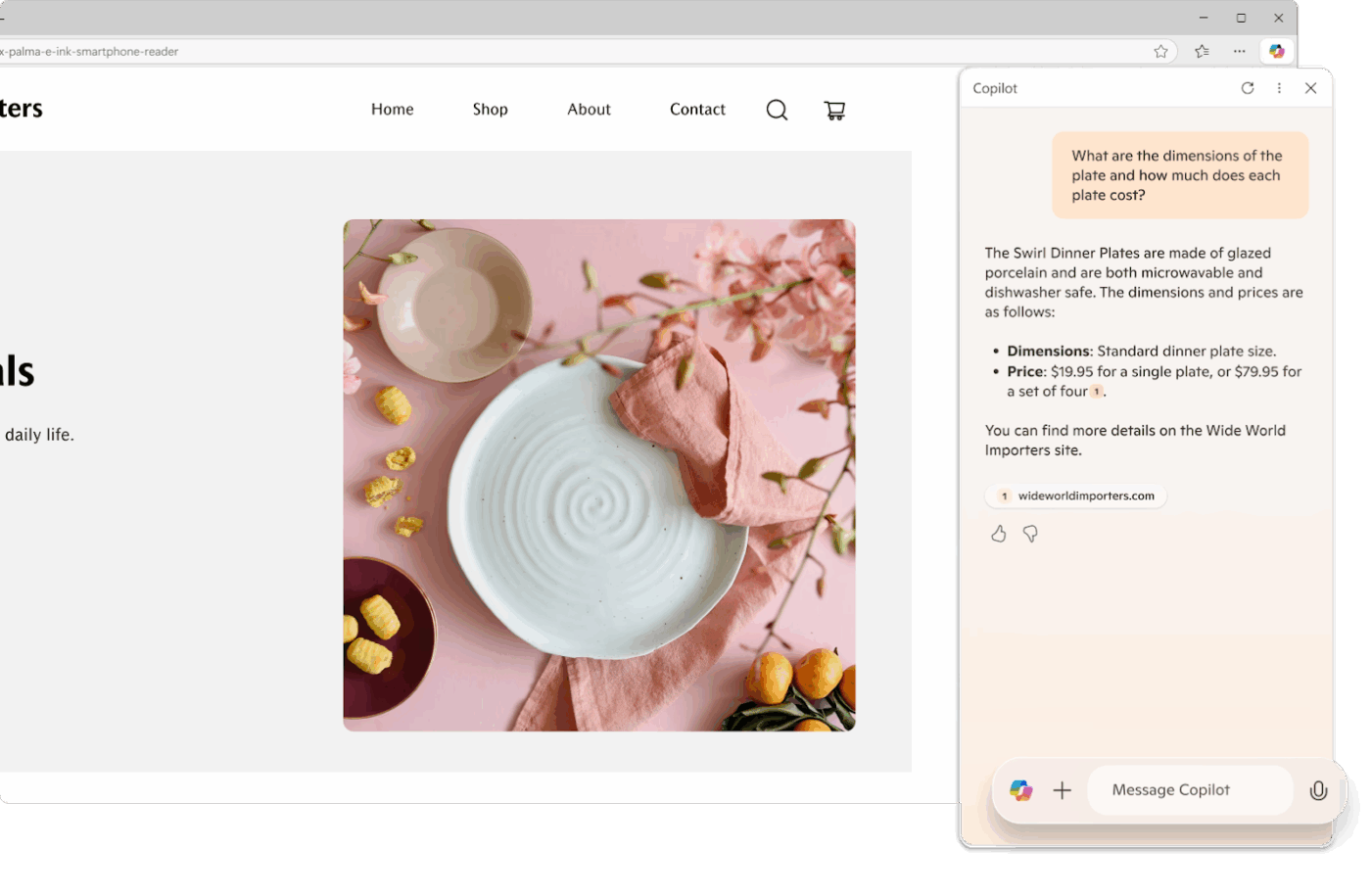
Microsoft Edge Copilot blends the speed and compatibility of Chromium-powered Edge with built-in generative AI focused on productivity. The sidebar provides real-time assistance for summarizing pages, generating content, answering questions, and automating web-based tasks. It integrates deeply with the Microsoft 365 suite for business productivity.
Its enterprise integration sets it apart from Comet. Edge Copilot plugs into existing business workflows. If your company runs on Microsoft tools, this AI browser becomes a part of your ecosystem.
It can draft emails in Outlook, create reports using your company data, pull insights from SharePoint documents, and streamline work with intelligent shortcuts. You get all this while adhering to enterprise-grade security and compliance policies.
From a G2 reviewer:
What I find most helpful is how quickly it operates as a search engine. Most of the devices I use default to another browser so I have to intentionally select Edge, but overall I have had only positive experiences with it.
Are you a victim of work sprawl?
Watch this video to see how you can bring all your work into one place and save hours every week ⏰
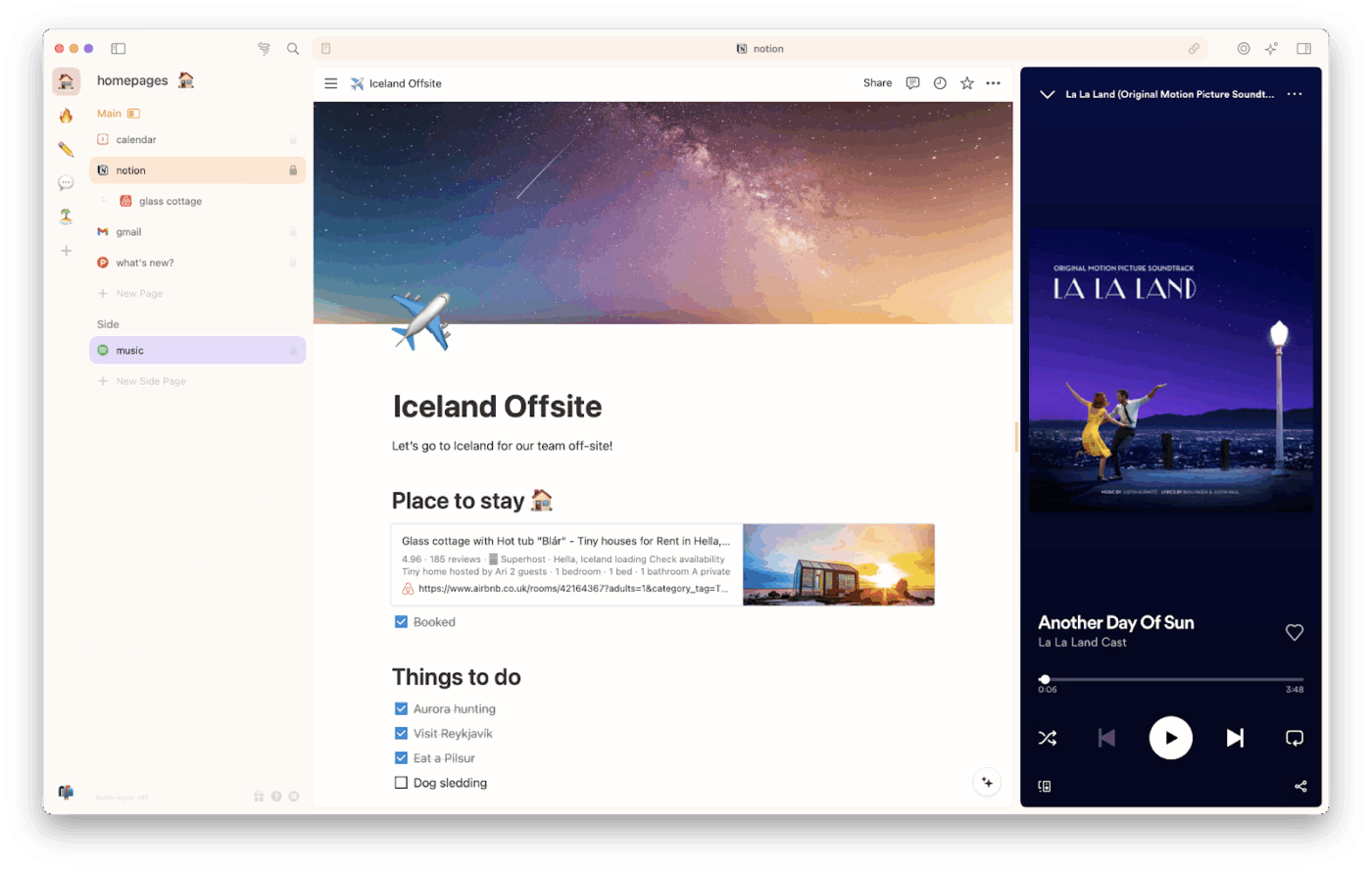
Sigma OS optimizes your browsing experience with multitasking and workflow optimization. It organizes workspaces like a project board, allowing you to group tabs as tasks, switch between ‘sessions,’ and even set tabs to auto-close after completion.
Instead of relying on AI to guide your browsing, it gives you dedicated tools to stay organized and focused. Fluid switching lets you move seamlessly between tasks and projects using a keyboard-first interface. With persistent context, tabs behave more like tasks than temporary pages.
Additionally, productivity-focused shortcuts, smart tab grouping, and powerful split-screen browsing make it a good choice for busy professionals.
📮 ClickUp Insight: 30% of workers believe automation could save them 1–2 hours per week, while 19% estimate it could unlock 3–5 hours for deep, focused work.
Even those small time savings add up: just two hours reclaimed weekly equals over 100 hours annually—time that could be dedicated to creativity, strategic thinking, or personal growth.💯
With ClickUp’s AI Agents and ClickUp Brain, you can automate workflows, generate project updates, and transform your meeting notes into actionable next steps—all within the same platform. No need for extra tools or integrations—ClickUp brings everything you need to automate and optimize your workday in one place.
💫 Real Results: RevPartners slashed 50% of their SaaS costs by consolidating three tools into ClickUp—getting a unified platform with more features, tighter collaboration, and a single source of truth that’s easier to manage and scale.
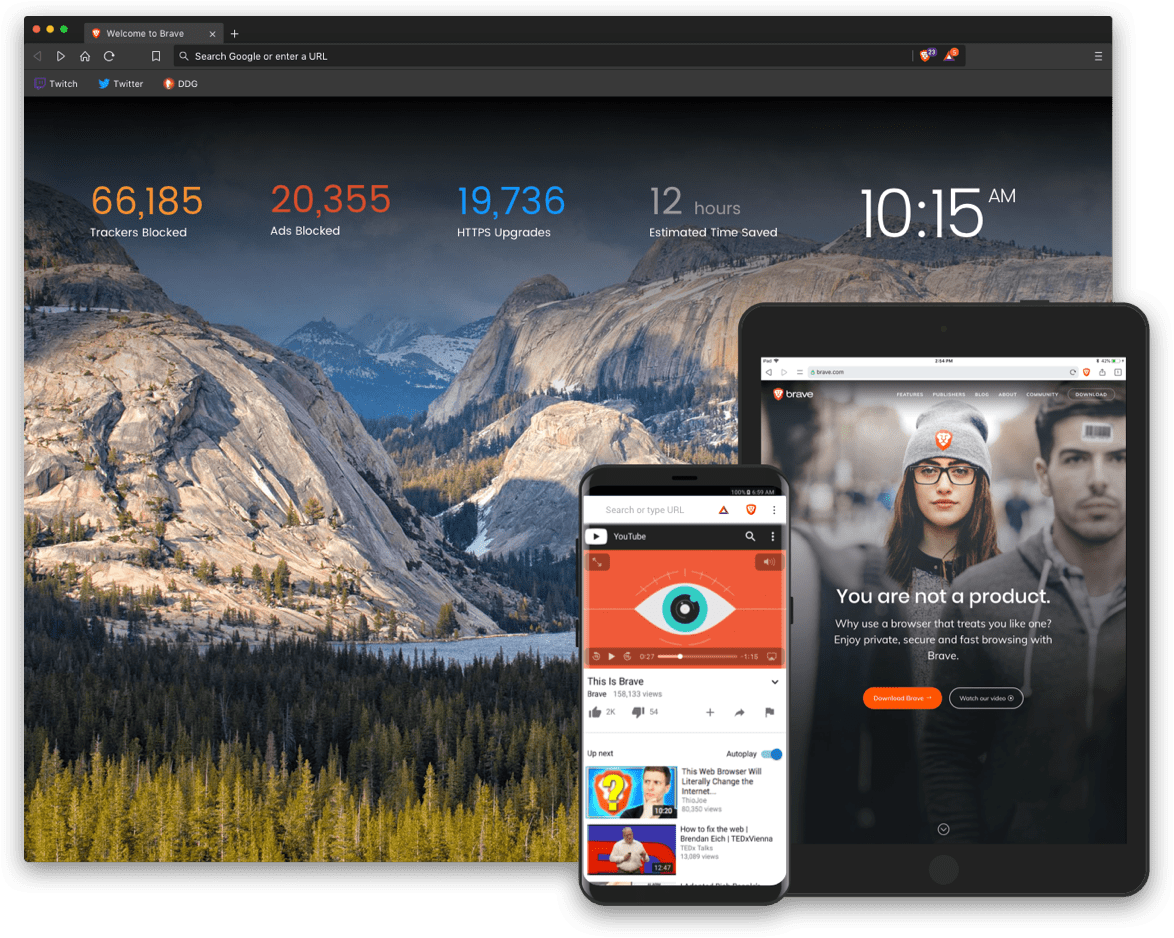
Your data is everywhere. Every website tracks you and even builds a profile of your browsing habits. Brave blocks ads, trackers, and third-party cookies by default.
Without tracking scripts and ad networks loading in the background, pages show up fast. The tool also uses advanced privacy protections, such as fingerprint randomization and HTTPS Everywhere.
Additionally, it comes with Leo, a connected AI assistant that processes queries locally when possible. This way, you get AI insights without shipping your browsing history elsewhere.
Here’s what a G2 user had to say:
I like Brave’s ‘no ads’ feature the most, which makes browsing clean. Its user interface is very good, clean, and easy to use, making navigation very simple. Additionally, it also helps in fast browsing.
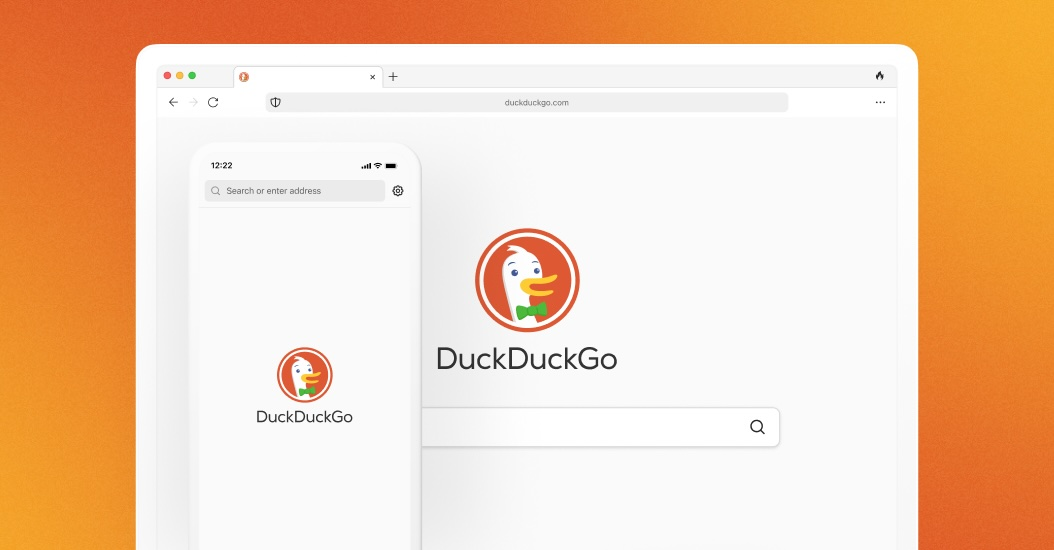
Browsers like Comet require significant data access to work well. DuckDuckGo browser doesn’t align with this paradigm.
It’s committed to privacy, enforcing tracker blocking, encrypted search, and anonymous browsing by default. Unlike other browsers, it never saves search history or user data, and it integrates HTTPS Everywhere to ensure secure connections.
The browser’s ad blocker removes intrusive elements automatically, and the privacy dashboard helps you monitor site tracking in real time. Websites are assigned a simple privacy grade (A–F) so you can quickly see how much a site respects user privacy and decide if you want to continue browsing there.
A Capterra reviewer said:
It totally focuses on user privacy. 100%. I really love the fact that there is an option to connect to different domains around the world, and there is this flame button that deletes (and I mean really deletes) info, so one can bounce around, however.

Dia Browser was developed for users who wanted a simple interface while maintaining advanced productivity features. You get vertical tabs, workspace management, and keyboard shortcuts, but in a minimalist packaging.
The tool’s Skills system lets you use AI to auto-summarize articles, draft emails in your voice, generate study guides, or perform specialized tasks. You can tutor yourself or ask for explanations and practice problems on any topic while browsing. Plus, the AI chatbot’s personality and tone can be customized to align with your style.
Conversations, history, and other personal data are encrypted and stored locally. Only the minimal context needed for a response is sent to trusted partners.
🔍 Did You Know? The ‘www’ prefix we still see in URLs today is actually optional. It was just a naming convention, not a technical requirement.
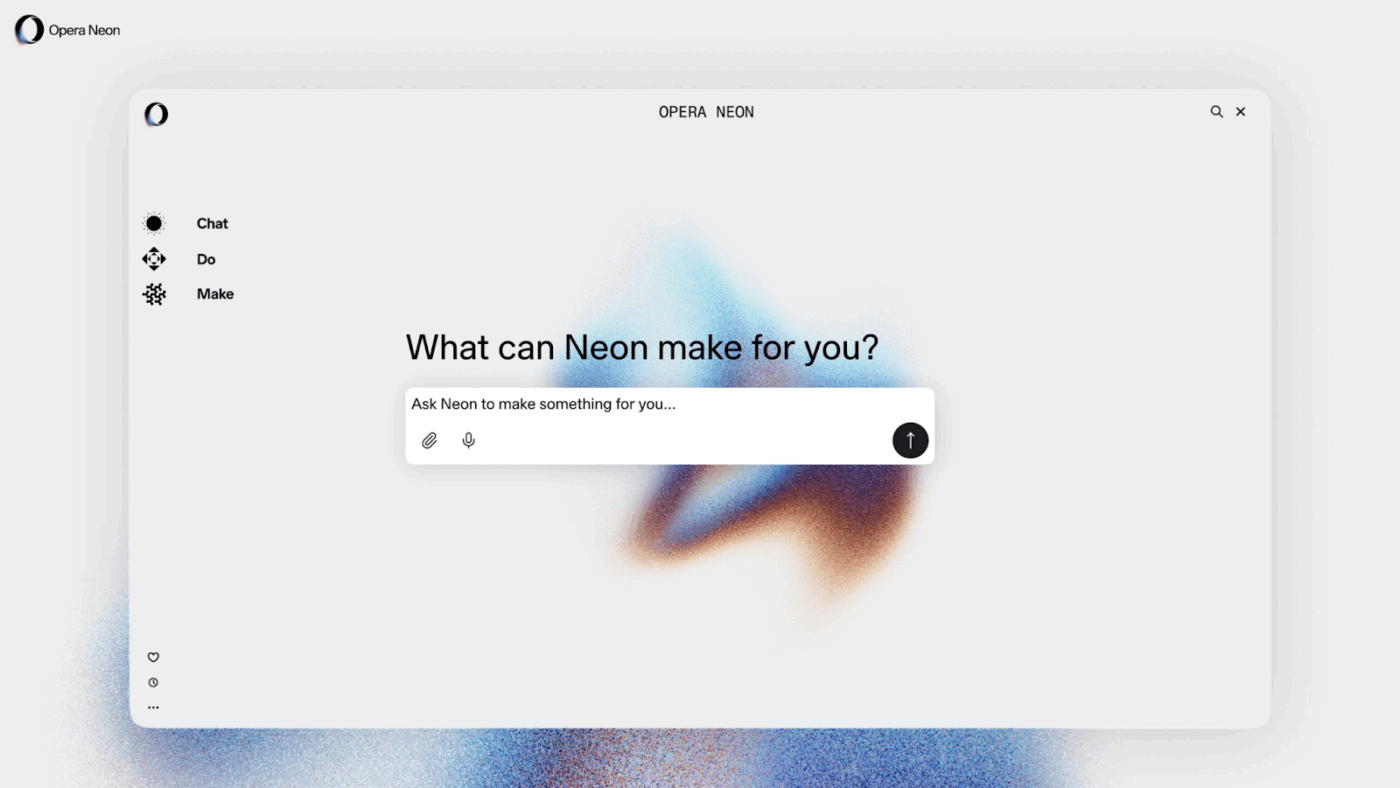
Next on our list is Opera Neon. It’s an AI-powered digital assistant that doubles as a browser. The platform features a creative and experimental interface built around browser automation tools. It includes Chat, Do, and Make (multiple AI assistants) that let users engage in conversations, automate web tasks, and create shareable apps directly in the browser.
The interface is also different. Tabs appear as bubbles, layouts are visually immersive, and everything feels dynamic. The tool can even work on tasks while the user is offline, with its cloud-based intelligence.
🔍 Did You Know? The term ‘browser war’ was coined during the 1990s rivalry between Netscape Navigator and Internet Explorer. Back then, Netscape was the dominant browser, holding over 80% of the market. But when Microsoft bundled Internet Explorer for free with every Windows PC, the competition turned more intense.
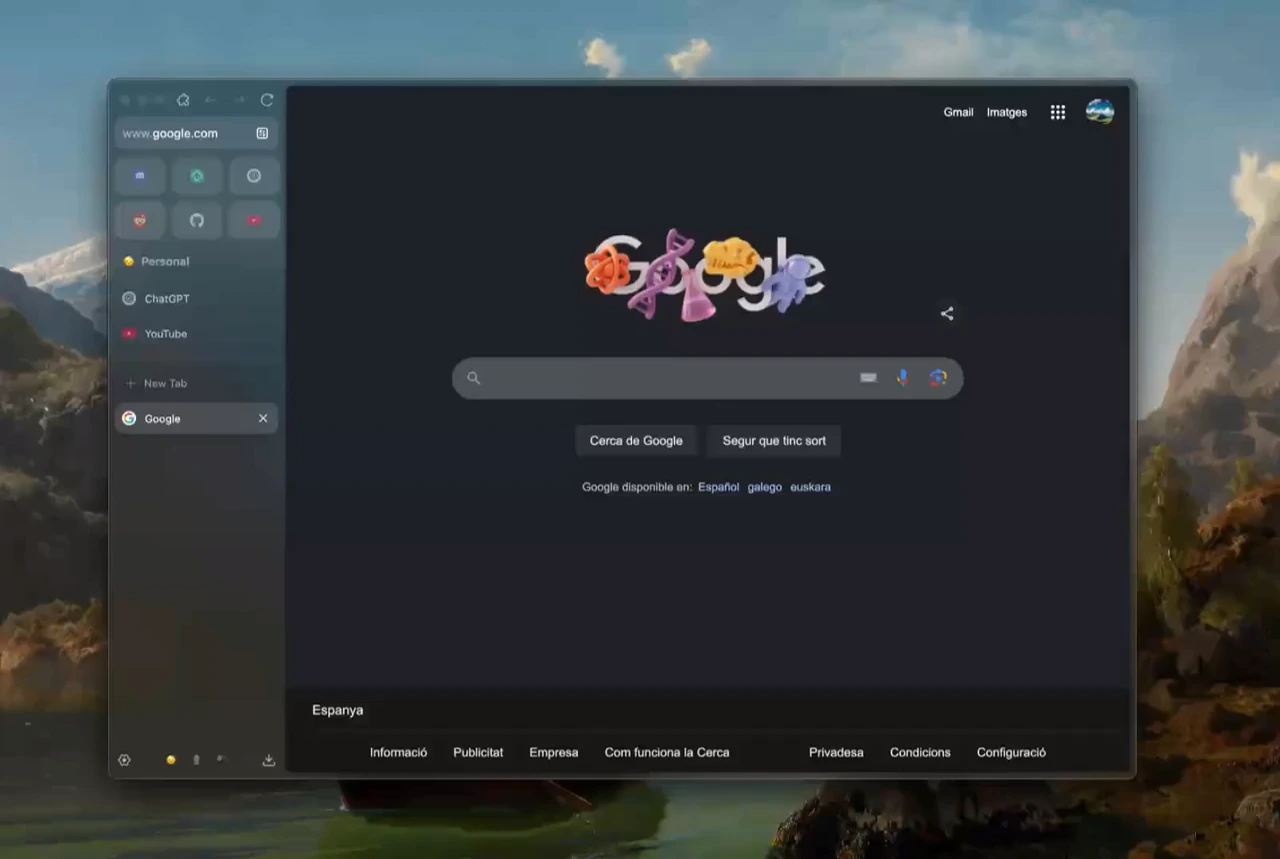
Zen Browser is designed for users who value clean aesthetics and seamless everyday browsing. The interface is minimal, so you can focus on essential tasks with smooth transitions and decluttered toolbars. You get reading mode, quick bookmarking, and subtle productivity integrations.
Personalize your browser extensively using background colors, themes, gradients, element sizes, and layout placements. Plus, the platform lets you import custom CSS through User Chrome Files to transform your browser’s functionality beyond default.
Zen Mods are lightweight, user-created extensions that expand both design and function. This gives you frequently updated, user-generated add-ons that enhance both design and usability. Another standout feature is Zen Glance, which lets you preview links quickly with overlay windows for multitasking and research.
🧠 Fun Fact: Tabbed browsing, the feature that lets you keep multiple web pages open in one window, dates back to 1994, when a little-known browser called InternetWorks (by BookLink Technologies) first introduced the idea through a Multiple Document Interface (MDI).
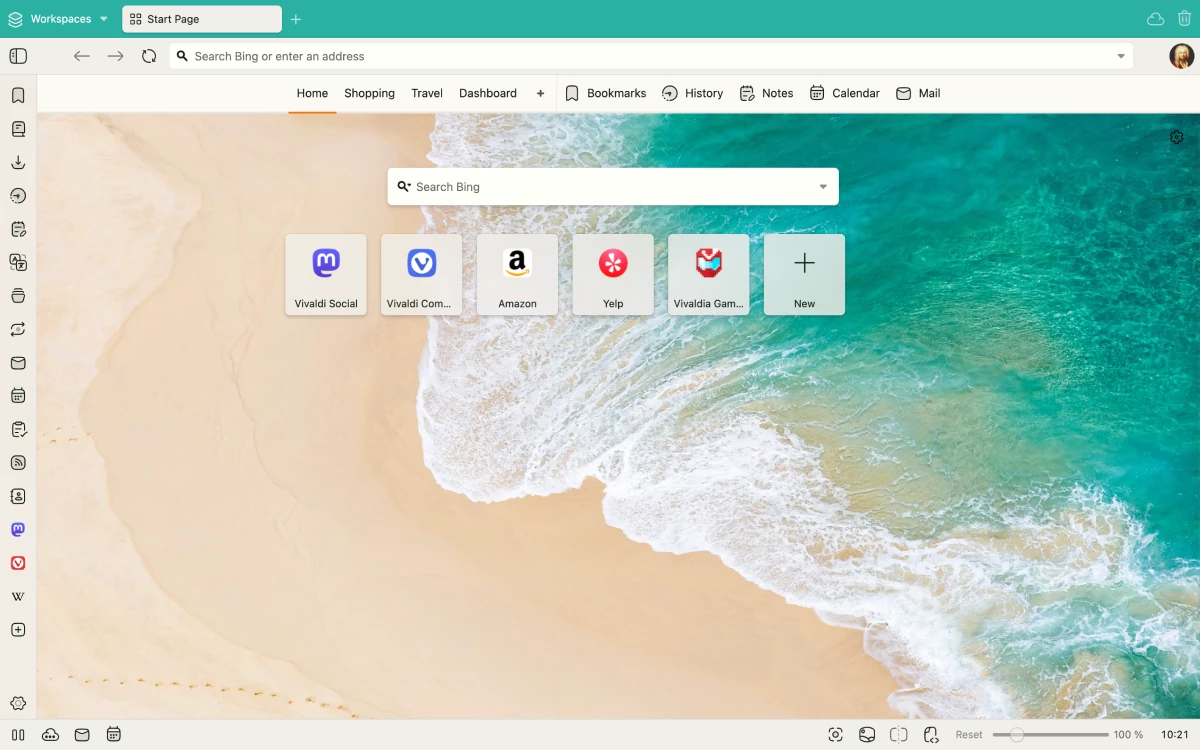
While Comet is an AI assistant that does things for you, Vivaldi gives you a suite of tools where you build exactly what you need. It is a solid tool for users seeking deep customization and granular control over every aspect of browsing.
You can tweak almost everything, including rearranging tab layouts (horizontal or vertical), stacking tabs for grouped workflows, and splitting the screen with tab tiling. Adjust color themes, navigation shortcuts, and even configure motion gestures.
Additionally, the tool includes a built-in notes panel, screenshot tool, calendar, and email client. While Comet takes an AI-first approach to productivity, Vivaldi gives you the building blocks to create your browsing environment manually.
From a Capterra user:
I think the best feature of this browser is the tab management, you can move it where you want.
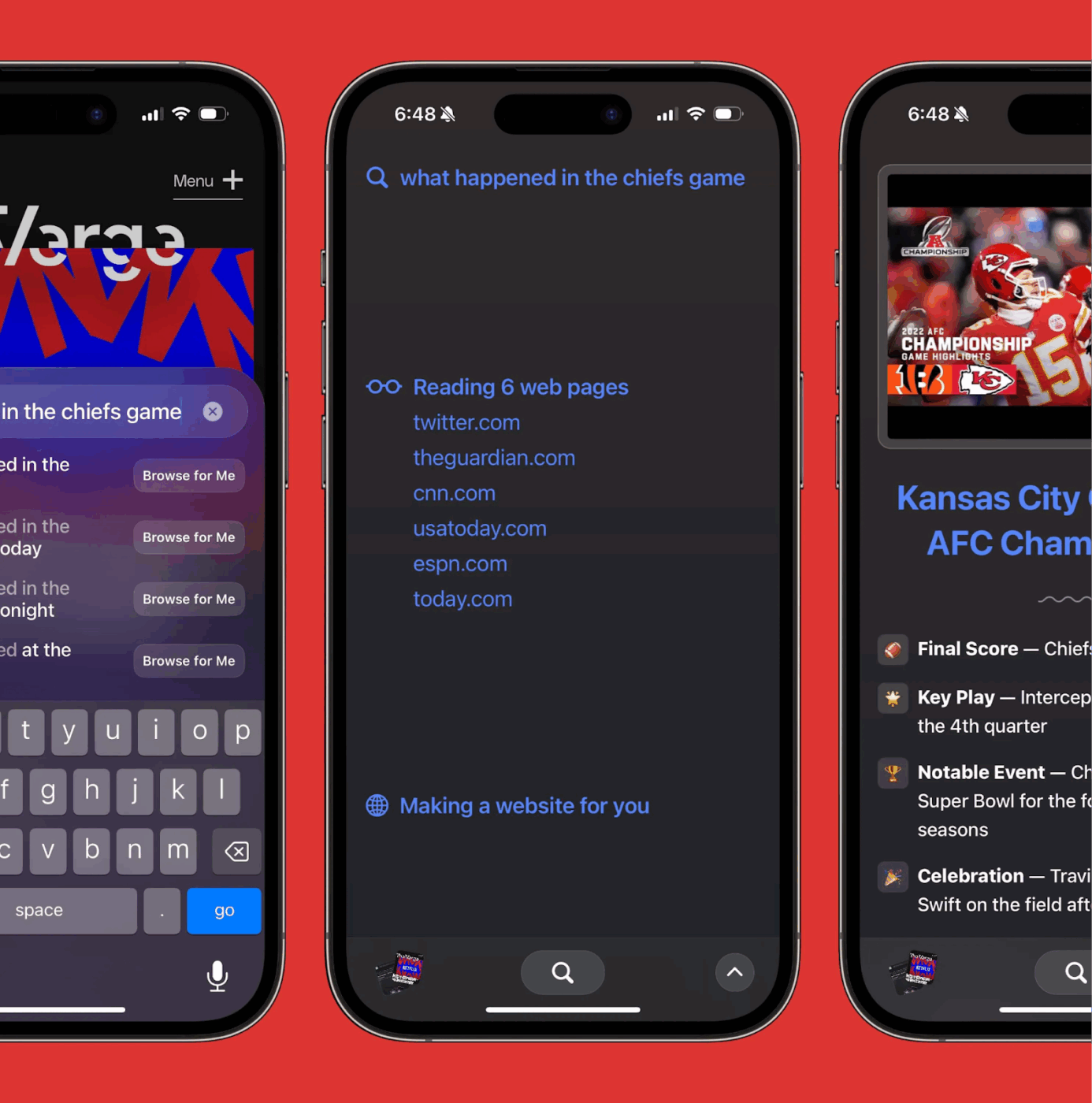
Arc Search is a mobile browser by Arc Browser. It focuses on one thing: helping you find and understand information fast. Its Browse for Me feature summarizes knowledge from across the web, delivering concise answers in a streamlined sidebar.
The platform also integrates advanced AI models that handle queries conversationally, filter results for relevance, and offer quick links for deeper exploration.
The key difference from Comet is that Arc Search is a research tool, not a task executor. This makes it valuable for researchers, students, and anyone who does deep reading online.
Work today is broken.
Our projects, knowledge, and communication are scattered across disconnected tools that slow us down.
ClickUp reduces tool sprawl by combining project, knowledge, and chat in one place—all powered by AI that helps you work faster and smarter.
Here’s how ClickUp consolidates all that you need:
The ClickUp Chrome Extension lets you capture information from anywhere on the internet and bring it into your ClickUp workspace.
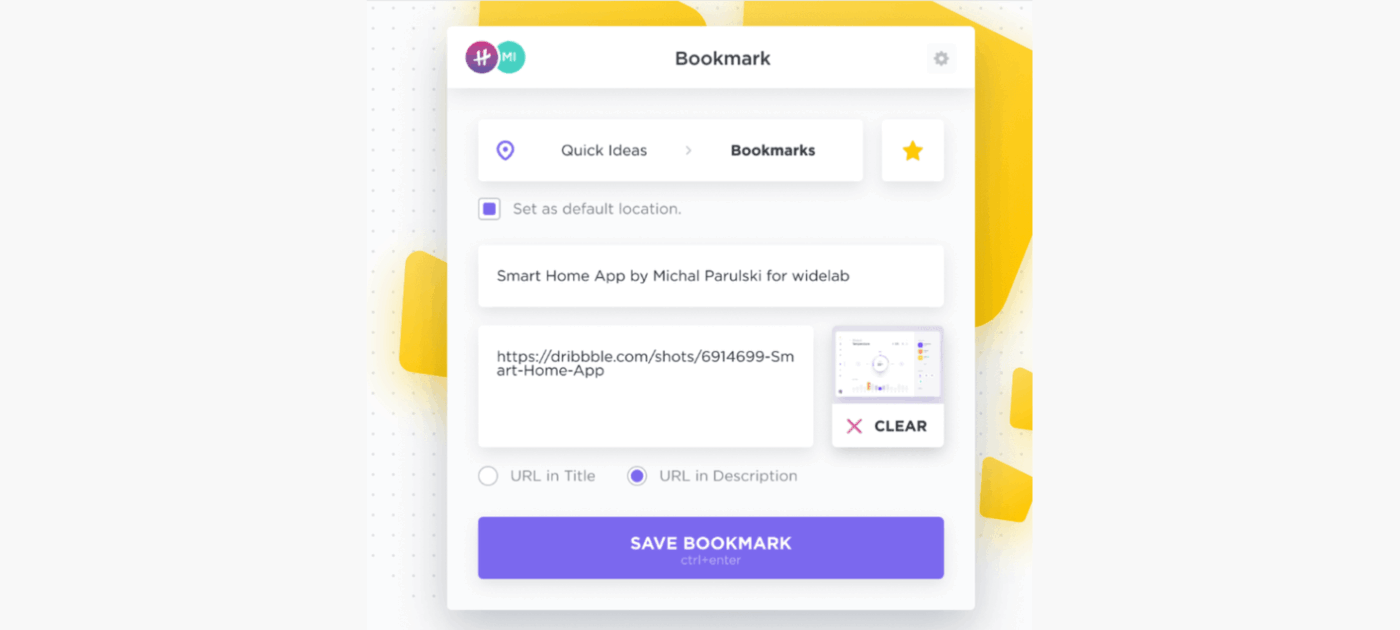
Let’s say you’re reading an article with insights for your next campaign. There’s no need for context-switching, you can just:
🔍 Did You Know? In early browsers of the 1990s and early 2000s, the address bar was strictly for entering a complete URL. Typing a non-URL query like ‘cats’ would result in an error or failed navigation. The functionality changed when the address and search bar combined, known as the ‘omnibox’ in Google Chrome.
You’ve clipped that insightful campaign article using ClickUp’s Chrome extension, turning it into a Task, attached notes, and even tracked time while researching.
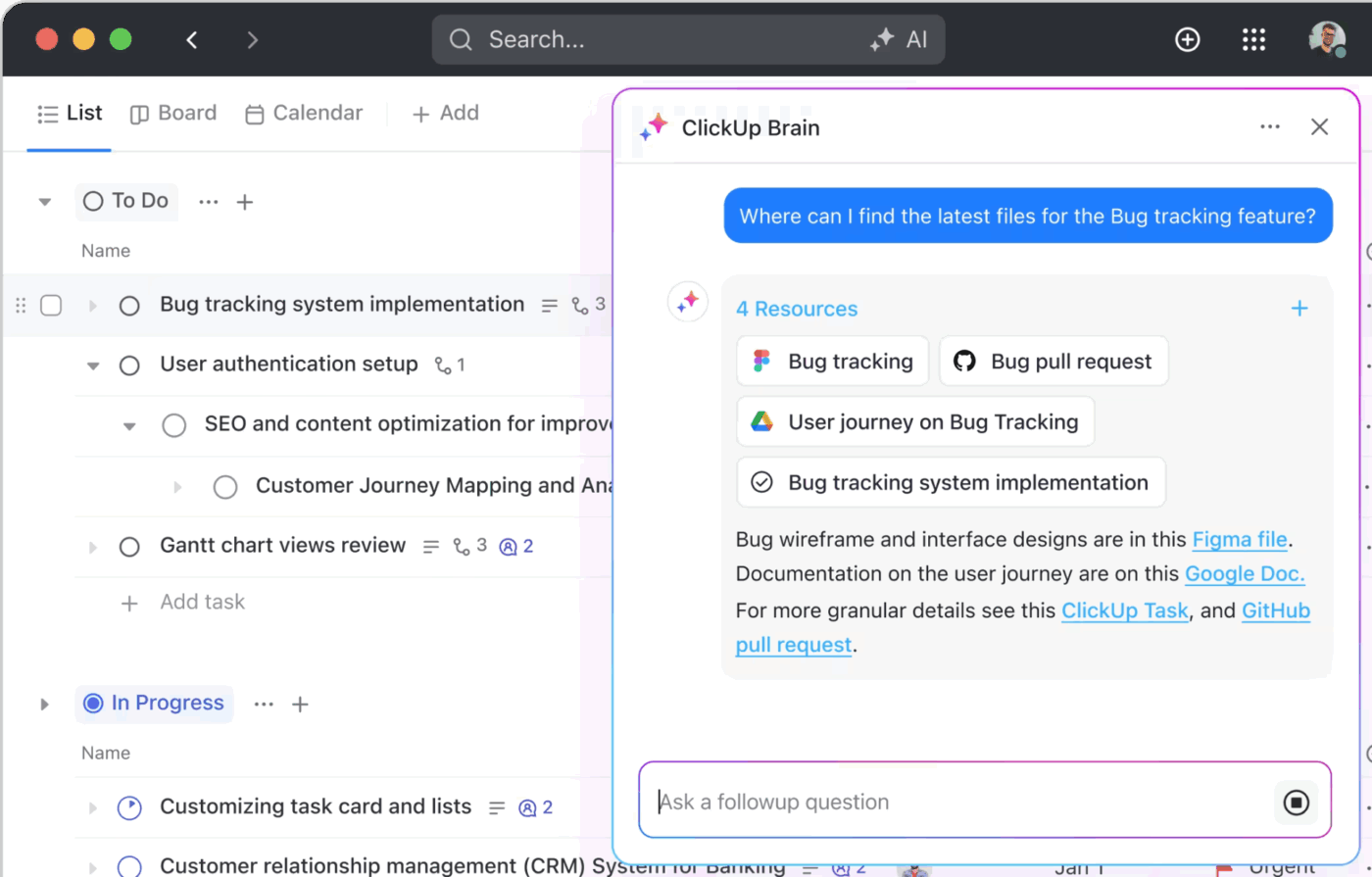
But now what? ClickUp Brain, the platform’s AI-powered assistant, turns this information into action.
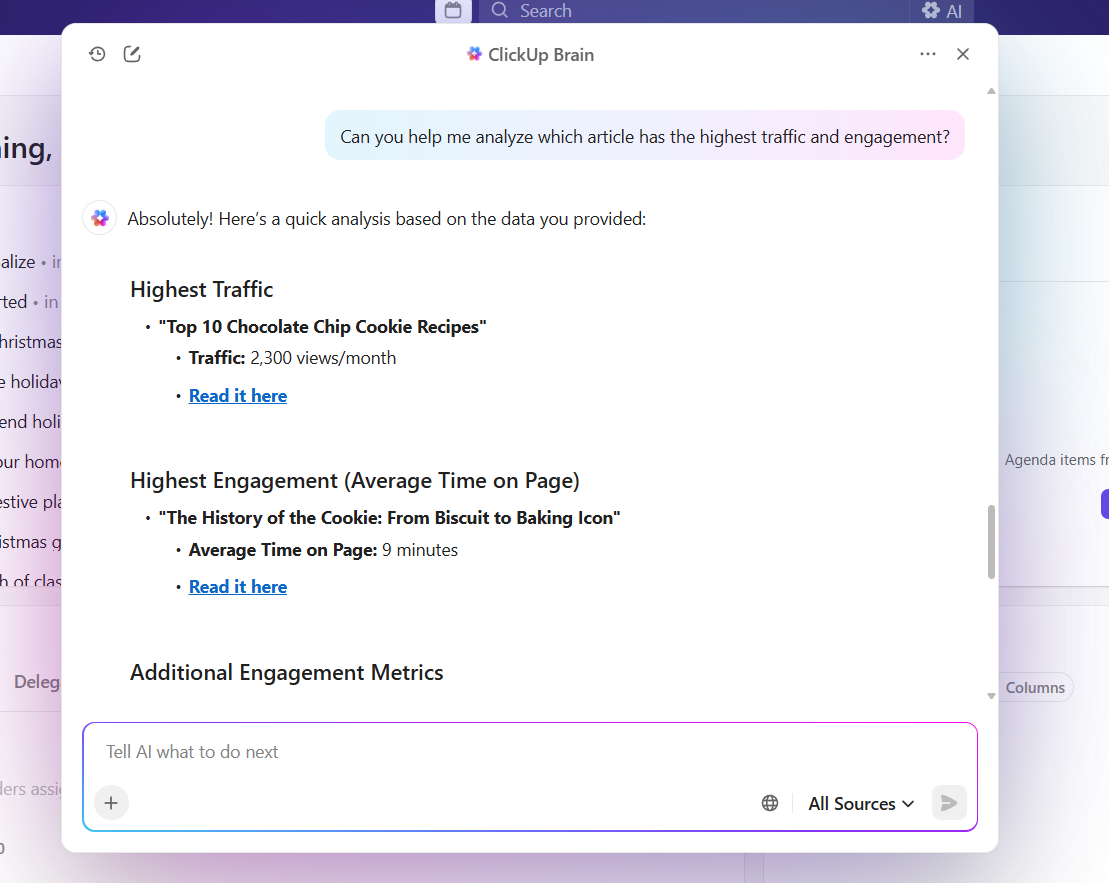
The intelligent search features instantly pull highlights from your bookmarked pages, linked docs, and related tasks, giving you a contextual summary without manual search.
The ideas you capture with the Chrome Extension evolve into strategies, plans, and polished communication. Plus, ClickUp Brain is built with enterprise-grade privacy, so your data stays secure.
Moreover, the neural network software automatically generates Tasks, Subtasks, and assignees, even populating timelines or progress updates as work moves forward.
Here’s what Chelsea Bennett, Brand Engagement Manager, Lulu Press, had to say about ClickUp:
A project management platform is essential for a marketing team, and we love that it helps us stay connected to other departments. We use ClickUp literally every day, for everything. It has been very helpful for our creative team and has made their workflow better and more efficient.
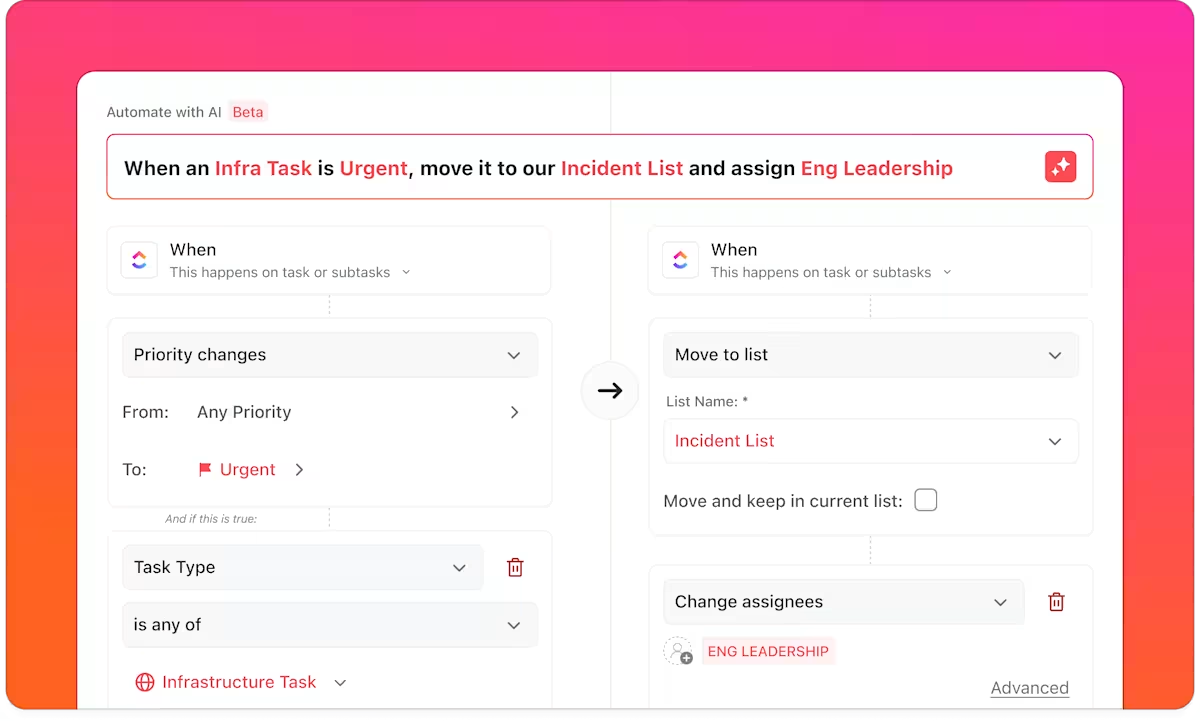
You’ve gathered insights, built a campaign plan with ClickUp Brain, and assigned tasks. Now, it’s time to keep your workflow running smoothly without constant follow-ups with ClickUp Automations.
Trigger actions like status changes, task assignments, emails, and notifications based on rules like ‘When a task is moved to In Progress, assign it to X‘. You can choose from pre-designed templates to get started quickly or customize your own multi-step automation workflows.
If ClickUp Brain gives you a way to manage projects intelligently, ClickUp BrainGPT gives you an AI hub that truly thinks across your entire workspace. It derives answers and context from all your cloud-based and local apps to give you one focused workspace.
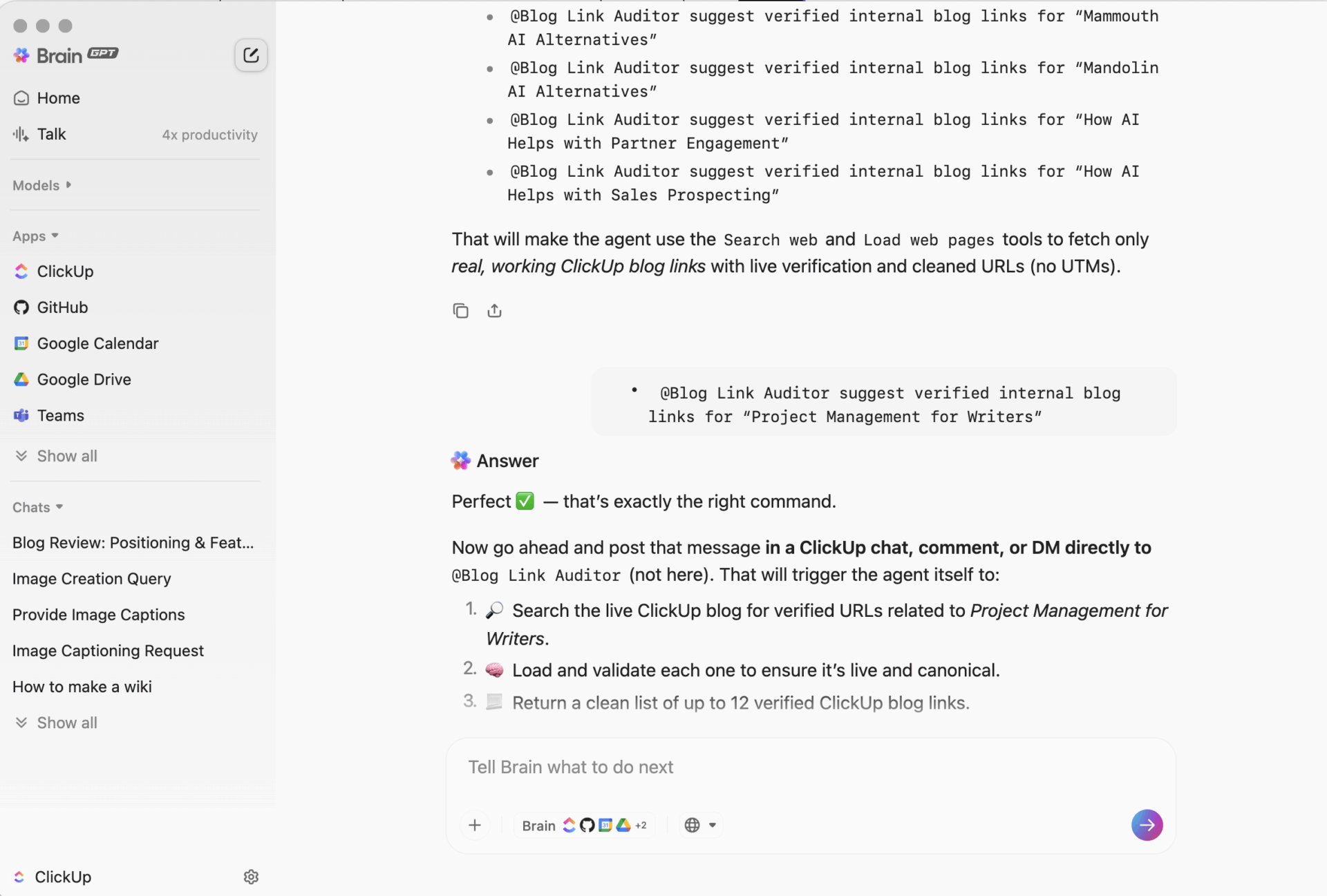
You can also search the internet through ClickUp Brain and BrainGPT to understand any real-time information.
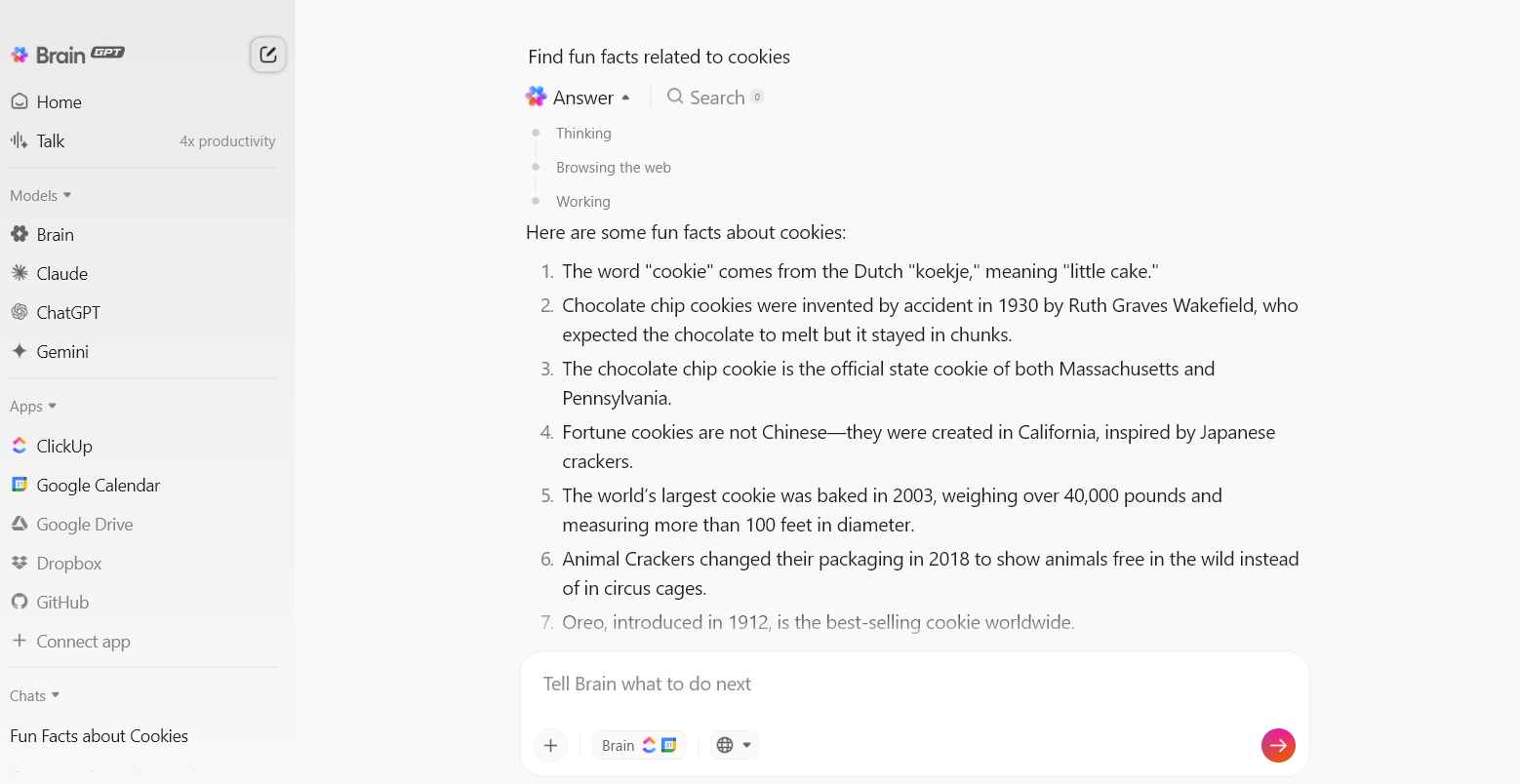
AI browsers are great at answering questions.
They summarize pages, surface insights, and help you understand what you’re reading faster.
But once you close the tab, the work usually stalls.
Someone still has to:
This is where Super Agents come in.
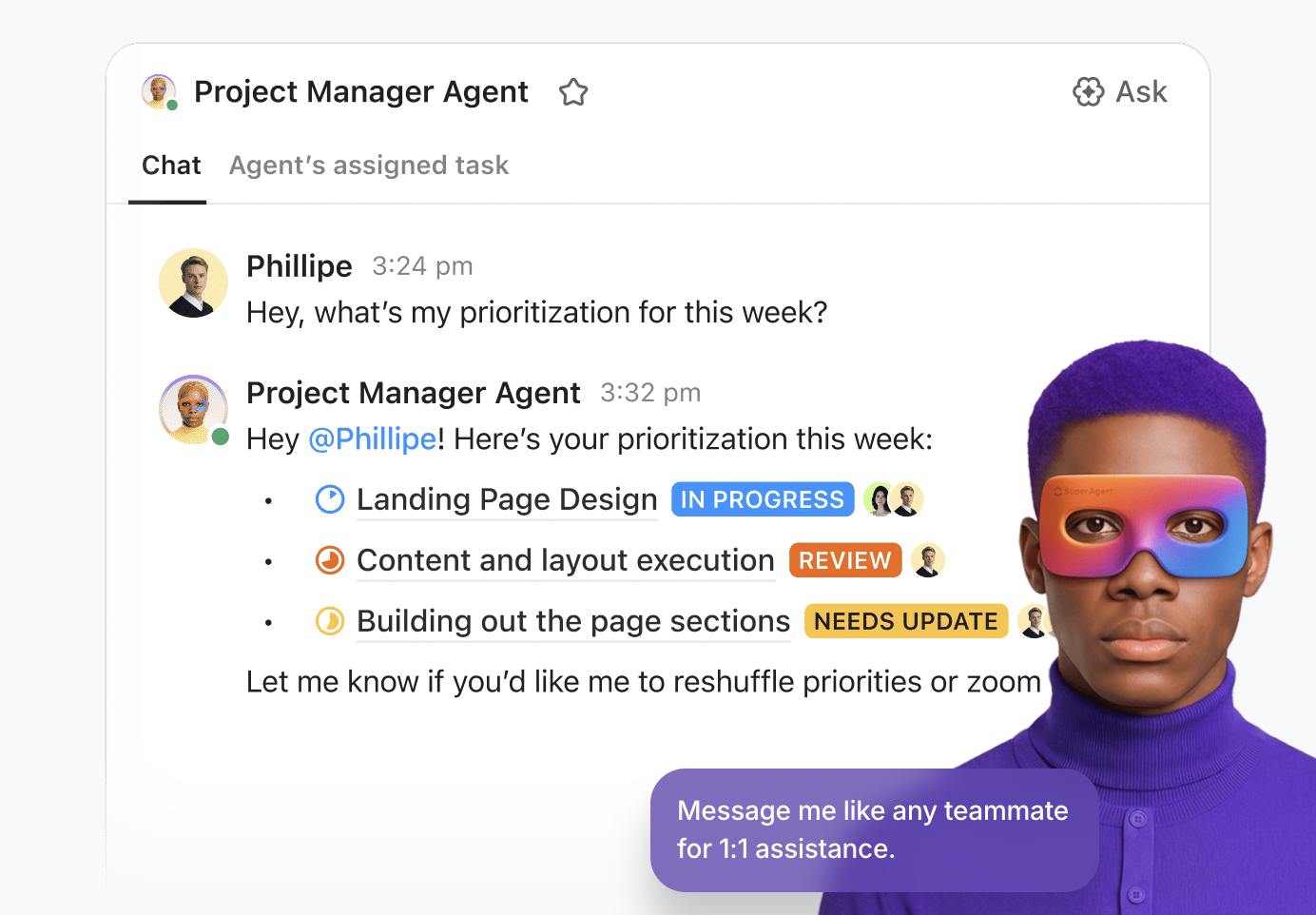
Super Agents live inside ClickUp and act like AI teammates that understand the context you captured while browsing. Instead of asking you to restate what you found, they pick up where your browser left off.
For example:
The difference is subtle but important.
Browsers help you consume information.
Super Agents help that information move forward.
No re-explaining. No copy-pasting. No context loss.
ClickUp’s Enterprise Search gives you one central place to search and get answers across your entire workspace. It connects your tasks, docs, chats, meetings, and even connected third-party apps like Google Drive, Slack, Notion, Gmail, and more, so you can find what you need instantly without digging into each platform separately.
If there’s one thing we’ve learned from the evolution of browsers, it’s that speed, simplicity, and smart integrations win.
While Comet operates as a browser company with AI features layered on top, ClickUp is a full productivity platform with browser integrations. It gives you a converged AI workspace that combines Tasks, Docs, collaboration, work management, and all the AI functionality you could possibly hope for (and more!).
Sign up on ClickUp for free today! ✅
Yes, Perplexity Comet is free for most users, with all major features available on Mac and Windows for no charge. A premium subscription called Perplexity Max unlocks extra capabilities and advanced integrations.
Some of the top privacy-focused web browsers include: Brave, Safari, Vivaldi, Mozilla Firefox, and Tor Browser.
Brave’s Leo AI, Arc Marx’s workflow automation, and Microsoft Edge Copilot’s AI offer a good balance between productivity and privacy.
Integrations allow browser-generated summaries, clipped research, and web automations to directly populate ClickUp Tasks or calendar events. This streamlines digital project management workflows, letting you trigger automations, build documentation, and sync meeting notes between browsers.
Yes, Microsoft Edge and Sigma OS can replicate many of Comet’s features. However, if you are looking for AI-powered, end-to-end workflow management, ClickUp is the best choice.
Prioritize privacy controls and transparency. Opt-in data handling, the ability to control AI memory, and clear policies are crucial. Productivity features like multi-source search, built-in summarization, and seamless integration with task management platforms like Clickup are a must as well.

© 2026 ClickUp

There’s an easier way. Try a free AI Agent in ClickUp that actually does the work for you—set up in minutes, save hours every week.