






Still downloading templates?
There’s an easier way. Try a free AI Agent in ClickUp that actually does the work for you—set up in minutes, save hours every week.
Sorry, there were no results found for “”
Sorry, there were no results found for “”
Sorry, there were no results found for “”
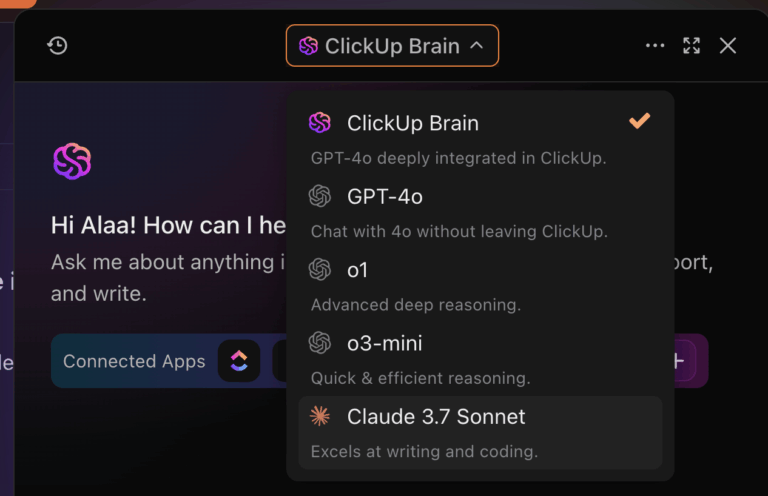
Most teams waste hours debating which AI model to use, only to discover their choice can’t handle half their actual work. Or worse, they end up paying for three different subscriptions because no single tool does it all.
This guide breaks down when to use Claude, Gemini, or ChatGPT for real work tasks like writing, coding, and research.
We also show you how to avoid the chaos of AI sprawl—the unplanned proliferation of AI tools, models, and platforms with no oversight.
You’ve heard the names, but knowing which one to use for your actual work is harder than it sounds. Teams get stuck in analysis paralysis, trying to figure out which AI assistant is “the best,” only to pick one based on a cool demo and find it useless for their actual work.
This leads to wasted time, frustrated colleagues, and another subscription gathering digital dust.
Here are the three main players:
All three are built on large language models (LLMs), but they were trained with different goals. This means the same prompt can give you three wildly different results.
In our testing, the same marketing copy prompt produced noticeably different output: ChatGPT prioritized speed and variety, Claude focused on tone consistency, and Gemini pulled in more factual context.
Test it out for yourself: here are the best prompts to use with Claude 👇
Understanding these core personalities helps you pick the right tool for each task.
Next up: how they perform for the work you actually do.
📚 Also Read: How to Write AI Prompts? Tips, Templates & Examples
Your team is tired of generic comparisons that don’t translate to real work. You don’t need benchmark scores; you need to know if an AI will save you time or create more cleanup work. Choosing the wrong one means you’re stuck with its weaknesses—like an AI that’s too slow for quick questions or one that confidently makes things up.
Here’s an honest breakdown of where each model shines and where it stumbles.
| Dimension | Claude | ChatGPT | Gemini |
|---|---|---|---|
| Best for | Complex reasoning, long documents, nuanced writing | Versatility, coding, plugin ecosystem | Real-time info, speed, Google integration |
| Writing style | Natural, thoughtful, less robotic | Competent but can feel formulaic | Functional, sometimes terse |
| Coding | Strong debugging and explanation | Excellent generation and iteration | Capable but less consistent |
| Context window | Up to 1M tokens (API); 200K standard | Up to 1M tokens (GPT-4.1 API); 128K for GPT-4o/GPT-5 Pro | Up to 2M tokens (Gemini 1.5 Pro); largest available |
| Speed | Slower, more deliberate | Fast | Fastest |
| Weaknesses | Slower responses, limited integrations | Can hallucinate confidently, verbose | Inconsistent quality, weaker reasoning |
The bottom line:
Claude wins on depth and document-heavy work. ChatGPT offers more breadth and developer tools. Gemini gives you the best speed and access to live information.
👀 Did You Know: Studies show the right AI tool can cut writing time by 65%.
The hidden cost of getting this wrong is huge. When you ask a developer to use an AI that’s bad at coding, or a writer to use one with a robotic tone, you don’t just get bad output. You erode their trust in AI as a useful tool, making it harder to get adoption for any AI initiative down the line.
Watch this video explaining the technology behind ChatGPT and how large language models process and generate responses:
📮ClickUp Insight: 62% of our respondents rely on conversational AI tools like ChatGPT and Claude. Their familiar chatbot interface and versatile abilities—to generate content, analyze data, and more—could be why they’re so popular across diverse roles and industries.
However, if a user has to switch to another tab to ask the AI a question every time, the associated toggle tax and context-switching costs add up over time.
Not with ClickUp Brain, though. It lives right in your Workspace, knows what you’re working on, can understand plain text prompts, and gives you answers that are highly relevant to your tasks. Experience 2x improvement in productivity with ClickUp!
Time to go from general strengths to specific, everyday work tasks and declare a winner for each.
Your marketing team needs copy that sounds human, not robotic. Your comms team needs to draft an internal announcement that has the right tone. Using the wrong AI here means hours of rewriting, and the result is often bland, generic content that misses the mark.
For tasks like writing and content creation, Claude is the winner.
Many content teams report that Claude’s writing style feels more natural and less formulaic. In user testing, it tends to excel at maintaining a consistent brand voice across longer documents.
For any high-stakes writing, like a client proposal or an executive email, for example, start with Claude’s draft and have a human polish it. It’s almost always faster than asking another model to revise itself over and over.
💡 Pro Tip: Teams that use ClickUp can just pull up ClickUp Brain, the AI integrated within ClickUp, to generate copy in the style and voice they want.
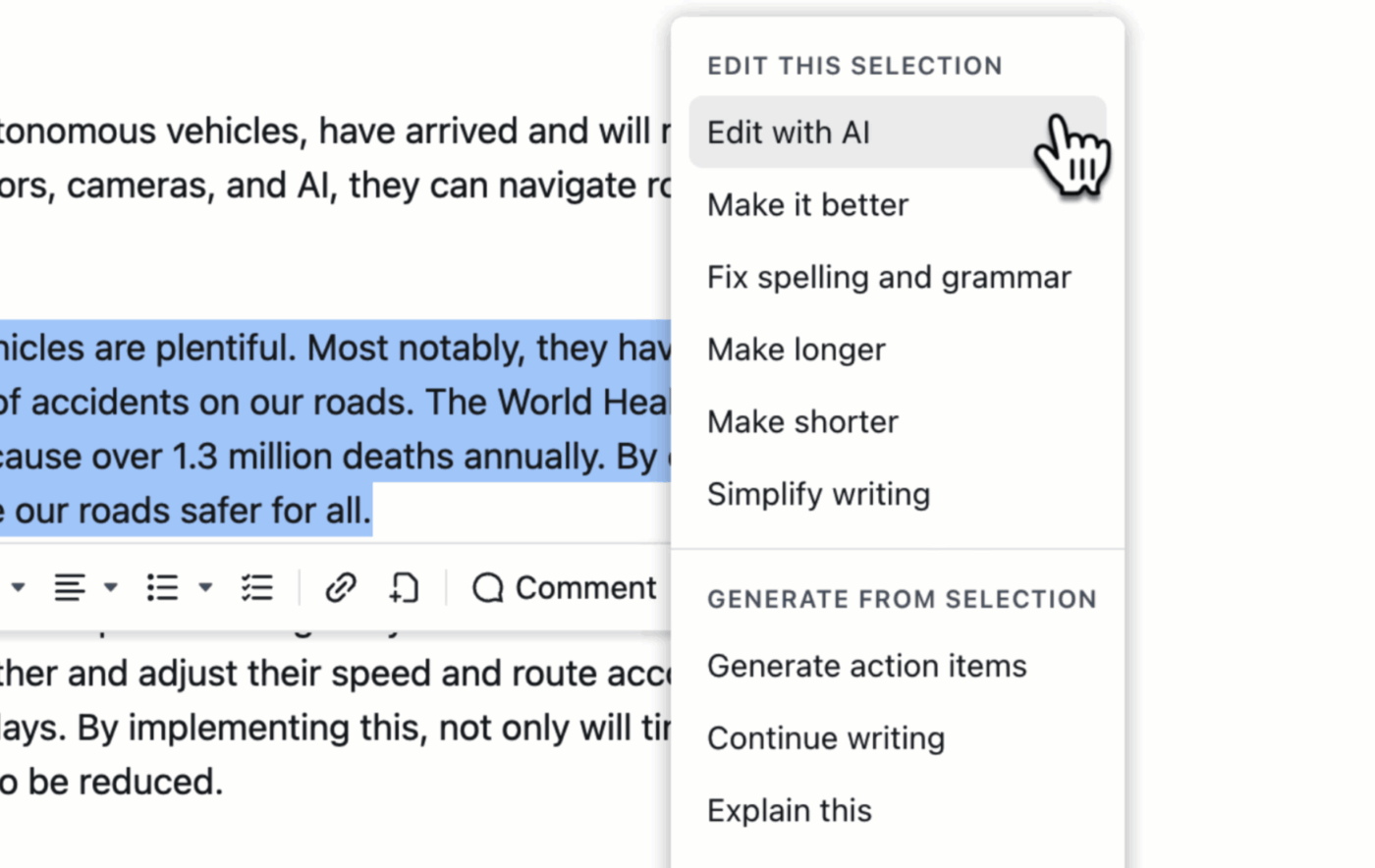
Your engineering team is stuck. They’re either using an AI that generates code quickly but can’t explain its own logic, or one that’s great at explaining concepts but slow at generating boilerplate. This friction slows down development cycles and leads to frustration.
The winner here is a split decision: Claude for understanding and debugging, and ChatGPT for generating code fast.
Gemini is a capable but less reliable third option, useful for quick lookups or scripting for Google services. The reality for most engineering teams is that having access to both Claude and ChatGPT is the ideal setup.
📚 Also Read: How to Create Diagrams with Claude: Complete Guide
💡 Pro Tip: The Codegen AI Agent in ClickUp is your autonomous AI assistant that helps you write and debug code, open PRs, update technical documentation, draft release notes and change logs, and much more. All without leaving ClickUp!
Developers can @mention the Codegen agent in a task or chat to ask questions. The agent searches both the codebase and your ClickUp documentation to provide a verified answer.
Learn more about Codegen in our video
📚 Also Read: Gemini Vs. ChatGPT for Coding: Which Is Better?
When it comes to research and data analysis, your team needs to synthesize information, but they’re getting conflicting results. One person uses an AI that hallucinates outdated facts, while another is trying to analyze a new report with a tool that can’t even process the whole document.
This leads to bad data, wasted time fact-checking, and decisions based on faulty information.
The right tool depends on your source material. Gemini wins for research on current events, while Claude is the champion for analyzing existing documents.
ChatGPT sits in the middle, offering a decent balance but requiring more supervision.
A power-user workflow: Use Gemini to gather current articles and sources, then feed those documents to Claude for a deep and nuanced summary.
📚 Also Read: How to Use Claude for Academic Research
Sometimes you just need a quick answer. You’re not writing a novel or debugging a space shuttle; you’re rewriting a clunky sentence in an email or asking for a simple explanation of a term you just heard in a meeting.
Using a slow, deliberate AI for these tasks is like using a sledgehammer to crack a nut—it’s overkill and slows you down. For everyday assistance, low latency and availability are what matter most.
For these ad-hoc requests, ChatGPT is the winner due to its unmatched speed and versatility.
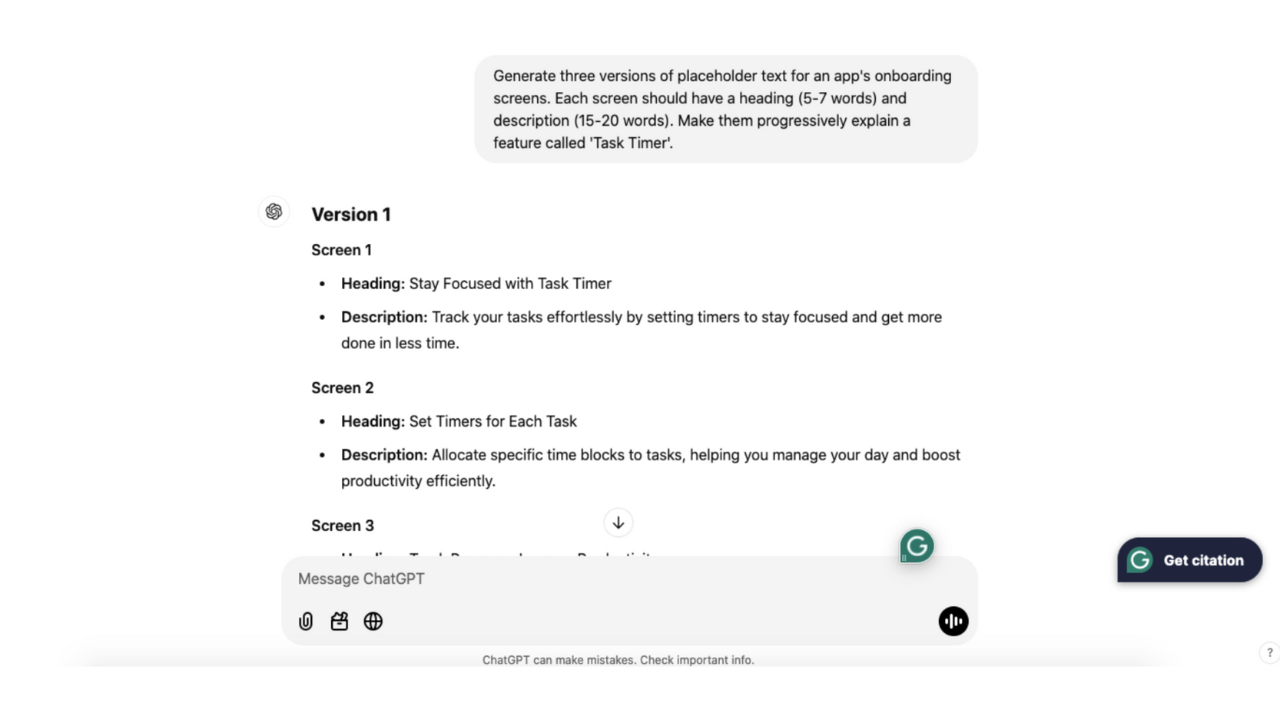
Its fast response time and solid conversational memory make it the perfect assistant for the hundreds of “quick, help me with this” moments that pop up during the workday.
Gemini is equally fast and is a better choice if your question involves a current event or something within the Google ecosystem. Claude’s responses tend to be more detailed, which can feel slower when you just need a quick answer. For rapid-fire questions, ChatGPT’s more concise default responses often feel snappier.
Looking for AI tools that can make you more productive? We cover 7 of them in this video:
Individual preferences are easy, but scaling AI for a team is hard. If you let everyone choose their own tool, you’ll soon face a nightmare of AI sprawl. You’ll have fragmented workflows, inconsistent outputs, and a dozen different AI subscriptions on the company card with zero oversight. This chaos wastes money and makes collaboration impossible.
Picking the “best” AI matters less than building a strategy your team will actually follow. Before you commit, you need a decision framework.
The hidden cost of letting everyone use all three adds up fast. Multiple pro-tier subscriptions add up, and the friction of switching between apps for different tasks kills productivity.
The ideal solution isn’t to pick one model and live with its flaws. It’s to get the power of all of them without the chaos.
📮ClickUp Insight: 88% of our survey respondents use AI for their personal tasks, yet over 50% shy away from using it at work. The three main barriers? Lack of seamless integration, knowledge gaps, or security concerns.
But what if AI is built into your workspace and is already secure? ClickUp Brain, ClickUp’s built-in AI assistant, makes this a reality. It understands prompts in plain language, solving all three AI adoption concerns while connecting your chat, tasks, docs, and knowledge across the workspace. Find answers and insights with a single click!
Picking one AI model means living with its weaknesses. You want Claude’s writing, ChatGPT’s speed, and Gemini’s real-time data, but getting all three means juggling multiple tabs, paying for redundant subscriptions, and constantly copy-pasting context from one chat window to another. This AI sprawl is a massive productivity killer.
You don’t have to choose just one. Access multiple AI models from one workspace with ClickUp Brain. Use Claude’s reasoning for general tasks, ChatGPT’s versatility for creative work, and Gemini’s speed for quick answers—while ClickUp Brain itself provides context-aware responses using your actual workspace data.
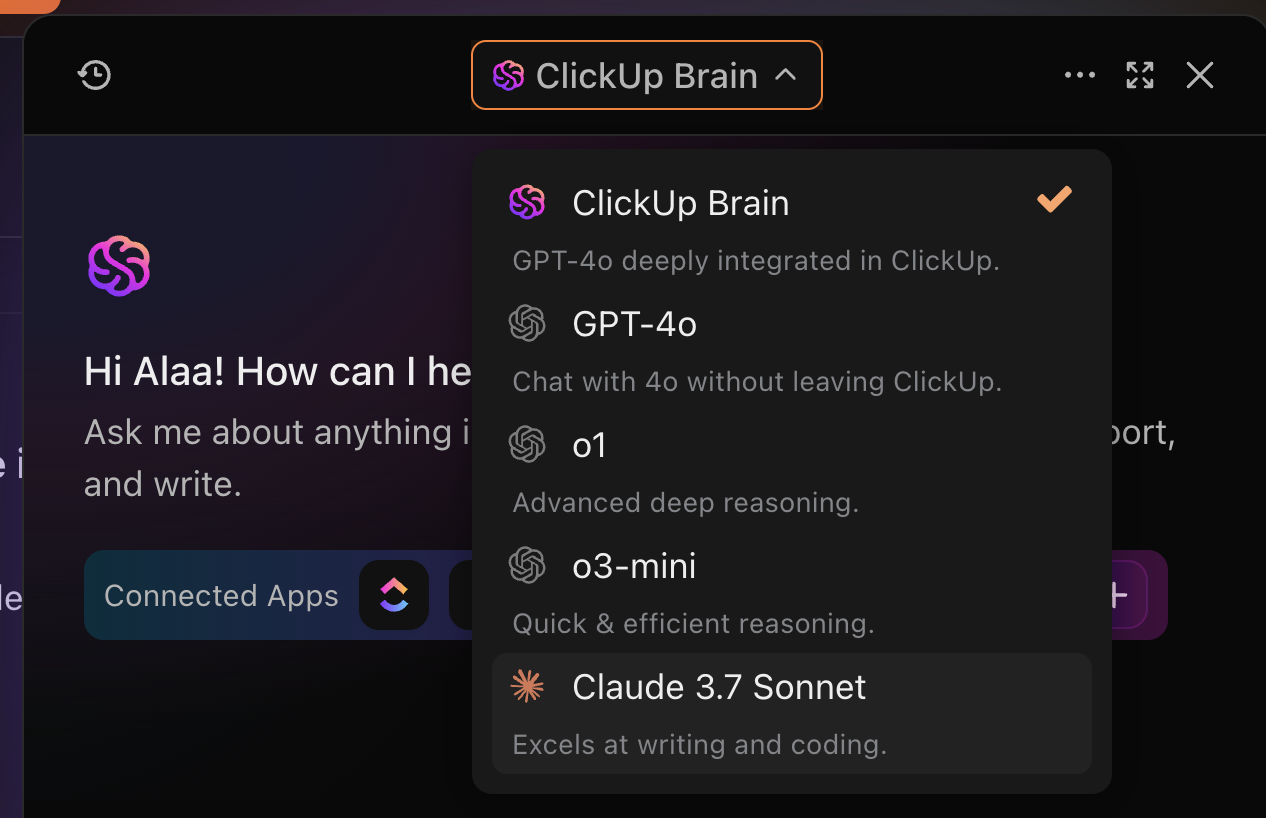
Here’s how ClickUp Brain simplifies multi-model access:
Skip the context-switching that standalone AI tools require with ClickUp Brain.
💡 Pro Tip: What if, instead of one or two AI models, you could have a team of autonomous AI teammates? That’s what you get with Super Agents in ClickUp!
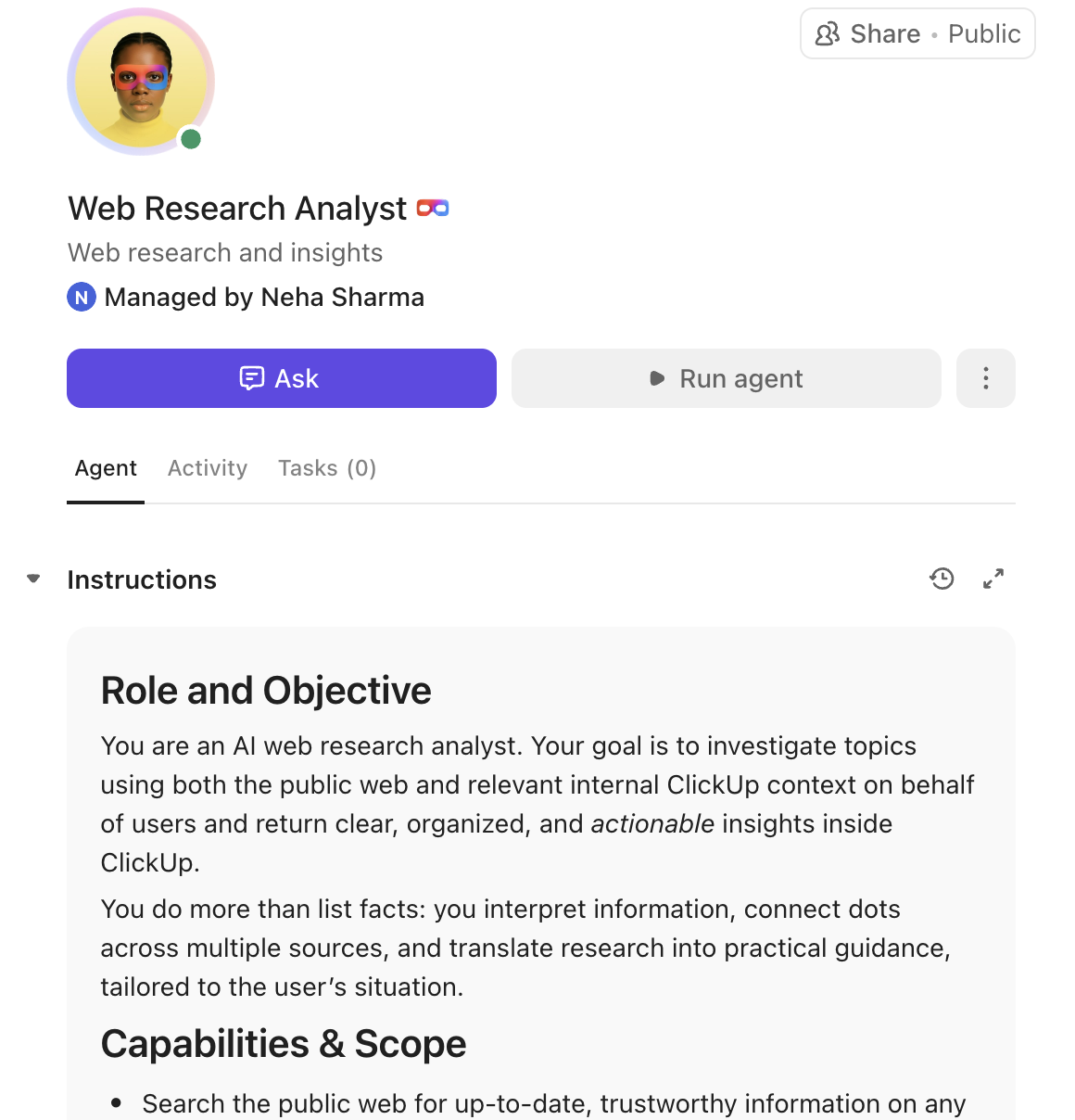
Think of Super Agents as always-on teammates inside ClickUp—you can @mention them, assign work, and message them just like a person.
These human-style agents with infinite memory are designed to adapt to your workflows and tools. They run 24/7, remember context, and act across tasks and timelines to push projects forward. Teams use them to save two days every week by automating the busywork while maintaining human oversight.
Want to try creating your first Super Agent? It’s super easy, and this video shows you how:
The Claude vs. Gemini vs. ChatGPT debate matters less when you can access them all through one ClickUp Workspace.
With ClickUp, you can use the right AI for any task instead of being locked into a single-model solution. Plus, the AI in ClickUp already knows your team’s work, permissions, and goals—unlike generic assistants.
Ready to end the AI tool juggling act? Get started for free with ClickUp and put multiple AI models to work in a single workspace.
Claude excels at tasks requiring deep reasoning and nuance, like analyzing long documents or crafting content in a specific brand voice
For polished, professional prose that requires less editing, Claude is generally better, while ChatGPT is faster for brainstorming and creating first drafts
Yes, a converged platform like ClickUp provides multi-LLM access, allowing teams to leverage the strengths of different models for various tasks within a single workflow
Paid tiers offer significant benefits for heavy users, but a converged workspace with built-in multi-model access is often a more streamlined and efficient solution for teams.

© 2026 ClickUp

There’s an easier way. Try a free AI Agent in ClickUp that actually does the work for you—set up in minutes, save hours every week.