






Still downloading templates?
There’s an easier way. Try a free AI Agent in ClickUp that actually does the work for you—set up in minutes, save hours every week.
Sorry, there were no results found for “”
Sorry, there were no results found for “”
Sorry, there were no results found for “”
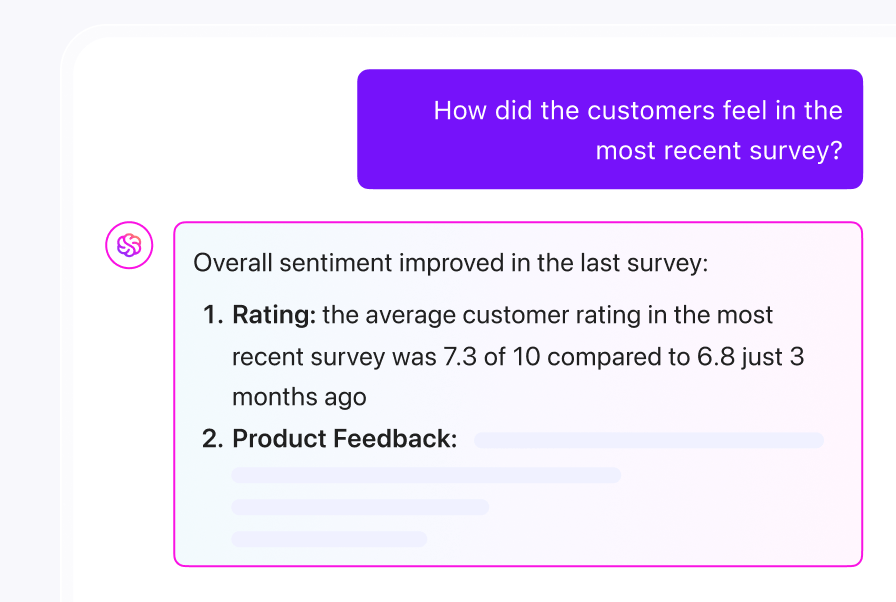

Chances are, you probably have at least one survey in your project folder from the past six months. Information that you collected with the best intentions, but never fully analyzed.
Of course, you care about the insights. But analysis takes forever.
This is exactly why you should learn how to automate survey analysis with ChatGPT.
In this blog post, we’ll go over everything you need to make sense of your data faster. Plus, as a bonus, we’ll explore how ClickUp, the everything app for work, takes survey data analysis further.
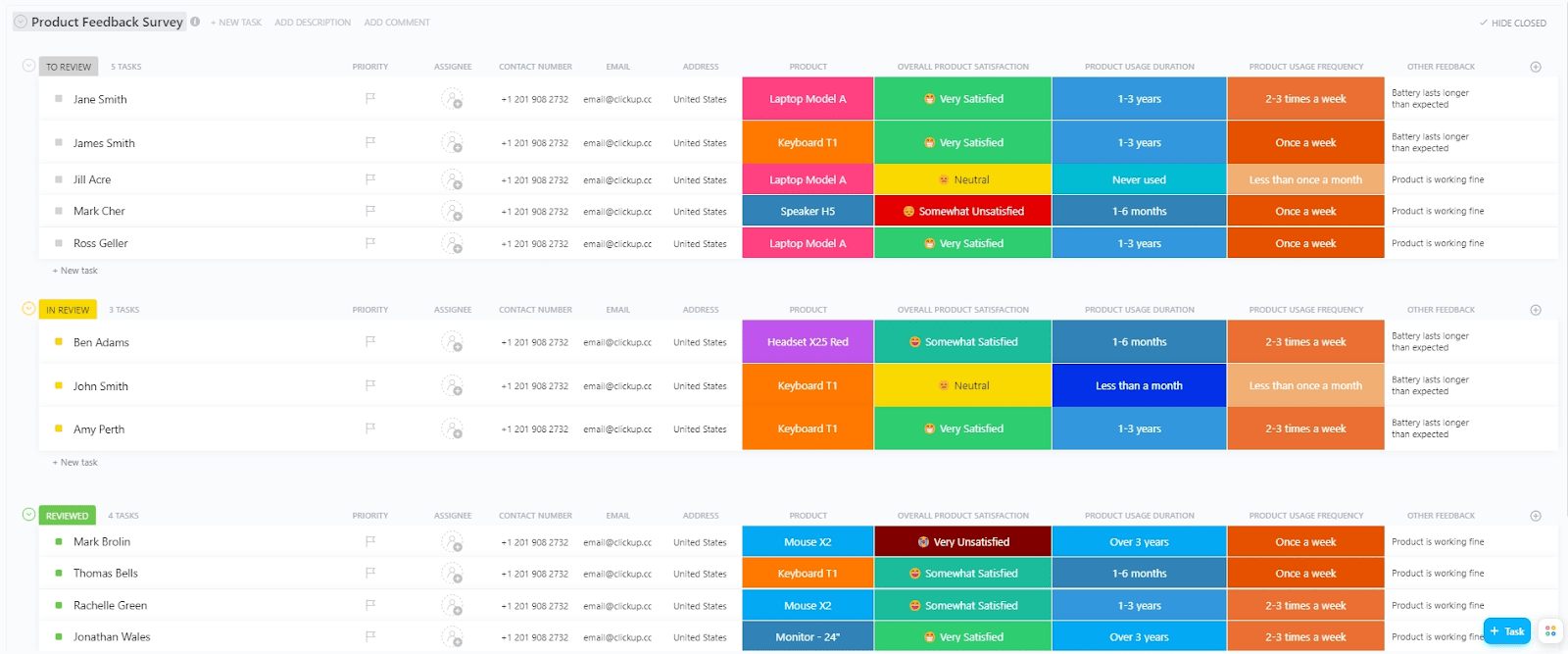
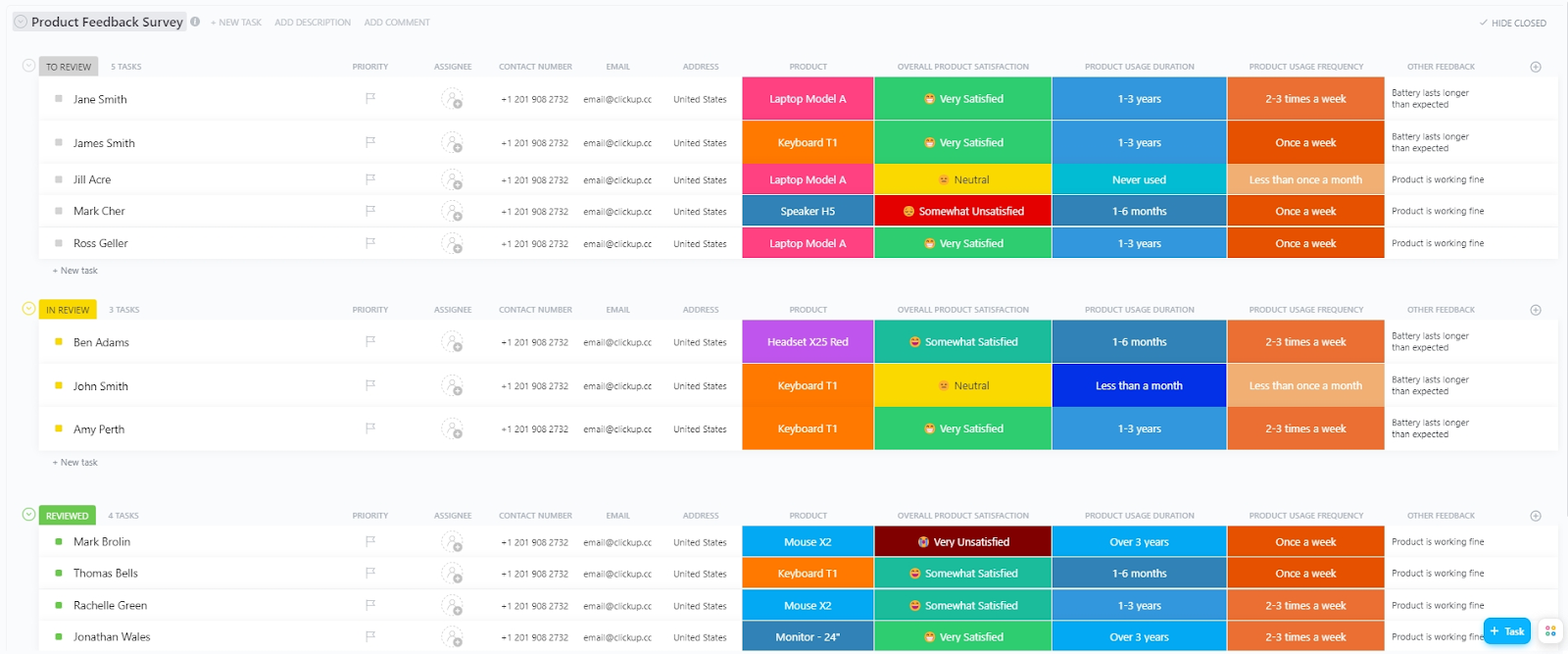
The ClickUp Product Feedback Survey Template is designed to simplify and enhance the process of product feedback collection.
With this template, you get preset questions covering key areas such as how long someone has used the product, their overall satisfaction, ease of use, perceived value for the price, and specific likes or dislikes.
AI-powered survey analysis involves the use of artificial intelligence technologies, such as natural language processing (NLP), machine learning, and large language models, to automate and enhance the process of analyzing survey responses.
This approach enables faster, more accurate, and deeper insights from both quantitative and qualitative survey data.
🧠 Fun Fact: The world’s first recorded survey dates back to 1086, when England’s King William I ordered the Domesday Book. It was essentially a massive land and property survey to figure out taxes.
You send out surveys because you need answers, but then the responses sit there while you manage other priorities. These insights become increasingly irrelevant with each passing week. This is one of the reasons why you must automate survey analysis; let’s look at some others:
🔍 Did You Know? In 1936, one of the most famous and common survey sampling errors happened when The Literary Digest incorrectly predicted the US presidential election. They surveyed millions of people, but only those who owned cars and phones, skewing results heavily toward wealthier voters.
Survey results are only as valuable as the insights you can pull from them. Here, we’ll walk through a clear, step-by-step process to show you how to automate survey analysis with ChatGPT.
Before you open your survey results, pause and ask yourself: ‘What exactly am I trying to uncover?’. A clear research objective keeps your analysis sharp and stops you from drowning in irrelevant details.
For instance, maybe you want to understand why users are dropping off after onboarding. Write this measurable objective down as a precise question; it’ll serve as a compass when you feed prompts into ChatGPT.
💡 Pro Tip: Phrase your objective as a specific question, such as ‘What themes explain low satisfaction among new users?’ This helps ChatGPT stay focused and deliver more relevant results.
Once your goal is clear, it’s time to gather and organize your data. Here’s how to do this best:
Your prompts are the most important aspect. Begin by setting context.
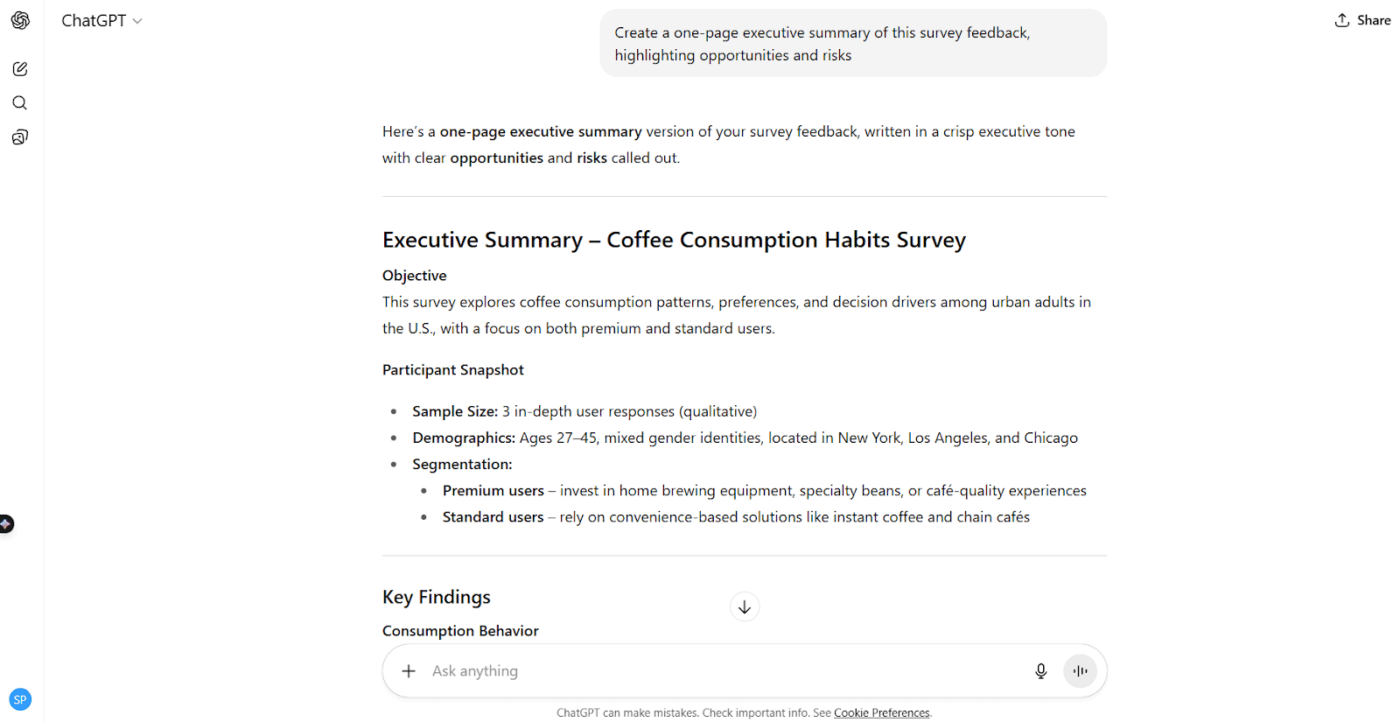
For instance, ask ChatGPT to act like a customer experience researcher or product analyst. Start broad with theme extraction. Then, refine your questions to drill down into sentiment, pain points, or segment-level comparisons.
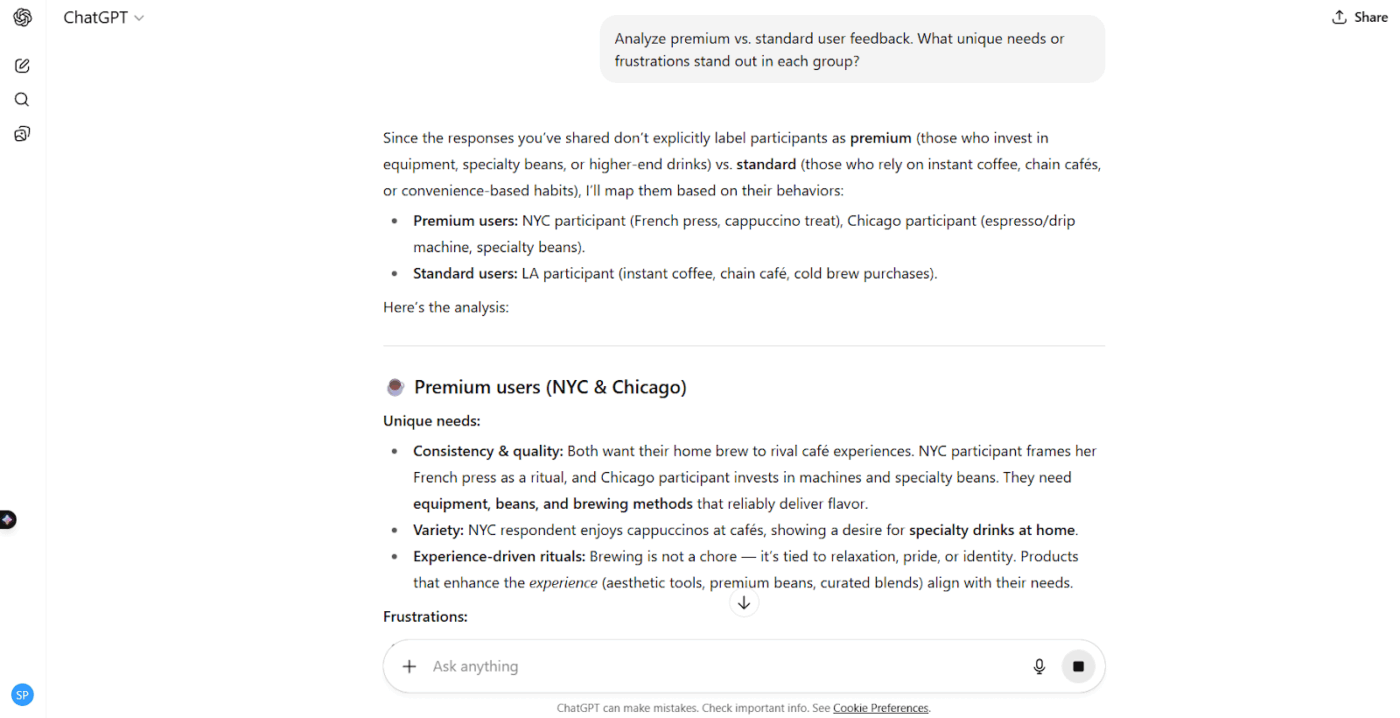
📌 Example: ‘Analyze these 100 responses for common themes and summarize sentiment’ or ‘Compare key differences in feedback between premium and standard users.’
Here are some aspects you can ask the survey analysis software to highlight:
Once ChatGPT surfaces key patterns, visualize them with charts or heatmaps to highlight themes and sentiment trends.
Create concise summary survey reports tailored for stakeholders, emphasizing findings and recommended next steps. You can even push outputs into tools like Google Sheets or dashboards to keep analysis repeatable and scalable.
📖 Also Read: How to Conduct a Pulse Survey
Prompt engineering is half the battle when it comes to automating surveys with ChatGPT. The clearer your instructions, the better the output.
Here are some sample prompts for different use cases.
These are some prompts to analyze survey data for common patterns or recurring ideas.
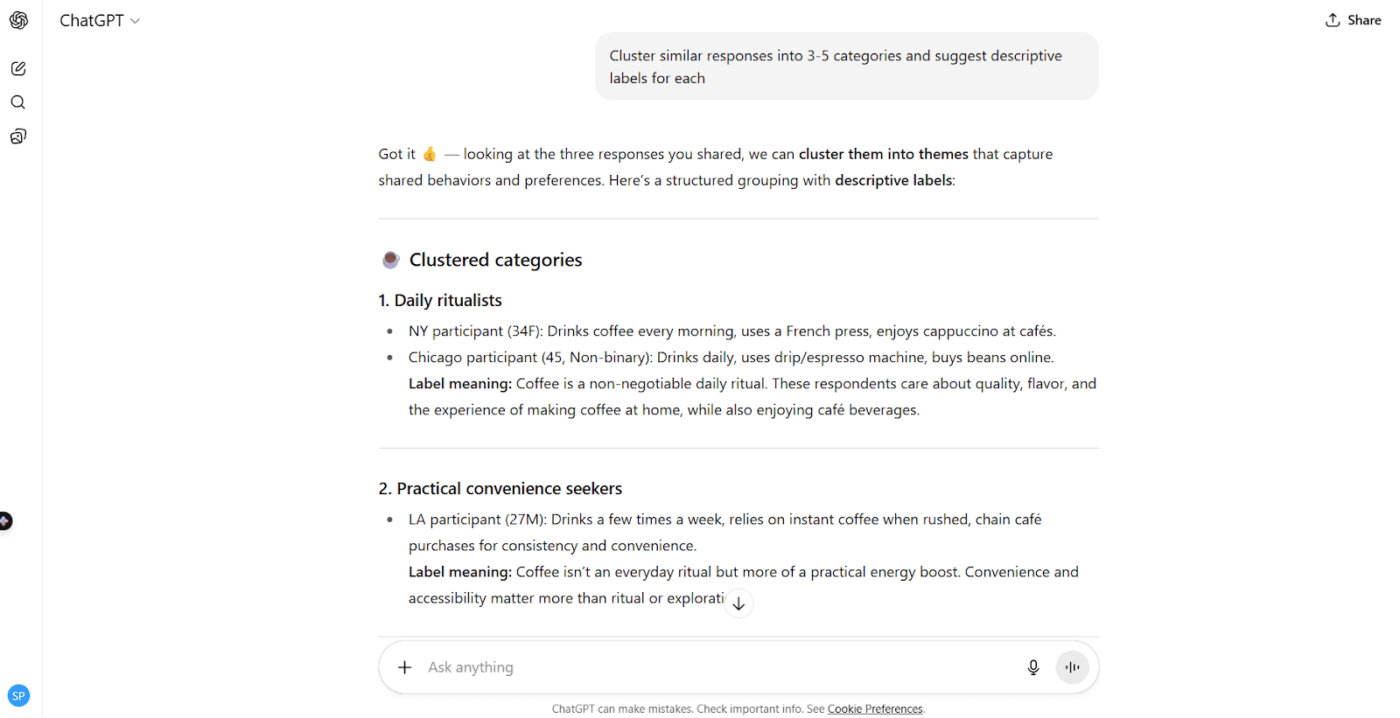
Here are prompts to classify key findings as positive, neutral, or negative:
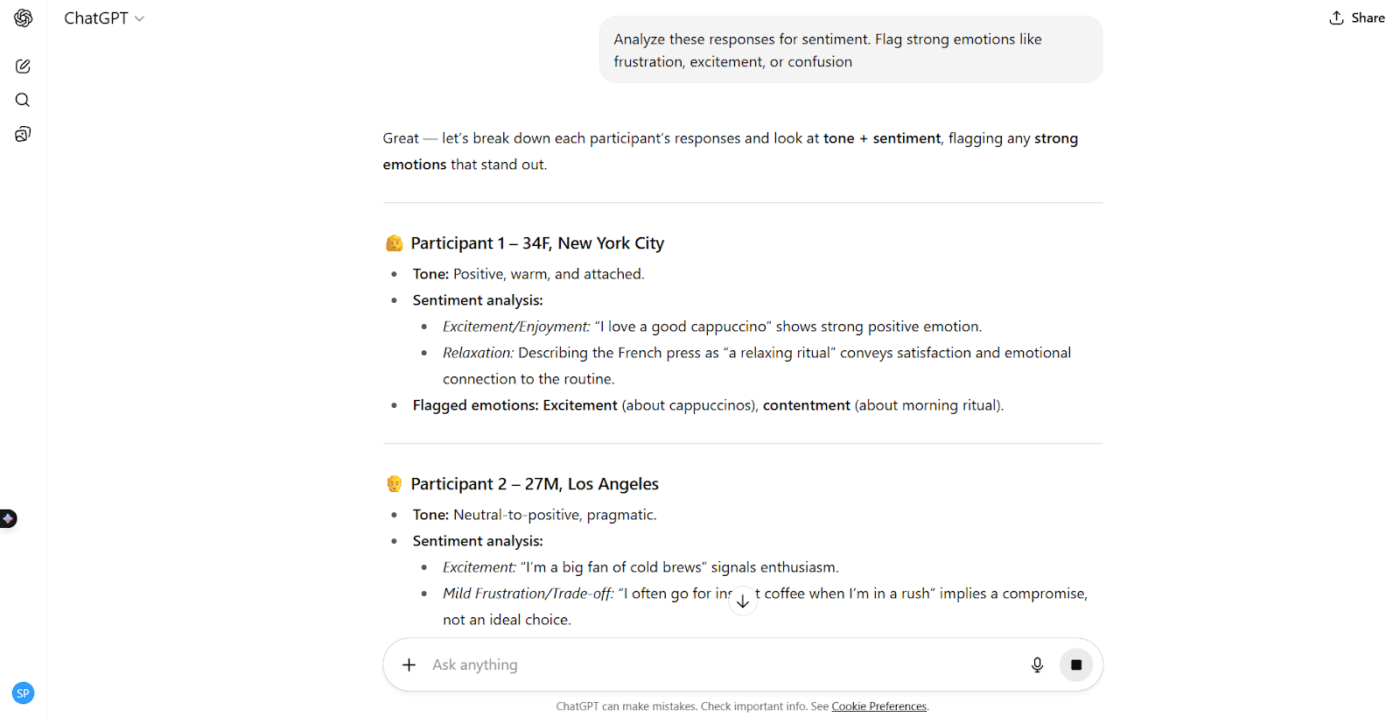
Here’s how to go beyond surface-level sentiment to uncover the ‘why’ behind feedback:
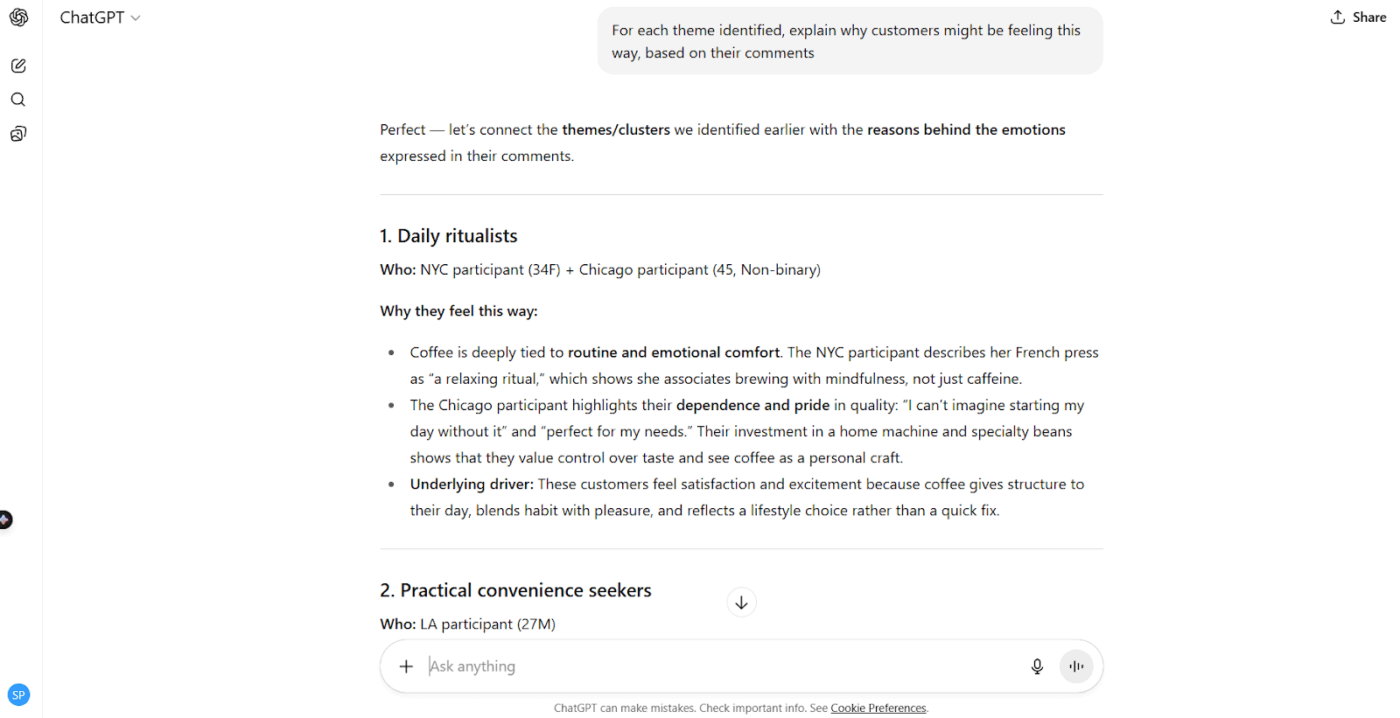
Compare responses across different user groups, like free vs. paid users or new vs. long-term customers, with these prompts:
Turn long lists of responses and feedback loops into digestible summaries with these prompts:
🧠 Fun Fact: In 2013, Iceland used a nationwide online survey to crowdsource ideas for its new constitution. Thousands of citizens submitted suggestions, ranging from fishing regulations to adding national holidays.
Missteps often come from how data is prepared, prompts are written, or results are interpreted. Watch out for these common pitfalls to avoid misleading insights:
🔍 Did You Know? Surveys can influence answers just by the order of questions. Psychologists call this the priming effect. If you start with a question about happiness, the answers to unrelated questions right after tend to be more positive.
ChatGPT isn’t always foolproof. Here are some common ChatGPT limitations that you might face:
🧠 Fun Fact: The central tendency bias makes survey respondents hesitate to select extreme responses on a rating scale. To prevent this, keep the number of options limited. Giving them an even number of responses on a scale also nudges respondents to lean one way or another.
ClickUp is the everything app for work that combines project management, documents, and team communication, all in one platform—accelerated by next-generation AI automation and search.
When it comes to surveys, ClickUp gives you a complete workflow: from collecting responses to analyzing patterns, sharing survey results, and even automating follow-ups.
Here’s how you can use its key tools for survey analysis.
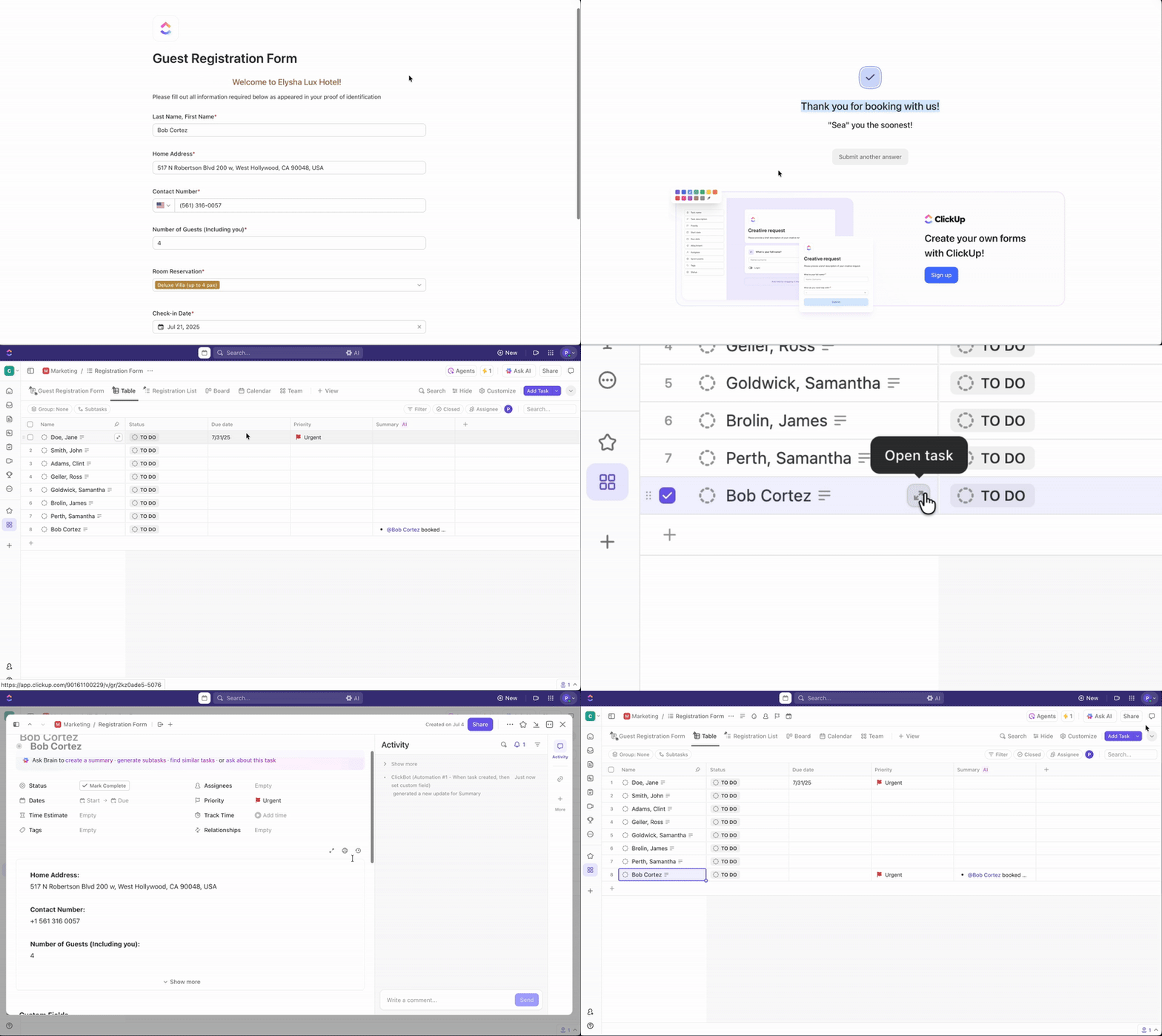
ClickUp Forms acts as a customer feedback tool, making it easy to gather survey responses without managing external tools. Each submission automatically becomes a ClickUp Task in your chosen List, meaning data is instantly organized and ready for analysis.
For instance, you can collect customer product feedback through a branded ClickUp Form. Each response is captured as a task. It’ll include custom fields for rating, comments, and product category.
Alternatively, you can get a head start with ClickUp’s Product Feedback Survey Template.
The template comes with dedicated views to help visualize and work with the data in different ways:
💡 Pro Tip: Use conditional logic in Forms to show follow-up questions only when relevant (e.g., ask ‘What could we improve?’ only if someone rates their experience below seven).
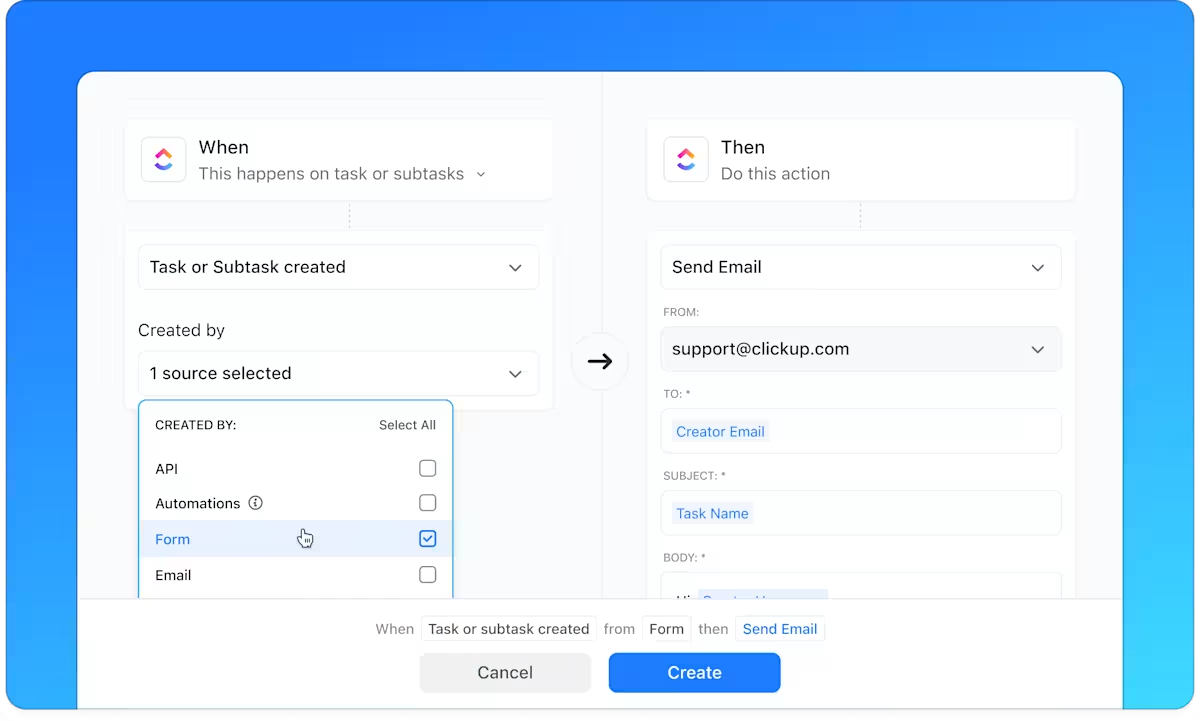
Survey analysis also involves repetitive steps. ClickUp Automations take care of them with simple ‘when this happens, then do that’ rules.
For example, you can automatically assign survey responses marked ‘negative’ to the customer success team for a follow-up. Or whenever someone submits a survey with a score below five, a representative can get a notification alert.
📮 ClickUp Insight: 45% of workers have thought about using automation, but haven’t taken the leap.
Factors like limited time, uncertainty about the best tools, and overwhelming choices can hold people back from taking the first step toward automation. ⚒️
With its easy-to-build AI agents and natural language-based commands, ClickUp makes it easy to get started with automations. From auto-assigning tasks to AI-generated project summaries, you can unlock powerful automation and even build custom AI agents in minutes—minus the learning curve.
💫 Real Results: QubicaAMF cut reporting time by 40% using ClickUp’s dynamic dashboards and automated charts, transforming hours of manual work into real-time insights.
💡 Pro Tip: Pair Automations with custom tags (e.g., ‘High Priority Feedback’) so teams never miss critical insights.
Raw feedback is valuable, but patterns are clearer when visualized. ClickUp Dashboards allow you to create real-time, interactive views of survey data.
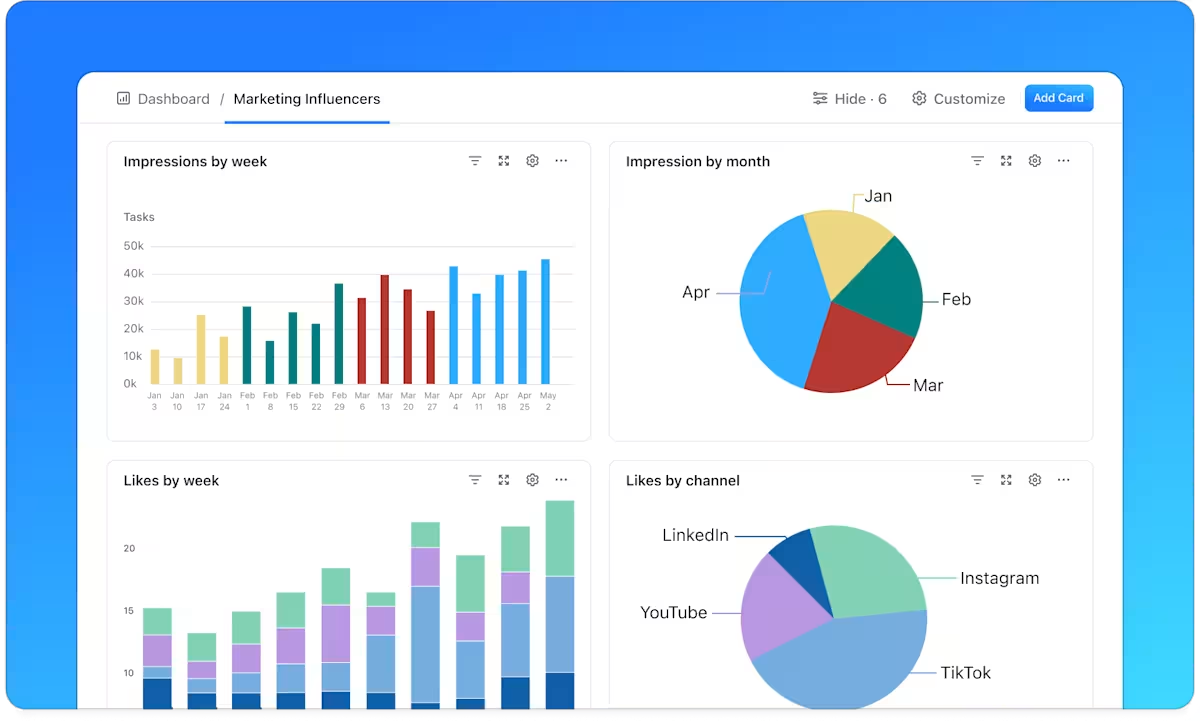
For instance, you can build a dashboard showing NPS scores by region or employee engagement ratings by department. You can also create a custom card to display the ratio of positive to negative survey responses that gets updated in real time.
The dashboard software lets you use multiple cards to compare trends side by side, like product satisfaction vs. feature requests, for richer context.
Hear it from a user:
Before ClickUp, teams worked on separate platforms, and it created work silos that made it challenging to communicate task updates and progress effectively. As for data reporting, our leaders struggled to find accurate reports they needed to make strong business decisions for our organization. The most frustrating part was we wasted duplicating work efforts due to the lack of project visibility across teams.
⚙️ Bonus: Use the ClickUp Custom Satisfaction Survey Template to capture and assess customer feedback quickly. This customer satisfaction survey template gives you a framework to analyze survey results and take actionable steps towards improvement.
ClickUp Brain connects directly to your survey responses inside the platform, giving you instant summaries, highlights, and recommendations. Unlike generic AI tools, it’s fully aware of your workspace context.
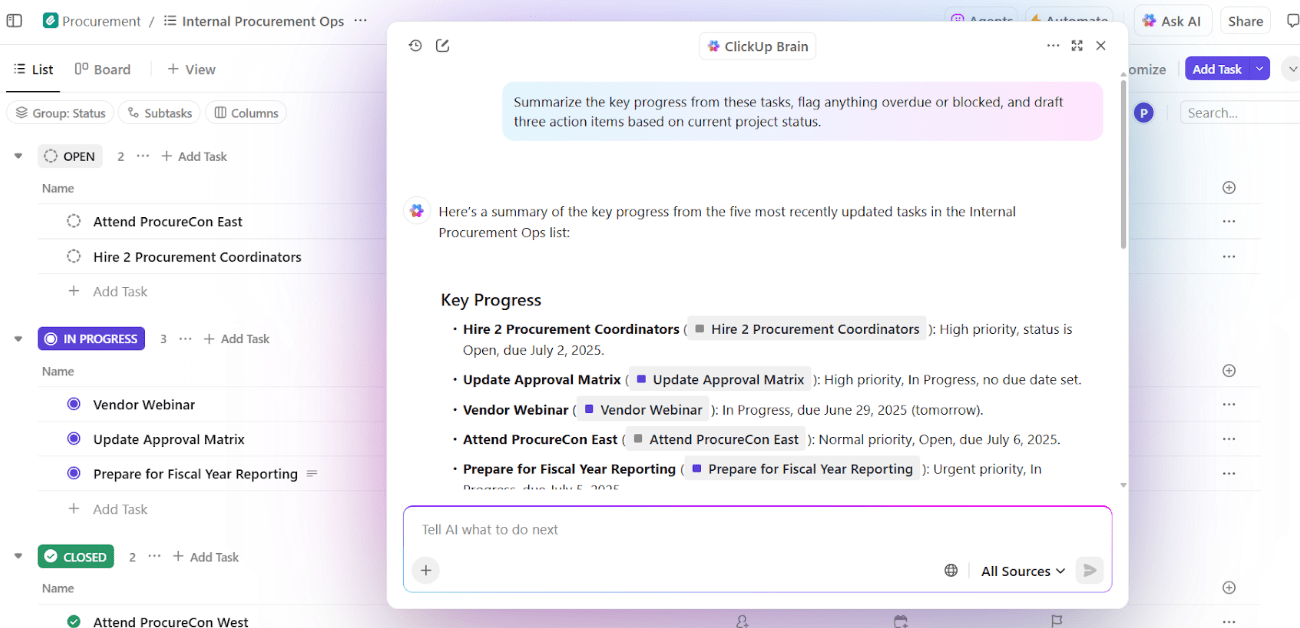
All you have to do is ask ClickUp Brain to ‘Summarize the top 3 pain points from our customer survey’ and instantly generate a digest for your product team.
You can also use it to draft a report for stakeholders with bullet-pointed insights, cutting hours of manual work. ClickUp Brain’s AI Writer for Work can turn survey feedback into polished stakeholder-ready summaries.
💡Pro Tip: Dealing with large-scale survey projects? ClickUp Brain MAX combines multi-model AI (ChatGPT, Claude, Gemini, etc.) with ClickUp’s work graph, providing more accurate and contextual insights.
Use its extended AI tech stack to run deep comparisons like ‘Analyze satisfaction differences between premium and free-tier users across all survey submissions.’
ClickUp Brain MAX’s unified search pulls insights from integrated sources, such as Google Drive or Notion, as well, so your analysis spans all feedback sources.
Using ChatGPT for analyzing survey data can expedite the process. However, a robust platform like ClickUp allows you to actively engage with your surveys while also making the analysis process more effective.
The everything app for work centralizes survey creation and analysis, assigns follow-ups, visualizes insights, and keeps your whole team aligned on next steps.
So, what are you waiting for? Sign up to ClickUp for free today! ✅

© 2026 ClickUp

There’s an easier way. Try a free AI Agent in ClickUp that actually does the work for you—set up in minutes, save hours every week.