
Well, it happened. You completed work for a client, you’ve sent in a payment request, and…crickets. Perhaps they’ve offered various explanations like being unable to pay at the moment, issues with their payment processor, payment method, or their accountant’s absence.
Regardless of the reasons, the outcome remains consistent: You’ve finished the work, but the payment hasn’t come through, leaving you with a stack of unpaid invoices.
Whether you operate a small business, work as a freelancer, or manage projects for a large enterprise, maintaining a healthy cash flow is essential. Achieving this goal hinges on your ability to collect payments promptly, all while maintaining professionalism.
This guide will teach you how to ask clients for payment politely and professionally, so you can avoid awkward situations. After all, you’ve put in the effort and deserve to be compensated for the work! 🌻
Payment Requests: How to Ask for Payments Professionally

 Summarize this article for me please
Why is Requesting Payments From Clients Difficult?
This is a delicate, tricky situation: You need the client to pay the amount due, but you don’t want to sour your future professional relationship.
So many of us feel awkward to send out payment requests because we don’t want to come across as rude or pushy. Plenty of professionals dread sending the “Just checking to see if you saw this invoice” email. But you shouldn’t be.
The fear of requesting payment from clients usually comes down to:
- Fear of customer churn: If you rely heavily on a single customer for a big chunk of revenue, it’s understandable to feel anxious about upsetting them and losing future work. But as long as you handle the situation professionally, you can retain the customer and get paid. Additionally, do you truly wish to engage with a client who consistently delays payments? Even if they decide to part ways, this situation may ultimately prove advantageous
- Communication challenges: You know you need to ask for payment, but it’s tough finding the right words. Client management often comes down to thoughtful communication, but if you don’t have a script for this situation, it’s easy to fumble the words and get it wrong
- Personal discomfort: If you tend to avoid conflict, you might find it more appealing to perform an unpleasant task than to request the full payment of an invoice from a client. Avoiding conflict snowballs the problem into something even worse. Personal growth is part of being a successful professional, so treat this as an opportunity to strengthen your skills
- Unclear payment terms: If you didn’t clearly define payment due dates, late payment fees, and payment options upfront, it creates ambiguity—and you don’t want ambiguity when it comes to getting paid. You can’t get timely payments if you don’t set terms, which is why every client relationship should kick off with a written contract.
- Legal ramifications: Some clients may share vague legal threats or say things like, “I’ll have to get my lawyer to look at this.” Don’t allow the prospect of legal action to deter you. In this case, understand the legalities of the payment process in your state so you know your rights to payment
As challenging as it may be, we must overcome the fear of being perceived as “difficult” or “assertive.”
Asking for your dues is fair and absolutely the right thing to do.
However, this presents an opportunity to handle the situation with professionalism, which leads to a more respectful and productive client relationship!
Late payments significantly impede cash flow—especially for small business owners—and lead to operational hiccups that could have been avoided if people paid you when they were supposed to.
 Summarize this article for me please
Do’s & Don’ts on How to Ask for Payment Professionally and Politely
Every situation is different, but generally speaking, it’s wise to adhere to these tips for the politest payment request possible.
Do: Set expectations from the beginning
The more transparent you are from the beginning, the lower the likelihood that clients will make late payments. From the moment you onboard a client, let them know your pricing and payment terms.
Be proactive and mention payment terms in your contracts. Every payment sheet should include:
- Legal client name
- Your contact information, including your phone number and shipping address
- Payment time frame or due dates
- Payment method and currency
- Policies for expense reimbursements
- Late fees and their terms
- FAQs explaining how you deal with late payments
For extra oomph, request that clients initial next to the payment terms.
To avoid chronic late payments, add a clause in your contract that says you reserve the right to drop clients who pay late a certain number of times.
Don’t: Say something you’ll regret
An adversarial tone will damage the client relationship, and you don’t want to burn bridges.
Instead of reacting in the heat of the moment, create a communication plan for dealing with late payments. Include a playbook of how to escalate late payments—with scripts—so you don’t say something negative that loses you the account.
Do: Provide various payment methods
Maybe clients are late paying because you only accept payments via paper checks. There are so many payment methods and payment processors, that it’s best to accept as many as possible. 💸
At a minimum, accept:
- Apple Pay
- Google Pay
- PayPal
- Credit card or debit card
- Bank account ACH transfers
Be sure to add a mini SOP in your client onboarding document about how to use your payment instrument so they know the process upfront.
Don’t: Surprise clients
The line items on an invoice really shouldn’t be a surprise. If you want clients to pay you on time, send a friendly reminder before the due date.
A quick payment reminder email, phone call, or text message—with a copy of the invoice—is a polite reminder for people who honestly forgot and didn’t mean to leave it unpaid.
Do: Send reminders to receive payment
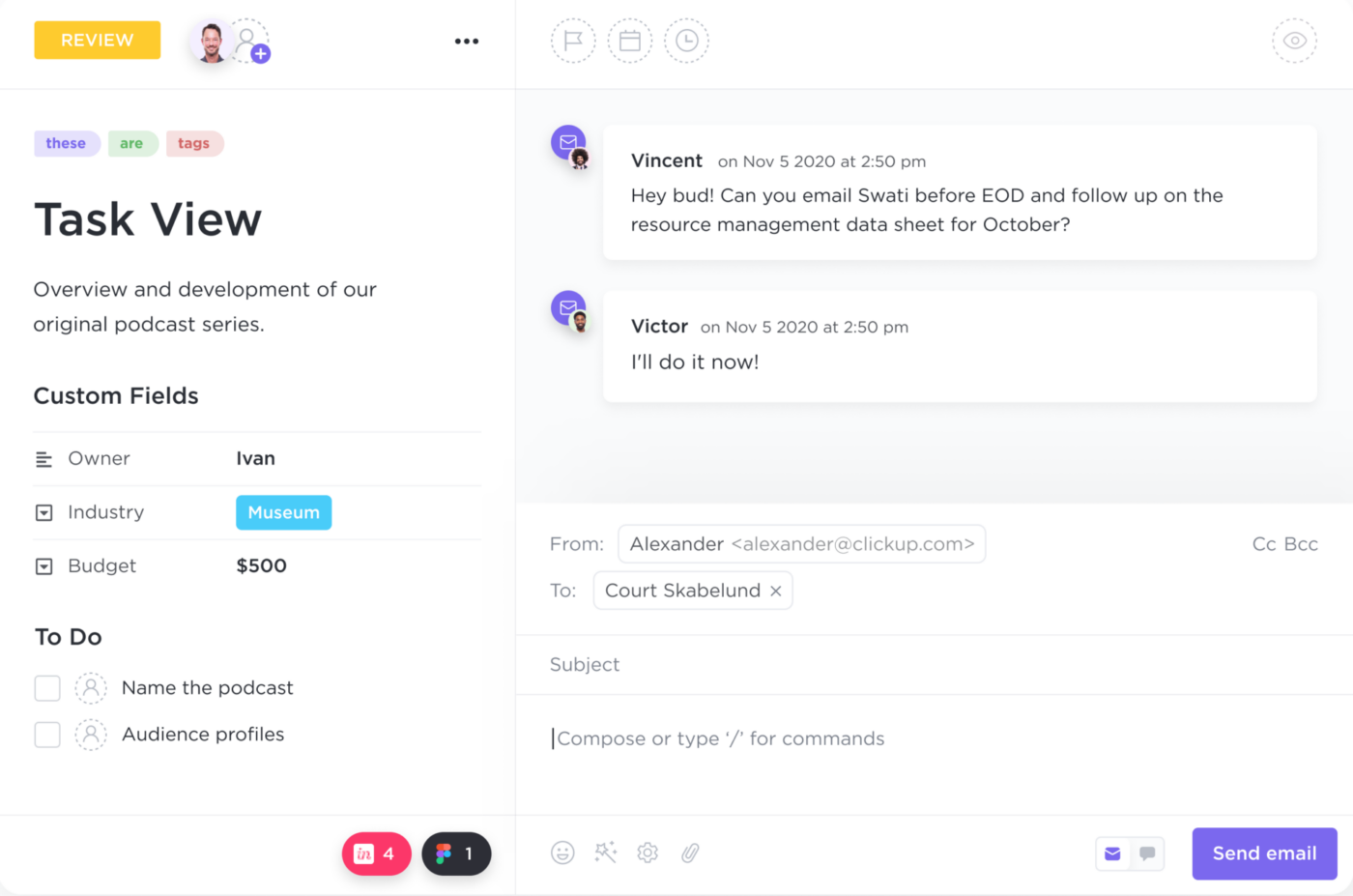
Some people will forget to pay an invoice even after the due date. Life’s busy, and inboxes are full to the brim, so it’s not unusual for clients to miss a reminder message.
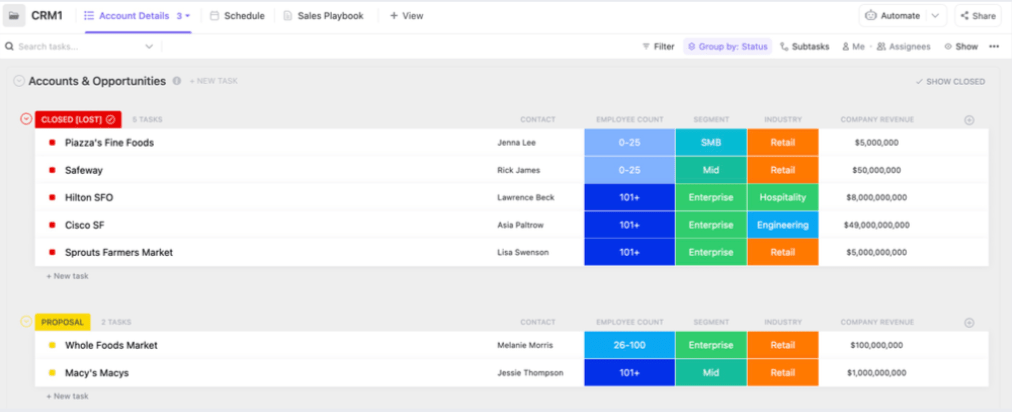
Create an internal workflow in your task management software to send periodic invoice reminders at different stages:
- Before the due date
- On the payment deadline
- When the payment is past due
Don’t: Forget unpaid invoices
The only thing worse than a client forgetting an invoice is you forgetting an outstanding payment! Keep tabs on all outstanding invoices by using an intelligent client management tool that tracks invoices, payments, payment failed notices, and more.
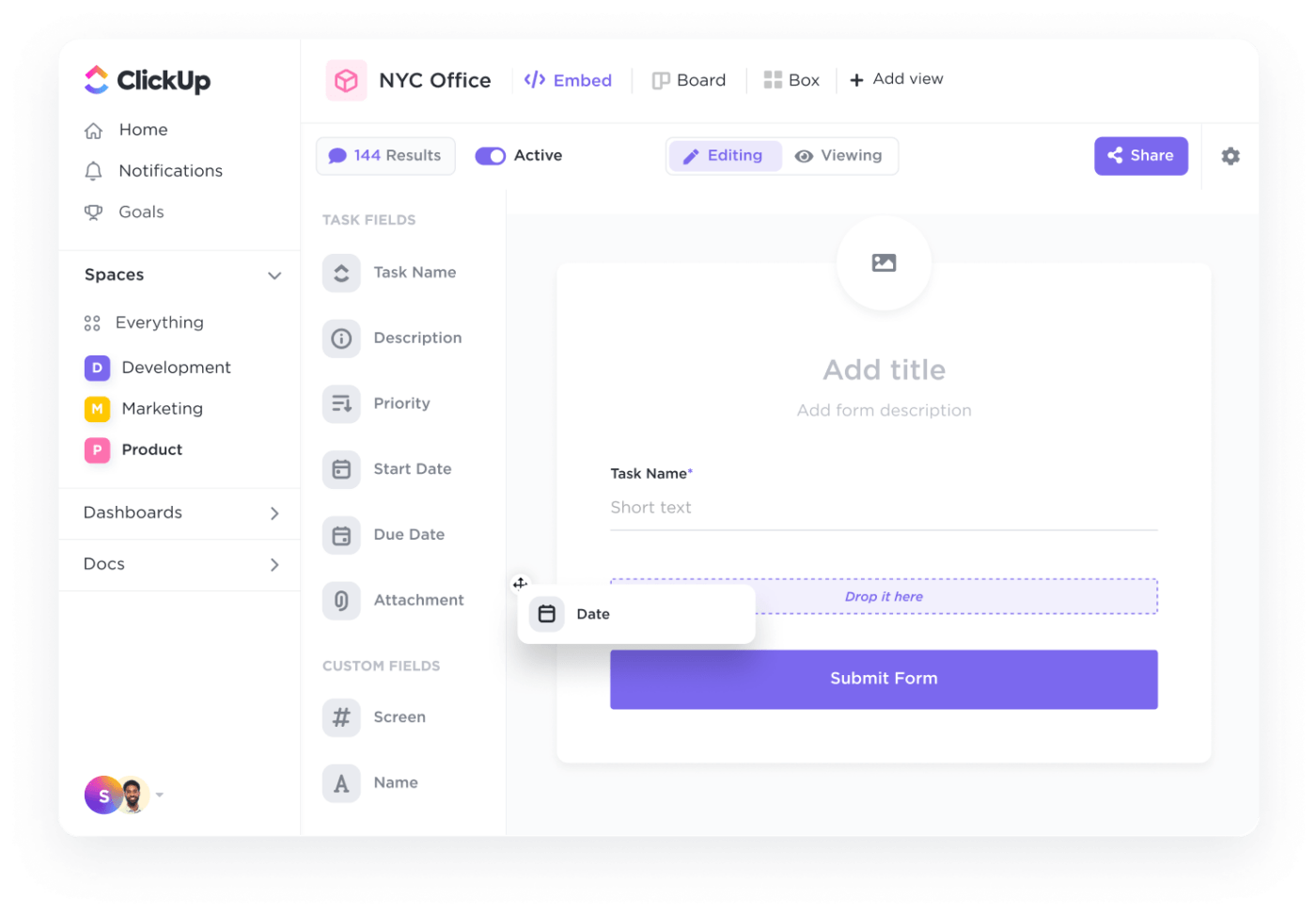
Do: Create a payment request form by taking advantage of a Payment Request API
Make it as easy as possible for people to pay you. Create an online payment request form to streamline the payment process.
You may need to work with your IT folks to integrate a payment request API—or a simple DIY form could do the trick, too. Embed this on a webpage with a little HTML, and voilà! Your clients simply visit the portal and pay their outstanding balance, all thanks to this simple integration with the payment request API.
 Summarize this article for me please
How to Avoid Having to Ask for Payment
Chasing invoices isn’t the best use of your time, and we can guarantee your clients don’t like being chased, either. 👀
Minimize hassle and avoid payment requests with these small changes:
- Ask for upfront payments: If you know the scope already, ask the client to pay before completing any work. If that isn’t doable, ask for deposits or down payments
- Offer subscription services: If you deliver the same level of service every month, charge the client a recurring subscription fee via a card on file
- Send invoices promptly: Don’t put off sending invoices. Always send them quickly, while the project is still fresh in the client’s mind
- Offer payment plans: Some clients may have difficulty paying, especially for larger invoices. In this case, offer payment plans that allow them to pay in installments. Installments show clients you’re willing to work with them
Summarize this article for me pleasePayment Request Templates to Collect Payments From Clients
At this point, you know how to overcome the “ick” of asking for payments. We get that it’s tough to find the right words for payment request emails, which is why it’s important to use a payment request template.
ClickUp payment request templates
Why spend hours formatting payment forms and agreements? Rely on ClickUp’s templates to use the right language for payment requests—complete with pretty colors and clear formatting. ✨
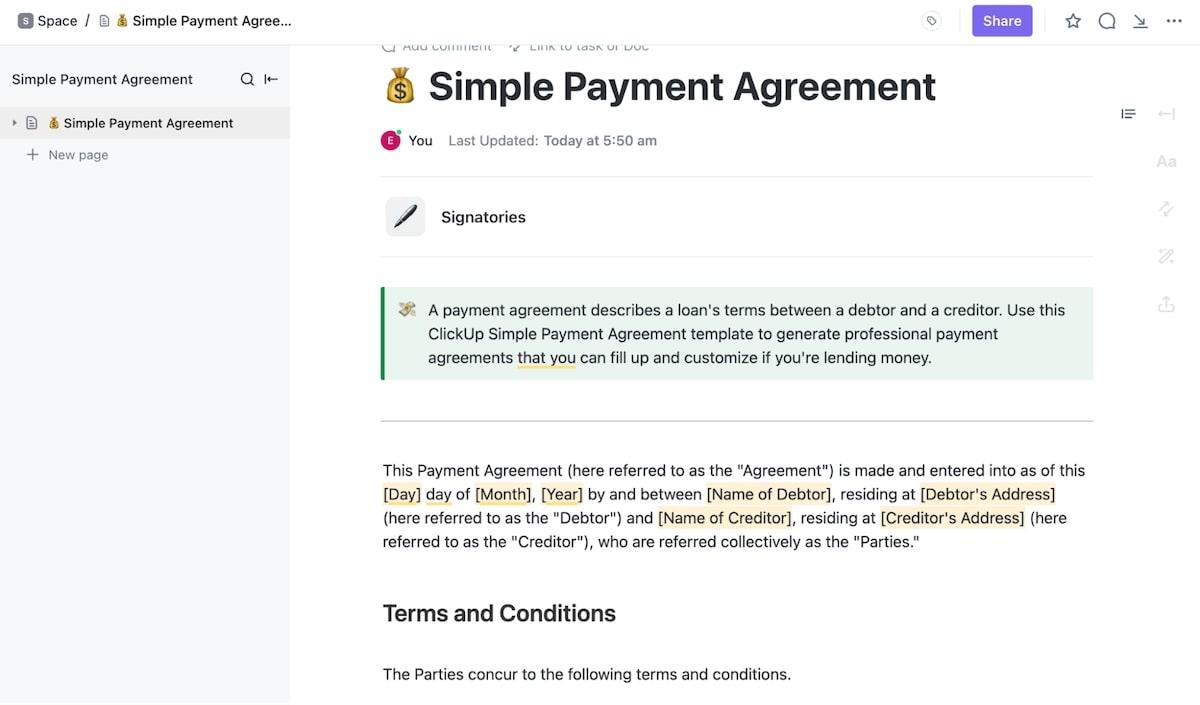
For starters, have your clients sign the ClickUp Simple Payment Agreement Template. Use this template to track payments, track client statuses, and create custom fields for your records.
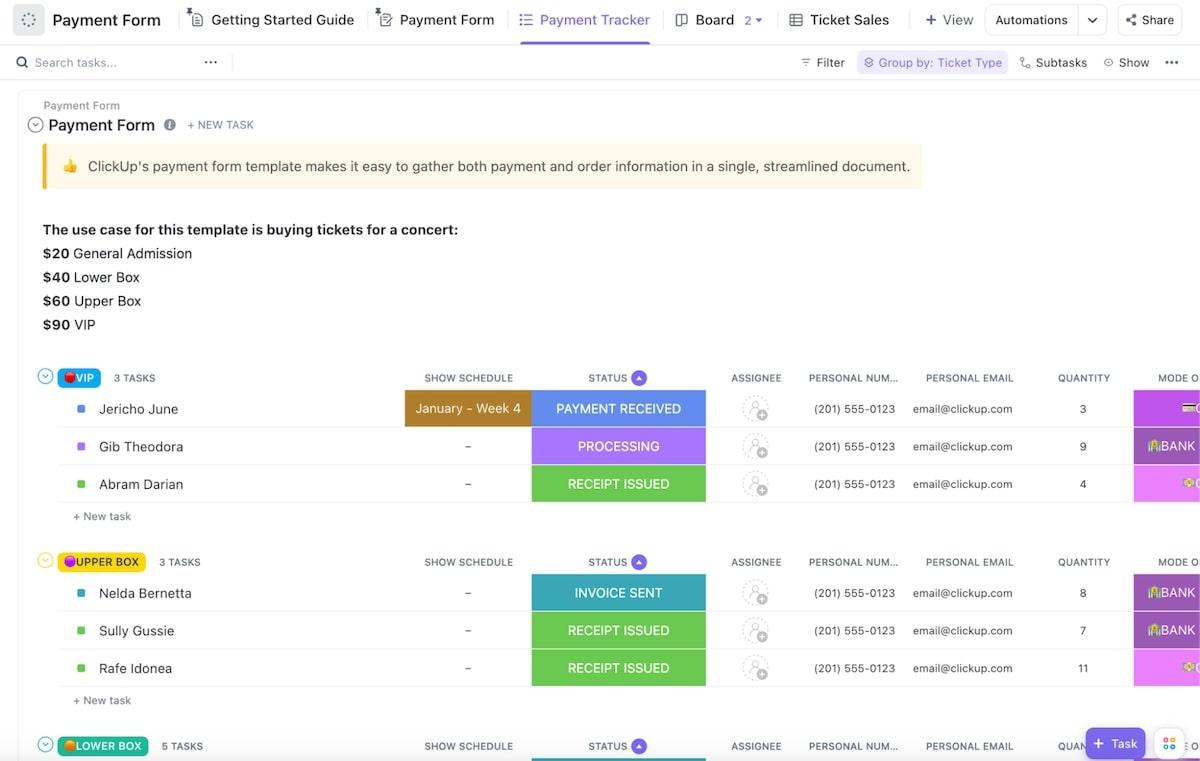
The ClickUp Payment Form Template makes it easy to securely collect client payment information online. It even sends automatic alerts to keep everyone up-to-date on payments.
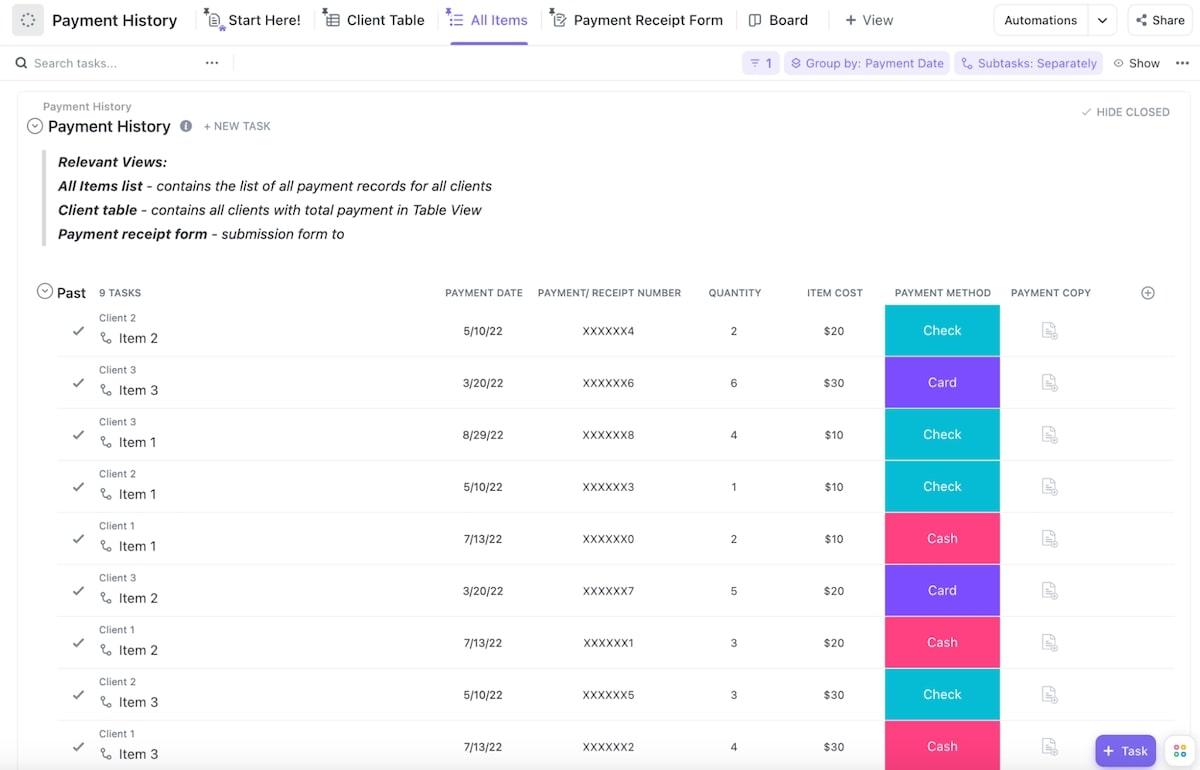
Curious about your payment data? Track it with the ClickUp Payment History Template. Log all customer payment details as well as payments you make to vendors. The template monitors payment data over time to identify potential issues and give you a quick snapshot of your financial health.
Write payment requests with ClickUp AI including relevant payment details
While solid templates provide a strong foundation, composing a polite payment inquiry email can be challenging.
Fortunately, you don’t have to write a payment request message at all. Use ClickUp AI to write a polite but firm message for you—all without leaving your project management platform. Use it to write email sequences, phone scripts, and texts that explain your needs without burning bridges.
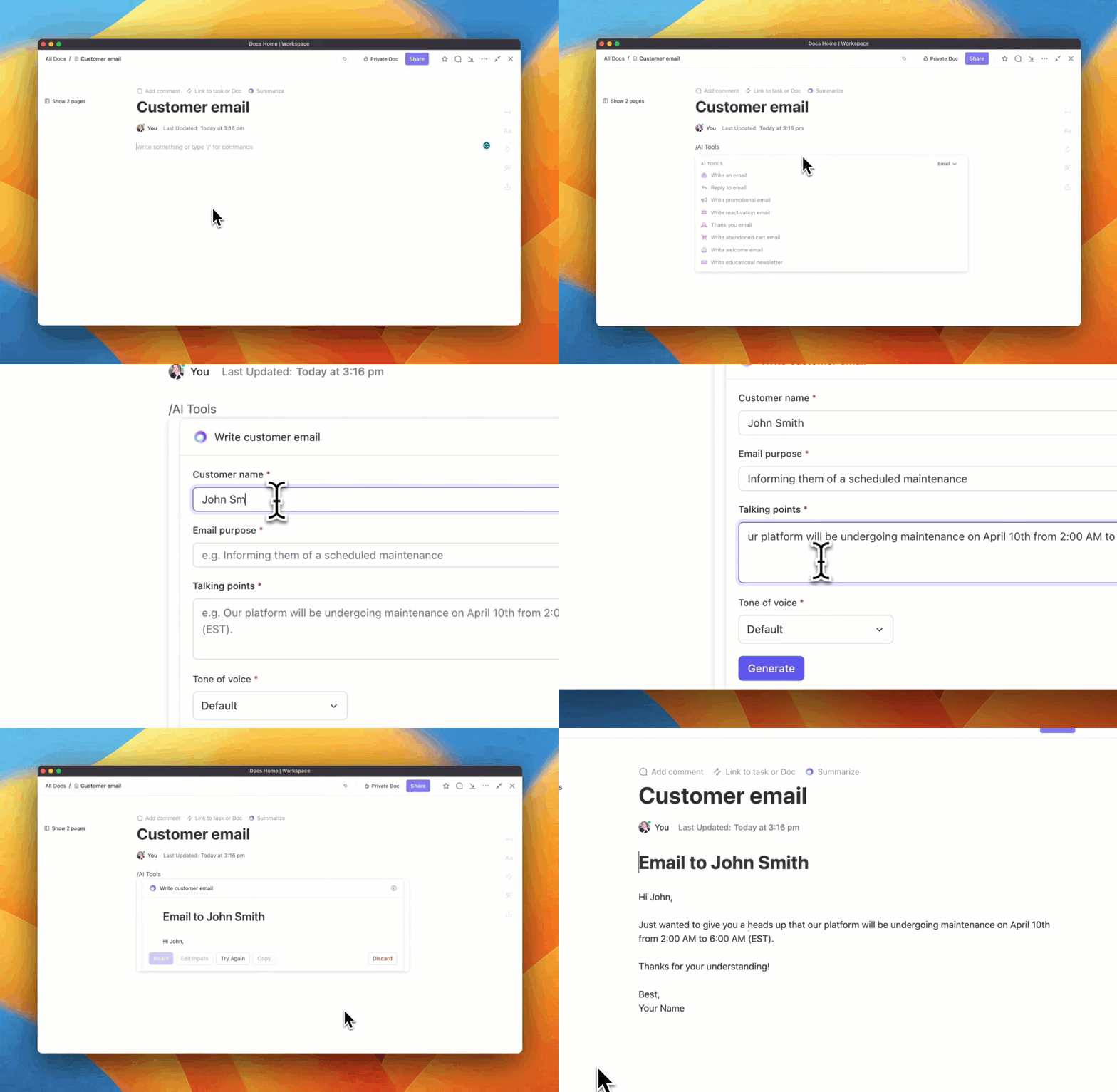
If you have an existing payment request and want to adjust it to have a more friendly tone, ask ClickUp AI to analyze it for you. If the text sounds too aggressive, the AI will suggest changes to make the message less spicy.
Collect payments via ClickUp Forms
Looking for a sleek payment interface? Try ClickUp Forms! It’s the fastest way to encourage speedy payments, and your clients will appreciate the convenience, too.
ClickUp Forms capture responses that connect to your team’s tasks. Create a custom form to lead customers through the payment process within a slick online portal. Getting paid is as easy as your customers tapping the pay button.
The last resort: Get a lawyer
At this point, you’ve done everything you can to foster goodwill and communicate with your client. In the event that they persist in avoiding payment or outright decline to fulfil their financial obligations, the next step might be to involve legal action.
Your lawyer will likely send a strongly worded letter to the client outlining the possibility of legal recourse should payment not be made promptly. In many cases, the mention of legal action can prompt clients to settle their debts. But heads up: This will almost certainly lose the account, so don’t take this decision lightly.
If engaging a lawyer is not financially feasible, you might be able to pursue payment through small claims court, but this depends on your state, contract terms, and the payment amount.
Summarize this article for me pleaseBye-Bye, Overdue Payments
Some professionals feel awkward asking for the payment they rightfully deserve, and we get that it can feel icky. Follow the tips in this guide to overcome your fear of asking for payment. As long as you send polite and professional emails, you’ll be able to preserve the relationship while growing your business.
You can DIY payment requests, but if you want to save time and avoid communication hiccups, go with ClickUp. Templates, AI tools, Forms, and more make payment requests a breeze so you can focus on tasks that actually move the needle. Sign up for ClickUp!


Everything you need to stay organized and get work done.

Recent Articles
Jira Project Management: What It Does Well and Where It Taps Out 
Jira Project Management: What It Does Well and Where It Taps Out
8 Communication Strategies That Actually Fix Team Chaos
8 Communication Strategies That Actually Fix Team Chaos
