Sorry, there were no results found for “”
Sorry, there were no results found for “”
Sorry, there were no results found for “”
Have you ever been struck by a brilliant idea only to lose it before you could jot it down? Or do you struggle to keep up with meeting notes or brainstorming sessions?
AI voice recorders easily get you out of this rut.
AI voice recorders do more than record your voice—they generate transcriptions, organize content, enhance audio clarity, and integrate with your workflows. Whether you’re a content creator, student, or business professional looking for options, we have 10 AI voice recording tools that make life simpler for you. ✨
Here are some of the best AI voice recorders on the market:
When selecting an AI-powered audio recording tool, look for the following features:
Here’s our list of the 10 best AI voice recorders that you must try:
ClickUp is a powerful everything app for work that also functions as a versatile business communication software powered by AI. Whether you’re looking at content creation or collaboration, ClickUp meets all your requirements.
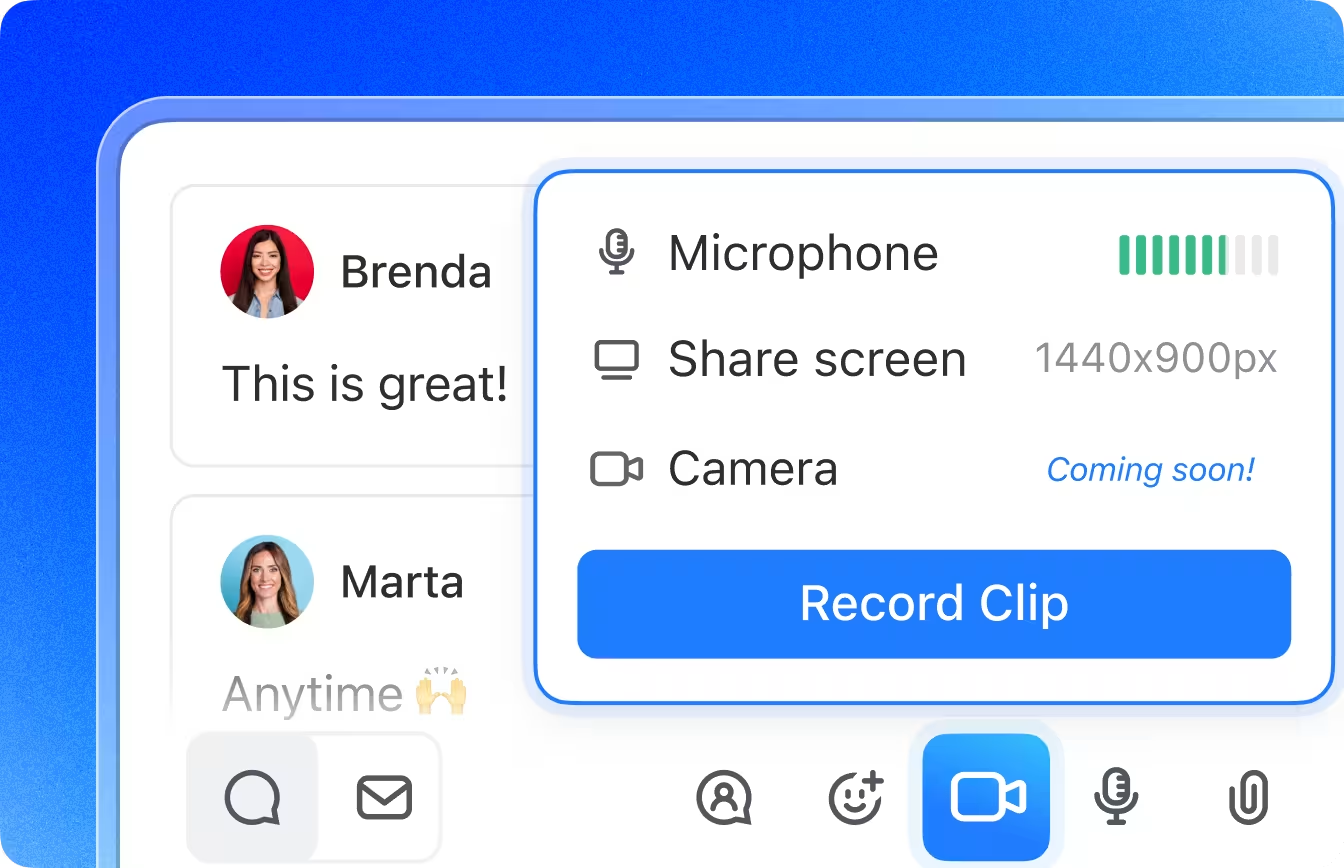
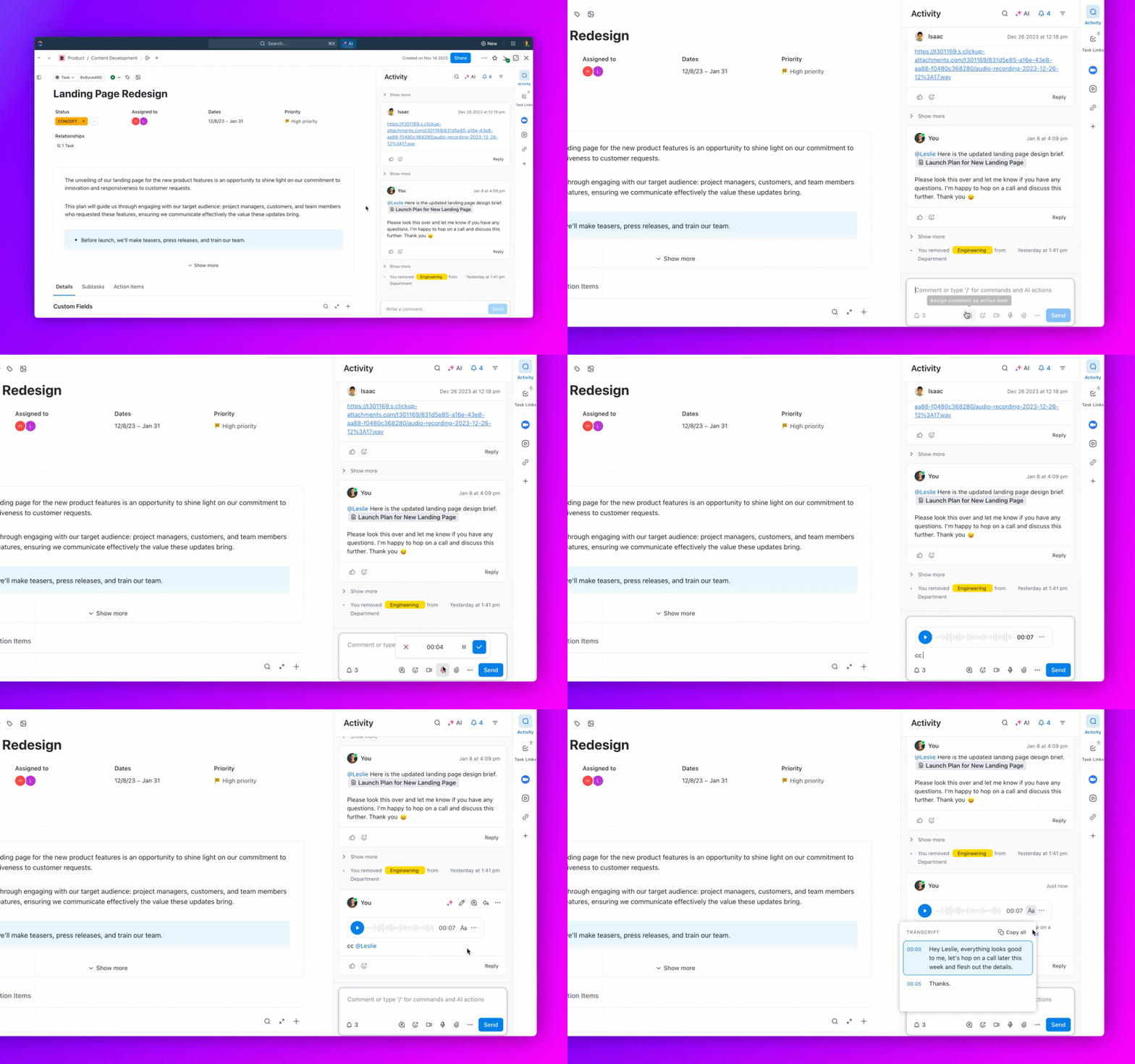
If you need an AI voice recorder, you have ClickUp Clips that allow you to record, save, and share audio and video. You can also use Voice Clips in task comments send audio files to your team in or outside of ClickUp. Simply hit the record button and let ClickUp take care of the rest.
Capture your thoughts, share updates, or create comprehensive product walkthroughs using the Clips screen recorder. Watch this quick explainer to get it right!
To complement Clips, you also have ClickUp Brain, ClickUp’s native AI. It transcribes voice and video recordings automatically so your audience can scan content faster.
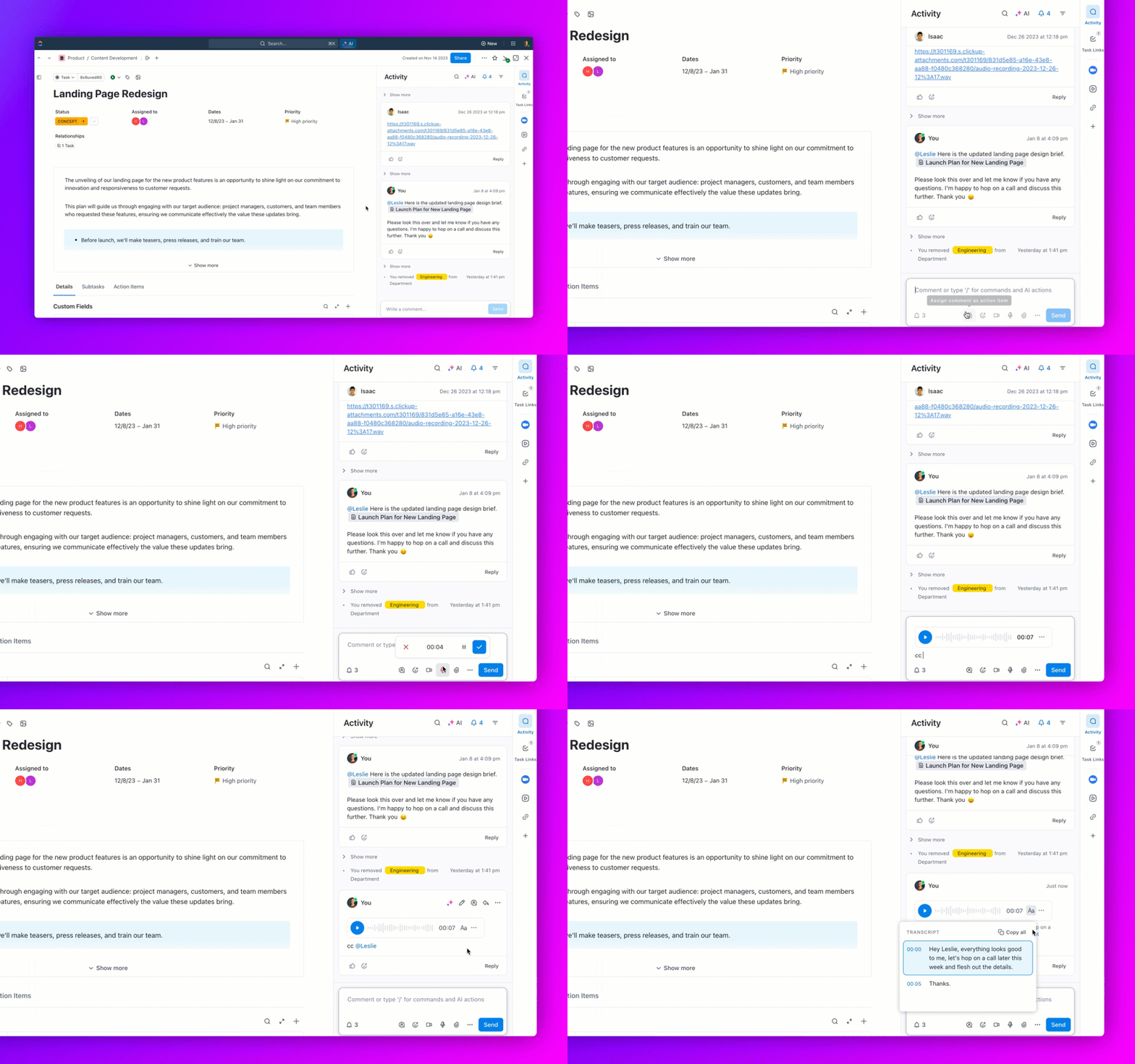
It also creates a summary if you need to extract key action points from transcripts.
With the ClickUp Brain MAX, the standalone desktop app from ClickUp, transcription goes one level up! Brain MAX’s talk-to-text feature transforms the way you work by letting you speak your thoughts, ideas, or instructions instead of typing them out. Whether you’re capturing meeting notes, creating to-do lists, drafting emails, or brainstorming project ideas, you can simply talk, and Brain MAX will instantly transcribe and organize your words.
All of these offerings, plus ClickUp’s ease of use, make it one of the best AI voice recorder tools on the market.
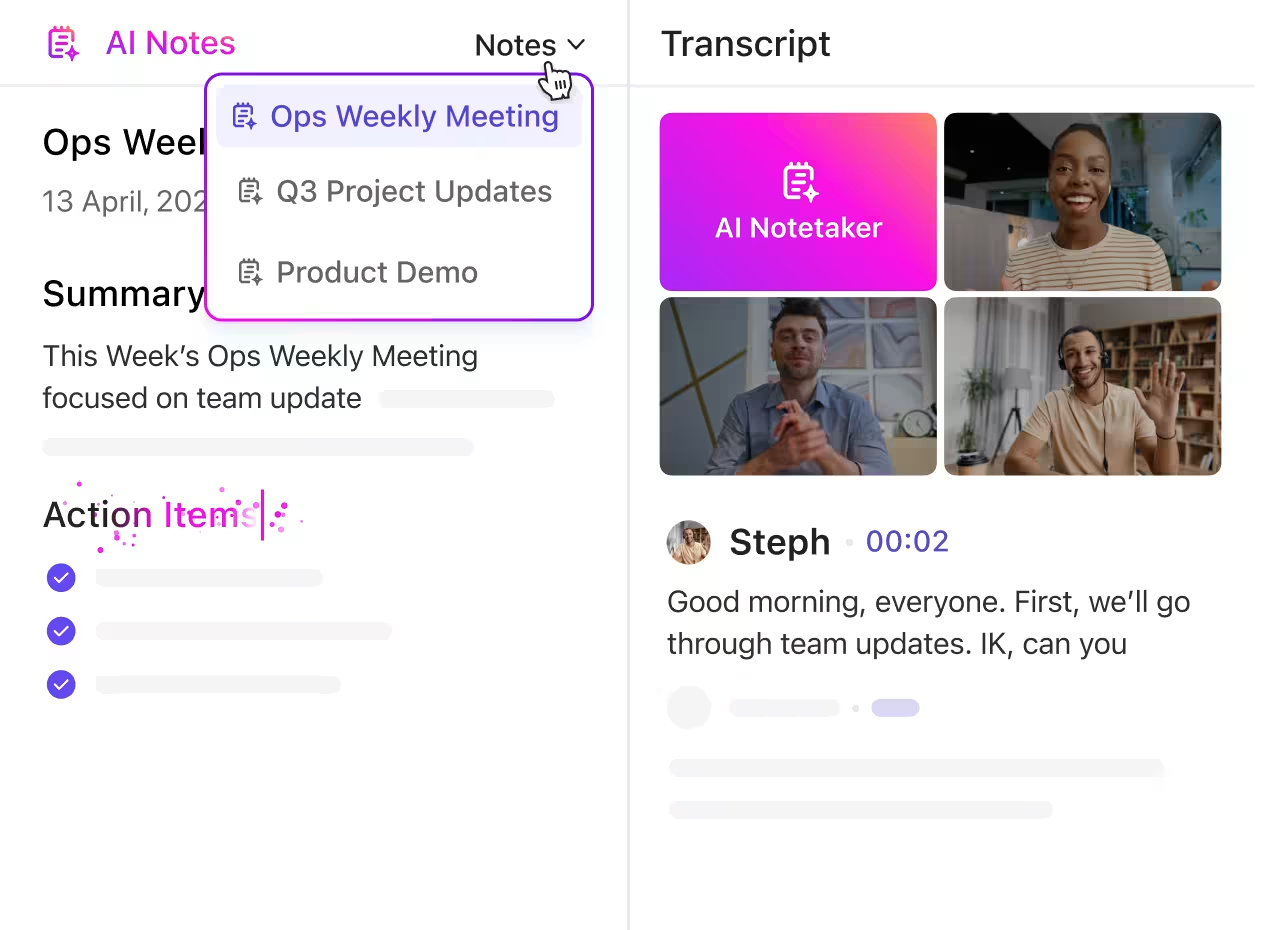
In addition to these capabilities, ClickUp’s AI Notetaker acts as the perfect companion for your meetings. It generates clear, searchable transcripts in real time and highlights key takeaways, decisions, and action items in your meeting notes. With its built-in integration into your tasks and workflows, you can turn insights into action without missing a beat.
📮 ClickUp Insight: We recently discovered that about 33% of knowledge workers message 1 to 3 people daily to get the context they need. But what if you had all the information documented and readily available?
With ClickUp Brain’s AI Knowledge Manager by your side, context switching becomes a thing of the past. Simply ask the question right from your workspace, and ClickUp Brain will pull up the information from your workspace and/or connected third-party apps!
Organizing the work and workload was not easy before. CU has been helping me to organize our thoughts, and workload, assign it to people, keep files in one place and share anything from any space with anyone. The screen record features help a lot as a replacement for Loom.
📚 Further Reading: Best AI Content Creation Tools for Content Marketing
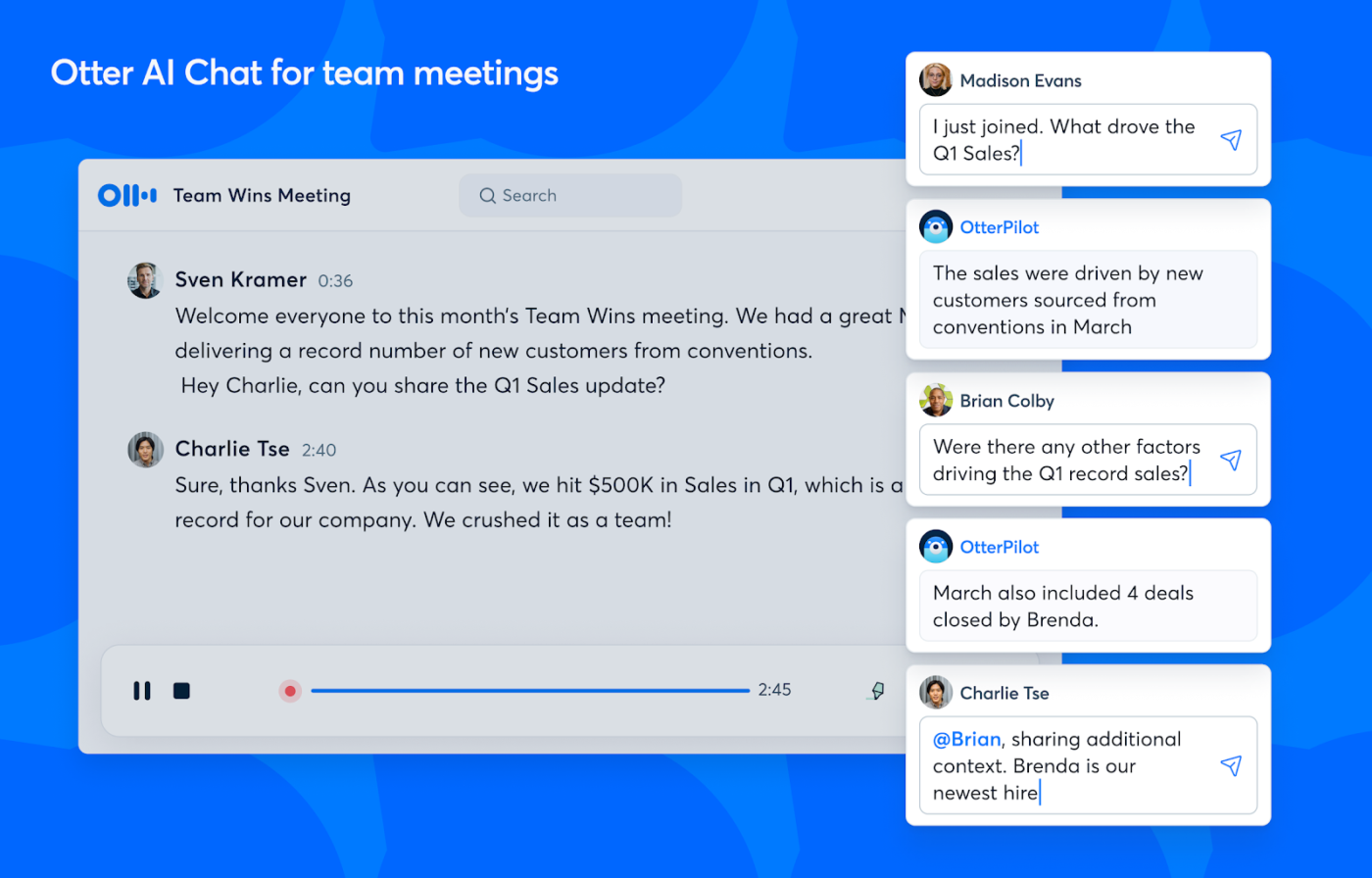
Otter.ai is an advanced AI-powered speech-to-text software and voice recording tool. It automatically records, transcribes, and summarizes conversations in real time, making it an essential solution for recording meetings, lectures, and interviews.
The platform integrates seamlessly with Zoom, Google Meet, and Microsoft Teams, enabling automatic transcription of virtual meetings with speaker identification, timestamps, and keyword highlights. Using AI, Otter.ai ensures users can easily search, edit, and share transcriptions, making note-taking more efficient and actionable.
Check out these Otter.ai alternatives!
💡Pro Tip: Capture your thoughts instantly with speech-to-text technology. A reliable speech-to-text app lets you record ideas on the fly, ensuring no great idea gets lost. It’s perfect for brainstorming, note-taking, and productivity on the go!
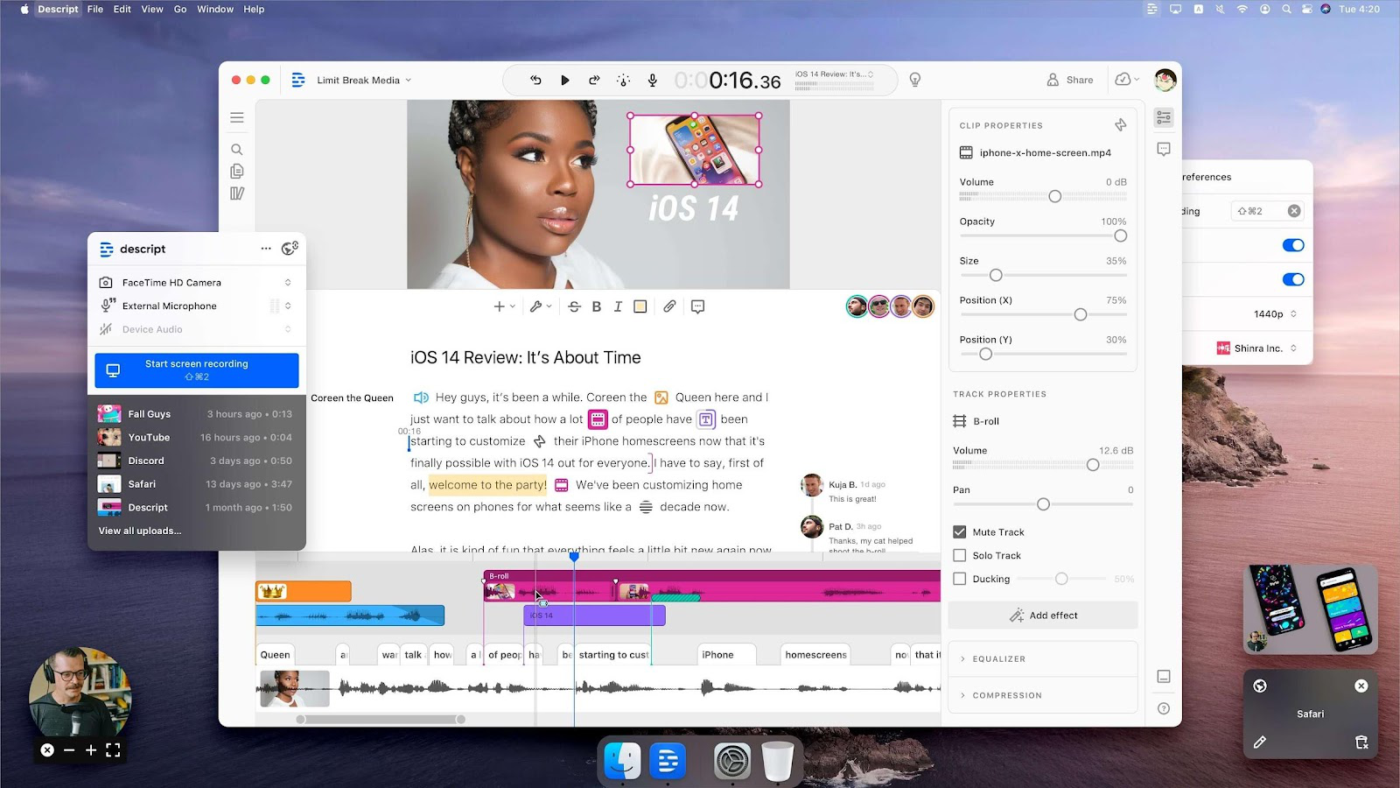
Descript is an innovative AI-powered audio and video editing tool that combines advanced editing with user-friendly tools, making it an ideal AI tool for podcasters and content creators. It is nothing short of a professional studio where users can record or upload media, which Descript automatically transcribes audio files into text, allowing for intuitive text-based editing.
Its Regenerate technology allows you to create lifelike voiceovers, while the automatic transcription simplifies the workflow for creators working on podcasts, videos, or presentations.
Additionally, Descript’s AI enhances audio quality by reducing background noise and improving clarity, producing professional-grade sound.
Descript is a game-changer for anyone looking to streamline their audio and video editing process–especially for beginners. It has great features like automatic transcription, screen recording, and text-based editing.
🔎 Did You Know? There are more than 546 million podcast listeners worldwide!
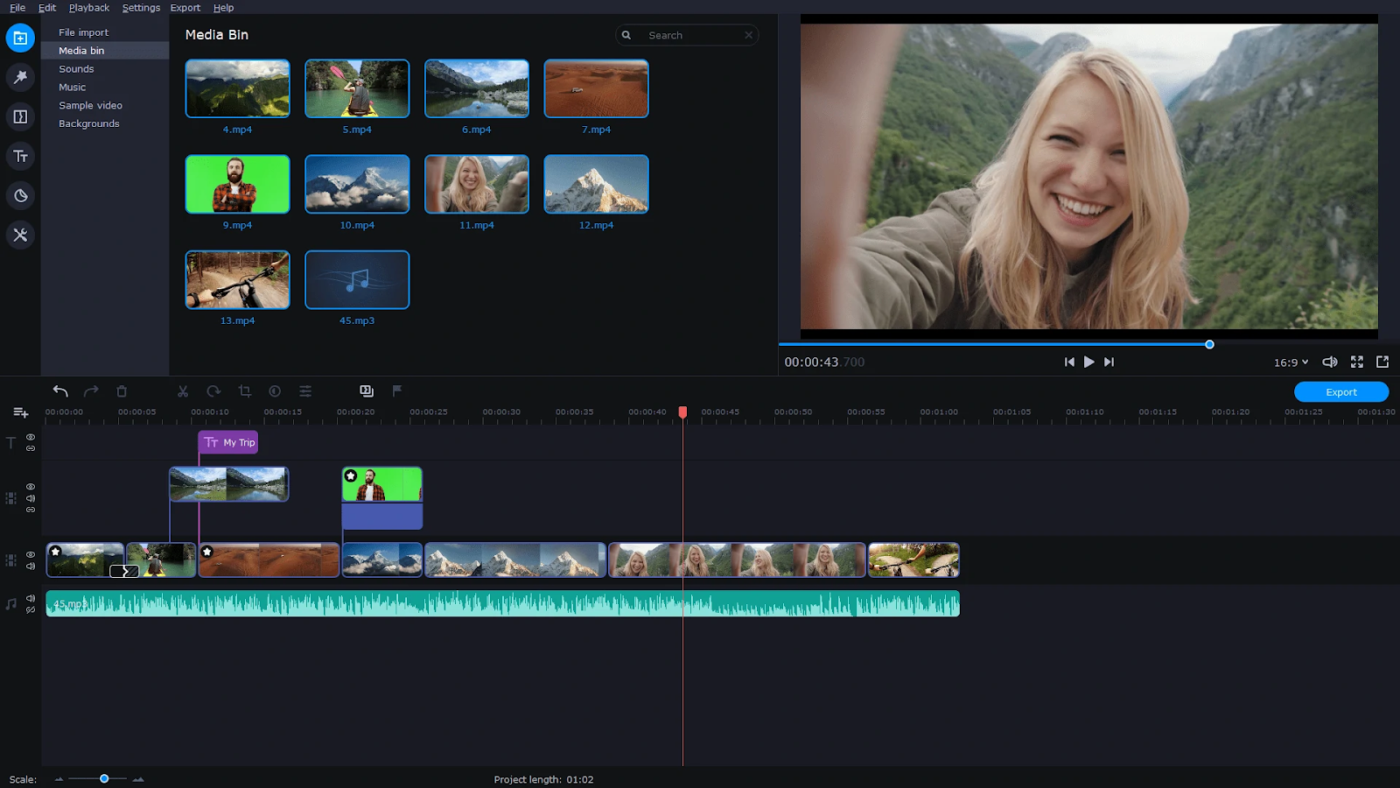
Whether you’re developing corporate presentations or video instruction guides and tutorials, Movavi’s multimedia software suite lets you create polished and engaging content.
Movavi offers robust AI-powered voice recording and editing capabilities catering to novice and professional users. Its intuitive interface allows users to easily record, edit, and enhance audio tracks, making it ideal for creating voiceovers, podcasts, and other audio projects.
What’s more? The screen recorder allows you to capture and add on-screen activities via editing tools like annotations, effects, and transitions. The software’s AI-driven features, such as noise removal and background elimination, ensure high-quality audio output by minimizing unwanted sounds and distractions.
It helps convert audio and video files, many options to convert, price is too okay for such a good software. Clarity is excellent.
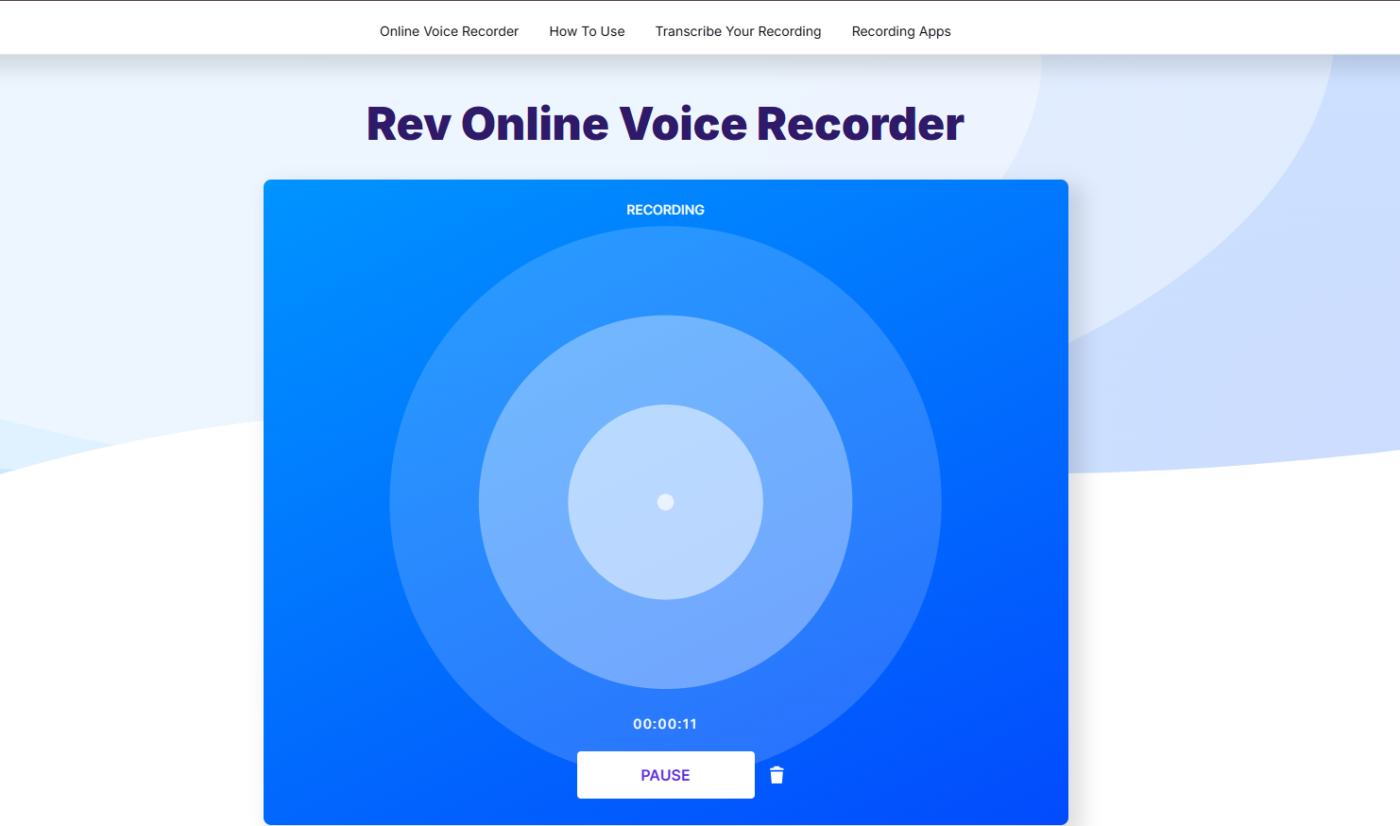
Looking for more than just another voice recorder? How about one that pairs high-quality audio and voice recording with up to 99% accurate transcriptions?
Rev Voice Recorder is an AI-supported application designed to let you record crystal-clear audio while filtering out unwanted background noise, and provide real-time human (and software-based) transcription services.
It supports different audio formats, which adds to its versatility. Plus, its user-friendly interface ensures seamless navigation, enabling users to record, edit, and share audio files effortlessly.
The online recorder is free to use. Transcription charges are as follows:
🧠 Fun Fact: On average, a transcriber types an astonishing 50 words per minute!
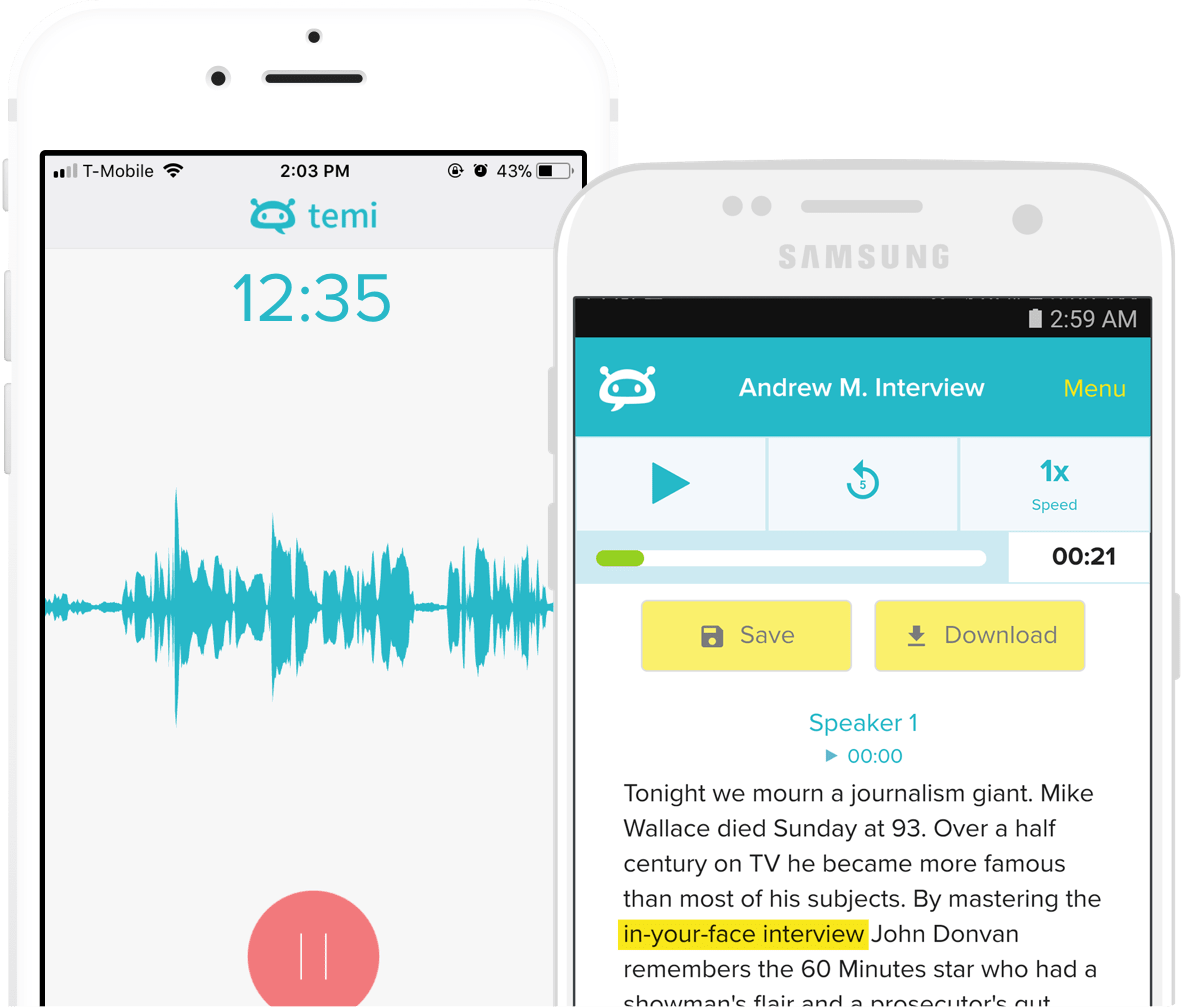
Temi is an AI-powered transcription tool that easily converts audio and video into text. Interestingly, its parent company is Rev. The platform focuses on accuracy balanced with affordability, making it a great tool for those who need reliable transcriptions to supplement their communication strategies.
Quickly generate, edit, and export transcriptions; highlight key moments; or convert audio/video content in their text form using Temi.
➡️ Read More: The Best AI Video Generators for Stunning Content
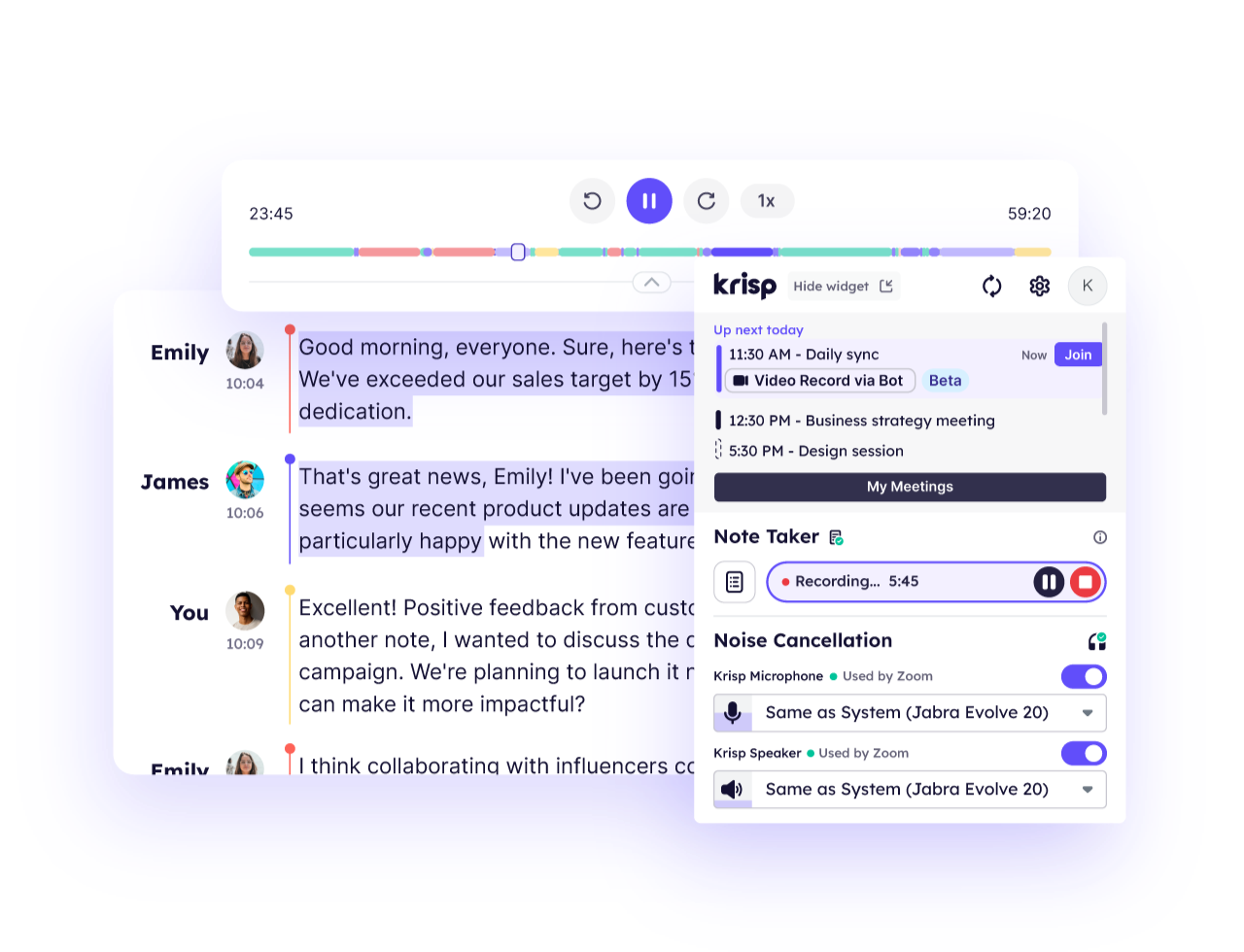
If you’ve ever wished your online meetings didn’t sound like a construction site or a coffee shop orchestra, Krisp is the AI-powered solution that keeps your audio crisp and distraction-free.
Its advanced noise cancellation technology ensures clear audio by filtering out unwanted sounds from both incoming and outgoing streams. Thus, communication happens as planned, and your audio content (think podcasts or lectures) sounds clean and professional regardless of the surroundings.
In addition to noise cancellation, Krisp offers an AI meeting assistant that provides real-time transcription and automated meeting recordings. The recordings and transcripts are easily accessible and shareable, promoting efficient collaboration and helping team members access key information easily.
As a Project Manager, I always struggled with writing detailed meeting minutes. I hate it! Thus, I ended with not doing them at all… (yes, I am guilty as it is a terrible practice)But KRISP has changed everything! (literally) I am now returning to the practice of meeting minutes on my projects… Now I only need to review the details of the text KRISP has generated and send it to the team and client.
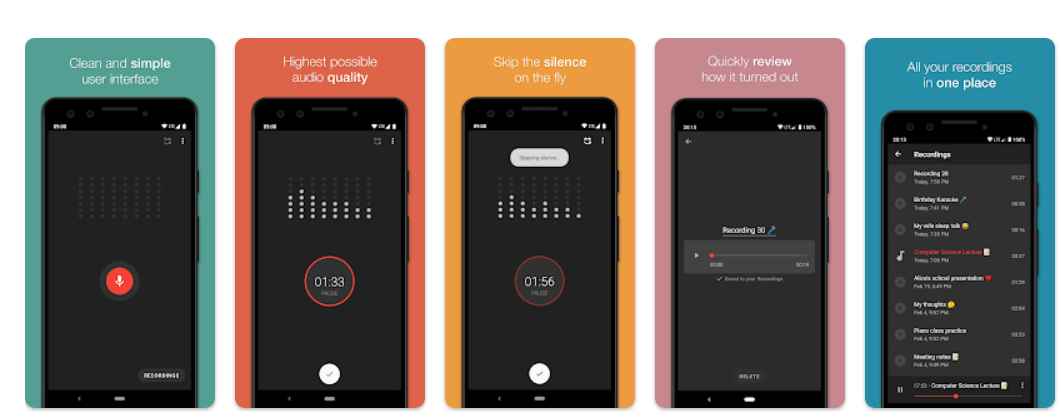
Smart Voice Recorder is a simple yet effective app for recording high-quality audio on your Android smartphone. It is designed for on-the-go recording and makes it hassle-free to record conversations, lectures, and memos.
The app features an intuitive “auto-skip” feature that cancels out dead air and only records relevant audio. Smart Voice Recorder also lets you export audio files in different formats, depending on your requirements.
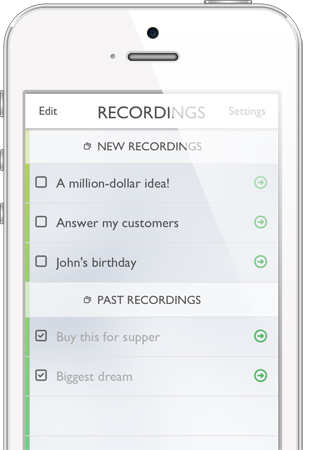
Say&Go is an intuitive voice note-taking app that lets you easily capture ideas, reminders, and tasks, even when you’re on the move.
Document thoughts and ideas quickly without manual typing. Its minimalist design lets you focus on the task without distractions.
➡️ Read More: Best AI Screen Recorders: A Professional’s Guide
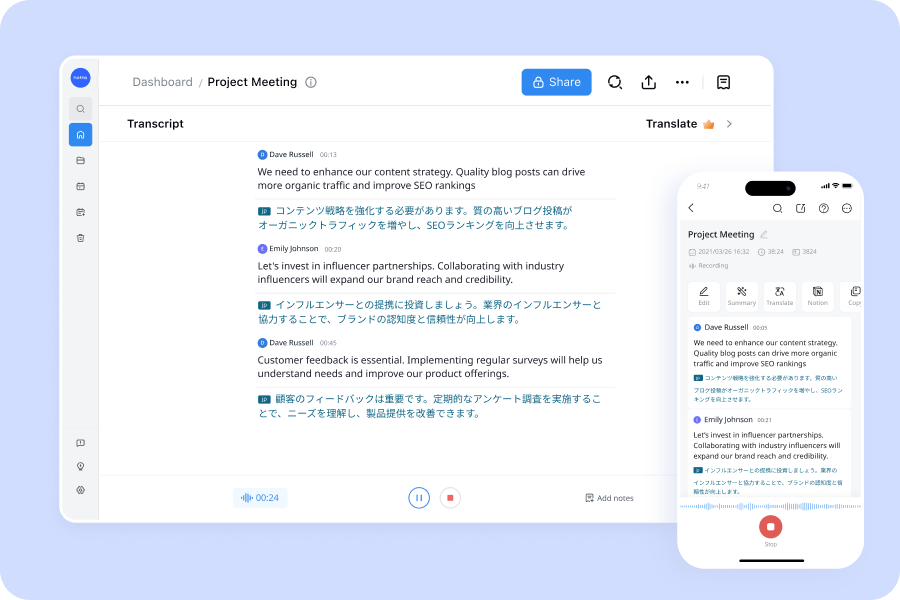
Notta is an AI-powered transcription tool that converts speech to text with exceptionally high accuracy. It supports multiple languages and integrates with popular meeting platforms like Zoom.
However, Notta truly shines in its ability to generate real-time transcriptions informing people of the latest developments in any discussion. Use it as an AI tool for documentation to keep everyone on the same page, improve collaboration, and solidify note-taking.
Very good quality transcription. British English is picked up well. And it seems the model does a few passes to understand the context and retranscribe. Because of that assumed functionality, the output quality is relatively high compared to other transcriptions.
If you’re looking for more niche tools for specific use cases, here are some additional recommendations:
AI voice recorders are excellent for capturing, transcribing, and managing audio. Whether you want to generate audio content or jot down key points within a meeting, the above list will help you find the right voice recording tool. Whatever you choose, you’ll save time, increase productivity, and improve communication.
But if you choose ClickUp, you’re getting more than just a voice recorder.
Unlike standalone AI voice recorders, ClickUp brings everything into one platform—so your recordings, notes, and transcriptions seamlessly integrate with your tasks, docs, project timelines, and team collaboration tools. No more jumping between apps!
Whether you’re an individual or a team, sign up to ClickUp to experience peak productivity from start to finish.

Manasi Nair
Max 26min read
Manasi Nair
Max 26min read
Manasi Nair
Max 20min read

© 2026 ClickUp