






Still downloading templates?
There’s an easier way. Try a free AI Agent in ClickUp that actually does the work for you—set up in minutes, save hours every week.
Sorry, there were no results found for “”
Sorry, there were no results found for “”
Sorry, there were no results found for “”

On average, American small businesses are paid 8.2 days after the due date.
This is not ideal when trying to close the books, hit targets, or stay afloat. Beyond the financial strain, payment delays increase credit risk, disrupt cash flow, and wear down already-stretched teams.
However, implementing AI in your payment process can help speed things up and give you more control and visibility in your financial operations.
In this blog post, we’ll break down the tangible benefits of using AI in accounts receivable (AR) management and the best tools to modernize your AR processes. (Spoiler alert: It’s ClickUp, and we’ll show you why!)
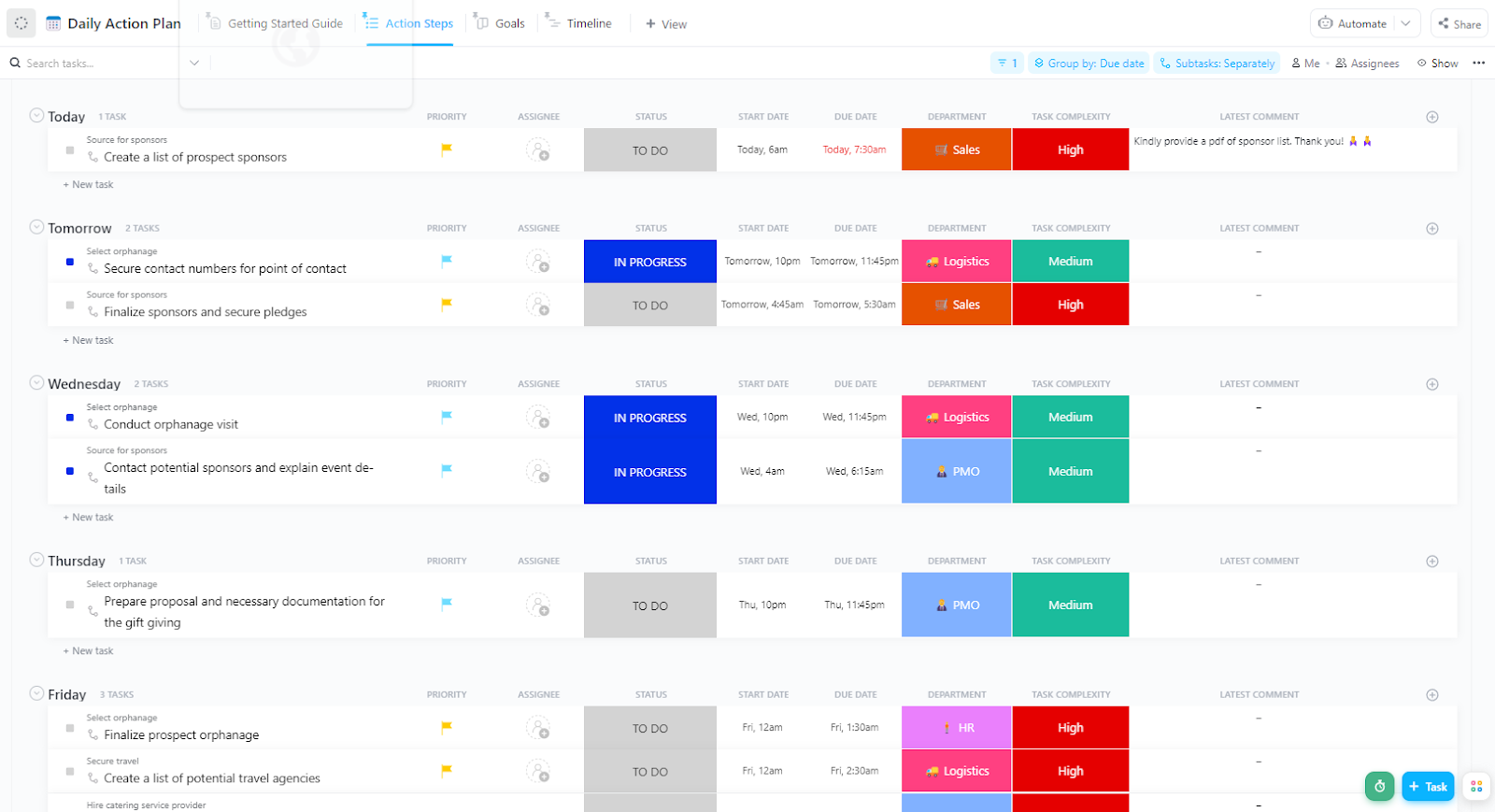
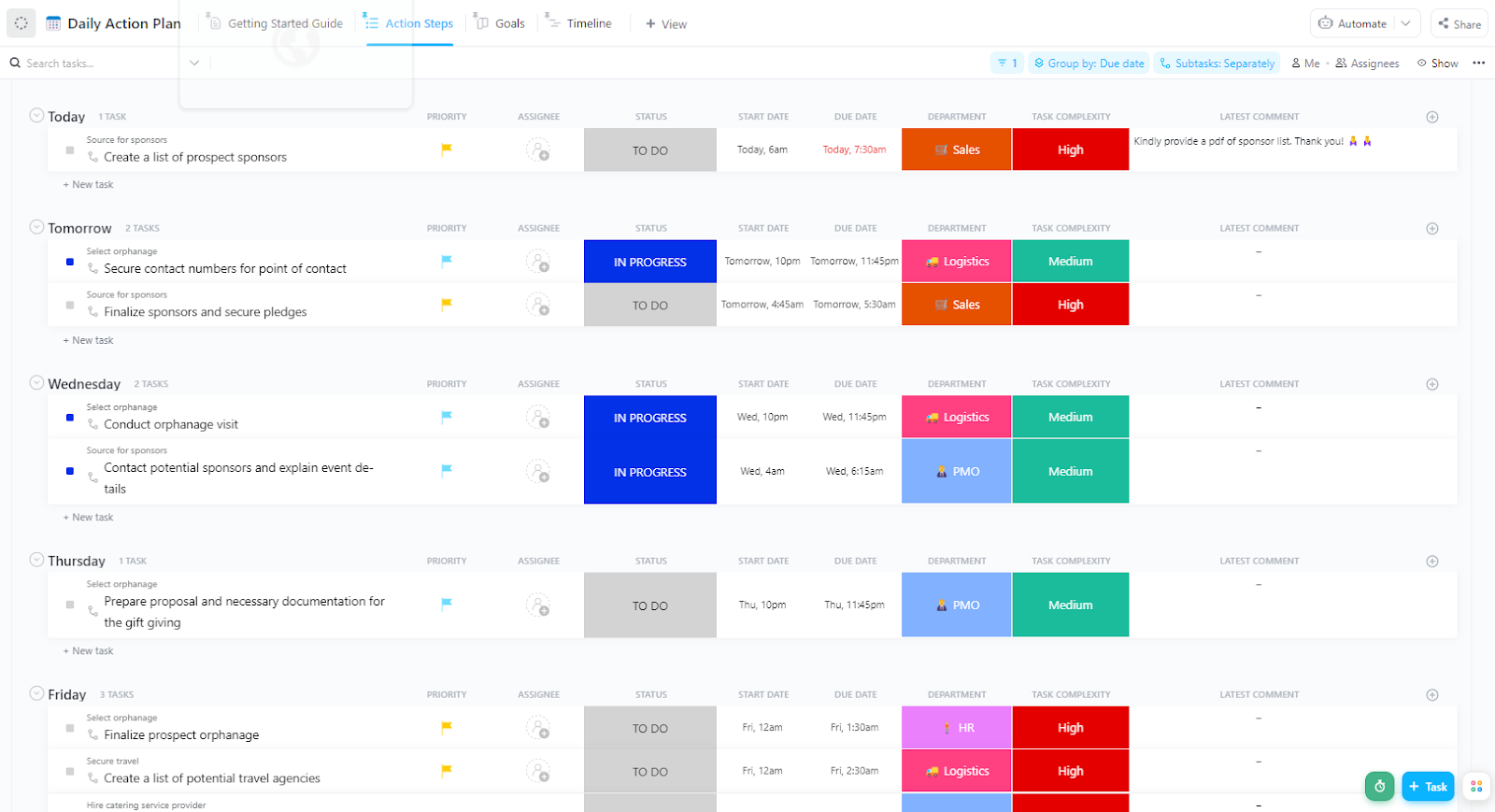
The ClickUp Accounts Receivable Action Plan Template is a valuable tool for monitoring your company’s progress in managing receivables. It allows you to quickly identify and address any recurring issues that may be causing payment delays, ensuring your cash flow remains healthy and predictable.
Accounts receivable refers to the timely payments a company expects from clients for goods or services delivered. It represents incoming cash as a current asset on the balance sheet.
Timely AR collection improves cash flow management, helping businesses cover expenses, pay suppliers, and fund growth. Delays, on the other hand, can lead to cash shortages, missed opportunities, and a reliance on external financing.
Accounts receivable management seems simple: send invoices, collect outstanding payments, and reconcile. However, the process is often slow, manual, and reactive, leading to costly organizational bottlenecks.
According to Xero Small Business Insights (XSBI), even a single day’s delay in invoice payments leads to a 1.1% increase in small businesses’ borrowing that quarter, roughly $278.7 billion in additional debt across markets.
Companies with 7 to 8 days’ worth of delayed payments push borrowing levels up by 6.8%. This strains working capital and increases dependence on high-interest, short-term credit.
Most small businesses don’t turn to banks when cash flow issues run tight. Instead, they borrow from non-bank lenders with higher rates and shorter repayment cycles, compounding their financial stress over time.
Manual workflows only make things worse. Many teams still:
Consequently, slower collections, strained customer relationships, and ballooning DSO (days sales outstanding) follow. Finance teams also struggle to identify high-risk accounts or how much cash is realistically collectible in the next 30 days.
This lack of visibility can lead to missed payment windows, delayed investments, and last-minute uncertainties.
AI in accounting can change this. You can introduce automation and intelligence into your AR process to gain control, speed, and insight for maximum benefits.
👀 Did You Know? Businesses across the United Kingdom waste approximately 56.4 million hours chasing outstanding payments.
While longer terms may attract customers, they often come at the cost of increased debt and cash flow risk.
That’s why managing accounts receivable strategically is necessary. You should bill the client proactively and create a system for payment reminders despite the extended timelines.
AI and machine learning (ML) models process vast amounts of internal and external data, such as customer behavior and payment history, to uncover patterns, make predictions, and generate recommendations.
You can access efficient AR processes that encourage timely payments and scale without disrupting financial operations.
Here are some practical use cases where AI tools in accounting make a difference:
Manual invoicing delays your collections before you even get to the follow-up phase. A typo or incorrect due date can delay payments by weeks and trigger unnecessary back-and-forth with clients.
Leveraging AI solutions changes this by making invoice processing accurate, adaptive, and fast.
🔍 You can use automated invoice generation to:
📌 Use AI tools integrated with your ERP to trigger invoice creation when a job is marked complete or a shipment is confirmed. It closes the gap between service delivery and billing.
📖 Also Read: General Ledger Examples & Formats for Accounting
Knowing who to follow up with and when can confuse AR processes. Not all customers behave the same. Some are reliably early, others routinely need a reminder, and a few only pay after escalation.
Traditionally, identifying these patterns meant digging through aging reports and relying on assumptions. But AI changes that by turning raw payment data into clear, forward-looking insight.
🔍 Here’s how it helps:
📌 Finance teams can prioritize collections, build reserves, or renegotiate terms before the cash crunch hits with accurate predictions.
A leading PVC pipe manufacturer was facing a mounting challenge: a growing backlog of overdue accounts that tied up cash flow and strained operations. Traditional collection processes weren’t keeping pace, and the finance team needed a smarter way to identify which accounts required urgent attention.
To solve this, they partnered with Nitor Infotech to implement an AI/ML-driven predictive analytics system. The first step was consolidating years of historical sales and payment data into a central data warehouse. With this foundation, the AI could analyze customer behavior patterns and flag high-risk accounts—giving the team a clear view of where to focus their recovery efforts.
The impact was significant. Within just 24 weeks, the company reduced outstanding receivables by 75% and cut the average payment delay down to 20 days. What was once a reactive, time-consuming process became a proactive strategy powered by AI, unlocking healthier cash flow and freeing the finance team to concentrate on growth rather than chasing payments.
Following up on overdue invoices is one of AR’s most repetitive and time-consuming tasks. It demands consistency, timing, and the right tone. AI helps personalize and prioritize follow-ups, replacing generic messaging or spreadsheets.
🔍 It helps you:
📌 Let AI escalate follow-ups based on triggers like ‘5 days overdue accounts’ or ‘no response after two reminders.’ The system can assign tasks or send emails so your accounts receivable team can focus on more urgent matters.
💡 Pro Tip: You can use ClickUp’s Custom Autopilot AI Agents to send automated reminders to client channels and groups based on specific due dates and criteria. Here’s how AI agents can help:
Learn how to set up these agents in this video explainer by one of ClickUp’s product managers, Ken:
👀 Did You Know? Reducing payment delays by one day would increase EU companies’ aggregated cash flow by 0.9% and save them €158 million in financing costs.
A single line-item error or overlooked purchase order term can stall payments for weeks. Worse, disputes often remain invisible until a customer raises a concern, by which point, cash flow has already taken the hit.
AI detects and prevents disputes before they happen and regulates how teams manage and resolve them when they do.
🔍 You can use it to:
📌 Faster resolution reduces DSO and improves customer satisfaction—two outcomes that are usually hard to balance.
📖 Also Read: Free Bookkeeping Templates in Excel and ClickUp
Cash flow determines your ability to operate, grow, and pay your team. However, traditional forecasting methods like spreadsheets and static models cannot keep up with shifting customer behavior or economic uncertainty.
AI offers a way to move from retrospective and reactive planning to real-time, data-driven foresight.
🔍 How it helps:
📌 Build AI-powered dashboards to track expected vs. actual cash inflows and set alerts for any major variances.
💡 Pro Tip: Build AI-powered dashboards that not only track expected vs. actual incoming payments but also explain the why behind the numbers. With AI Cards in ClickUp Dashboards, you can drop in widgets that automatically summarize trends, flag anomalies, or even draft plain-English insights right inside your dashboard. Instead of manually combing through reports, you get proactive alerts and context—so you can act fast when variances matter most.
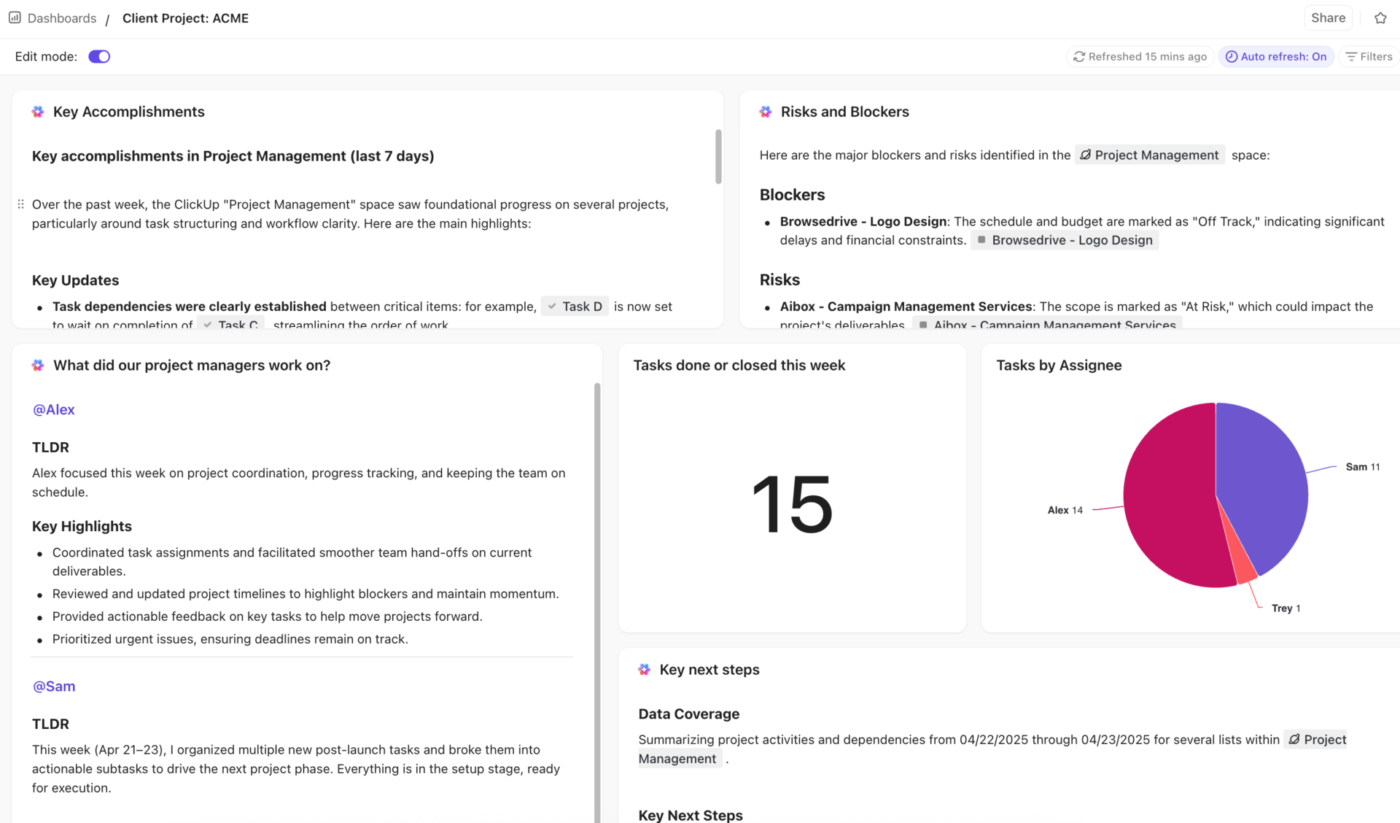
As payment cycles stretch and operational costs rise, finance teams rush to do more with less. AI turns manual accounts receivable processes into proactive, insight-driven systems.
Here are a few benefits of AI in accounts receivable operations:
👀 Did You Know? Only 44% of businesses have automated their accounts receivable processes to improve their financial performance.
The right accounts receivables automation tools can help you make payment collection and tracking easier.
Here are three of those tools that bring intelligent automation and predictive insights to your AR operations:
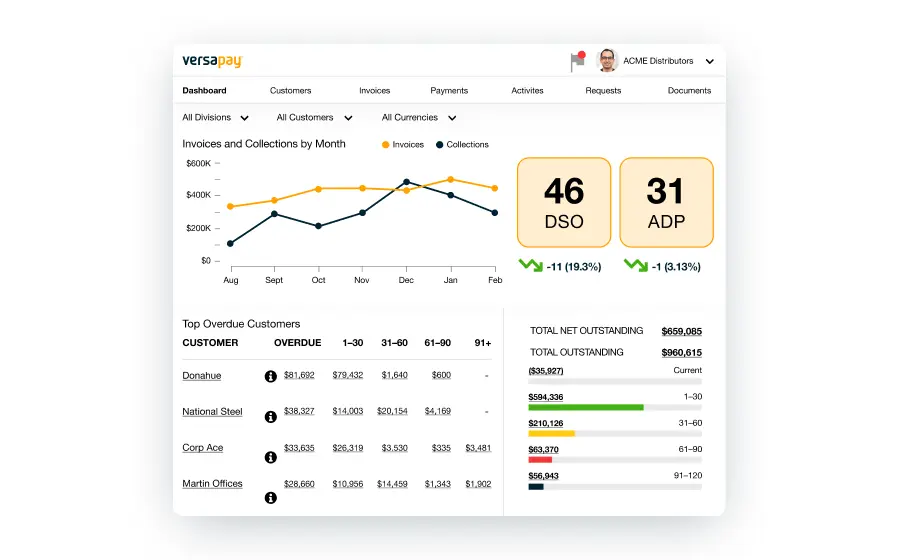
Versapay combines AR automation with customer collaboration features to help businesses accelerate payments and improve transparency.
Use Versapay to:
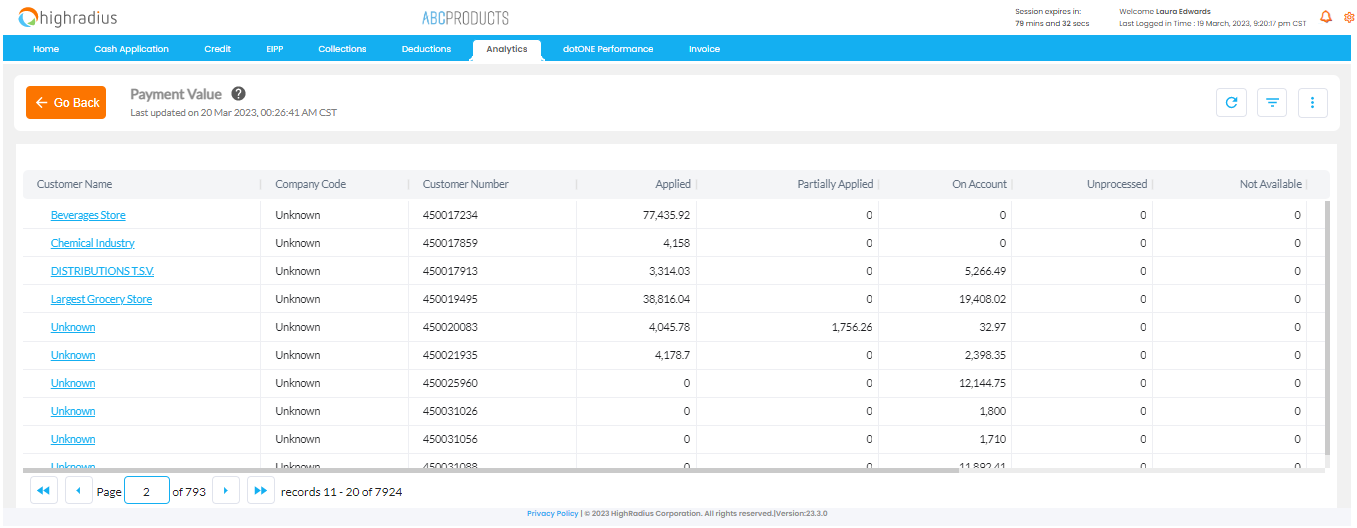
HighRadius offers a comprehensive suite of AI-powered tools for the Office of the CFO, with a strong focus on accounts receivable automation and better cash flow management.
Here’s how it can help you:
ClickUp, the everything app for work, gives you complete visibility into your payment status and account information without handling multiple spreadsheets or disconnected tools.
With ClickUp for Finance, you can:
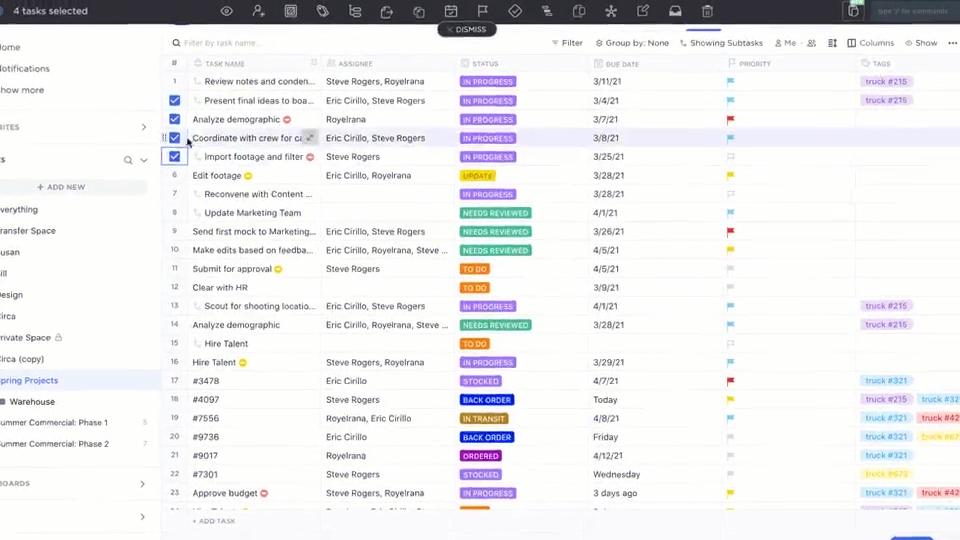
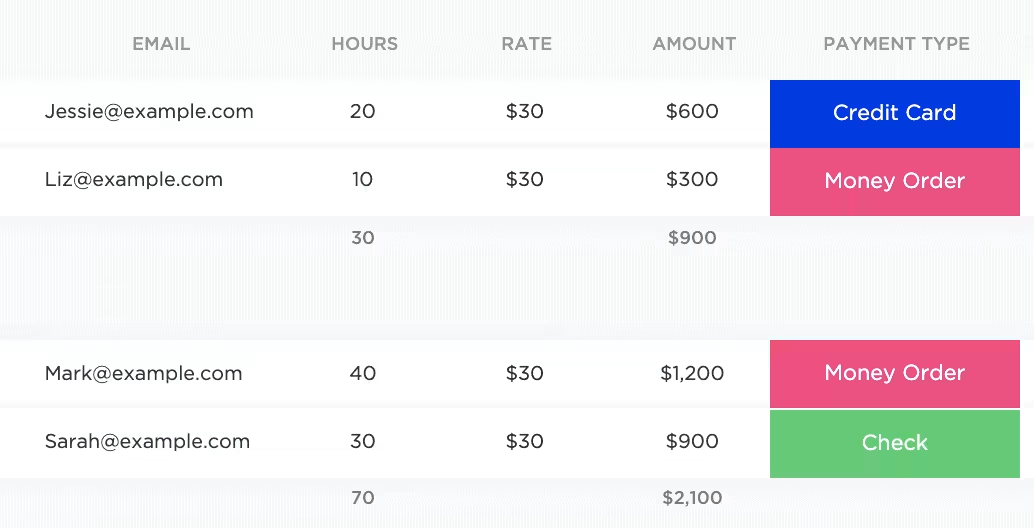
You can manage this information in the ClickUp Table View, which mimics a spreadsheet (only with better functionality). Each row converts into a task, and each column becomes a live data field you can act on directly. Accounts receivable teams can manage invoice status, update payment notes, and assign follow-up tasks.
AR Teams can also simply write their query to ClickUp Brain instead of resorting to lengthy number-crunching and manual analysis!
ClickUp Brain is ClickUp’s built-in AI assistant that understands your tasks, documents, and customer communications. You can ask it to summarize client payment histories, generate follow-up emails, or flag invoices that haven’t moved in a week.
For example, if a customer has three open invoices, ClickUp Brain can draft an email referencing prior communications, due dates, and amounts. You can follow up with a customer with a personalized payment reminder within seconds.
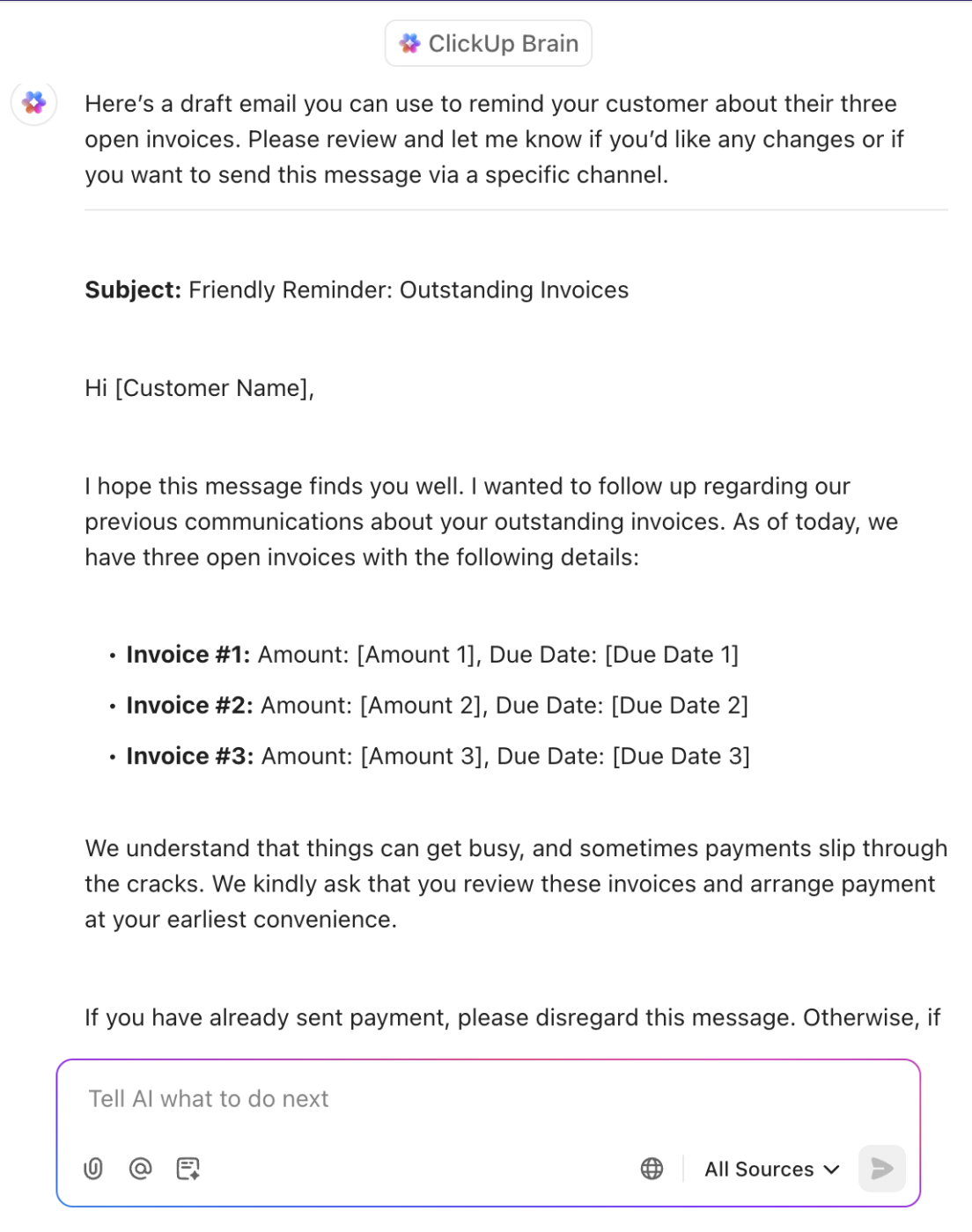
📌 Still relying on ChatGPT or any other LLM to work for your accounts receivable processes? Well, you can now use ChatGPT, Gemini, and Claude, all from within ClickUp Brain instead of app-hopping.
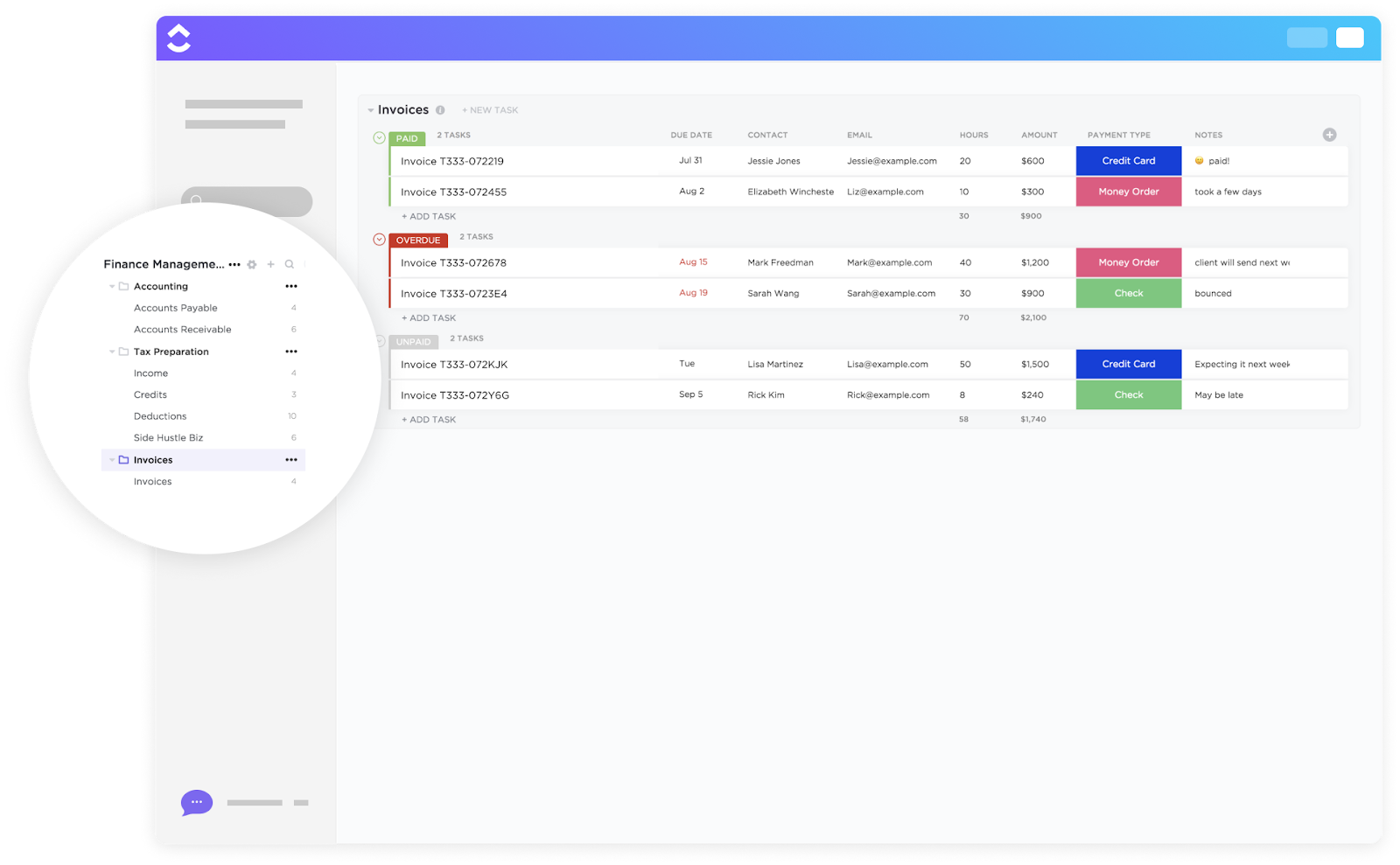
💡 Pro Tip: If you want to skip the hassle of setup and start managing your AR processes immediately, the ClickUp Invoices Template is the fastest way. It’s a plug-and-play List setup designed specifically for finance teams and business owners who want to track, send, and monitor invoices from a centralized dashboard without building a system from scratch.
ClickUp Automations offer a great setup for repetitive or tedious tasks. Move tasks forward by setting conditions and triggers that auto-execute actions across your entire AR process.
For example, you can create a workflow with ClickUp Automations to automatically send the email ClickUp Brain drafted to the customer and professionally ask for payment.
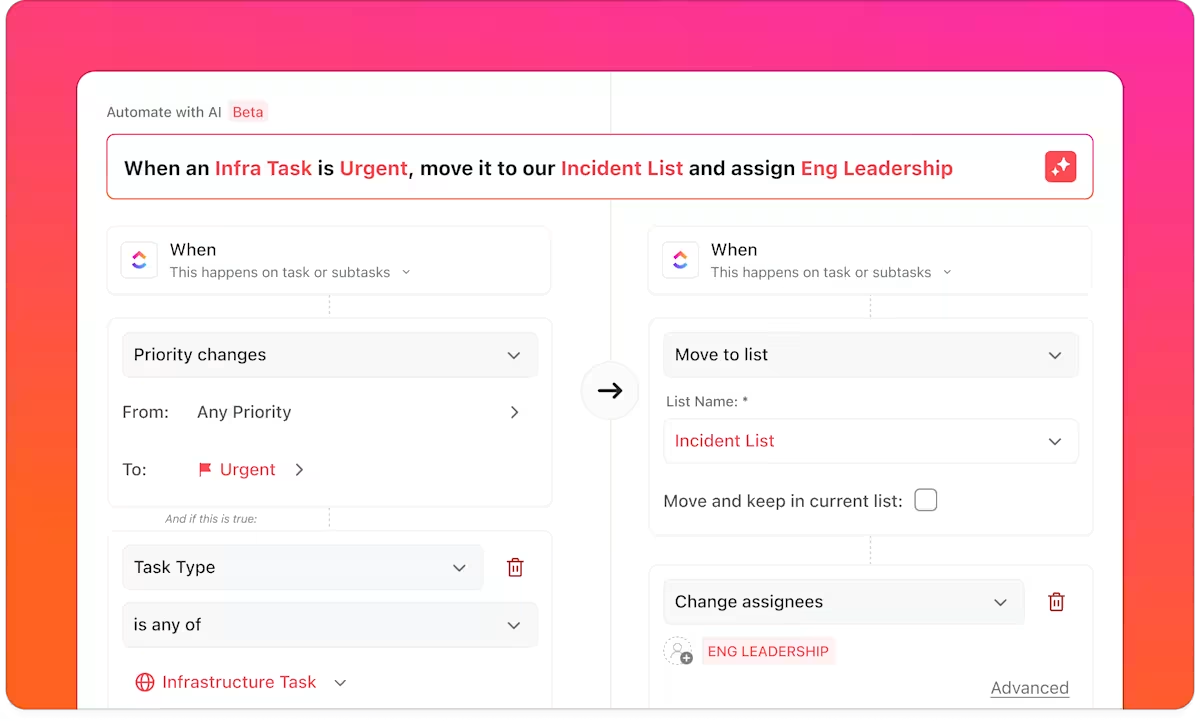
You can use ClickUp Automations to:
📮ClickUp Insight: We recently discovered that about 33% of knowledge workers message 1 to 3 people daily to get the context they need. But what if you had all the information documented and readily available?
With ClickUp Brain’s AI Knowledge Manager by your side, context switching becomes a thing of the past. Simply ask the question right from your workspace, and ClickUp Brain will pull up the information from your workspace and/or connected third-party apps!
To monitor your cash inflow, outflow, payables, and receivables, you can build custom ClickUp Dashboards that reflect exactly what your team needs to see. Dashboards pull live data from your task workflows, so the moment your status, assignment, or payment confirmation changes, it reflects in your reports.
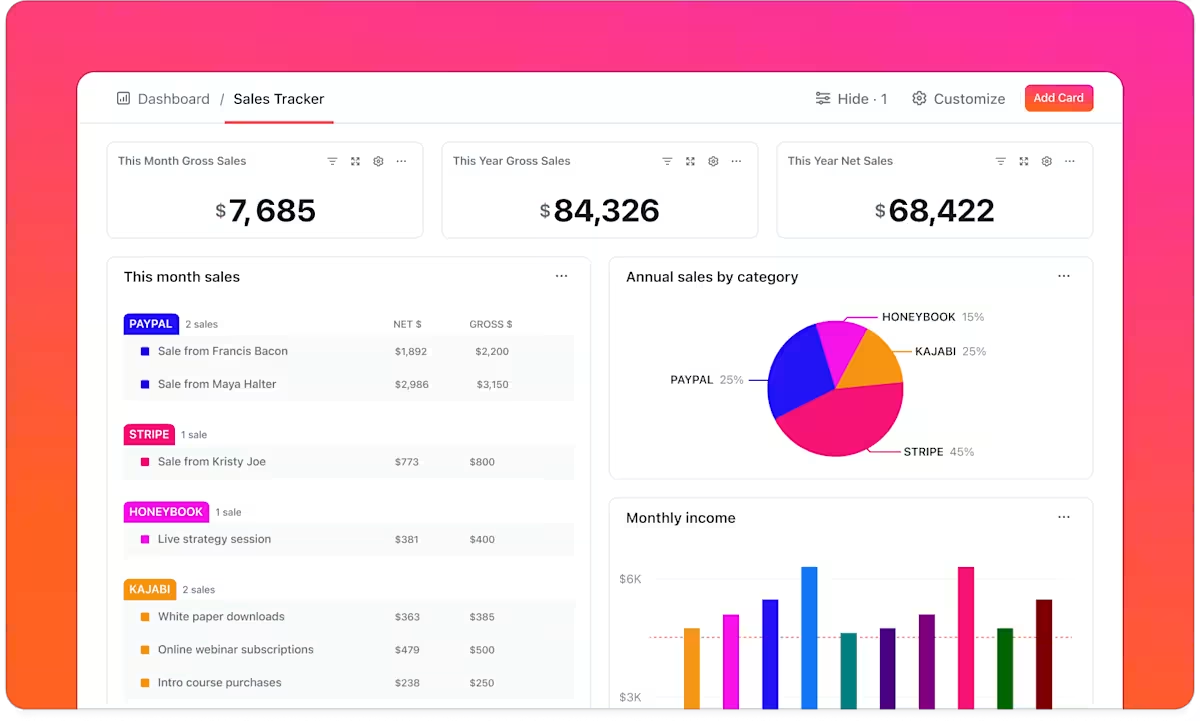
With ClickUp Dashboards, you can track:
In fact, ClickUp Dashboards are perfect during AR review meetings or when executives need a quick snapshot of receivables performance.
💡 Pro Tip: Use the ClickUp University to save time and train your employees. Working within the ClickUp ecosystem lets you access engaging how-to guides and master essential tools.
While visual dashboards in ClickUp standardize your financial KPIs, you can also organize your information handling.
ClickUp Forms standardize follow-up tasks or requests before they enter the pipeline. You can build them for internal teams to submit invoice requests, with required fields like customer name, invoice amount, due date, PO reference, and contact info.
Each submission in ClickUp Forms converts into a ClickUp Task automatically. It is then assigned to the correct person with all necessary context already in place.
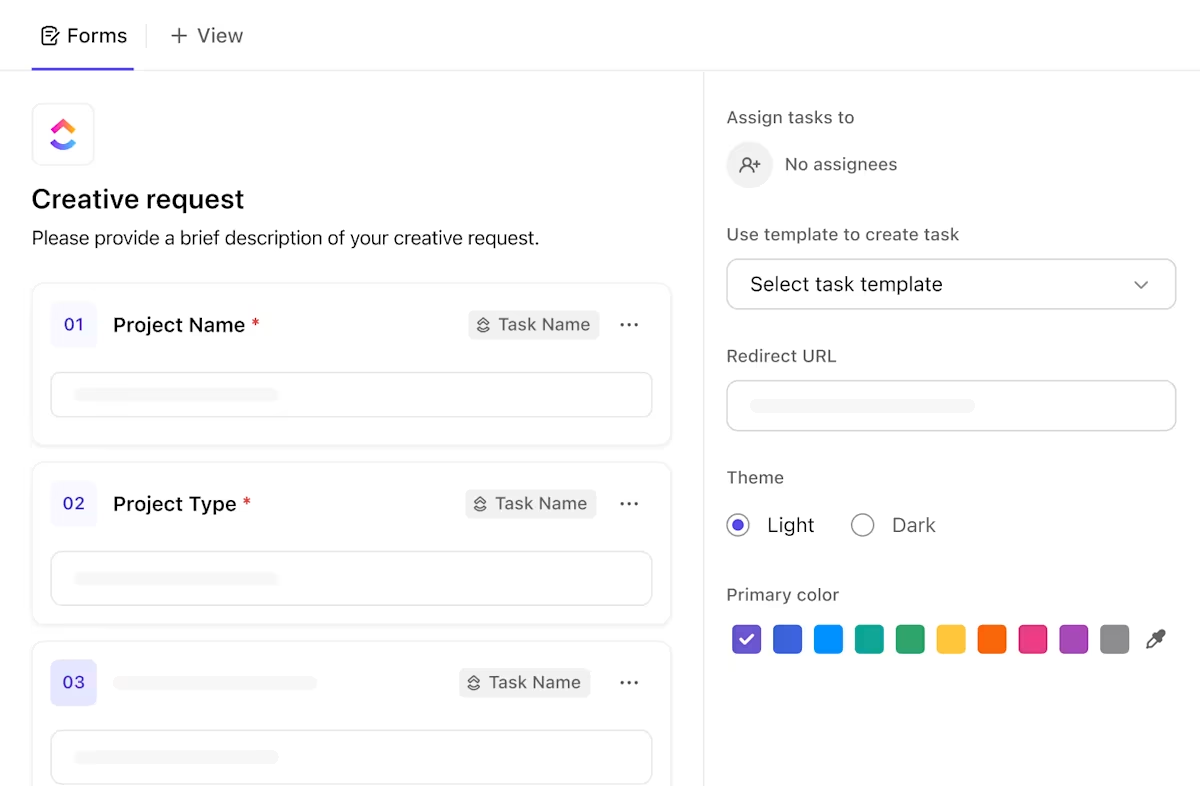
AR teams can use ClickUp Forms to:
ClickUp Docs give your accounts receivable teams a centralized space for everything they need to stay consistent.

Keep collections of playbooks, follow-up email templates, dispute resolution guides, and escalation policies in Docs. These can be linked directly to tasks, keeping everyone aligned on language and process.
For example, to study for a client dispute task, the assigned collector can access the proper documentation and track changes in the process using its version history.
You collect invoice information through Forms, manage tasks with Custom Fields and Automations, monitor progress in Dashboards, use Docs for consistency, and connect your finance stack via ClickUp Integrations.
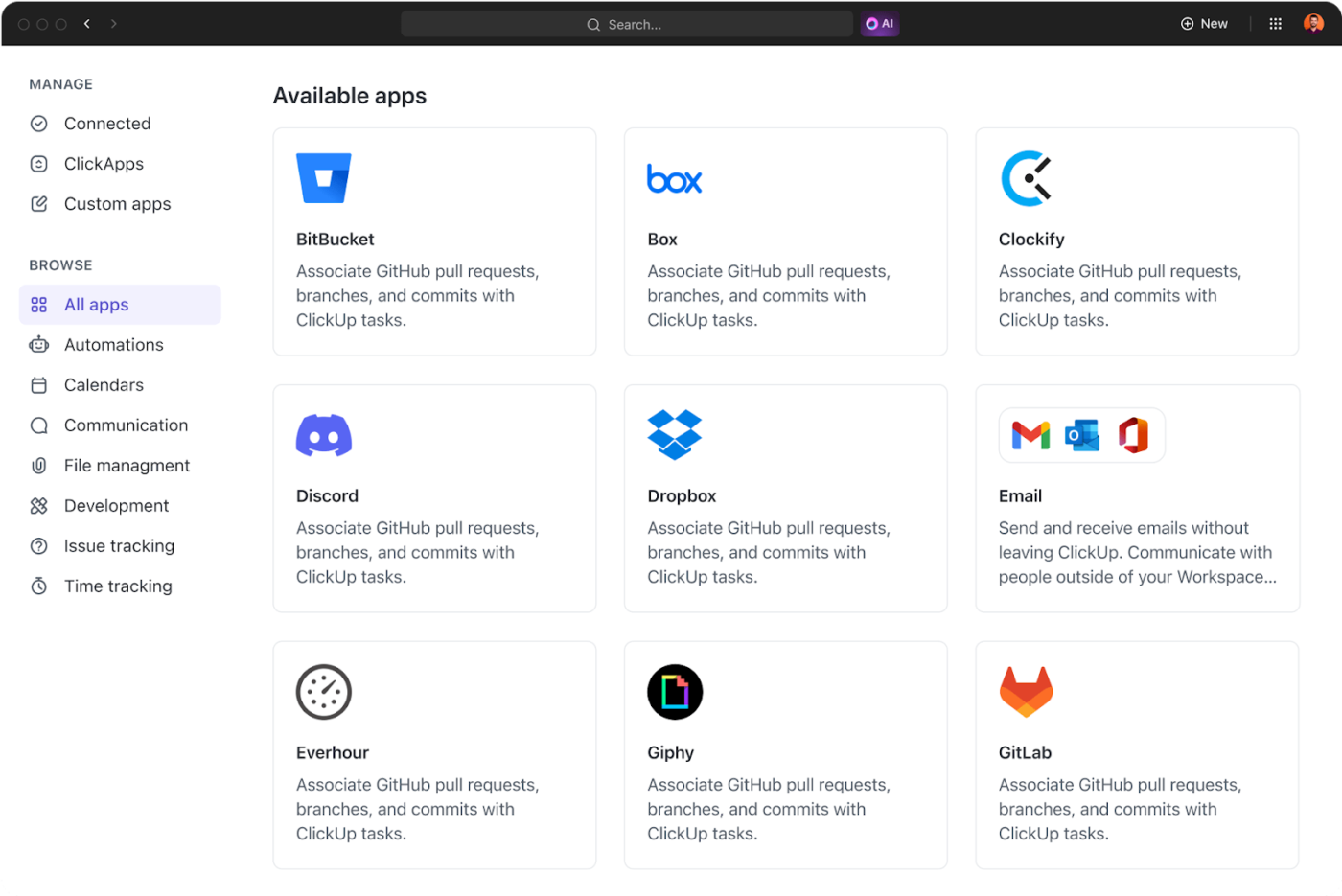
For instance, ClickUp integrates with QuickBooks to sync invoice activity with task management. When a new invoice is issued in QuickBooks, a corresponding task can be auto-created in ClickUp, with payment terms, client details, and follow-up deadlines.
Once the payment is received, the task can be marked complete automatically, keeping your workflow current.
This also feeds back into ClickUp Brain, which can:
ClickUp forms a complete AR workflow with its faster payment processing features.
Arnold Rogers, a customer support manager at Launch Control, agrees:
We have integrated with Intercom, Stripe, ChurnZero, Slack, Gmail, ProfitWell, etc. This enables us to track finances, retention, reporting, and customer details in one space, as we can pull information from all the tools we use and compile them in ClickUp for ease of use without getting all departments involved and taking time from their schedules.
Generative AI adoption doesn’t mean replacing your entire accounts receivable system. Start small by automating the highest-friction tasks.
Here’s a quick-start list of where AR teams can apply AI in their existing systems for timely payment collections:
| Task or challenge | AI-powered solution |
| Chasing overdue payments | Trigger follow-ups based on due dates or customer behavior |
| Delayed or incomplete invoice submissions | Standardize inputs with structured intake forms |
| Lack of visibility on AR performance | Use real-time dashboards to track aging, DSO, and escalations |
| Dispute handling and resolution delays | Route issues automatically and suggest actions using past data |
👀 Did You Know? 99% of American companies qualify as small businesses. Therefore, payment delays affect more than half of the national workforce.
No one wants to spend their week chasing outstanding invoices or late payments. With AI in your workflow, you can replace reactive tasks with proactive systems. The result? You strategize your receivable process and enjoy significant cost savings.
ClickUp is an all-in-one platform that gives you the toolkit to do just that. You can draft follow-ups, set up automation to handle reminders and escalations, monitor payment trends in real time through live dashboards, and more.
It standardizes your process and reduces manual labor, so you no longer react to problems but resolve them before they pop up.
Sign up for ClickUp for free and build a smarter, faster AR process!

© 2026 ClickUp

There’s an easier way. Try a free AI Agent in ClickUp that actually does the work for you—set up in minutes, save hours every week.