






Still downloading templates?
There’s an easier way. Try a free AI Agent in ClickUp that actually does the work for you—set up in minutes, save hours every week.
Sorry, there were no results found for “”
Sorry, there were no results found for “”
Sorry, there were no results found for “”
Ever opened a doc that technically has paragraphs, headings, and “next steps”… but still leaves you doing the thinking from scratch?
That’s AI-generated workslop: output that looks like work, yet fails to help anyone decide, ship, or move the task forward.
Researchers from BetterUp Labs and Stanford’s Social Media Lab found 40% of full-time U.S. desk workers said they received workslop in the past month, and it took about two hours on average to clean up each instance. That hidden cleanup time shows up later as rework, delays, and missed decisions.
This guide breaks down why AI workslop spreads, how to spot it, and how to use AI tools responsibly so they meaningfully advance a given task instead of creating more work.
You’ll also see how ClickUp helps teams keep context, review AI-generated content, and ship work that’s actually useful.
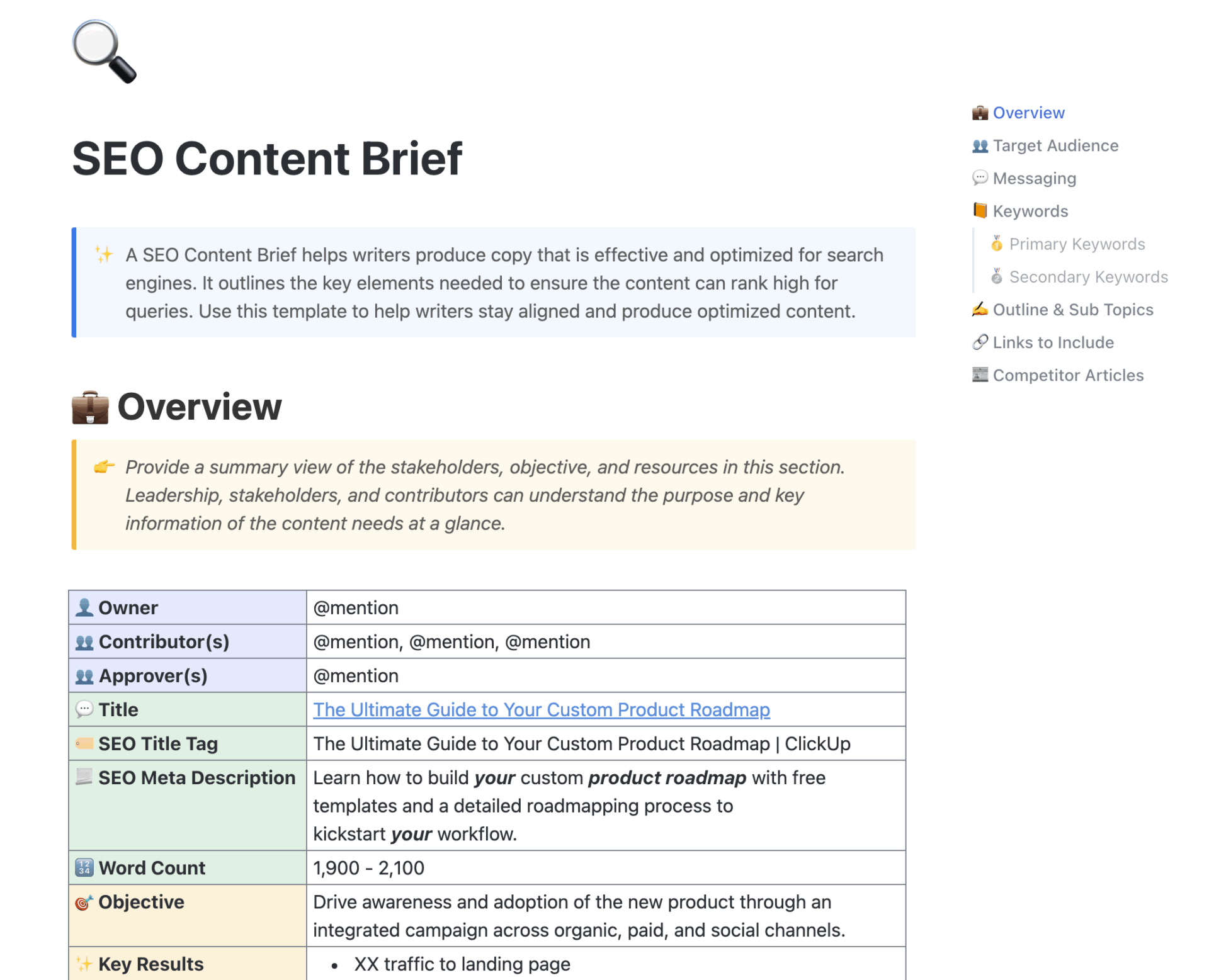
If workslop starts with a vague prompt, the fastest fix is a better brief. The ClickUp SEO Content Brief Template gives writers and marketers a structured place to define audience, intent, constraints, sources, and “definition of done” before AI generates a single line.
AI-generated workslop is AI-generated work that looks complete but fails to do the job it claims to do.
It can be a neatly formatted email that rephrases the brief, a strategy doc full of “key takeaways” with no recommendations, or a blog draft that repeats the same average advice in different words.
The common thread is low-effort thinking disguised as high-effort output. You get tone and structure, but not substance. It often:
The core issue isn’t generative AI itself. Google has been consistent that using AI to create content is not automatically a problem. The problem is content created primarily to manipulate rankings or flood channels with low-value pages.
In teams, the same pattern applies. AI use becomes harmful when it replaces research and accountability.
📖 Also Read: Generative AI in Marketing: Strategies & Examples
Workslop is spreading because it’s the easiest path in systems that reward “visible output” over “useful progress.” The moment new tools make writing faster, teams risk producing more words instead of better decisions.
Even when a draft is low quality, someone still has to: read it, interpret it, check it, and rewrite it. That “review tax” adds up quickly in a large organization.
This fits a broader pattern. Research on modern work repeatedly shows that knowledge workers spend huge portions of their day on coordination and “work about work,” and not the core work itself.
Why this matters for AI: if AI-generated work content increases volume without increasing clarity, the team pays twice: once to read it and again to modify it.
📮 ClickUp Insight: The average professional spends 30+ minutes a day searching for work-related information—that’s over 120 hours a year lost to digging through emails, Slack threads, and scattered files. An intelligent AI assistant embedded in your workspace can change that. Enter ClickUp Brain. It delivers instant insights and answers by surfacing the right documents, conversations, and task details in seconds—so you can stop searching and start working.
💫 Real Results: Teams like QubicaAMF reclaimed 5+ hours weekly using ClickUp—that’s over 250 hours annually per person—by eliminating outdated knowledge management processes. Imagine what your team could create with an extra week of productivity every quarter!
When AI-generated workslop lands in your inbox, it feels like someone has offloaded their effort and thought on you.
That’s not just a feelings problem. Trust affects:
In short: workslop doesn’t just waste time. It increases clarification loops and slows decisions.
Brands are publishing massive amounts of AI-generated content that repeats what already exists. Readers notice. When everything sounds the same, audiences stop associating content with expertise.
Google’s spam policies explicitly call out scaled content abuse, where content is produced at scale without adding value. Even if a brand avoids penalties, the bigger risk is people bounce because the content is generic.
Generative AI can hallucinate facts, cite the wrong source, or stitch together plausible nonsense. Nielsen Norman Group has warned that AI output can sound authoritative even when it’s wrong, which increases the need for human review and verification.
And when brands publish errors, the cleanup is public and expensive. A widely covered example is CNET’s AI-written finance pieces that required corrections after issues were flagged.
Workslop makes teams feel busy while output quality drops. That makes it harder for leaders to tie effort to results: revenue, retention, pipeline, customer trust, or reduced cycle time.
📖 Also Read: How to Humanize AI Content: Strategies + Tools
You don’t always need detection tools. Most workslop gives itself away through the same patterns.
You assign a given task like “Recommend three positioning angles for our new feature.” The output spends three paragraphs saying positioning matters, then repeats your keywords. No decision. No tradeoffs. No angle you can use.
Quick test: Could someone act on this without a follow-up meeting? If not, it’s workslop.
Workslop is smooth. It uses tidy transitions and corporate language. But it avoids specifics:
It’s readable, but it doesn’t move the work forward.
The writing is smooth, the tone is formal, and yet you reach the end and cannot remember a single concrete point. You get a lot of “drive impact” and “optimize performance,” but very few examples, trade-offs, or clear next steps. It reads like a trailer without the movie.
Quick test: Can you summarize the recommendation in one sentence? If you can’t, the draft didn’t do its job.
Common signs:
Voice becomes uniform across the team: same rhythms, same phrases, same “professional” tone. That’s a signal people are pasting outputs without editing for audience or point of view.
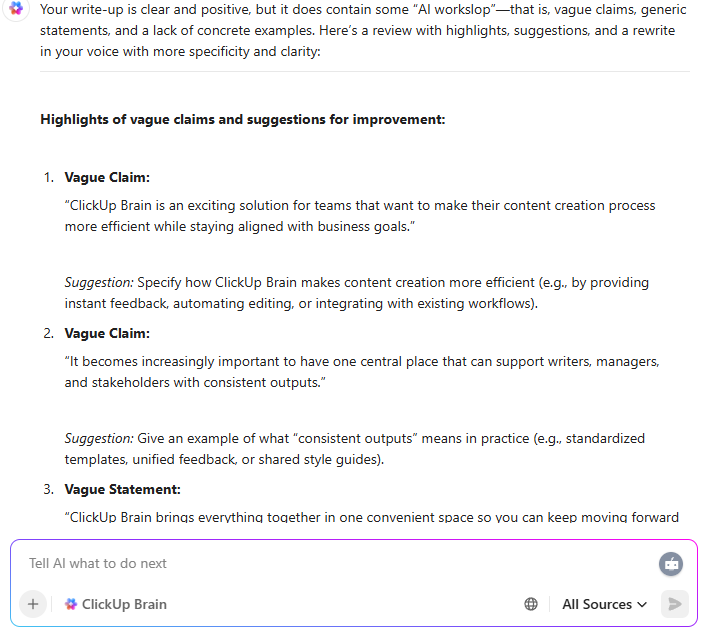
💡 Pro Tip: Draft in ClickUp Docs, then ask ClickUp Brain to do a “workslop audit” before you share. Have it flag vague claims, identify missing context, and list which statements need sources.
When the AI can’t ground the doc in your actual tasks, comments, or decisions, that’s a warning sign the draft won’t help coworkers downstream.
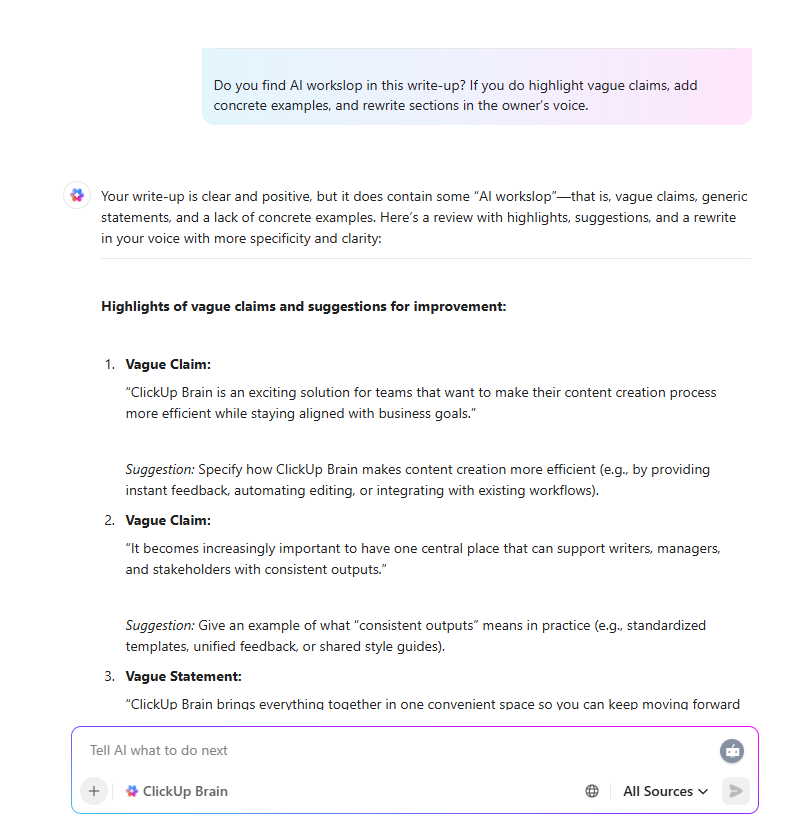
AI-generated workslop does not just annoy a few coworkers. It reshapes how teams collaborate and how customers see your brand. When low-effort, AI-generated work slips through, three things happen at once.
When employees receive workslop, they don’t just lose time rewriting. They lose momentum because the team can’t confidently act on what they’re reading.
This shows up as:
When AI-generated content reaches customers:
Public correction stories (like CNET’s AI finance corrections) are extreme examples, but the everyday version is more common: content that gets impressions but doesn’t earn trust.
AI workslop spreads fastest in cultures where people optimize for appearing busy rather than being useful. The long-term risk is a “low agency” environment where nobody wants to take responsibility for the thinking.
If you want responsible AI use, you need systems where someone is clearly accountable for:
And one more thing: the downstream consequences. If someone else has to clarify, verify, and rewrite, ownership is missing.
If you want productivity gains without wasted effort, use a repeatable workflow. Here’s a step-by-step sequence that works for marketers, founders, and professional services teams.
Before you use AI, write a finish line that a coworker would agree is useful.
Examples:
If you can’t define “done,” AI will guess, and you’ll get more words instead of a usable output.
Workslop often starts with prompts like “Write about X.” Replace that with context blocks:
💡 Fun Fact: A Salesforce Generative AI Snapshot survey of 1,000+ marketers found that 51% are already using generative AI and another 22% plan to adopt it soon. At the same time, 39% say they do not know how to use it safely, and 66% say human oversight is needed to use it successfully in their role
📖 Also Read: AI-Generated Content Examples To Inspire Your Own
Use AI to structure and refine, not to invent. Collect the raw materials:
High authority sources matter because AI can produce content that sounds detailed but isn’t reliable.
Instead of “improve this,” ask:
You want the output to advance the task, not just summarize the topic.
Before sharing, ask:
If yes, it’s workslop. Fix it before it leaves your hands.
The final pass should sound like a person with a job wrote it. Add:
💡 Pro Tip: Need to fix worksprawl caused by AI tools easily? Use ClickUp Tasks. Add a short “Proof of usefulness” checklist to your task template for AI-assisted drafts: goal, target reader, sources, recommendation, next step. When the task moves to review, the checklist forces internal checks before the work goes downstream.
This section is not about “AI content is bad; human content is always good.”
It is about sloppy use versus accountable use. The same tools can either flood your team with workslop or help people move work forward faster.
It looks like this:
It creates “more work” because someone else has to supply the missing reasoning and crucial context.
📖 Also Read: How to Use AI in Content Marketing
Responsible AI-assisted content starts with a clear goal and ownership. It aligns with widely cited governance principles like transparency, accountability, and human oversight. You’ll see these themes across major AI guidance, including the NIST (National Institute of Standards and Technology) AI Risk Management Framework (AI RMF).
In practice, it means:
| Signal | Workslop | Responsible AI-assisted content |
|---|---|---|
| Goal | “Produce something” | “Help someone decide or execute” |
| Inputs | Thin prompt | Brief, constraints, sources |
| Specificity | Generic and interchangeable | Concrete, scoped, and testable |
| Sources | None or weak | Cited, verifiable, and relevant |
| Ownership | Nobody owns the thinking | A human owns accuracy and decisions |
| Outcome | More clarification | Fewer meetings and faster progress |
If the AI-generated work assists a specific person in completing tasks more quickly without causing additional confusion, then it qualifies as responsible AI use.
If it increases clarification, fact-checking, or rewriting for someone else, it’s workslop.
📖 Also Read: Best AI Productivity Tools to Use
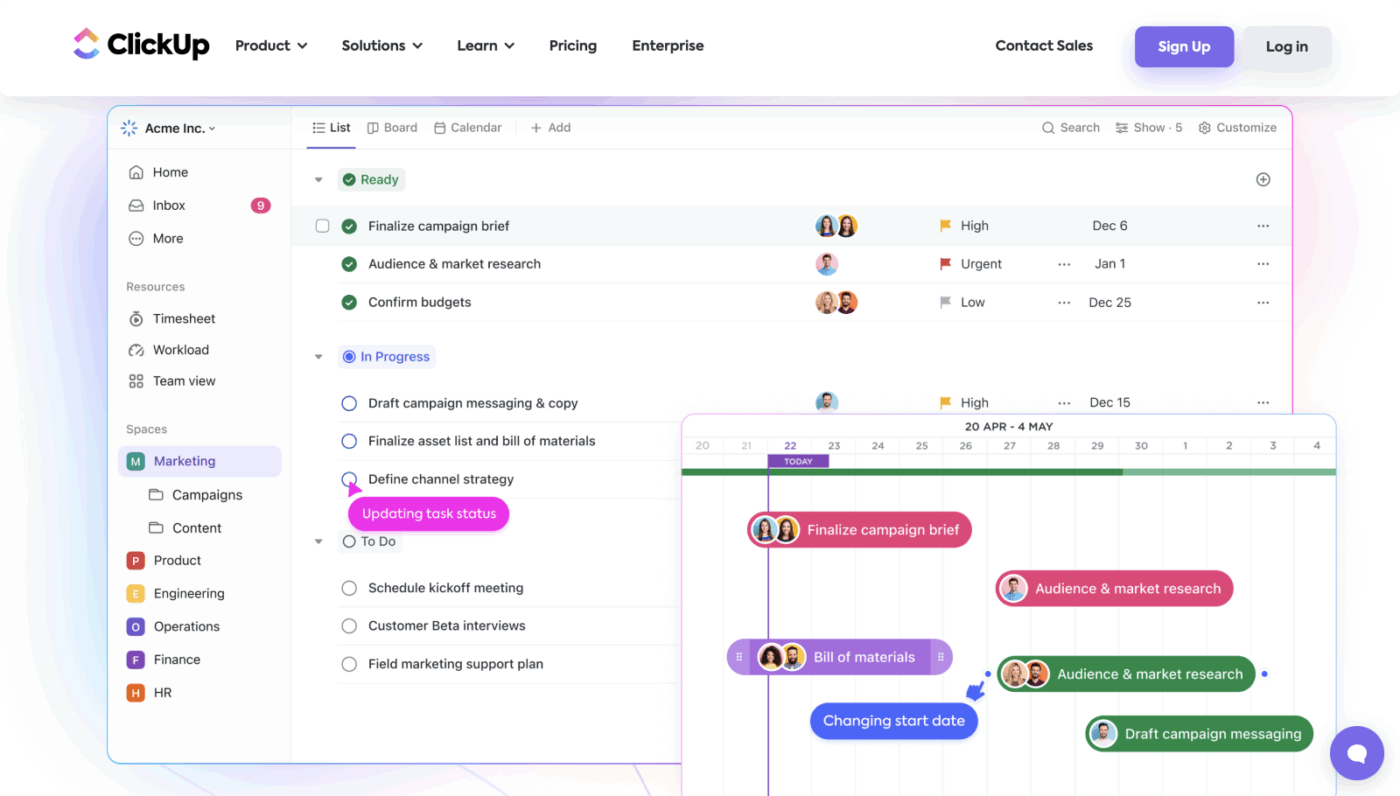
Modern teams do not just have an AI problem. They also have work sprawl problems. Ideas live in chat threads, briefs sit in scattered docs, and someone’s “final” version is hiding in an email attachment. AI Sprawl shows up the same way when teams bounce between multiple AI tools and lose track of inputs, decisions, and edits.
When people then copy this scattered context into generic AI tools, the result is AI-generated workslop that feels disconnected from the real work your team is doing.
ClickUp brings that work into one converged AI workspace so tasks, Docs, comments, and goals share the same context. That reduces missing inputs and keeps AI attached to real work instead of floating in a separate window.
📖 Also Read: How to Automate Content Creation with AI
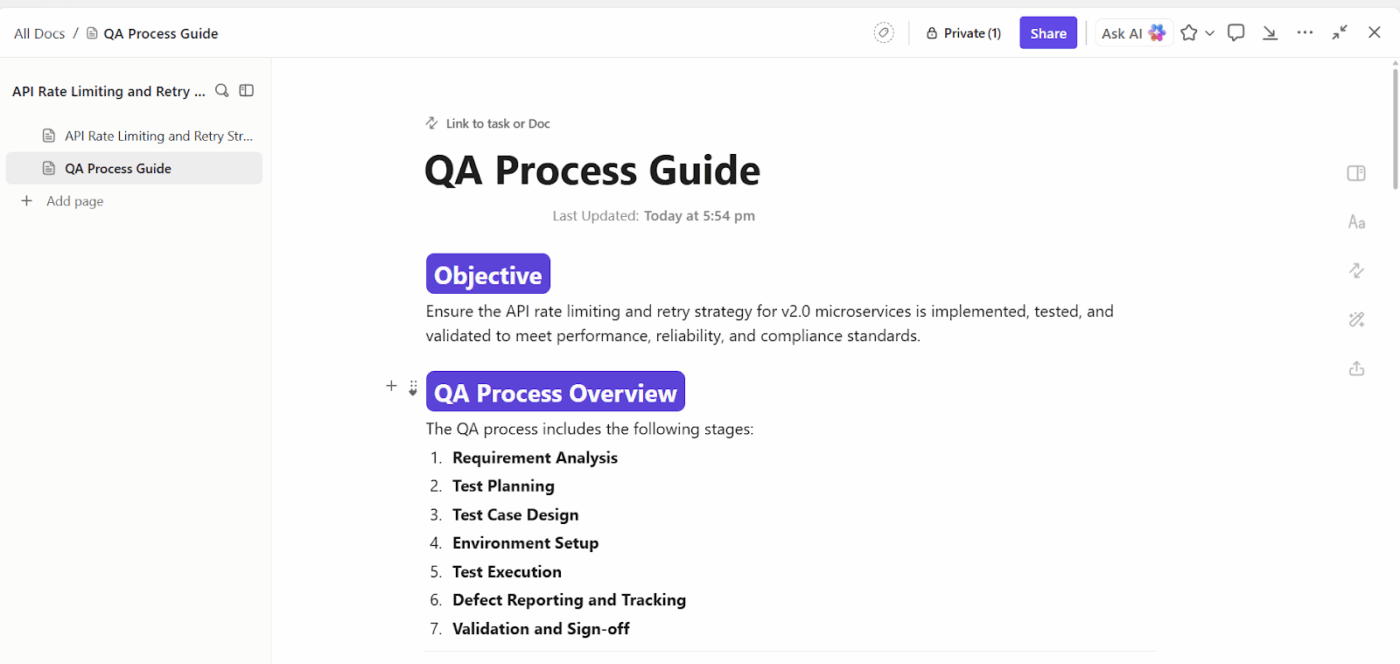
ClickUp Docs makes it easier to keep drafts, feedback, and decisions together, instead of scattering them across tools. When the doc lives next to tasks, owners, deadlines, and comments, it’s harder for AI-generated content to float around untethered.
Practical ways teams use this to prevent workslop:
💡 Pro Tip (Docs workflow): Create a “Source box” section in every draft doc (3 to 7 links, plus internal notes). If a claim affects money, customers, or brand credibility, it must point to a primary source before the draft moves forward.
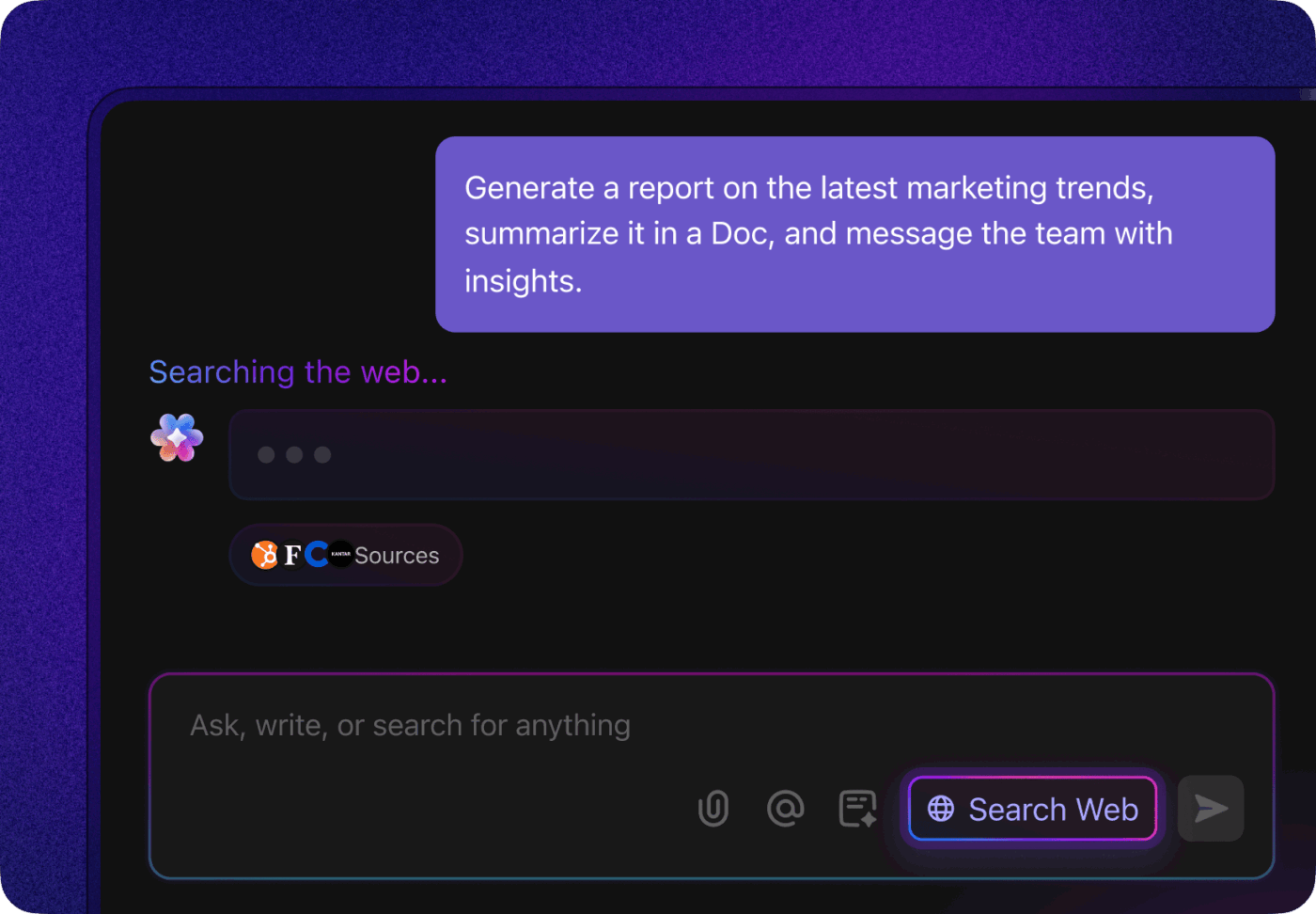
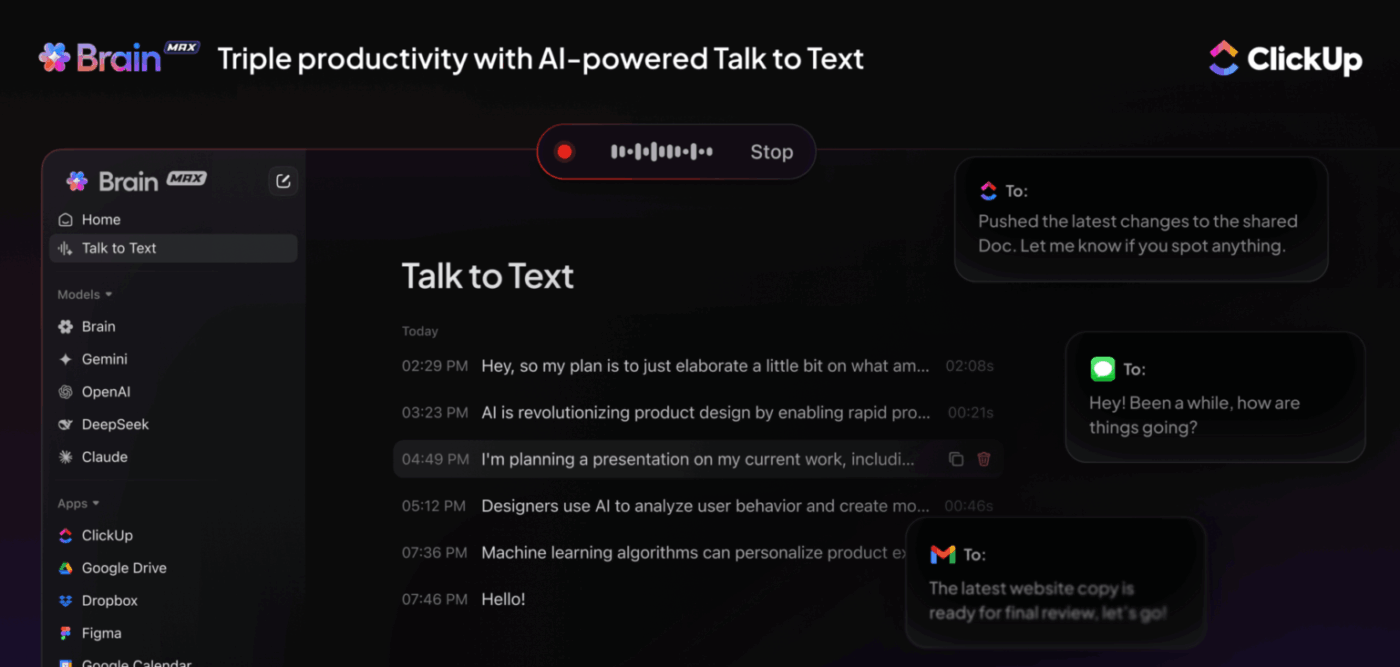
ClickUp Brain is designed to help teams write and edit inside the workspace, where project context already exists. That’s a big difference from generic AI chats, where you paste a prompt and hope it guesses your reality.
Use ClickUp Brain to:
ClickUp AI Notetaker reduces the temptation to invent meeting notes. It captures transcripts and summaries you can reuse in drafts.
ClickUp Super Agents can use that real context to summarize, suggest next steps, or generate follow-ups that are more specific and less canned.
📽️ Watch how ClickUp Brain turns real task context and meeting notes into clear, ready-to-share stand-up updates:
When teams use AI at speed, it’s easy to ship something that looks finished but still creates more work downstream.
ClickUp BrainGPT helps you catch that early while the draft still lives next to the task and its context:
📖 Also Read: How to Build a Content Creation Workflow + Templates
If workslop is what happens when people draft from vague prompts, the fastest fix is to standardize inputs before anyone writes.
These templates help you do that by forcing context early:
How this helps readers avoid workslop in practice:
I love using this platform as it gives direction and visibility to each member of our organization. It is an effective tool in managing the business.
📖 Also Read: Best AI Writing Prompts for Marketers & Writers
As AI literacy grows, it’s become clear that AI is not here to replace your team. It’s here to expose weak systems.
If your work lives across twenty tools and every update requires a scavenger hunt, workslop will destroy productivity. You get more output, but less usable progress.
ClickUp gives teams a different path.
When tasks, Docs, comments, and AI live in one place, you can use ClickUp Brain and ClickUp Brain MAX to build on real context instead of vague prompts. That is how AI shifts from “rewrite this whole thing” to “this is 80% there, here’s what’s missing, and here’s the next step.”
The result is not more content. It’s fewer clarification loops, fewer rewrites, and faster decisions.
Ready to reduce workslop? Try ClickUp Brain for free.
AI-generated workslop is AI-generated work content that looks polished but doesn’t meaningfully advance a given task. It often repeats the brief, avoids specifics, and skips crucial context like constraints, sources, or recommendations.
In practice, you’ll spot it when a draft sounds “professional” but forces coworkers to do the thinking, verifying, and rewriting downstream.
Because it creates wasted effort instead of saving time. People still have to read it, interpret it, fact-check it, and often rewrite it. Over time, it also erodes trust between colleagues and weakens brand credibility when shallow or inaccurate AI-generated content reaches customers.
In tools like ClickUp, you can avoid this issue by pairing ClickUp Brain with real project context so AI drafts are tied to actual tasks and goals instead of existing in a vacuum.
Start with a clear definition of “done,” then give the AI crucial context: target reader, constraints, examples, and what counts as wrong. Bring your own research first, and use AI to structure, compare, and tighten, not to invent facts. Then run a downstream cost check: if coworkers will spend one hour clarifying or verifying it, you need another pass. Guidance on responsible AI use consistently emphasizes human oversight and verification because AI output can sound confident even when incorrect.
Yes. ClickUp is designed to keep AI close to the work so outputs can be reviewed with the right context. ClickUp Brain supports drafting, rewriting, and summarizing inside your workspace, where tasks, docs, and comments already exist.
You can also reduce workslop risk by standardizing briefs and review gates using templates like the ClickUp SEO Content Brief Template or ClickUp Content Writing Template.

© 2026 ClickUp

There’s an easier way. Try a free AI Agent in ClickUp that actually does the work for you—set up in minutes, save hours every week.