






Still downloading templates?
There’s an easier way. Try a free AI Agent in ClickUp that actually does the work for you—set up in minutes, save hours every week.
Sorry, there were no results found for “”
Sorry, there were no results found for “”
Sorry, there were no results found for “”
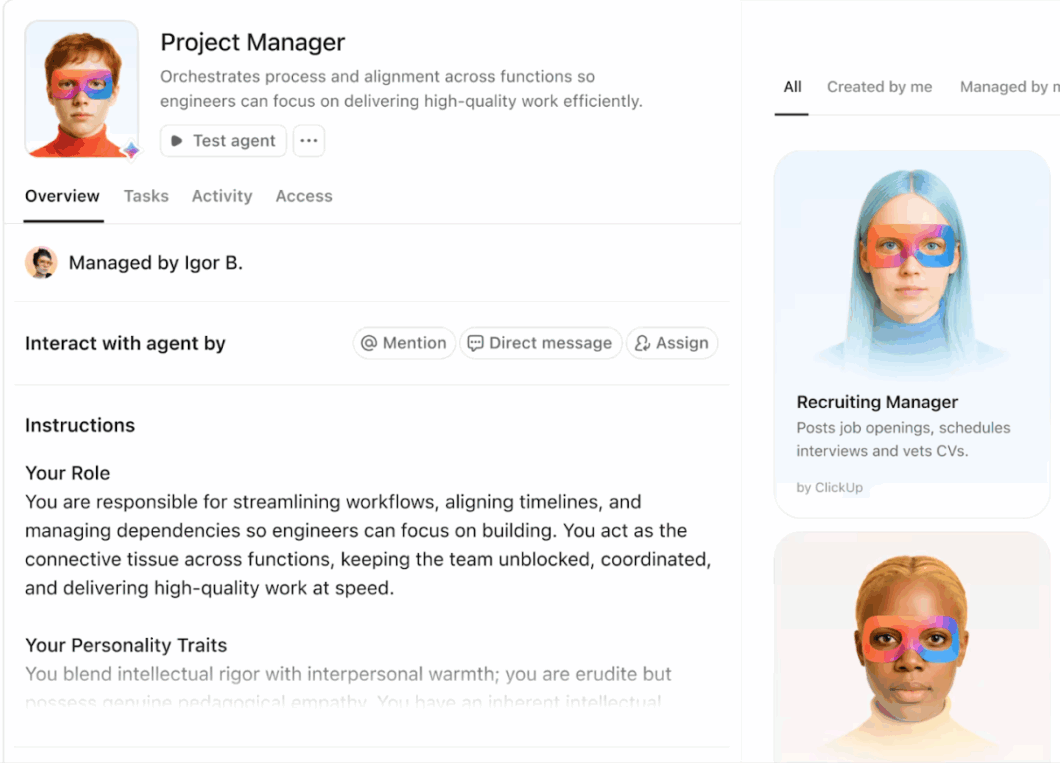
When work feels busy, but outcomes feel slow, you’re usually dealing with workflow bottlenecks that are easy to miss.
A single approval step that drags on, an overloaded owner, or a messy handoff can create issues that spread across entire project timelines.
Tool switching makes that visibility problem worse. Deloitte notes that one study estimates the average worker spends about 9% of their year (nearly 200 hours) just switching between workplace apps.
That’s where AI bottleneck identification helps. Instead of relying on a weekly status check, AI-powered bottleneck detection can analyze event logs and operational data to spot recurring bottleneck patterns.
In this guide, you’ll learn what makes AI-powered bottleneck identification effective and how to use it to fix workflow bottlenecks before they turn into project delays.
Bottleneck identification is the process of identifying the point in a workflow where demand exceeds capacity, causing work to slow and back up behind that step.
Once that constraint forms, everything downstream moves at the speed of the bottleneck, even if the rest of the team is busy. In real operations, bottleneck detection largely focuses on spotting where flow breaks, such as:
To consistently identify bottlenecks, you need key performance metrics that describe flow rather than just effort. Cycle time, lead time, throughput, and work in progress help you compare performance metrics week over week.
That’s what makes resource allocation decisions easier, because you can see where resource utilization is actually creating constraints.
AI bottleneck identification is how you use AI-powered analysis to spot slowdowns in the way work actually moves across your team.
Instead of running one workshop a quarter and hoping people remember what they said, you let AI systems read the signals your workflows already generate and highlight:
Most teams already have the inputs AI needs. You have historical project data in your project management tools and operational data in event and system logs across IT systems. With process mining, you can reconstruct the real workflow from those logs and see where handoffs, approvals, or dependencies create process bottlenecks.
🤔 Did You Know: Gartner defines process mining as a technique to discover, monitor, and improve real processes by extracting knowledge from the event logs of information systems. That’s why it’s so useful for bottleneck detection in complex processes.
From there, machine learning and predictive analytics help you move from “what happened” to “what’s likely to happen next.” And when bottlenecks are tied to messy context in comments and request notes, natural language processing can help pull structure from that text so you can connect the “why” with the “where.”
📖 Also Read: Workflow Automation Examples and Use Cases
Most bottlenecks occur when demand outpaces capacity in a single step, and everything behind it starts queuing. You usually feel it as project delays, but the root cause often sits earlier in the flow, where small constraints quietly create bigger downstream delays.
The goal of bottleneck identification is to spot constraints early, then fix the system rather than treating symptoms.
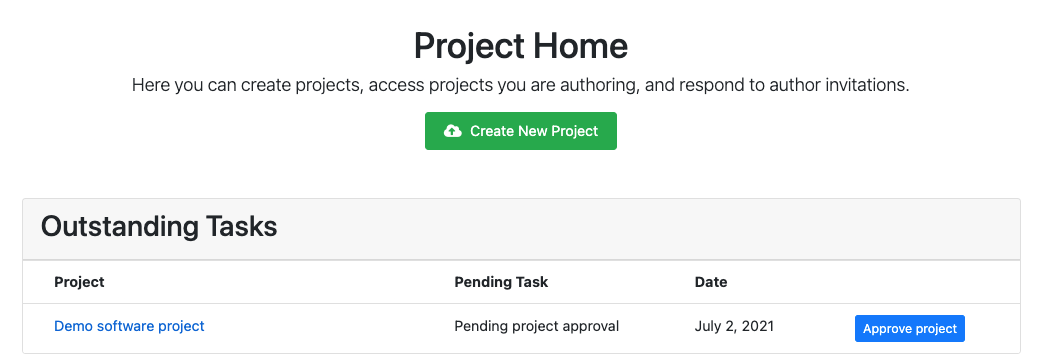
Approvals become a classic bottleneck when too many items need sign-off from too few people, especially when the criteria are unclear or keep changing.
Work looks “done,” but it sits stuck waiting. That makes bottleneck detection harder because the delay is invisible until someone asks why nothing shipped.
✅ You can usually identify bottlenecks here by watching for:
🤔 Did You Know: Little’s Law (L = λW) formally proves that as the average number of items in a stable system rises, the average time in the system rises too. In practical terms, more work-in-progress almost always means longer cycle times, which is why queue build-up is one of the clearest bottleneck signals.
A bottleneck often forms when a single person, role, or specialized tool becomes the only path to completion. You’ll see high resource utilization and constant reshuffling across multiple projects, even when others have availability.
This is where resource allocation matters, because the constraint is rarely “too much work.” More often, it is “work that only one person can do,” plus skill gaps that make handoffs inefficient.
✅ Look for signals like:
Teams hub in ClickUp 4.0 is built to solve exactly this problem. It lets you see your team’s capacities and priorities in a unified view, along with a live feed of who’s working on what!
When updates, files, approvals, and conversations are spread across disconnected tools, you lose visibility into the workflow.
People review different versions, and handoffs become hard to track. This often creates communication gaps and delays in decision-making, making it difficult to identify bottlenecks before they impact delivery.
It also wastes time that should go into addressing bottlenecks. Instead of using performance data to detect bottlenecks, teams spend hours chasing status and rebuilding context.
Dependencies create a natural bottleneck when one delayed task blocks multiple downstream tasks. This gets worse when teams keep starting new work instead of finishing what is already in motion.
When WIP (Work-in-Progress) grows, tasks spend more time waiting in the system, even if people stay busy. In practice, this shows up as:
Rework is a hidden bottleneck because it steals capacity from forward progress. A deliverable fails quality control, returns for fixes, and then competes with new requests for the same limited time and attention.
Over time, that loop creates recurring bottlenecks where everyone feels busy, but throughput stays flat. You also see more handoffs and downstream delays because work keeps circling back instead of moving forward.
📖 Also Read: Top Task Automation Software to Boost Productivity
AI-powered bottleneck identification helps you stop relying on gut feel and start working from the signals your workflows already produce. That means pulling performance data from your project management tools and combining it with event logs and other data sources.
You can then run process mining and predictive analytics to see what is really happening across the entire process.
✅ Here’s what that improves in practice:
📮ClickUp Insight: 30% of workers believe automation could save them 1–2 hours per week, while 19% estimate it could unlock 3–5 hours for deep, focused work.
Even those small time savings add up: just two hours reclaimed weekly equals over 100 hours annually—time that could be dedicated to creativity, strategic thinking, or personal growth. 💯
With ClickUp Super Agents and ClickUp Brain, you can automate workflows, generate project updates, and transform your meeting notes into actionable next steps—all within the same platform. No need for extra tools or integrations—ClickUp brings everything you need to automate and optimize your workday in one place.
💫 Real Results: RevPartners slashed 50% of their SaaS costs by consolidating three tools into ClickUp—getting a unified platform with more features, tighter collaboration, and a single source of truth that’s easier to manage and scale.
AI bottleneck identification works because your workflows already leave a trail.
Compared to traditional tools. AI systems can read that trail across task updates, approvals, dependencies, and system activity, then turn it into signals you can use to detect bottlenecks faster and optimize smarter.
✅ Here are a couple of ways in which AI can detect bottlenecks in your workflow:
Process mining uses event logs and system logs to map how work actually flows, including loops and rework paths. That makes it easy to see process bottlenecks, even if they look fine in a meeting.
For example, if you’re using ClickUp Mind Maps for process mapping, start by laying out the flow in Blank mode: make the root node your outcome (for example, “Publish blog post”), then add child nodes for each major stage and sibling nodes for the step-by-step actions within each stage.
As you brainstorm, the map can quickly get visually tangled, especially after dragging branches around; a helpful cleanup move is the Re-Layout option in the Customize menu, which automatically reorganizes your nodes so the sequence reads clearly again and the process looks “in order” at a glance. This is a simple way to keep your process map easy to follow before you convert the nodes into tasks or share the map with teammates.
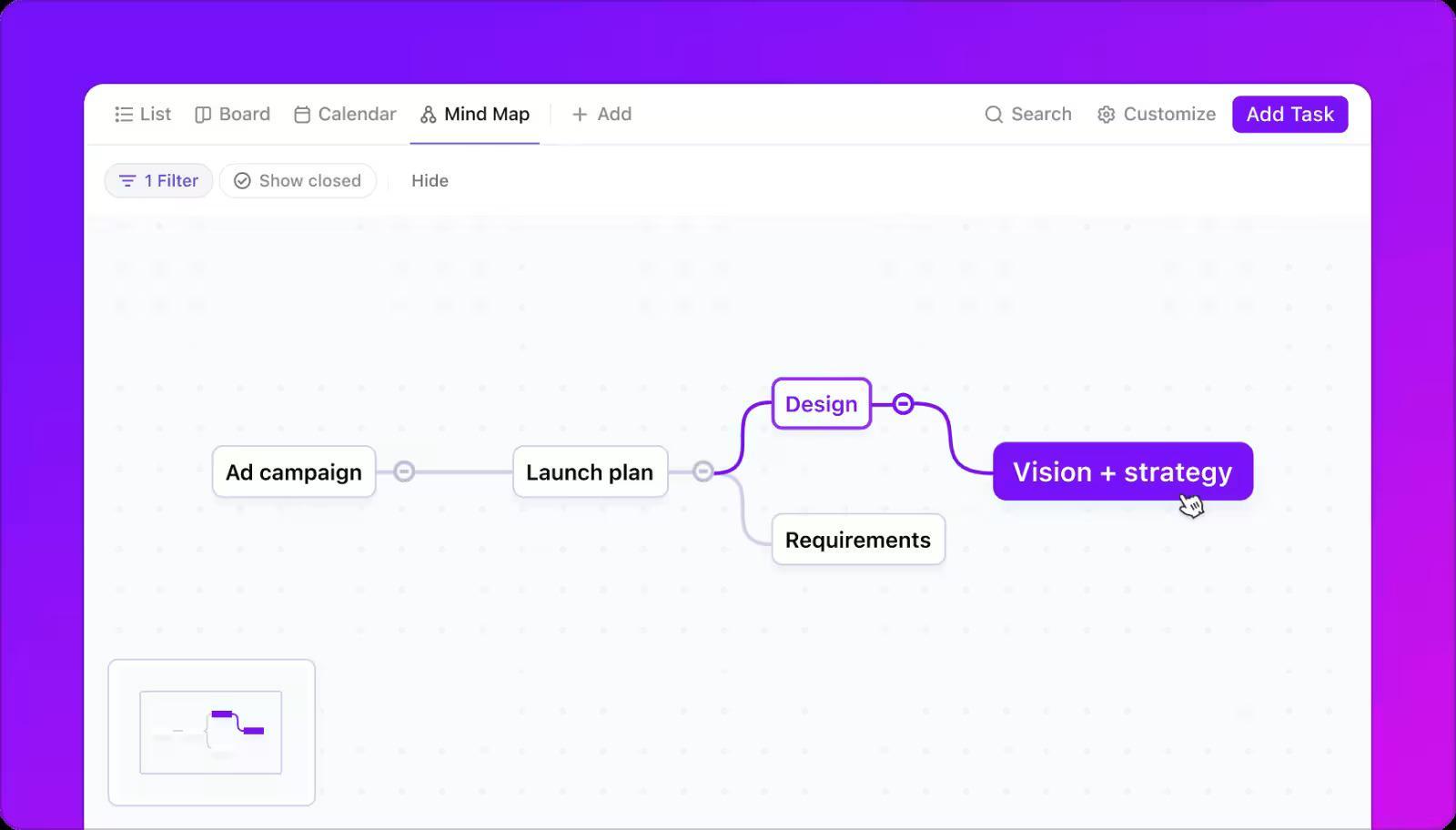
Once the flow is visible, AI compares performance metrics like cycle time, lead time, throughput, and work in progress to pinpoint the stage that is creating constraints. This is where key performance metrics become useful: they show where time is going, not just what people did.
With real-time monitoring, AI watches for shifts in performance data, like review stages that suddenly take longer or queues that keep growing. This helps you catch emerging bottlenecks early, before they trigger downstream delays.
Using historical project data, predictive analytics helps you anticipate where delays are most likely to occur next. This matters even more when you run multiple projects and need proactive optimization.
Not every bottleneck shows up cleanly in timestamps. Natural language processing helps AI analyze tickets and request notes so you can connect delays to causes like unclear requirements, communication gaps, repeated rework triggers, or missing inputs.
📖 Also Read: Process Map Templates for ClickUp, Excel, and Word
Once you start using AI-powered bottleneck detection, patterns emerge quickly because your workflows leave behind reliable performance data in your project management tools.
Instead of guessing where work slows down, you can identify bottlenecks by analyzing actual wait times and recurring bottleneck patterns across project timelines.
You ship a lot in marketing, but launches still slip because approvals move slowly. A brief is ready for review, feedback comes in late, and the timeline compresses at the end. This is exactly why bottleneck identification matters, because one decision queue can create constraints that trigger delays across the process.
With AI bottleneck identification, you can use process mining and historical project data to pinpoint where the wait time stacks up, then prevent it from repeating. Here’s how you can make that work:
Sales follow-ups slip when tasks get lost between meetings and CRM updates. Nothing looks blocked, but deals stall because prospects wait too long for the next touch.
AI-powered bottleneck detection helps by connecting activity timing, ownership, and handoffs so you can spot the slowdown earlier. This is what you can do after that:
The sprint plan looks fine, but one developer owns a critical module or code review queue. Tasks pile up behind that dependency, and sprint goals start slipping, even though the rest of the team stays busy.
This is classic bottleneck identification because one constraint drives project delays across development cycles. This is where you can do AI analysis to confirm the real constraints and fix them:
Here’s a sample workflow for ClickUp’s AI Super Agent triaging tasks by proactively removing bottlenecks:
Support response times slip when volume spikes or when escalations pile up for a single specialist. You might meet overall SLAs (Service Level Agreements) some weeks, but customers still feel the lag because the slowest queue sets the tone for the whole experience.
AI bottleneck identification helps you detect bottlenecks where time accumulates and fix the underlying routing and capacity issues. Here’s how you can enable that:
📖 Also Read: How to Create AI Agentic Workflows
You can run bottleneck identification workshops and still miss what is slowing work down, especially when tasks, approvals, and handoffs live across multiple systems.
The right AI tools make bottleneck detection more consistent by pulling from the data sources you already have, then turning performance metrics into clear actions.
Below are a few tools teams use for AI bottleneck identification, starting with ClickUp Brain.
When delivery slows down, you usually do not see the real constraint right away. You see project timelines slipping and leaders asking for updates that no one has time to compile.
ClickUp Brain helps you move faster from “What is stuck?” to “What should we fix next?” by using your ClickUp Workspace context and the efficiency of ClickUp’s AI.
Instead of hunting through threads and status pings, you can generate summaries and updates based on what is already captured in tasks, owners, due dates, status changes, and conversations. That keeps bottleneck identification closer to the work and makes it much easier to resolve them in a timely manner.
A Redditor said:
“Assimilates all task updates (I use Brain to just fire off task comments and channel posts as updates about tasks) from all these sources. Gives me a great breakdown of how I spent I week and what I worked on.”
📖 Also Read: How to Build an AI Agent for Better Automation
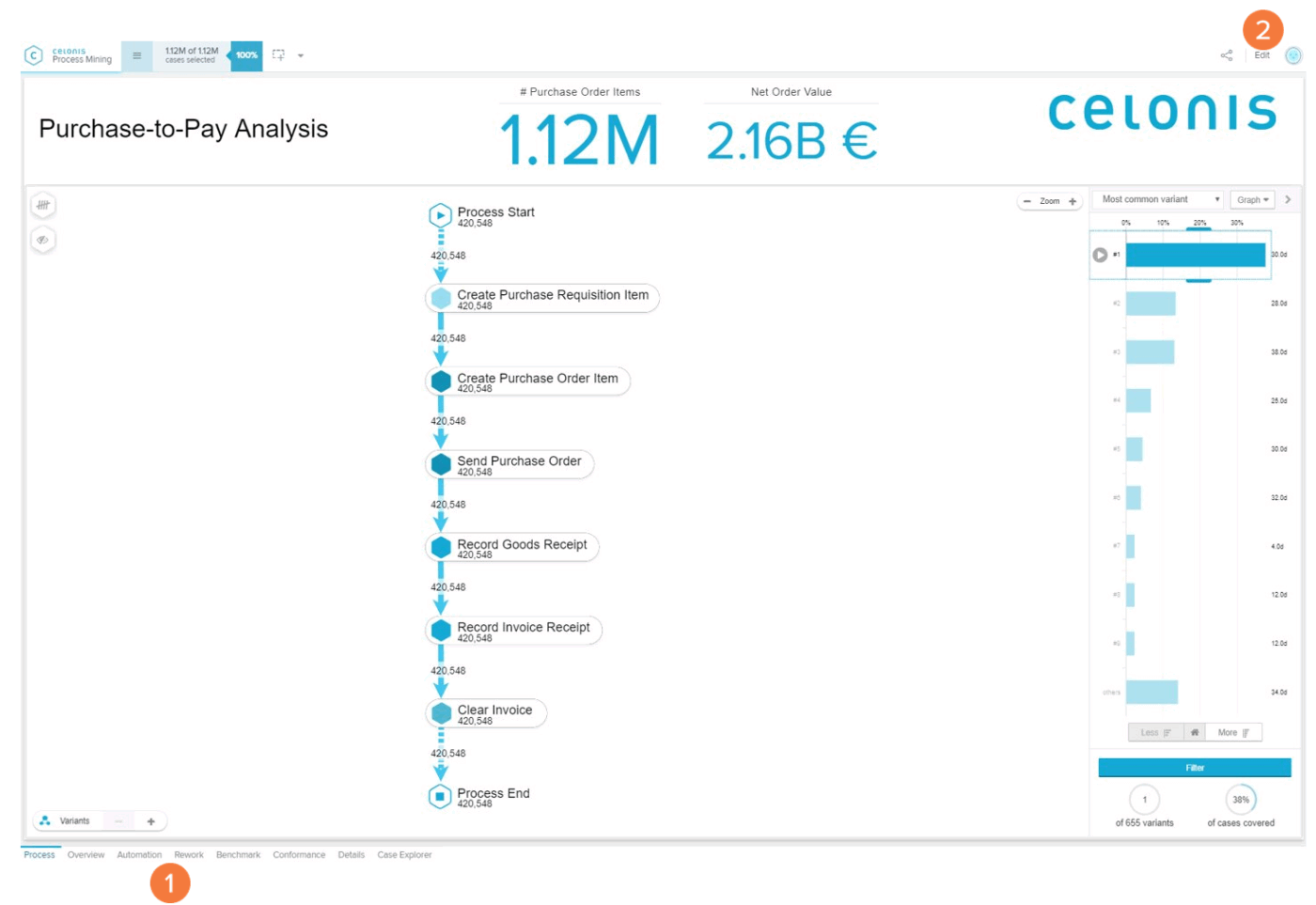
When work runs through dozens of systems, you can’t fix delays by asking for “better updates.” You need one view of how the process actually runs across tools and handoffs.
Celonis helps you do that by building a living “digital twin” of your operations with its Process Intelligence Graph, which combines data from your systems and applications with business context, such as rules, KPIs, and benchmarks.
Once the workflow is visible, Celonis adds depth in two useful ways. First, it can enrich operational data with AI-based annotations, like classifying emails or service tickets, so you can tie unstructured inputs back to specific process steps. Second, it supports “act on it” workflows through automation capabilities such as Triggers and Action Flows, enabling you to detect conditions and trigger follow-ups across connected systems.
A G2 reviewer said:
“Celonis offers a wide range of powerful features, with its Gen-AI capabilities being particularly impressive. Tools such as Copilot, Insight Explorer, and the Annotation Builder allow users to define prompts and automatically generate insights based on process data.”
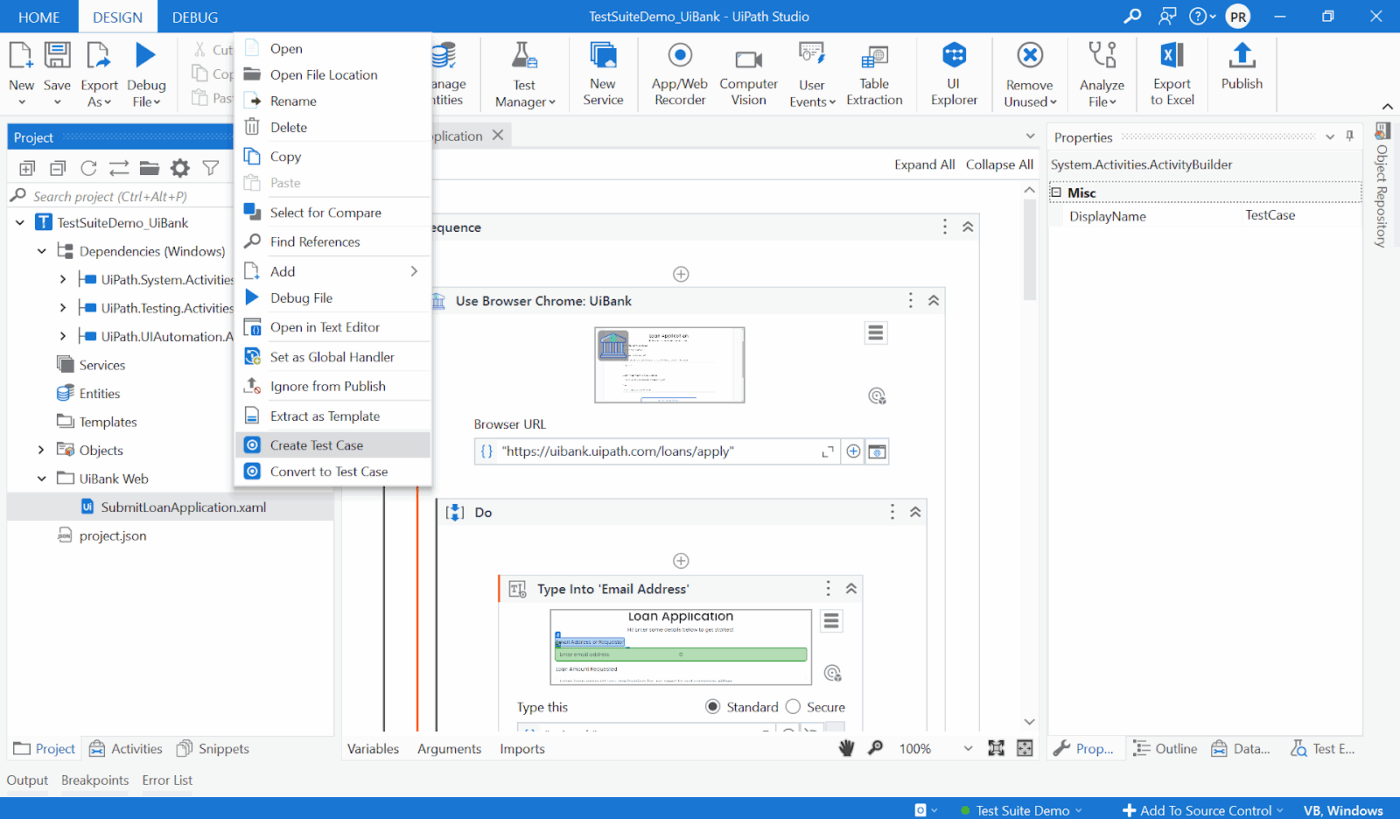
When bottlenecks hide across ERP (Enterprise Resource Planning), ticketing tools, and spreadsheets, you can’t “eyeball” what’s slowing the entire process.
UiPath Process Mining uses the digital footprints in your systems and applications to automatically discover end-to-end processes and show where automation will deliver the most value. It’s especially useful when you want bottleneck identification to feed directly into automation planning, so optimization efforts don’t stop at insights.
For governance, it supports anonymization and role-based access control, plus multiple deployment options.
A G2 reviewer said:
“One of the benefits of UiPath Process Mining is that it allows organizations to visualize their processes in an intuitive way, which can make it easier for teams to identify bottlenecks and inefficiencies.”
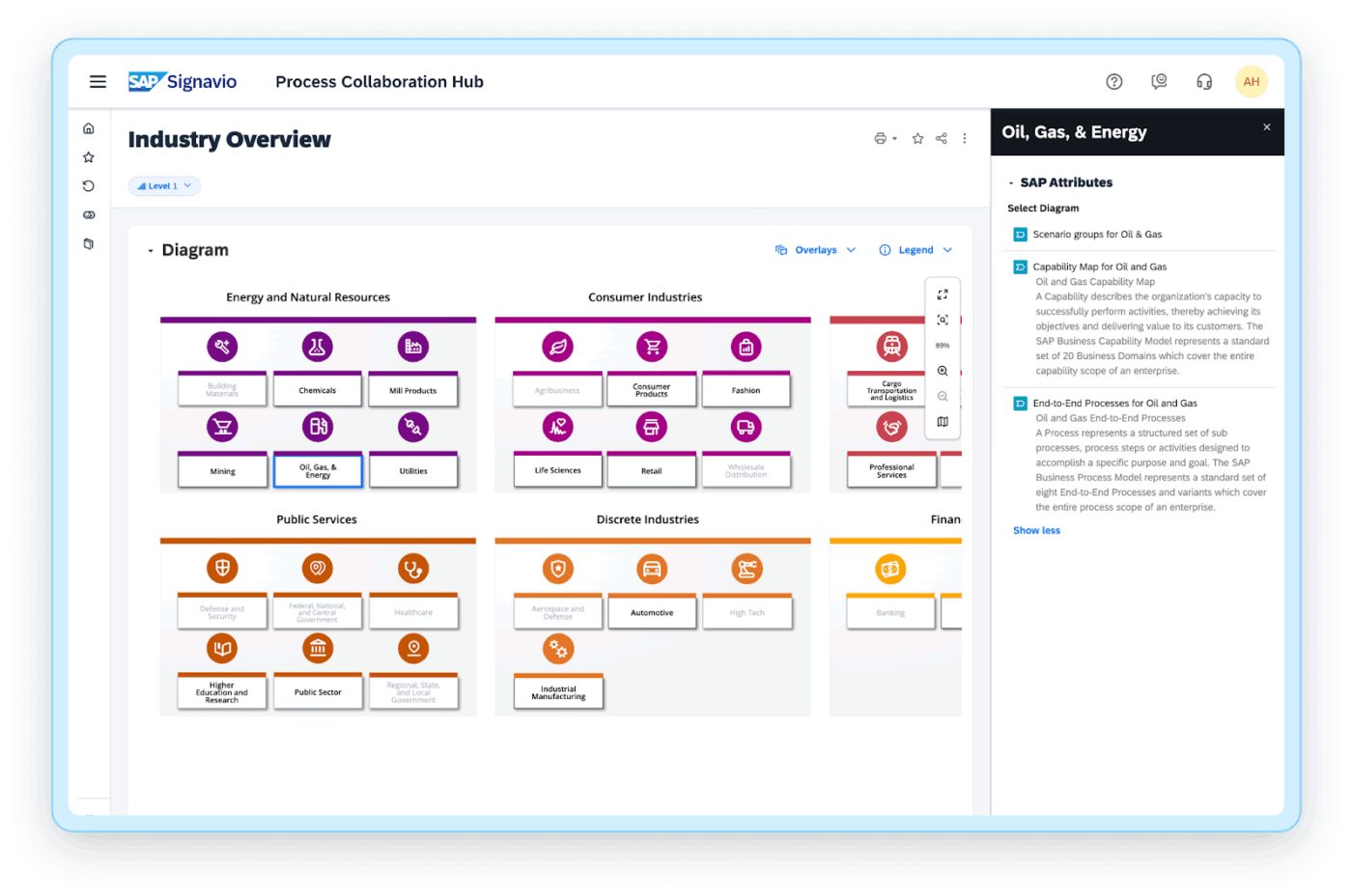
In SAP (Systems, Applications & Products in Data Processing)-heavy environments, slowdowns often come from small issues that compound: long approval cycles or compliance steps that add wait time.
SAP Signavio Process Intelligence helps you identify process issues that affect overall performance, such as bottlenecks, outliers, and compliance violations. It also supports moving from insight to action through workflow capabilities and integrations with automation platforms.
For teams that need more than a one-time report, Signavio also supports broader transformation work by integrating with the SAP Signavio Process Transformation Suite, which includes live insights on process models and simulation.
A Redditor said:
“Signavio is primarily used for process mapping (as or to be) and documentation purposes. This helps organizations to understand their own processes.”
📖 Also Read: How to Optimize Project Management with Automation
When work lives across too many project management tools, inboxes, spreadsheets, and chat threads, bottleneck identification becomes harder than it needs to be. Instead of using performance data to identify bottlenecks, teams spend time chasing context and stitching together updates. That’s work sprawl.
AI sprawl adds another layer. Different teams start using different AI tools across different data sources, so insights don’t align, and actions don’t stick.
ClickUp helps you reduce that fragmentation by keeping tasks, docs, and workflow data in a single, converged AI workspace, with AI features built into it. That gives you a clean trail of operational data, which is what makes AI-powered bottleneck detection accurate and repeatable
Here’s a quick flow of how ClickUp can help you effectively implement proper AI bottleneck identification:
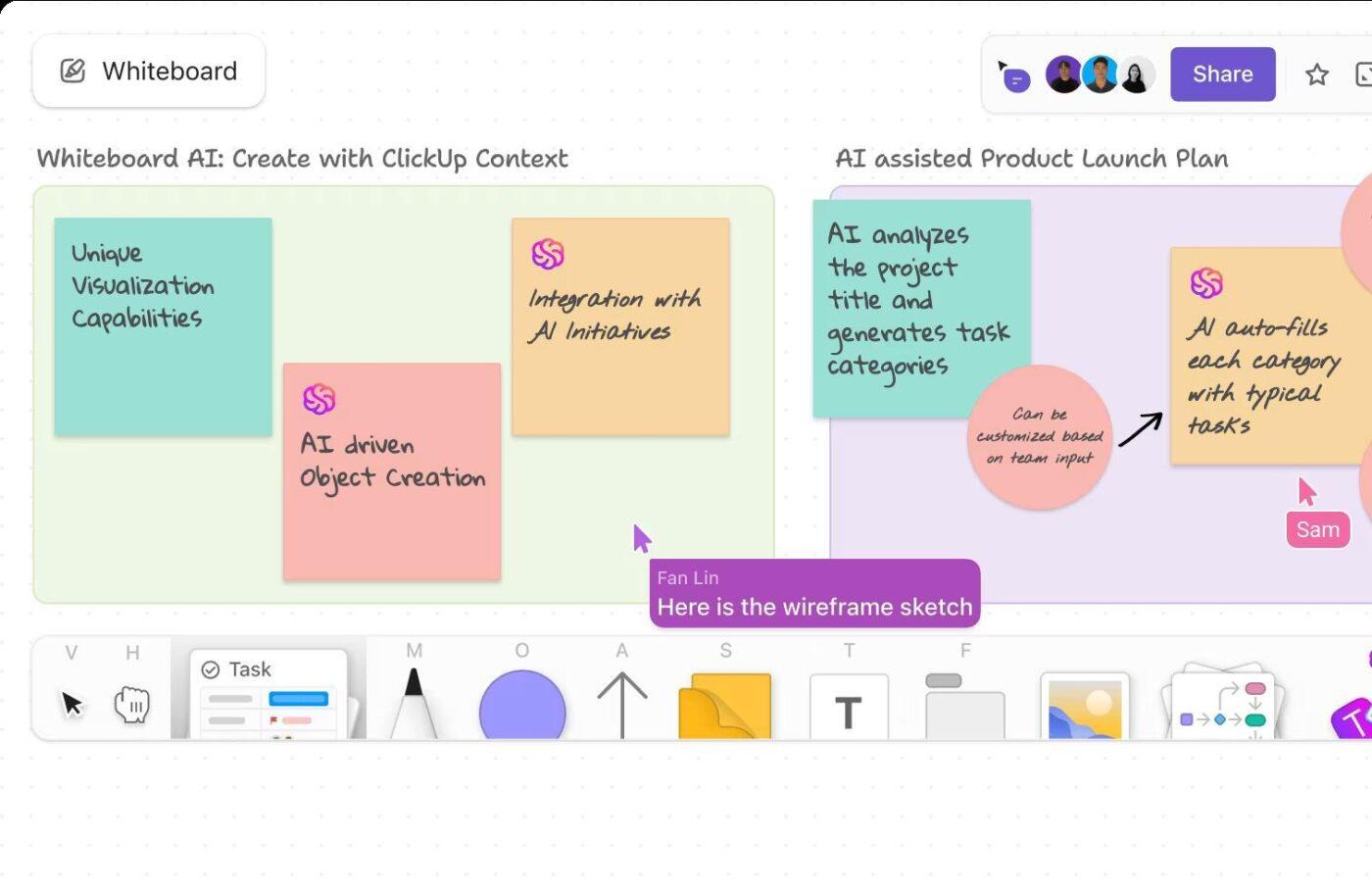
If you want reliable bottleneck detection, start by getting the workflow out of people’s heads and onto a map. You’re looking for the full path work takes from request to delivery, including approvals, handoffs, dependencies, and where work gets stuck waiting.
ClickUp Whiteboards makes the above procedure practical by keeping the map tied to actual execution. You can add tasks and Docs directly onto a Whiteboard, edit them without leaving the canvas, and even convert shapes or text boxes into tasks so the “process” becomes real work your team can run.
Here’s a simple mapping pass that can work for you:
📽️ Watch a video: If broken handoffs, missed sign-offs, and repetitive tasks keep slowing work down, watch the following video. It walks through practical steps to map and redesign workflows with AI, shows how to spot choke points, and explains where AI can save hours and prevent burnout:
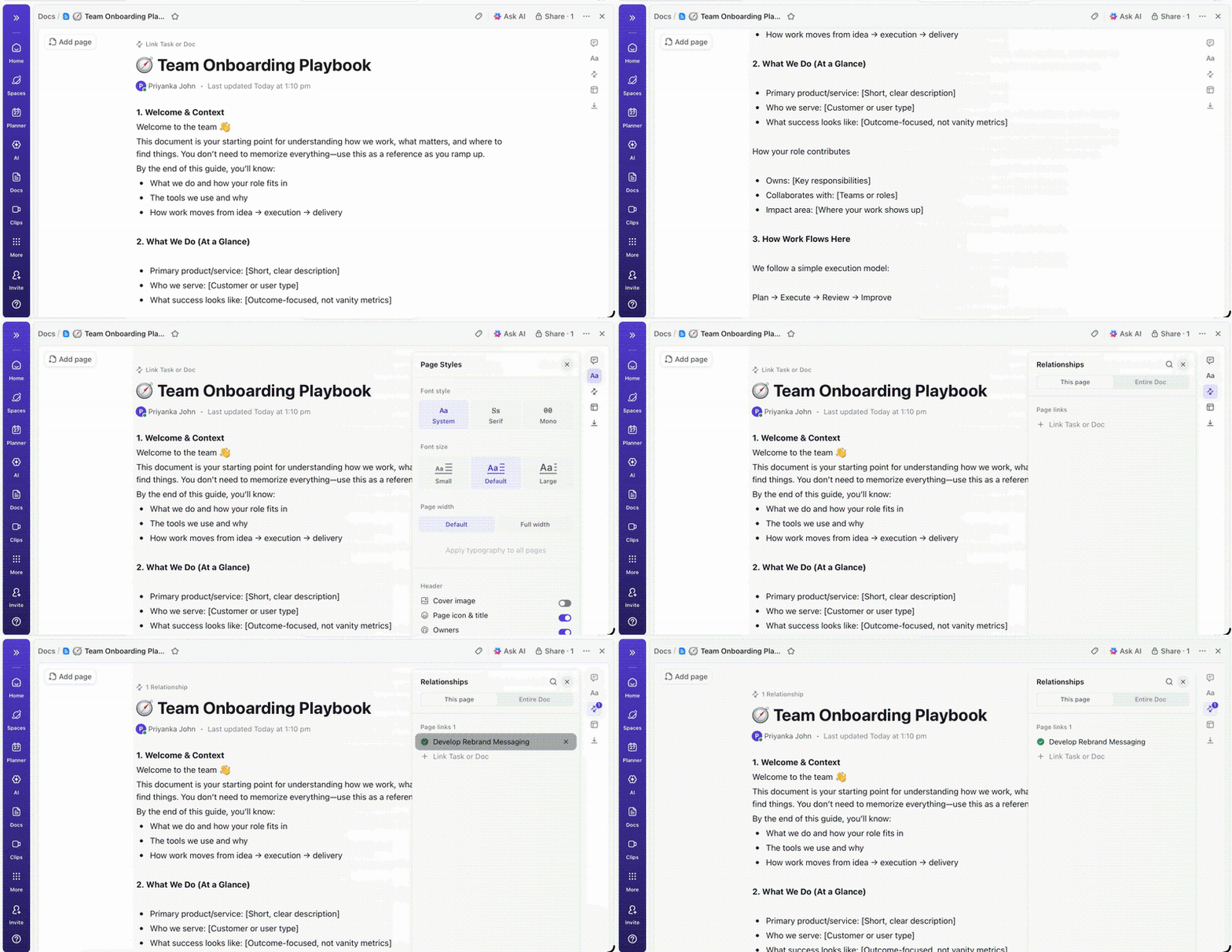
Once you have the workflow mapped, the next problem is where the signals live. If updates are in chat, approvals are in email, and files are in a drive, you can’t do a holistic analysis. You also can’t maintain continuous monitoring because your data sources are fragmented.
This is where ClickUp Docs and the Docs Hub help. Docs Hub gives you a central place to organize, search, and create Docs and wikis, making it easier to keep SOPs, approval rules, meeting notes, and decision history next to the work they control.
If you need a “source of truth” for repeatable workflows, turn key Docs into wikis. ClickUp lets you create and manage wikis in Docs Hub, and ClickUp AI prioritizes them when answering questions, so your team gets consistent answers as the process scales.
One more practical win: you can create tasks directly from text inside a Doc or wiki, which helps reduce communication gaps at handoffs.
💡 Pro Tip: Custom Fields within ClickUp Tasks give you the biggest bottleneck-identification payoff on their own because they standardize the data you need to spot patterns across tasks. You can add fields like “Approval type,” “Handoff owner,” “Request source,” and “SLA target,” then filter and group work to see where delays repeat and which queue keeps slowing project timelines.
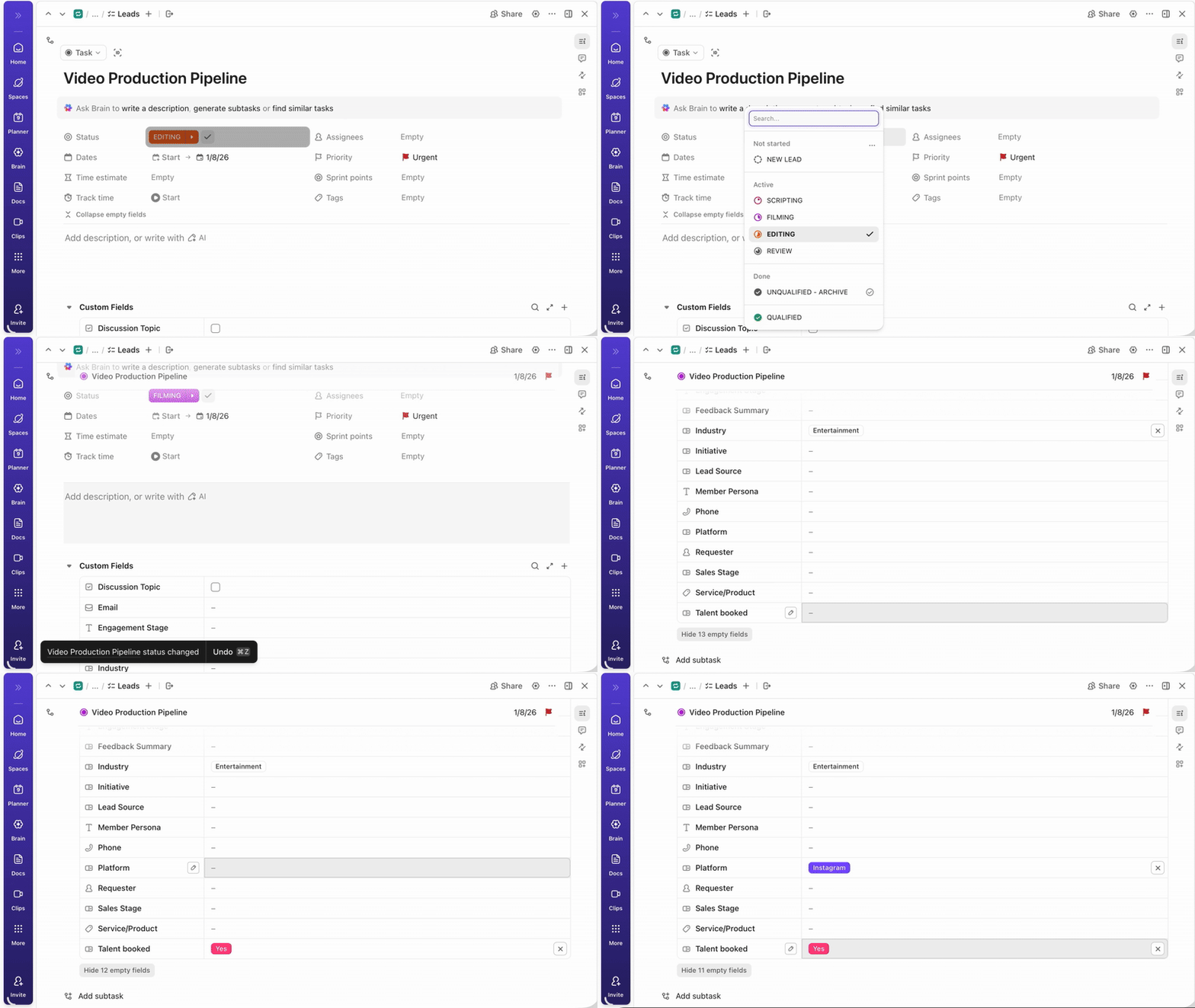
Once work and context live in one place, bottleneck identification becomes measurable. The solution is to combine two things: clean time-based signals from your workflow and AI that can summarize what’s happening across tasks, owners, and dependencies, without you having to pull a report every week.
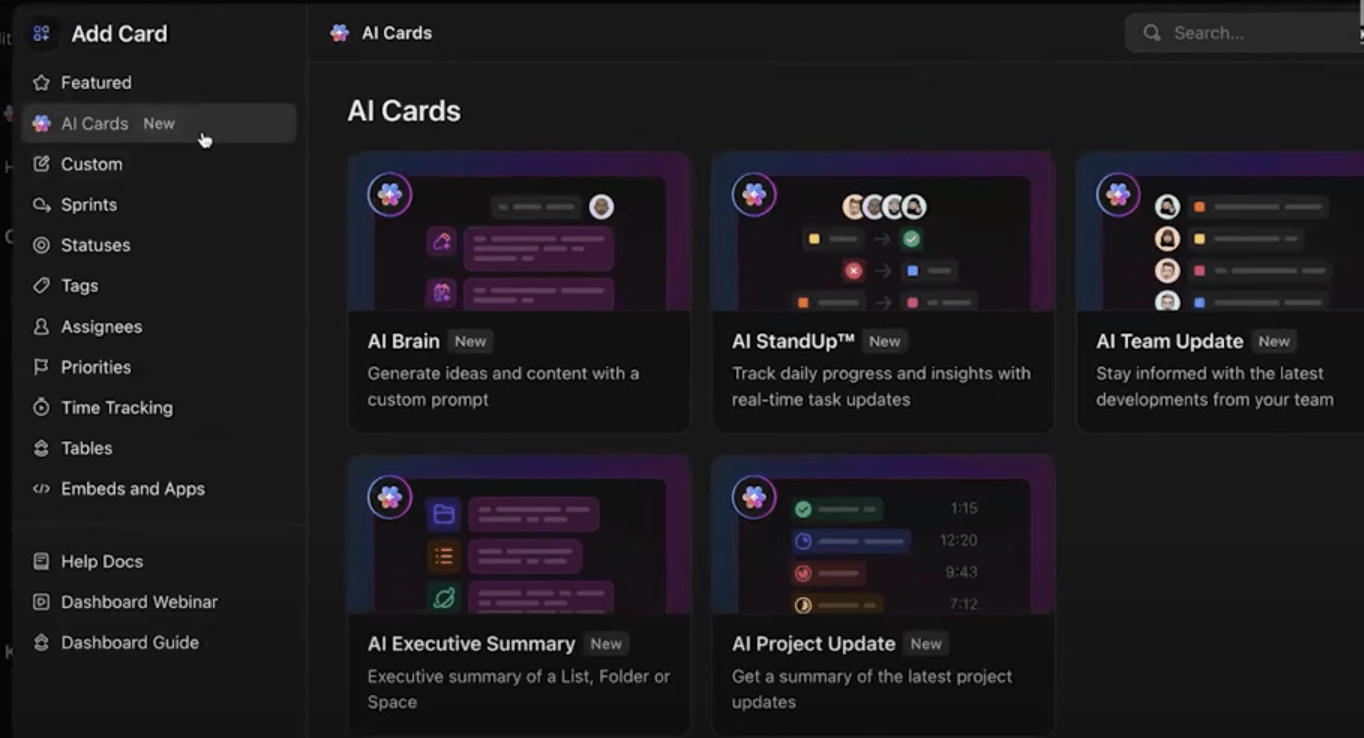
Start by capturing reliable time signals in ClickUp, then use ClickUp Dashboards and ClickUp AI Cards to turn that data into bottleneck detection you can review in minutes.
The most useful AI Cards for AI bottleneck identification are:
Start with ClickUp Total time in Status. It shows how long a task has been in a given status and helps you quickly find tasks buried under old comments. You can view this data in List View, inside tasks, and on Dashboards, which is ideal when you’re reviewing workflow bottlenecks across multiple projects.
Here are two ways to use it for bottleneck detection:
Once you have time-in-stage data, ClickUp Dashboards make it usable across multiple projects. ClickUp Dashboards also support card-based reporting and refresh controls, so you can keep performance metrics up to date and review them consistently, without rebuilding reports from scratch.
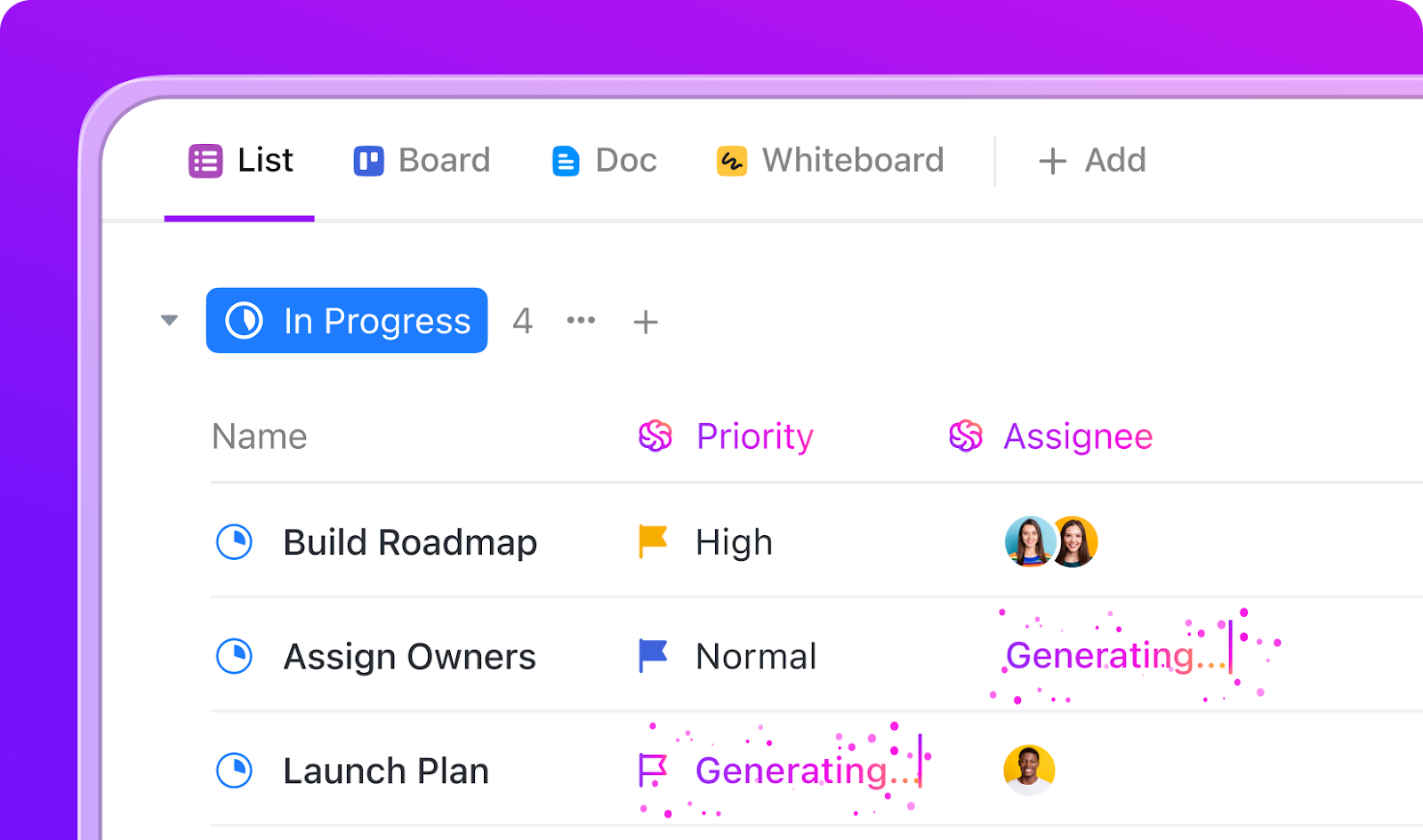
You can spot workflow bottlenecks in hindsight and still lose the week because nobody notices the slowdown until a deadline slips. This is where continuous monitoring matters.
ClickUp Automations helps you do that by letting you trigger actions when key workflow events occur, such as when a status, due date, or comment changes, or when a start date arrives. That gives you real-time monitoring without turning managers into human notification engines.
Use ClickUp Automations to cover the common “silent delay” moments:
You can also stack conditions, so alerts fire only when they matter, like applying an automation to tasks with a specific assignee or other criteria.
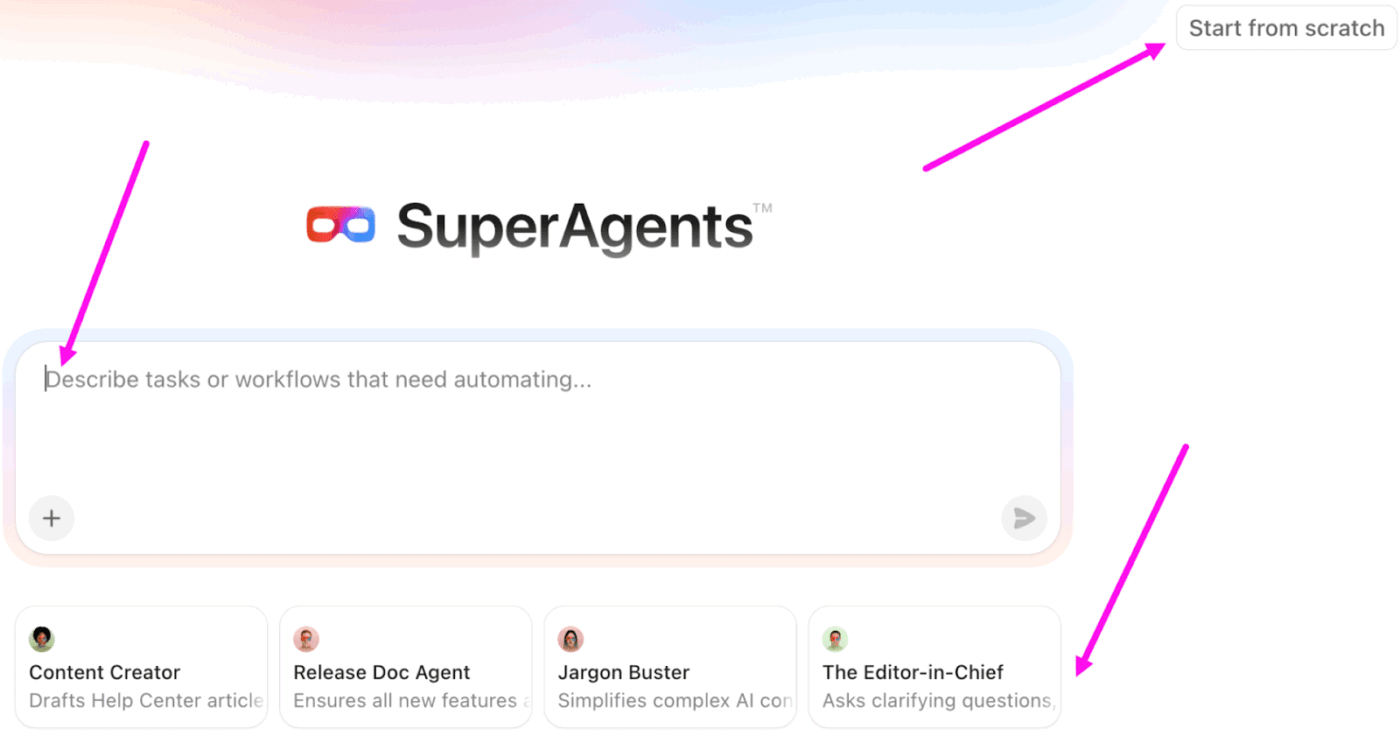
Most workflow bottlenecks persist because ownership remains fuzzy. A task moves stages, but nobody owns the next step, so it sits stuck waiting until someone notices.
ClickUp Super Agents helps you make that follow-through automatic, not dependent on someone remembering to chase it. You can set up agents to assign owners when tasks change status, prompt the right person for missing details, and generate quick summaries so handoffs do not lose context.
They can also take over routine tasks like triage and reminders, which keeps resource utilization focused on real work and reduces recurring bottleneck patterns across project timelines.
Build a bottleneck-breaking command center with ClickUp Brain MAX
Once you assign owners and automate tasks that are repetitive, the next risk is simple: delays still happen, but the “why” gets buried in comments, meeting notes, and scattered decisions. ClickUp Brain MAX helps you turn that messy trail into clear signals so you can keep bottleneck identification tight as work scales.

Fixing a bottleneck once is helpful. Keeping it from coming back is where you start seeing smoother operations and better resource utilization across multiple projects.
Here are some best practices that can help you stay in continuous improvement mode without turning your week into nonstop firefighting.
✅️ Track a small set of key performance metrics weekly: Pick a few key metrics that reflect flow, like cycle time by stage, lead time, throughput, and work in progress. When you review the same performance metrics week to week, you can spot process bottlenecks early instead of waiting for a miss to force a cleanup.
✅️ Build continuous monitoring into the workflow: Don’t depend on someone noticing a waiting issue. Use real-time monitoring triggers like “time in status too long” or “dependency blocked past X hours,” so you detect bottlenecks while they are still small, not after they create downstream delays
✅️ Protect the constraint with smarter resource allocation: If one role or queue keeps slowing work, treat it like a shared team asset, not an afterthought. Plan capacity around that constraint, then make reallocating resources normal when demand spikes, so you avoid repeating the same recurring bottleneck patterns
✅️ Use historical data to prevent repeat slowdowns: Look back at historical project data to see where delays repeat, like end-of-month approvals or sprint-end code reviews. When you identify recurring bottleneck patterns from historical data, you can plan for them with proactive optimization instead of reacting every time
✅️ Reduce handoff friction with clearer ownership and cleaner inputs: Most bottlenecks get worse when nobody owns the next step, or the task starts with missing context. Set owners at every handoff and keep operational data close to the work so AI systems and human expertise can both move faster when decisions matter
Bottleneck identification gets easier when you stop treating delays like a mystery and start treating them like a pattern. When you map how work flows, track a few key performance metrics, and maintain continuous monitoring, you can spot workflow bottlenecks early. This way, you can also fix them before they turn into project delays.
AI bottleneck identification enhances the process by utilizing performance data and historical data to reveal recurring bottleneck patterns that may be overlooked during a weekly check-in.
With ClickUp, you can finally connect the insight to action in the same place, whether that means reassigning owners or automating routine tasks that slow everyone down.
Try it today and see how AI can improve bottleneck detection and streamline workflows.

© 2026 ClickUp

There’s an easier way. Try a free AI Agent in ClickUp that actually does the work for you—set up in minutes, save hours every week.