Accounts Payable Process Improvement Tips to Streamline Your Workflow

Sorry, there were no results found for “”

The accounts payable (AP) process is the hero of your financial operations, quietly ensuring bills are paid on time and partnerships remain solid.
Yet, without the right tools and strategies, AP can easily become a nightmare of errors and wasted hours. With a few smart improvements, you can turn it from a headache into a streamlined, value-driven process.
This blog will examine tips and ideas for making that happen!
Accounts payable (AP) process improvement focuses on refining and optimizing how your business handles invoice processing and payment workflows. The goal is simple—reduce manual errors, speed up payment processing times, and ensure you receive payments timely. 🚀
Say your AP department manually processes every invoice that comes in. Each invoice is printed, reviewed, signed, and then filed. It’s time-consuming, and errors—like missing invoices or duplicate payments—are common.
Compare this to a system in which invoices are digitized, automatically matched with purchase orders, and flagged for discrepancies. Payments are scheduled electronically, and the team monitors the status in real time.
That’s the power of business process improvement. It helps businesses save money, strengthen vendor relationships, and control their cash flow.
Improving your accounts payable (AP) processes includes creating a system that works smarter, reduces errors, and keeps your business financially agile. Let’s break down the key reasons why this matters:
Improving your AP process doesn’t have to be time-consuming. A few smart changes turn it from a time-consuming task into a streamlined operation. Let’s explore how you can make that happen:
Traditional accounts payable (AP) workflows often involve manual data entry, long approval cycles, and misplaced invoices—all of which lead to delays and inefficiencies. Digital tools eliminate these bottlenecks by automating routine tasks, improving visibility, and enhancing accuracy.
✅ Automated invoice processing: AI-powered tools help extract invoice details, match them with purchase orders, and flag discrepancies automatically
✅ Real-time tracking: Cloud-based dashboards let you monitor invoice statuses, pending approvals, and payment schedules at a glance
✅ Faster approvals: Digital workflows allow instant routing of invoices to the right approvers, reducing processing time from weeks to just a few days
✅ Reduced errors: Smart validation tools detect duplicate invoices, incorrect amounts, and missing information before payments are processed

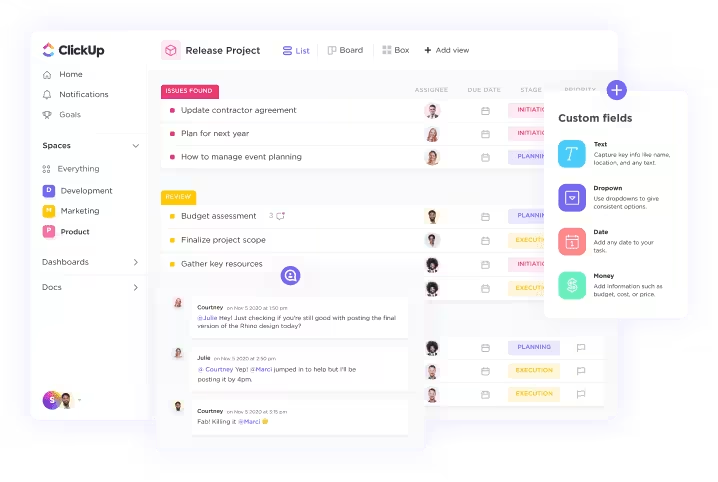
This is where ClickUp for Finance Teams can step in to help you. As a comprehensive platform, ClickUp allows you to manage budgets, set recurring tasks for payment deadlines, and track financial metrics using custom dashboards. ClickUp’s powerful calculation fields also allow you to summarize financial data, helping you optimize cash flow and payment schedules.
💡 Pro Tip: Consider using process improvement templates for AP management to help standardize workflows, identify bottlenecks, and streamline tasks—leading to faster approvals, reduced errors, and improved overall efficiency!
🧠 Did You Know? According to IOFM research, the average cost of processing a paper invoice is between $12 and $30 per invoice. Meanwhile, automated invoice processing can reduce the cost to as low as $3 per invoice.
Relying on paper invoices slows down the AP process, increases the risk of misplaced documents, and leads to costly storage expenses.
Paper documents are easy to lose, causing payment delays. Physically signing and routing invoices also adds unnecessary delays to the process. Going digital reduces clutter and ensures fast retrieval, secure backups, and real-time access to financial records.
✔️ Digitize all incoming invoices: Use scanning tools with OCR (Optical Character Recognition) to extract data from paper invoices and convert them into searchable digital files
✔️Store invoices in a cloud-based system: Bring in an AP document management tool that allows easy access, organization, and retrieval
✔️Automate invoice matching: Implement a three-way matching system that compares invoices, purchase orders, and receipts electronically to reduce errors
✔️Integrate digital invoices with accounting software: Connect your invoice management system with QuickBooks, Xero, or ERP platforms to sync financial data automatically

ClickUp’s Docs allow you to create, edit, and store AP-related files like invoices, purchase orders ledgers, and contracts in one place with ready-to-use templates. Imagine being able to edit and send invoices with a few clicks instead of rummaging through filing cabinets
Ready for the digital upgrade? Check out the Accounts Payable Template by ClickUp to get started.
✨ Quick Tip: Use the Scan-Save-Sync method. Scan all paper invoices, save them in a centralized cloud system, and sync with your accounting software to create a seamless, paper-free workflow. This ensures easy access and secure backups.
Manually managing accounts payable is slow, error-prone, and costly.
AP teams spend hours on invoice matching, approval routing, and payment scheduling, which leads to delays, missed discounts, and strained vendor relationships. Automation removes these bottlenecks, ensuring faster processing, fewer errors, and improved efficiency.
✅ Invoice matching: AI-powered automation compares invoices with purchase orders and delivery receipts, flagging discrepancies instantly
✅ Approval workflows: Pre-set rules route invoices to the right approvers based on value, vendor, or department, eliminating manual follow-ups
✅ Payment scheduling: Automatically schedule payments based on due dates, ensuring on-time payments and maximizing early payment discounts
✅ Error detection: AI identifies duplicate invoices, missing information, and incorrect amounts, reducing costly mistakes
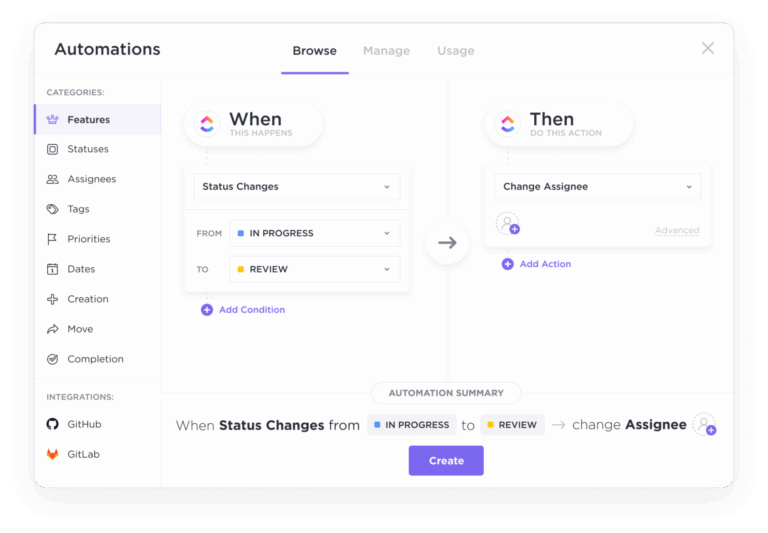
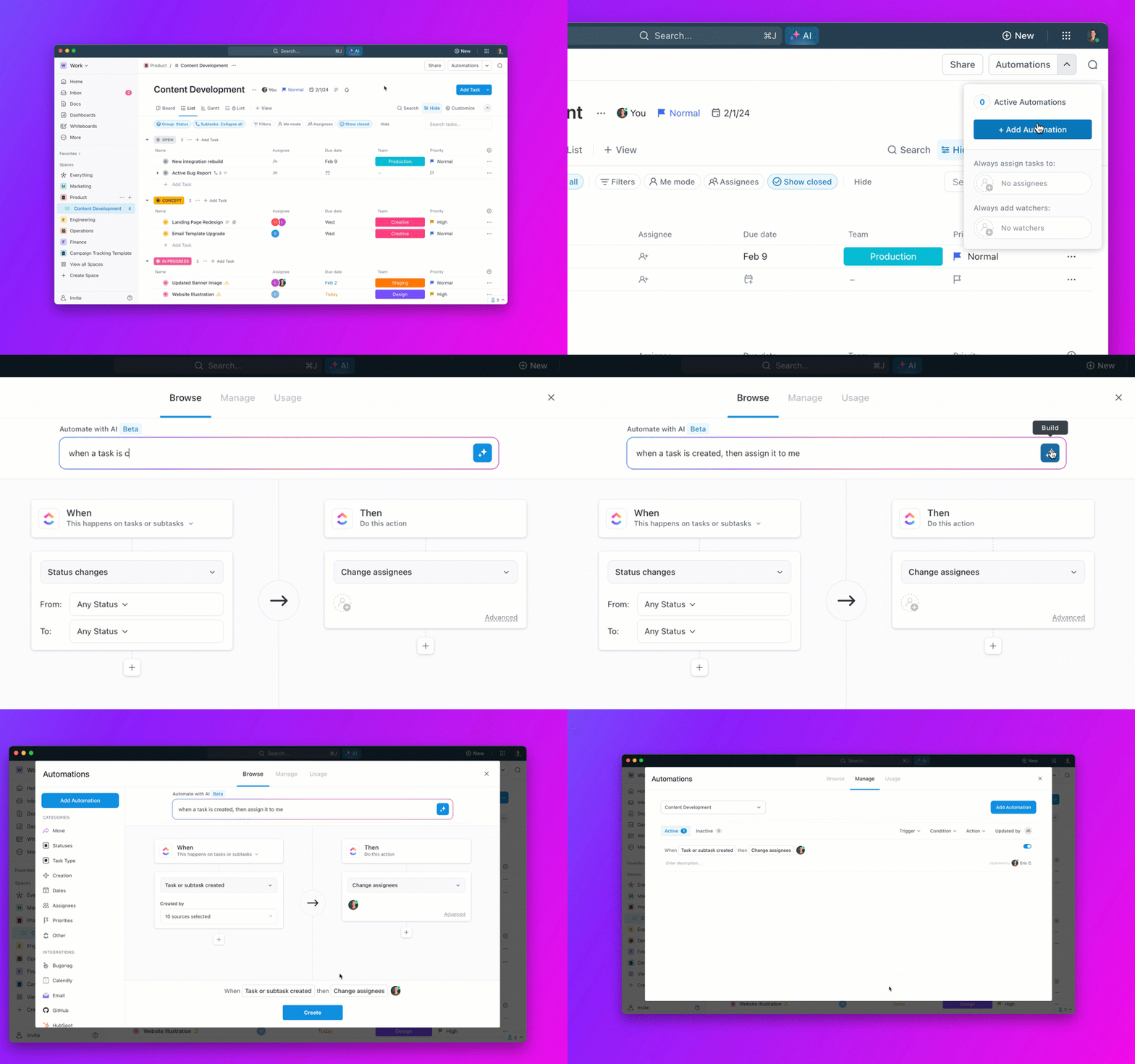
ClickUp Automation simplifies this by letting you set up workflows that automatically assign tasks, change statuses, and send payment reminders.

For instance, an incoming invoice instantly triggers a task assignment for approval, keeping things moving without constant manual intervention.
📚 Bonus Read: Workflow automation transforms how you manage processes like invoice approvals, data entry, and vendor communication. Read some real-world workflow automation examples and see how they’re helping businesses become more efficient and reduce errors.
Processing invoices without proper verification leads to overpayments, duplicate payments, and fraud risks. Three-way matching is a key AP control that ensures every invoice is legitimate before payment is released.
Three-way matching compares three key documents:
📌 Purchase order (PO): The original order request detailing quantities and prices
📌 Invoice: The bill submitted by the supplier requesting payment
📌 Goods received note (GRN): Confirmation that the items or services were delivered
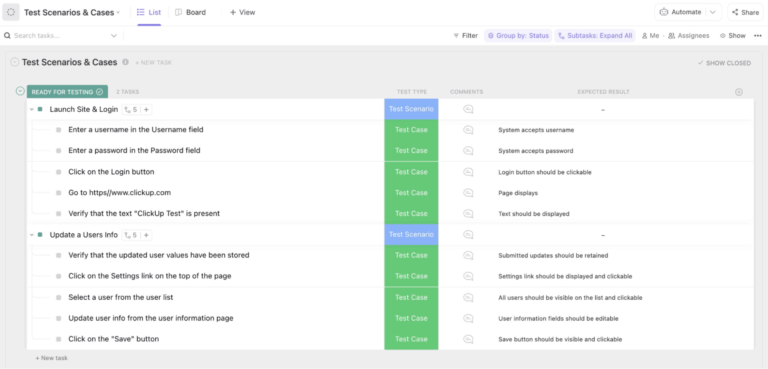
When all three match, the invoice is approved for payment. If there are discrepancies, the system flags the invoice for manual review.
💡 Pro Tip: A purchase order template ensures consistent formatting and required fields, speeding up three-way matching and significantly reducing manual errors!
Data entry is one of the most time-consuming and error-prone parts of AP processing. Employees manually key in invoice details, leading to duplicate records, typos, and missed deadlines.
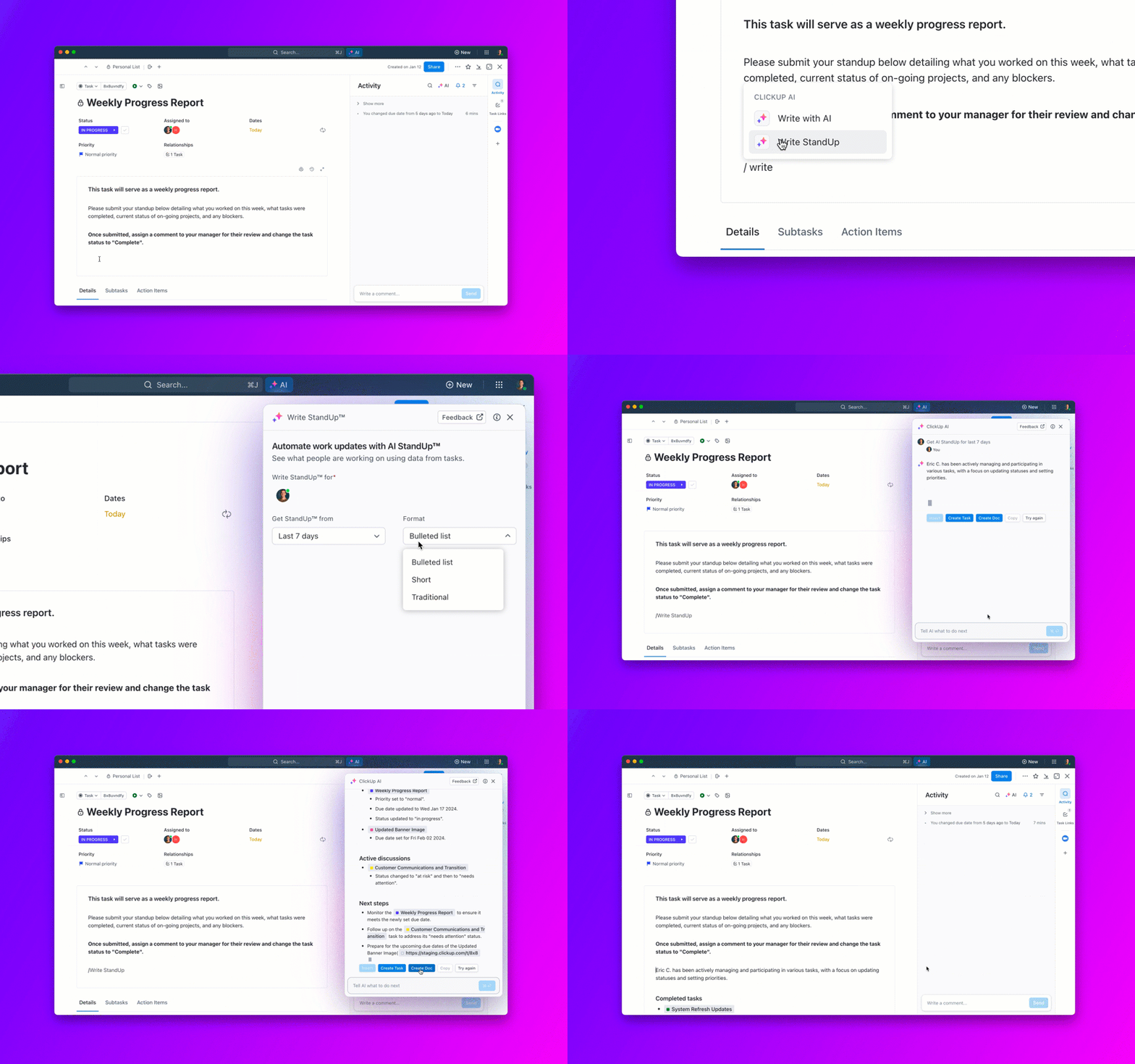
An accounts payable automation software eliminates this burden by capturing and organizing data seamlessly. Here’s how you can automate your data entry in AP:
🔍 Did You Know? Fully automated AP teams have doubled in the last two years, with 41% of businesses planning automation within the next year.
Machine learning (ML) revolutionizes your AP process by identifying patterns, predicting errors, and automating invoice categorization. With ML, you can create a system that learns to detect duplicates, flag anomalies, and match invoices to purchase orders with precision.
For example, ML algorithms sort through high volumes of invoices, significantly reducing manual intervention while enhancing accuracy. Over time, this smart system becomes more efficient, saving work hours and reducing costly errors.
The secret to a successful AP process lies in measuring what matters. Key performance indicators (KPIs) like invoice processing time, cost per invoice, and early payment discounts provide insights into your efficiency.

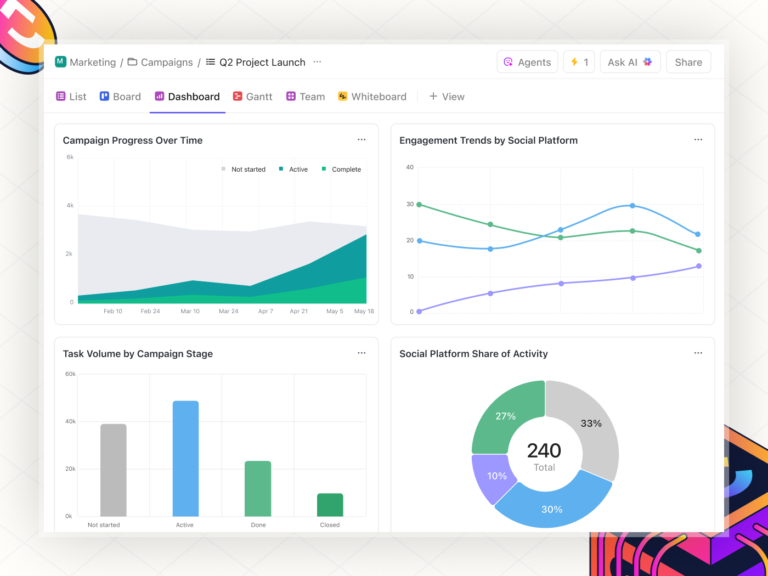
With ClickUp’s Dashboards, tracking these KPIs becomes effortless. You can create customizable dashboards with real-time visualizations like graphs and charts to monitor progress. For example, you can use it to track the average time to approve an invoice or identify bottlenecks with detailed reports.
📑 Trivia: Businesses like QubicaAMF saved 40% of their time creating reports and charts using ClickUp Dashboards—imagine translating this to faster insights in your AP system!
One of the biggest roadblocks in accounts payable is inconsistent invoice formatting. Vendors submit invoices in different structures, missing key details like purchase order (PO) numbers, payment terms, and line-item breakdowns.
This creates confusion, delays approvals, and increases the risk of payment errors. Standardizing invoice submission requirements ensures all invoices follow a clear, uniform structure, reducing manual intervention and speeding up processing.

Use various Google Sheets invoice templates to ensure you save time and do not miss out on a single detail.
💡 Pro Tip: Avoid the headache of managing invoices. ClickUp’s Invoice Template streamlines invoicing by tracking due dates, payments, and client details in one place, saving time and improving financial clarity.
Miscommunication with vendors is one of the top reasons for delayed approvals, disputes, and payment errors in accounts payable.
Many businesses rely on scattered email threads, phone calls, and spreadsheets, making it difficult to track invoice queries and follow-ups. A centralized communication system keeps all vendor interactions in one place, reducing errors and streamlining payment approvals.
ClickUp Chat makes this process seamless by integrating communication directly into your workflows. While discussing invoice issues with a vendor, you can convert messages into tasks, assign them to team members, and link them to relevant documents.

Case Study Spotlight: Walk the Room’s Success with ClickUp 🎯
Walk the Room, a global 3D studio, faced challenges managing project timelines, team coordination, and resource allocation using multiple disconnected tools.
By consolidating their workflows into ClickUp, they streamlined their production process, halved project setup times using templates, and increased the number of active users on their team from 28 to over 70.
The result? Improved efficiency, better resource management, and enhanced project tracking—all from a single platform.
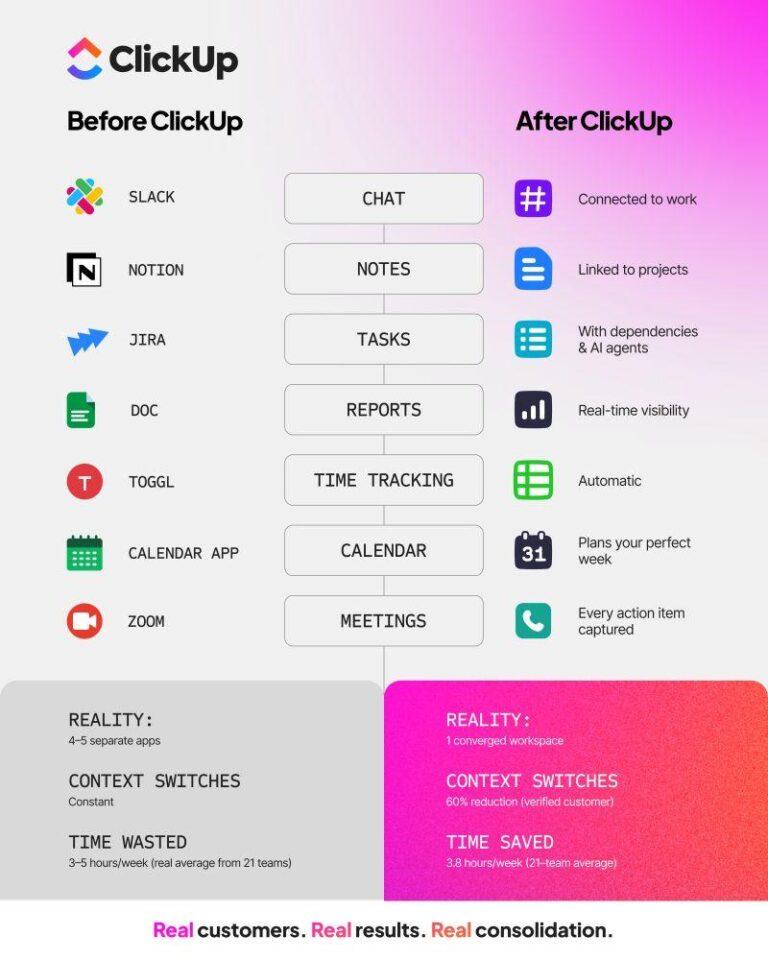
A fragmented tech stack is a major roadblock in AP efficiency. When AP software, ERP systems, and accounting tools aren’t connected, finance teams end up manually transferring data between platforms, increasing the risk of errors and duplicate payments.
Integration ensures data flows smoothly, improving financial accuracy and reducing workload.
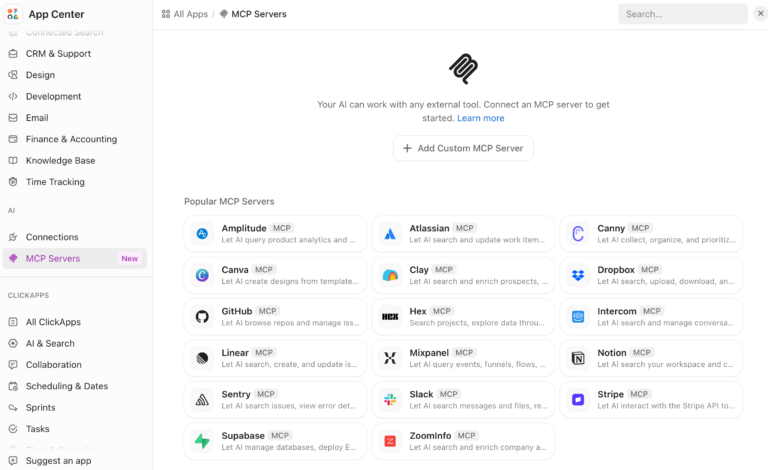
ClickUp integrates with popular tools like QuickBooks, Xero, and HubSpot to ensure your accounts payable data flows smoothly between systems.

We have integrated with Intercom, Stripe, ChurnZero, Slack, Gmail, ProfitWell, etc. This enables us to track finances, retention, reporting, and customer details in one space, as we can pull information from all the tools we use and compile them in ClickUp for ease of use without getting all departments involved and taking time from their schedules.
Taking advantage of early payment discounts or negotiating favorable payment terms saves your business money while strengthening vendor relationships. To streamline this process, consider using bookkeeping templates to standardize and organize payment schedules.
These templates help you track due dates, early payment discounts, and vendor terms in a structured format, ensuring you take advantage of savings opportunities.
📕 Bonus Read: Use these general ledger examples as a reference to ensure accurate tracking of accounts payable entries. This helps maintain consistency in recording transactions, making audits and financial reporting seamless while minimizing discrepancies.
Approval bottlenecks slow down accounts payable, leading to missed early payment discounts, delayed vendor payments, and strained supplier relationships.
Many AP teams deal with too many approval layers, unclear responsibilities, and slow manual sign-offs. Streamlining the approval process ensures invoices are reviewed and approved quickly and accurately.
🚫 Too many approval layers: Unnecessary sign-offs slow down invoice processing
🚫 Lack of clear roles: Teams don’t know who is responsible for approvals, creating confusion
🚫 Missed approval deadlines: Manual reminders often get lost, delaying payments
🚫 One-size-fits-all approach: Treating all invoices the same wastes time on low-value approvals
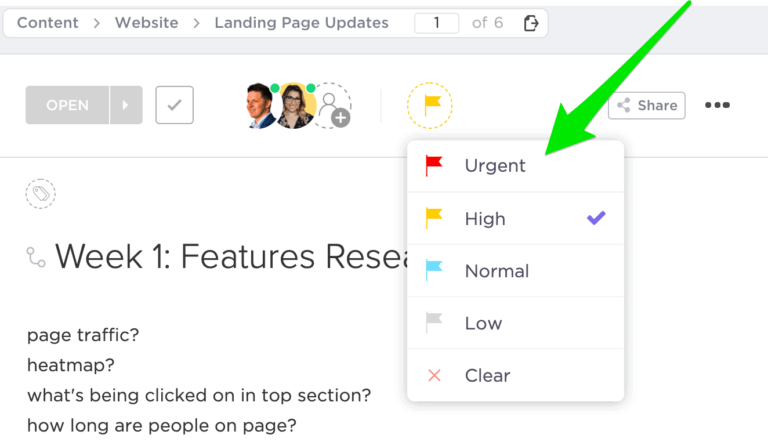
⚡ Quick Tip: Define approval thresholds—automate approvals for low-value invoices and only escalate high-value or flagged ones. This ensures high-priority tasks get attention while cutting delays.
AP fraud is a growing concern, with companies losing billions annually due to duplicate invoices, unauthorized payments, and phishing scams. Strengthening security measures ensures that only legitimate invoices get paid and unauthorized transactions are blocked before they happen.
While billing a client, disputes over invoices, delivery discrepancies, or payment terms disrupt the AP process and strain vendor relationships. Without a structured resolution process, AP teams waste time going back and forth with suppliers, delaying invoice approvals and payment settlements.
Your suppliers are strategic partners, not just service providers. Strong vendor relationships ensure priority service, better payment terms, and reliable supply chains.
If suppliers trust your business, they’re more likely to offer discounts, extend credit, or negotiate favorable payment terms.
📖 Bonus Read: Want to dive deeper into streamlining your accounts payable process? Learn how Goods Received Notes (GRNs) are crucial in ensuring error-free payments and accurate inventory tracking.
Improving your accounts payable process requires careful planning, consistent execution, and avoiding pitfalls that lead to inefficiencies. Here are the best practices to follow to ensure a smooth AP operation:
✅ Create a vendor performance dashboard: Track vendor performance metrics like delivery timelines, invoice accuracy, and dispute resolution rates. Use these insights to negotiate better terms and improve vendor collaboration
✅ Introduce AP process training for vendors: Educate your vendors on your preferred invoice submission process and payment timelines. This reduces submission errors and ensures smoother workflows
✅ Implement approval workflows: Customize approval workflows based on invoice type or value. For example, route recurring invoices directly for automated approval while flagging one-time or high-value invoices for manual review
✅ Use predictive analytics for payment planning: Use analytics tools to forecast payment cycles based on historical data and cash flow trends. This ensures payments are always aligned with liquidity needs
Additionally, make sure that you avoid the following common mistakes and create a more efficient and effective accounts payable process:
❗️Overlooking vendor feedback: Failing to solicit input from vendors on pain points in your AP process can lead to recurring errors and strained relationships
❗️Treating all invoices equally: Not segmenting invoices based on urgency or value leads to inefficient prioritization and payment delays
❗️Neglecting continuous improvement: Assuming your AP process is good enough without regular assessments and updates can result in outdated workflows
❗️Using a one-size-fits-all system: Not customizing your AP tools and processes to your specific business needs can result in inefficiencies and user dissatisfaction
Optimizing your accounts payable process isn’t just about cutting costs or avoiding errors—it’s about empowering your business to scale smarter. When evaluating tools or systems, look beyond automation and digitization.
Consider how the software integrates with your existing tools, supports scalability, and promotes collaboration between your team and vendors.
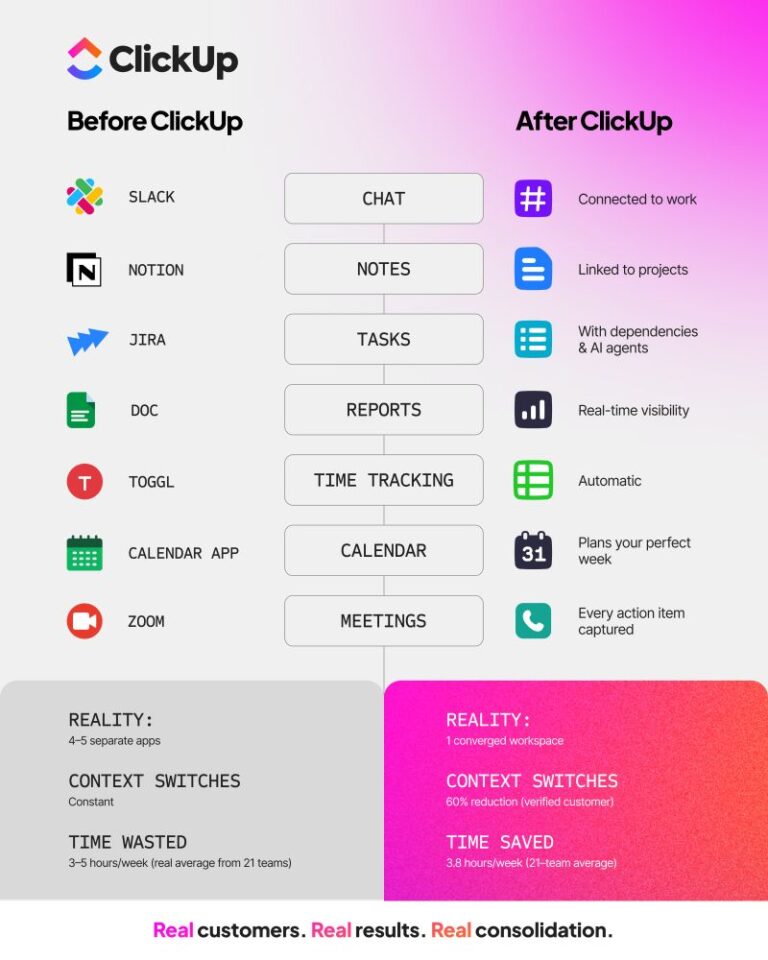
This is where ClickUp shines. As an all-in-one platform, it combines automation, real-time tracking, and collaboration features to create seamless workflows tailored to your needs. From automating invoice approvals to tracking KPIs on customizable dashboards, ClickUp ensures you manage your AP process effectively and transform it into a strategic advantage.
Ready to take control of your AP process? Sign up for ClickUp—It’s free!
© 2025 ClickUp