

We’ve come a long way from alphabetizing people in address books and scheduling appointments by dialing phone numbers. Our network today spans emails, scheduling apps, and social media networks.
Modern businesses use CRM tools to organize their prospects, customers, partners, and vendors in a single platform. Personal CRM software helps do the same for individuals—organize and differentiate professional relationships from personal relationships or private ones.
Who can benefit from a personal customer relationship management system?
- Individuals looking to build a digital rolodex to organize contacts better and manage their relationships. For example, update contact info with the latest information, add birthday reminders to your calendar, etc.
- Soloprenuers, individual business owners, have a ton of relationships split across personal and professional lives that they’ll want to sort or tag accordingly
- Small businesses or store owners who don’t need the bells and whistles of a professional CRM
We looked closely at various personal CRM software tools and their features, but first, here’s what you should look for in a Personal CRM.

 Summarize this article for me please
What Should You Look for in a Personal CRM Software?
A personal CRM stores your contacts, classifies your network, and streamlines communication in sync with your email and messaging apps and, sometimes, your social media handles.
It takes away the stress of staying informed and organized so you can focus on building and fostering authentic and high-quality relationships. There’s more:
1. Contact organization
A standard feature of personal CRMs – storing your contacts and keeping them updated. A good CRM should sync with your phone, email, and messaging clients to organize your network in one place.
2. Tagging and grouping
A personal CRM software that lets you classify your contacts at different levels – professional or personal, customer or vendor, prospect or partner— helps you group contacts together. You can pull up a specific list anytime.
3. Customizable views
The CRM system should be easy enough for you to customize and configure. It should be able to show you multiple views, such as lists, tables, or boards.
4. Remote or offline access
CRM must present information across devices without connecting to the internet, and sync once connected.
5. Scheduling, follow-ups, and appointment reminders
An easy console that helps you schedule appointments, follow-ups, and set reminders will keep your days and weeks on track.
6. Workflows and task management
Added features in some personal CRM apps, custom workflows, and task lists to help you stay on top of your tasks.
Many personal CRM software have additional features such as automation, integrations, analytics, and communication tracking.
Summarize this article for me pleaseThe 10 Best Personal CRM Software to Use in 2024
Given the many personal CRM tools out there, it can become a bit difficult to pick the best one. We’ve compiled a list of the most popular tools in the market and everything you need to know about them.
1. ClickUp

Besides being a project management and collaboration platform, ClickUp’s personal CRM features enable you to view all client relationships in one place. The personal CRM tool organizes your contacts in a scalable folder and list system, helping you group your contact base as per your preference.
In addition, ClickUp’s 50+ Dashboard widgets help you gather real-time insights from your client database. Further, ClickUp helps you identify priorities and systematically act on them.
With ClickUp, you can also structure your priority items as tasks, subtasks, and checklists and hit your daily productivity goals. For example, let’s say you want to reach out to at least ten contacts daily to meet your business goals; ClickUp can help you stay on top of this.
Once your contacts are organized, ClickUp helps you stay on top of your key focus areas with a contact-wise to-do list.

This is most helpful when creating a communication plan for a group of contacts. For instance, this free ClickUp Communication Plan Template helps you systematically and quickly assemble a communication plan.
There’s a ready-to-use ClickUp CRM Template to give you a headstart. Use this free CRM template to store all your contacts in a central location, update your contact details, and access them from anywhere.

ClickUp Best Features
- Organize contacts: Organize your contacts within folders and lists. Share projects with your clients and set custom permissions to manage access
- Track orders: Add customized fields to track your orders and leads, score them, and generate reports for smarter analysis
- Take notes: Pen ideas instantly from a desktop, mobile, or web browser
- Tag and filter: Add tags to your contacts to easily find and sort any task or account
- Add geographical data: Make use of the location field to see where your customers and contacts are located quickly
- Manage emails: Send and receive emails directly without having to switch apps
- Work offline: Work across devices and, when needed, offline
- Mobile app: Add tasks and create reminders and notes on the go

- ClickUp AI: Use AI to generate task lists, summarize notes, and create reminders
- Tech stack integration: Easily integrate tools that you already use for communication or collaboration
ClickUp Limitations
- It can take a while for new users to get the hang of the tool
ClickUp Pricing
- Free Forever
- Unlimited: $7/month per user
- Business: $12/month per user
- ClickUp AI can be added to any workspace for $5 per member
- Enterprise: Contact Sales
ClickUp Ratings and Reviews
- G2: 4.7/5 (9000+ reviews)
- Capterra: 4.7/5 (3,900+ reviews)
2. Contacts+
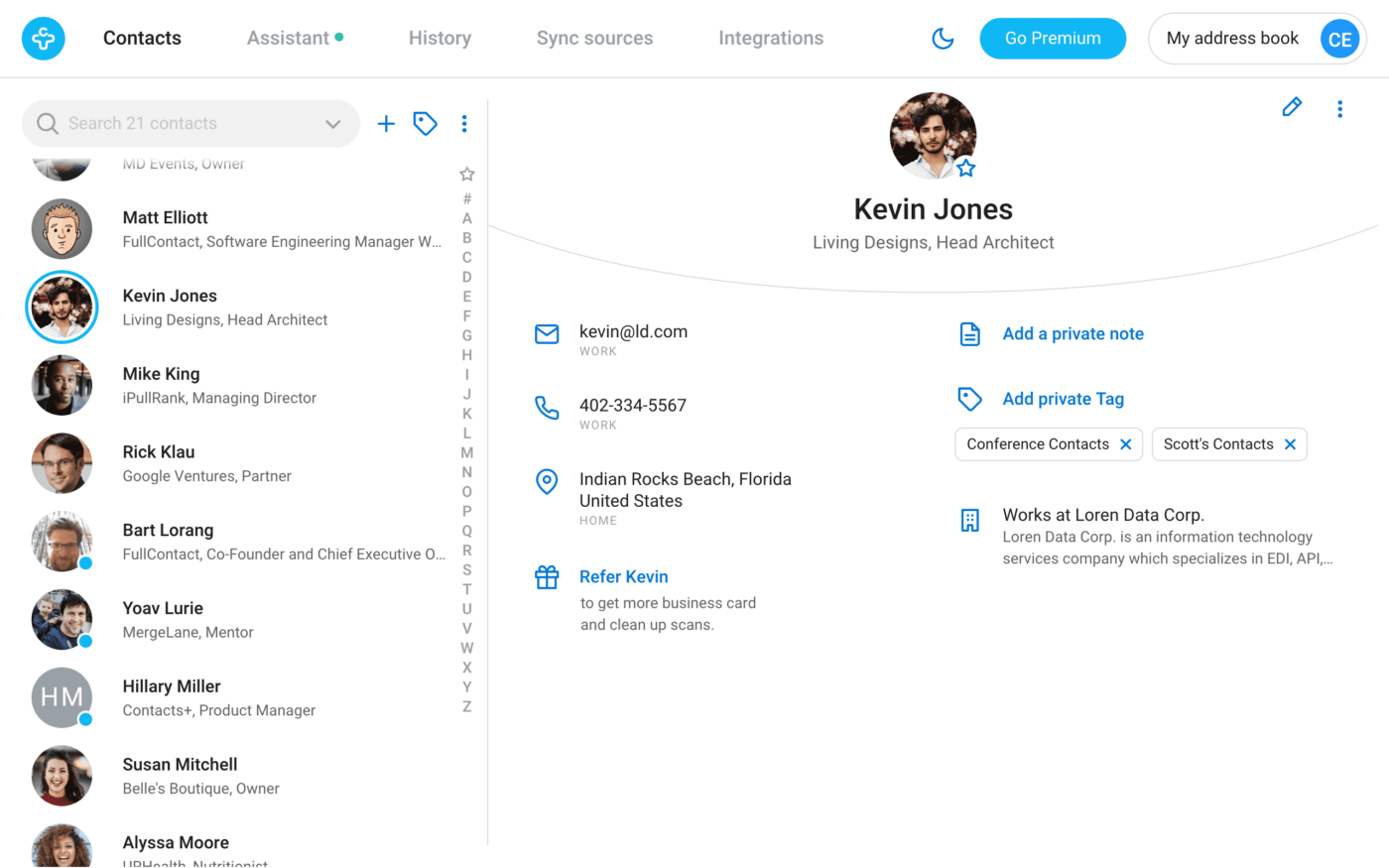
Contacts synced automatically is a great convenience, and the Contacts+ personal CRM helps create a unified digital address book across devices. The standout feature of Contacts+ is its ability to scan and save business cards.
The drawback? Contacts+ is relatively new and an unknown quantity based on its online presence. This is evident from the relatively low number of users who have reviewed it on sites like G2 and Capterra.
Contacts+ Best Features
- Notes and tags: Organize your accounts with notes and tags for ease of sorting
- Granular search: Find contacts quickly with advanced search options
- Business card scanning: Save information about your contacts quickly by scanning their business cards
- De-duplication: Detect and remove duplicate accounts
Contacts+ Limitations
- Limited personalization in terms of themes and fonts
- It could use a more intuitive user interface
- The free version maxes out at 1000 contacts
Contacts+ Pricing
- Free
- Premium: $9.99/month per user
- Teams: $12.99/month per user
Contacts+ Ratings and Reviews
- G2: 4.4/5 (10+ reviews)
- Capterra: 2.8/5 (8+ reviews)
3. FollowUp
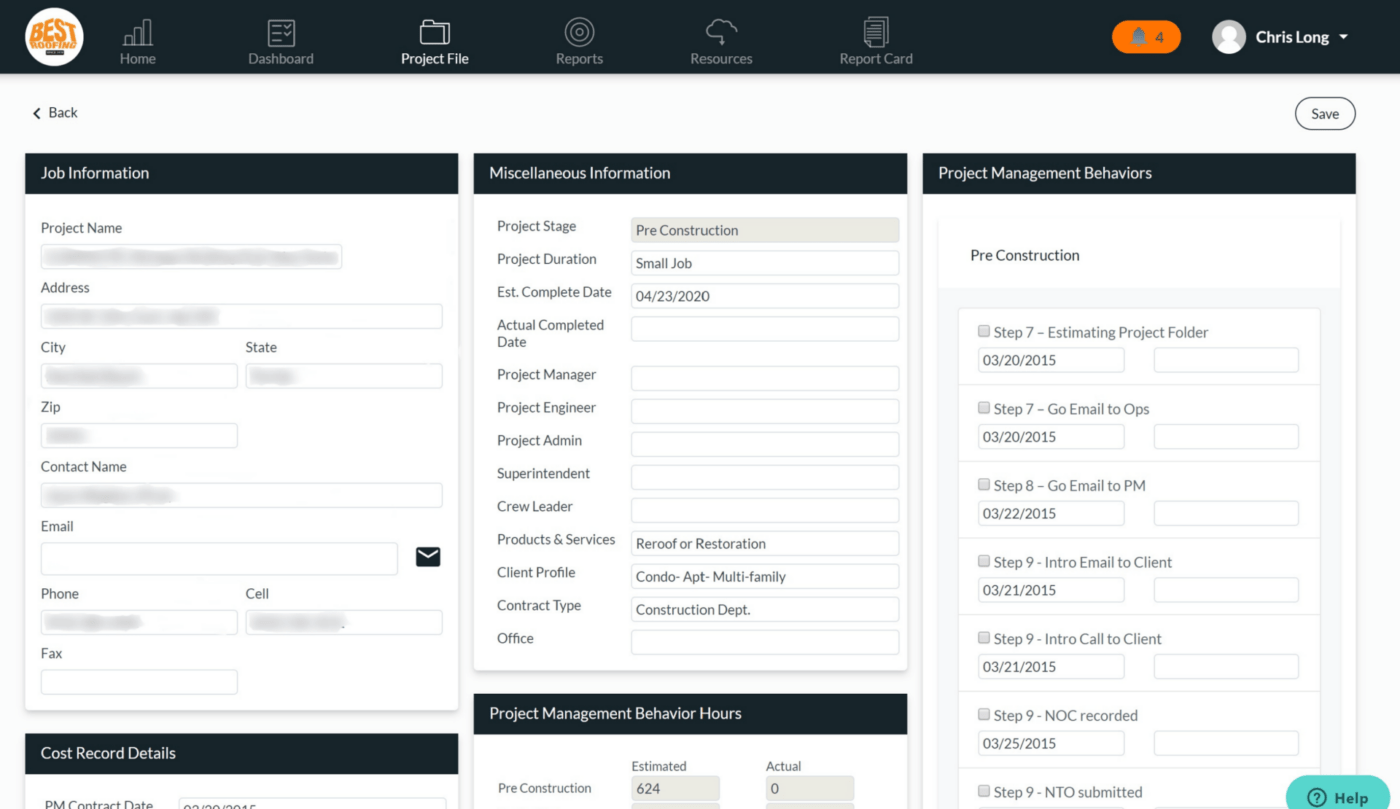
Reminders and follow-up functions are two features to look for in personal CRM apps. With FollowUp, schedule your responses and set reminders for key tasks. For instance, you can set reminders for yourself to follow through on your important conversations by email.
This personal CRM tool makes managing your emails easier—manage your relationships right out of your inbox!
The only catch is that FollowUp’s pricing is higher than some of the other tools on the list. Also, task lists and contact grouping are a sore miss. But FollowUp’s feature that notifies you when email recipients open their emails is useful.
FollowUp Best Features
- Reminders: Set alerts for important tasks in a single click
- Automatic follow-ups: Schedule follow-ups for important conversations
- Email open tracking: Get notified in real-time when your contacts first open your email
- Inbox upgrade: Make your Gmail inbox smarter by having FollowUp work right out of your inbox
FollowUp Limitations
- Limited free version – payment kicks in once the trial period runs out
- Limited to organizing just Gmail instead of being able to sync contacts across databases
FollowUp Pricing
- Starter: $18/month
- Professional: $29/month
- Salesforce Edition: $40/month
FollowUp Ratings and Reviews
- G2: 4.8/5 (2+ reviews)
- Capterra: NA
4. Monica
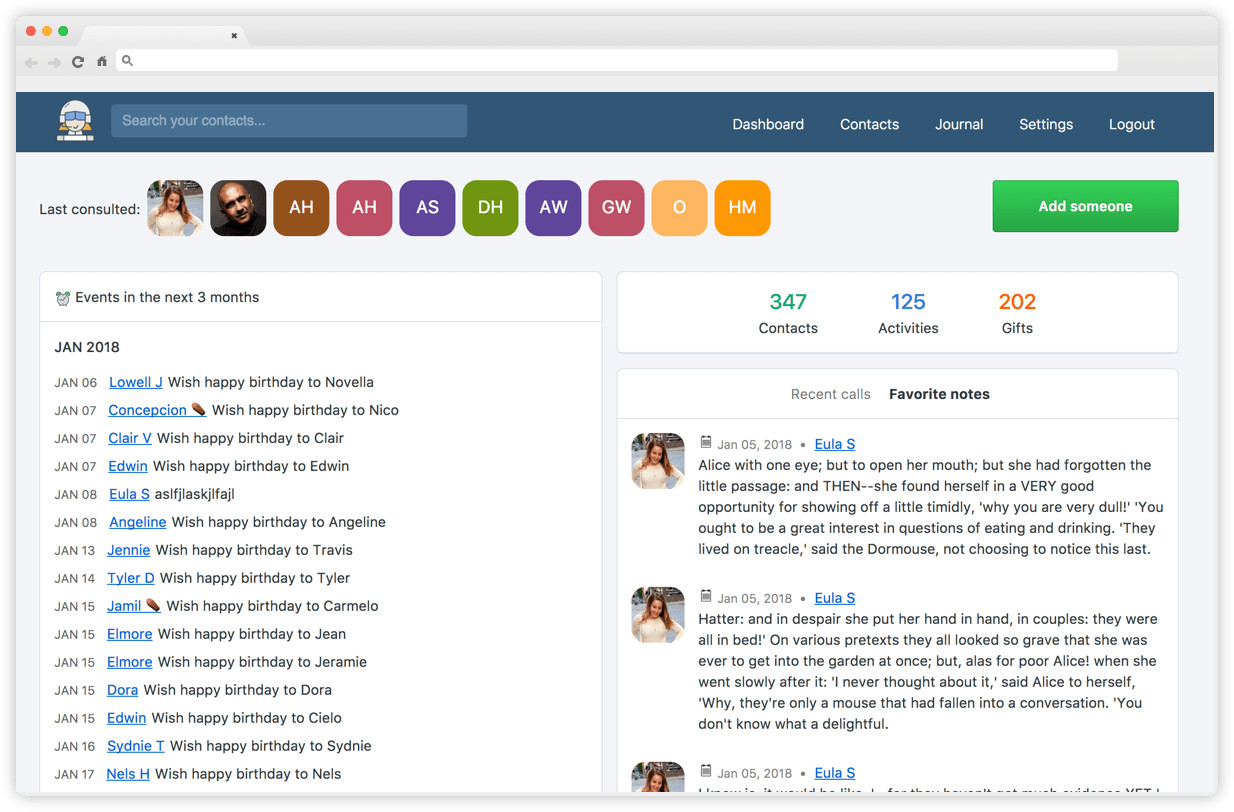
Monica is an open-source personal CRM that helps you organize your interactions with your contacts.
Monica has made its code publicly available on GitHub by choosing to be open source. The code can be modified and enhanced collaboratively. You can choose to install Monica on any server for free.
While this is a great way to evolve its capabilities continuously, it raises concerns about data protection and privacy.
Monica Best Features
- Highly customizable: YScale up or scale down its functionalities based on your preference
- Meant for personal connections: This personal CRM app is designed with personal and private networks in mind
- Clean UI: Neat and intuitive interface, and operating it is straightforward
- Completely free: Users can host their personal Monica interface completely for free on their servers.
Monica Limitations
- Not built for professionals trying to maintain client relationships
- Data privacy and safety are concerns, given the tool is open source
Monica Pricing
- Free: if you host it on your server
- Paid: $9/month
Monica Ratings and Reviews
- G2: NA
- Capterra: NA
5. Streak
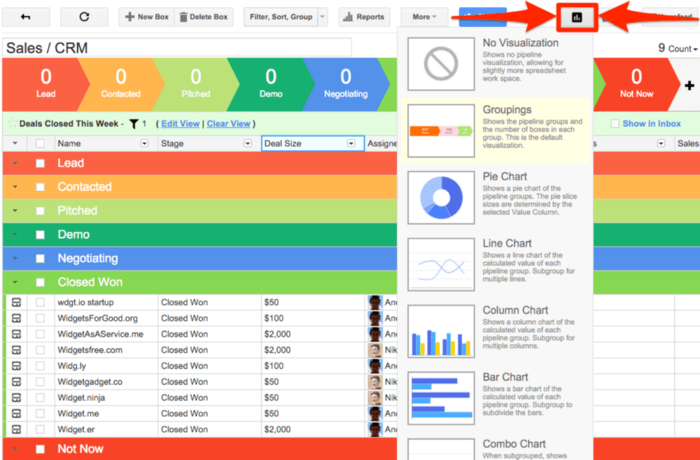
Streak is a CRM and productivity software that manages your workflows and contacts right out of your Gmail account.
It has personal CRM solutions based on your specific use case. For instance, Streak has curated CRM features for Sales, HR, Product, and Support professionals.
Streak offers several useful features: view tracking, mail merge, schedule send, and email thread splitting—all of which help you manage your conversations with your contacts more effectively.
Its personal relationship management function also hosts several features that help you organize and communicate with your contacts more effectively: customizable views, a timeline or log of communications and events, detailed information on your contacts, and more.
Additionally, Streak offers easy import and export options, completely customizable workflows, and automation of recurring tasks. This is available in mobile apps on both Apple App Store and Google Play.
Streak Best Features
- Email power tools: Manage email conversations effectively with email open alerts, email scheduling, and mail merge functions
- Mobile availability: Manage relationships with contacts on the go
- Tool integration: Sync with G Suite and Zapier so that you can manage all your workstreams and relations in one place
Streak Limitations
- Slow at times
- It does not sync automatically to Gmail upon password update
- Pricing may be a bit on the higher side for small businesses
Streak Pricing
- Free
- Solo: $15/month per user
- Pro: $49/month per user
- Pro+: $69/month per user
- Enterprise: $129/month per user
Streak Ratings and Reviews
- G2: 4.5/5 (200+ reviews)
- Capterra: 4.5/5 (450+ reviews)
6. Gethippo
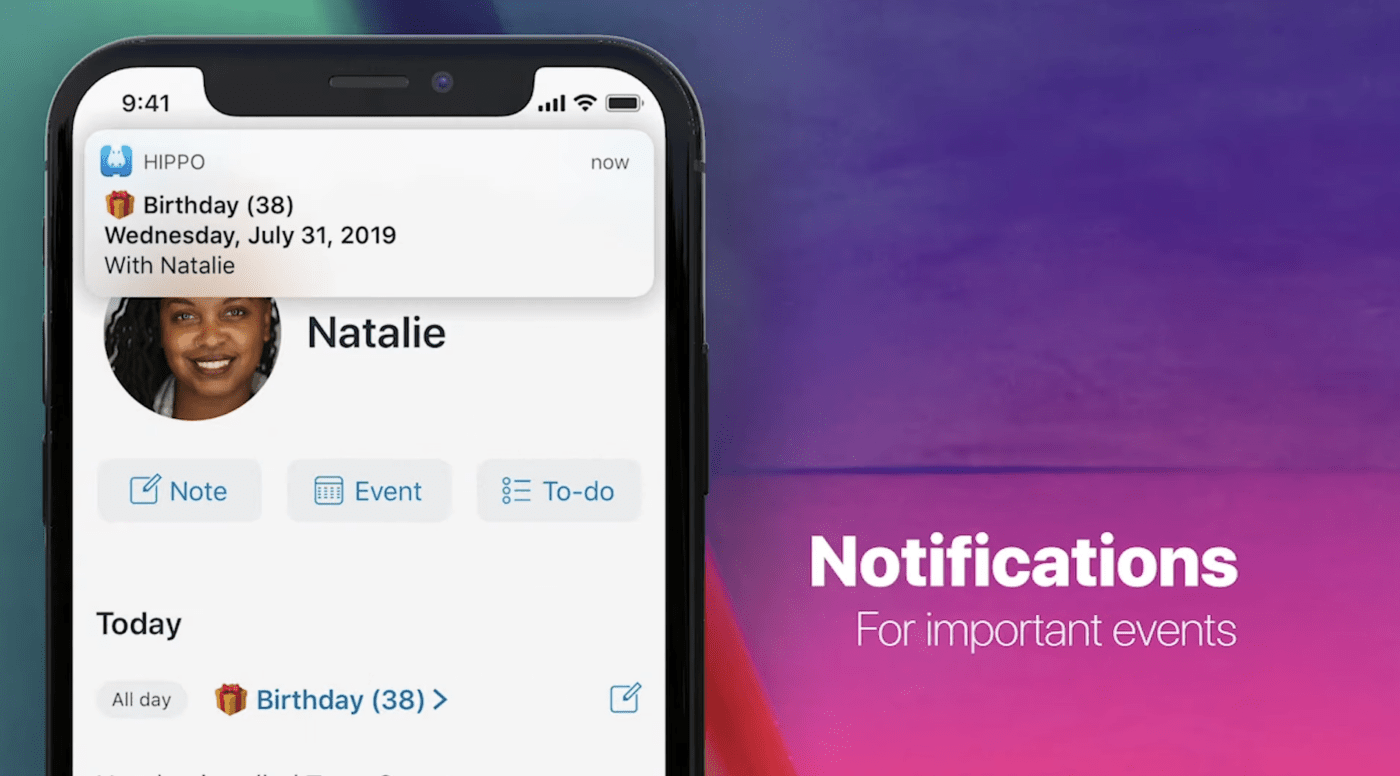
Gethippo is a personal CRM software built for staying on top of important details and events related to your personal connections. Hippo is a simple tool that removes the burden of remembering minute details (and to-dos) of your contacts.
Three features stand out: Notes, to-do lists, and event reminders. A glance at a contact’s profile on this personal CRM app helps you remember minute details that come in handy when you meet them—an anniversary, a work milestone, these small things go a long way.
In addition, the pricing is competitive, and your data is locally saved on your device, not on a server.
Gethippo Best Features
- Notes: Add to each contact’s information as and when you learn new things about them
- Events: Create events on the app itself for face-to-face meetings
- To-do lists: Curate checklists for every contact
- Private and secure: Stay assured of the safety of your contact database
Gethippo Limitations
- Not suitable for professional or business use cases
- No integration with other tools
Gethippo Pricing
- Free 1-month trial
- Paid: $1.99 per month
Gethippo Ratings and Reviews
- G2: NA
- Capterra: NA
7. Cloze

Cloze is an AI-enabled CRM & smart personal assistant that keeps information about your key contacts readily available. In other words, it removes the need for manual data entry by syncing all your emails, phone calls, text messages, and documents.
Cloze labels your contacts based on how you group them in your head (not just in plain alphabetical fashion). This helps keep personal relationships close. Apart from contact organization, Cloze also features email threads and note-taking capabilities. Scheduling, follow-up, and event reminder functions are available by default.
Cloze Best Features
- Log meeting: Record the details of a meeting easily for review later
- Follow-up reminders: Set notifications to remind yourself about important interactions and follow-ups
- Gmail integration with read alerts: Know when your recipients read your email and time your next message accordingly
- Synced to cloud: Consolidate contacts on the go and across devices
Cloze Limitations
- Price increases as your team expands
- UI may feel a bit outdated
- Expensive for personal use
Cloze Pricing
- Cloze Pro: $17/month for individuals
- Business Silver: $21/month per user
- Business Gold: $29/month per user
- Business Platinum: $49/month per user
Cloze Ratings and Reviews
- G2: 3.7/5 (30+ reviews)
- Capterra: 4.7/5 (10+ reviews)
8. Airtable
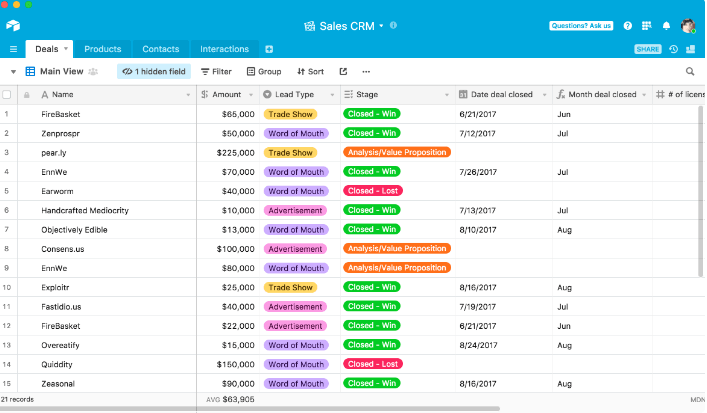
Airtable is known for its ability to build intelligent workflows and apps through its spreadsheet-based app. However, it is a highly extendable, low-code tool, and a few professionals use Airtable as their pseudo-personal CRM.
Build custom workflows within Airtable to source and maintain contacts, manage invoices, and communicate with customers.
Airtable Best Features
- Highly flexible and customizable: Build your own CRM workflows and functionalities for your contact base
- Kanban views: Create visibility on how your deals are progressing
- Forms: Create, modify, publish, and share forms to quickly build a contact database
Airtable Limitations
- Not custom-built for the personal CRM use case
- It may prove to be too complex for beginners
Airtable Pricing
- Free for individuals and small teams
- Team: $20/month per user
- Business: $45/month per user
- Enterprise Scale: Contact Sales
Airtable Ratings and Reviews
- G2: 4.6/5 (2000+ reviews)
- Capterra: 4.7/5 (1900+ reviews)
9. Nection
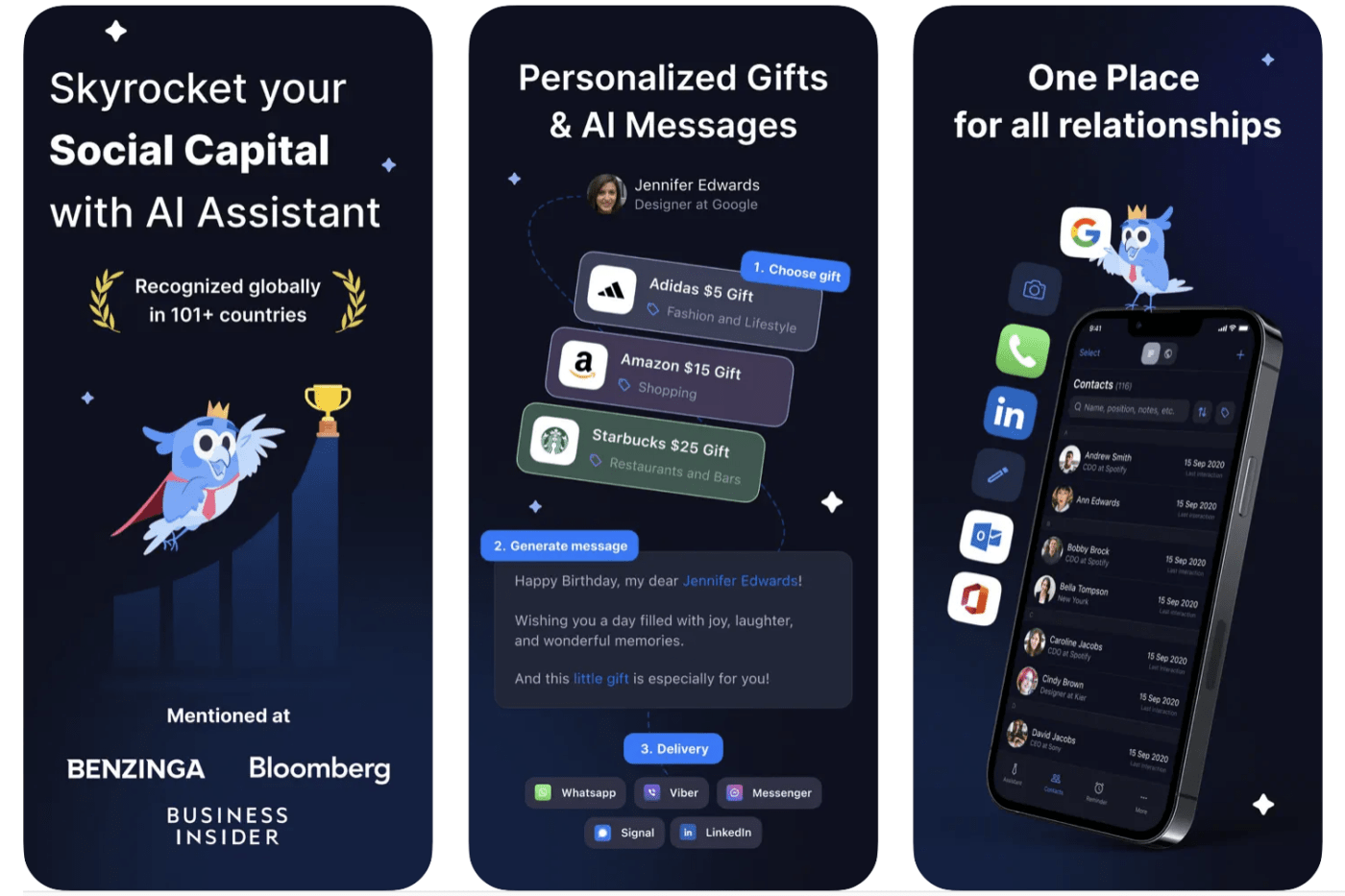
Nection is a personal CRM app that helps you grow and nurture your network and build deep personal relationships. Users can consolidate their contacts in one place and send personalized messages and even gifts through Nection’s partners.
The gifting and personalized messaging (with some help from AI) make Nection stand out among the others on this list.
Nection Best Features
- AI-generated personalized messages: Generate contextual messages using contact’s details for a personal touch in your communications
- Gift cards: Send gifts or gift cards to your contacts
- Event reminders: Set automated reminders for birthdays, anniversaries, and other events for your contacts
- Delete duplicates: Reduce the chances of ending up with duplicates and contradictory information
Nection Limitations
- Limited use as a personal CRM suite
- Only available as an app – no desktop version yet
Nection Pricing
- Free
Nection Ratings and Reviews
- G2: NA
- Capterra: NA
10. Getdex
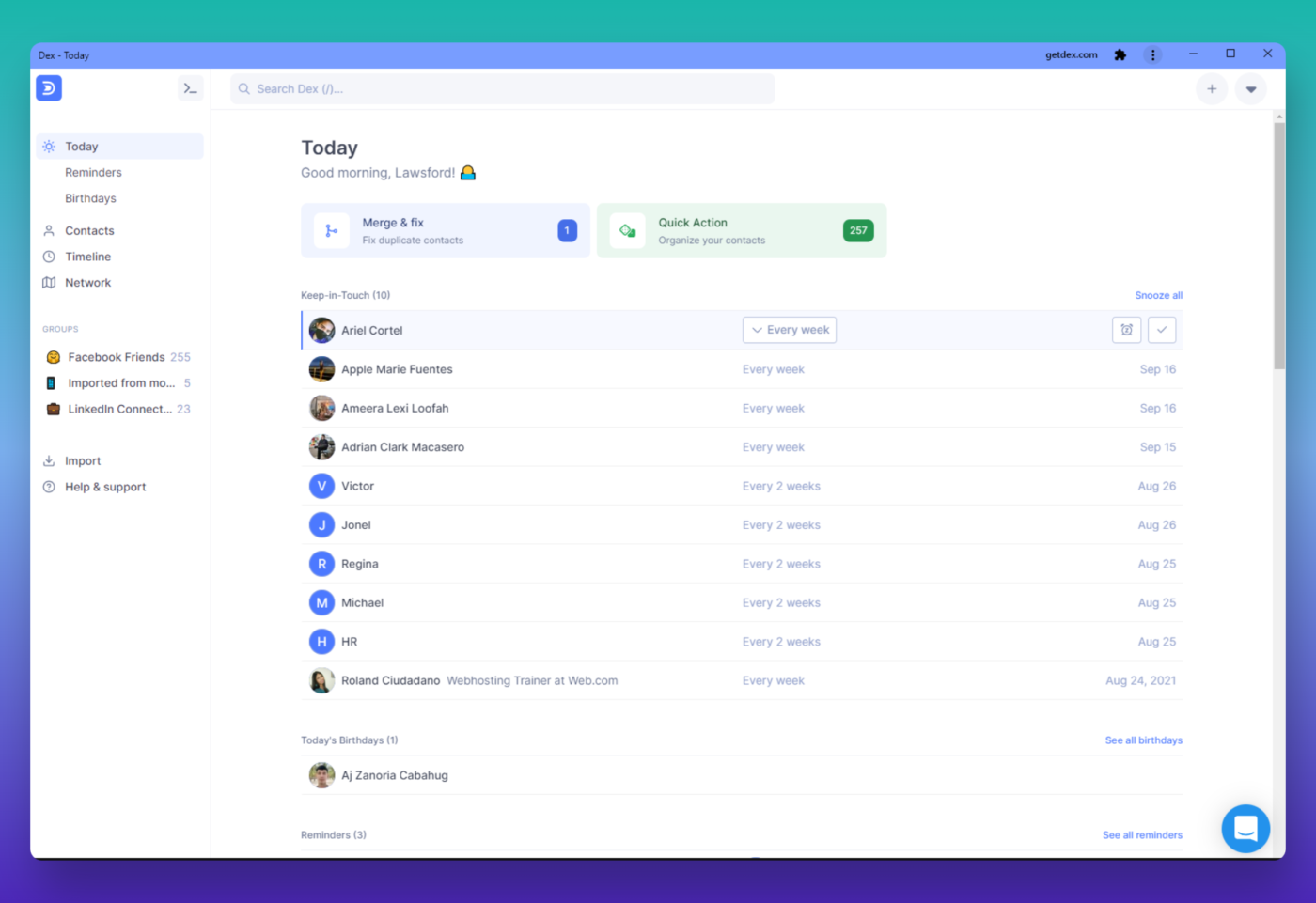
A Rolodex in digital form, Dex personal CRM synchronizes your contacts from LinkedIn, email, and other social media accounts so that you can see and manage everyone you know in one place.
Its USP is its ability to stay connected to LinkedIn. New job titles of your professional contacts get updated automatically as the tool fetches details from your contact’s LinkedIn profile.
Not as complex as a full-fledged CRM solution such as Salesforce and yet not as basic as a spreadsheet, Dex features just enough functionalities to help maintain your personal and professional relationships.
Dex Best Features
- Communication reminders: Set the frequency at which you wish to reach out to your contacts – Dex nudges you in advance
- LinkedIn sync: Changes to LinkedIn profiles get automatically reflected in your contact card
- In-built shortcuts: Keyboard shortcuts make the tool easy to use
- Device agnostic: Dex is available as a browser extension as well as an app on Android and Apple
Dex Limitations
- According to user reviews, Dex tends to become slow and buggy at times
Getdex Pricing
- Free: for a 7-day trial
- Paid: $12/month
Getdex Ratings and Reviews
- ProductHunt: 4.1 (10+ votes)
- Capterra: 5/5 (1 review)
Summarize this article for me pleaseBuild Your Personal Relationships with Personal CRM Apps
Whether you’re managing personal or professional relationships, remembering important dates and deeply personal details and reaching out at the right time— all help you build and maintain warm relationships with the people who matter to you. Personal CRM systems can transform your professional and personal life.
Tried, tested, and reviewed by thousands of users, ClickUp’s CRM features work for individuals the same way it does for businesses.
Ssign up for FREE to experience ClickUp for yourself. ?


Everything you need to stay organized and get work done.

Recent Articles
ClickUp Custom Fields: How I Built a Connected Property Management System for Vendors and Work Orders 
ClickUp Custom Fields: How I Built a Connected Property Management System for Vendors and Work Orders

Ideal Client Roster: Build & Maintain Your Best Client Base 
Ideal Client Roster: Build & Maintain Your Best Client Base
