


Have you ever been working on a large project and had things stubbornly go wrong despite all your efforts to keep them running smoothly?
This chaos isn’t an exception for many growing businesses—it’s the norm.
Only 20% to 25% of entrepreneurs say they have access to the information they need for effective planning.
Workflow visualization can help prevent such situations. By clearly visualizing every task, handoff, and deadline, you can easily spot—and resolve—inefficiencies.
Visual workflow management can take many forms, from Kanban boards and Gantt charts to flow diagrams. Below, we discuss how you can use these techniques to break through the fog of complexity and turn chaotic operations into well-oiled systems.
Need a better way to design and manage workflows?
Create, organize, and visualize workflows faster with our free Workflow Maker.
How Workflow Visualization Helps Streamline Business Processes

 Summarize this article for me please
⏰ 60-Second Summary
Here’s a quick summary of how to use workflow visualization:
- Transform tedious task lists into simple, digestible visual formats for clarity and control through workflow visualization
- Spot inefficiencies and improve collaboration by identifying bottlenecks
- Utilize techniques like flowcharts, Kanban boards, Gantt charts, and mind maps to present complex information and processes effectively
- Follow the steps to create workflows: define processes, assign roles, map steps, simplify, and gather feedback
- Employ tools like ClickUp to streamline workflows with powerful visualization features
- Focus on clarity, highlight dependencies and bottlenecks, and use real-time updates
- Design modular and flexible workflows to scale with business growth
Summarize this article for me pleaseWhat Is Workflow Visualization?
Workflow visualization transforms abstract tasks, processes, and dependencies into clear visual formats like diagrams, charts, or boards.
It eliminates guesswork when managing complex operations by providing an easily understandable “map” of how work flows from start to finish.
Its purpose is simple: to offer clarity and control. Whether it’s a straightforward step-by-step task or a multi-team project with layers of dependencies, workflow visualization makes it easier to track progress, identify issues, and ensure nothing slips through the cracks.
Summarize this article for me pleaseBenefits of Workflow Visualization
Why is visualization such a big deal for businesses? To understand this better, imagine looking at a cluttered desk versus a well-organized one.
Even in your mind’s eye, the difference is instant—keeping your desk well-organized makes it easy to track all your belongings and use them throughout your workday.
Conversely, managing a cluttered desk—even if it is ‘organized chaos’—will likely generate anxiety and make your job harder.
Similarly, visualizing workflows helps teams and managers quickly identify inefficiencies, redundancies, and bottlenecks. A stalled task on a Kanban board signals exactly where attention is needed, while a Gantt chart shows if tasks are slipping through the timelines.
Visualization also improves team collaboration, making it easier for everyone to understand their role and responsibilities. This leads to fewer miscommunications, faster decision-making, and smoother project execution.
Therefore, a visual representation of workflows doesn’t just save time; it improves accountability and ensures synchronization across teams.
🧠 Fun Fact: Behavioural research suggests that people process visuals 60,000 times faster than text, making visual workflows a game-changer for productivity.
Summarize this article for me pleaseTypes of Workflow Visualization Techniques
Before you get started with your workflow visualization journey, here are some common techniques that will act as your guideposts:
Flowcharts for step-by-step processes
Flowcharts are ideal for breaking down workflows into linear, sequential steps.
They use standardized symbols (like rectangles for tasks and diamonds for decisions) to map the flow of activities, making them especially effective for processes with clear paths, such as quality control procedures, customer support workflows, or IT troubleshooting protocols.
For instance, a flowchart for an onboarding process might begin with “Collect Documents,” branch into “Verify Information” or “Request Missing Details,” and end with “Grant System Access.”

Their simplicity makes flowcharts a go-to choice for visualizing workflows that rely on clear decision points and straightforward task dependencies.
Kanban boards for visual task management
Kanban boards organize tasks into columns representing stages in a workflow, such as “To Do,” “In Progress,” and “Completed.”
Each task is represented by a card that moves across columns as it progresses, providing a dynamic, real-time workflow overview.

Teams can immediately identify bottlenecks—like a backlog in the “In Progress” column—and reallocate resources to address them.
Kanban boards are particularly useful for agile environments. They help teams prioritize tasks, balance workloads, and ensure smooth handoffs between collaborators.
Digital tools like ClickUp, Trello, or Jira have made Kanban even more powerful by integrating features like deadlines, labels, and task dependencies.
Gantt charts for time-based project planning
Gantt charts focus on time management, plotting tasks along a timeline to show start and end dates, task durations, and dependencies.
They are highly effective for complex, time-sensitive projects like product launches, construction, or software development.
For example, a Gantt chart for a marketing campaign might show overlapping timelines for content creation, ad placement, and campaign analysis, highlighting which tasks depend on the completion of others.

This approach allows managers to allocate resources effectively, anticipate delays, and adjust schedules in real time.
👀 Did You Know? Henry Gantt first popularized his Gantt charts during World War I to optimize military production timelines. They were initially drawn by hand on paper, requiring hours of manual adjustments for project changes. Thank God for modern technology!
Swimlane diagrams for role-based workflows
Swimlane diagrams divide a workflow into horizontal or vertical lanes, each representing a role, department, or system involved in the process.
Tasks flow through these lanes, illustrating how work transitions between different entities.
For example, in an order fulfillment process, lanes could represent sales, inventory, shipping, and billing teams, showing how tasks like “Order Confirmation” and “Payment Processing” move across these roles.

Swimlane diagrams make it easy to pinpoint inefficiencies or gaps in accountability, ensuring that each task is clearly assigned and tracked.
Mind maps for brainstorming and process development
Mind maps are most effective during the early stages of process design when teams need to brainstorm ideas and establish connections between tasks.
They start with the main goal or key idea placed in the center, with branches representing sub-tasks, challenges, or related processes.
For instance, a mind map for a new ad campaign workflow might branch into “Launch plan,” “Design,” “Requirements,” and “Strategy,” with each branch further divided into specific tasks.

This format is particularly helpful for fostering collaboration, organizing thoughts, and identifying dependencies before committing to a finalized workflow structure.
Summarize this article for me pleaseSteps to Create an Effective Workflow Visualization
Now that you know the various tools you can use, the important question is how to set up your visualization. Here are a few simple and easy steps to create a visual workflow:
Step 1: Identify key processes and objectives
Start by defining the workflow’s purpose. Is it to improve efficiency, reduce errors, or clarify roles?
Identify the processes that have the most significant impact on your business outcomes.
For example, a company struggling with delayed deliveries might focus on mapping its order fulfillment process.
Understanding your objectives ensures that the workflow app used addresses the right problems and delivers measurable results.
Step 2: Choose the right visualization format
Each process has unique characteristics that determine the best visualization technique.
Use a flowchart for linear processes with decision points, a Kanban board for task tracking, and a Gantt chart for timeline-focused projects.
Choosing the wrong format can lead to confusion, so evaluate your workflow’s complexity, dependencies, and team needs before selecting a tool.
For instance, a software development team managing sprint tasks would benefit from Kanban, while an event planning team might require a Gantt chart to align tasks with deadlines.
(Keep reading: We’ll show you how to use ClickUp to find the right visualization for you!) 🔜
💡Pro Tip: Present workflows using visual storytelling. Adding icons or simple animations can make them more engaging and memorable.
Step 3: Define roles, responsibilities, and dependencies
Map out who is responsible for each task and how tasks depend on each other. Clearly defining roles eliminates ambiguity and prevents tasks from falling through the cracks.
For example, the content team may be responsible for drafting materials in a marketing campaign workflow, but their work might depend on the strategy team’s input.
Documenting these relationships ensures smooth handoffs and accountability at every process stage.
💡 Pro Tip: ClickUp’s task management features, including task assignees and assigned comments, make tracking responsibilities easy and create a sense of accountability.
Step 4: Map out the steps in order
Lay out the process step by step, starting from the first task and following through to completion. Ensure each step is specific, actionable, and logically connected to the next.
For example, a product return workflow might start with “Customer Request Received,” proceed to “Inspection of Returned Item,” and end with “Refund Issued or Replacement Sent.”
Avoid skipping steps, as even small gaps can create confusion or inefficiencies.
Step 5: Refine the workflow for clarity and simplicity
Once your workflow is mapped, review it for potential improvements. Look for redundancies, unnecessary steps, or overly complex transitions.
Simplify wherever possible, ensuring the visualization is easy to understand and follow. For instance, if a flowchart contains multiple decision points that lead to the same outcome, consider consolidating those paths to reduce clutter.
Test the workflow with a small team to ensure it’s intuitive and practical before full implementation.
Step 6: Implement and gather team feedback
Roll out the workflow to your team and observe how it performs in real-life scenarios. Encourage team members to provide feedback on its clarity, usability, and effectiveness.
Are there steps that need adjustment? Are responsibilities well-defined? Use their input to fine-tune the workflow.
This iterative process ensures the final visualization is functional and adaptable, meeting the needs of the team and the organization.
Summarize this article for me pleaseTools for Workflow Visualization
Visualizing workflow management isn’t just about getting from A to B. You need to be able to see the big picture and the fine details simultaneously.
The right workflow visualization tool can transform abstract ideas into actionable processes, making collaboration seamless and productivity soar.
Here are some common categories of workflow visualization tools (with examples) and how they can help your business operate with clarity and precision:
Diagramming software
Sometimes, the best way to tackle a problem is to sketch it out visually. Workflow diagram software like Lucidchart, Microsoft Visio, or Creately provides an intuitive platform for turning ideas into polished diagrams.
Use these tools in conjunction with data flow diagram templates when you need to:
- Brainstorm new workflows: Drag-and-drop elements to create flowcharts, swimlane diagrams, or decision trees
- Model processes: Map out every step of the workflow model to identify inefficiencies or opportunities for improvement
- Explain complex systems: Use diagrams to simplify intricate workflows for stakeholders, making technical processes easy to understand
With collaborative features like real-time editing, version control, and cloud sharing, diagramming tools are perfect for building a visual framework your entire team can understand and contribute to.
Project management platforms
Project management platforms go beyond static diagrams, combining visualization with action. These tools integrate workflow visualization directly into task management, resource allocation, and team collaboration.
ClickUp, in particular, is a standout choice for businesses looking to manage and visualize workflows on a single platform.
You can use ClickUp’s Project Management Solutions, which includes clear visualizations of all your project workflows in one place, making it easy to coordinate resources and deadlines.
As Dr. Suvadip Neogi, Soils Sustainability Specialist, SustainCERT, shares,

ClickUp Dashboards are your command center for workflow visualization. Customize your dashboard to pull in data from across your workspace, giving you a real-time overview of your workflows and progress.
Use the following features to make your workflow super-efficient and generate maximum productivity with minimal effort:
- Cards for task tracking: Add custom cards to display task statuses, upcoming deadlines, workload distribution, and team progress at a glance
- Customizable reports: Create reports that track specific workflows, teams, or projects and display them on your dashboard to keep everyone aligned
- High-level overviews: Use dashboards to track cross-team workflows or multiple projects simultaneously, making it easy to identify bottlenecks or resource needs
Further, ClickUp Automations are ideal for simplifying repetitive tasks and ensuring your workflow runs efficiently without requiring constant oversight.
With ClickUp Automations, you can:
- Trigger the desired actions: Automatically assign tasks, change statuses, or notify team members when certain conditions are met, like when a task moves to a specific stage or a due date is approaching
- Reduce human error: With automation handling repetitive work, you minimize the risk of errors, delays, or missed steps, creating a more consistent workflow
- Use pre-built automation templates: Start quickly with pre-built workflow automation templates that cover common use cases, or customize your own to fit your specific workflow needs

Brand Right Marketing is one firm that has experienced remarkable results with ClickUp’s workflow automation and templates. Their President, Chaya Fischman, shared an example:
This is a prime example of how ClickUp’s automation can save time and streamline workflows, eliminating the need for manual input and reducing the risk of errors.
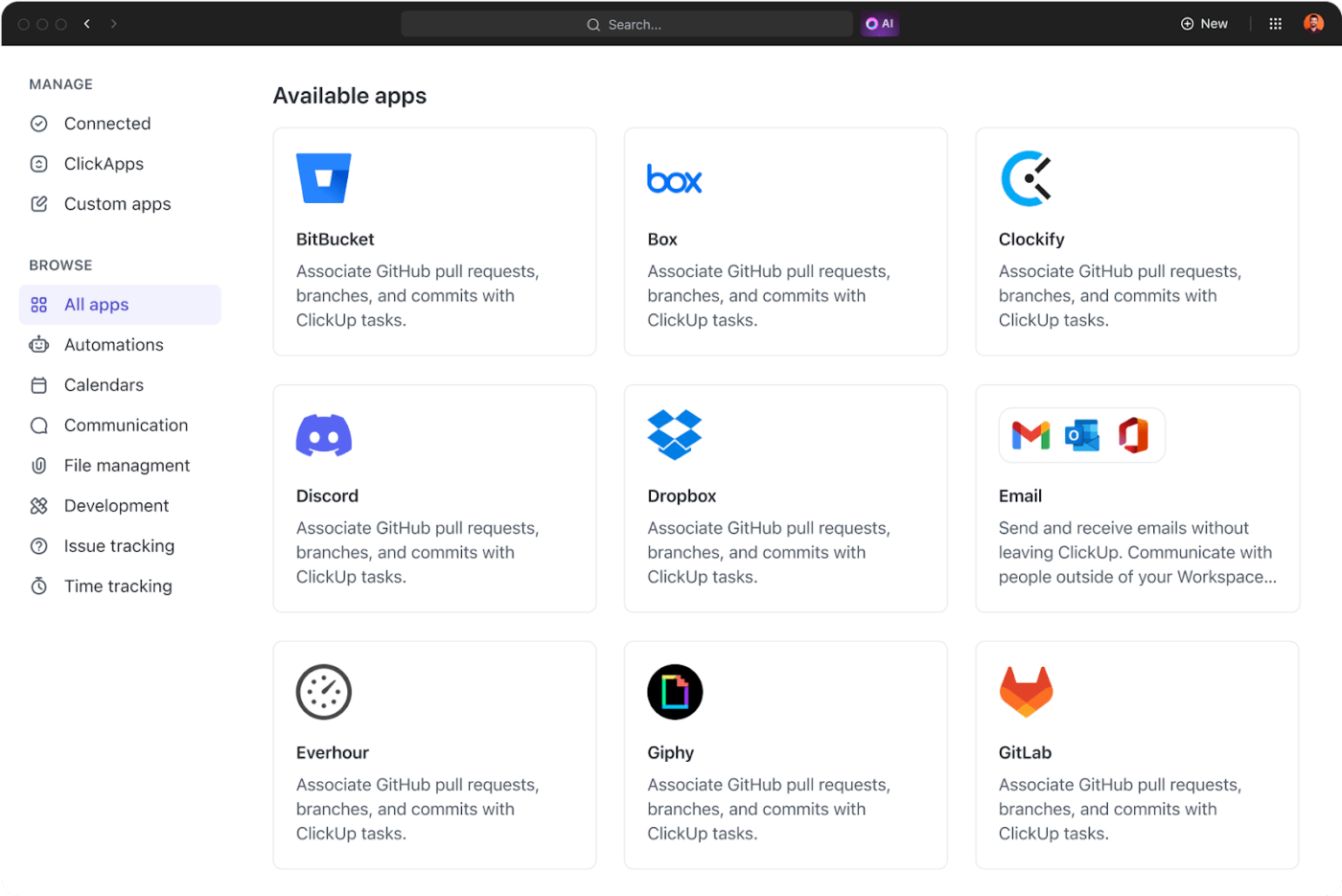
Using one of the 1,000+ ClickUp Integrations can enhance your workflow visualization even further, no matter what systems you use in your organization.
Import data directly from databases like GitHub, share files easily through Dropbox, coordinate your Figma designs, and do so much more—all from within the same workspace! Now that’s magic!
Digital whiteboards
For collaborative brainstorming and ideation, digital whiteboards like Miro, MURAL, or ClickUp Whiteboards bring the flexibility of a physical whiteboard to the digital world.

ClickUp Whiteboards transform the way teams collaborate. They offer an interactive, flexible canvas where you can freely brainstorm ideas, map out processes, and design workflows without boundaries.
Unlike traditional whiteboards, ClickUp Whiteboards allow you to:
- Convert brainstormed ideas into tasks instantly: Once an idea is sketched out, turn it into actionable steps or assign tasks directly on the whiteboard
- Visualize workflows with real-time collaboration: Teams can work together on the same whiteboard, making it ideal for remote and hybrid setups
- Integrate with other ClickUp views: After mapping out your ideas, you can transition them seamlessly into task lists, Kanban boards, or Gantt charts for execution
- Leverage templates: Use pre-made templates to get started quickly, whether you’re designing workflows, planning sprints, or mapping out strategy
Progress mapping tools
ClickUp Kanban Boards, in particular, are the best workflow visualization tool, breaking down tasks into manageable chunks, and tracking their progress.

ClickUp’s Kanban Boards offer incredible functionality, including:
- Customizable columns: Define stages like “To Do,” “In Progress,” “Review,” and “Completed,” or customize them according to your unique workflow needs
- Task cards: Each task is represented by a card that includes key information such as assignee, due date, and priority, all visible at a glance
- A drag-and-drop interface: Easily move tasks between columns as they progress, providing an intuitive, hands-on way to track work without needing to dive into complex reports
- Multiple views: Switch between List View, Calendar View, and Timeline View for more detailed perspectives on the same workflow
But what if you’re more interested in understanding how your tasks progress throughout your entire workflow? In that case, the ClickUp Gantt Chart View is perfect for you.
It is a staple for visualizing timelines, milestones, and dependencies in project management.

The Gantt Chart View is designed to make complex projects easier to manage with its:
- Interactive timeline: Drag-and-drop tasks to adjust timelines instantly and see how changes affect your entire project
- Dependency mapping: Easily visualize task dependencies, ensuring that nothing gets overlooked and that your project flows smoothly from start to finish
- Milestone tracking: Define critical milestones along your timeline so your team can stay focused on high-priority deliverables
- Task overlap visualization: See when tasks overlap and adjust resources to avoid bottlenecks or overloads
Process mapping tools
Specialized process mapping tools like Nintex, IBM Blueworks Live, Kissflow, and ClickUp Mind Maps are indispensable when optimizing and refining business operations.

No matter if you’re mapping out a new project or breaking down complex processes, ClickUp Mind Maps help by:
- Organizing ideas hierarchically: Start with a central concept and branch it out into detailed tasks, deadlines, and responsibilities
- Simplifying complex information: Break down large projects into smaller, more manageable pieces, making it easier for everyone to see how tasks connect
- Creating tasks: Convert mind map elements directly into tasks and subtasks, integrating ideas into actionable steps with minimal friction
No matter what kind of tool fits your visualization strategy, ClickUp has something that will meet your needs. After all, Zel Crampton, CEO of Diggs, said it right:
Summarize this article for me pleaseAdvanced Workflow Visualization Strategies
To optimize process workflow visualization, you must go beyond basic visual tools and embrace advanced strategies that elevate your team’s productivity and decision-making.
Here are some best practices to make your workflow visualizations truly work for you:
Focus on clarity, not complexity
While it’s tempting to create intricate diagrams that show every step in a process, clarity should always come first. A highly detailed visualization can become overwhelming, making it harder for teams to grasp the key takeaways.
Only include the most essential steps or stages in your workflow visualization. Use zoomed-in views for specific processes and high-level views for an overall look at the workflow.
Another great “hack” is to break down complex workflows into digestible chunks. This can be done by separating workflows into smaller sections or layers, each with a clear focus.
This way, each stage or department can work independently while connecting to the bigger picture.
💡 Pro Tip: Incorporate color schemes or labels to categorize tasks by priority, department, or status. This makes it easier to identify what requires immediate attention, what’s in progress, and what’s been completed.
Leverage interactivity and real-time updates
The best workflow visualizations are not static. They need to be dynamic and interactive.
By incorporating real-time updates and interactivity, you can ensure that your visualizations stay relevant and accurate as tasks evolve.
Create real-time dashboards that automatically update as tasks are completed or changed. This eliminates the need to update charts manually and ensures everyone uses the latest information.
Incorporate clickable elements, such as task cards, timelines, or dependency maps, that let you drill down into the key metrics for more information.
Finally, don’t forget to connect your workflow visualizations directly to project management tools (like ClickUp), ensuring that changes made in task lists or boards are reflected instantly on your visual workflow diagrams.
Highlight dependencies and bottlenecks
One of the most important aspects of workflow visualization is identifying dependencies and potential bottlenecks. Visualizing how tasks or stages depend on one another helps teams anticipate delays, avoid resource conflicts, and prioritize efforts.
Use visual markers—such as red flags or a different color for tasks that depend on others—to highlight bottlenecks or points where delays could occur. This will help teams prioritize problem-solving efforts.
Optimize for collaboration and stakeholder engagement
Workflow visualizations are not just for internal teams; they can also be a tool for engaging stakeholders, clients, and leadership.
A well-designed, interactive visualization helps stakeholders understand the project’s progress, resource allocation, and potential challenges at a glance.
Create customized workflow visualizations for different stakeholders. For example, senior leaders may need a high-level overview with key milestones, while team members may require more detailed task breakdowns.
Encourage team collaboration by using platforms that allow multiple users to contribute to or adjust workflow visualizations in real time. This can ensure that everyone has a voice in the workflow’s planning and execution.
Also, workflow visualizations should be regularly used in team meetings or stakeholder reviews. This keeps everyone on the same page and helps spot issues before they escalate.
Incorporate feedback loops
As your team executes workflows, it’s important to integrate feedback mechanisms into your workflow visualization strategy. Continuous feedback can help refine and optimize processes over time, ensuring that workflows evolve with the needs of the team or business.
Integrate checkpoints in your workflow to gather feedback from relevant stakeholders or team members. This ensures that any necessary adjustments can be made mid-process.
Implement automation to keep workflows fluid
Integrating automation into your workflow visualizations keeps things moving efficiently without requiring constant oversight. Automating certain stages of the workflow can reduce human error and make processes more predictable.
Set up automated alerts to notify you or your team of critical changes in the workflow, such as a delay in a dependent task, upcoming deadlines, or task completion.
A cool thing to try is implementing conditional rules based on workflow stages. For example, you can set up ClickUp Automations to trigger actions when a task moves to a certain stage, ensuring seamless transitions without manual intervention.

Focus on scalability and flexibility
As businesses grow and workflows become more complex, it’s essential that your workflow visualizations can scale and adapt.
Use platforms that allow you to quickly modify or expand your visualizations as your team or processes change. Look for solutions that let you drag, drop, and customize elements to tweak the process without starting from scratch.
💡 Pro Tip: Break your workflows into smaller, reusable modules that can be adjusted as needed. This makes it easier to scale operations without completely redesigning your workflow visualizations.
Summarize this article for me pleaseTransform Your Workflows into Powerful Visual Tools with ClickUp
When done right, workflow visualization can use simply drawn boxes and arrows to transform complex processes into something clear, actionable, and adaptable.
With the right strategies, your workflows can become more than just a tool for tracking tasks. They can become a dynamic asset that encourages teams to work together, identifies bottlenecks before they become problems, and confidently drives projects forward.
This is where ClickUp shines. From its intuitive Gantt charts to interactive Whiteboards, ClickUp gives you everything you need to design and execute efficient project management workflows.
The platform’s automation features further empower your team by eliminating repetitive tasks and letting you focus on what really matters.
Why don’t you try it out for yourself? Sign up for ClickUp for free and start visualizing your workflows to make your business operate better, faster, and smarter.


Everything you need to stay organized and get work done.

Recent Articles
8 Communication Strategies That Actually Fix Team Chaos 
8 Communication Strategies That Actually Fix Team Chaos
AI Workload Management: A Practical Guide for Teams in 2026 
AI Workload Management: A Practical Guide for Teams in 2026

