






Still downloading templates?
There’s an easier way. Try a free AI Agent in ClickUp that actually does the work for you—set up in minutes, save hours every week.
Sorry, there were no results found for “”
Sorry, there were no results found for “”
Sorry, there were no results found for “”
Who doesn’t know WhatsApp? Over the last decade, this app has become an almost indispensable messenger on our phones, connecting us with friends and family.
Yet, for businesses, WhatsApp has evolved into a powerhouse called the WhatsApp Business Platform, a direct, highly engaging channel for connecting with your existing customers, reaching WhatsApp users at scale, and even driving marketing content.
🔎 Did You Know? While WhatsApp was launched in 2009, the company did not release the WhatsApp Business Platform until 2018.
While quick, free-form messages offer businesses creative flexibility, you need structure to truly unlock WhatsApp’s potential for scale. Think order updates, reminders, or even promotional campaigns that encourage repeat purchases.
This is where using WhatsApp Business message templates becomes essential. They guarantee your communications—from customer inquiries and transactional messages to targeted marketing—go out smoothly without hitting roadblocks or violating Meta’s policies.
This guide will walk you through some of these templates and how they ensure your business message format and chosen template category align perfectly with the platform’s expectations.
Think of WhatsApp Business message templates as your business’s pre-approved, structured conversation starters.
WhatsApp only lets you start a conversation with a user after they’ve given explicit opt-in. You can’t just send them any message; you have to use a pre-approved message template (e.g., appointment reminders, order updates, promotions).
Plus, if the 24-hour “customer care window” has expired (i.e., it’s been more than 24 hours since the user last messaged you), you must use an approved template to reach out—whether you want to send an order update, a payment confirmation, an account update, or even a limited-time sale alert.
🤝 Friendly Reminder: Each new template must adhere to specific formatting rules and fall into a designated category. Getting a new template approved is part of the process, often managed through the WhatsApp Manager or directly via account tools, even from your WhatsApp desktop clients.
🎁 Bonus Read: Advantages and Disadvantages of WhatsApp
| Template name | Download template | Ideal for | Best features | Visual format |
| Carousel Template | via the WhatsApp Business Platform | eCommerce businesses and marketing managers | Up to 10 cards, images/videos, CTAs, personalization | WhatsApp Carousel |
| Limited-Time Offer Template | via the WhatsApp Business Platform | DTC brands, growth marketers, sales teams | Expiry timers, promo codes, FOMO, rich media | WhatsApp Message |
| Order Confirmation Template | via the WhatsApp Business Platform | Retail, logistics, subscription services | Dynamic order details, tracking links, support info | WhatsApp Message |
| Appointment Reminder Template | via the WhatsApp Business Platform | Service businesses (clinics, salons, consultants) | Time/location, reschedule buttons, auto-replies | WhatsApp Message |
| Feedback Collection Template | via the WhatsApp Business Platform | Support teams, CX managers | Follow-up questions, quick replies, sentiment tracking | WhatsApp Message |
| ClickUp Instant Message Template | Get free template | Support teams, sales reps, help desks | Reusable formats, message categories, response tracking | ClickUp List/Board |
| ClickUp Messaging Matrix Template | Get free template | Marketing strategists, comms leads, PMs | Audience mapping, campaign scheduling, custom fields | ClickUp List/Matrix |
| ClickUp Employee Communication Template | Get free template | Ops, HR, marketing teams | Task ownership, review workflows, department outreach | ClickUp List/Board |
| ClickUp Communication Plan Template | Get free template | Program managers and project leads, especially when handling change management | Objectives, channels, timelines, dashboards | ClickUp List/Calendar/Gantt |
| ClickUp Internal Communication Strategy and Action Plan Template | Get free template | Internal comms, leadership visibility | Strategy, cadence, accountability, dashboards | ClickUp List/Board |
| ClickUp Communications Plan Whiteboard Template | Get free template | Visual communicators, campaign planners | Canvas mapping, drag-and-drop, color coding | ClickUp Whiteboard |
| ClickUp Team Communication and Meeting Matrix Template | Get free template | Team managers, ops coordinators | Ownership, sync schedules, meeting types, status tracking | ClickUp List/Board |
A good WhatsApp business messaging template is clear, structured, and aligned with Meta’s messaging policies. It should convey the intended message while adhering to the template format and usage criteria:
🧠 Fun Fact: 67% of users are more likely to engage with a business that messages them on WhatsApp compared to email or SMS. That’s why crafting the right WhatsApp business message template can directly impact your campaign’s response rate.
Let’s explore high-performing WhatsApp message templates that simplify everything from flash sales to onboarding flows. Here are a few examples of some WhatsApp template messages that brands swear by. These templates are already formatted for the WhatsApp Business Platform, so you can get started immediately.
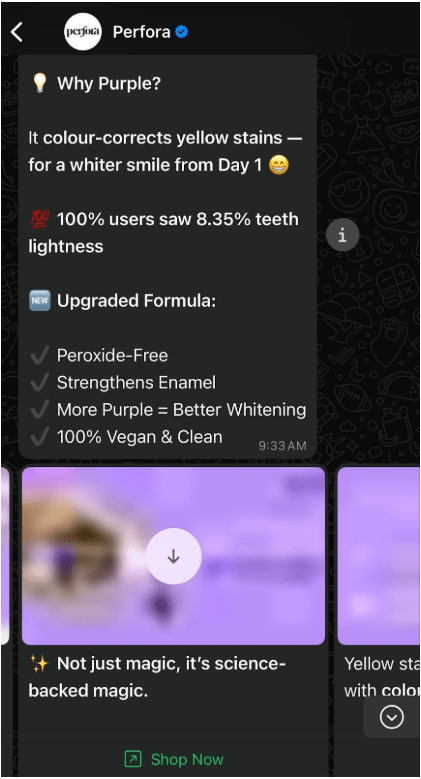
Carousel templates let you deliver up to 10 visually rich cards in a single WhatsApp message. Each card supports images, short descriptions, and clickable buttons, turning your messages into swipe-friendly mini catalogs.
Moreover, the layout adds structure and scrollable convenience. The format keeps users engaged without overwhelming them with excessive content at once.
🔑 Ideal for: eCommerce teams and marketing managers running product-driven campaigns
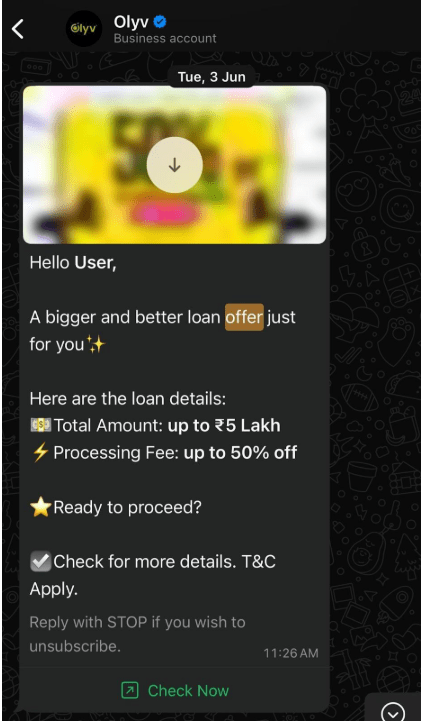
Limited-time offer templates are built for fast-moving campaigns that rely on urgency to drive response. These come with an offer title and an optional countdown timer baked into the message, helping you prompt faster decisions.
Use it for advertising flash sales, new-user deals, or personalized discounts. The structured layout supports rich media, buttons, and dynamic personalization, all optimized to capture attention and encourage action before the deadline expires.
🔑 Ideal for: DTC brands, growth marketers, and sales teams running time-sensitive pushes
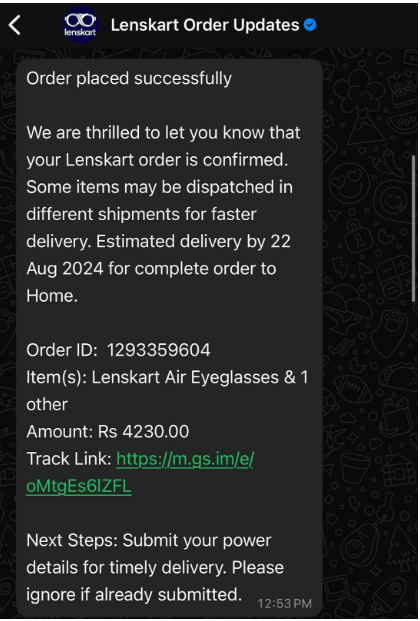
Order confirmation templates give users instant clarity post-purchase. They’re concise, structured, and typically include variables such as order ID, amount, and delivery details. These outbound messages help reduce support tickets and create a more predictable post-checkout experience.
The tone is functional and dependable, exactly what users expect after a transaction. They also help businesses stay compliant while reducing unnecessary back-and-forth with the customer.
🔑 Ideal for: Retail brands, logistics partners, and subscription services
💡 Pro Tip: Use different template names when A/B testing messages; even minor changes require separate approvals from Meta, and duplicating an existing template for variation helps track performance without affecting the original.
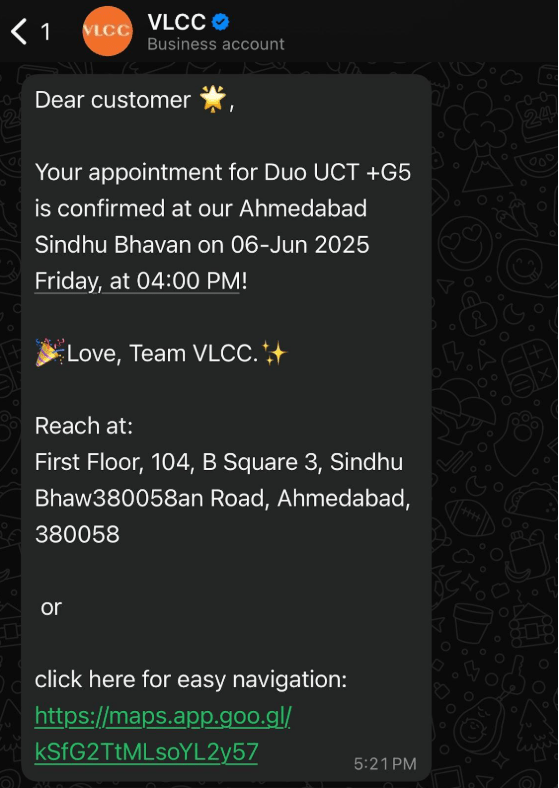
Appointment reminder templates are simple yet effective nudges that help reduce missed bookings. These approved message templates include details such as time, location, and service representative names, utilizing placeholders to ensure consistency.
They’re sent ahead of scheduled appointments and give customers the chance to confirm, reschedule, or cancel, all from WhatsApp. These messages are especially useful for service industries, where timing is crucial and attendance is vital.
🔑 Ideal for: Service-based businesses such as clinics, salons, consultants, repair services, and others
📚 Also Read: How to Edit WhatsApp Messages After They Are Sent
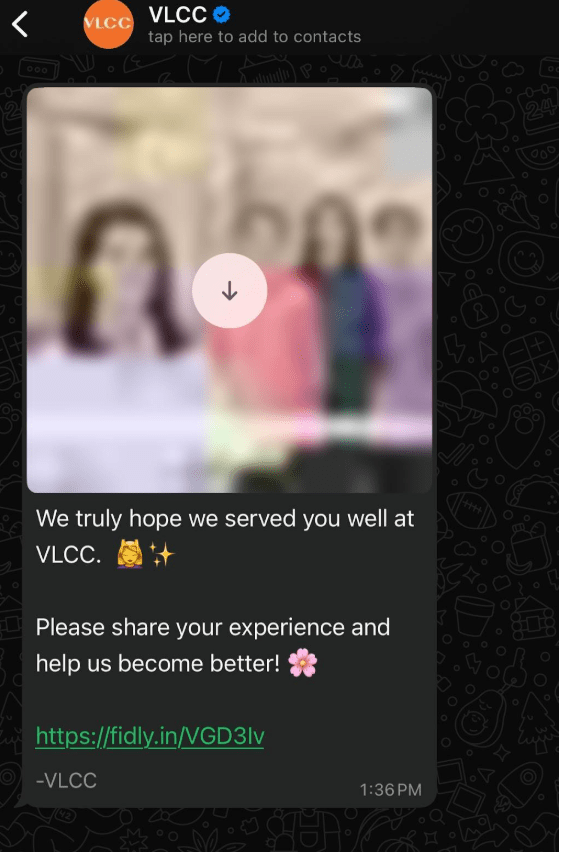
Feedback templates offer a non-intrusive way to gather post-interaction input directly on WhatsApp. Whether it’s post-delivery, post-purchase, or after a customer support ticket has been resolved, these templates are structured for single-click replies or simple scoring systems.
This helps you capture genuine sentiment without needing extra apps or forms. It’s also a smart way to track service quality in real time.
🔑 Ideal for: Customer support teams, service ops, and CX managers
➡️ Read More: Best Team Group Chat Apps for Businesses
While WhatsApp business message templates offer structure and reach, they come with strict rules that limit how businesses can communicate.
🔎 Did You Know? WhatsApp’s template approval bot follows rules so strictly that even a missing punctuation mark or mismatched placeholder can trigger a rejection. Some marketers test templates by intentionally submitting flawed versions to learn what gets flagged.
Here are some of the most important restrictions to keep in mind:
➡️ Read More: Best WhatsApp Alternatives for Business
If you’re looking for viable alternatives to WhatsApp Business for coordinating campaigns, try ClickUp, the everything app for work. Instead of juggling separate tools for chats, files, and tasks, ClickUp centralizes everything in one converged AI workspace so your team can plan, execute, and track campaigns without losing context.
With ClickUp Chat, real-time conversations live right alongside your projects. You can instantly turn a message into a task, link chats to relevant docs or assets, and ensure every update stays tied to the work it’s about. The result? Faster campaign prep, consistent messaging across teams, and zero time wasted chasing information across scattered apps.
ClickUp’s readymade communication templates also simplify campaign planning and execution. Let’s look at how the following WhatsApp alternative templates help manage, edit, and share information easily:
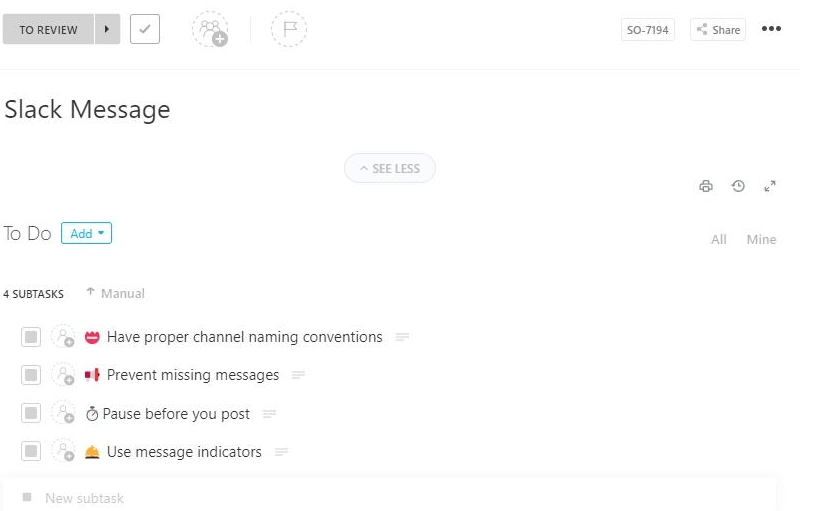
Customer queries often require a lightning-fast response, especially in service-focused industries. Built to centralize communication, the ClickUp Instant Message Template gives you a dedicated space to manage, plan, and track internal and external conversations across departments. Monitor internal chats, tag team members, and build a searchable record of WhatsApp message ideas and approvals in one place.
Teams can build predefined responses, categorize common requests, and embed links, FAQs, or forms to minimize back-and-forth communication. The format mimics chat interfaces, promoting quick action with minimal context switching. This helps team members coordinate across roles and time zones while giving leaders visibility into message turnaround times and issue resolution speed.
🔑 Ideal for: Customer support teams, sales reps, and internal help desks handling rapid communication cycles
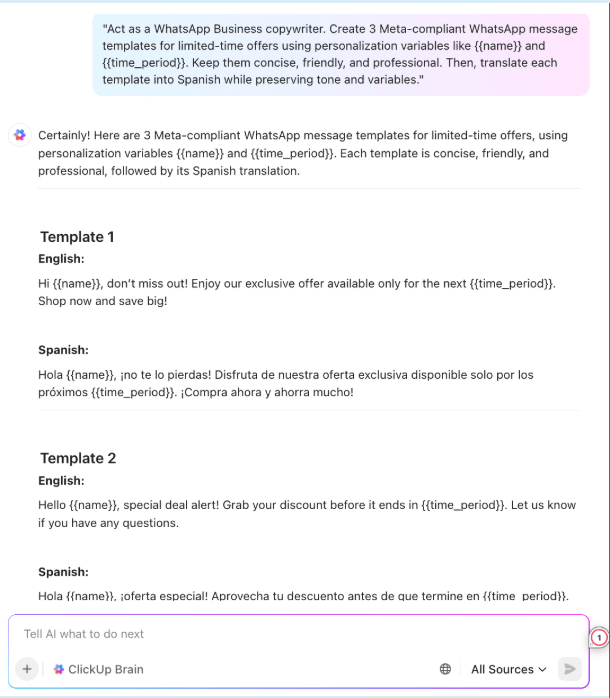
💡 Pro Tip: Use ClickUp Brain, ClickUp’s native AI assistant, to draft Meta-approved WhatsApp message templates in seconds. Just tell it your purpose, audience, and tone, and it’ll generate structured, variable-friendly copy you can submit for approval—saving hours of manual writing. Here’s an example prompt and output to get you started:
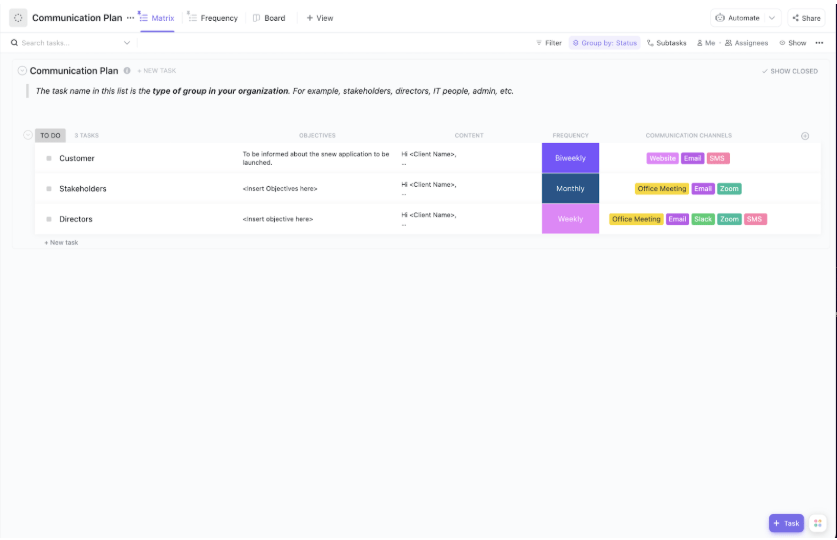
The ClickUp Messaging Matrix Template offers a structured layout for defining who receives what message, when, and how. Use it to map audience segments, assign communication goals, and align the right message type to the right channel.
It’s especially useful when you’re juggling multiple campaigns, segments, and use cases, such as transactional messages or limited-time offers. The layout supports organizing messages by audience type, objective, and approval status, all within a few clicks.
🔑 Ideal for: Marketing strategists, internal comms leads, and project managers organizing omnichannel messaging
💡 Pro Tip: If miscommunication is slowing your team down, building a strong communication strategy is the way to go. Focus on these SMART communication goals to boost clarity, collaboration, and collective success:
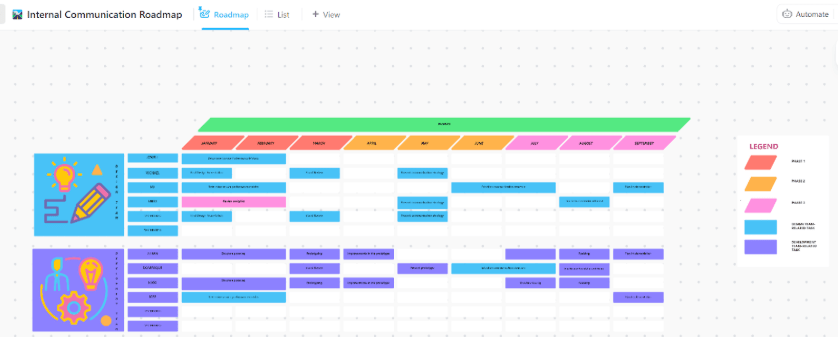
Keeping employees informed requires more than just a Slack or Facebook Messenger ping. The ClickUp Employee Communication Template gives you a dedicated workspace to organize task ownership, keep message planning visible, and set up review workflows. It includes standardized headers, subject categorization, and action sections to prevent miscommunication and message overload.
You can customize communication frequency, set distribution lists by department, and even collect read receipts or feedback on sensitive topics. Whether it’s staying up-to-date with HR policies or celebrating weekly team wins, this template ensures consistent and engaging communication throughout the org.
🔑 Ideal for: Ops, HR, or marketing teams working on cross-functional team management, routine employee outreach, and internal alignment through an approved template
Here’s what Samantha Dengate, Sr. Project Manager at Diggs, had to say about using ClickUp for their company communications:
Before ClickUp, meetings and back-and-forth email communications led to a black hole where items were left unseen and unattended. Due to this, tasks were not being reviewed on time, and no one knew how the creative development was going. Now, everyone on the team can clearly see when action items are due, chat, and collaborate within the tasks.
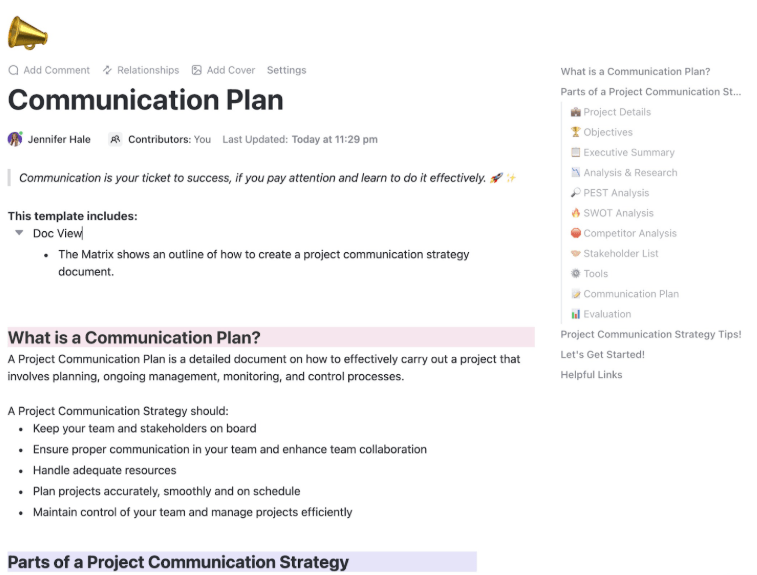
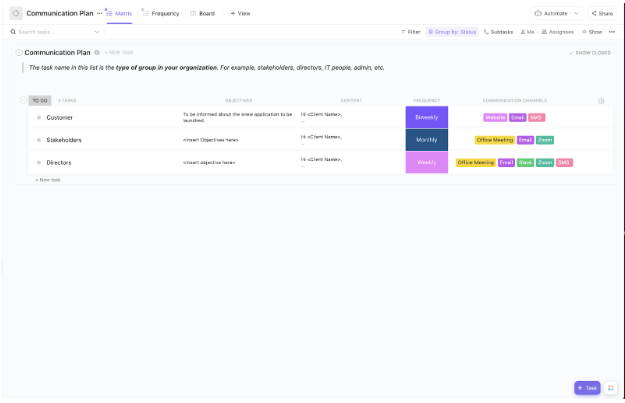
Having a clear communication strategy is critical to every successful marketing initiative. The ClickUp Communication Plan Template outlines your objectives, target audiences, key messages, timelines, and evaluation methods for every campaign in one place. It’s designed for complex projects such as product launches or internal transitions that need stakeholder buy-in.
Each piece of communication is tied to a specific delivery timeline and a designated owner, reducing guesswork. Built-in dashboards visualize progress and feedback, helping teams refine their approach over time.
🔑 Ideal for: Program managers, project leads, and change management teams rolling out multi-step initiatives through a WhatsApp Business account
📮ClickUp Insight: While 60% of workers reply to instant messages in under 10 minutes, 15% take more than 2 hours to respond. This mix of lightning-fast replies and delayed responses can create communication gaps and slow down collaboration. With ClickUp, all your messages, tasks, and updates are in one place, ensuring no conversation is left hanging, and everyone stays in sync, no matter how quickly—or slowly—they reply.
The ClickUp Internal Communication Strategy and Action Plan Template is a comprehensive tool for outlining strategy, setting communication cadence, and assigning roles for various business initiatives. It helps teams define strategic goals, identify communication gaps, and deploy targeted action plans.
Whether you’re onboarding new team members or organizing a rollout plan for different WhatsApp messaging template categories, this template layout keeps it structured and measurable. Beyond just planning, it includes built-in accountability trackers, meeting templates, and feedback loops to improve internal transparency and responsiveness.
🔑 Ideal for: Internal communications teams, leadership, and organizations prioritizing team engagement
➡️ Read More: Best Internal Communication Software for Work
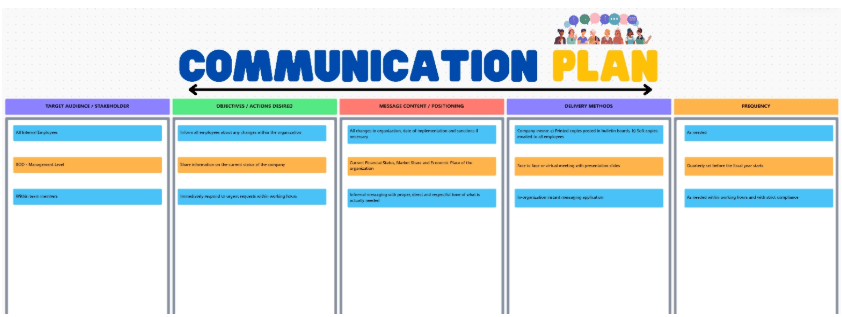
Visual thinkers will love the ClickUp Communications Plan Whiteboard Template, which offers a canvas-style approach to mapping communication flows, channels, and timing. Use it to plot message types, assign target audiences, and determine delivery channels, all before pushing templates into production.
The template includes blocks you can drag and drop in order to map audience segments, message types, content ideas, and delivery mediums. Draw arrows to signify message sequencing, label feedback loops, and color-code by priority or owner. It’s flexible, beginner-friendly, and great for aligning teams across campaign stages without requiring a dive into complex task management tools.
🔑 Ideal for: Visual communicators, project leads, and campaign planners running multi-stakeholder comms
Make the most of ClickUp Whiteboards’ planning and collaboration features. Watch how:
💡 Pro Tip: You can monitor a template’s quality rating through your WhatsApp Business Manager dashboard—if it drops, pause campaigns using that template and rework the copy. Low ratings can lead to template disablement without warning.
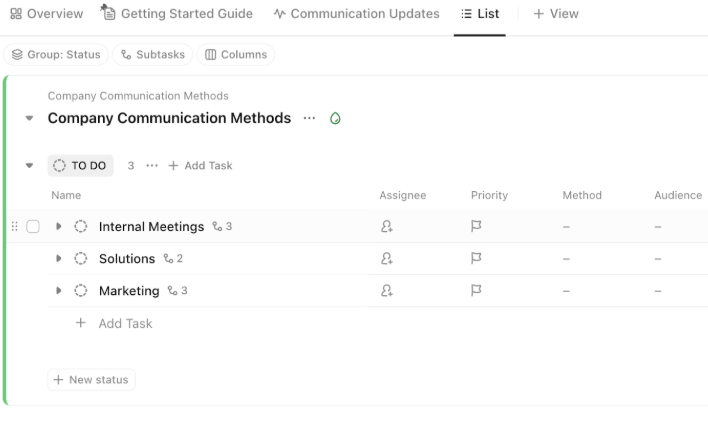
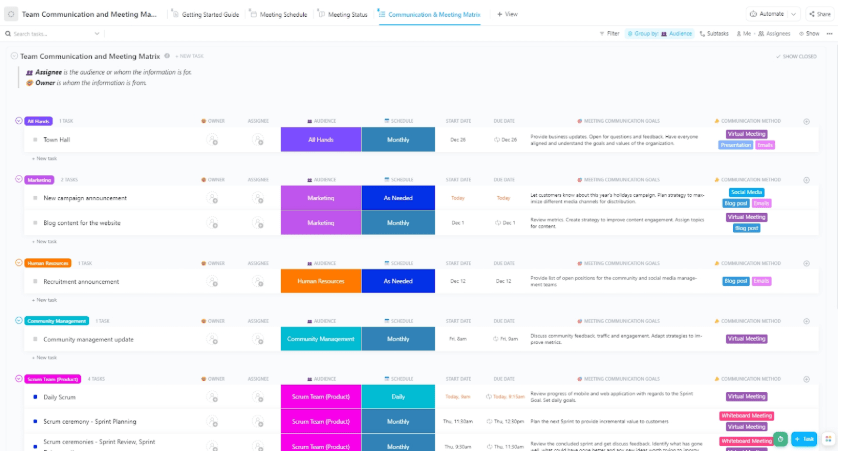
For businesses running WhatsApp campaigns across multiple teams, staying on top of responsibilities and meeting schedules is non-negotiable. The ClickUp Team Communication and Meeting Matrix Template helps you manage who owns what, when check-ins happen, and how communication flows across channels.
Eliminate redundant meetings, clarify communication gaps, and establish ownership for follow-ups. It promotes the efficient use of your time, and ensures accountability at scale.
🔑 Ideal for: Team managers, operations coordinators, and department leads optimizing internal syncs
➡️ Read More: Best All-in-One Messenger Apps
Managing WhatsApp business message templates across teams, timelines, and approvals gets easier with the right system in place. ClickUp’s library of communication templates provides the structure to plan campaigns, assign ownership, track template status, and maintain consistency, all without the clutter of scattered documents and chat threads.
Whether you’re rolling out a new marketing campaign or tracking transactional updates, these templates help keep everything moving smoothly without guesswork. From message planning to real-time tracking, you can adapt each template to fit your specific WhatsApp workflow.
Additionally, if you’re building a scalable messaging process that your entire team can follow, ClickUp’s ready-to-use templates are a solid starting point.
Sign up for free now on ClickUp to simplify your business messaging workflow!

© 2026 ClickUp

There’s an easier way. Try a free AI Agent in ClickUp that actually does the work for you—set up in minutes, save hours every week.