







Still downloading templates?
There’s an easier way. Try a free AI Agent in ClickUp that actually does the work for you—set up in minutes, save hours every week.
Sorry, there were no results found for “”
Sorry, there were no results found for “”
Sorry, there were no results found for “”
If you’re tired of flipping through messy documents or spending hours trying to align headings and page numbers, you’re not alone. A well-made table of contents template solves this fast.
Whether you’re a student writing a research paper, a marketer building a manual, or a project manager creating a detailed report, a template saves you time and frustration.
These content templates help you organize sections, insert page numbers, and pick the right font style to match your document’s tone.
Explore the finest professionally designed templates where you can easily select the perfect table, insert your content, and get started.
A table of contents template is a pre-formatted layout that helps organize and display a document’s structure by listing its sections, headings, and corresponding page numbers. These templates are commonly used in research papers, manuals, reports, and other long-form documents to improve navigation and readability.
Each template includes:
These templates can be blank or prefilled and are typically available as free downloads or built-in options in common document editing tools.
🔎 Did You Know: 79% of users scan content rather than reading word-for-word, and well-structured documents with clear headings and contents pages significantly improve comprehension.
Choosing the right table of contents template isn’t just about style—it’s about getting the structure right, faster. Here are templates to help you format your contents page, sort headings, and align page numbers without manually adjusting every section.
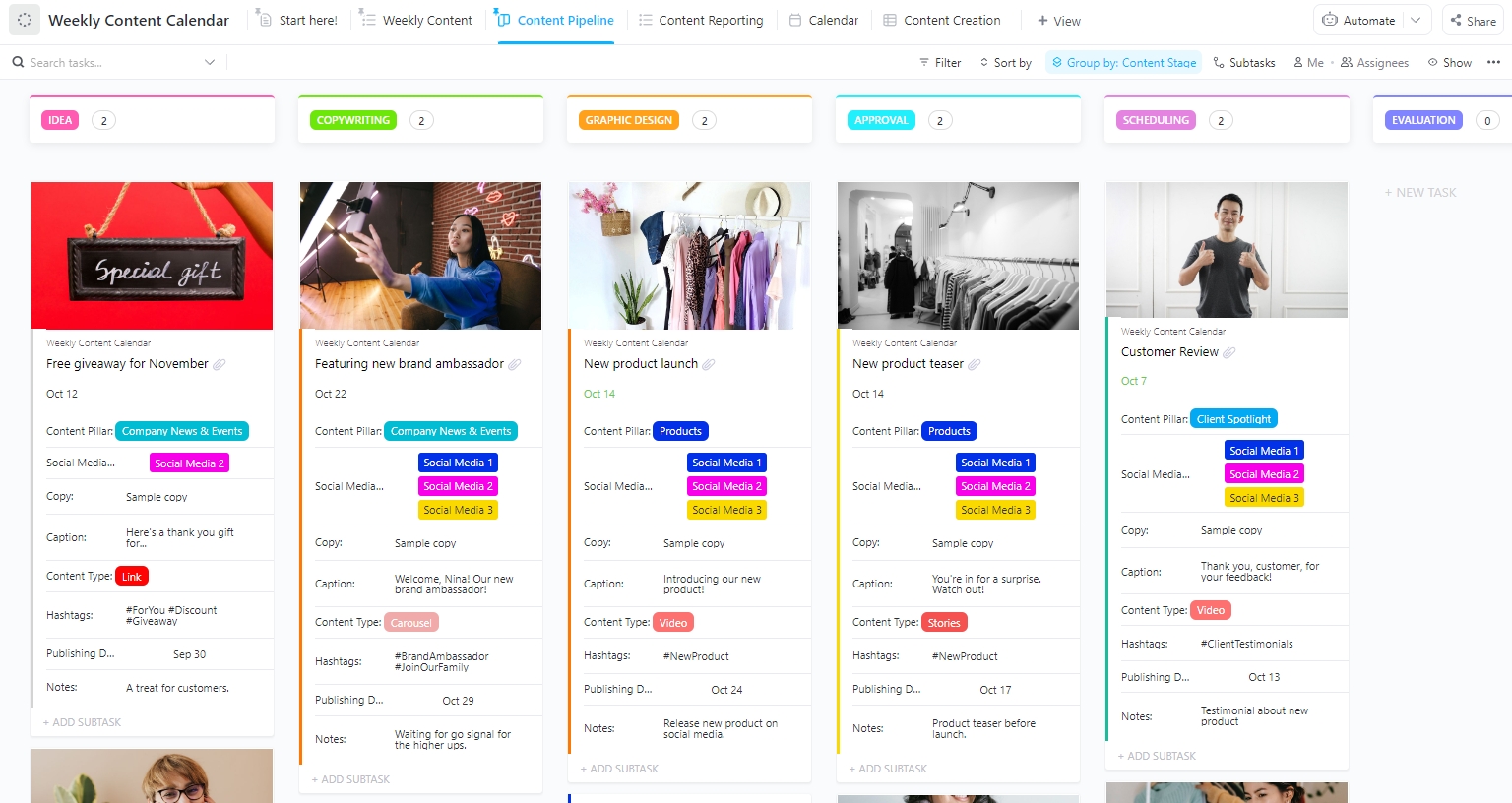
If your document includes recurring updates, campaigns, or layered content that changes weekly, this template gives you control without the spreadsheet chaos. ClickUp’s Weekly Content Calendar Template is an interactive system that doubles as a content engine.
You can view, update, assign, and schedule items across six view modes. With this content calendar template, each task can carry metadata like captions, images, hashtags, or notes, all visible in one space.
🔑 Ideal for: Structuring marketing documents, campaign breakdowns, and content-based project reports that need a detailed contents table linked to live updates.
📮 ClickUp Insight: The average professional spends 30+ minutes a day searching for work-related information—that’s over 120 hours a year lost to digging through emails, Slack threads, and scattered files.
An intelligent AI assistant embedded in your workspace can change that. Enter ClickUp Brain. It delivers instant insights and answers by surfacing the right documents, conversations, and task details in seconds, so you can stop searching and start working.
💫 Real Results: Teams like QubicaAMF reclaimed 5+ hours weekly using ClickUp—that’s over 250 hours annually per person—by eliminating outdated knowledge management processes. Imagine what your team could create with an extra week of productivity every quarter!
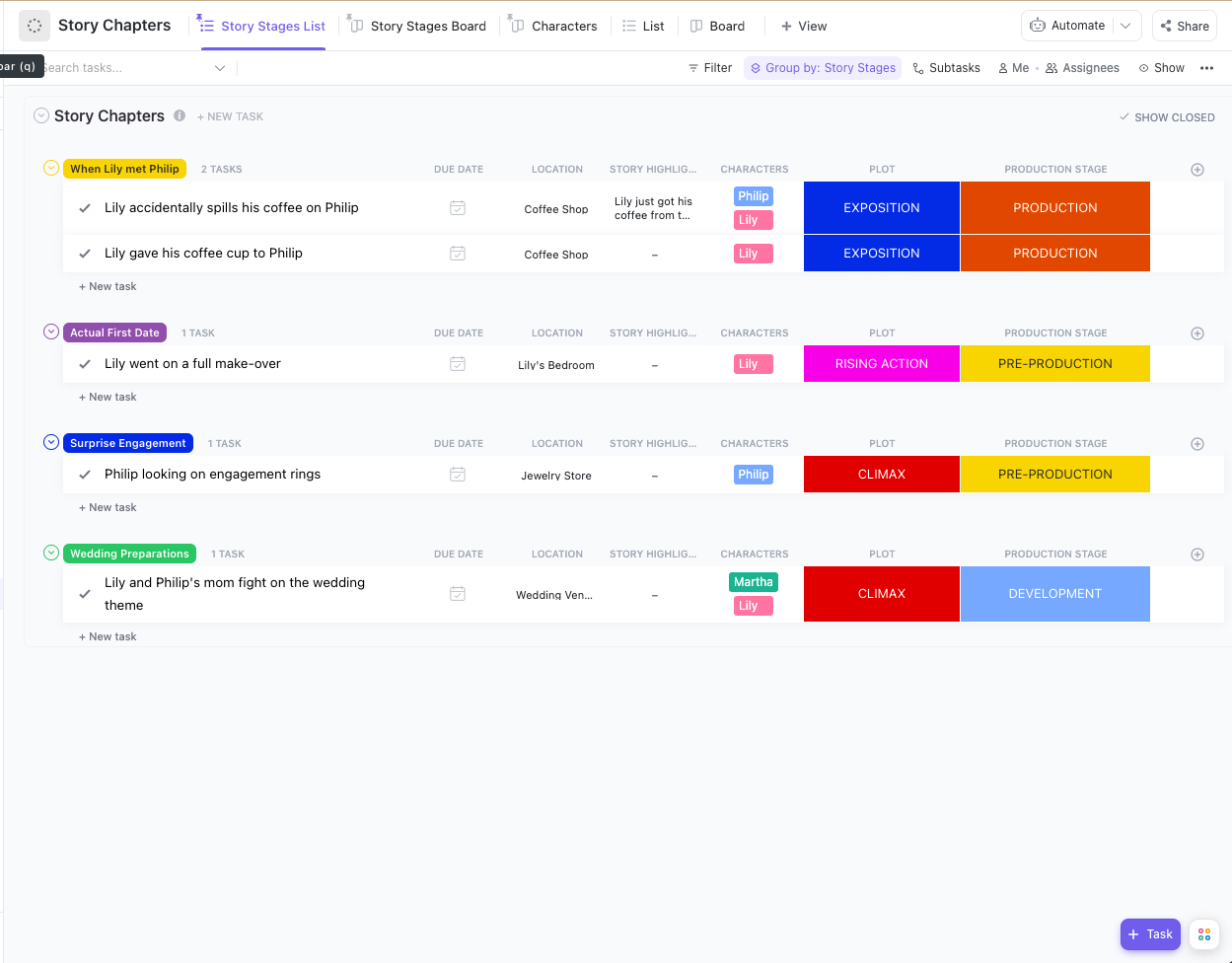
Whether you’re writing a long essay, developing a content script, or mapping a detailed presentation, ClickUp’s Story Outline Template gives your ideas structure from the start. Unlike static tables, this template operates like a storyboard with progress tracking.
You can move scenes, assign roles, monitor timelines, and develop characters all in one space. It’s ideal for breaking down complex narratives into manageable parts while staying aligned with your overall goal.
🔑 Ideal for: Content teams building structured narratives, story-driven project documents, or creative presentations that require an editable template to map chapters and progress.
This one’s built for creators who want more than just a basic draft in a Google Doc. ClickUp’s Blog Template gives you a central place to brainstorm, write, assign, edit, and schedule blog content.
It’s a ready-to-use doc that plugs into a larger project workflow so that you can track your blog’s entire lifecycle. You’ll get visibility into what’s being worked on, who’s writing what, and when each post goes live.
🔑 Ideal for: Bloggers, editors, and content teams looking to manage an ongoing publishing pipeline while keeping the editorial table of contents aligned with deadlines.
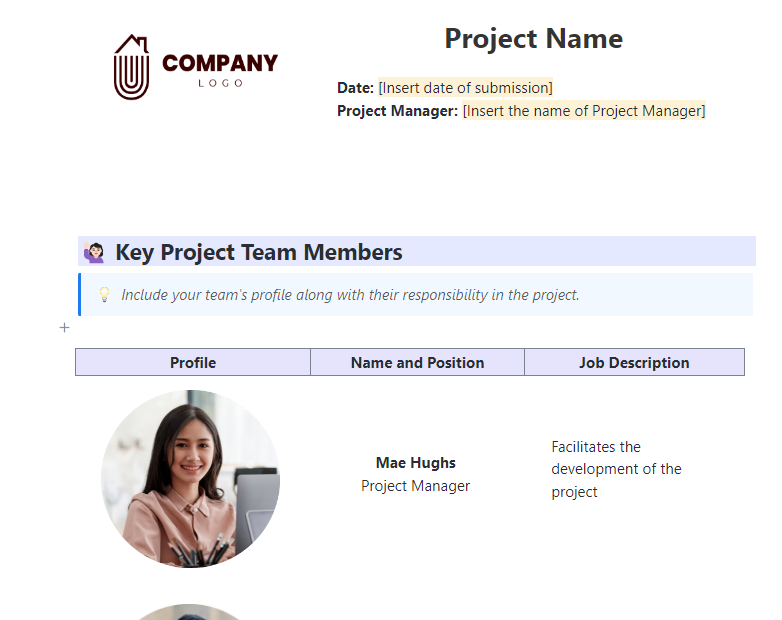
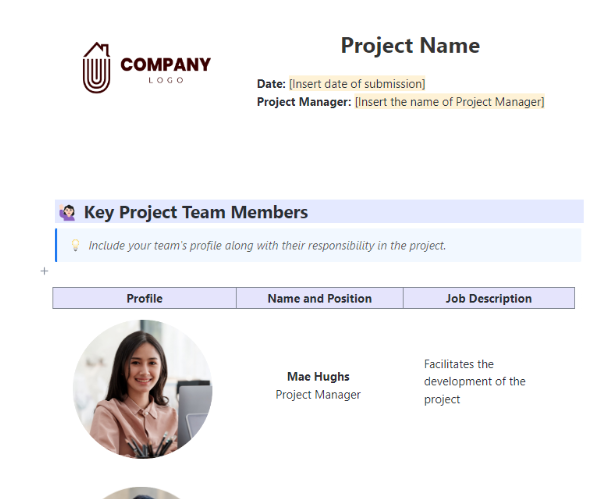
This template provides the setup for detailed scope, planning, updates, and results in your document. ClickUp’s Project Documentation Template works like a project control center.
You’ll be able to record goals, assign tasks, map timelines, and collect feedback in a single, structured doc. This isn’t just for storage—each part of your project workflow documentation feeds into real-time workflows that keep your team aligned and on track.
🔑 Ideal for: Project managers and teams creating living documents for ongoing or multi-phase initiatives with a table of contents for organized referencing and updates.
🪀 Case Study: RevPartners accelerated their client service delivery by 64% after switching to ClickUp Templates, including structured formats like tables of contents. By using pre-built playbooks, they eliminated manual table setup, standardized documentation, and cut down on time spent organizing work.
The result? Faster execution, fewer delays, and more time focused on delivering value!
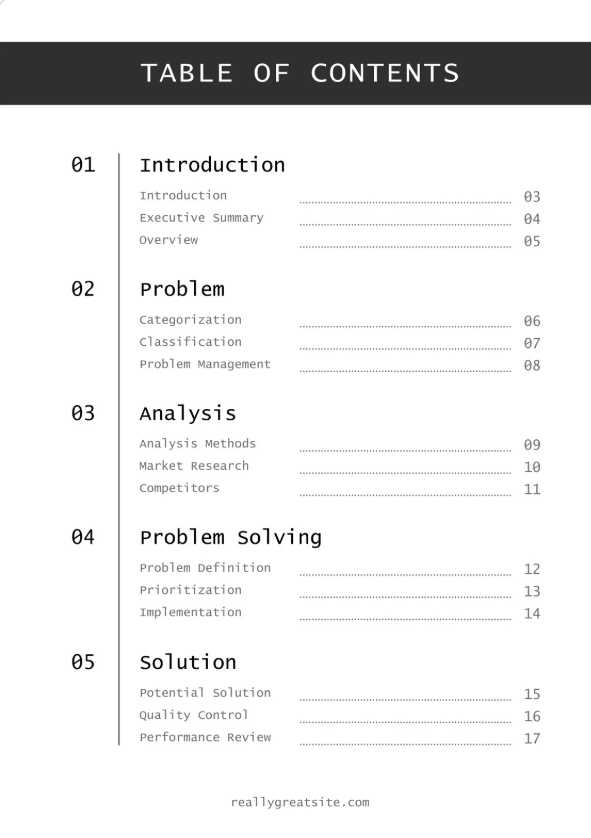
This black-and-white contents page keeps it lean—ideal when you need a professional, no-frills structure that doesn’t distract from the main content. The Table of Contents Template by Canva sticks to a clean A4 layout with clear heading levels and clean Lucida Console font for easy readability.
You can add in page numbers, adjust font style, or drag in custom icons and images to match your brand or document type.
🔑 Ideal for: Students, marketers, or professionals who want a quick-start, printable contents table layout they can tweak and download on the fly.
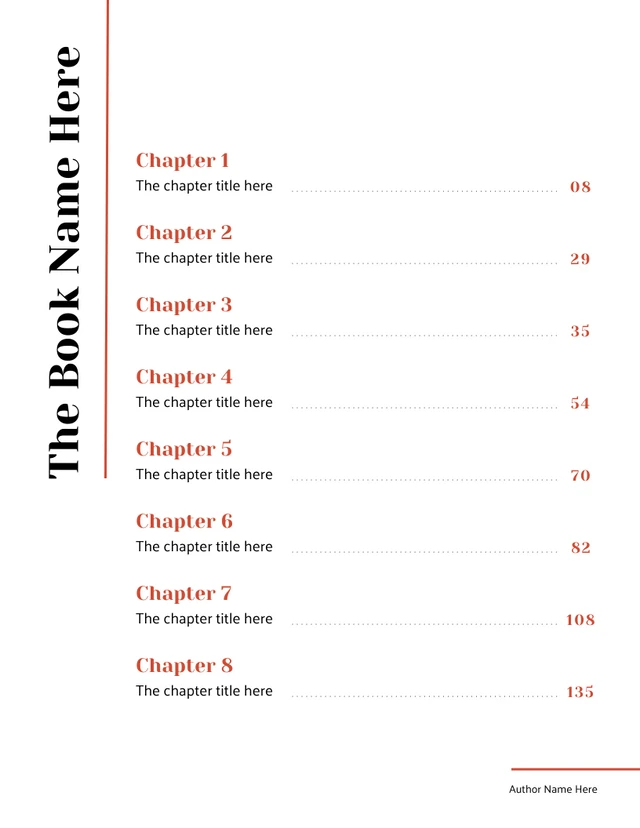
The Table of Contents Template by Venngage blends strong color, structured formatting, and modern design to turn a simple list into a visual feature.
Unlike plain formats, this template lets you draw attention to each section while staying aligned with your document’s flow. You can customize fonts, reposition page numbers, or add graphics to reflect your tone, whether it’s creative or corporate.
🔑 Ideal for: Authors and presenters who want a visually rich, editable contents table that sets the tone from page one and helps navigate longer projects or creative documents.
💡 Pro Tip: Once your table of contents template is in place, use AI writing tools to draft sections quickly. It’s especially helpful for generating rough content for each heading so you’re not starting from a blank page.
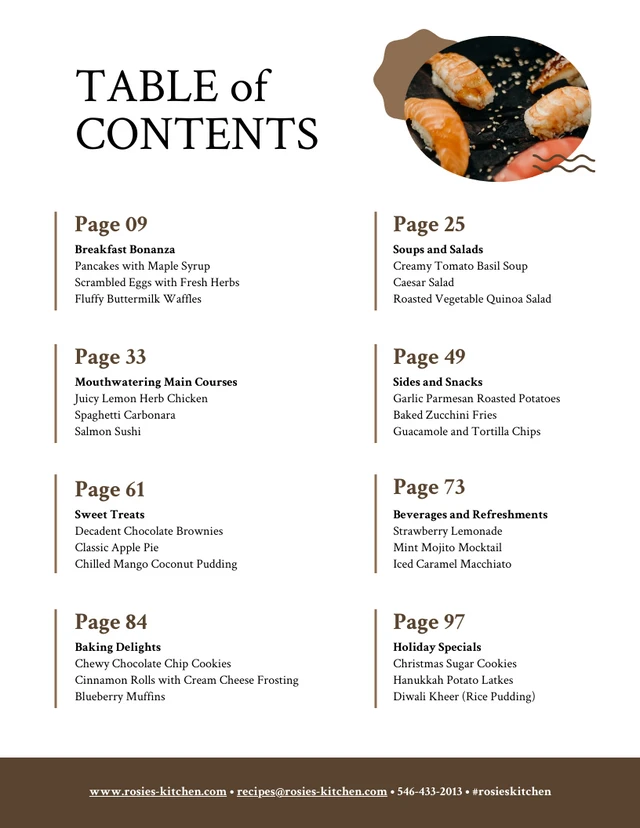
This Recipe Table of Contents Template by Venngage leans into a cozy, cookbook-ready aesthetic with a warm brown palette that’s easy on the eyes and practical on the page.
Built for clarity, the template allows food creators to easily arrange categories, dishes, and page numbers in a clean format. The layout is easy to edit—you can swap fonts, resize columns, or drop in food icons to personalize the table for print or digital sharing.
🔑 Ideal for: Home cooks, chefs, or food bloggers building a clean, visual content page for digital or printed recipe collections.
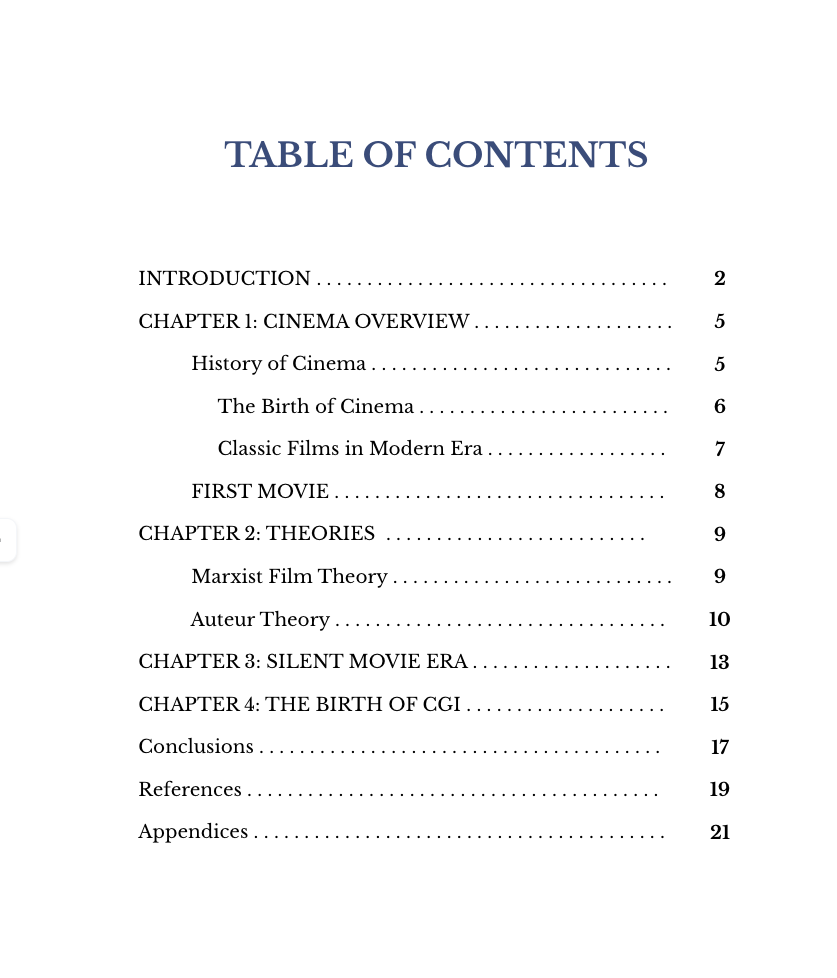
The Table of Contents Template by Template.Net closely follows APA guidelines, giving students and researchers a clean structure for research papers, long essays, and theses.
It includes a left-aligned layout with tiered heading levels, standardized font styles, and clearly spaced corresponding page numbers—everything you need for compliance!
It’s already arranged to fit APA requirements. This helps simply fill in your sections and focus on the writing.
🔑 Ideal for: Students and researchers who need a reliable, blank table formatted for APA submission with minimal editing required.
💡 Pro Tip: Connect your TOC to a content database. Don’t let your table live in isolation. Build a content database to link each item to actual content, tasks, or briefs. This way, your contents table becomes a functional index, not just a static page.
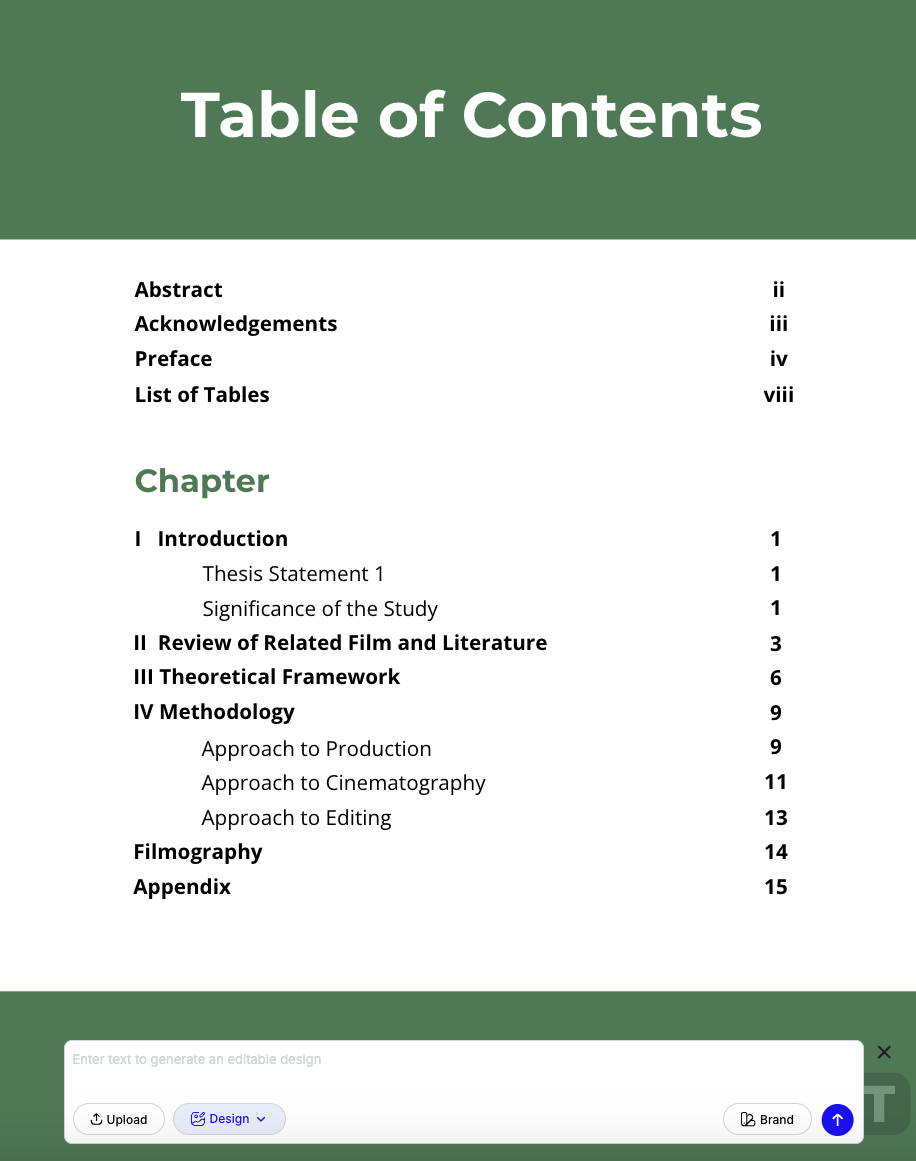
Designed specifically for formal academic documents, this template provides a ready-made framework for organizing complex thesis content. The Thesis Table of Contents Template by Template.Net includes tiered heading levels, consistent page number alignment, and proper spacing for institutional formatting standards.
Each section is editable, so you can add chapters, subheadings, and appendices without disrupting the layout. It’s practical, professional, and built to prevent long documents from becoming formatting nightmares.
🔑 Ideal for: Graduate students and academic writers creating long-form research documents with detailed chapter breakdowns and a polished, professional contents table.
⚡ Bonus Tip: Once your template is set, connect each section to a content brief. This keeps your objectives, keywords, and target audience in one place, so every part of your document stays on message and on track.
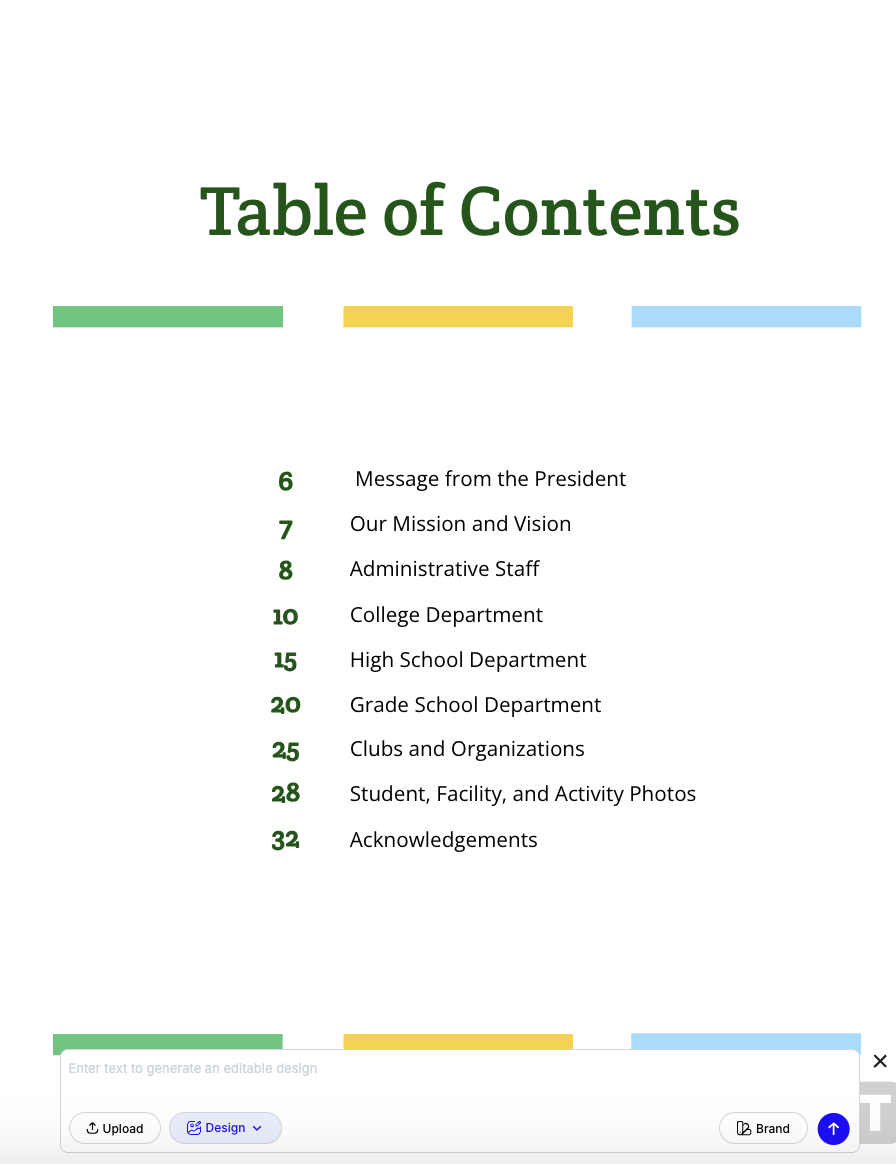
The Yearbook Table of Contents Template by Template.Net offers a clean, polished format for laying out sections in a yearbook or school publication. It balances visual clarity with customization flexibility, letting you insert images, choose different font styles, and reorder content sections with ease.
Built on a simple column structure, this layout keeps everything aligned and readable while giving you the freedom to make it match the yearbook’s overall theme or branding.
🔑 Ideal for: Yearbook editors, school teams, or student councils needing a visually clear and easily editable contents page for multi-section publications.
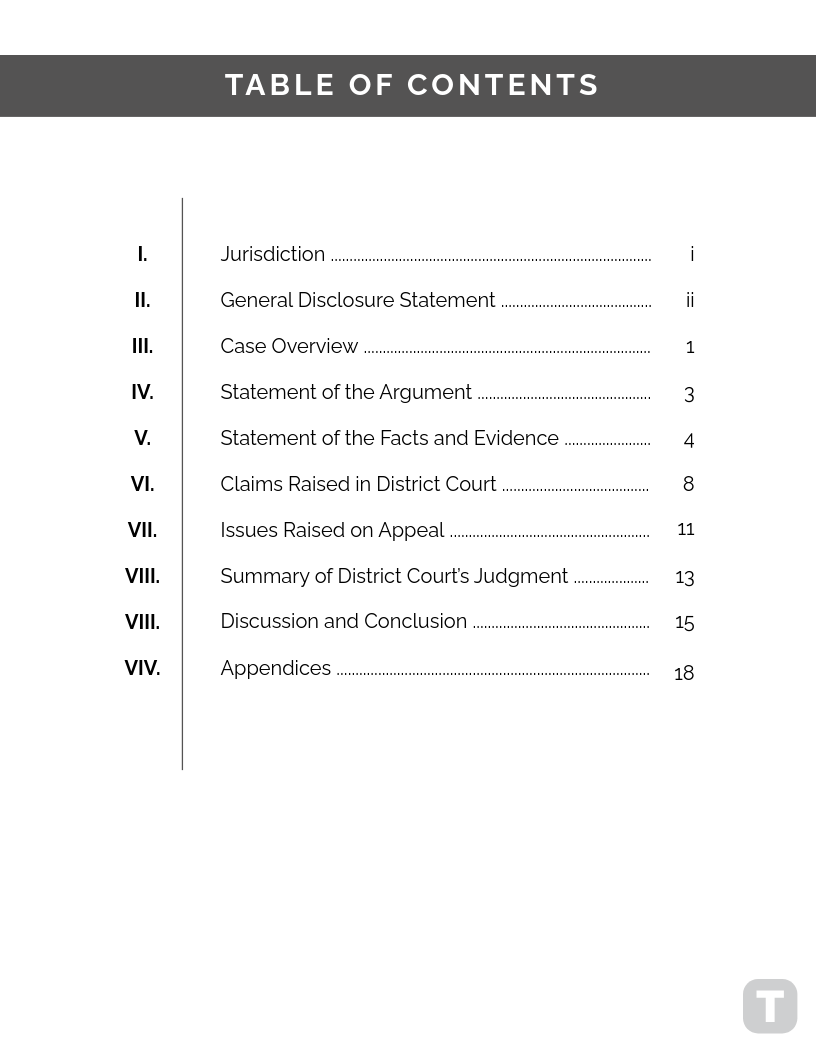
The Legal Table of Contents Template by Template.Net is built for legal professionals who need clean formatting and section precision. It’s structured to accommodate multiple document elements—from statutes and clauses to exhibits and appendices—without formatting hassle.
With editable placeholders and consistent page number alignment, it ensures your legal document stays readable, organized, and compliant with industry norms.
🔑 Ideal for: Paralegals, attorneys, and legal admins creating professional, indexed legal files that require a detailed and easy-to-navigate table of contents.
💡 Pro Tip: Use AI writing prompts to brainstorm subheadings and expand your contents page. This keeps your document organized while speeding up ideation for long-form content like manuals or research papers.
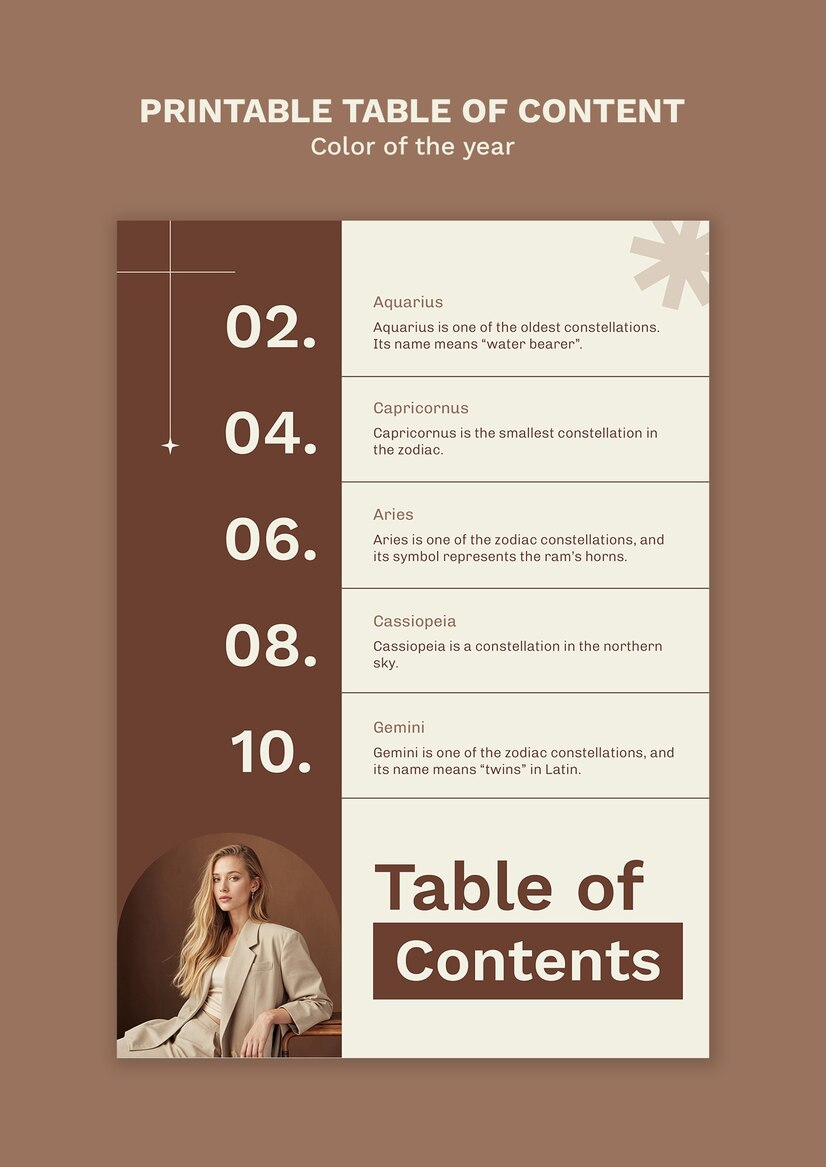
The Table of Contents Template by Freepik offers a wide range of editable table of contents templates that work well for both professional and creative documents.
This design keeps the format clean with a structured grid for headings and page numbers, while allowing flexibility with editable layout elements. Available in PSD, AI, and JPG, it’s ideal for graphic-heavy documents like presentations, portfolios, and guides.
🔑 Ideal for: Designers, marketers, and teams creating branded documents or presentations that need a visually polished contents page with room for creative control.
⏩ Read More: How to Create a Content Creation Checklist

Tailored for newsletters, digital magazines, and editorial layouts, this A4 template blends structure and style. With clear sections for article titles and page numbers, it gives your content a professional finish that’s easy to navigate.
You can upload images, adjust font styles, and customize layout elements to match your brand. It’s especially useful for social-focused publications looking to add clarity without losing visual appeal.
🔑 Ideal for: Newsletter editors, school publications, and digital magazine creators building a clean, stylish contents page for editorial or promotional documents.
So now that you’ve seen some options, how do you pick the table of contents template that’s right for you?
A good table of contents template gives structure to your document while keeping it clear, professional, and easy to update as content shifts. It should support both manual edits and auto-formatting. Some key features to look for:
Choosing the right table of contents template is only one piece of the puzzle—executing it efficiently is the real win. That’s where ClickUp steps in.
Whether you’re managing blog posts, a research paper, or project documentation, ClickUp gives you all the tools you need every step of the way.
Create, assign, track, and organize your content structure from one dashboard. From font style to page numbers, every element is editable and trackable—no manual shuffling required.
With ClickUp, you don’t just insert a table of contents—you manage the full document process from one platform. Ready to skip the formatting mess? Get started on ClickUp for free and turn every doc into an organized workspace.

© 2026 ClickUp

There’s an easier way. Try a free AI Agent in ClickUp that actually does the work for you—set up in minutes, save hours every week.