








Still downloading templates?
There’s an easier way. Try a free AI Agent in ClickUp that actually does the work for you—set up in minutes, save hours every week.
Sorry, there were no results found for “”
Sorry, there were no results found for “”
Sorry, there were no results found for “”
Have you ever had a great story idea, then stalled because you could not see the shape of it?
This may not be a creativity problem. It could be a structural one. You might know your character, your world, even your ending, but without an arc, the middle turns into a blur, and the pacing starts to sag.
This is why you need story arc templates. They give you a skeleton to build on, whether you’re writing a short story, novel, screenplay, or even a brand story. You can map the inciting incident, turning points, escalation, climax, and resolution before you sink hours into scenes that do not move the plot.
In this post, you will find the top story arc ideas templates to copy, adapt, and use right away to outline stronger stories.
A story arc template is a pre-built framework that maps the key stages of a narrative—exposition, rising action, climax, falling action, and resolution. It acts as a single source of truth for your story’s skeleton.
🔖 Common types of story arc templates:
This is what you need to look for in a Story Arc template:
⭐️ Bonus Read: How to create a plot diagram?
If you want to build a story that holds together, you end up managing a lot more than the plot itself. You’re tracking character arcs, scene beats, drafts and rewrites, research notes, and feedback threads, all while trying to keep the tone consistent from first page to final line.
ClickUp, the world’s first Converged AI Workspace, makes that easier with a library of ready-to-use story arc templates you can pull in instantly, then adapt to your process in seconds.
Here are the best story arc idea templates to start with 👇
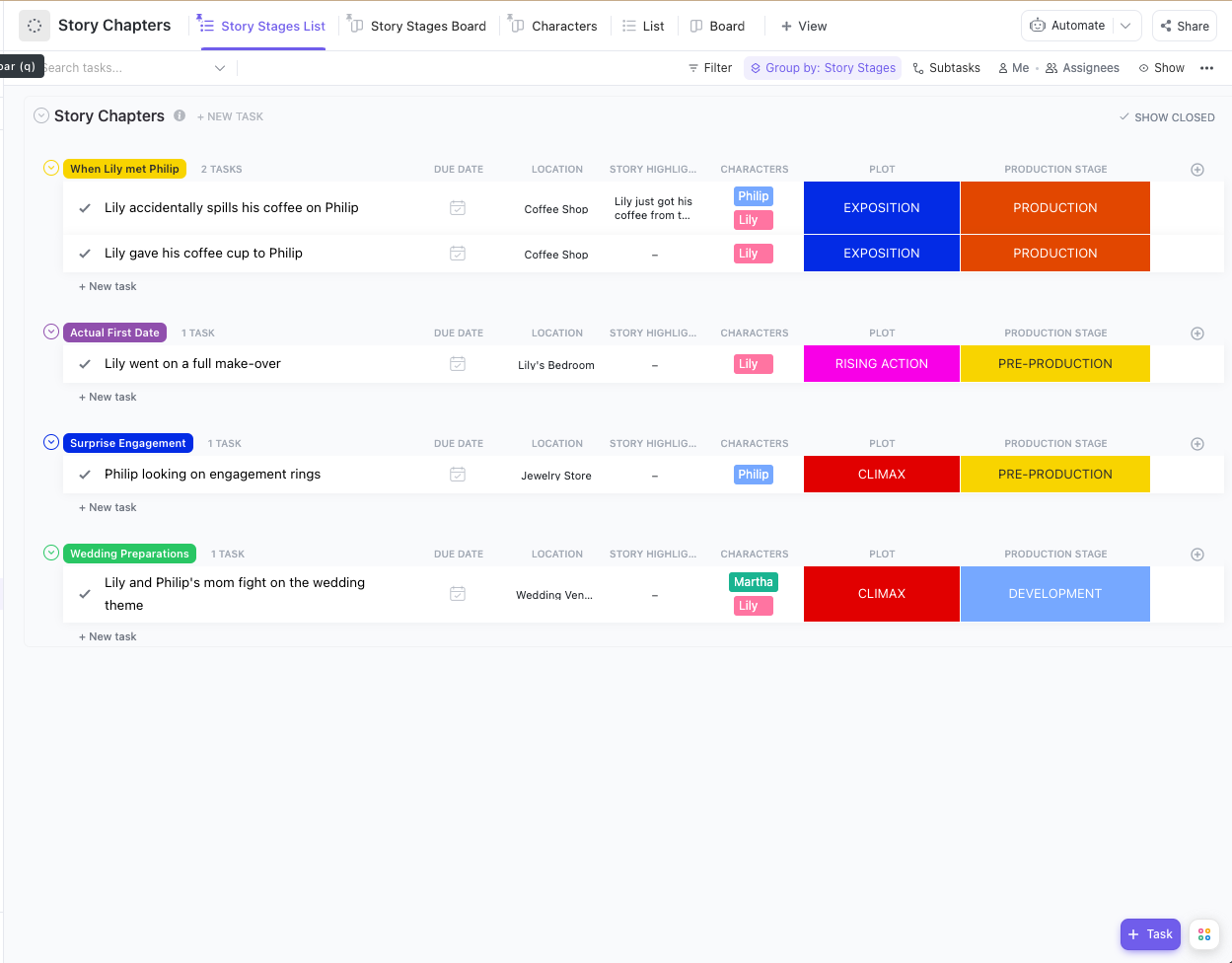
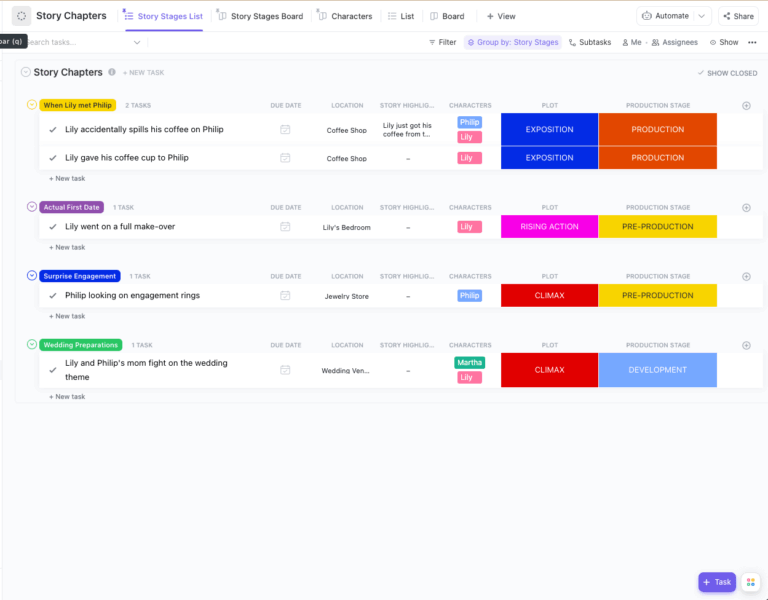
Stories get easier to write when you can see the whole arc without losing the tiny moments. The ClickUp Story Outline Template helps you plan chapters, track plot progression, and keep character beats tied to the scenes, all in one template.
Each chapter becomes a ClickUp Task you can group by story stages, tag with characters, add locations and highlights, and map to plot points, such as exposition, rising action, and climax. As your outline solidifies, you can also layer in production stages, so drafting, revisions, and final polish stay organized right alongside the narrative plan.
✅ Ideal for: Fiction writers outlining a multi-chapter story with a clear beginning, middle, and end.
🧠 Fun Fact: The world’s longest novel is Marcel Proust’s In Search of Lost Time, clocking in at about 9,609,000 characters.
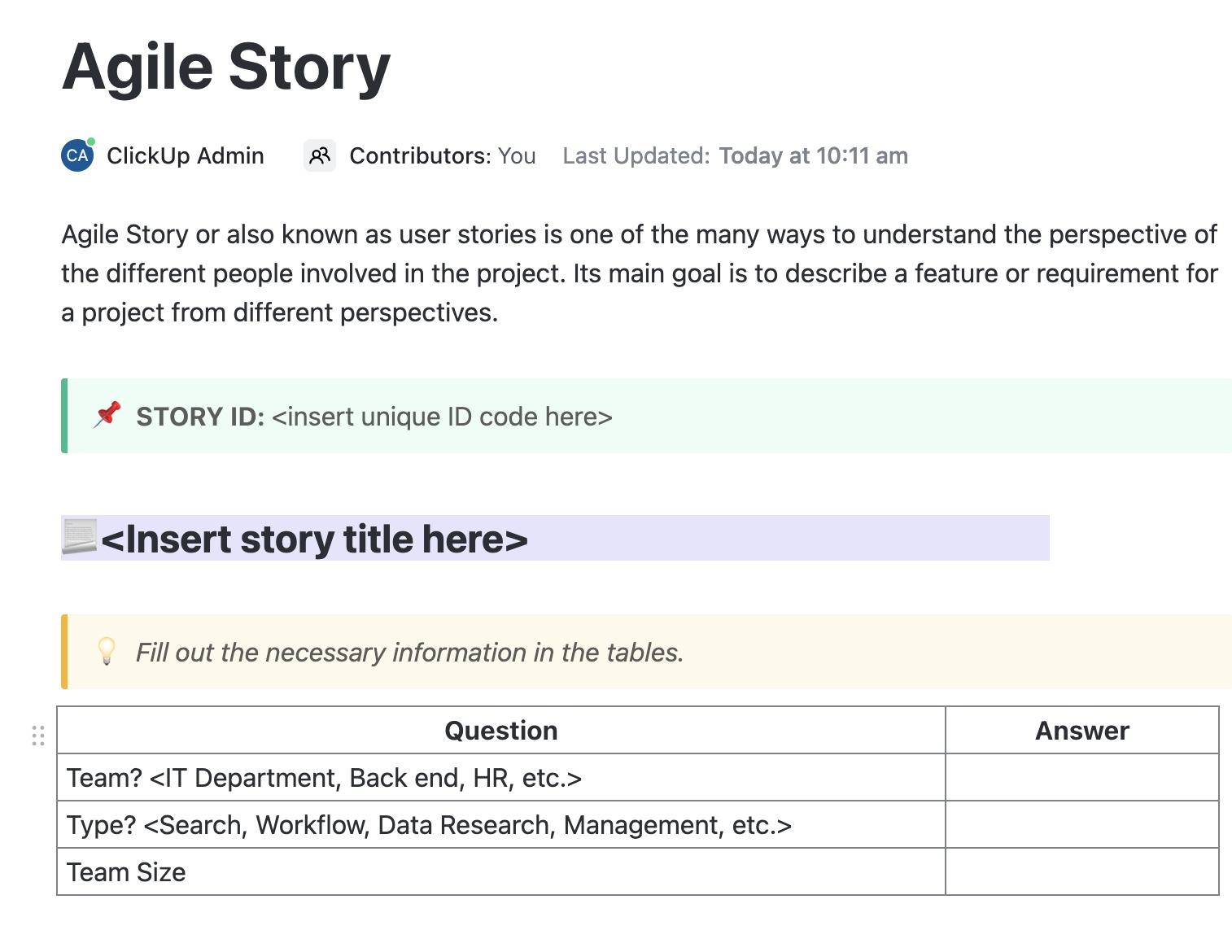
Some days you are inspired. Some days, you need a process that carries you. The ClickUp Agile Story Template is designed for repeatable progress, allowing you to outline, draft, and iterate in a consistent rhythm.
Though this agile story templates was designed to develop and manage product backlogs, it works really well for narrative driven stories as well.
Customize the prompts to match your story arc work, like Act goals, key turning points, POV, conflict, and stakes, then reuse the same workflow for every chapter or scene until the full narrative clicks into place.
✅ Ideal for: Indie fiction writers building chapter outlines through weekly writing sprints.
Directing a short film, scripting cut scenes for a video game, or planning an animated series, but struggling to lay it all out visually?
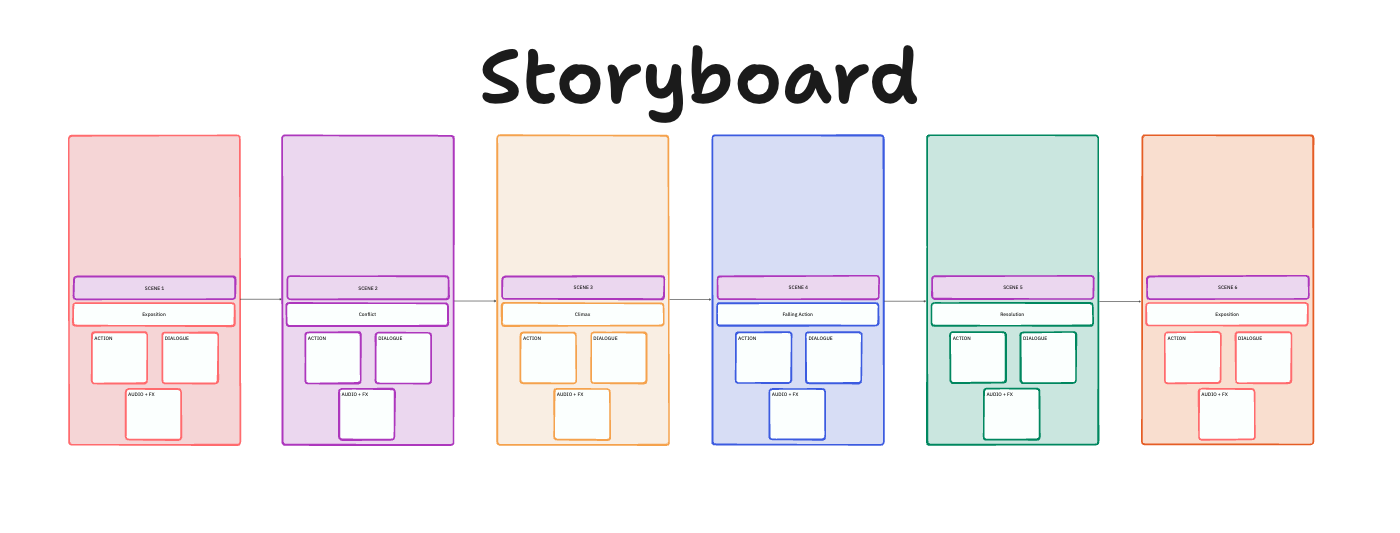
The ClickUp Storyboard Template (built in ClickUp Whiteboards) gives you a clean, scene-by-scene canvas where each frame is already laid out for you. You can map the flow from Exposition to Conflict to Climax to Falling Action to Resolution, then fill in the details for each scene.
✅ Ideal for: Animators, UX designers, and marketing teams who need to create and collaborate on visual narratives.
💡 Pro Tip: When your brain goes blank, instead of pushing through it, try changing the question. A good writing prompt gives you a starting point, a direction, and just enough structure to get words moving again, even on low-energy days.
Watch this video for writing prompts you can use to spark ideas, sharpen your thinking, and turn an empty page into a draft you can actually build on.
When you’re building a story, the hardest part is keeping the character journey, the key beats, and the scene-by-scene flow in sync. The ClickUp User Story Mapping Template gives you a visual way to map the entire arc in one place, with a guided panel on the left that prompts you to define the core idea, the main character, their goal, and the steps they take to get there.
✅ Ideal for: Narrative designers mapping game quests and cutscenes into clear story beats and playable sequences.
The ClickUp Squad Brainstorm Template gives your writers room a clean, visual space to capture ideas in themed lanes so the conversation stays organized while the creativity stays loose.
Because everything lives on a single board, you can move sticky notes around as the arc takes shape, spot gaps fast, and turn the strongest decisions into next steps when you’re ready.
✅ Ideal for: Showrunners running a collaborative writers room for episodic story arcs and ongoing revisions.
If you’re outlining a story arc for a short film, web series, game chapter, or a comic run, you need the ClickUp Build Plan Template. It starts with a clean, ready-to-use ClickUp Doc that captures the essentials upfront (project owner, dates, duration, key contacts) and then walks you through the background and build details that keep production decisions consistent when the scope starts shifting.
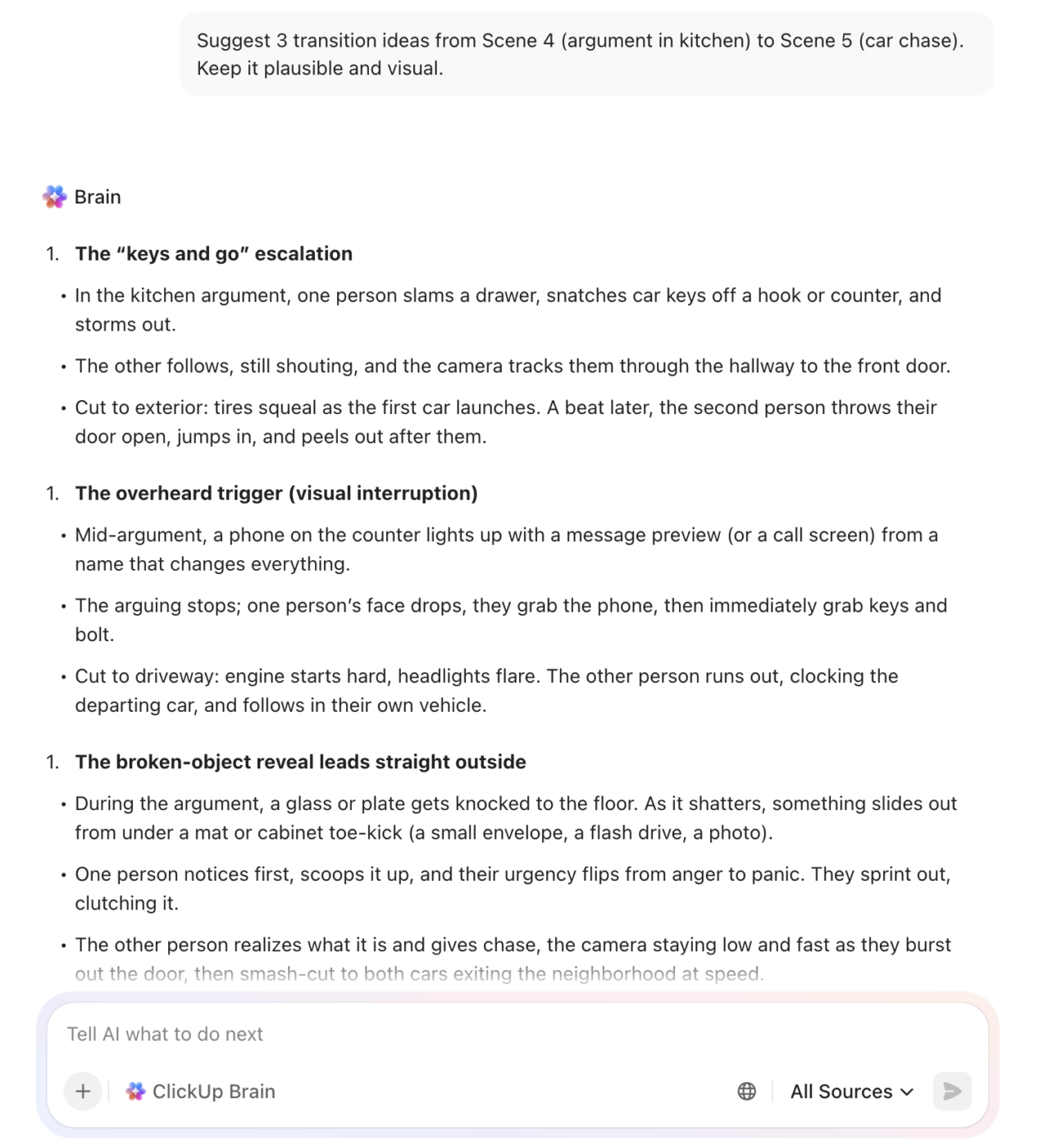
To speed up the first draft, ClickUp Brain can help you turn your rough notes into a tighter project background, create ideas, and generate checklists for what needs to be created next.
✅ Ideal for: Game producers planning a chapter-based story arc from script to build-ready deliverables.
📮ClickUp Insight: 24% of users feel focus time is overrated and prefer multitasking, while 39% say deep focus is the only way they get meaningful work done.
No matter your work style, ClickUp is your AI-powered command center that adapts to you. Need to multitask? You can manage projects, chat with your team, and even search the web in real time—all without leaving ClickUp. 🤹🏽
Prefer deep focus? Features like ClickUp Calendar help you block out distractions, while agents automate routine tasks, so you can stay in the zone!
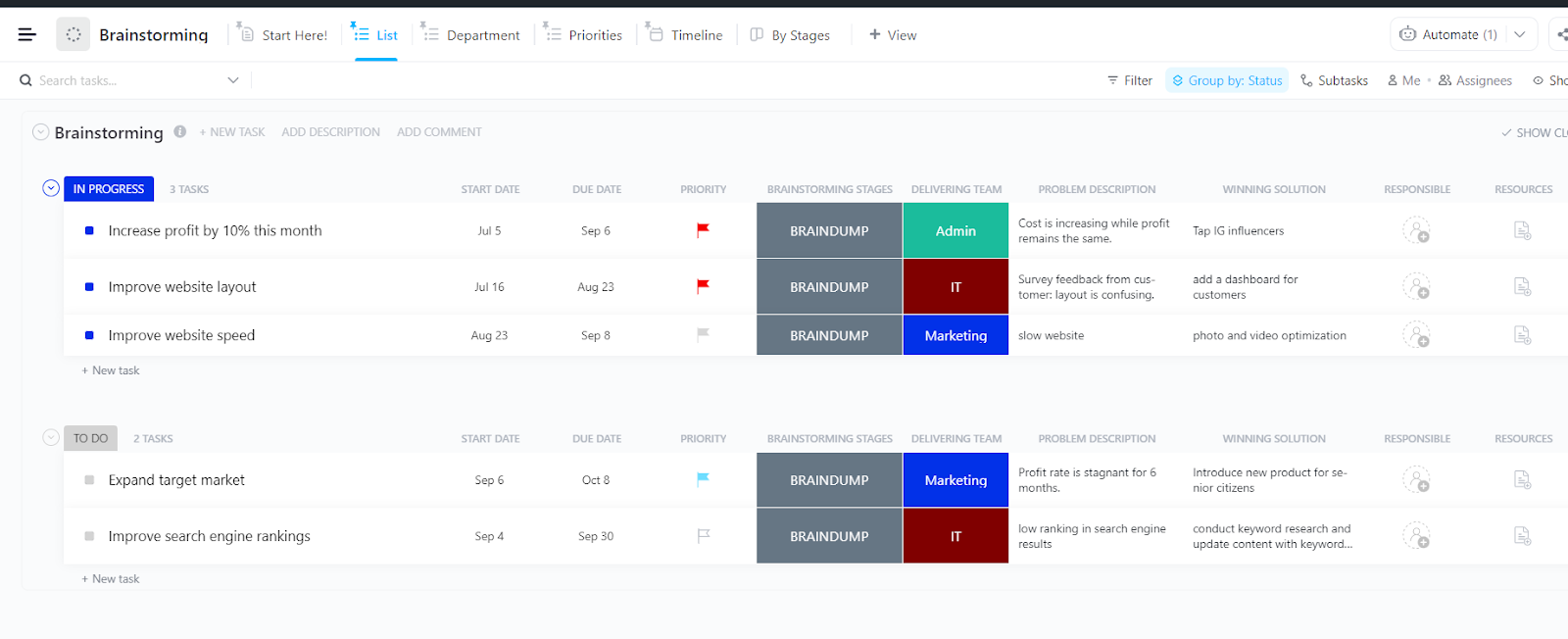
If you’re juggling multiple story arc ideas at once, the hardest part is keeping each idea clear enough to evaluate, build on, and eventually commit to. The ClickUp Brainstorming Template helps you capture every storyline as its own entry, write down what the story is about, and document the strongest version of where it could land.
And because each idea lives with its core details, you can scan your list and immediately tell which arcs are ready to outline and which ones still need a sharper conflict, a cleaner payoff, or a better hook.
✅ Ideal for: Screenwriters developing multiple story arc options for a pilot and narrowing down which concept to outline next.
The ClickUp Product Roadmap Template doubles up as a story arc planner that lets you map big plot beats on a ClickUp Whiteboard, then break each beat into trackable work.
You can treat each quarter or phase as an arc segment, tag every beat by theme, and track whether it is on-track, at-risk, or blocked as the draft evolves. And when new scene ideas pop up mid-way, ClickUp Forms help capture them in a consistent format and route them into the right part of the arc.
✅ Ideal for: Fiction writers outlining a long-form story in phases and tracking every major beat from first draft to final structure.
👀 Did You Know? Frankenstein began as a ‘let’s all write a ghost story’ challenge during the famously weird weather of 1816 while Mary Shelley was staying near Lake Geneva.
When you are trying to shape a story arc, the ideas seldom arrive in one category. You get plot beats, character choices, scene mechanics, and theme all showing up at once, and they end up competing for space altogether.
The ClickUp Design Ideation Template helps you separate those ideas without losing the relationships between them. Use the columns to sort story-arc ideas by what they affect most. For example: plot mechanics (process), story outcome (product), and character impact (people). Then use the Idea Owner rows to capture contributions from co-writers, editors, or even different ‘voices’ in your own draft.
✅ Ideal for: Writing-room leads running collaborative story arc ideation for episodes, chapters, or cutscenes.
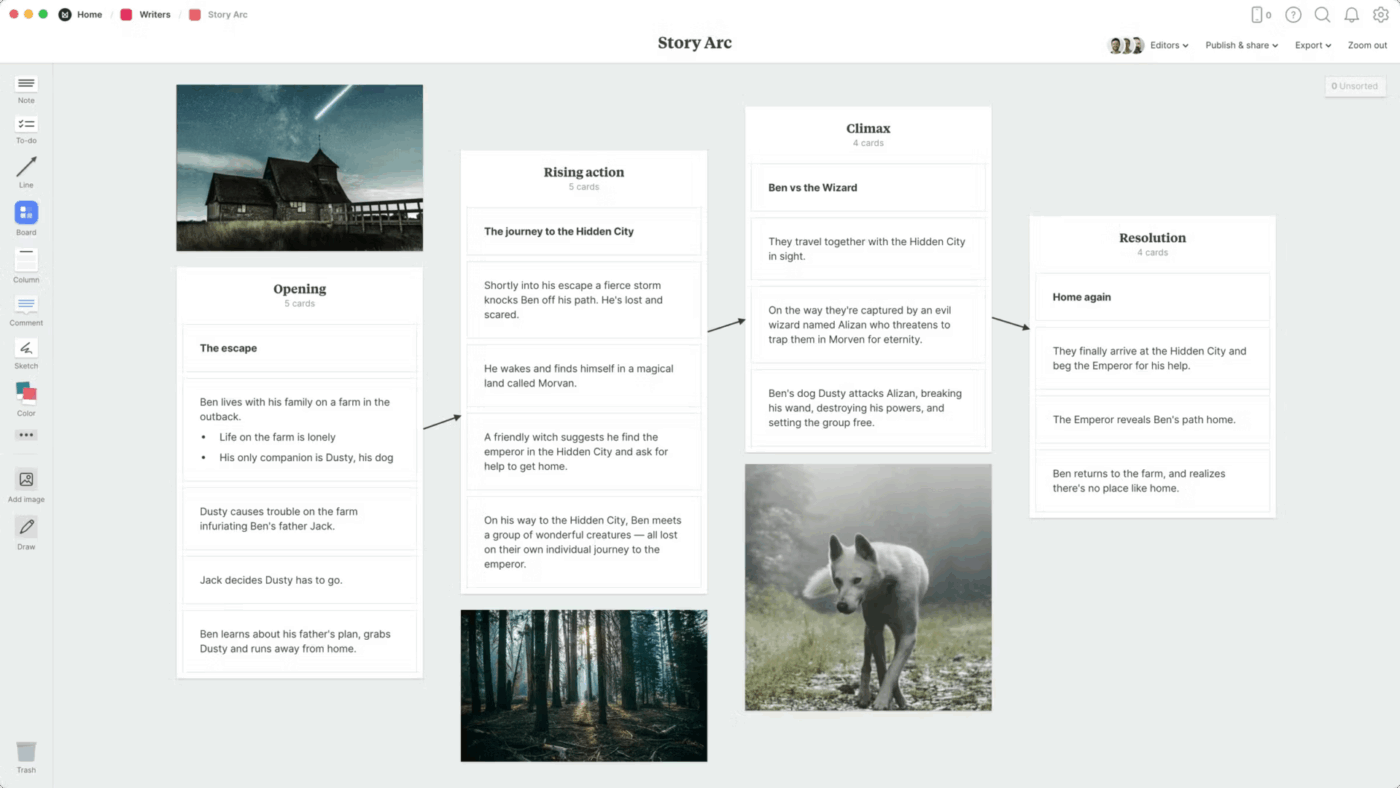
Milanote’s Story Arc Template is a visual, card-based template designed for plotting stories. Its flexible canvas allows you to arrange story elements spatially, which can be helpful for visual thinkers.
✅ Ideal for: Writers and creatives who prefer a mood board style approach to narrative planning.
Your story arc template should be a dynamic partner in your creative process. Use it to stay organized while giving yourself the freedom to explore, iterate, and build a compelling narrative.
Here’s how to make it work for you:
A story arc template gives you clarity at the start. The hard part is keeping that clarity once you are 20 scenes in and the story has started to evolve.
ClickUp gives you a deep library of templates you can start from, then layer your process on top. Outline on a Whiteboard, write in Docs, collect character details or scene ideas through Forms, and use AI to help you tighten beats, rework sections, or recap what changed between drafts.
When the plan and the writing live together, you stop restarting and start finishing. Try ClickUp for free! ✅
A story arc tracks the overall plot’s journey from beginning to end, while a character arc follows one character’s internal transformation within that plot. The two should work together, with character growth often driving or responding to key events in the story arc.
Yes, absolutely. User stories, product roadmaps, and even sprint plans follow narrative structures. Templates like ClickUp’s User Story Mapping or Agile Story Template help teams frame their work as mini-narratives with a clear beginning (the user’s problem), middle (the solution), and end (the value delivered).
Match the template to your project’s final output. Use a Story Outline template for a novel, a Storyboard template for a video, and a User Story Mapping template for a software feature. Most importantly, prioritize templates that integrate with your existing tools to avoid the frustration of context switching.

© 2026 ClickUp

There’s an easier way. Try a free AI Agent in ClickUp that actually does the work for you—set up in minutes, save hours every week.