Sorry, there were no results found for “”
Sorry, there were no results found for “”
Sorry, there were no results found for “”
If find a new CRM software made it to the top of your never-ending to do list, let’s knock out this task today!
CRM (Customer Relationship Management) is a system to manage day-to-day communications and data from prospects, contacts, and existing customers. They allow businesses to keep track of customer interactions and preferences, and to provide better customer service.
And with the right CRM software, sales and marketing teams are able to move items directly into a CRM workflow and get things done. They’ll start their day knowing exactly what to do and where to locate resources.
Not if, but when businesses need a proper system to keep teams focused and productive, you’ll need specialized tools to bring results. To help you decide which CRM software will make the biggest impact on your team, we’ve put together 11 CRM examples and use cases.
When choosing a CRM that suits your needs, consider the following tools and their best applications for various types of users and businesses
Here’s a quick overview of the use cases and business structures for each CRM!
| CRM | Use case | Best for | |
|---|---|---|---|
| ClickUp | Mobile CRM and project management | Freelancers, startups, small businesses, enterprises | |
| HubSpot | Full CRM | Freelancers, startups, small businesses, enterprises | |
| Zendesk | Help desk/Ticket CRM | Startups, small businesses, enterprises | |
| Freshworks | Sales activity management | Service businesses, enterprises | |
| AgencyHandy | Client & agency management CRM | Agencies and service-based businesses | |
| Microsoft Dynamics | Operational CRM | Enterprises | |
| BIGContacts | Contact management | Freelancers, startups, small businesses | |
| Salesforce | Analytic CRM | Mid-sized businesses, enterprises | |
| ActiveCampaign | Campaign management | Freelancers, startups, small businesses, enterprises | |
| Pipedrive | Sales pipeline and deals | Mid-sized businesses, enterprises | |
| Google Sheets | Spreadsheet CRM | Freelancers, SaaS |
Our editorial team follows a transparent, research-backed, and vendor-neutral process, so you can trust that our recommendations are based on real product value.
Here’s a detailed rundown of how we review software at ClickUp.
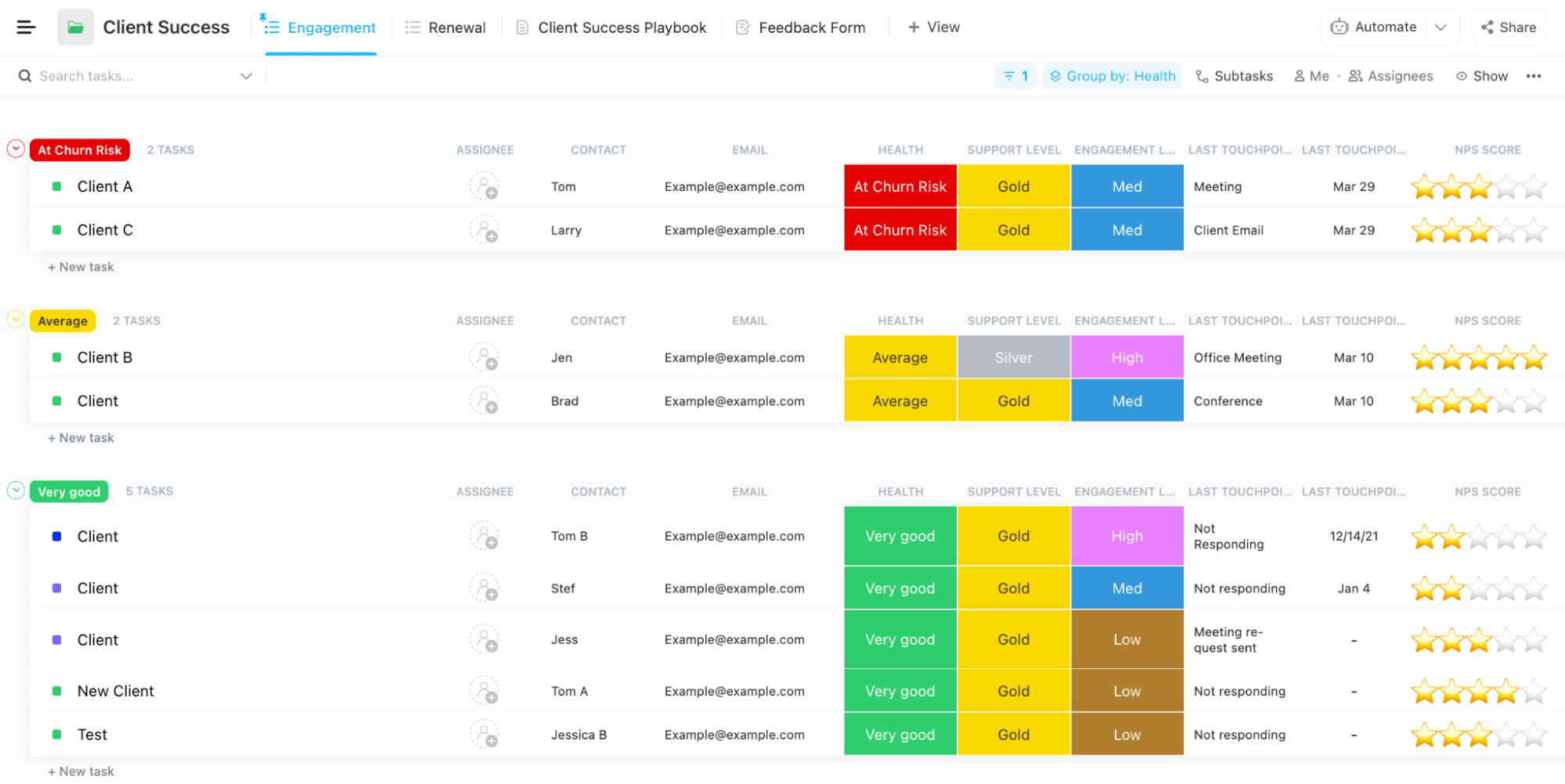
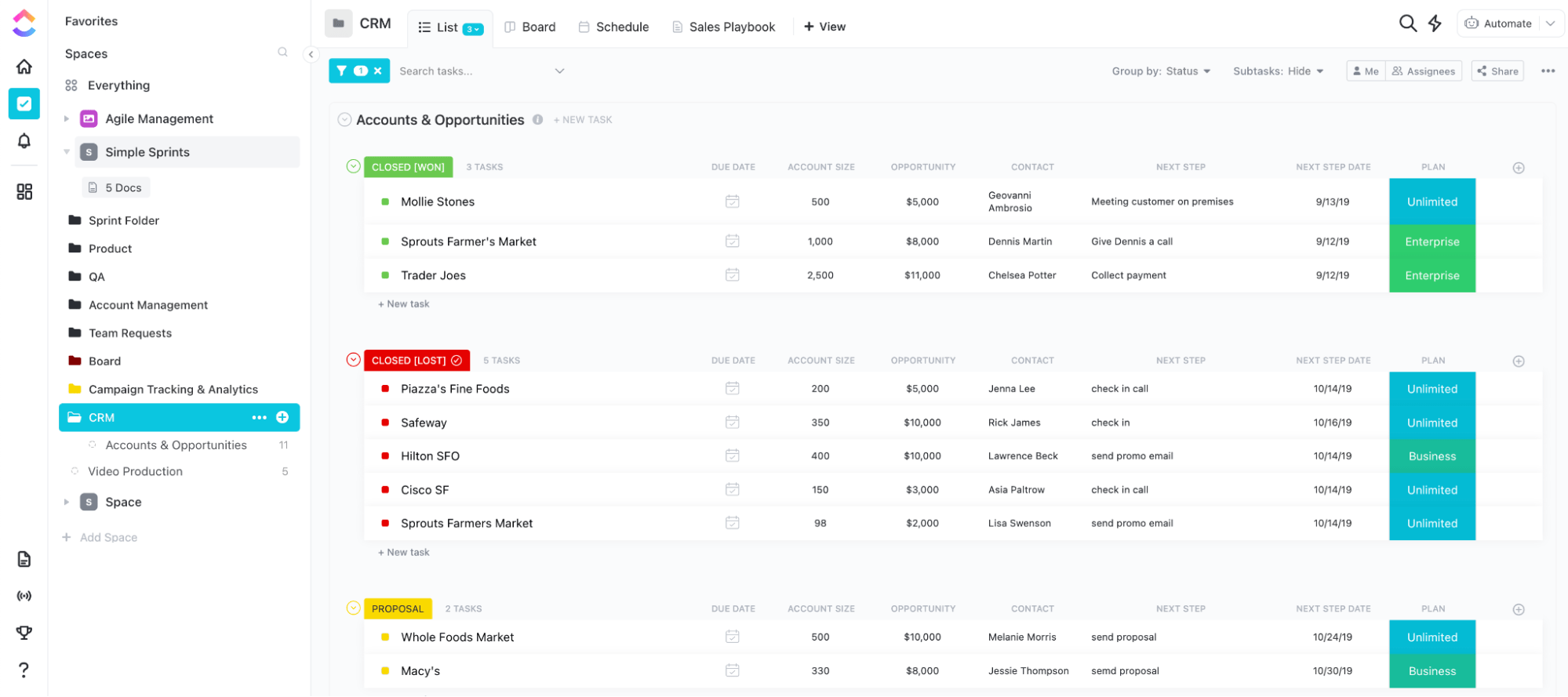
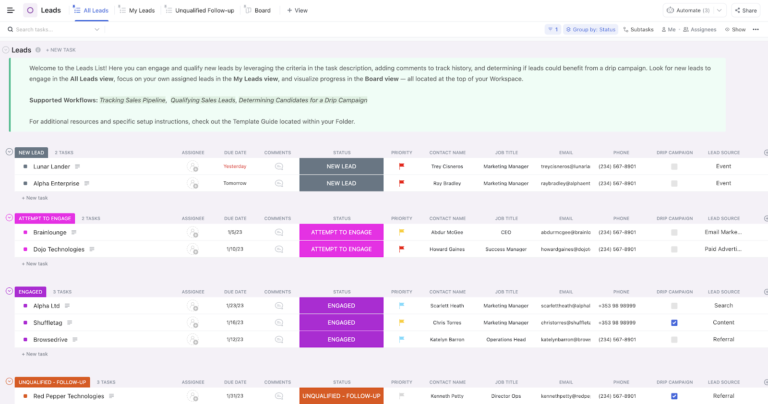
ClickUp makes it easy to organize and grow your customer relationships with data visualizations, marketing automation, communications, and more—all in one place. And ClickUp isn’t industry-specific! The features and tools are fully customizable so cross-functional teams like Marketing, Support Engineers, and Finance can leverage ClickUp to manage their tasks and help close deals faster.
As you grow your customer database and take on more complex client work, you’ll need a no-fail CRM and project management solution like ClickUp to manage all levels of sales opportunities and marketing campaigns.
ClickUp’s features help increase sales and marketing efforts so everyone has the information they need, when they need it. The results? Better team relationships and quicker task hand-offs to deliver a coordinated customer experience. Here are other ways to leverage ClickUp:
If you’re new to ClickUp, start with the ClickUp CRM Template to test drive project personalization and sales automation!
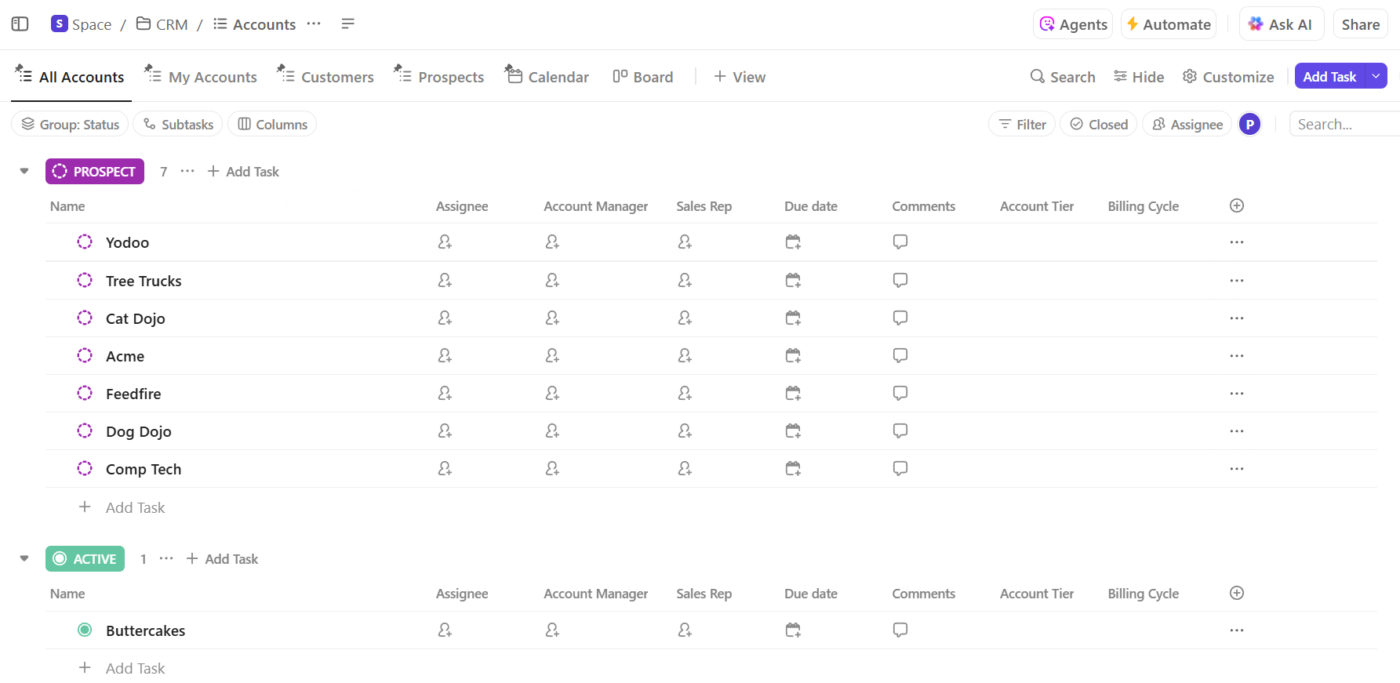
Manage your leads, customer relationships, and sales in one place with this ClickUp CRM template
Learn how to create a CRM in ClickUp to manage customer relationships!
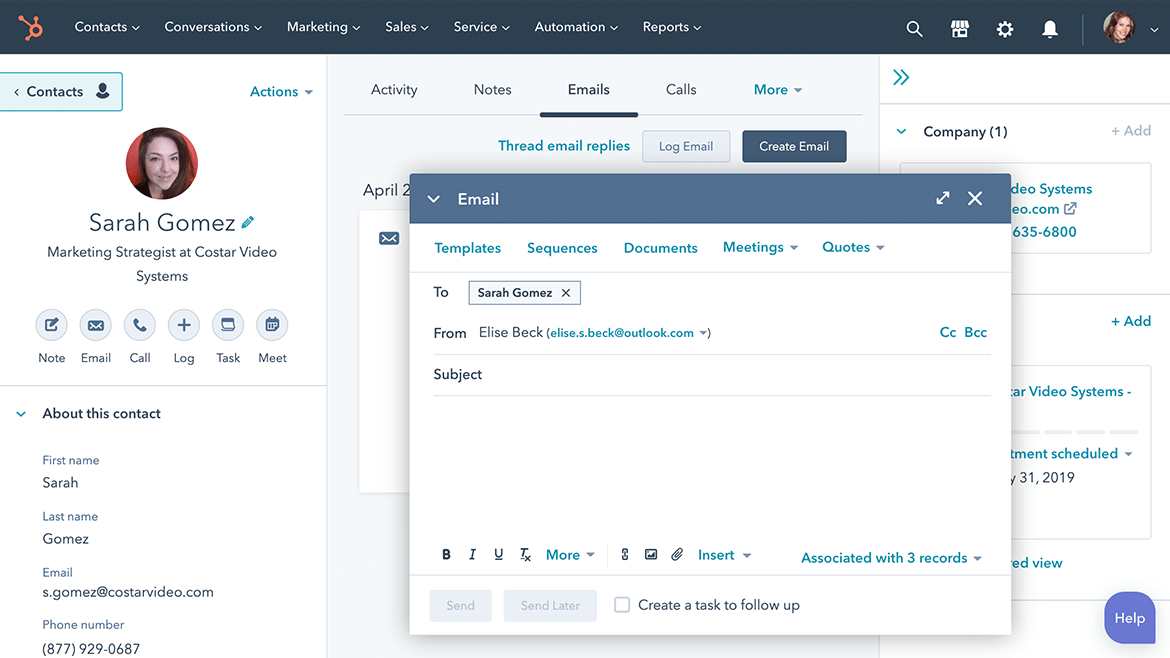
HubSpot is a powerful CRM solution providing inbound marketing and sales software, services, and education. It offers a wide range of software to help businesses with their marketing and sales efforts, including HubSpot CRM, HubSpot Marketing, and HubSpot Sales. HubSpot also has a built-in analytics system providing users with insights on how their marketing campaigns are performing.
The biggest disadvantage of using multiple CRMs is your team has to double their efforts to keep the information up to date. With a CRM platform like Hubspot, you’re able to easily manage interactions and data throughout the customer lifecycle under one roof.
The HubSpot CRM can help position sales teams to improve customer engagement, increase sales, and optimize their marketing efforts. There are different functions available to help manage your customer relationships. You can use the website to create a contact list, track interactions with customers, and send out automated emails.
Bonus: Best CRM Software Tools for Mac
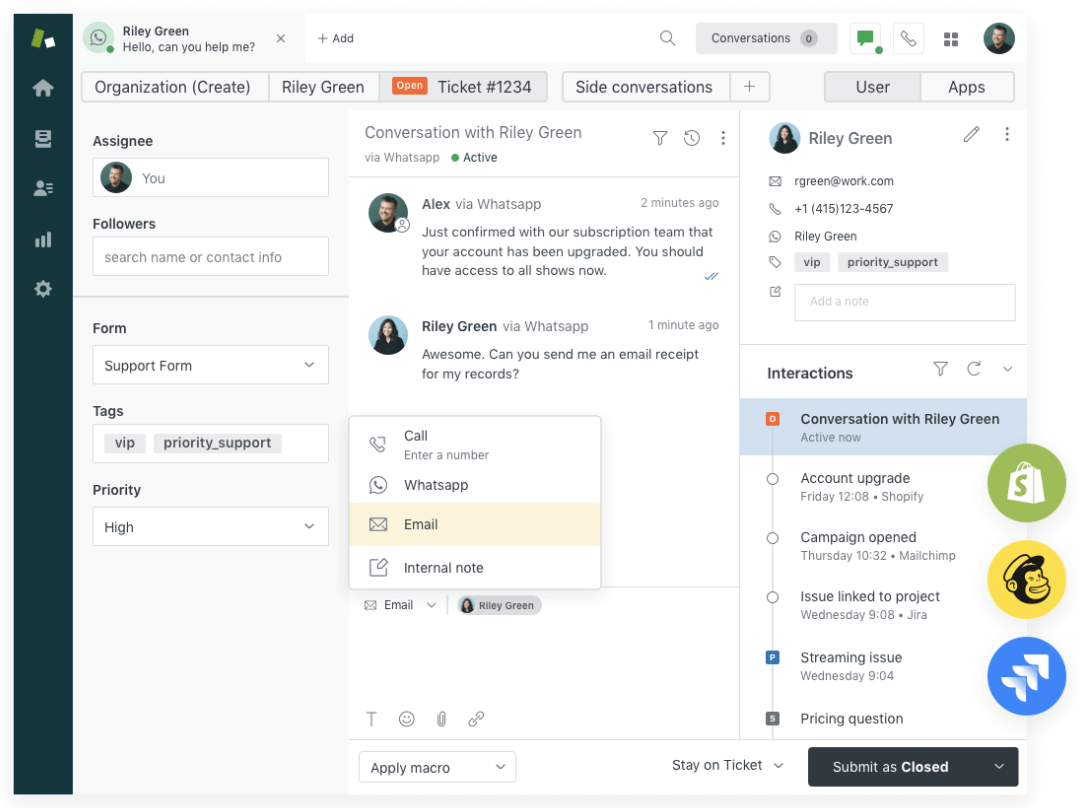
Zendesk is a customer service platform helping businesses provide support to their customers. It offers a suite of tools to help businesses manage customer interactions, including a ticketing system, chat functionality, and a knowledge base. Zendesk integrates with a variety of other software platforms, making it easy for businesses to provide support across all channels.
A help desk system is a vital part of any customer support operation. By using a help desk system, companies are able to easily track and manage customer support requests.
Any ticketing-specific software can be used to gather customer feedback and track customer satisfaction levels, but Zendesk is the better option because it not only makes things easier for your customers but also for your internal support teams. When information sharing is smooth and accessible, they’re no longer buried under busy work but instead, personalizing experiences for customers.
Bonus: SaaS CRM Tools!

Freshworks is a suite of cloud-based software helping businesses manage their customer relations, sales, and marketing. It offers a variety of tools to keep track of interactions with customers and prospects, including a CRM strategy tool, an email marketing tool, and a system for managing tasks and projects.
Sales activity monitoring is an important part of a CRM ecosystem for increasing customer retention. By monitoring sales activities, you have a clear view of where sales goals are meeting, exceeding, or off-track. With Freshworks, you have a few ways to monitor sales activities:
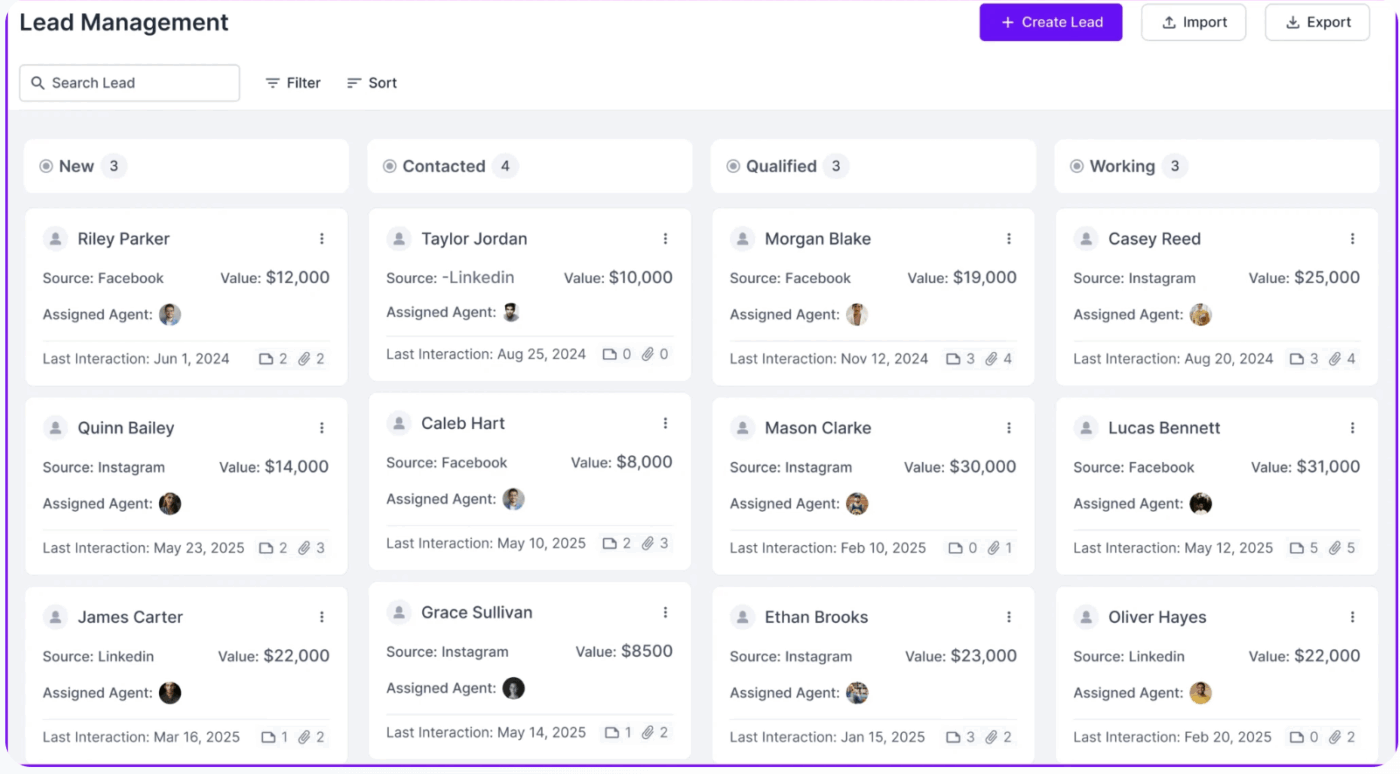
Agency Handy is a client management platform that’s built specifically for agencies. It brings together CRM, project management, invoicing, file feedback, and client communication in one place. From lead tracking to final payment, Agency Handy can help you run your agency operations without using multiple tools.
Agency Handy use case: Client and Agency Management
Here are a few ways Agency Handy helps you manage client relationships and agency operations —
Agency Handy pricing
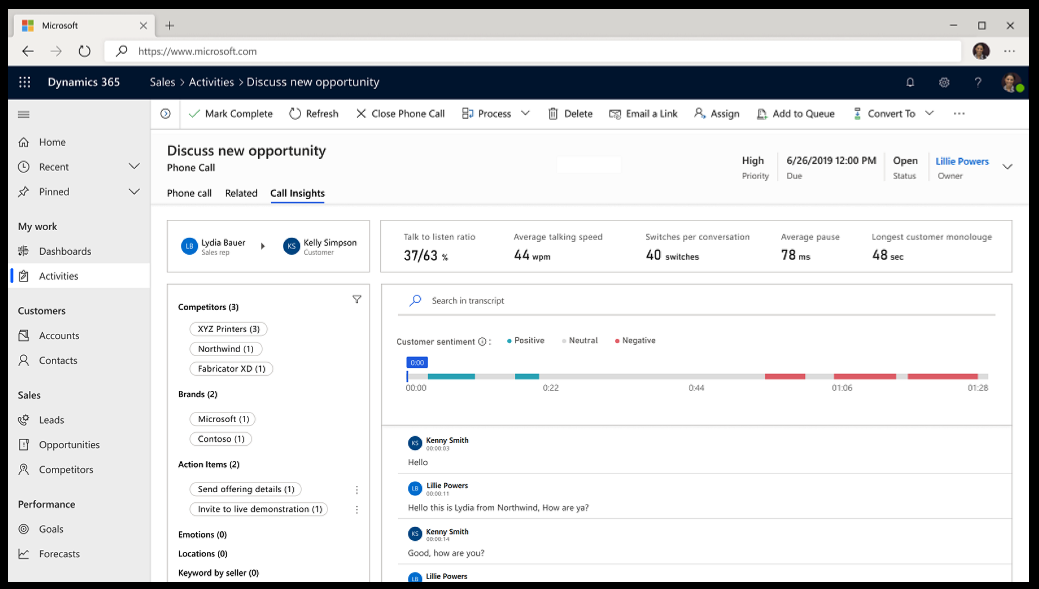
Microsoft Dynamics is a line of business software applications offered by Microsoft. It covers various aspects of a business, from financials and operations to sales and marketing. Dynamics is designed to help organizations manage their finances, operations, sales and marketing, and customer service.
Operational CRM helps businesses with a wide range of activities like tracking customer data, automating sales processes, and managing interactions. But at its core, operational CRM improves customer service by providing agents with customer information, including past interactions and orders.
By tracking customer interactions and data in CRM software like Microsoft Dynamics, businesses better understand what customers need and want, and how to best serve them. This information can also help businesses identify at-risk customers and take steps to retain them. CRM software can make this process easier by automating many tasks related to tracking and managing customer data.
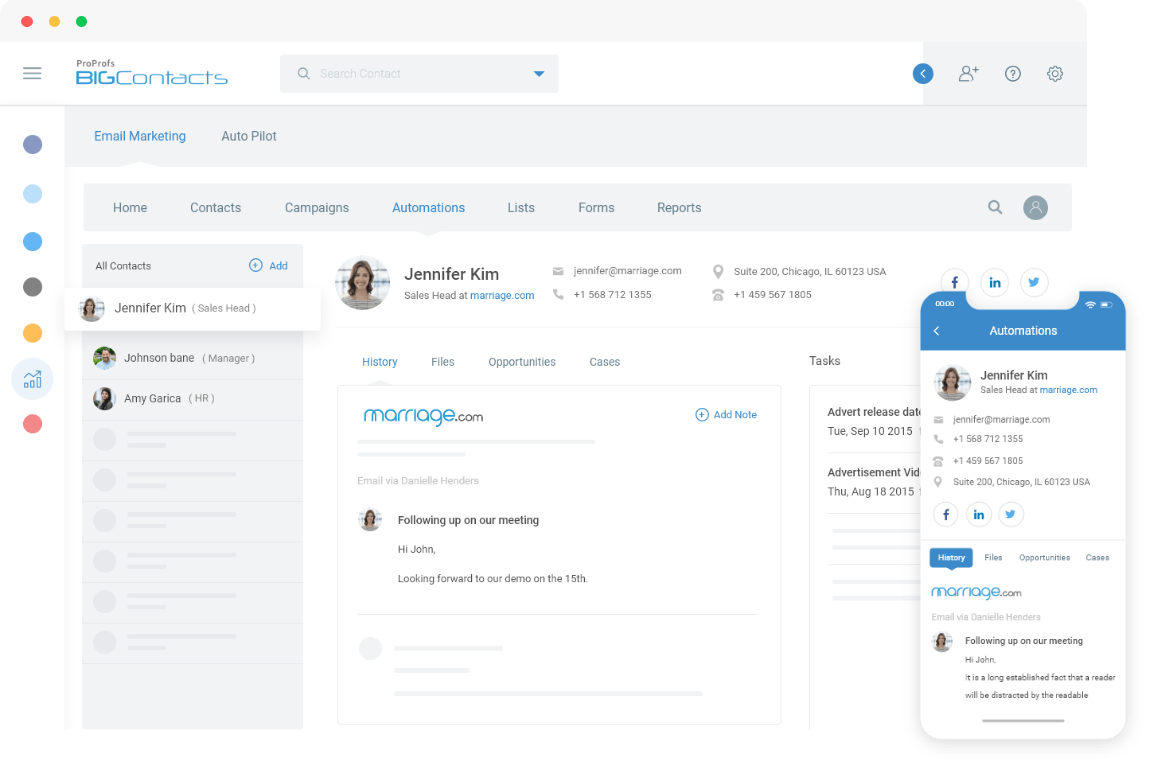
BIGContacts is a cloud-based contact management system for businesses to store, manage, and share their contacts with others in a secure environment. With BIGContacts, users can connect with colleagues, customers, and partners more effectively by having instant access to all of their contact information in one place. Additionally, BIGContacts offers a variety of features such as contact sharing, birthday reminders, and custom filters that help users stay organized and connected.
If you’re a small business needing a comfortable CRM system without the complexities, BIGContacts was designed to meet these needs.
Contact management is more than just keeping track of names and email addresses. It’s about creating a system that helps you stay in touch with your contacts, keeps them organized, and makes it easy for you to find the information you need when you need it. Here are a few actions you can take to customize your BigContacts interface:
Download free Sales and CRM templates in ClickUp!
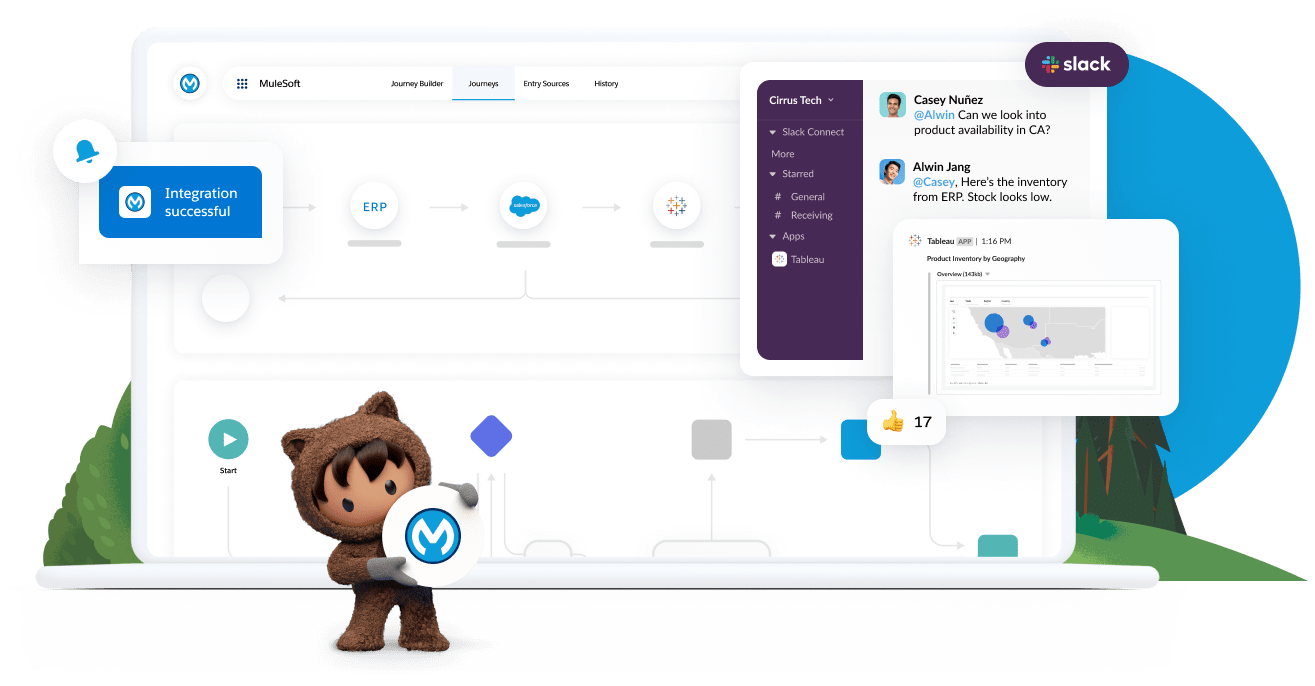
Salesforce is a cloud-based software company providing CRM and other enterprise software solutions. Salesforce helps businesses manage their customer data, interactions, and sales processes. It offers a variety of features, including sales pipeline management, contact management, marketing automation, and customer support.
Salesforce’s tools work together to understand your data in a number of ways. The first way is to use it as a data source. A CRM contains a wealth of data about customers and their interactions with your company. This data can be used for insights into customer behavior, preferences, and trends.
The second way to use Salesforce for analytics is to use it as a tool for reporting. Reports generated from a CRM can give you a snapshot of how your business is performing, what marketing campaigns are working, how to improve customer retention, and where you need to focus your efforts.
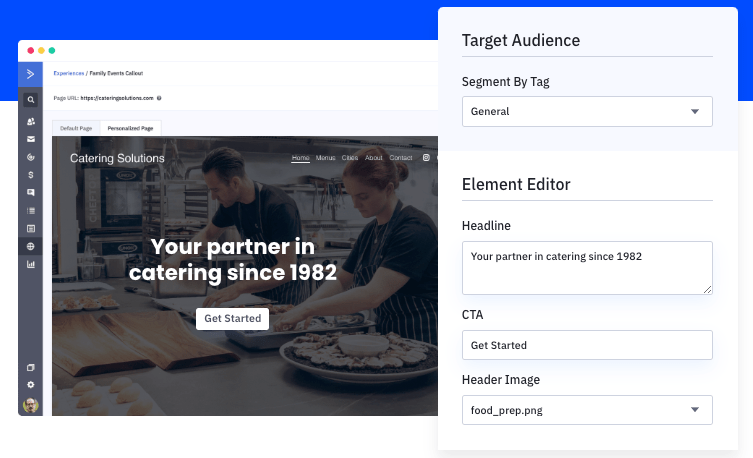
ActiveCampaign is an email marketing platform enabling you to create and send newsletters, automated messages, and other targeted content. It also provides powerful tracking and reporting features to measure the success of your campaigns and optimize your efforts. Additionally, ActiveCampaign offers a wide range of integrations with other services, making it easy to connect your email marketing efforts with the rest of your marketing activities.
Campaign management in a CRM is an important task for any organization. Campaigns can be used to target specific customers or groups of customers with marketing materials, special offers, or other communications.
When managing campaigns in a CRM like ActiveCampaign, you’ll be equipped to build each stage to your preference:
1. Defining the campaign and company goals
2. Creating a step-by-step plan and key contributors for campaign execution
3. Identifying the target audience for the campaign and creating targeted messaging
4. Setting up tracking and OKRs to ensure that the goals of the campaign are met
5. Evaluate the results of the campaign and make changes as needed for future campaigns
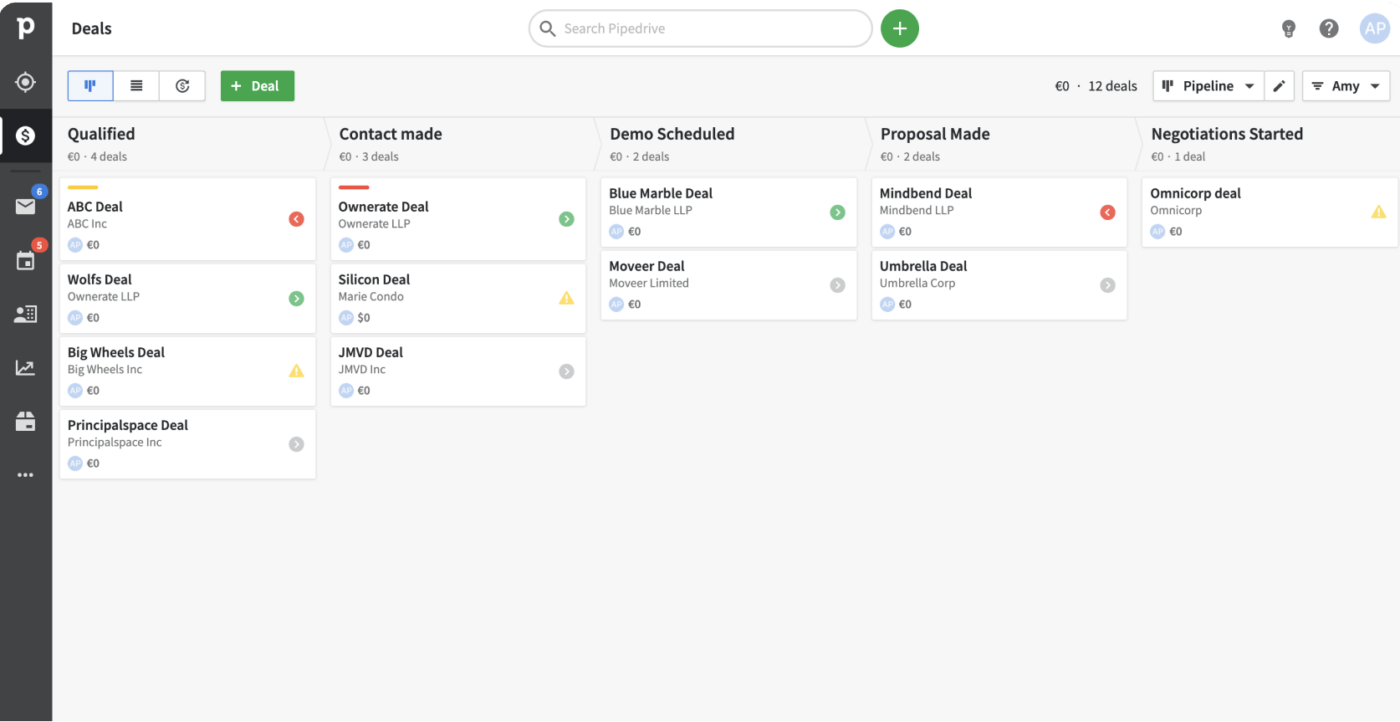
Pipedrive is a sales pipeline management tool helping businesses keep track of their sales cycle and progress. It’s an accessible cloud-based solution from any device, making it ideal for companies with a remote sales team. Pipedrive offers a variety of features such as customizable pipelines, sales, email integration, and activity tracking.
Check out our guide on Construction CRM Software!
A sales pipeline is a visual representation of your sales process. It helps you track opportunities through each stage of the sales cycle, from prospect to customer. Pipedrive makes it easy to set up a customizable pipeline in three easy steps:
1. Set up your pipeline by adding your deals or importing them automatically from a spreadsheet or CRM
2. Track progress from automatic alerts and reminders to keep deals on track
3. Automate growth with AI technology to help you identify opportunities to close more sales
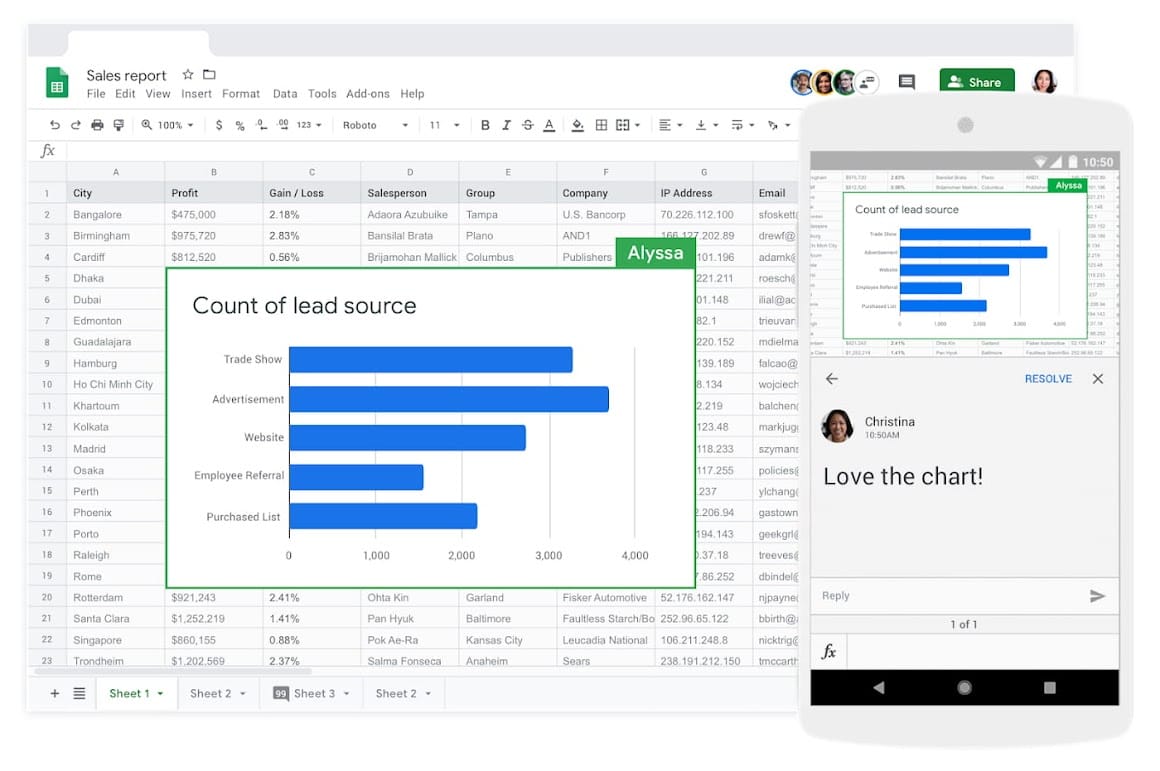
Google Sheets is a web-based spreadsheet editor to collaborate on fresh data through sharing and real-time editing. You can create documents, spreadsheets, and presentations right in your browser, and they’ll be saved automatically to your Google Drive. As part of Google Workspace, teams are able to speed up workflows by connecting Sheets to other Google apps for a custom solution.
A spreadsheet is the most familiar way to track customer relations. You can create a table with the customer’s name, contact information, and any notes you have about the customer. This will help you keep track of communications and any customer interactions you have had. Additionally, you can use a spreadsheet to create CRM reports or track inventory levels.
The reality is, uninterrupted time to focus on client management tasks is hard to come by. And legacy CRM systems often make salespeople jump through hoops to access their data.
When everything from personal tasks to team collaboration is in one place, it’s easy to find what you need and avoid duplicated work. With ClickUp, you’ll have the CRM tools, integrations, and support to set up processes for predictable to highly-complex projects and deals.
Sign up for a free account to organize your customer data and add your to-do list so you’ll have a single source of truth starting today!
ClickUp offers a fully customizable CRM with mobile access, allowing sales and marketing teams to manage customer data, tasks, and communications on the go from any device. This flexibility helps remote teams stay aligned and productive no matter where they work.
ClickUp Automations can automatically move deals between sales stages, assign tasks to team members, and trigger follow-up reminders, reducing manual work and keeping your team accountable and on schedule throughout the customer journey.
Yes, ClickUp is highly customizable. You can create custom fields, statuses, and views to track data meaningful to marketing, sales, support, and finance teams—all within one CRM workspace—ensuring everyone has the right data at their fingertips.
ClickUp provides ready-made CRM templates that include customizable deal stages, task statuses, dashboards, and workflows. These templates help teams start managing customer relationships and sales pipelines immediately without building from scratch.
By integrating communications, customer data, task management, and sales forecasting into one platform, ClickUp eliminates the need for switching between multiple apps, making workflows more seamless and increasing team efficiency.

Manasi Nair
Max 26min read
Manasi Nair
Max 26min read
Manasi Nair
Max 20min read

© 2026 ClickUp