










Still downloading templates?
There’s an easier way. Try a free AI Agent in ClickUp that actually does the work for you—set up in minutes, save hours every week.
Sorry, there were no results found for “”
Sorry, there were no results found for “”
Sorry, there were no results found for “”
Most Secret Santa exchanges fall apart before the first gift gets wrapped, not because people don’t care, but because the organizer is juggling spreadsheets, DMs, and missing wish lists. This guide walks you through ready-to-use Secret Santa questionnaire templates and the exact questions to include so you can automate the chaos, centralize responses in one place, and actually enjoy the exchange instead of managing it.
Organizing a team Secret Santa often starts with good intentions but quickly devolves into chaos. You’re chasing down wish lists through a messy web of emails, Slack DMs, and hallway reminders. This scattered approach creates information sprawl, so you spend more time chasing responses than planning something fun.
The consequences are real: wasted hours for the organizer, forgotten submissions, and the constant risk of accidentally revealing a “secret” by sharing the wrong file.
The right template transforms this administrative headache into a smooth, automated process. Instead of a dozen scattered files, you get a single, central hub for the entire gift exchange. ClickUp Templates provide this pre-built structure within a connected ClickUp Workspace, meaning participant responses, gift assignments, and deadlines all live in one organized place. This eliminates the frantic coordination and makes the experience fun for everyone, including the person in charge. These templates range from simple preference collectors to full-scale event planners, so you can choose the perfect fit for your team’s vibe.
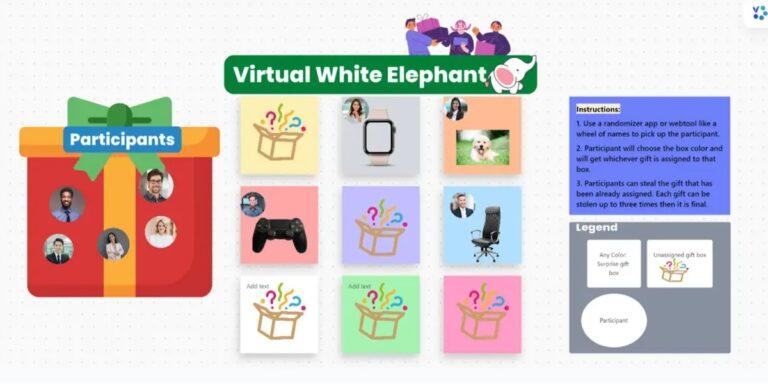
A virtual white elephant exchange introduces a unique brand of chaos. How do you track who has which gift after a few “steals”? A simple list just won’t cut it, and the organizer often ends up as a frantic, spreadsheet-juggling game master.
The ClickUp Virtual White Elephant Template is designed specifically for that dynamic, ensuring the game runs smoothly online so everyone can focus on the fun. It’s especially useful for remote teams who need clear visibility into the gift pool without endless chat threads.
This template uses ClickUp Task Lists to represent each gift and different ClickUp Views to manage the gift pool as it changes hands. Gift pool tracking lets you see every submitted gift in one organized ClickUp Board View, making it easy to visualize what’s available to “steal.” Participant management helps you know exactly who’s ready to play by tracking RSVPs and gift submissions with automated task statuses. Reminder automation sends automatic deadline nudges as the exchange date approaches with ClickUp Automations, eliminating the need for manual follow-ups. You can also use ClickUp Brain for AI-powered gift ideas or to draft fun reminder messages for participants.
If you’re looking for additional professional gifting inspiration that can translate to your Secret Santa exchange, this video explores thoughtful client gift ideas that can spark creative approaches to team gift-giving.
A Secret Santa is often just one piece of a larger holiday party puzzle. This means you’re juggling gift exchange logistics alongside budget tracking, vendor communications, and RSVPs, usually across different apps and documents. This tool sprawl—with 52% of organizations saying they use too many tools—creates information silos, making it impossible to see the big picture and increasing the chances of something important falling through the cracks.
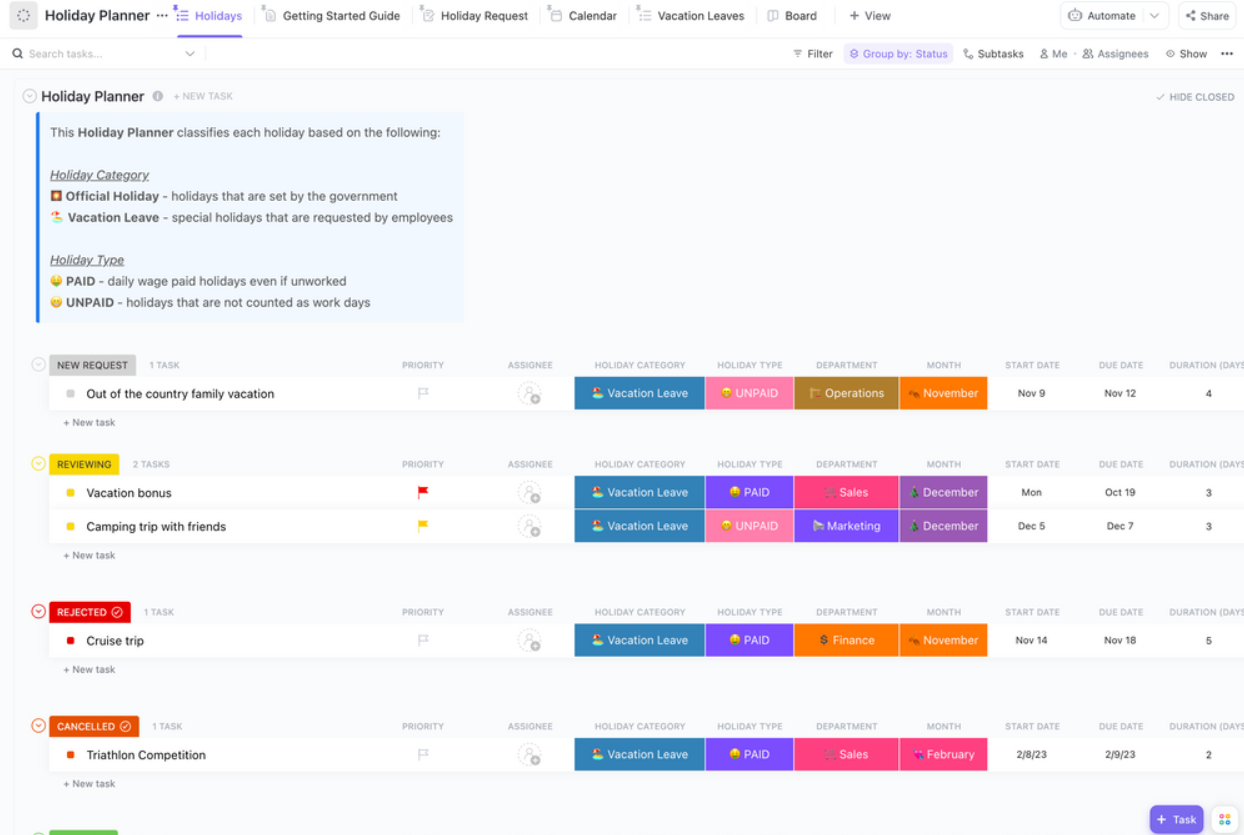
The ClickUp Holiday Planner Template solves that by consolidating every aspect of your event into a single, manageable project. It includes dedicated sections for scheduling, budgeting, and task assignments, plus a space to embed your Secret Santa questionnaire directly.
Form collection automatically populates responses into organized Task Lists for easy tracking by gathering gift preferences with ClickUp Forms. Submission visibility gives you a quick, high-level view of who has completed their questionnaire and who still needs a friendly nudge with ClickUp Dashboards. Budget tracking monitors spending limits and tracks gift purchases with ClickUp Custom Fields, keeping all financial information right next to your event plan. The template is fully customizable, making it equally effective for in-office parties, fully remote celebrations, or hybrid gatherings.
For new or remote teams, a standard, dry questionnaire can feel impersonal and fail to provide the context needed for a thoughtful gift. When team members don’t know each other well, answers on a form can be too generic to be helpful, leading to uninspired gifts.
The ClickUp Ice Breaker Whiteboard Template transforms the preference-gathering process into a fun, interactive team-building activity that sparks conversation and fosters genuine connection. 🤩
Instead of a form, this template uses a ClickUp Whiteboard where participants can add virtual sticky notes with their interests, hobbies, and gift ideas in a visual, collaborative space. Visual preference mapping lets team members add their favorite things as colorful sticky notes, which gift-givers can browse to get a natural feel for their personality.
Real-time collaboration means multiple people can add and view preferences at the same time, creating a dynamic and engaging experience. You can use ClickUp Brain to analyze the Whiteboard content and surface gift categories or fun themes based on common interests. This approach works perfectly as an icebreaker, helping colleagues learn about each other’s passions outside of work.
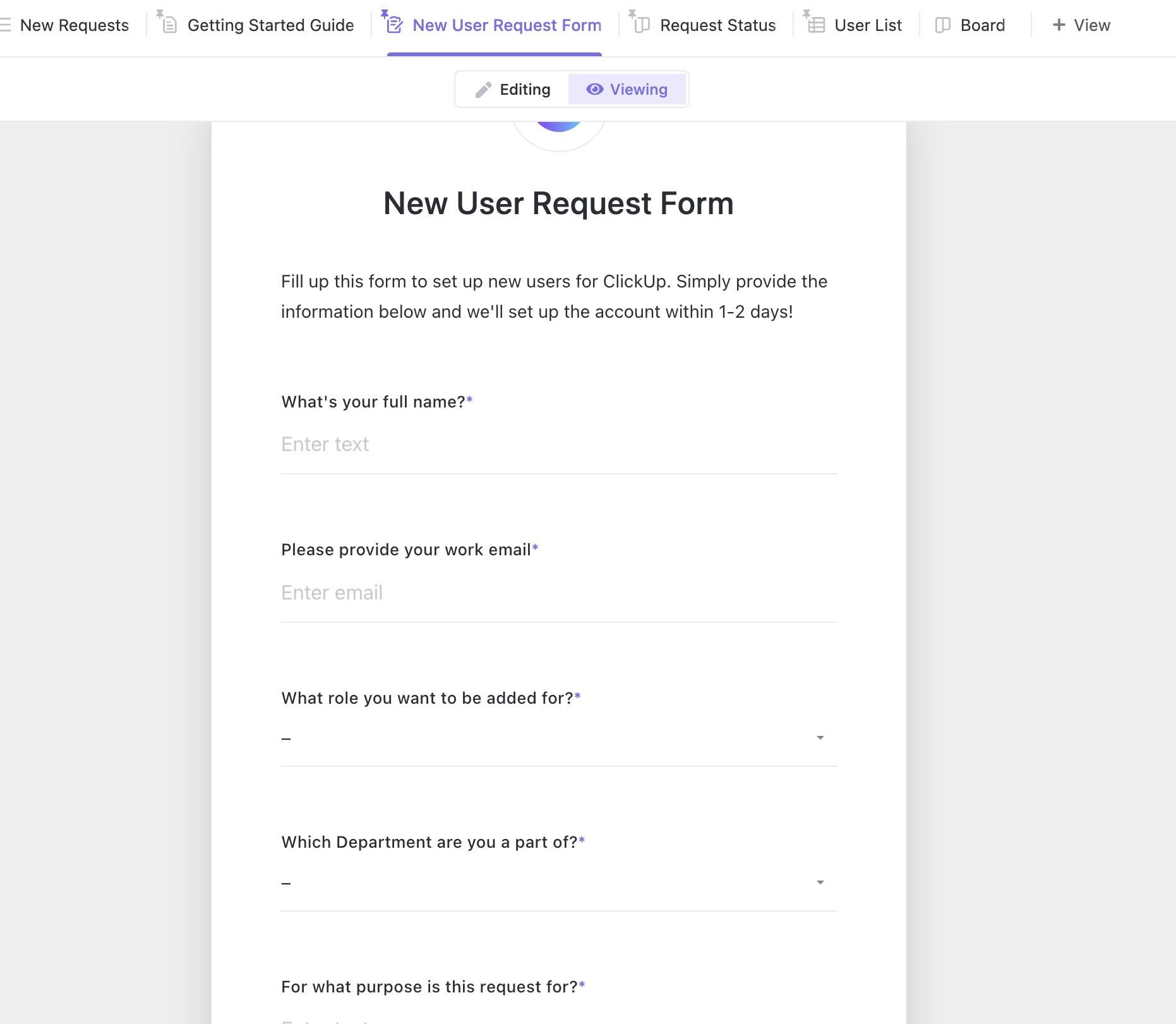
If you want a dedicated Secret Santa solution without building from scratch, the ClickUp Secret Santa Form Template provides a ready-to-use form specifically designed for holiday gift exchanges. It handles participant management, preference collection, and anonymous assignment tracking in one streamlined package.
This template includes pre-built Custom Fields for capturing essential participant information like department, contact details, and gift preferences. The User List View shows all participants and their details at a glance, while the Request Status View tracks each person’s submission progress. ClickUp Automations can automatically send the form to participants once they’re added to the list. Four built-in statuses—In Progress, New Request, Denied, and Granted—help you manage the entire exchange workflow from start to finish.
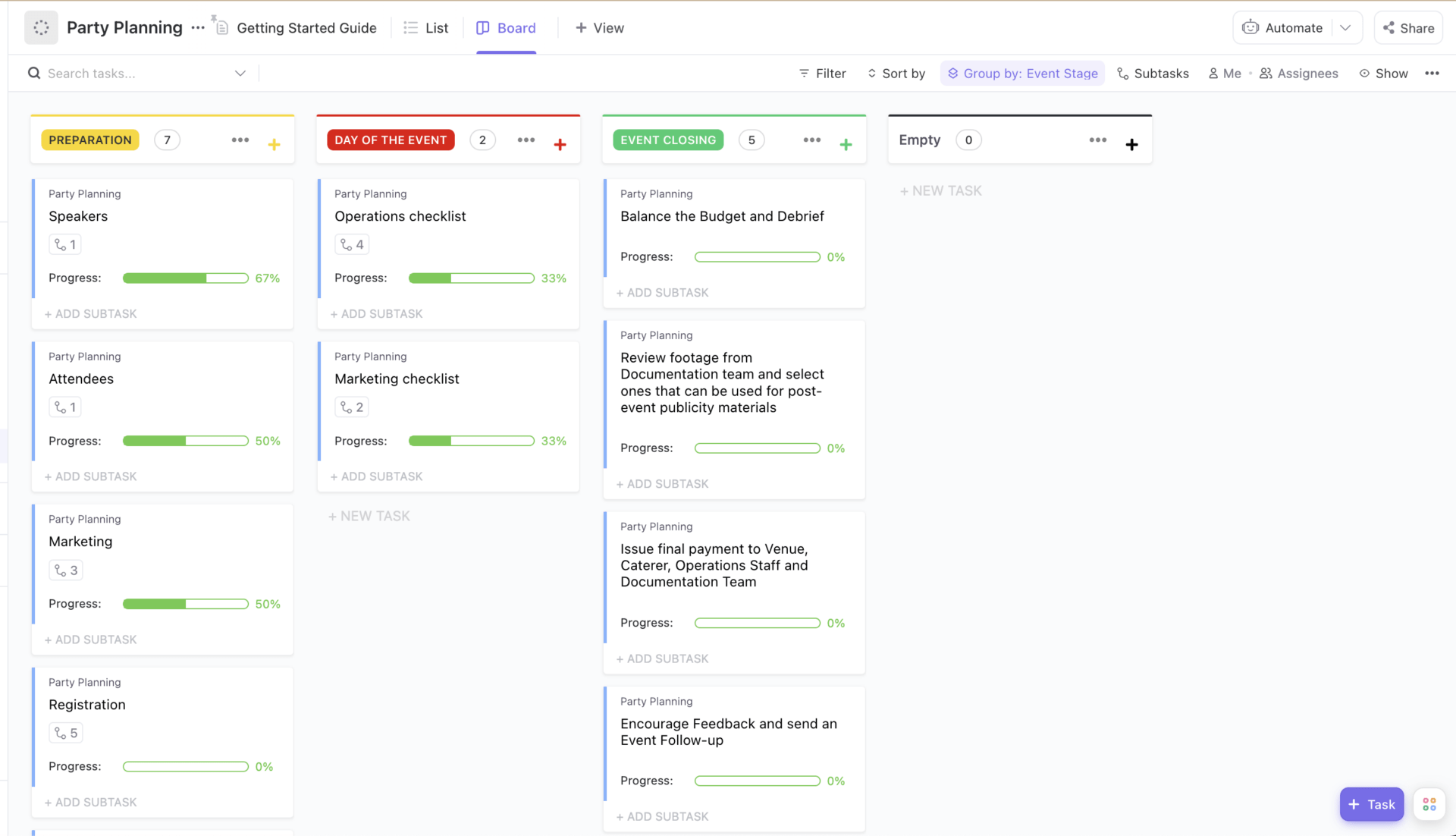
A Secret Santa exchange is often just one element of a larger holiday celebration. The ClickUp Party Planning Template helps you coordinate the gift exchange alongside venue logistics, catering, entertainment, and RSVPs—all in one organized system.
This template uses custom statuses like Blocked, Complete, In Progress, Needs More Info, and To Do to track every aspect of your holiday event. Event Stage and Progress fields help you visualize where each task stands. List View keeps tasks organized while Board View provides a visual overview of your party planning workflow. You can embed your Secret Santa form directly within the template, creating a single source of truth for your entire holiday celebration.
For HR teams who want to understand their workforce better—information that can inform more thoughtful gift exchanges—the ClickUp Employee Engagement Survey Template captures insights about employee preferences, communication styles, and workplace satisfaction that can make Secret Santa gifts more meaningful.
This template includes 32 custom fields to capture detailed employee feedback across multiple dimensions. Different views like All Submissions, Department, Team Feedback, and Company Feedback help you slice the data in useful ways. While designed for engagement surveys, the structure can be adapted to include gift preference questions, giving you richer context about what team members might appreciate. The data you collect can help gift-givers choose presents that resonate with recipients’ values and interests.
Once you’ve gathered feedback—whether from an engagement survey or a Secret Santa questionnaire—you need a system to act on it. The ClickUp Engagement Survey Action Plan Template helps you turn survey insights into concrete improvements, making it useful for organizers who want to refine their gift exchange process year over year.
This Doc template helps you analyze survey results and identify areas for improvement. It converts feedback into actionable tasks with full visibility and tracking. Milestone tracking keeps your improvement initiatives on schedule. While designed for employee engagement, you can adapt it to capture lessons learned from your Secret Santa exchange—like adjusting budget limits, refining questionnaire questions, or changing the timing of the event—so next year’s celebration runs even smoother.
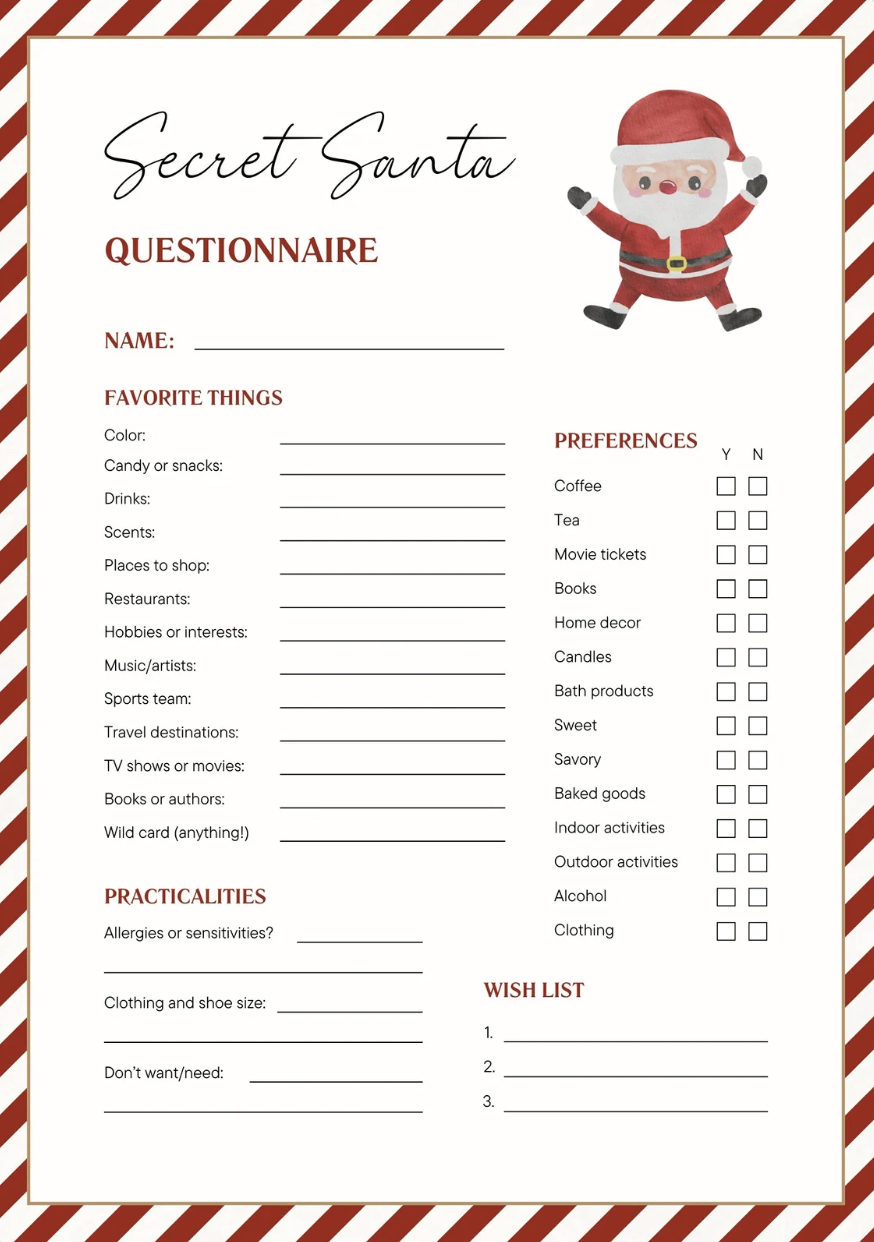
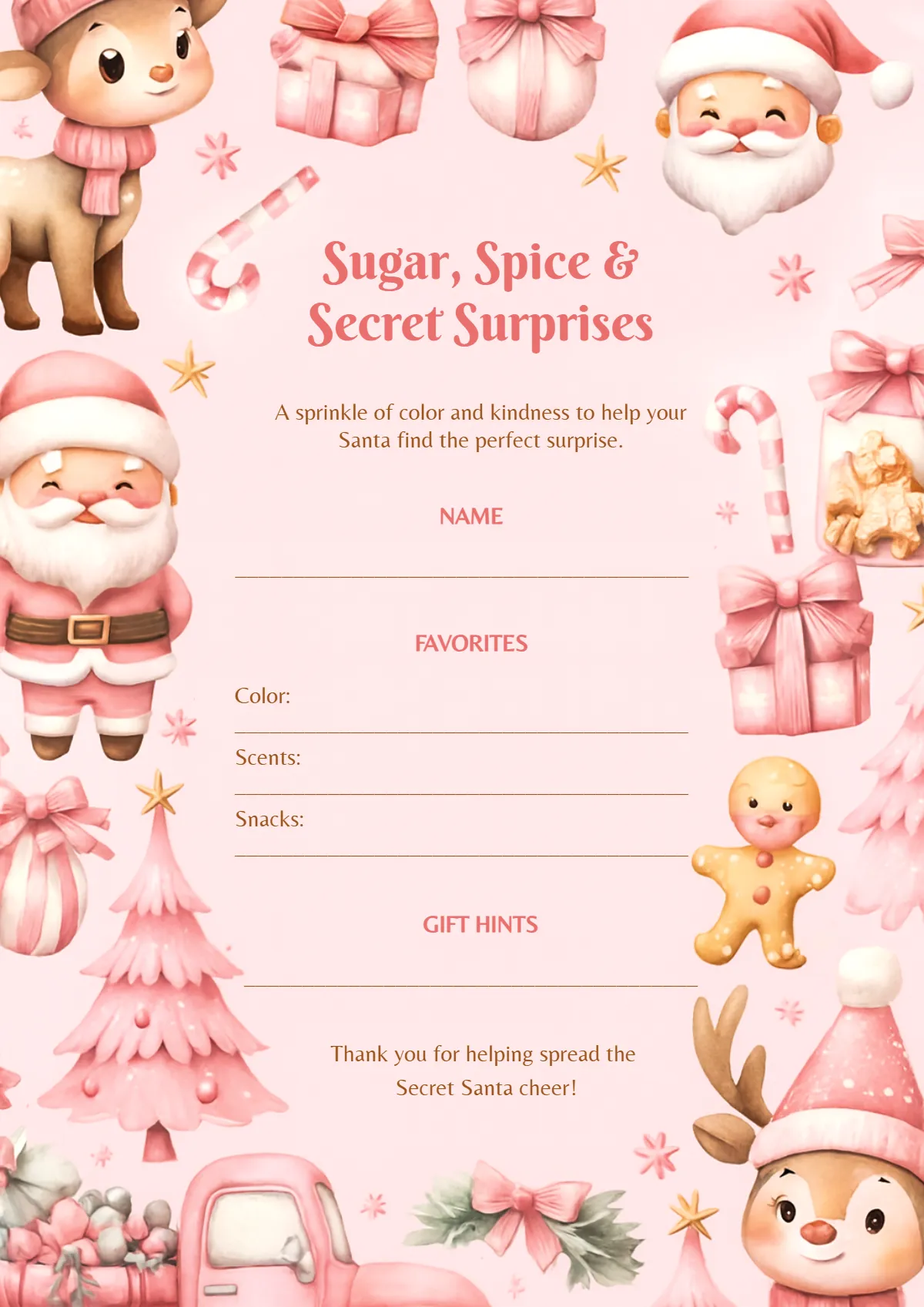
For organizers who prioritize visual appeal and want something festive-looking, the Canva Secret Santa Questionnaire Template offers a polished, holiday-themed design that’s ready to customize. It’s perfect for those who want to add some visual flair to the process without starting from a blank page.
This template features a red and white holiday design that looks professional and festive. You can easily customize the questions, colors, and fonts using Canva’s drag-and-drop editor—no design experience required. The A4 document format makes it easy to print for in-office exchanges or share as a PDF for remote teams. The main limitation is that, like other standalone document templates, you’ll need to manually collect and compile responses from participants.
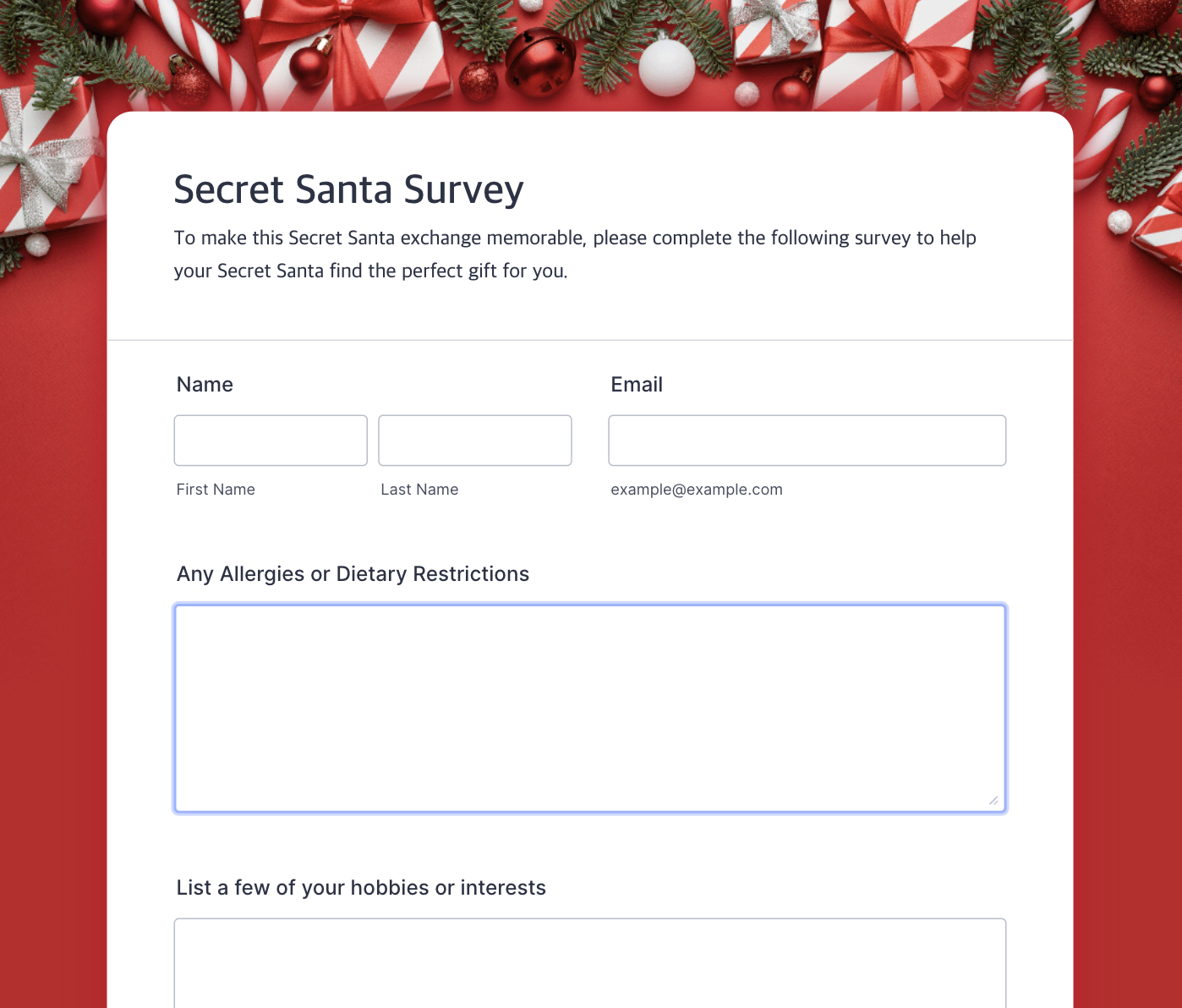
When you need quick online form creation with automated response collection, the Jotform Secret Santa Survey offers a no-code solution for gathering gift preferences digitally. It bridges the gap between simple document templates and full project management solutions.
This template automatically collects and organizes responses in one place, eliminating manual data entry. Basic conditional logic allows you to show or hide questions based on previous answers. Mobile-friendly forms work well for remote teams who need to submit preferences from any device. The free tier has submission limits, so larger teams may need to upgrade for full functionality.
Sometimes you just need something fast and familiar without setting up a new system. The pain point here is the immediate need for a simple, printable form that everyone understands.
The Template.net Secret Santa Questionnaire Templates offer downloadable options in common formats like PDF, Word, or Google Docs that you can distribute instantly.
While these templates solve the need for speed, they introduce a new problem: manual labor. The organizer is left to distribute the files, chase down responses, and manually compile all the data into a master list, which is both time-consuming and prone to error.
Format options include easily shareable PDF, Word, or Google Docs files. Quick deployment means you can download and send out these templates immediately with no account setup required. Most templates use a familiar structure that participants will instantly recognize. The biggest drawback is that responses live in separate, disconnected files, creating significant administrative work for the organizer.
To get the best of both worlds, you can recreate these familiar questionnaire structures inside ClickUp Forms. This gives you the simplicity of a traditional form but automates the collection and organization, eliminating the manual work and centralizing all the data in your ClickUp Workspace.
You sent out a questionnaire, but the responses are useless. “What do you like?” gets you “I don’t know, stuff.” This lack of specific, actionable information forces gift-givers to guess, often resulting in a generic mug or a last-minute gift card. The gift feels impersonal, the recipient is underwhelmed, and the entire point of a thoughtful exchange is lost—particularly damaging when 82% of employees value personalized gifts more.
A great Secret Santa form prevents this by balancing specificity with brevity. It asks the right questions to give helpful intel without being so long that people abandon it. Here are the essential categories to include:
| Question Type | Example Question | Why It Matters |
|---|---|---|
| Preferences | What are your top three hobbies or interests? | Gives gift-givers specific and actionable direction |
| Restrictions | Do you have any allergies or dietary restrictions? | Prevents awkward, unusable, or even dangerous gifts |
| Sizing | What’s your t-shirt size (unisex)? | Enables clothing and other wearable gift options |
| Wild card | What’s on your wish list that you’d never buy yourself? | Uncovers opportunities for truly meaningful and surprising gifts |
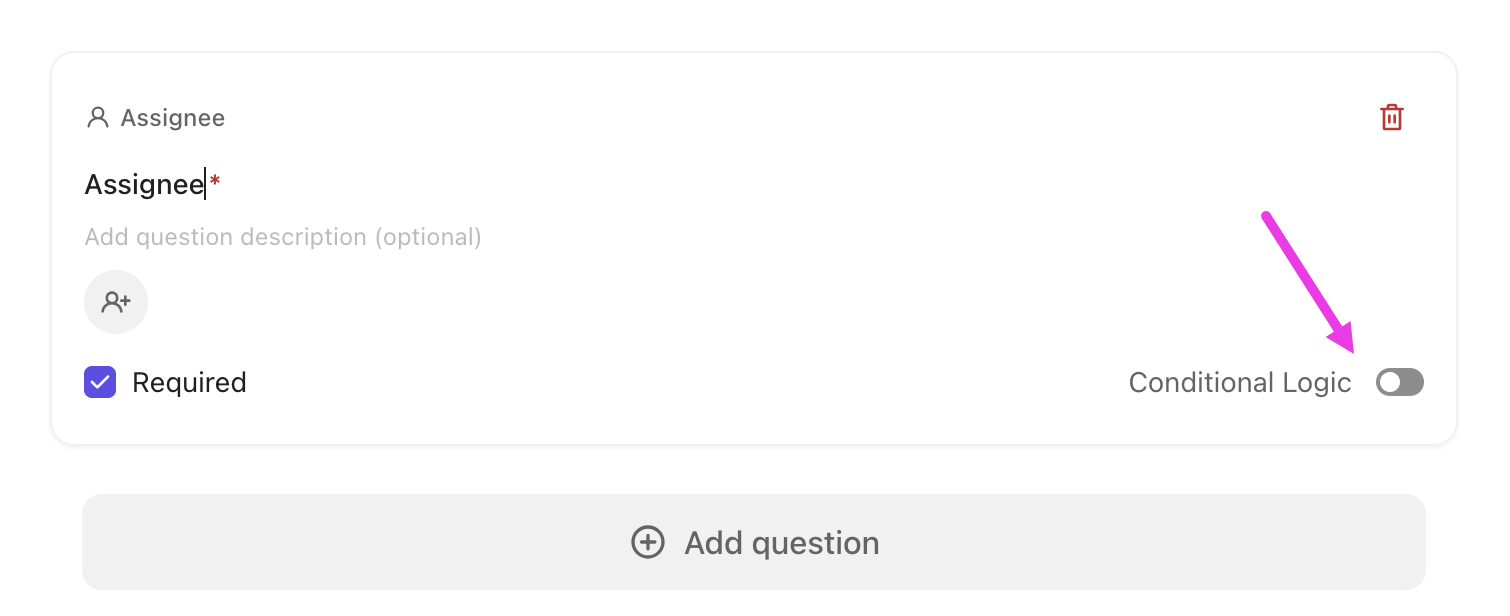
To make your form even smarter and less cluttered, use ClickUp Forms with ClickUp Conditional Logic. For example, a question about t-shirt size can be set to appear only if a participant first indicates they’re open to receiving clothing. This keeps the form clean and relevant for everyone.
If you’re stuck on what to ask, let ClickUp Brain help. It can draft question variations or suggest additional creative questions based on your team’s size and the type of gift exchange you’re running.
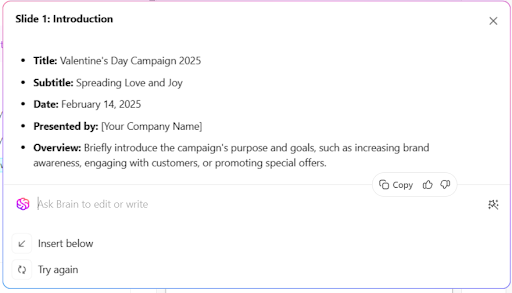
A good Secret Santa questionnaire asks the right questions, respects everyone’s time with a short and smart form, and gives organizers a clear system for tracking responses. The real chaos of gift exchanges comes from scattered information and manual coordination—a centralized tool eliminates that friction. When the logistics disappear into the background, your team can focus on what actually matters: the surprise, the laughter, and the connection that comes from a thoughtful gift. ✨
Summarize this article with AI ClickUp Brain not only saves you precious time by instantly summarizing articles, it also leverages AI to connect your tasks, docs, people, and more, streamlining your workflow like never before.Make Secret Santa Fun Again, Not Administrative
A great Secret Santa exchange should feel joyful, surprising, and personal. When the process is messy, scattered, and manual, the magic fades and the organizer ends up managing logistics instead of enjoying the moment.
The difference comes down to structure. A smart questionnaire captures meaningful preferences without overwhelming participants. A centralized system keeps wish lists, assignments, and deadlines organized. Automation removes the need for constant reminders and follow-ups. When these pieces work together, the exchange runs quietly in the background while the fun takes center stage.
Whether you are coordinating a small team exchange or planning a larger holiday celebration, the right template transforms chaos into clarity. No lost wish lists. No awkward gifts. No last-minute scrambling. Just a smooth, thoughtful experience that everyone can enjoy.
Start simple, keep the form smart, and let the system handle the heavy lifting so you can focus on what Secret Santa is really about: surprise, connection, and a little holiday joy. 🎁✨
Ready to simplify your next gift exchange? Sign up for ClickUp for free and get started today.
For a workplace gift exchange, your questionnaire should include the participant’s name, gift preferences like hobbies or favorite treats, and any important restrictions or allergies. It’s also helpful to ask about their desk aesthetic or t-shirt size, while always keeping questions professional and inclusive.
To organize a gift exchange for remote or hybrid teams, use a digital form to collect preferences and shipping addresses, and use a randomizer tool for assigning tasks like gift-giving anonymously. Set clear deadlines for shipping or virtual gift card delivery, and use a central platform like ClickUp to manage it all with automated reminders.
Yes, both are great for collecting preferences, but ClickUp Forms offer the advantage of automatically turning each submission into a task within your ClickUp Workspace. This makes it much easier to track progress and manage the entire exchange without manually moving data between tools.

© 2026 ClickUp

There’s an easier way. Try a free AI Agent in ClickUp that actually does the work for you—set up in minutes, save hours every week.