













Still downloading templates?
There’s an easier way. Try a free AI Agent in ClickUp that actually does the work for you—set up in minutes, save hours every week.
Sorry, there were no results found for “”
Sorry, there were no results found for “”
Sorry, there were no results found for “”

Having your recruitment pipeline scattered across spreadsheets, emails, and notes is more problematic than you think. You lose time sifting through data and reconciling information, sometimes up to 60% of your day!
The stakes are high: every delay means losing out on top performers to faster-moving competitors. And worse? Your team starts burning out from the chaos.
👀 Did You Know? The average time to fill a role is 47.5 days, and that number balloons when you lack a clear process or tools to visualize candidate progress across stages.
Using a recruitment pipeline template ensures you can focus less on admin, and more on building a standout team.
In this post, we’ll show you the exact templates top HR teams and recruiters use to speed up hiring, stay organized, and create a smoother experience for everyone involved—from recruiter to candidate.
Recruitment pipeline templates are structured tools designed to help HR teams, hiring managers, and recruiters visualize and manage every stage of the hiring process. They act as a single source of truth—mapping the candidate journey from application to offer, across clear, defined stages like screening, interviewing, and selection.
Think of them as plug-and-play workflows: you get a prebuilt framework with customizable fields for job roles, candidate statuses, interview steps, evaluation notes, and more. They help you reduce manual tracking, align teams, and ensure no candidate falls through the cracks.
Recruiting pipeline templates are often used within an ATS (Applicant Tracking System) or project management platform like ClickUp to streamline team collaboration and decision-making. Whether you’re hiring one role or scaling a department, they help standardize the process so you’re not reinventing the wheel every time you open a req.
A good recruitment pipeline template mirrors your hiring process and adapts to real-world complexities. Here are some must-have features:
Most importantly, your recruiting pipeline template should be easy to use and tweak so that you can move top talent through your hiring pipeline efficiently and confidently. No two hiring processes are exactly alike—and your team deserves a template that works the way you work.
A good recruiting pipeline template breaks down the recruitment process into logical stages, such as application review, interviews, assessments, and final selection, making it simple to track where each candidate stands. It also makes candidate evaluation easier with built-in scoring and comparison criteria.
Here are some templates that offer these features to simplify your recruiting process:
The ClickUp Recruitment and Hiring Template is your end-to-end system for managing job openings, candidate stages, and hiring team collaboration—all in one place.
Best of all, it integrates tightly with ClickUp Docs, Forms, and Calendar views, so you can build job descriptions, collect applications, and schedule interviews—without leaving the platform.
👉🏼 Ideal for: HR teams and talent acquisition leads who want to consolidate their recruitment process into one scalable, repeatable workflow
The ClickUp Interview Process Template helps you design a consistent, repeatable interview flow for every role and department. It creates alignment across interviewers and ensures no step is missed.
Each stage includes task templates for what to prepare, what questions to ask, and how to capture feedback. You can even embed evaluation forms directly into the workflow, so assessments are stored in one place and are easy to compare.
👉🏼 Ideal for: Companies scaling fast or hiring across multiple teams, where interview drift is a common problem
Hiring involves a ton of moving pieces—job postings, approvals, interview loops, documentation—and missing one step can cost you top talent. The ClickUp Hiring Checklist Template is a simple but powerful tool to keep the entire process tight and accountable.
👉🏼 Ideal for: HR professionals and hiring managers who want a foolproof, repeatable process to keep every recruitment on track
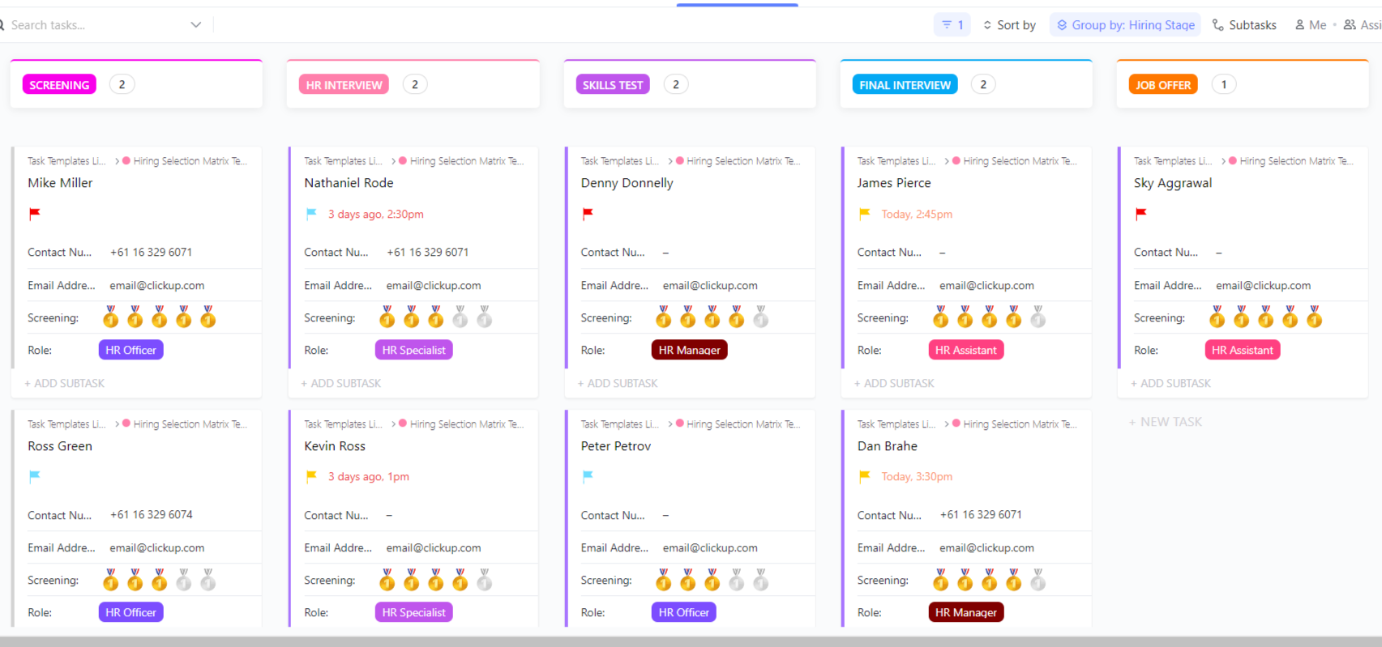
The ClickUp Hiring Candidates Template provides a visual board for managing active candidates across multiple roles. It helps you instantly see who’s at what stage and what needs your attention.
Built as a Kanban-style board, it’s easy to drag candidates from one stage to another (e.g., “Phone Screen” → “Interview Round 1” → “Decision Pending”) while keeping their resumes, notes, and feedback attached to each card.
👉🏼 Ideal for: Recruiters and hiring teams juggling multiple open roles and who need a visual, data-driven way to compare candidates and accelerate decision-making
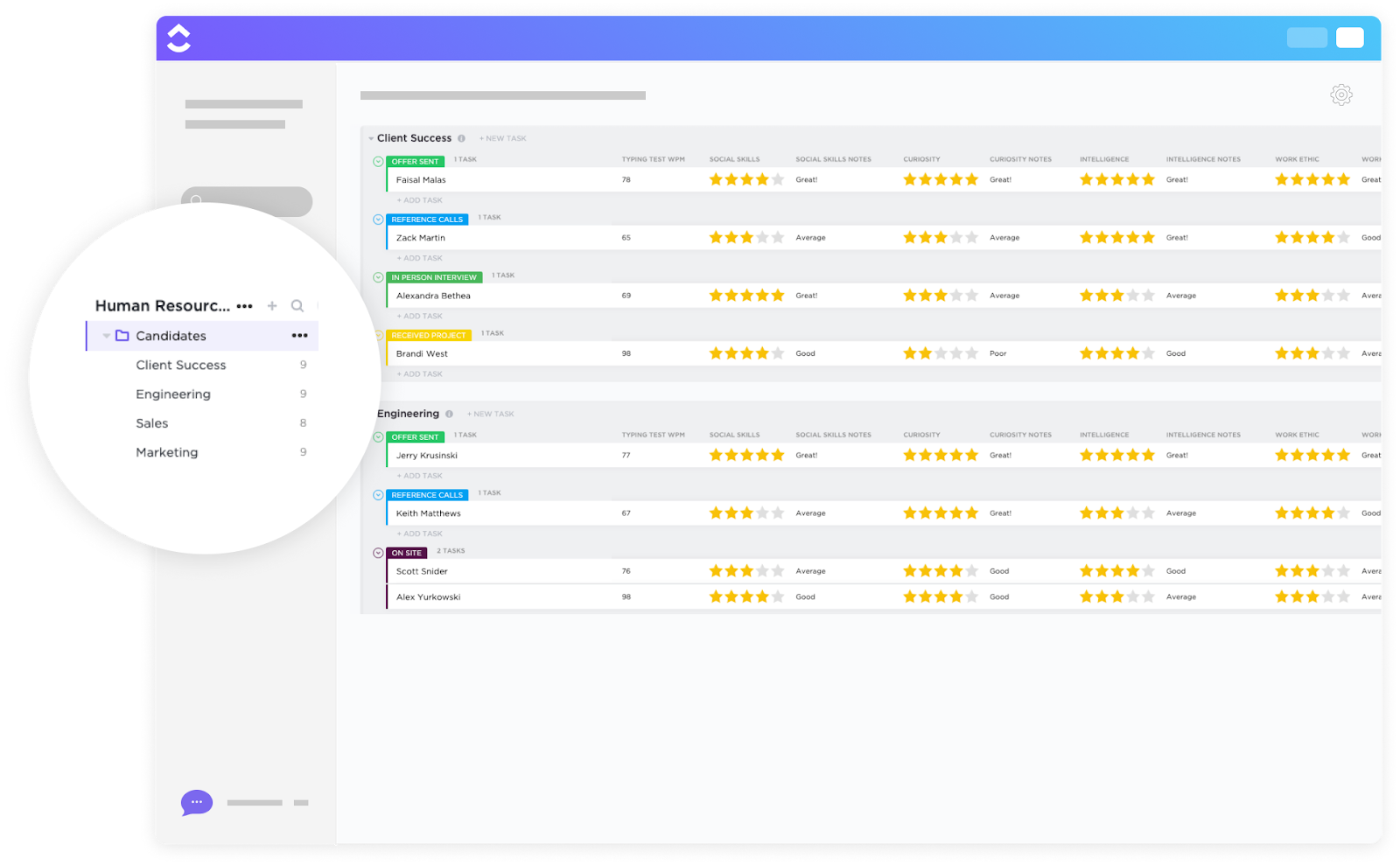
The ClickUp Hiring Selection Matrix Template brings objectivity and transparency to your candidate evaluation process. This template lets you compare applicants side by side using customizable criteria, so you can make data-driven hiring decisions with confidence.
👉🏼 Ideal for: Teams that want to eliminate bias and ensure fair, consistent candidate evaluations
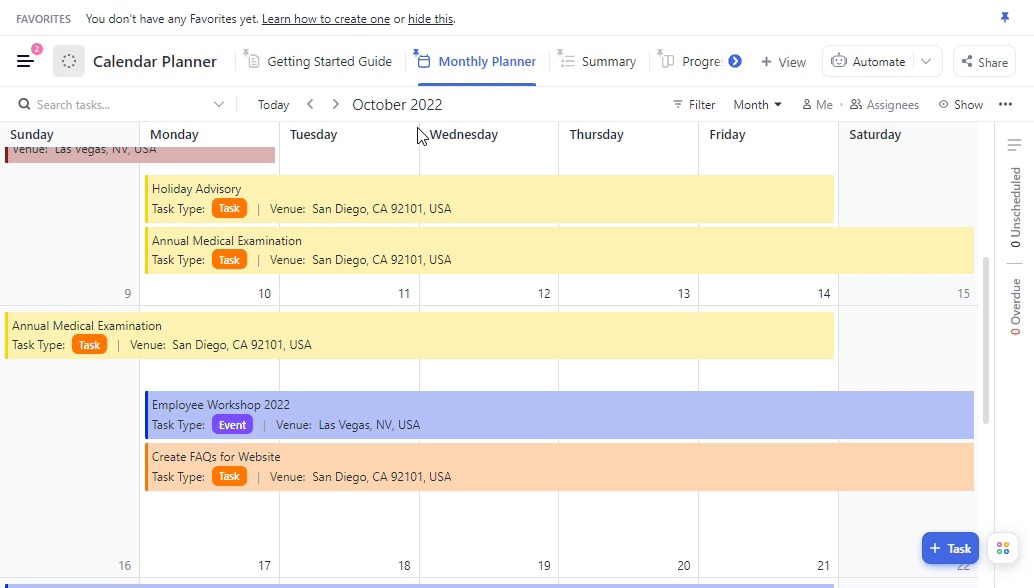
The ClickUp Calendar Planner Template is your go-to tool for scheduling interviews, onboarding sessions, and recruitment events—all in one place. ClickUp’s intuitive Calendar syncs with Google Calendar and Outlook, helping you avoid double-booking and keeping everyone on the same page.
👉🏼 Ideal for: Recruiters and hiring teams who need to align multiple moving parts across timelines
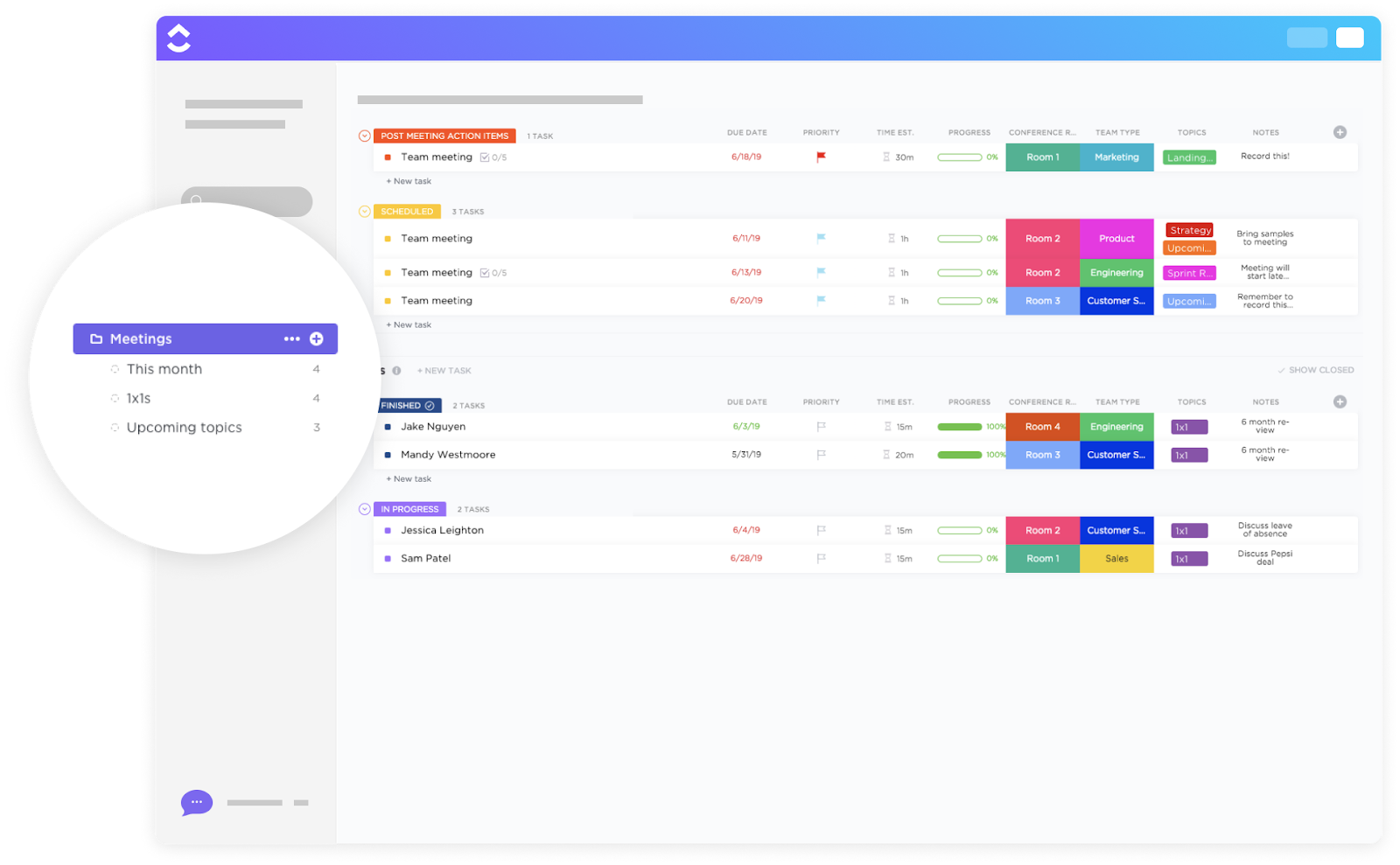
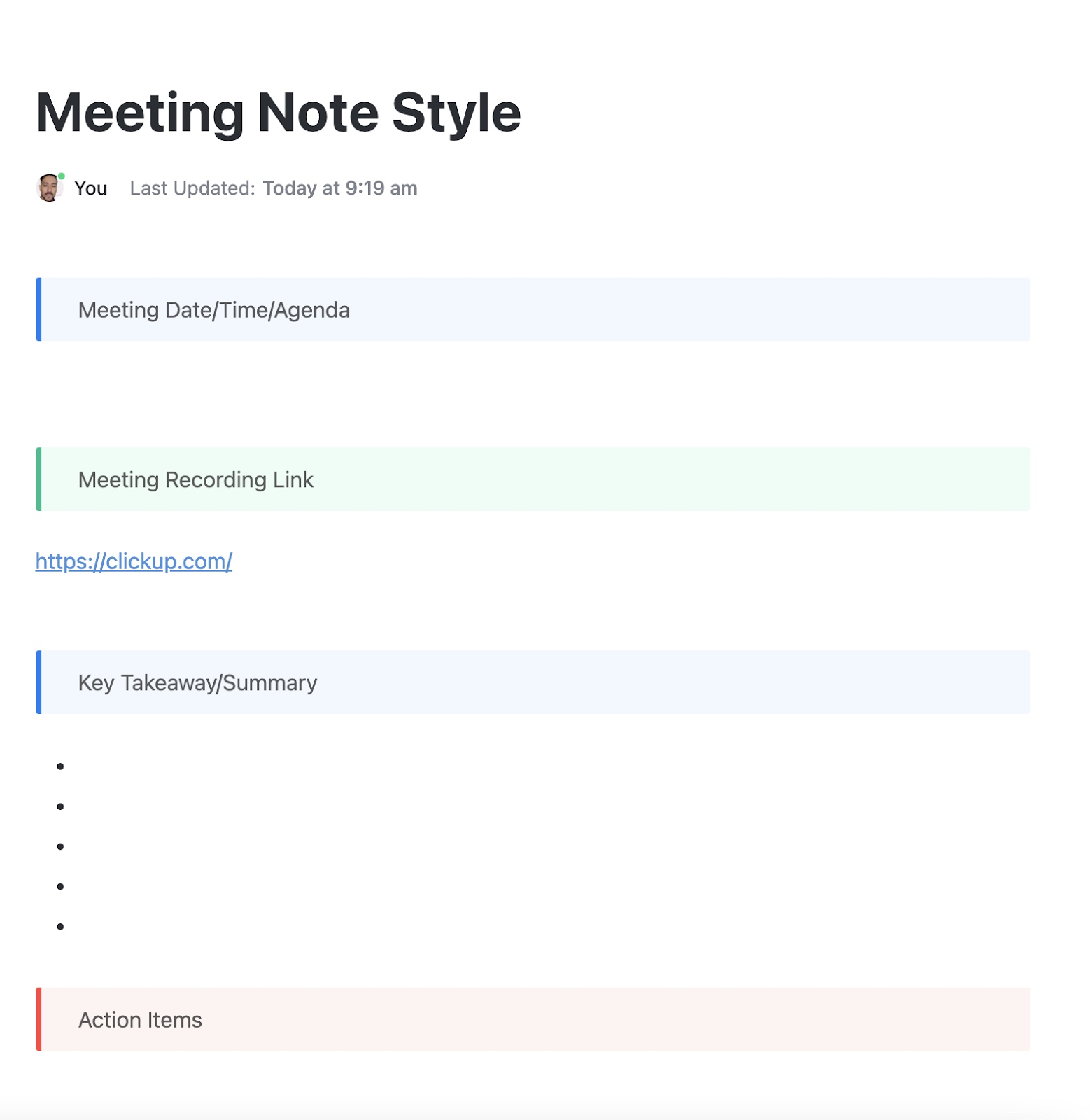
Hiring meetings are notorious for being vague or going off-topic. The ClickUp Meetings Template helps you run faster, more productive debriefs—whether it’s a candidate evaluation sync or a weekly pipeline review.
👉🏼 Ideal for: Hiring teams that want to run efficient, productive recruitment meetings and never lose track of next steps
💡 Pro Tip: Want to automate transcripts and meeting notes for recruitment meetings? Use the ClickUp AI Notetaker. It sends a meeting recap with clearly labelled discussions and well-defined action items directly to your ClickUp Inbox.

The ClickUp Interview Meeting Notes Template is built for capturing detailed, consistent feedback during candidate interviews. No more scattered notes or forgotten impressions—everything is organized and accessible.
👉🏼 Ideal for: Interview panels and hiring managers who want fast, clear feedback that feeds into better decisions
📮ClickUp Insight: 92% of workers use inconsistent methods to track action items, which results in missed decisions and delayed execution. Whether you’re sending follow-up notes or using spreadsheets, the process is often scattered and inefficient.
ClickUp’s Task Management Solution ensures seamless conversion of conversations into tasks—so your team can act fast and stay aligned.
The Evaluation Form Template by ClickUp standardizes how your team assesses candidates, so every decision is based on the same criteria, regardless of who is conducting the interviews.
You can fully customize the form with:
👉🏼 Ideal for: Interview panels and hiring managers who want fast, clear feedback that feeds into better decisions
👀 Did You Know? You can convert form submissions into trackable tasks in ClickUp!
That means every time a candidate fills out an application form or submits their details during the hiring process, ClickUp can instantly create a task with all their info pre-filled: name, resume, role applied for, contact details, and more. You can assign the task to a recruiter, set due dates, and even trigger automations like sending follow-up emails or moving the task to a “Screening” status.
Have you ever lost track of who interviewed whom or what feedback was shared? The ClickUp Interview Management and Report Template is built to eliminate that chaos.
👉🏼 Ideal for: Talent acquisition teams managing high-volume hiring who need a transparent, audit-friendly record of every interview
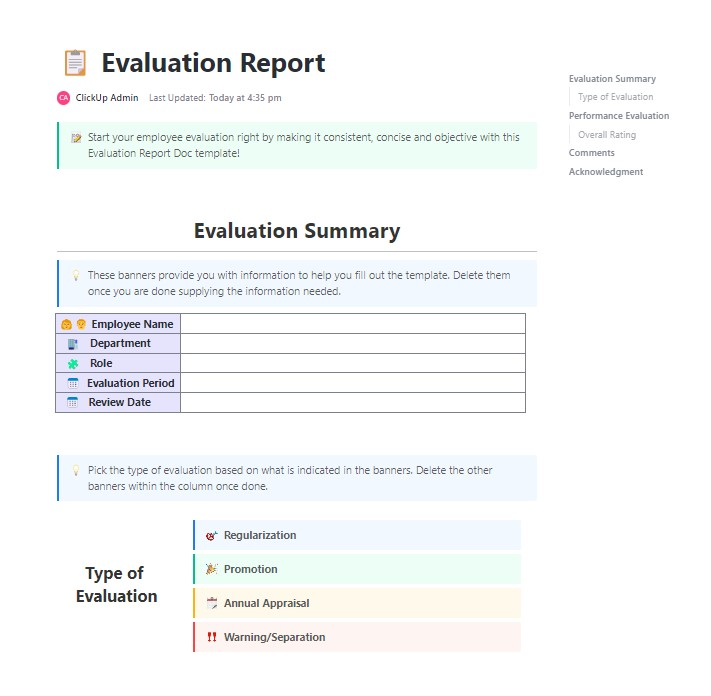
The best hires aren’t always the most obvious. How do you ensure every candidate gets a fair, apples-to-apples evaluation? The ClickUp Prospective Candidate Evaluation Report Template helps you dig deeper by combining qualitative and quantitative insights into a single doc-style report.
👉🏼 Ideal for: Hiring leaders and managers who want formal, transparent reports that justify hiring decisions with solid data
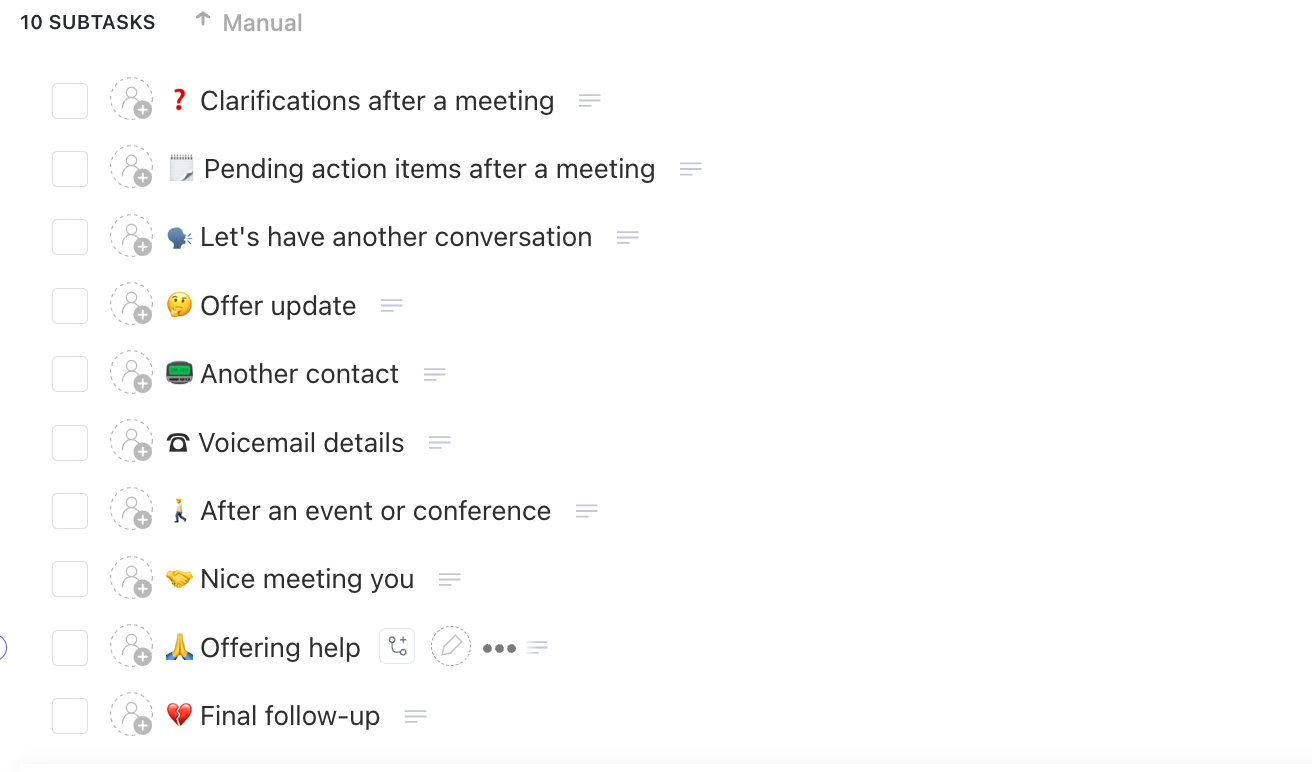
How often do candidates ghost after interviews simply because they hear nothing back? The ClickUp Follow-Up Email Template ensures prompt, personalized follow-ups to keep candidates informed, without added lift.
👉🏼 Ideal for: Small HR teams or solo recruiters who want to stay responsive and respectful without losing time
💡 Pro Tip: Whether you’re sending a “thank you,” outlining next steps, or delivering a rejection, with ClickUp Brain, ClickUp’s native AI assistant, you can generate tailored follow-up messages directly within your candidate task.
Simply add a few context cues—like the interview stage, outcome, and any feedback into your prompt. You can even save these drafts as templates for faster use across your pipeline.
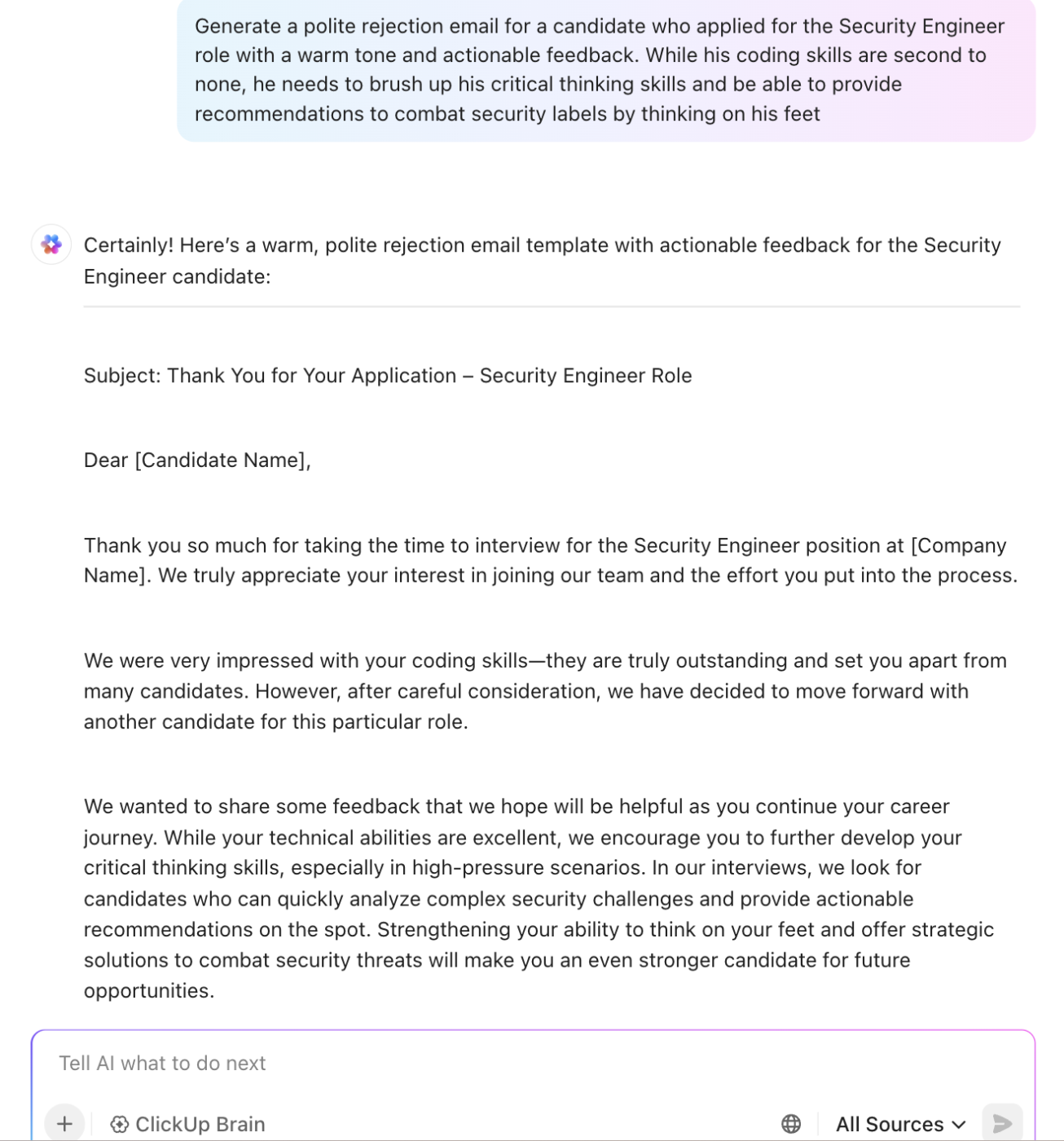
Here are some more ways of using AI to make recruitment faster and smarter:
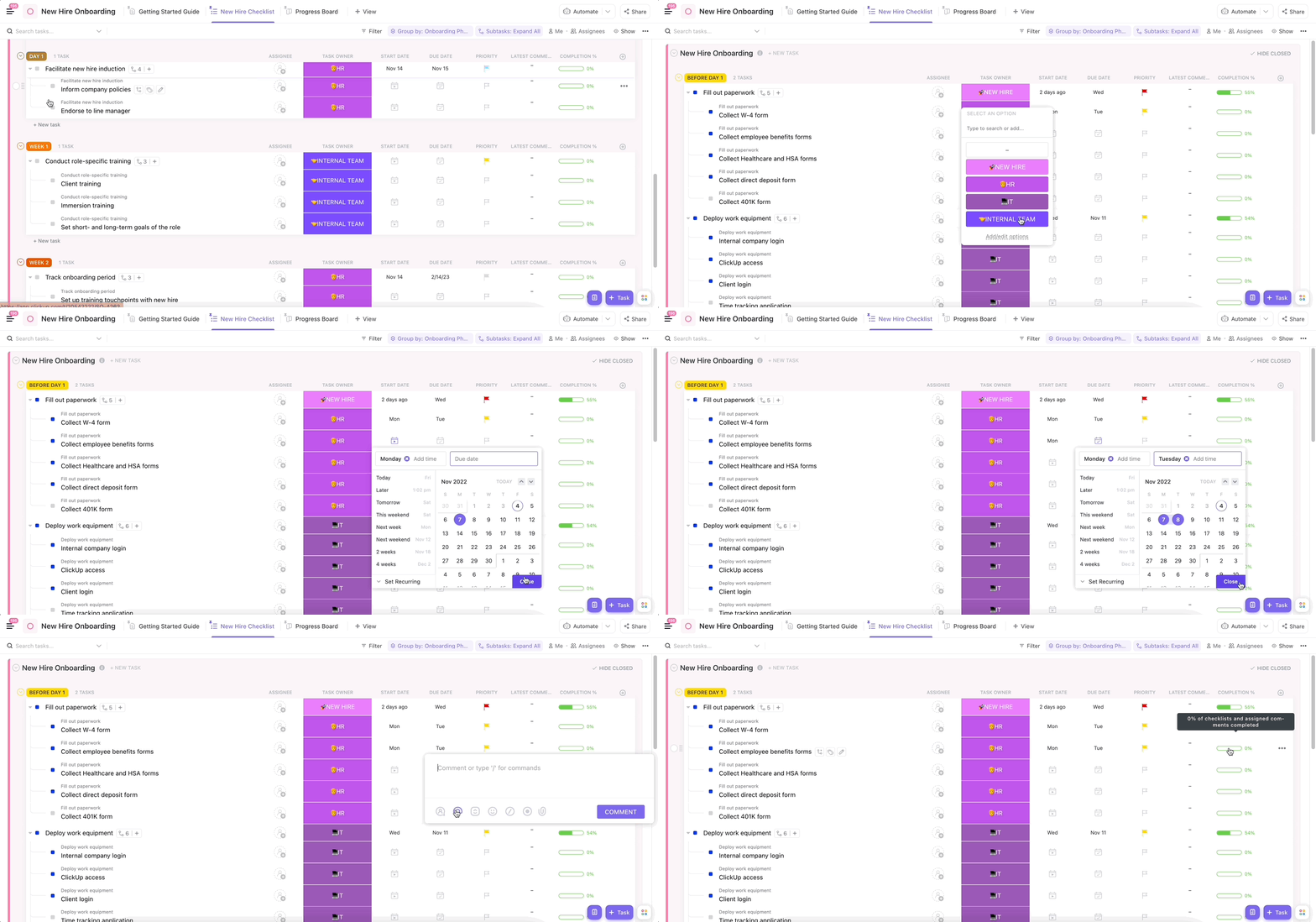
Onboarding is where first impressions become lasting ones. The ClickUp New Hire Onboarding Template ensures every new team member feels welcomed, informed, and productive from day one.
👉🏼 Ideal for: HR teams who want to deliver a seamless, scalable onboarding experience that sets new hires up for success
Ever worry that onboarding tasks for a new hire (or team) will slip through the cracks? The ClickUp Onboarding Checklist Template is your safety net for a flawless onboarding experience.
👉🏼 Ideal for: HR teams and managers who want a foolproof way to deliver consistent, professional onboarding experiences
Want new hires to outperform by day 90? Break the first three months into manageable wins with the ClickUp 30-60-90 Day Plan Template.
👉🏼 Ideal for: Managers and HR leaders who want to accelerate new hire productivity and measure progress from day one
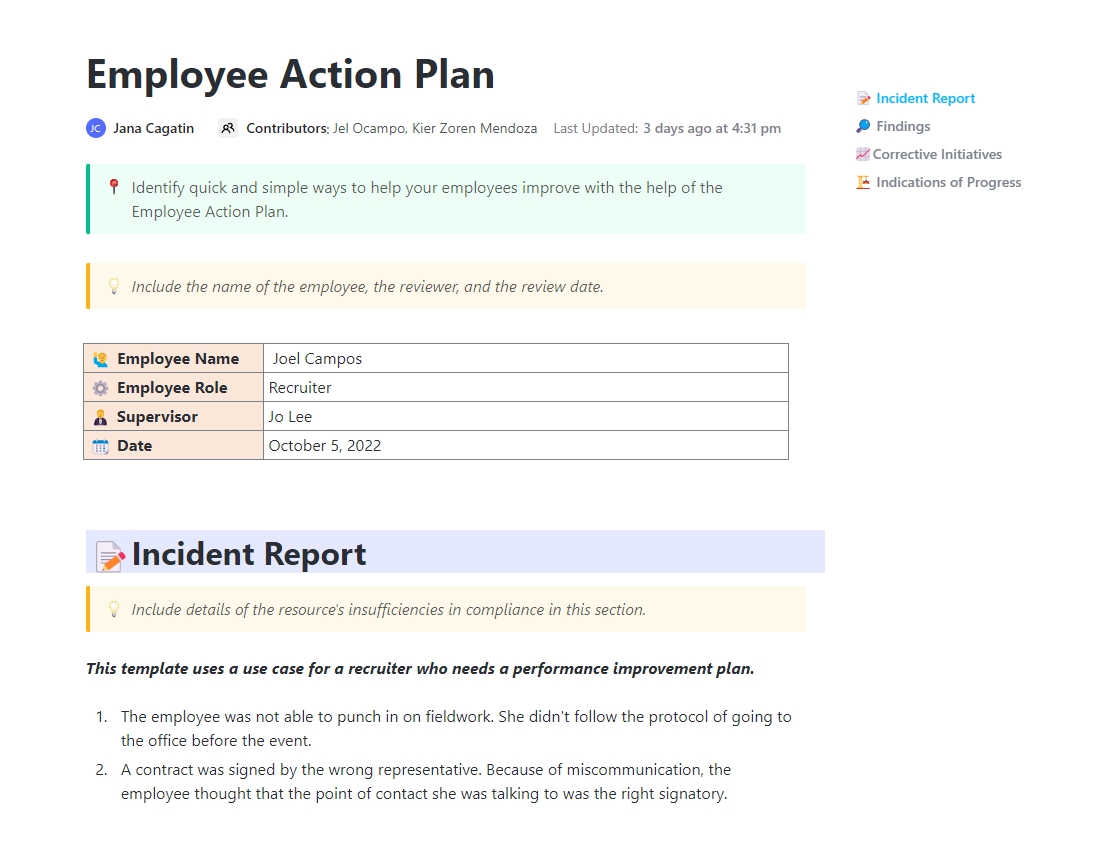
When performance reviews or employee development needs clarity, the ClickUp Employee Action Plan Template helps you turn feedback into actionable steps.
👉🏼 Ideal for: HR professionals and team leads managing performance improvement or career growth plans
Remote hires can feel isolated, especially in the first week. The ClickUp Remote Onboarding Template is purpose-built for distributed teams, ensuring every remote employee gets a connected, comprehensive start.
👉🏼 Ideal for: Distributed teams who want to standardize remote onboarding and create a welcoming virtual experience
You don’t need to be told twice that onboarding includes a ton of training. The ClickUp Training List for Onboarding Template breaks it all down for every new team member:
👉🏼 Ideal for: Onboarding coordinators who want a transparent, accountability-driven training program that drives new hires toward productivity fast
Are you scaling your team or planning for seasonal hiring? The ClickUp Staffing Plan Whiteboard Template gives you a visual, collaborative space to map out your entire recruitment strategy.
👉🏼 Ideal for: HR leaders and department heads who need to align hiring plans with business goals and budget
🎯Also Read: 10 Free Staffing Plan Templates for Recruiters
The ClickUp Succession Planning Template provides a centralized system for identifying key roles and grooming future leaders, with clarity and structure. Built to blend future-ready planning with real-time execution, this template ensures no leadership void surprises you.
👉🏼 Ideal for: HR leaders and department heads who want to build a reliable bench and keep operations uninterrupted when change hits
Whether you’re scaling fast, hiring for specialized roles, or simply want to eliminate bottlenecks, ClickUp’s recruitment and related templates give you the clarity and control you need at various stages.
Each template brings its own power:
When you layer them together—pipeline, training, staffing analysis, and onboarding—you create not just a hiring process, but a cohesive talent engine.
So here’s the power of choice: sign up for ClickUp, pick typically organized templates that best address where your team’s pipeline feels weakest today, deploy them, and measure the impact. Over time, your hiring process evolves from reactive to proactive, from fragmented to refined—and yes, that’s exactly how you win the war for talent.

© 2026 ClickUp

There’s an easier way. Try a free AI Agent in ClickUp that actually does the work for you—set up in minutes, save hours every week.