



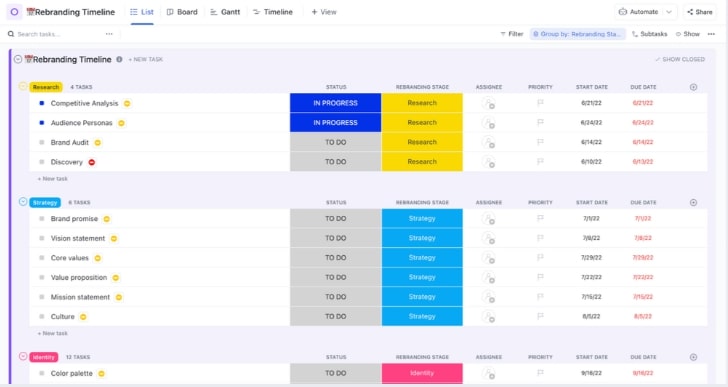




Still downloading templates?
There’s an easier way. Try a free AI Agent in ClickUp that actually does the work for you—set up in minutes, save hours every week.
Sorry, there were no results found for “”
Sorry, there were no results found for “”
Sorry, there were no results found for “”
A client rebrand is rarely ever just a new look.
It’s a business change that touches messaging, website, product, sales, support, and internal alignment all at once.
That’s why the strategy has to be planned like a project. You need clarity on the business goal, the audience shift (if any), the positioning you’re protecting or changing, and the rollout path across every touchpoint.
In this guide, we’ll walk through how to plan a rebrand strategy for client projects, including discovery inputs, positioning work, messaging, visual direction, stakeholder alignment, and a launch plan you can execute on the go.
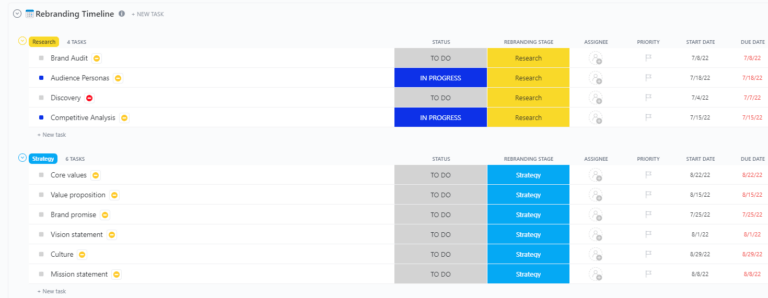
The ClickUp Rebranding Project Template gives you a single command center to run the entire rebrand from discovery to launch, with a clear stage-based workflow you can actually keep up with.
A rebranding strategy is a comprehensive, intentional plan that guides a company (or organization or product) through the process of changing or refreshing its brand identity to better align with current business goals, market realities, audience expectations, or internal evolution.
📝 Note: A quick reminder on two terms often used interchangably:
Before you start redesigning, you want to diagnose the real problem your client is trying to solve, because a full rebrand and a brand refresh fix very different things.
| Category | Brand Refresh | Rebrand |
|---|---|---|
| What it is | A tune-up that modernizes the look, feel, and messaging without changing the brand’s core positioning | A complete reset that changes how the brand is positioned, perceived, and often how it shows up across the business |
| What typically changes | Positioning, narrative, messaging architecture, identity system, voice and tone, product, and go-to-market alignment | Positioning, narrative, messaging architecture, identity system, voice and tone, product, and go-to-market alignment |
| What stays mostly the same | Positioning, narrative, messaging architecture, identity system, voice and tone, product, and go-to-market alignment | Often very little, except select equity elements you intentionally keep |
| Best for | Brands that are working, but look dated, feel inconsistent, or lack clarity | Brands that have outgrown their identity, need to shift perception, or are entering a new chapter |
| Risk level | Low risk, you’re polishing what already works | Higher risk, you’re changing what people think the brand is |
| Time and effort | Weeks, lighter discovery and rollout | Months, deeper research, stakeholder alignment, and phased rollout |
| Ideal deliverables | Updated brand kit, refreshed messaging, cleaned-up guidelines, new templates | Positioning doc, full identity system, messaging architecture, launch plan, internal enablement, migration checklist |
✅ Your recommendation should be a:
There are several key elements to a successful client rebrand.
Your brand strategy defines the exact meaning behind the rebrand. It answers critical questions about the target audience, competitive differentiation, brand promise, and desired market perception.
This document serves as the north star that guides every downstream decision your team makes.
You can also store your brand strategy and positioning in ClickUp Docs so there’s one source of truth your team can always reference. Docs give you a home for your audience definition, differentiation, brand promise, and messaging pillars, so the north star stays easy to find and doesn’t get buried in decks.
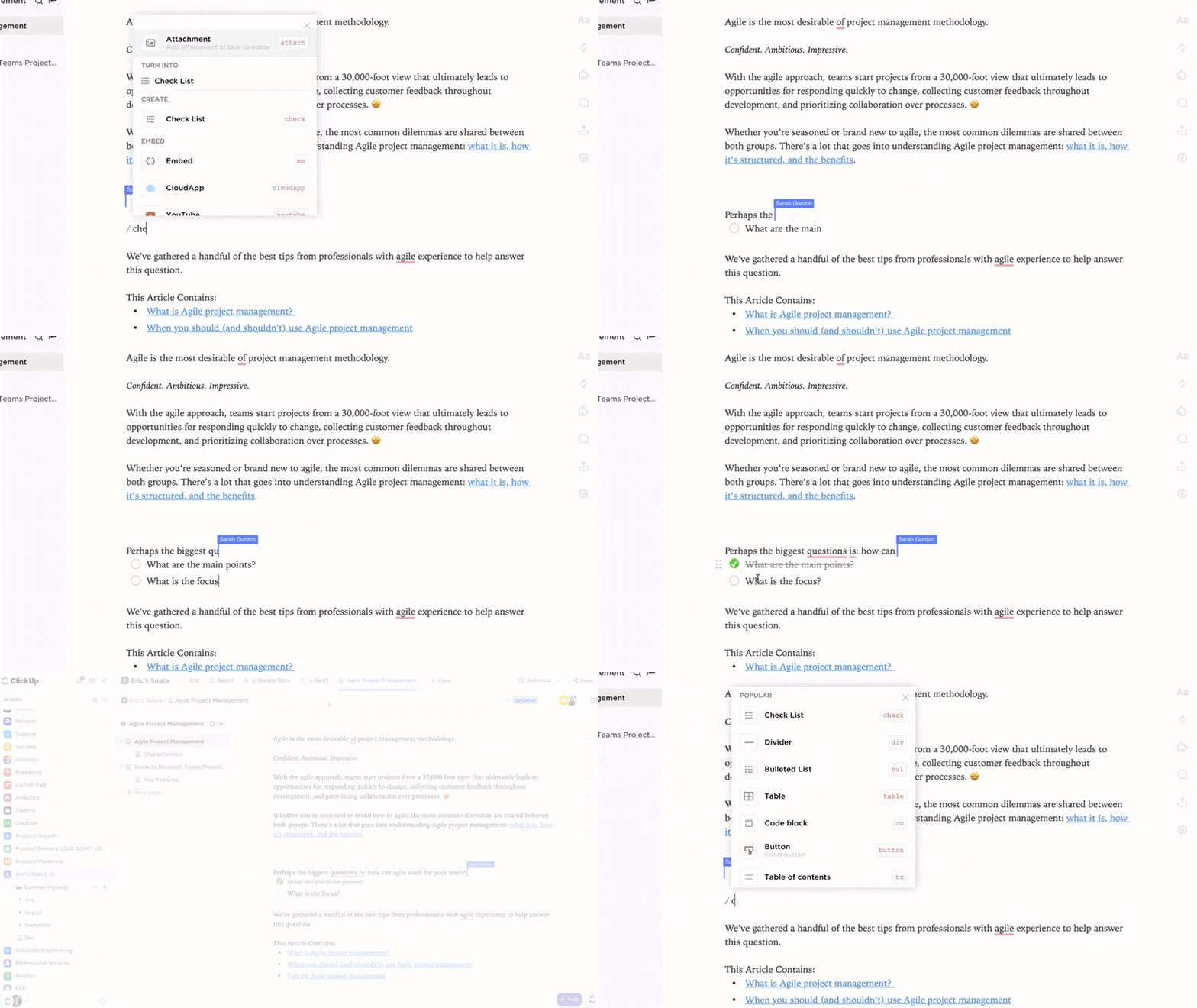
And if you want to make it official, you can turn that Doc into a wiki, then keep it easy to access from the Docs Hub.
Brand voice is the consistent personality your brand expresses through language. Messaging refers to the specific statements—like taglines, value propositions, and elevator pitches—that communicate the brand’s value to the world. If the new voice and messaging don’t align with the brand’s updated positioning, the rebrand will feel hollow and inauthentic.
If you want to develop a strong brand voice, watch this video 👇
A visual identity system is how your client’s rebrand becomes recognizable everywhere it shows up. It’s the set of visual rules that keeps the brand consistent across the website, product UI, social posts, ads, and sales collateral.
At a minimum, a strong visual identity system should include:
🚀 ClickUp Advantage: ClickUp Brain can be your fast starting point for exploring directions and getting something on the page, even when the team is still aligning.
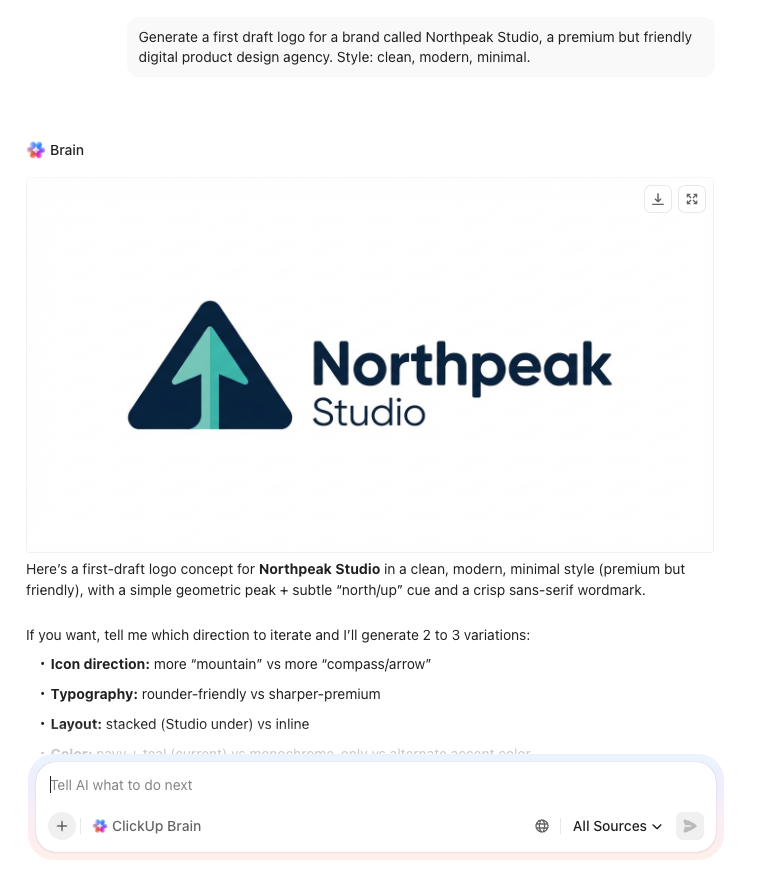
Use it to:
Brand guidelines codify everything—strategy, voice, and visuals—into a comprehensive reference document. This guide ensures consistency as the brand scales, preventing new hires or agency partners from interpreting the brand differently.
It typically includes:
If you want a fast way to pull all of this together, use the ClickUp Brand Guidelines Template.
Draft your logo’s do’s and don’ts, describe a consistent image style, or suggest typography pairings so your team has a strong point to get started.
Knowing the key elements of a rebrand is one thing, but executing them in the right order is what separates a smooth project from a chaotic one. Without a clear, sequential process, teams miss critical steps, make rushed decisions, and leave stakeholders feeling out of the loop.
This step-by-step guide provides a repeatable framework for any rebranding process, from initial kickoff to final rollout. 🛠️
The discovery phase is where you uncover the truth about the client’s brand. It involves stakeholder interviews, competitive analysis, customer research, and a thorough brand audit of all existing assets. The goal is to understand the current brand perception and identify the gaps between where the brand is today and where the client wants it to be.
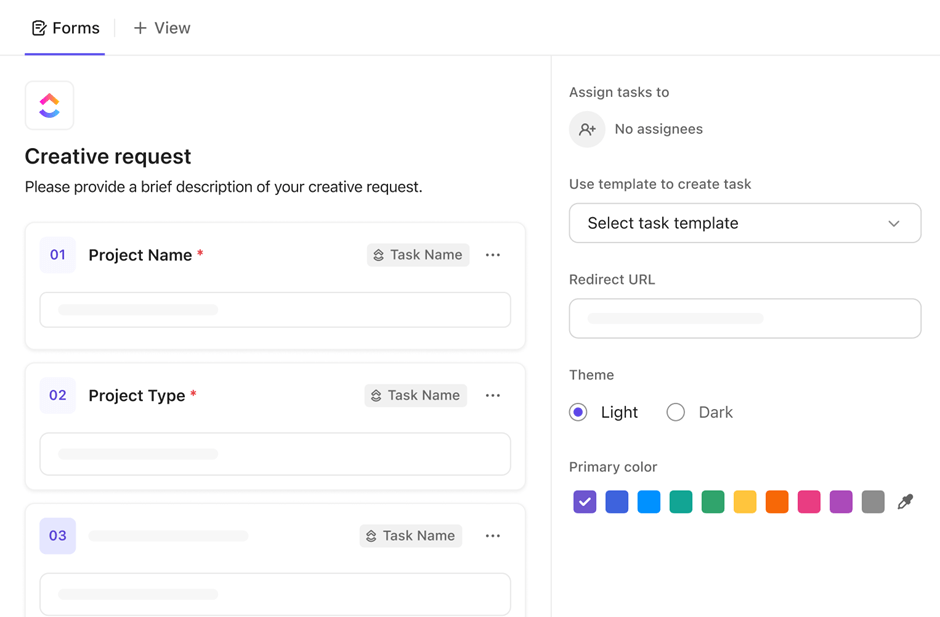
Standardize stakeholder intake and eliminate manual data entry by using ClickUp Forms instead of juggling multiple survey tools. Save hours of manual analysis as responses feed directly into your project workspace as tasks.
Vague objectives like ‘make the brand feel more modern’ are impossible to measure and lead to endless scope creep.
A successful rebranding project needs specific goals tied to concrete business outcomes, such as repositioning in the market, expanding to a new audience, or unifying the brand after a merger.
You also need metrics to prove success. These might include:
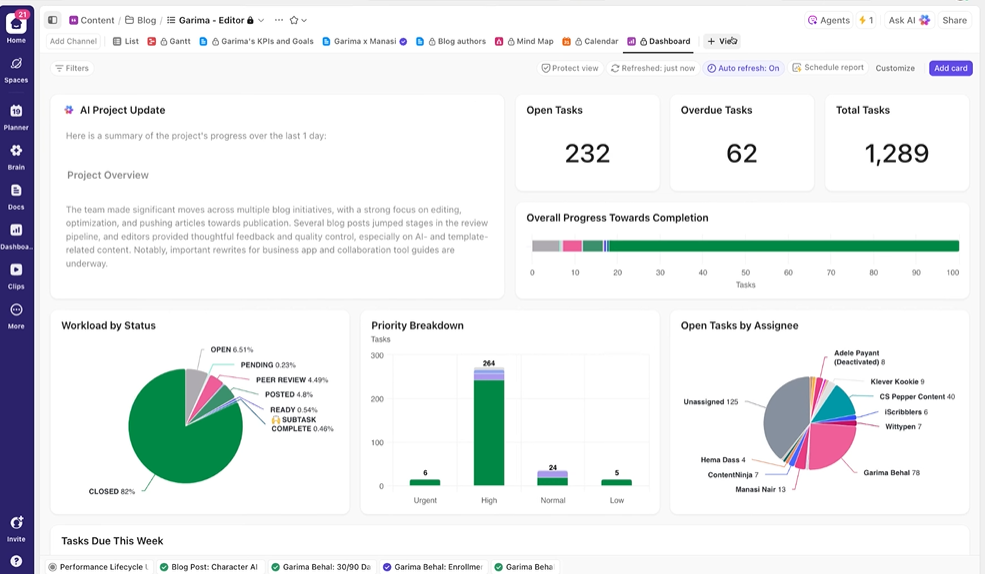
Track progress against these key performance indicators (KPIs) throughout the project using ClickUp Dashboards, giving your client a real-time, transparent view of the rebrand’s impact.
📮 ClickUp Insight: Imagine losing up to 3 hours every week—just waiting for decisions. That’s the reality for 38% of employees. 👀
With ClickUp, you can design workflows that keep things moving: automatic approvals, role-based task routing, and real-time progress tracking. No more wasted hours wondering what comes next, just steady progress, every step of the way.
A rebrand touches every single department, from marketing and sales to product and HR. If you don’t get buy-in from key stakeholders and executive sponsors early on, you’ll face resistance, delays, and rework down the line. Misalignment is a project killer.
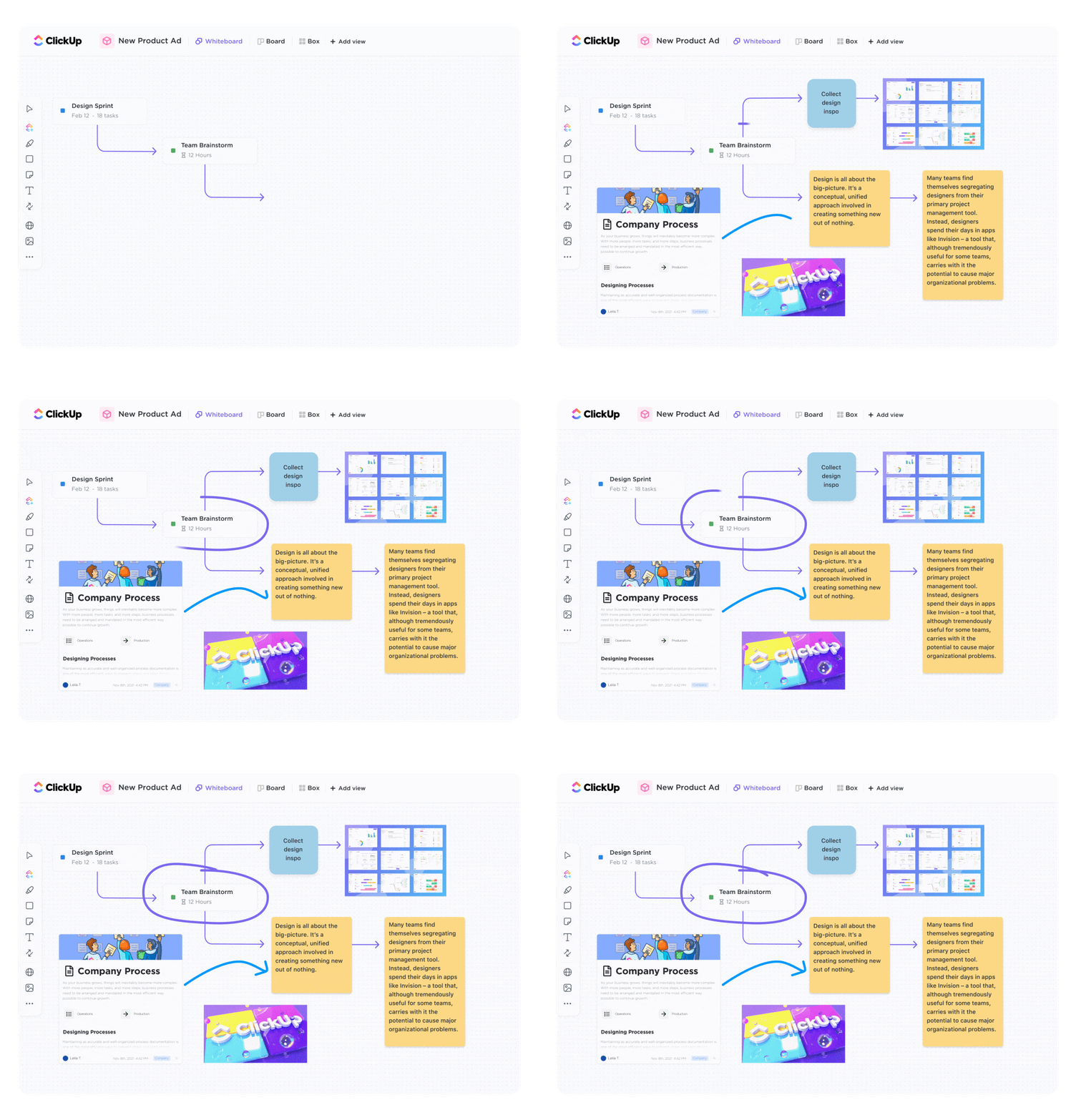
Get everyone on the same page by hosting collaborative alignment sessions using ClickUp Whiteboards. Stakeholders can visualize the rebrand roadmap, flag potential concerns, and contribute ideas in a shared space. You can then assign action items directly from the whiteboard to ensure momentum continues after the meeting ends.
Step 4: Develop brand strategy and positioning
With insights from your discovery phase, it’s time to build the foundation for the rebrand. This involves crafting a clear positioning statement, defining the core brand pillars, and creating a messaging hierarchy. This strategy document becomes the creative brief that your design and copy teams will execute against.
This is the phase where the rebrand comes to life visually. It includes concept development, logo exploration, creating a full design system, and producing all the necessary brand assets. This stage generates the most deliverables and requires tight, efficient feedback loops to stay on track.
You can also bring ClickUp Super Agents into this phase. Super Agents are AI-powered teammates that can handle multi-step workflows with full Workspace context. That means no more context switching, with complete work delegation.
For example, a Super Agent can monitor incoming feedback on brand assets, summarize what changed and what still needs a decision, and turn raw notes into next steps for the right owners.
A rebrand isn’t finished until it’s live and consistent across every touchpoint—the website, social media profiles, sales collateral, and internal systems. The rollout plan sequences these updates and coordinates both internal and external announcements to ensure a smooth transition.
Juggling strategy docs in one app, creative files in another, timelines in a spreadsheet, and feedback in email is a recipe for disaster. This is work sprawl—the fragmentation of work activities across multiple, disconnected tools that don’t talk to each other—and it forces your team to waste precious time hunting for context instead of doing the actual work.
In times like these, you need a solution like ClickUp. It’s a Converged AI Workspace that brings all your projects and resources into one place, with the power of AI sitting atop.
You have: ✨
Launch day is the culmination of months of hard work, and poor coordination can ruin the big reveal. Teams often scramble to update assets, leaving sales and support unprepared to answer customer questions. This creates a confusing experience that can damage the brand’s reputation right out of the gate.
A successful launch requires a well-sequenced brand launch plan:
Even the most experienced agencies and consultants can fall into common traps that derail a rebranding project. Flagging these mistakes upfront helps you sidestep costly rework.
Jumping straight into design without a deep understanding of the current brand perception, competitive landscape, and stakeholder expectations is a recipe for failure. This leads to creative work that misses the mark and requires endless revisions. Discovery is the foundation of the entire project.
A rebrand should build on a company’s strengths, not erase them. Don’t throw away existing brand equity that customers already recognize and trust. Your goal is to evolve the brand, not start from scratch, unless necessary.
A beautiful new logo is meaningless if it appears differently on the website, in a social media post, and on a business card. Inconsistency signals a lack of attention to detail and confuses customers, undermining the credibility of the new brand.
A strong rebrand strategy is only as good as your ability to execute it cleanly.
ClickUp helps you keep the strategy and the rollout connected in one place. Document the thinking, track every deliverable, and keep stakeholders aligned with clear ownership and visibility. With AI in the workflow, you can summarize feedback, pull decisions forward, and keep next steps obvious as the project moves.
When the work stays connected, the rebrand stays controlled.
Get started for free with ClickUp.
Most client rebrands take three to nine months, with brand refreshes on the shorter end and full rebrands requiring more time for strategy, creative, and rollout.
Manage feedback and approvals by setting one transparent review flow: collect input in a single place, assign owners, and time box each review round. Use ClickUp Proofing so stakeholders can leave annotated comments directly on assets like images, videos, and PDFs, then turn those notes into action items without losing context.
A rebranding project plan is the operational roadmap for any brand change, while a brand refresh is a type of change focused on updating visuals and messaging without a full overhaul.
Track metrics tied to the original goals, such as brand awareness surveys, sentiment analysis, website engagement shifts, and internal adoption rates of new brand assets.

© 2026 ClickUp

There’s an easier way. Try a free AI Agent in ClickUp that actually does the work for you—set up in minutes, save hours every week.