






Still downloading templates?
There’s an easier way. Try a free AI Agent in ClickUp that actually does the work for you—set up in minutes, save hours every week.
Sorry, there were no results found for “”
Sorry, there were no results found for “”
Sorry, there were no results found for “”

Automation can save 25,000 hours in year one and 225,000 hours in year three. That’s a lot of time you and your team can spend on strategic tasks instead. But where do you start?
n8n and Make are two of the most talked-about automation tools out there. At first glance, they might seem pretty similar since they both let you build workflows. But dig a little deeper, and the differences start to show.
n8n is open-source and highly flexible, which is great if you want complete control. On the other hand, Make leans into simplicity with a clean, drag-and-drop interface.
So, which one better suits your workflow? Let’s compare features, ease of use, and more to help you decide. And if neither seems quite right, we detail ClickUp as an alternative that beats them both!
Before we dive into the details, here is a brief rundown on how n8n vs. Make stack up against each other.
| Feature | n8n | Make | Bonus: ClickUp 🥇 |
| Interface and user experience | Functional but technical UI; best suited for tech-savvy users | Clean, visual interface with drag-and-drop builder; easier for non-technical users | Intuitive, modern UI combining tasks, docs, and workflows in one space; ideal for all user types |
| Workflow flexibility and logic | Highly flexible; supports complex, branching workflows with full logic | Great for linear or modular automations; less control over conditional branching | Visual workflow builder with custom automations, conditions, and AI suggestions for dynamic flows |
| Integrations and extensibility | Wide range of integrations, especially via community nodes | Extensive library of pre-built integrations; easy setup | 1,000+ integrations, API support, native tools like Docs, Dashboards, and Automations |
| AI capabilities and automation | Offers some AI agents, but limited out-of-the-box AI tools | Focuses on agentic automation, but AI is task-specific | ClickUp Brain helps automate, summarize, and enhance workflows with natural language |
| Collaboration and teamwork | No built-in collaboration; separate tools needed | Lacks native collaboration tools | Built-in Docs, Chat, comments, and real-time editing for seamless teamwork |
| Self-hosting and control | Fully open-source and self-hostable | Cloud-based; no self-hosting options | Not self-hosted, but secure cloud infrastructure with granular access controls and admin settings |
Our editorial team follows a transparent, research-backed, and vendor-neutral process, so you can trust that our recommendations are based on real product value.
Here’s a detailed rundown of how we review software at ClickUp.
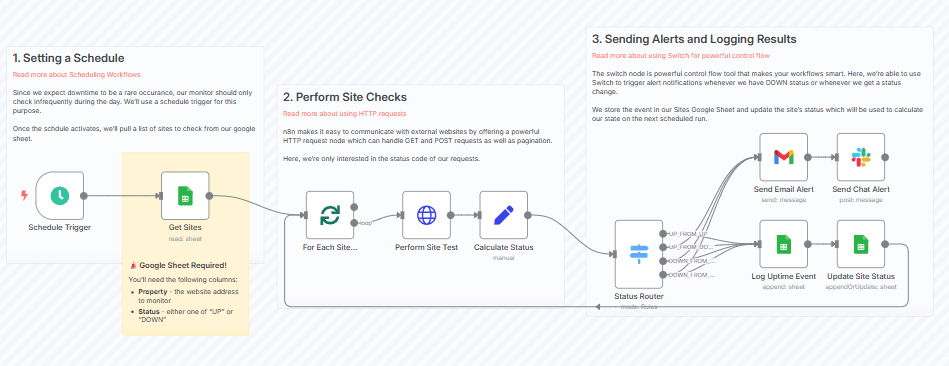
n8n is an open-source workflow automation tool that lets you connect apps, pass data between them, and build custom automations, with or without coding. It’s designed for users who want more control and flexibility than traditional automation platforms usually allow.
This automation platform stands out with its completely visual workflow editor. You can build workflows using logic, conditions, and loops; add custom JavaScript code where needed; and even self-host the entire setup for complete data ownership and control.
With support for 400+ integrations, n8n makes automating everything from simple daily tasks to complex business processes easy. You can also use workflow templates to deploy automations quickly.
The flexibility and ability to handle complex workflows of this task automation software makes it a favorite among teams handling highly technical projects.
👀 Did you know? Generative AI agents could cut review cycle times by 20 to 60%. That’s hours (or even days) saved across processes like credit risk assessments or software modernization.
n8n is packed with features to support robust and customizable automations for teams, tech users, and solo operators. From handling complex workflows to giving you complete control over where and how your data moves, here is a breakdown of what it offers:
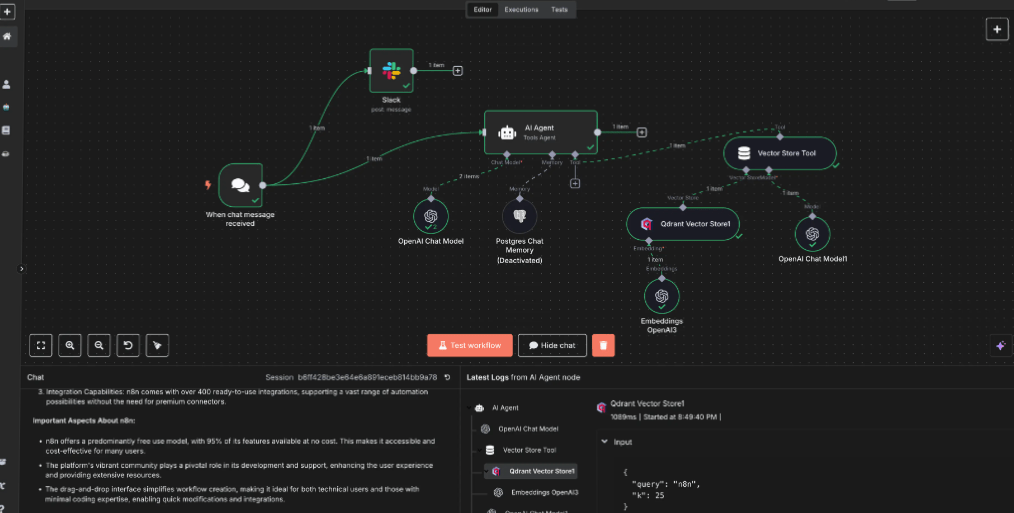
n8n’s visual workflow builder is centered around connecting trigger nodes to tasks, forming automated workflows that match your logic. Each node represents a specific action—sending an email, querying a database, or formatting output. You can map multi-step workflows using loops, conditional logic, or even pauses until certain conditions are met.
The code node lets you write custom JavaScript or Python for complex data transformations. It also allows you to manage intricate workflows with switches, merges, and data cleanup.
Technical users can build advanced workflows with custom API integrations or HTTP request nodes while still using a drag-and-drop interface.
n8n also includes AI workflow generators, with support for models like OpenAI and Hugging Face—useful for tasks like text analysis or summarizing content.
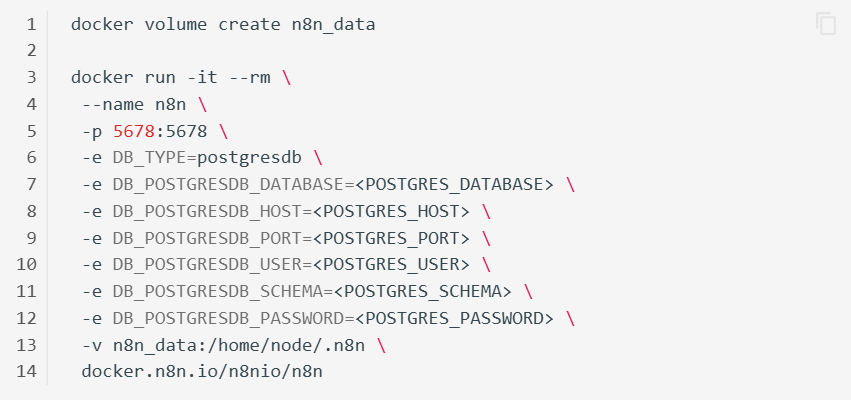
n8n lets you run the entire automation platform on your own server or cloud setup, giving you complete control over data and workflow executions. With this setup, you can:
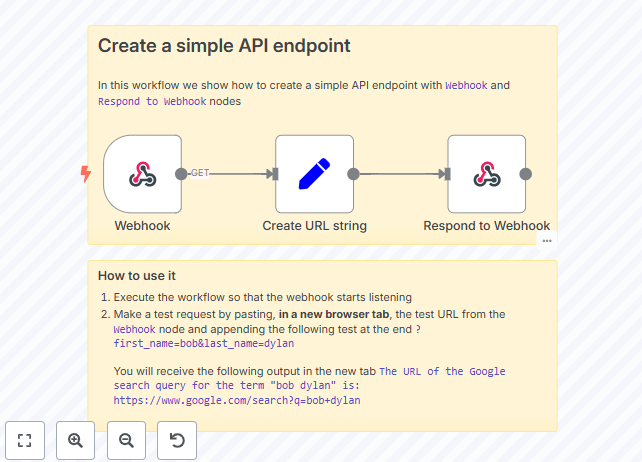
If you don’t have the technical knowledge to build from scratch, n8n offers ready-made workflow templates for faster AI workflow automation. These pre-built integrations are fully customizable and work with popular apps. You can:
👀 Did you know? McKinsey research notes that you can automate up to 50% of your work with currently available technology, even in industrials.
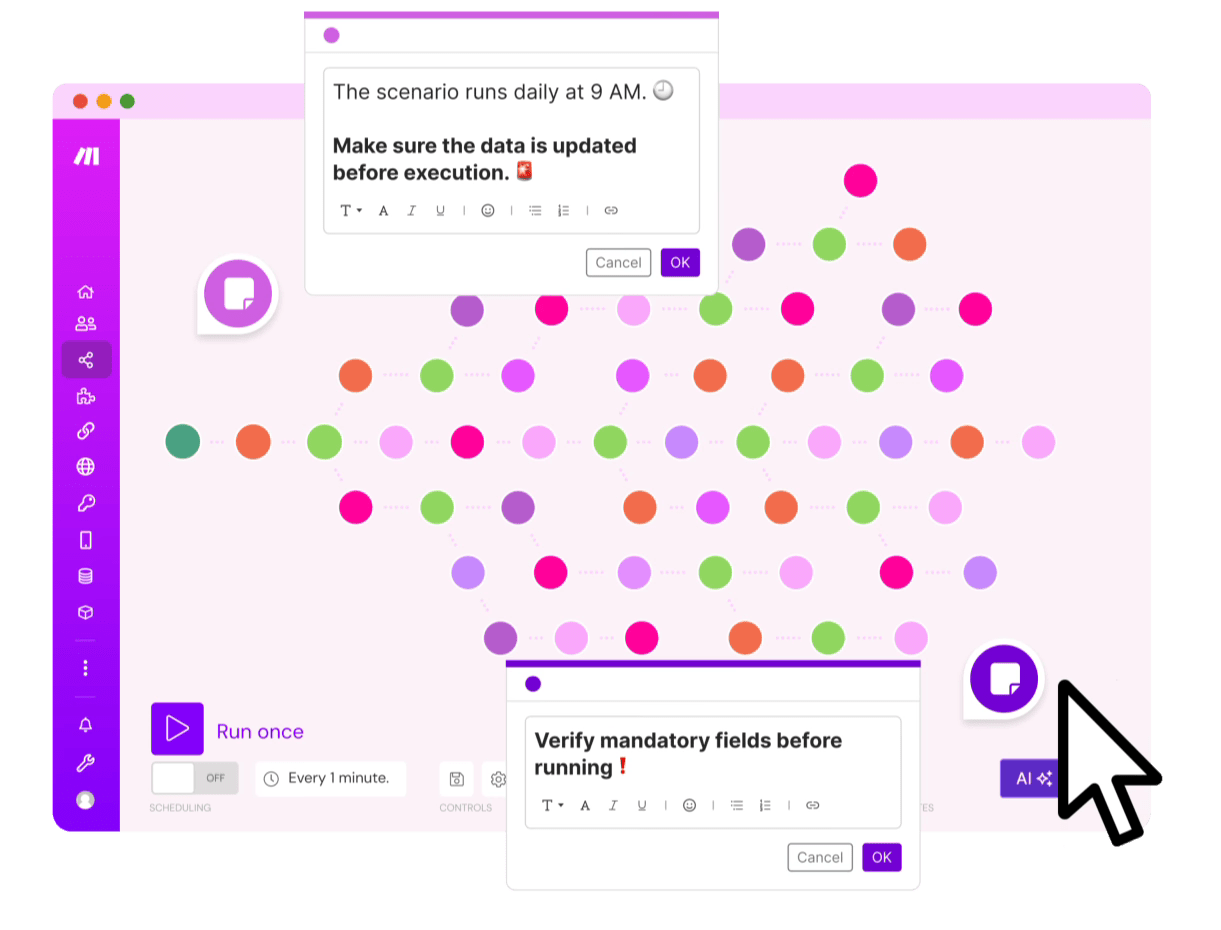
Make is a no-code automation tool built for non-technical users who want to connect apps and streamline work, without needing advanced technical skills. It offers a clean, visual interface where you build scenarios by dragging and dropping steps on a canvas.
It’s great for workflow management across marketing, operations, and customer support verticals. You can connect everything from Google Sheets and Slack to CRMs and AI tools, including those that support retrieval augmented generation, for smarter and more dynamic automations.
What sets Make apart is how easy it is to learn and use. You can see data move through each step in real time, tweak actions as you go, and create powerful workflows with almost no learning curve.
Even if you don’t have the technical skills to build your own workflows, Make makes the process approachable and flexible. Whether setting up a simple one-step action or building a multi-layered process across several apps, it adapts to your workflow.
Here’s a breakdown of its key features:
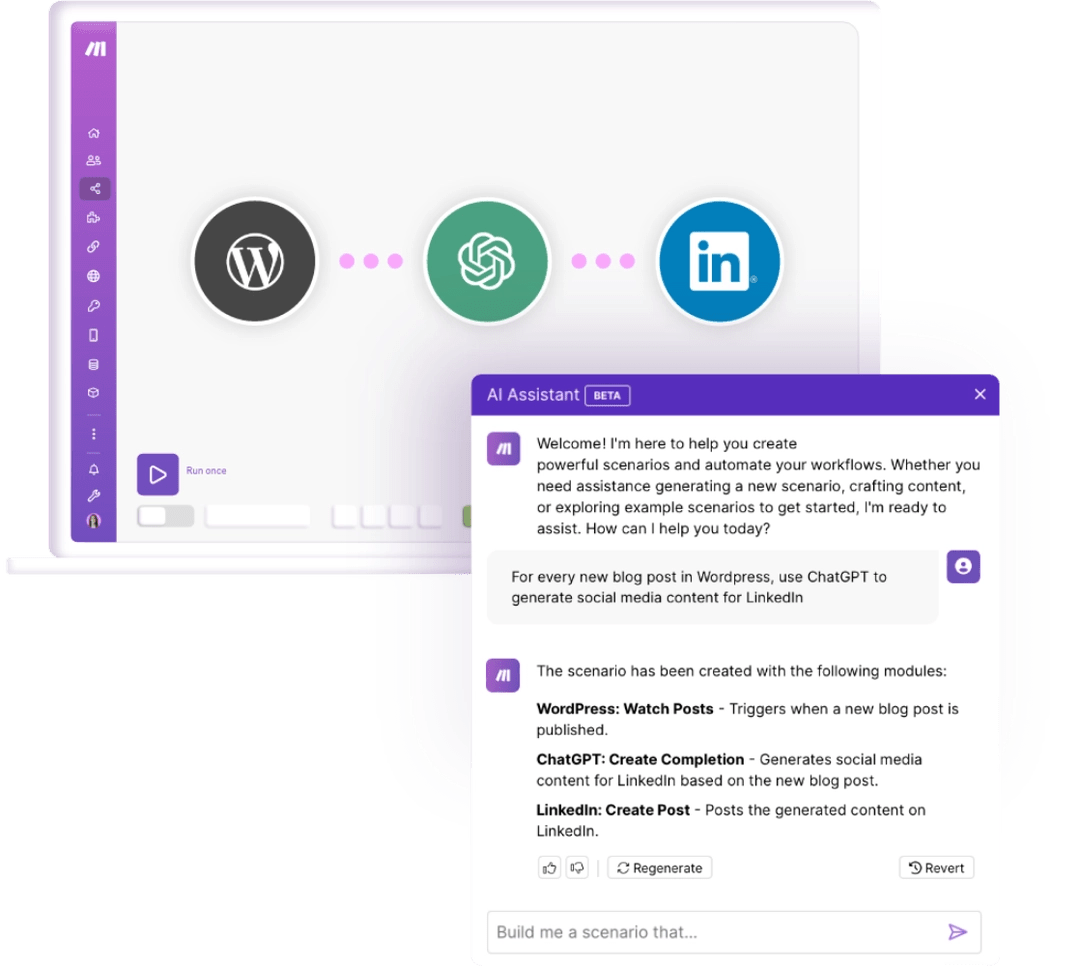
Make lets you integrate AI tools for automation without writing code. You can connect services like OpenAI, Hugging Face, Gmail, and Slack to summarize emails, categorize tickets, translate messages, and generate content.
Its drag-and-drop interface works well for non-technical users, while advanced users can customize API inputs and build complex data transformations.
Make also supports agentic automation, where AI can reason and act independently, not just respond to triggers. Whether you’re automating basic workflows or creating intricate setups, Make combines a user-friendly interface with deep technical capabilities for flexible, scalable workflow automation.
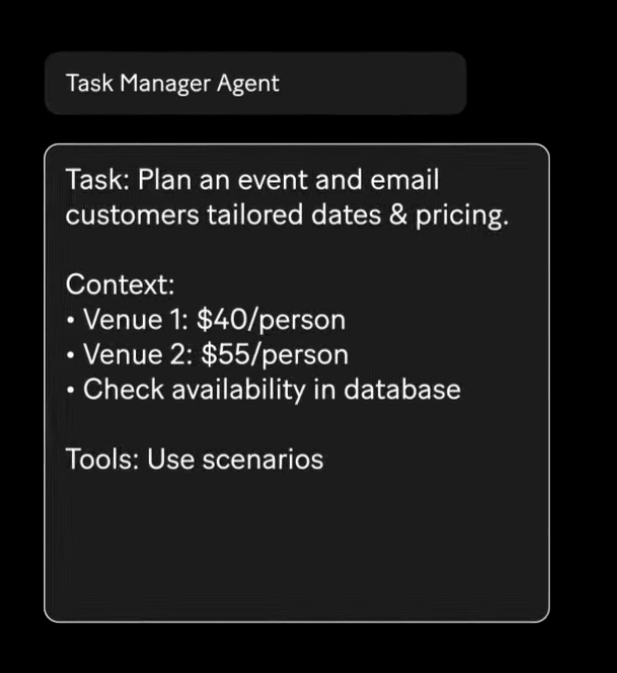
Make’s AI Agent Builder lets you build custom AI agents that think, decide, and act within automated workflows, helping streamline workflow execution.
Unlike standard automation, these agents can manage complex goals by following instructions, accessing data, and choosing the best next steps without manual input. It is built for non-technical users and advanced users. The drag-and-drop interface makes it simple to design agents with human-like logic.
You can:
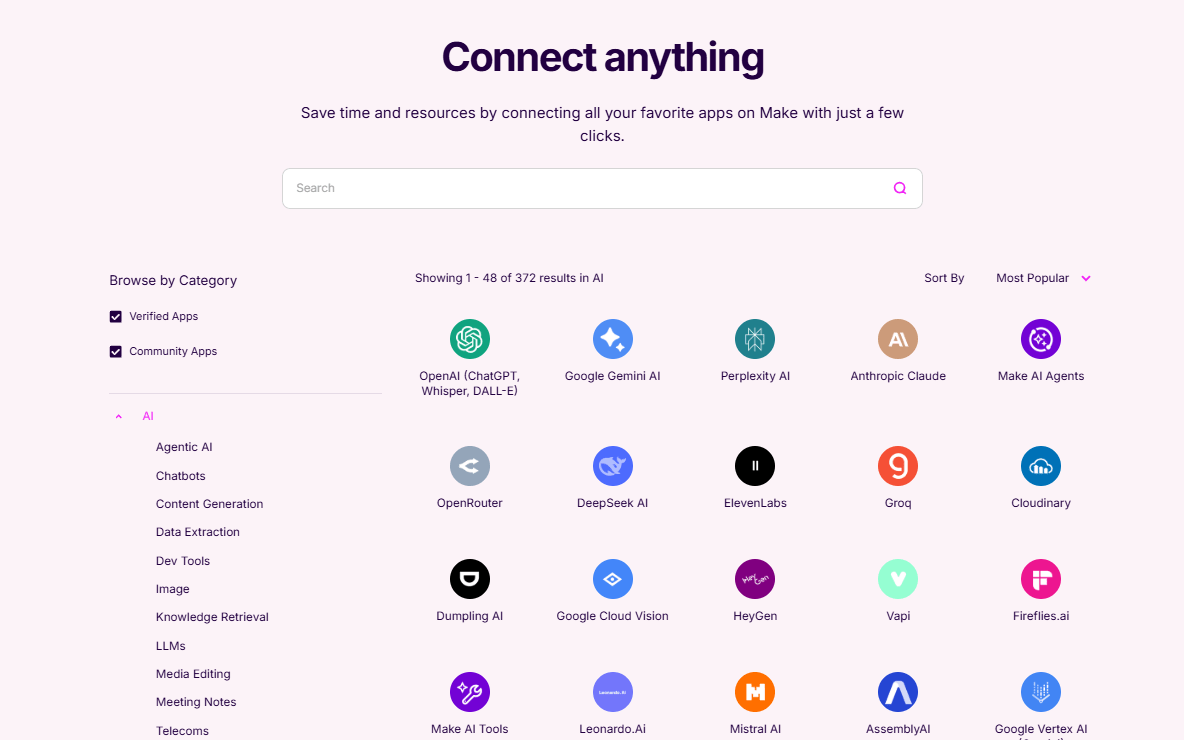
Make offers a wide range of AI apps you can plug directly into your workflows. Use pre-built integrations with tools like OpenAI, Anthropic, Hugging Face, CRMs, and customer support platforms to automate complex tasks, enhance data, and bring intelligence into your workflows—without starting from scratch.
These extensive AI integrations let you:
🧠 Fun fact: You can automate Spotify playlist generation and playback with tools like Zapier and GitHub for scheduling playlists to play at specific times.
Both tools are powerful automation platforms that serve different user needs. But how do they stack up? Let’s compare n8n vs. Make to see how they differ in real-world usage.
n8n uses a node-based builder that works well for teams with technical skills and more complex automation needs. It’s flexible and powerful, but if you’re new to workflow automation, the learning curve can be a bit steep. Templates are available, though they usually need some technical tweaking to match your setup.
On the other hand, Make takes a different approach with a clean, no-code interface and a simple drag-and-drop system. Make stands out with its clean, no-code interface and intuitive drag-and-drop system. It’s designed for non-technical users, making building and managing workflows simple without feeling overwhelmed.
The platform displays data in real-time as it moves through each step, allowing you to track progress for each automated task. Its user-friendly interface lets anyone, from beginners to advanced users, quickly get started and scale their automations.
🏆 Winner: Make. It takes the lead when it comes to ease of use and smooth onboarding.
n8n shines in building intricate and visual workflows. It supports loops, branching with switches and if nodes, merging data streams, and allows custom code to transform data exactly as you need.
Error handling and detailed routing are built in, making it easy to manage complex, multi-step automations without limits. This flexibility makes it a favorite for technical users who want complete control over their automation logic.
Make offers solid workflow capabilities, but can be less flexible when handling highly complex scenarios.
🏆 Winner: n8n. It’s the better choice for creating advanced, customized workflows.
n8n provides a strong range of integrations and is open source, letting users build custom nodes and extend functionality as needed. This is ideal for those who want to self-host and tailor integrations closely to their unique workflows. In short, it offers a more hands-on approach that rewards users who are comfortable with customization and technical setup.
Make has many integrations with numerous AI apps. However, you will be tied up in proprietary systems. It is also more restrictive in customization compared to n8n’s open platform.
🏆 Winner: n8n, if you want unlimited extensibility and total control over integrations and deployment, n8n offers a significant advantage
📖 Also Read: Process Map Templates for ClickUp, Excel, and Word
Make offers more advanced AI automation tools, including AI agents, retrieval augmented generation, and agentic automation, enabling workflows to reason and adapt. The platform’s AI features are built right into its intuitive interface, making it accessible to non-technical users while still powerful enough for tech-savvy users.
n8n also supports AI through integrations and lets you create your own APIs. However, this workflow automation platform focuses more on flexibility and self-hosting rather than on built-in AI.
🏆 Winner: Make. It’s the clear winner for built-in AI automation and intelligent workflows.
🧠 Fun fact: There are AI-powered systems that can track your cat’s litter box habits by monitoring how often it goes, the type of waste, its weight, and overall elimination patterns!
User opinion about n8n vs Make is split on Reddit.
While some users appreciate Make’s beginner-friendly setup and scalability, others highlight n8n’s flexibility and power, especially for handling complex data-heavy workflows and custom automations.
For example, jsreally, a Redditor, shared on r/n8n:
n8n does indeed have a learning curve, especially at first. It also has abilities that you don’t have in Make too. Things like running processing on 1000 items costing the same to run as it does to run on 10 items. This allows you to build automations to do things that you would have only dreamed of before.
Others prefer Make for its simplicity. For example, Admirable_Shape9854 comments on a thread in r/automation:
I’d go with Make for simple automations since it’s easier to set up, more scalable and client-friendly. Use n8n if you need AI agents or more complex workflows, but the limits on cheaper plans can be a pain.
Then there are folks who like using both, depending on the task. As Reddit user CompetitiveChoice732 puts it:
I’d say it depends on the complexity and the client needs. For simple automations and ease of onboarding, Make is super user-friendly and quick to set up. But if you need custom AI agent workflows or deeper flexibility, n8n shines—despite the quirks. I often pair Make for simpler flows and n8n for the heavy lifting. Why not use both where they excel?
📮 ClickUp Insight: Nearly 88% of our survey respondents now rely on AI tools to simplify and accelerate personal tasks. Looking to generate those same benefits at work? ClickUp is here to help!
ClickUp Brain, a built-in AI assistant, can help you improve productivity by 30% with fewer meetings, quick AI-generated summaries, and automated tasks.
While both n8n and Make are great for automating tasks, they can take some time to get used to, especially if you are building complex workflows and juggling multiple tools. Want the same power and flexibility without the learning curve?
Say hello to ClickUp, the everything app for work.
It offers a one-stop platform for automating tasks, building custom AI agents, managing projects, collaborating with your team, and even building your own AI workflows for project management automation.
It’s incredibly easy to use, whether your team has the technical knowledge or not.
📖 Also read: Workflow Automation Examples and Use Cases
Autopilot Agents are intelligent, no-code assistants built into ClickUp that help teams automate more complex, context-aware workflows. Unlike traditional automations, which follows fixed rules, Autopilot Agents can analyze information, respond to changes in real time, and carry out multi-step actions based on your instructions.
They can be added to any Space, Folder, List, or Chat Channel and work across tasks, Docs, forms, and conversations.
You can:
Autopilot Agents handle repetitive tasks so your team can focus on higher-impact work.
💡 Pro Tip: Want to automate repetitive tasks and streamline workflows by leveraging AI agents tailored to your unique business needs? ClickUp’s Custom Agents can be configured to handle a wide range of actions suitable for your team, vertical:
n8n offers deep control but requires technical know-how, while Make is beginner-friendly but can get messy with complex workflows.
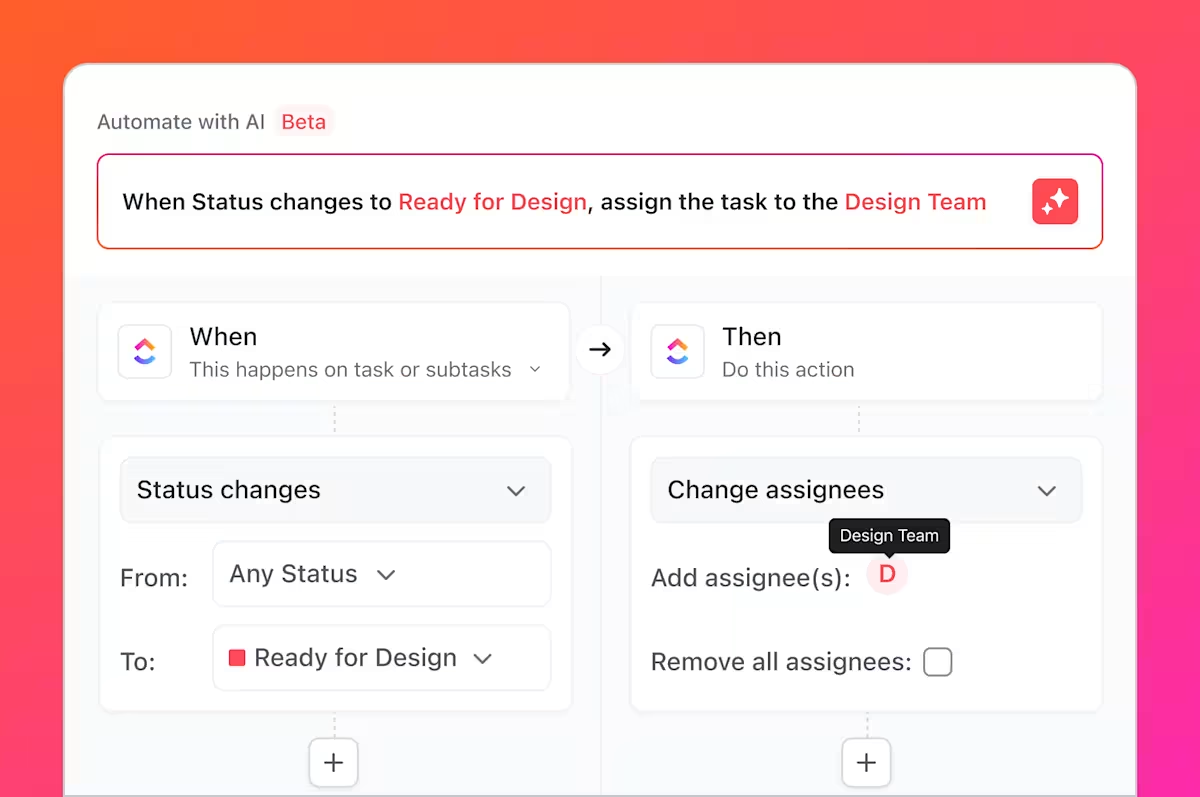
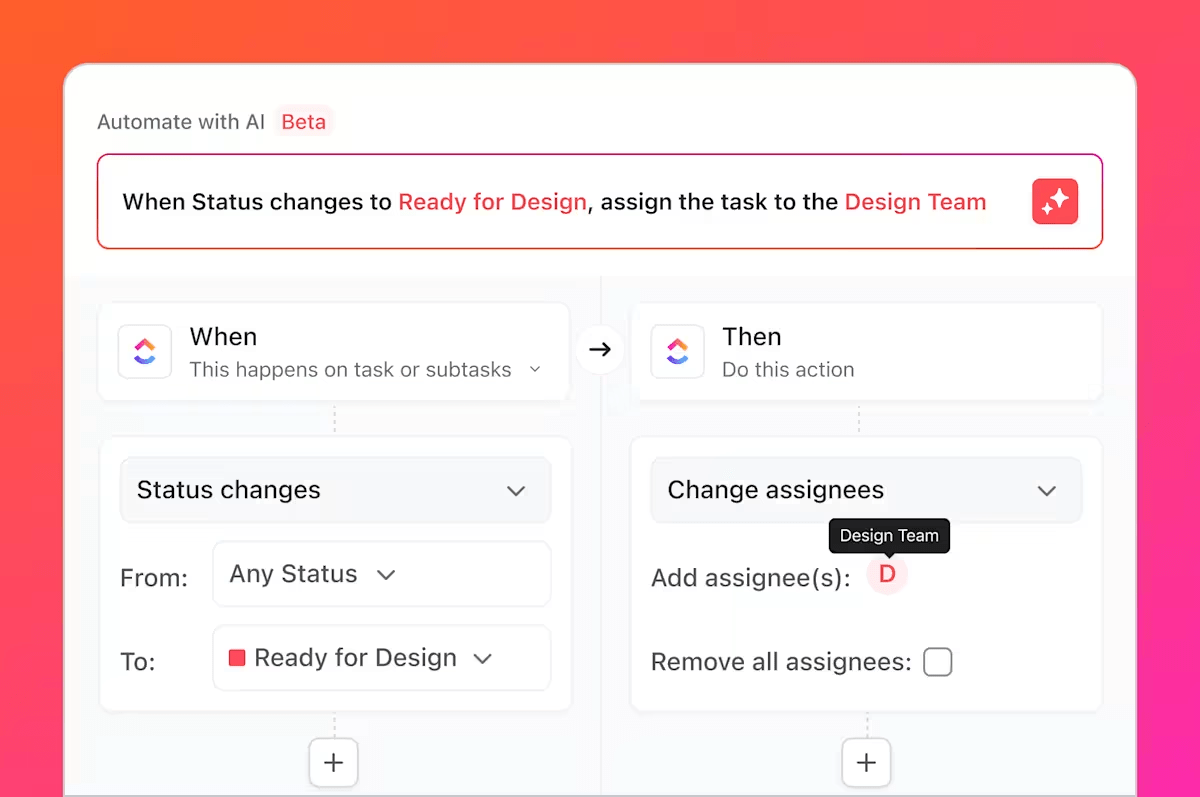
ClickUp Automations bridges this chasm by being both powerful and easy to use. You get 100+ action triggers, automation templates, and the freedom to build your own without any coding. Whether you are moving tasks across stages, assigning team members, or sending updates, it all runs smoothly in the background.
With Automations, you can:
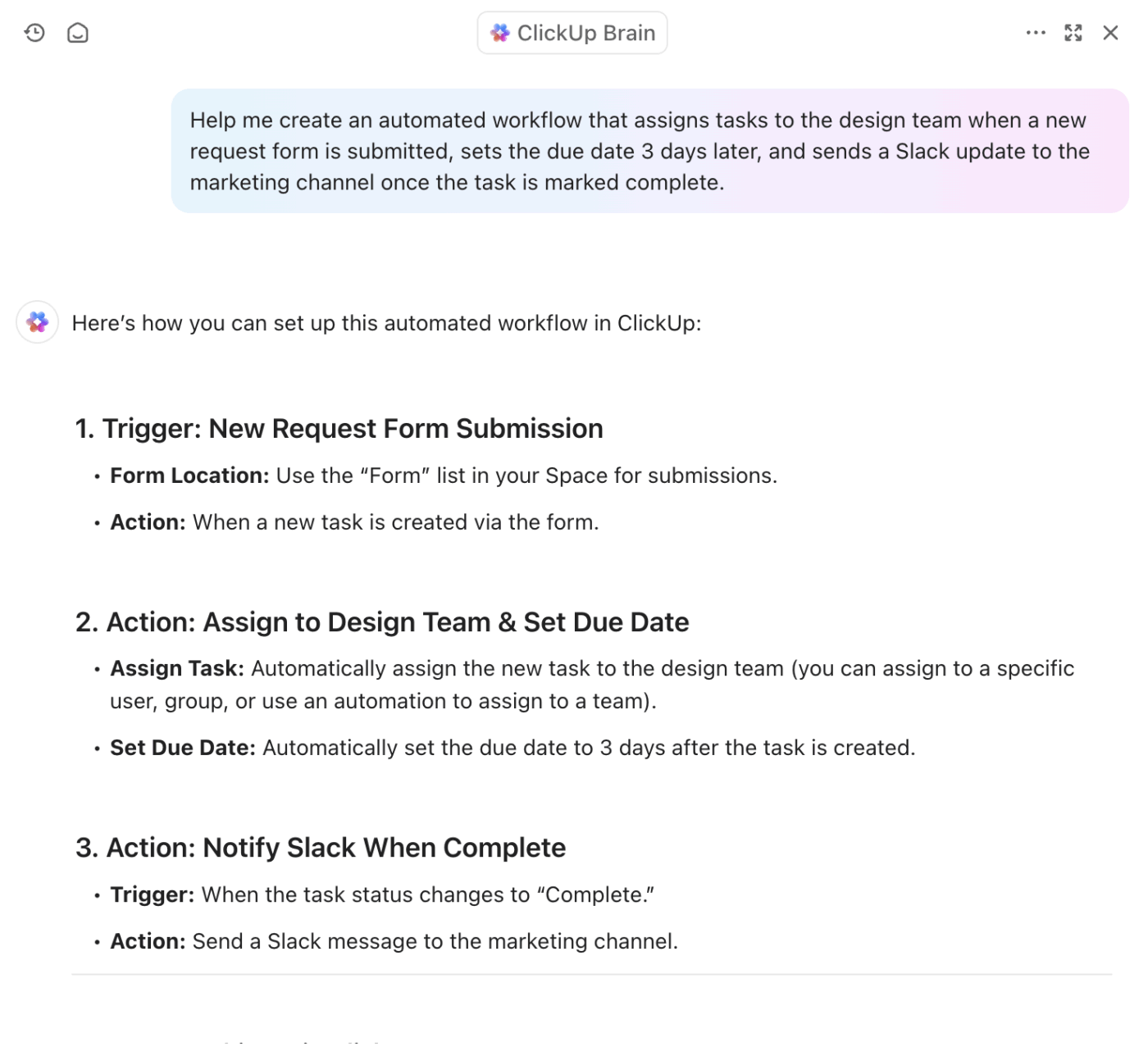
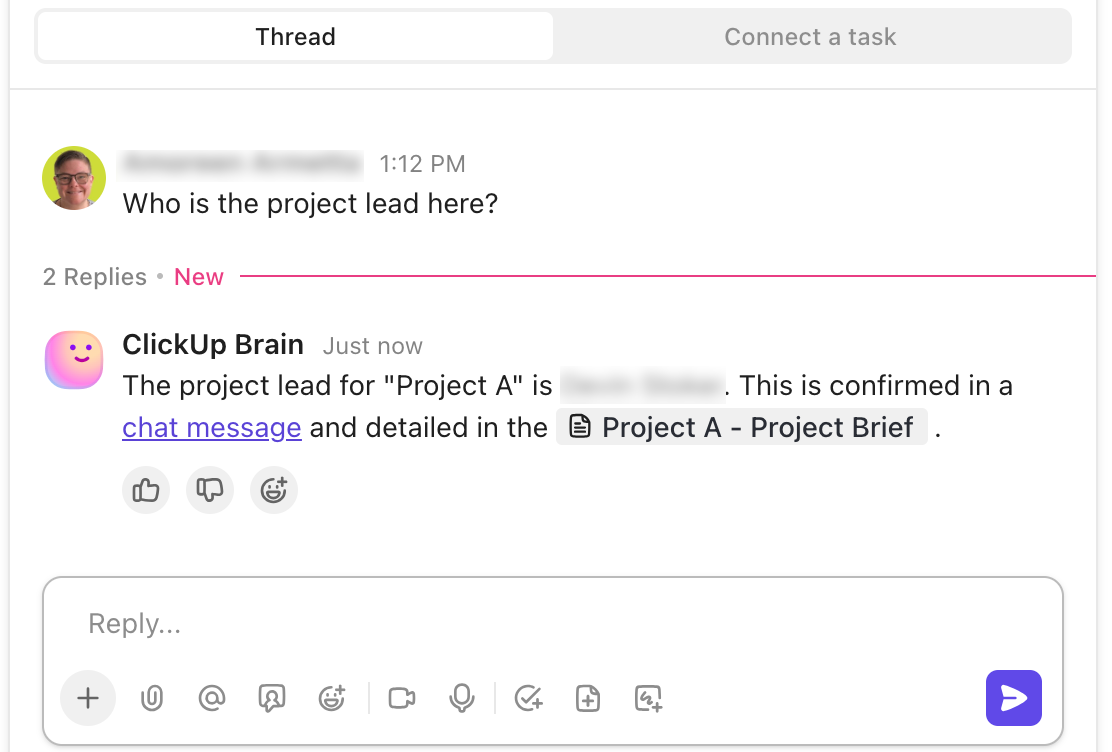
n8n gives you complete control over AI model connections, but the setup is manual and not ideal for beginners. Make is easier to start with, though its AI tools are spread out and take effort to piece together.
ClickUp Brain skips the hassle.
It’s built into your workspace—no setup needed. You can ask it to summarize tasks, update statuses, draft responses, and even create entire workflows from natural language prompts. It can also review and refine your existing automations. The result? More intelligent, faster workflow automation without hopping between tools or writing a single line of code.
✨ What’s more, ClickUp Brain users can choose from multiple external AI models, including GPT-4o, Claude, DeepSeek, and Gemini for various writing, reasoning, and coding tasks!
💡 Bonus: If you want to speak your workflows to life AND:
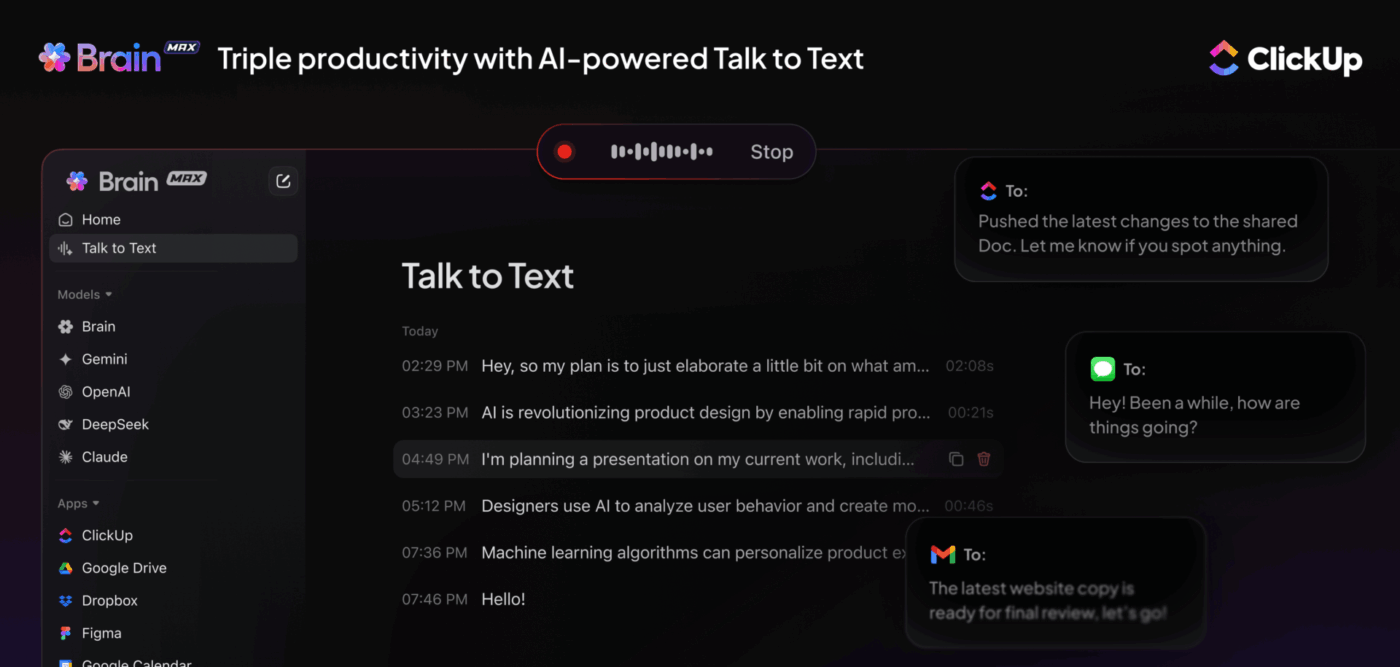
Try ClickUp Brain MAX—a superpowered desktop AI companion that truly understands you, because it knows your work. Ditch the AI tool sprawl, use your voice to build custom workflows, create documentation, assign tasks to team members, and more.

n8n and Make are solid for building automations—but not for planning, documenting, or collaborating on them. There’s no shared space to outline ideas, track details, or work with your team in real time.
That’s where ClickUp Docs comes in.
You can map out workflows, document SOPs, tag teammates, and embed dashboards—all in one place. Turn any bullet into a task, chat in-doc, and link every conversation to your work. With built-in AI agents, you also get suggested responses, smart summaries, and instant task creation.
n8n gives you deep control over complex workflows. Make offers an intuitive setup for quick automations. But both fall short when it comes to built-in collaboration and scaling with ease.
ClickUp unifies it all—automated workflows with ClickUp Automations, brainstorm and document your processes in ClickUp Docs, and manage it all with the help of ClickUp Brain’s AI support. No context switching. No piecing together separate tools.
If you’re ready to simplify automation and stay in sync, ClickUp is the more innovative, all-in-one solution.
Sign up with ClickUp for free today and simplify how you automate, manage, and collaborate without learning curves and configuration headaches.

© 2026 ClickUp

There’s an easier way. Try a free AI Agent in ClickUp that actually does the work for you—set up in minutes, save hours every week.