
Sorry, there were no results found for “”
Sorry, there were no results found for “”
Sorry, there were no results found for “”
n8n is popular for building visual workflows and being open-source, but it’s not always the smoothest ride as your automations get more complex or your team grows. What starts off feeling simple can quickly turn into “Why did this break again?”
We get it. You’re not just looking to connect a few APIs. You need a reliable automation platform that can manage data flows, handle complex logic, and scale with your needs, without making debugging a full-time job.
That’s why we rounded up the best n8n alternatives—tools built for smarter workflows, heavier use cases, and fast-moving teams.
Ready to automate without the growing pains?
Let’s dive in.
💡 Quick Insight: Office workers spend over 50% of their time on repetitive tasks like creating or updating documents. Imagine what your team could achieve with that kind of time back—more creativity, strategic thinking, and real productivity.
n8n is a workflow automation tool appreciated by technical teams that value control and open-source flexibility. But flexibility comes with tradeoffs. If you’ve hit friction with scaling, collaboration, or usability, it might be time to consider an n8n alternative.
Here’s where n8n can fall short 👇
⚡ Template Archive: Best Free Process Workflow Templates in Excel & ClickUp
Our editorial team follows a transparent, research-backed, and vendor-neutral process, so you can trust that our recommendations are based on real product value.
Here’s a detailed rundown of how we review software at ClickUp.
Here’s a quick comparison of the top n8n alternatives:
| Tool | Best For | Key Features | Pricing* |
| ClickUp | All-in-one project and task management with automation | Built-in task automation, NLP automation builder, AI Fields, AI Autopilot Agents, 1,000+ integrations, real-time tracking, user-friendly interface | Free plan; Customization available for enterprises |
| Make | Multi-step workflows with visual logic and data manipulation | Drag-and-drop visual builder, routers, advanced filters, schedule-based triggers, JSON support | Free; Paid plans start from $10.59/month (1K Ops) |
| Zapier | Connecting popular SaaS apps with simple logic | Sub-Zaps, Custom Requests, built-in Python/JS steps, Formatter tools | Free; Paid plans start from $29.99/month |
| Pipedream | Event-driven workflows with deep code control | Inline scripting (Node.js, Python, etc.), persistent variables, real-time logging, serverless infrastructure | Free; Paid plans start from $45/month |
| Workato | Enterprise-grade automation across departments and databases | AI Agents, drag-and-drop recipe builder, schema validation, 1,000+ connectors, advanced data processing capabilities | Custom pricing |
| Activepieces | Open-source, AI-ready automation with self-hosting | Visual builder, self-hosting, reusable integrations (TypeScript), AI ‘pieces,’ human-in-the-loop workflows, no code automation platform | Free (1K tasks); Paid plans start from $1,200/month |
| Tray.ai | Composable iPaaS for large teams building AI-enhanced workflows | Merlin AI agent builder, centralized monitoring, reusable blocks, drag-and-drop flow editor | Custom pricing |
| Tines | Security and IT teams building human-in-the-loop workflows | API-first builder, prebuilt stories, audit trails, chat-style interface, reusable resources | Free plan available, Paid plans can be customized |
Let’s look at the best tools that help you build automated workflows faster, scale easily, and give your team smarter ways to manage workflows without hassle.
One of the biggest problems with most automation tools? They sit outside your work. You spend more time wiring up zaps, triggers, and external logic than moving projects forward. That’s when people switch to ClickUp, the everything app for work. It bakes automation into your workspace, right where your team is.
Check out this video to learn how ClickUp Automations can help your team 👇
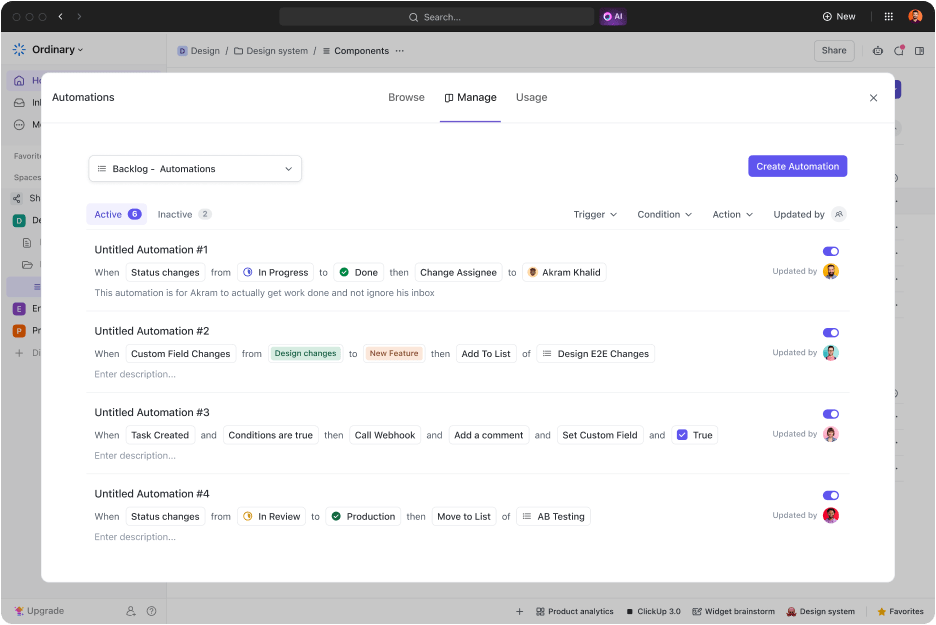
ClickUp Automations operates at the task level, but scales across your Lists, Folders, and Spaces. You can trigger actions when a task changes status, gets a new assignee, hits a due date, or even when a specific custom field is updated.
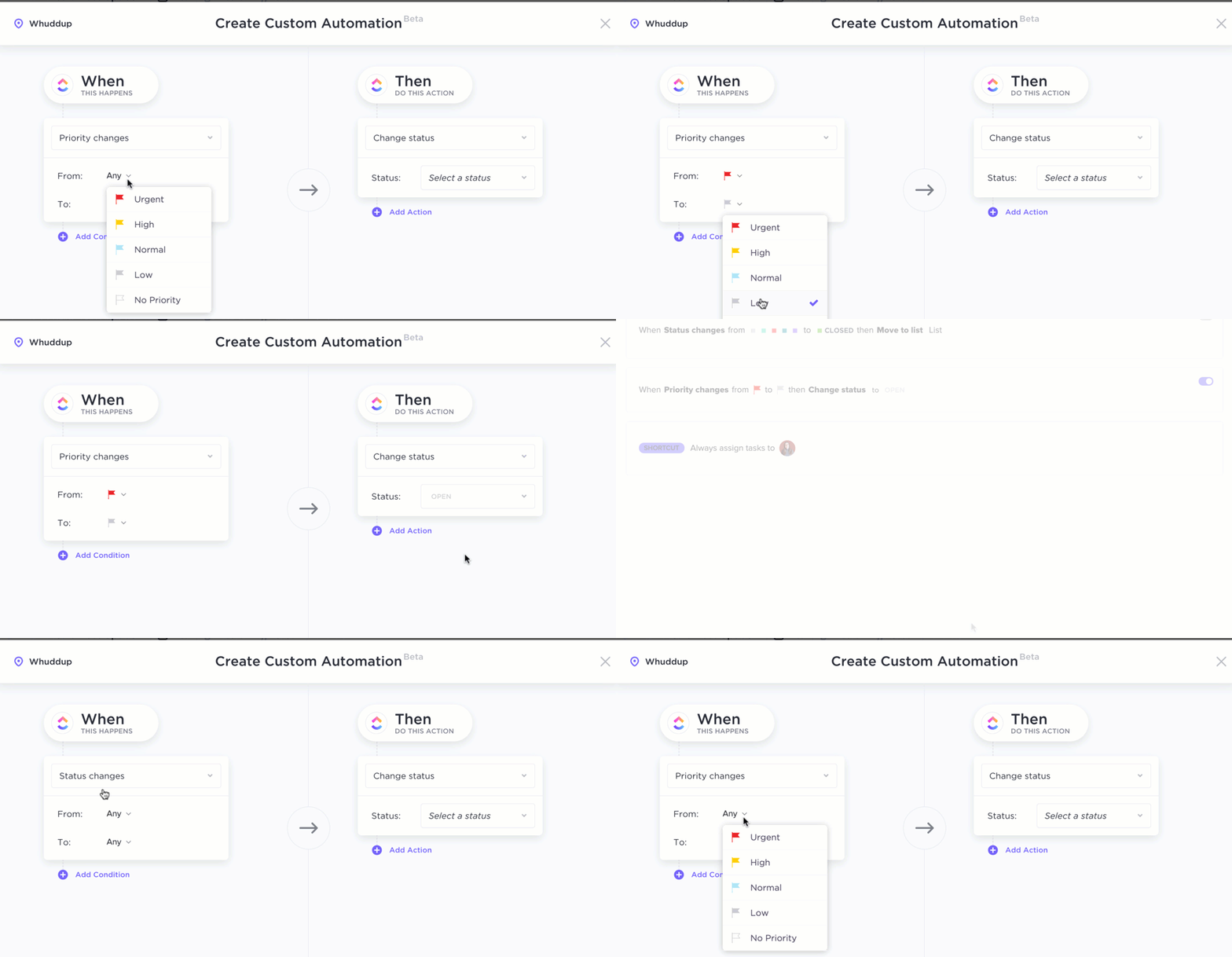
📌 Example: When a bug report is created in your QA List, ClickUp instantly assigns it to the right engineer, adds a red priority tag, and pings the team on Slack. The logic follows a flexible and straightforward structure: trigger → condition → action. You can stack actions, build layered automations, and even manage them centrally through the ‘Active Automations’ dashboard.
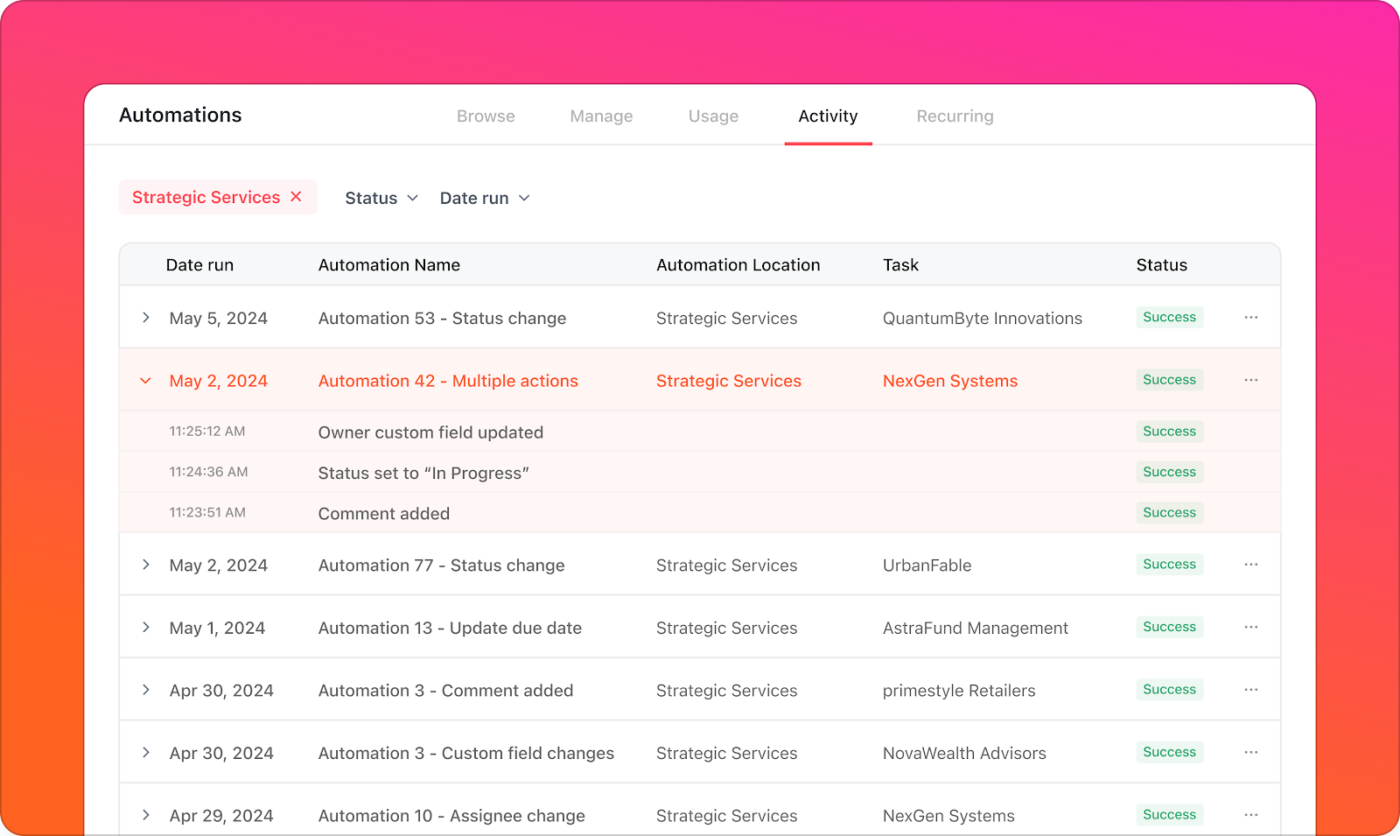
What makes it even better is how transparent the system is. Every automation has a trail. If something doesn’t fire, you can head to the Activity tab to filter by success, failure, or rule type. You can check the task that triggered it, see the rule it broke on, and address the issue without needing an admin console or dev support.
But the real leap comes with ClickUp Autopilot Agents. Autopilot Agents trigger on conditions, follow instructions, access specific knowledge sources, and post updates or decisions directly into your tasks or chat threads.
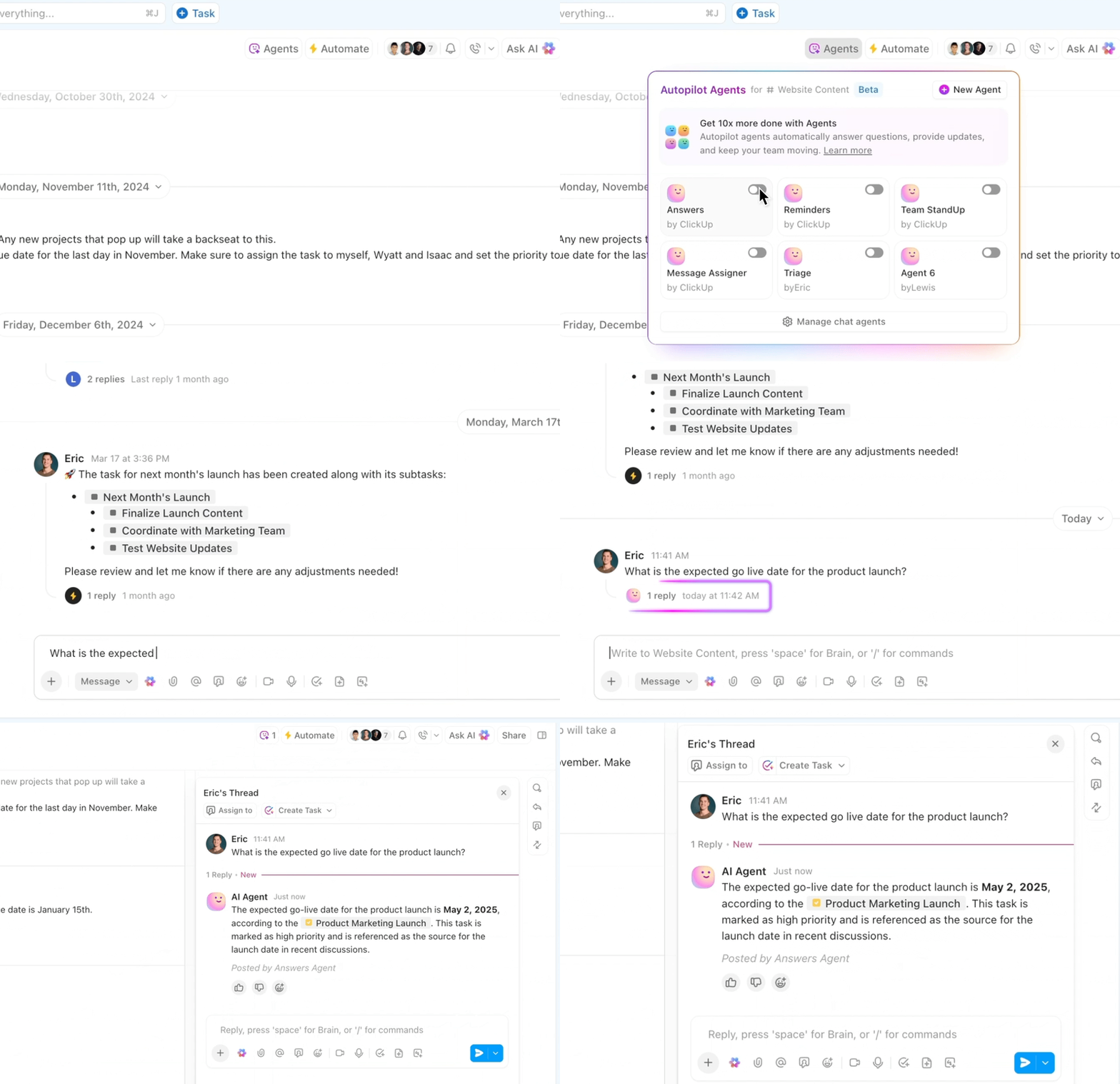
Then there’s ClickUp Brain, the AI engine built to help teams move faster without adding more tools. It helps do more than you can imagine—from summarizing long comment threads to automating recurring workflows, like creating tasks from the ground up.
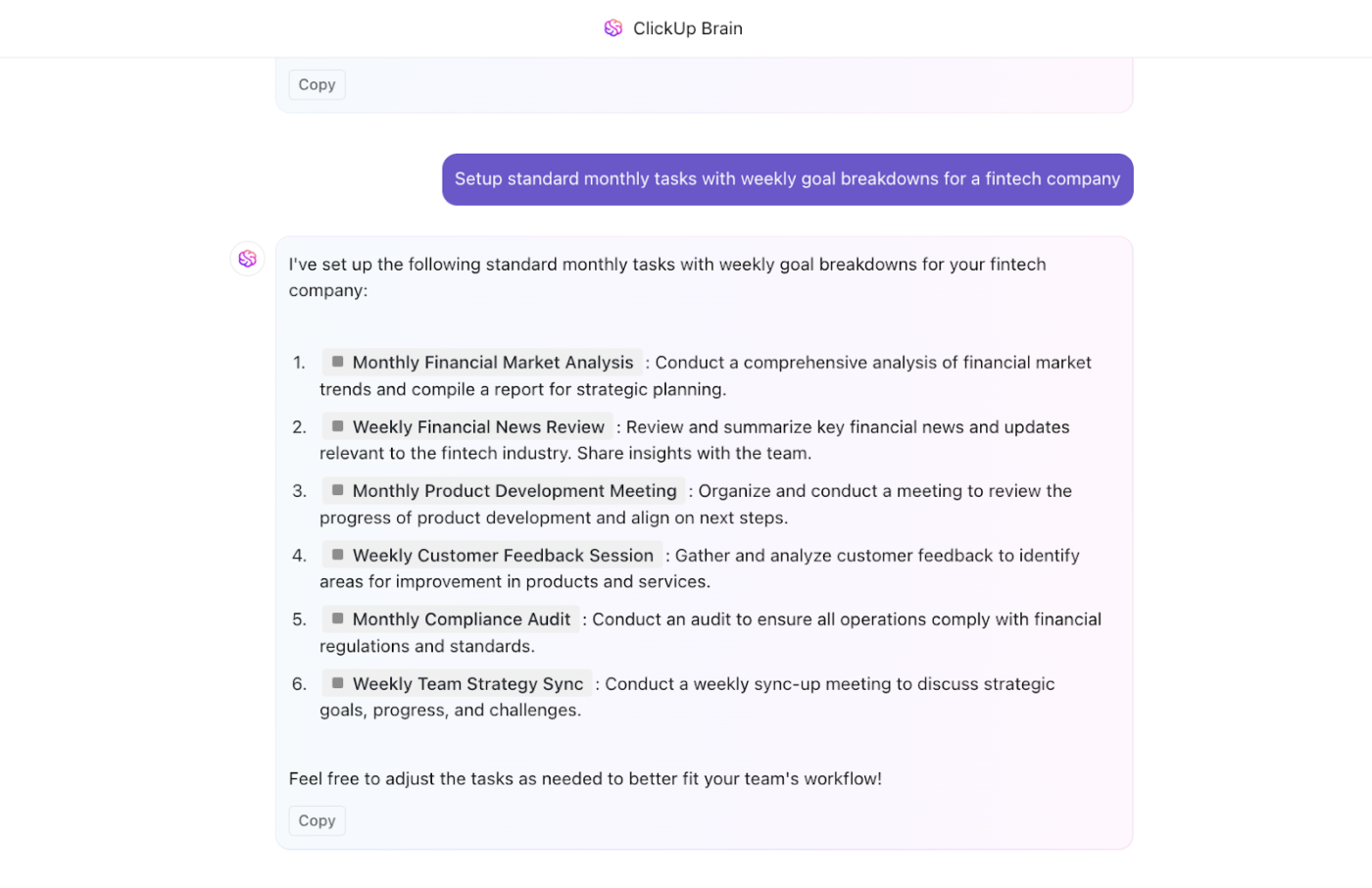
Better yet, you can feed ClickUp Brain natural language prompts and see it build detailed automation for you in seconds. Talk about AI boosting productivity!
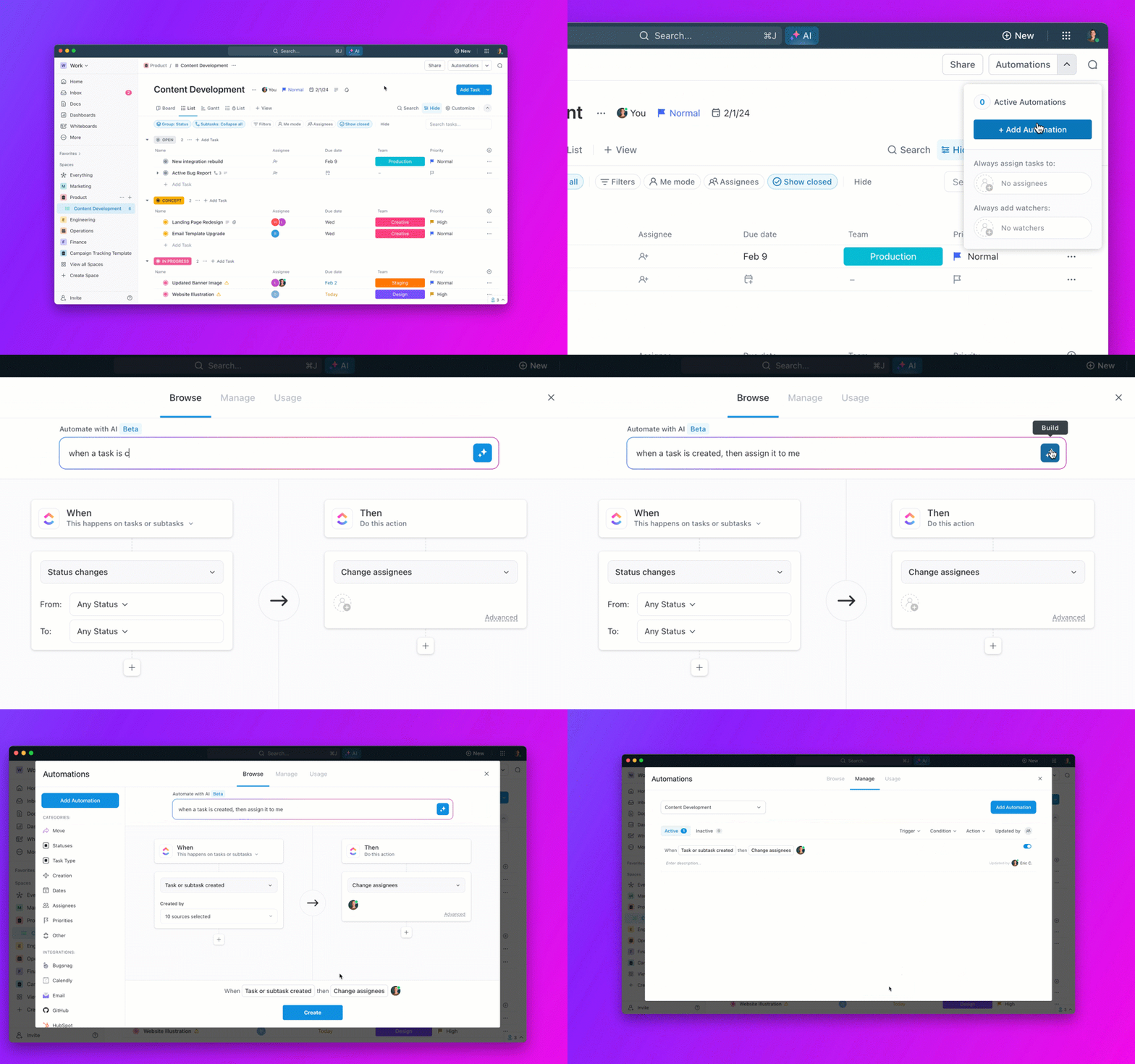
With advanced automation capabilities powered by ClickUp Brain and AI Agents, teams can go beyond basic workflows and build systems that think ahead.
A G2 review says,
What I like best about ClickUp is its customization and flexibility. Whether I’m creating tailored workflows for different teams (like marketing and web development), using custom fields to track specific project details, or automating repetitive tasks, ClickUp allows me to adapt it to our exact needs. It helps keep everything in one place, making project management and communication seamless across teams. Plus, the integrations and automation save us so much time, allowing us to focus on what truly matters.
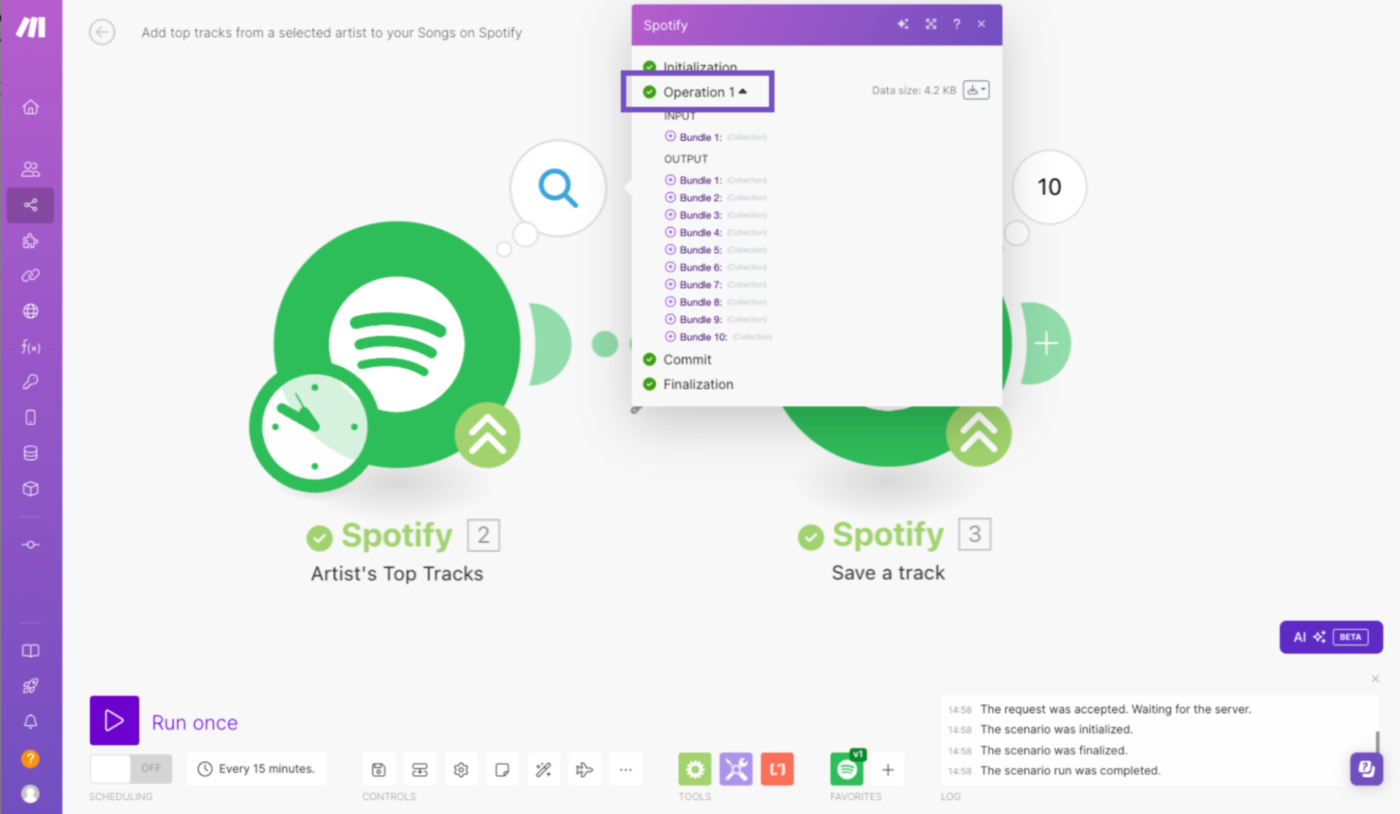
Make (formerly Integromat) is known for its granular control over workflow design. Unlike simpler tools that guide you through step-by-step automations, Make gives users a canvas-based editor to visually chain multiple operations, handle errors, run routers for branching logic, and process data in parallel. It supports HTTP modules and JSON parsing, making it useful for building integrations that require logic handling and API interaction.
📍 Note: The pricing is for up to 1,000 Ops/month.
A G2 review says,
It gives you the freedom to build amazing automations and integrates well with most software providers. Another cool thing is that there is always another way. If you are stuck, there is a workaround, be it a different module, API, integration, etc.
💡 Pro Tip: Use a staging environment to test data integration between your current tool and potential alternatives. Run parallel workflows for 2-3 weeks to catch edge cases that only surface with real data volumes.
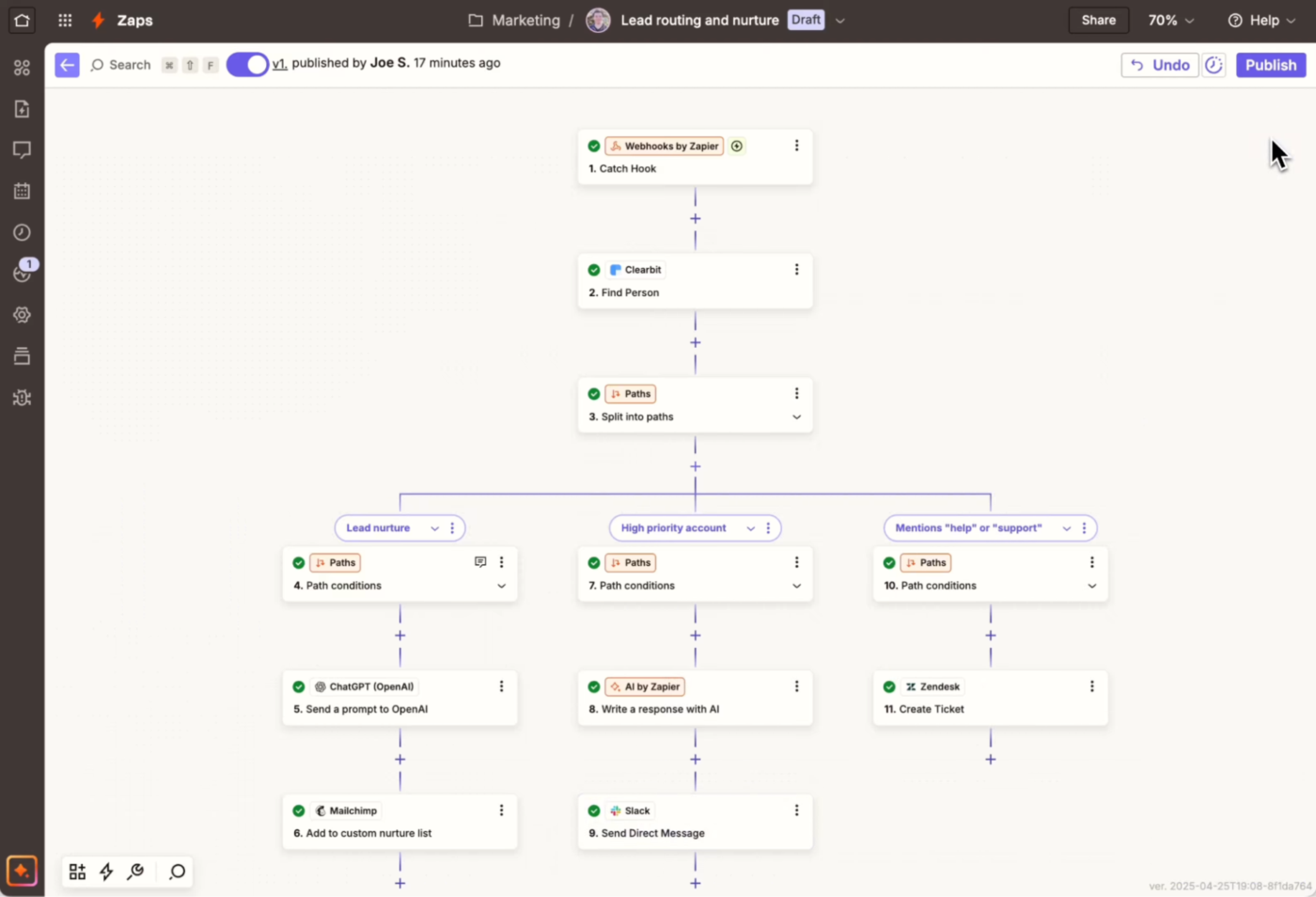
Zapier is one of the many alternatives to n8n that come to mind when people think about workflow automation. One of its major draws is the ecosystem of 6,000+ app integrations—from Slack and Gmail to Salesforce and Airtable.
Teams use Zapier to trigger actions across different apps without writing code. The interface is clean, and the logic-based setup makes it approachable even for non-technical users. For teams trying to reduce repetitive tasks between popular tools, Zapier is a strong n8n alternative.
A G2 review says,
Zapier has completely transformed the way we work. Its intuitive interface and vast library of integrations make it effortless to automate repetitive tasks between hundreds of apps, from CRMs and email platforms to project management tools and spreadsheets.
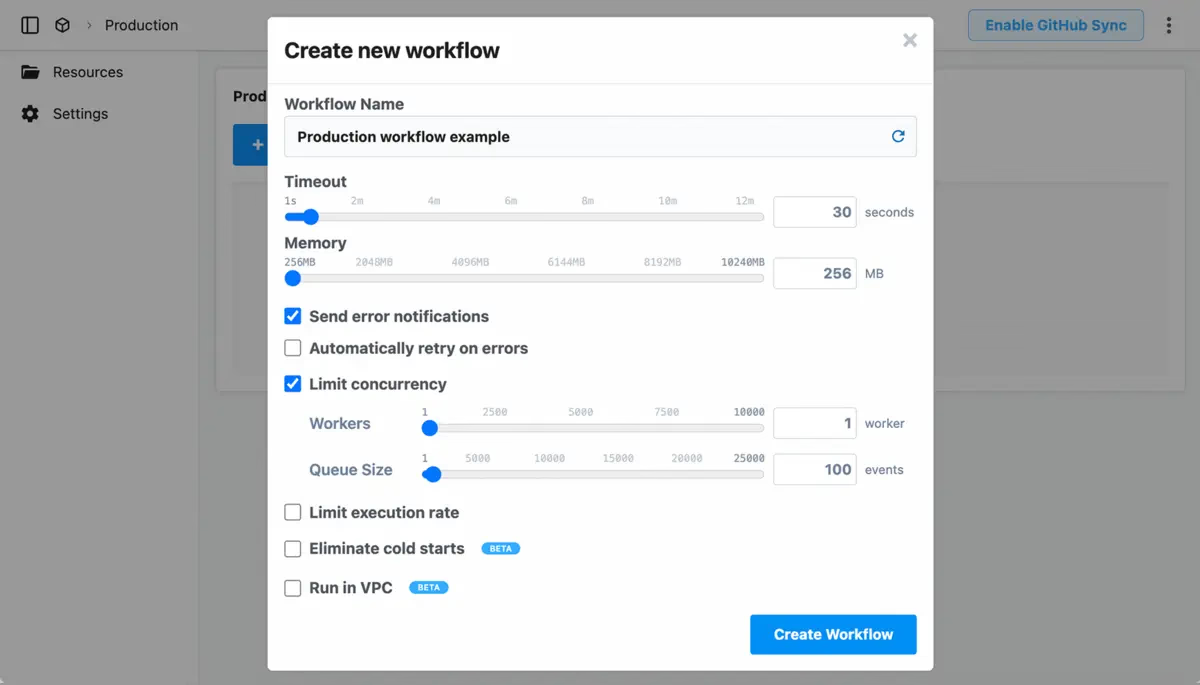
Pipedream excels when you want to chain APIs together, handle data transformations in code, or build workflow automation that sits close to the logic layer. Each workflow runs as a PaaS serverless function, so you never worry about provisioning or managing infrastructure.
It also provides a rich environment for debugging. You can inspect every event that triggers a workflow, view the input and output of each step, and examine detailed logs. This ‘event inspector’ is great for understanding data flow, troubleshooting issues, and rapidly iterating on complex integrations.
A G2 review says,
Pipedream is open source, so you can create your own integration or contribute to the platform. As a result, it is very versatile and adaptable. Pipedream provides a no-code interface that facilitates the creation of workflows without programming.
💡 Pro Tip: When evaluating no-code automation platforms, test them with your messiest, most complex workflow first, not your simplest one. The simple stuff works everywhere; the complex scenarios reveal which tools have advanced AI capabilities.
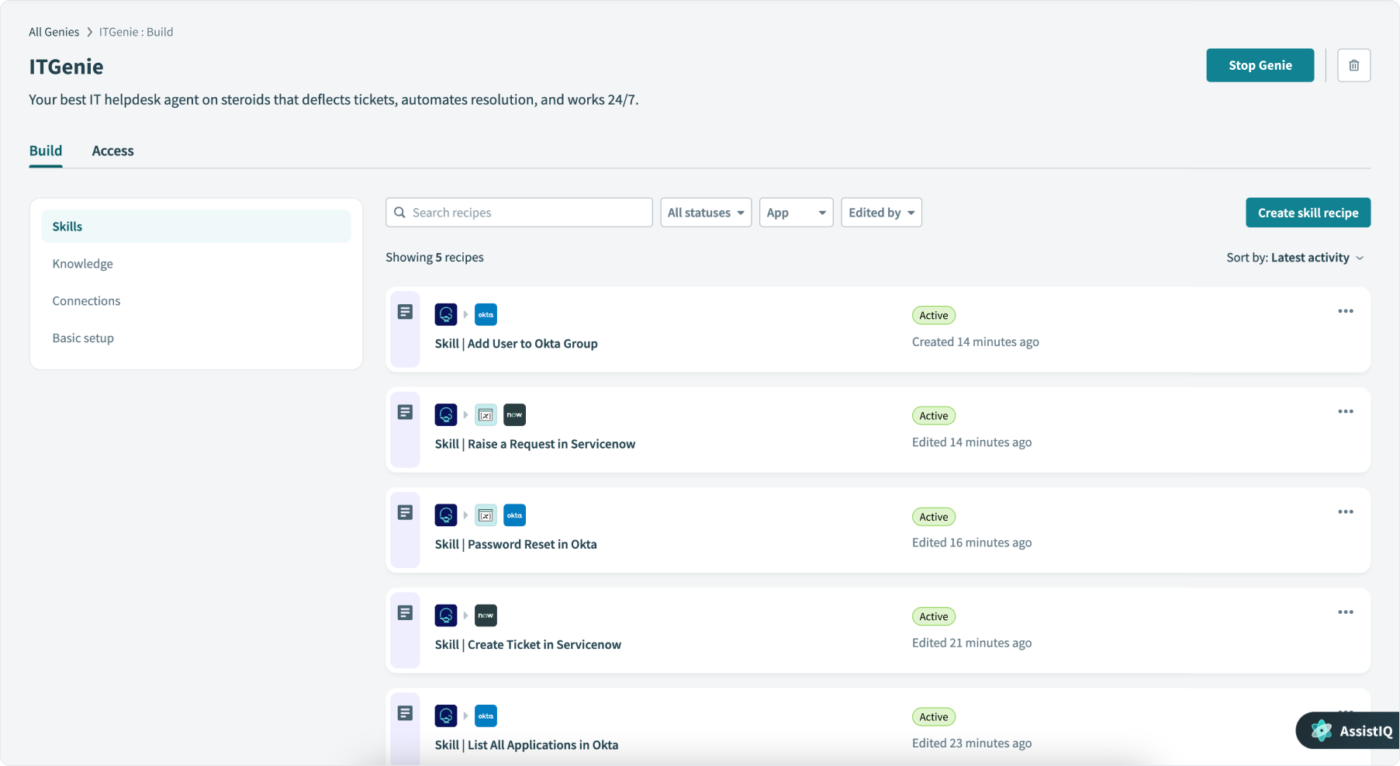
Workato is purpose-built for teams managing large-scale, cross-functional workflows that demand reliability, speed, and governance. It integrates core business processes across apps, databases, APIs, and on-premise systems. With its recipe-based builder, teams can automate anything from marketing handoffs to order-to-cash cycles without writing code.
One of the catchy things about Workato is how it’s embedded in enterprise data movement and app orchestration. It precisely handles advanced data processing capabilities like schema validation, cross-platform syncing, and error handling.
A G2 review says,
I love the various features that Workato offers in streamlining software integrations. I also love Workato’s user interface and overall user experience. I love how easy it is to use and the speed and quality of the customer support. I admire the large number of connections that it offers to various applications. Aside from all this, I love Workato as it is the best iPaaS platform.
👀 Did you know? The no-code development platform market is on track to hit a jaw-dropping $84.47 billion by 2027, growing at a blazing 28.9% CAGR since 2020.
📚 Bonus Read: Workflow Automation Examples and Use Cases
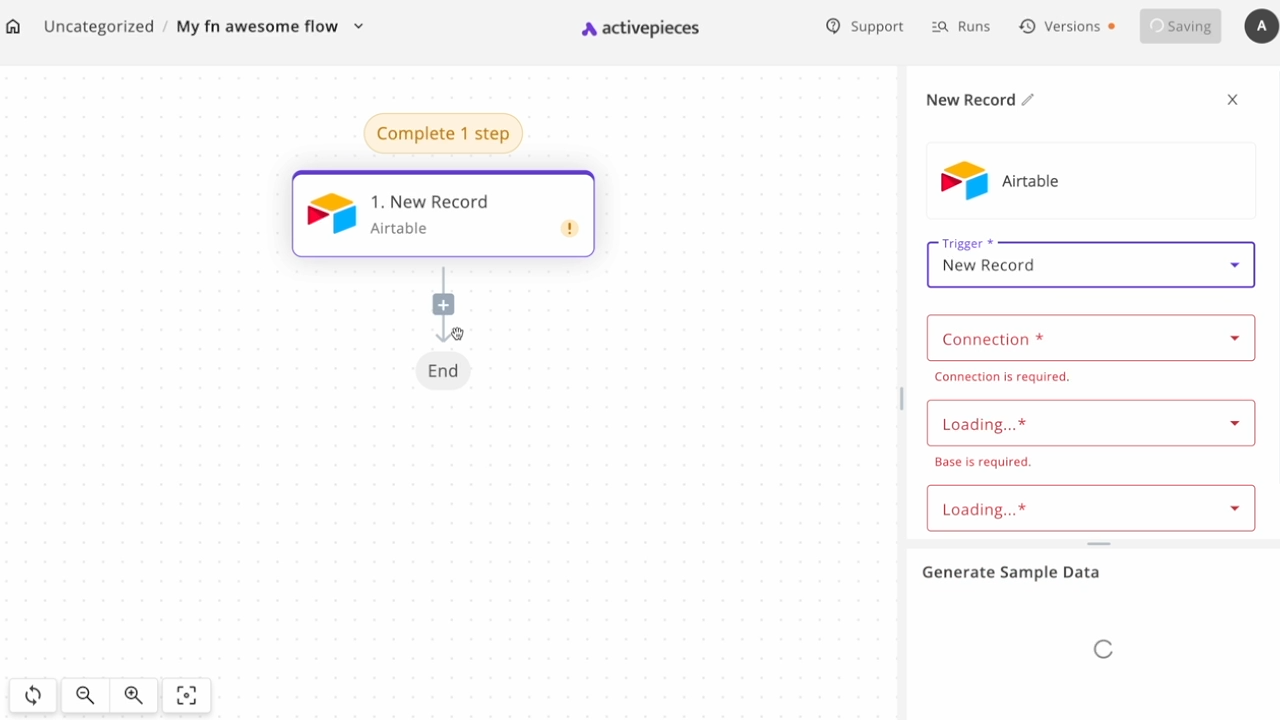
Activepieces is an open-source automation tool that offers visual flow building, self-hosting, and pre-built actions that help you build workflows without deep technical knowledge. It runs on Node.js, supports cloud and local deployment, and includes a growing list of built-in integrations with popular tools like Gmail, Slack, and OpenAI.
The platform strikes a good middle ground between beginner-friendly and developer-oriented. While still maturing, it’s becoming a go-to for teams that want a user-friendly interface and low-code workflow automation with the option to go deeper when needed.
A G2 review says,
It’s open source, so the possibilities are endless. This tool is so user-friendly that it literally guides you through every step, so the chances of making mistakes go down tremendously.
📮 ClickUp Insight: 45% of workers have thought about using automation, but haven’t taken the leap.
Factors like limited time, uncertainty about the best tools, and overwhelming choices can hold people back from taking the first step toward automation. ⚒️With its easy-to-build AI agents and natural language-based commands, ClickUp makes it easy to get started with automations. From auto-assigning tasks to AI-generated project summaries, you can unlock powerful automation and even build custom AI agents in minutes—minus the learning curve.
💫 Real Results: QubicaAMF cut reporting time by 40% using ClickUp’s dynamic dashboards and automated charts, transforming hours of manual work into real-time insights.
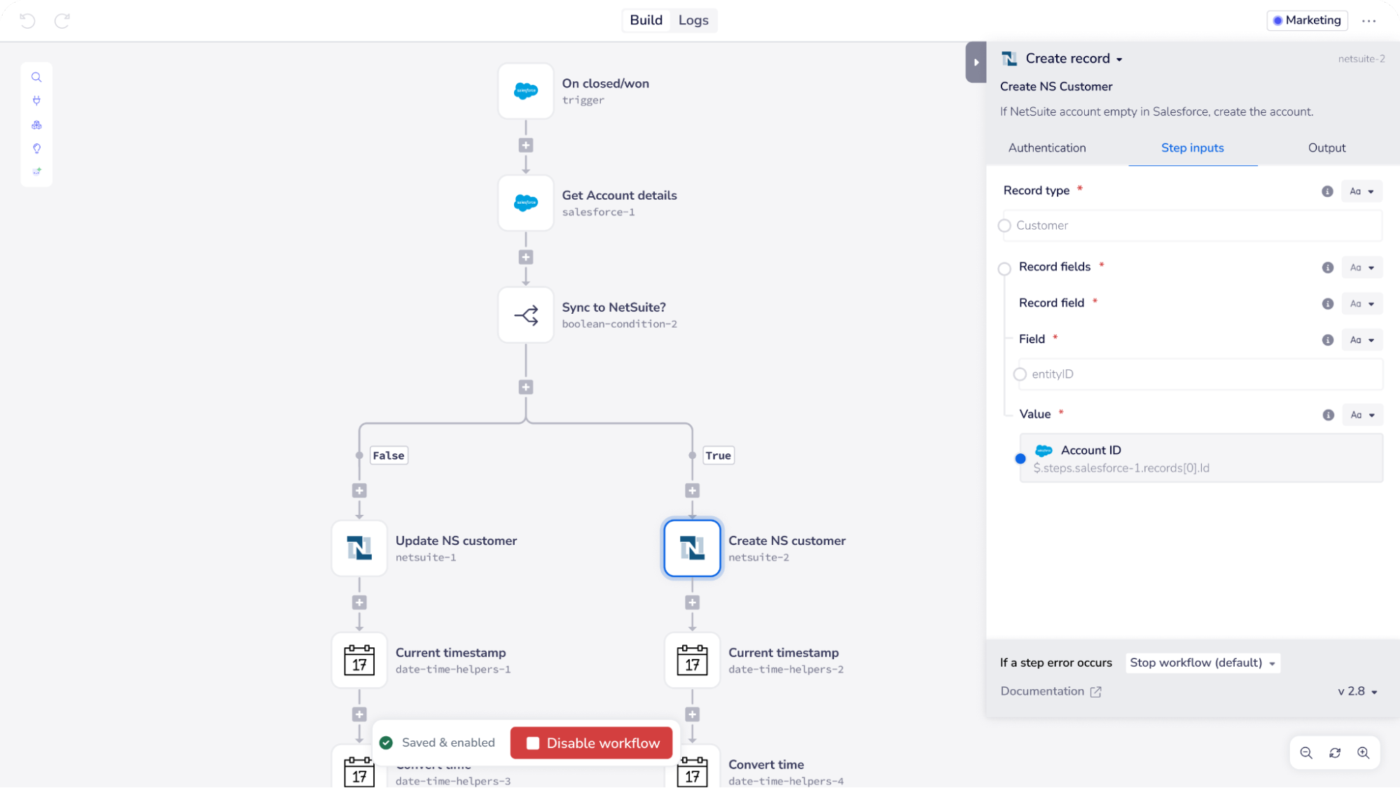
Tray.ai is an integration and automation platform built for enterprise use. It lets organizations design AI-ready workflows that connect disparate systems and streamline high-impact processes.
With its visual, low-code builder, teams can orchestrate intricate automations blending human decision‑points, conditional logic, and machine learning. It’s ideal for enterprise teams wanting centralized control over integrations, real-time monitoring, and governance-ready features to scale reliably.
A G2 review says,
The UI is great, in my opinion! I love being able to clearly follow a diagram that shows how the pieces interact with each other, and being able to drag-and-drop interface is fantastic. Tray is one of the few/rare tools that allows for quick start-up and is overall intuitive, so junior technical staff can hop in and field some requests with little training.
⚡ Template Archive: Process Map Templates for ClickUp, Excel, & Word
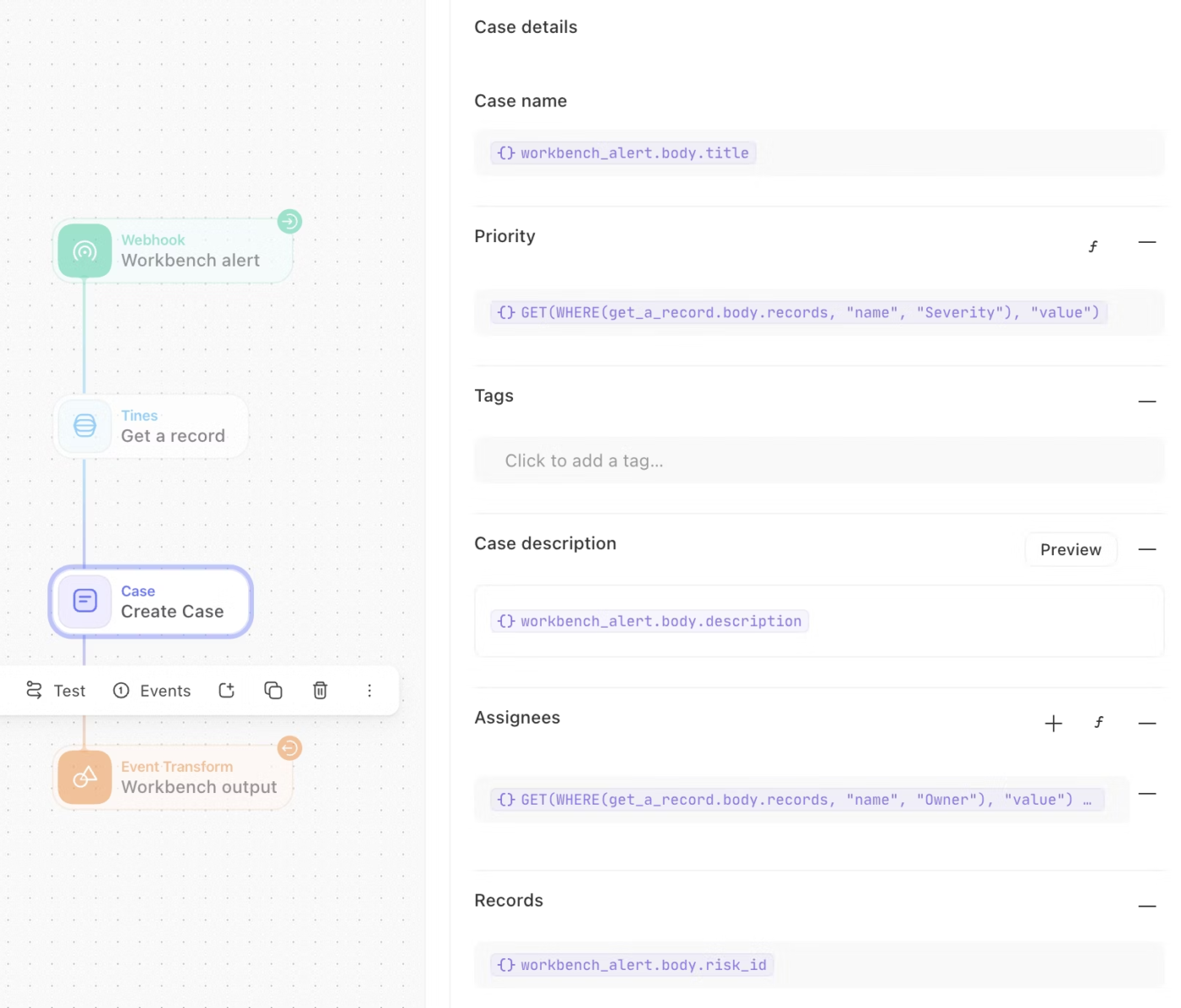
Tines is a workflow and AI orchestration platform for security, IT ops, and enterprise teams. It helps organizations automate complex workflows that integrate with any API (no-code, low-code, or full-code).
Its ‘Workbench’ chat interface adds a conversational layer, allowing users to trigger workflows or access data via natural language—securely and without jumping between tools.
A G2 review says,
Tines is an automation that requires low or no coding abilities based of the complexity of what you want to automate. It saves the team a lot of time when it comes to automating our tasks. We have struggled previously with other automation options, but Tines has been great so far. Their product makes API integrations easy, and there is nothing so far that we cannot integrate!
💡 Pro Tip: Before migrating business operations from n8n, export all your workflow logic as documentation. Many teams assume they can rebuild from memory and lose critical conditional branches and error handling.
n8n might get you started, but scaling smart, complex workflows needs more than just a visual builder. From teams needing no-code simplicity to enterprises running mission-critical automations, the right platform makes all the difference.
If you’re done piecing together brittle scripts and spending hours debugging, it’s time to switch to a tool that thinks ahead with you.
ClickUp brings everything under one roof—AI-powered automations, custom agents, smart triggers, and real-time insights—built right into your workspace. So your workflows don’t just run, they run better.
Sign up on ClickUp now and see it for yourself!

© 2026 ClickUp