


Sorry, there were no results found for “”
Sorry, there were no results found for “”
Sorry, there were no results found for “”
Replaying interview audio files, battling background noise, and jotting down every word—sound familiar? It’s time to ditch inefficiencies and focus on what matters most: hiring top talent.
Here’s the game-changer: Interview transcription software. 🚀
These tools automatically convert audio or video files into precise, searchable text. The payoff? Hours saved, sharper candidate insights, and faster, more informed decision-making.
Intrigued? Stay with us to discover the 10 best tools revolutionizing recruitment and making interview transcription effortless. ✨
Here’s a snapshot of the 10 standout interview transcription tools that are making waves:
🧠 Fun Fact: By 2032, the global transcription market will become $35.8 billion! With recruiters leading the charge, it’s clear: turning speech to text is the future of hiring. 🎉
But, not every transcription software delivers the same level of precision and efficiency. To find the ideal tool for your hiring needs, focus on these must-have features:
With the right mix of these features, a transcription tool becomes essential to your recruitment tech stack—simplifying hiring like never before. Let’s find your perfect match! 🚀
💡 Pro Tip: Check for editing features like highlighting key sections, inviting teammates to comment or edit, and adjusting playback speed for better focus. Searchability is a bonus, helping you quickly find phrases or quotes to speed up candidate reviews.
Choosing the best transcription software isn’t just about convenience but redefining how you work. Whether decoding lengthy video recordings, handling remote interviews with patchy audio, or delivering precise verbatim transcription, the right tool makes all the difference.
Ready to meet the game-changers? Let’s check out 10 standout solutions!
As an everything app for work, ClickUp simplifies every aspect of your workflow—and interview transcription and management are no exception.
At the heart of it is ClickUp Brain, a brilliant AI-powered assistant that connects tasks, docs, people, and data for seamless recruitment. Whether recording interviews or capturing notes, ClickUp Brain transforms conversations into structured, actionable insights.
ClickUp’s AI Notetaker is an awesome tool for making interview transcriptions super efficient! Instead of scrambling to take notes during an interview, you can let the Notetaker do the heavy lifting for you.
It automatically captures everything—like the meeting name, date, attendees, audio recording, and full transcript—so you can focus on connecting with the candidate. Plus, it works seamlessly with Zoom, Teams, and Google Meet.
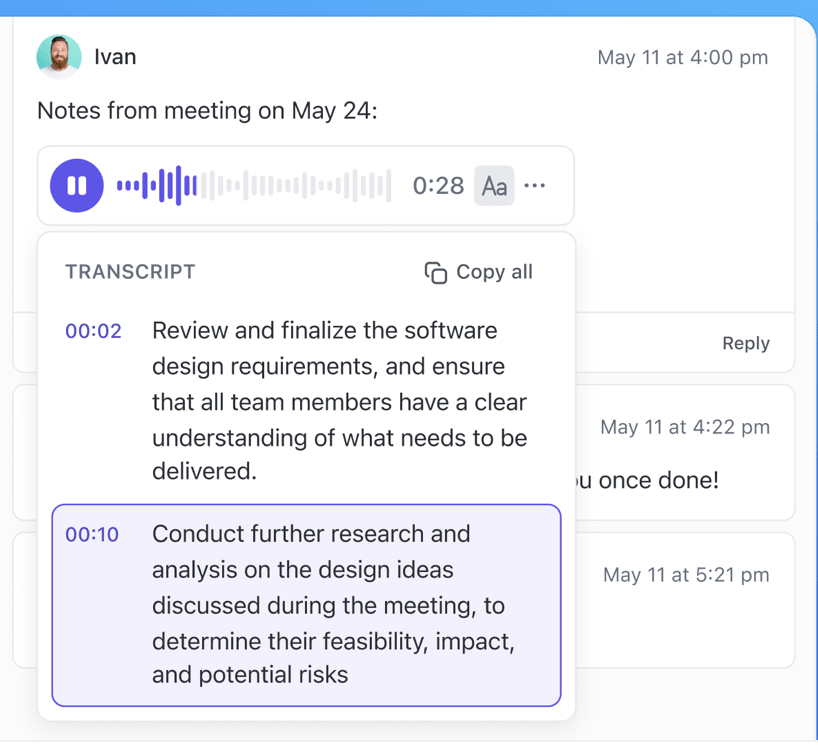
After the interview, you can easily pull up your notes through your Calendar or Docs, making it a breeze to review them later. And if you want to take action, just ask ClickUp Brain to create tasks from your notes or share a summary in chat channels. It’s a game-changer for keeping all the key insights organized and accessible for your team!
💡 Pro Tip: Supercharge your transcriptions with ClickUp Brain Max and AI Agents
ClickUp Brain Max brings desktop Talk to Text to your interview workflow. It lets you dictate notes, summaries, or candidate feedback directly into ClickUp and turns them into polished transcripts in real time. There is no toggling between apps or replaying audio endlessly.
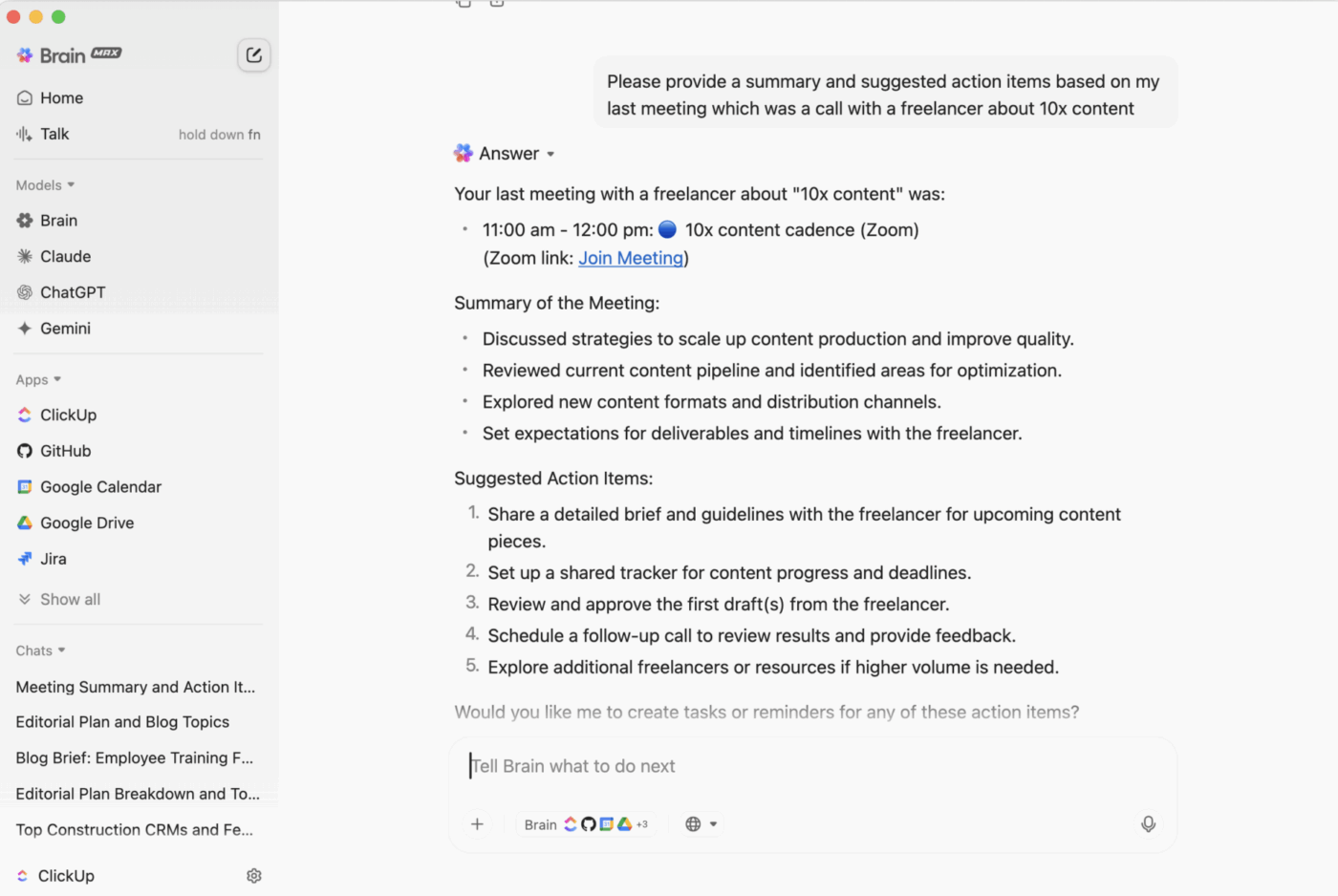
Pair that with ClickUp AI Agents, which handle repetitive recruiting tasks like tagging candidates, scheduling follow-ups, or surfacing key insights, and you’ve got transcription that doesn’t just capture words—it moves hiring forward.
With ClickUp Clips, recording interviews—in-person, virtual, or over the phone—becomes effortless. Just hit record, and ClickUp Brain will automatically transcribe every word into editable, searchable text, saving you hours of manual effort.
The best part? These transcripts are embedded directly into your workspace, allowing you to annotate, collaborate, or assign follow-ups—in real time. Moreover, ClickUp Brain expertly handles accents and speech variations, even in noisy environments.
ClickUp goes beyond transcription, helping you optimize your whole interview management process. Organize candidate notes, create action items, and streamline follow-ups—all in one platform.
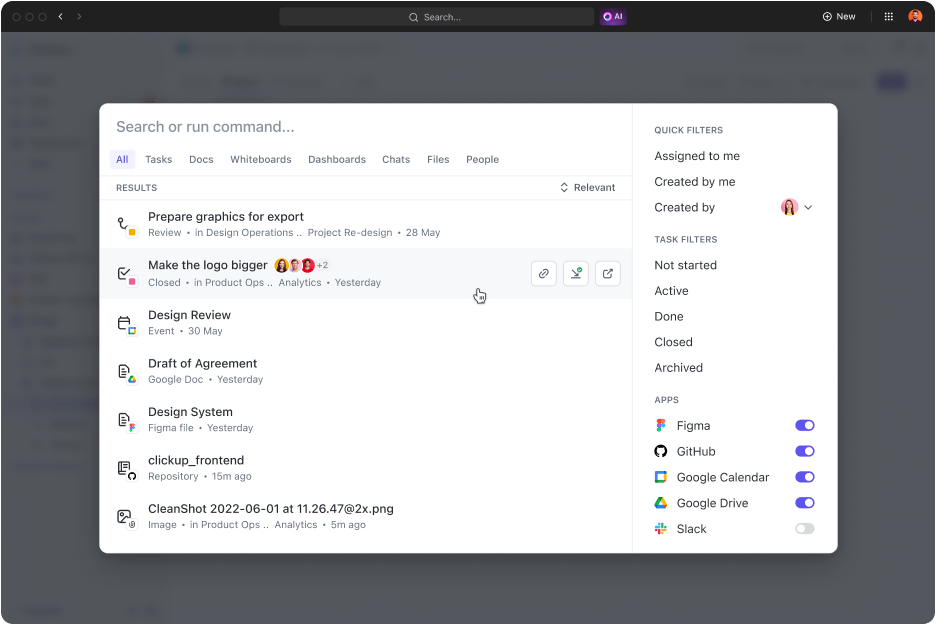
Need to revisit a key response? ClickUp Connected Search works like a personal assistant, pinpointing important moments instantly—so you can skip the guesswork and focus on finding the perfect candidate.
🔍 Did You Know? ClickUp also helps you ace your interview follow-ups! Just upload a voice memo or notes after an interview, and let AI generate a polished transcript or summary in seconds. Here’s how to follow up after an interview using ClickUp:
Users are enthusiastic about ClickUp’s transcription features, which highlight its flexibility and customization options. A pleased G2 reviewer says:
ClickUp is everything, everywhere, all at once. And now, with ClickUp AI… Wow, we are summarizing the transcription of our meetings (and many more).
🧠 Fun Fact: Transcription dates back to 3400 BCE in Egypt! Scribes were the OG transcriptionists, exempt from taxes while documenting the kingdom’s history. Sure, they didn’t have AI, but they’d be amazed how tools like ClickUp work!
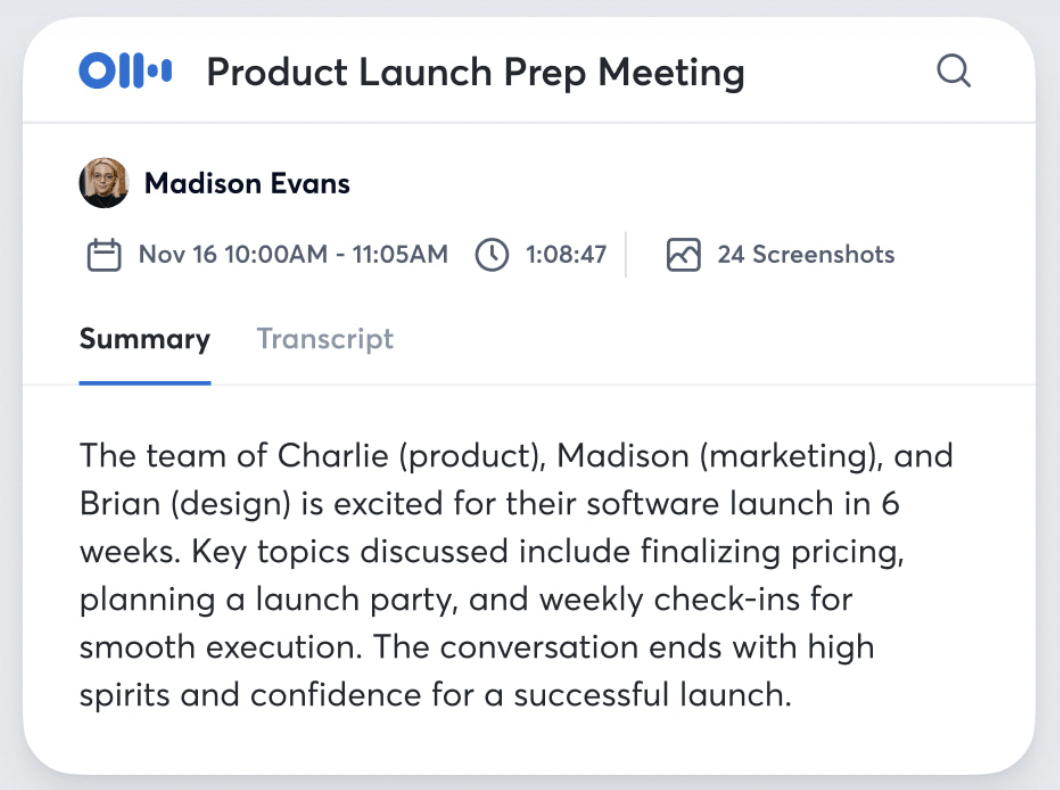
Otter.ai adapts to your conversation style and vocabulary, improving transcription accuracy with every use. Its versatile AI meeting assistant effortlessly records in-person, hybrid, virtual, or telephone interviews, making it a perfect fit for any format.
By syncing with your meeting calendars, Otter joins your calls, starts transcribing interviews, and generates concise summaries to share key highlights. Its powerful editing tools let you refine, annotate, and collaborate on transcripts, enhancing your recruitment workflow.
Here’s what a G2 user has to say:
It takes out a large amount of the time it would take to transcribe manually. Although it’s not 100% accurate, I think it gives the general structure of the interview quite well.
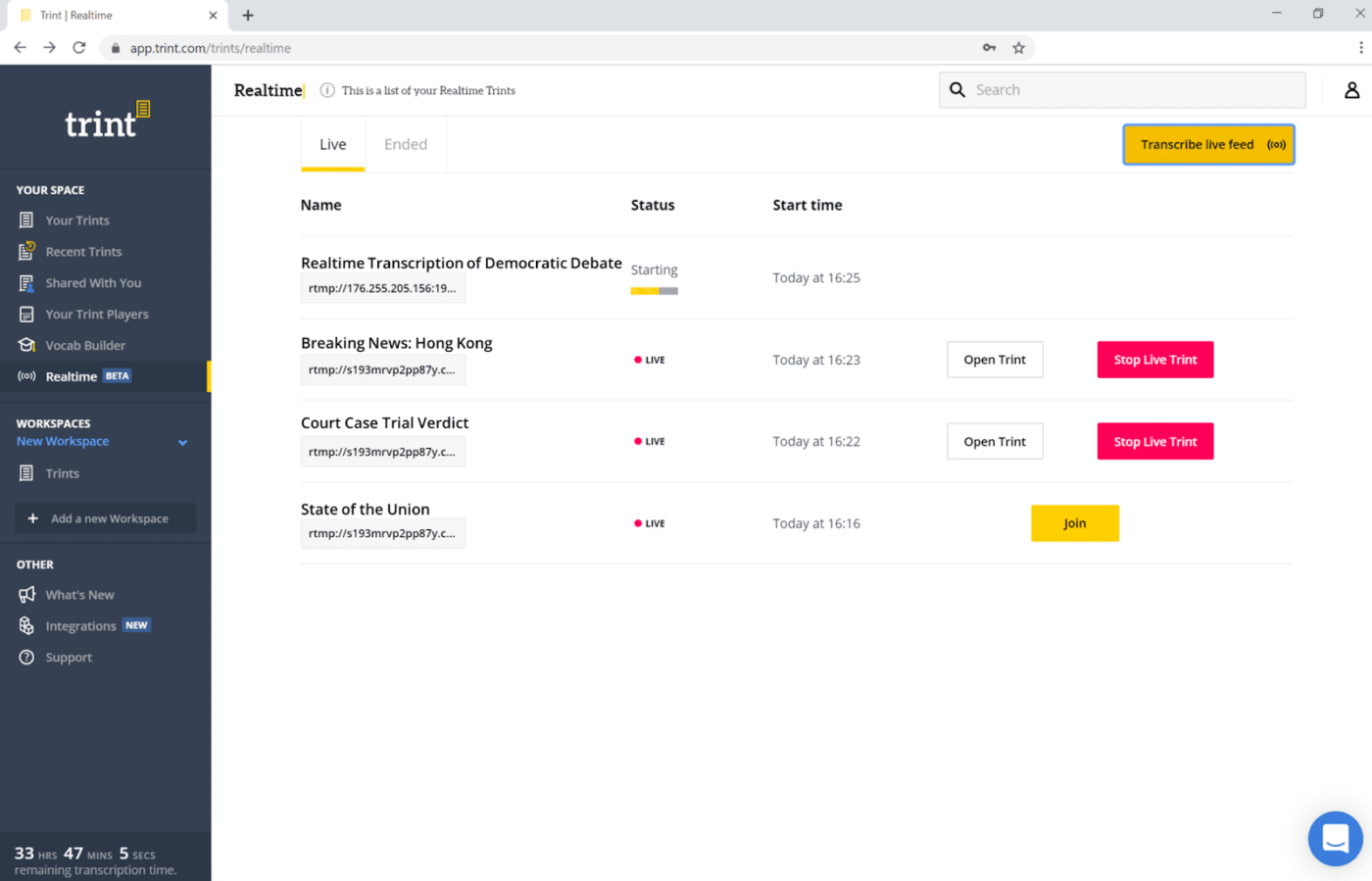
Trint is an AI transcription tool that converts speech into accurate and editable text. Supporting 30+ languages, it’s ideal for recruiters handling interviews with global candidates from diverse linguistic backgrounds.
It also enables seamless collaboration, allowing teams to edit and review transcripts like Google Docs. With its iOS app, record and transcribe interviews anywhere, while its AI model ensures precise translations and time-stamped results in just minutes.
➡️ Read More: How to Take Notes from a Video Like a Pro
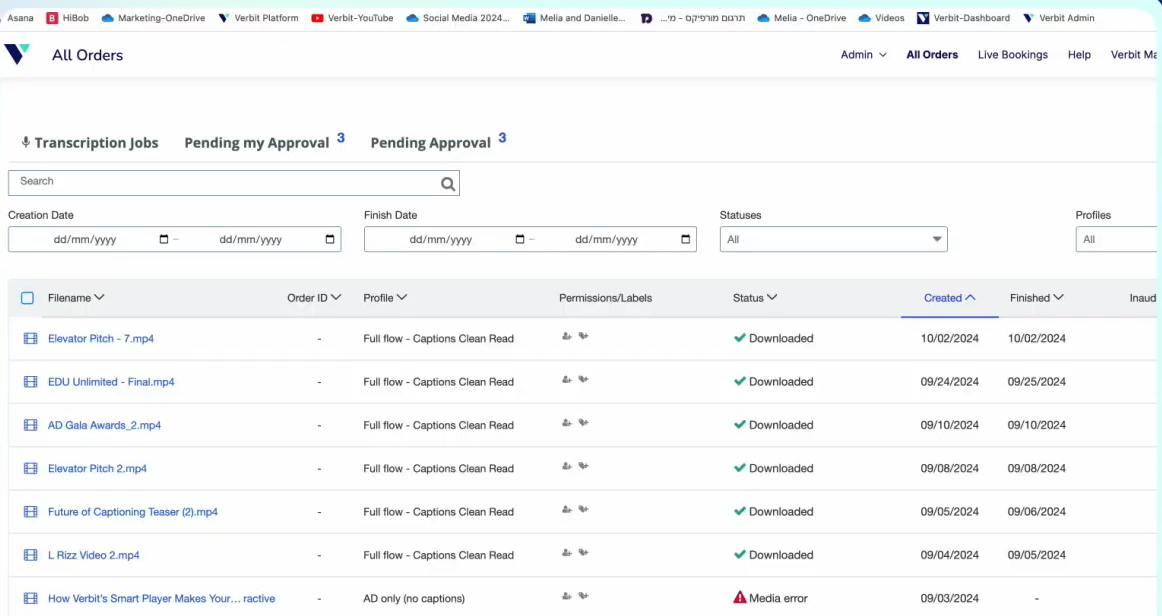
Verbit is a robust transcription service that simplifies live or recorded interview workflows. Whether working with audio or video files, its Captivate AI accurately transcribes spoken language into precise, time-stamped transcripts.
Its USP? The Gen.V tool provides summaries, keywords, and action items. From identifying complex terms to generating subtitles for YouTube videos or recorded interviews, Verbit ensures polished results by eliminating grammatical mistakes and incomplete sentences.
Here’s what a G2 user has to say:
Verbit provides excellent transcription and audio description services. Their turnaround time is prompt, their customer service is responsive, and their services are highly affordable.
🧠 Trivia: The word ‘transcription’ made its English debut in 1598. 📜 John Florio slipped it into his Italian-English dictionary, and the rest is history—literally!
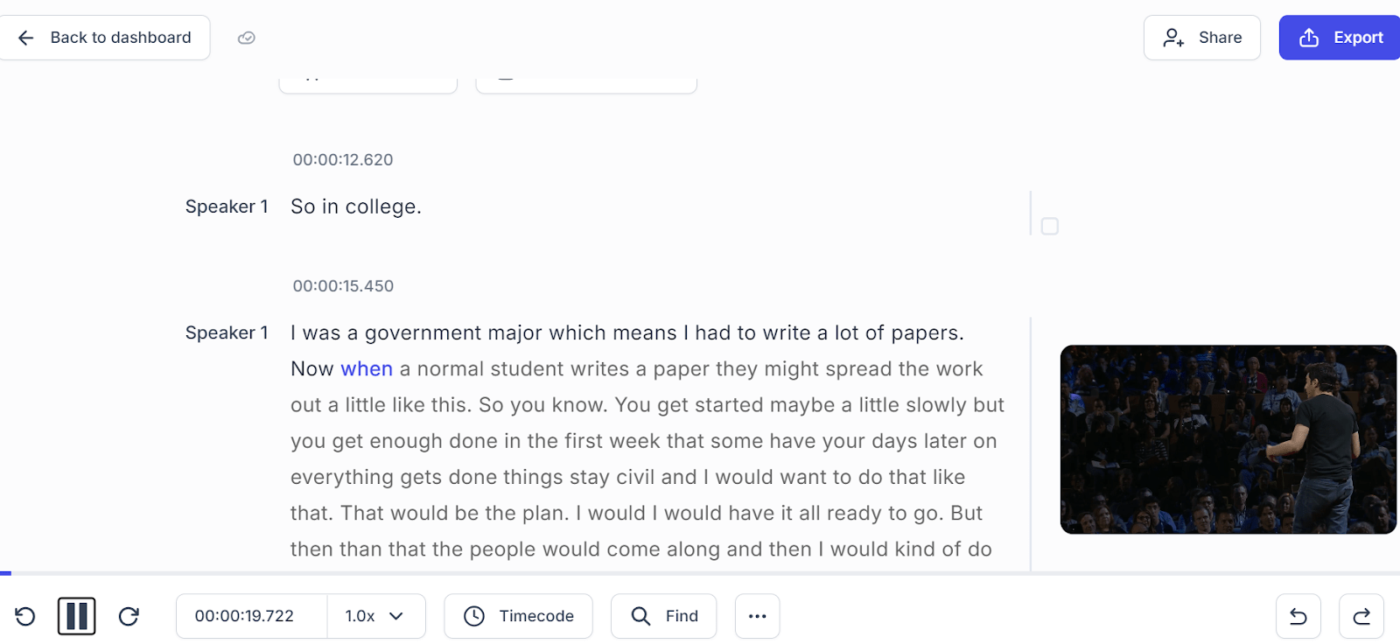
Happy Scribe is specialized transcription software that converts audio or video files into accurate written text. Its AI transcription ensures 85% accuracy and supports 120+ languages and dialects, making it perfect for international hiring or multilingual interviews.
Need even more precision? Happy Scribe’s human-made transcription services ensure 99% accuracy, capturing every nuance, from context to terminology.
The interactive editor also lets you sync text with audio and annotate key moments, perfect for dissecting interviews or crafting candidate reports.
Here’s what a G2 user has to say:
I use Happy Scribe for transcription, captions, and translations for videos. I love that it also allows collaboration for proofing, reviewing, and downloading. The translation and conversion tools are fantastic!
➡️ Read More: Happy Scribe Review (Features, Pricing, Pros, & Cons)
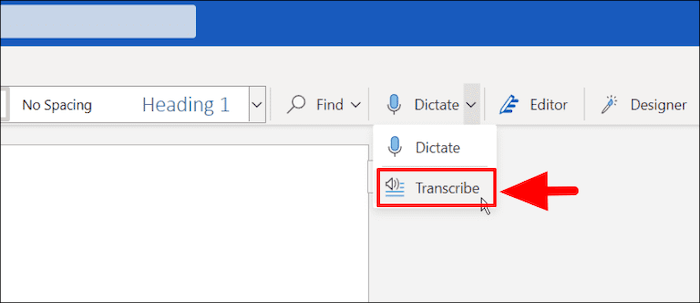
Simplify your document creation, editing, and transcription process in one platform. Designed for Microsoft 365 users, the ‘Transcribe in Word’ feature converts speech into accurate, timestamped transcripts while labeling speakers for better organization.
Fine-tune your post-interview workflows: edit transcripts, replay audio for clarity, and securely store files in OneDrive for seamless collaboration and easy access.
➡️ Read More: Free Podcast Script Templates for Podcasters
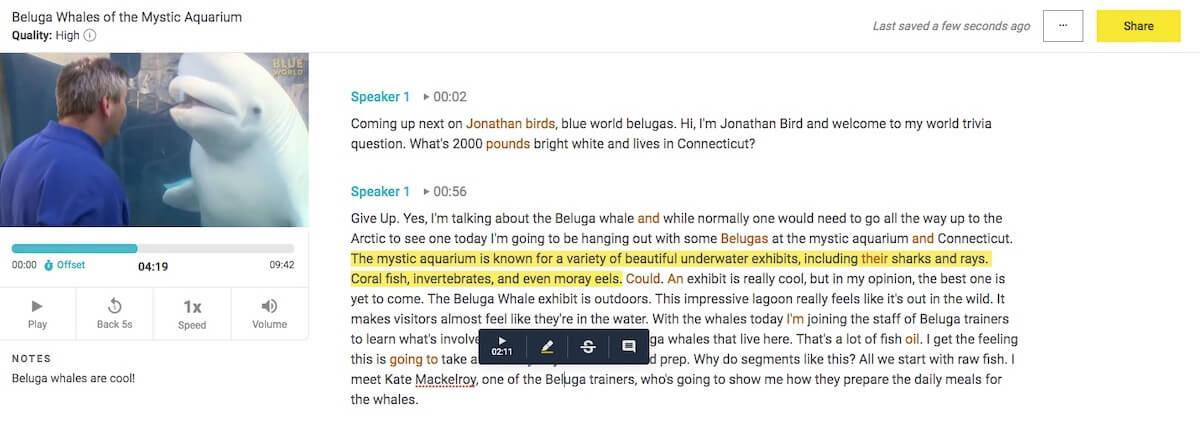
Temi excels at speed and simplicity, delivering English transcriptions with 90–95% accuracy within five to ten minutes. Its minimalist design makes it perfect for recruiters needing quick results without the complexity of advanced features.
With support for over 25 audio and video file formats, Temi’s straightforward interface allows you to upload, transcribe, or edit with timestamps and speaker labels. Its lightweight functionality is ideal for one-off interviews or fast-paced hiring processes.
➡️ Read More: Best Speech-to-Text Software
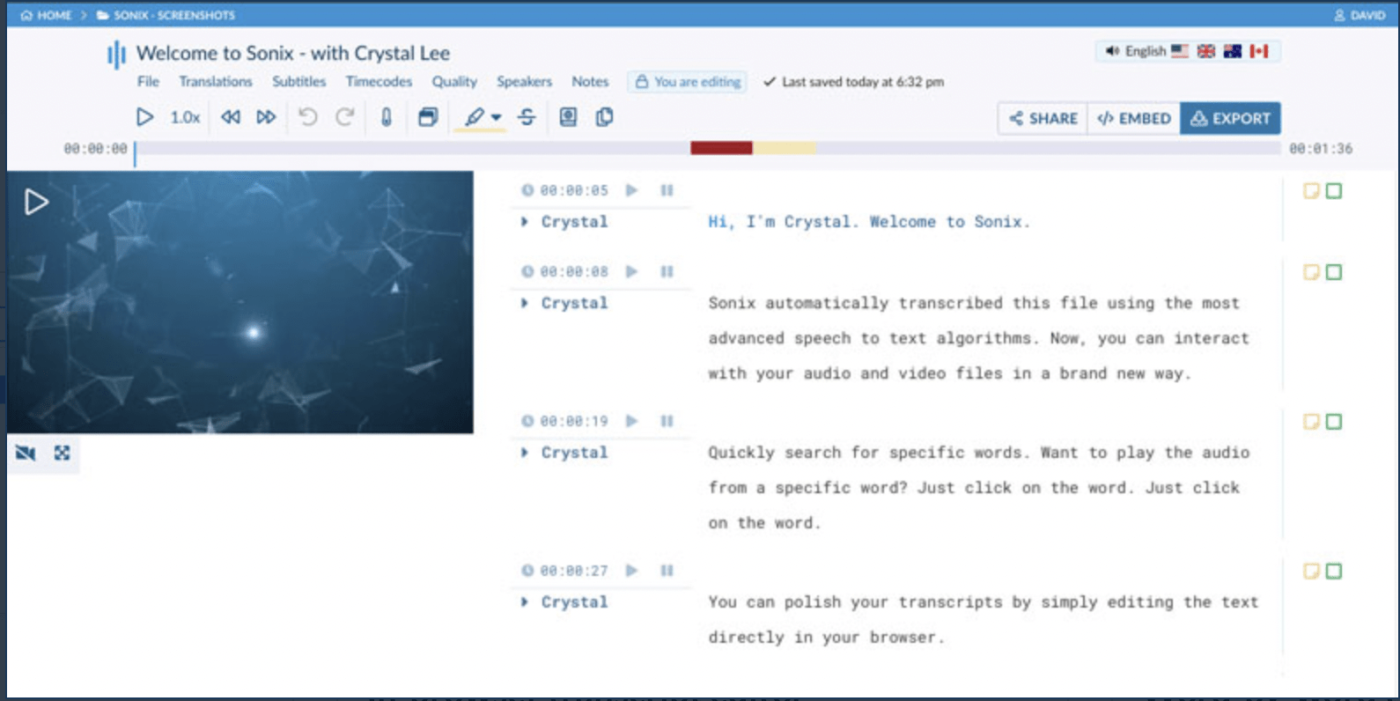
Managing multilingual interviews or complex recordings is challenging, but Sonix simplifies the transcription methods with AI-driven accuracy. Supporting 53+ languages, it’s a reliable solution for recruiters working with diverse teams or conducting global interviews.
Sonix’s in-browser editor organizes interview transcripts with word-by-word timestamps and speaker labeling. Need to handle group interviews or accent-heavy video recordings? Multi-track upload merges audio from group interviews for a seamless review experience.
Here’s what a G2 user has to say:
It saves me from having to transcribe interviews manually. It gives you guidelines on recording your audio to get the best transcription, but if you have a sub-par audio file, it will work with that too!
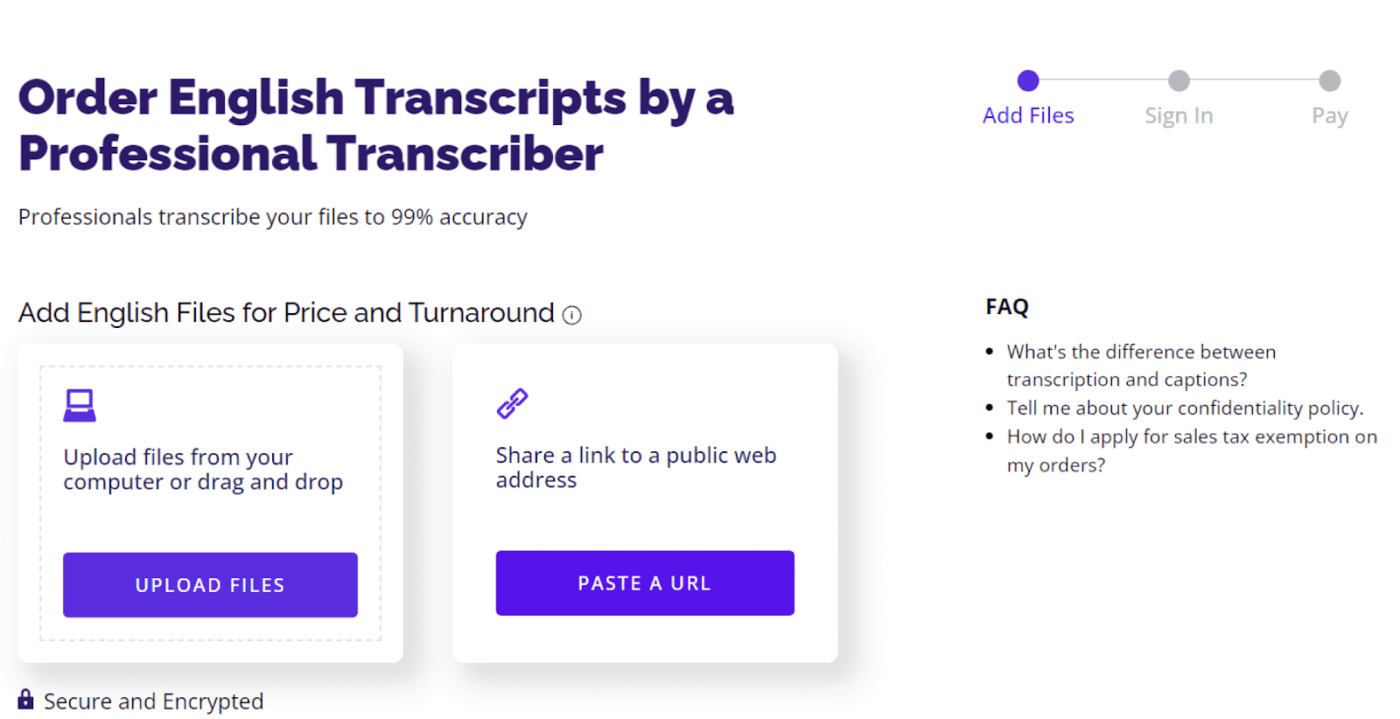
Rev blends AI transcription with human expertise, delivering the flexibility recruiters need for diverse interview scenarios. Whether transcribing technical interviews with jargon or panel discussions for complex discussions, this tool adapts seamlessly to your workflow.
Its editing tools, like inline comments and low-confidence word tracking, make transcript reviews fast and efficient. For longer recordings, AI-generated summaries and follow-up suggestions help you extract insights in record time, keeping your hiring process on track.
➡️ Read More: Ditch the Pen & Paper: How to Use AI for Meeting Notes
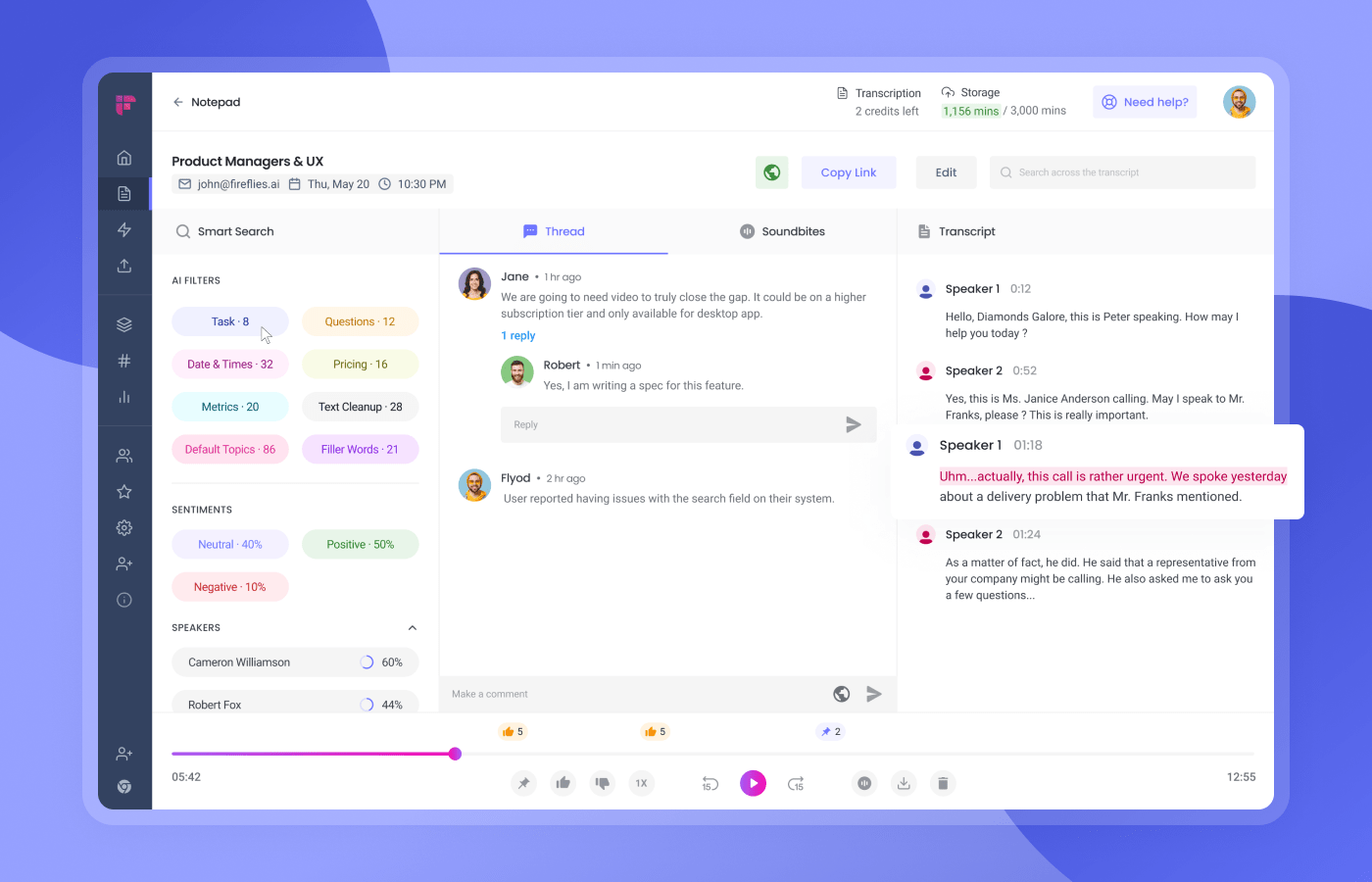
Fireflies.ai is more than a transcription tool—it’s one of the best AI meeting summarizers built for efficiency. Invite Fred, its AI assistant, to your interview meetings, which will automatically transcribe and capture the key points of the entire session.
Perfect for group or behavioral interviews, Fireflies tracks speaker talk time, filler words, and talk-to-listen ratios to turn conversations into data-driven insights. Got pre-recorded interviews? Upload files and get detailed interview transcripts in just minutes.
Here’s what a G2 user has to say:
One of my favorite experiences with Fireflies was during a series of online interviews I conducted. It helped tremendously by capturing all the key points and insights, allowing me to focus more on the conversation rather than worrying about taking notes.
The right transcription tool is a game-changer for hiring managers and recruiters. It simplifies interview workflows and turns conversations into actionable insights. Whether you prioritize accuracy, collaboration, or multilingual capabilities, the tools in this list have you covered.
But if you’re looking for interview transcription software that meets all the criteria, ClickUp stands out. From managing overwhelming interview volumes to ensuring clear candidate communication, ClickUp blends precision with seamless organization.
Why settle for less? Sign up with ClickUp today to make smarter hiring decisions and improve team productivity.🎯

Manasi Nair
Max 26min read

Arya P Dinesh
Max 16min read
Manasi Nair
Max 24min read

© 2026 ClickUp




