13 Best Image Annotation Software Tools in 2025

Sorry, there were no results found for “”

It’s a fact: your AI model is only as good as the data it learns from. This is true for both text and image-generating algorithms. So when image annotations are inconsistent, mislabeled, or outdated, AI developers and data scientists managing large-scale projects have to deal with inefficient workflows.
Hours are wasted manually fixing labels, team members follow different standards, and integrating annotations into machine learning pipelines becomes a frustrating hurdle.
If collaboration issues and data integration roadblocks are holding you back, you’re not alone. The right tools don’t just label images—they standardize, automate, and seamlessly integrate annotations into AI workflows.
In this blog post, we’ll discuss the top image annotation tools so your team spends less time fixing data and more time pushing AI forward.
Here’s a rundown of the best image annotation tools available today:
Image annotation means labeling images with specific information to help AI systems recognize and understand them. This involves adding metadata to images, such as identifying objects, outlining shapes, or marking textures and colors.
For example, when your smartphone camera detects and focuses on faces, it’s using image annotation. The software is trained with thousands of labeled images to recognize human features, advancing photography, security, and autonomous driving.
Here is an example of how image annotation works. By labeling each object in an image, the algorithm can read it better, and take the appropriate action.

The key to operating an image annotation software isn’t just better algorithms; it’s ensuring that everyone feeds clean, uniform data into them.
The best annotation software helps turn messy inputs into orderly data that improves AI training.
Here are some features you should prioritize when looking for image annotation software:
Let’s dive into the top image annotation software, starting with the in-house favorite—ClickUp.
Managing large datasets is already challenging, and most image annotation tools only add to the complexity due to a lack of real-time collaboration features.
ClickUp enables seamless collaboration by directly integrating advanced image annotation features into your project workflows.
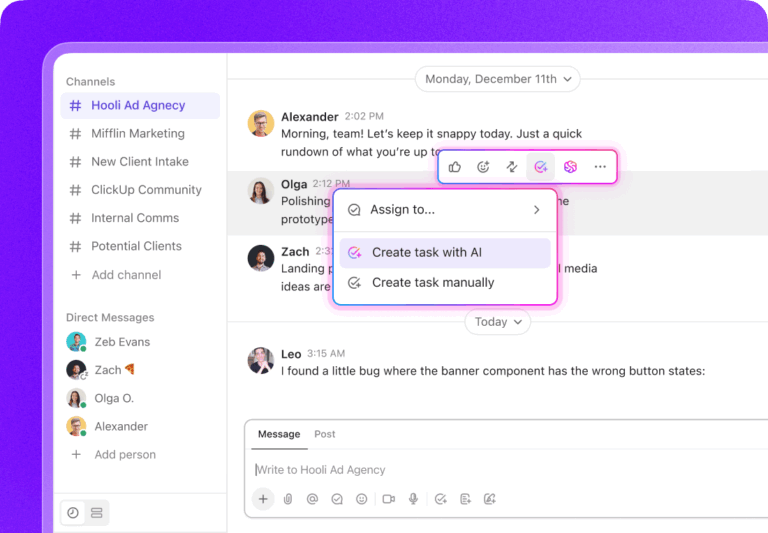
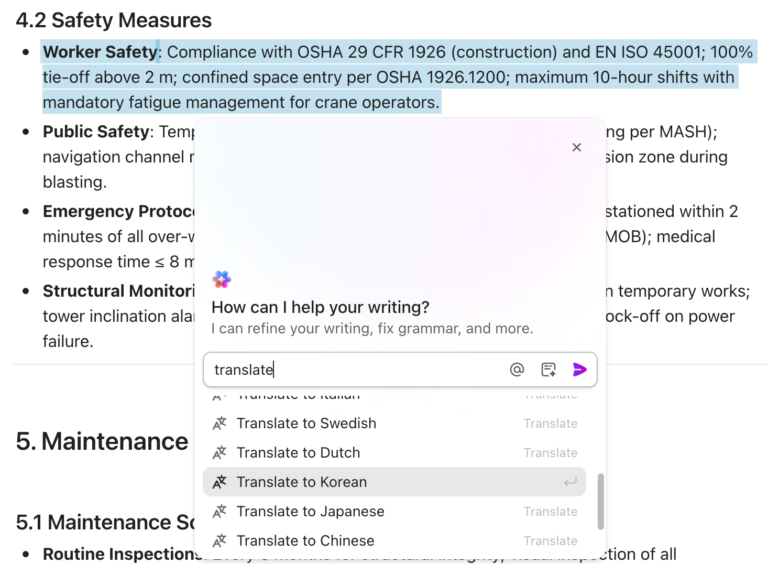
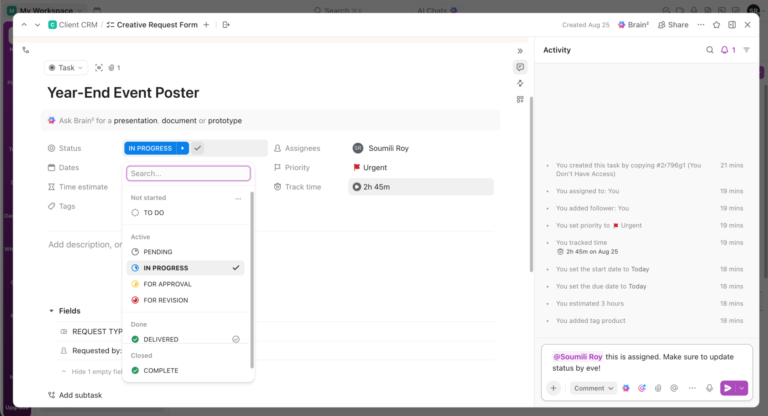
You can easily annotate images, PDFs, and videos using ClickUp’s Proofing Tool. It enables you to add comments to images and assign them to your team members for quick action. No more endless email threads or lost feedback, just clear, comprehensive feedback that keeps projects moving!

Here’s how you can annotate an image in ClickUp:

In addition to a proofing tool, ClickUp acts as a brainstorming canvas with real-time collaboration features.
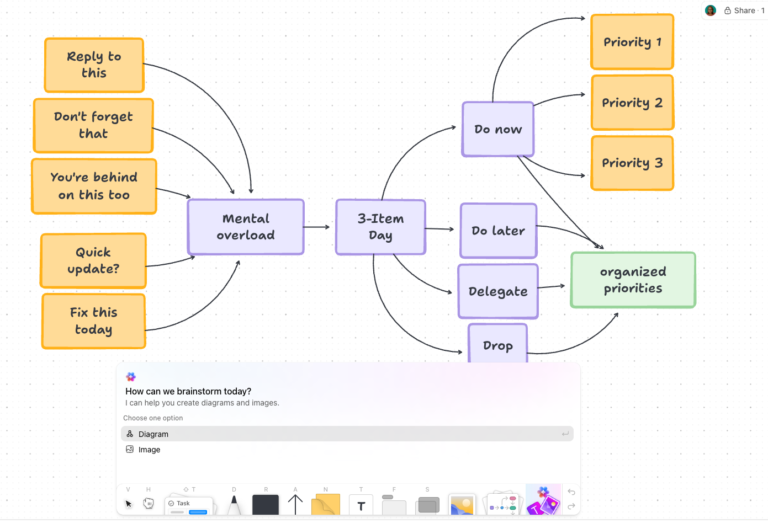
With ClickUp Whiteboards, you can sketch freely, mark up images, connect ideas, format text, add sticky notes, and convert scribbles into tasks without breaking stride. Add comments to convert any idea into an action item easily!

💡Pro tip for your workflow:
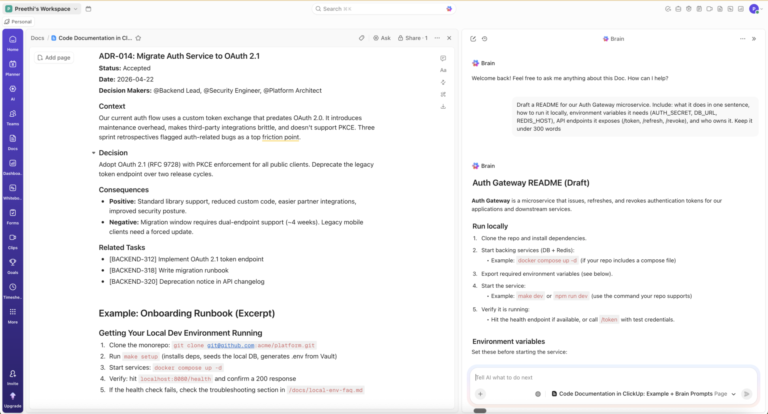
You can also generate AI images in ClickUp Whiteboards to provide references and share more context. Instead of just describing an idea, you can create an image using ClickUp Brain and annotate it to show relationships, steps, or insights.

Working on bulk image annotation projects?

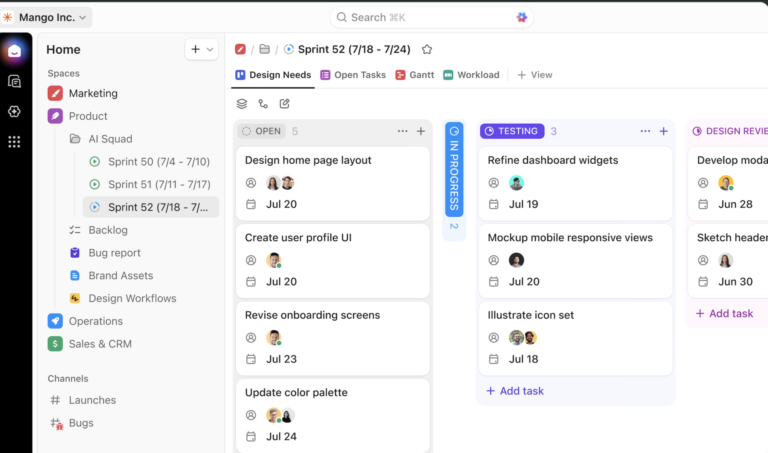
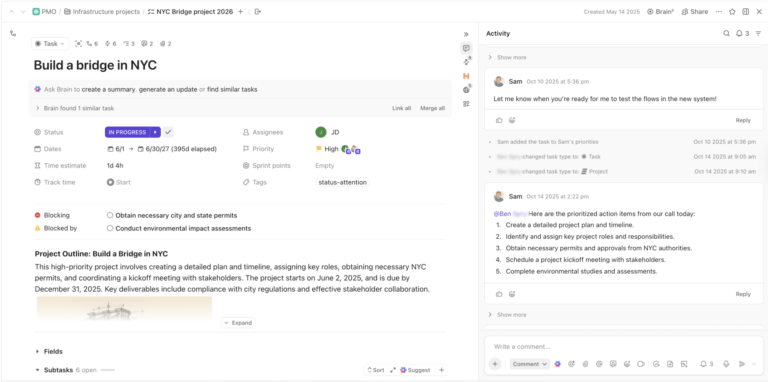
ClickUp Tasks can help you create a custom workflow. You can add different task types, such as ‘bounding box annotation’ and ‘text labeling,’ add custom task statuses, set task priority levels, and link related and dependent tasks.
What are real-life users saying about ClickUp?
ClickUp has tools to visualize your process, goals, etc. It is the peak of collaborative work, and it has been improving on that end, especially with the addition of the Whiteboard View.
📖 Read More: Best Digital Whiteboard Software Programs

Labelbox is an intuitive vector labeling tool used to train AI models in object detection and recognition. It helps with point annotation (labeling specific points in an image or dataset), line annotation (labeling linear structures), and bounding box annotation (using boxes to highlight objects).
Labelbox’s AI assistant automatically adds labels, enabling reviewers to concentrate on refining outputs. You can also add additional elements, such as text, videos, images, and custom HTML widgets, to provide more context to labels. This supports robust visual communication and boosts annotation efficiency.
What are real-life users saying about Labelbox?
I like the shortcuts of the annotation tool. They are very ergonomic, and the mechanisms are designed for the practitioner. The Python API allows any developer to integrate labelbox in their pipelines. I don’t like the fact that it cannot really handle multichannel images that are rarely seen in normal computer vision but are ubiquitous in scientific imaging.
🧠 Did you know? AI image annotation reduces manual labor by up to 70%, accelerating projects, boosting productivity, and improving data quality.

SuperAnnotate is an advanced image annotation software compatible with all image file types, including JPG, JPEG, and PNG. Its object detection feature helps you locate, identify, and mark objects in bounding boxes.
With the Magic Select tool, you can divide your image into various segments and outline objects for faster annotation. Plus, its advanced annotation workflows help you customize processes for specific project needs. This enhances efficiency and ensures high-quality annotations for complex computer vision tasks.
What are real-life users saying about Labelbox?
SuperAnnotate has a very user-friendly interface and a comprehensive project management logic. It was easy for us to integrate our team into their workflows. The support team has always been responsive to our questions or whenever we needed any kind of guidance.
✨Fun Fact: Brothers Tigran and Vahan Petrosyan dropped out of their Ph.D. programs in computer science to build SuperAnnotate, turning their passion for solving data annotation challenges into a powerful AI platform for computer vision.

V7 Darwin offers a variety of annotation tools for AI-assisted labeling and performing complex annotation tasks. You can create semantic pixel masks, saving the time required to classify each pixel separately. Plus, V7 allows you to segment irregular shapes in a single click.
Its collaboration tools and intuitive interface streamline workflows, ensuring consistent annotations across teams. V7 helps AI developers and data scientists improve model accuracy faster while reducing manual effort in large-scale computer vision projects.
What are real-life users saying about V7?
One of the best things about this tool is its user-friendly data annotation feature. Thanks to the auto-annotation features, I could label my dataset with ease, even for the most complex objects. The tool even allows for the annotation of polygon shapes, which was a massive help for me. I want more export options for my dataset, such that it supports a wide range of formats.
📖 Read More: Best Graphic Design Collaboration Software & Tools

CVAT is a powerful open-source annotation platform for developers, who are well-versed in machine learning tools. It supports diverse annotation types, including polygons, polylines, 3D cuboids, and skeletons, making it adaptable to a wide range of projects.
Automatic annotation and interpolation speed up workflows, particularly for video object tracking. CVAT also streamlines collaboration with task assignments, user roles, and progress tracking, while its active community offers valuable resources and support.
📖 Read More: Best Creative Approval Software Tools to Use

LabelMe is an open-source computer vision image annotation tool specializing in polygon-based image segmentation. Its AI models help you annotate images with text prompts or simple clicks, saving a lot of time and effort.
LabelMe’s lightweight interface is easily accessible even for those with minimal technical expertise, so it can be used to train AI models or enhance graphic design workflows. The best part is that LabelMe offers an offline annotation app for better security and quick access.

Hive AI offers high-quality, human-powered annotation services, ensuring precision and security for AI projects requiring nuanced judgment. It leverages a global network of skilled annotators to handle complex tasks while implementing strict data security measures to protect sensitive information.
With customizable workflows, quality control checks, and dedicated project managers, Hive AI adapts to specific project needs, making it a trusted choice for organizations managing large-scale, high-stakes AI and machine learning projects.
✨ Fun Fact: Hive AI leverages a global network of over 700,000 human annotators, making it one of the world’s largest crowdsourcing data annotation tools.

VoTT (Visual Object Tracking Tool) is a video annotation tool with an intuitive interface and AI-ready labeling tools. It supports object tracking, action recognition, and event detection, making complex video sequences easier to annotate images.
VoTT’s object detection models also streamline dataset preparation by creating bounding boxes, drawing polygons, and creating custom object classes. You can integrate it with machine learning frameworks to ensure efficient model training and deployment.
📮 ClickUp Insight: We recently discovered that about 33% of knowledge workers message 1 to 3 people daily to get the context they need. But what if you had all the information documented and readily available?
With ClickUp Brain’s AI Knowledge Manager by your side, context switching becomes a thing of the past. Simply ask the question right from your workspace, and ClickUp Brain will pull up the information from your workspace and/or connected third-party apps!

Playment, now part of TELUS International, specializes in annotating complex data types, such as 3D point clouds, Light Detection and Ranging (LiDAR), and sensor data for AI/ML applications in autonomous vehicles, robotics, and more.
Playment offers end-to-end data collection, sourcing, preparation, and annotation services. Plus, it delivers tailored solutions for the automotive, healthcare, and retail industries. Its expertise makes it a good choice for large-scale, high-precision annotation projects.
🧠 Did you know? The LiDAR market is set to hit $8.63 billion by 2034, growing at 18% annually. This growth fuels advanced tools for AI developers, enhancing applications like autonomous vehicles and robotics with richer, more precise data for smarter models.

Scale AI goes beyond traditional image labeling, offering AI-powered pre-labeling, active learning, and quality control to ensure precise, consistent annotations. It provides data curation services, including cleaning, filtering, and augmentation, to enhance dataset quality and diversity.
With a large team of expert annotators and data scientists, Scale AI efficiently manages large-scale AI/ML projects, delivering high-quality, training-ready data for autonomous systems, healthcare, and enterprise AI development applications.
📖 Read More: Best AI Tools for Video Editing

LabelImg is an open-source, graphical image annotation tool built for quick and efficient bounding box creation in object detection tasks. Its minimal dependencies make installation seamless across operating systems, while its user-friendly interface ensures accessibility for beginners.
As an actively maintained open-source project, LabelImg evolves through community-driven improvements, making it a reliable choice for small-scale AI projects.
💡Pro Tip: Boost your workflow by customizing LabelImg with Python scripts to automate repetitive tasks and integrate them with your existing tools.

RectLabel specializes in high-precision image annotation, offering tools like polygons, Bézier curves, and key points to handle complex visual data. Built for AI teams needing expert-level accuracy, it transforms intricate images into training-ready datasets.
RectLabel delivers niche accuracy with features like Core ML automation, one-click YOLO/COCO exports, and customizable hotkeys, making annotation faster and more efficient.

Dataloop combines image annotation with a complete ML platform, streamlining everything from data labeling to model deployment. Its AI-assisted tools accelerate annotation by focusing on high-value images first while supporting advanced features like object detection and segmentation.
This makes it particularly powerful for teams handling large-scale image datasets that need both efficiency and accuracy.
All the above free image annotation tools help automate labeling and support various formats and techniques for training AI datasets. However, the key is to choose software that aligns with your specific needs.
For instance, if speed is your priority, V7 offers rapid annotation, while LabelMe is ideal for precise polygon-based object labeling.
However, image annotation is useful beyond AI training, as it can also enhance software development workflows. This is where ClickUp stands out as the best data annotation tool.
With its proofing and image annotation features, teams can provide clear visual feedback on images and videos, assign tasks, and track changes—all in one place. This reduces unnecessary back-and-forth, making the image annotation process more efficient.
Sign up for ClickUp today to ensure seamless visual feedback!
© 2025 ClickUp