Sorry, there were no results found for “”
Sorry, there were no results found for “”
Sorry, there were no results found for “”
When you know your product inside and out, it’s hard to spot what’s missing.
That seemingly obvious workflow you skip over? Your users need those exact steps. The feature you assume everyone knows about? Half your customers have never heard of it.
Learning to identify gaps in product documentation means understanding where users get stuck and why your current docs don’t solve their problems.
Fortunately, documentation gaps leave clear signals; you just need to know where to look for them.
In this blog post, we’ll explore those signals and show you how ClickUp streamlines your documentation gap analysis process. 📃
You can have the best tools and smartest team, but if your product documentation is incomplete, things can go haywire.
Spotting these performance gaps early helps you:
💡 Pro Tip: Before kicking off major documentation work, run a quick SWOT analysis with your internal team. Identify areas for improvement and where poor performance in knowledge sharing has slowed teams down. This helps clarify goals, align with human resources, and highlight fundamental components that impact revenue generation.
Your documentation gaps are echoing through internal and external factors like user behavior, support data, and team friction. The trick is connecting these dots before they become expensive problems.
Here are some signals to watch out for:
🧠 Fun Fact: The word ‘documentation’ was first recorded in 1753 in the writings of author and printer Samuel Richardson. It comes from the Latin documentātiō, meaning ‘instruction’ or ‘teaching.’
| Signal you notice | What it actually means | Documentation gap behind it |
|---|---|---|
| Repeated support tickets about the same feature | Users can’t complete a task independently | Missing or unclear step-by-step guidance |
| Users create workarounds or hacks | Intended workflow isn’t understood | Docs assume prior product knowledge |
| Teams explain the same thing internally every week | Knowledge lives in people’s heads | No reliable internal reference |
| Onboarding drop-offs at the same step | Users hit an unclear decision point | Missing context on what happens next |
| Help-center searches return no results | Language mismatch | Docs use internal terminology, not user language |
| Features ship but adoption stays low | Users don’t see value | No “why this matters” or use-case explanation |
Great documentation removes the friction between ‘I want to try this’ and ‘I’m getting value from this.’
Here are some of the most significant benefits of writing better technical documentation. 🗂️
🔍 Did You Know? Reading is not an intuitive skill; it relies on explicit, structured instruction. If your documentation assumes users will just ‘figure it out,’ it may be missing key steps for comprehension.
Finding documentation gaps requires systematic methods that reveal exactly what users struggle with the most.
Here are some techniques:
The best insights come from sitting through support calls and reading live chat transcripts.
You’ll discover the questions that make your team groan because they answer them constantly. These conversations expose the precise moments when users hit walls.
More importantly, take notes on the exact language customers use. Their words often reveal assumptions your documentation makes incorrectly.
📌 Example: If your support team constantly explains how to connect a third-party tool, but your documentation just says ‘add your API key,’ you’ve found a gap. Users often struggle to find their API key or determine the correct permissions.
Here’s where things get interesting: pull up your product’s core workflows and walk through them step-by-step using only your documentation.
As you go, note every moment when you need to fill in blanks from your internal knowledge. These gaps prove your docs assume too much familiarity.
For each decision point, ask: Does your documentation explain what happens next clearly enough for someone who’s never seen the product?
📌 Example: Consider onboarding processes. Your docs might say ‘configure your settings’ but never explain what happens if users skip that step. Do features break? Do they get default values? This ambiguity creates confusion that stops users cold.
Your documentation site’s search analytics tell stories your content team never hears. Look for queries that return zero results or send users clicking through five different pages.
Another sign you must pay attention to is the terms people type vs. your article titles.
📌 Example: You notice that users are frequently searching for ‘delete my account’ on your help center, but the search returns no results. After digging into your search analytics, you realize the relevant article is titled ‘Managing User Lifecycle Preferences.’ Because of this mismatch, users bounce or submit unnecessary support tickets.
Once you’ve gathered all this intelligence, document every discovery in a centralized location. Include the source, the specific user need, and the current documentation state.
Finally, rank each gap based on frequency and business impact. This systematic approach transforms scattered observations into actionable priorities that improve user experience.
📌 Example: You find repeated support tickets about ‘how to export project data,’ but no article exists. You log the gap with sources (tickets, team chat), define the user need, and note the missing doc. Since it caused 50+ tickets and impacts retention, it’s ranked high priority for the next sprint.
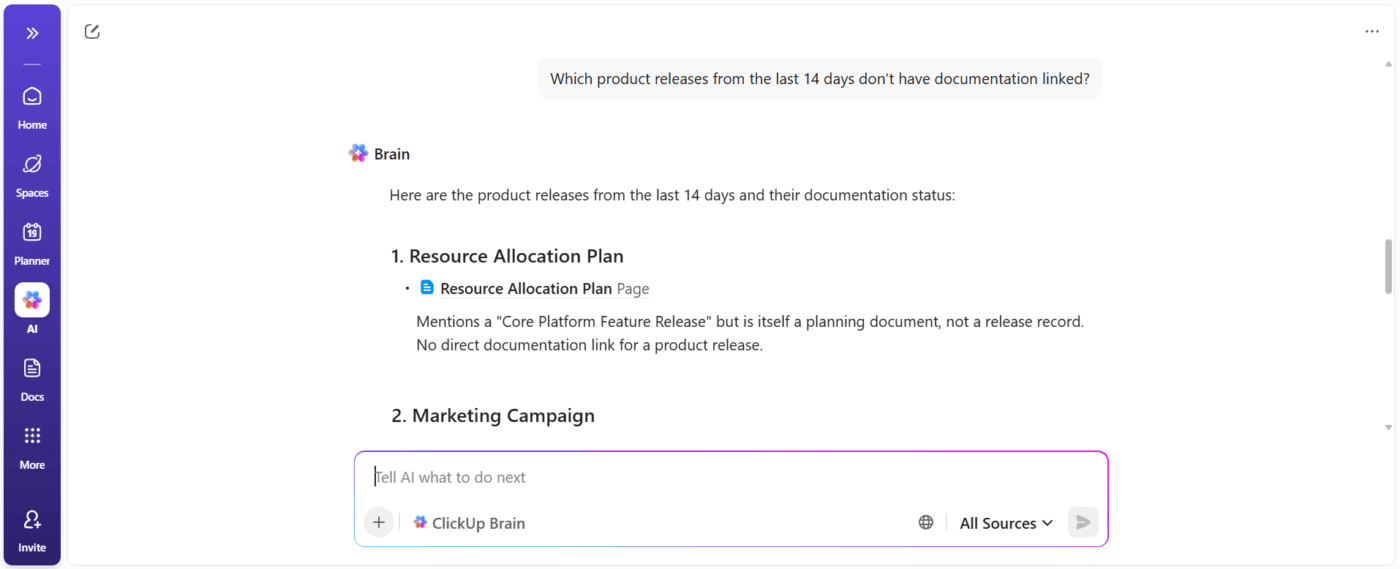
🚀 ClickUp Advantage: One of the fastest ways to identify documentation gaps is also to just ask your workspace directly. ClickUp Brain can analyze tasks, release notes, support tickets, and customer feedback already in your workspace.
Here’s how it helps:
📌 Example Prompt: Which product releases from the last 14 days don’t have documentation linked?
🚀 ClickUp Advantage: Want to get organized without the grunt work? Use ClickUp’s Gap Analysis Template to track your findings systematically. The gap analysis template includes pre-built sections for sources, user needs, current state, and priority ranking to turn your observations into actionable improvements.
Performing a documentation gap analysis feels overwhelming until you break it down into manageable chunks.
Let’s walk through this process using a real scenario: you’re working at a project management SaaS company where customer success keeps getting bombarded with the same questions about team collaboration features. 👥
Now, you can’t analyze everything at once without losing your mind. Start small: pick the single area causing the most pain and focus there first.
Your mission becomes crystal clear here: slash those collaboration-related support tickets from 200 per month down to under 50 within eight weeks. Having this specific target helps you figure out which gaps matter versus the ones that just seem important.
🚀 ClickUp Advantage: Set a target upfront with ClickUp Goals. You can create a measurable Goal like ‘Reduce collaboration-related support tickets from 200 to 50 in 8 weeks’ and break it into smaller parts.
You’ll want to collect clues from everywhere users interact with your product and documentation.
Start by pulling the last 90 days of support tickets tagged with ‘collaboration.’ Then hop into your documentation analytics to see which collaboration articles get tons of traffic but people leave right after them.
Here’s what you might discover: 40% of collaboration tickets are people completely lost about permission settings, 30% can’t figure out file sharing, and 20% are drowning in notification chaos. Meanwhile, your fit gap analysis reveals that users spend a whopping 30 seconds on your ‘Team Permissions’ page before giving up and leaving.
🚀 ClickUp Advantage: Build a ClickUp Dashboard to track support tickets related to collaboration. Break them down by issue type and volume so you can quickly identify which problem areas are escalating and require stronger documentation.
Hear from a real-life user:
We realized we were lacking an effective way to track tasks and had no clear view of what the product team was doing, so we started looking for a new platform. Then we found ClickUp. The platform was the perfect combination–not too technical and confusing, and not too basic. It gave us the flexibility to create, move, and organize teams and projects in their own way.
Alright, now that you’ve got a mountain of data, it’s time to make sense of it all. Group similar problems together and rank them based on how often they happen and how much they hurt your business.
Permission settings are clearly the villain here.
They’re generating the most tickets and preventing teams from collaborating effectively, which is your product’s USP. File sharing grabs second place, while notification preferences are annoying but don’t completely derail users from getting stuff done.
💡 Pro Tip: Mix formats to match learning styles. Embed GIFs for quick visual steps, short videos for complex flows, collapsible FAQs for skimmers, and code snippets or tables for advanced users. You can even create a PRD with a combination of these formats.
This is where most teams typically fall short. Don’t just say, ‘Hey, let’s make the collaboration docs better.’ Get super specific about who’s doing what and when.
In our example, you might instruct your technical writer to create a step-by-step permissions guide with screenshots by the third week.
Your product manager tackles the missing file-sharing troubleshooting section by week five. And your UX writer rewrites those confusing notification settings explanations by the seventh week. See how much clearer that is?
🔍 Did You Know? When you’re creating video documentation, adding captions helps hard-of-hearing users. They’ve been shown to improve vocabulary, reading skills, and focus for hearing audiences as well. Additionally, eye-tracking studies indicate that captions are read and processed effortlessly, suggesting that adding them to walkthroughs or product tutorials enhances clarity without increasing cognitive load.
Once you’ve published your shiny new content, you need to track whether it’s working.
Monitor success metrics continuously for at least 30 days, and segment the data by article, user journey stage, or even product area to spot patterns.
If an article still underperforms or users continue to ask the same question in different ways, consider tweaking headlines, adding examples, or restructuring the content. Documentation is never ‘done,’ it evolves with your product and your users’ mental models.
🚀 ClickUp Advantage: Set a ClickUp Automation that triggers a follow-up task two weeks after you mark a doc as ‘Published.’ That way, you’ll remember to check if support tickets have dropped or if users are still confused.
Measuring the effectiveness of documentation requires tracking both quantitative metrics and qualitative feedback to understand user behavior and satisfaction.
Key metrics to track market trends within your technical documentation software include:
Gather user feedback with:
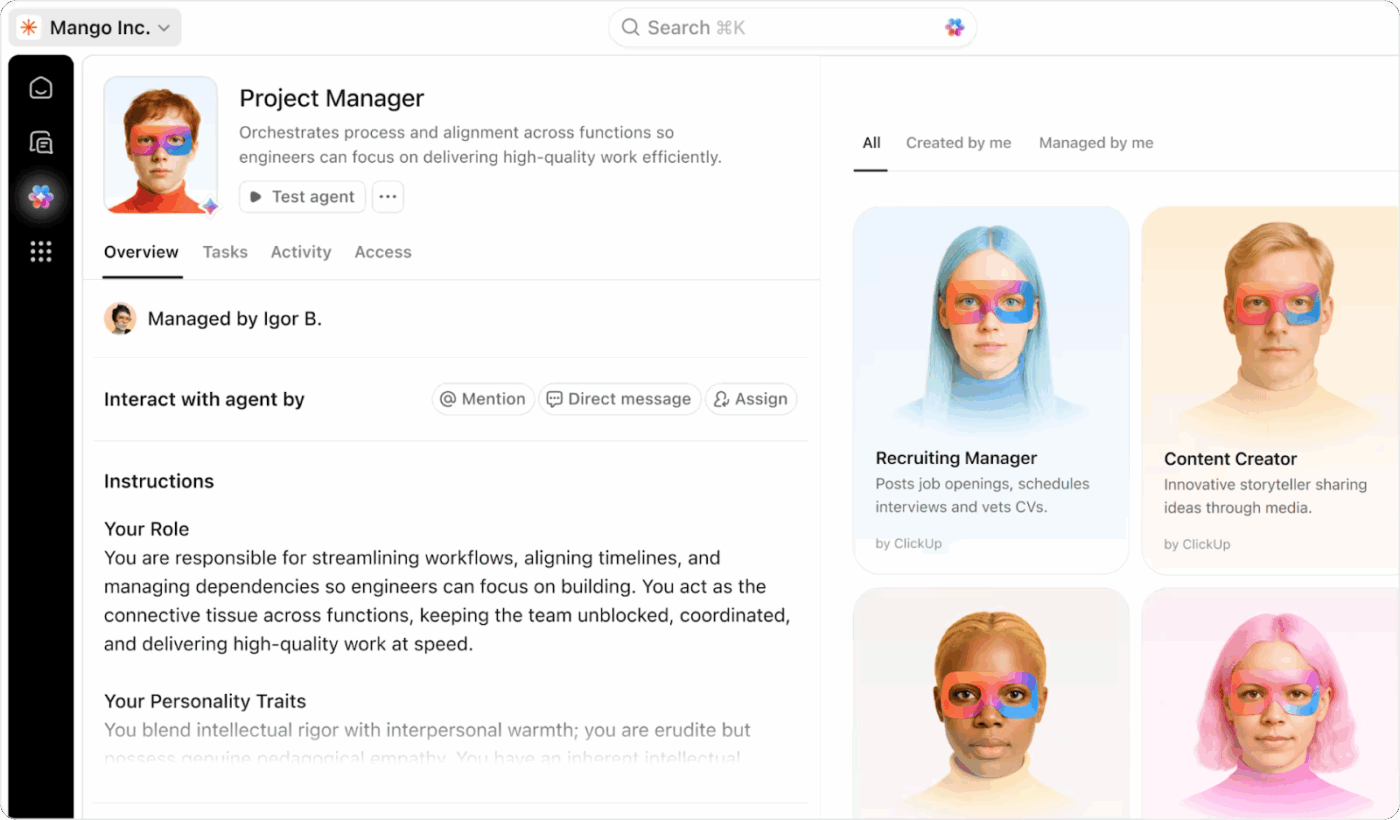
As your product changes, the hardest part of documentation isn’t writing—it’s keeping everything in sync. This is where ClickUp’s Super Agents become genuinely useful. They monitor your workspace for shifts in tasks, releases, or requirements, then surface the Docs or knowledge areas that might need updates.
Instead of relying on memory or scattered reminders, you get a steady signal that nudges your team before outdated information becomes a problem. Think of them as the early-warning system for documentation drift—a way to keep accuracy high without adding more process or overhead.
🚀 ClickUp Advantage: Use ClickUp Forms to collect real-time feedback. Create a simple form asking users if the content was helpful, what’s missing, or where they got stuck. Embed the form at the end of your documentation and route submissions to your documentation team instantly, so improvements start as soon as feedback comes in.
Success indicators:
💡 Pro Tip: Add checklist-style progress trackers to longer tutorials or onboarding guides. Let users check off steps as they go to create a sense of accomplishment and reduce cognitive overload. Additionally, this will serve as a gap analysis tool when monitoring documentation impact.
ClickUp’s Product Management Software brings documentation into the same workflow as everything else. This way, updates occur as the product evolves, rather than as a last-minute patch.
Here’s how to use it for strategic planning. 🛠️
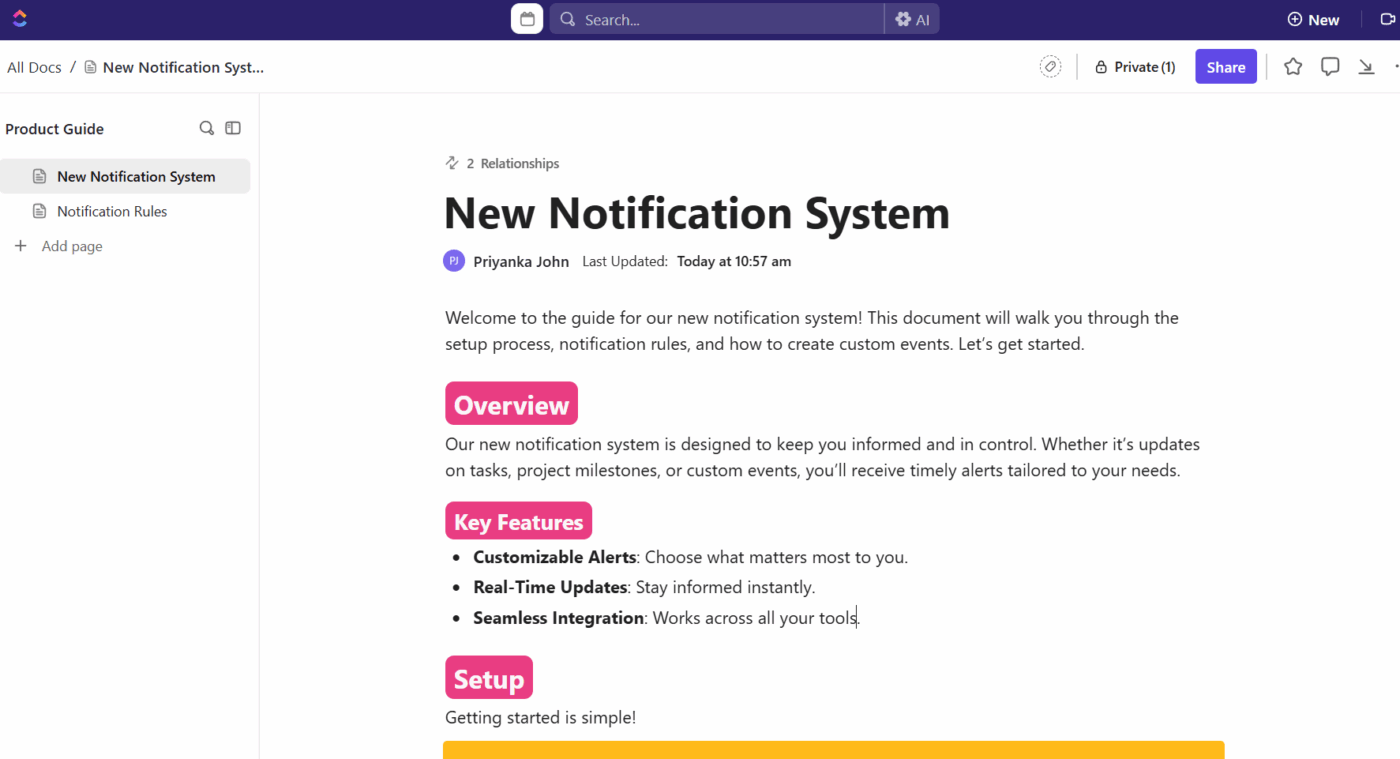
ClickUp Docs lets you create help guides, product walkthroughs, and internal FAQs with structure built in: nested pages, collapsible headers, tables, and rich text formatting.
Say your team is launching a new notification system.
The documentation lead creates a sectioned Doc inside the feature Folder in ClickUp: Overview, Setup, Notification Rules, and Custom Events. They assign a comment to the product manager in the Custom Events section for validation and loop in support to add known issues reported in beta. All feedback occurs within the document without pinging or versioning mess.
You don’t have to start from scratch every time.
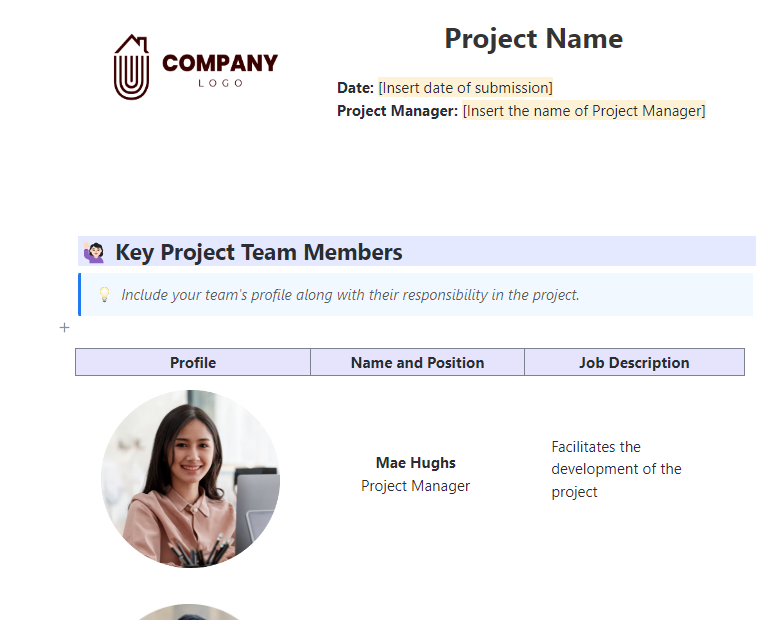
The ClickUp Project Documentation Template gives you a pre-built system for managing all your product documentation in one place.
At the top, you can plug in the project name, manager, and submission date. Then there’s a team section that lets you list each contributor, along with their photo, title, and the responsibilities they’re responsible for.
You shouldn’t have to leave a Doc, open a new tool, and create a ticket just to fix a small issue.
In ClickUp Docs, you can highlight the outdated text and turn it into a ClickUp Task with a description, assignees, priority flag, and subtasks.
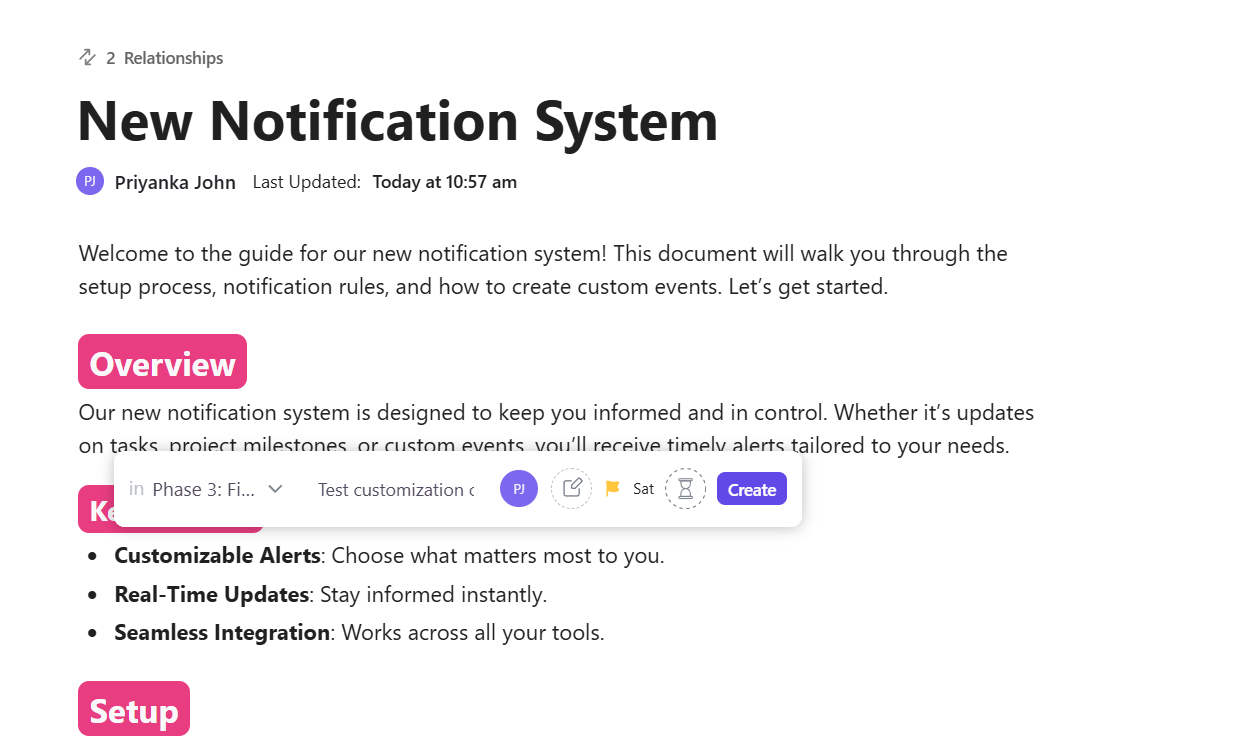
Let’s say the new billing flow introduces a pricing calculator that isn’t covered in your current documentation. A CS team member reviewing the flow highlights the missing section in ClickUp Docs, spins up a task from it, and assigns it to the doc owner with a note: ‘Add calculator logic + usage caps.’
The task now shows up in the documentation sprint board, ready to be prioritized alongside dev and QA tasks.
💡 Pro Tip: Apply a technical documentation template when setting up repeatable formats like API references or configuration guides. It’ll speed up writing and reviews, especially across large teams.
Docs usually get pushed to the end of the sprint or, worse, forgotten altogether.
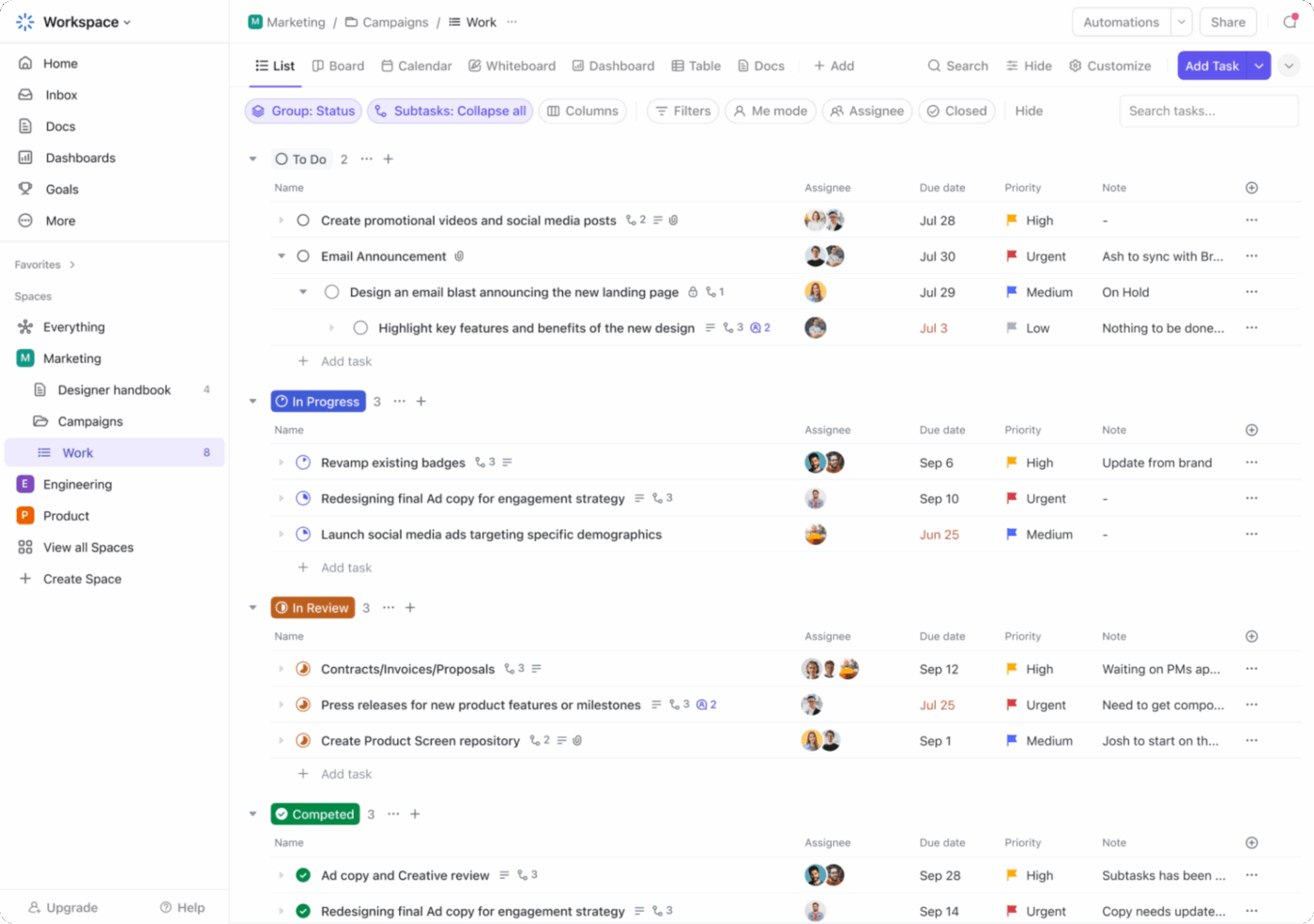
The ClickUp List View lets you scope doc work with clear owners, deadlines, and priorities. Then switch to Board View in ClickUp to run reviews and keep work moving.
For example, you’re updating every feature doc touched by a new UI framework. You create a new List using a product management template, tagging each task by feature area (such as dashboards, filters, and exports).
You assign reviewers from product and support, then use Board View to run your weekly doc sync, moving tasks through ‘Drafted,’ ‘Reviewed,’ and ‘Ready to publish.’
Additionally, with ClickUp Agents, you can also automate doc-review reminders, detect Docs connected to recent feature releases, and route gaps to the right writer, without manual chasing.
⚡ Template Archive: Use the ClickUp Release Notes Template as a gap analysis template to quickly capture product feature changes, bug fixes, and improvements. The release note template lets you link updates to tasks, assign reviewers, and collaborate with product, QA, and marketing in one workspace.
Docs often start with raw input like technical notes, bullet points, or half-finished drafts. Instead of spending hours rewriting, you can use ClickUp Brain to clean things up, rewrite confusing sections, or turn fragments into full how-to steps.
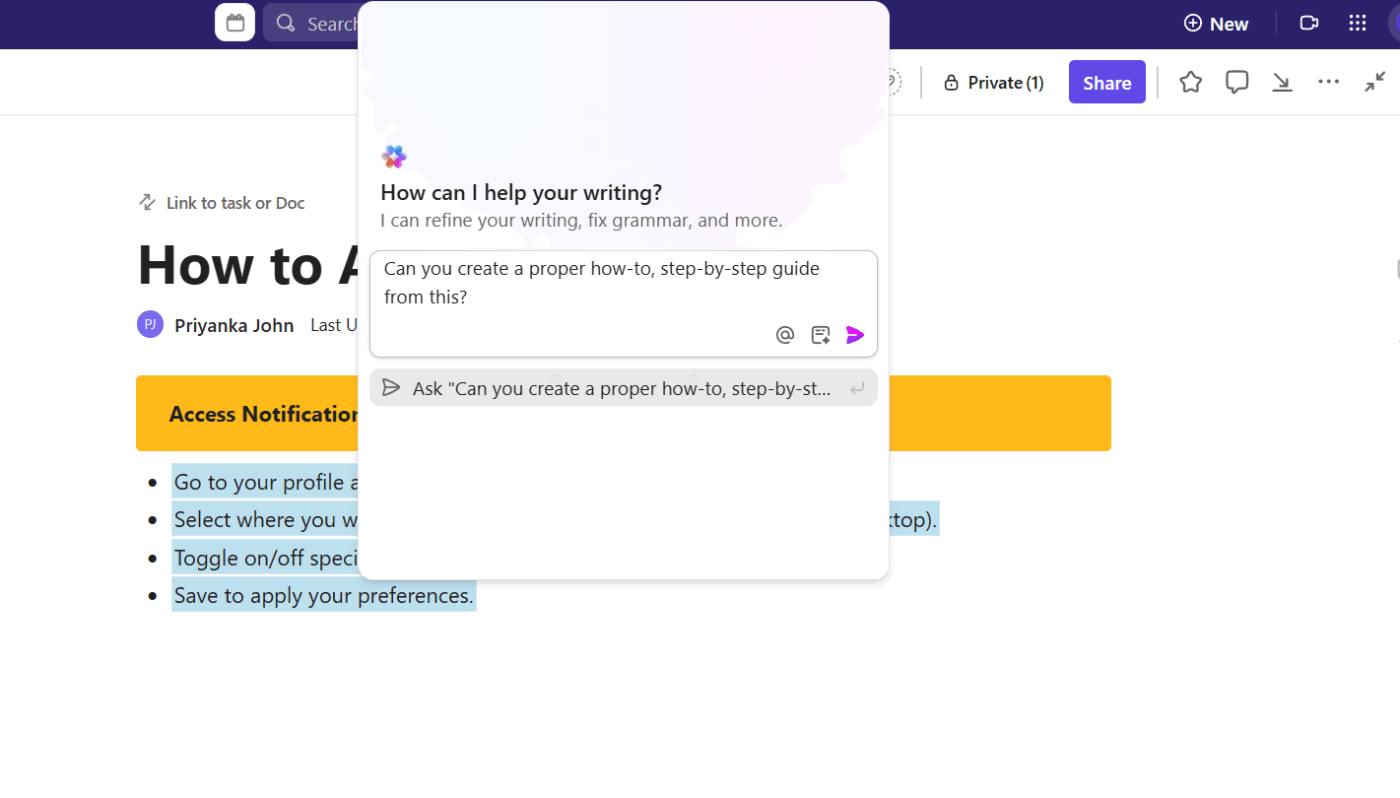
Say a developer adds notes about how a permissions toggle affects legacy roles. They’re detailed but hard to follow. You highlight the block, ask ClickUp Brain to simplify it, and it turns into a clear explanation for users to follow.
An example prompt would be: Simplify this technical explanation for end-users. Make it clear how the permissions toggle impacts legacy roles without the jargon.
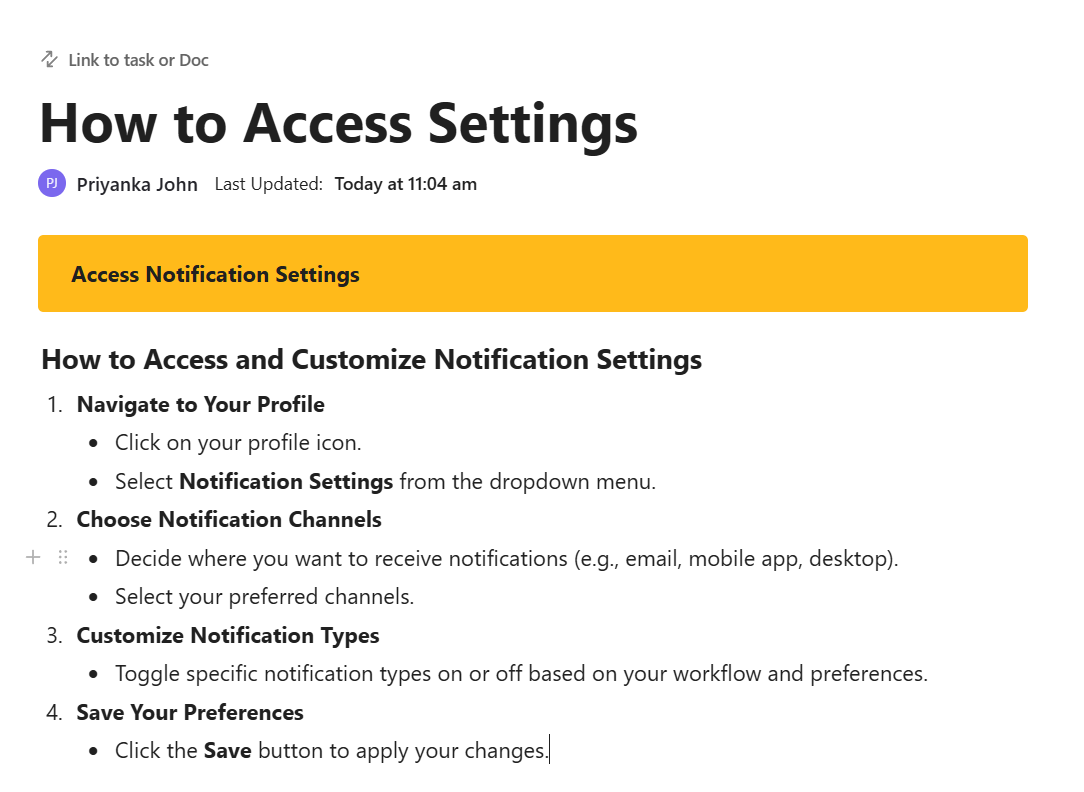
Maybe, you’ve dropped a few bullet points into a draft but can’t get them into full sentences yet. Ask ClickUp Brain to generate a how-to guide from those bullets.
It’ll give you a first draft to build on, saving time during editing.
📮ClickUp Insight: Only 12% of our survey respondents use AI features embedded within productivity suites. This low adoption suggests current implementations may lack the seamless, contextual integration that would compel users to transition from their preferred standalone conversational platforms.
For example, can the AI execute an automation workflow based on a plain text prompt from the user? ClickUp Brain can! The AI is deeply integrated into every aspect of ClickUp, including but not limited to summarizing chat threads, drafting or polishing text, pulling up information from the workspace, generating images, and more! Join the 40% of ClickUp customers who have replaced 3+ apps with our everything app for work!
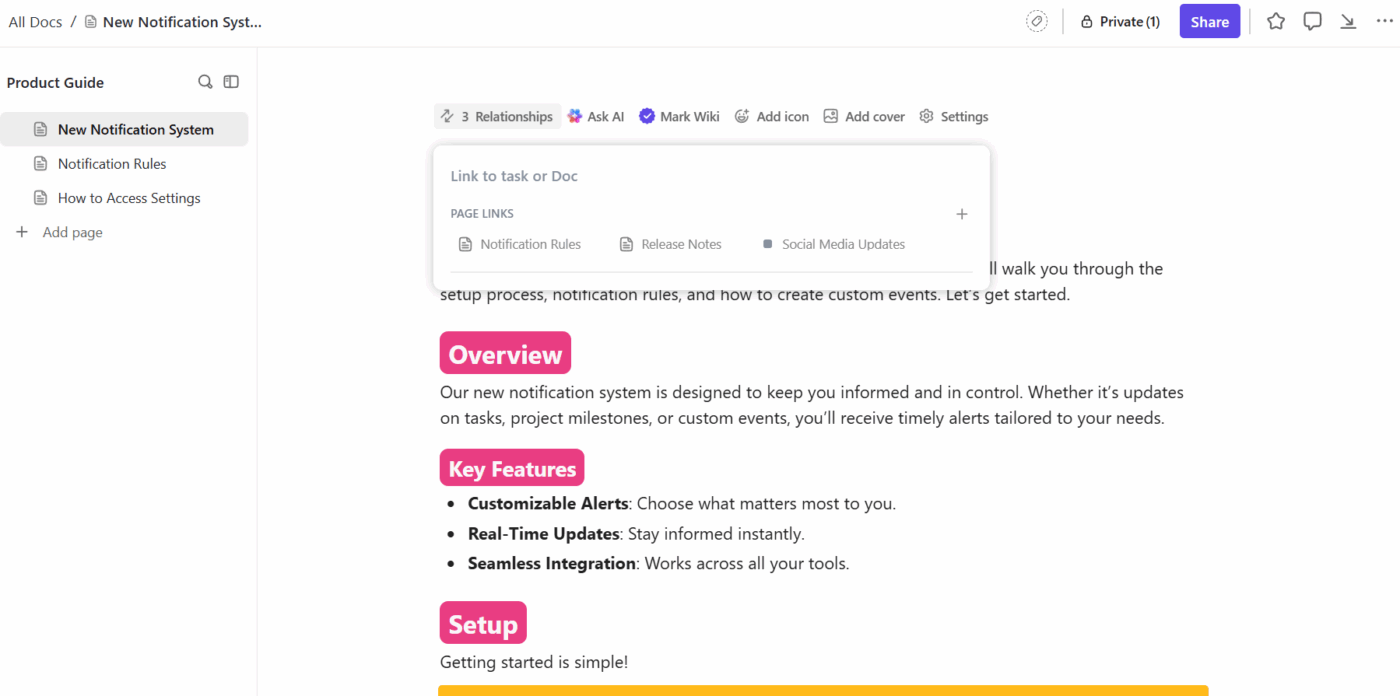
When documentation lives in isolation, it drifts. Features change, but the Docs stay the same.
In ClickUp, you can link Docs directly to Tasks or other Docs to stay on top of releases, reviews, and never lose your documentation. That way, when a task closes or gets delayed, your documentation team stays automatically informed.
Let’s say the engineering team removes the ability to duplicate archived projects. The related release task links to both the internal policy doc and the external user-facing guide. As soon as the task hits the QA stage, both writers get notified and handle their assigned updates before the change goes live.
Additionally, ClickUp Brain helps connect your workspace. Just ask, What other Docs or tasks mention archived project permissions? and it’ll surface connected items like past release notes, internal FAQs, even customer feedback, so your updates are context-aware.
Docs are never really done. Features evolve, processes shift, and gaps emerge.
ClickUp turns documentation into a strategic tool.
Map out current processes, define the gap description, and plan for the desired future state. With ClickUp Brain, you get all the possible solutions to surface valuable insights, automate updates, and create a repeatable gap analysis report.
Whether you’re improving customer satisfaction or supporting the entire business, effective gap analysis helps you allocate resources where they matter. Sign up for ClickUp today! ✅
A documentation gap analysis is the process of identifying missing, outdated, or unclear content in your product docs that prevent users from getting value or cause internal confusion.
Common signs include repeated support tickets, user drop-offs during onboarding, low feature adoption, and search queries that return no helpful results.
Start with support data, shadow your support team, walk through workflows using only your docs, and analyze internal search queries for missed expectations.

© 2026 ClickUp