






Still downloading templates?
There’s an easier way. Try a free AI Agent in ClickUp that actually does the work for you—set up in minutes, save hours every week.
Sorry, there were no results found for “”
Sorry, there were no results found for “”
Sorry, there were no results found for “”

Ever told an AI tool to “write a blog post” and it came back with something bland or robotic?
That’s because your prompt was too vague.
Good AI prompts are like good briefs—clear, specific, and goal-oriented. Bad ones only create more work.
As AI becomes part of writing, coding, and strategy, prompt writing is now a must-have creative skill.
This guide shows you how to craft prompts that get smarter, faster, and more useful results—with examples and templates to try right away.
An AI prompt is the instruction you give to an AI tool to get a response. It’s the starting point of the interaction, and how well the AI performs depends heavily on how well that instruction is written.
If you’re learning how to write AI prompts, start here: your prompt sets the tone, structure, and depth of the output.
If your prompt is vague, the AI will guess, and the results usually miss the mark. Clear boundaries fix that.
✅ Good: “Turn this paragraph into a fun fact format like: ‘Did you know that…?’”
❌ Bad: “Make this more interesting.”
👀 Did you know? Market analysts estimate that the prompt engineering market grew from about $0.85 billion in 2024 to around $1.13 billion in 2025, a CAGR of roughly 32.7%. This growth comes from rising demand for AI customization, automation, and AI-powered content generation.
Learning to craft effective prompts is essential to getting reliable results from AI tools.
Here’s why it makes a bigger difference than most people realize:
⚡ Template Archive: Want ready-to-use examples you can tweak and save? Check out these AI prompt templates to kickstart your library!
Let’s break down the main types of AI prompts you’ll come across:
Instructional prompts guide the AI model in performing a specific task or generating a particular output. These prompts give the AI direct instructions, such as write, summarize, outline, or explain.
✅ Use instructional prompts when you want the AI to produce a defined goal.
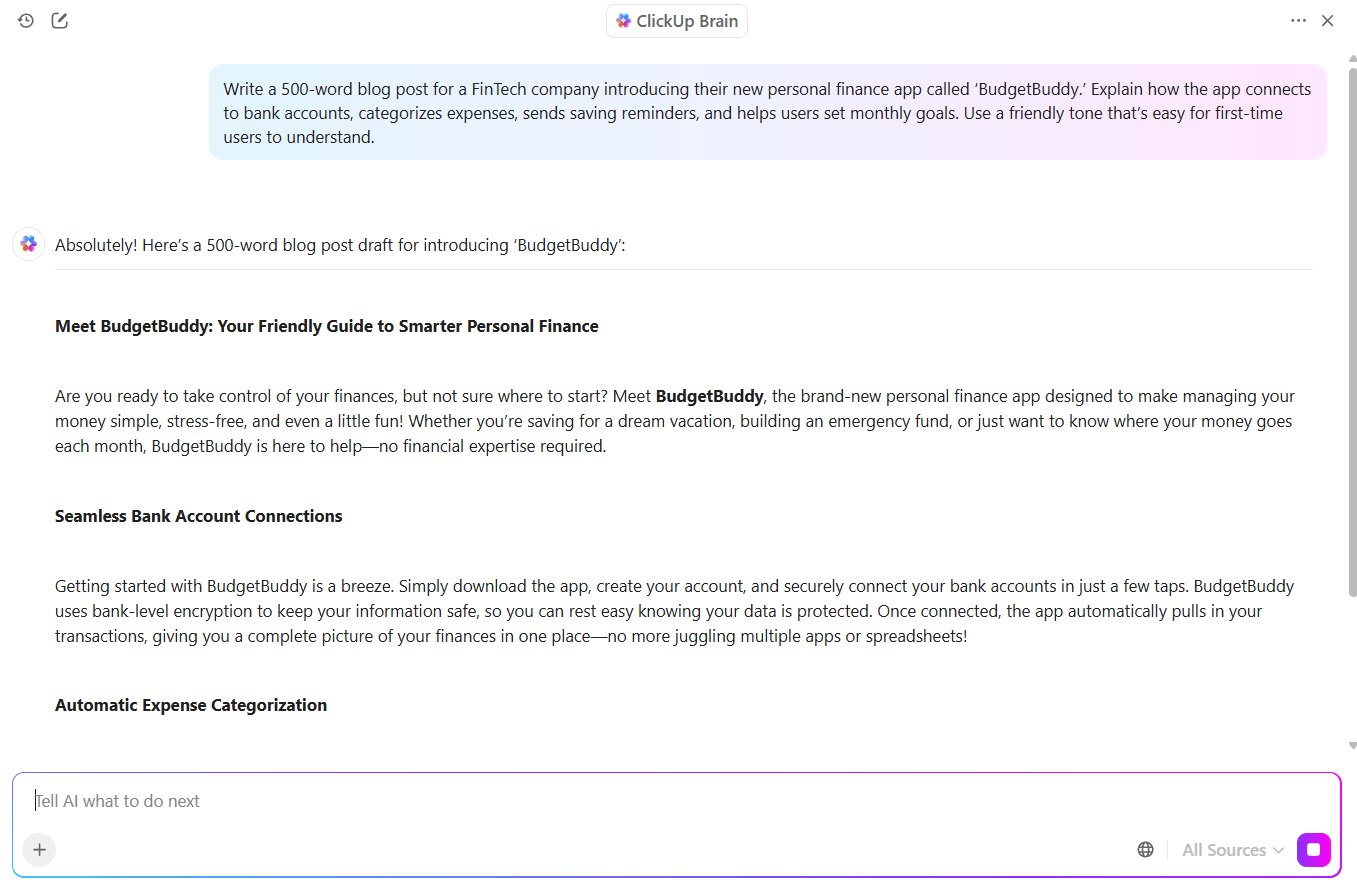
📌 Example: Write a 500-word blog post for a FinTech company introducing their new personal finance app called ‘BudgetBuddy.’ Explain how the app connects to bank accounts, categorizes expenses, sends saving reminders, and helps users set monthly goals. Use a friendly tone that’s easy for first-time users to understand.
Informational prompts help you retrieve specific facts, definitions, or summaries from the AI’s knowledge base. Use them to learn something or get a clear explanation without much fluff.
✅ Use informational prompts when you want factual information.
📌 Example: What are the main differences between monolithic and microservice architectures in software development? Explain the pros and cons of each, include common use cases, and keep the explanation non-technical enough that a product manager with no coding background can understand it.
Creative prompts are all about imagination. They’re designed to help the AI generate original content, such as stories, poems, song lyrics, or even speculative visuals, using an AI art generator. Remember to give AI enough room to be expressive and inventive when writing AI art prompts.
✅ Use creative prompts when you want fresh, imaginative, or artistic ideas.
📌 Example: Write a short story set in a future where humans communicate with trees through touch. The main character is a city planner who discovers that a centuries-old oak tree holds memories of the land before it was urbanized. The tone should be reflective, slightly melancholic, and conclude with a twist that prompts the planner to reconsider their next project.
Analytical prompts ask the AI to reason through a problem, identify patterns, or draw conclusions. These prompts require critical thinking from the AI model, not just data retrieval. They’re often used in research, strategy, or forecasting.
✅ Use analytical prompts when you want thoughtful breakdowns or insights based on multiple variables.
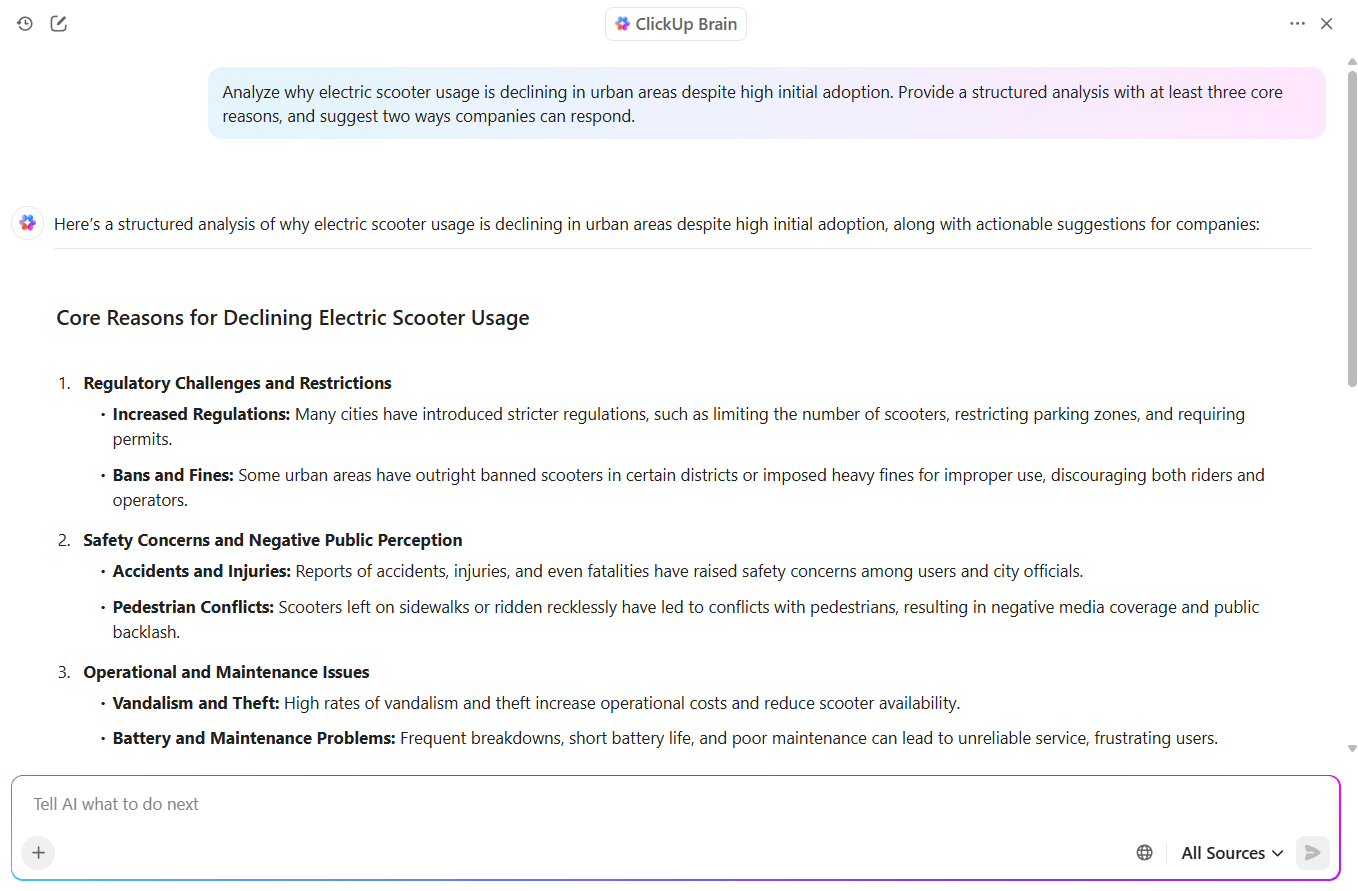
📌 Example: Analyze why electric scooter usage is declining in urban areas despite high initial adoption. Provide a structured analysis with at least three core reasons, and suggest two ways companies can respond.
Clarification prompts help you go deeper into a specific part of a previous response or idea. You ask the AI to explain something better or break it down further, especially when writing or using complex AI tools.
✅ Use clarification prompts when something is vague or needs elaboration.
📌 Example: You mentioned that subscription fatigue is a growing challenge in DTC businesses. Can you explain what drives this fatigue from a consumer psychology angle and how brands can counter it without relying on discounts?
Hypothetical prompts let the AI model explore imaginary or what-if situations. They’re effective prompts for planning future scenarios. You can even use them to test creative ideas or build fictional worlds in pop art style for visual storytelling.
📌 Example: Imagine a world where the internet is only available for two hours per day. How would that affect education, remote work, online shopping, and social media behavior? Break your answer into four sections and include both positive and negative consequences.
Chain-of-thought prompts ask the AI to walk through its reasoning step by step before giving the final answer. This is especially useful when writing AI prompts for tasks that require logic or structured thinking.
✅ Use chain-of-thought prompts when you care about the reasoning as much as the answer.
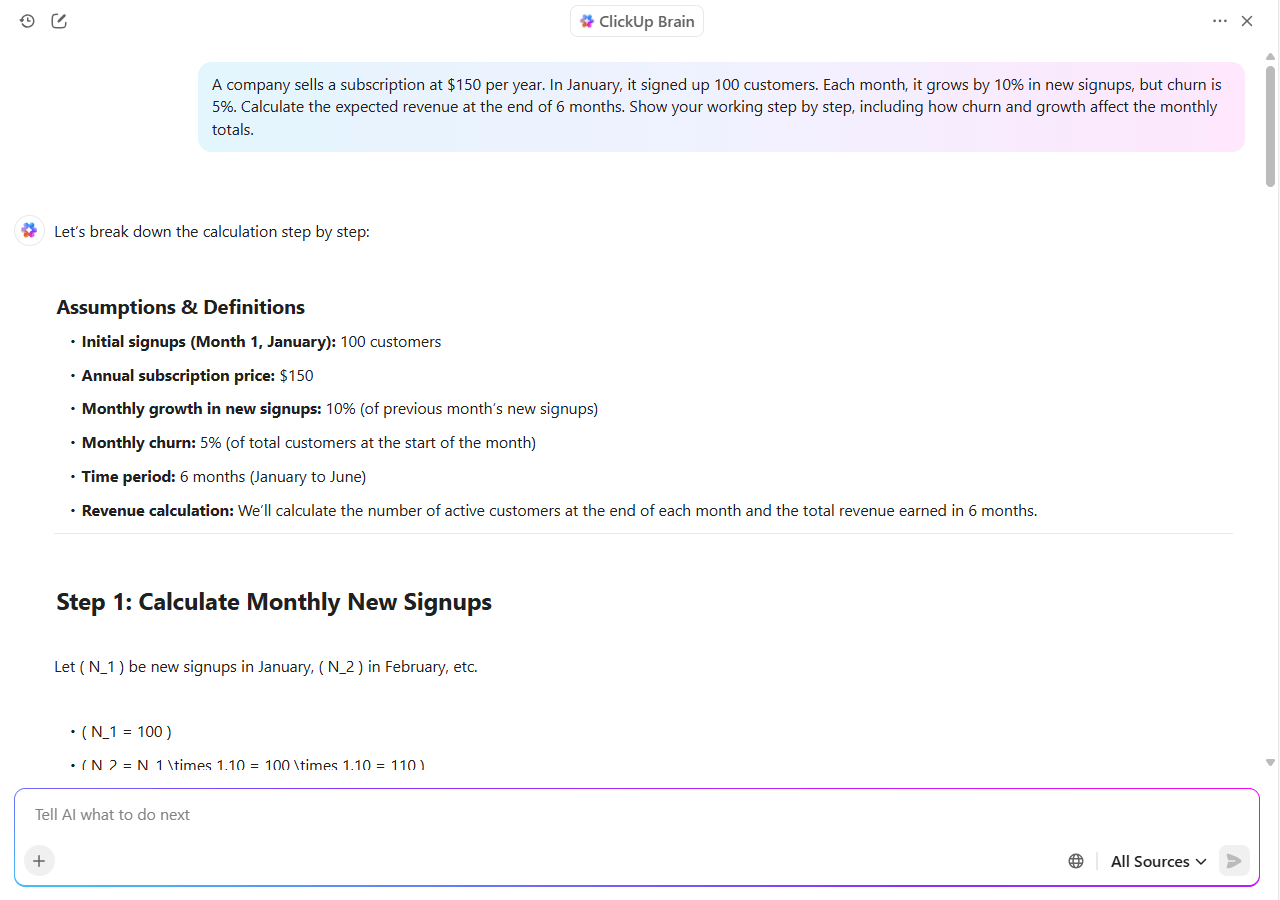
📌 Example: A company sells a subscription at $150 per year. In January, it signed up 100 customers. Each month, it grows by 10% in new sign-ups, but the churn rate is 5%. Calculate the expected revenue at the end of 6 months. Show your working step by step, including how churn and growth affect the monthly totals.
ClickUp Brain MAX helps you turn ideas into action instantly. With Talk-to-Text on desktop, you can speak your draft prompts, content ideas, or research notes and watch them convert into clean, structured text inside your Doc or task.
This keeps your creative flow intact and removes the friction of switching tabs or losing ideas mid-thought.
Brain MAX gives you the fastest way to experiment with prompts, refine drafts, and store everything in one Converged AI Workspace that already understands your context.
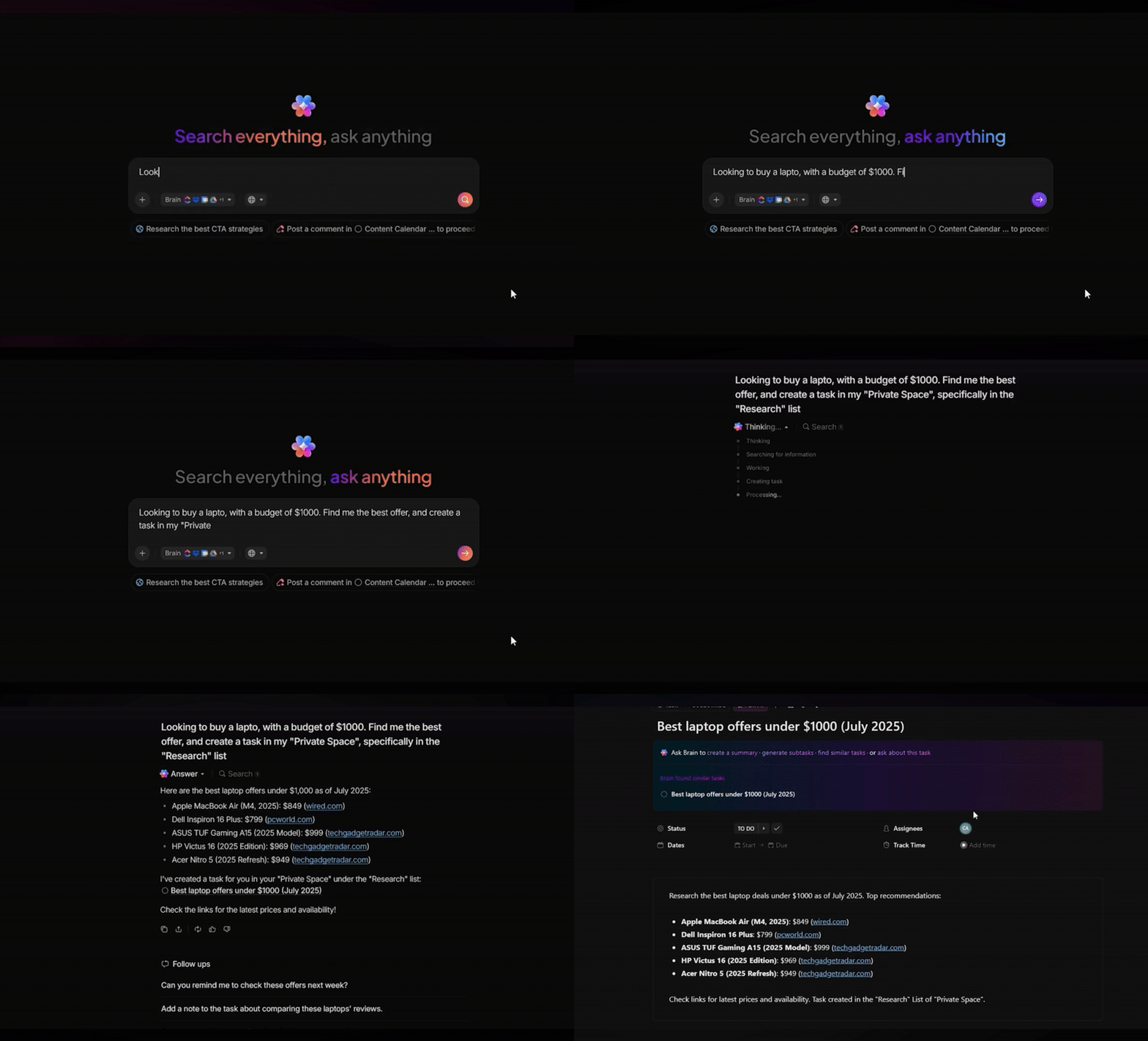
Prompt chaining uses the output of one prompt as the starting point for the next. This is particularly useful when building layered tasks, such as brand development or visual storytelling.
✅ Use prompt chaining when you’re building multi-step tasks or refining output over several stages.
📌 Example:
Now that you know why good prompts matter, let’s break down how to write them step by step 👇
Most AI misfires start with a vague prompt. If your input is general, the output will be general too. Instead of saying:
‘Write about leadership for LinkedIn.’
Try something like:
‘Write a LinkedIn post on why empathetic leadership leads to better team performance. Don’t sound preachy. Use a confident but approachable tone.’
That one change makes all the difference.
Here’s what helps:
💡 Pro Tip: Long prompts aren’t automatically better. Clarity beats length. One strong sentence can outperform a rambling paragraph.
As you start writing and refining prompts, you’ll quickly realize you need a place to store them. You need somewhere to experiment, revisit what worked, and track how you improved.
That’s where ClickUp Docs helps. Create a dedicated doc for your AI prompts and organize them by use case, department, or task type.
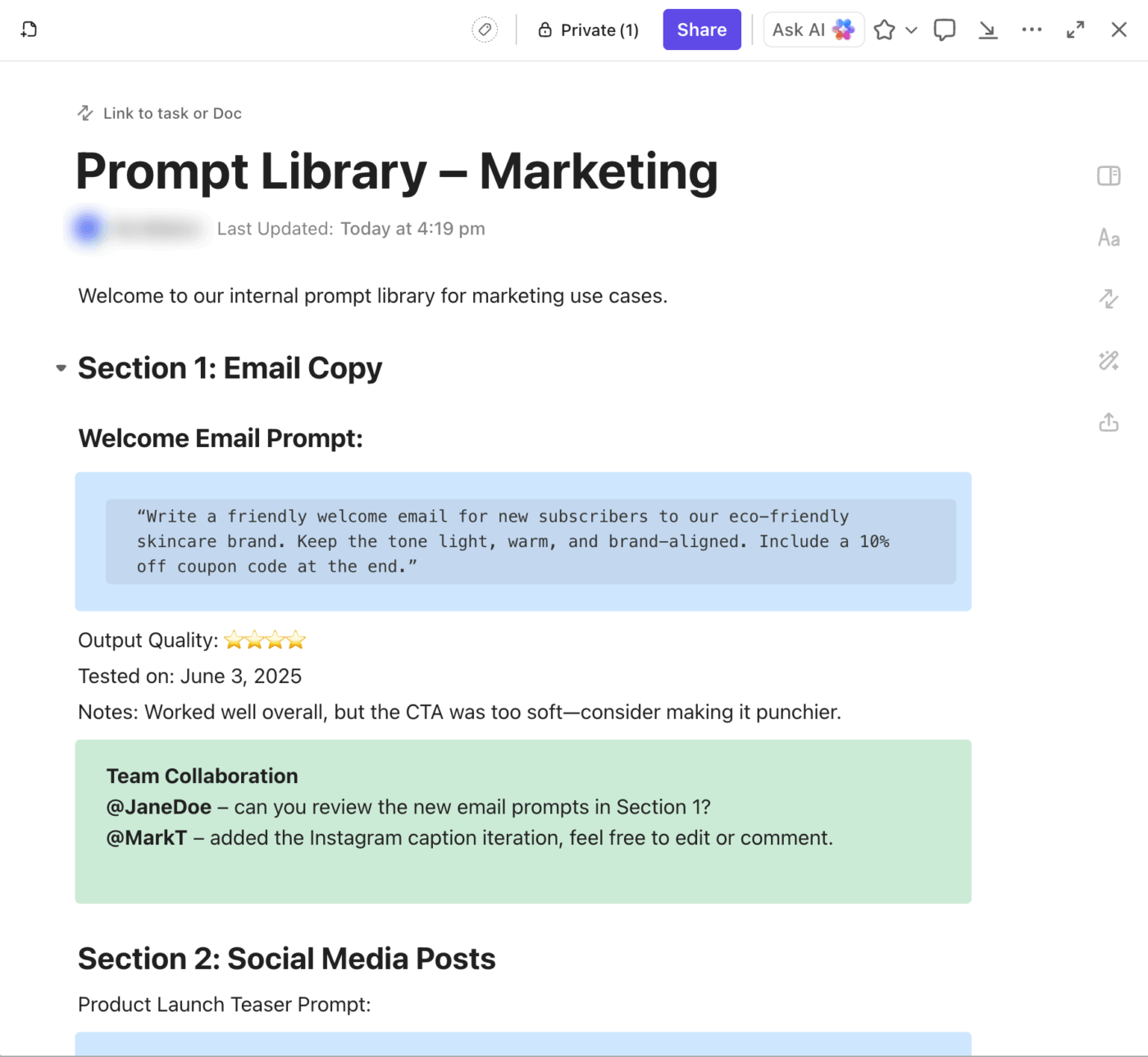
For example:
Each section can have headers, collapsible lists, and even live collaboration if you’re refining prompts as a team.
💡 Pro Tip: Create a ‘Bad Prompt / Better Prompt’ table inside your Doc so everyone can learn from real iterations. Over time, you’ll notice patterns that make you a sharper prompt writer.
Context helps the AI understand who it should be, who it’s speaking to, and how the message should be framed. Here’s how to build that context into your prompts:
This line sets the AI’s role and perspective so it can respond “in character” with more consistency and context.
Let the AI know who the message is for. It helps tailor language, tone, and depth.
Telling the AI what structure to follow helps you avoid wall-of-text outputs. This matters most when the format carries weight, like an email versus a pitch deck blurb.
Some ways to specify:
Once you’ve added a role, an audience, and a format, you can refine the prompt with ClickUp Brain. This is especially useful when you’re still learning how to write effective prompts. Even experienced users rely on refinement to get higher-quality outputs.
Say you’ve drafted a LinkedIn post, but you’re unsure if it’s clear enough. Ask ClickUp Brain to enhance it for clarity, tone, or structure.
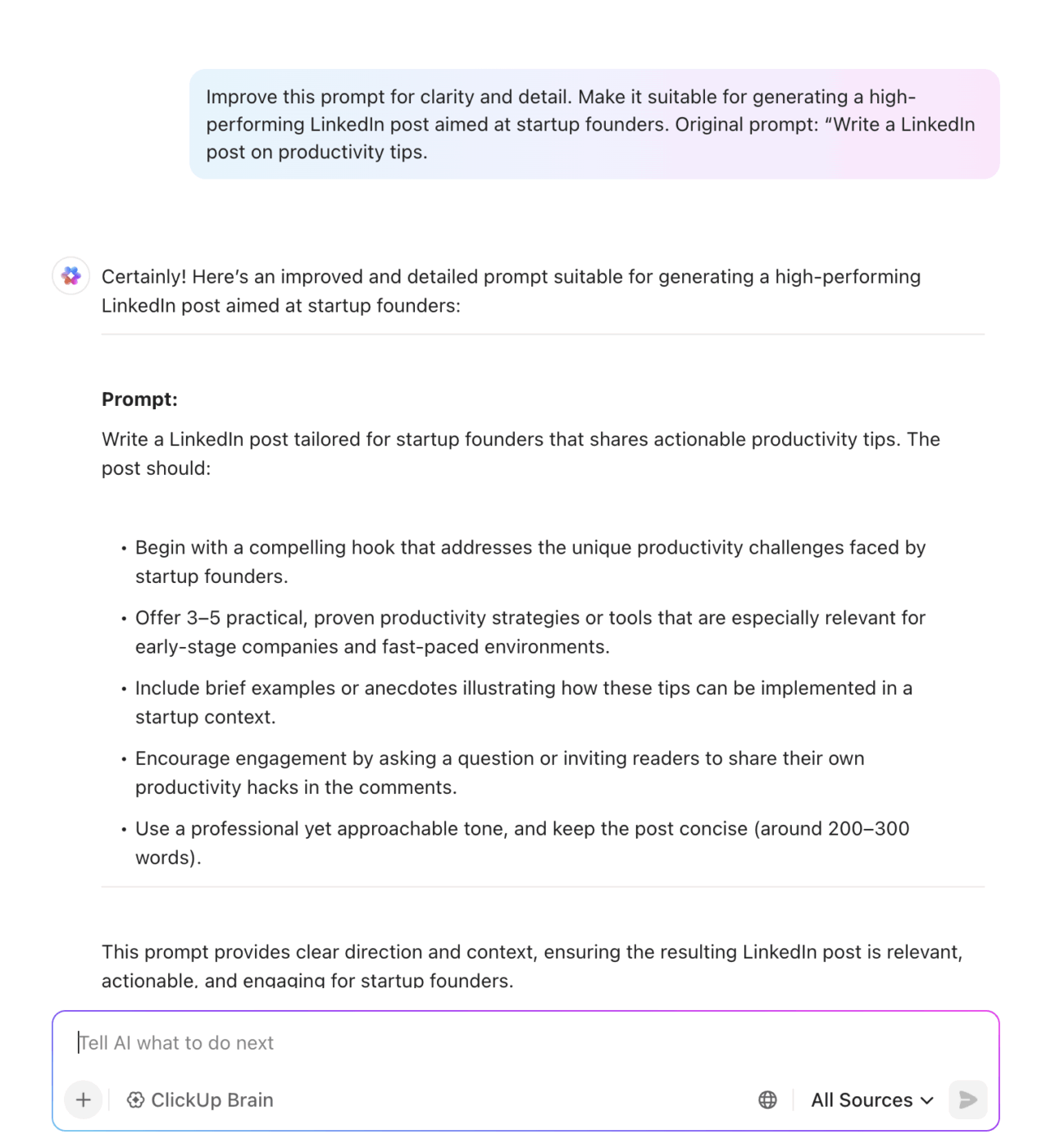
This is where AI becomes a partner in your creative process, helping you shape more precise and thoughtful prompts so your outputs are usable from the first go.
📮 ClickUp Insight: 62% of our respondents rely on conversational AI tools like ChatGPT and Claude. Their familiar chatbot interface and versatile abilities—to generate content, analyze data, and more—could be why they’re so popular across diverse roles and industries.
However, if a user has to switch to another tab to ask AI a question every time, the mental cost of that constant context switching adds up over time.
Not with ClickUp Brain, though. It lives right in your Workspace, knows what you’re working on, can understand plain text prompts, and gives you answers that are highly relevant to your tasks! Experience 2x improvement in productivity with ClickUp!
🎥 See real prompt-engineering examples and get introduced to the AI that understands your workflow without long prompts.
Imagine giving your designer a brief that just says, “Make it look nice.” You’d never do that—and writing prompts is no different.
The more precise you are about the format and size of the output, the less time you’ll spend fixing messy responses or asking the AI to try again.
So, ask yourself:
Sometimes the problem is that you don’t know which format will work best. In those moments, use ClickUp Brain as your AI writing assistant.
Before you even write your prompt, ask:
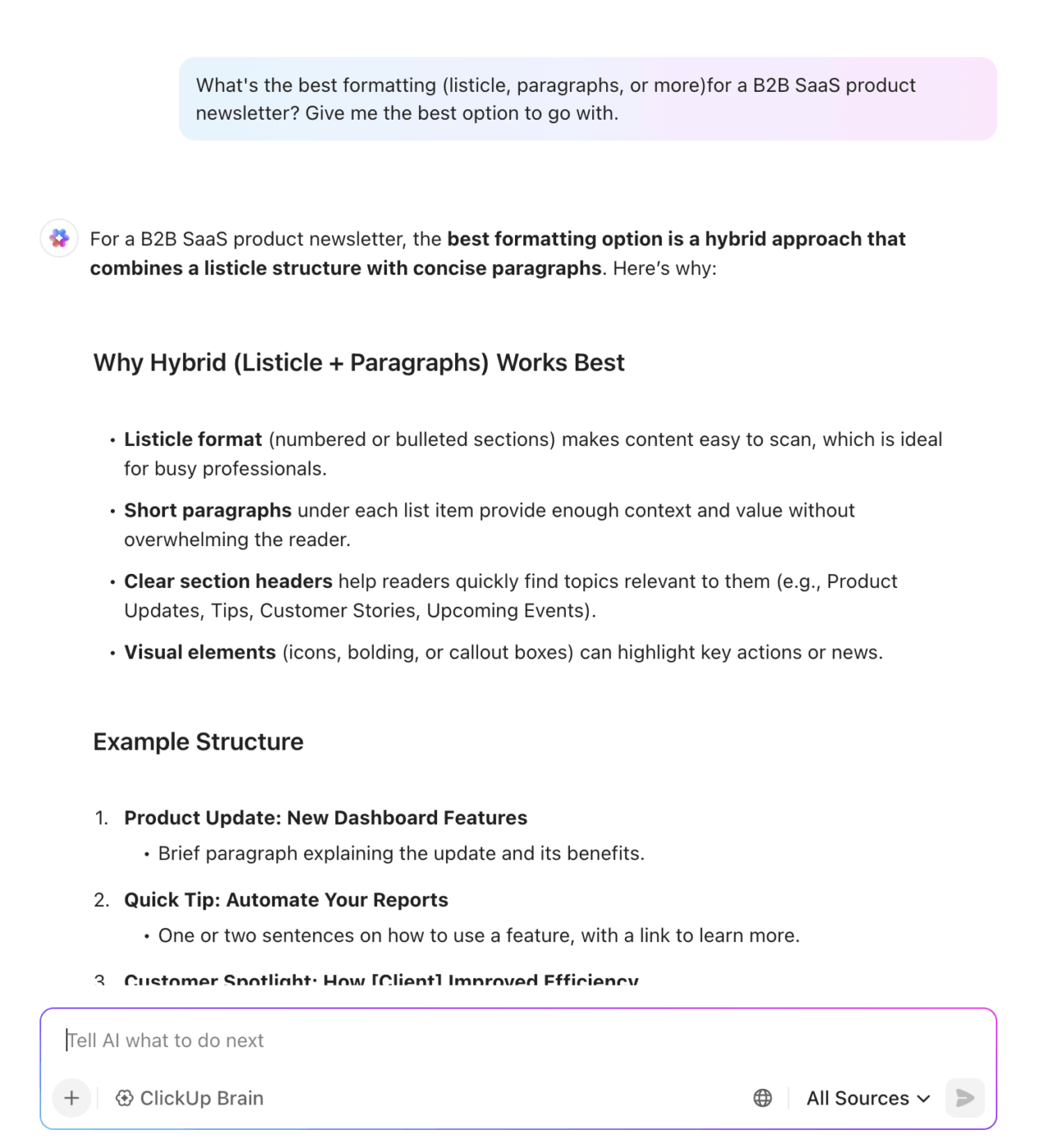
Instead of guessing, ClickUp Brain can suggest the ideal structure based on your goal, such as engagement, or scannability (plus, word count).
Even a detailed prompt can return output that feels too stiff, too long, too shallow, or off in tone. That doesn’t mean the prompt failed—it means you’ve reached the start of a working draft.
Here’s a simple loop 👇
At this stage, use ClickUp Docs to manage your prompt testing and refinement. You can build a single source of truth where your prompt drafts, AI outputs, and feedback live together.

Create a Doc for each project or use case. Inside, you can:
Once you’ve tested a few variations, invite a teammate to review the prompts. They can leave inline comments on wording and structure or even suggest how to rewrite a prompt to fit a specific channel, like shortening for a Twitter post or simplifying for a non-technical audience.
That way, you can build a version history you can learn from. And if something works well, you can copy that final prompt into your shared Prompt Library for later use.
🧠 Fun Fact: In 2018, a portrait created by AI sold at Christie’s for a staggering $432,500 over 40× its estimate, making it one of the first machine-made artworks to outperform pieces displayed alongside icons like Andy Warhol and Roy Lichtenstein.
Every great prompt you write is a shortcut for next time. If you’re planning to collect prompts that work well, remember:
The more you reuse intentionally, the more confident you’ll become in scaling output, minus the chaos.
| ❌ Before | ✅ After (Saved and Reusable) |
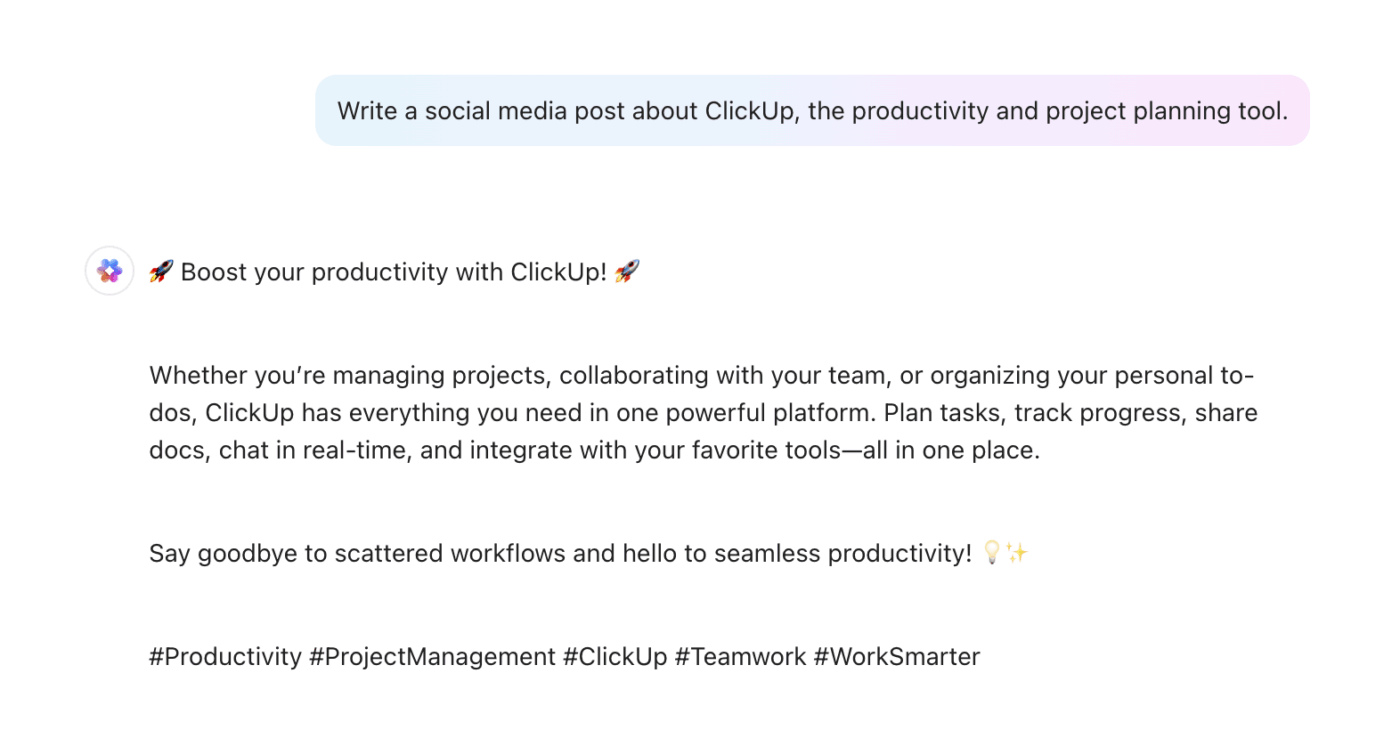
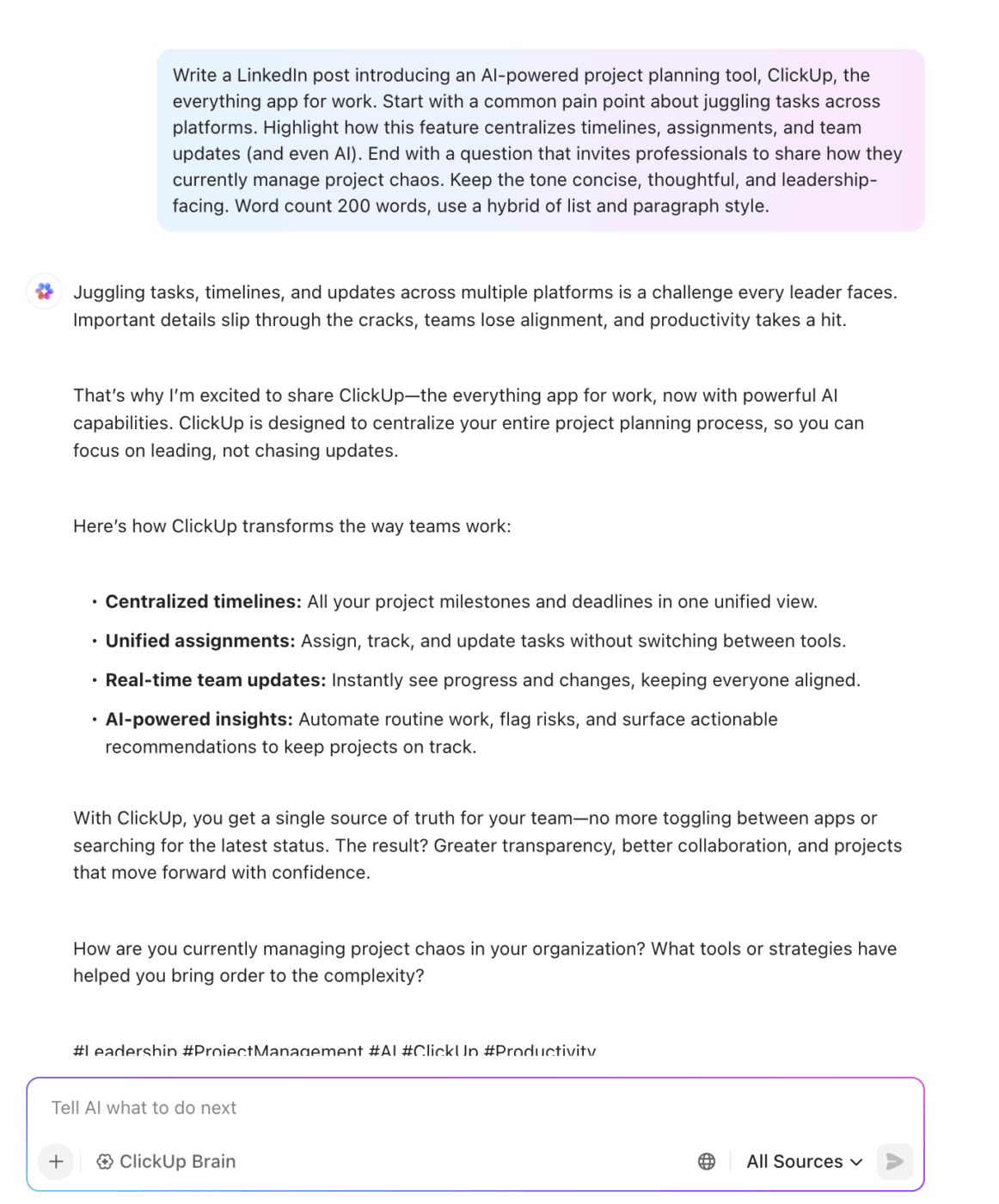
| Write a social media post about ClickUp, the productivity and project planning tool. | Write a LinkedIn post introducing an AI-powered project planning tool, ClickUp. Start with a common pain point about juggling tasks across platforms. Highlight how this feature centralizes timelines, assignments, and team updates (and even AI). End with a question that invites professionals to share how they currently manage project chaos. Keep the tone concise, thoughtful, and leadership-facing. Word count 200 words, use a hybrid of list and paragraph style. |
See it for yourself:
❌ Before (boring!)
✅ After (just got better!)
If you want to improve AI’s output, start by improving your input. Great prompts come from clear and detailed instructions, especially when using tools like ClickUp Brain or building workflows that rely on generative AI.
Here are eight prompt writing frameworks that help you get better, more specific results across tasks like writing, strategy, and even art prompts.
Format: ‘Act as a [role] and help me [task] so I can [goal].’
📌 Prompt example: Act as a UX researcher and help me write survey questions so I can uncover why users drop off at checkout.
This detailed prompt structure breaks down every aspect of a request to ensure alignment in voice, purpose, and delivery.
| Component | What it asks | Example |
| Context | What’s the situation? | We’re launching a new productivity app |
| Role | Who should the AI act as? | A product marketer |
| Action | What do you want done? | Write a product launch email |
| Format | What structure? | Short email with headline, CTA, and body |
| Tone | What’s the voice? | Energetic and persuasive |
P.A.S. is a storytelling framework used in marketing and copywriting to frame the audience’s problem and position your solution as the answer. This is a great copywriting framework made better with prompt AI.
📌 Prompt example: Write a landing page for a time-tracking app using P.A.S. The audience is freelance designers.
The GOG framework helps the AI reason through constraints and suggest solutions or ideas with trade-offs in mind.
📌 Prompt example: I want to grow my newsletter to 5K subs in 3 months, but have no ad budget. Suggest a content-led growth plan.
The R.A.G prompt strategy is often used in advanced AI systems. It pulls relevant information, adds context, and generates the final response.
📌 Prompt example: ‘Here are raw customer interviews [paste]. Summarize the top 3 recurring pain points and give a suggested fix for each. Format in a table.’
There’s a growing ecosystem of tools that help you get inspired, experiment faster, and even templatize what works.
These platforms offer pre-written prompt ideas submitted by creators and community users. This is great for exploring different use cases or learning prompt structure.
These help you craft better prompts by giving you structured inputs—like goal, audience, and format—and then generating the full prompt based on that.
You don’t need to reinvent your prompts every Monday morning. With ClickUp Brain prompt templates, you can save the ones that work and never write from scratch again.
What makes it powerful? You’re not stuck with generic, pre-filled templates. You get to build your own, based on exactly what you need.
Once you’ve nailed a format that works, just hit save. Next time, it’s one click away.
👀 Did you know? 62% of organizations say they’re already experimenting with AI agents, signaling the shift from passive assistance to active, autonomous execution.
Even experienced users sometimes miss the mark. Here’s what to look out for when you’re trying to craft prompts that actually deliver.
Writing a single AI prompt may be simple. But the bigger question is whether you can do it well and repeatedly, across teams?
Without a documented process or a structure, things start getting messy. You’re aiming for clarity, tone, outcome, format, context, and all this under pressure.
As AI becomes more embedded in workflows, you need a system to craft prompts, test them, and reuse them.
That’s where ClickUp comes in. Docs help you document and refine your work. ClickUp Brain enhances and adapts it, and task-level AI access lets you generate content where you’re already working. Together, these features help you move from trial-and-error to repeatable, high-quality results.

© 2026 ClickUp

There’s an easier way. Try a free AI Agent in ClickUp that actually does the work for you—set up in minutes, save hours every week.