

Sorry, there were no results found for “”
Sorry, there were no results found for “”
Sorry, there were no results found for “”
If you’re searching for IBM watsonx, you’re probably not looking for another “AI is the future” pep talk. You’re looking for the practical stuff: how to build a model, deploy it safely, govern it properly, and keep it running in the real world—without your initiative getting stuck in endless pilot mode.
And you’re not alone. IBM research found that nearly 40% of AI projects initiated between 2023 and 2025 still haven’t advanced beyond pilots. It’s not because the technology fails, but because teams struggle to coordinate the human project work around model development.
Teams get stuck managing approvals, documentation, data access, and risk controls. And that’s exactly what this guide will help you solve.
Let’s show you how to use IBM watsonx for enterprise AI initiatives. You’ll also learn how to manage the project coordination, documentation, and cross-functional workflows that actually determine whether your AI initiative succeeds or stalls.
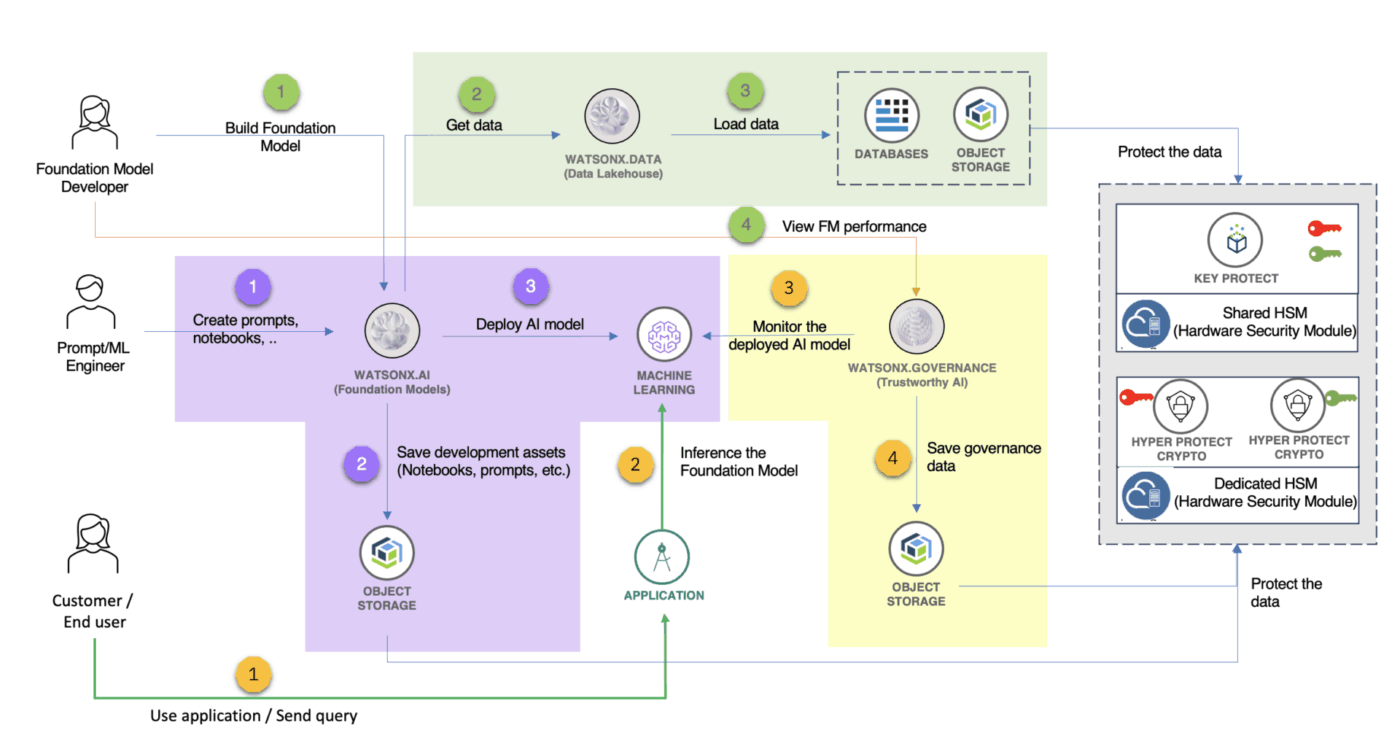
IBM watsonx is an enterprise-grade AI and data platform designed to help organizations build, deploy, and govern AI models at scale. It’s not a single tool but an integrated platform that combines four core components: watsonx.orchestrate, watsonx.ai, watsonx.data, and watsonx.governance.
Unlike legacy IBM Watson products, watsonx is purpose-built for the generative AI era. It focuses on making foundation models and large language model (LLM) capabilities accessible to enterprises. Gartner predicts more than 80% of enterprises will have deployed Gen-AI applications by 2026.
watsonx also gives you flexibility on models. It supports IBM’s Granite models and a library of third-party options, so you can pick what fits your use case and risk profile. And if you need the model to perform better for your domain, you can use techniques like prompt tuning to adapt it faster, without rebuilding from scratch.
Enterprise teams waste a ton of time “evaluating AI platforms” without knowing what’s actually in the box. That’s how you end up with mismatched expectations and messy rollouts.
IBM watsonx is built around four core pillars, designed to work together and cover the full AI lifecycle end to end:
📚 Also Read: Generative AI vs. Predictive AI
If you invest in powerful AI platforms without identifying clear use cases, you’ll just end up with expensive pilot projects that never reach production or deliver real business value.
To give you some context: Only 5% of organizations have successfully scaled 70% or more of their Gen-AI pilots.
No wonder this leads to wasted resources and stakeholder skepticism about the value of AI.
The workaround is simple, though. Instead of getting lost in technical possibilities, focus on practical, production-ready use cases that solve real business problems. Here are some examples to get you thinking:
💡 Pro Tip: Each of these use cases is a complex project that generates its own work—prompt engineering cycles, model testing, and stakeholder reviews.
When AI development lives in watsonx, but project coordination, documentation, and communication are scattered across other tools, you face the dreaded problem of Work Sprawl. Teams waste hours searching for information, switching between apps, and repeating updates across multiple platforms.
Eliminate Work Sprawk and keep your team aligned by managing all your AI project work in one place with ClickUp’s Converged Workspace. It’s a single, secure platform where projects, documents, conversations, and analytics live together.
Getting started with IBM watsonx isn’t as daunting as it may seem at first. Teams often get stuck only because they lack a clear implementation plan from setup to actual usage.
We’ve solved that for you with this step-by-step roadmap:
First, you’ll need to provision your watsonx instance through IBM Cloud. This involves creating an account, setting up resource groups for your projects, and configuring Identity and Access Management (IAM) permissions.
You’ll also generate API keys for programmatic access and should define user roles early on. Think about who should train your org’s AI models, who can deploy them, and who only needs to view results. You’ll be glad when you don’t have to deal with security headaches later on.
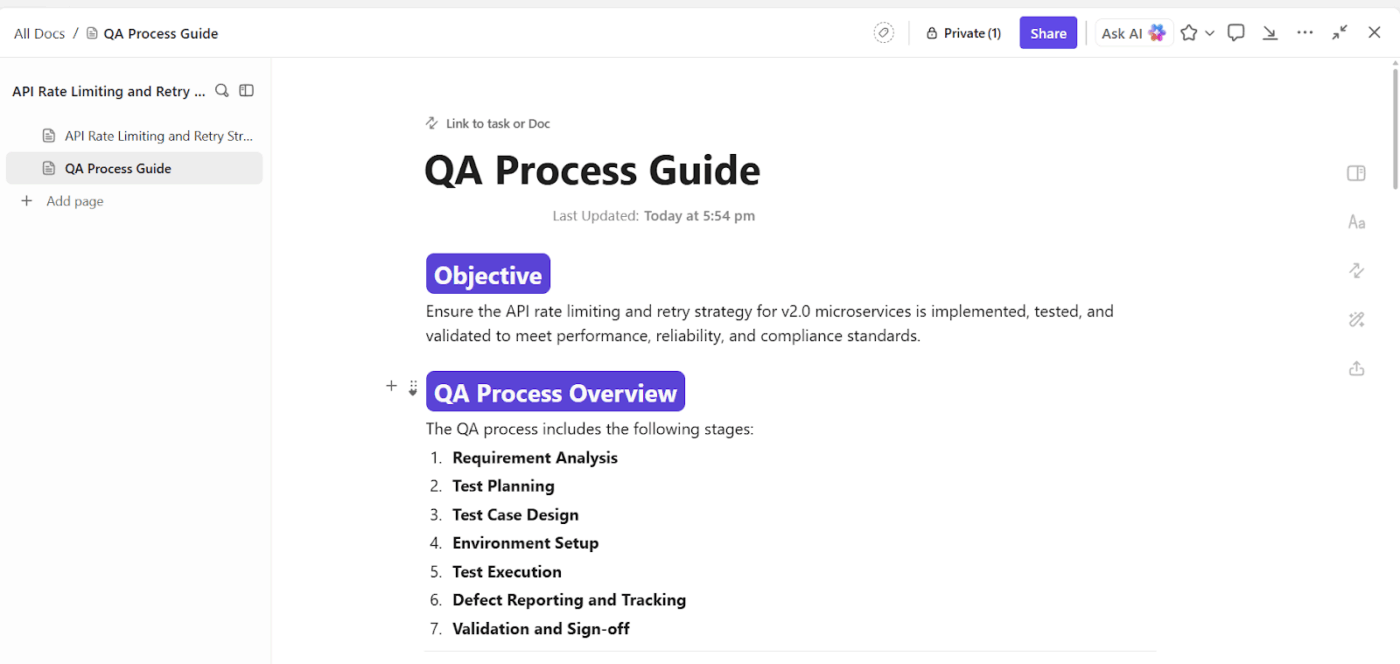
💡 Pro Tip: Use a project management workspace to track all setup activities. Create ClickUp Tasks to assign responsibilities for each configuration step and use ClickUp Docs to document key decisions, creating a living record that becomes invaluable for onboarding new team members.
Next, you’ll connect watsonx.data to your existing data sources, whether they’re in databases, data lakes, or cloud storage. This step involves data preparation, including schema mapping (making sure your data structure is compatible with watsonx) and running data quality checks. You’ll also identify which data is actually relevant for your AI models.
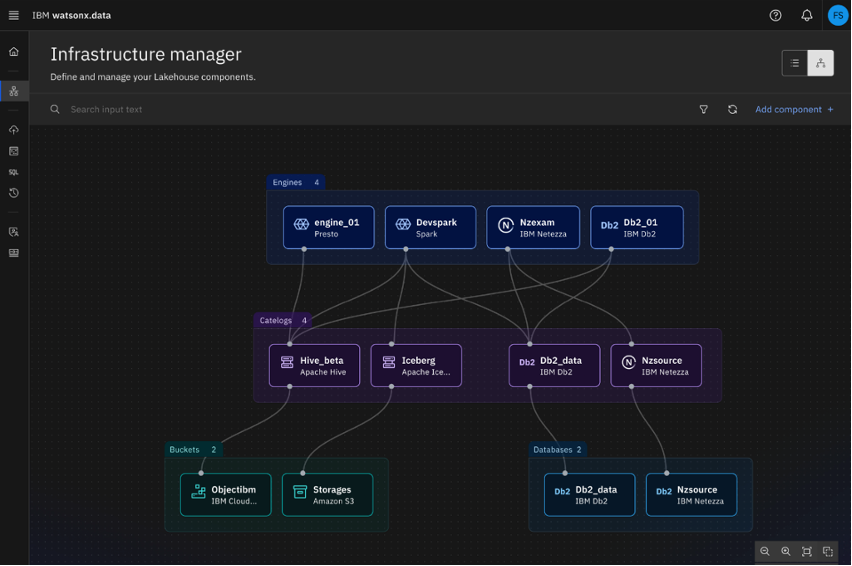
For use cases like an AI-powered knowledge search, you’ll need to prepare your documents for retrieval-augmented generation (RAG). This involves:
This data connection phase is often the longest and most challenging part of an AI project. Why? Because enterprise data is notoriously messy and siloed across different departments. Bringing it all together requires coordination between data engineers, security teams, and business owners.
📮ClickUp Insight: Only 39% of our survey respondents say their files, notes, and documents are fully organized.
For everyone else, information is often stored in a mix of places: a chat app, email, a drive, and data management tools. The mental effort of remembering where something lives can be just as draining as the task itself.
Enterprise Search in ClickUp gives you a single search bar that allows you to access tasks, documents, and conversations from a single entry point.
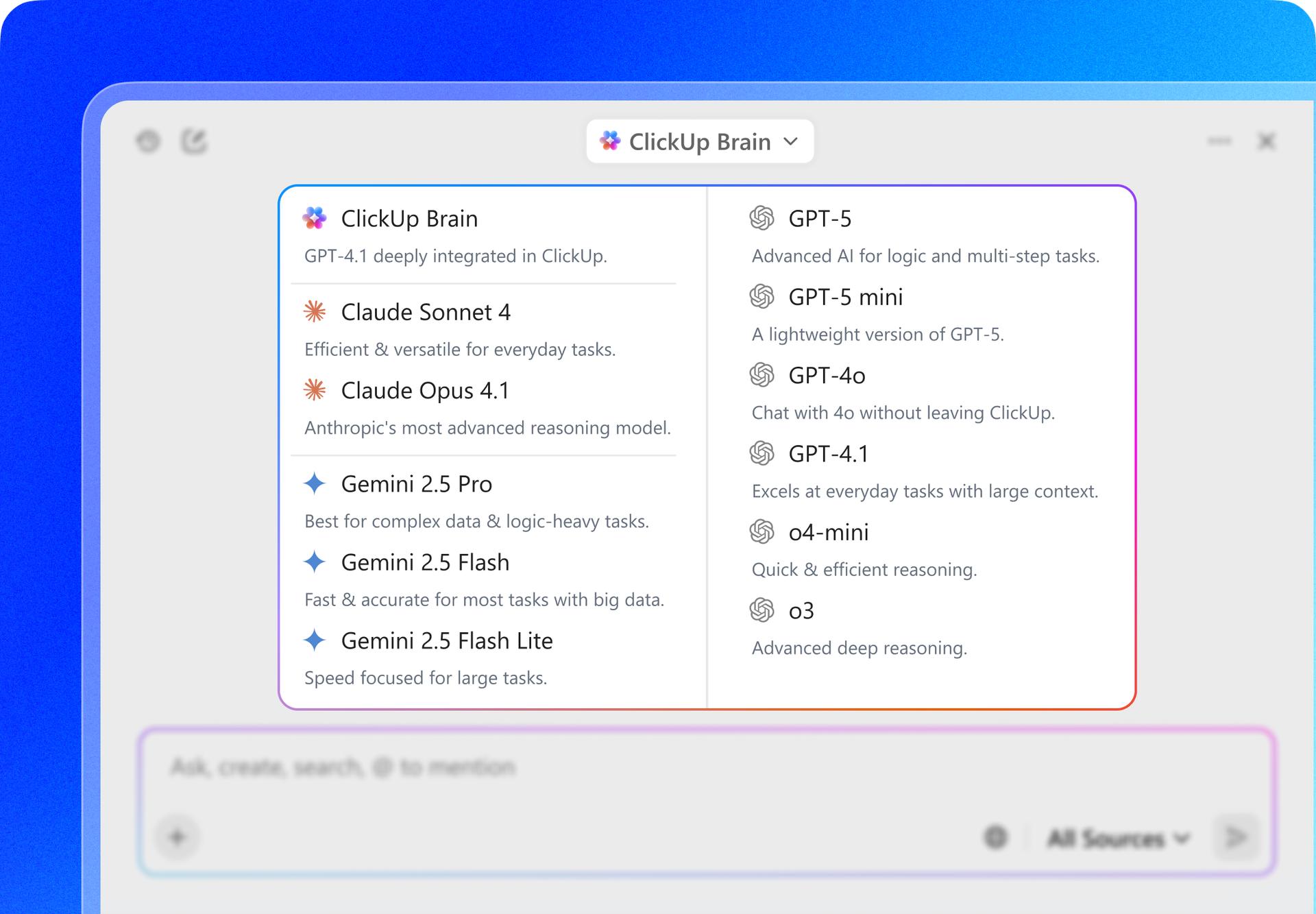
Need specific insights? Ask ClickUp Brain, and it will quickly pull together the most relevant details. Instead of reconstructing context from memory, people can re-enter the work with clarity and momentum intact.
With your data connected, you can start training your models. You’ve got several options to do this, each with different levels of effort and cost.
You can:
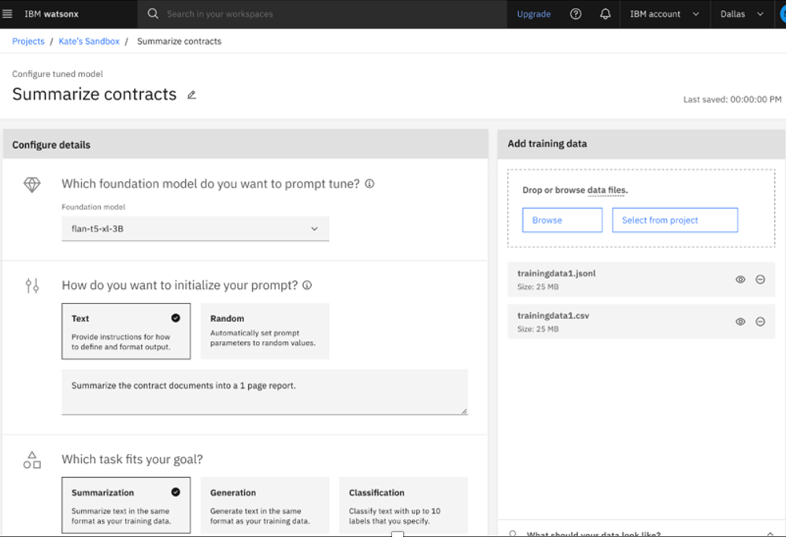
A lighter-weight alternative is prompt tuning, where you adjust a model’s behavior through carefully crafted instructions without the need for full retraining.
Once you have a model, you can begin deployment. The process looks like this:
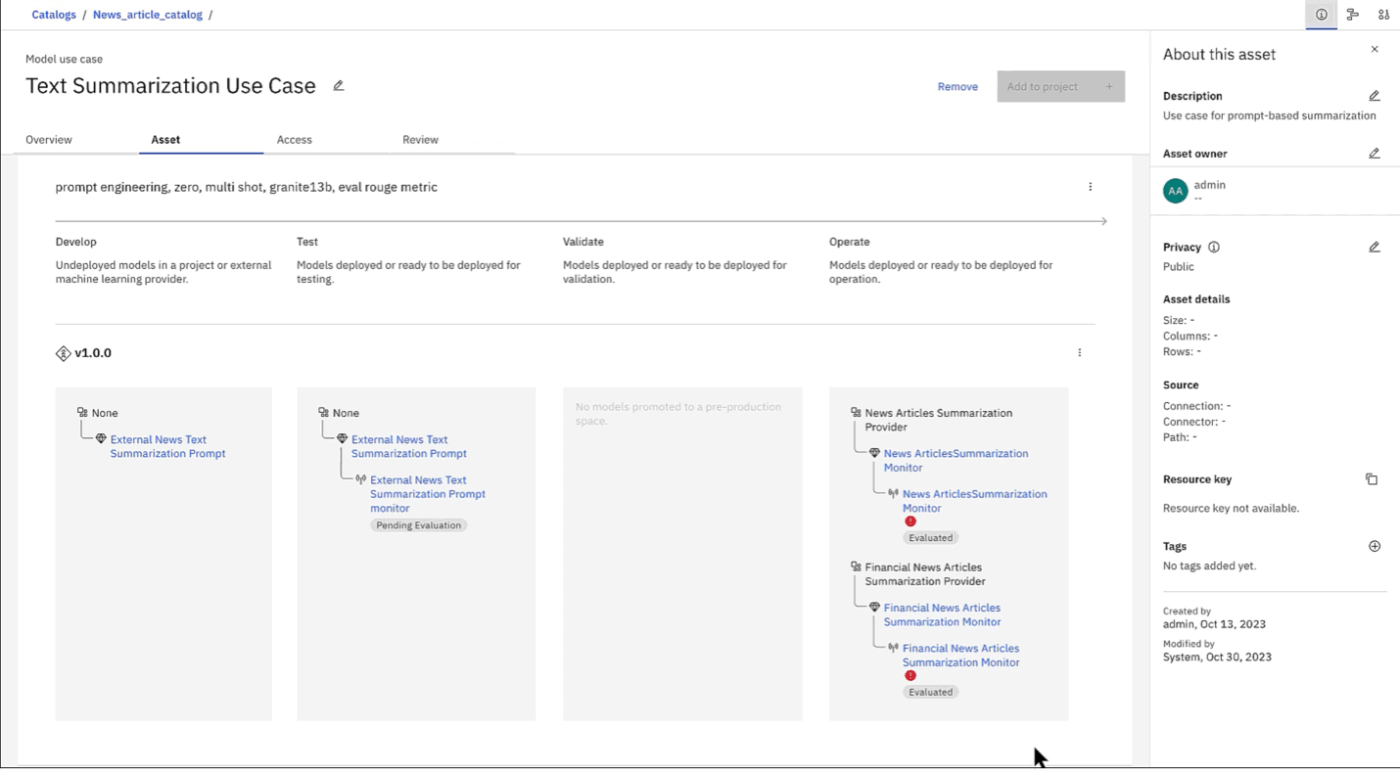
You’ll also configure inference endpoints, which are the access points your applications will use to get responses from the model.
Remember that model training is an iterative cycle of testing, evaluating, and adjusting. It might take time, but it has a stunningly high ROI if done right!
If you’re curious about building your own AI assistant using a similar workflow, check out this video explainer:
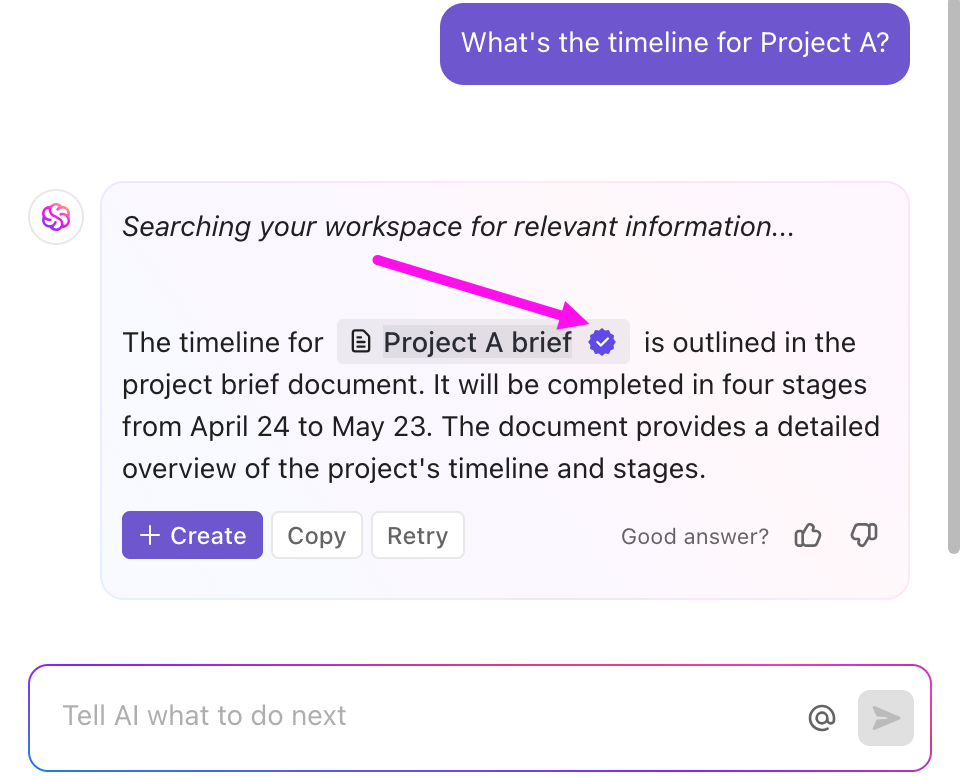
💡 Pro Tip: If your goal is to analyze project data (not build custom AI infrastructure), you don’t need to train or deploy a model at all. With ClickUp Brain, you can ask plain-English questions about the work already in your workspace—tasks, timelines, assignees, estimates, time tracked, and docs—and get answers instantly, right inside your workflow.
For example: “Which tasks are most likely to miss their deadlines this sprint?” or “Where are we consistently underestimating work?”
You know it as well as we do: An AI model sitting in isolation provides no business value; you have to integrate it into your team’s workflows.
Watsonx offers different ways to do this, including REST APIs, software development kits (SDKs) for languages like Python and Node.js, and webhooks for event-driven automations.
Also consider CI/CD (continuous integration/continuous deployment) for your AI models to automate updates and rollbacks when issues arise.
That’s how you embed AI into products, internal tools, or automations teams actually use.
Feeling intimidated by everything watsonx has to offer?
We recommend you start with these important enterprise features: ✨
If you find feature adoption stalling in the initial days of implementation, it might be a process problem rather than a failure of watsonx itself.
A prompt catalog, for example, only works if there’s a simple workflow behind it: who can submit prompts, who reviews them, what “approved” looks like, and where teams are expected to pull prompts from day to day. The same goes for evaluations and guardrails—if they’re optional or unclear, people will bypass them to “move faster,” and you’ll end up with inconsistent results (and a governance headache).
The good news? Most of this is easy to fix with established ownership, clear checkpoints, and shared standards before you scale usage.
If you’ve ever tried to ship an AI project inside a real enterprise, you know how this goes: the model works, the demo lands… and then security steps in with the questions that stop everything.
What data is it trained on? Where is it stored? Who can access it? Can it leak customer info? What happens if it hallucinates?
And if you don’t have clear answers (and documentation), the project doesn’t move forward—it gets parked in “security review” purgatory while legal, risk, and IT go twelve rounds, delaying deployment.
The watsonx.governance component is designed to solve this problem by providing tools for AI compliance and risk management.
These features support major compliance frameworks like GDPR, HIPAA, and SOC 2.
💡 Pro Tip: Governance isn’t just about tools; it’s about process and documentation.
Create a single source of truth and a transparent, auditable trail that satisfies even the most cautious security teams by housing all your governance documentation in ClickUp Docs and tracking compliance reviews and approvals with ClickUp Tasks.
📮 ClickUp Insight: 88% of our survey respondents use AI for their personal tasks, yet over 50% shy away from using it at work. The three main barriers? Lack of seamless integration, knowledge gaps, or security concerns.
But what if AI is built into your workspace and is already secure? ClickUp Brain, ClickUp’s built-in AI assistant, makes this a reality. It understands prompts in plain language, solving all three AI adoption concerns while connecting your chat, tasks, docs, and knowledge across the workspace. Find answers and insights with a single click!
AI platforms quickly become isolated silos if they don’t connect to the tools your team already uses. This forces people to manually transfer information between systems, which is slow, error-prone, and loses the valuable context that makes AI useful in the first place.
Watsonx can be integrated at both the infrastructure and application levels.
Infrastructure connectivity:
Application-level integrations:
Successful integration depends on clear ownership. Remember to define who is responsible for maintaining the connection, monitoring for failures, and handling updates.
If you’ve been burned by generic advice in the past, we’ve got your back. Here are some actionable best practices that actually work for enterprise AI projects. 🛠️
Before you commit months of your team’s time to deploying watsonx, it’s important to have an honest assessment of where the platform might fall short.
💡 Pro Tip: These limitations aren’t unique to watsonx; they apply to nearly all enterprise AI platforms. Bring your AI project management, documentation, and team communication together in one place to fill the operational gap with ClickUp, while watsonx handles the technical aspects of AI.
watsonx is great, but it’s not the only tool for building and scaling an AI-first org.
Here’s a look at some of the major alternatives to watsonx for enterprise AI:
| Platform | Best for | Key differentiator | Consideration |
|---|---|---|---|
| IBM watsonx | Enterprises with existing IBM infrastructure | Integrated governance and hybrid cloud support | Steeper learning curve |
| AWS Bedrock | AWS-native organizations | Broad model selection and deep AWS integration | Potential for vendor lock-in to AWS |
| Google Vertex AI | Data-heavy organizations | Strong MLOps capabilities and BigQuery integration | Dependency on the Google Cloud ecosystem |
| Microsoft Azure AI | Organizations in the Microsoft ecosystem | Strong Copilot and Office 365 connectivity | An Azure-centric architecture |
| OpenAI API | Startups and teams focused on rapid prototyping | Access to cutting-edge models via a simple API | Limited built-in governance features |
Ultimately, the right platform often depends on your company’s existing infrastructure investments and your team’s technical expertise.
We recommend you do independent research and take your time. Pilot a few realistic use cases. Pressure-test integrations and governance requirements early, and make sure the platform fits your operating model (not just your demo).
watsonx can give you the technical foundation to build and govern enterprise AI—but the results depend on what happens around it. It’s almost impossible to have a “perfect” model. Instead, focus on one high-impact use case, getting the data and approvals lined up early, and building a repeatable path from experiment to production.
If there’s one takeaway, it’s this: AI only scales when execution scales with it. Clear ownership, audit-ready documentation, and tight cross-functional coordination are what turn a working pilot into something the business can trust and reuse.
And ClickUp makes all of it possible by giving you a single workspace for planning, collaboration, and rollout management around your AI initiatives. So, why wait? Sign up for ClickUp today—it’s free!
watsonx.ai is the AI studio for building models, watsonx.data is the data store for accessing enterprise data, and watsonx.governance provides tools for AI lifecycle management and compliance, which together with watsonx.orchestrate form the complete watsonx platform.
watsonx provides pre-built infrastructure, foundation models, and governance tools that accelerate deployment, but it is less customizable than fully custom solutions built from scratch on open-source frameworks.
watsonx offers APIs and SDKs for integration with external systems but lacks native project management features, so teams typically use complementary tools like ClickUp to manage AI projects and coordinate work.
Effective use requires data engineering, ML/AI, and DevOps skills, though its no-code tools can lower the barrier for simpler use cases like building AI assistants.

© 2026 ClickUp




