






Still downloading templates?
There’s an easier way. Try a free AI Agent in ClickUp that actually does the work for you—set up in minutes, save hours every week.
Sorry, there were no results found for “”
Sorry, there were no results found for “”
Sorry, there were no results found for “”
Building an app goes way beyond writing and shipping code.
The process is packed with understanding the repo, making a plan, changing the right files, running tests, debugging failures, and opening a clean PR that someone can actually review.
That is the gap Devin AI is meant to close.
Devin is designed to take on real engineering work end to end, from ticket to plan to tests to pull requests, using a sandboxed dev environment and common developer tools.
In this blog, you will learn how to use Devin AI to build applications, including scoping work in Ask mode, turning that scope into an agent session, reviewing what it proposes, and getting to a PR you can ship with confidence.
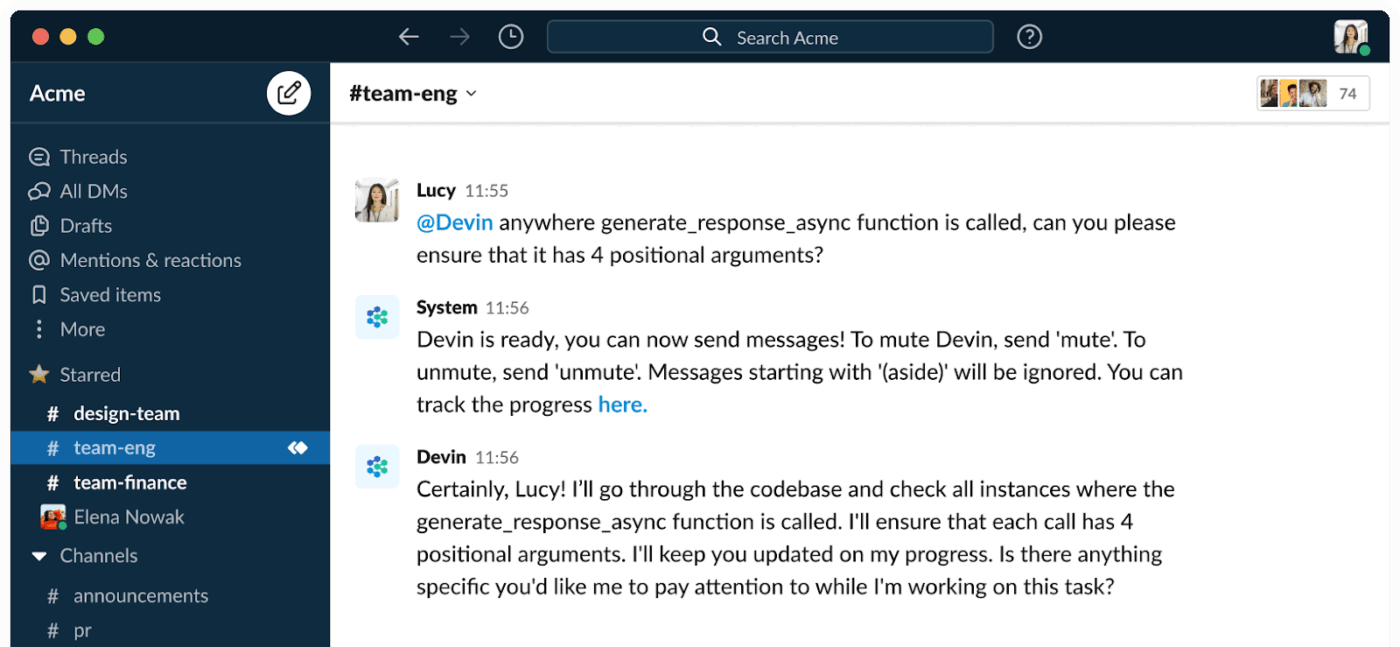
Devin AI is an autonomous AI software engineer created by Cognition Labs. Unlike code-completion tools that suggest snippets, Devin acts as a full-fledged agent that independently plans, writes, tests, and debugs code to complete entire development tasks.
Further, Devin operates in its own secure, sandboxed environment equipped with a shell, code editor, and browser. This allows it to execute entire workflows from start to finish.
👀 Did You Know? A recent Sonar State of Code Developer Survey uncovered a surprising gap in how developers handle AI-generated code.
While 96% of developers admit they don’t fully trust that AI-generated code is functionally correct, only 48% say they always verify or check it before committing it to the codebase. This ‘verification gap’ means a lot of potentially unreliable code might be shipping faster than ever, despite widespread skepticism about AI’s output.
Here are the use cases where Devin provides the most value: ✨
While Devin is a powerful executor, human oversight remains essential. You’ll still need your team’s expertise for nuanced user experience decisions and complex system architecture. Devin follows instructions but doesn’t make strategic tradeoffs on its own.
⭐ Bonus: Best Prototyping Tools for Designers
Devin operates on an ‘agent loop.’ It receives a task and creates a step-by-step plan.
Then it executes those steps in its sandboxed environment and analyzes the results to inform its next move. This planning-then-execution cycle allows it to handle complex, multi-step development work.
To get the job done, Devin uses three core tools:
Before you can build your first application, you need to complete three setup steps: creating an account, connecting your repository, and configuring your workspace.
Make sure you have a GitHub account, a repository to work with (a new or existing one is fine), and a first task in mind.
First, head to Devin’s website to create your account and complete the onboarding process. Your plan will determine your session limits and available features. Teams can easily start with individual accounts and scale up as their usage grows.
Next, you’ll connect your GitHub account. Devin uses OAuth, a standard and secure authorization protocol, to request access to your repositories. This allows the tool to read your code, create new branches, and open PRs with the code it generates. For your first few experiments, it’s a good idea to start with a test repository or a non-critical project.
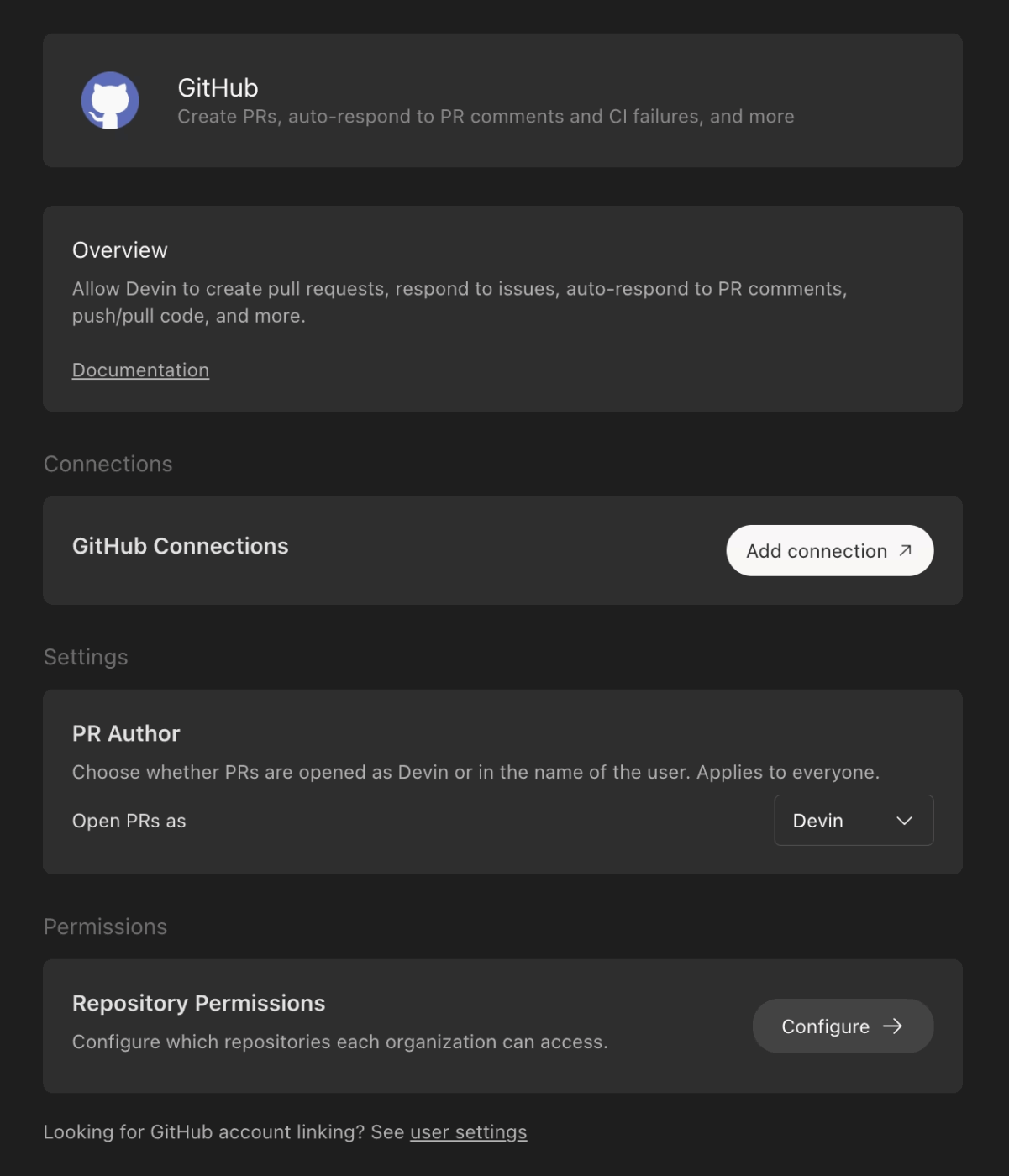
Finally, configure your workspace settings. Here, you can define environment variables, specify preferred frameworks, and set coding standards. Devin can easily learn your project’s specific conventions, especially if you provide context in your initial prompt or include a README.md file in your repository.
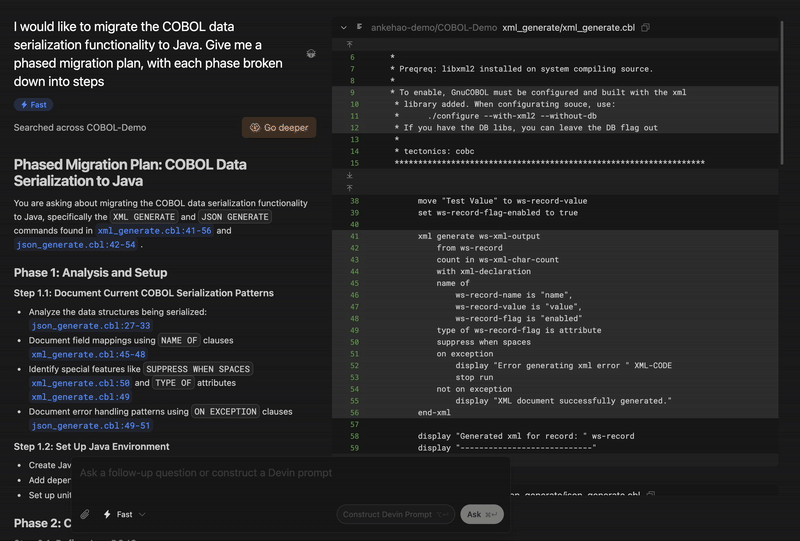
Once repos are indexed/onboarded:
📮 ClickUp Insight: 12% of respondents say AI agents are hard to set up or connect to their tools, and another 13% say there are too many steps just to get simple things done with Agents.
Data has to be piped in manually, permissions have to be redefined, and every workflow depends on a chain of integrations that can break or drift over time.
Good news? You don’t need to “connect” ClickUp’s Super Agents to your tasks, Docs, chats, or meetings. They are natively embedded in your Workspace, using the same objects, permissions, and workflows as any other human coworker.
Because integrations, access controls, and context are inherited from the workspace by default, agents can act immediately across tools without custom wiring. Forget configuring agents from scratch!
Building with Devin is a collaborative process, not a one-shot command. Expect to iterate, and you’ll get the best results.
The quality of your prompt directly determines the quality of Devin AI’s output. The more precise your instructions, the fewer iterations you’ll need.
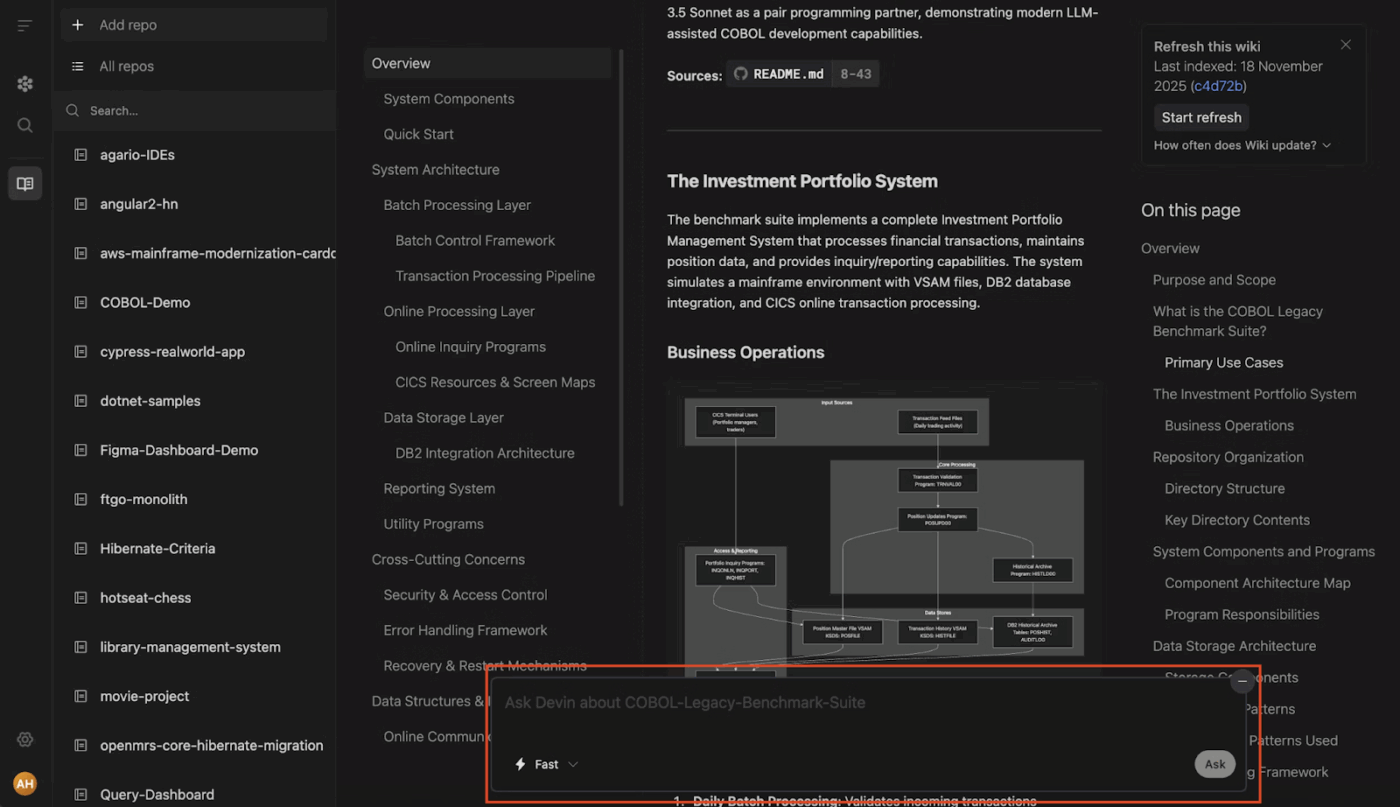
Use this framework for a powerful prompt:
Before it writes a single line of code, Devin will generate a step-by-step plan. This is your most important checkpoint. Review the plan to ensure it addresses all of your requirements and that no steps seem misguided.
Catching a misunderstanding here saves hours of code review later. You can give feedback and ask Devin AI to revise its plan before it begins.
Once Devin AI starts working, its interface gives you a real-time window into its process. You can see the shell commands it’s running, the code it’s writing in the IDE, and the websites it’s visiting in the browser.
Keep an eye on its progress and be ready to intervene if it gets stuck in a loop or starts heading in the wrong direction. You can pause, offer guidance, and then let it resume with your new instructions.
When Devin AI completes the task, it will create a new branch and open a pull request on GitHub with all of its changes.
And by now, run a standard code review. Check for edge cases, verify whether all tests are passing, and manually inspect any security-sensitive code. In the meantime, Devin AI can respond to feedback on the pull request, iterating on its work until you’re ready to merge.
Here are some lessons learned from teams using Devin AI effectively:
Devin AI, too, has limitations you need to keep in mind. And they include:
❌ Complex architectural decisions: Devin AI is an excellent executor, but it won’t make high-level strategic tradeoffs about your system’s design. That’s still part of your job
❌ Highly ambiguous requirements: Without clear acceptance criteria, Devin AI might produce a solution that is technically correct but contextually wrong for your business needs
❌ Novel or cutting-edge frameworks: Devin AI’s knowledge is vast but not infinite. If you’re working with a brand-new or obscure library, it may struggle to find relevant documentation
❌ Security-critical code: You should always have a human expert manually review any code related to authentication, authorization, and data handling
❌ Long-running sessions: For very large, complex tasks, Devin AI may hit its context limits or require careful session management to complete the work
Using an AI agent like Devin introduces a layer of chaos you didn’t consider earlier. That’s AI sprawl, where agent work spreads across tools and tabs until it becomes expensive, duplicated, and risky.
One day, the task lives in the Devin UI, the decisions are buried in chat, and the real truth is hidden in a GitHub pull request. Your team ends up context-switching all day just to answer basic questions!
This is when many shift to ClickUp. As the world’s first Converged AI Workspace, ClickUp gives you one place to manage the complete lifecycle of agent-driven engineering work, including specs, execution plans, tasks, approvals, and the audit trail. Let’s see how:
First and foremost, you need to standardize all requests with ClickUp Docs. In other words, use one repeatable intake Doc template as the front door for every operation you run on Devin AI, so the actual spec never gets trapped in a chat thread or buried inside a GitHub pull request.
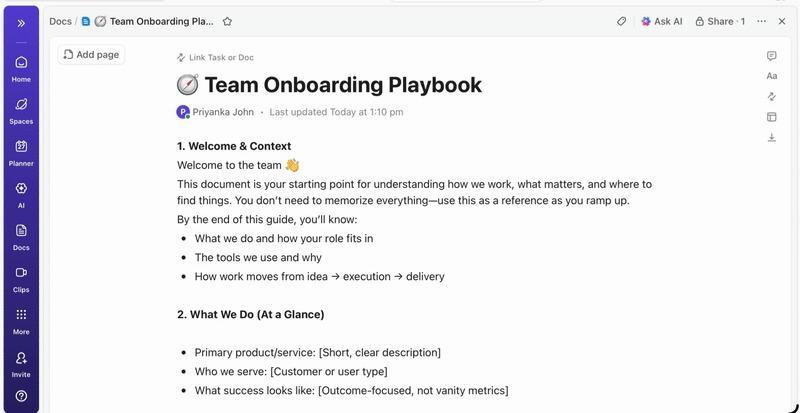
ClickUp Docs are structured, navigable documents you can build with pages and subpages. This means a single Devin project can hold everything from the initial brief to edge cases and prompts without turning into a scroll nightmare. You can keep long Docs easy to scan with a table of contents and collapsible sections, and restructure content as the scope evolves.
That means your intake can be consistent and reviewable every single time, for example:
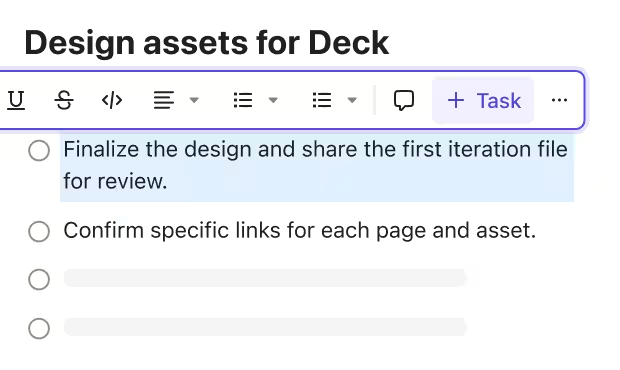
And when the Doc turns into action, just highlight text and create ClickUp Tasks from it, which is perfect for turning ‘open questions’ and ‘review feedback’ into owned work items.
When you start using Devin AI across multiple teams, the problem is no longer ‘Did we follow through?’ In contrast, it’s the operational control. That means keeping agent work aligned with standards, enforcing approvals, and proving outcomes without manual policing.
And to do that (and so much more), use ClickUp Super Agents. They are AI-powered teammates that can run multi-step workflows across your Workspace, beyond single, rule-based actions. These are basically your own AI coworkers active 24/7.
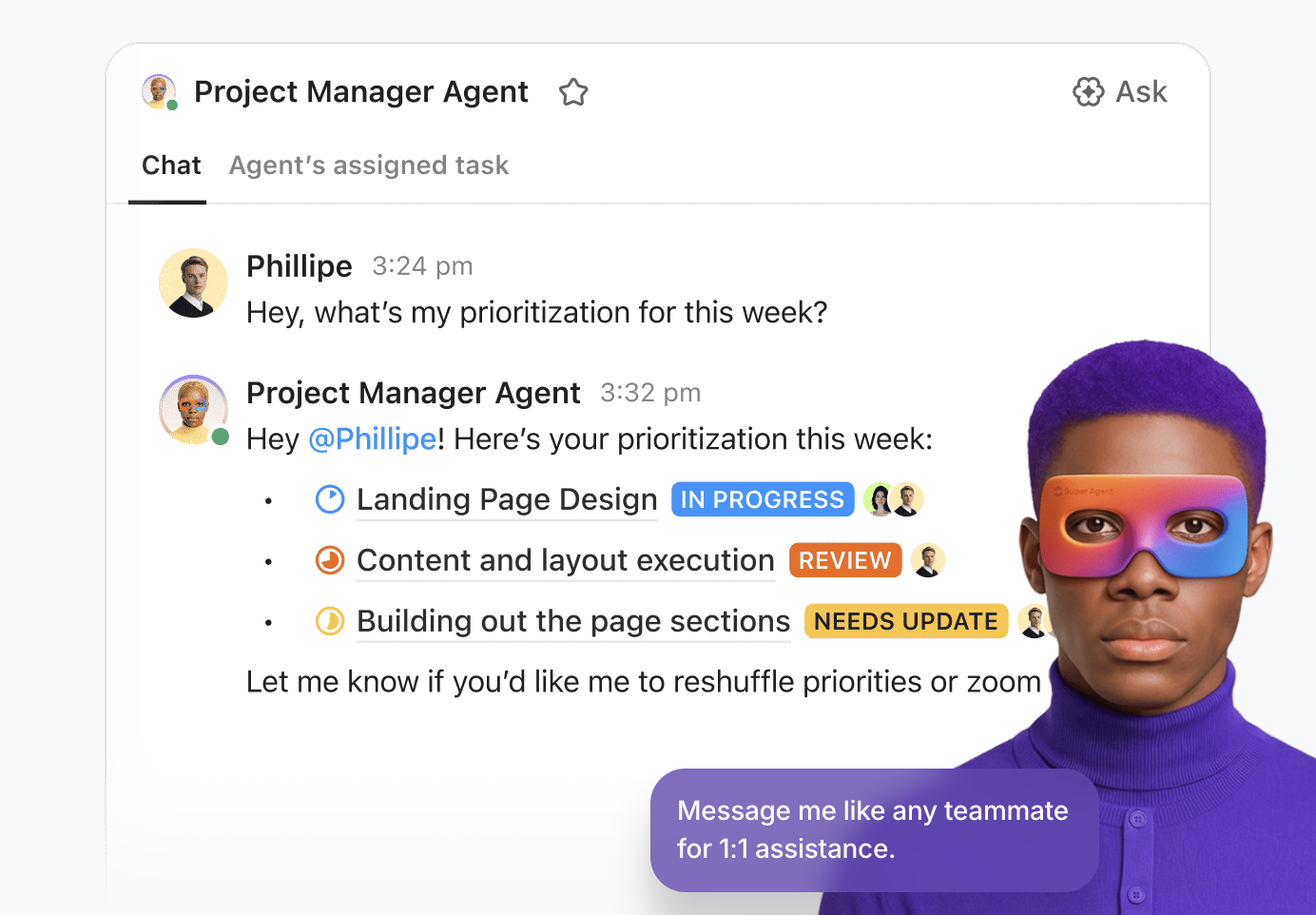
Use Super Agents to handle higher-order operational work around Devin AI, like:
📖 Read More: Best Devin AI Alternatives for AI-Powered Coding
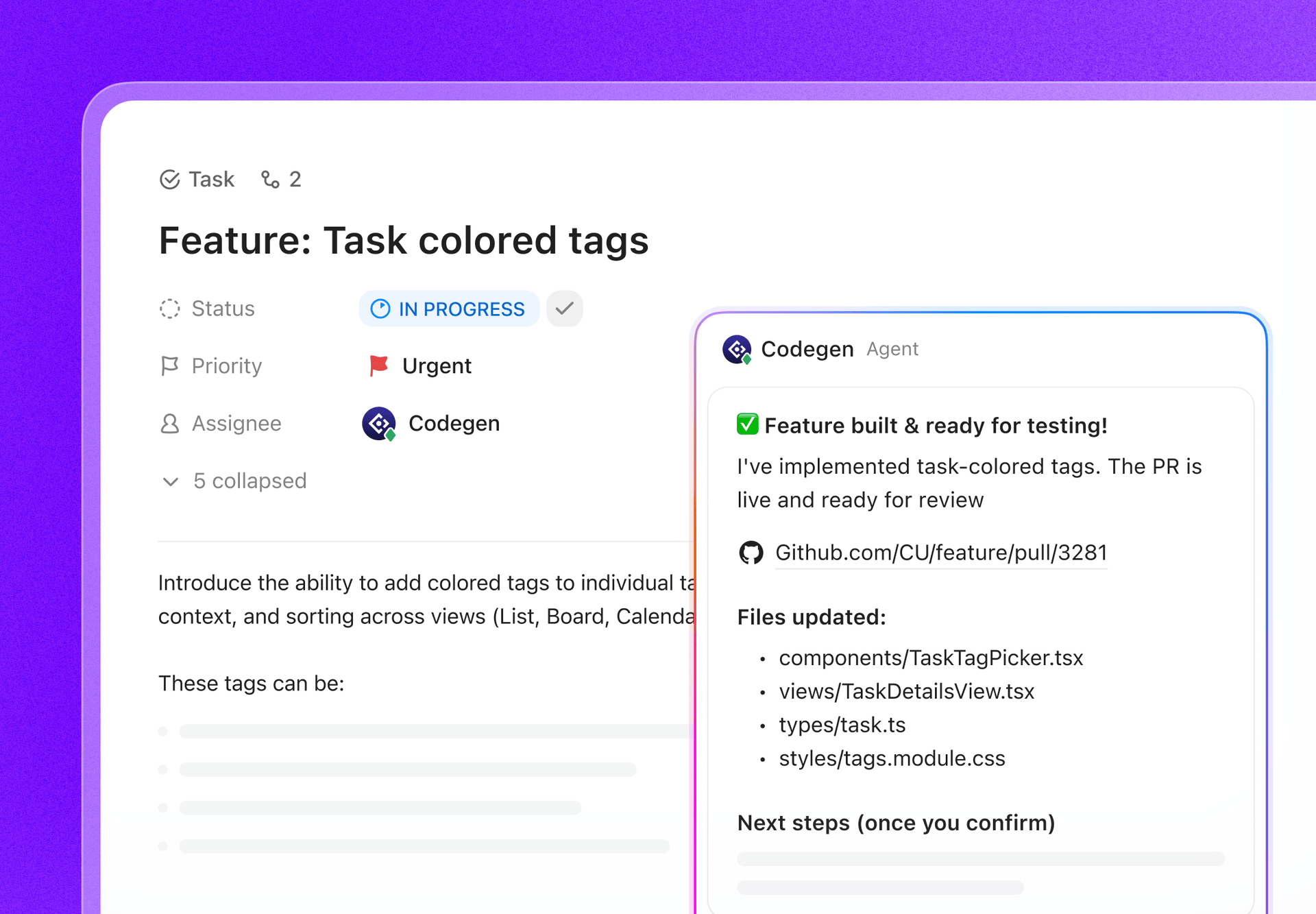
If you like the idea of Devin AI, but do not want engineering work spanning yet another product, use Codegen by ClickUp. ClickUp’s Codegen is an AI developer teammate that completes tasks, builds features, answers code questions, and creates production-ready pull requests.
What makes it even better is the workflow shape. Unlike Devin AI, which follows a cycle of ticket-to-plan-to-test-to-PR, Codegen operates differently in ClickUp.
It acts as an autonomous AI agent that can:
With ClickUp Integrations that pair with GitHub, you can link commits, branches, and pull requests directly to a ClickUp Task and see that activity from inside the task. It also supports rich link previews when someone pastes a GitHub link into a task, Chat, or Doc.
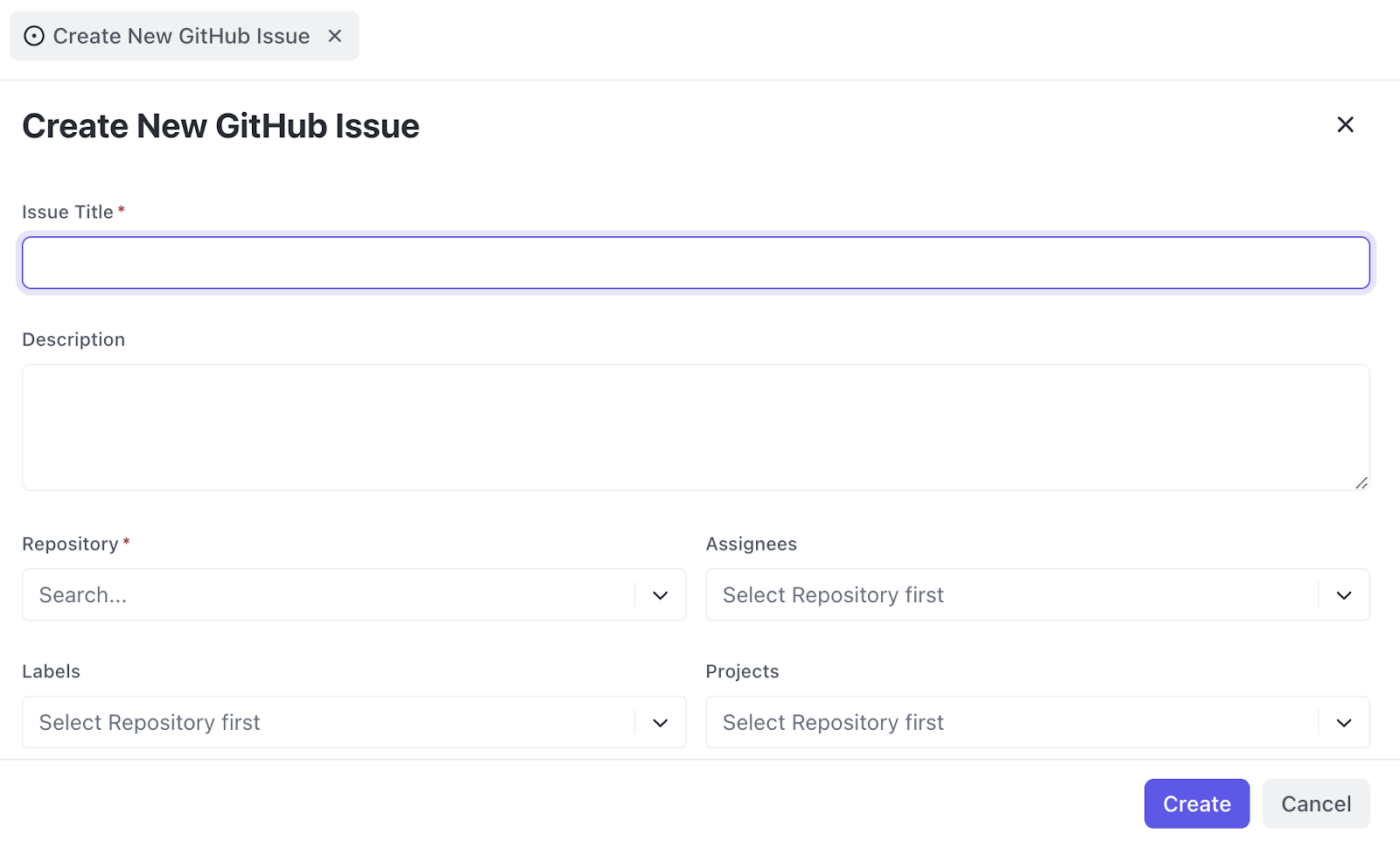
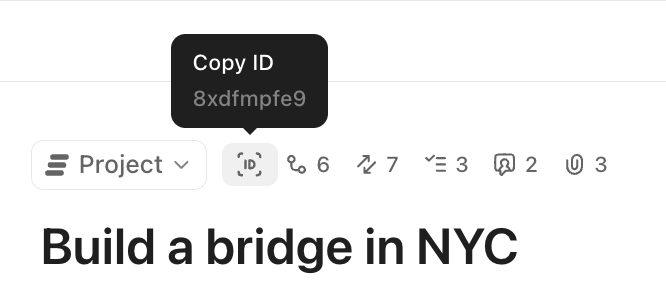
And to keep linking friction low, your team can reference the ClickUp Task ID in commit messages, branch names, or pull requests using formats like #{task_id} or CU-{task_id}, so the activity shows up where it belongs, without manual copy-paste.
Even more, ClickUp supports GitHub-triggered automations. Long story short, once the code is linked, you can automatically move statuses, notify reviewers, or kick off next steps based on GitHub events.
🚀 The ClickUp Advantage: ClickUp also has you covered with an AI desktop companion built for today’s broken workflows: ClickUp Brain MAX.
Instead of combing across tabs, Brain MAX lets you search across your work apps and the web in one place, using natural questions the same way you would ask a teammate. It also includes Talk-to-Text, so you can capture thoughts on the fly and turn them into usable work without slowing down to type.
A couple of high-impact ways teams use it day to day:
Autonomous coding agents are quickly becoming part of how software gets built. Teams that learn how to work with them well will ship faster, iterate more confidently, and give developers more room for the high-value, creative problems humans are best at.
But there’s an even bigger win than ‘faster code.’ It’s running the entire development lifecycle with more clarity.
Do that and more with ClickUp. Use Codegen by ClickUp when you want an AI coding agent that helps you implement and ship work. Pair it with ClickUp AI Agents and ClickUp’s powerhouse of integrations to connect PRs, issues, docs, approvals, and release checklists in one place.
✅ Get started for free with ClickUp today.
Devin supports languages such as Python, JavaScript, TypeScript, and Go, as well as popular frameworks such as React, Node.js, Django, and Flask. For the most current list, it’s always best to check Devin’s official documentation as its capabilities are constantly evolving.
Alternatives to Devin AI include ClickUp, which pairs agentic coding with the control layer teams usually need at scale—Codegen can complete tasks, build features, answer code questions, and generate production-ready pull requests inside ClickUp, while Super Agents add governed, multi-step workflows with permissions and auditability. Other options worth a quick look include OpenHands (open-source cloud coding agents) and SWE-agent (an open-source agent that autonomously fixes issues in real GitHub repos), plus lighter-weight agentic IDE routes, depending on how autonomous you want the loop to be.
Devin AI pricing has three tiers:
Core: Pay as you go, starting at $20
Team: $500/month
Enterprise: Custom pricing
However, make sure to reevaluate pricing from their official site as it tends to change with time.

© 2026 ClickUp

There’s an easier way. Try a free AI Agent in ClickUp that actually does the work for you—set up in minutes, save hours every week.