Sorry, there were no results found for “”
Sorry, there were no results found for “”
Sorry, there were no results found for “”
Have you ever wondered who turned your beautifully formatted Google Sheets masterpiece into an unexpected mess of mismatched fonts and questionable data?
Every edit in a shared spreadsheet has a meaning. Tracking changes in Google Sheets is like having a time machine for your collaboration chaos—it keeps everyone accountable and makes teamwork smoother (and a little less mysterious).
In this Google Sheets cheat sheet, we’ll walk you through step-by-step methods to monitor edits, review changes, and maintain complete oversight of your spreadsheets. Let’s get tracking!
PS: We also have a special bonus at the end that solves all your productivity hurdles—stay tuned!
To track changes in Google Sheets:
Google Sheets offers several ways to track changes, making monitoring updates in shared spreadsheets easy. Whether you need instant alerts, a full edit history, edit history, or selected cells, it has you covered.
Let’s start our journey on how to track changes in Google Sheets documents.
Google Sheets’s notification rules feature makes tracking changes simple. By enabling these rules, you can receive alerts whenever edits are made, ensuring you’re always in the loop.
Here’s how you can set it up step-by-step!
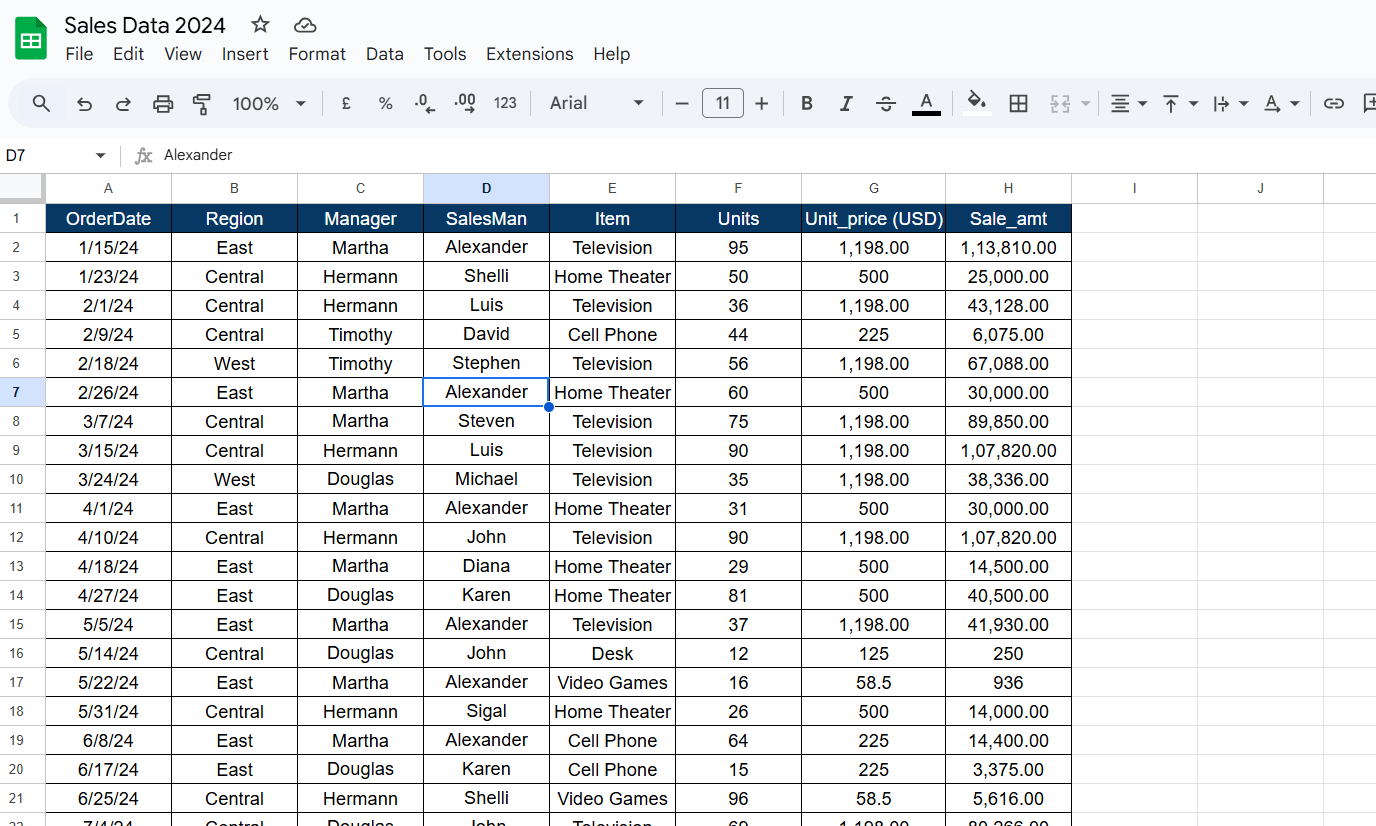
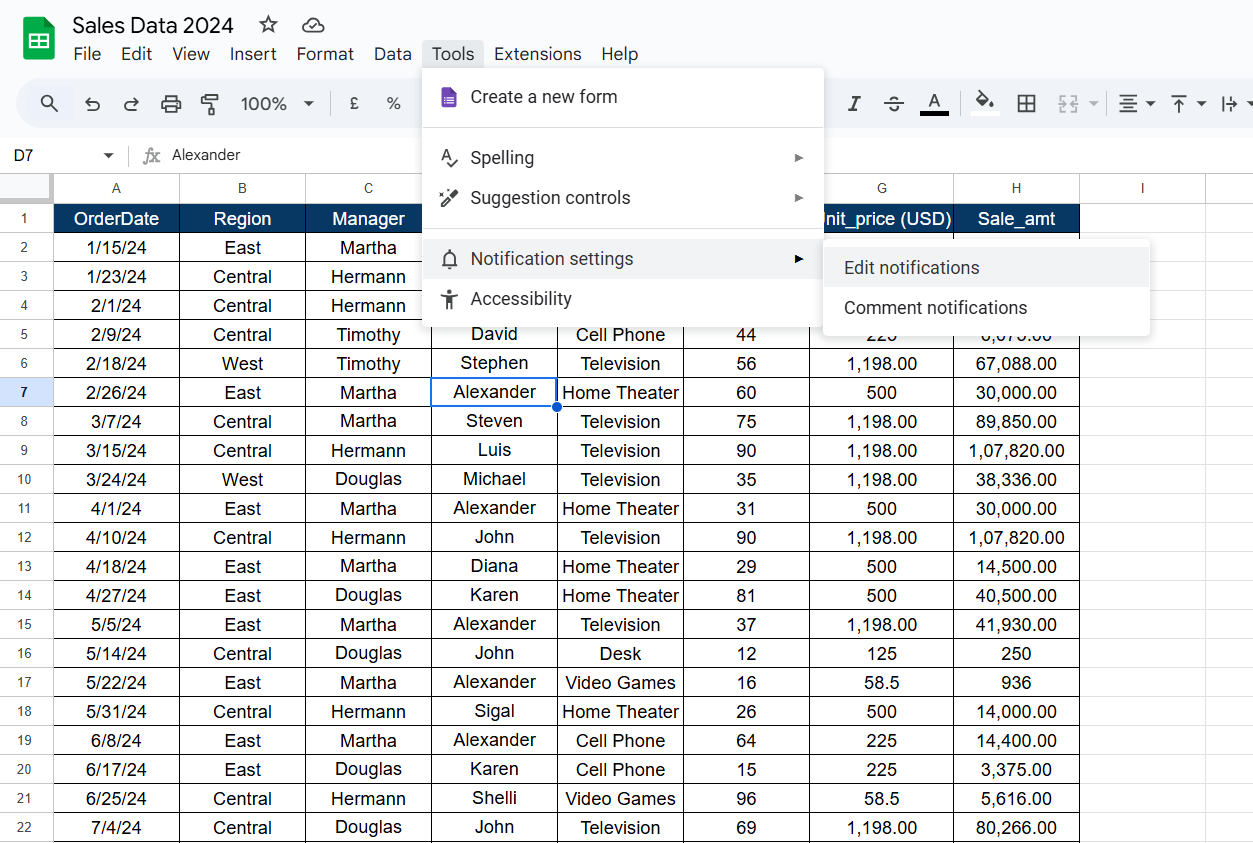
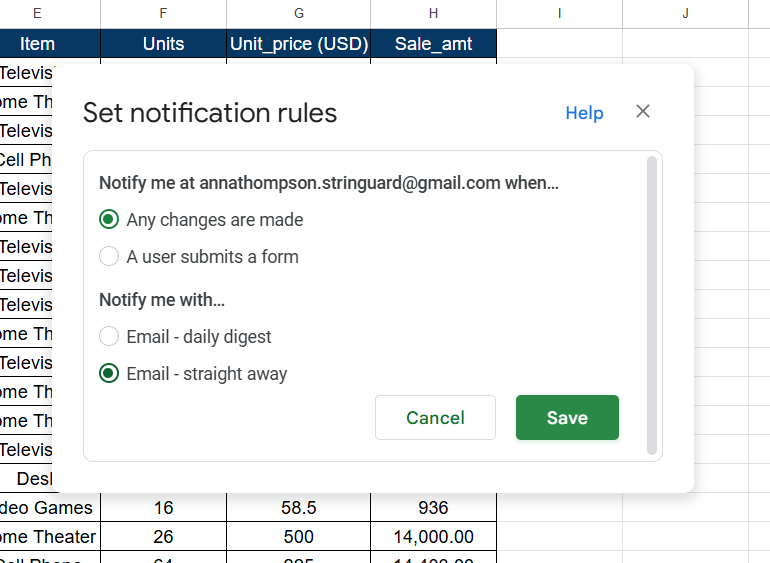
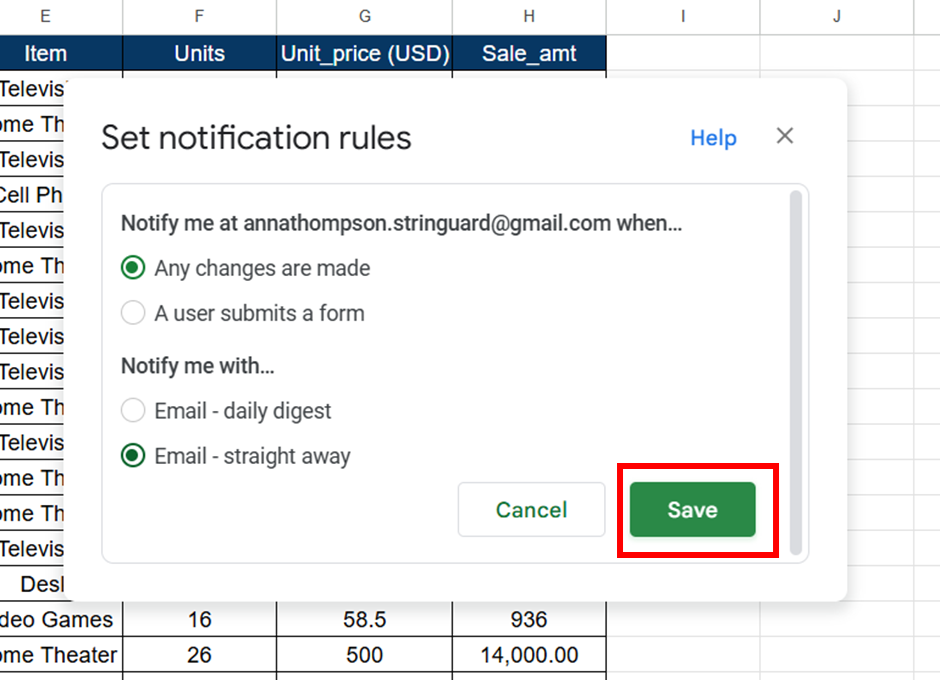
Now, when someone makes changes to your Google Sheet, you will be notified by email.
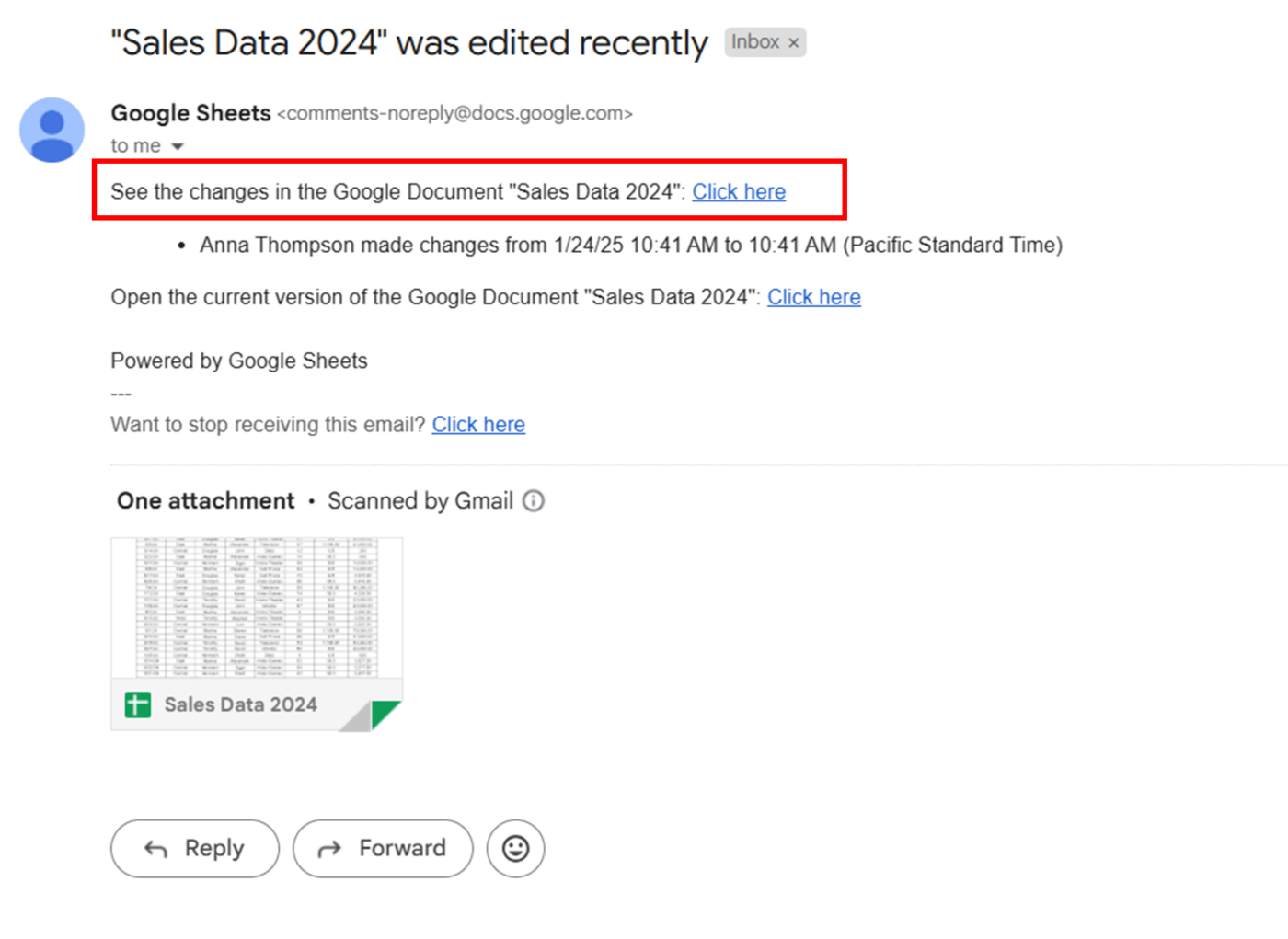
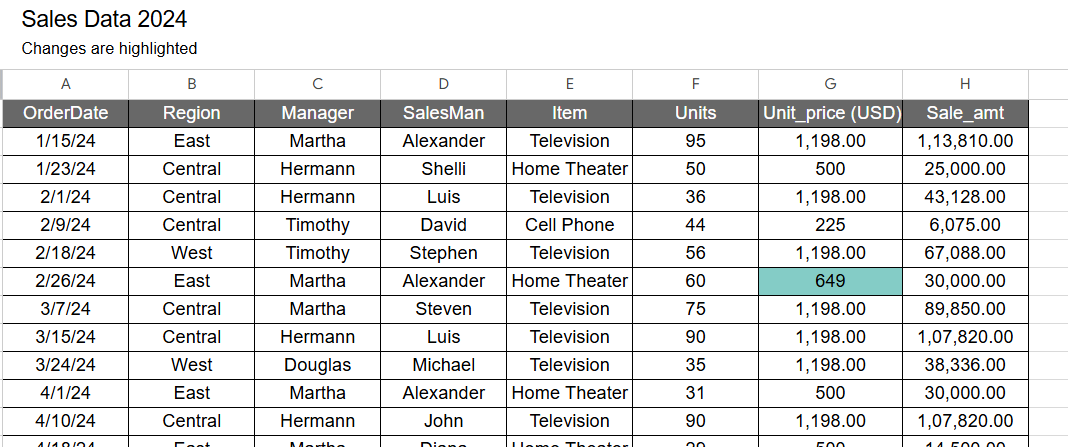
The email will include a link to view the changes made to the sheet. Simply click it to see the edits highlighted in the latest version for easy review.
🧠 Fun Fact: Before Google Sheets, spreadsheets were entirely offline tools—meaning there was no real-time collaboration or instant updates. Google revolutionized the game by allowing multiple users to edit a sheet simultaneously, making teamwork more straightforward than ever!
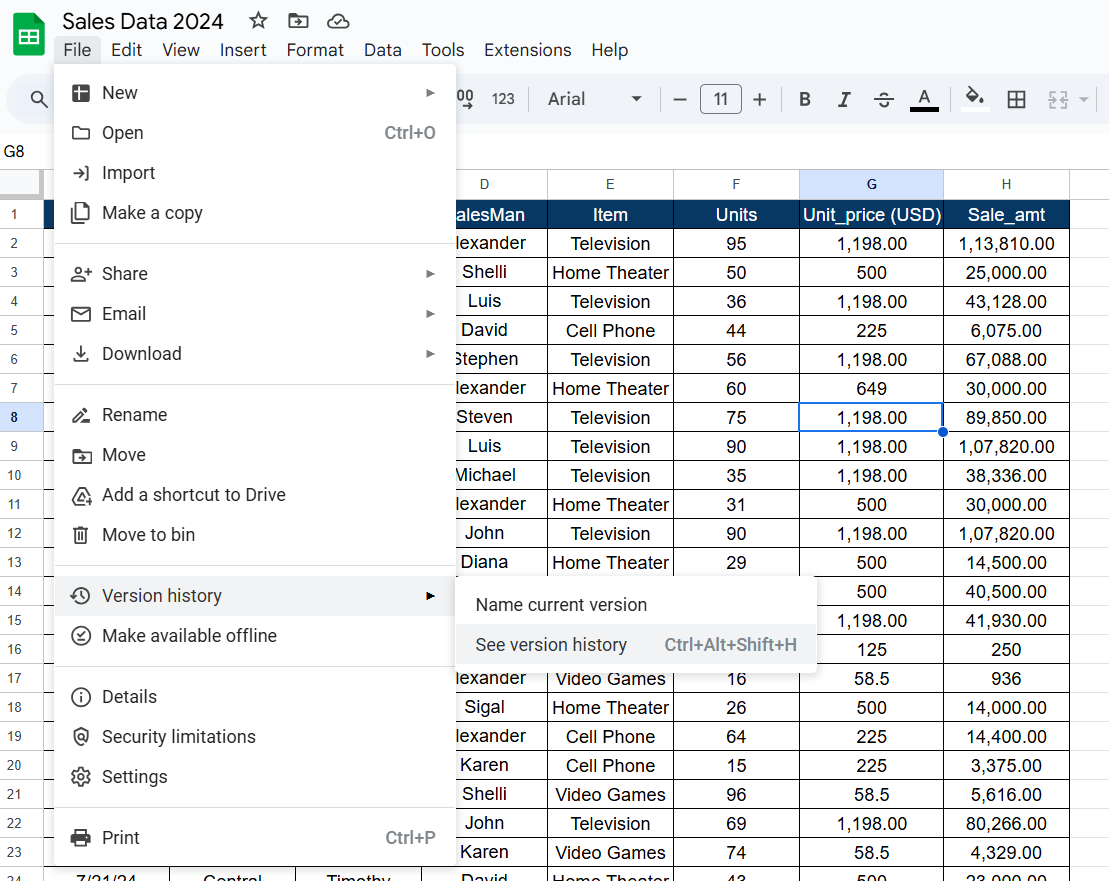
Google Sheets captures every version of your file, letting you trace changes with ease. To see all these versions, follow these steps:
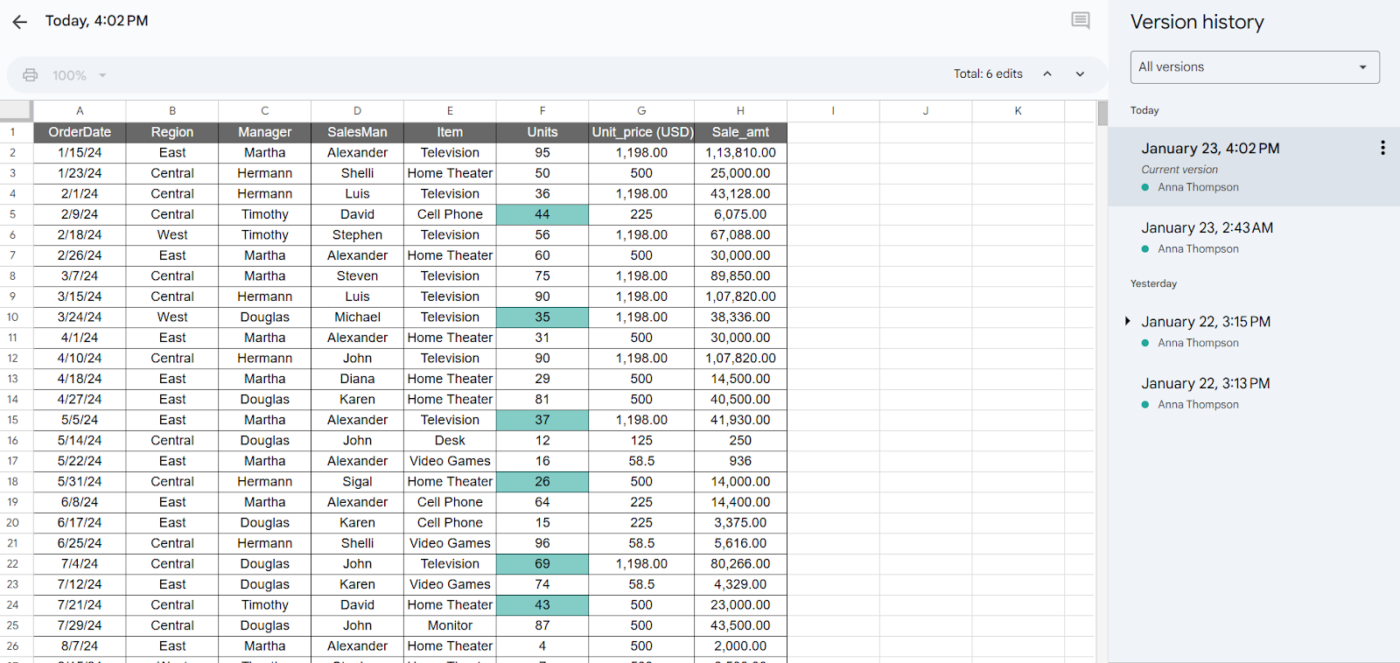
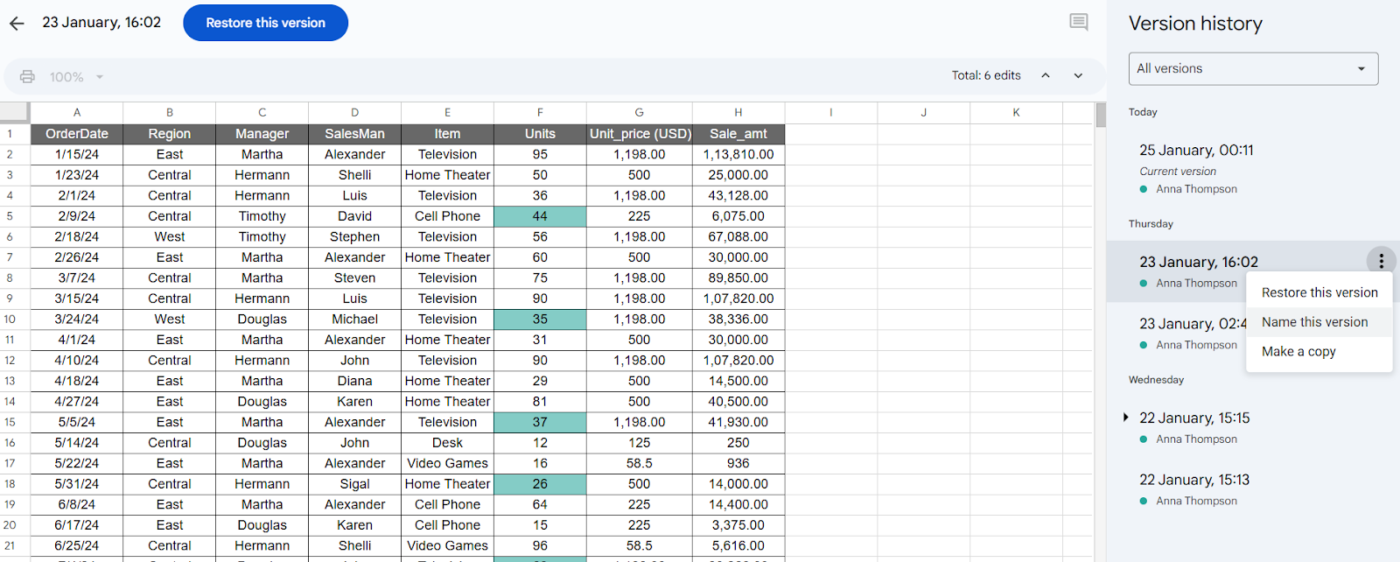
Thanks to version history, you can play detective, track every tweak, and even rescue your Google Sheets from a questionable edit apocalypse!
Curious about the life story of a single cell? With Google Sheets, you can uncover every twist and turn. Here’s how it works:
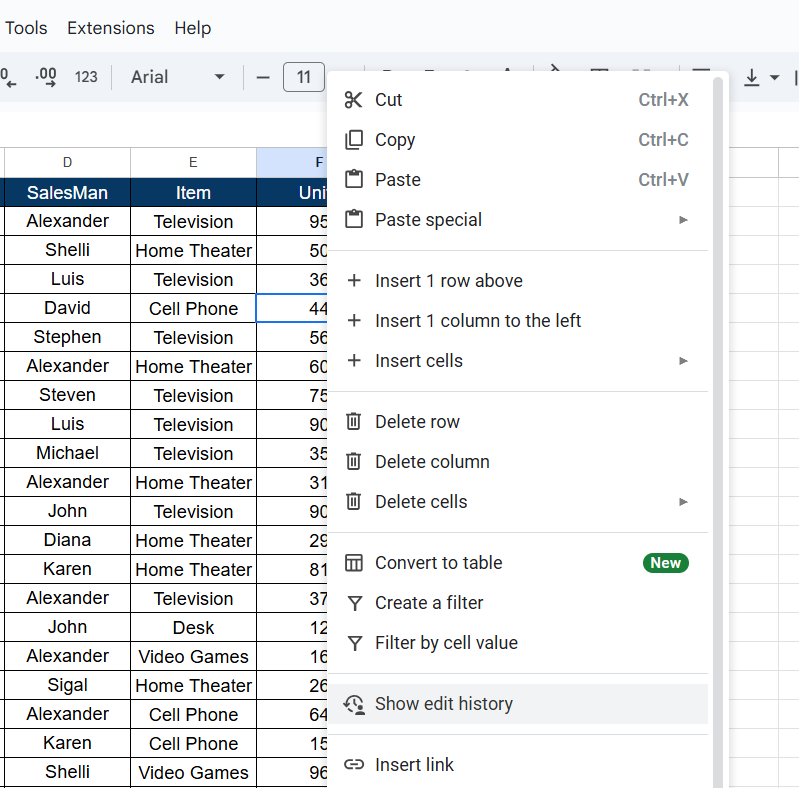
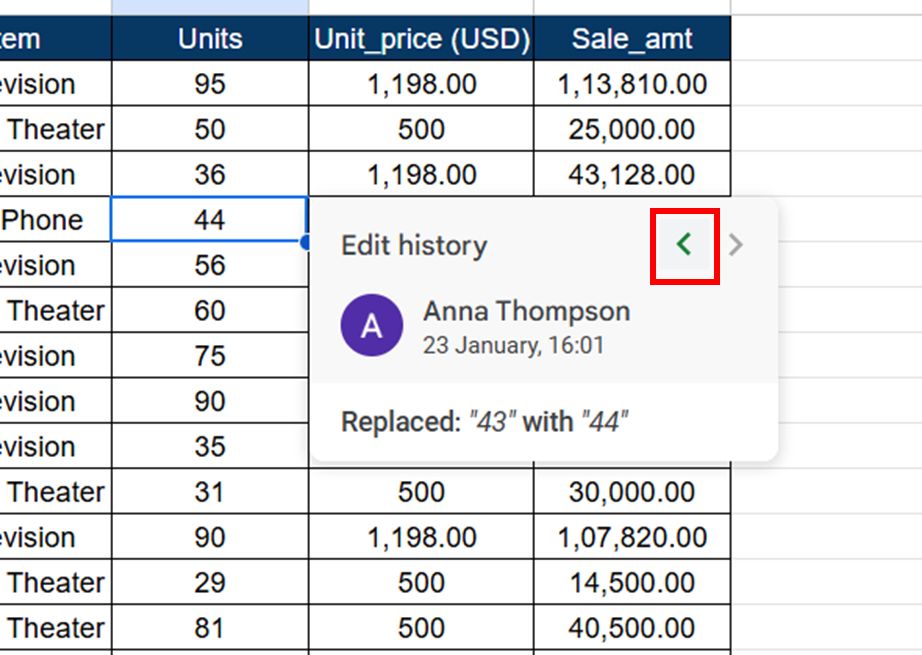
This feature is a lifesaver when you need precise details about edits, letting you zero in on specific changes.
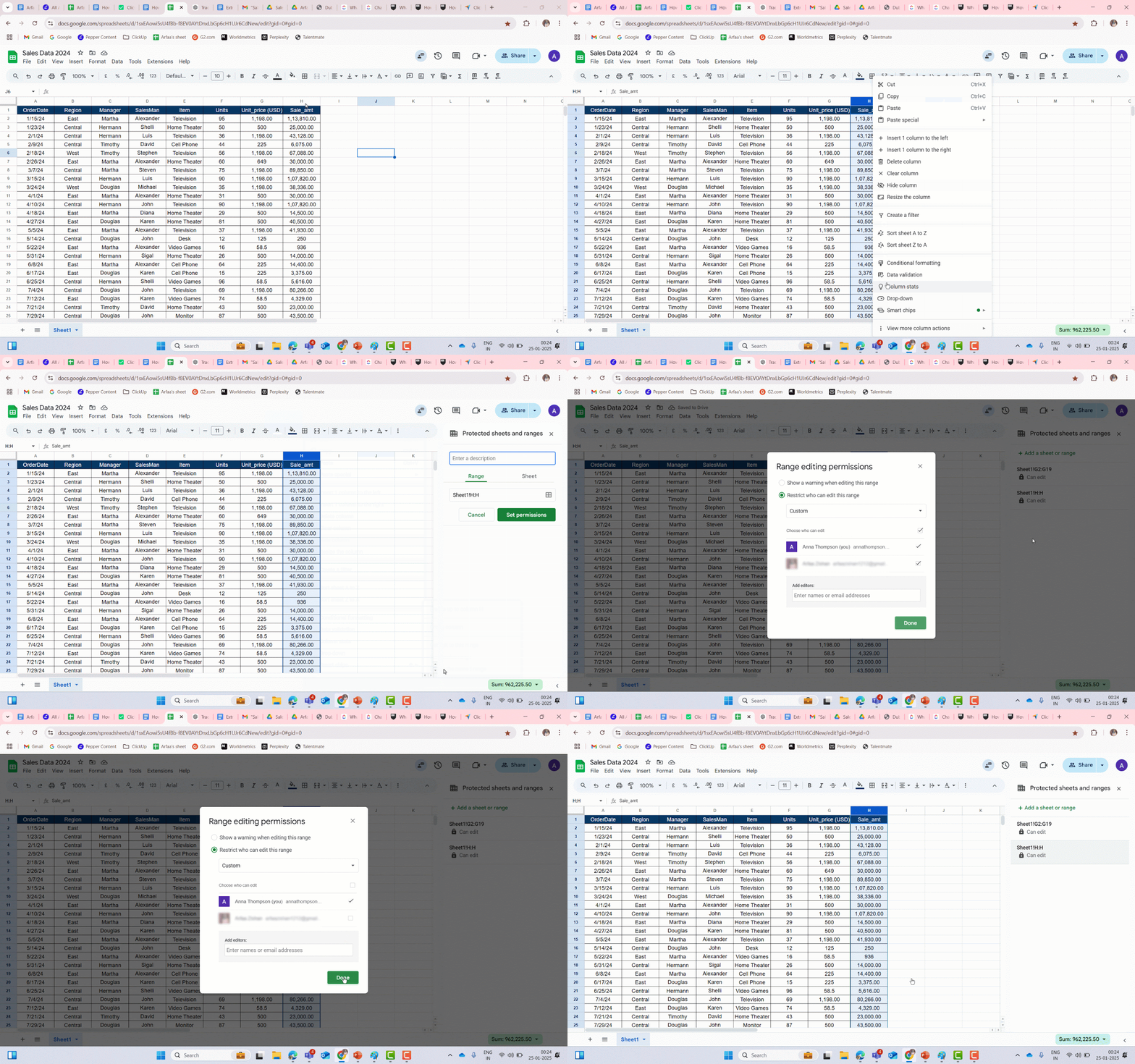
💡Pro Tip: Use the Protect range feature in Google Sheets to prevent changes to specific cells. This allows you to lock down certain areas and grant editing access only to specific users, keeping your critical data safe and intact.
While tracking changes in Google Sheets is super helpful, there are a few limitations you’ll want to keep in mind before diving in:
For effective collaboration, it’s crucial to be aware of these limitations in Google Sheets, as they could impact how smoothly your team can track and manage changes.
Switching between multiple tools to manage your work isn’t just frustrating—it’s also inefficient.
In fact, teams lose more than half of their workday to tool switches and information gathering—all while communication and collaboration remain fragmented.
This is where ClickUp really stands out. Designed to be the everything app for work, ClickUp consolidates all your essential tools—task management, collaboration, document tracking, and workflow automation—into one unified platform. This is the power of convergence.
It doesn’t just track changes; it helps you act on them, making your workflows more efficient and productive.
Unlike Google Sheets, which primarily shows you edits, ClickUp eliminates the limitations by offering a more dynamic approach to change tracking. Let’s see how!
📮 ClickUp Insight: Context-switching is silently eating away at your team’s productivity. Our research shows that 42% of disruptions at work come from juggling platforms, managing emails, and jumping between meetings. What if you could eliminate these costly interruptions?
ClickUp unites your workflows (and chat) under a single, streamlined platform. Launch and manage your tasks from across chat, docs, whiteboards, and more—while AI-powered features keep the context connected, searchable, and manageable!
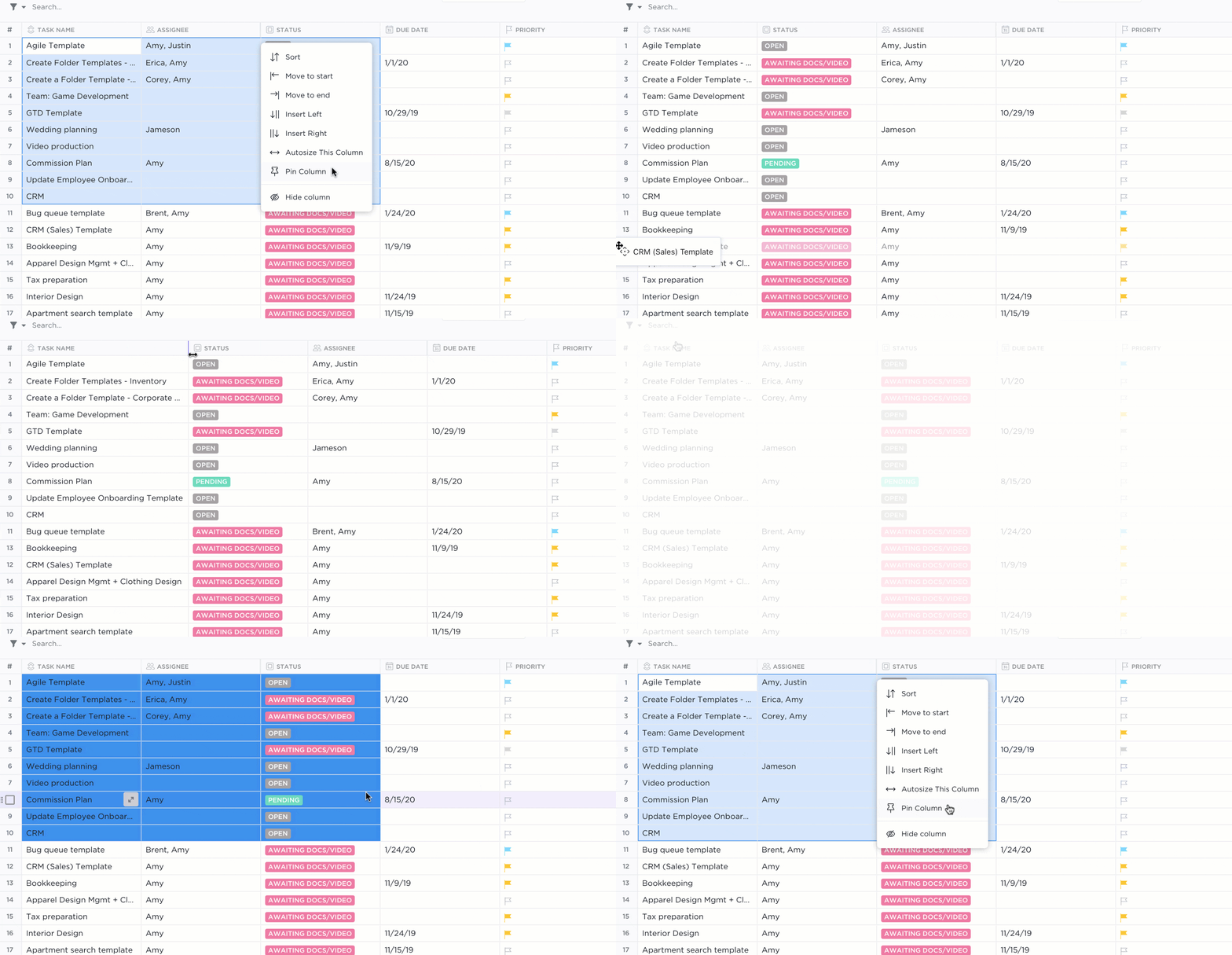
One of the platform’s standout features is ClickUp Table View.
This power-packed view allows you to create dynamic, customizable tables that can be used to track and organize any type of work. Think of it as your trusty Excel spreadsheet with a lot more arms and legs, like color-coded cells and comment boxes.
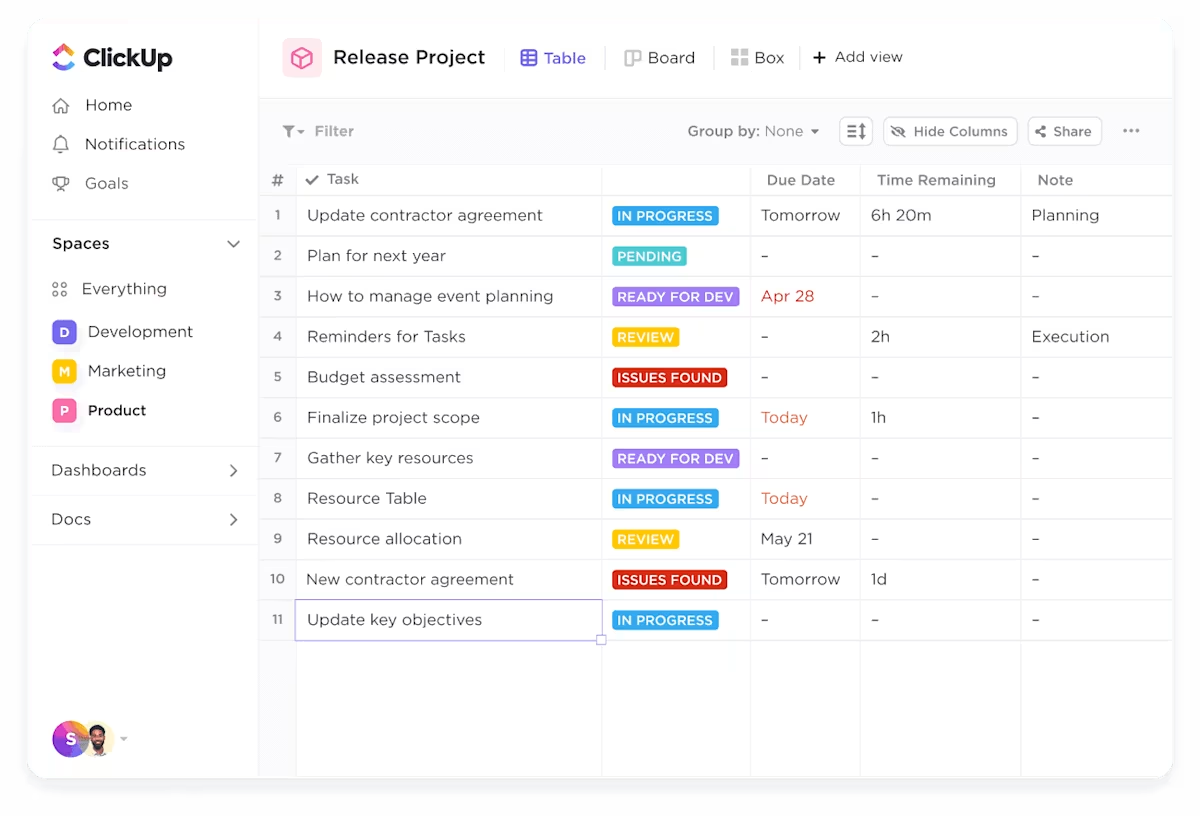
With ClickUp Table View, you can
Say hello to ClickUp Audit Logs—a handy way to keep track of all the crucial actions in your workspace.
These logs monitor logins, role changes, task activities, and permission updates, giving you a clear snapshot of who’s doing what and when.
Document version control helps you keep your workspace organized and accountable, from troubleshooting issues to ensuring compliance. If you’re used to peeking into the version history on Excel occasionally, you will truly appreciate the power of ClickUp Audit Logs.
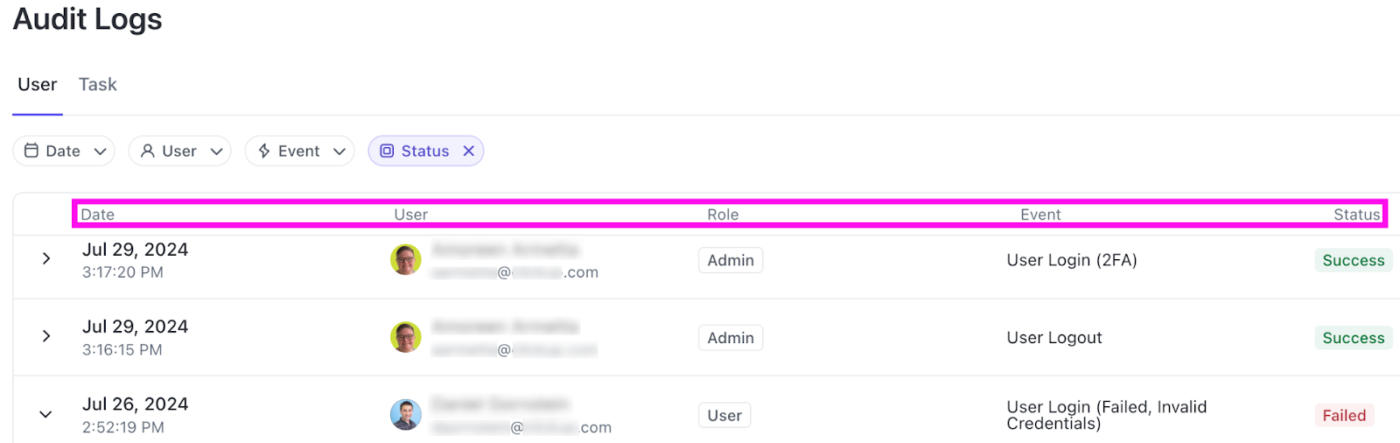
ClickUp Audit Logs help you to:
👀 Did You Know? Over 60% of a team’s time is spent searching for context, information, and action items, significantly hindering productivity.
With ClickUp Chat, this issue is a thing of the past. It keeps all your conversations in one place and links them directly to tasks, so your team never has to waste time hunting for details.
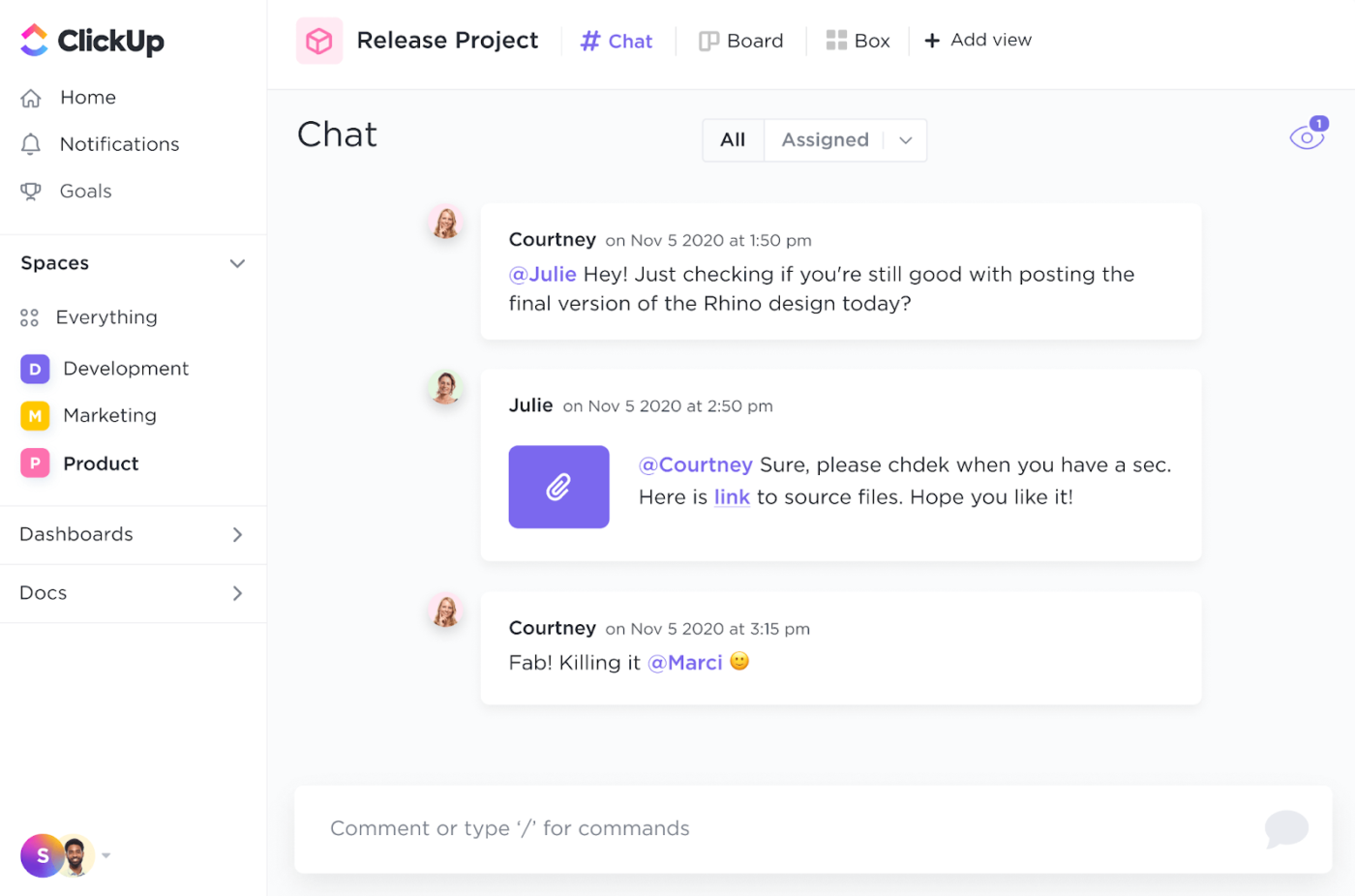
Key features of ClickUp Chat include:
Tired of relying on Google Sheets automation for repetitive tasks like tracking changes or sending updates, only to find it’s not enough?
With ClickUp Automations, you can eliminate the need for manual updates and let your workflows run on autopilot, freeing your team to focus on more important work.
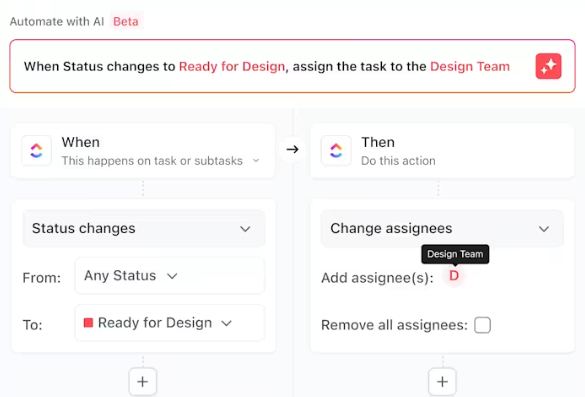
Automate actions like assigning tasks, updating statuses, or sending reminders so your team can focus on what truly requires attention—not just tracking but acting on changes.
Plus, with a no-code setup, you don’t need to be a tech expert to create workflows tailored to your needs. Whether you want tasks to automatically be assigned when added or reminders triggered at the right moment, automations handle it all.
Presenting your work shouldn’t be a challenge, especially while tracking all the changes made to your data since the last sync-up.
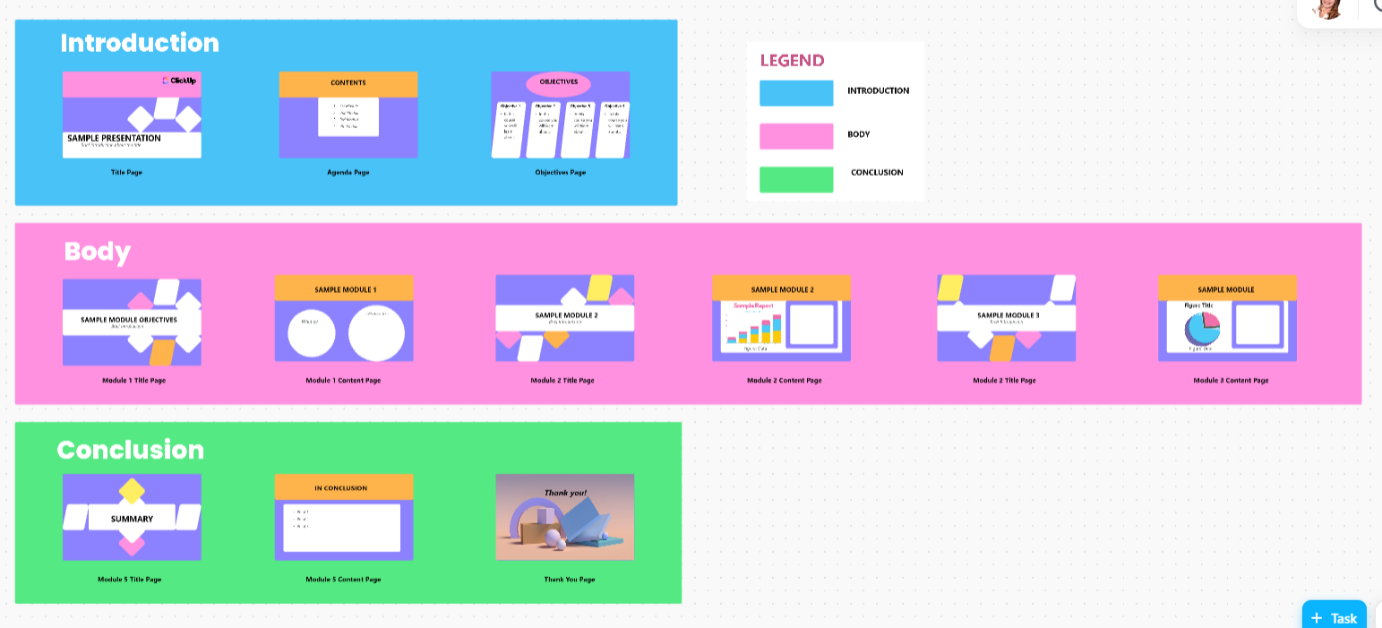
The ClickUp Presentation Template simplifies the entire journey.
Built on the interactive Whiteboard view, it lets you organize and customize your presentation effortlessly.
Start with a premade outline for title pages, objectives, and agendas, then add your key points with visuals and structured modules. Adjust and refine in real time, ensuring every update or change is reflected in your presentation. No more relying on dreary old spreadsheets for presentations.

ClickUp goes beyond tracking changes—it’s a powerhouse of tools designed to simplify your work and keep your team in sync.
Be it real-time collaboration or insightful reporting, here’s how ClickUp helps you stay ahead:
With ClickUp, every aspect of your work—planning, tracking, collaboration, and reporting—comes together in one powerful platform.
Here’s what our customer Bryan M. has to say about his experience with ClickUp:
ClickUp truly does replace multiple tools with one. We manage our content creation, marketing, product development, company documents, and more in one place thanks to ClickUp. Departments in our company are able to understand and stay up to date on what other teams are working on much easier since we can keep everything in one place.
Tracking changes in Google Sheets or Google Docs might get the job done, but it often leaves you craving more control, collaboration, and efficiency.
Why juggle multiple tools when ClickUp brings everything together in one unified platform?
ClickUp takes things up a notch, filling the gaps where Google Sheets shortcuts often fall short. From task management and real-time communication to automations and advanced reporting, ClickUp redefines how you work, saving time and keeping your team aligned.
Ready to leave limitations behind and work smarter?
Sign up for a ClickUp account today and see how much easier it is to have everything you need in one place.

Praburam Srinivasan
Max 25min read

Sudarshan Somanathan
Max 22min read

Sean Hardy
Max 26min read

© 2026 ClickUp