






Still downloading templates?
There’s an easier way. Try a free AI Agent in ClickUp that actually does the work for you—set up in minutes, save hours every week.
Sorry, there were no results found for “”
Sorry, there were no results found for “”
Sorry, there were no results found for “”
Cyber incidents unfold fast. Ransomware spreads in minutes, AI-generated phishing slips past filters, and a single misstep can escalate into a full-scale breach before teams even align on what’s happening. The pressure is real, and so is the cost.
IBM’s Cost of a Data Breach Report puts the global average at $4.44 million, with response delays and poor coordination driving that number even higher.
In the middle of that chaos, teams need clarity. An incident response playbook gives your team a shared script when things get messy. It outlines who acts first, what steps to follow, and how to keep communication tight while the situation evolves.
In this blog post, you will learn how to build an incident response playbook designed for today’s threats. We explore real-world scenarios, clear response actions, and ClickUp, the world’s first Converged AI Workspace as a system your team can use under pressure.
An incident response playbook is a structured, step-by-step guide that helps security teams handle specific types of cyber incidents in a consistent and efficient way. It outlines exactly what to do when an incident occurs, who is responsible for each action, and how to move from detection to containment and recovery without confusion or delays.
Think of it as a ready-to-use action plan for real-world scenarios like phishing attacks, ransomware infections, or data breaches.
🧠 Fun Fact: The first computer ‘virus’ was not malicious. In 1971, a program called Creeper moved between computers just to display the message, “I’m the creeper, catch me if you can.” It led to the creation of the first antivirus, called Reaper.
People constantly mix up the terminology for security documentation. This confusion creates real problems when teams build their standard operating procedures. You end up with high-level plans that lack actionable steps or overly technical playbooks that confuse leadership.
Here’s how these three documents differ.
| Document | Scope | Detail level | When it is used | Who uses it | Format |
| Plan | Organization-wide strategy | High-level policies | Before incidents | Leadership and legal | Policy document |
| Playbook | Scenario-specific response | Tactical step-by-step actions | During a specific incident type | Incident response team | Decision-tree workflow |
| Runbook | Single technical procedure | Granular automated steps | During a specific task | Technical responders | Checklist or script |
You need all three working together. A plan without playbooks is too vague to act on. A playbook without runbooks leaves technical execution to improvisation.
📮 ClickUp Insight: 53% of organizations have no AI governance or only informal guidelines.
And when people don’t know where their data goes—or whether a tool might create a compliance risk—they hesitate.
If an AI tool sits outside trusted systems or has unclear data practices, the fear of “What if this isn’t secure?” is enough to stop adoption in its tracks.
That’s not the case with ClickUp’s fully governed, secure environment. ClickUp AI is compliant with GDPR, HIPAA, and SOC 2, and holds ISO 42001 certification, ensuring your data is private, protected, and responsibly managed.
Third-party AI providers are forbidden from training on or retaining any ClickUp customer data, and multi-model support operates under unified permissions, privacy controls, and strict security standards. Here, AI governance becomes part of the workspace itself, so teams can use AI confidently, without added risk.
Every effective incident response playbook shares the same structural bones. Before you start building, you need to know what goes inside.
Triggers are the specific conditions that activate the playbook. This could be a SIEM alert for anomalous login patterns or a user reporting a suspicious email. Pair your triggers with anincident classification system so your team knows how fast to move.
The classification determines which actions fire and how fast. Without it, teams either over-react to low-priority alerts or under-react to real threats.
📖 Also Read: Ways to Improve Cybersecurity in Project Management
A playbook’s useless if nobody knows who owns what. Define the key roles that should appear in every playbook.
Assign roles by function rather than just by individual name. People may go on vacation or leave the company, so every role needs a primary and a backup.
This is the operational core of the playbook. Detection and analysis validate whether the trigger’s a real incident and gather initial indicators of compromise.
Containment involves immediate actions to stop the incident from spreading. This includes isolating affected systems, blocking malicious IPs, and disabling compromised accounts. You must distinguish between short-term containment to stop the bleeding and long-term containment for stability.
Eradication and recovery remove the threat entirely through malware removal and patching vulnerabilities. This phase restores systems to normal operations and includes validation testing to ensure the threat’s actually gone.
🔍 Did You Know? One of the biggest security threats ever started with a password problem. In 2012, LinkedIn suffered a massive breach partly because passwords were stored using outdated hashing methods, making millions of accounts easy to crack.
Incidents need coordinated communication alongside the technical response. Internal escalation defines when the incident commander loops in the executive team and legal counsel.
External communication dictates who talks to customers, regulators, or the press. Many compliance frameworks have mandatory notification timelines that your playbook should reference.
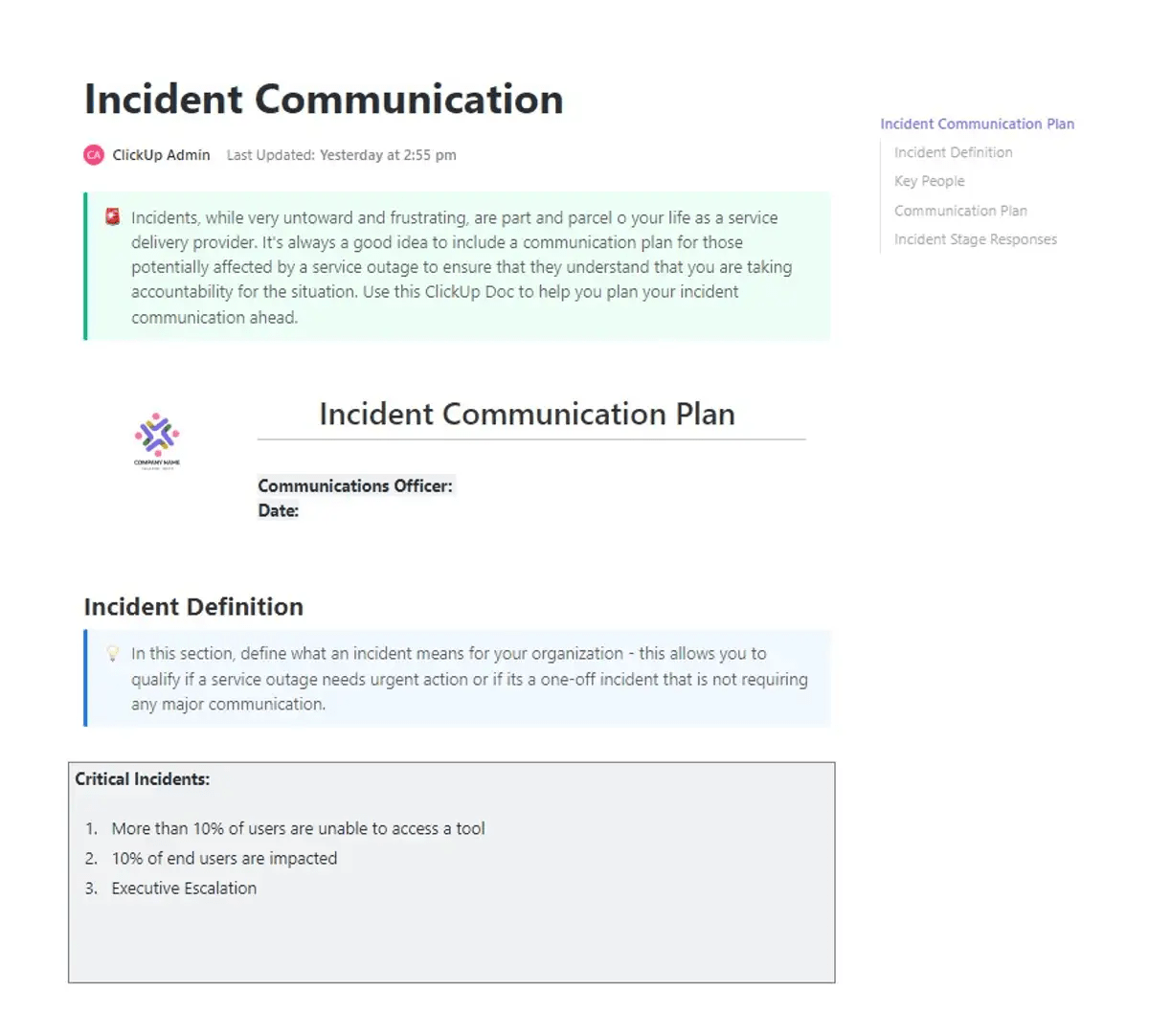
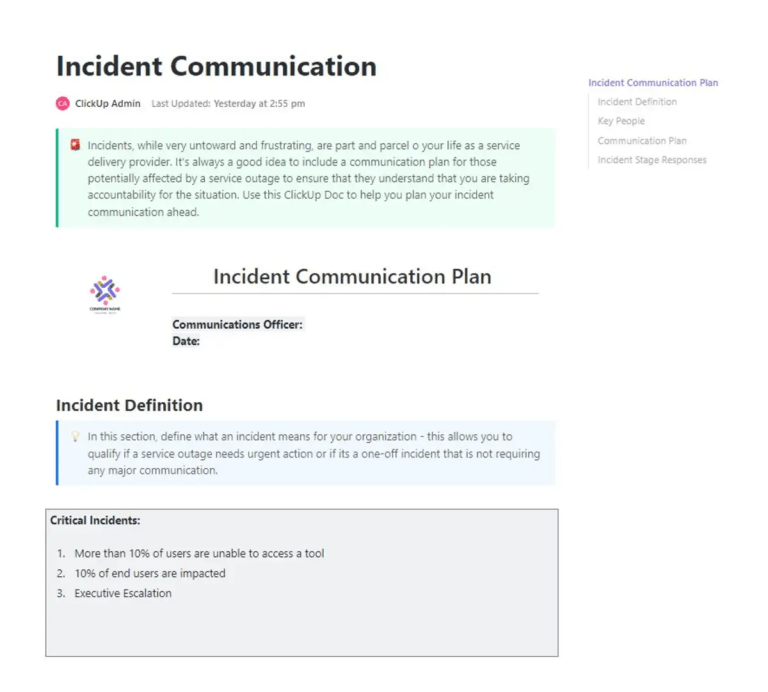
⚡ Template Archive: When incidents hit, the biggest risk often is the confusion that follows. Delayed updates, unclear ownership, and scattered communication can slow response times and amplify impact. That’s exactly where the ClickUp Incident Communication Plan Template delivers real value.
This template gives teams a ready-to-use framework to communicate clearly under pressure. You can define roles, map out communication channels, and ensure the right stakeholders are informed at the right time. It centralizes everything from contact points to escalation paths, so teams stay aligned when it matters most.
A security incident without a plan is a crisis. A security incident with a playbook is a process. Here’s how to build one that holds up under pressure. 👀
Before writing a single procedure, establish what the playbook covers and what it does not.
Scope creep kills usability. A playbook that tries to address every possible scenario ends up serving none of them well, and responders waste time searching for guidance that either does not exist or does not apply to their situation.
Start by answering four questions:
Defining scope sounds straightforward until you sit down to do it. Teams often stall at this stage because inputs sit across past incidents, scattered notes, and stakeholder expectations.
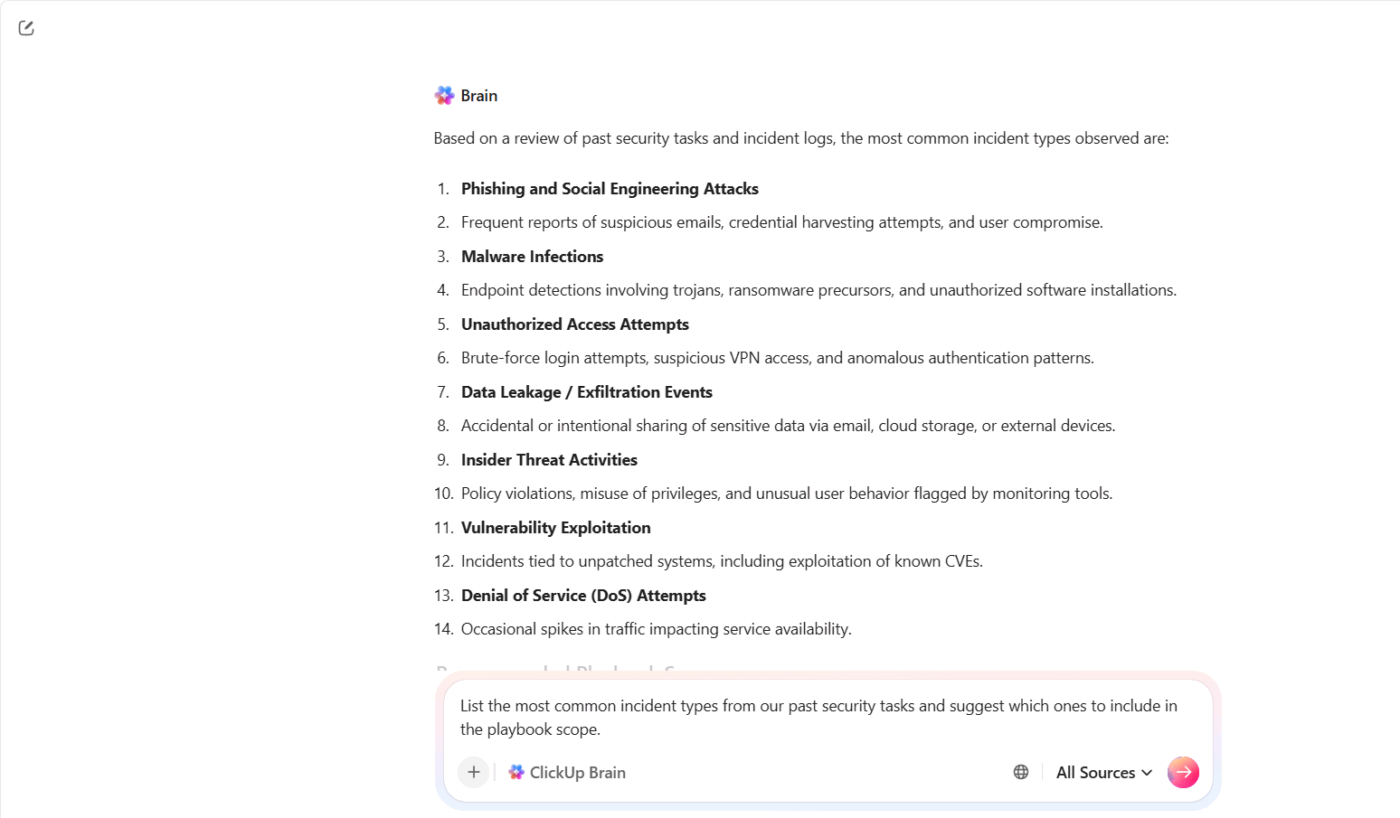
ClickUp Brain helps you pull that context together and turn it into a usable starting point. You don’t begin from a blank page. You build from what your team already knows.
For example, suppose your security team handled multiple phishing and account takeover incidents over the last quarter. Instead of manually reviewing each case, you can prompt ClickUp Brain: ‘List the most common incident types from our past security tasks and suggest which ones to include in the playbook scope.’
Not all incidents are equal. A misconfigured S3 bucket and an active ransomware attack require entirely different responses, different team members, and different escalation paths.
Building a classification system early means responders can make fast, consistent decisions from the first alert without waiting for leadership approval on every call.
A standard four-tier severity model works like this:
Map each incident type to a severity tier so responders can make fast decisions without escalating every call.
Once you define what falls within scope, the next challenge focuses on consistency. Different responders often interpret the same alert in different ways, which slows decisions and creates unnecessary escalations.
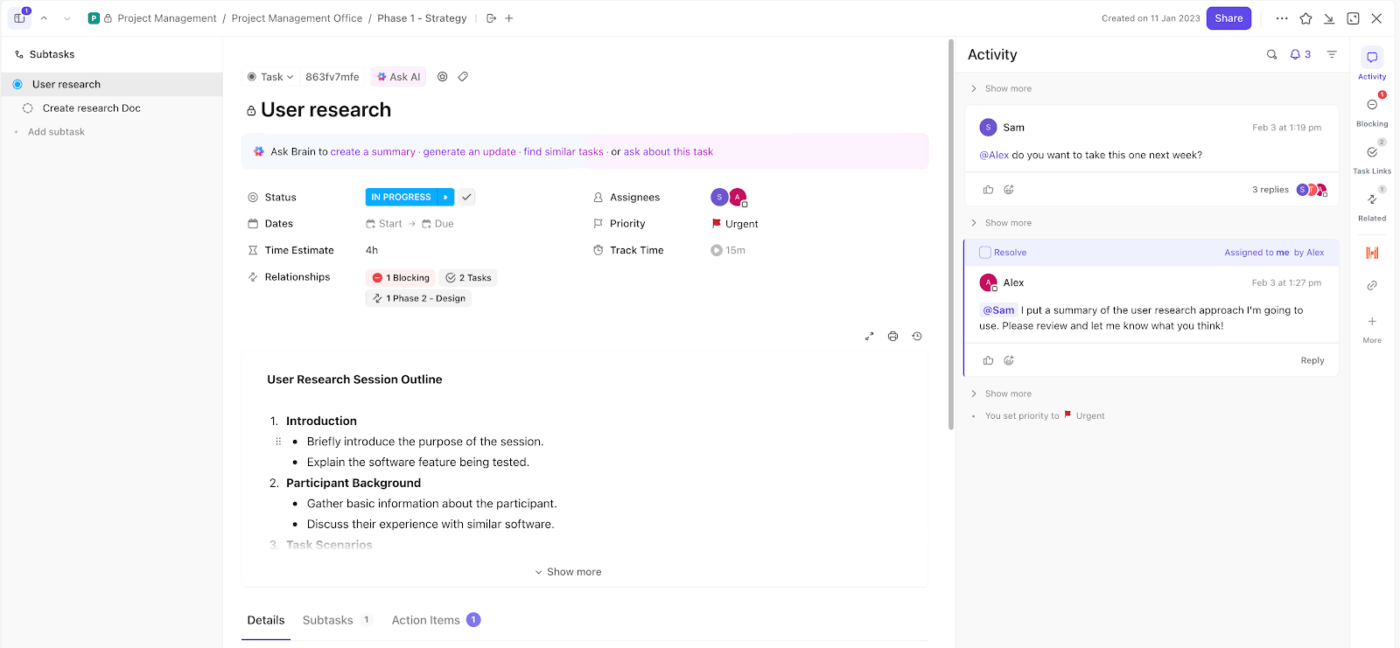
Start with ClickUp Tasks as your single unit of execution. Every incident becomes a task, which means nothing slips through untracked channels like email or chat.
For example, suppose your monitoring tool flags a potential credential theft. You create a task titled ‘Possible credential compromise – finance account.’ That task now becomes the central place for investigation, updates, and resolution.
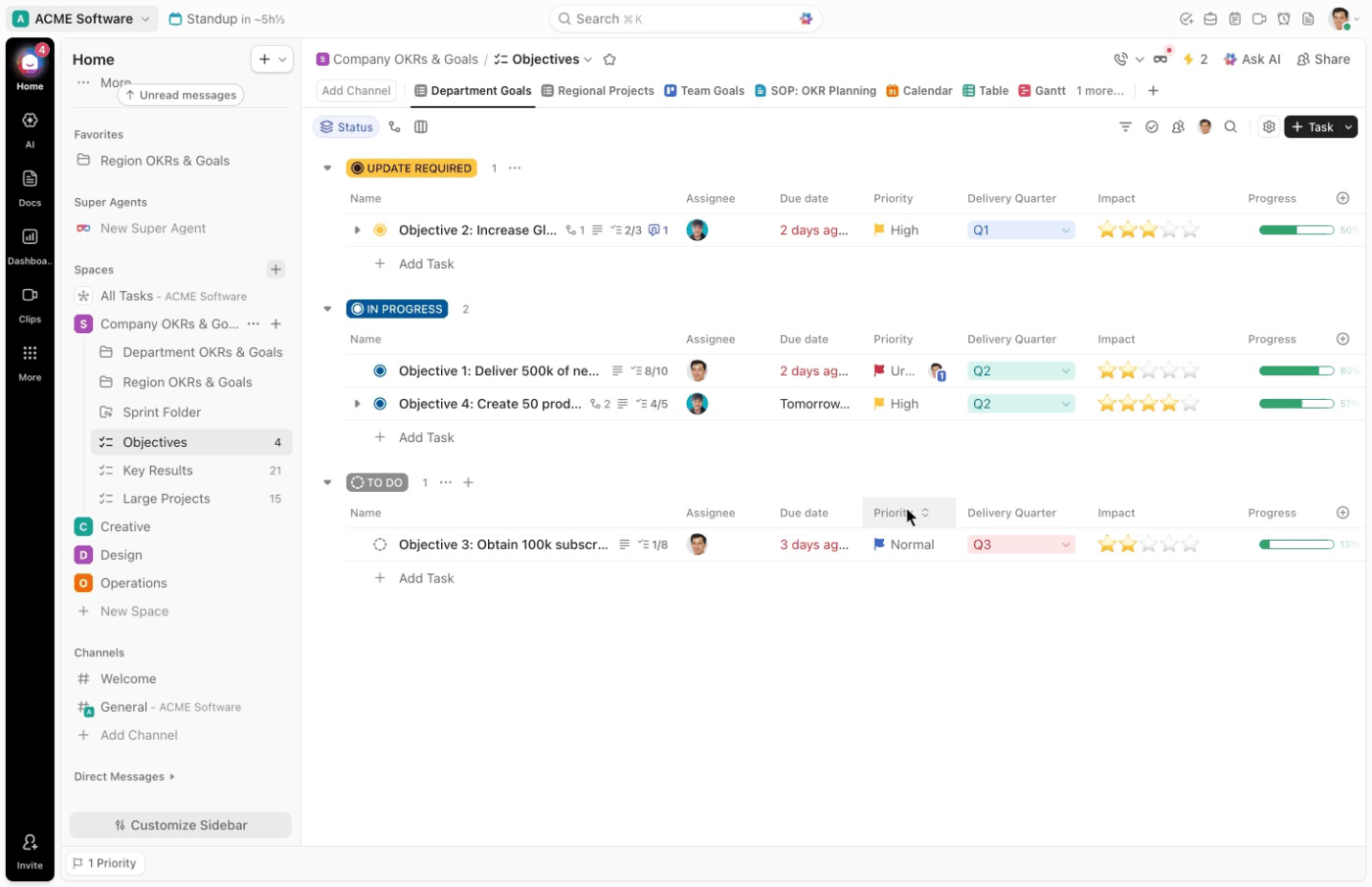
From there, Custom Fields in ClickUp give you the structure needed for fast classification. You can set up fields like:
This is the operational core of the playbook.
For each incident type, write a dedicated procedure specific enough that a responder can follow it under pressure without improvising. Generic guidance gets skipped when systems are down.
Each procedure should include:
A ransomware procedure looks nothing like a phishing procedure. Write them separately with the specificity each scenario demands.
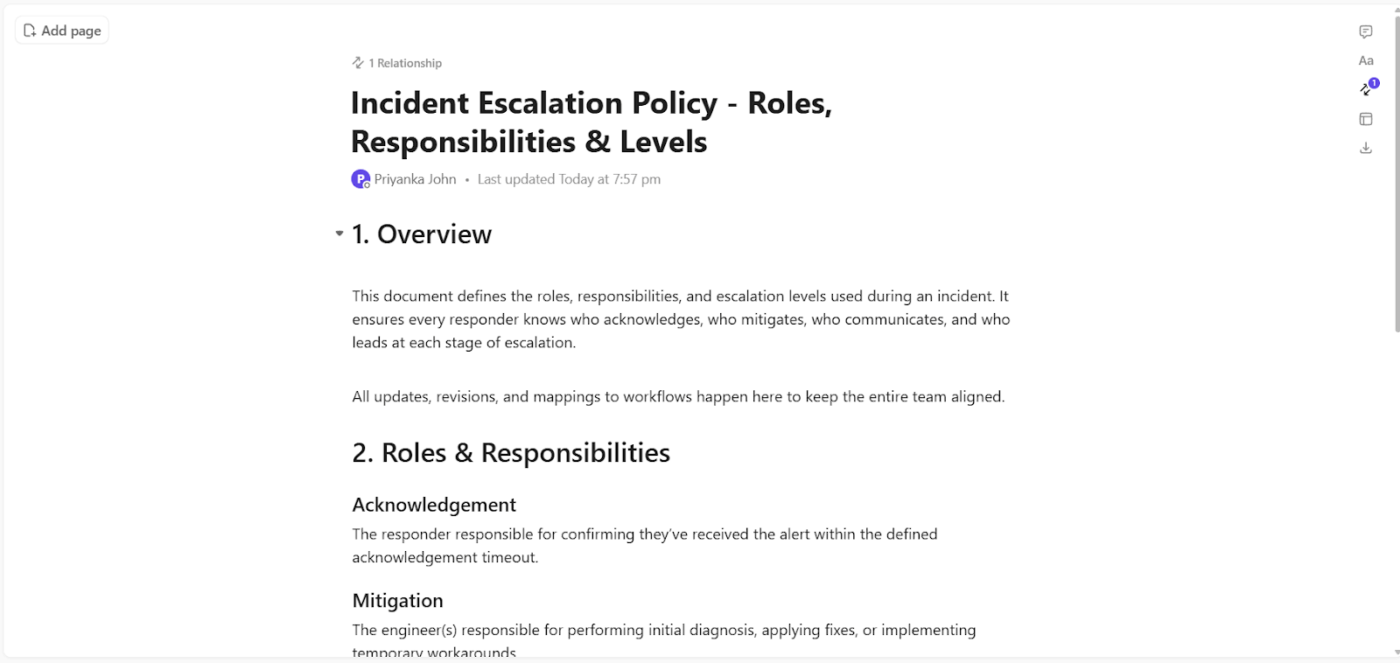
With ClickUp Docs, you can structure each incident procedure to answer the exact questions a responder faces in the moment. For example, let’s say you’re documenting a ransomware scenario.
The Doc can guide the responder like this:
ClickUp Docs strengthens this further through direct integration into execution:
Two areas that get deprioritized during playbook development and cause serious problems during an actual incident: how the team communicates and how evidence is handled.
On communication, define these parameters in advance:
On evidence, the playbook should specify:
When an incident unfolds, communication often fragments across tools. Updates land in Slack, decisions happen on calls, and key details get buried in threads no one revisits. That lack of structure creates confusion, delays escalation, and makes post-incident reviews harder than they should be.
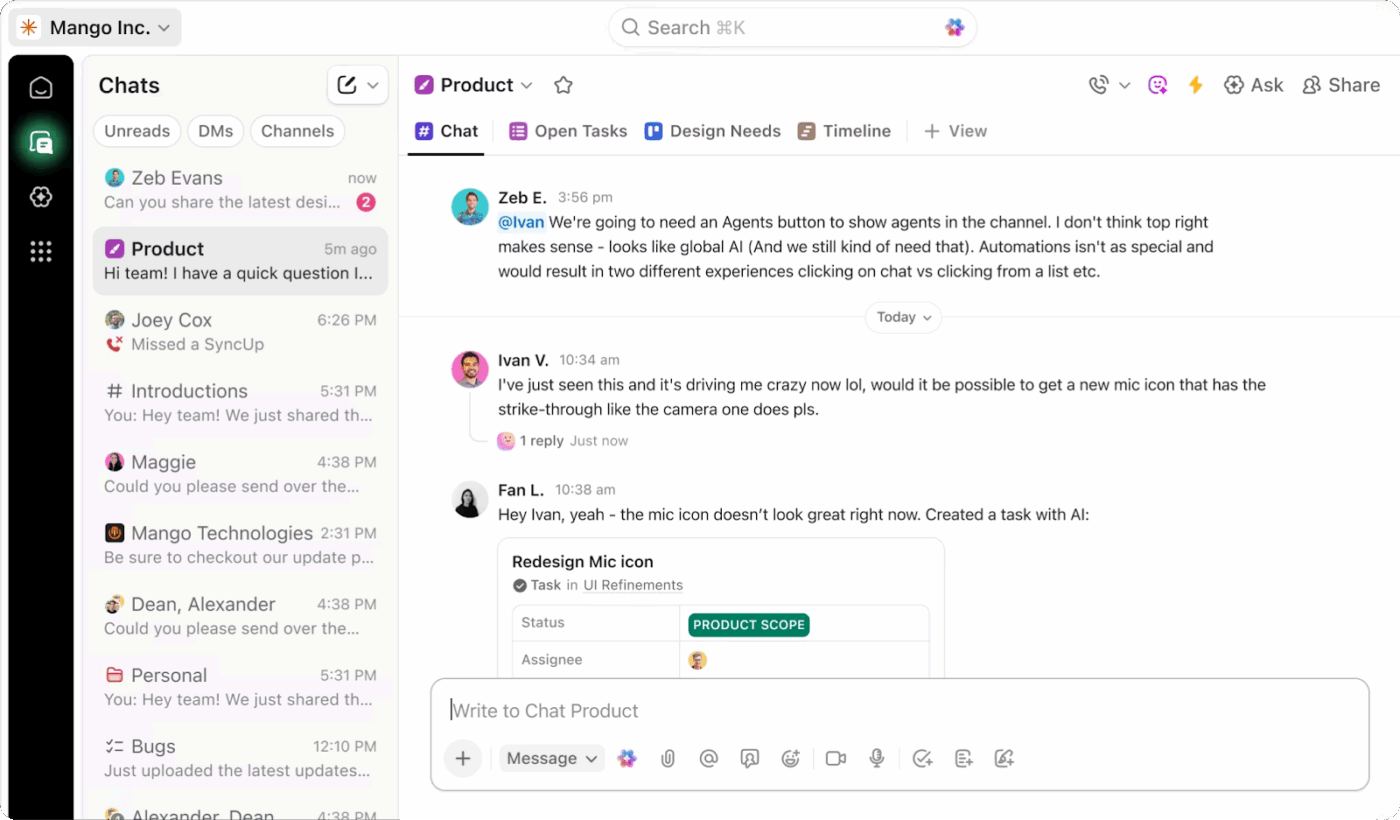
ClickUp Chat gives you a dedicated, context-linked channel where incident communication stays focused, visible, and easy to follow.
You can set it up as your primary communication layer for incident response, tied directly to the work being tracked. That connection changes how teams coordinate during high-pressure situations.
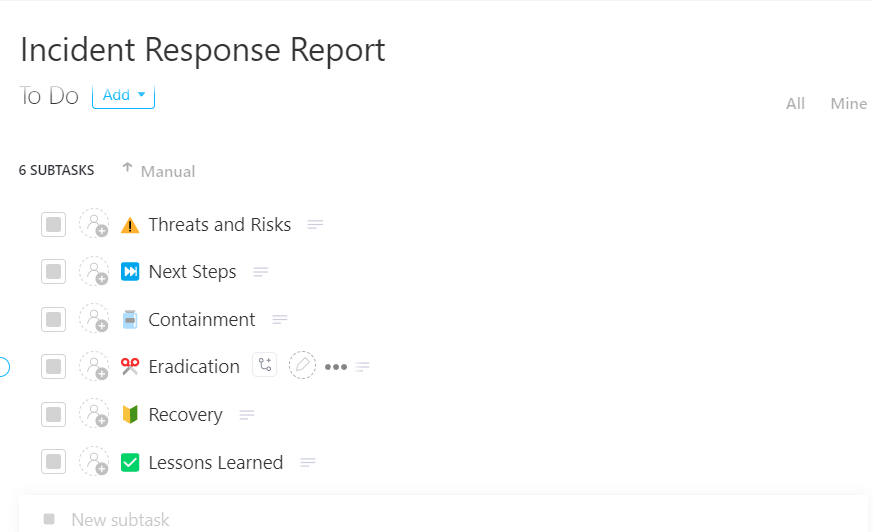
🚀 ClickUp Advantage: Turn every incident into a learning advantage with ClickUp’s Incident Response Report Template.
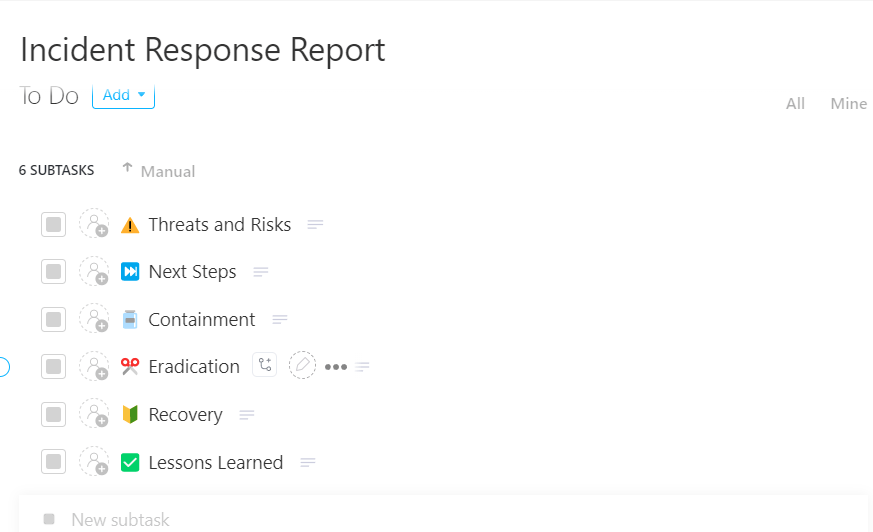
Capture every incident with clarity and zero gaps using the ClickUp Incident Response Report Template
Built as a ready-to-use task-based system, it lets you record, track, and manage incidents from start to finish in one place, so nothing gets lost across tools or teams.
A playbook that has never been tested is a set of assumptions. Before treating it as operational, validate it through structured exercises and connect it to the tools your team uses every day.
For testing, run exercises in order of intensity:
For tool integration, map the playbook directly to your SIEM alert IDs, EDR containment actions, ticketing workflows, and external IR vendor handoff procedures. Responders should move from alert to procedure to action without switching contexts.
Running tabletop exercises and simulations often reveals the same gap. Teams know the steps in theory, but execution slows down because no system actively guides the response in real time.
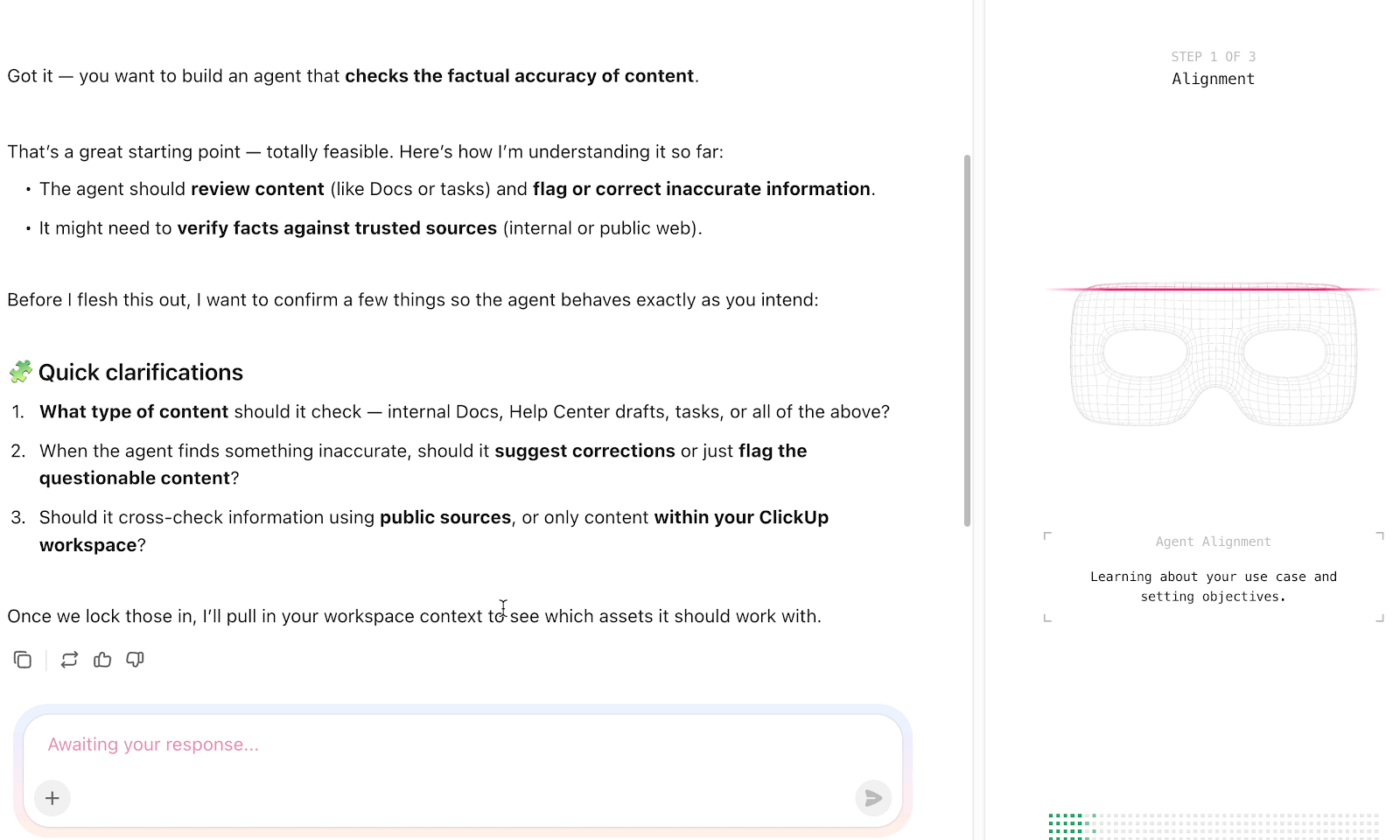
ClickUp AI Agents close that gap. They observe activity across tasks, fields, and workflows, then take action based on the logic you define. That makes them highly relevant when you test and operationalize your playbook.
Start with how this plays out during a tabletop exercise.
Suppose your facilitator introduces a phishing attack that escalates into credential compromise. As your team discusses next steps, an AI Agent can:
This keeps discussions grounded in actual execution steps.
💡 Pro Tip: For ongoing maintenance, build reviews around three triggers:
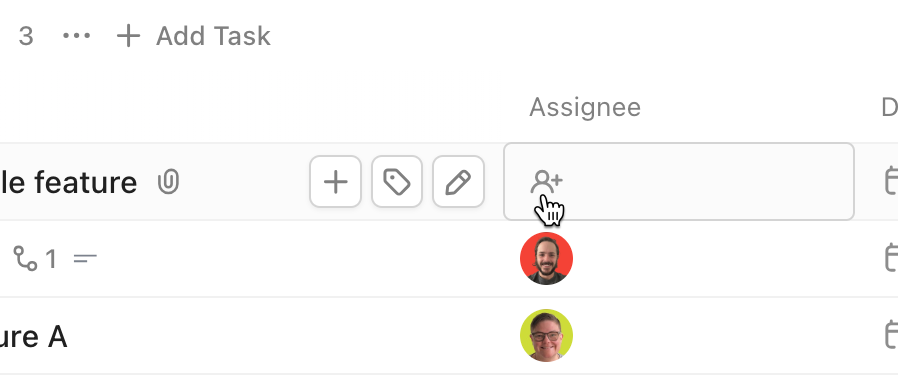
Assign a named owner to each cycle with ClickUp Multiple Assignees. Without accountability, reviews get skipped and the playbook quietly becomes a liability.
Here’s what the playbook-building process looks like when applied to the most common threat types.
🔍 Did You Know? One of the earliest hackers was a whistleblower. In the 1980s, a group known as the Chaos Computer Club exposed security flaws in banking systems to demonstrate vulnerabilities rather than exploit them for profit.
Here are the best practices that separate teams who resolve incidents cleanly from teams who are still in a war room six hours later, arguing about who owns the rollback. Get these right and everything else gets easier. 🔥
Most playbooks are full of steps like ‘assess the severity of the situation’ or ‘determine appropriate stakeholders.’ These are not steps. They are reminders to do thinking.
A useful playbook tells you what action to take, not that an action is needed. Replace ‘evaluate customer impact’ with ‘check the active sessions dashboard and paste the number into the incident channel.’ Specificity is the whole job.
When the most senior engineer on the call is simultaneously debugging the root cause and answering questions from leadership and deciding who to page, all three things go badly.
Your playbook should enforce a hard split: one person owns the investigation, one person owns the incident. The Incident Commander makes no technical decisions. They delegate, unblock, and communicate. This feels like overhead until the first time it saves you two hours.
🔍 Did You Know? A massive 91% of large organizations have already changed their cybersecurity strategies due to geopolitical volatility, turning global tensions into a direct driver of cyber defense decisions.
The best postmortems happen within 48 hours because the frustration is still fresh. The engineer who thought the alerting threshold was too high will say so on day two.
By day 10, they have moved on and the meeting becomes a polite reconstruction of a timeline rather than an honest conversation about what was broken.
The only reliable way to find out if your playbook works is to use it when nothing is actually on fire. Run a gameday. Pick a realistic failure scenario, give someone the playbook cold, and watch where they hesitate.
Every hesitation is a gap. Every question they ask is a missing step. A playbook that has never been stress-tested has never been finished.
An operations manager shares their thoughts on using ClickUp:
ClickUp has been a great tool for keeping our team organized and aligned. It makes it easy to manage projects, assign tasks, and track progress all in one place. I especially appreciate the flexibility—you can customize workflows, create templates, and adapt the platform to fit different team processes.
It’s been very helpful for building repeatable systems for things like SOPs, performance reviews, and project tracking. Having tasks, docs, and communication connected helps reduce back-and-forth and keeps everyone on the same page.
Keeping playbooks operational and accessible when it matters is a massive challenge. Most teams end up with documentation scattered across wikis, Google Docs, and Slack bookmarks. When an incident hits, nobody’s sure which version’s current or where the escalation matrix lives.
Eliminate this tool sprawl and context switching with ClickUp. As a converged workspace, your playbook documentation, response workflows, and team communication all live in the exact same place.
Whether you’re building your first playbook or consolidating scattered documentation, ClickUp gives your team a single place to plan, respond, and improve. Sign up for free today!
A playbook covers the full response lifecycle for a specific incident type. On the other hand, a runbook is a narrower technical procedure for completing a single task within that response.
Review and update playbooks at least quarterly. You should also update them after every real incident and after every tabletop exercise.
Yes, templates from frameworks like NIST or CISA give you a proven structure. ClickUp templates are also very helpful. This allows you to customize the foundation for your environment instead of starting from a blank page.
Small teams arguably need playbooks more because there’s less room for error. A simple playbook for your top threat scenarios is far better than improvising a response.

© 2026 ClickUp

There’s an easier way. Try a free AI Agent in ClickUp that actually does the work for you—set up in minutes, save hours every week.