






Still downloading templates?
There’s an easier way. Try a free AI Agent in ClickUp that actually does the work for you—set up in minutes, save hours every week.
Sorry, there were no results found for “”
Sorry, there were no results found for “”
Sorry, there were no results found for “”
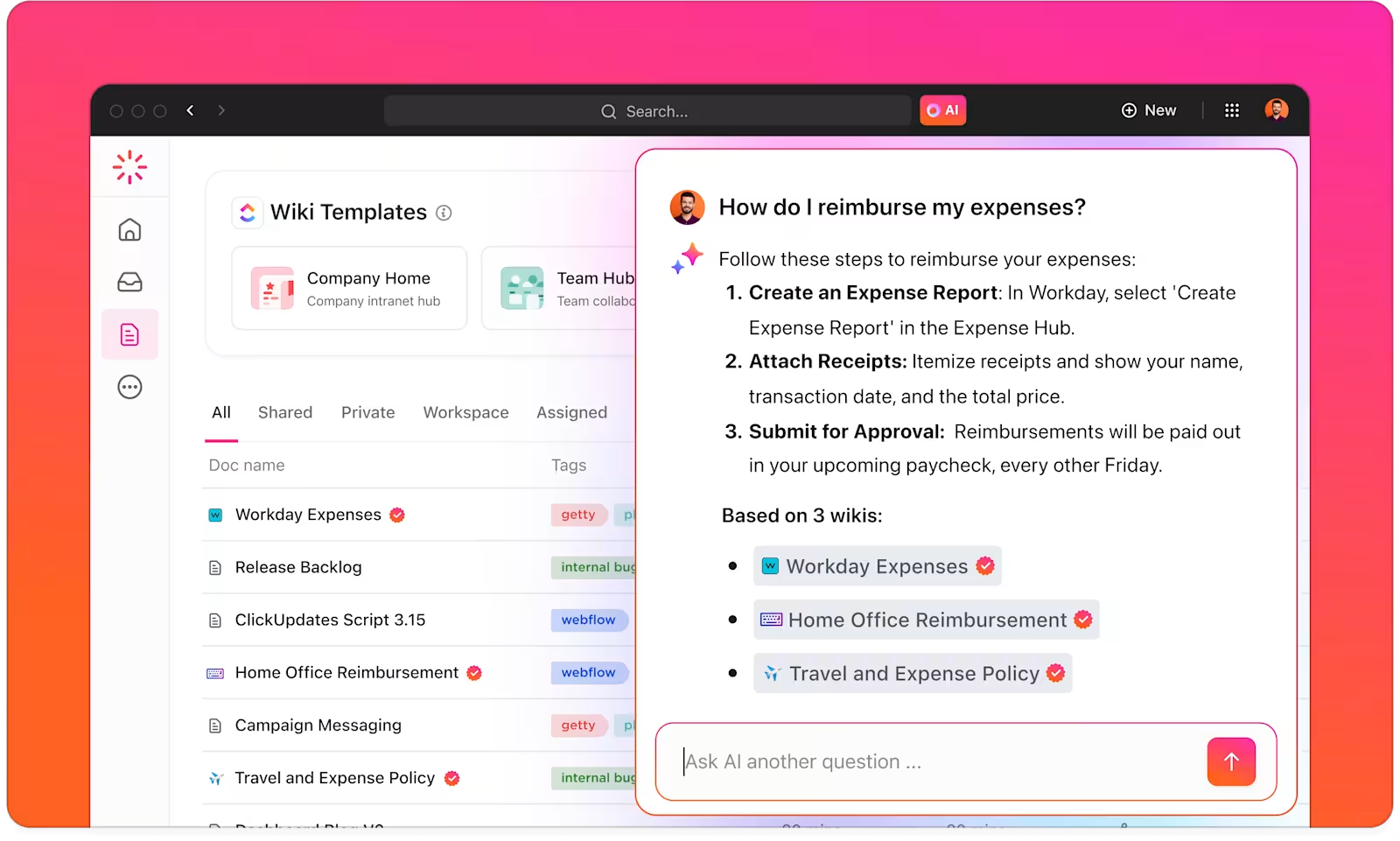
Every organization has a knowledge problem. Reports live in one place, project updates in another, and half the team’s expertise exists only in someone’s inbox. When an employee needs a quick answer, they either spend 20 minutes hunting for it or just ask a colleague and interrupt their day.
This is the quiet productivity drain most companies don’t talk about.
Amazon Q is meant to fix that. It plugs into your internal systems and acts as a single place to search across all of them. Ask a question, get an answer, with sources.
In this blog, we’ll walk you through how Amazon Q helps in internal knowledge search and why ClickUp, a Converged AI Workspace, might be the tool your team has been missing.

Amazon Q Business is agenerative AI assistant built by AWS that connects to the tools and systems your company already uses, like SharePoint, Confluence, Salesforce, Slack, and dozens more.
Once connected, it lets your employees ask plain language questions and get answers pulled directly from your internal content. It sits on top of your existing tech stack, so there is no need to rip and replace anything.
You point it at your sources, set your permissions, and it starts making sense of everything your organization has ever written down.
📮 ClickUp Insight: While 46% of our survey respondents say they have a solid ritual that helps them get into “work mode,” 11% say they start most days in survival mode, reacting to messages and deadlines as they appear.
That usually happens when there’s no clear entry point into the day. You open your laptop, notifications start flowing, and before you’ve oriented yourself, the day is already making decisions for you.
In a converged AI workspace like ClickUp, unfinished tasks, recent comments, priorities, and ongoing threads are already connected in one place, so you can open the workspace and immediately see what’s active, what moved, and what needs attention.
Instead of scanning emails, chats, and notes to reconstruct context, the system gives you a clear place to begin, with a more intentional start to the day.
Amazon Q is built around a few core capabilities that make it genuinely useful for day-to-day work:
📖 Also Read: How to Build DevOps Workflows Using Amazon Q

When you ask a question, what actually happens behind the scenes? It’s a well-defined workflow that ensures you get relevant, accurate answers based on your company’s data.
The process works like this:
This entire process is known as Retrieval-Augmented Generation (RAG). It’s a powerful approach because it grounds the AI’s responses in your actual company data. This dramatically reduces the risk of AI hallucinations (made-up answers) and ensures the information is always as current as your latest documents.
💡 Pro Tip: Use descriptive, keyword-rich titles for every document so they appear in relevant results. Add a ‘tl;dr’ or executive summary at the top of long-form guides to help readers find answers quickly.
Getting started with Amazon Q involves a bit of setup, but it’s a straightforward process. First, you’ll need a few things:

Once you have those:
If you run into trouble, check the connector permissions and sync logs first. Permission issues often come from incorrect identity provider mapping. Also, be patient. Large initial syncs can take several hours.
📖 Also Read: How Amazon Q Helps with Code Generation
Amazon Q is a solid tool, but it is not perfect. Like any AI system, it comes with a few rough edges that are worth knowing about before you roll it out across your team. Consider these real-world limitations:
📖 Also Read: Amazon Q vs. ClickUp: Which Enterprise AI Is Better?
Internal knowledge often breaks down across tools. Teams store processes in docs, updates in chat threads, and decisions inside tasks that no one revisits. Over time, information becomes harder to find, harder to trust, and harder to use.
ClickUp offers a workspace where documentation, conversations, and execution stay connected. Instead of managing scattered knowledge bases, teams build a system where information evolves alongside real work. This reduces SaaS Sprawl and eliminates constant context switching during daily operations.
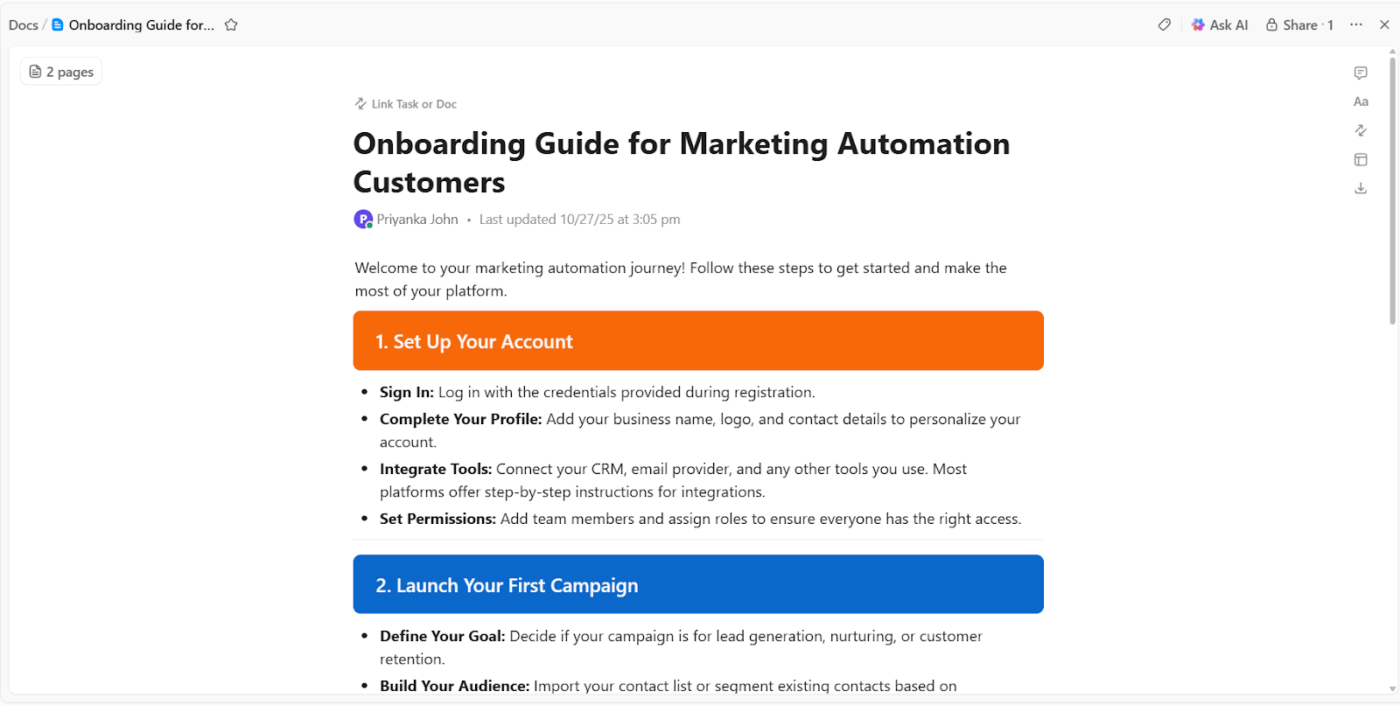
ClickUp Docs acts as the foundation for internal knowledge. Teams create, organize, and maintain documentation directly inside the workspace where work happens.
Suppose a customer support team builds an internal knowledge base for handling refund requests. They create a Doc titled ‘Refund handling guidelines’ and structure it into clear sections such as eligibility rules, edge cases, and escalation steps. Each section links to real support tasks where those rules apply.
Docs support structured content through:
For instance, a support manager updates refund rules after a policy change. The Doc updates immediately, and agents refer to the latest version while resolving tickets.
Here’s all you need to know about creating an internal knowledge base in ClickUp:
As documentation grows, teams need fast answers without searching through multiple pages. ClickUp Brain retrieves and applies knowledge across Docs, tasks, and conversations.
Suppose a new support agent handles a complex refund request involving partial returns. Instead of scanning the entire knowledge base, they ask ClickUp Brain:
📌 Try this prompt: What is the refund policy for partial returns, and what steps should I follow?
ClickUp Brain analyzes the relevant workspace elements and returns a concise answer that includes the correct process and links to the source documentation.
ClickUp Brain supports knowledge workflows such as:
As organizations grow, knowledge spreads across multiple systems. ClickUp Brain MAX brings that information together through enterprise search and voice input.

ClickUp Brain MAX includes two key capabilities:
For instance, a project manager finishes a client call and records key updates using Talk to Text. ClickUp Brain MAX converts spoken input into structured notes that can be pasted into a Doc.
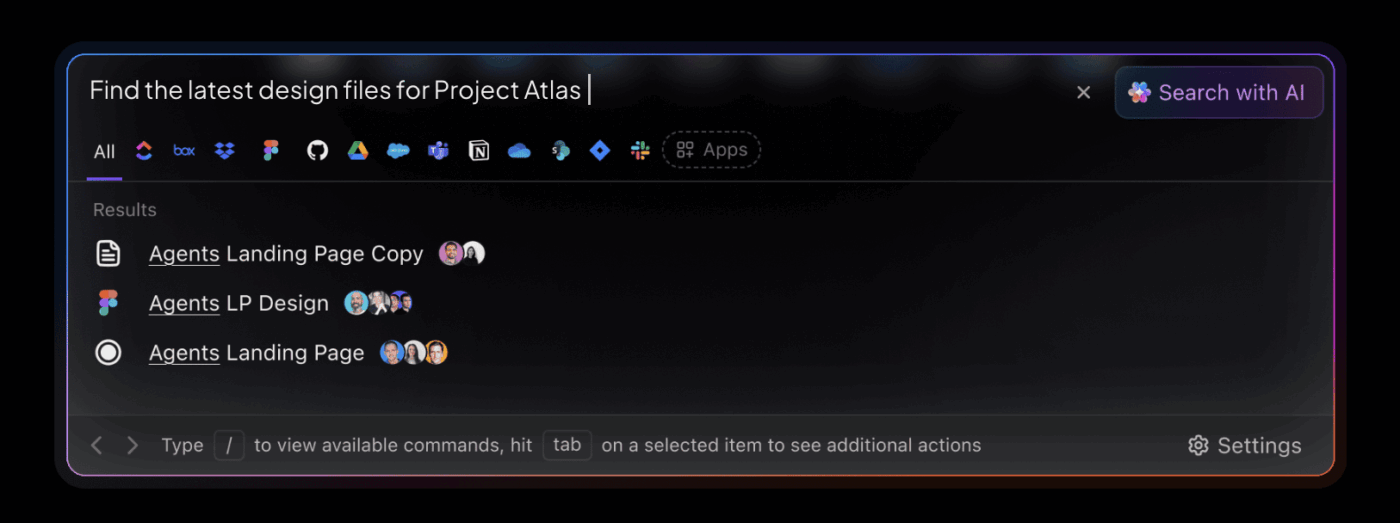
At the same time, Enterprise Search allows teams to find information across multiple tools. Suppose an operations lead needs to locate a process update in Figma, which was documented in a ClickUp Doc.
A single search inside ClickUp Brain MAX retrieves both sources.
💡 Pro Tip: Add a ‘Search Terms’ section at the end of technical documents to include internal jargon, acronyms, or common misspellings. This technique ensures that a search for ‘PTO’ also surfaces the ‘Vacation and Leave Policy’ document.
Knowledge rarely exists in one platform. Teams rely on tools such as Google Drive, Dropbox, and Figma to manage different parts of their workflow. ClickUp Integrations connect those tools to the knowledge system.
For example, you can:
Suppose a product team updates feature documentation after reviewing design changes in Figma. The design file attaches directly to the Doc, and the updated information reflects in the same workspace where tasks exist.
This approach ensures that knowledge stays connected to execution across tools instead of getting lost in isolated systems.
A user shares:
I like the AI tools in ClickUp, especially superagent [sic], as they help me create a knowledge base for our business operations and answer questions quickly when I need a fast response. I also appreciate the automations ClickUp offers, which were a reason I liked the switch from Monday.com. Although there was a learning curve, the AI made the initial setup easier.
Getting your team to use a tool effectively is where the real work begins. Whether you choose Amazon Q or another solution, follow these best practices.
Tools like Amazon Q improve how teams search. Employees ask questions in plain language and get answers pulled from across systems, with context and sources. That cuts down the time spent digging and helps people find what they need without interrupting others.
Still, finding answers is only one part of the workflow. Work continues after that. Teams need to apply what they find, update documentation, collaborate, and move tasks forward. When knowledge stays separate from execution, things slow down again.
That’s where ClickUp changes how teams operate. Knowledge, tasks, docs, and conversations stay connected in one place. ClickUp Brain retrieves answers, Docs hold structured processes, and workflows move forward without switching tools.
Search helps you understand. ClickUp helps you act.
Sign up for ClickUp today!
Amazon Q Business is used to help employees search across internal company knowledge using natural language. It connects to tools like SharePoint, Confluence, Slack, and Salesforce, then returns context-aware answers with source citations so teams can find information faster.
Amazon Q improves internal knowledge search by connecting to multiple enterprise data sources, retrieving the most relevant information, and generating answers in plain language. Instead of manually searching across different tools, employees can ask one question and get a consolidated answer grounded in company content.
Yes. Amazon Q is designed to respect existing user permissions from connected systems, so employees only see content they are already authorized to access. Restricted files stay restricted, even when users search through Amazon Q.
Amazon Q can still face challenges such as uneven answer quality when source content is outdated or poorly structured, limited customization compared to custom RAG systems, connector gaps for niche tools, and higher costs at scale. It also works best for organizations already invested in the AWS ecosystem.
Amazon Q helps teams find answers across connected enterprise systems. ClickUp goes further by connecting knowledge to execution. With ClickUp Brain, Docs, tasks, and conversations in one workspace, teams can not only retrieve information but also update documentation, assign work, and move projects forward without switching tools.

© 2026 ClickUp

There’s an easier way. Try a free AI Agent in ClickUp that actually does the work for you—set up in minutes, save hours every week.