Sorry, there were no results found for “”
Sorry, there were no results found for “”
Sorry, there were no results found for “”
In today’s fast-paced world, conveying key information quickly is essential. Whether you’re presenting company details, product specifications, or marketing insights, a well-structured fact sheet can make all the difference.
But designing one from scratch? That takes time. ⏳
Fortunately, Google Docs makes creating sleek, professional fact sheets with ready-made templates easy. These free templates save you time, ensure consistency, and help you present information in a clear, visually engaging format.
This guide explores the best free fact sheet templates in Google Docs. Depending on your requirements, we’ll also look at other tools that offer more advanced templates.
A well-designed fact sheet should be clear, concise, and visually appealing. For any purpose—be it education, personal use, or project requirements, the template should include the following key elements:
➡️ Template Archive: Process Documentation Templates in Word & ClickUp to Optimize Your Operations
Here are the best fact sheet templates in Google Docs to use:
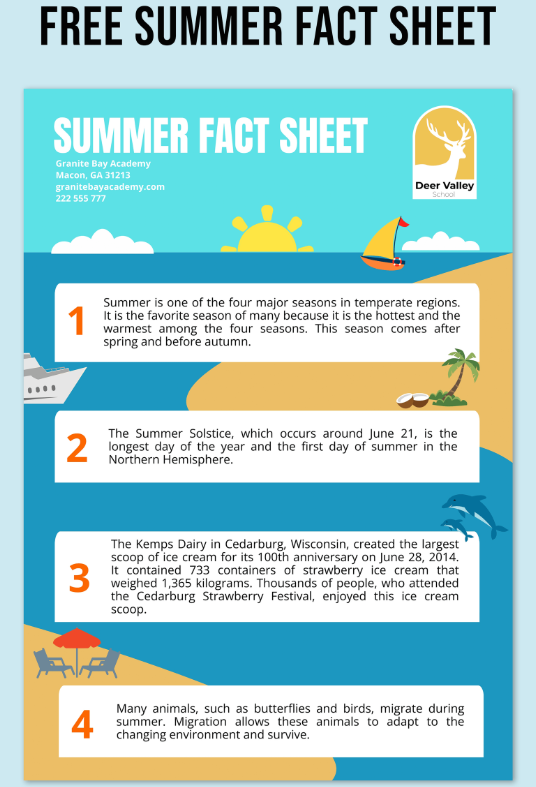
Summer is all about sunshine, adventures, and exciting opportunities!
The Summer Fact Sheet Template Google Docs by Template.Net provides a visually appealing way to present key summer-related information, whether for travel guides, event promotions, seasonal business updates, or fun summer facts.
This template keeps your content engaging, well-organized, and easy to digest while maintaining a vibrant, eye-catching design.
📌 Ideal for: Travel agencies and event planners promoting seasonal offers, activities, and updates
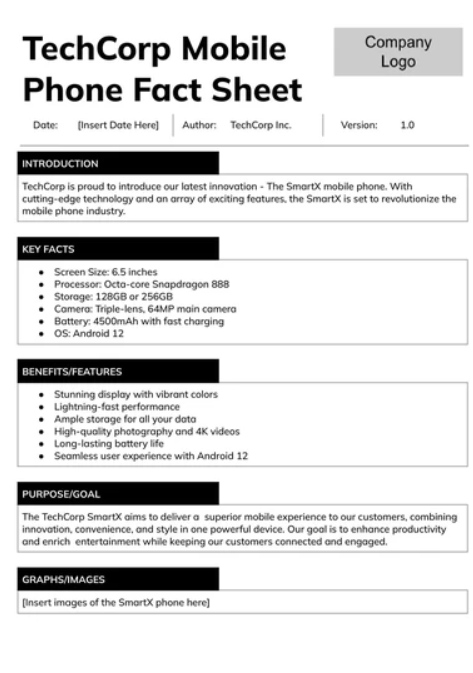
Creating a fact sheet to present key business info? Look no further than the Mobile Phone Fact Sheet Template by TemplateRadar.com!
The template helps you showcase company highlights, services, financial data, or key points in a clear and black-and-white format. Deliver information effectively while impressing stakeholders, clients, and investors with a professional, polished document.
📌 Ideal for: Business owners, startups, and corporate teams who need a concise, professional way to present key information
💡 Pro Tip: Fact sheets don’t just inform; they should inspire action. To do this effectively, look at fact sheet examples to see how others integrate clear calls to action. Then, include your own at the end to guide your readers.
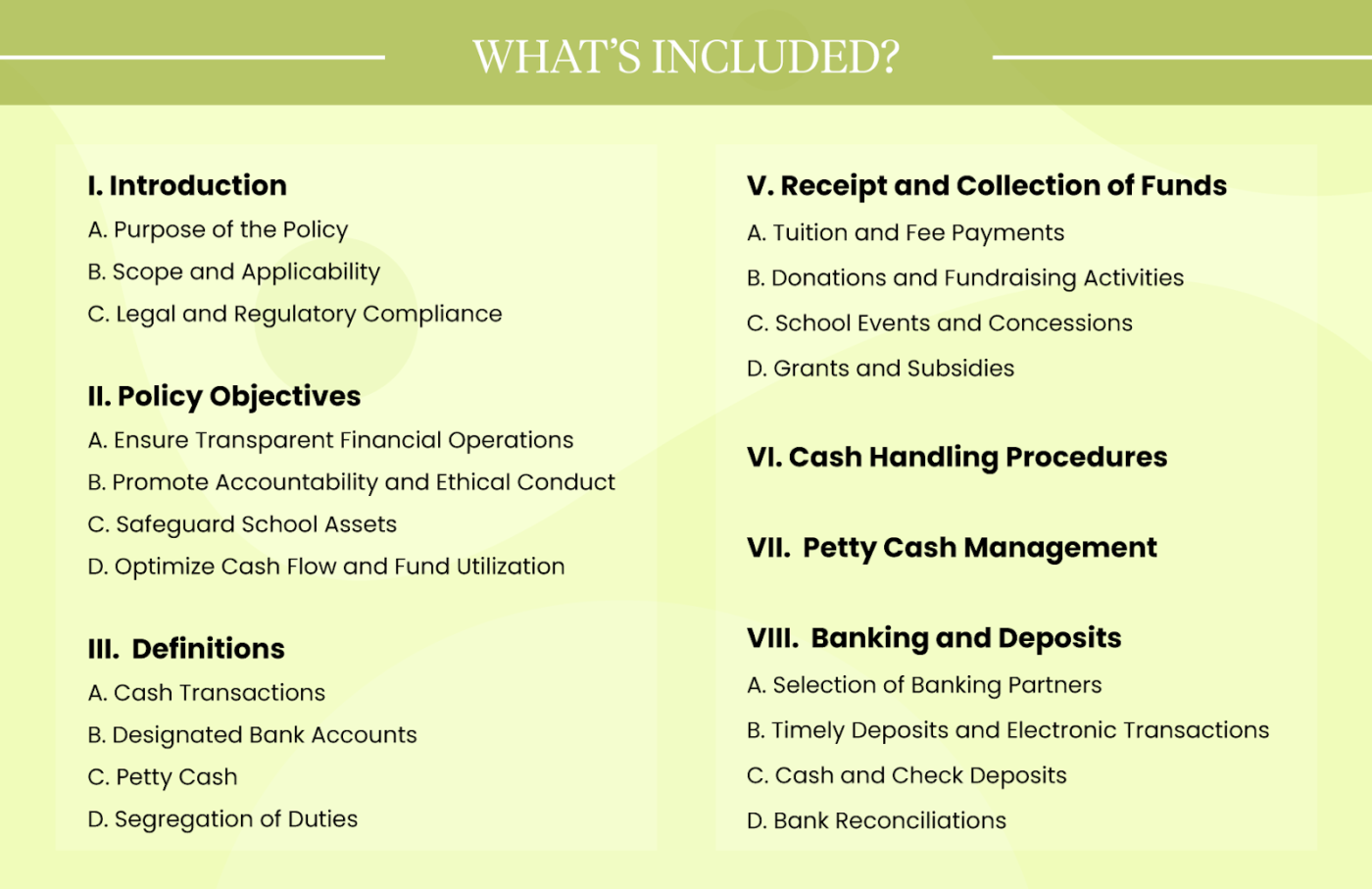
Handling school funds requires clarity, organization, and accountability. This School Cash Management Policy Template by Template.Net provides a systematic framework to ensure proper handling, tracking, and security of financial transactions, from petty expenses to educational materials.
With sections for a detailed index, expense approval workflows, and financial reporting standards, keep policies clear, minimize errors, and maintain compliance with standardized procedures.
📌 Ideal for: School administrators and educational institutions that need a reliable system for managing cash transactions securely
While Google Docs is a great tool for creating technical documents like fact sheets, it has limitations. Here are some key drawbacks to keep in mind:
➡️ Read More: Why is Document Version Control Important?
Ready to explore the alternatives? Here are the best free fact sheet templates to use:
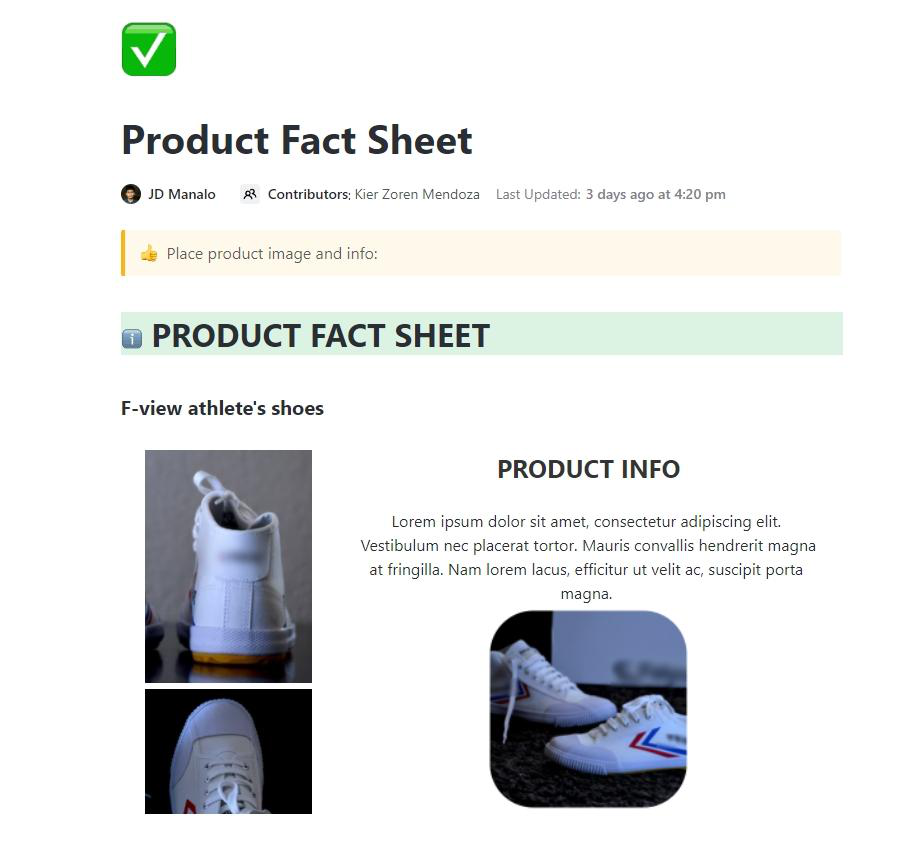
Need to deliver key details at a glance? This ClickUp Fact Sheet Template makes creating clear, visually appealing fact sheets for products, businesses, and reports easier.
Whether outlining company stats or documenting product workflows, it ensures your information is concise, organized, and easy to digest.
No more formatting struggles—plug in your most important details and share a polished fact sheet in minutes!
📌 Ideal for: Marketing teams, business owners, and project managers looking to make intuitive product or company fact sheet templates without starting from scratch
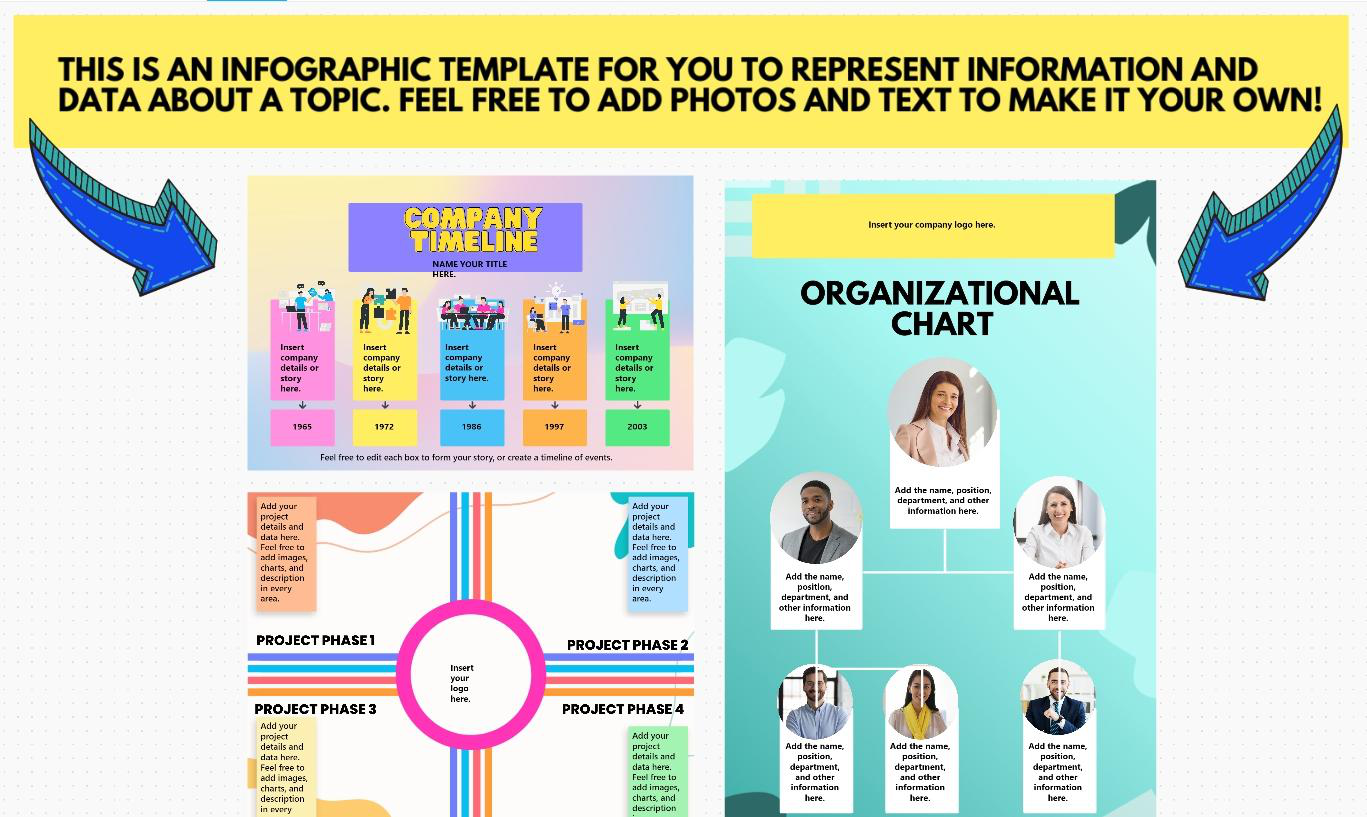
Static reports and text-heavy presentations quickly lose attention. The Infographic Whiteboard Template by ClickUp makes complex ideas engaging and visually compelling.
It has three structures (a Company Timeline, a Project Phase, and an Organizational Chart) and allows you to create intuitive and engaging infographics.
Use this template with ClickUp Docs to organize information, map out workflows, or design data-driven infographics—all in a flexible, collaborative workspace.
Docs keeps your infographics organized and accessible by linking key details, embedding visuals, and enabling real-time collaboration.
📌 Ideal for: Teams looking to develop clear, compelling infographics without the hassle of traditional design software
🔍 Did You Know: Infographics are 30 times more likely to be read than written articles!
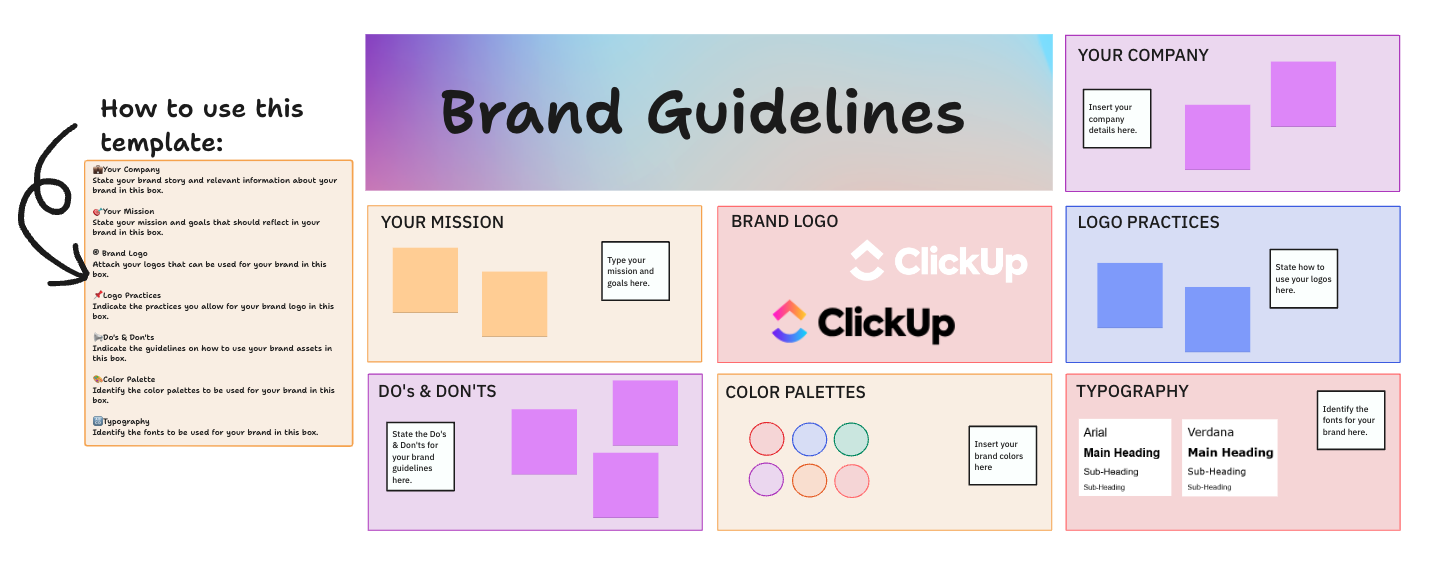
Inconsistent branding is the bane of marketing and customer trust. ClickUp’s Brand Guidelines Template ensures your business doesn’t fall victim to this!
It organizes every logo, color, font, and business messaging rule in one place, making it easy for teams, agencies, and stakeholders to stay aligned.
Use the template as a single source of truth and eliminate off-brand designs. Share with design and content teams to improve efficiency and ensure a professional, recognizable identity across all platforms.
📌 Ideal for: Businesses, marketing teams, and agencies that need consistent branding across all platforms
🔍 Did You Know? Brand consistency can increase revenue by 10-20%.
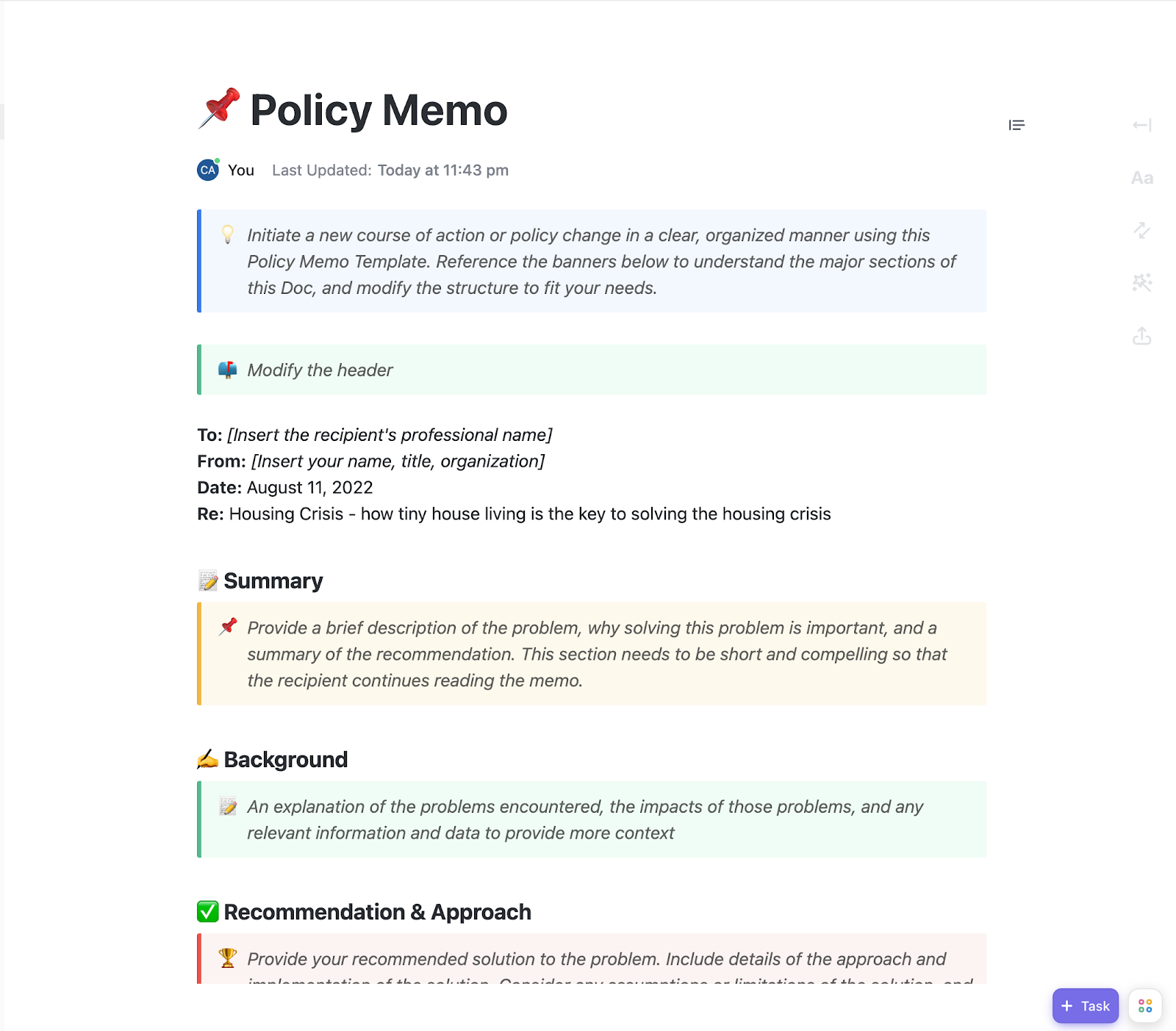
The Policy Memo Template by ClickUp provides a cohesive format for drafting, reviewing, and distributing policy updates across teams. It organizes all policies in a single place and creates a consistent communication format.
The template helps you keep communication professional and actionable, ensuring everyone understands key policies, decisions, and next steps.
📌 Ideal for: HR teams and policymakers who need precise, well-documented policy communication
📮ClickUp Insight: 92% of knowledge workers risk losing important decisions scattered across chat, email, and spreadsheets. Critical business insights get lost in the digital noise without a unified system for capturing and tracking decisions. With ClickUp’s Task Management capabilities, you never have to worry about this. Create tasks from chat, task comments, docs, and emails with a single click!
Tired of miscommunication slowing down your team? Miscommunication often leads to confusion, delays, and unnecessary back-and-forth.
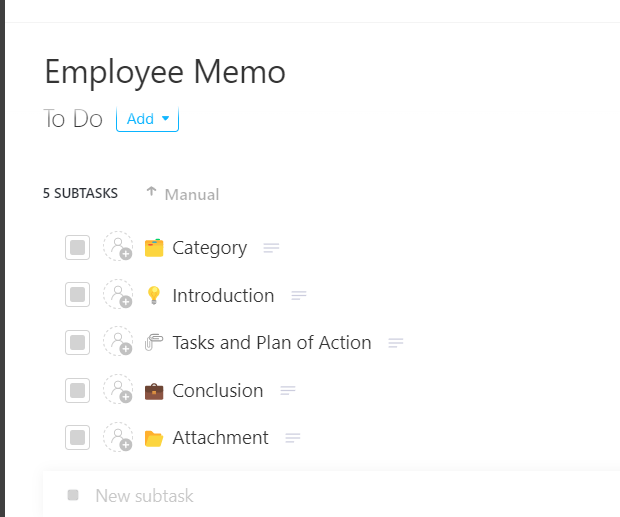
The Employee Memo Template by ClickUp helps prevent this by allowing teams to draft and share important updates, announcements, and policy changes.
Manage employee memos with custom fields like category, department, to, and from. The template can be opened in various views, including Gantt, Workload, and List.
Keep employees informed with clear messaging, organized details, and actionable next steps with this template.
📌 Ideal for: HR departments and team leads who need to communicate updates with their teams quickly
💡 Pro Tip: Make your memos more effective with these tips:
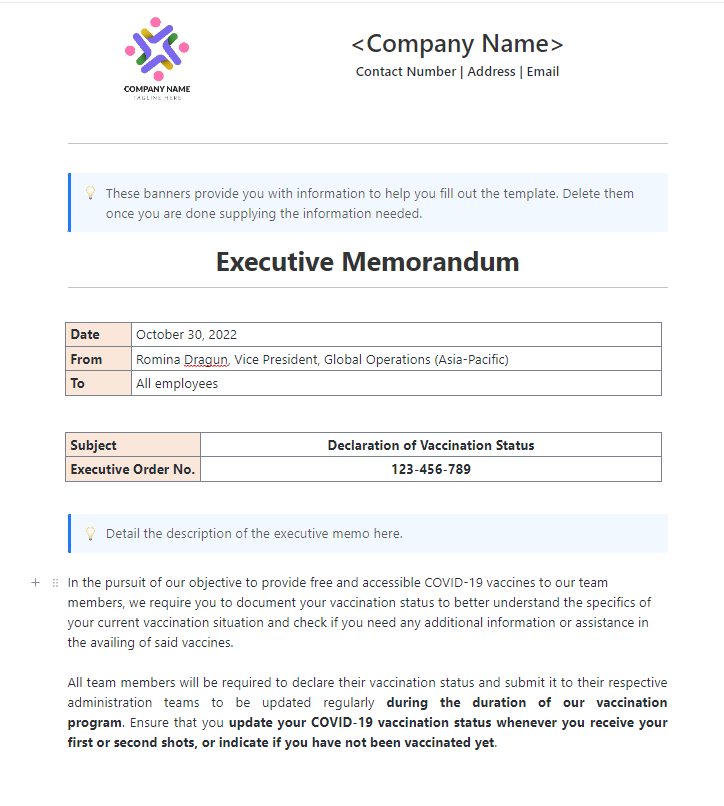
High-level decisions often require clarity, precision, and a professional tone. And this Executive Memo Template by ClickUp offers just that! It provides a structured format to deliver strategic updates, company directives, and key decisions in a way that’s easy to read and act upon.
Ensure leadership and stakeholders share important updates quickly and effectively with their employees.
📌 Ideal for: Executives, senior managers, and stakeholders who need to deliver high-level updates with clarity
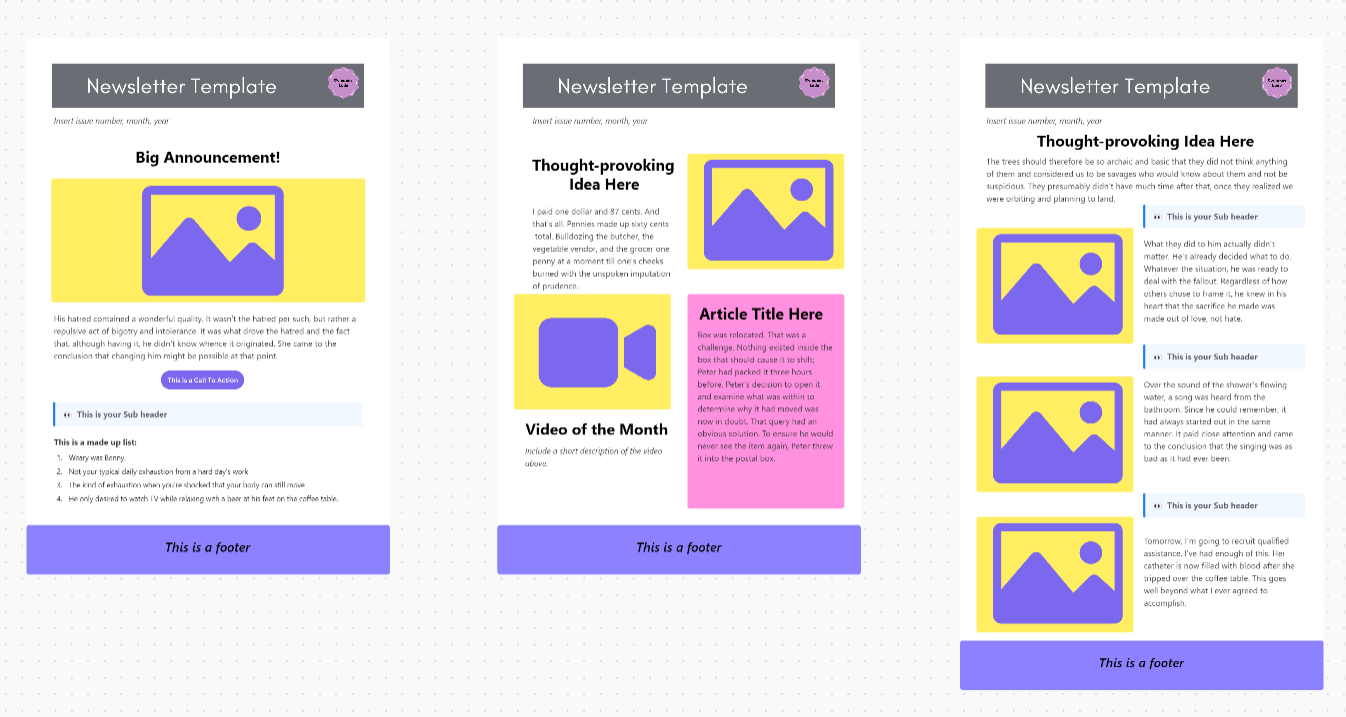
Creating a newsletter that grabs attention and delivers the right message can be challenging. This is where ClickUp’s Newsletter Whiteboard Template comes in!
It helps you plan, design, and organize your content in one place, making the process seamless and efficient.
From structuring your layout to brainstorming ideas with your team, this template empowers you to create visually appealing and highly effective newsletters.
📌 Ideal for: Marketing teams, content creators, and designers who want to create engaging newsletters efficiently
🎉 Friendly Hack: Do more with ClickUp Brain
Didn’t find a template that perfectly meets your needs? Worry not, for ClickUp Brain is here to save the day!
🦾The intelligent AI helps you generate ideas, customize templates, and optimize workflows effortlessly. It doesn’t just refine templates—it creates new ones from scratch in seconds based on your specific needs.
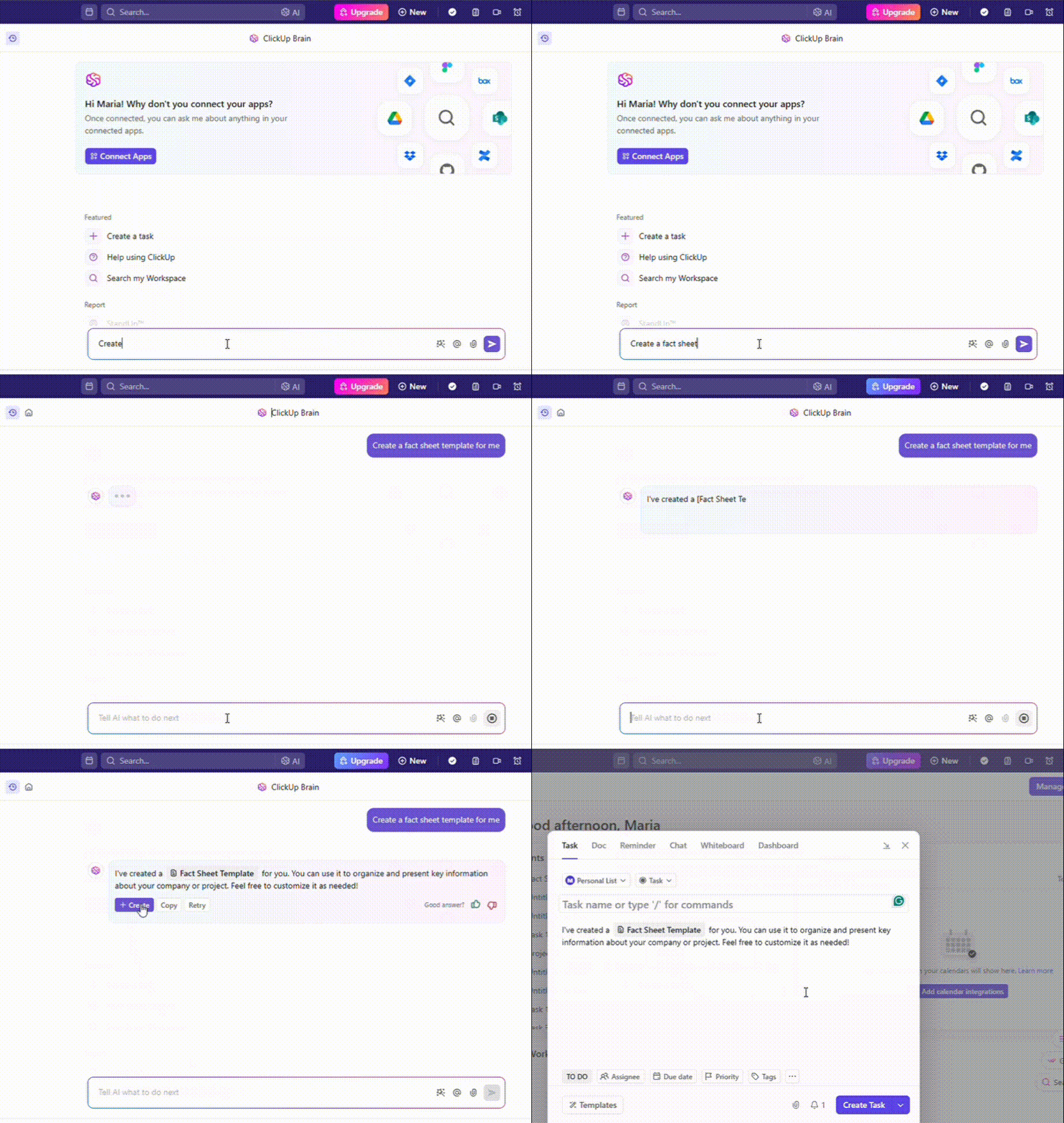
Describe what you’re looking for, and ClickUp will generate a custom template tailored to your workflow. No more starting from zero! Get ready-to-use templates instantly and optimize your processes with ease! 🚀
Fact sheets are powerful tools for distilling essential information into easily digestible formats. Whether summarizing company highlights, presenting key data, or promoting an event, a well-crafted fact sheet keeps your audience engaged and informed.
Creating professional fact sheets with Google Docs and customizable templates is simpler than ever.But why stop there? If you want even more flexibility, collaboration, and speed in creating fact sheets, ClickUp offers dynamic templates, real-time editing, and a powerful workspace to streamline your process. Sign up for free today! 🚀

PMO Team
Max 9min read

Praburam Srinivasan
Max 16min read
Praburam Srinivasan
Max 21min read

© 2026 ClickUp