






Still downloading templates?
There’s an easier way. Try a free AI Agent in ClickUp that actually does the work for you—set up in minutes, save hours every week.
Sorry, there were no results found for “”
Sorry, there were no results found for “”
Sorry, there were no results found for “”
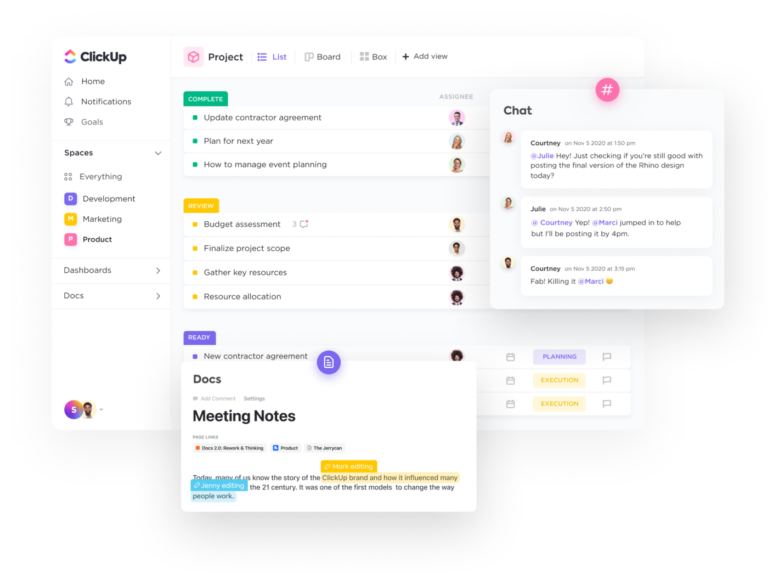
The average company uses 106 different software applications. Yes, you read that right—106!
If you’ve ever felt like you’re drowning in tabs, switching between apps every five minutes, or searching endlessly for that one file you just know exists somewhere, you’re not alone.
But there’s a better way to work, and it’s transforming how productive teams operate. This article breaks down compound software, explains why it’s happening now, and shows you how ClickUp’s Converged AI Workspace puts this approach into practice.
Compound software is a unified system where every part of work—tasks, docs, chats, and data—lives together and updates in sync. It replaces the chaos of disconnected apps with one cohesive platform.
Think of it like swapping scattered notebooks and sticky notes for a single smart binder where every section talks to the others. That’s how ClickUp works: context stays connected, updates happen automatically, and work flows effortlessly.
In compound software:
Let’s break it down.
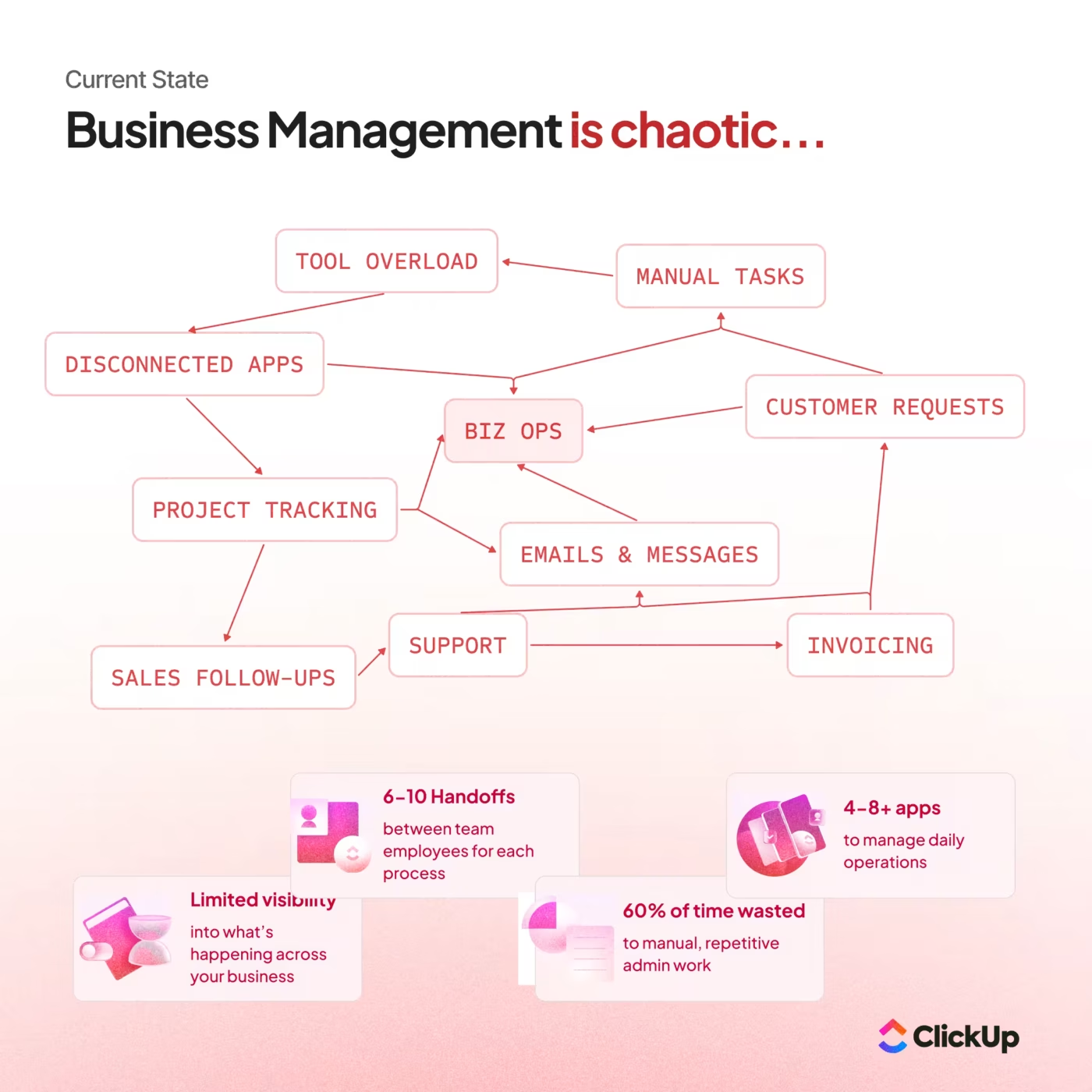
Think about your typical workday. You start in your email, jump to the Chat app for a quick reply, open Google Docs to write something, switch to your project management tool to update a task, and then hop over to yet another app to check analytics. Sound familiar?
This constant app-hopping has a name: Work Sprawl. It’s when your work is scattered across dozens of different tools that don’t talk to each other.
Here’s what makes this frustrating:
There’s another problem hiding here called Context Sprawl. This happens when you waste hours hunting for files, switching between platforms, and repeating the same updates in multiple places. Research shows that employees switch between apps 33 times every workday. That’s like trying to do homework while someone changes the channel on your TV every 15 minutes!
The solution? Compound Software!
📮ClickUp Insight: Context-switching is silently eating away at your team’s productivity. Our research shows that 42% of disruptions at work come from juggling platforms, managing emails, and jumping between meetings. What if you could eliminate these costly interruptions? ClickUp unites your workflows (and chat) under a single, streamlined platform. Launch and manage your tasks from across chat, docs, whiteboards, and more—while AI-powered features keep the context connected, searchable, and manageable!
Why is this happening now?
Three major forces are driving this change:
1. Data gravity
Imagine a snowball rolling downhill—as it gets bigger, it becomes harder to move. That’s data gravity. The more information your company creates, the more expensive and complicated it becomes to move that data between different systems. It makes way more sense to bring your tools to where your data lives, not the other way around.
💬 Fun Fact: Tech expert Dave McCrory coined the term “data gravity” back in 2010. He explained how the more data you collect in one system, the harder it becomes to move anything away from it. Fast-forward to today, and this perfectly explains why using scattered tools feels so painful—every extra app pulls your information in a different direction.
Unified platforms like ClickUp work with data gravity, not against it. Everything lives in one place, so your work actually gets easier as you grow.
2. AI acceleration
Modern AI is like a really smart assistant, but it can only help you if it knows the full story. When your AI only sees tiny fragments of your work (because your data is scattered across different apps), it can’t give you truly helpful suggestions. But when AI has access to your complete workspace—all your tasks, documents, and conversations—it becomes incredibly powerful.
3. User fatigue
Remember learning to use each of your 106 apps? Each one has different buttons, menus, and ways of doing things. That’s exhausting! With compound software, you learn one interface and use it everywhere. No more password juggling or getting lost in unfamiliar layouts.
You might have noticed this trend already. Microsoft Teams has absorbed other collaboration tools. Salesforce has expanded way beyond its original customer management function. Big companies are consolidating (bringing together) their tools to create more integrated experiences.
But here’s what makes compound software different: it’s not just about cramming tools together like puzzle pieces that don’t quite fit. It’s about rethinking how software should be built from the ground up to create compound value—where one plus one equals three, not just two.
💡 Pro Tip: Before automating a workflow, walk through it manually once and document each step. It’s the fastest way to spot unnecessary complexity and prevent “automating a broken process.”
When all your information flows freely between project management, documents, chat, and analytics, you get a seamless work experience. This is what we call a Converged AI Workspace—a single, secure platform where projects, documents, conversations, and data live together with AI embedded as the intelligence layer.
ClickUp is built this way from the ground up, with a unified data model. Traditional software suites often stitch together acquired or separate tools using loosely connected integrations, which means data and workflows don’t flow as seamlessly across the system as they do in a natively unified platform like ClickUp.
Just like Work Sprawl scatters your tasks across too many apps, AI Sprawl happens when you use tons of different AI tools with no strategy or oversight. Each AI only knows about its tiny corner of your work.
With a Converged AI Workspace, you get one intelligent assistant that knows everything about your projects, your team, and your workflows. This creates a productivity multiplier that disconnected tools simply can’t match.
This is possible thanks to ClickUp Brain, which can access and understand context across all your work—from Tasks to Docs to conversations—giving you helpful insights and automation you couldn’t get anywhere else.
The real magic happens when every connected part of the system makes every other part more powerful. ✨
Here’s what that looks like in practice:
What it means: One source of truth, everywhere.
Why it matters: No more hunting for the latest version of a file or trying to figure out which spreadsheet has the correct numbers.
Real example: When you update a task status in ClickUp, that change instantly appears in your high-level ClickUp Dashboards, Reports, and even in AI summaries generated by ClickUp Brain. No manual syncing. No duplicate data entry. Just automatic updates everywhere.
Think of it like this: Imagine updating your address with the post office once, and every magazine subscription, online account, and friend’s contact list updates automatically. That’s a unified data model.
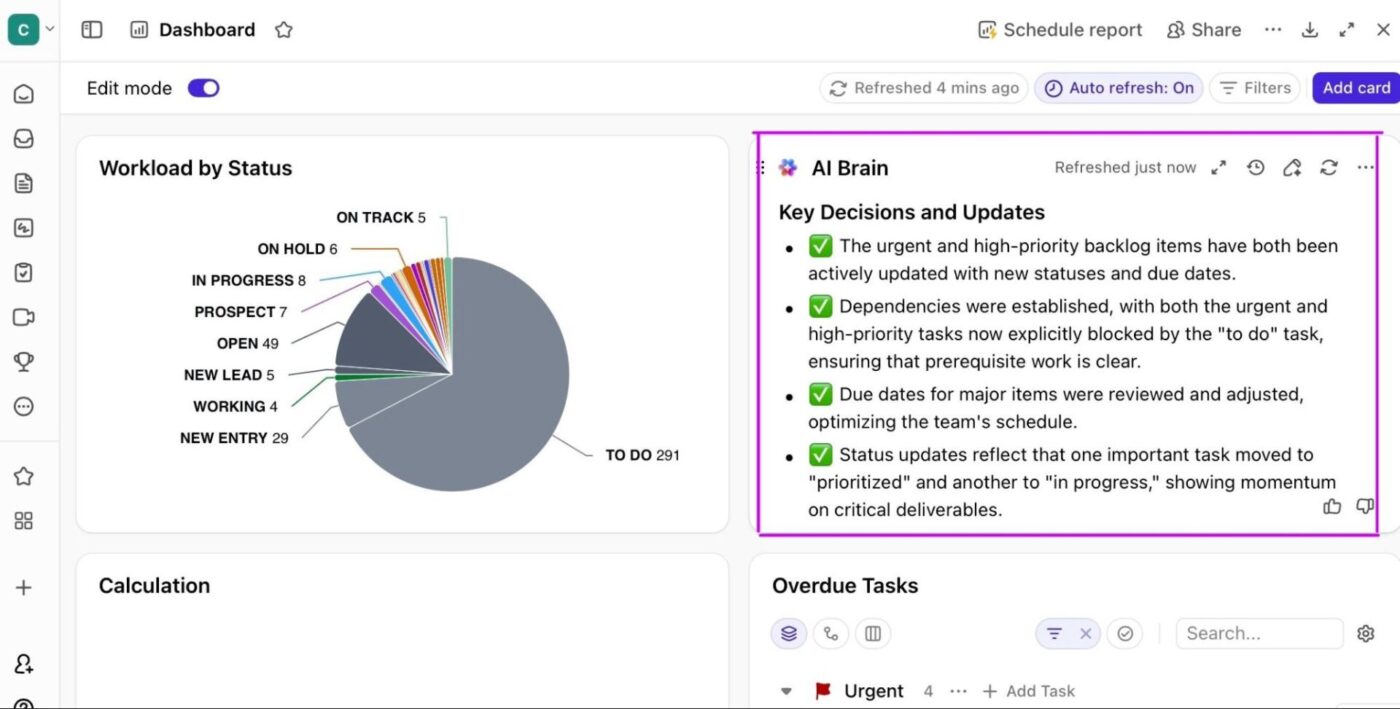
With real-time data flowing into your unified dashboards, tracking the right metrics becomes critical to understanding true team performance. This video walks through essential software development KPIs and how to leverage dashboard features to measure what actually matters for your team’s productivity and project success.
What it means: Learn once, use everywhere.
Why it matters: Onboard your team in hours instead of weeks.
Real example: In ClickUp, whether you’re creating a Task, writing a Doc, or building a workflow Automation, the same keyboard shortcuts, Slash Commands, and navigation patterns work everywhere. The platform feels intuitive because everything works the same way.
Think of it like this: It’s like driving different cars from the same manufacturer—the gas pedal, brake, and steering wheel are always in the same place, so you don’t have to relearn everything each time.
What it means: Core services like permissions, search, and AI enhance everything you do.
Why it matters: Improvements to the foundation benefit every feature on top of it.
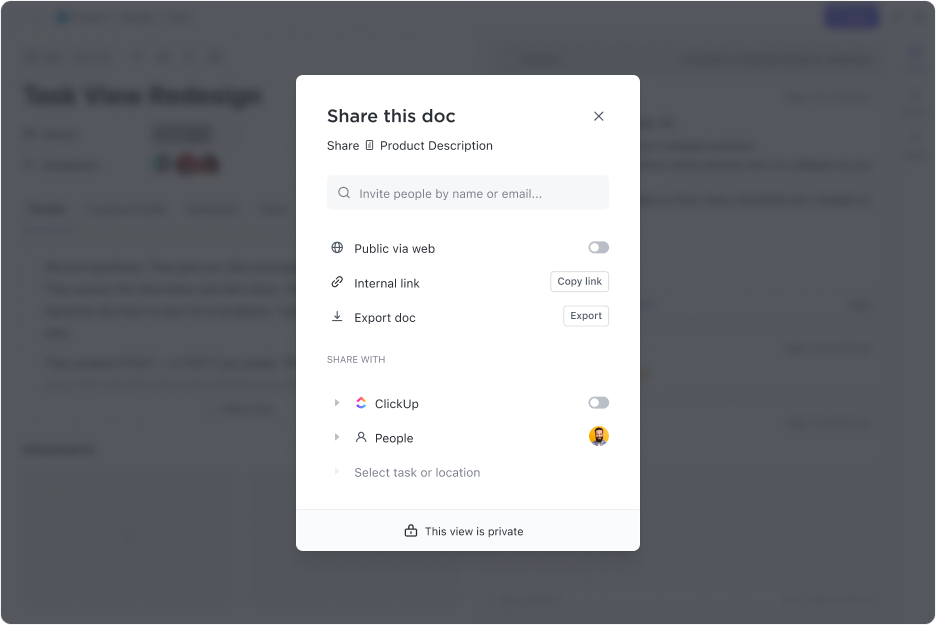
Real example: ClickUp’s granular Permissions apply to everything from a single task to an entire workspace.
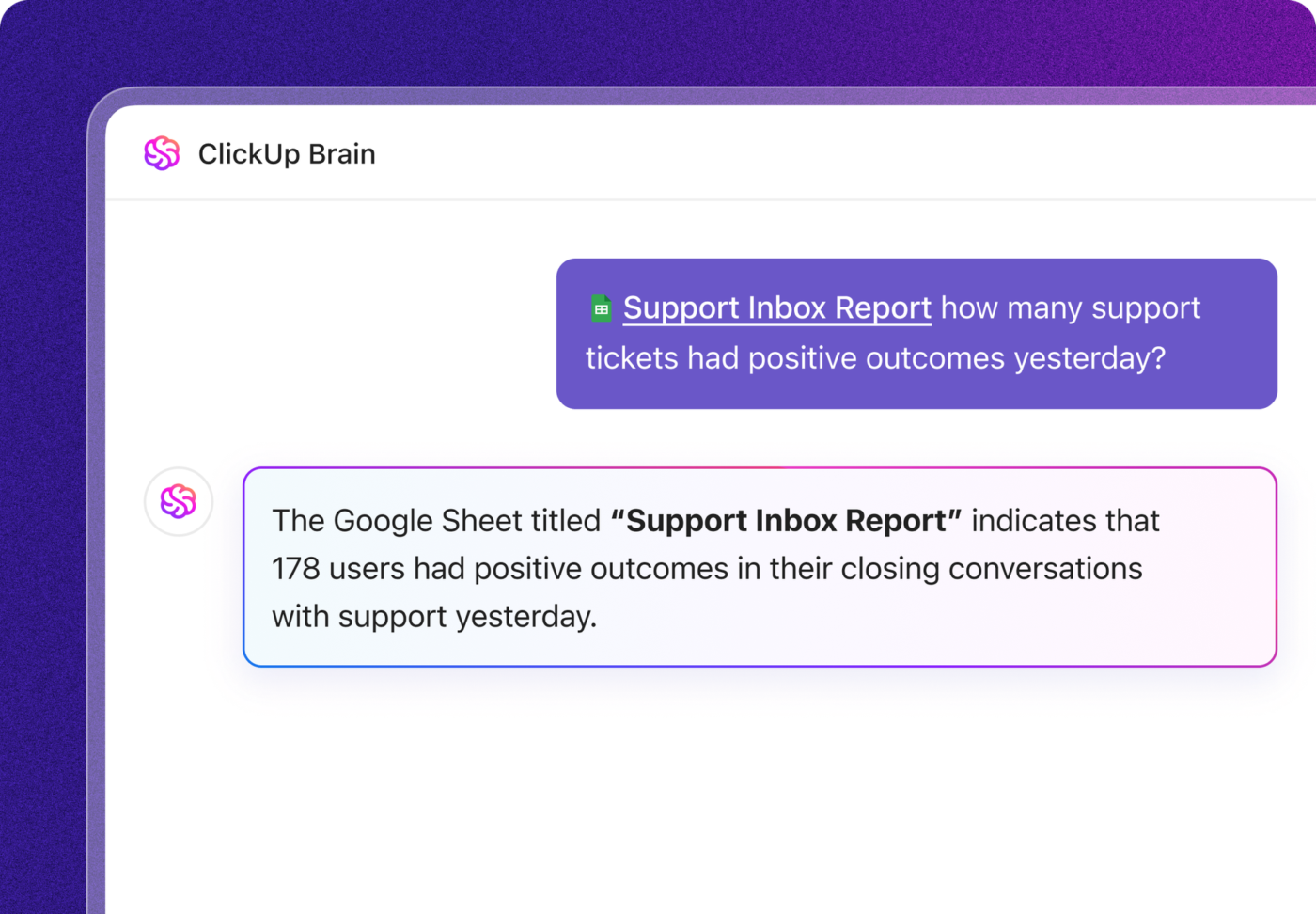
And because ClickUp Brain is built into the platform’s core, it can summarize tasks, generate documents, and answer questions using context from your whole workspace—not just one isolated corner.
Think of it like this: When you upgrade your home’s Wi-Fi router, every device in your house gets faster internet, not just one room.
What it means: Automate entire processes from start to finish, not just small pieces.
Why it matters: Save hours by connecting actions across your whole workflow.
Real example: Imagine a client email automatically triggering a new project in ClickUp. With ClickUp Automations, that one email creates all necessary tasks, assigns them to the right team members, updates project Dashboards in real-time, and sends status reports through ClickUp Chat—all without you lifting a finger or leaving the platform.
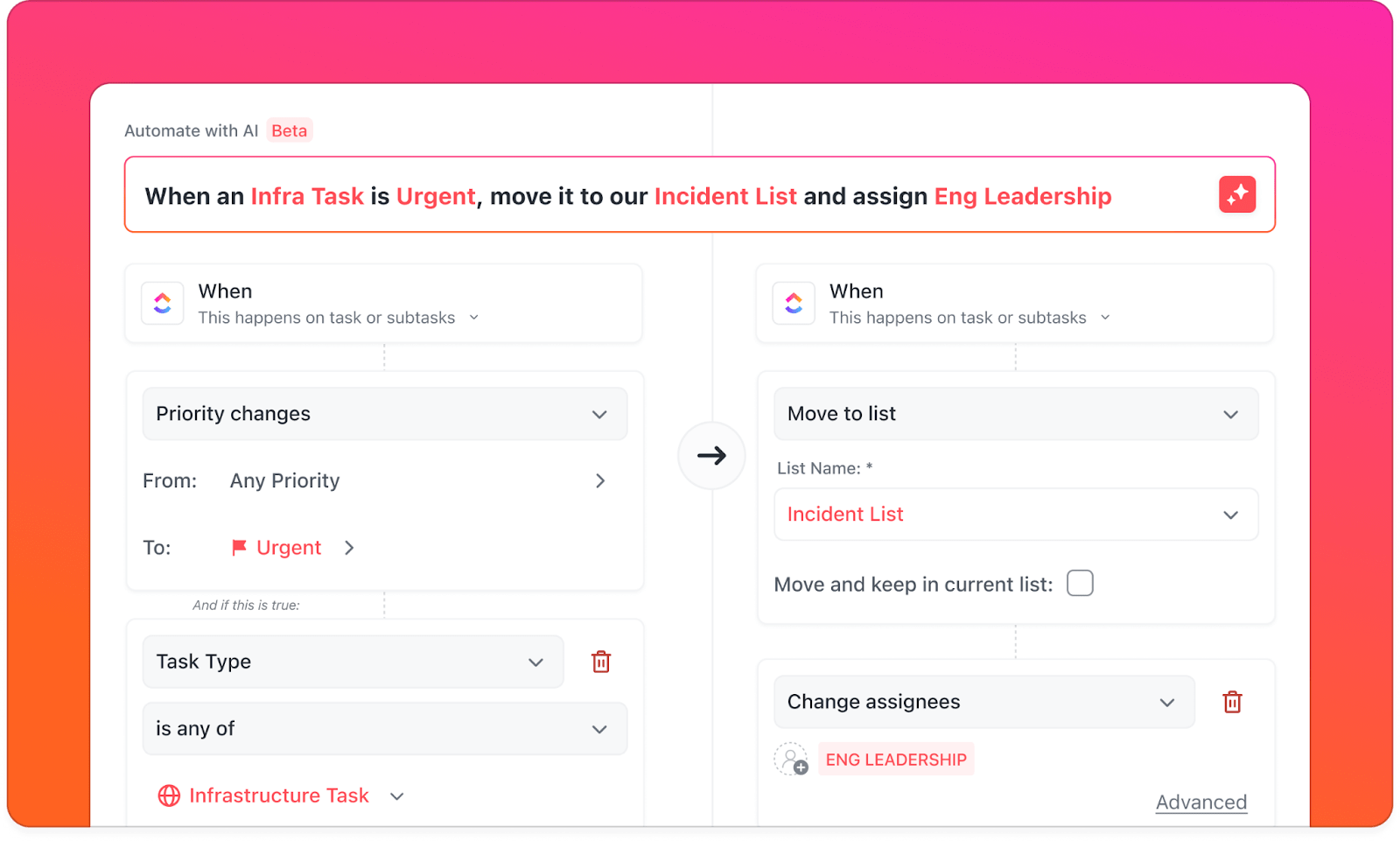
Step-by-step example:
💡 Pro Tip: If a workflow requires more than three manual handoffs, it’s a strong candidate for automation. Look for approval chains, form submissions, and repeated status changes.
What it means: Save money and eliminate headaches.
Why it matters: You’re not just cutting subscription costs—you’re freeing your team from managing complexity.
The real savings:
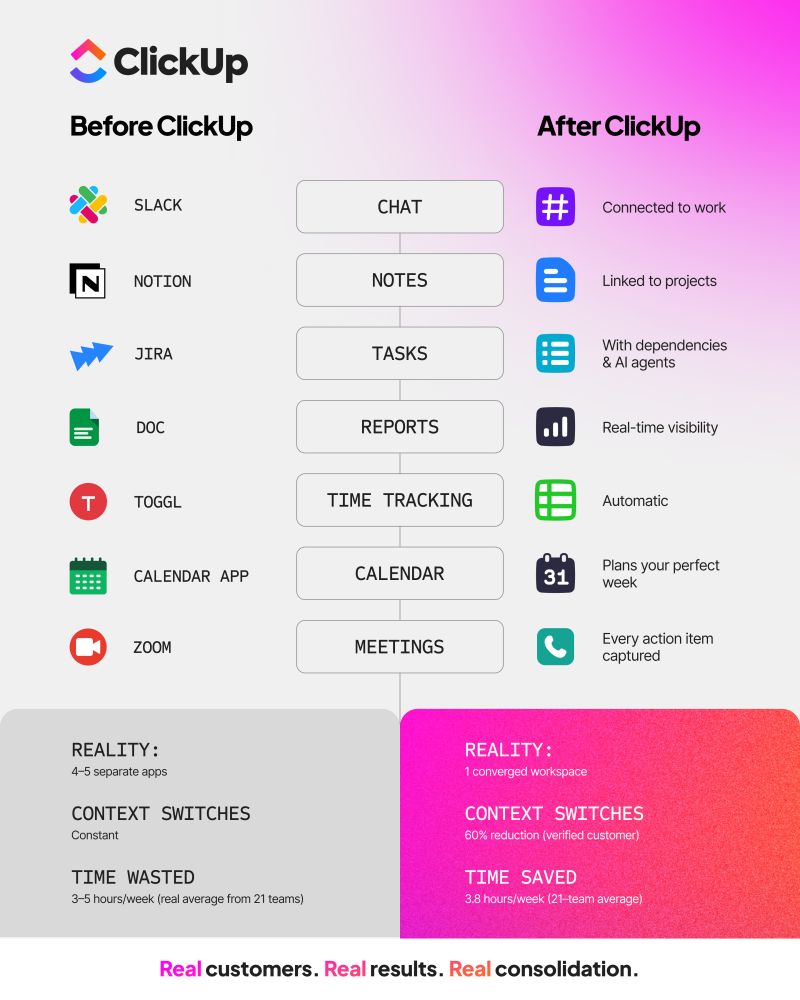
Example breakdown: A team of 25 might pay for separate tools like:
With ClickUp, that same team gets all these features in one platform for a fraction of the cost—while also eliminating the hidden costs of integration, maintenance, and context switching.
Here’s where it gets exciting: these advantages multiply each other. When you eliminate context switching, you make fewer errors. When you reduce errors, you complete projects faster. When projects finish faster, you can take on more work. When you have unified data, AI gets smarter. When AI gets smarter, automations get better. And on and on.
This creates exponential growth in productivity, not just linear improvements.
AI is the ultimate accelerator for compound software. ✨
ClickUp Brain is an AI-powered feature that connects your Tasks, Docs, people, and all your company knowledge in one place. Unlike bolt-on AI features that only work in one specific area, ClickUp Brain is woven into the very fabric of your workspace.
It’s available everywhere you work, and it understands everything about your work.
Four ways ClickUp Brain brings compound software to life:
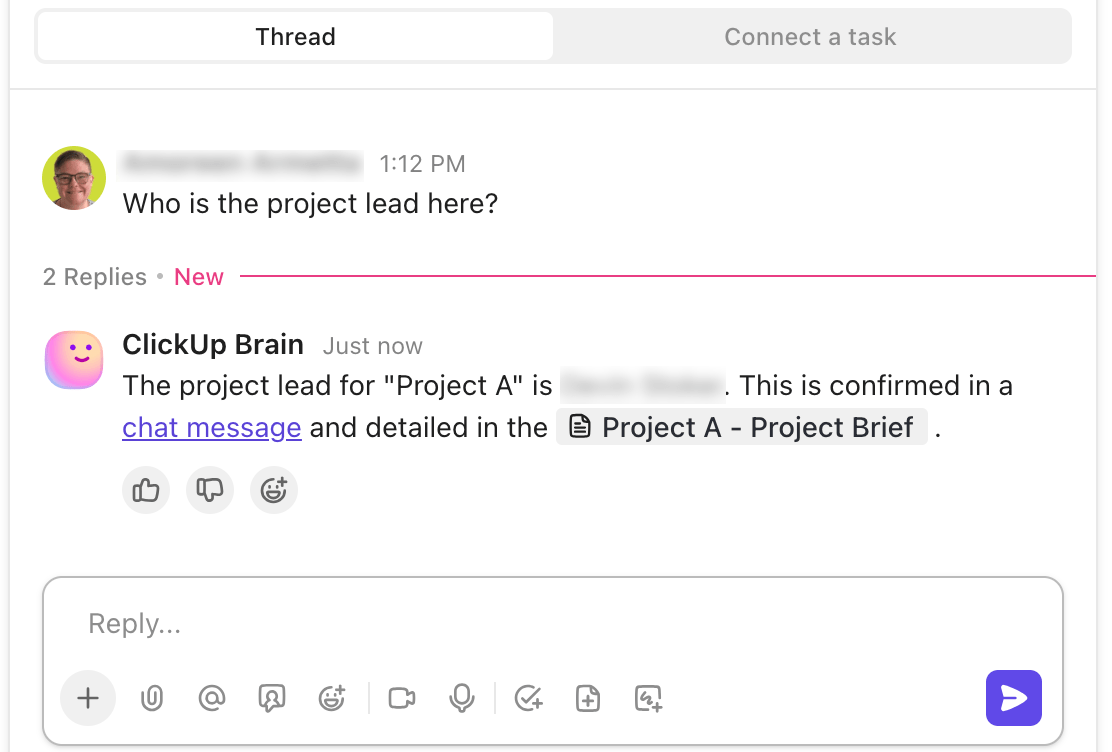
Your AI needs the full story to make smart decisions. Because ClickUp Brain has access to your entire workspace, its AI Agents can perform complex tasks with a deep understanding of your business.
For example: You can ask Brain to generate a detailed project plan from your meeting notes. It doesn’t just create a generic template. Instead, it:
Why this matters: You get smart automation that actually understands your business, not just generic suggestions.
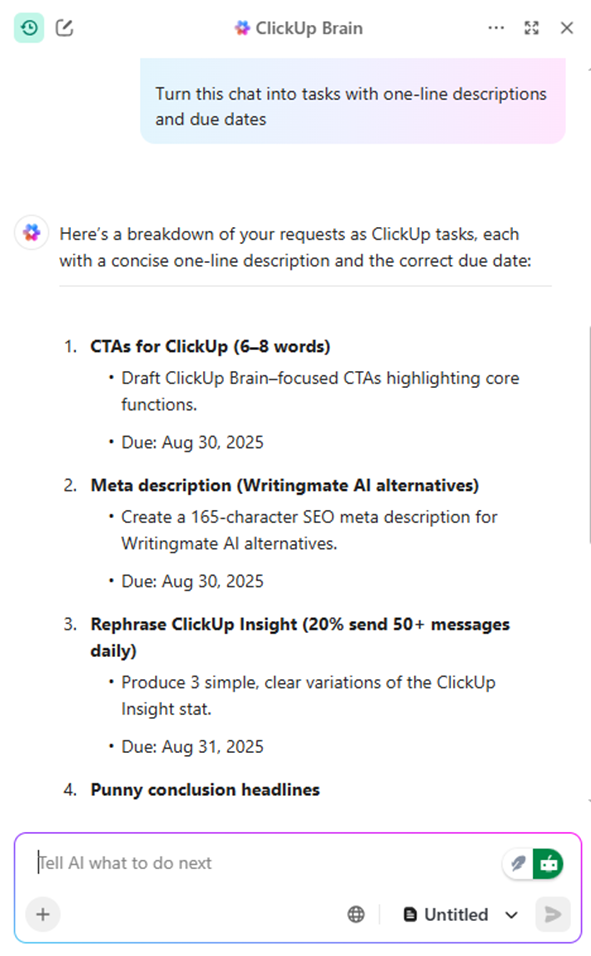
A true compound system can seamlessly orchestrate actions between its different functions. This is the “how” behind the magic.
Real example: Ask ClickUp Brain to “prepare for our quarterly review,” and watch what happens:
Why this matters: You get a personal assistant who doesn’t just answer your questions but actually completes multi-step projects by coordinating with every department in your company.

A unified system gets smarter the more you use it. ClickUp Brain learns from every interaction across your workspace. It notices which ClickUp Templates you use most often, how you structure your projects, and what kinds of questions you ask.
Over time, it uses these feedback loops to provide increasingly personalized and relevant assistance, adapting its suggestions and automations to fit your team’s unique way of working.
For example: After a few weeks, ClickUp Brain might notice you always create the same type of task after client meetings. It will start suggesting those tasks automatically, adapting to your team’s unique way of working.
💡 Pro Tip: Schedule a monthly “workspace cleanup” session to archive old work, remove outdated tasks, and refresh automation rules. A clean workspace = faster decisions.

Get the power of specialized tools without the pain of switching between them. A Converged AI Workspace brings capabilities directly to where you’re already working.
For example:
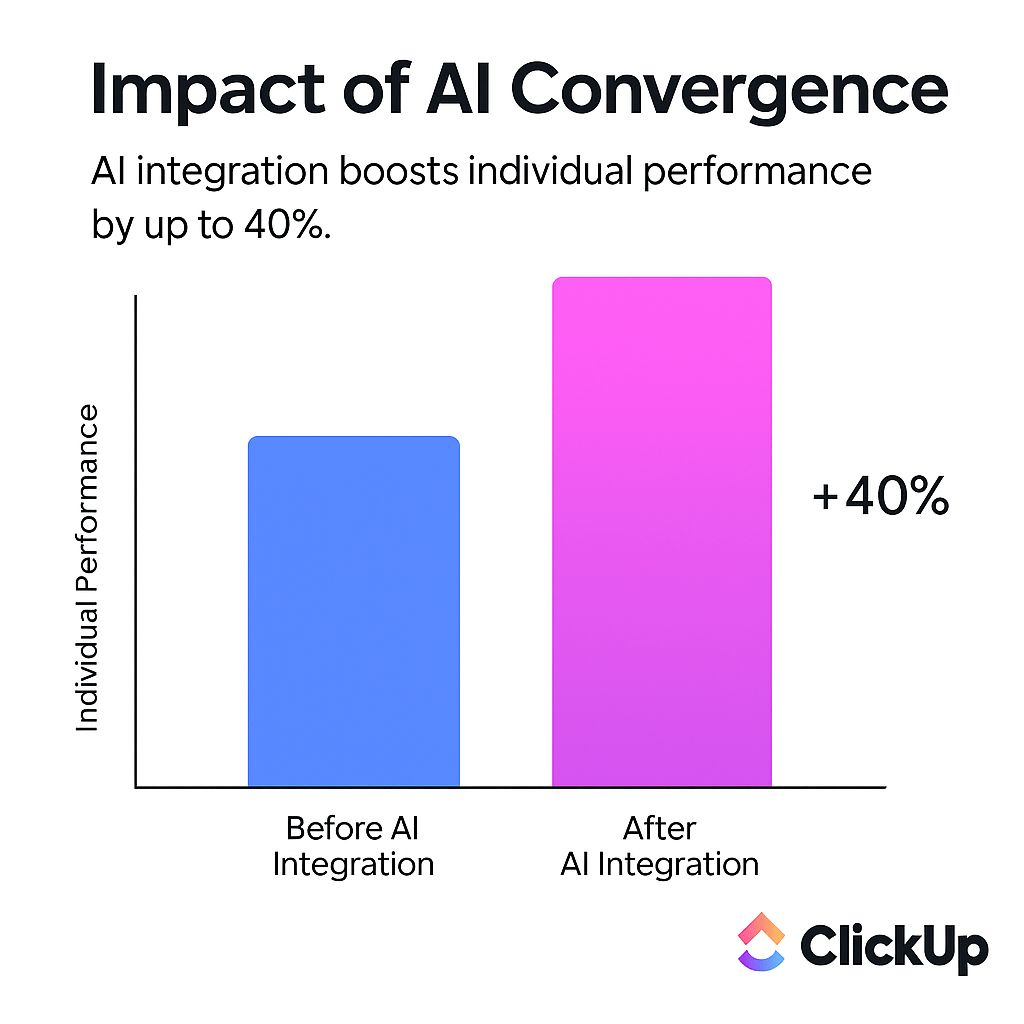
Switching to a compound software platform requires commitment, but the payoff is huge. Teams that embrace unified workspaces save hours every week just by eliminating context switching, which research shows causes a 40% productivity hit.
How to start:
- Expand from there as the compound value becomes clear
- Pick one workflow (like client onboarding or content creation)
- Move it completely to ClickUp (not just part of it)
- Let your team experience the benefits (they’ll notice the difference immediately)
⚠️ What to watch out for: Not all “unified” platforms are truly compound. Some are just a bundle of different tools the company acquired over time, held together by shallow integrations that still require manual work to connect.
Look for a platform like ClickUp that was built with a unified architecture from the ground up, where:
- Data flows seamlessly everywhere
- AI understands all your work context
- Features were designed to work together, not bolted on later
What’s coming:
Example of the future: Imagine asking ClickUp Brain on Monday morning,
“What should I focus on this week?” and it responds with a prioritized plan based on:
That’s not science fiction—that’s where compound software is heading.
Teams that adopt truly compound software today are setting themselves up for exponential gains in the future. While competitors struggle with tool sprawl and fragmented data, you’ll be building on a foundation where every improvement amplifies across your entire organization.
The compound returns in productivity, insight, and innovation will only grow as:
Compound software isn’t just another tech buzzword—it’s a fundamental shift in how work gets done. The era of juggling dozens of disconnected tools, losing context between apps, and watching productivity drain away is finally coming to an end.
The choice is clear:
Option A: Keep managing 106 different apps, copying data between platforms, and losing 40% of your productivity to context switching
Option B: Embrace a unified workspace where everything works together, AI understands your full context, and your team’s productivity compounds over time
Get started for free with ClickUp and see how a Converged AI Workspace transforms your team’s productivity. Your future self (and your team) will thank you.
Compound software: A unified platform where all work tools are connected, creating exponential value as each part enhances the others.
Work Sprawl: When work activities are fragmented across multiple disconnected tools that don’t communicate with each other.
Context Sprawl: The time wasted searching for information, switching apps, and repeating updates across multiple platforms.
Converged AI Workspace: A single platform where projects, documents, conversations, and analytics live together with AI embedded as the intelligence layer.
AI Sprawl: The unplanned proliferation of AI tools and platforms with no oversight or strategy.
ClickUp Brain: ClickUp’s AI-powered feature that connects Tasks, Docs, people, and company knowledge across the entire workspace.
Data Gravity: The phenomenon where the more data you collect in a system, the harder it becomes to move anything away from it—making unified platforms more efficient as they grow.

© 2026 ClickUp

There’s an easier way. Try a free AI Agent in ClickUp that actually does the work for you—set up in minutes, save hours every week.