
Sorry, there were no results found for “”
Sorry, there were no results found for “”
Sorry, there were no results found for “”
If there’s one growth strategy that never goes out of style, it’s referral marketing. And honestly, it makes perfect sense.
According to a report, a whopping 86% of users trust recommendations and reviews more than ads. Think about it: When a client takes the time to refer your business, it’s not just about the service you delivered.
It means they felt seen, supported, and confident enough in your work to put their name behind it. Which means you’re not just good at what you do—you’re dependable, trustworthy, and worth talking about.
That’s the magic of a well-written client referral. It gives your business the kind of credibility that ads just can’t buy, helping you grow the good old-fashioned way—through word of mouth.
To help you make the most of it, we’ve rounded up 14 of the best free client referral templates you’ll want in your toolkit. From referral forms to follow-ups and thank-you notes, each one includes key details and quick tips so you can start building better referral relationships without the guesswork.
Client referral templates are ready-made messages or forms that help you ask satisfied customers and clients to recommend your business to others. Additionally, they allow you to keep track of those referrals along the way.
These templates give you a clear format that typically includes:
These templates save you time and help you stay consistent, so you’re not starting from scratch every time. All you have to do is tweak them to fit how you usually talk to different clients and simply share a unique referral link so they can get started.
A quick Google search will pull up thousands of client referral templates. But how do you know which one’s actually worth your time and effort?
Here are some key features to look for in a solid template:
📖 Also Read: Best Software Affiliate Programs
Now that you know what you’re looking for, here are 14 free client referral templates to get your referral program started.
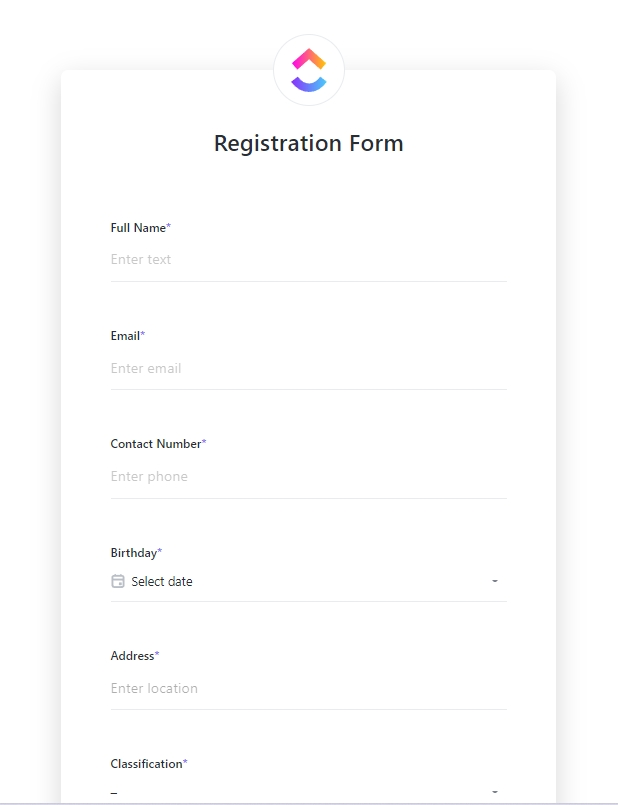
One of the easiest ways to collect and manage client referrals is through forms. The ClickUp Form Template helps you do just that, minus the complexity.
It gives you a clear, customizable structure, complete with fields, statuses, and views. These not only organize essential details—like who’s making the referral, who they’re referring, and what services they’re interested in. They also save time and help keep your referral program consistent.
However, this template is more than just a place to collect information—it’s built to help you take action on it. Thanks to ClickUp’s task management engine, each submission gets tracked, organized, and reviewed, connecting your entire referral program straight to your workflow. This makes the template an excellent option for ad-hoc things like client intake, internal requests, or event sign-ups.
💜 Key features:
🔑 Ideal for: Freelancers, small businesses, or agencies looking to set up a simple but effective referral program and collect client feedback.
The biggest game changer for me with ClickUp has been the customizable templates and being able to bring that consistency across all of our properties in any region so that the client experience is the same no matter which Convene location they go to.
When you’re running a client referral program, following up at the right time can make all the difference. And that’s what the ClickUp Follow-up Email Template is for.
Whether you’re thanking a client for a referral, checking in on a lead they sent your way, or nudging someone who showed interest, this template helps you stay on top of every referral conversation. It organizes the whole process with automated messages and timely reminders.
Like all ClickUp templates, it comes with Custom Statuses to track where each email stands—sent, waiting for a reply, or done. Plus, you can add your own fields, like Referral Source or Service Requested, to keep everything specific to your referral program.
💜 Key Features:
🔑 Ideal for: Sales or marketing teams that primarily rely on word-of-mouth growth.
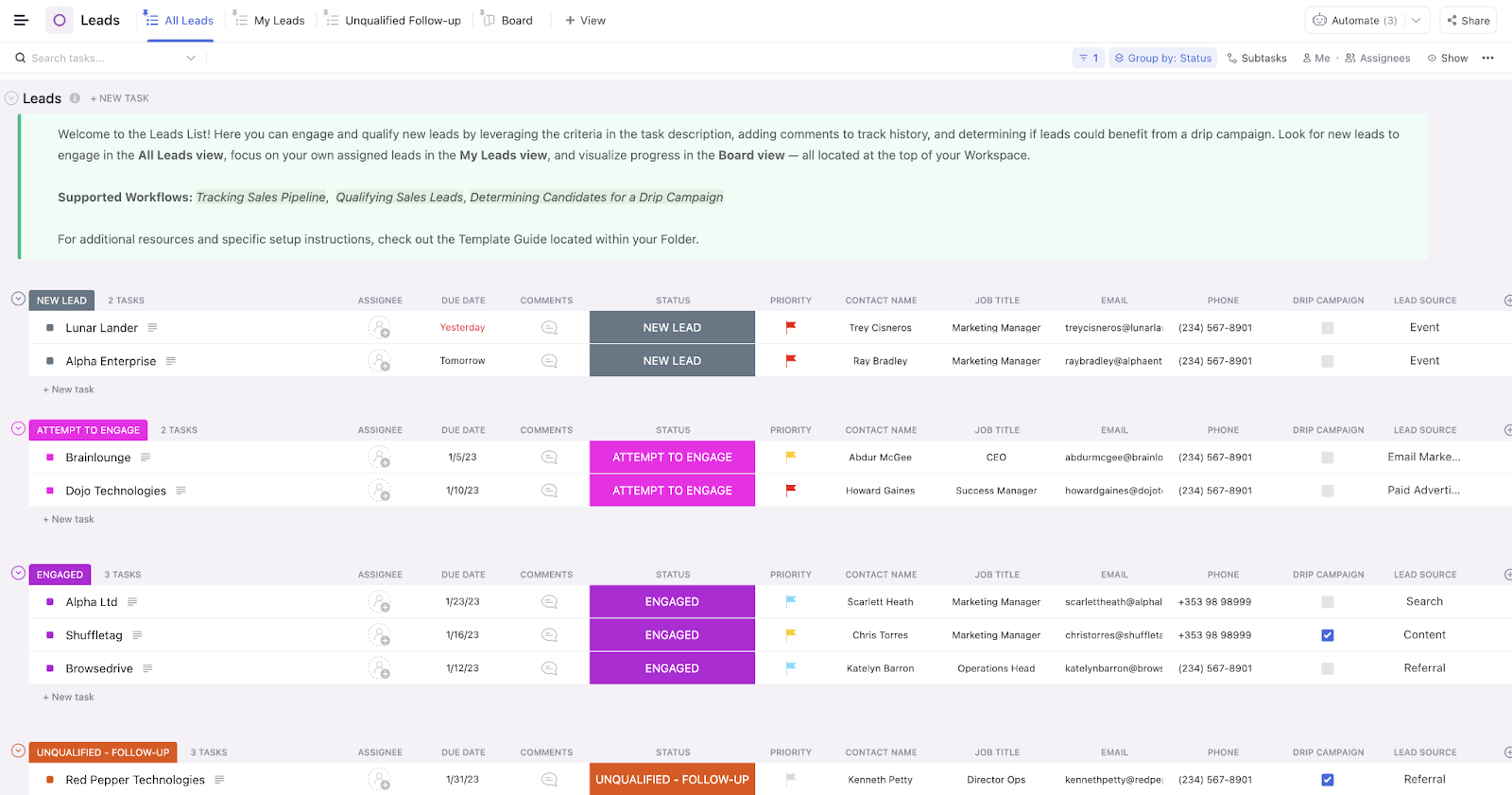
Keeping up with client relationships can get messy fast. So, how do you keep things simple? The ClickUp CRM Template is a framework that keeps all your leads, contacts, and referral opportunities neatly organized in one central database.
Like the name suggests, this fully customizable template is connected to ClickUp CRM by default. It includes Custom Statuses—like Need Approval, Qualified, or Open—that allow you to track referrals.
It also has Custom Fields for adding details like contact names and emails, along with built-in pipelines and views for a quick look at what’s happening across all your referral leads.
You can even automate some of the repetitive tasks in the referral process. This will free up your time to focus on building strong client connections and growing your networking groups.
💜 Key Features:
🔑 Ideal for: Freelancers, small businesses, or sales teams who need a clear system to manage client relationships.
📮 ClickUp Insight: 30% of workers stick to set hours, but 27% regularly work overtime, and 19% don’t have a set schedule at all. When work is unpredictable, how do you ever truly clock out? 🕰️
Automated task scheduling in ClickUp Calendar can help bring more structure to even the most unpredictable schedules. Plan your week, set firm work hours, and automate reminders to log off—because your time should be yours to control!
💫 Real Results: Lulu Press saves 1 hour per day, per employee using ClickUp Automations—leading to a 12% increase in work efficiency.
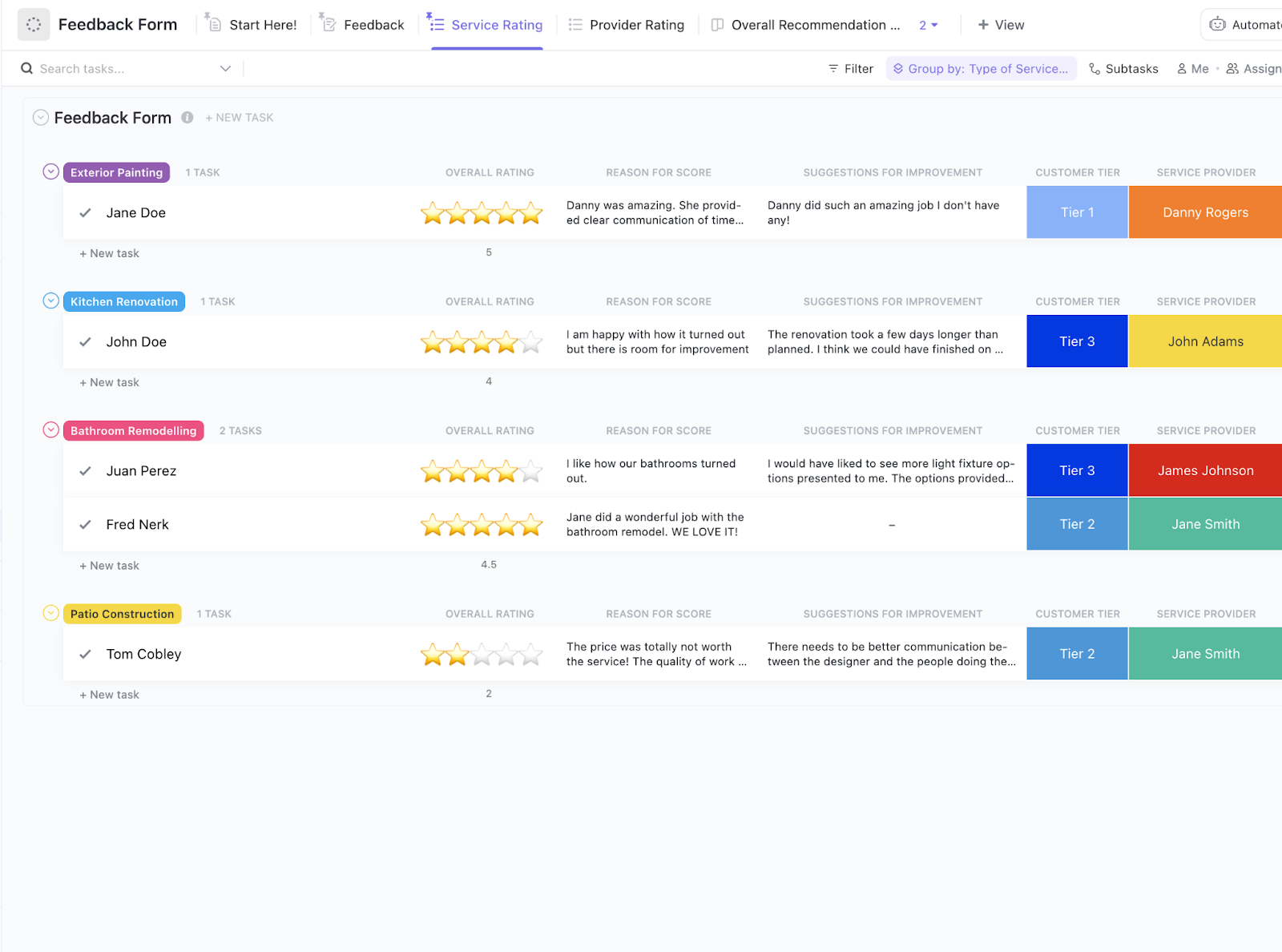
Feedback plays a much bigger role in a customer referral program than you might think. You need to hear directly from your clients about what’s working and what could be better. Because when your clients feel listened to, they’re more likely to refer others because they trust that you care about their experience.
The ClickUp Feedback Form Template gives you a structured way to collect helpful input using Custom Fields like Overall Rating, Service Provider, and Suggestions for Improvement. It also comes with built-in views—like a feedback board and summary lists—that help you quickly spot patterns and take action.
💜 Key features:
🔑 Ideal for: Product, sales, and marketing teams looking to boost their customer advocacy and referral program through effective feedback collection and analysis.
💡 Pro Tip: Don’t just collect feedback—close the loop! Let customers know their input made a difference by sharing updates or thanking them personally. It builds trust, encourages future feedback, and turns users into loyal advocates.
Use ClickUp Brain to ask for ideas on how to incentivize customers for sharing feedback.
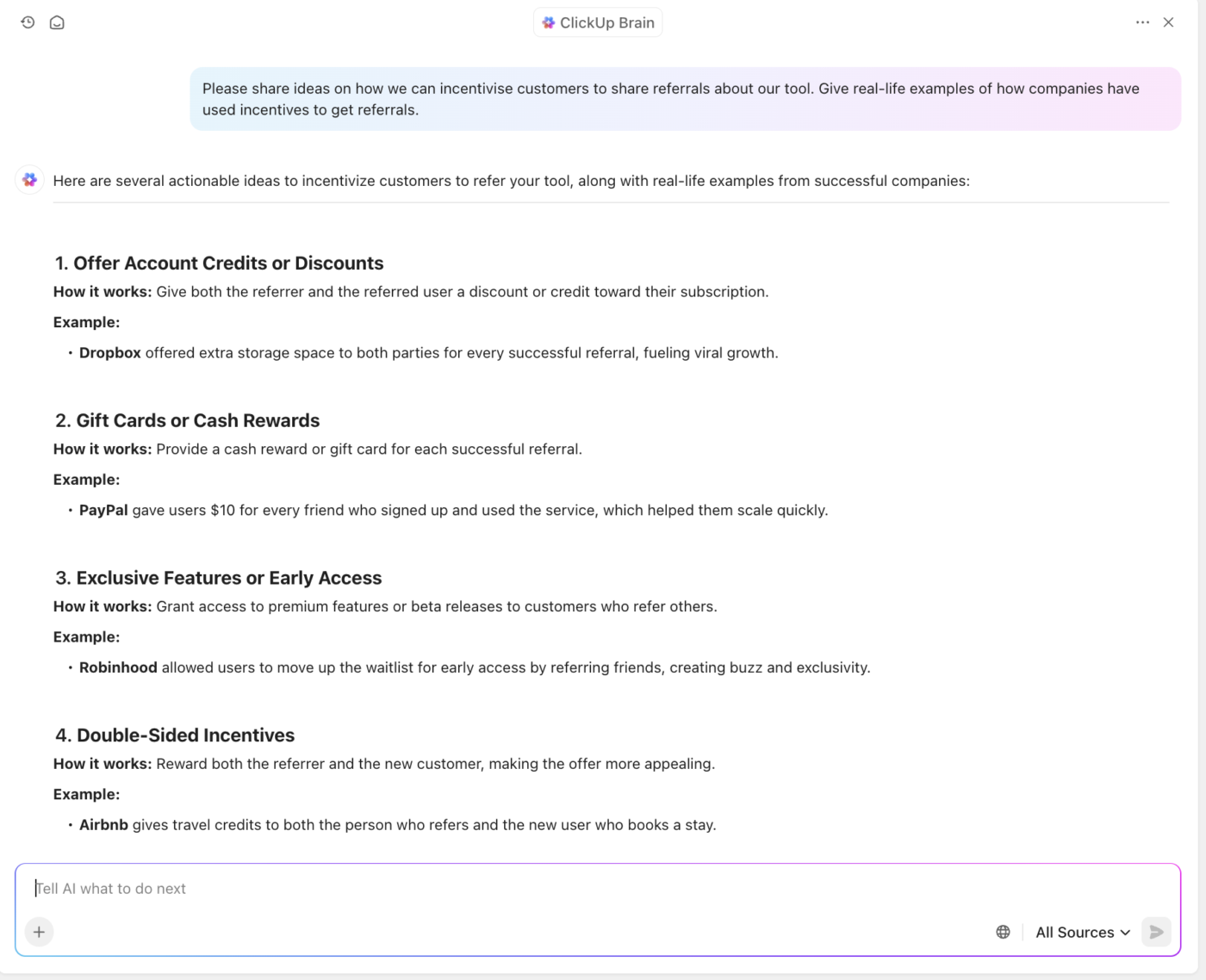
If you want more client referrals, start by listening to your current clients—what they love, what they don’t, and what they wish was better.
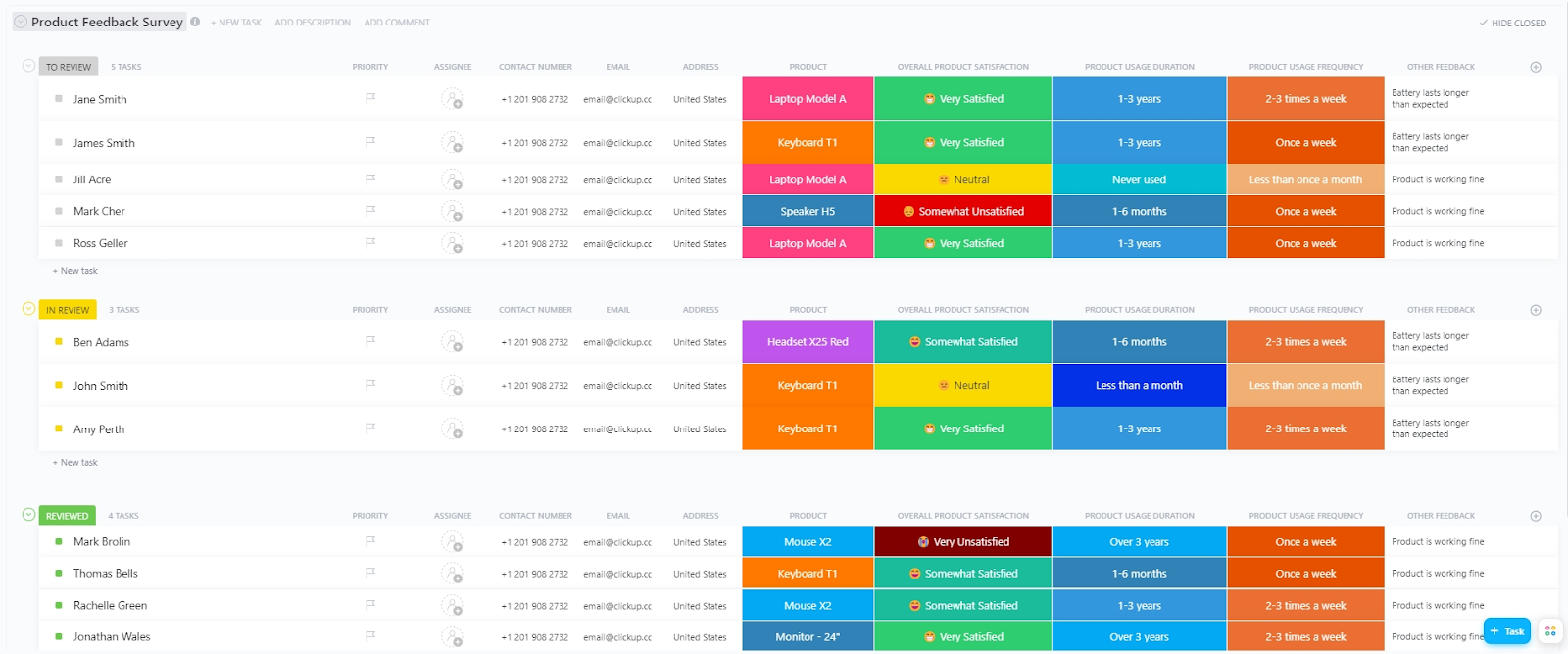
The ClickUp Product Feedback Survey Template helps you gather honest feedback from your clients about your product. The data you get lets you determine what needs improvement.
It comes with Custom Fields like Overall Product Satisfaction, Product Usage Duration, and Usage Experience. The setup allows you to tailor the survey to your specific needs and various views, such as Overall Satisfaction and Product Ratings, for efficient feedback analysis.
You also get access to features like time tracking and email integrations, making it easier for you to manage the entire feedback process without a glitch.
💜 Key Features:
🔑 Ideal for: Product managers, customer support teams, or marketing professionals looking to gather, organize, and act on user feedback.
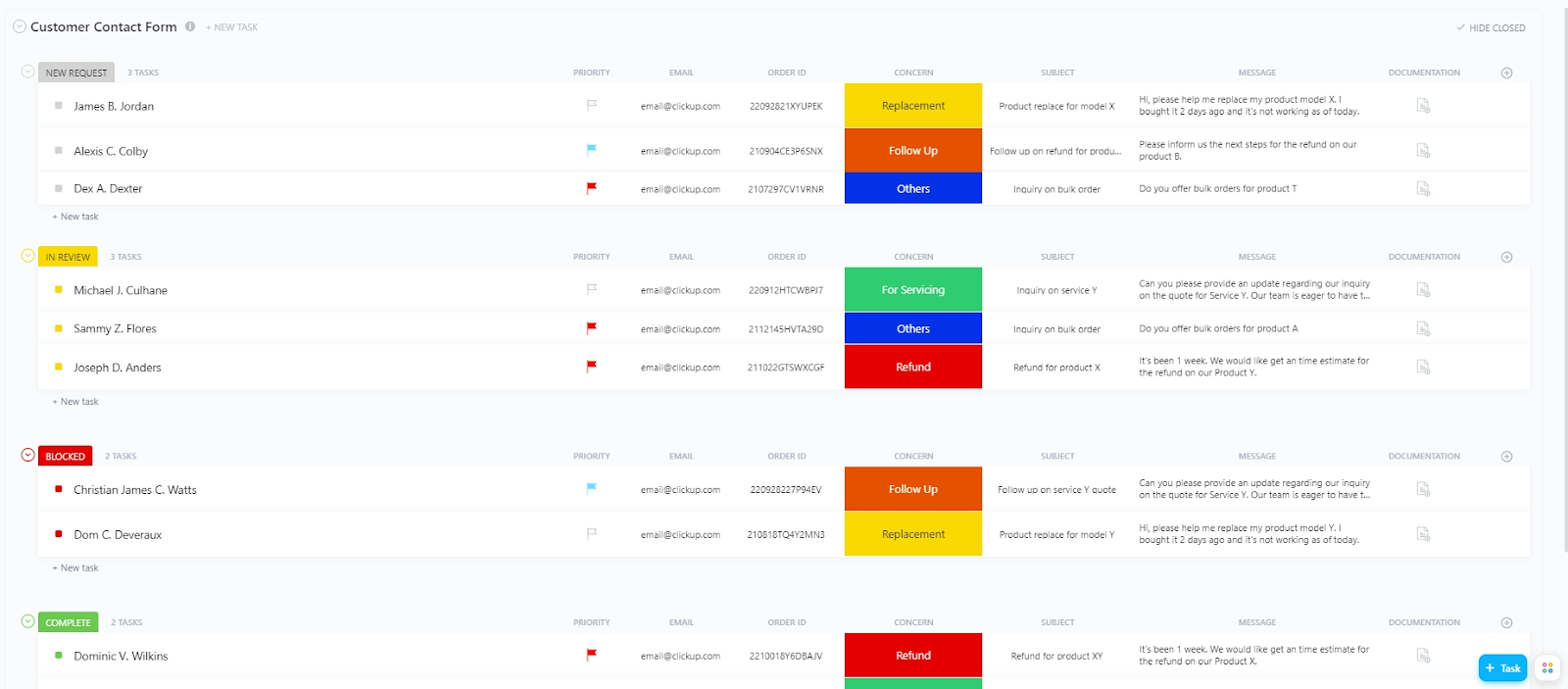
Strong referrals grow out of consistent, thoughtful client interactions. The ClickUp Customer Contact Form Template gives your clients a simple, reliable way to contact you—whether they have feedback, questions, or issues.
It’s fully customizable, includes color-coded statuses like New Request and In Review, and gives you access to built-in views like a contact summary and process board. This helps you stay organized, respond quickly, and keep the conversation going.
💜 Key Features:
🔑 Ideal for: Customer support teams, small to medium businesses, e-commerce companies, marketing teams, and product teams aiming to stay in touch with their clients.
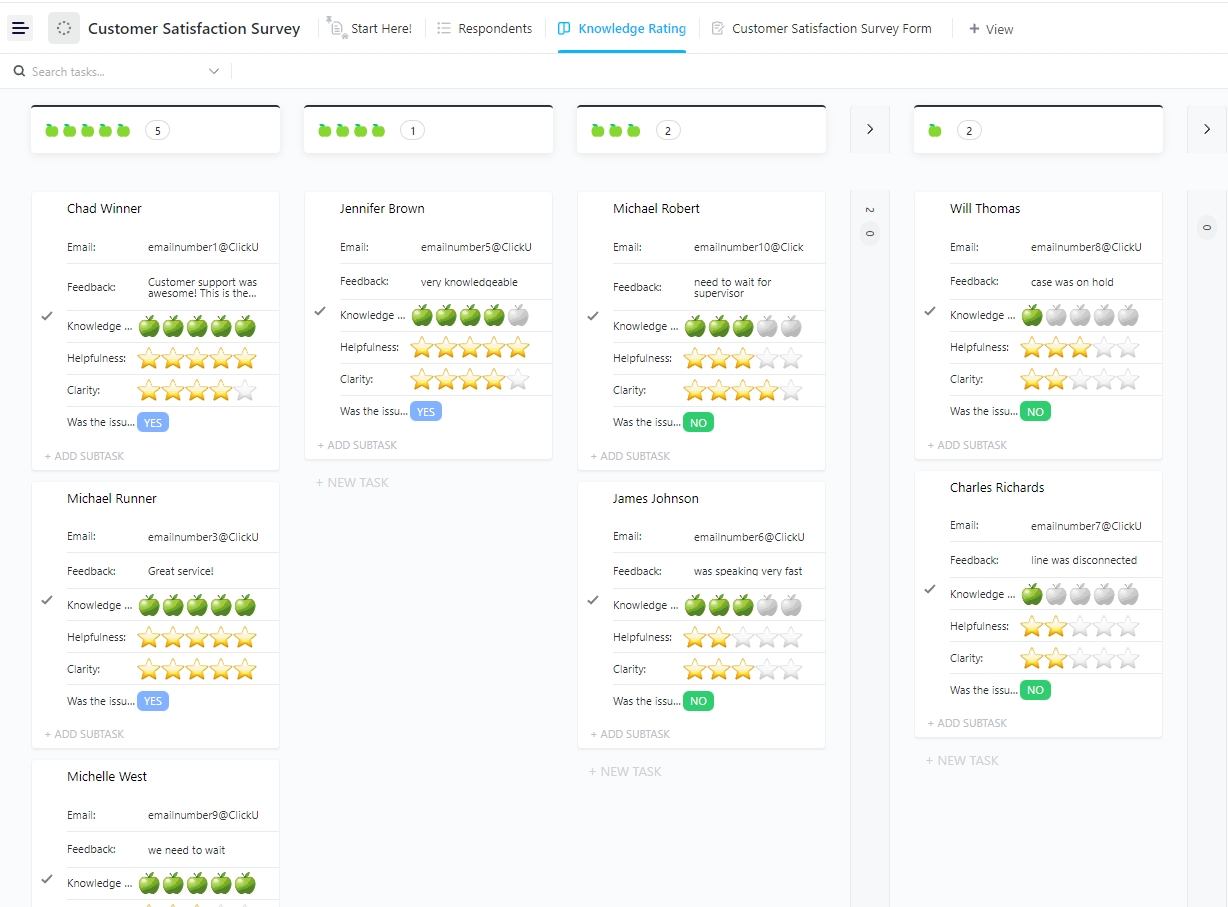
Sure, happy clients get you more referrals. But how do you know if they’re truly satisfied? By asking the right questions! Use the ClickUp Customer Satisfaction Survey Template to tailor fields like Helpfulness, Clarity, and Issue Resolution to exactly match what you want to find out.
Then, use views like Respondents, Survey Form, and Knowledge Rating to review feedback and spot trends quickly. Plus, you get to work with Custom Statuses like Open and Complete to see where each survey stands.
And since feedback can be turned into tasks right away, no question remains unanswered. This helps teams prioritize actions based on urgency, assign tasks to the appropriate members, and track progress without missing a beat.
💜 Key Features:
🔑 Ideal for: Customer support teams, product managers, and marketing professionals who need an efficient way to turn customer feedback into actionable insights and quickly improve customer satisfaction.
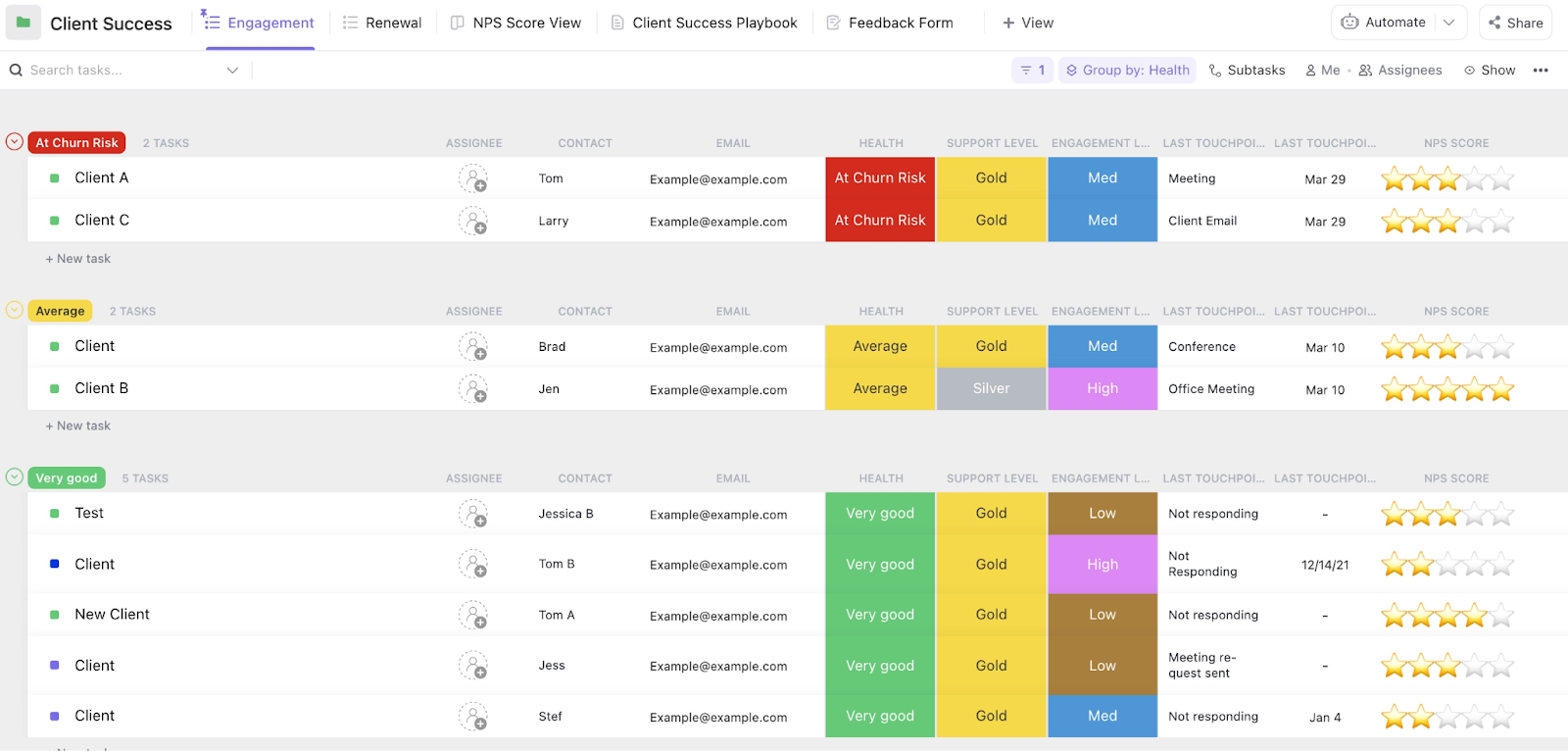
Tired of missed opportunities and disorganized referral follow-ups? The ClickUp Client Success Template helps you track every referral, from the initial introduction to the ongoing relationship.
With this template, you can easily track essential referral milestones, assign tasks, and automate follow-ups using statuses like Onboarding, Renewed, and Churned.
Whether it’s following up with leads or nurturing a referral, ClickUp helps you stay on top of it. Features like checklists, automation, and integrations let your team focus on growing your referral network.
💜 Key Features:
🔑 Ideal for: Customer success teams, account managers, and service teams who want to acquire client referrals, reduce churn, and improve client satisfaction.
🧠 Fun Fact: It’s said that in 55 BC, Julius Caesar offered his soldiers 300 sestertii (approximately a third of their annual pay) to recruit friends to join the Roman army. This early incentive-based recruitment resembles modern referral programs.
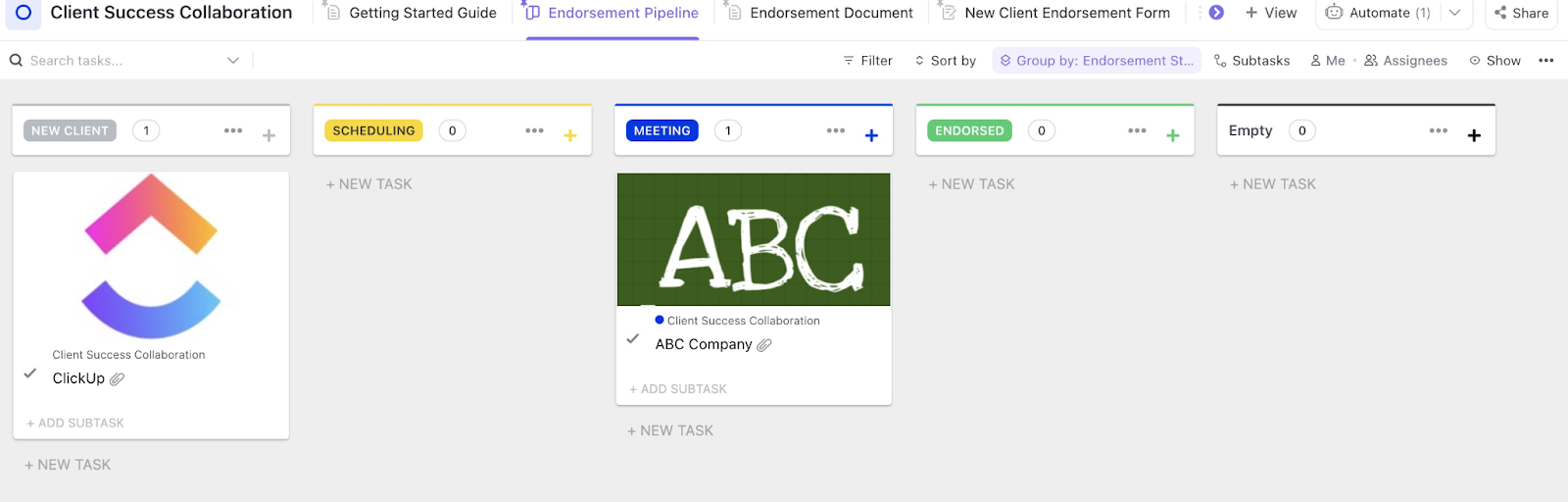
If there’s one template your referral program can’t go without, it’s the ClickUp Client Success Collaboration Template. It’s built to make the entire process smooth, organized, and impactful.
From first contact to final endorsement, it keeps you notified of follow-ups, meetings, and next steps—all laid out in a simple four-stage pipeline: New Client, Scheduling, Meeting, and Endorsed. You can assign tasks, set deadlines, and track progress so your team always knows what to do next.
You can upload referral forms, meeting notes, or even endorsement letters right inside the task cards. It also comes with extras like built-in scheduling, tags to flag high-priority referrals, and even an AI assistant to help with writing or updates.
💜 Key Features:
🔑 Ideal For: Client success teams, onboarding coordinators, project managers, and agencies managing multiple client workflows.
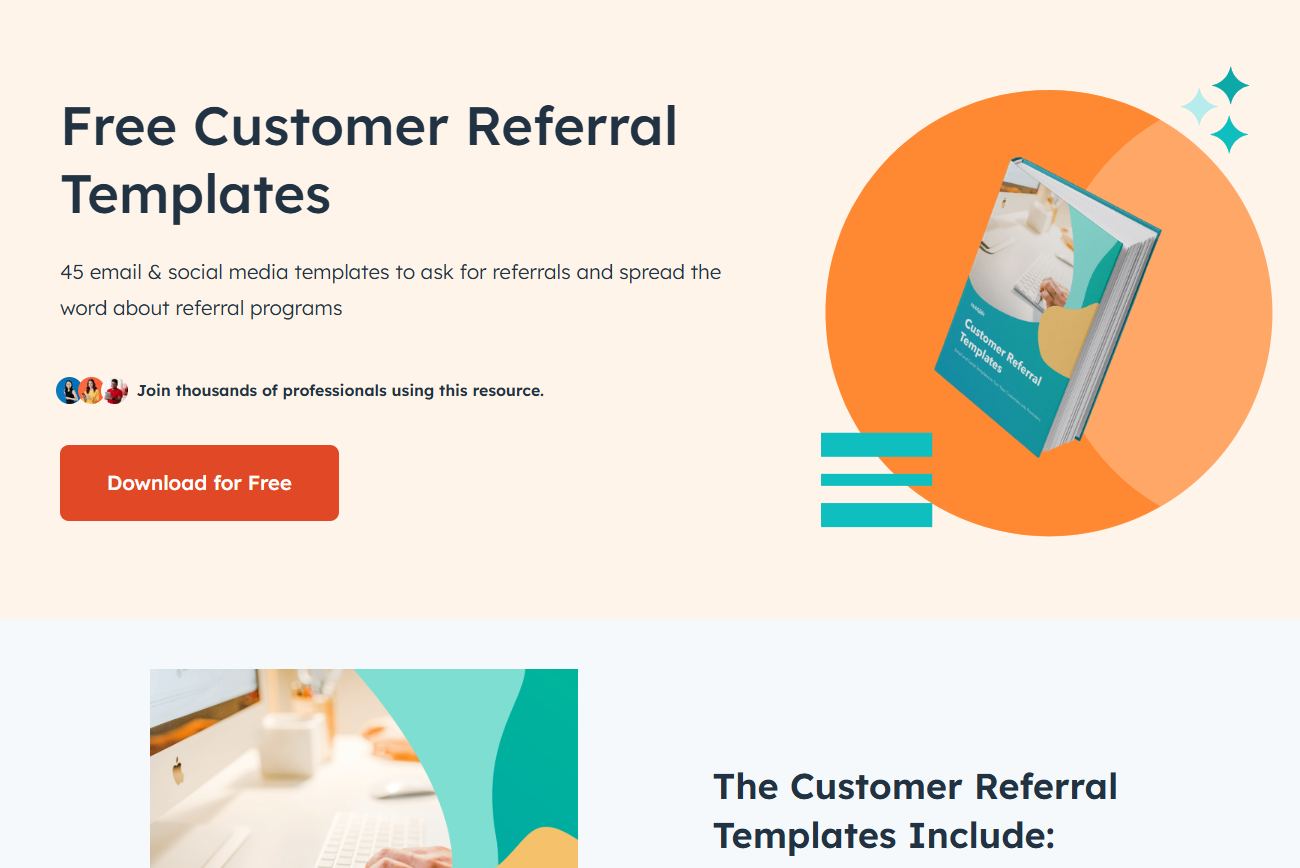
The HubSpot Customer Referral Templates Kit includes 45+ ready-to-use templates for emails and social media posts, all organized by purpose: asking for testimonials, sharing messages, following up, and expressing gratitude.
What makes it even better? You’re not limited to just one channel. The kit includes templates for both business pages and personal social profiles, so your whole team can help spread the word.
Whether you’re offering a reward or just asking for a quick intro, this kit enables you to keep things consistent, professional, and easy to manage.
💜 Key Features:
🔑 Ideal For: Small teams, service-based businesses, or anyone looking to build a customer referral program without the stress.
💡 Pro Tip: The best referral forms feel effortless—like sending a quick text to a friend. Keep yours short, snappy, and mobile-friendly. The easier you make it to refer, the more likely your clients will actually do it (again and again!)
I can’t say enough good things about it. Between the automation, templates, and all the different sorts of tracking and views, there’s just no way to go wrong with ClickUp.
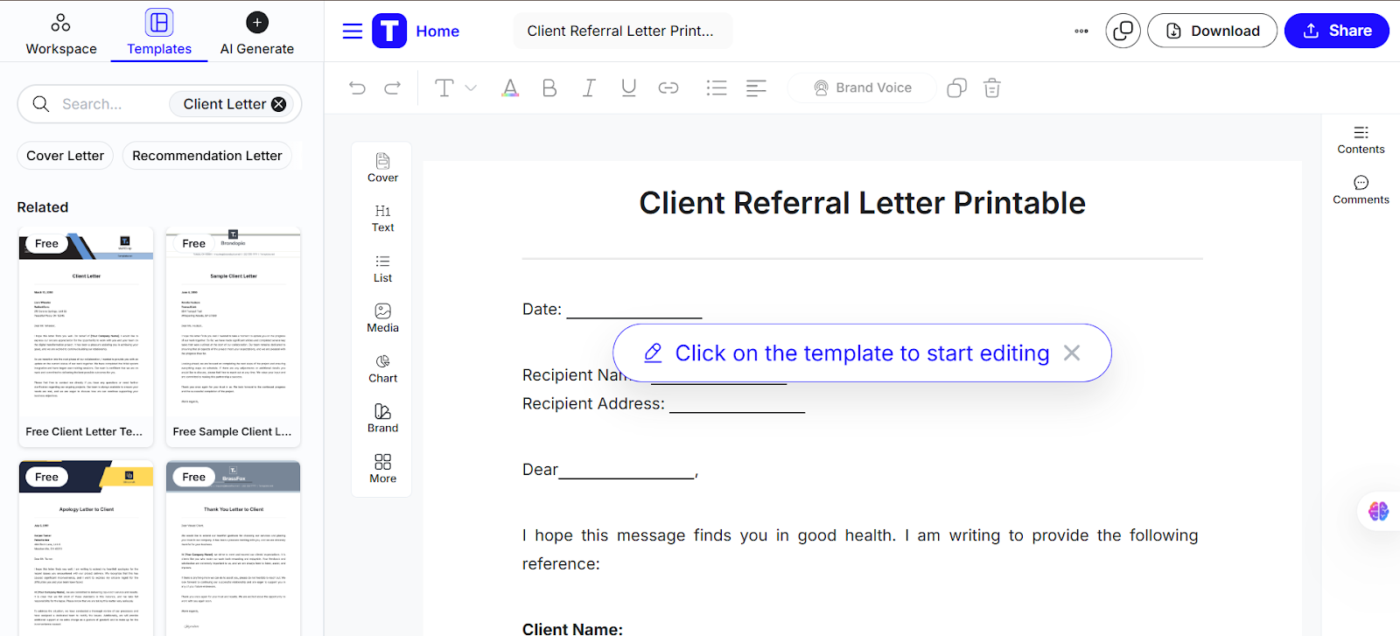
Free, clear, and polished, the Client Referral Letter Template by Template.Net is great for recommending a client to another business or contact. It helps you highlight your client’s strengths and suggest how they could benefit from a new partnership, making your referrals not just effective but trustworthy.
Designed with clean lines and modern branding, this editable template includes sections for the client’s contact details, a brief overview of their work, and a space for your personal recommendation. You even get a space to add your own logo and business information, ensuring your personal brand is front and center.
💜 Key features include:
🔑 Ideal for: Professionals who often refer clients to other services, such as independent consultants, agencies, or small businesses offering referrals to partner vendors.
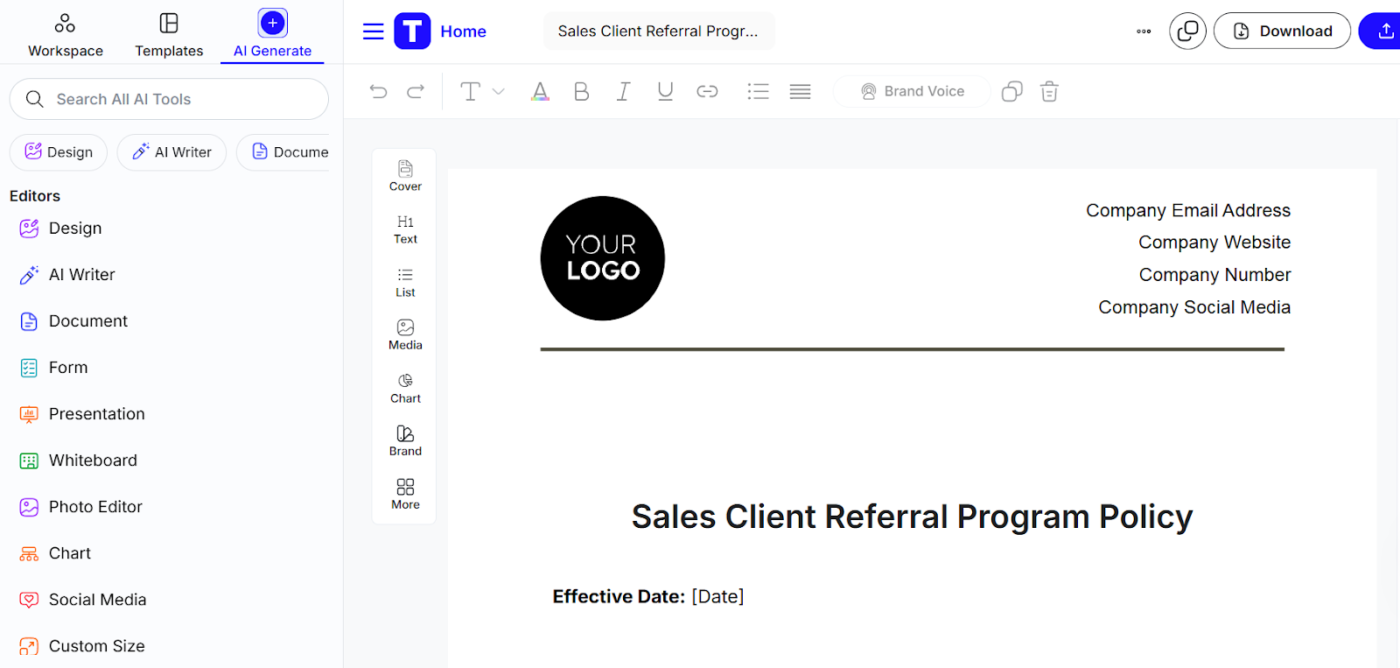
If you’re looking to reward loyal clients or encourage partners to bring in new leads, check out the Sales Client Referral Program Policy Template by Template.Net. It helps clearly communicate your program’s goals, who can participate, and what rewards are on offer.
It features a user-friendly, easy-to-edit layout that makes personalization quick and easy. You can set referral terms and adjust who joins, what rewards you offer, and how referrals are tracked.
It also covers all the important bits, like privacy, terms, and what happens if you ever want to change the program, so you don’t have to worry about missing anything.
💜 Key features:
🔑 Ideal for: Small to mid-sized businesses that are launching new sales programs or fine-tuning their existing referral marketing efforts.
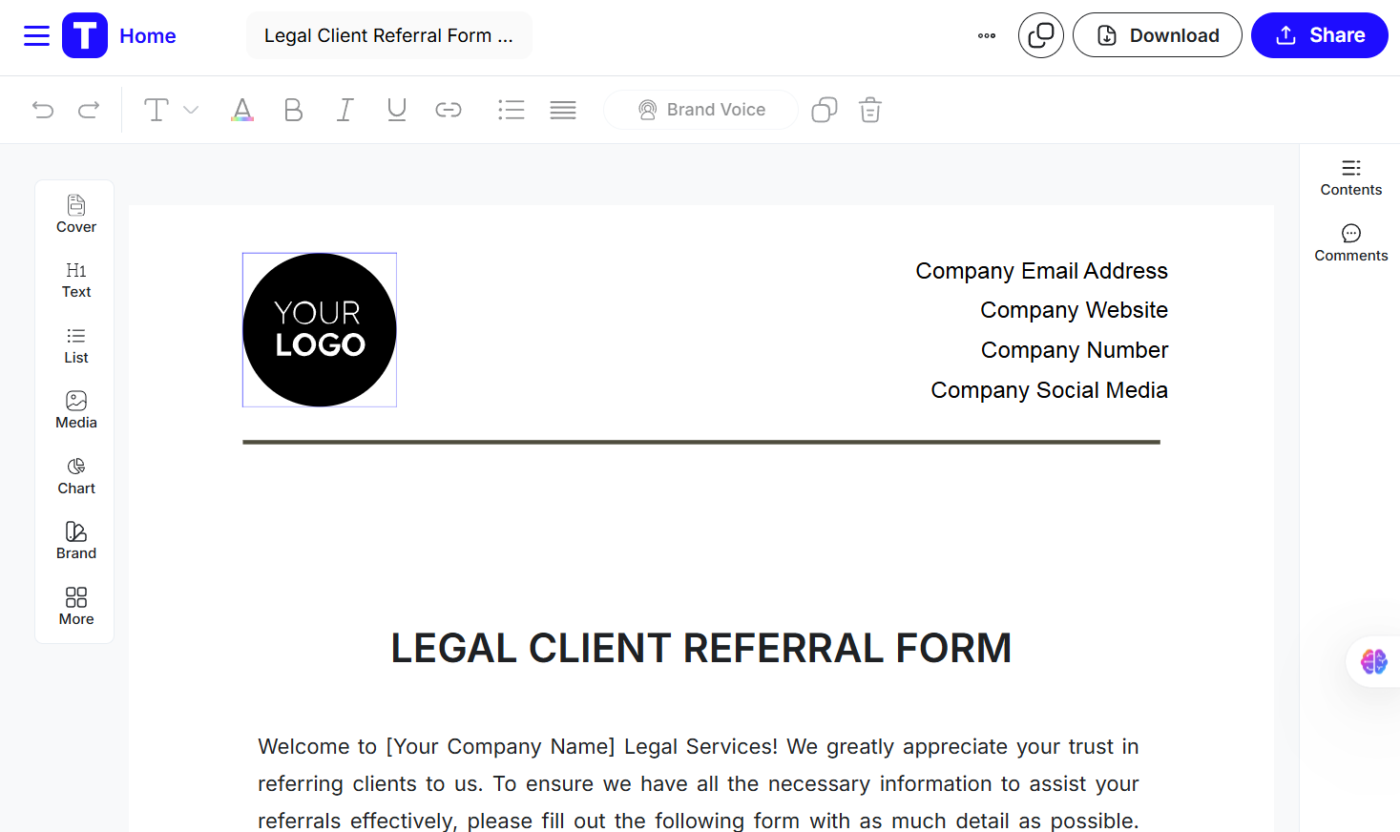
Law firms, this one’s for you. Template.net’s Legal Client Referral Form template helps you gather all the essential details about both the person making the referral and the client they’re recommending.
It’s super easy to customize and includes sections to add the referrer’s contact information, details about the referred client, the type of legal help they need, and any deadlines or additional notes. Whether you’re sharing or receiving referrals, this fillable yet straightforward format helps you take action quickly and give clients a better experience.
💜 Key features:
🔑 Ideal for: Law firms, independent lawyers, referral partners, legal assistants, and professionals referring clients across legal practices.
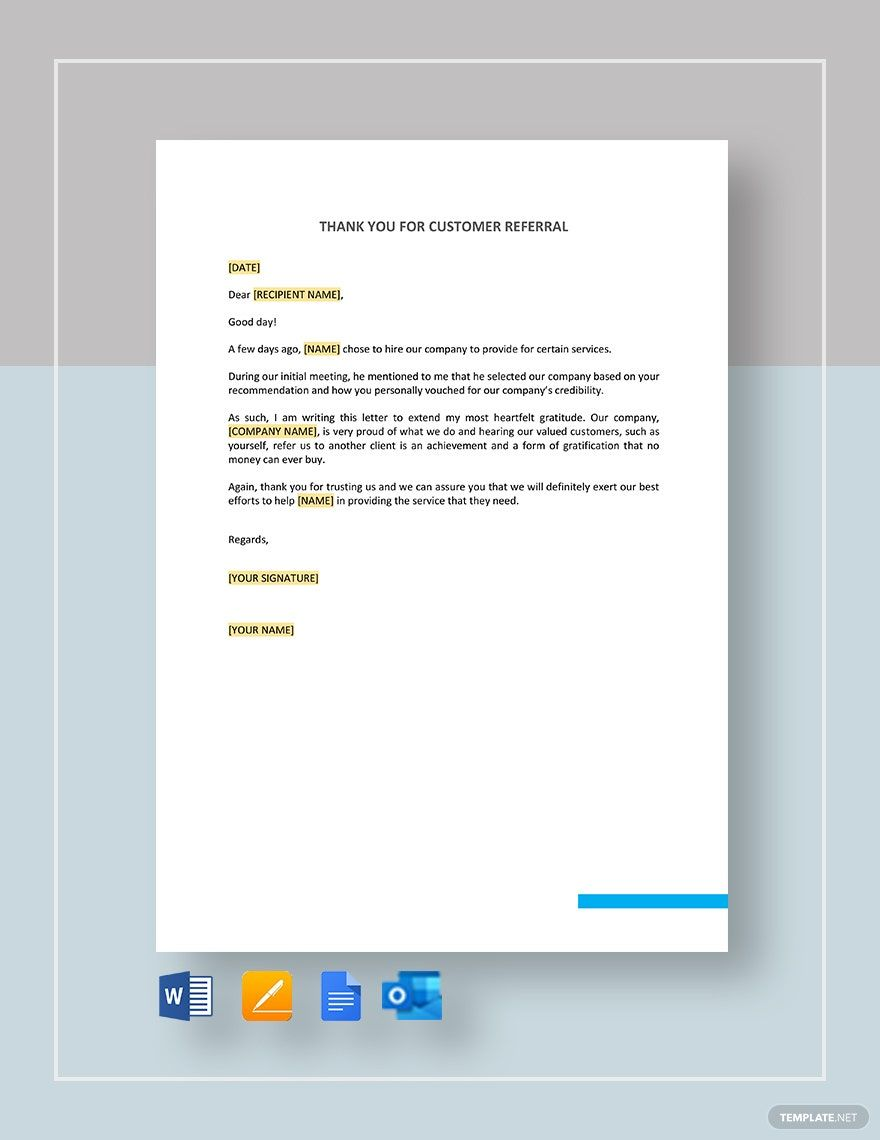
Sending a quick, personalized thank-you not only shows you care, but it also helps build loyalty and keeps the successful referrals coming. The Thank You for Customer Referral Template from Template.net is a thoughtful way to show clients how much you appreciate their trust in your business.
It’s designed to be simple, sincere, and ready to use—just add your client’s name, the person they referred, and your business details, and you’ll have a personal, heartfelt, and professional thank-you letter in minutes.
💜 Key features:
🔑 Ideal for: Business owners, service professionals, sales teams, customer service reps, and anyone looking to build loyalty through personalized thank-you messages.
Loyal customers and clients can do wonders for your business. When one of them recommends your product or service, it means they trust your work enough to vouch for it. That kind of trust is powerful.
The client referral templates we shared in this list are here to help you build on that trust. Whether you’re sending a thank-you, asking for a referral, or setting up a simple process to manage them, these have you covered.
Each one serves a different purpose—maybe you need a clean form to collect feedback, or a quick referral email template to follow up with a lead. Whatever stage you’re at, these tools make it easier to keep things moving without overthinking it.
And if you’re looking for even more ways to stay organized, check out ClickUp’s full library of 1,000+ templates. You’ll find everything from project trackers to client workflows—fully customizable and built to work with your team in real time.
Sign up today on ClickUp for a free account and turn it into your personal referral tracking software!
© 2026 ClickUp