






Still downloading templates?
There’s an easier way. Try a free AI Agent in ClickUp that actually does the work for you—set up in minutes, save hours every week.
Sorry, there were no results found for “”
Sorry, there were no results found for “”
Sorry, there were no results found for “”

From troubleshooting outages at 2 a.m. to addressing configuration errors, your role as a network engineer requires constantly balancing a million things.
But what if AIOps tools (artificial intelligence for IT operations) could lighten your load?
AI can automate tedious tasks, predict failures before they occur, and assist in managing cyber threats. The best part? You don’t need to overhaul your system. AI tools can be integrated into existing company software.
In this guide, we’ve compiled the best AI tools for network engineers to optimize network services and performance, complete with their pros, cons, pricing, and actual user reviews. Let’s take a look!
Here is a quick rundown of the top AI tools for IT network professionals:
| Tool | Key features | Best for | Pricing* |
| ClickUp | – AI-powered incident reports, task prioritization, and automations – Custom Task Statuses for network workflows – Docs, Whiteboards, Dashboards for collaborative work – Multi-LLM support (ChatGPT, Claude, Gemini) | Small to enterprise IT and network teams managing projects, workflows, and documentation in one place | Free plan available; Custom pricing for enterprises |
| Juniper Mist AI | – AI co-pilot “Marvis” for root cause analysis – Wi-Fi and SD-WAN optimization – Self-Driving Network operations – Conversational interface for diagnostics | Network teams using Juniper hardware that need AI-driven wireless networking and automation | Free trial (limited to US); Custom pricing |
| SolarWinds Network Performance Monitor | – Hybrid network path analysis – Visual maps and custom dashboards – AIOps-based anomaly alerts – Real-time performance bottleneck detection | Mid-sized IT teams managing hybrid or on-prem networks that need visibility and early warnings | Custom pricing |
| Cisco DNA Center | – Policy-based access control with ISE – AI-driven threat detection and wireless 3D Analyzer – Troubleshooting and real-time network health monitoring | Large enterprises using Cisco hardware that need intent-based networking and proactive threat mitigation | Custom pricing |
| NetBrain | – Dynamic live/historic network mapping – AI-assisted observability + auto-ticket remediation – Compliance checks + impact analysis – Script-free troubleshooting workflows | Mid-size to enterprise network teams managing hybrid cloud/SDN that need real-time visibility | Custom pricing |
| Arista CloudVision | – Unified management across data center, WAN, and cloud – AVA engine for predictive analytics and audit readiness – Telemetry-based anomaly detection – Policy orchestration across domains | Enterprise teams working across hybrid and multi-cloud that need deep observability and compliance automation | Custom pricing |
| Auvik | – Real-time topology maps and pre-configured alerts – Remote access (terminal, tunnel, browser) – Automated backups and integration with ITSM tools – Predictive maintenance with fast recovery from misconfigs | Small to mid-sized IT teams that need remote management and backup-based recovery | Custom pricing |
| ManageEngine OpManager | – Layer 2 mapping, bandwidth monitoring, WAN analytics – AI-driven anomaly detection and self-healing- Visual data center maps and IPSLA support | IT teams managing diverse network devices and servers that need fault detection + performance monitoring | Custom pricing |
An AI-powered network monitoring tool can detect unusual traffic patterns from a misconfigured device. It automatically optimizes the routing, resolving the issue within seconds.
You must carefully pick an AI system that integrates into DevOps, generates predictive insights, and efficiently manages network projects.
Look for:
👀 Did You Know: 51% of professionals faced a combined financial loss of $1 million due to data breaches. Leveraging AI network security tools can help bolster data security!
Our editorial team follows a transparent, research-backed, and vendor-neutral process, so you can trust that our recommendations are based on real product value.
Here’s a detailed rundown of how we review software at ClickUp.
When setting up routers, switches, firewalls, and wireless networks, you need to ensure that everything runs smoothly and is secure.
The right AI workflow tool can boost performance, tighten security, and keep data flowing smoothly. Check out this list to find the best one for your needs!
ClickUp, the everything app for work, combines knowledge management, project management, and team collaboration in its AI-powered interface for ultimate workflow efficiency. It can also shape itself to suit your network management needs.
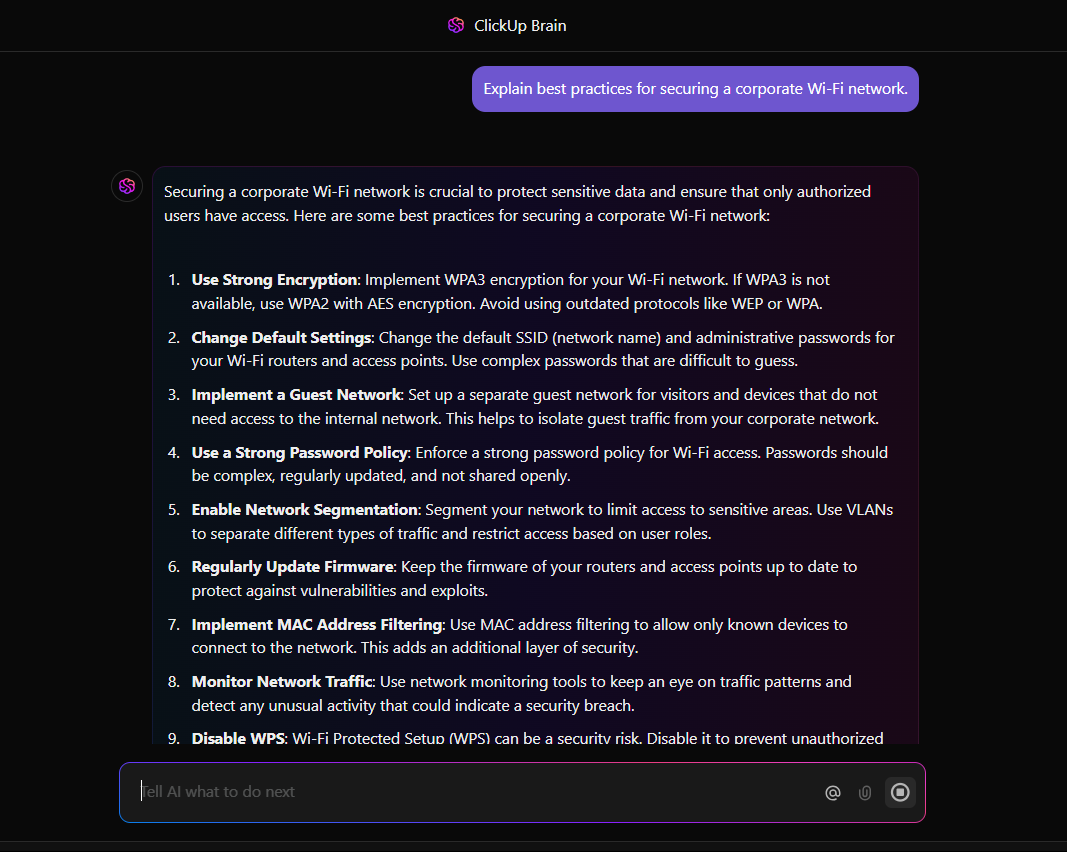
Network engineers face repetitive troubleshooting, incident resolution, and documentation challenges. But instead of you manually documenting network issues, ClickUp Brain can help you generate structured reports for maintenance tasks from raw data with previous logs, patterns, and a summary.
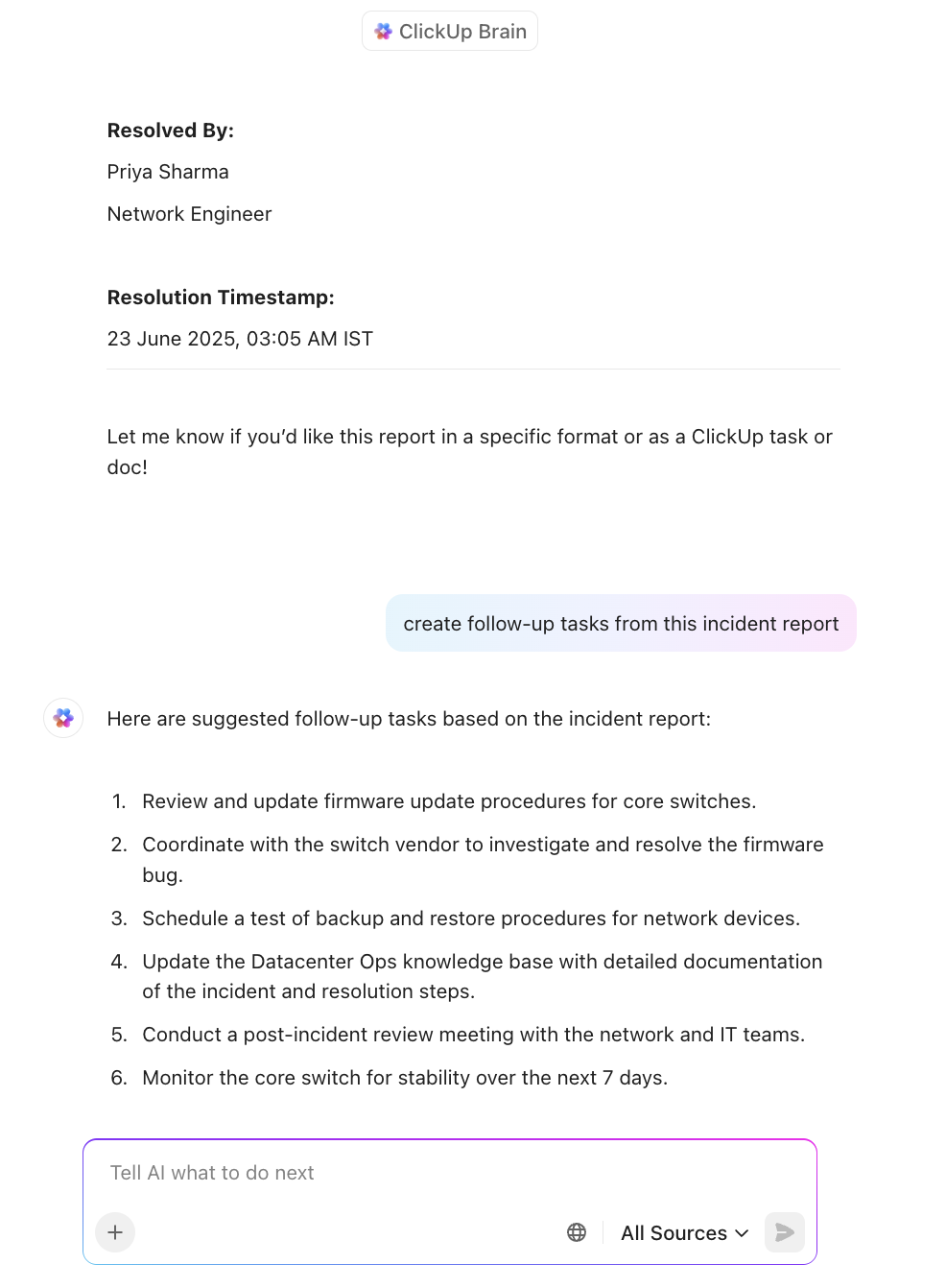
ClickUp AI also prioritizes your tasks. If an engineer is assigned multiple tasks, such as a VLAN configuration change and a critical network security audit, ClickUp AI recommends which task should be tackled first based on severity and impact.
To lighten your load, ClickUp’s AI automates repetitive tasks such as assigning and updating statuses for network maintenance tasks and scheduling deadlines for monitoring system updates.
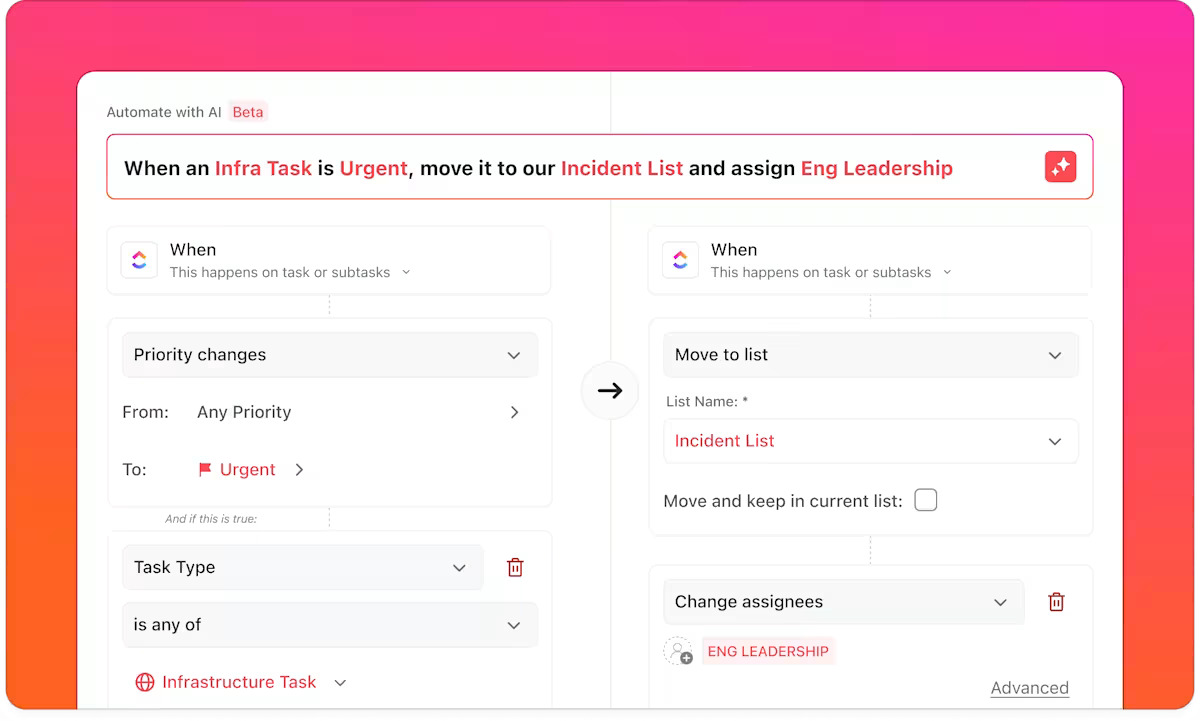
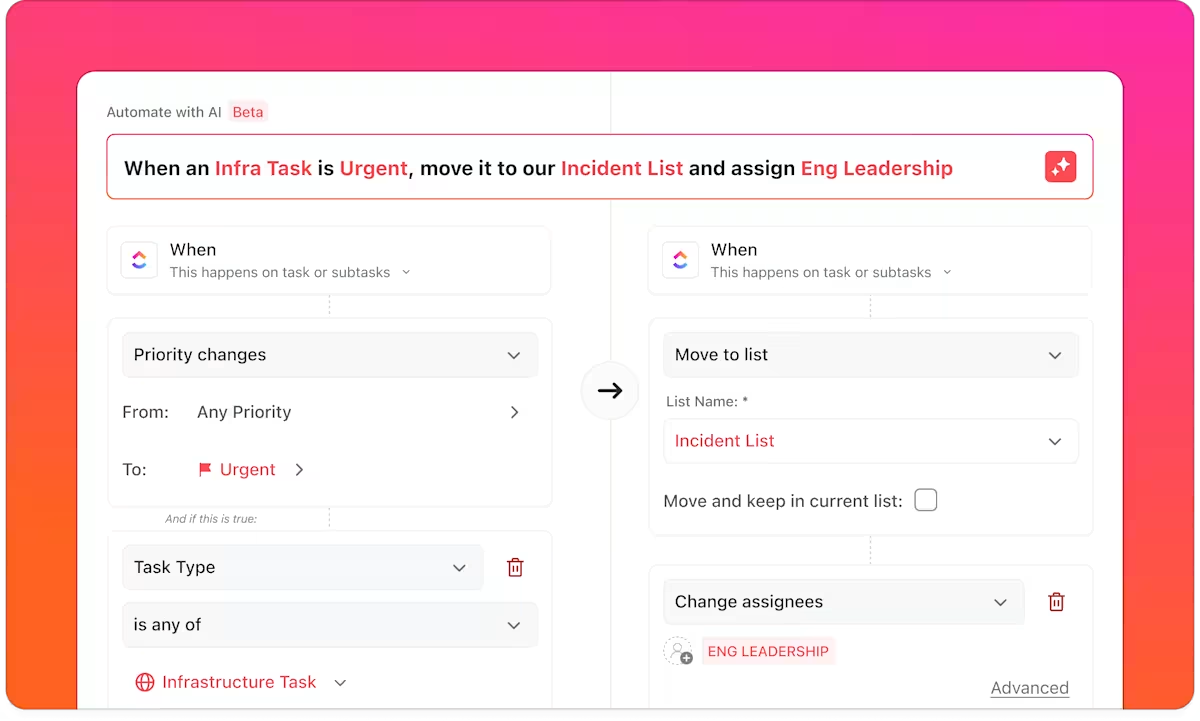
With ClickUp Automations, you can auto-assign tickets based on issue type (e.g., “Firewall config” goes to the Security team, “BGP instability” to Core Networking). You can even set up complete workflows that operate without manual intervention.
✅ Example: When a new ClickUp Task is tagged “Urgent” in priority + “Datacenter” in the location Custom Field, it pings the on-call engineer in Slack, adds the task to the Datacenter Ops board, and creates a linked subtask for documentation.
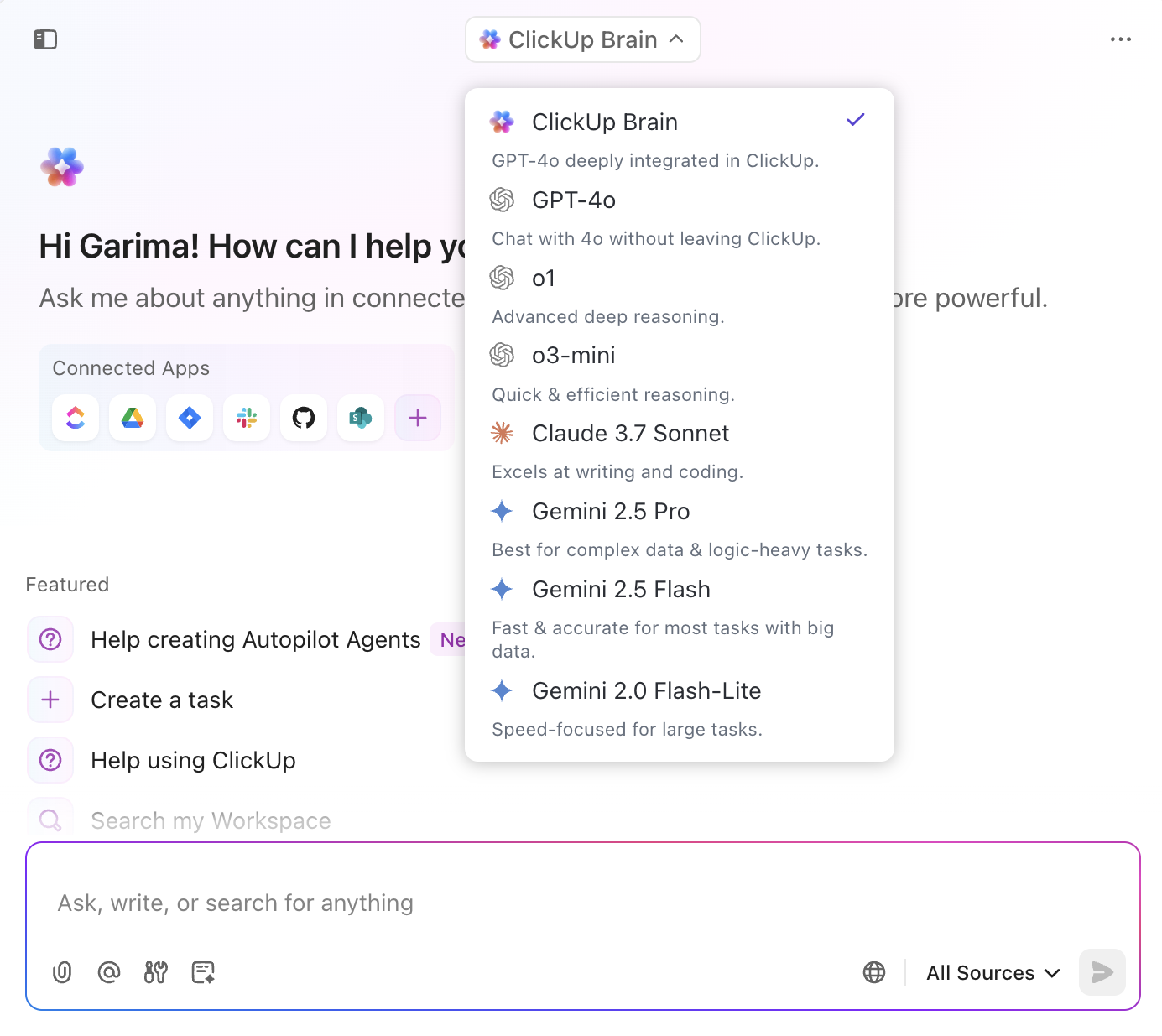
The really cool thing about ClickUp’s AI is that you can work with multiple LLMs like ChatGPT, Claude, and Gemini right from your workspace. With this ability, you can fully take advantage of artificial intelligence and say goodbye to human error and limitation.
ClickUp can also integrate with third-party monitoring tools to consolidate network data into ClickUp Dashboards for real-time analysis and decision-making.
And when it comes to collaborating across engineering, IT, security, and vendors, you’ve got multiple tools to make network project management easier:
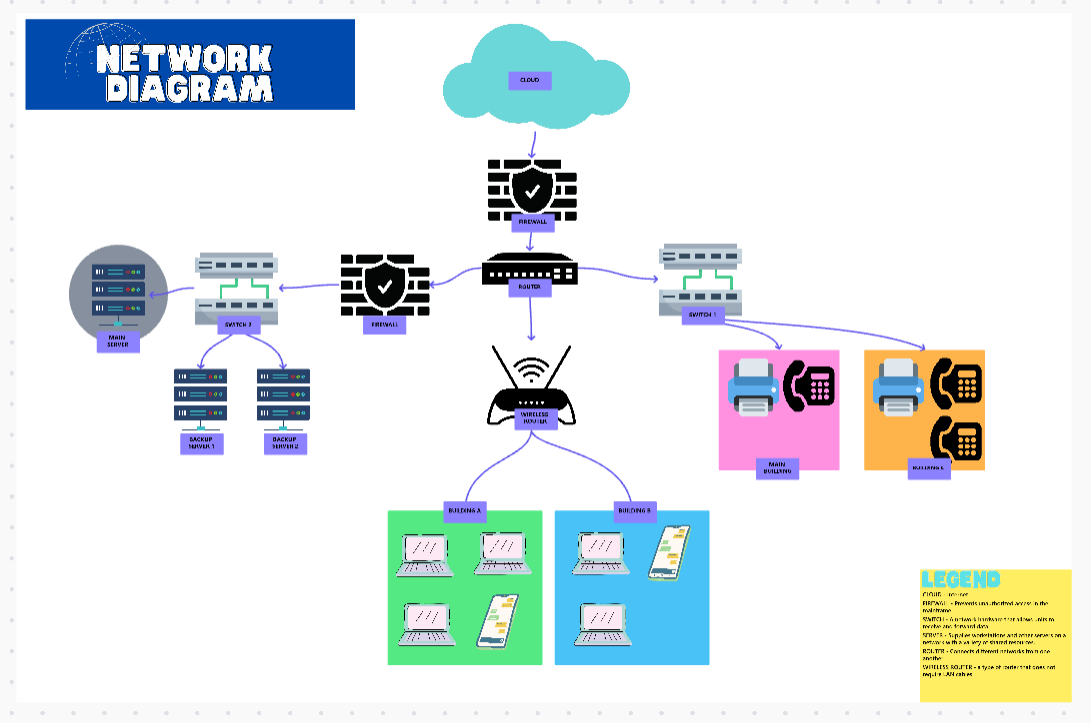
By consolidating workflows into one platform, ClickUp eliminates fragmented systems, enabling IT teams to focus on optimizing network performance.
📮 ClickUp Insight: 47% of our survey respondents have never tried using AI to handle manual tasks, yet 23% of those who have adopted AI say it has significantly reduced their workload.
This contrast might be more than just a technology gap. While early adopters are unlocking measurable gains, the majority may be underestimating how transformative AI can be in reducing cognitive load and reclaiming time.
🔥 ClickUp Brain bridges this gap by seamlessly integrating AI into your workflow. From summarizing threads and drafting content to breaking down complex projects and generating subtasks, our AI can do it all. No need to switch between tools or start from scratch.
💫 Real Results: STANLEY Security reduced time spent building reports by 50% or more with ClickUp’s customizable reporting tools—freeing their teams to focus less on formatting and more on forecasting.
A TrustRadius review shares:
With ClickUp, we are able to add dependency tasks and assign them to different teams. This makes the work of explaining from scratch regarding a task much easier since all the data are already given under that particular task.
🧠 Fun Fact: The first-ever computer virus was known as ‘the creeper.’
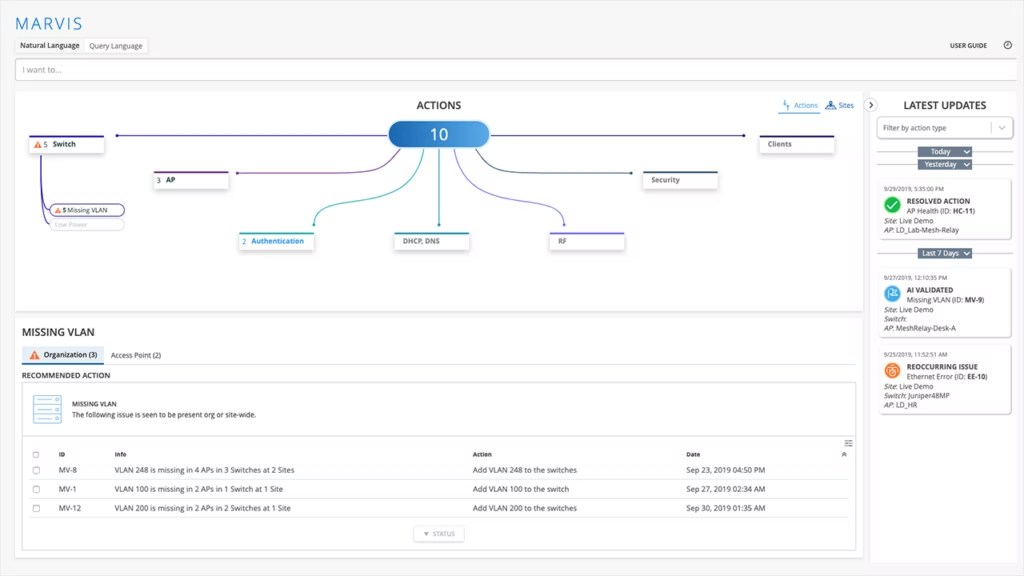
Juniper Mist AI’s Marvis Virtual Network Assistant acts as an AI-powered co-pilot for network engineers. It diagnoses network issues, optimizes network infrastructure, and reduces human intervention in troubleshooting.
It also enables network engineers to see end-to-end insights into user experiences by collecting and analyzing data from Juniper’s access points, switches, routers, and firewalls.
A review on Reddit highlights:
I work at an MSP, and we use Cisco, Aruba Central, Meraki, Ruckus, and Mist for various customers & solutions. Mist is by far my favorite because of how easy it is to set up and support. They have a ways to go on switching and routing, but they are making a ton of great progress.
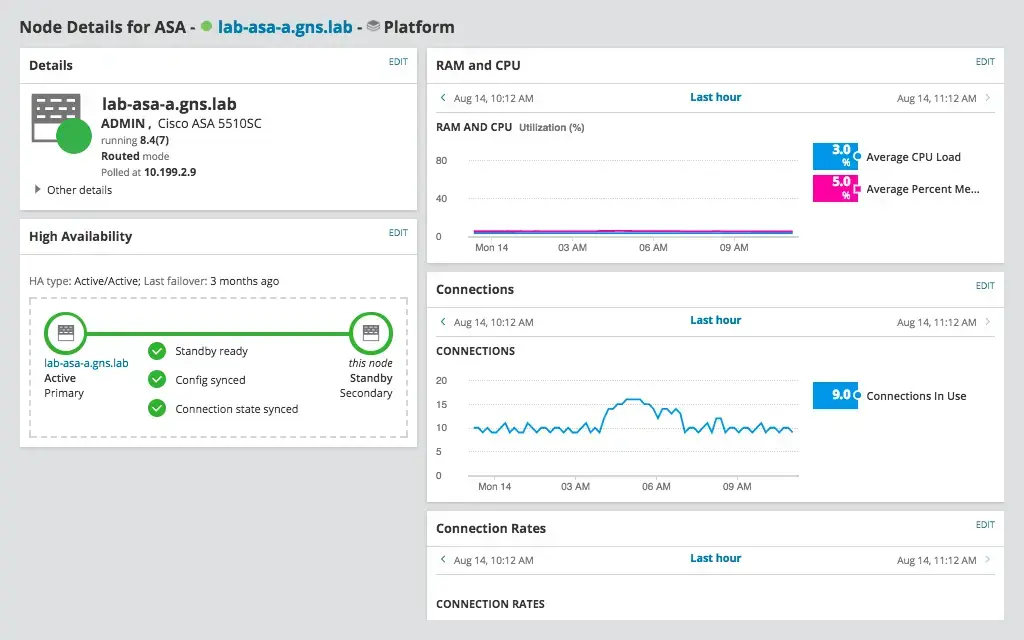
Keeping up with a network—whether on-prem, hybrid, or multi-vendor—is no easy feat. SolarWinds Network Performance Monitor (NPM) simplifies the process, giving engineers real-time visibility into performance metrics without complex automation. Instead of drowning in data, you get clear, actionable insights to fix issues before they escalate.
A user on Capterra says:
It gives a clear view of our network in real-time, making it easy to spot and fix issues before they cause major downtime.
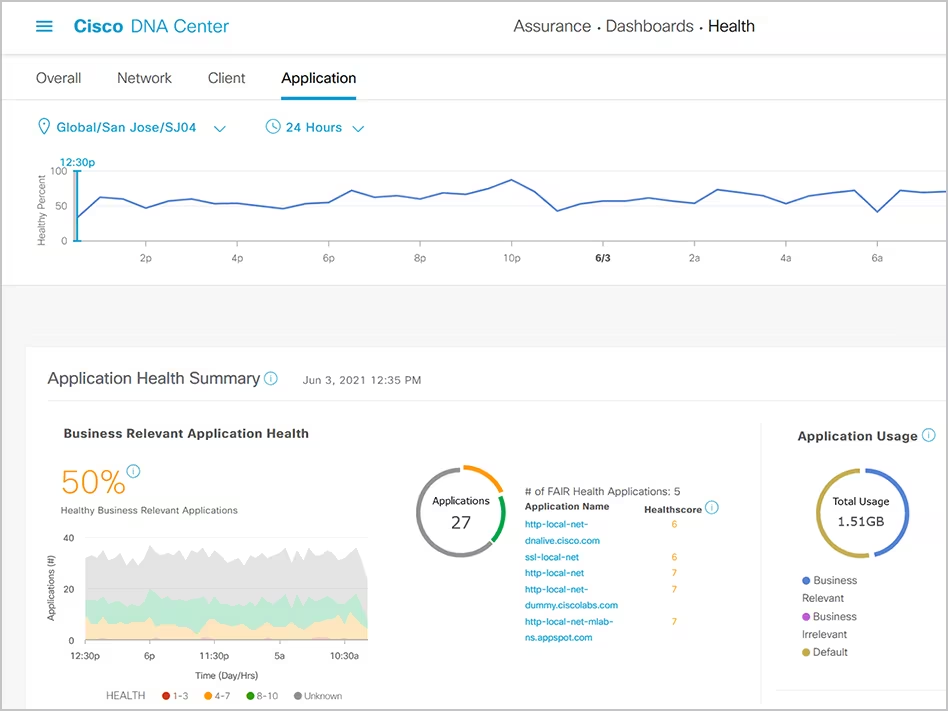
Why waste time on manual network management? Cisco Catalyst Center automates device configurations, tracks network health, and strengthens security.
With AI-driven anomaly detection and deep security insights, it spots threats before they become disasters, giving you peace of mind and more time to focus on what matters.
Straight from a G2 review:
Cisco DNA Center is a powerful platform, but it can be complex to learn and use. The cost is also a factor to consider.
📖 Also read: How to Implement IT Infrastructure Management
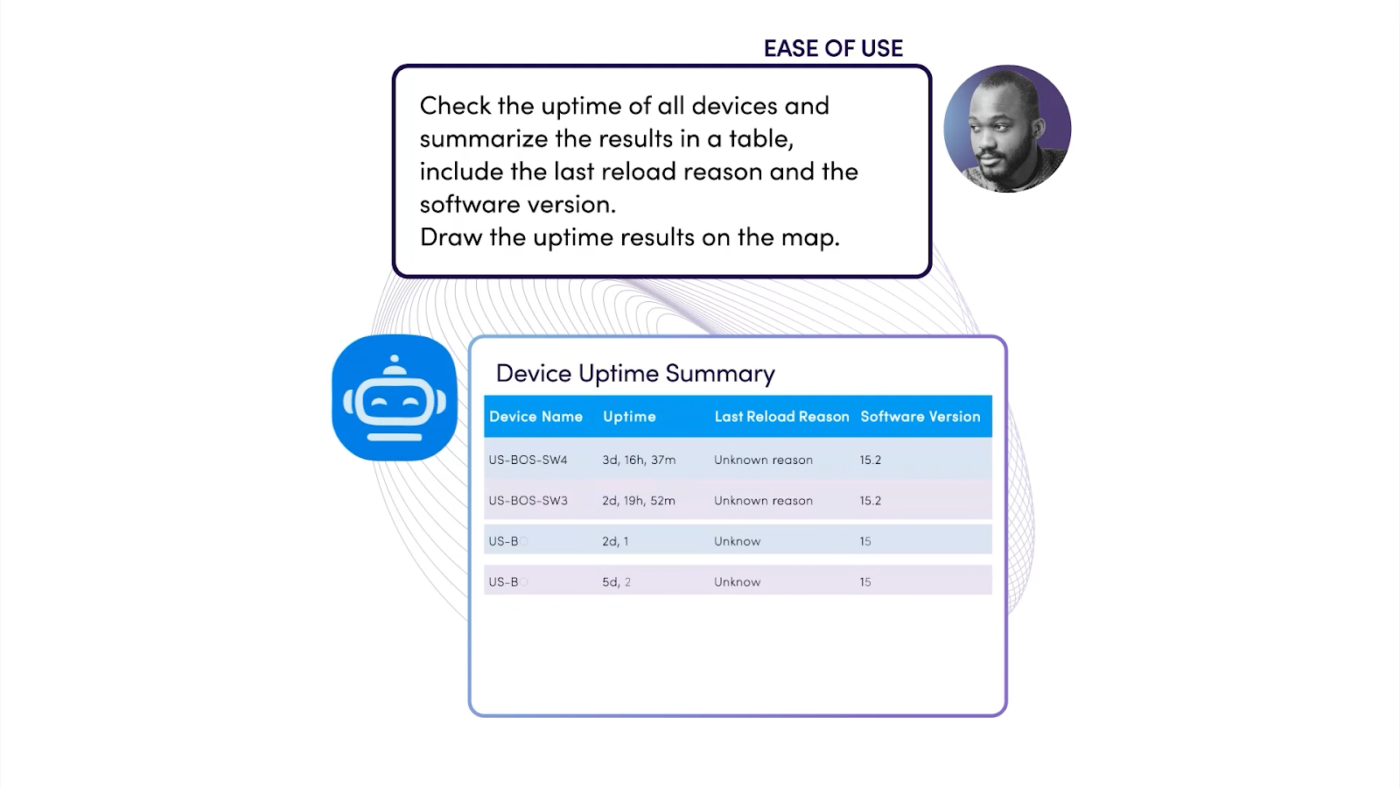
Network issues shouldn’t catch you off guard. With NetBrain, you can prevent problems rather than react to them. It creates dynamic, real-time network maps that eliminate guesswork.
Whether you’re working with hybrid cloud or SDN environments, it gives you end-to-end visibility, so you can troubleshoot fast and stay ahead of problems.
A G2 review rates the tool positively:
It provides Dynamic Mapping, real-time Path Analysis & Protocol level troubleshooting. Maps / Paths can be downloaded in Vision for further documentation & Audit purpose. All the Network changes can be validated thru NetBrain before actual implementations.
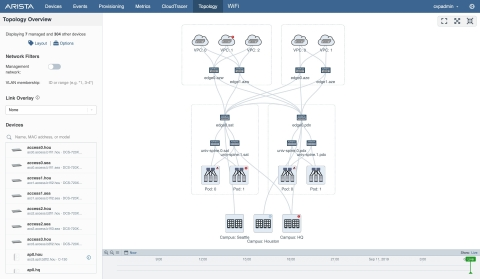
Arista CloudVision’s Network Data Lake (NetDL™) is like a time machine for your network. It collects, analyzes, and correlates network-wide data, offering both historical and real-time insights. From diagnosing root causes to strengthening security, it’s a powerful tool for engineers who need deep visibility.
A Reddit reviewer shares:
We could see exactly on the second where a bad interface would flap or go down, and exactly on the second when it would come back up, something that might be missed by a normal SNMP collector.
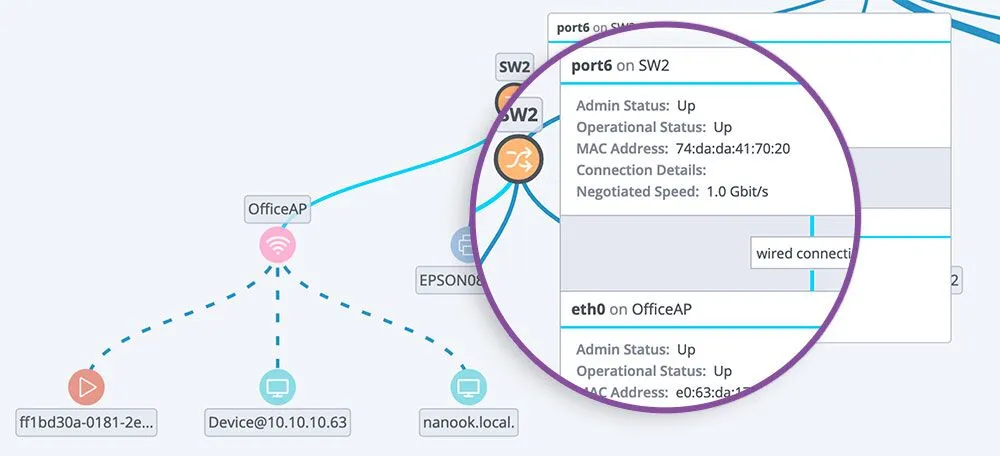
Auvik’s automated configuration backup and device tracking ensure that IT teams can recover from misconfigurations and security threats with minimal downtime.
It brings cloud-powered network management to the forefront, offering automated troubleshooting, network optimization, and predictive maintenance.
On G2, a user shares:
Auvik provides easy deployment, management, and consistent monitoring. They’re constantly enhancing the platform to increase security, usability, and functionality.
📖 Also read: How to Master IT Incident Management
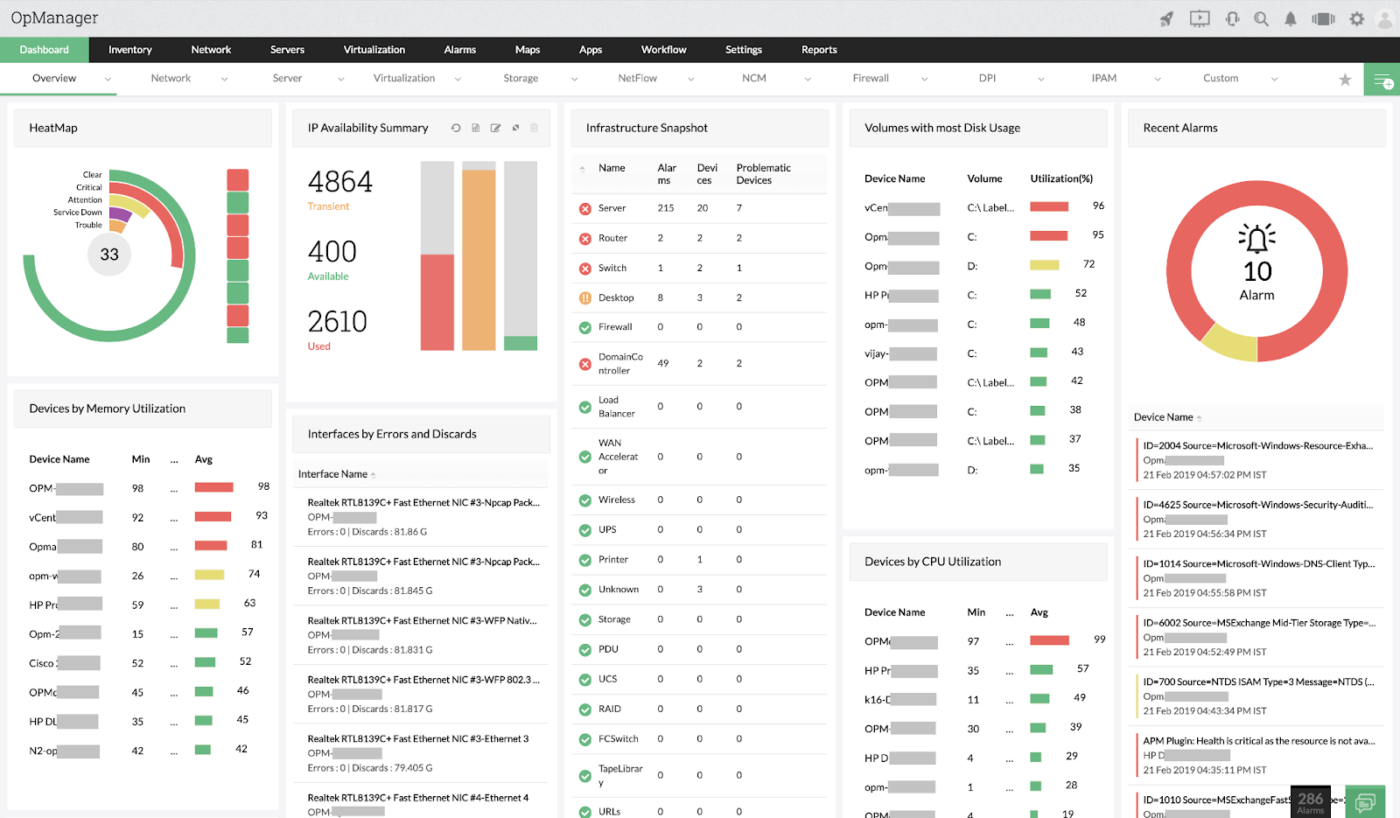
Juggling cloud services, network devices, and server performance? ManageEngine OpManager keeps everything in check. AI-powered fault detection and automation cut down on tedious troubleshooting, so engineers can focus on more significant projects instead of putting out fires.
👀 Did You Know? 70% of consumers can see a clear gap emerging between the companies that use AI well and those that don’t.
With network operations becoming increasingly complex, network engineers and IT professionals need a centralized, AI-powered platform to manage tasks, automate workflows, and structure documentation.
Several AI and machine learning tools help with network automation, security, and performance optimization. But ClickUp stands out as the most powerful AI-driven platform for IT and network project management.
It reduces administrative overhead and offers tools that streamline workflows, cultivate collaboration, and enhance overall productivity.
Whether you’re managing network security, overseeing cloud migrations, or ensuring system uptime, ClickUp gets work done faster, smarter, and with fewer human errors.

© 2026 ClickUp

There’s an easier way. Try a free AI Agent in ClickUp that actually does the work for you—set up in minutes, save hours every week.