






Still downloading templates?
There’s an easier way. Try a free AI Agent in ClickUp that actually does the work for you—set up in minutes, save hours every week.
Sorry, there were no results found for “”
Sorry, there were no results found for “”
Sorry, there were no results found for “”
A U.S. Chamber of Commerce report found that 58% of small businesses juggle four or more platforms. And the result is predictable: a writing assistant lives in one tab, project updates live in another, and client context somehow ends up in neither.
To eliminate this problem, this guide walks you through building a lean, connected AI stack for small to medium businesses.
We’ll cover which layers actually matter, which tools belong in each one, and how to roll it all out without disrupting the work your team is already doing. 🙌
Most growing teams either buy too many overlapping AI tools or rely on a single chatbot and call it a strategy. This leaves ops leads and founders paying for tool sprawl.
Here’s how you can organize your tech stack:
Below, we’ll walk through each layer, recommend specific tools, and give you a week-by-week rollout plan.
BCG’s AI research found that leading AI performers focus on an average of 3.5 use cases versus 6.1 for other companies, and those focused leaders expect 2.1x greater ROI.
This AI sprawl means outputs live in different places, forcing your team to constantly switch tabs just to find basic context. Here’s why you need an AI stack:
📮 ClickUp Insight: Low-performing teams are 4 times more likely to juggle 15+ tools, while high-performing teams maintain efficiency by limiting their toolkit to 9 or fewer platforms. But how about using one platform?
As the everything app for work, ClickUp brings your tasks, projects, docs, wikis, chat, and calls under a single platform, complete with AI-powered workflows. Ready to work smarter? ClickUp works for every team, makes work visible, and allows you to focus on what matters while AI handles the rest.
It’s incredibly easy to fall for impressive AI demos that look great but completely disrupt how your team operates. Forcing new processes on your team leads to low adoption, wasted budget, and a steep learning curve that requires a dedicated admin.
Ensure your AI stack:
If a tool fails to meet at least three of these criteria, it doesn’t belong in your stack.
An effective AI stack is a set of intentional layers that work together to turn inputs into outcomes. In this section, we’ll break down the key layers of a modern AI stack and what each one is responsible for.
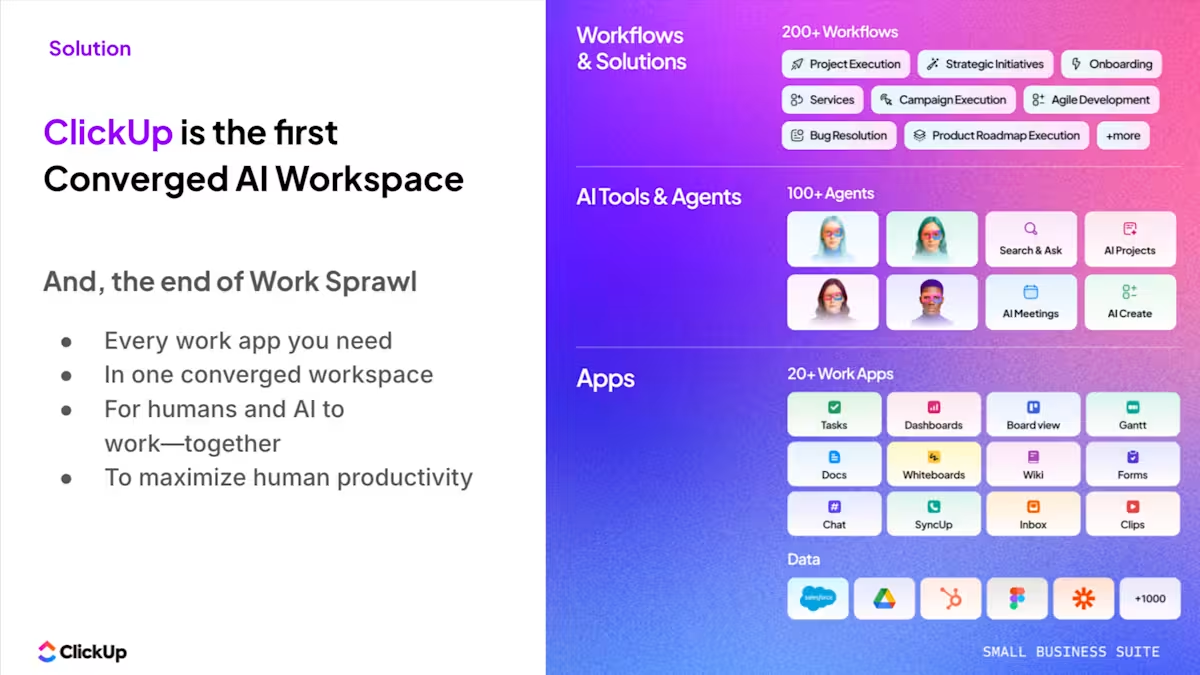
Along the way, we’ll look at how ClickUp, the world’s first Converged AI Workspace, fits into every layer, bringing tasks, docs, automation, and AI into a single, unified system. 🤩
More on its unified system:
Staring at a blank page wastes hours of valuable time every single week. When team members have to write proposals or summarize long threads from scratch, they lose momentum on actual strategic work. It should allow:
Some tools to consider:
| Tool | Strength | Best For | Watch Out For |
| ChatGPT | Versatile plugin ecosystem | Broad capabilities | Can be generic without detailed prompts |
| Claude | Long-context reasoning | Heavy document work | Smaller integration ecosystem |
| Gemini | Deep Google Workspace ties | Google ecosystem users | Still maturing for complex tasks |
🚀 ClickUp Advantage: Access models like ChatGPT, Claude, and Gemini alongside your workspace and the web with ClickUp Brain MAX in one interface. This way, your team can pick the right model for the task and work from real context, instead of jumping between tools or starting from scratch each time.

For example, a product marketer drafting a launch plan can use ChatGPT to quickly generate a rough first draft and then switch to Claude to summarize a long PRD or customer research doc.
Eliminate AI sprawl:
Most teams run their operations across a patchwork of docs, spreadsheets, chat apps, and project boards that refuse to talk to each other. This work sprawl forces everyone to switch apps constantly, causing updates to get lost between GitHub and Google Drive.
ClickUp offers a single, secure platform where projects, docs, conversations, and analytics live together, with AI embedded as the intelligence layer that actually understands your work.
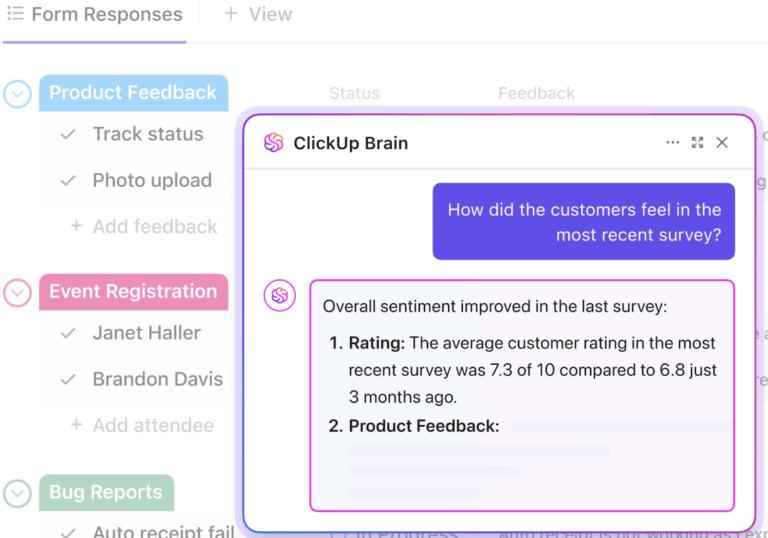
Search across every task, doc, and conversation, and automate routine work with ClickUp Brain, the AI layer built directly into this workspace. It searches across every task, doc, and conversation in your account to automate routine work without leaving the platform.

It helps you with:
Tracking leads and following up with clients often ends up as a messy web of scattered inboxes and sticky notes. When customer context is fragmented, sales reps forget to follow up, and warm deals go completely cold.
The best CRM is the one your team will actually use consistently:
Here are some tools to try:
| Tool | Best For | AI Capabilities | Connects To |
| HubSpot CRM | Free starting point | Email drafting, lead scoring | Most major platforms |
| Pipedrive | Sales-heavy small teams | Deal predictions | Zapier, major email providers |
| Zoho CRM | Budget-conscious teams | Workflow suggestions | Zoho Suite, third-party apps |
🚀 ClickUp Advantage: Connect your CRM layer directly to execution by turning client data into live, visual reports using ClickUp Dashboards. Customizable cards act as the building blocks of how you track and act on relationships, dynamically pulling in real workspace data.
For instance, you can create a Dashboard with a Bar Chart Card to show the deal stage, a Calculation Card projecting revenue, and a Task List Card for pending follow-ups. In practice, this changes how a sales or account team prepares for client communication.

Additionally, ClickUp Brain extends this layer from ‘seeing data’ to ‘explaining it.’ Using AI Cards like Executive Summary or Project Update, it can automatically generate a concise narrative of what’s happening across that client account.
Build your dashboard:
The constant pressure to publish content leaves small teams scrambling to figure out what to post next. Without a clear system, inbound leads dry up and brand visibility plummets.
Modern website builders like Squarespace, Wix, and Webflow now include AI-assisted design, copy generation, and SEO suggestions out of the box. For most SMBs, the website platform itself handles a chunk of what used to require separate tools.
If organic traffic matters, tools like Surfer, Clearscope, or Semrush help your team write content that matches what people actually search for. However, if you’re not publishing at least two to four pieces of content per month, these aren’t worth the subscription yet.
🚀 ClickUp Advantage: Draft, edit, and collaborate on your entire content pipeline seamlessly using ClickUp Docs. These documents support nested pages, real-time collaboration, embedded tasks, and rich formatting. This means your blog drafts, landing page copy, and campaign briefs can live alongside timelines, owners, and status updates.

When paired with ClickUp Brain (which lives right inside it!), you get a built-in writing and editing layer. You can prompt it to generate first drafts for blog posts, rewrite sections for clarity or tone, summarize long-form content, or expand rough notes into structured articles.
Because it has access to your workspace context, the output is grounded in your actual projects, not generic prompts.
📌 Example prompt: Write a 1,200-word blog post for small business owners on ‘How to Build an AI Stack Without Overspending.’ Keep the tone practical and non-technical. Include sections on common mistakes, a simple 4-layer framework, and actionable tool recommendations. Add a short intro, clear subheadings, and a concise conclusion
Moving data manually between different software platforms turns your team into human integration layers. Many platforms have native automation builders. For example, when a client signs a contract in your CRM, a native automation can instantly create the onboarding project, assign the team, and set due dates.
For connections between separate apps, tools like Zapier or Make bridge the gaps. A form submission on your website can create a lead in the CRM and a task in your workspace simultaneously.
🚀 ClickUp Advantage: Handle repetitive handoffs instantly using ClickUp Automations. Trigger-based rules move tasks, assign work, send notifications, and update fields without anyone touching a button.
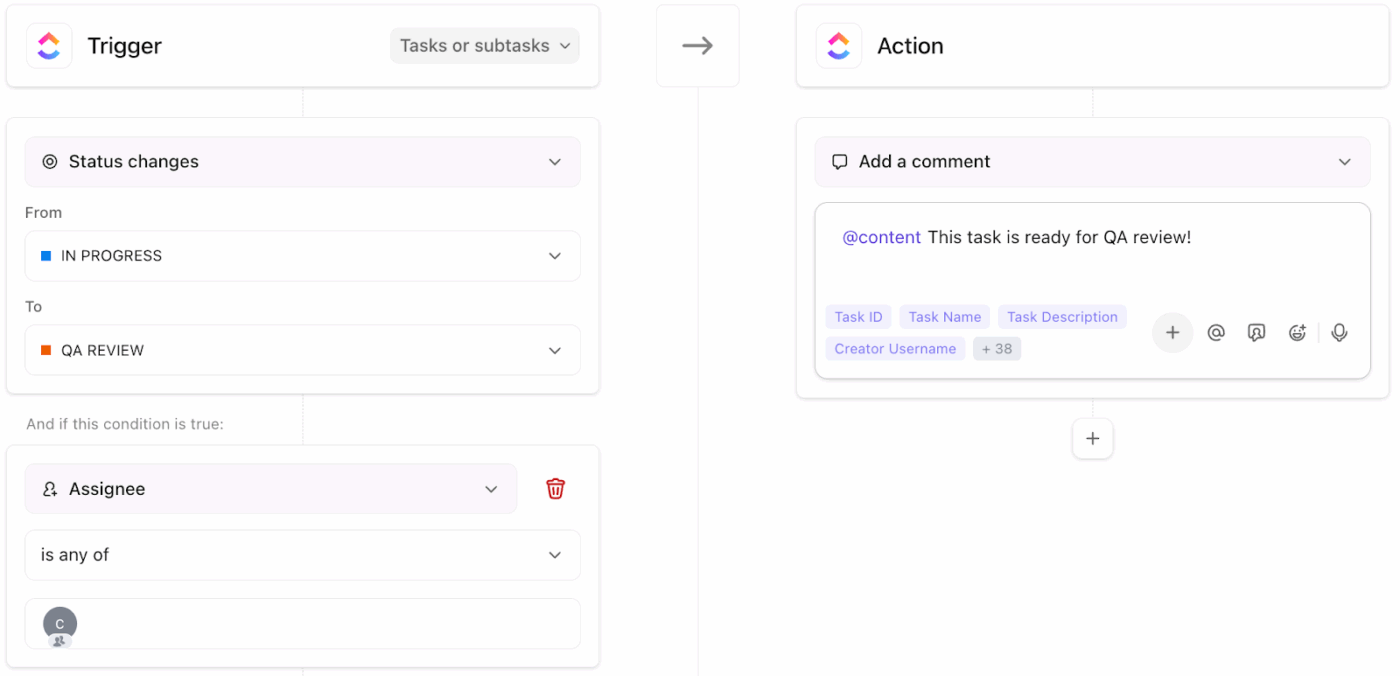
A simple but powerful workflow could look like this to automate manual business processes:
Our Small Business AI Playbook explains how to use AI to cut through operational clutter, streamline work, and avoid unnecessary tool sprawl.
Evaluating new software often leads to bloated tech stacks that confuse the entire team. Paying for complex tools that nobody understands drains your budget and kills team morale.
Ask yourself these questions before picking:
If a tool fails more than two of these questions, it’s a nice-to-have disguised as a need-to-have. Bookmark these best tools for adding GenAI to business processes and revisit them in six months.
🚀 ClickUp Advantage: Extend your AI stack from passive assistance to active execution with ClickUp Super Agents. These AI agents can take action across your workspace instead of just generating responses.
Built to work with your tasks, docs, and workflows, they can monitor activity, trigger actions, and handle multi-step processes based on context, turning AI into an operational layer.
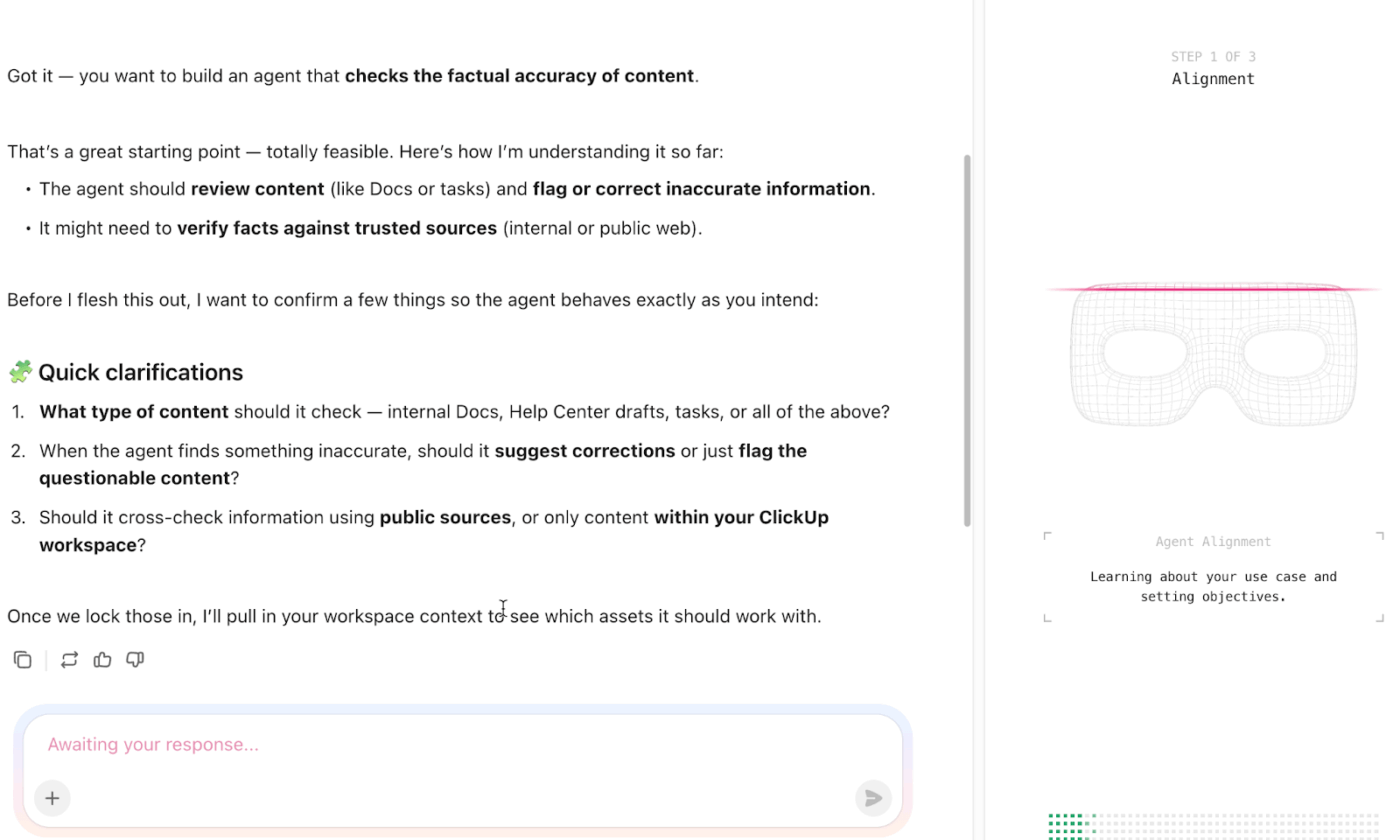
Monitor workflows continuously and step in when conditions are met. For example, detecting when a task is overdue and automatically escalating it to the right stakeholder.
Rolling out an entire tech stack at once overwhelms employees and disrupts daily operations. Too much change too fast results in half-adopted tools and massive friction across departments.
This is how you can use AI in your business effectively:
🔍 Did You Know? Clippy, officially named Clippit, was introduced by Microsoft in Office 97 as part of the ‘Office Assistant’ feature and served as the first widely recognized AI assistant in workplaces. While meant to make computing more approachable and assist with tasks like formatting, it is now remembered as a ‘sentient office supply’ that failed due to its inability to understand user intent or context
Companies often buy software before they even know what problem they are trying to solve. This sunk-cost trap forces teams to keep using disconnected tools simply because they have already paid for them.
Avoid these mistakes to save money:
🔍 Did You Know? In 1890, the Herman Hollerith tabulating machine used punched cards to automate census data processing, reducing a 10-year manual effort to just two years.
It is easy to lose track of which tools you need vs. which ones are just creating clutter. Missing critical layers leaves gaps in your workflow, while overlapping tools waste money.
Audit your setup easily by ensuring your core operations live:
Here’s what John Watson, Director Non-Clinical Development, Auregen BioTherapeutics, had to say about ClickUp:
Our company is small biotech and we are using ClickUp across the entire organization to map out and monitor the progress of our development program. It allows us to coordinate diverse activities from manufacturing to testing to clinical studies, plan their timings and allocate responsibilities to staff members. It allows us to set priorities and focus resources to achieve the key objectives as quickly as possible.
When each layer in your AI stack is intentional, your team spends less time stitching things together and more time actually moving work forward.
That’s where ClickUp stands out. Instead of adding another tool to your stack, it replaces entire categories by bringing everything into one place.
With Docs, your content and planning stay connected to execution, and with Dashboards, your CRM and client context become visible and actionable. And with ClickUp Brain and Super Agents, AI moves beyond drafting into actually supporting decisions and driving workflows.
Costs vary widely depending on team size and which layers are needed. Many SMBs build a functional stack using a combination of tools with various plan tiers by choosing software that consolidates multiple functions.
Yes, because built-in AI handles drafting, search, summarization, and automation without requiring separate subscriptions for each capability. This effectively collapses several stack layers into one unified system.
ChatGPT is a general-purpose assistant with no awareness of your projects, clients, or internal docs. A stack connects purpose-built tools that share context across your business so outputs are grounded in your actual work.
Absolutely, because smaller teams feel the pain of context switching and manual handoffs even more acutely. A lean, connected stack is one of the highest-leverage investments a small team can make since there’s no one to delegate busywork to.

© 2026 ClickUp

There’s an easier way. Try a free AI Agent in ClickUp that actually does the work for you—set up in minutes, save hours every week.