






Still downloading templates?
There’s an easier way. Try a free AI Agent in ClickUp that actually does the work for you—set up in minutes, save hours every week.
Sorry, there were no results found for “”
Sorry, there were no results found for “”
Sorry, there were no results found for “”

Teams leaned on traditional OCR to pull text from files. It could “read,” sure, but it couldn’t understand anything.
So people were stuck doing the tedious part themselves: fixing errors, filling in missing fields, and wrestling messy data into something usable.
AI has changed that dynamic completely.
Modern intelligent document processing (IDP) interprets context, structure, and meaning. Forms, invoices, contracts, handwritten notes… AI can make sense of them in ways that used to require hours of human attention. Suddenly, the slow, manual cleanup work fades into the background, and document-heavy workflows start to feel almost effortless.
In this article, we break down what AI document processing really is, where it shines, and the tools powering this shift toward smarter, more automated document workflows.
AI document processing (also known as IDP) is the process of using artificial intelligence to automate data extraction, categorization, and validation from documents.
Whilst OCR systems focus on text extraction, intelligent document processing can identify and comprehend the context and meaning of content across process documents (PDFs, emails, and scanned images).
AI document processing combines technologies like:
These tools convert analog documents into digital formats that computers can interpret and understand. This capability allows businesses to process a wide range of documents, including unstructured, structured, and semi-structured documents with complex layouts, multiple languages, or even handwritten content.
👀 Did You Know? The COVID pandemic accelerated the adoption of automation technologies across industries. According to a McKinsey survey, among companies piloting automation, over 52% are experimenting with document intelligence and OCR.
Here’s how intelligent document processing works, step by step:
The system pulls in files from multiple sources, including email, cloud drives, scanners, CRMs, and even images of handwritten notes. Anything you need to process counts as document data. This includes:
The documents are cleaned and normalized to improve accuracy. Clean input means more accurate data capture. This step involves:
This step is crucial, as even the most advanced AI models struggle with inaccurate inputs.
OCR systems convert printed, typed, or handwritten characters into machine-readable text. The system identifies and extracts key document data, such as names, dates, totals, and contract terms, in context, even from unstructured documents where information doesn’t follow a fixed document template.
Intelligent document processing goes beyond reading text. It can interpret the document’s structure using computer vision and deep learning.
For example, when processing an invoice, the system doesn’t just extract numbers; it understands how those numbers are organized across rows and columns.
NLP enables the system to recognize named entities (e.g., dates, people, locations), infer intent, and interpret semantics.
Say when the labels aren’t clear. It can still distinguish between a due date and an invoice date based on sentence structure and language patterns.
This is the reason intelligent document processing adapts to domain-specific vocabulary, recognizes abbreviations or synonyms. And make sense of semi-structured text where traditional keyword-based methods would fail.
📮 ClickUp Insight: 30% of workers believe automation could save them 1–2 hours per week, while 19% estimate it could unlock 3–5 hours for deep, focused work.
Even those small time savings add up: just two hours reclaimed weekly equals over 100 hours annually—time that could be dedicated to creativity, strategic thinking, or personal growth.💯
With ClickUp’s AI Agents and ClickUp Brain, you can automate workflows, generate project updates, and transform your meeting notes into actionable next steps—all within the same platform. No need for extra tools or integrations—ClickUp brings everything you need to automate and optimize your workday in one place.
💫 Real Results: RevPartners slashed 50% of their SaaS costs by consolidating three tools into ClickUp—getting a unified platform with more features, tighter collaboration, and a single source of truth that’s easier to manage and scale.
With a deeper understanding of the content and structure, the AI now categorizes and labels key fields from multiple sources. This includes:
IDP systems validate data by cross-referencing it with known values, databases, or business rules. When inconsistencies or missing fields arise, exception handling mechanisms flag them for review or trigger alerts for human input.
The last step involves pushing the document data to downstream systems or using it to trigger next steps:
With the right tools, you can automate the workflow, from ingestion to action.
👀 Did You Know? The first document processor was invented over 100 years ago. In 1914, physicist Emanuel Goldberg built a machine that could read characters and convert them into code, decades before computers even existed!
The hidden cost to process documents manually isn’t just time—it’s lost insight, delayed decisions, and duplicate effort. AI speeds up the process. Companies that implement document processing IDP see improved operational efficiency.
Let’s break down where it makes the biggest impact for document-heavy operations:
AI in action: Auto-extraction of names and birthdates from records by the United States Citizenship and Immigration Services (USCIS)
What it does:
USCIS uses an AI tool to automatically pull out names and dates of birth from FBI background check records. This saves officers time by skipping the need to manually scan through long, unstructured documents.
How it works:
The system uses a language model trained to recognize real aliases and valid birthdates. It ignores street names, placeholder text, or unrelated info. If a name or DOB is already on file, it won’t flag duplicates.
Human in the loop:
Officers review and approve the AI’s suggestions. They decide whether a flagged name or birthdate is actually relevant to the case.
Why it matters:
This tool speeds up identity verification during immigration case processing (e.g., N-400 naturalization), improves accuracy, and reduces manual workload. This doesn’t impact anyone’s rights or immigration outcomes.
Status:
Live since 2022 and used as part of the case review inside the USCIS ELIS system.
Below are some of the most impactful areas where AI document processing is already making a difference:
One of the most common (and most frustrating) use cases. Instead of manually entering invoice numbers, dates, amounts, and vendor details into an accounting system, AI can extract data, validate it, and route it for approval.
📍 Example: A source-to-Pay automation company processes over 20,000 invoices monthly using AI-powered data extraction. Their operations team previously spent more than 20 minutes per invoice categorizing line items across 60+ varying templates.
With automation, they were able to reduce the invoice processing time to under 5 minutes, with 98% data extraction accuracy.
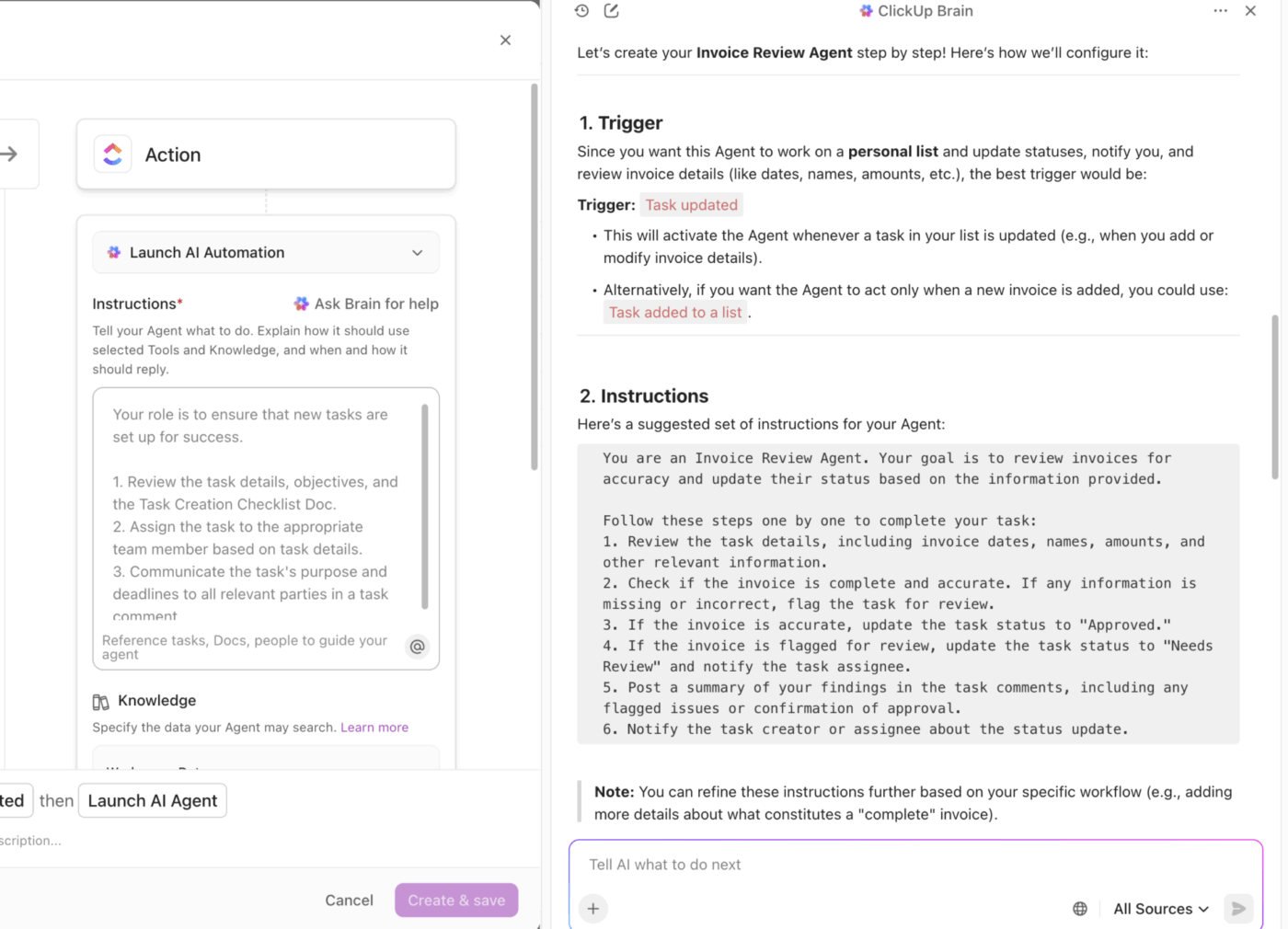
Here’s how a ClickUp Agent can help cross-check details during instances like these:
AI can parse dense legal and business documents, identify key clauses, and highlight risks or missing terms, saving legal teams hours of manual review.
This makes contractual language easier to document, summarize, and reuse in future agreements. AI doesn’t just analyze contracts or transform data; it creates reusable documentation and clause libraries.
📍 Example: A real estate firm uses AI to review lease agreements. The system flags missing termination clauses and auto-tags responsibilities related to property maintenance, helping teams avoid costly oversights during negotiations.

📚 Read More: AI for documentation: Use cases and prompts
The key driver in streamlining customer onboarding and improving the customer experience is the transformation of the Know Your Customer (KYC) process. What was traditionally a friction-filled experience is being fueled by AI, with an invisible layer of intelligence. AI-powered KYC accelerates customer acquisition and strengthens risk management.
AI extracts data from claims forms, supporting documents, and images, then routes them for decision-making or follow-up—all while minimizing errors.
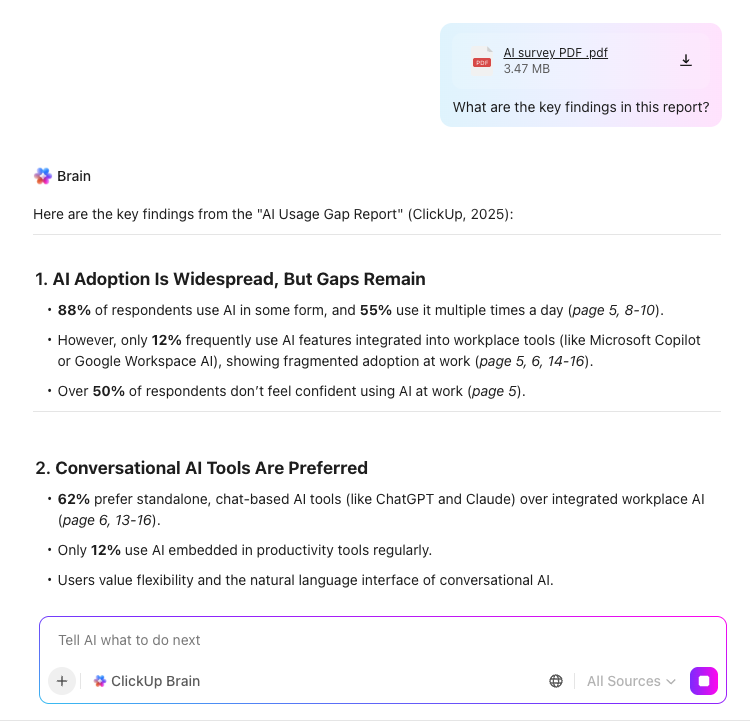
Tired of manually pulling data from invoices or documents and double-checking every detail? With AI Fields in ClickUp, you can let automation do the heavy lifting. Simply upload your invoice or document, and ClickUp’s AI will extract key information—like invoice numbers, dates, and totals—directly into your Custom Fields, saving you time and reducing errors.
AI Fields can even verify that the captured data matches what you expect, flag any discrepancies, and trigger the next steps in your workflow automatically. This means less tedious data entry, more accurate records, and faster approvals—all in one place. Say goodbye to manual processing and hello to smarter, seamless document management with ClickUp AI.
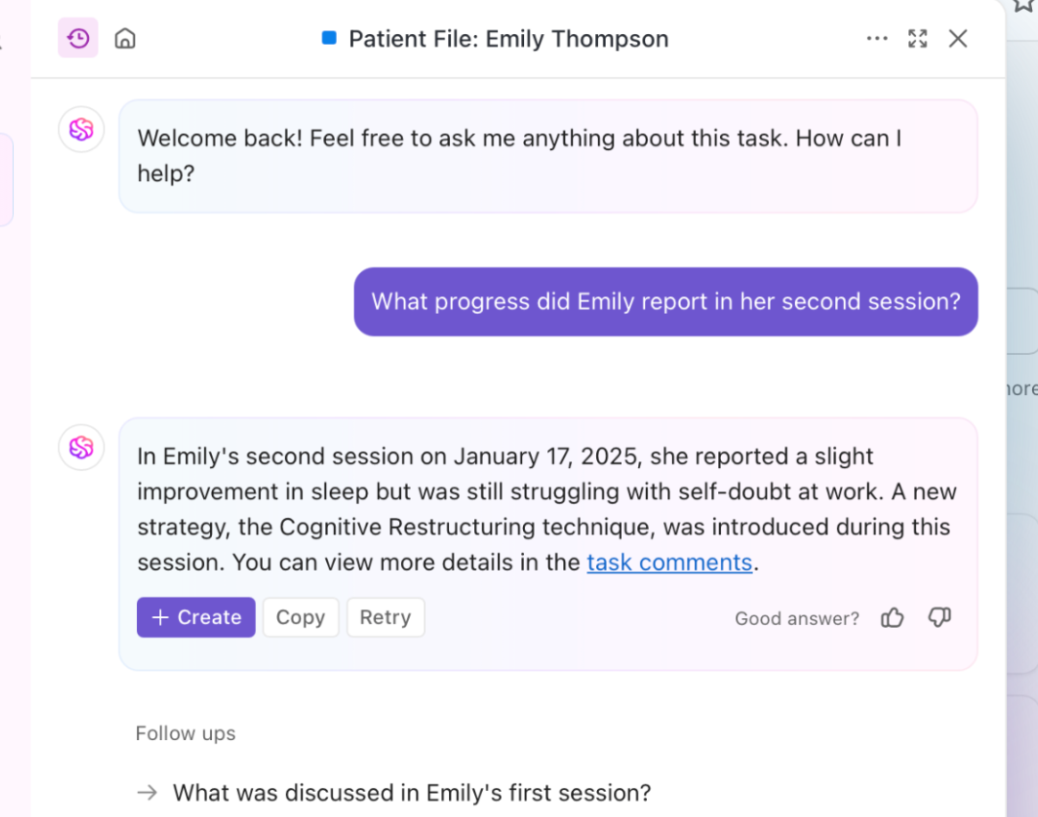
Healthcare providers face a massive burden managing unstructured, handwritten, and inconsistent medical records, all while risking non-compliance with health data regulations. Without document digitization, accessing and acting on patient information remains fragmented and inefficient.
AI document processing reads medical records, lab reports, and handwritten notes to digitize and organize patient information, making it searchable and usable across systems.
📍 Example: The Omega Digital Platform (ODP) leverages AI, RPA, ML, and NLP to streamline revenue-cycle operations for providers. The platform automates tasks across patient access, mid-revenue cycle, and business office functions, reducing administrative workload, cutting coding costs while maintaining over 95% accuracy, lowering accounts receivable days by 30%, and boosting collections by 10–20%.
AI helps HR teams process resumes, tax forms, and compliance documents quickly and accurately during hiring and onboarding workflows.
📍 Example: A growing tech startup automates onboarding paperwork. New hires upload their W-4 and direct deposit forms, and AI extracts the details, validates them, and updates the payroll system instantly.
Here’s an example of what an AI-assisted onboarding workflow looks like:
There are plenty of tools that handle documents. But only a few bring together automation, intelligence, and execution in a single platform.
Here’s a breakdown of the top picks, starting with the one that does it all:
In ClickUp, the world’s first converged AI workspace, documents, data, AI, and tasks all live under one roof. While it is not a typical intelligent document processing platform, it offers features that help you manage your AI document workflows better.
ClickUp Docs helps teams capture and organize information in a format that’s searchable, collaborative, and tightly connected to work execution.
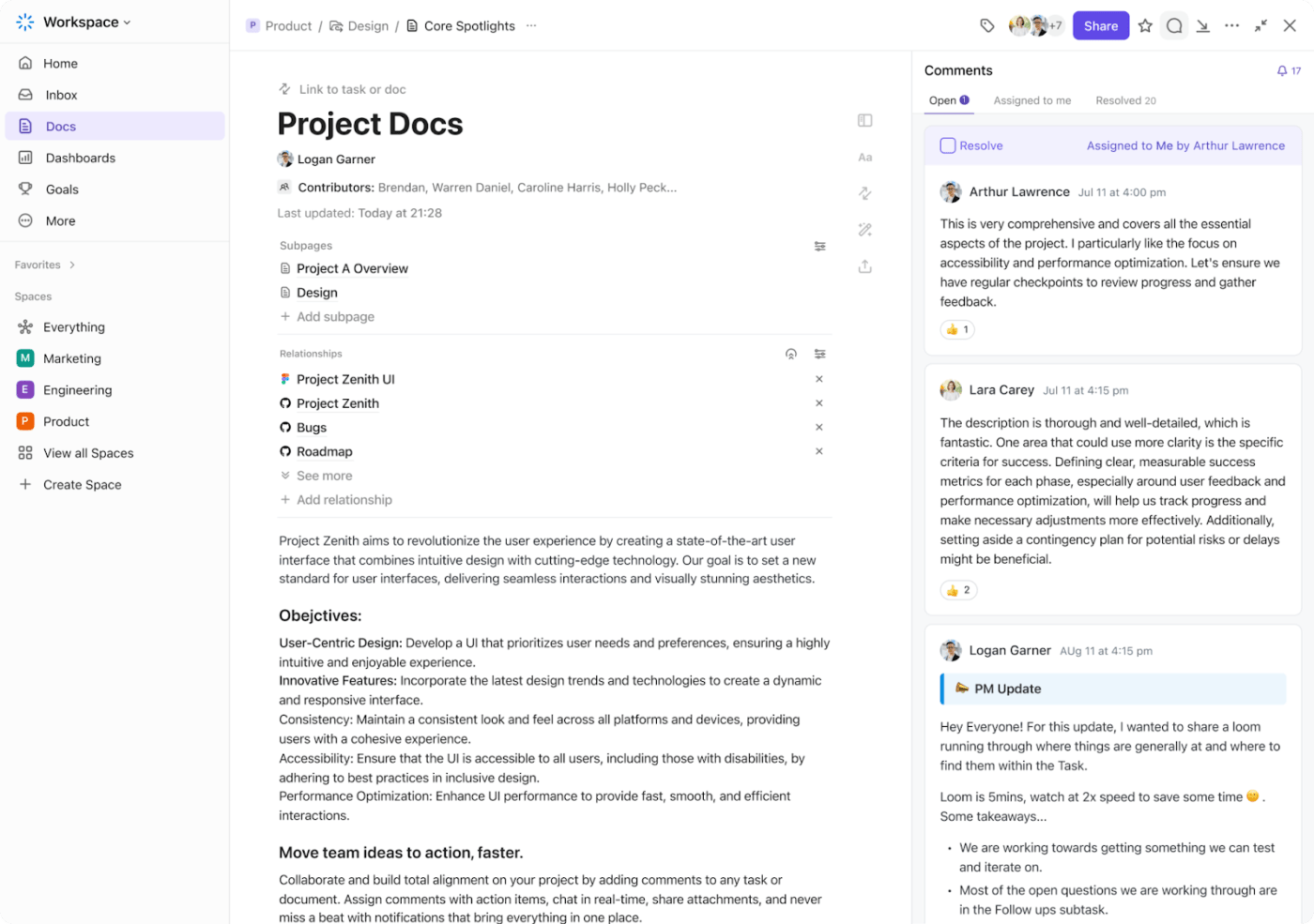
Every doc exists inside your workspace and can be linked to tasks, goals, and dashboards. This removes the disconnect between documentation and daily operations by teams.
This is how it supports IDP:
ClickUp Brain is your built-in AI assistant (honestly, the very future of work) that helps make sense of your documents and puts them to work. Beyond finding files, this writing assistant software also understands the context of your documents,
In a nutshell:
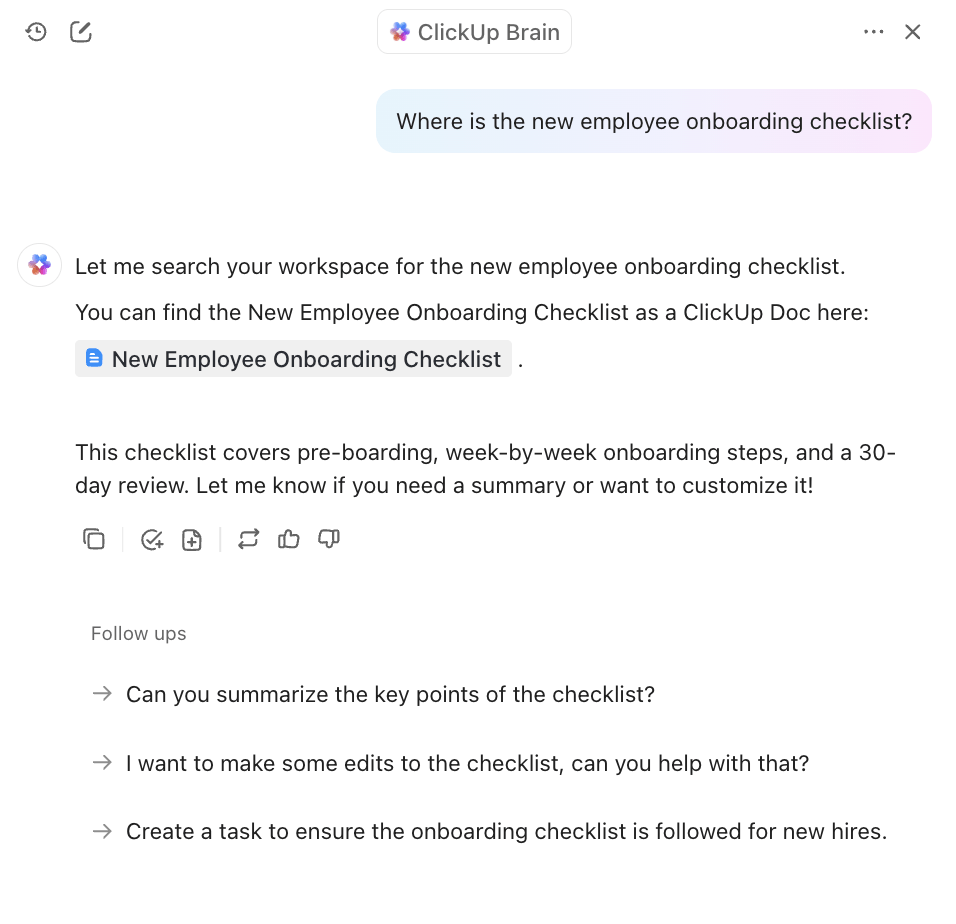
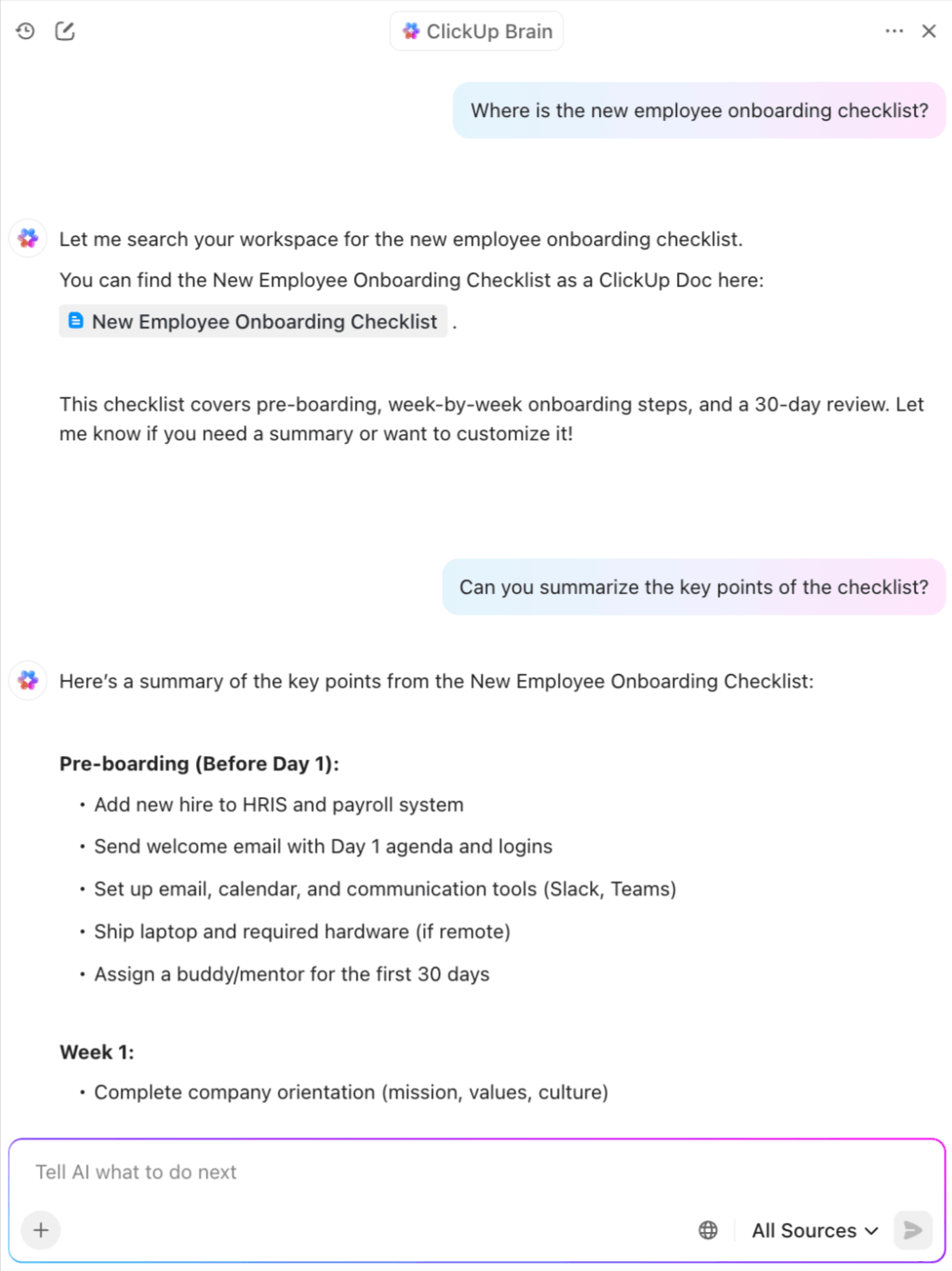

⏳ Productivity Hack: If you want to take things a step further, ClickUp Brain MAX gives you a dedicated desktop AI companion that works beyond your ClickUp workspace.
You can:
It’s like giving your team a personal AI operations manager—one that understands your entire work context and doesn’t make you jump between tabs.
You want to make sure your documents drive the right next steps. Achieve all that and more with ClickUp Automations and ClickUp Custom Agents. Define specific triggers and actions to create AI agents that handle your tasks within ClickUp.
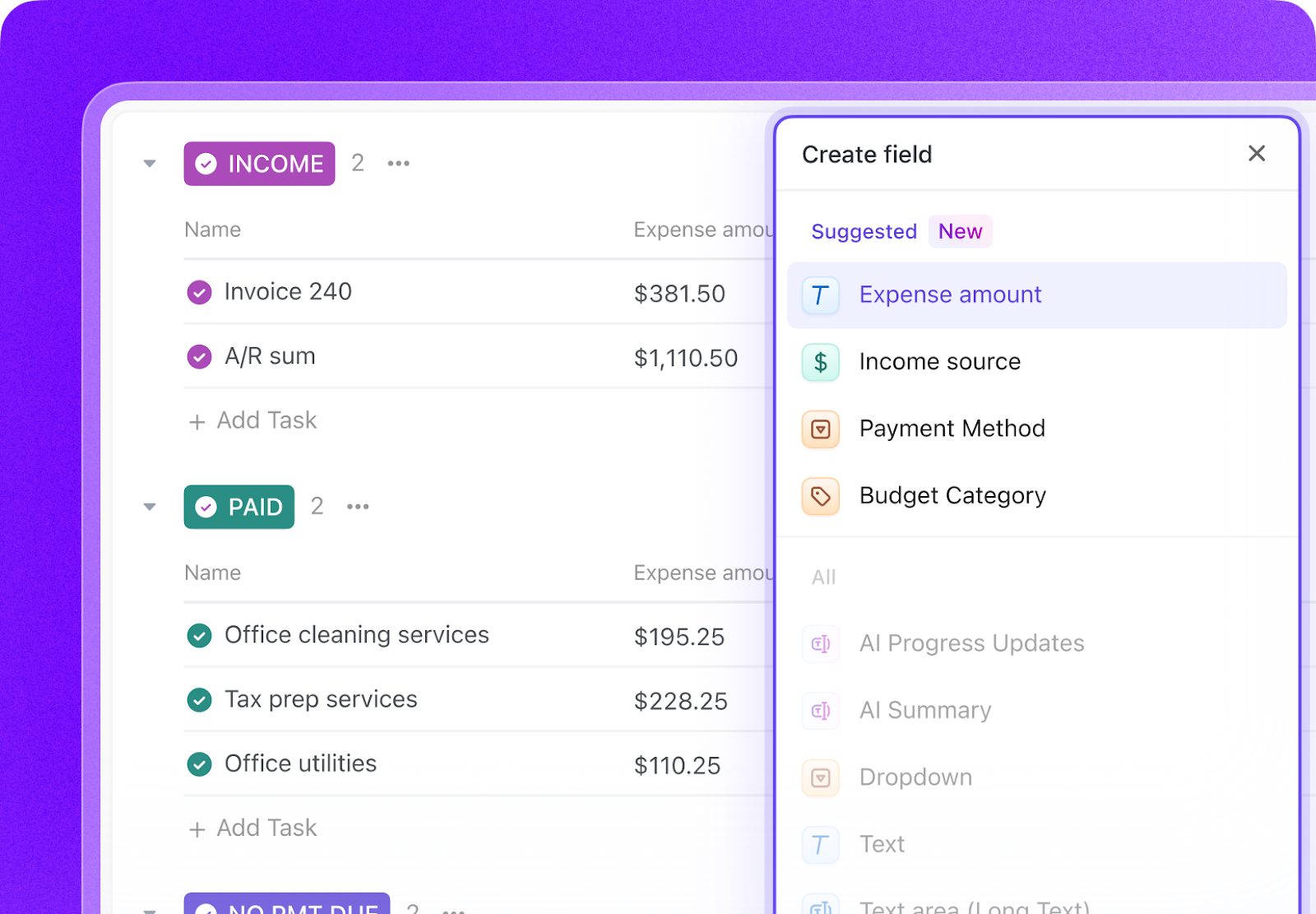
For example, it can route tasks based on vendor, amount, or client category in your invoice and form data handling workflows. You can use these custom agents to generate tasks from contracts (e.g., follow-up, approvals, clause reviews) and create checklists from submitted forms.
pricing-table
A user review says:
ClickUp Brain MAX has been an incredible addition to my workflow. The way it combines multiple LLMs in one platform makes responses faster and more reliable, and the speech-to-text across the platform is a huge time-saver. I also really appreciate the enterprise-grade security, which gives peace of mind when handling sensitive information.
What stands out most is how it helps me cut through the noise and think clearer — whether I’m summarizing meetings, drafting content, or brainstorming new ideas. It feels like having an all-in-one AI assistant that adapts to whatever I need.
Rossum is known for its email-to-ERP automation and schema-free extraction, meaning it can pull data from invoices or forms with wildly different layouts. You don’t need to create any templates for your use case. The “learning from corrections” feedback loop helps fine-tune models in real-time without technical retraining.
The AI-powered intelligent document processing and workflow automation platform Nanonets is known for its no-code model training. The platform handles multi-format, multi-language documents. It shines in real-world ops scenarios—like logistics and healthcare—where document variability is high. Unlike rigid systems, Nanonets lets users retrain custom models with just a few sample files, without developer help.
Docsumo is built for line-item level extraction from semi-structured docs like invoices, bank statements, and purchase orders. With the validation-first approach, users can predefine rules and catch anomalies (e.g., tax mismatches) before data enters downstream systems, reducing manual rework significantly.
ABBYY Vantage offers AI skill-based modularity. You can plug prebuilt extraction models (e.g., invoices, IDs, utility bills) into workflows without training a model from scratch. The ABBYY Marketplace offers dozens of prebuilt skills (like OCR, tables, IDs, and claims) ready for drop‑in use.
Built on the Automation Anywhere platform, this IDP tool combines AI-driven extraction with native RPA orchestration. Its edge is end-to-end workflow control—from document ingestion to downstream system updates—without needing external tools. Prebuilt document bots for common use cases (like invoices and claims) make it fast to deploy in enterprise environments with complex automation needs.
Adopting AI document processing doesn’t have to mean overhauling your entire system. In fact, the most successful teams start small. Here’s a simple roadmap to help you get started:
Start by pinpointing where your team spends the most time dealing with documents. Think: invoice entry, policy approvals, employee onboarding, or compliance tracking.
Ask these questions for each document-heavy process:
If you answered yes to two or more, you’ve likely found a strong candidate for AI-powered document processing.
List the types of documents you handle most—PDFs, scanned forms, structured templates, or messy email attachments. This will help you choose a tool that can handle your real-world inputs, including complex documents that are difficult to standardize.
💡 Pro Tip: Upload a sample set of each document type into your chosen tool’s free trial (if available). See how well it classifies documents, extracts fields, and handles layout differences before committing.
Not every document processing tool is built the same. Some specialize in structured documents like invoices and forms. Others are designed to help you manage unstructured content like meeting notes, contracts, or policy documents. Match your use case with what the tool does best.
Start with one workflow, like converting meeting notes into tasks or routing submitted HR forms, and measure the time saved. This is where, as a business user, you will see early value without IT dependency.
⚡ Template Archive: AI document processing systems often require clear, repeatable workflows. But many teams lack standardized documentation for handling edge cases, human review, and model feedback.
SOP templates help teams document AI document processing steps—from data intake and validation to exception handling and retraining.
With these templates, you can achieve consistency, faster onboarding, and audit-ready workflows for both technical and non-technical stakeholders.
Set up automations to connect your documents with CRMs, ERPs, PDF parsers, or task management tools. At this stage, ClickUp’s Prebuilt Autopilot Agents allow you to respond to triggers and post updates in a specific location.

For years, teams have been stuck in a loop of document chaos. Important information lives in too many places, tasks get buried inside PDFs, and people waste hours retyping, summarizing, and tracking down what should have been obvious.
So, instead of building one more disconnected tool, ClickUp asked a better question: What if AI could live inside your work? What if it understood your tasks, documents, goals, and everything in between?
With ClickUp Docs, teams can create structured, connected content that’s linked to the work it supports. ClickUp Brain understands that content and helps turn it into action, whether that means surfacing next steps or summarizing a 10-page brief in seconds. All while ClickUp Automations keeps everything in motion.
Sign up on ClickUp today to get started.
AI document processing is used to automate the extraction, analysis, and management of data from documents. It streamlines tasks like invoice processing, contract analysis, data entry, compliance checks, and customer onboarding by converting unstructured data (e.g., text, images, PDFs) into structured, actionable insights, saving time and reducing manual effort.
AI document processing is highly accurate, often achieving 90-99% accuracy depending on the tool, document quality, and training data. Advanced machine learning models, like those using NLP and computer vision, improve precision by learning from diverse document types and correcting errors over time, though accuracy may vary with complex or poor-quality documents.
Yes, AI can read scanned documents. Using OCR combined with ML, AI extracts text and data from scanned images or PDFs, even handling handwritten notes, low-resolution scans, or distorted documents, making it effective for digitizing physical records.
AI surpasses traditional OCR by combining character recognition with contextual understanding. While OCR extracts text, AI interprets meaning, identifies data fields (e.g., dates, amounts), and handles unstructured or varied formats. AI is more adaptable to complex documents, reduces errors, and learns over time, unlike rule-based OCR, which struggles with inconsistencies.
Several tools excel in automated document workflows:
ClickUp: Offers robust document processing with AI-powered automation for task management, data extraction, and workflow integration, ideal for teams streamlining end-to-end operations
ABBYY Vantage: Specializes in intelligent data capture from diverse document types
Nanonets: Uses AI for fast, accurate data extraction and workflow automation. These tools integrate with existing systems to enhance efficiency in document-heavy processes
Rossum: An AI-driven platform specializing in IDP, particularly for invoices, with automated data extraction and validation.

© 2026 ClickUp

There’s an easier way. Try a free AI Agent in ClickUp that actually does the work for you—set up in minutes, save hours every week.