






Still downloading templates?
There’s an easier way. Try a free AI Agent in ClickUp that actually does the work for you—set up in minutes, save hours every week.
Sorry, there were no results found for “”
Sorry, there were no results found for “”
Sorry, there were no results found for “”
Imagine a digital teammate that doesn’t sleep, doesn’t forget, and never drops the ball—AI agent plugins are exactly that.
These tools supercharge your productivity by connecting powerful AI models with everyday apps, enabling automated workflows, contextual decision-making, and intelligent task handling.
Whether you’re a developer building custom agents, a startup scaling operations without scaling headcount, or a product manager streamlining cross-app processes, AI agent plugins unlock new levels of efficiency.
With natural language interfaces, access to real-time data sources, and integration-ready APIs, they bridge the gap between human intent and machine execution—often with a single click.
In this blog, we’ll break down what an AI agent plugin is, where it fits in modern workflows, which platforms lead the charge, and how you can start building or using one today.
🧠 Fun fact: Logic Theorist, often described as “the first artificial intelligence program”, is a computer program written in 1956 by Allen Newell, Herbert A. Simon, and Cliff Shaw. It was the first program deliberately engineered to perform automated reasoning.
An AI agent plugin is a modular software extension that connects an autonomous agent to external systems, APIs, or services, enabling it to perform actions such as retrieving files, triggering workflows, updating records, or communicating across apps. Plugins essentially bridge the gap between reasoning and execution.
AI agents, by design, can process inputs, make decisions, and trigger outputs. But on their own, they’re often sandboxed or limited to reasoning. Plugins act as bridges, linking them to data sources, enterprise platforms, or custom-built services. This expands both their operational scope and real-world usefulness.
However, they’re evolving from passive language tools into active problem solvers, capable of managing tasks, data flows, and decisions across multiple platforms. But on their own, most agents are limited to language understanding and basic logic. That’s where plugins come in.
In the context of a platform like ClickUp—the everything app for work, imagine using AI to manage project operations. A plugin-enabled agent could:
All without human intervention—just connected systems, agent logic, and automated workflows working together.
Plugins don’t just boost capability—they unlock autonomy. They let agents go from just “understanding” what you want to do to doing it across your existing tools.
📚 Also read: Types of AI Agents to Boost Business Efficiency
AI agent plugins are problem-solvers that slot into your existing tools and workflows to handle real-world pain points. Here’s how they’re making work less manual, more meaningful.
The problem: Teams drown in task switches—from emails to Slack to spreadsheets to CRMs. Important updates are often missed.
The fix: AI agents can connect your existing tools and automate cross-platform actions. Imagine: a deal moves to “closed” in your CRM, and your AI agent instantly updates the project status in ClickUp, triggers a welcome email, and logs a task for onboarding.
The problem: Manually extracting sales data from scattered sources kills productivity and momentum.
The fix: An AI agent plugin can extract data from forms, emails, or Google Sheets, analyze it using fine-tuned AI models, and automate lead scoring or deal prioritization. It can also route hot leads to the right rep in real time—no CRM babysitting required.
The problem: Pull requests pile up. Reviewers burn out or miss subtle bugs.
The fix: AI agents can be trained on your codebase and development workflow to proactively review PRs, flag logic issues, and even auto-suggest tests. With GitHub plugins or LangChain agents, it’s like having a tireless junior dev on your team.
The problem: Support agents can’t keep up with rising ticket volumes or personalize answers fast enough.
The fix: AI agents embedded in chat widgets access purchase history, extract context from past interactions, and provide tailored replies or escalate to a human when it really matters. Think of it as automating the 80% while preserving the 20% that needs empathy.
The problem: Vendors, warehouses, logistics, and delivery, tracking, and coordinating manually is a nightmare.
The fix: AI agents can sync with inventory systems, monitor for anomalies, and automate replenishment or rerouting based on real-time data sources. One delay flag, and the agent can alert the right manager and initiate a backup plan.
👀 Did you know? In May 1997, IBM’s Deep Blue made history by becoming the first computer system to defeat a reigning world chess champion, Garry Kasparov, under standard tournament conditions. This six-game victory signaled a turning point in computing, suggesting a future where AI could replicate human thought.
The problem: HR teams chase new hires across emails, forms, and tools—repeating the same questions and missing docs.
The fix: AI agents can automate onboarding checklists in ClickUp, extract data from submitted forms, connect to identity verification services, and send Slack nudges when paperwork’s pending. It’s onboarding, minus the chaos.
The problem: Marketing teams juggle assets, approvals, emails, social posts—often across 5+ disconnected apps.
The fix: AI agents can write campaign copy, connect ClickUp with your email platform, auto-schedule social posts, and even monitor results in real-time dashboards. Build once, scale infinitely.
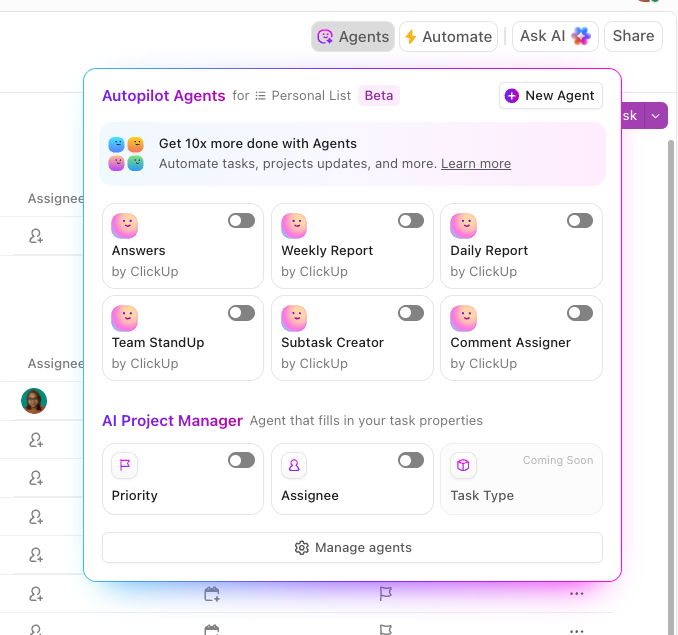
🚗 Pro Tip: Build Smarter Agents with Brain MAX
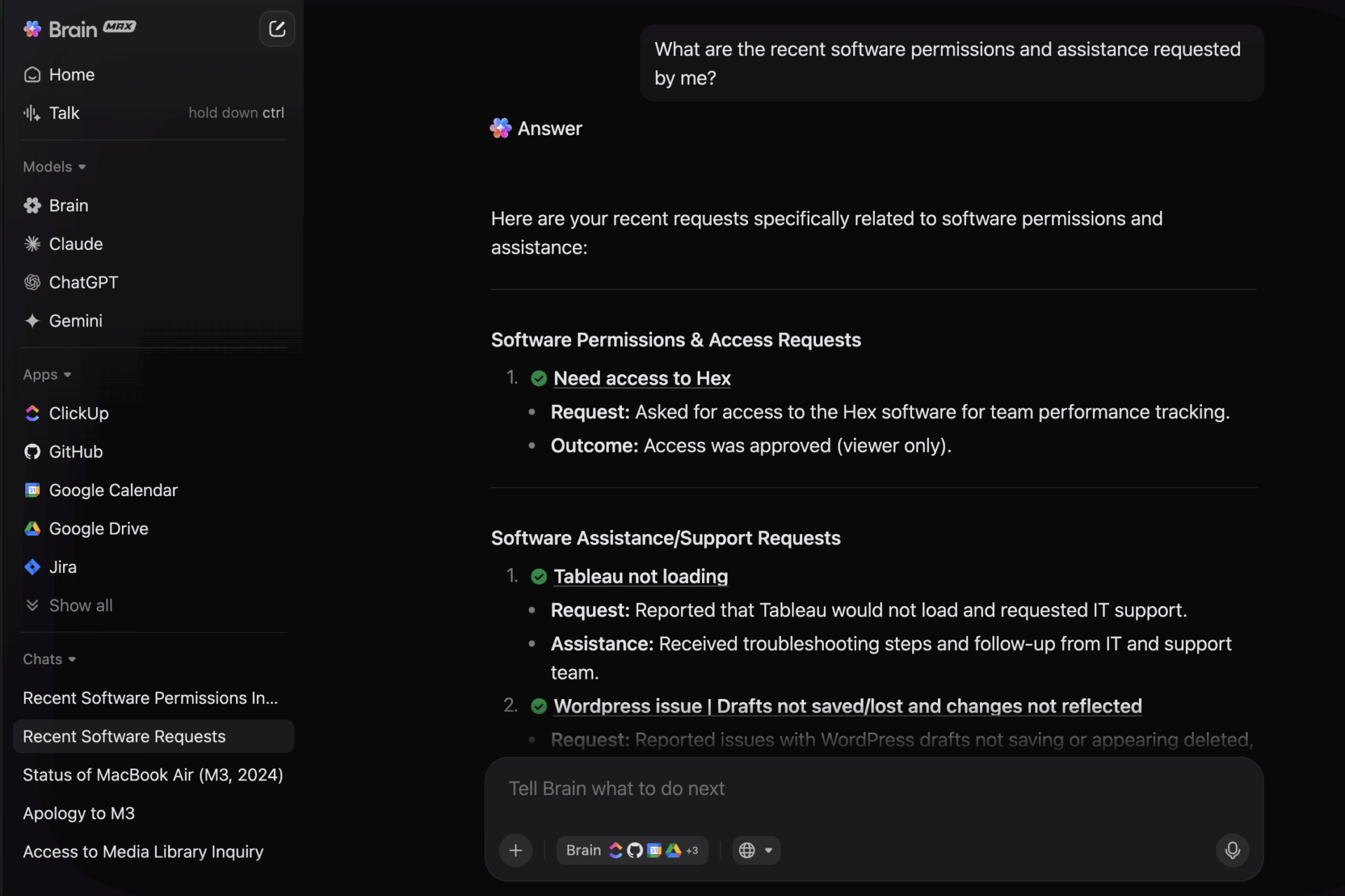
Brain MAX is ClickUp’s AI-powered desktop app that understands your entire workspace—tasks, docs, chats, and connected apps.
When you create an Autopilot Agent using Brain MAX, your agent gets full context from your workspace. This means it can automate work more accurately and make smarter decisions than a standard agent.
Here is a short comparison of the AI Agent Plugins, where you can browse options to help you choose the best one:
| Tool Name | Best For | Key Features |
| ClickUp AI Agent Plugin | Ops leads and project managers automating workflows within ClickUp | Automates task updates and handoffs with AI Native ClickUp integration and standalone desktop app (triggers, fields, statuses), No-code setup and contextual task reasoning |
| OpenAI GPTs | Founders, product teams, and researchers building flexible, plug-and-play GPT agents | Natural language customization Supports browsing, code execution, and API plugins Ideal for lightweight assistant use cases |
| LangChain | Developers and ML engineers building complex, multi-step agents | Modular framework for agent logic Supports tool use, APIs, vector stores, memoryIdeal for production-grade workflows |
| AutoGen (Microsoft) | Enterprise AI teams building secure, collaborative agent ecosystems | Planner–executor agent orchestration- Azure native integration (LLMs, Fabric, SharePoint) Code execution and multi-agent control |
| CrewAI | Creators, marketers, and analysts managing multi-role AI workflows | Role-based agent assignments (Writer, Researcher, Reviewer)Memory retention across tasks Web search and content generation |
📚 Also read: Best AI Agents for Productivity to Automate Work
Now, let’s examine some of the leading platforms offering AI agent capabilities, starting with ClickUp, to see how they compare.
Let’s face it—managing tasks across disconnected tools, teams, and tabs is exhausting. You create an idea in Notion, ping a teammate on Slack, update a status in Trello, and email a Google Sheet link… sound familiar? It’s not just inefficient—it’s a productivity tax.
ClickUp doesn’t just reduce that toggle tax—it automates the accounting. While it’s not a traditional AI agent plugin platform, ClickUp is arguably more powerful for those who want agent-like behavior without writing a single line of code.
At its core, ClickUp blends AI task handling, automation, and integrations into a seamless workspace, giving you the tools to simulate agentic behavior without external plugins or dev time.
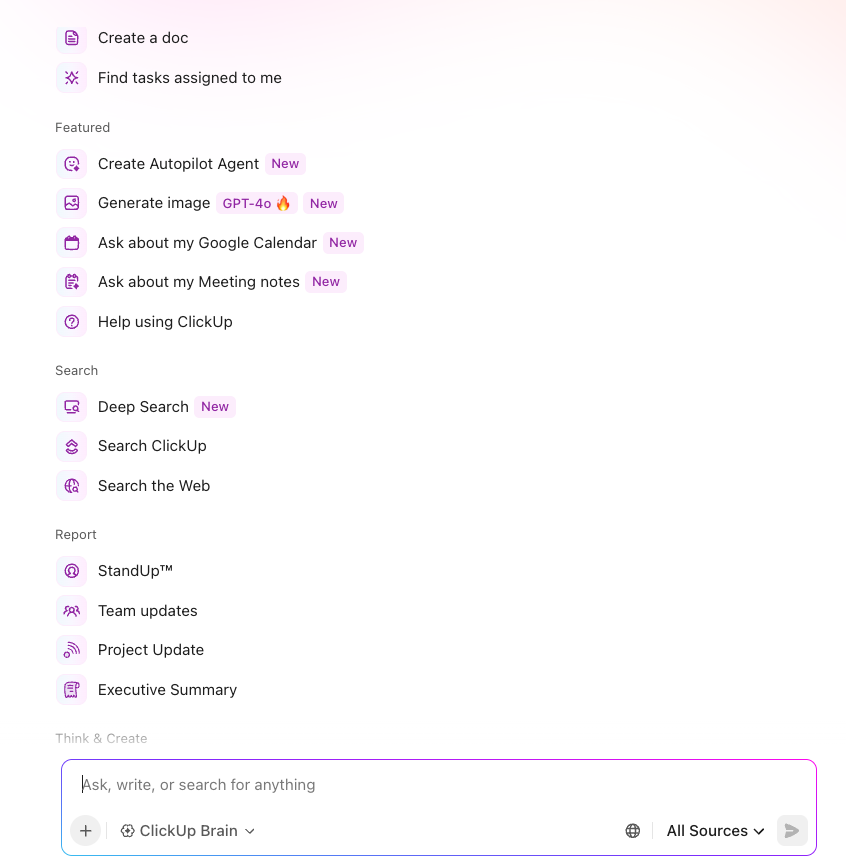
ClickUp Brain can write, summarize, and even ideate faster with context-aware AI.
Think of it as an embedded task assistant that knows what you’re working on, what’s overdue, and how to help you push it forward. Whether you’re drafting emails, creating reports, or updating user stories, this AI gets it done!
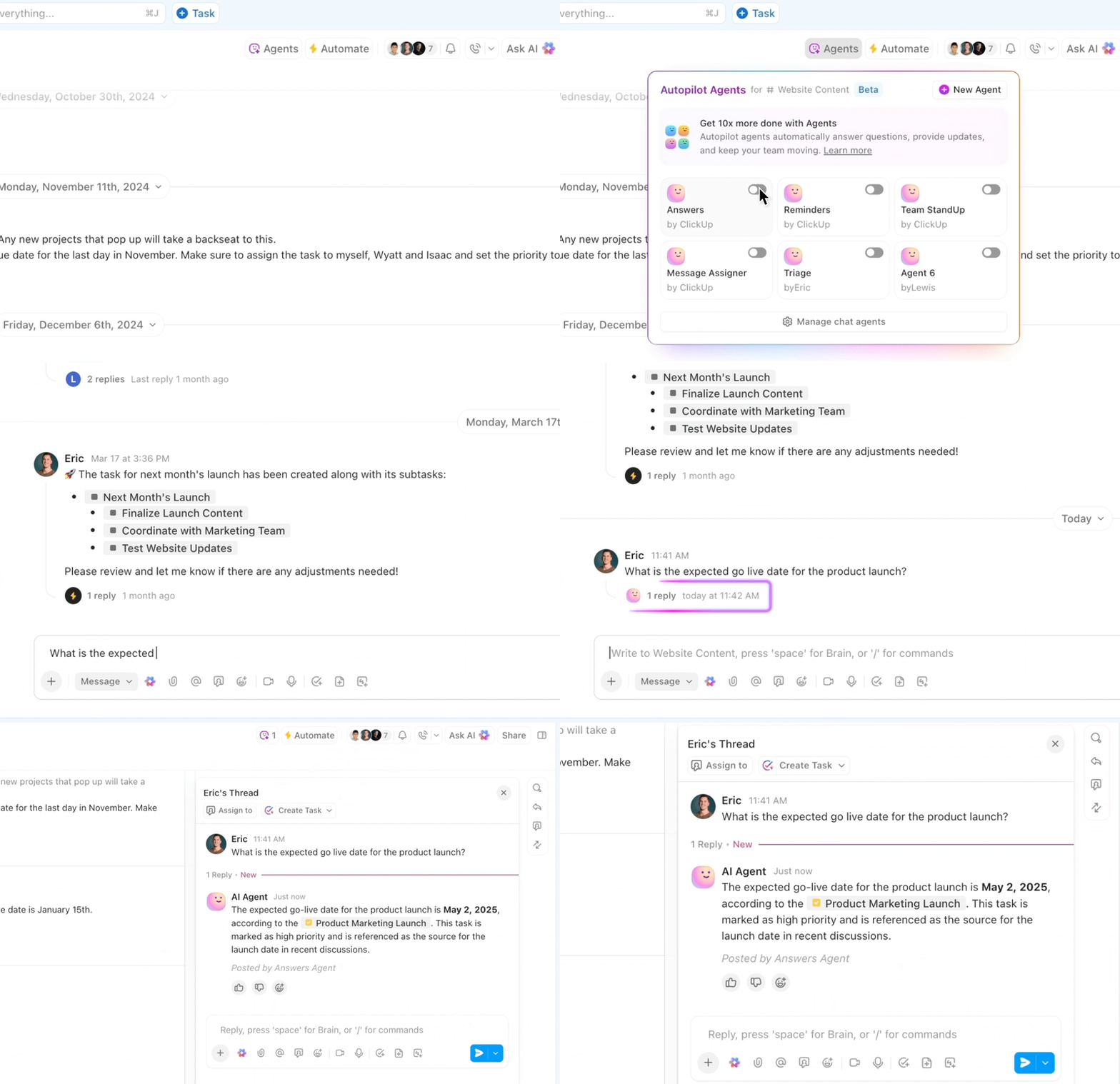
But it’s ClickUp Automations and Autopilot Agents that add the brainstem. Want to assign a QA lead when a bug is reported automatically? Done. Need high-priority tasks to alert your engineering channel in Slack instantly? That’s a few clicks. These automations work like embedded agent logic—monitoring changes, executing rules, and making sure nothing slips through the cracks.
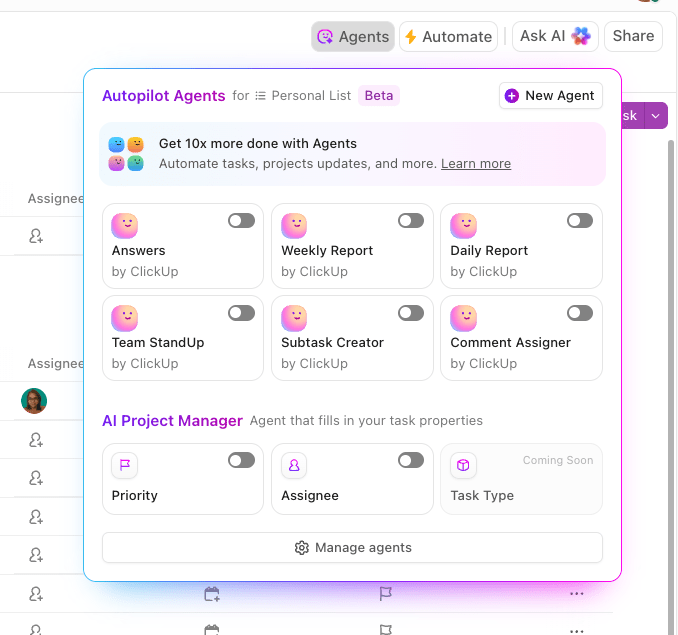
The silent star of the show here is ClickUp Webhooks, which can help you unlock deeper agentic potential. Whenever a status changes, a task is created, or a form is submitted, ClickUp can fire real-time webhooks that connect to other apps or APIs.
This is how power users create compound workflows—like triggering a Zap that syncs ClickUp tasks with Google Sheets or sending automated project summaries via email when tasks are closed. Webhooks bridge the ClickUp workspace with the external world, allowing agent-like behavior across tools without needing a traditional plugin model.
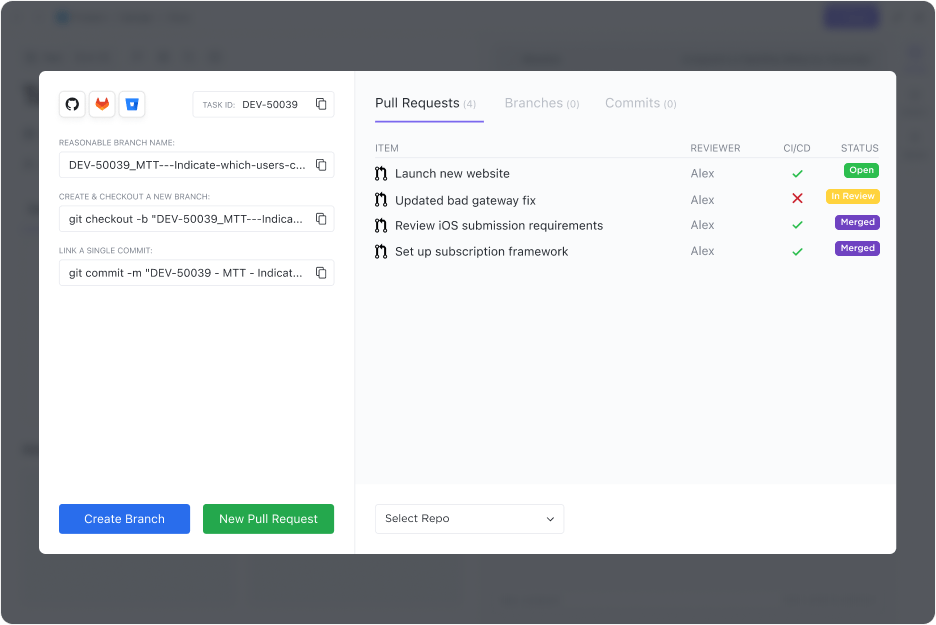
From Google Drive, Outlook, and Slack to GitHub, ClickUp Integrations connect the apps your teams already use—helping your agents talk to your stack. These connections are the lifelines for agent-like automations that keep your teams, data, and tasks in sync.
Together, these capabilities make ClickUp a stealth powerhouse for building no-code AI agents. You’re not just organizing work—you’re training a workspace to think, react, and execute based on your intent.
ClickUp makes it easy to build AI agents that manage workflows and reduce human handoffs. Examples:
Each of these “agents” is a smart orchestration of AI models, automations, and your existing tools—stitched together with ClickUp logic.
📮 ClickUp Insight: 24% of workers say repetitive tasks prevent them from doing more meaningful work, and another 24% feel their skills are underutilized. That’s nearly half the workforce feeling creatively blocked and undervalued. 💔
ClickUp helps shift the focus back to high-impact work with easy-to-set-up AI agents, automating recurring tasks based on triggers. For example, when a task is marked as complete, ClickUp’s AI Agent can automatically assign the next step, send reminders, or update project statuses, freeing you from manual follow-ups.
💫 Real Results: STANLEY Security reduced time spent building reports by 50% or more with ClickUp’s customizable reporting tools—freeing their teams to focus less on formatting and more on forecasting.
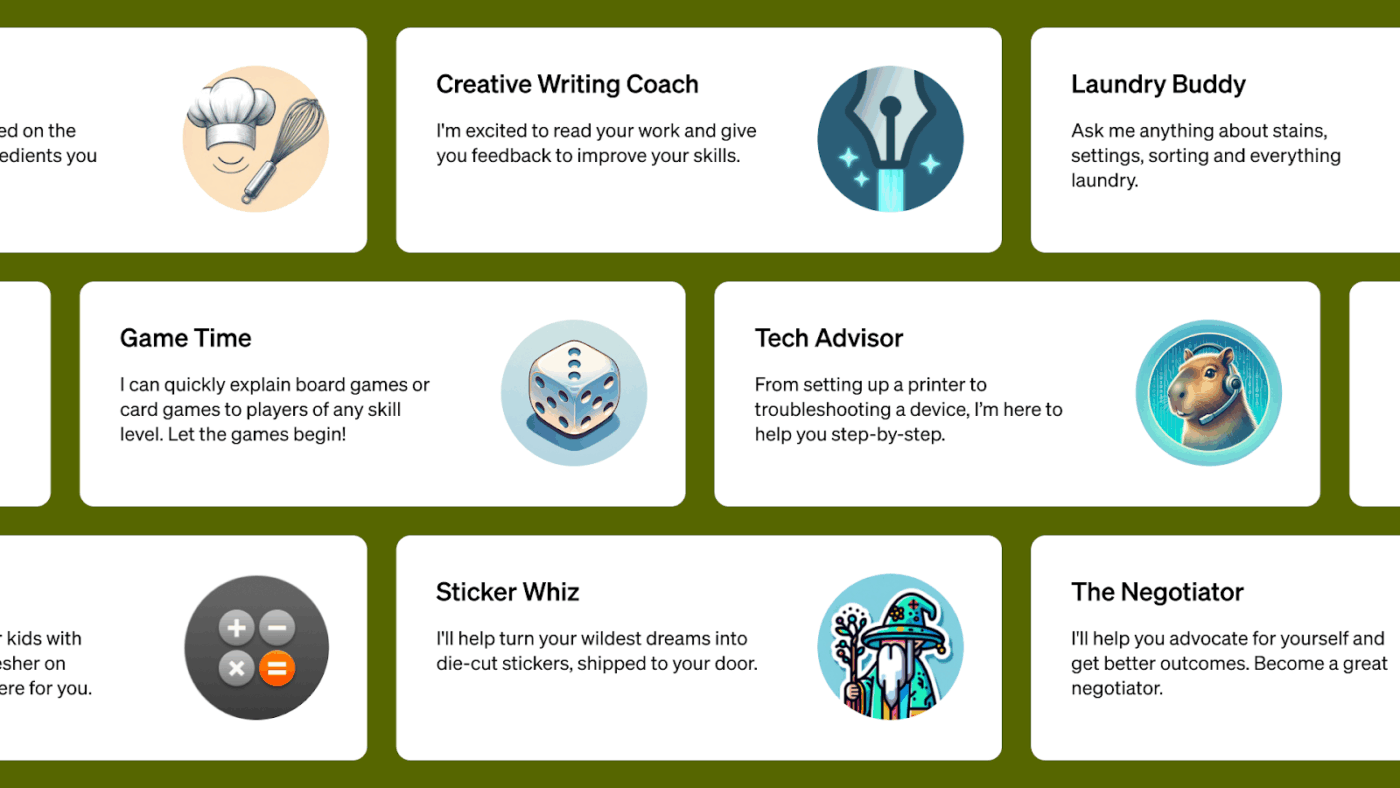
OpenAI GPTs let you build tailored AI agents using natural language. You can customize instructions, upload knowledge files, and choose from a growing library of tools like web browsing, code execution, and file analysis.
Want an agent that books flights via Expedia or summarizes legal contracts? You can build it in minutes, then share it through the GPT Store.
Where GPTs really shine is in how accessible they make agent development. Instead of chaining APIs or hosting logic, you simply describe what you want in plain English.
However, power users should note that deeper integrations (like calling APIs) still require technical setup. And while the GPT Store is exploding with creativity, security research has flagged vulnerabilities like prompt injection and context leakage—so enterprise use needs caution.
Pricing is simple: GPTs are part of the ChatGPT Free and Plus plans, with premium capabilities like GPT-4.5 and file tools reserved for Plus users. For advanced needs, OpenAI offers Pro and Team tiers with higher usage limits and collaboration features.
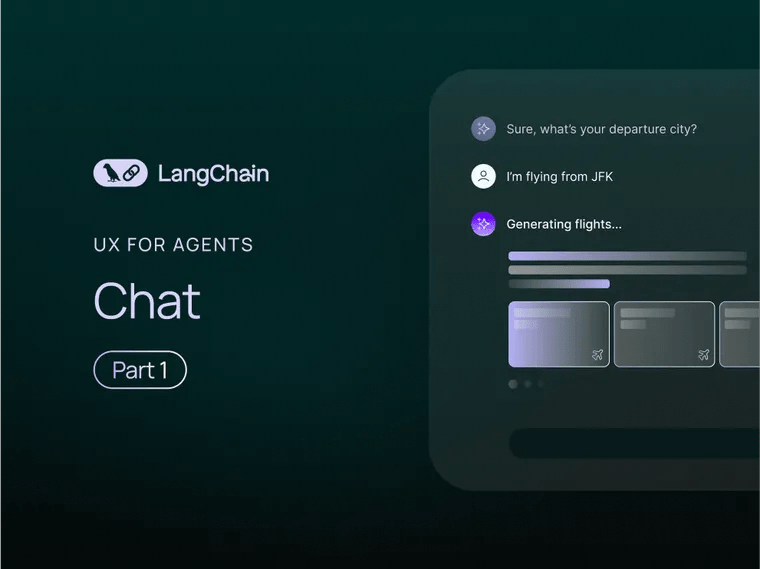
LangChain isn’t just another AI dev tool—it’s your Swiss Army knife for building agents that do more than chat. Whether you’re wrangling PDFs, calling APIs, or updating a Notion board, LangChain makes it possible by combining LLMs with real tools, memory, and logic.
At its core, LangChain gives AI agents a brain and a toolbox. They can autonomously decide when to fetch data, query a database, or call an API—essentially running workflows that mimic thoughtful human behavior. Think: a research agent that reads a doc, answers questions, then logs the results in a project tracker—no handholding required.
What really sets it apart? Persistent memory. These agents don’t just react—they remember. That means longer conversations, better context, and fewer “Can you remind me?” moments. If you’re serious about building production-grade AI workflows (not just toys), LangChain is the real deal.
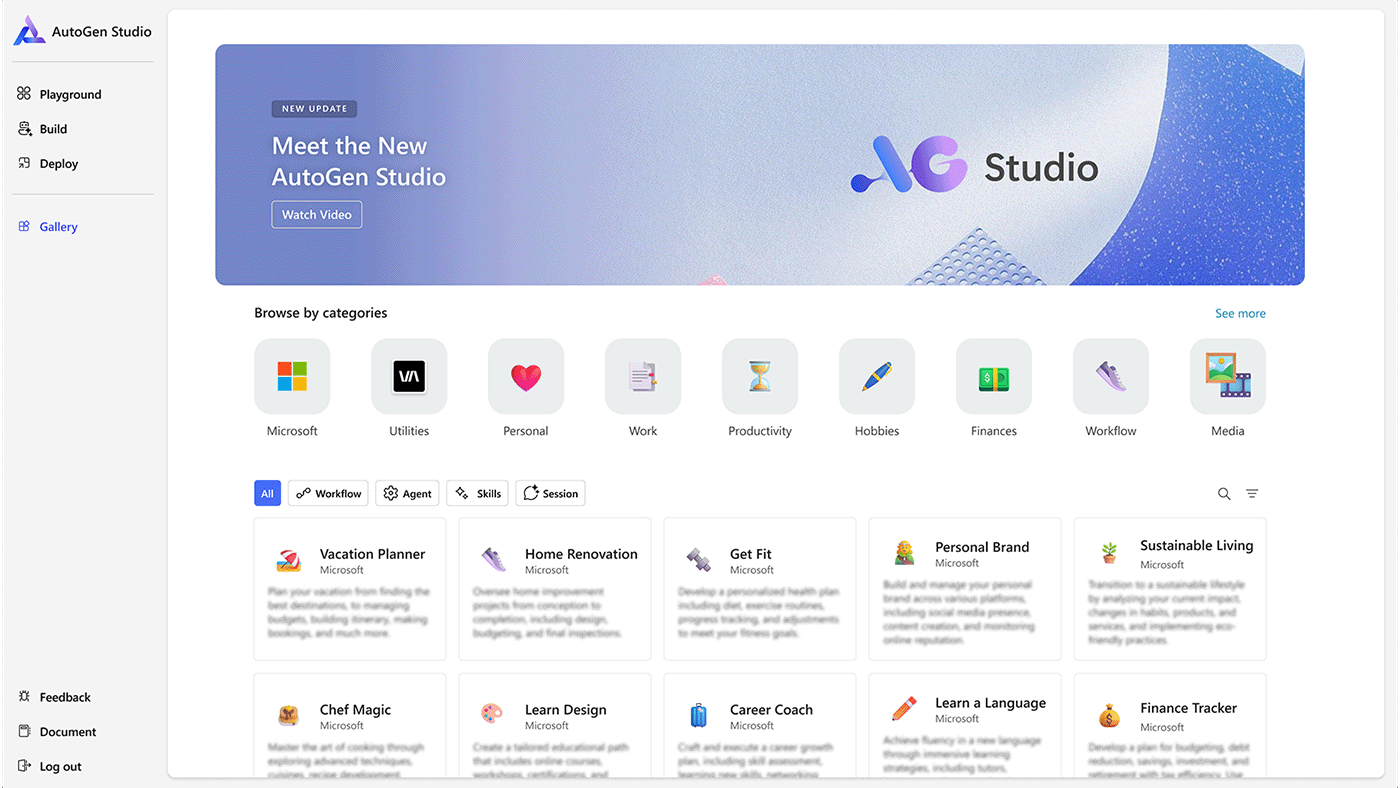
If LangChain is a Swiss Army knife, AutoGen is more like a factory floor supervisor—coordinating multiple AI agents across tasks, tools, and time. Built by Microsoft and open-sourced for developers, AutoGen is made for enterprises that want agentic workflows with governance, security, and muscle baked in.
AutoGen thrives on multi-agent orchestration. That means planner-executor setups, message-passing between agents, and asynchronous workflows—all with plug-and-play compatibility with the Azure AI Agent Service.
You can build LLM agents with Llama 3, Mistral, or whatever LLM fits the job, and plug them into systems like SharePoint, Microsoft Fabric, or even internal tools via Python or C#.
It’s a framework with guardrails: modular, observable, and flexible enough to handle real-world, cross-team agentic workloads. And because it’s Azure-native, the pricing is pay-as-you-scale, perfect for enterprises that want control without going rogue on cost.
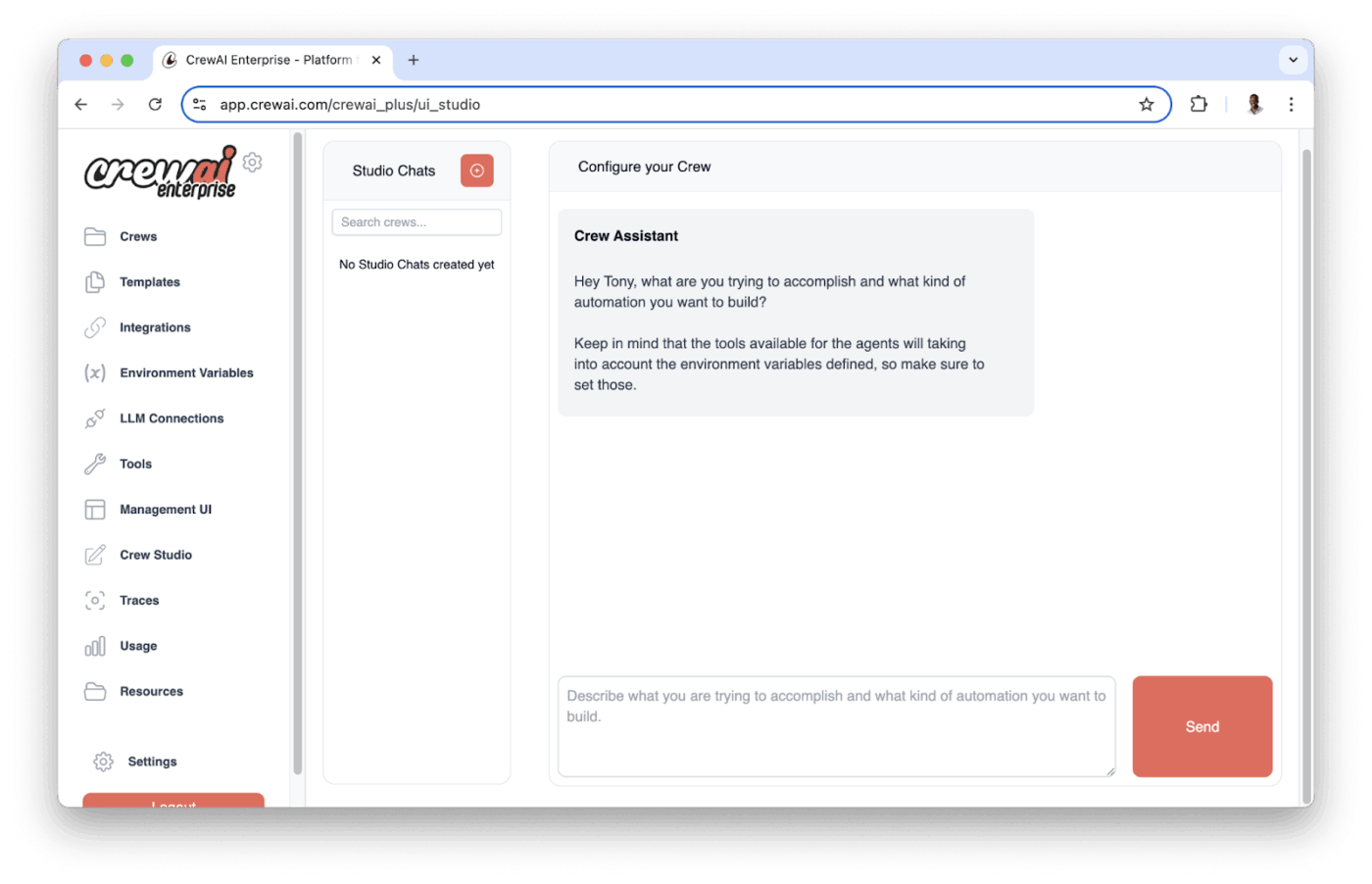
Forget lone-wolf bots. CrewAI lets you build an entire AI team, where each agent has a job, a goal, and even a memory of past work. You can create a Researcher, a Writer, and a Reviewer, then assign them roles in a shared workflow. They chat, delegate, and make decisions together—all powered by large language models and tool access.
Each agent knows its purpose, remembers context across steps, and talks to the others to complete complex tasks. Whether you’re drafting a whitepaper or coordinating a content launch, CrewAI gives you the blueprint to automate the whole production pipeline with role-based AI agents.
The real kicker? These AI agents can search the web, read docs, summarize content, and hand off tasks — just like a human team, minus the meetings. It’s already a hit among creators, marketers, and startup teams who need fast, reliable content or research workflows without reinventing the wheel each time.
📮 ClickUp Insight: Only 10% of our survey respondents regularly use automation tools and actively seek new opportunities to automate.
This highlights a major untapped lever for productivity — most teams are still relying on manual work that could be streamlined or eliminated.
ClickUp’s AI Agents make it easy to build automated workflows, even if you’ve never used automation before. With plug-and-play templates and natural language-based commands, automating tasks becomes accessible to everyone in the team!
💫 Real Results: QubicaAMF cut reporting time by 40% using ClickUp’s dynamic dashboards and automated charts—transforming hours of manual work into real-time insights.
Build custom agent workflows using the process below. This will let you use your AI to do more than just respond. It will reason, fetch data, and even automate repetitive tasks across your stack.
You’re thinking of building an AI agent plugin. Whether aiming for a helpful assistant that tackles repetitive tasks or something more advanced like a research bot, here’s a general roadmap to get you started.
Every successful plugin starts with a solid use case:
For instance, you might want your plugin to automate ticket routing, integrate APIs from customer databases, or pull financial insights from a spreadsheet.
To build an AI agent plugin, you need the right base. Popular frameworks that support plugin-based extensibility include:
These systems let you register and manage plugins, making your AI workflow automation robust and modular.
Write the core logic in Python, JavaScript, or the language your framework supports. Your plugin should:
Example: An AI plugin that fetches news from an API.
from langchain.agents import Tool
def fetch_news(query):
# logic to call a news API and return top results
return top_headlines
news_tool = Tool(
name=”NewsFetcher”,
func=fetch_news,
description=”Pulls real-time news headlines based on a user query.”
)
Once your plugin is ready, it’s time to embed it into your AI agent:
agent = initialize_agent(
tools=[news_tool],
llm=llm,
agent=AgentType.ZERO_SHOT_REACT_DESCRIPTION
)
This allows you to build an AI agent plugin that responds dynamically to real-world scenarios.
Don’t ship it yet. Plugins should pass:
Simulate edge cases. Make the agent sweat a little.
Now that you have a functional AI plugin, it’s go-time:
📚 Also read: Best AI Chrome Extensions to Boost Productivity
Here is a step-by-step guide that will let you know how to build your personal AI agent in ClickUp:
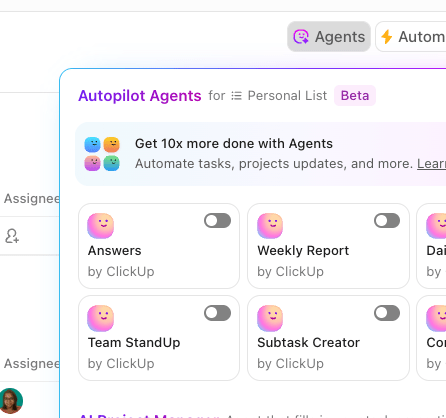
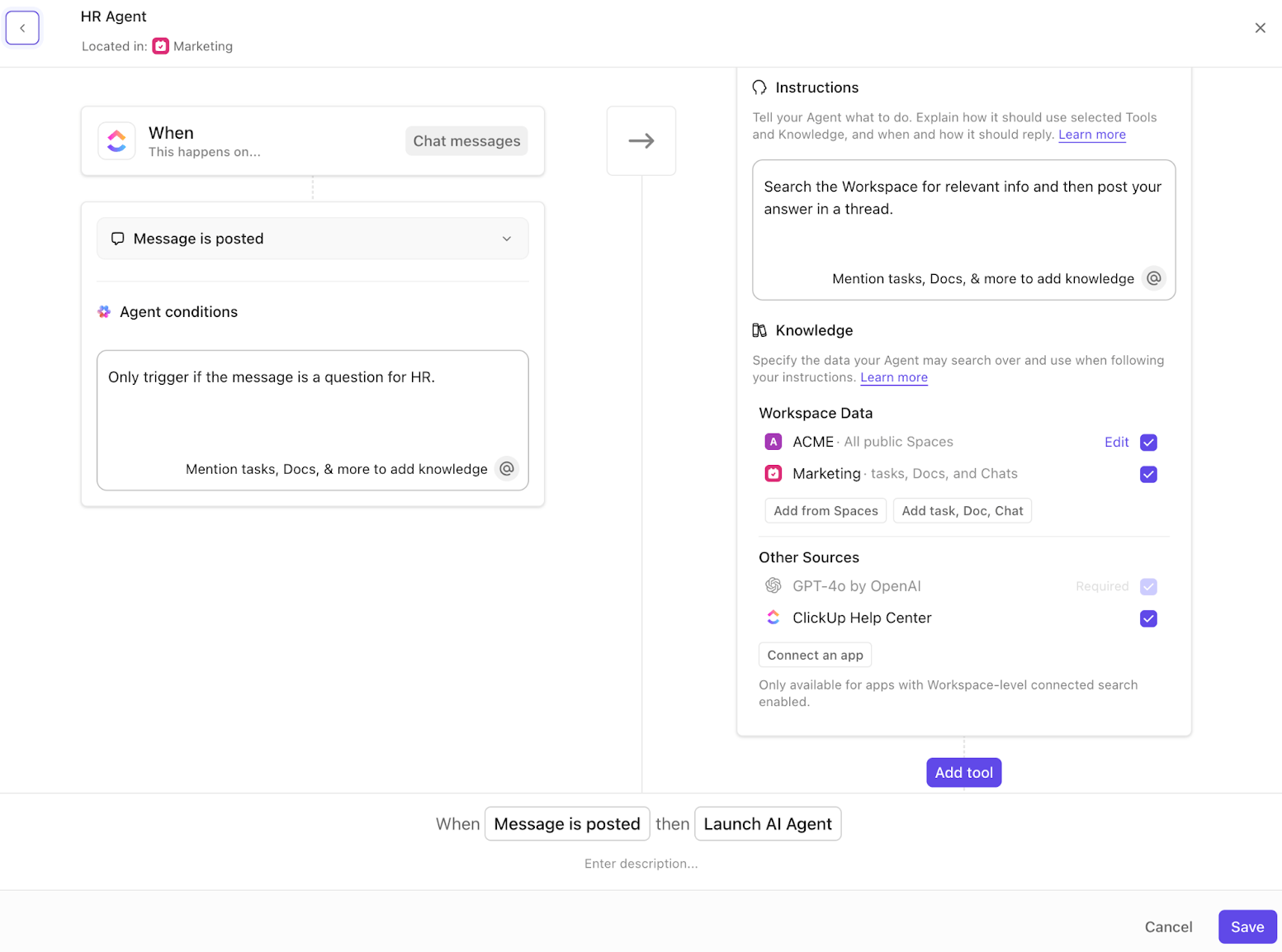
Triggers are events that initiate the Autopilot Agent’s actions. Choose a trigger that aligns with your workflow needs. Examples include:
Note: Some triggers may require specific tools to be added for the agent to function properly.
Conditions refine when the Autopilot Agent should act. While not mandatory for all triggers, they help prevent unnecessary actions
Note: Conditions are required for all triggers except “Every… On a schedule.”
Instructions guide the Autopilot Agent’s behavior. Be explicit about what you want the agent to do.
💡 Pro Tip: Provide a template or example. It can help the agent generate responses that match your expectations.
Determine what information the Autopilot Agent can access to perform its tasks effectively.
Note: Limiting the agent’s access to only necessary data can enhance performance and relevance.
Tools enable the Autopilot Agent to perform specific actions. At least one tool is required for the agent to function.
Note: The required tool depends on the selected trigger. For example, “Reply to Thread” is necessary when the trigger is “Message is posted.”
After configuring all settings:
By following these steps, you can effectively create a Custom Autopilot Agent in ClickUp, enabling intelligent automation tailored to your team’s workflows.
Here’s a video tutorial to help you learn faster! 👇🏼
While AI agent plugins significantly enhance the capabilities of AI agents, enabling them to perform complex tasks and integrate with various systems, they come with their own set of challenges.
Understanding these limitations is crucial for developers and organizations aiming to implement effective and reliable AI automation solutions.
Integrating multiple plugins into a single AI agent can lead to increased system complexity. Each plugin may have its own dependencies and interaction patterns, making the overall system harder to manage and debug. This complexity can hinder the development of custom agent workflows and may require significant effort to maintain system stability.
AI agent plugins often rely on external tools and APIs to fetch data or perform actions. This dependency can introduce latency, especially if the external services are slow or unreliable. In time-sensitive applications, such delays can impact user experience and the effectiveness of AI automation.
Plugins that interact with external systems can pose security risks. They may inadvertently expose sensitive data or become entry points for malicious attacks. Ensuring secure communication and data handling practices is essential to protect both the AI agent and the systems it interacts with.
External APIs and tools that plugins depend on can change over time, leading to potential compatibility issues. Regular updates and maintenance are required to ensure that plugins continue to function correctly, adding to the operational overhead.
In complex workflows involving multiple plugins, errors can propagate through the system, making it challenging to identify and rectify the root cause. Implementing robust error handling and logging mechanisms is vital to maintain system reliability.
The AI plugin ecosystem lacks standardized protocols and interfaces, leading to compatibility issues between different plugins and AI agent frameworks. This fragmentation can hinder the seamless integration of plugins and limit the scalability of AI solutions.
AI agents equipped with powerful plugins can make autonomous decisions that have significant ethical and legal implications. Ensuring transparency, accountability, and compliance with regulations is essential to mitigate potential risks associated with AI automation.
While AI agent plugins offer substantial benefits in extending the functionality of AI agents and enabling sophisticated automation, they require careful consideration regarding system complexity, performance, security, maintenance, standardization, and ethical implications.
AI agent plugins are revolutionizing how we automate work, bringing intelligent, contextual decision-making to everyday tasks. But building them demands thoughtful design, robust integration, and careful oversight.
That’s where ClickUp stands out. With its purpose-built AI Agent Plugin, ClickUp simplifies the entire process—from creating custom workflows to connecting external tools—all within one unified workspace.
Whether you’re managing projects, automating updates, or building multi-step agent workflows, ClickUp offers the flexibility and intelligence you need to scale smarter.
Sign up for ClickUp today and experience the future of AI-powered productivity.

© 2026 ClickUp

There’s an easier way. Try a free AI Agent in ClickUp that actually does the work for you—set up in minutes, save hours every week.