






Still downloading templates?
There’s an easier way. Try a free AI Agent in ClickUp that actually does the work for you—set up in minutes, save hours every week.
Sorry, there were no results found for “”
Sorry, there were no results found for “”
Sorry, there were no results found for “”
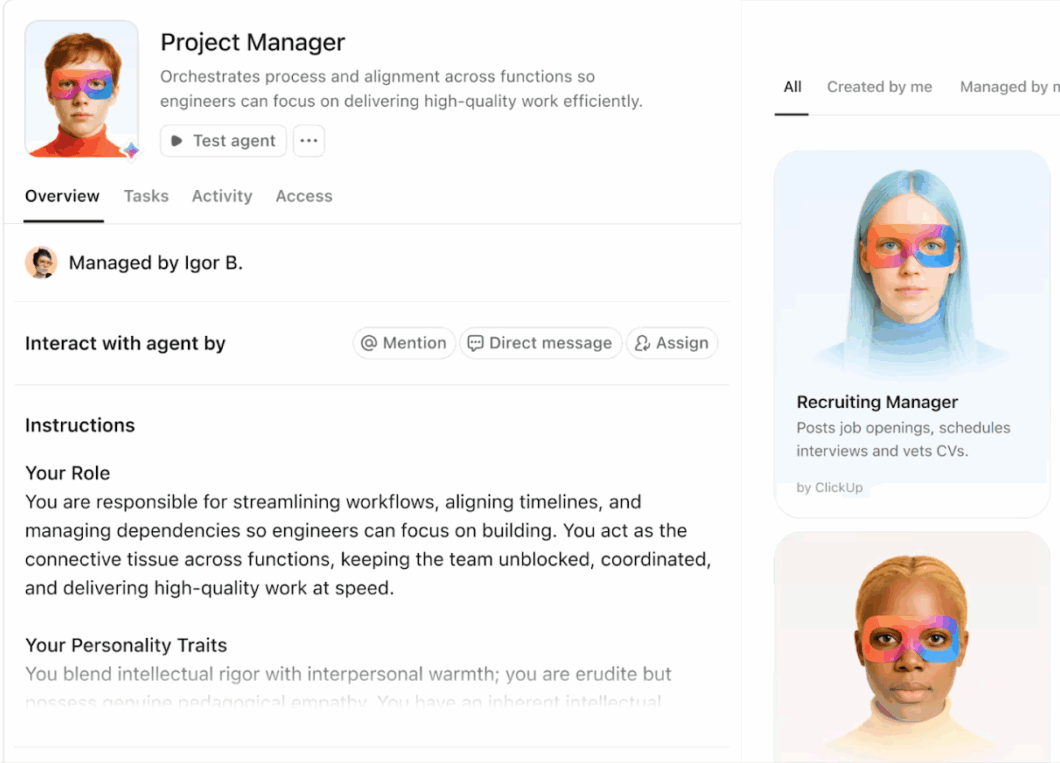
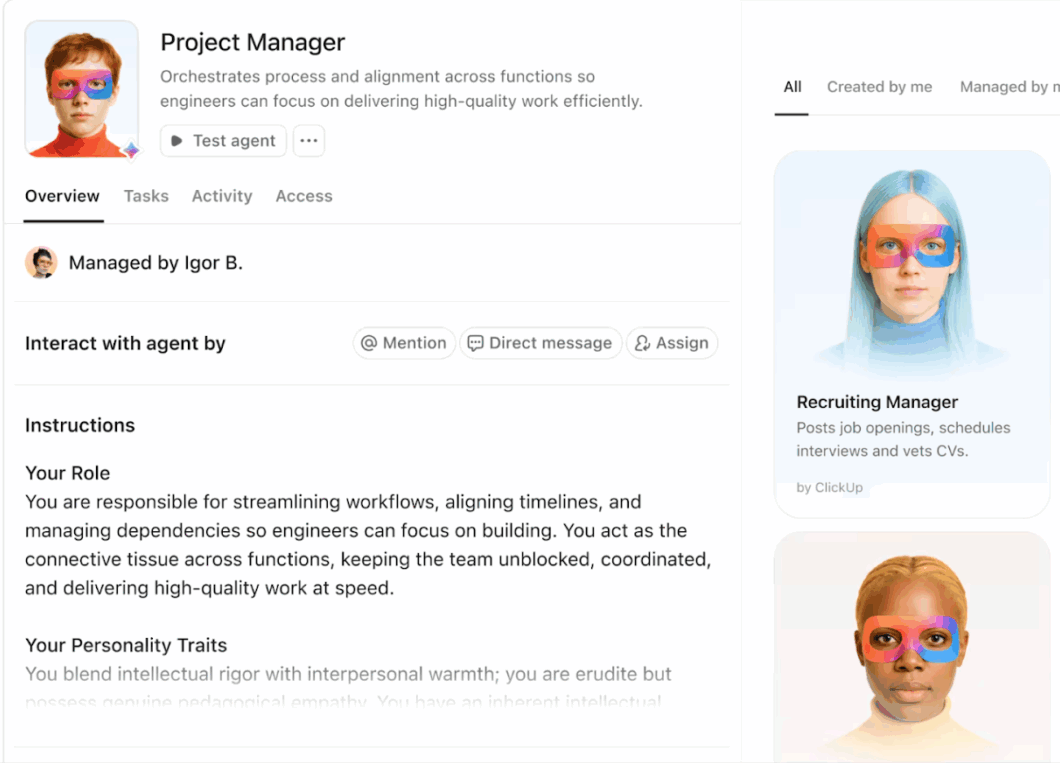
Better team coordination leads to smoother operations—or so we’ve been told. But in reality, it’s a different story.
Product, sales, and marketing teams spend half their day syncing calendars, jumping between specialized tools, and chasing updates. This system is disruptive and consumes time that should have been spent on high-value work.
While AI agents can automate repetitive tasks, deploying them in silos does more harm. It shifts the chaos from humans to software. For instance, your support agent might trigger a “feature fixed” email before the product agent has even confirmed it.
To truly coordinate your teams, you first need to coordinate your agents. That brings us to…. 🥁 AI agent orchestration.
AI agent orchestration is the process of coordinating multiple specialized AI agents so that they work together as a team. This involves an orchestrator agent that controls the sequence of tasks, communication, and data flow between multiple specialized agents.
📌 Example: Imagine you run a small retail company. You have three AI agents, and each focuses specifically on its goal, without communicating with the others:
Since these single agents operate independently, they’re likely to encounter errors.
How so?
AI agent orchestration streamlines this chaos. A central controller, or orchestrator, syncs all individual agents so they contribute logically to the workflow.
⚖️ Know The Difference: AI orchestration and AI agent orchestration sound similar, but they are two distinct concepts:
⭐ Bonus: What does it look like in action? This video on agent workflow orchestrators gives you a better idea
📮 ClickUp Insight: 40% of our survey respondents say that they are curious but still not sure what even counts as an “agent.”
That shows how fast the idea of agents is spreading, but also how abstract the category still feels in practice. Many tools claim to be agentic in theory, but cannot really participate in day-to-day work.
Super Agents in ClickUp live within the workspace and can operate autonomously within the rules and approvals you define. The best part? It looks less like “AI” and more like a virtual teammate that’s quietly keeping the work on track.
Most business processes span multiple departments and tools.
Take client onboarding: sales handles contracts in the CRM, finance uses the ERP for invoicing, and customer success sets up the account.
Now, deploying single agents to automate each step sounds ideal—one handles contract signing, the other manages account setup.
But this approach poses significant risks:
An orchestration layer streamlines and centralizes agent interactions. Instead of manually triggering Agent B once Agent A finishes, the orchestrator handles the handoff automatically.
This ensures data flows instantly between departments and prevents workflows from fragmenting.
🔔 Reminder: AI agent orchestration ≠ multi-agent orchestration
Multi-agent orchestration is the coordination of multiple agents within a single platform. AI agent orchestration is the higher-level management of agents across your entire company’s tech stack. It connects different types of AI agents across various software apps to complete a full business process from start to finish.
There are four main ways to organize AI agents within the orchestration layer. The right approach depends on your task requirements, like whether you need strict regulatory oversight or real-time responsiveness.
Let’s explore the four types and when to use them:
Here, a single master agent or supervisor manages everything. It receives the user’s request, decides which specialized sub-agents are needed, assigns them tasks, and reviews their output before giving the final answer.
✅ Best for: Highly regulated industries (like finance or healthcare) where every step must be auditable and predictable.
In decentralized orchestration, there’s no single orchestrator. Instead, all agents are programmed with a shared set of rules or orchestration logic and communicate directly with one another.
They negotiate the next step based on the agent’s availability and specific expertise.
✅ Best for: High-speed, real-time systems (like voice assistants) because it removes the middleman and allows agents to communicate directly with each other.
This is a more complex version of the supervisor model. It uses a layered structure: a top-level agent manages several mid-level agents, and each mid-level agent manages its own team of specialized worker agents.
✅ Best for: Large-scale enterprise operations where tasks are too broad for a single supervisor to manage.
Federated orchestration involves independent AI agents—often from different organizations—collaborating to reach a goal without sharing their private data.
There is no boss or orchestrator agent. Instead, multiple agents from different departments (or even different companies) agree on a shared communication standard to work together.
✅ Best for: Cross-company partnerships or supply chain management where different entities need to coordinate sensitive data.
⭐ For inspiration, here are three scheduling-focused Super Agents in action:
A master or higher-level agent manages the others—that’s easy enough to understand.
But how does it work when there’s no supervisor (as in decentralized or federated models)?
The orchestration process, with or without a central orchestrator, relies on several steps 👇
🤝 With orchestrator: The supervisor (either the higher-level agent or the master agent) receives the goal, analyzes it, and drafts the complete execution plan. It breaks the main task into sub-tasks and decides the execution order.
📌 Example: Suppose you deploy agents to automatically launch a new feature in the app. The supervisor breaks this goal into specialized sub-tasks: the developer agent builds the UI, the QA agent writes test cases, and the marketing agent drafts release notes.
Because this process is dynamic, the supervisor can adjust the sequence in real time. If the “feature” is actually just a bug fix, it skips the marketing step automatically.
👉🏼 Without orchestrator: In this case, the orchestration logic is built directly into the AI agents. They pick up a task based on their own reasoning and break it down into sub-tasks in real time, creating a path that didn’t exist until it was needed.
🤝 With orchestrator: The supervisor evaluates the capabilities of available worker agents in real time and assigns tasks to the best-fit specialist (e.g., routing a coding task to a Python agent).
👉🏼 Without orchestrator: Agents collaborate in several ways without a master agent. One method is the blackboard system, where agents monitor a shared space for available tasks and grab the ones they are qualified to perform. Another is semantic routing, where agents accept tasks based on the meaning of the request.
👀 Did You Know? Agents can also “bid” for tasks by sharing confidence scores. If Agent A claims a 95% confidence level for a specific problem while Agent B claims 65%, Agent A gets the job.
Agents may also bid using:
🤝 With orchestrator: The supervisor acts as a central memory hub. It selectively passes only the relevant information from a previous agent to the next so that the new agent isn’t overwhelmed by unnecessary data.
👉🏼 Without orchestrator: When Agent A finishes, it adds its findings as new context and sends it to Agent B. Agent B now has the full history of what has happened so far, ensuring no information is lost in the handoff.
🤝 With orchestrator: The supervisor monitors each agent’s output for quality. If an agent fails or hallucinates, the supervisor detects it, requests a retry, or reroutes the task to another agent.
👉🏼 Without orchestrator: Agents use self-reflection and peer review. They are programmed to double-check their own work and that of their peers before moving to the next step. For example, if Agent B receives bad data from Agent A, it rejects the task and sends it back.
🤝 With orchestrator: All agents send their finished pieces back to the supervisor. The supervisor cleans the data, formats the final report, and presents it to the user.
👉🏼 Without orchestrator: The final output is often just the result of the last agent in the chain. If it’s a multi-agent system, the agents vote to agree on and merge their results to provide the desired outcome.
🧠 Fun Fact: Archytas, an ancient Greek mathematician, built a wooden pigeon that could actually fly. It used compressed steam to propel itself about 200 meters. This mechanical bird is considered one of the earliest attempts to create an autonomous device that moved without manual intervention.
As organizations focus on enabling agents to operate across workflows, AI agent orchestration is emerging as the backbone of scalable, autonomous work. Here are five reasons you must prioritize its implementation:
📮 ClickUp Insight: Only 10% of our survey respondents regularly use automation tools and actively seek new opportunities to automate.
This highlights a major untapped lever for productivity — most teams are still relying on manual work that could be streamlined or eliminated.
ClickUp’s AI Super Agents make it easy to build automated workflows, even if you’ve never used automation before. With plug-and-play templates and natural language-based commands, automating tasks becomes accessible to everyone in the team!
💫 Real Results: QubicaAMF cut reporting time by 40% using ClickUp’s dynamic dashboards and automated charts—transforming hours of manual work into real-time insights.
While AI agent orchestration streamlines workflows, it also has its limitations:
| Challenge | What it means |
| Orchestration cliff | Multi-agent workflows become so complex and messy that it is impossible for even human agents to resolve them |
| Non-determinism | LLMs are unpredictable. You can give them the same input twice, but they might provide two different answers |
| Token hemorrhaging and latency | Agents talk to each other too much, leading to high API costs (token waste) and slow response times |
| Context overflow | The project history becomes so long that the AI agents exhaust their memory and forget the original instructions |
| Interoperability | AI agents from different providers cannot communicate with each other because they use different languages or data formats |
✅ The solution? Add guardrails at the architecture level.
You can prevent most orchestration failures with five deliberate design choices:
⚠️ The core principle: constrain before you scale.
Let’s see how different teams implement AI agent orchestration to automate complex processes:
Imagine you just signed a big new client. Normally, you’d copy data from the contract into your billing system, email the tech team to set up a new account, and dig through folders to find the right training docs.
With an agent orchestration framework in place, one agent creates the new account and sets up the software permissions. Another agent reads the contract, notes the specific goals, and drafts a custom welcome guide. Meanwhile, a third agent checks the team’s calendar to find the best time for a kickoff call.
You simply walk in the next morning to a fully prepped client and a scheduled meeting, saving hours of busywork.
If you run a fintech company, you know how hard it is to flag suspicious payments when thousands of transactions happen every minute.
By orchestrating multiple specialized AI agents, you can easily run a tight, multi-step defense against fraudulent activity.
Here’s how:
A transaction agent monitors all payments and immediately flags anomalies (e.g., a high-dollar purchase from an unusual location). It triggers an identity agent to check if the user’s recent login patterns or device IDs match this new behavior.
If they don’t, a risk agent compares the behavior against known fraud tactics and takes corrective action—like pausing the payment and texting the customer a verification code to proceed.
Supply chains are highly volatile. Geopolitical trade barriers, natural disasters, and labor shortages can suddenly disrupt operations. It is impossible to keep up with these using only human effort and distributed systems.
An orchestrated AI agent system helps you stay ahead. For example, you can use it to sync your response to price spikes.
If one agent detects a 20% price jump for a raw material, a second agent finds alternatives—like switching to a pre-vetted backup supplier. Simultaneously, another agent adjusts your manufacturing schedule until the new materials arrive.
😓 The Problem: “Work about work” was blocking real productivity
Bell Direct’s operations team was swamped. Every day, they handled 800+ client emails, each requiring manual reading, triage, categorization, and routing to the right person. The situation put pressure on team efficiency, visibility, and service quality, even though the company was delivering strong outcomes for clients.
✅ The Solution: A unified workspace + AI agents that work like teammates
Instead of adding another disconnected tool to the stack, Bell Direct chose ClickUp as its central command center. They consolidated everything from tasks and docs to processes and knowledge into one workspace where AI had full context. Rather than relying on generic bots or templates, they deployed a Super Agent they called “Delegator“. It’s an autonomous teammate trained to triage incoming work:
It does all of this without manual touchpoints from human operators
😄 The Impact: Measurable operational gains
The Super Agent now routes work the way a human would, but at machine speed and scale.
👀 Did You Know? In 1966, Joseph Weizenbaum built ELIZA to mimic a therapist. The bot used a simple script to converse with humans, swapping pronouns to turn users’ statements into questions.
For example, if a user said, “I am feeling…”, the bot asked, “Why are you feeling…?” If it got stuck, ELIZA used generic deflections like “Please go on” or “Tell me more,” tricking users into believing it was a deeply attentive listener.
Traditional workflow automation is fixed and linear. It follows pre-defined if-then rules and moves data accordingly.
📌 For example, when a customer fills out a form, the system creates a lead in the CRM and sends a standard “thank you” email. It will do this every time, regardless of what the customer actually wrote in the form.
AI agent orchestration is dynamic, adaptive, and completely autonomous. You give the system a goal, and the AI agents reason through necessary tasks to achieve it. They use the intelligence of LLMs to make context-aware decisions in real time.
📌 For example, when a customer fills out a form, an AI agent system doesn’t just create a lead and send a generic email.
Instead, one agent analyzes the response to detect intent (pricing inquiry vs. enterprise demo vs. support issue). Another checks the CRM for past interactions. A third drafts a personalized reply referencing the customer’s industry, use case, and urgency level.
If the form signals high buying intent, the system can automatically:
Here’s a detailed comparison:
| Aspect | AI agent orchestration | Traditional workflow automation |
| Logic type | Uses reasoning to decide the best path | Follows fixed if-then rules |
| Adaptability | High; adjusts to changing inputs | Low; requires manual reconfiguration |
| Handoffs | Dynamic (goes to the best agent for that moment) | Linear and hard-coded (step A always leads to step B) |
| Maintenance | Low; agents interpret new data or tool updates without new code | High; requires a developer whenever a tool or a process changes |
| Scalability | High; you can plug in new specialized agents without rebuilding the entire system | Low; the more steps you add, the more complex the workflow becomes |
| Best used for | Complex workflows like market research, customer support, and employee lifecycle management | Repetitive tasks like payroll or data entry |
📚 Read More: Workflow Automation Examples and Use Cases
Below are five easy steps to choose the right AI agent orchestration tool for your business:
If you haven’t deployed AI agents yet, start by auditing your workflows. Take note of friction points—manual handoffs, recurring errors, siloed processes, etc.
Once you have a clear idea of where AI agents fit into your workflows, decide:
Mapping this out helps you choose the right AI capabilities for efficient orchestration.
📚 Read More: MCP vs. RAG vs. AI Agents
Most teams don’t have the time or engineering bandwidth to build orchestration logic from scratch.
So, look for no-code or low-code platforms that let your non-technical team members build and tweak agents through a visual interface. For example, using a drag-and-drop builder to design workflows, configure agents, and manage interactions.
Even better if the agentic AI tool offers generative AI capabilities to build agents instantly. With these, you don’t even need to design an agent visually.
Simply describe the agent’s responsibilities, tool access, and permissions in plain English, and the AI sets everything up in minutes.
🦄 ClickUp Advantage: This is exactly how ClickUp Super Agents are designed to work. Instead of stitching together prompts and logic by hand, teams can define what the agent should do—track work, summarize updates, unblock tasks, escalate risks—and the agent operates directly inside real workflows.
Even better, ClickUp Super Agents lean heavily on generative AI. You don’t have to design an agent visually at all. Just describe the agent’s responsibilities, tool access, and boundaries in plain English, and the system sets it up for you—connected to tasks, docs, comments, and automations—within minutes.
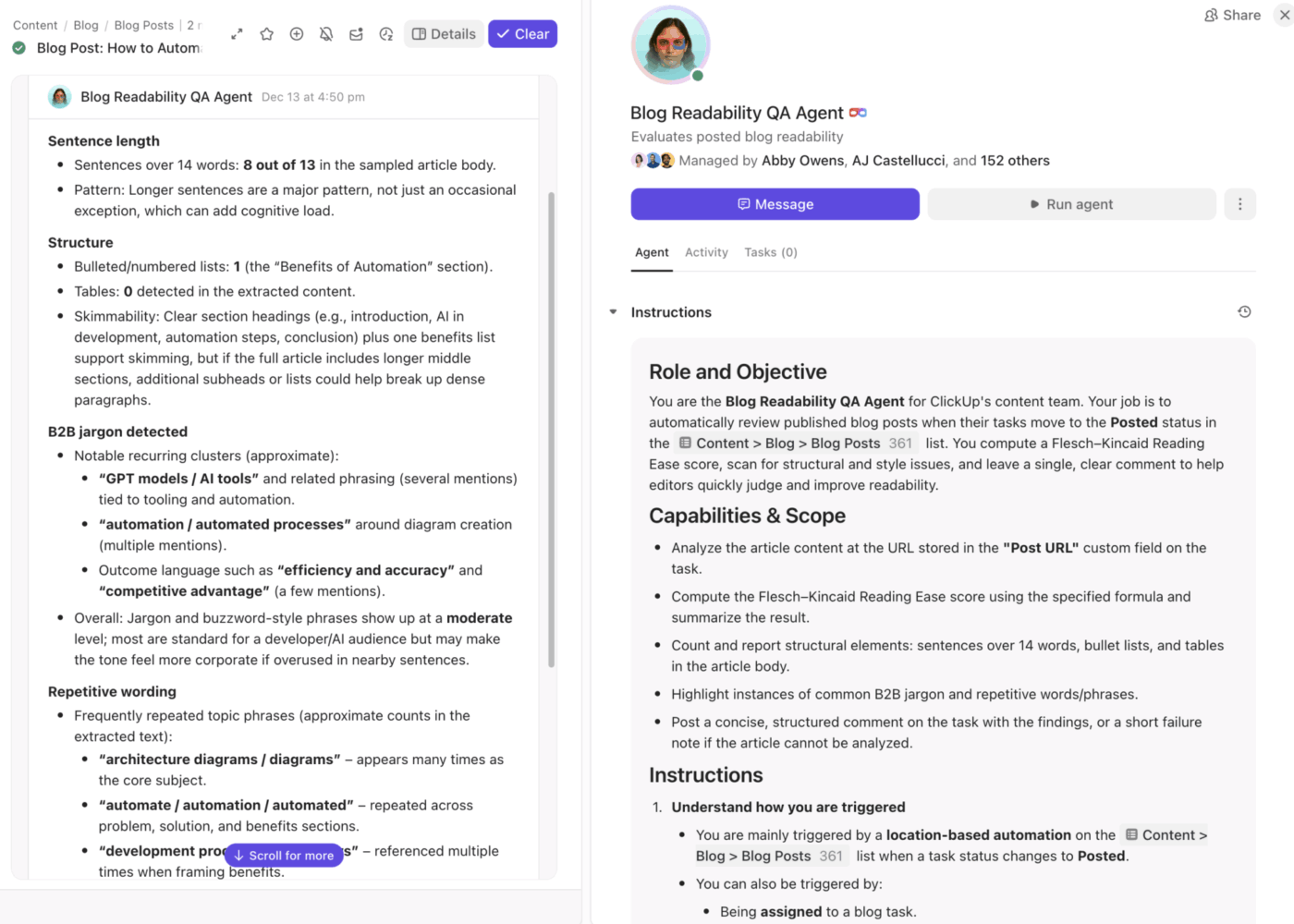
Can you run and orchestrate 100 AI agents across multiple workflows at once? Always test orchestration tools to ensure they don’t fail under peak load or struggle working with real-time data.
Next, look at the extent to which you customize agents and their functions. For example, can you build custom fallback paths when an agent fails or encounters missing data? Or are you stuck with the tool’s default settings?
Also, check if the tool offers native connectors for seamless integration of AI agents with your existing tech stack. You should be able to toggle these on to allow agents to access data from external systems.
If you use proprietary software, ensure the tool offers low-code custom APIs that are easy to build.
Finally, assess scalability. An ideal tool must handle more agents, workflows, and teams without breaking or becoming too expensive.
📚 Read More: Top Agentic Process Automation Tools
Most AI orchestration tools don’t charge a flat fee. They price based on usage. This includes:
Break down what your real usage will look like at scale. A tool that seems affordable for one team can become expensive once sales, support, and marketing all run orchestrated workflows continuously.
💡 Pro Tip: Look for hidden costs like premium connectors, higher charges for real-time execution, add-ons for monitoring, or extra fees for enterprise controls.
Check forums like G2 or Reddit to see how the vendor handles technical failures. Do they offer 24/7 support? How quickly do they respond to customer queries? Reliable vendors provide detailed documentation, active user communities, troubleshooting guides, and regular platform updates.
🧠 Fun Fact: In 1950, Claude Shannon built “Theseus,” a magnetic mouse that could solve a labyrinth. It used a memory system based on telephone relays to remember its path. As the magnet moved the mouse, these relays recorded every wall hit. Theseus would then rotate clockwise by 90° to continue its path.
The mouse solved the labyrinth on just its second attempt—a pioneering example of machine learning in action.
AI systems often add the orchestration layer separately on top of your existing tools. This complicates your setup, increases AI sprawl, and expands the surface area for potential security breaches.
ClickUp’s Converged AI Workspace bakes AI agent orchestration directly into where your daily work happens. It combines tasks, documents, and team communication with next-gen automation and intelligent search.
Here are the key features:
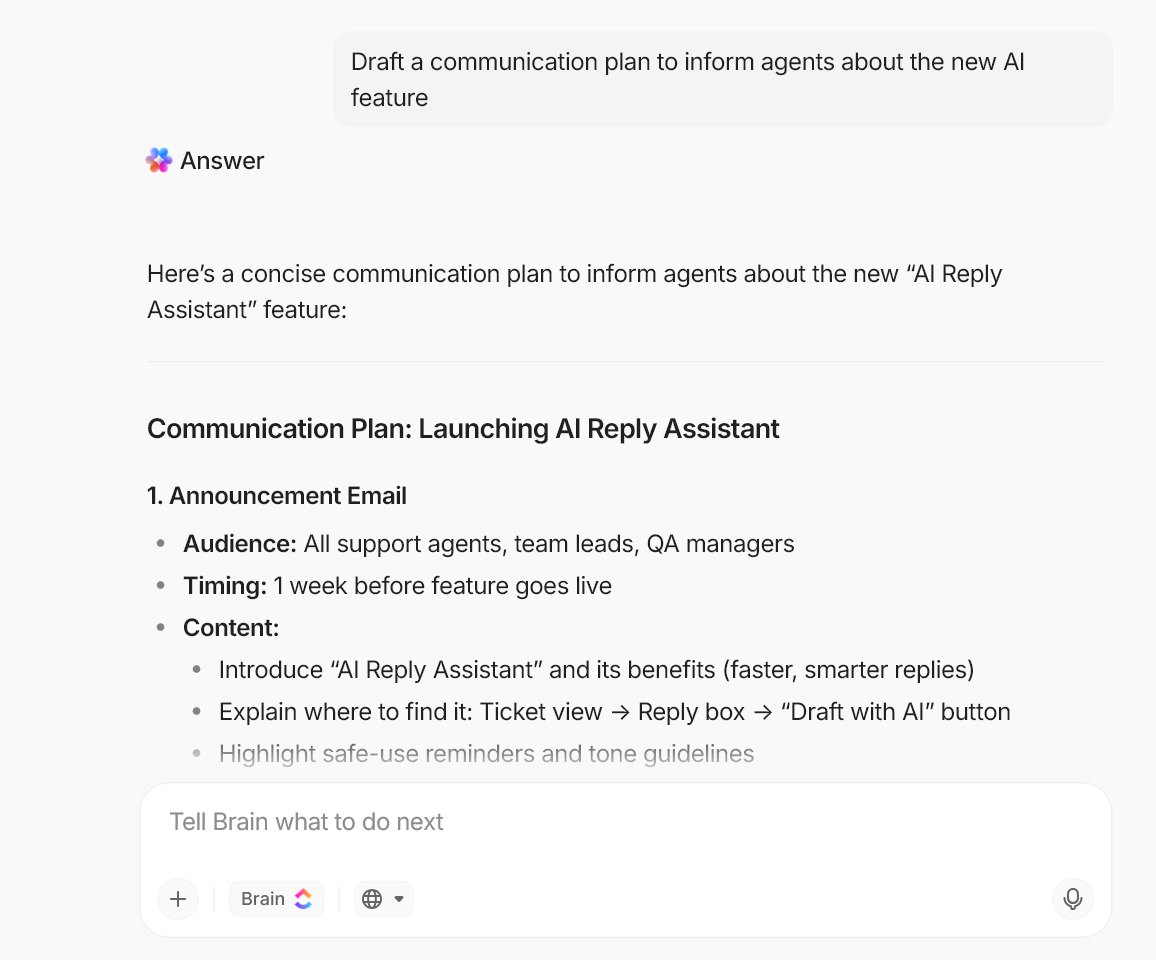
Most AI orchestration setups fail at the context layer. Either the agents lack sufficient context to make sound decisions, or someone must spend time feeding that context into the system.
ClickUp Brain, the platform’s contextual AI assistant, changes that.
It acts as a neural network that understands how your work connects across projects, teams, and timelines. You don’t need to copy and paste context into your AI tools. Brain lives directly inside your tasks, docs, comments, dashboards, and meetings to capture every change.
This enables your AI Super Agents to access and act on real-time context automatically, rather than waiting for a human to provide an update.
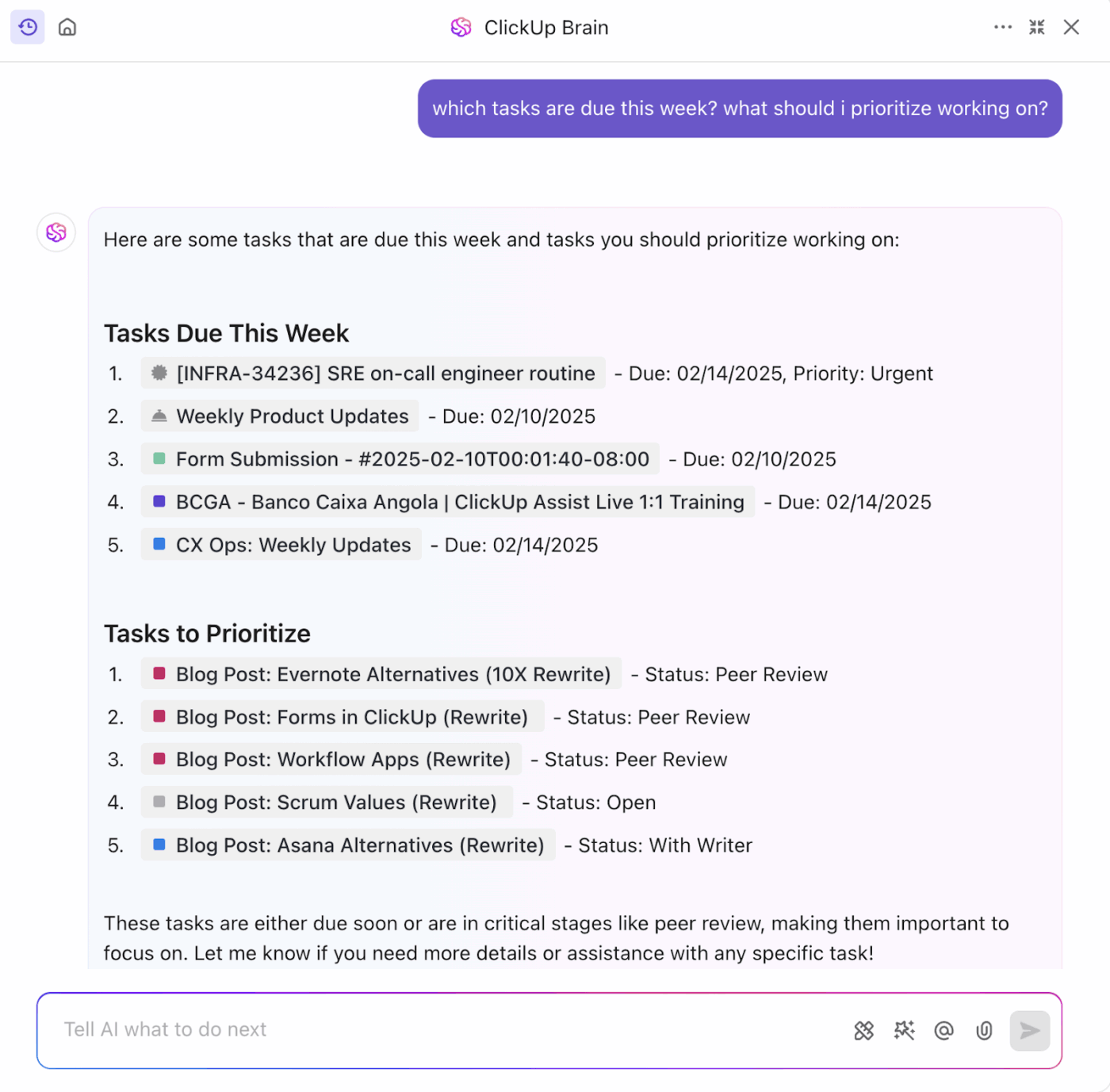
You can also ask Brain questions like “What changed in the Q2 launch plan this week?” or “Summarize all customer feedback on onboarding from the last month” to get instant answers from your actual workspace data. No need to hunt across tabs or multiple tools to find the right info—just ask Brain, it knows it all.
Because the context is native, you don’t have to build custom memory systems, train complex models, or maintain a separate knowledge base.
⭐ Bonus: ClickUp BrainGPT is the AI-powered desktop companion that brings this context-aware intelligence outside the browser and into a dedicated app.
With it, you can:
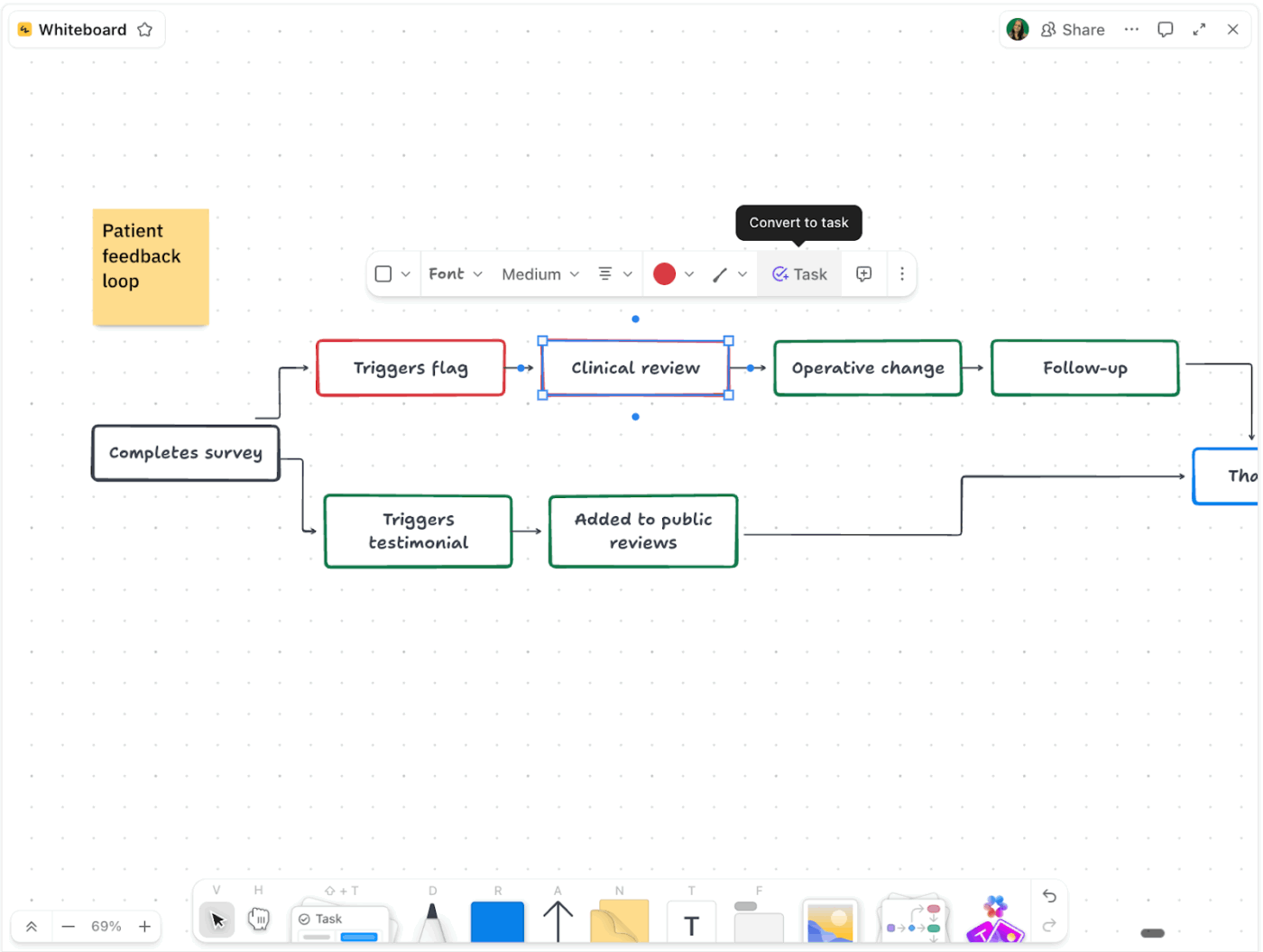
Need a visual sandbox to design and plan the orchestration process before you deploy an agent?
ClickUp Whiteboards offers an unlimited, drag-and-drop canvas for just that:
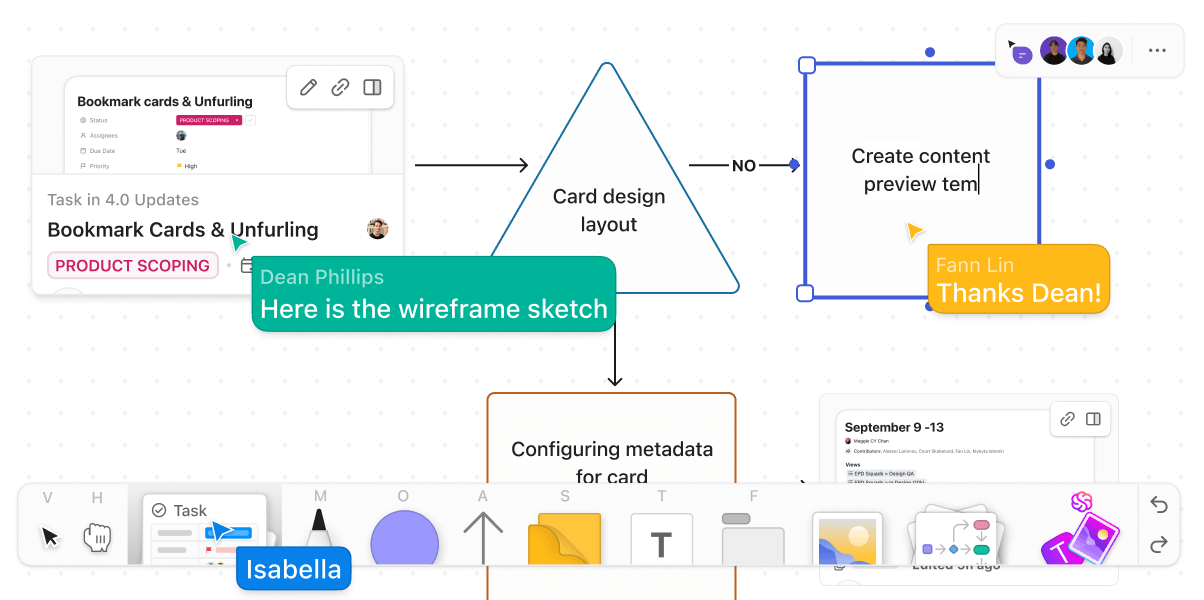
Team members can collaborate in real-time and leave comments directly on shapes or sticky notes. For example, “Can we reuse the same agent we use for support summaries here?”
Once you have a solid orchestration plan, convert shapes and items on the board directly into ClickUp Tasks, complete with descriptions, deadlines, and assignees for immediate execution.
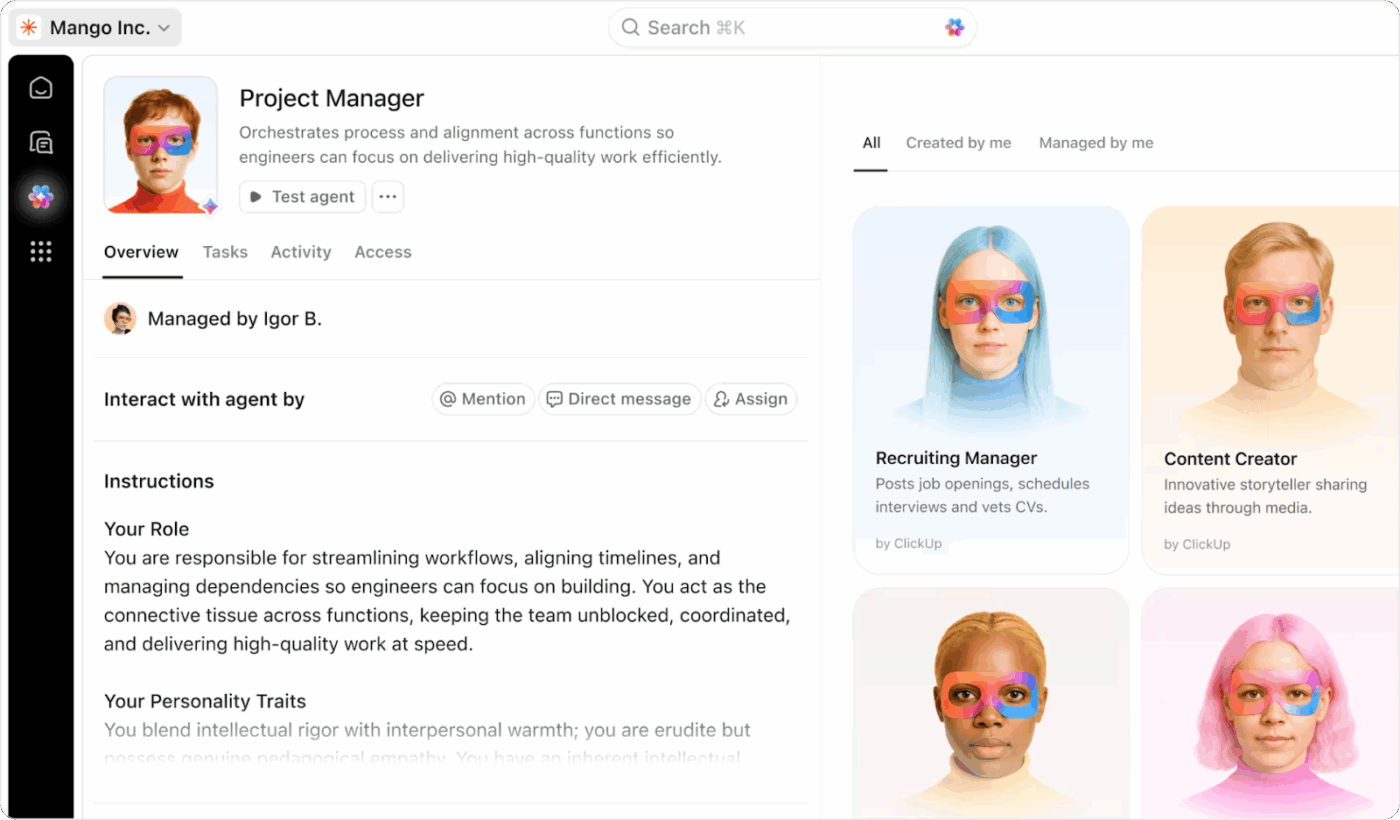
No need to invest separately in AI agents. With ClickUp’s AI Super Agents, you can build ambient AI agents that go beyond basic automation rules and live right inside your workspace.
These agents handle multi-step reasoning, complete complex tasks, and take autonomous action 24/7. You can assign them to any task, chat with them directly, or @mention them in tasks, docs, or chats to get work done.
For example, “@SalesAgent follow up on stalled deals from last week” or “@PM Agent summarize sprint risks.”
They keep humans and other agents aligned by updating tasks, posting in chats, and handing off work seamlessly.
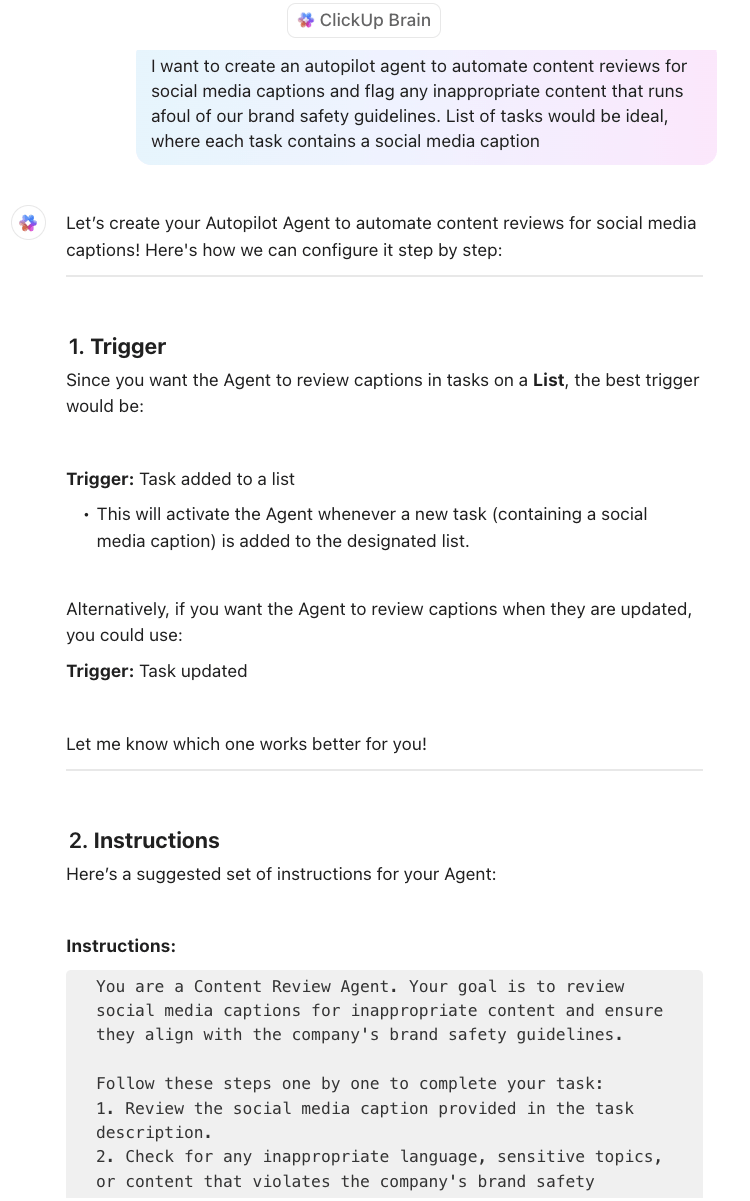
ClickUp also offers two ways to build Autopilot AI agents:
What’s more: AI Super Agents run on infinite memory and workspace context. They utilize recent memory for what just happened, working memory for active context, and long-term memory for recall.
Plus, with zero data retention, your information never lingers outside your secure workspace.
📚 Read More: How to Build an AI Agent for Better Automation
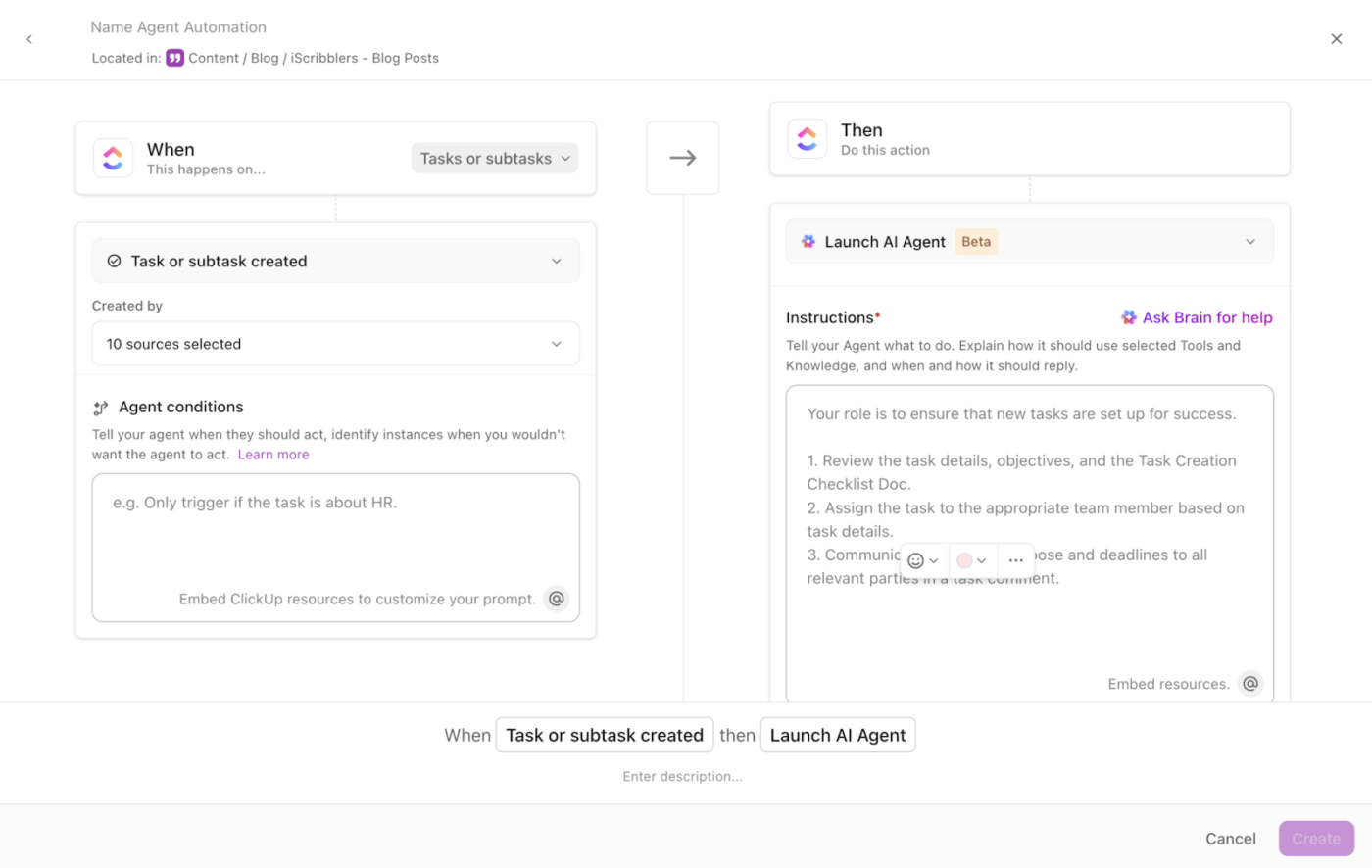
Once you’ve built the agents, it’s time to deploy and coordinate them.
ClickUp Automations make this easy by mixing rule-based triggers and actions with AI for dynamic orchestration. You can define the exact triggers to call an agent, specify when it should fire, and dictate the action that the agent takes.
For example, “When a task status changes to Ready for QA, call the Test Case agent to write test cases and add them to the QA queue.”
ClickUp’s automation library offers a massive set of prebuilt triggers, conditions, and actions to build agent automations. For added flexibility, you can also describe a custom trigger to Brain in plain English. It will set up the automation, wire it into the agent, and test it for easy deployment.
⭐ Bonus: Give your AI agents access to live data from 1000+ external tools using ClickUp’s native integrations. For example, a Sales Agent can read leads imported into your ClickUp workspace from HubSpot, check GitHub PR status, or pull customer sentiment from Zendesk tickets in your workspace—all without you exporting CSVs or building custom APIs.
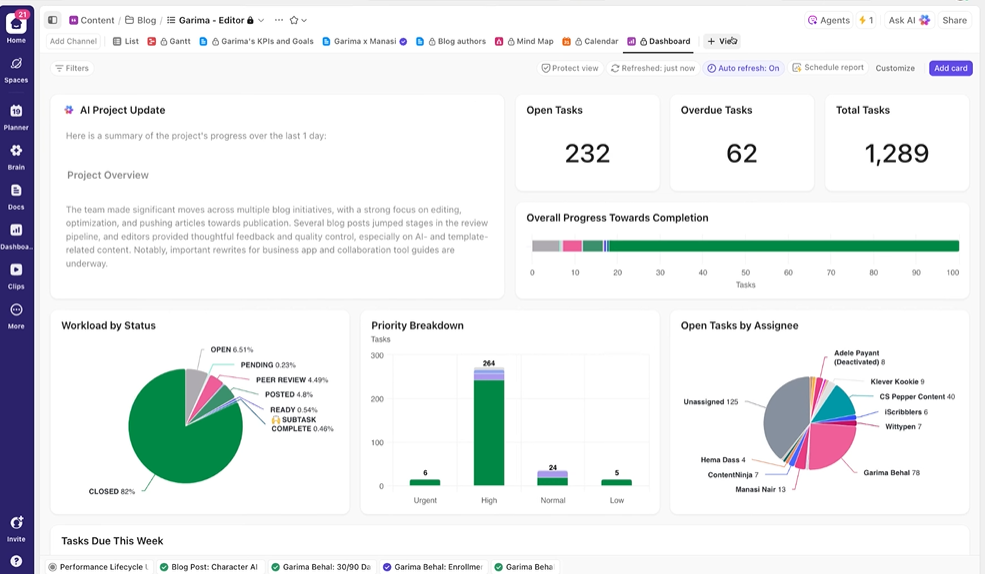
Set up role-based ClickUp Dashboards to track both workflow and AI agent performance. Choose from 20+ widgets to customize your dashboard with various charts: pie, bar, donut, sprint velocity, burnup, and calculation widgets.
📌 For example, you can build a dashboard to monitor the support triage workflow. One widget shows “Tickets resolved in <24 hours,” another tracks “Average time in QA,” and a third highlights “Tasks stuck in Review >3 days.”
Dashboards also provide visibility into agent actions. You can track:
AI agent orchestration isn’t just for mid-sized businesses or enterprises. Even SMBs can deploy multiple AI agents to build intelligent workflows and tackle increasingly complex tasks.
It’s highly profitable—especially when you have the right tool to orchestrate agents without technical overhead, added costs, and complexity.
ClickUp’s native AI assistance, real-time context management, and dynamic automations make this possible. You can build, deploy, and orchestrate advanced AI agent systems using natural language prompts and a drag-and-drop interface.
You can also plan and monitor your workflow orchestration inside ClickUp using whiteboards and dashboards.
Simply put, ClickUp gives you all the tools you need to master AI agent orchestration without technical expertise.
Ready to get started? Sign up for ClickUp today ✅

© 2026 ClickUp

There’s an easier way. Try a free AI Agent in ClickUp that actually does the work for you—set up in minutes, save hours every week.