









Still downloading templates?
There’s an easier way. Try a free AI Agent in ClickUp that actually does the work for you—set up in minutes, save hours every week.
Sorry, there were no results found for “”
Sorry, there were no results found for “”
Sorry, there were no results found for “”
We’ve all sat through training sessions that are just…blah? 👀
But not all training has to be boring. What if you can design a training that’s informative, inspiring, impactful, and downright fun?
That’s where the ADDIE model comes in.
It’s your roadmap for creating training that’s not just memorable but highly effective.
The ADDIE model provides an organized strategy for designing, developing, and delivering high-quality learning experiences. Combining the ADDIE framework with the right templates ensures that your learning content design and development are smooth and easy.
Ready to level up your training game?
In this blog, we’ll discuss how the right ADDIE model template can help speed up the development process while delivering a quality learning experience for participants.
The ADDIE Model is a methodical approach used in instructional design that guides the development of effective educational and training programs. It is one of the most widely used instructional design frameworks for developing training and educational products.
The model stands for five phases:
Each phase plays an important role in ensuring that the learning objectives are met and that the instructional materials are tailored to the specific needs of learners.
ADDIE templates can help learning and development professionals create ADDIE-based training courses easily.
Whether you’re an instructional designer, human resources HR professional, or corporate trainer, the ADDIE model template can help bridge the gap between business expectations and training outcomes.
It’s a great way to chart a clear path for course development and get buy-in from process owners, subject matter experts (SMEs), and other stakeholders.
When choosing an ADDIE model template, consider your training goals, the instructional design processes you follow, and the target audience. The right template must:
The ADDIE model is the de facto standard for developing effective training plans. Here are a few use cases that prove its effectiveness across its five phases:
Sales reps often need objection handling or closing techniques scripts they can use in different situations. In the development phase, the instructional designer must take special care to avoid information overload while breaking down specific scenarios agents face on client calls.
With the help of the ADDIE model, trainers and instructional designers can:
Onboarding programs are distinct from process training. They are usually in-person sessions providing information on benefits, access rights, DEI training, reporting, and schedule alignment. However, if HR keeps getting questions related to the same topics covered during onboarding, leveraging the ADDIE model can help you:
Soft skills are generally harder to measure than other skills. Analyzing metrics like CSAT or NPS can help. However, you would also need qualitative feedback or observational data to identify gaps and develop effective training interventions.
Using the ADDIE model, you can:
While Excel, PowerPoint, or Google Sheets can provide you with a base outline for the ADDIE model framework, it’s best to have training plan templates that integrate with your existing workspace.
As a collaborative and user-friendly project management platform, ClickUp can help you manage your learning content creation process end to end.
With its advanced project management features and an array of handy templates and integrations, ClickUp makes the workflow smoother and easier to document, process, and share ahead. The platform offers customizable, feature-rich templates that help you create a master plan around the ADDIE instructional design model.
Let’s check them out!
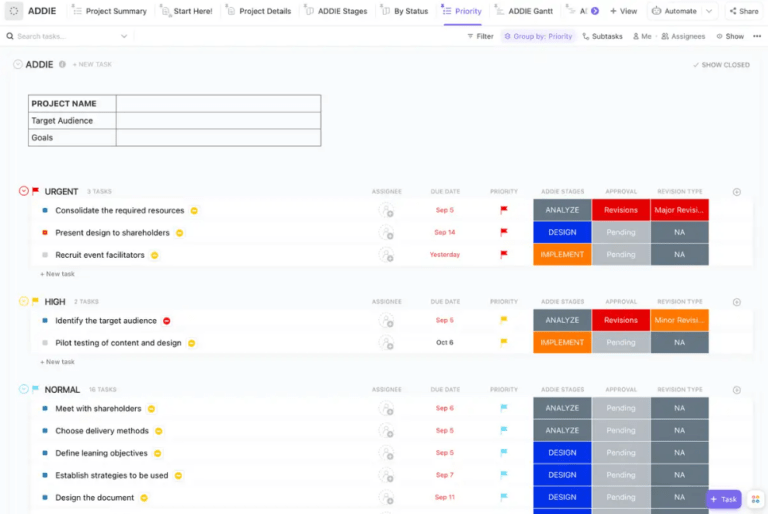
When starting work on a new training project, you must first determine what to prioritize, how to organize the course, identify the resources needed, and set deadlines. For all these tasks, ClickUp’s ADDIE Template is your best ally.
It lets you:
💡Pro Tip: You can leverage ClickUp’s 1000+ integrations to ensure easy collaboration, hassle-free communication, and transparency in the workflow across various platforms, such as Google Calendar, Hubspot, Slack, Gmail, Dropbox, etc.
A primary benchmark while developing course content is whether the participants will be able to perform the expected task with the desired level of proficiency. That’s where the ClickUp Course Development and Planning Template comes to your rescue.
It helps you:
Read More: Best Customer Training Software
ClickUp’s Education Management Software is notable for its capacity to streamline and centralize management and administrative tasks in the educational sector.

The software allows you to:
💡Pro Tip: Use ClickUp Whiteboards to brainstorm the topics and activities you want to focus on and the overall structure and design of your course content.
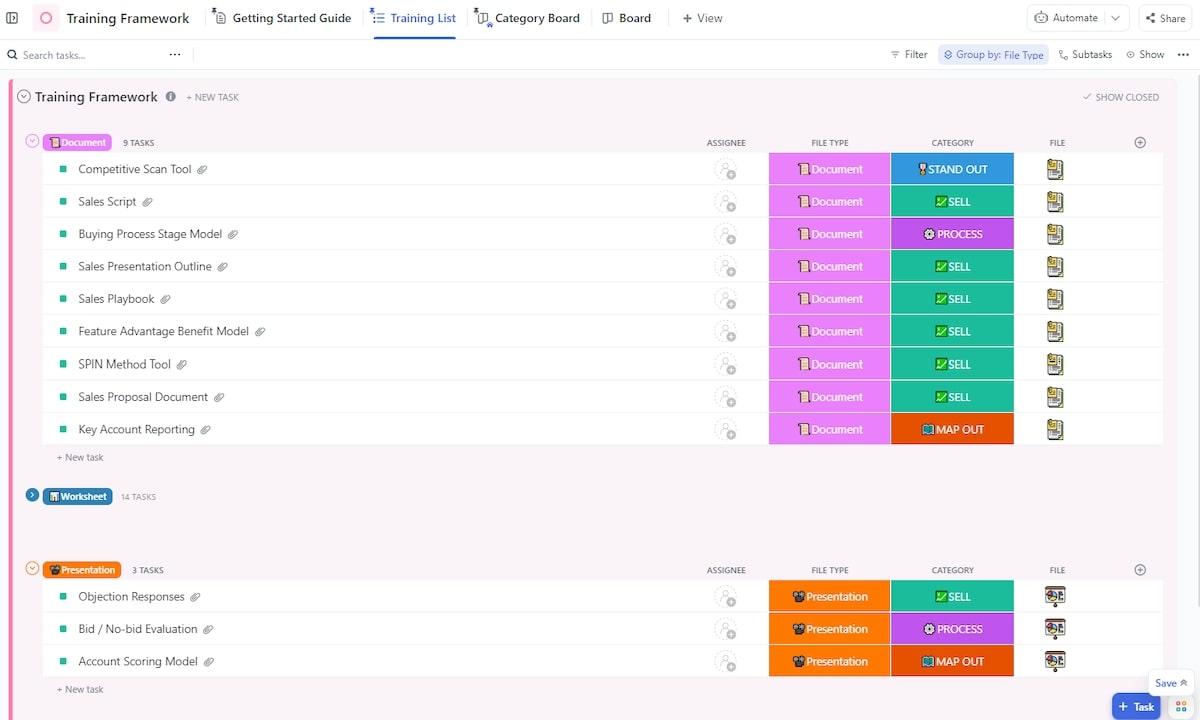
Whether it’s an online or in-person course, connecting individual lessons to the overall course plan helps improve comprehension and retention among learners. To make logical decisions regarding training methods and delivery, use ClickUp’s Training Framework Template.
It’s designed to help:
💡Pro Tip: Use ClickUp Clips to create screen recording-based video content for e-learning courses. You can also add comments on the Clips if you’re trying to develop content and need to give feedback.
Based on your organization’s annual training calendar, employees may be required to take assigned training within a specific timeframe. However, there may be delays because of unrealistic expectations or inadequate planning.
ClickUp’s Training Rollout Plan Template allows you to schedule training programs in a way that’s convenient for learners and complies with business expectations. For example, you may decide to stagger the rollout on a phase-by-phase or department-by-department basis.
With this template, you can:
💡Pro Tip: Use ClickUp Automations to manage and act on the status of your tasks. You can configure ClickUp to archive a task when its status changes from “In Progress” to “Complete.”
As your product or service evolves, your Learning Management System (LMS) needs to keep up. You would need an LMS implementation project plan that outlines steps for launching and successfully implementing the system on schedule and within budget.
If you’re considering an upgrade, ClickUp’s Learning Management System Implementation Template can make the transition stress-free. It provides a blueprint for the implementation phase, including setup, testing, and reporting.
In the post-implementation stage, this template can help streamline administrative aspects like enrollment management, compliance tracking, and reporting.
ClickUp’s Learning Management System Implementation Template helps you:
💡Pro Tip: Use ClickUp Docs to brainstorm ideas for goals and objectives. Edit in real time with your team, tag them on comments, assign action items, and convert text into trackable tasks to stay on top of your ideas.
If you want to get more out of your learning and development budget, it’s critical to avoid scope changes and content revisions. While changes may be fine during the analysis phase, once the project progresses to the design phase, the cost of making changes increases substantially.
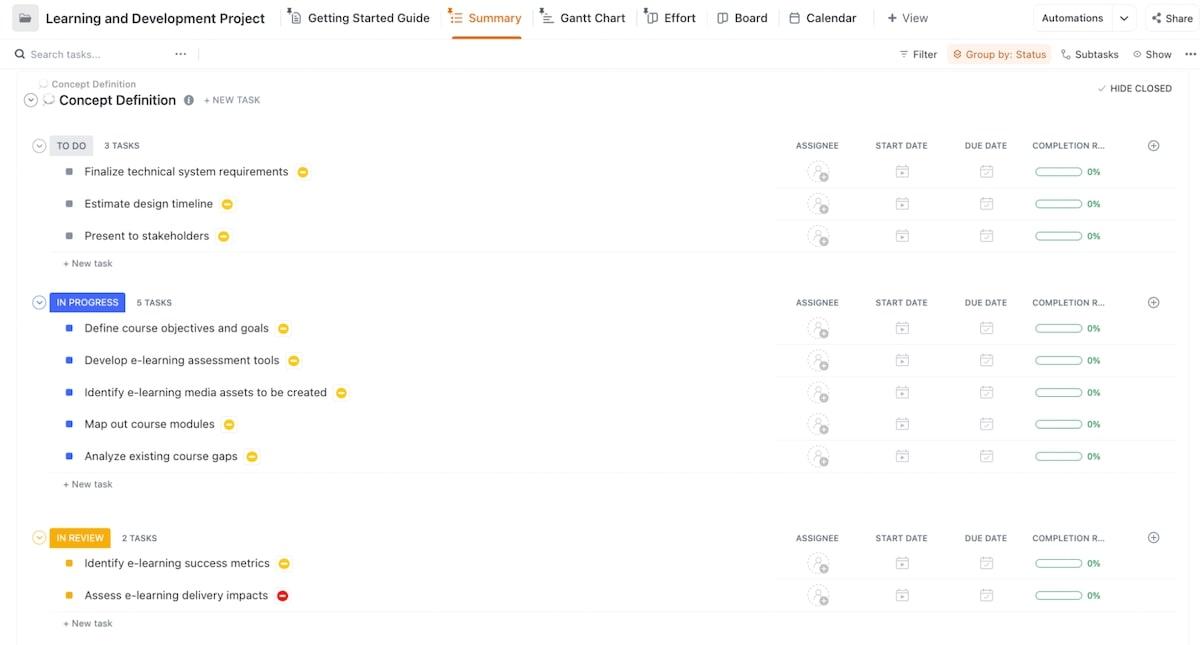
ClickUp’s Learning and Development Project Template helps you cover all your bases when executing instructional design projects. This includes optimizing resource allocation, improving the learner experience, and impacting business outcomes.
With this template, you get to:
📮 ClickUp Insight: 74% of employees use two or more tools just to find the information they need—while jumping between emails, chat, notes, project management tools, and documentation. This constant context-switching wastes time and slows down productivity. As the everything app for work, ClickUp unifies all your work—email, chat, docs, tasks, and notes—into a single, searchable workspace, so everything is exactly where you need it.
Missing out on small but important details can derail even well-planned course development projects. ClickUp’s ADDIE model templates help plug these execution gaps by combining training workflows across all five phases in one place.
Whether you want to improve the onboarding experience, update your learning content, or collect feedback, ClickUp provides the tools you need to execute demanding training projects on time and within budget.
Enhance your curriculum development process and improve training and development outcomes with ClickUp. Sign up for free today!

© 2026 ClickUp

There’s an easier way. Try a free AI Agent in ClickUp that actually does the work for you—set up in minutes, save hours every week.