


Imagine you’ve finished recording a crucial meeting, an insightful interview, or a captivating podcast. The next step is to convert those hours of valuable content into text. But manually transcribing all that data is tedious.
That’s where Happy Scribe comes into play. It takes the manual effort from the transcription process, offering precision and speed with a few clicks. But does this tool deliver on its promises and live up to the hype?
Let’s find out! Read this Happy Scribe review to explore its features, pricing, and user feedback. We’ll also look at the best alternative AI transcription tool to help you make an informed decision.
Happy Scribe Review (Features, Pricing, Pros, & Cons)

 Summarize this article for me please
What Is Happy Scribe?
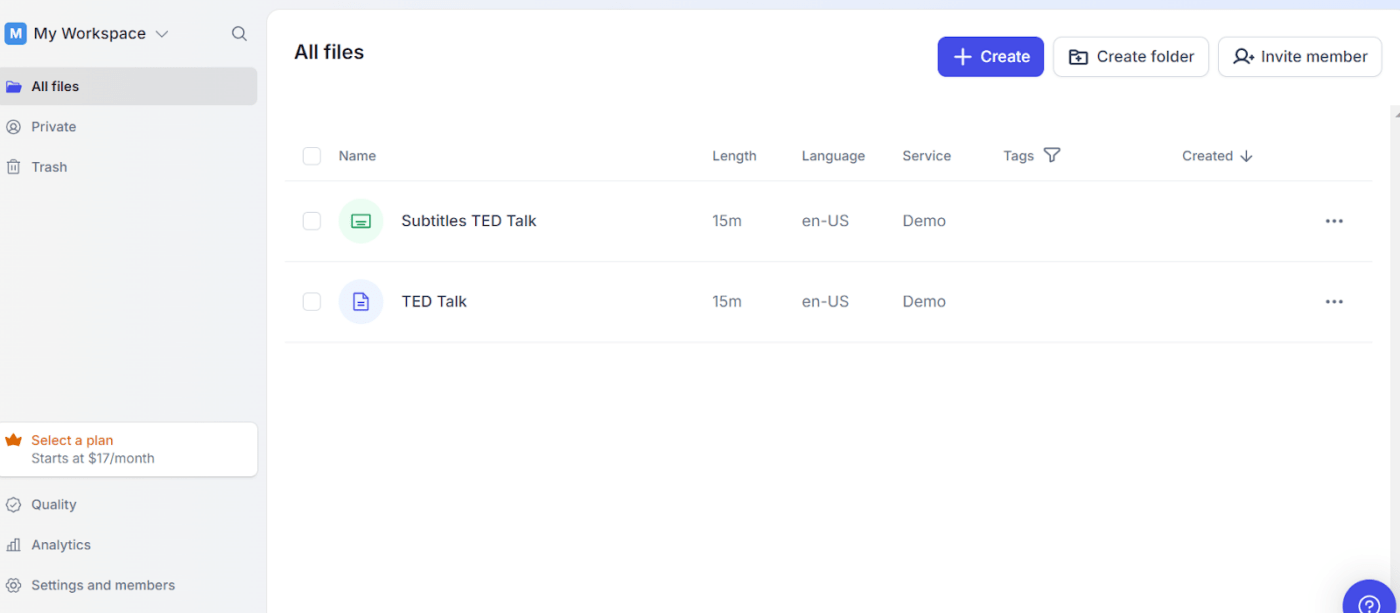
Happy Scribe is an AI-powered transcription and subtitling tool for audio or video files. It uses speech recognition to convert audio or spoken words into precise written text.
Key Happy Scribe features
The Happy Scribe’s toolkit has something for everyone to meet the needs of its diverse user base. Whether you’re a content creator, journalist, or researcher, it makes your work more coherent and accessible.
Let’s uncover some of its best features:
1. Automated transcription
Happy Scribe uses advanced AI models to produce accurate transcripts from any audio or video file. The system processes the input, identifies speech segments, and converts them into text with an accuracy rate of 85%.
The automatic transcription differentiates between many speakers in the audio files, attributing the text to the correct individual. But what sets Happy Scribe apart is its adaptive learning ability. The AI learns over time, improving its understanding of different speech patterns.
2. Human-made transcription
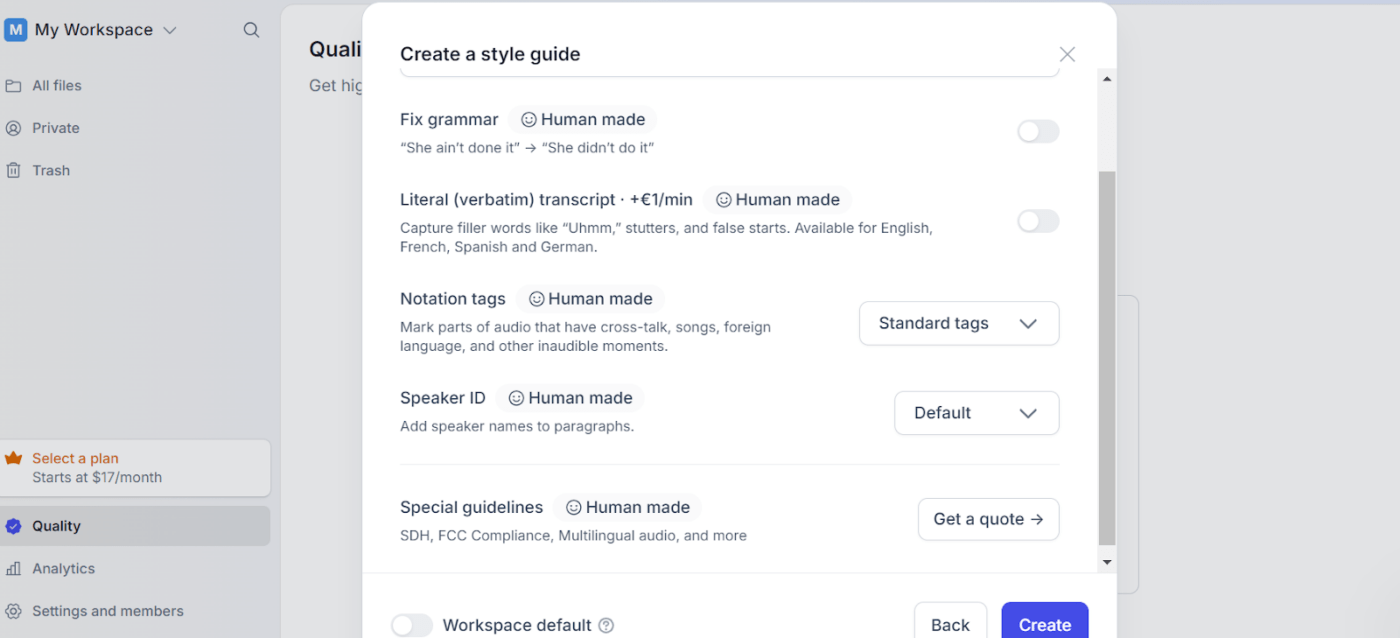
Happy Scribe also offers a human touch with its manual transcription services. Professional transcribers review and refine the AI-generated transcripts, ensuring near-perfect results with 99% precision.
Along with skilled linguistics, this software supports unique guidelines, including SDH (Subtitles for the Deaf and Hard of Hearing) and verbatim. With this feature, you can trust that every subtle nuance of speech, from context to terminology, is accurate.
This makes Happy Scribe a suitable ally in fields like law, medicine, and academia, where attention to detail is crucial.
3. Interactive editor
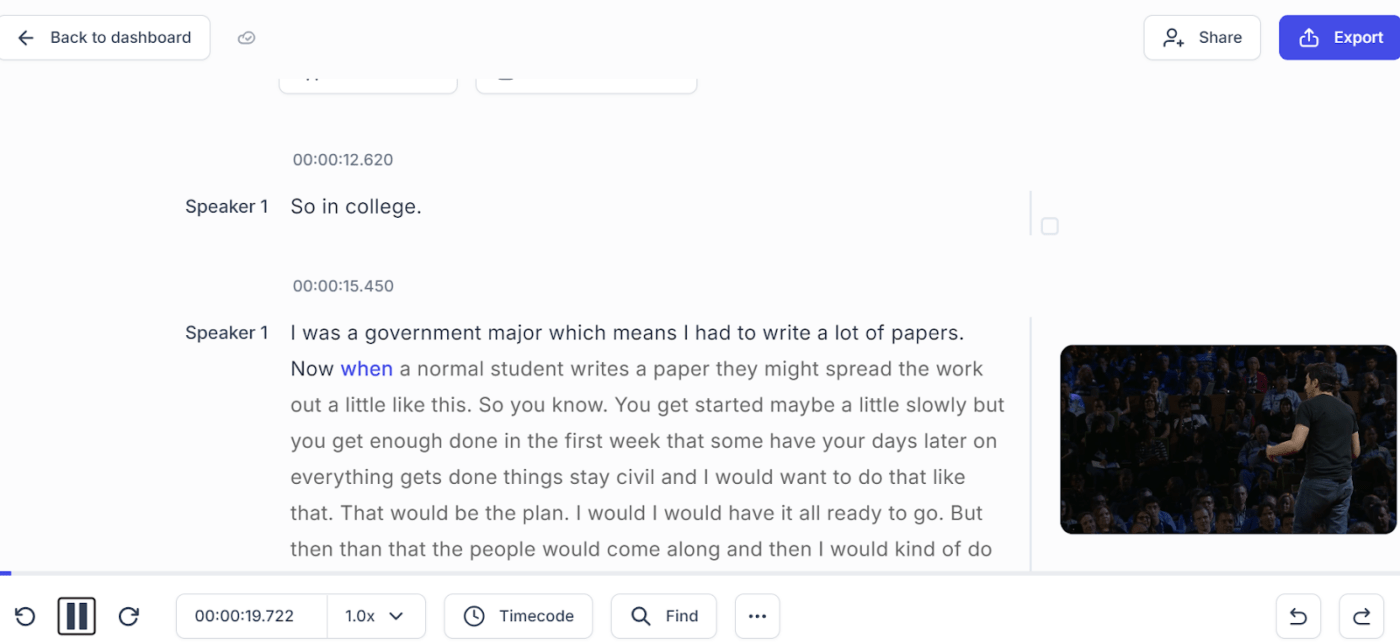
Happy Scribe’s interactive editor allows you to edit transcripts while listening to the audio. It highlights text in sync with the playback, making corrections seamless and efficient. Add timestamps, speaker labels, and other annotations to enhance the utility of your transcripts.
Happy Scribe supports over 120 languages and dialects and ensures your transcription or subtitle files suit a global audience. It offers automatic translation into the most common languages and allows you to export the final output in all major file formats.
4. API access
Happy Scribe provides developers API access, allowing integration with other software and workflows. The API is well-documented and supports many functionalities, from file uploads to retrieving completed transcripts.
This service allows you to automate transcription processes, streamline operations, reduce manual effort, and enhance productivity.
5. Subtitle generation
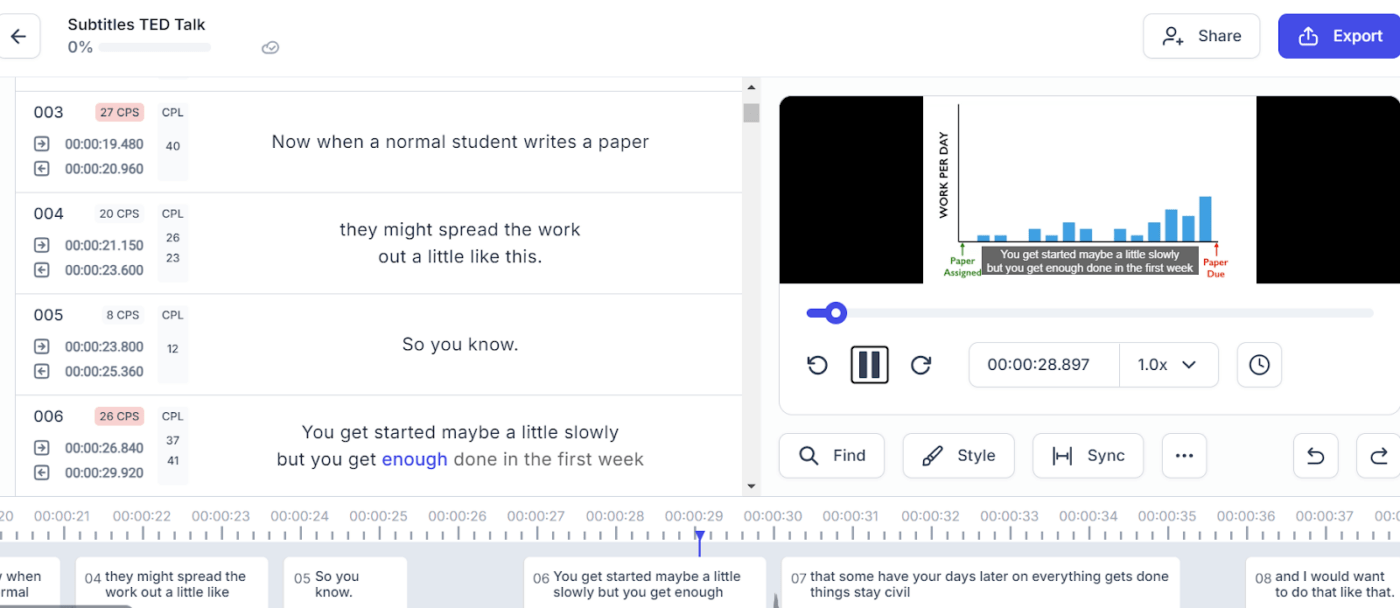
Along with transcribing videos, Happy Scribe also offers captioning and subtitling services. Upload your files, create time-coded subtitles, or customize their appearance and timing to match your video’s style and pace.
This feature makes your videos accessible to broader users, including those with hearing impairments and non-native speakers.
Happy Scribe pricing
Happy Scribe offers several plans to cater to different needs and budgets. Here’s a breakdown of their pricing structure:
- Free: Basic features with limited AI transcription, subtitles, and translation services
- Basic: $17/month
- Pro: $29/month
- Business: $49/month
- Enterprise Plan: Custom pricing
Summarize this article for me pleasePros of Using Happy Scribe
Considering Happy Scribe for your video transcription and subtitling needs? Using the right tools and communication strategies improves collaboration.
Here’s why this software might be a good fit:
- Achieve high accuracy in both automatic and manual transcriptions, minimizing the need for extensive corrections
- Experience quick turnaround times and prompt results with automatic transcription
- Navigate through this effortless and intuitive platform suitable for all tech levels
- Get rapid help for any issue or query from a responsive Happy Scribe team
- Access support for over 120 languages and dialects, making it accessible to a broad user base
- Enable more collaborators or hybrid teams to work on a project at the same time
Summarize this article for me pleaseCommon Pain Points Happy Scribe Users Face
While Happy Scribe offers a range of powerful features, it has drawbacks. Understanding these common issues helps you decide if this video transcription and subtitling tool meets your needs or where it might fall short. Check out these challenges users often encounter:
Little accuracy in noisy environments
Happy Scribe struggles with audio files with significant background noise. For instance, if you record a video from a busy cafe or noisy conference room, the tool might misinterpret words or fail to capture parts of the dialogue.
These errors due to ambient noise are a real challenge and demand extensive manual corrections for accuracy. You either spend more time cleaning up the transcript or pay extra for human transcription services to get it right.
So, while Happy Scribe is great in quiet settings, it is less reliable for unpredictable audio conditions.
Speaker identification issues
Picture this: you’re generating transcription files for a video with different speakers whose voices sound similar or whose words overlap in conversation. Happy Scribe’s AI can get confused in such scenarios. It attributes sentences to the wrong speaker or even omits speaker labels altogether.
Rectifying this issue requires careful manual review and editing to ensure accurate speaker identification. This process is time-consuming and monotonous, lowering the efficiency of transcriptions.
Inconsistent performance with accents
Accents and dialects can make it tricky for Happy Scribe to understand everything perfectly. When people speak in heavy accents or regional dialects, the AI might stumble, resulting in errors in the final output.
It becomes a bigger problem in places with many accents, like international meetings or multicultural settings. So, if you’re dealing with videos with varied accents, you must spend extra time editing transcripts, slowing down the process.
Limited free options
Happy Scribe’s free version offers basic service but comes with significant restrictions. Users only get up to 10 minutes of transcription for the first uploaded video or audio file.
The plan works if you need to test Happy Scribe. But if you want to transcribe a longer video or need other transcription services, you must go for their more expensive offerings.
This limitation pushes budget-conscious buyers towards alternative solutions to balance what they need and are willing to pay.
A steep learning curve for new users
Although Happy Scribe is an intuitive platform, mastering all the available tools and functionalities takes time. This learning curve becomes a barrier for individuals who want quick results without diving deep into the software.
Summarize this article for me pleaseHappy Scribe Reviews on Reddit
We’ve taken the utmost care in crafting this Happy Scribe review, but understanding genuine user experiences is also essential. We checked out Reddit discussions to gather insights about this video transcription software. Here’s a summary of the community feedback:
One user appreciated the tool’s accuracy but highlighted a common issue:
Another user praised the interface but noted a pricing concern:
A third user valued the multilingual support but pointed out a minor drawback:
Summarize this article for me pleaseAlternative Transcription Tools to Use Instead of Happy Scribe
Looking for a video transcription tool that goes beyond the basics? Meet ClickUp Clips, a thoughtfully designed screen recording and transcription software redefining how you work and communicate.
Unlike many screen recording tools with hefty price tags, ClickUp Clips offers high-quality, watermark-free recordings, ensuring your videos look professional and polished.
What makes Clips stand out? It’s the ingenious integration of Artificial Intelligence powered by ClickUp Brain. With Clips, every video file you record gets transcribed by AI, saving you time and effort.
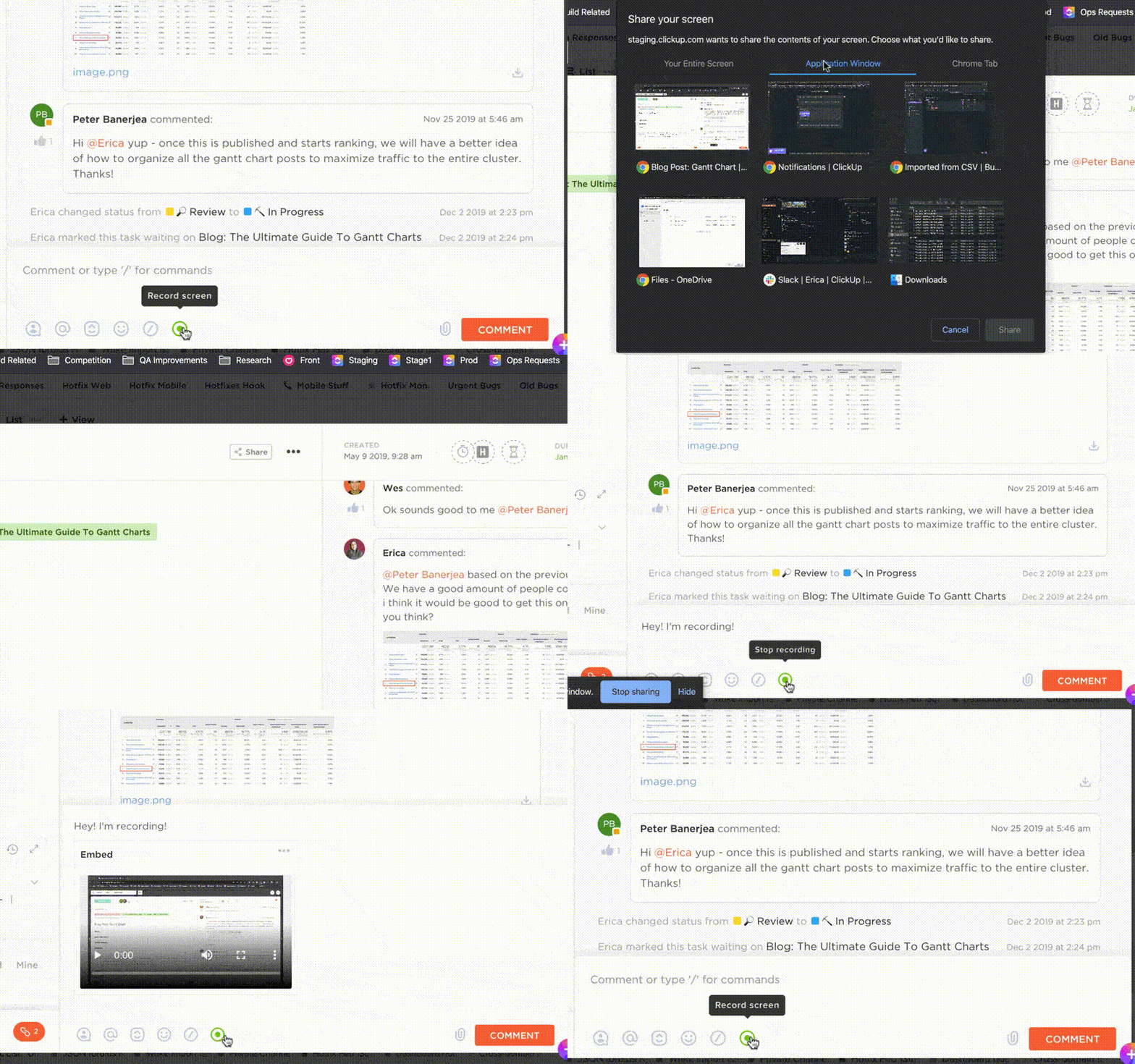
But Clips goes beyond screen recording and transcribing. It’s a holistic solution embedded within the ClickUp platform, a robust project management and internal communication powerhouse.
Let’s dive into the fantastic benefits of using ClickUp Clips:
Automatic transcription made easy
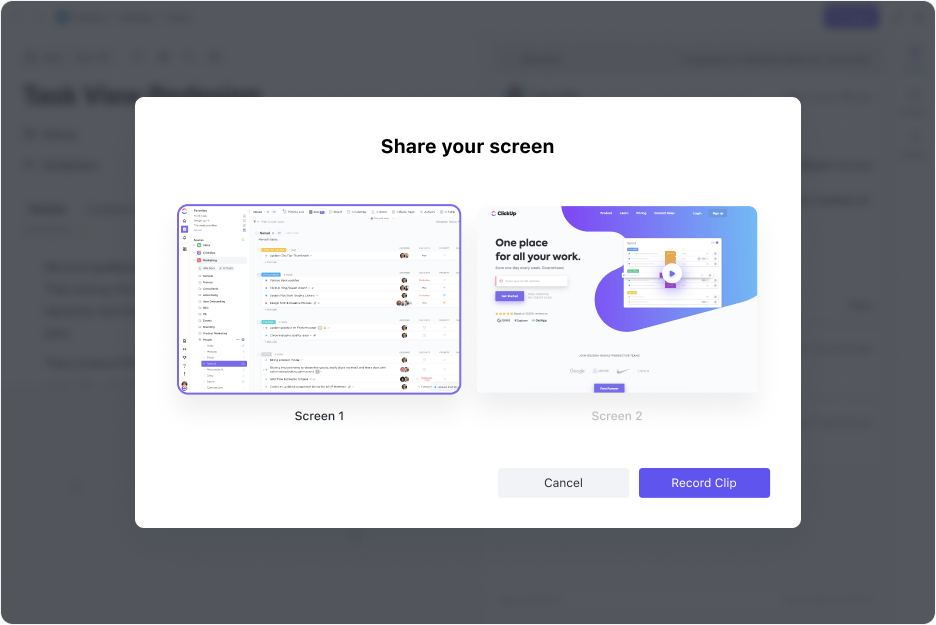
ClickUp Clips leverages AI to transcribe every recorded clip automatically. No more stressing about taking notes—focus on the discussion while it transcribes everything for you.
Hit record to capture a video, and ClickUp Brain will process voice notes from the clip, delivering accurate transcriptions. It also handles various accents and speech patterns, ensuring high accuracy, even in dynamic or noisy environments.
Boost productivity
Do you work in team environments where different stakeholders need to review and edit the content? ClickUp Clips allows many users to collaborate and work on a transcription project together.
This asynchronous communication tool enables team members in different time zones to contribute without hindering the workflow. This functionality improves productivity and ensures everyone remains on the same page.
Once ClickUp Brain transcribes your video, share it with your team and clients. Use ClickUp Clips to leave comments, suggest edits, and track changes, ensuring the final transcript meets the required standards.
Efficient communication, every time
Effective communication is the cornerstone of successful teamwork, and ClickUp Clips makes it a breeze. Say goodbye to information overload and lost details in translation—Clips tackles these common communication challenges head-on.
Need to explain a complex work process, brainstorm ideas, or discuss important topics? Clips give you the tools to take your conversations forward. Use it to share screen recordings to convey your message without needing an email chain or in-person meeting.
Or extract transcript snippets and use them in reports, presentations, or other files. This feature makes copying and sharing the most essential data from your videos simple.
Navigate with precision
With Clips, navigating through transcribed videos is a breeze. Each transcription includes clickable timestamps that let you jump to specific parts with a single click.
No more endless scrolling—click and go! This valuable tool saves time and effort, whether you’re trying to locate a particular segment of a long meeting or different pieces of a presentation.
Harness the power of Universal Search
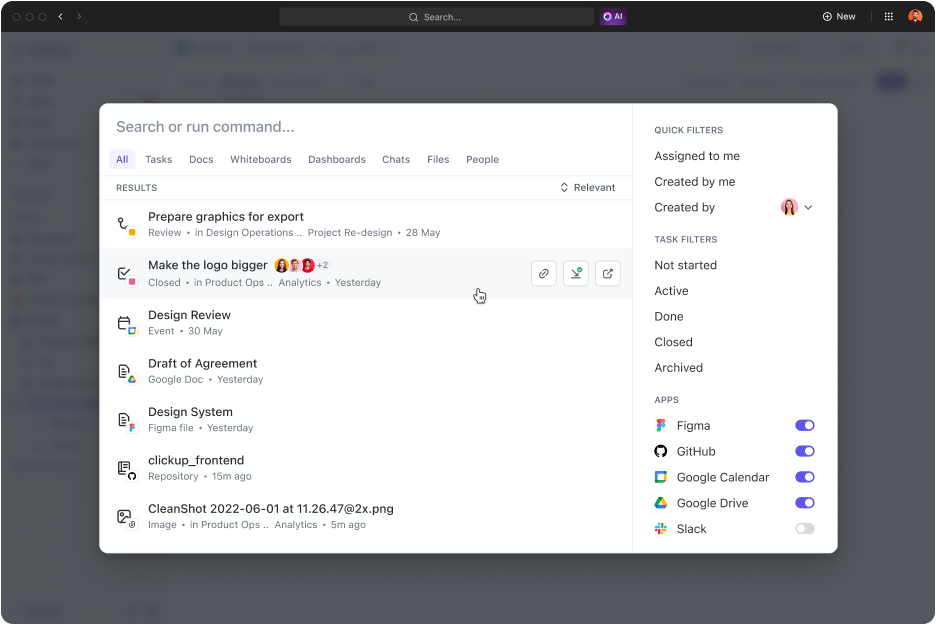
Did you know all your transcribed text is searchable using ClickUp Universal Search? It’s like having a personal search engine that saves time by skipping to the relevant part without manual effort.
For example, suppose you’re reviewing a transcribed video and remember a key point about a project deadline. Instead of scrolling through the entire transcript, type ‘project deadline’ in the search bar.
Universal Search highlights every instance of that word in the transcription. And it doesn’t stop there—use this feature to find anything within your ClickUp workspace, from tasks to documents and projects.
Centralize your content
Say goodbye to cluttered files and hello to effortless access and management—all in one convenient location. The Clips Hub is a centralized location that keeps your recorded clips and transcriptions organized and within reach. So you don’t have to hunt through folders or dig through emails.
Effortless access to other ClickUp features
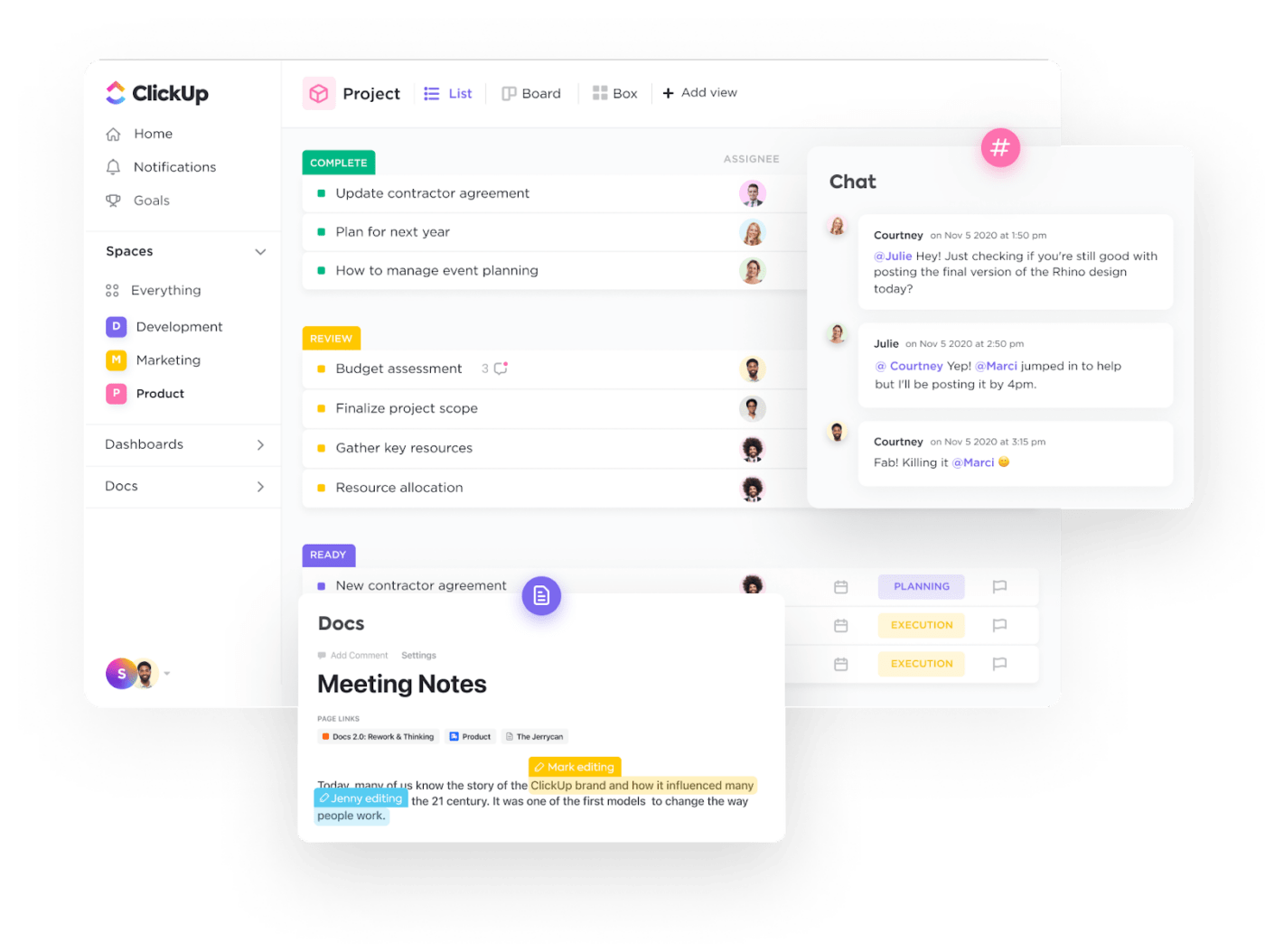
ClickUp is a cloud-based project management tool that offers features like video production, task management, and team communication. Clips’ easy integration with the ClickUp ecosystem makes your work more efficient.
- Attach your transcriptions to other documents within ClickUp, streamlining your workflow. Here’s how:
- Centralize proofing to speed up feedback loops and approval processes, ensuring clarity at every stage. Upload the video files to ClickUp Tasks and assign or resolve comments directly
- Notify specific individuals or teams using @mentions within ClickUp Docs, clips, and more. This feature ensures prompt involvement in discussions
- Use customizable dashboards to get high-level overviews of your work. Choose from over 50 widget variations to build a personalized dashboard
- Leverage different communication plan templates to improve collaboration without feeling overwhelmed
ClickUp pricing
- Free Forever
- Unlimited: $7/month per user
- Business: $12/month per user
- Enterprise: Contact for pricing
- ClickUp Brain: Add to any paid plan for $5 per Workspace member per month
ClickUp ratings and reviews
- G2: 4.7/5 (9,000+ reviews)
- Capterra: 4.6/5 (4000+ reviews)
Summarize this article for me pleaseUnlock the Future of Transcription with ClickUp
As we wrap up our Happy Scribe review, it’s clear that innovation is the name of the game. Happy Scribe shines with its array of features and intuitive interface. It offers automatic and manual transcription, with multi-language support and convenient tools.
Despite Happy Scribe’s many features, there’s no denying that ClickUp Clips leads the charge.
From automatic transcription services to accurate editing and seamless sharing, it empowers you to produce authentic results. With advanced AI technology at its core, Clips ensures efficiency and precision every step of the way.
But the benefits continue beyond there. ClickUp’s robust project management features and extensive integrations provide a holistic solution for enhancing productivity.
Say hello to a world where transcription is effortless, efficient, and enjoyable. Sign up today and experience the difference for yourself!

Everything you need to stay organized and get work done.
