






Still downloading templates?
There’s an easier way. Try a free AI Agent in ClickUp that actually does the work for you—set up in minutes, save hours every week.
Sorry, there were no results found for “”
Sorry, there were no results found for “”
Sorry, there were no results found for “”
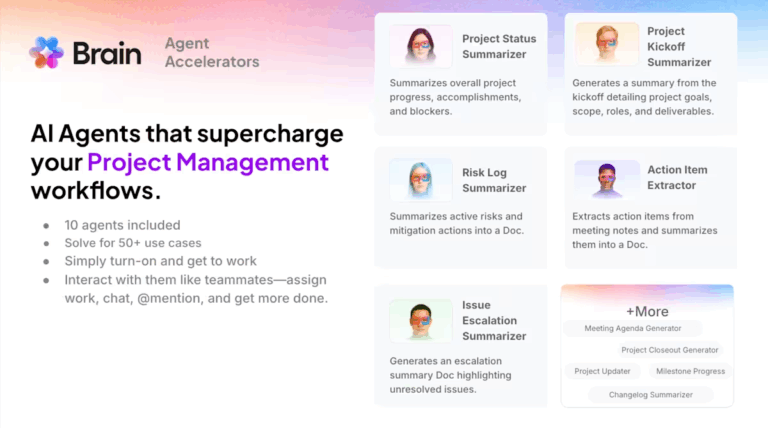
According to PMI, the average project performance rate sits at about 73.8%. That means nearly a quarter of what teams plan still doesn’t deliver expected business outcomes at the expected cost.
For modern PMOs, that shortfall isn’t rooted in a lack of effort. What it signals is inefficiencies in how work is coordinated, reported, and surfaced.
So, in this article, we break down the 5 signs your PMO is losing revenue to manual processes. We also explain the hidden costs behind manual data entry and siloed information.
But we’re not just here to talk about problems, are we? Stick around, because we want to show you how ClickUp Accelerator can eliminate these inefficiencies with AI, so your team can focus on strategic work instead of administrative busywork. 💪🏼
Manual PMO processes are any workflows that require human intervention for data entry, status collection, report generation, or cross-project coordination that could otherwise be automated.
Every hour spent copying data between spreadsheets or chasing status updates is an hour your project managers are not spending delivering value.
👀 Did You Know? A ClickUp survey found that 21% of people say more than 80% of their workday is spent on repetitive tasks. And another 20% say repetitive tasks consume at least 40% of their day.
That’s nearly half of the workweek (41%) devoted to tasks that don’t require much strategic thinking or creativity (like follow-up emails 👀).
This administrative burden creates hidden costs that quietly drain revenue:
📮 ClickUp Insight: 24% of workers say repetitive tasks prevent them from doing more meaningful work, and another 24% feel their skills are underutilized. That’s nearly half the workforce feeling creatively blocked and undervalued. 💔
ClickUp helps shift the focus back to high-impact work with easy-to-set-up AI agents, automating recurring tasks based on triggers. For example, when a task is marked as complete, ClickUp’s AI Agents can automatically assign the next step, send reminders, or update project statuses, freeing you from manual follow-ups.
💫 Real Results: STANLEY Security reduced time spent building reports by 50% or more with ClickUp’s customizable reporting tools—freeing their teams to focus less on formatting and more on forecasting.
These warning signs often appear gradually. Day-to-day work feels manageable. This makes them easy to rationalize as “the cost of doing business.” But each one is a clear signal that manual processes are actively costing your PMO money. The longer they persist, the harder they become to fix. 👀
Here are five telling signs your workflows aren’t keeping pace with the scale and complexity of your project portfolio (and what that means in real terms).
Delays happen. But when they become routine, consider it a red flag.
Manual status tracking and disconnected tools make it hard to detect risk early. Small delays cascade because nobody sees the knock-on effects until they’ve done irreparable damage.
By the time your manually assembled reports finally reveal a problem, the window for an easy course correction has already closed.
This is what that failure looks like in practice:
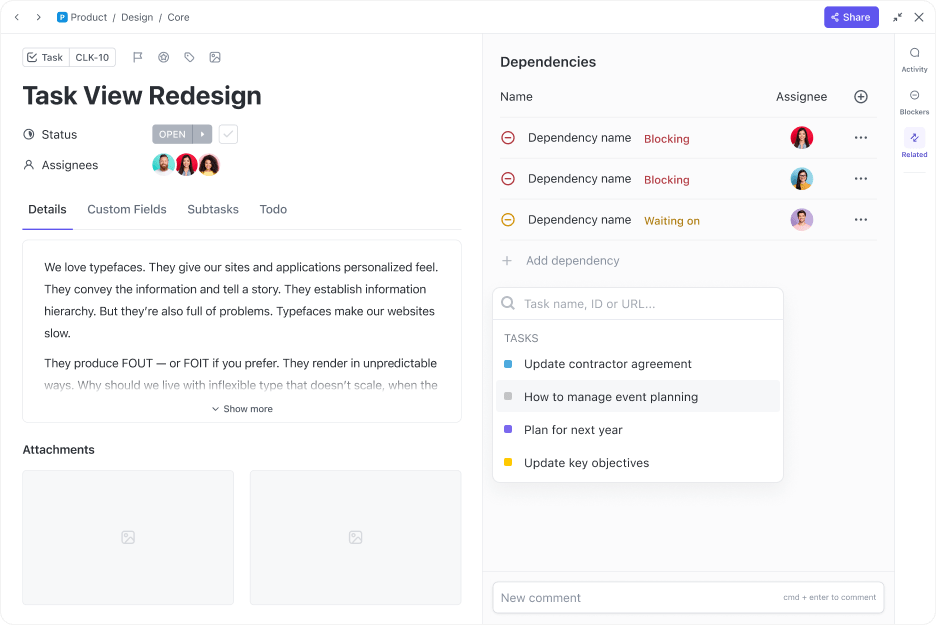
💡 Pro Tip: Want to get ahead of delays? Link tasks together and see the true impact of delays instantly by setting up ClickUp Dependency Relationships. When the ClickUp Reschedule Dependencies feature is enabled, any change to a blocking task’s due date automatically updates the timelines of all dependent tasks, giving you an instant, accurate view of a delay’s true impact.
📚 Also Read: How to Avoid Project Delays
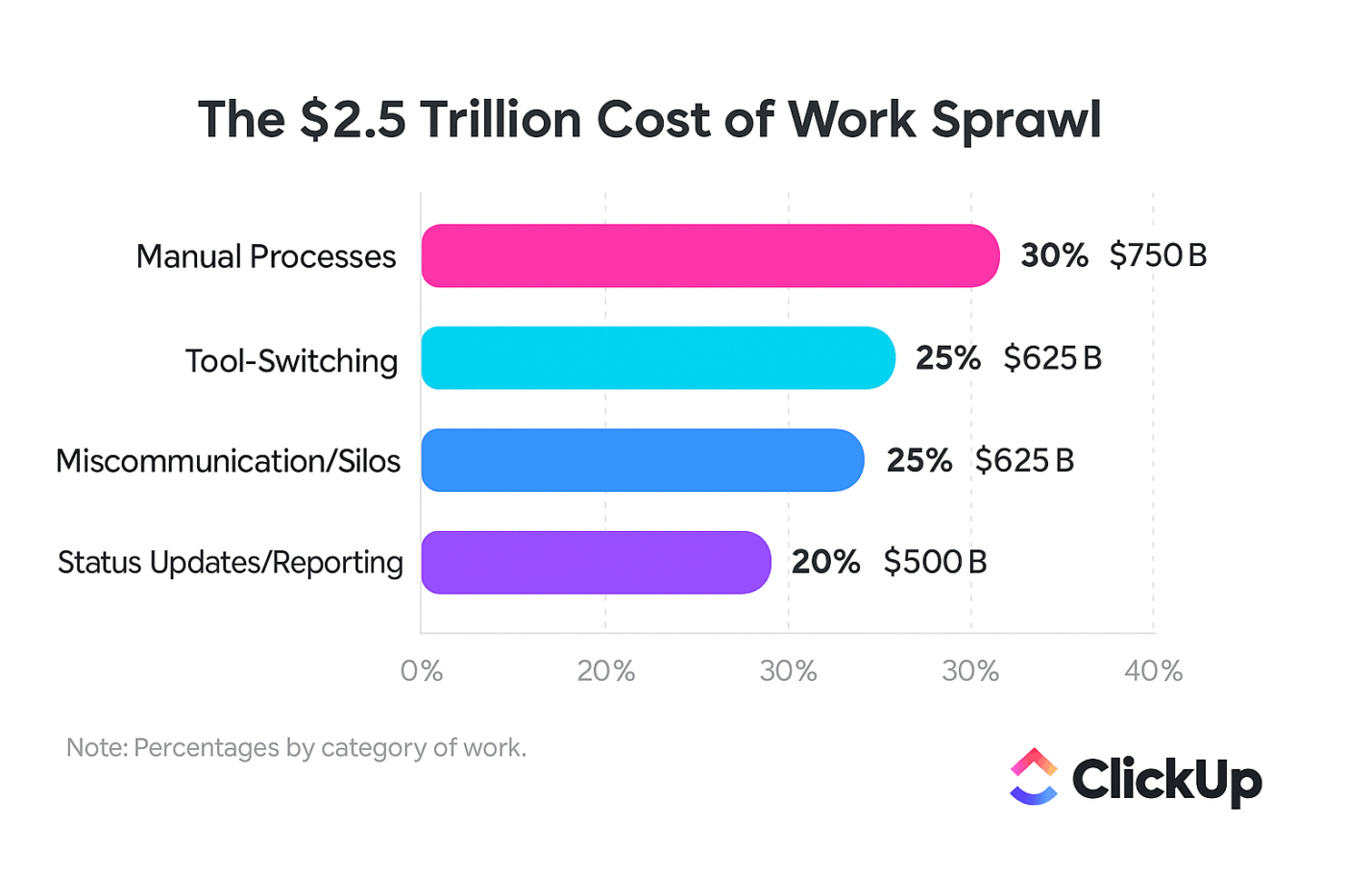
If your project managers are spending a significant part of their week on the kind of repetitive data entry that can be automated, you’re losing revenue. This inefficient work process is a major source of PMO overhead.
Even well-intentioned teams get stuck here. They spend 60% of their time on “work about work” (such as admin updates and coordination).
This pain point shows up in a few predictable ways:
💡 Pro Tip: Stop this frustrating workflow with ClickUp’s AI-Powered Automations:
Create an automation that:
You’ll free your team to focus on more strategic work!
Being asked “Where are we on Project X?” shouldn’t trigger a multi-day research sprint. But in many PMOs, it does.
Real-time visibility is the foundation of effective project portfolio management. When you can’t see what’s happening across all projects at a glance, you can’t make informed decisions.
This lack of visibility leads to several problems:
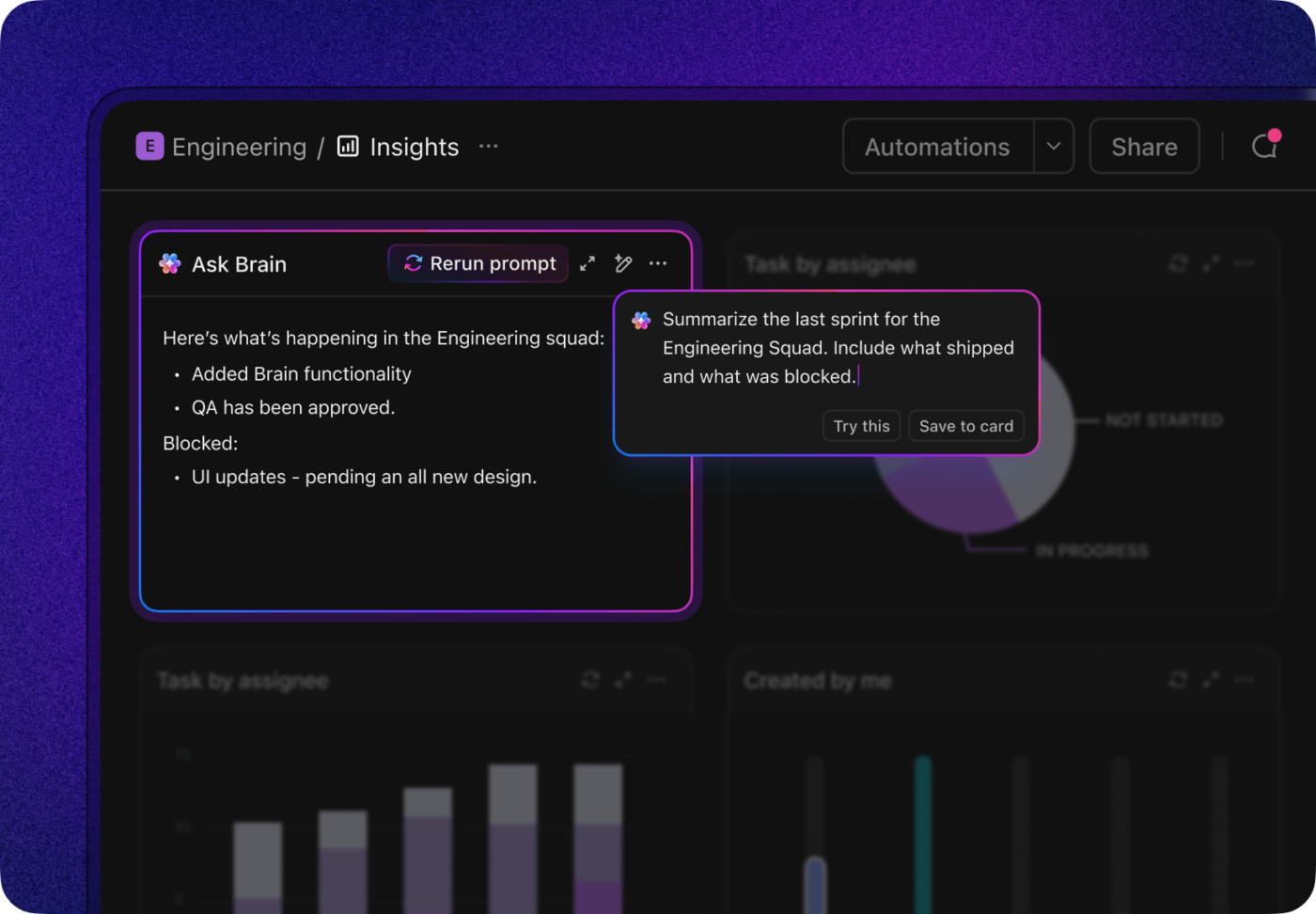
💡 Pro Tip: Bridge the time lag between reality and reporting with ClickUp’s AI-Powered Dashboards.
ClickUp AI Cards, such as the AI Executive Summary and AI Project Update, pull from live project data to answer questions about project status in natural language. You no longer need to dig through multiple files or decode complex charts!
When updates live in one team’s spreadsheet, approvals sit in someone else’s inbox, and decisions are buried in chat history, context doesn’t transfer with the work. What follows are conflicting versions of truth, repeated questions, and lost time.
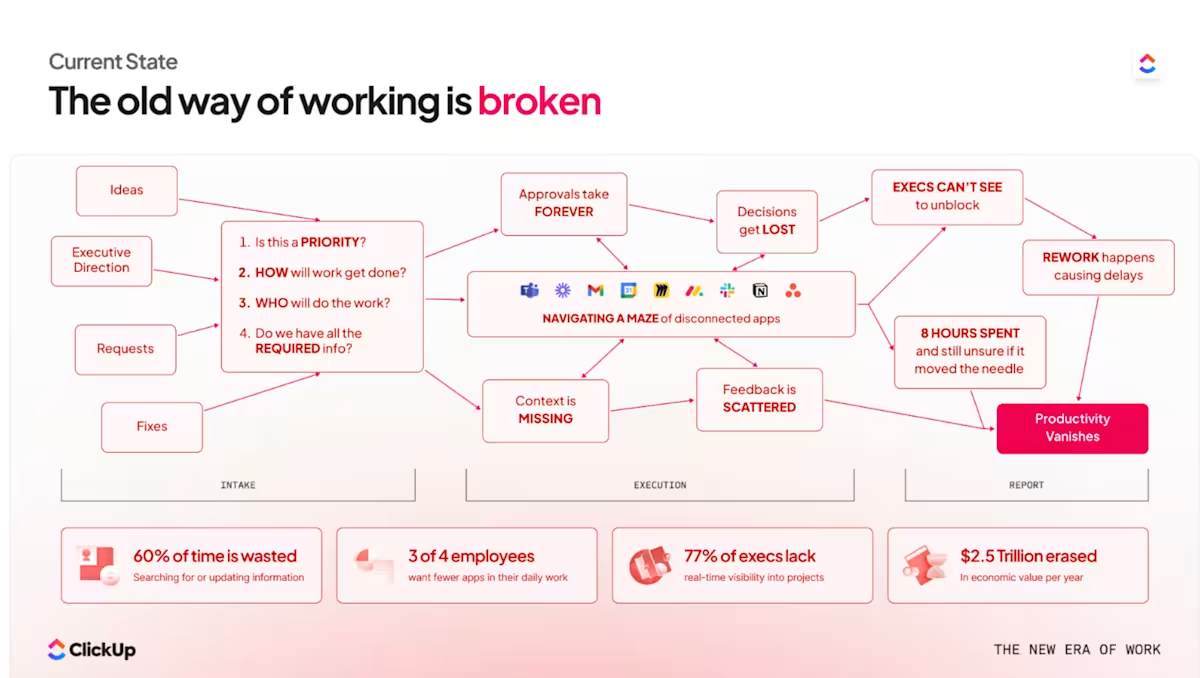
💡 Pro Tip: Address these information silos by bringing all your work into a single Converged Workspace. Keep all project context—documents, conversations, decisions, and data—connected directly to the work itself in ClickUp.
This one stings because it often goes unnoticed until it’s significant.
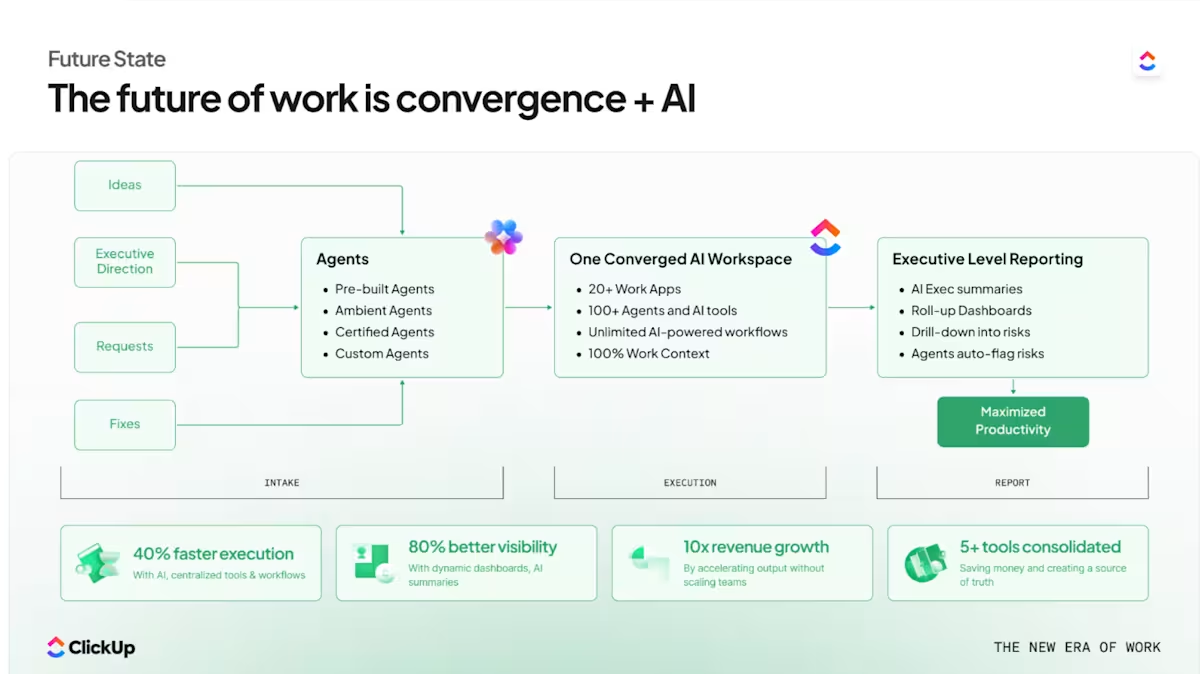
Headcount grows. Tool licenses pile up. Consultants are brought in to “fix” recurring issues. But the actual output, that is, projects delivered on time with the intended impact, doesn’t budge.
You can break this cycle by consolidating your work into a single platform with AI-powered automation.
💡 Pro Tip: A Converged AI Workspace like ClickUp reduces both direct costs and indirect costs:
With ClickUp, your PMO can scale its output without having to scale its headcount at the same rate.
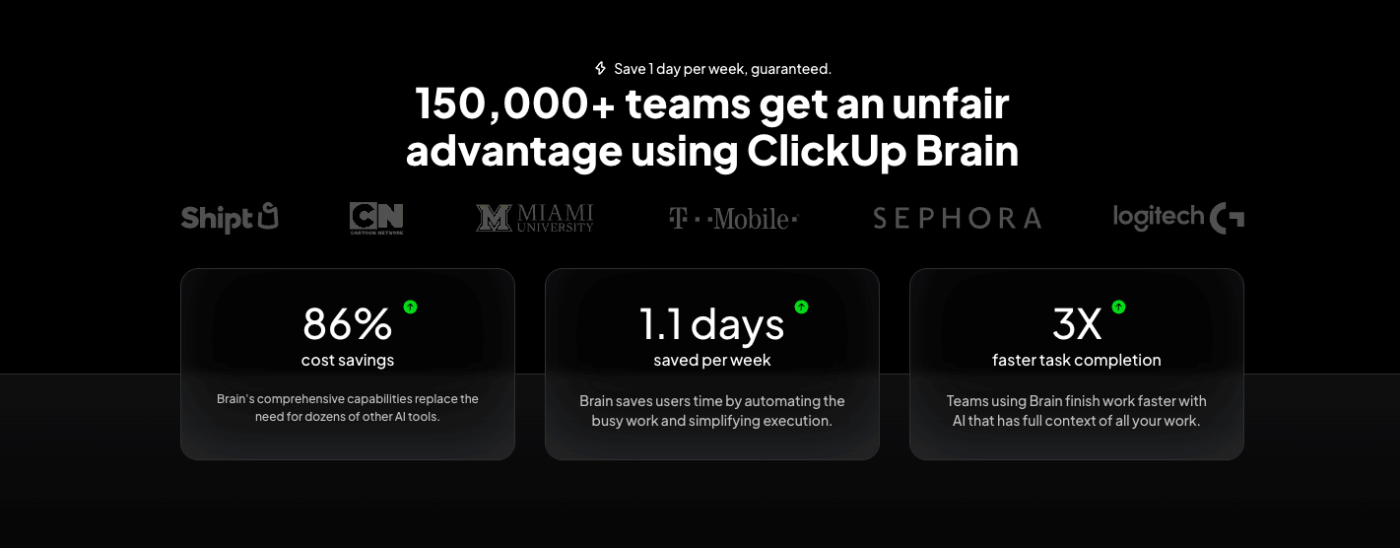
Cartoon Network’s social media team struggled with fragmented tools and complicated workflows, which slowed execution and duplicated effort. After centralizing their work in ClickUp, the team saw measurable results:
Taken together, these warning signs point to a deeper issue: your operating model hasn’t kept pace with your growth.
Beyond the immediate revenue loss from wasted time and project delays, relying on manual PMO processes creates organizational brittleness:
PMOs that solve these problems don’t just trim costs. They shift their role.
The difference comes down to one question: Can your processes scale with AI assistance—or do they still rely on manual effort that grows with every project?
Manual PMO strain shows up when coordination requires constant intervention. Fixing it requires embedding structure, visibility, and monitoring directly into the system that runs the work.
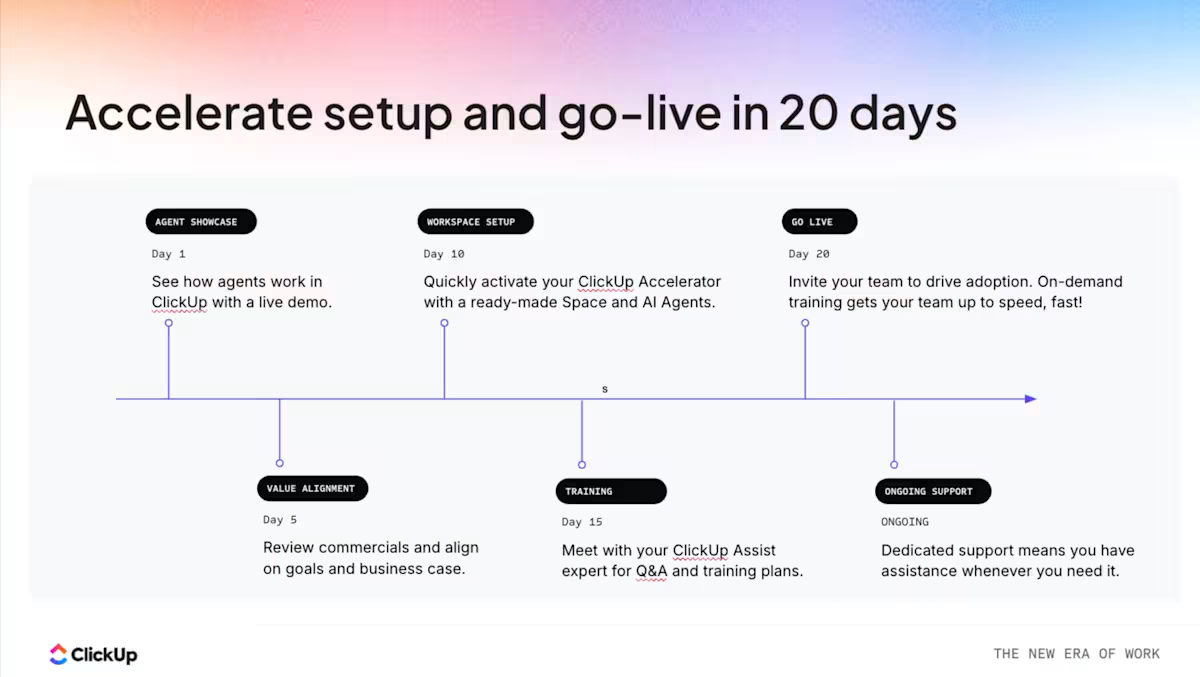
ClickUp Accelerator for Project Management is built around that principle: converge project execution into a single AI-powered operating layer so tracking, reporting, and alignment happen continuously.
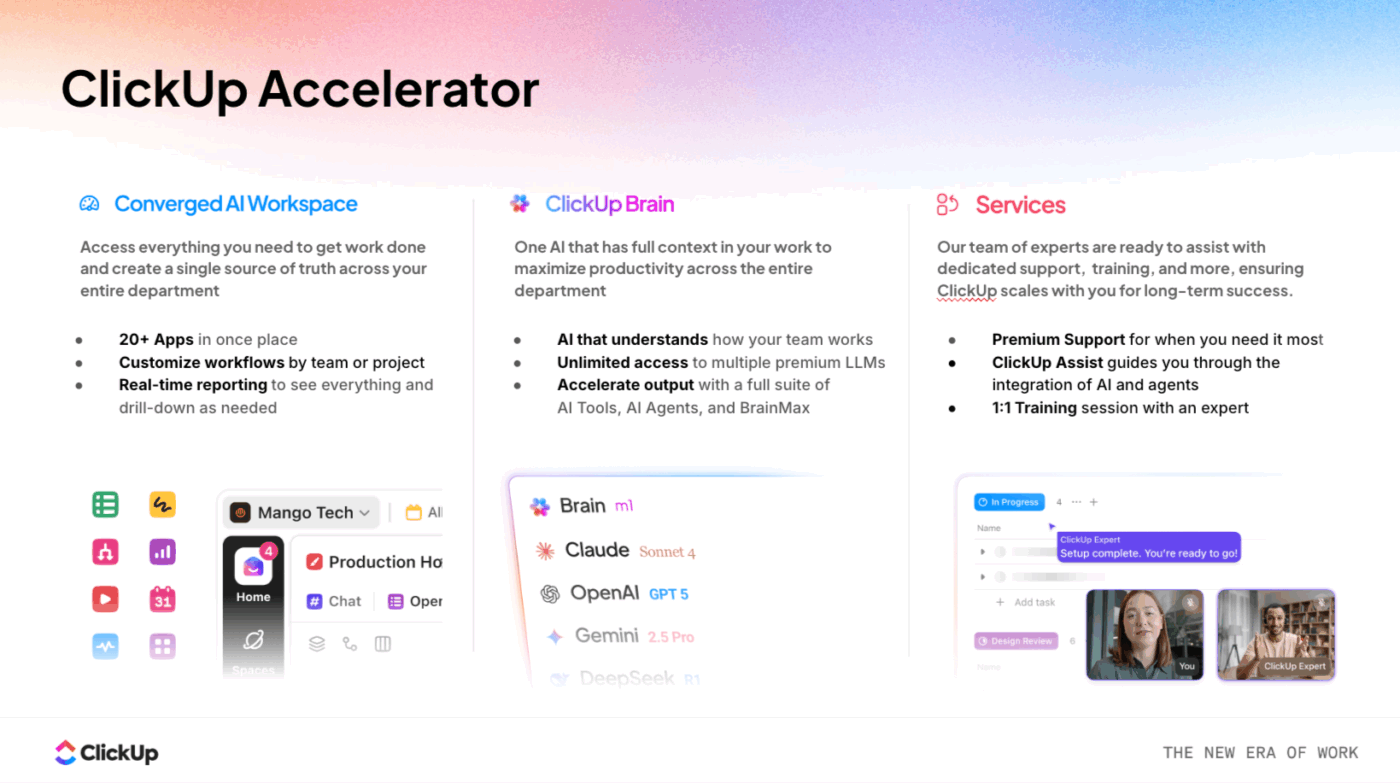
Here’s how to make it work:
In many PMOs, new initiatives begin with a blank workspace. Project managers recreate templates, task hierarchies, dependencies, and reporting structures manually. This setup work varies by individual and introduces inconsistency across the portfolio.
With ClickUp Accelerator’s AI Project Studio, projects are generated from intent. A PM describes the objective, and the native, contextual AI system builds:
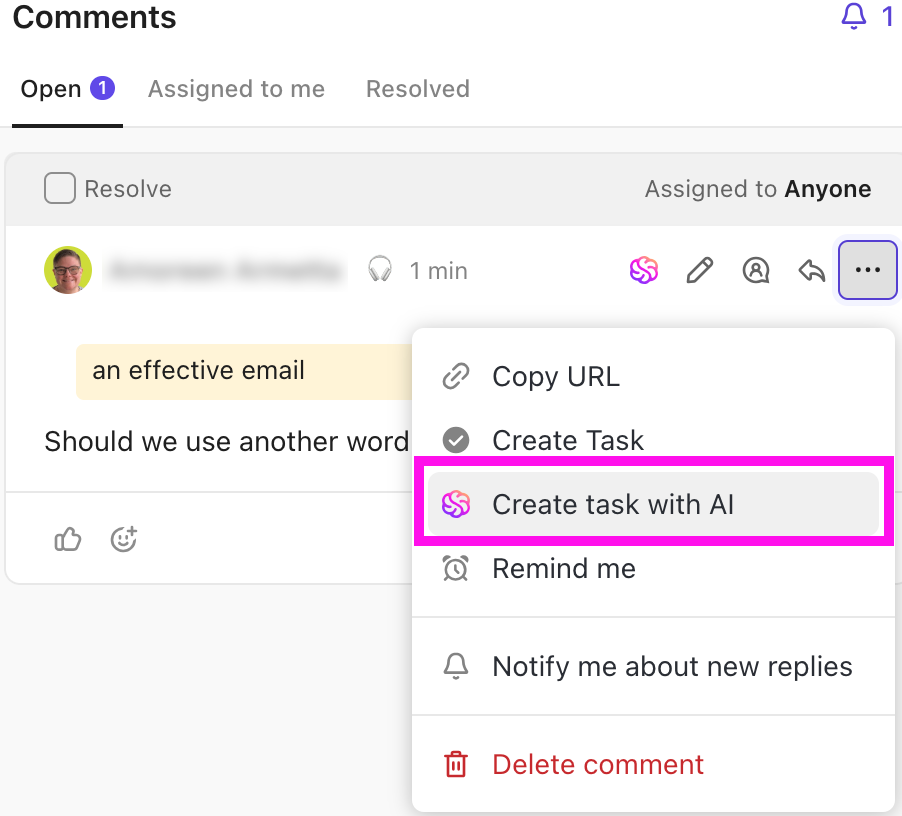
This means your new projects can launch with a consistent, best-practice structure without anyone on your team having to manually manage templates. You can compress hours of tedious project initialization work into just a few minutes.
💡 Pro Tip: Use ClickUp Brain to pressure-test project plans before launch.
Once AI generates the initial project structure, PMOs can use ClickUp Brain, ClickUp’s built-in, context-aware AI assistant, to review it in seconds. Ask questions like:
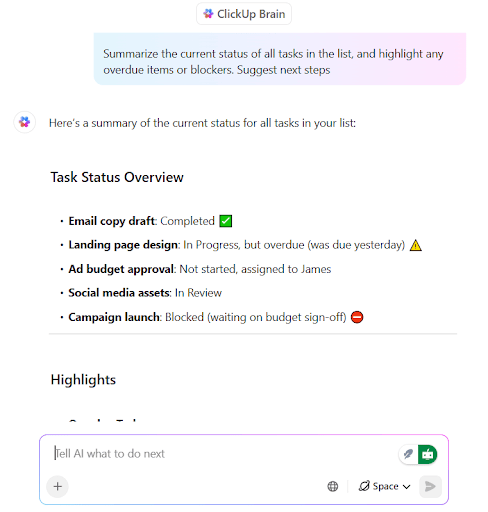
Because ClickUp Brain has access to live tasks, dependencies, and historical project context, it helps PMOs validate structure and sequencing early—before execution begins—reducing rework and downstream risk.
Manual reporting introduces delays. Status updates depend on collection cycles, and portfolio health is often reconstructed after the fact.
ClickUp Accelerator includes pre-built PMO AI Super Agents designed for operational oversight, such as:
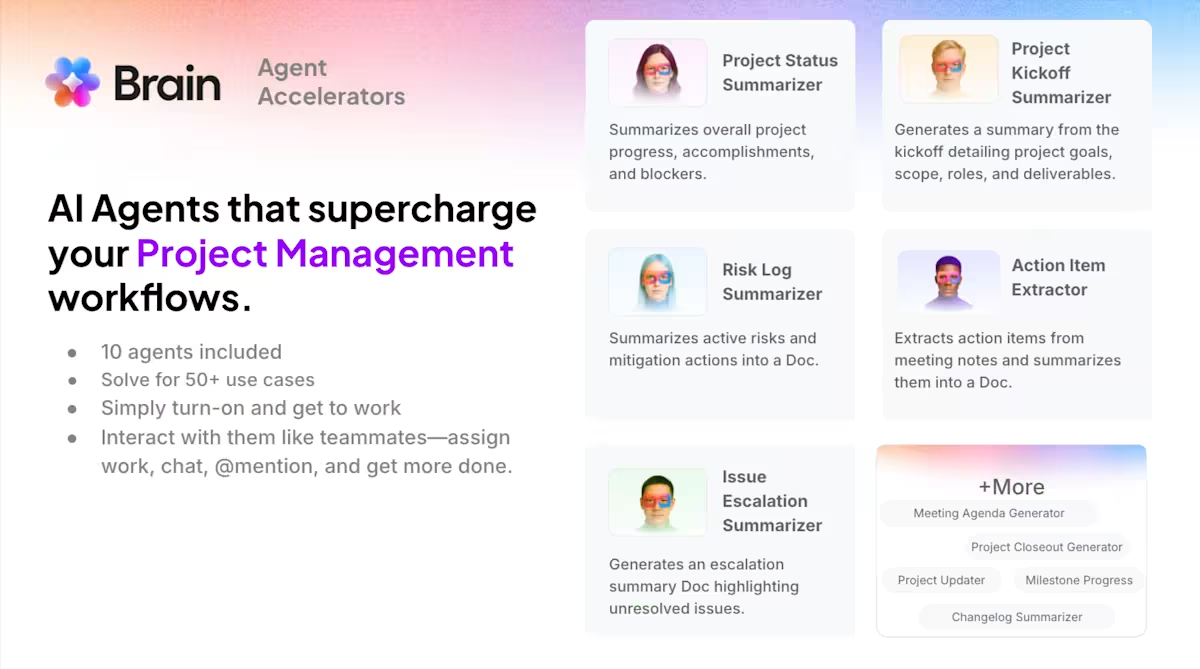
These agents are ambient, which means they operate continuously in the background and not just when you prompt them. With their live intelligence, weekly status rituals, and manual report assembly become a thing of the past. You can finally let your project managers focus on planning and strategizing rather than compilation.
⚡️ Good to Know: ClickUp Accelerator for Project Teams comes with a natural language agent builder. Use it to codify governance models, compliance tracking, or executive reporting into custom AI Agents aligned to your methodology. No code needed!
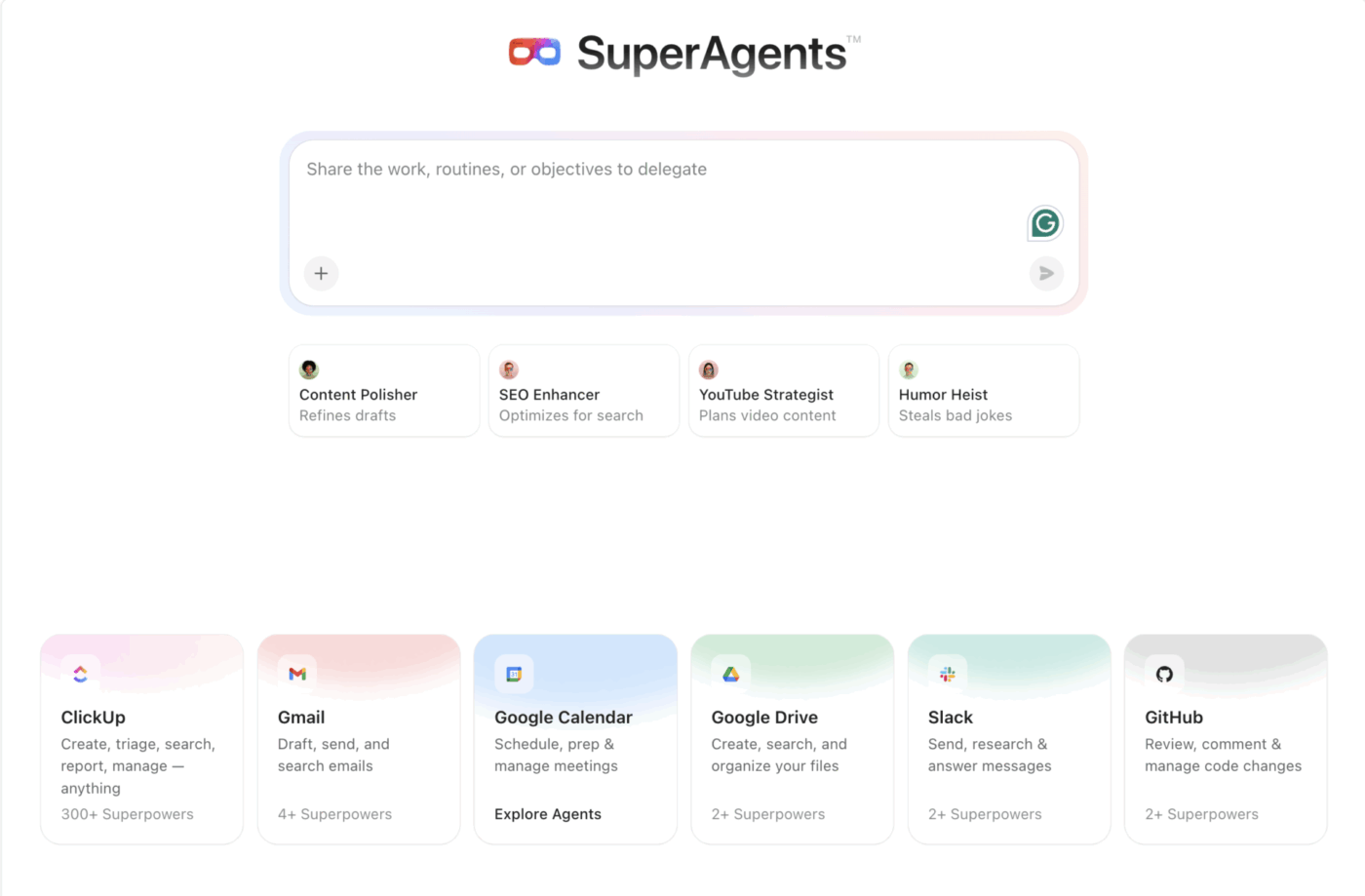
Anyone can start with AI Agents—you don’t need a development background. ClickUp has made it so easy to set up agents and introduce AI incrementally into our operating model.
Executive decision-making requires current, structured information.
In a fragmented system, dashboards often represent a curated snapshot rather than a live state. Maintaining them requires ongoing manual intervention.
A Converged AI Workspace centralizes:
Because reporting draws directly from live execution data, visibility improves without additional reporting effort. Leaders can access portfolio health, workload distribution, and risk indicators without triggering a data collection exercise.
🔑 Key Takeaway: ClickUp Accelerator for Project Management delivers:
🎥 Bonus: Before you can automate your workflows effectively, you need to understand exactly how your current processes work and where the inefficiencies lie. Watch this practical guide on leveraging AI to map and visualize your PMO processes, making it easier to identify automation opportunities.
| Operating Dimension | Traditional Manual PMO | Accelerator-Enabled PMO |
|---|---|---|
| Project setup | Built manually from templates | Generated via native, context-aware AI with a standardized structure |
| Status reporting | Collected and assembled weekly | Auto-generated by Project Status Report Agent |
| Risk monitoring | Detected during review cycles | Flagged continuously by Risk & Action Item Agents |
| Resource oversight | Spreadsheet-based reconciliation | Real-time conflict detection and visibility |
| Stakeholder updates | PM-compiled summaries | Live summaries generated from execution data |
| Scaling delivery | Requires increased coordination effort | Administrative load remains stable as volume grows |
Modern PMOs address this by embedding structure, intelligence, and automation directly into how work runs. When project setup is standardized, monitoring happens continuously, and reporting reflects live execution, the PMO gains leverage. Delivery scales without proportional increases in headcount. Risk surfaces earlier. Leadership decisions improve.
The outcome? Resilience.
PMOs that adopt converged, AI-powered operating models move from managing complexity to shaping outcomes. They spend less time assembling information and more time guiding the work that moves the business forward.
See what your PMO looks like without the manual overhead.
Get started for free with ClickUp and explore how ClickUp Accelerator transforms PMO operations. ✨

© 2026 ClickUp

There’s an easier way. Try a free AI Agent in ClickUp that actually does the work for you—set up in minutes, save hours every week.