







Still downloading templates?
There’s an easier way. Try a free AI Agent in ClickUp that actually does the work for you—set up in minutes, save hours every week.
Sorry, there were no results found for “”
Sorry, there were no results found for “”
Sorry, there were no results found for “”
Software development is like building a house—it takes a long time and requires extensive preparation, with many different departments working together to make it happen. ?️
If the team doesn’t have a solid organization system, it will probably lead to costly delays and dissatisfied clients. That’s why every development team needs a great project management tool. It is a hub for all the necessary information, such as client requirements and tasks, facilitating communication between teams, managers, and clients.
Check out our list of top 10 software development project management tools with a comprehensive analysis of their features, pricing, limitations, and user reviews.
Using software development project management tools can bring numerous benefits to organizations. These tools facilitate better communication and collaboration among team members by providing a centralized platform for sharing information and updates. This not only improves coordination but also helps in resolving any potential conflicts or misunderstandings.
Project management tools streamline workflows by automating repetitive tasks, setting up notifications and reminders, and providing a clear structure for project execution. This leads to increased efficiency and productivity, as team members can focus on high-value activities instead of administrative tasks.
To be effective, software development project management software must be:
These software development project management tools will help you stay organized, communicate effortlessly, and reach new productivity levels. As a result, your clients will be happy and your business prosperous! ?
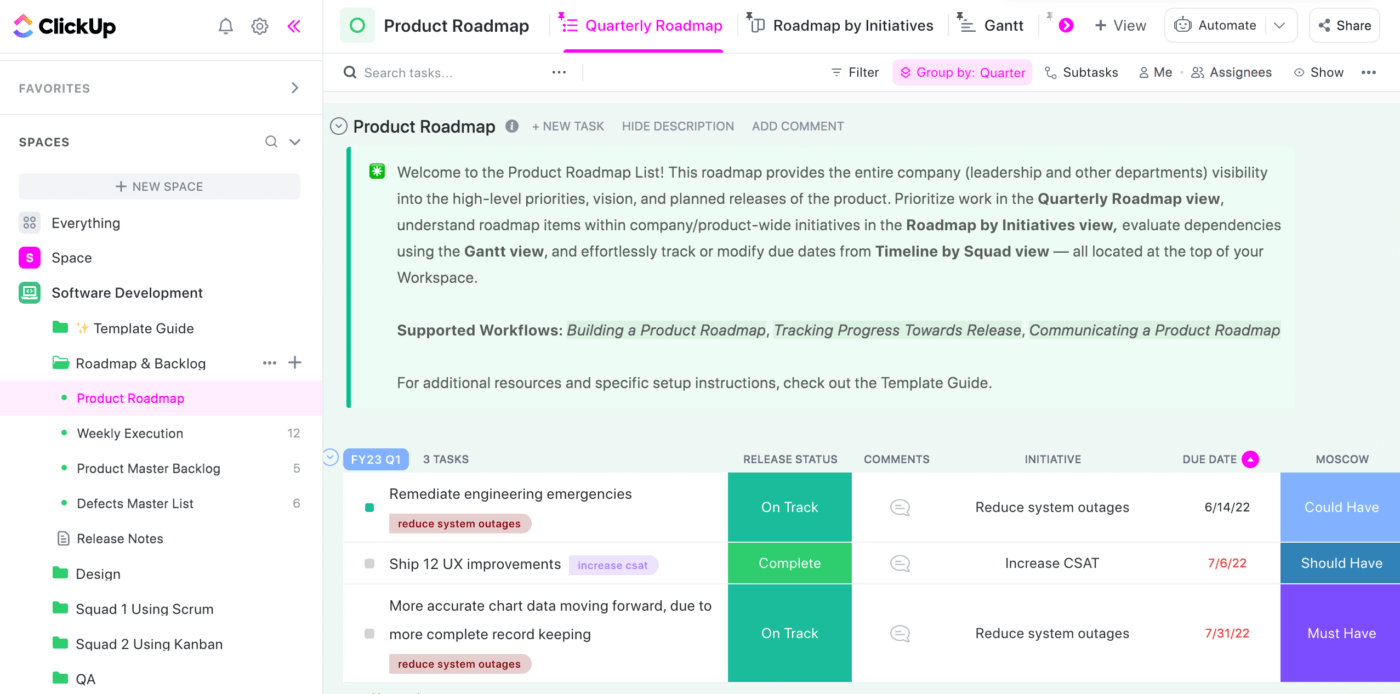
ClickUp is a multi-purpose project management software designed to boost productivity. It offers various features and customization options to suit every business. To save precious time, start with one of many pre-built templates, such as this handy Software Development template.
Create a workspace for your business and group all tasks and subtasks into spaces and folders, such as roadmaps, backlogs, and issue trackers. With over 15 views, including List, Kanban board, and Gantt chart, you can visualize all the work ahead of you.
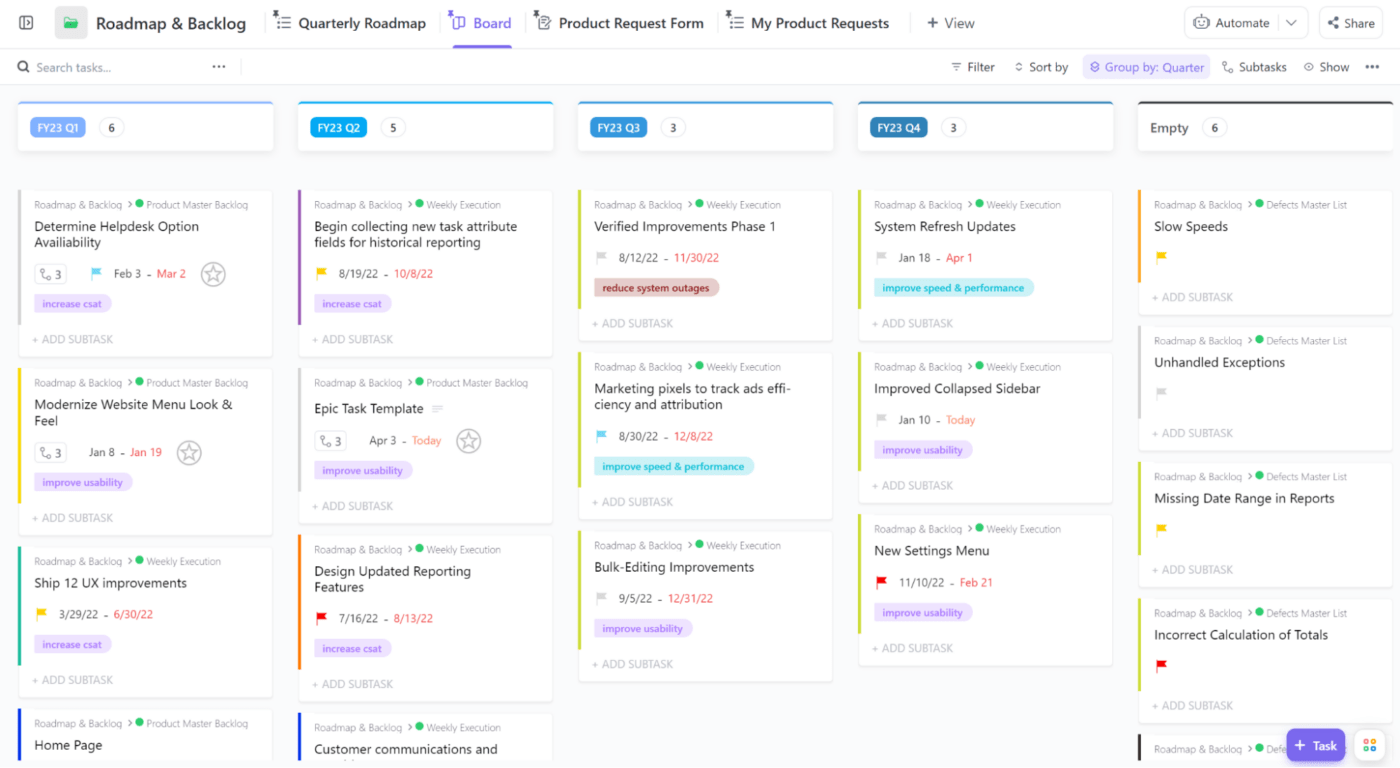
To prioritize tasks, assign different sprint points, custom statuses, tags, and labels. Automations are also customizable to help you optimize your workflow. You can create dependencies between tasks and add comments, checklists, and time estimates. Devs don’t have to juggle multiple apps, as they can track their time within the template.
Collecting bugs and issue requests is a piece of cake with ClickUp. ?
Have your clients fill out an intake form and easily convert it into a task. Manage sprints and releases and access real-time reports with the Agile Dashboard, topped with burndown, burnup, and velocity charts.
*Listed prices refer to the yearly billing model
Here’s what users say about this tool:
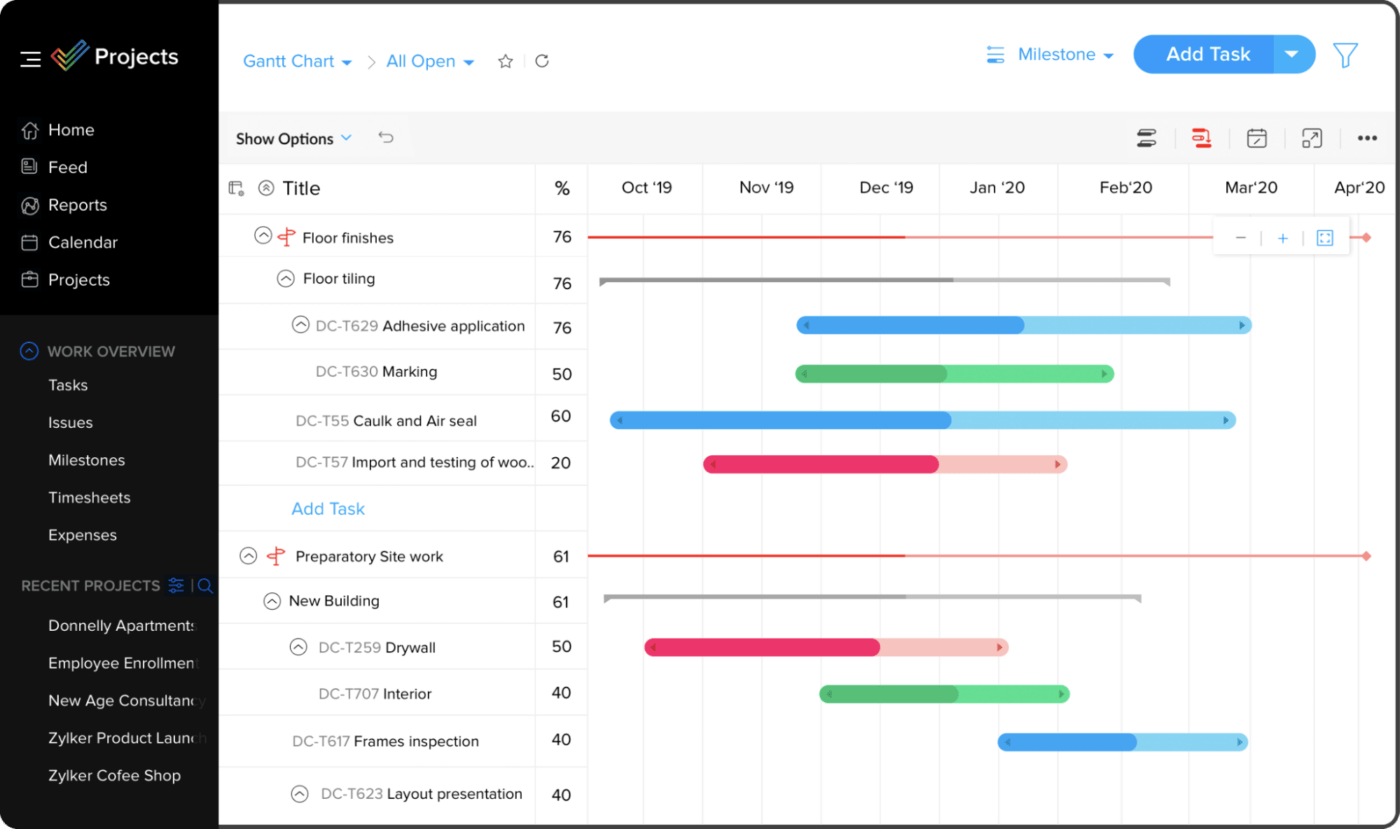
Zoho is a well-known provider offering a suite of project management tools to help organize your business. Zoho Projects is its specific project management tool, highly suitable for engineering and software development teams.
Organize your projects by breaking them into bite-sized pieces, such as milestones, tasks, subtasks, issues, and bugs. You can insert new items with a few clicks using the universal add feature and set dependencies, recurrences, and reminders.
Enabling the roll-up feature provides a comprehensive view of your project, allowing you to see how individual tasks contribute to the overall performance. Set project baselines to stay on schedule and refer to task, issue, and timesheet reports to track progress.
Zoho Projects gives you many customization task management options, from the color and layout of the dashboard to custom fields, views, statuses, tags, functions, and automation. Collaborating with your team is a breeze with forums, chat rooms, and interactive feeds.
This tool isn’t your average task manager—it’s an all-encompassing solution that can handle time tracking and budgeting too!
*Listed prices refer to the yearly billing model
Here’s what users say about Zoho Projects:
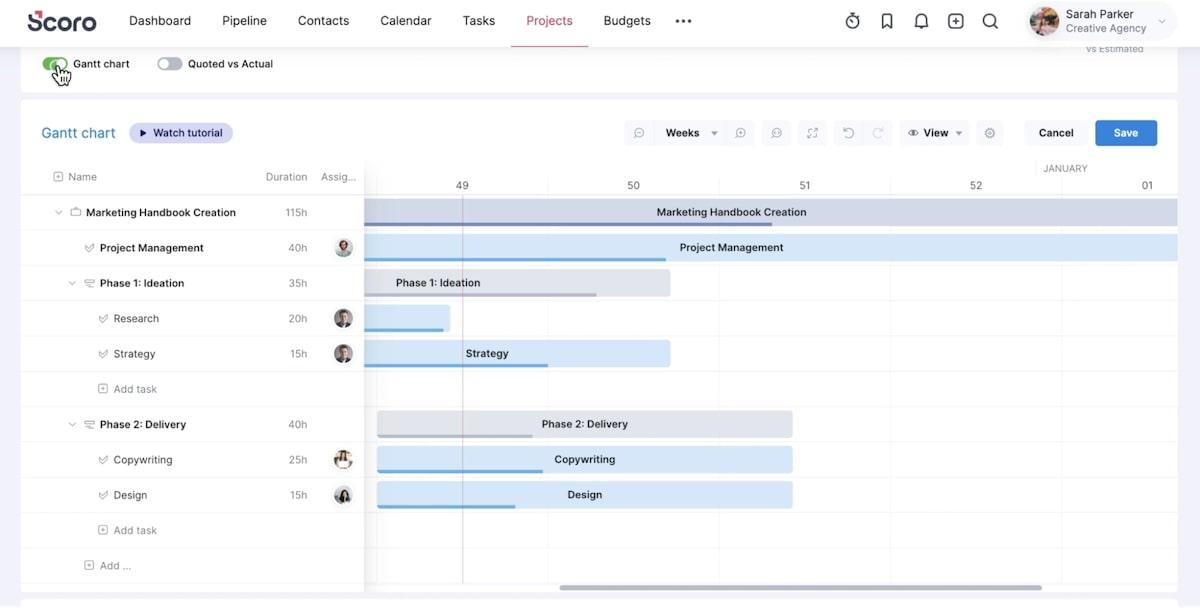
Scoro is an end-to-end work management software designed to help you effectively manage your time and resources.
Prioritize your tasks with the drag-and-drop Planner and Kanban task board. Devs can set their capacity and availability, and keep tabs on their time and schedule right in the app. With timesheets and shared calendars, you can monitor billable hours and allocate resources based on actual data—whether your software development is in-house or not.
Save time by using preset templates and task management bundles and turn quotes into tasks with a few clicks. You can also create them directly from your email app by forwarding emails to your Smart Inbox. Keep your project on track and your stress levels low by setting up automatic notifications and deadline alerts—ideal for busy project managers.
Always stay up to date and track the real-time progress of tasks with Gantt charts. Scoro has numerous reporting options, allowing you to analyze processes, risk areas, and KPIs to make better decisions. You can also track profitability, compare budgets to actual results, and forecast future sales.
*Listed prices refer to the yearly billing model
Relevant user reviews show the following:
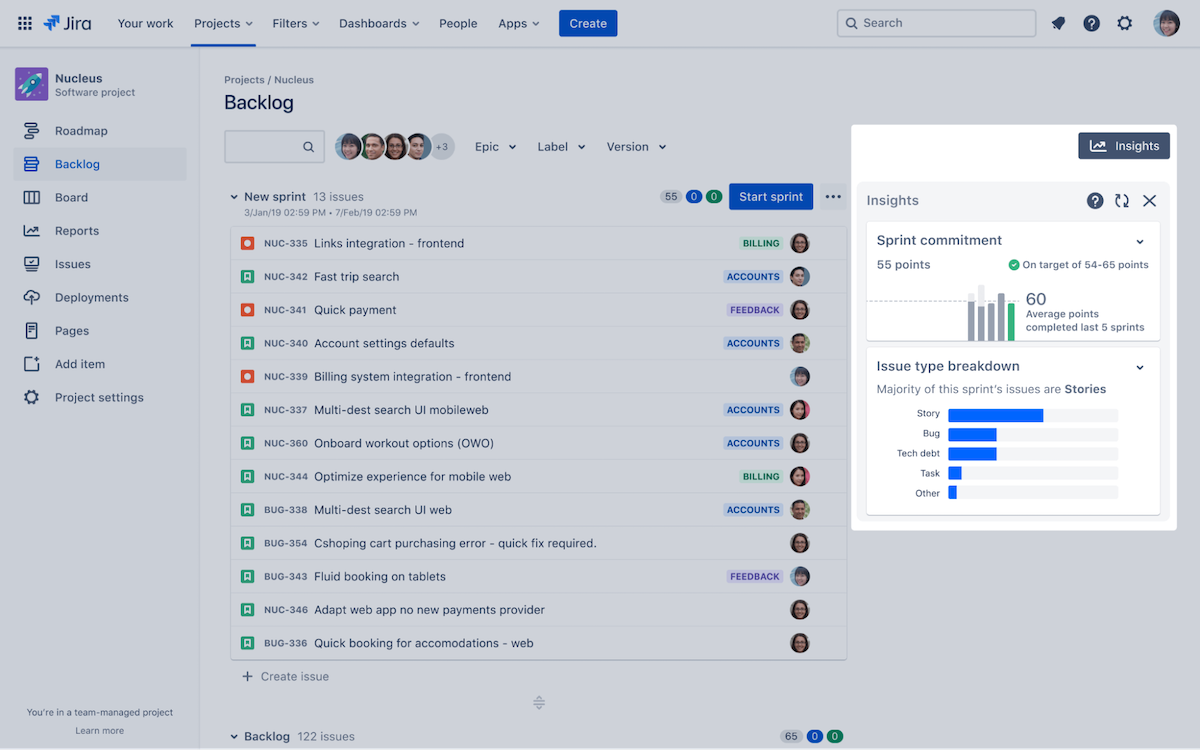
When it comes to project management software for software development, Jira is like a celebrity—everyone knows its name! ?
To get started, use one of its Agile templates, i.e., Scrum, Kanban, Bug Tracking, or DevOps, then customize it to fit your workflow and growing team. With drag-and-drop automation, you can streamline any software development process in minutes.
In the backlog, plan your sprints by prioritizing epics and issues and mapping dependencies. Get the big picture of your project’s timeline by using the roadmap view. And to help you track your team’s performance and identify bottlenecks, Jira offers more than 12 default reports with real-time, actionable insights for project managers.
View and create branches and pull requests and review commits in the Development panel. By integrating the project management tool with your development software, you can access your code in-app, collaborate with your team more effectively, and streamline the QA testing process.
Want to see the best project management tools to use instead of Jira? Check out our list of top Jira alternatives!
*Listed prices refer to the monthly billing model
Here’s what users say about the tool:
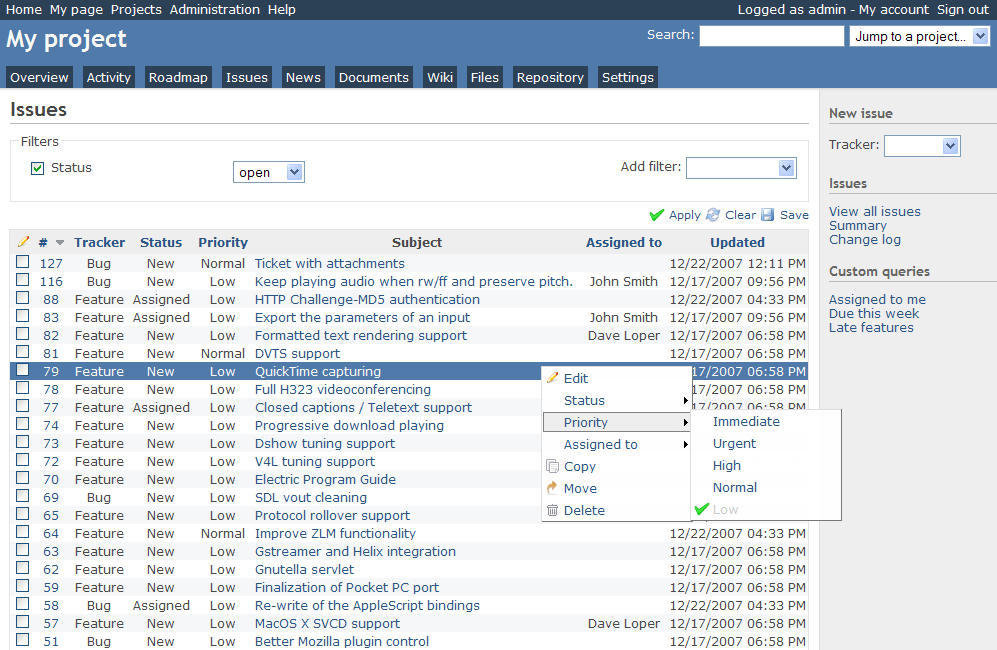
Redmine is an open-source project management web application available in 49 languages. It’s flexible and can support multiple projects and subprojects, allowing you to set role-based user permissions for each.
In the issue tracker, set up custom statuses, item types, and workflow transitions. Toggle on automatic issue creation via email to save time and effort. You can observe the timeline in the calendar or Gantt view and log your time at the project or ticket level.
With Redmine’s simple reports, analyze the most important metrics, such as time per user, issue type, or category, and unleash the power of data-driven decision-making!
If they’re stuck, your teammates can refer to the project Wiki, forum, or discuss matters in the comments. Redmine has numerous add-ons, such as Chrome extensions, for easier bug tracking or time logging.
This tool is free to use.
Here’s how users rate this app:
Bonus: Check out The Best Open-Source Project Management Tools in 2024

Asana facilitates collaboration and productivity in cross-functional teams. It offers a wide range of templates to help software development teams get started, such as product backlog, sprint planning, or process mapping templates.
No matter how complex your project is, divide it into manageable segments and choose between list, timeline, or board views. You can automate your workflow and create an intake form with follow-up questions to standardize issue creation and make it less of a tedious process.
Besides task progress statuses, software developers get an overview of your team’s performance with chart templates or custom charts. Asana lets you assess individual and team bandwidth to help you effectively assign tasks without causing burnout. Software developers can see all project updates in the Messages tab and communicate with each other via the built-in chat.
If you’re looking for the best project management tools besides Asana, check out our list of top Asana alternatives!
*Listed prices refer to the monthly billing model
Asana users’ verdict is as follows:
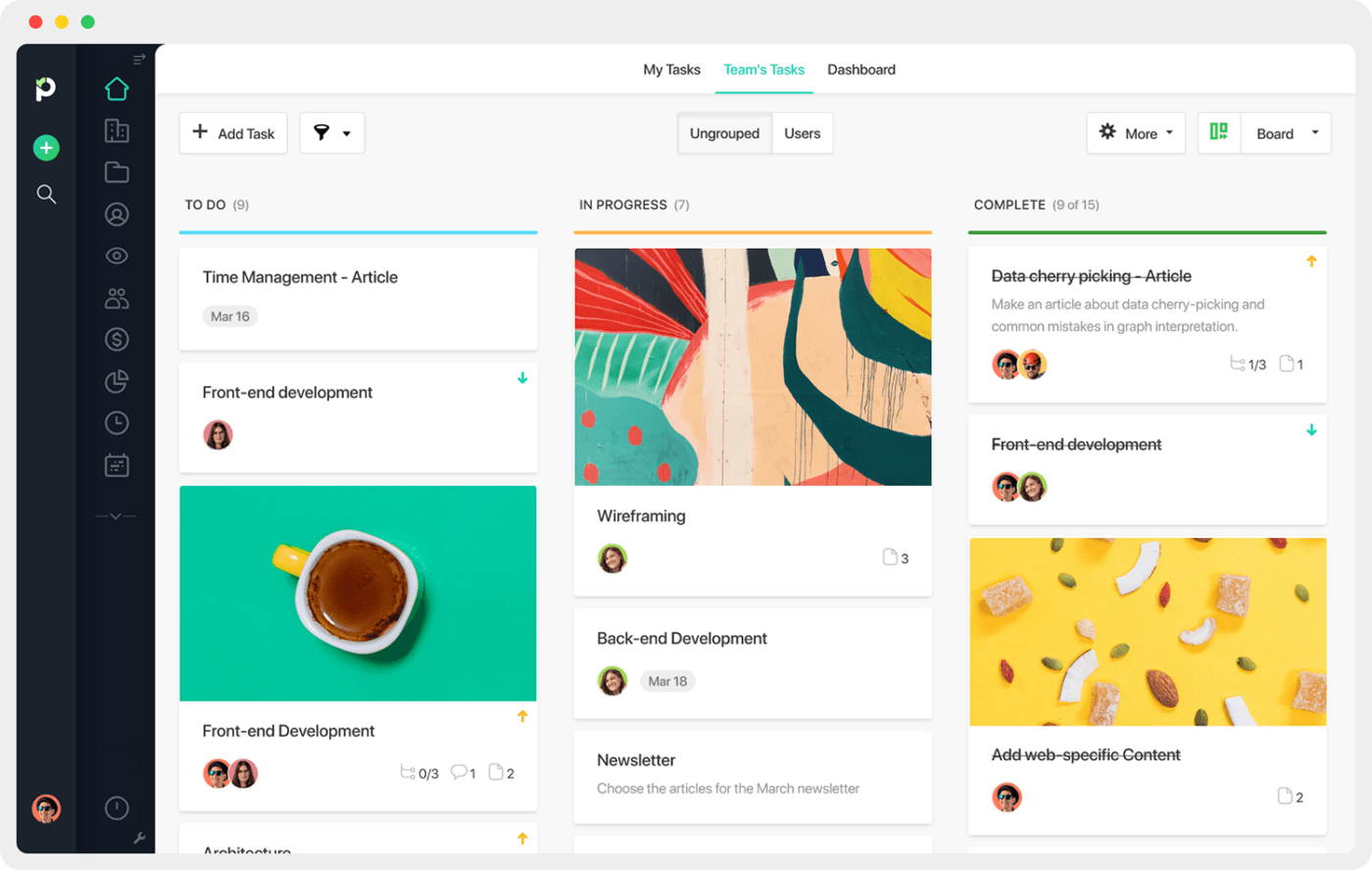
You can use Paymo to manage entire projects, from planning to invoicing. Speaking of planning, this tool has many views to help you do so, including Kanban, meta Kanban, calendar, and to-do list.
Create task templates and automate your workflow to save valuable time. You can prioritize tasks with labels and assign them to multiple users with this project management tool. Make sure nobody’s overworked by looking at the Team scheduler timeline to track project progress.
Paymo has advanced time-tracking features. The timer is easily accessible from any location in the app. The tool can also log time automatically by registering activities on the user’s device. Managers can track user activity in real-time and refer to timesheets for accurate billing.
Add comments and foster discussions around tasks rather than in an external tab or app. Upload and organize files and define user permissions for each. You can keep track of different versions, proof changes, and give feedback.
Check out our list of top Paymo alternatives!
*Listed prices refer to the monthly billing model
Paymo clients say the following:
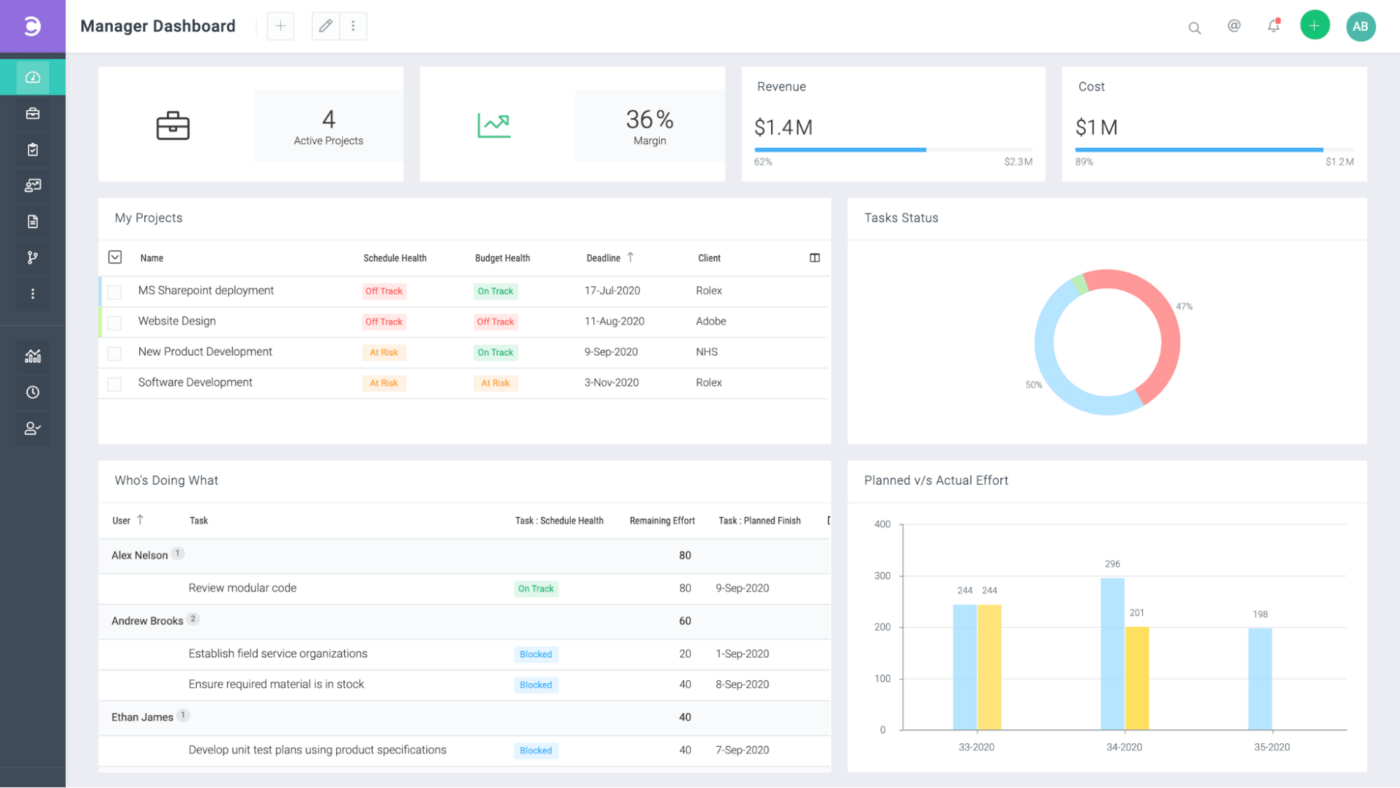
Celoxis is a project portfolio management tool that can transform your decision-making process and save time. It allows you to import requests from various sources, rank them based on your KPIs, and then schedule tasks automatically.
To plan your projects like a pro, use the What-If Analysis. Allocate resources based on skills, demand, and availability. You can also set baselines, task dependencies, milestones, and email alerts.
The tool has version control, comments with mentions, discussions, and a separate client portal to keep everyone on the same page and avoid confusion. ?
With the inbuilt timer, employees can track time and capture billable hours. The dashboard and reports are highly customizable, allowing you to personalize the layouts, fields, formulas, and drill-down charts.
*Listed price refers to the monthly billing model
Users’ final verdict is:
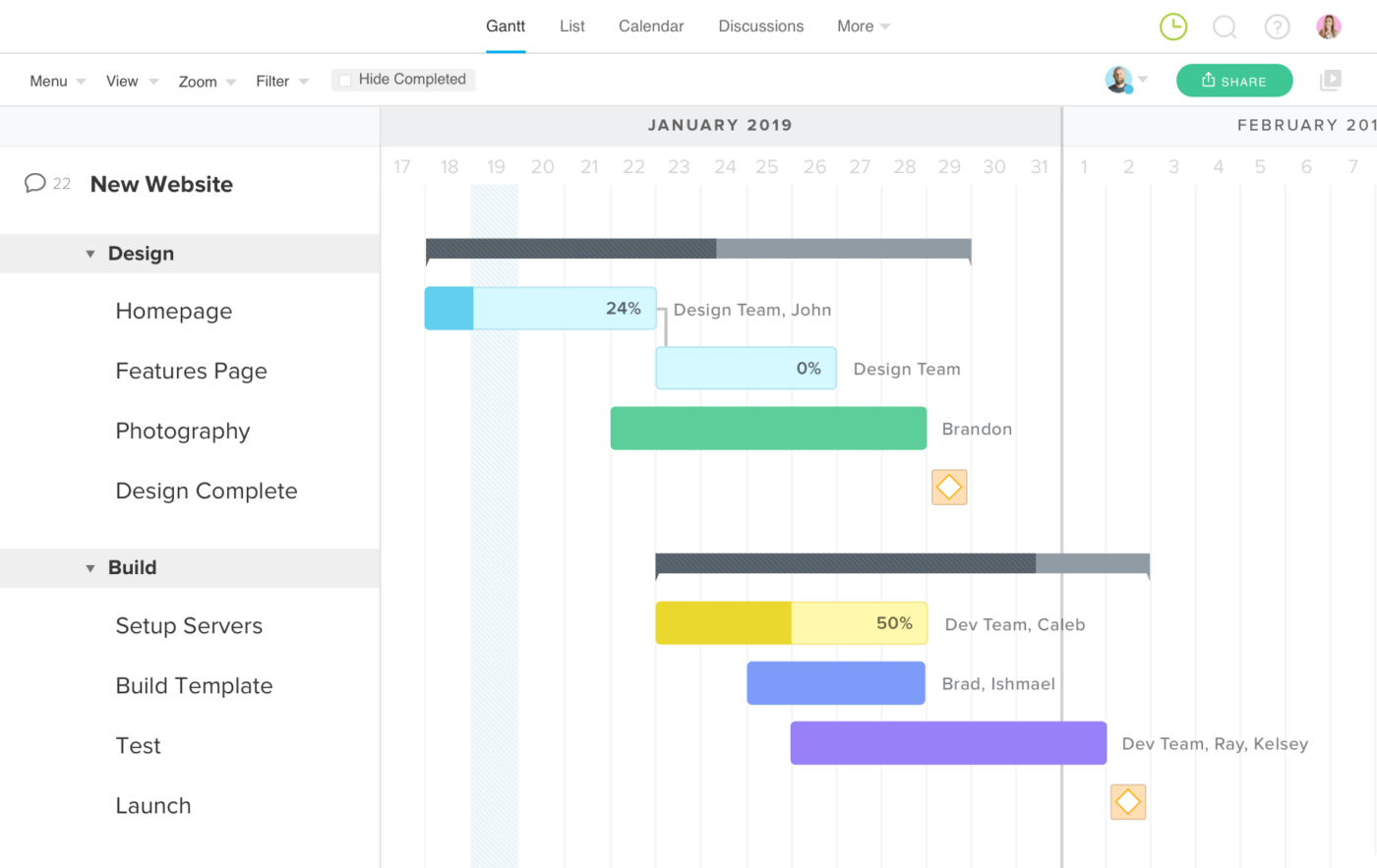
TeamGantt has taken a different approach to project management, primarily focusing on simple drag-and-drop Gantt charts. Still, it features other views, such as calendar and board, as well as many other tools to help manage your workload.
You can use one of the templates or start from scratch. Define tasks, key milestones, and dependencies, then assign the tasks using the RACI model (Responsible, Accountable, Consulted, Informed).
TeamGantt lets you allocate work based on your team’s capacity and availability and manage other resources, such as equipment and materials. Collaborate via chat or updates and track time in-app. To determine if you’re running behind and where to refer to the project health or baseline report, which are great tools for software development in particular.
*Listed prices refer to the monthly billing model
The tool is rated as follows:
Check out these TeamGantt alternatives!
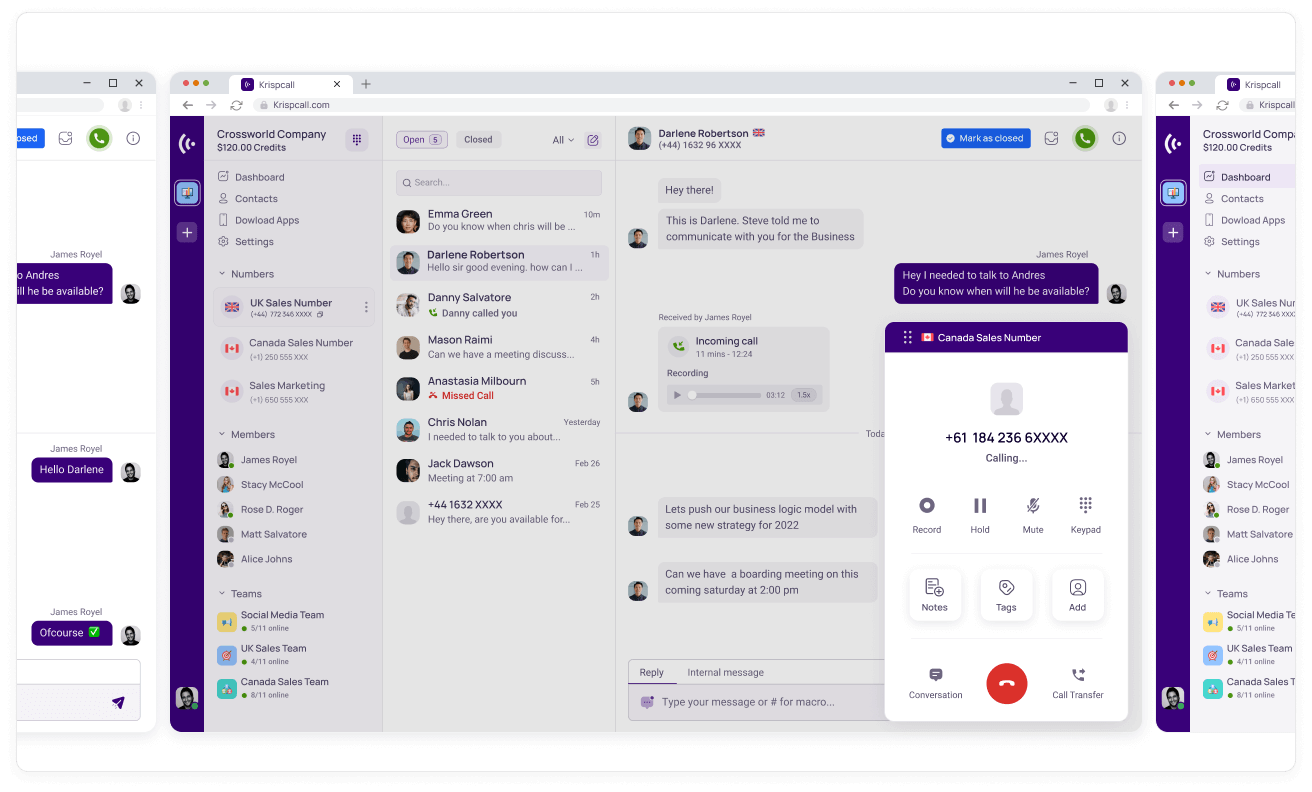
Although not a project management software, KrispCall can help you effectively collaborate with the development team and clients. It’s a cloud-based phone system suitable for businesses of all shapes and sizes. ?
Besides the standard calls and texts, you get access to features, such as on-hold calls, interactive voice response (IVR), call notes, transfer, voicemail, and a light CRM. You can also record and monitor calls as well as analyze them with live analytics. Soon, KrispCall will be able to integrate with CRM, sales, and other tools you use to run your business.
*Listed prices refer to the monthly billing model
Here’s how the tool scores:
From sticky notes and whiteboards to Agile and beyond, software development project management tools have come a long way. The platforms we’ve covered in this article are designed to make your work easier, from organizing tasks and deadlines to tracking bugs and collaborating with your team in real time.
Whether you’re working on a small app or a large-scale system, these project management tools will help you confidently tackle any software development project that comes your way. ?

© 2026 ClickUp

There’s an easier way. Try a free AI Agent in ClickUp that actually does the work for you—set up in minutes, save hours every week.