






Still downloading templates?
There’s an easier way. Try a free AI Agent in ClickUp that actually does the work for you—set up in minutes, save hours every week.
Sorry, there were no results found for “”
Sorry, there were no results found for “”
Sorry, there were no results found for “”
Most people who use Voicenotes are pretty pleased with it. It’s simple, quick, and reliable.
There aren’t too many complaints, though one Voicenotes G2 user summed it up well:
If I had to say something, I’d ask for more effort directed to Ask AI. It would be pleasing to see it improve more.
So as users’ voice-to-text needs evolve, so do their expectations. Many are now looking for tools that go beyond basic transcription—tools that can summarize, organize, and integrate notes directly into their workflows.
We’ve rounded up the 10 best Voicenotes alternatives that take the basics of recording and transcribing and add a layer of intelligence to make the process smoother. We have added a bonus tool that keeps all the unnecessary tool sprawl at bay. Let’s dive in.
Here’s a quick comparison of the top Voicenotes alternatives to help you choose the right fit based on a few key features, additional features, pricing, and user ratings.
| Tool | Best For | Key Features | Pricing* |
| ClickUp | All-in-one productivity + note management Teams size: All sizes (1–1,000+) | Brain Max, Talk-to-Text, AI Notetaker, Clips, SyncUps | Free plans; customizations for enterprises. |
| Cleft Notes | All-in-one productivity + note management Team size: All sizes (1–1,000+) | Voice-to-outline, on-device transcription, Zapier + Obsidian sync, Markdown export | Free; Starting from $7/month per user |
| Coconote | Studying and learning with AI Team size: Students and small study groups | Record/upload audio/video/docs, quizzes & flashcards, AI Chat, 100+ languages | Free |
| TalkNotes (Speechy.Tech) | Turning spoken thoughts into tasks Team size: Solopreneurs and creators | Task + note generation, blog/social post creation, flashcards, calendar events | $19/month per user |
| Audionotes.app | Simple AI-powered note-taking Team size: Individuals and freelancers | Quick transcription, summaries, edit & export, sync across devices | Starting from $9.99/month per user |
| Dubnote | Organizing musical ideas Team size: Small teams, DJ preneuers | Auto-split sessions, lyric transcription, DAW export, iCloud backup | Free |
| Dictanote | Multilingual voice typing Team size: Multilingual professionals and small teams | 50+ languages, voice commands, AudioScribe cleanup, unlimited notebooks | Free; Starting from $8/month per user |
| Otter.ai | Meetings and team collaboration Team size: Small to mid-sized teams | Real-time transcription, speaker ID, AI summaries, Zoom/Meet integration | Free; Starting from $20/month per user |
| SoundType AI | Accurate audio + video transcription Team size: Creators, journalists, and teams | Summaries, AI Chat, export to PDF/Word/SRT, 30+ languages, speaker ID | Free; Starting from $9.99/month per user |
| Easy Voice Recorder | Simple, everyday recording Team size: Individuals | High-quality audio, no time limits, widgets, Bluetooth mic, silence skip | Free |
Our editorial team follows a transparent, research-backed, and vendor-neutral process, ensuring that our recommendations are based on genuine product value.
Here’s a detailed rundown of how we review software at ClickUp.
📖 Also Read: Best AI Meeting Note Taker Tools
That was the advice someone gave on Reddit when asked about managing voice notes. While this advice is practical, it only scratches the surface.
With AI, there’s room to go much further, creating tools that don’t just record but actually help you think, plan, and stay organized.
If you’re looking for a Voicenotes alternative, here are the things that really matter:
The right choice will feel less like a basic app and more like a partner that helps you capture ideas, track action items, and boost productivity in ways you didn’t know you needed.🌟
📖 Also Read: How to Talk to Text on Android
If Voicenotes feels a little too limiting, the good news is that there are plenty of thoughtful alternatives that can do so much more with your recordings.
Here are ten of the best Voicenotes alternatives that combine accuracy, advanced features, and intuitive design to give you more from every recording.
When it comes to Voicenotes alternatives, ClickUp is more than just a way to capture notes or record audio. As the world’s first Converged AI Workspace, all the work apps, data, and workflows you need to get voice-powered excellence is in one place!
Forget jumping from a project management tool to a voice-to-text converter and then back to an AI tool to turn your transcript into polished work. Disconnected apps and scattered context is the definition of work sprawl, and it’s a drain on your time, producitivity, and subscription costs.
With ClickUp, you get 100% context and a single place for humans, tools, and agents to work together.
Let’s take a look at how ClickUp keeps everything connected—from your voice recordings to your meeting notes, tasks, and projects.
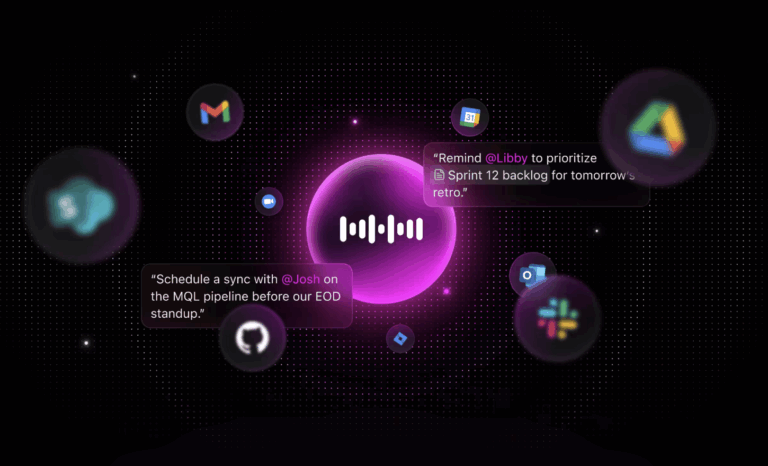
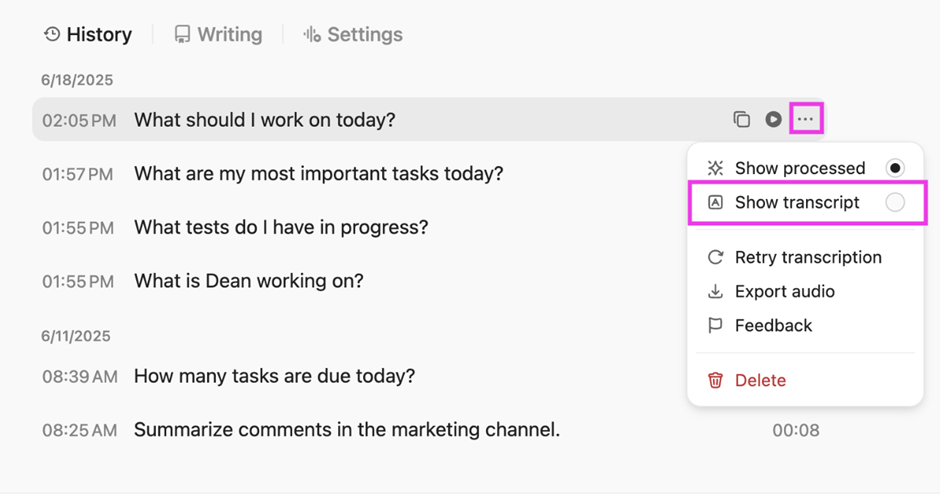
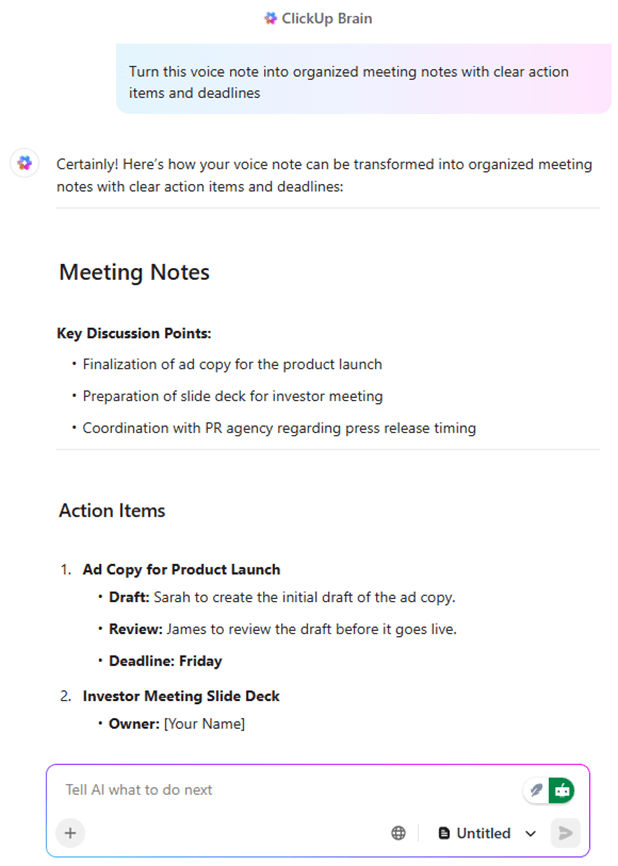
The first step in replacing a basic note-taking app is transcription, and ClickUp’s Brain MAX feature does this with higher accuracy than most.
ClickUp Brain’s Talk-to-Text feature shapes your words into clear, polished notes.

Here’s all that it offers:

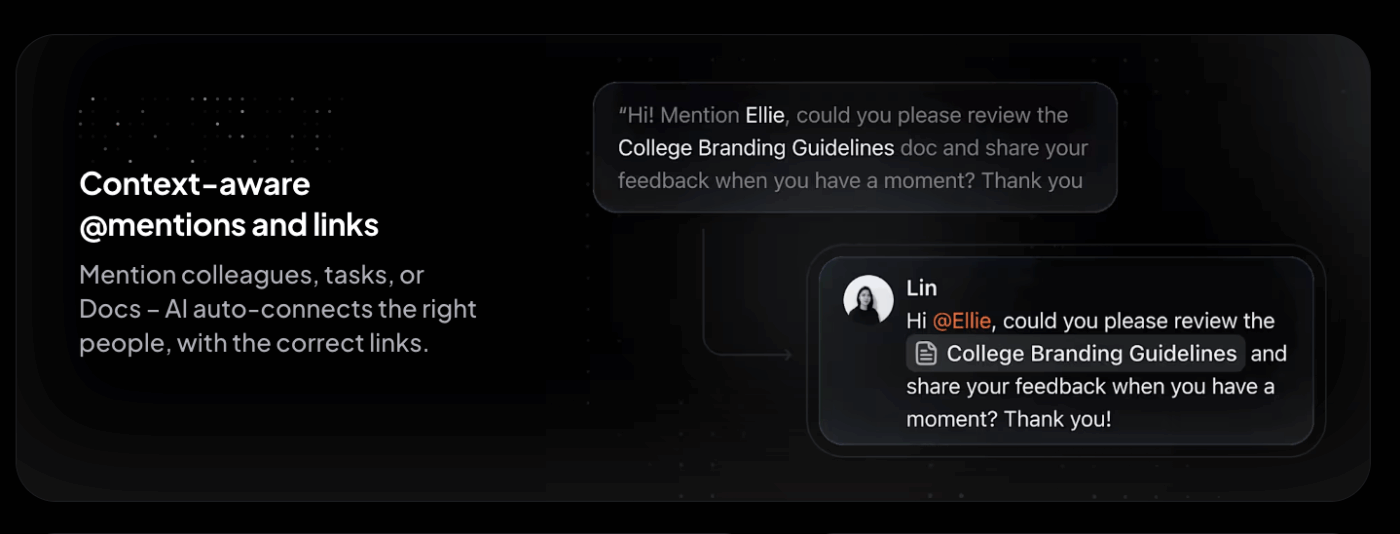
And instead of leaving you with a block of text like VoiceNotes, it can summarize long recordings, extract action items, and even turn parts of your speech into to-do lists. With typing often being four times slower than speaking, this feature alone can help you write 400% more without lifting a finger.
On average, users save about an hour a day by letting AI handle typing and polishing, leaving them free to focus on the work that truly matters. This also means you can avoid AI sprawl and get everything done under one roof with ClickUp Brain Max and Brain.
🎥 Watch this quick tutorial on how to use Talk to Text on Brain MAX:

Where ClickUp Brain Max helps you capture individual thoughts, the ClickUp AI Notetaker takes things a step further by handling full meetings.
It automatically joins calls, records the audio, transcribes the conversation, and then delivers a concise summary with action items.
The transition here is natural: once your personal notes are handled, the next challenge is managing group discussions. With this automated AI notetaker, you walk away with clarity on what needs to happen next.
📌 Friendly Tip: You’re driving and suddenly think of a campaign idea. Speaking into ClickUp Brain, your voice memo becomes organized bullet points with deadlines and follow-up tasks. By the time you park, the idea is already in motion.
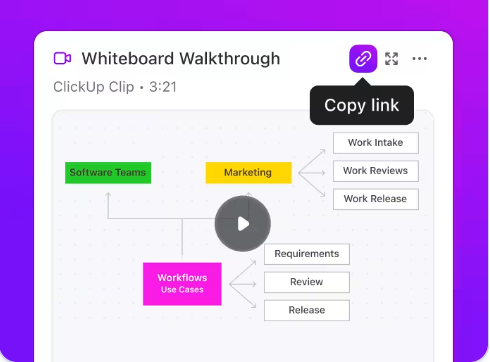
Of course, not every idea fits neatly into words. That’s why you have ClickUp Clips, which record your screen with audio narration. ClickUp Clips are ideal for providing feedback, explaining a workflow, or guiding a teammate through a bug report.
This functionality naturally follows from text and transcription: when your voice isn’t enough, you can add visuals and keep them tied to the right tasks and documents.
📌 Example: A product manager records a clip to demonstrate a bug, attaches it to the dev team’s task, and the issue is resolved faster than if they’d sent screenshots and emails back and forth.
This G2 user shared:
The built-in AI notetaker is surprisingly useful, especially for summarizing meetings and saving time on follow-ups. We also love the ability to publish clear, structured release notes directly within the platform, which has helped align internal and external stakeholders.

Cleft Notes is one of those tools that feels like it understands how real people think. You don’t always speak in neat sentences, and that’s okay.
Instead of leaving you with a jumble of words, Cleft gently reshapes your voice memos into clear notes, tidy outlines, or even simple checklists you can use right away.
It’s especially helpful if your thoughts come out fast and unfiltered, because the app catches them, organizes them, and hands them back in a way that makes sense.
What users say about Cleft?
Here’s what a Reddit user said about the tool:
I typically use Cleft to capture thoughts when walking or in the office. Then I use SuperWhisper or Apple dictation to dictate emails or messages. Is there a recipe to use with cleft to capture dictation where AI cleans up you “ums” etc? But keeps the rest of the dictation intact?
📮 ClickUp Insight: Almost 9 out of 10 people in our survey already use AI to make everyday tasks easier and faster. Imagine unlocking that same boost at work. With ClickUp Brain, your built-in AI teammate, you can work up to 30% more efficiently through fewer meetings, instant summaries, and automated tasks.

Coconote isn’t just about typing out what you said. It’s about giving you something useful to work with when the talking stops. You can record directly in the app or upload almost anything: audio files, videos, PDFs, and even YouTube links.
In seconds, Coco gives you high-quality transcripts and neatly organized notes. From there, it can build quizzes, create flashcards, or even turn your notes into a little podcast you can listen to on the go.
Here’s what a Reddit user said about the tool:
It makes quizzes and flashcards that really help, and if I need to remember something from a lecture, I can just look through the transcript and find what the teacher said.
👀 Did You Know: According to a Forrester study, companies using ClickUp saw a 384% return on investment over three years, saving millions through productivity gains, boosting revenue by nearly $3.9 million, and achieving a break-even point in just six months. Additionally, many organizations reduce costs further by consolidating multiple work tools into a single, unified platform.
![TalkNotes [Now Speechy.Tech] (Best for turning spoken thoughts into tasks)](https://clickup.com/blog/wp-content/uploads/2025/09/TalkNotes-Now-Speechy.Tech-Best-for-turning-spoken-thoughts-into-tasks.png)
Engaged employees are shown to be 18% more productive. When people feel invested in their work, they bring energy, tackle challenges quickly, and accomplish more in less time.
One key driver of productivity is speed. But how can you work faster without sacrificing quality? One simple way is through voice notes. With TalkNotes, you can capture thoughts instantly and turn them into organized tasks and notes, helping you move through your day with less friction. 🎙️
This Reddit comment highlighted:
A few months ago, I started using TalkNotes, and after some trial and error, I finally found the perfect workflow. Now, I never stress about notes, don’t forget important details, and actually stay present in meetings.
📖 Also Read: Best Dictation.io Alternatives for Voice-to-Text

Sometimes the simplest tools make the biggest difference. Audionotes.app is one of those quiet helpers that takes your words and gives them back in a way that feels lighter and easier to handle.
You can talk freely without worrying about structure, and in just a moment, your voice becomes clean notes you can read, share, or return to later. It feels like a little companion that listens without judgment and helps you remember what matters.
This G2 review noted:
Even for a writer like me who often get a lot of ideas on the fly, AudioNotes have been handy. Using Artificial Intelligence I was able to transcribe my voicing recordings and unstructured text notes and convert them to summaries.
👀 Fun Fact: The human voice is so distinctive that it can be mapped into a voiceprint, much like a fingerprint. Tiny differences in pitch, tone, and rhythm make each person’s voice unique. That’s why modern security systems and forensics teams sometimes rely on voice recognition as an added layer of identification.
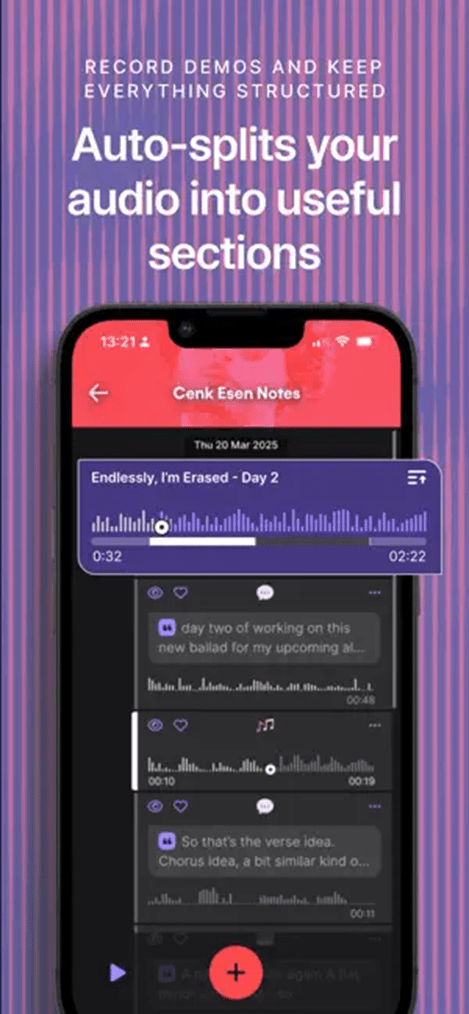
Musicians know the struggle of drowning in endless voice memos. You catch a riff, a melody, or a drum pattern on the fly, but later it’s lost in a sea of untitled recordings. Dubnote was created to solve that exact problem.
Instead of leaving you with a pile of messy audio, it organizes your voice notes into neat folders, auto-splits long sessions, and even tags the best moments so you can find them again without frustration.
What sets Dubnote apart is its focus on the way musicians actually work. You can start a recording straight from the home screen, sort it into a notebook, and later refine it with comments, emoji tags, or edits.
What users say about Dubnote app?
Too bad it’s Mac only. I just checked the Google Play store and it’s not there.
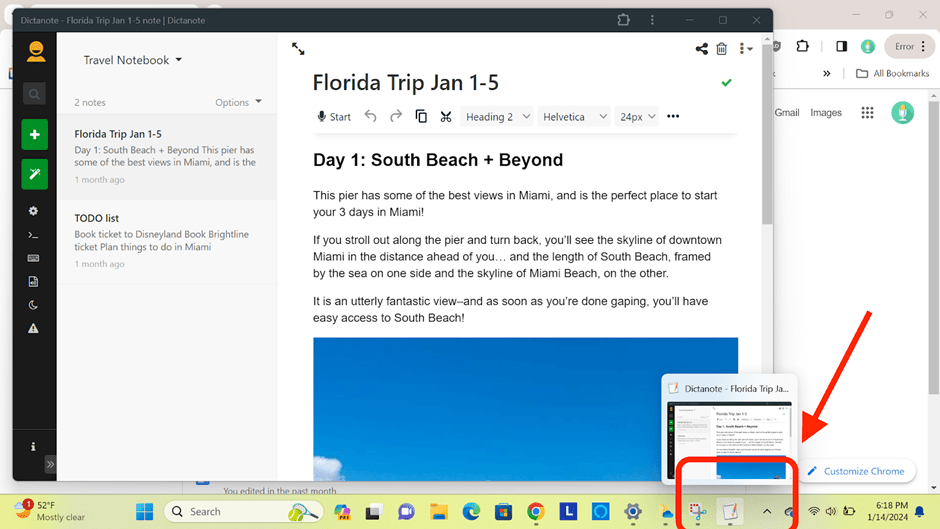
Dictanote is built for people who think faster than they type. Instead of forcing your thoughts into a keyboard, you simply speak, and Dictanote turns your words into text with impressive accuracy.
What makes Dictanote especially helpful is its wide language support. With over 50 languages and 80 dialects, it’s a thoughtful choice if you need a Voicenotes alternative that works across borders and accents.
Writers, journalists, and professionals worldwide use it daily to capture messy thoughts, draft articles, or keep track of meeting notes without missing a beat.
This Reddit comment appreciated:
Definitely cool to see updates for ChatGPT, Claude, and Gemini on YouTube summaries.
🧠 Did You Know: Teams using AI are now three times more productive than traditional teams. By working faster and automating the repetitive stuff, AI helps people focus on the work that truly matters.
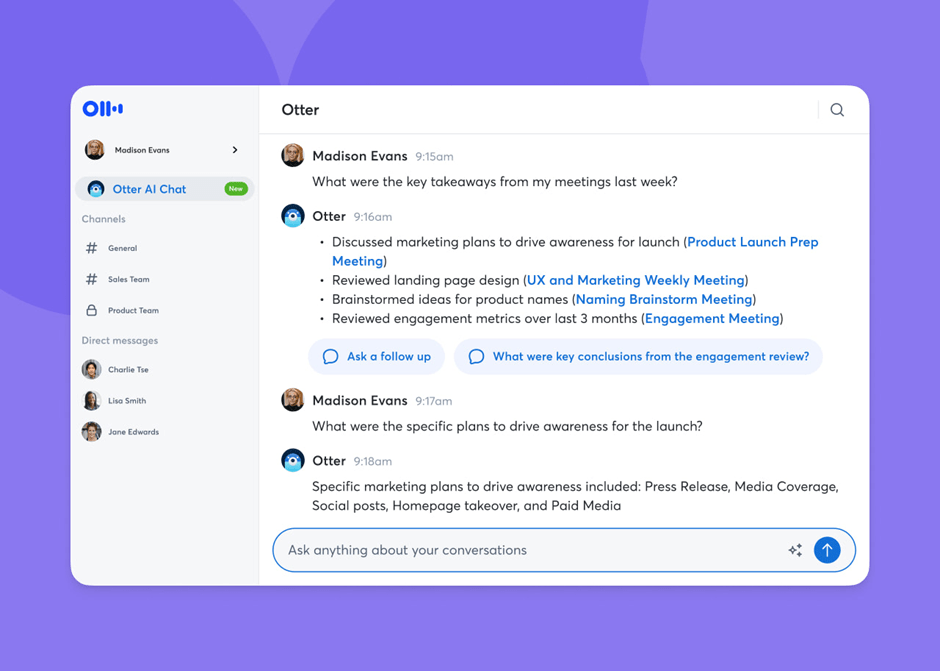
75% of employees now report using AI tools in their daily work. What started as a trend has quickly become an integral part of everyday work. And if meetings are part of your daily routine, you know how easy it is to miss details while trying to take notes.
Otter.ai takes that pressure away. Teams use Otter because it fits into their workflow. You can connect it to Zoom, Google Meet, or Microsoft Teams, and it will automatically join, capture voice recordings, and deliver clear meeting notes with impressive accuracy.
Later, you can search for key points, share transcripts, or even ask Otter’s AI Chat questions about what was said.
This G2 review shared:
I like how Otter AI goes through the entire meeting transcript and summarizes all the key talking points, and if there is anything not listed you can edit the summary section to add it.
📖 Also Read: Best Otter.ai Alternatives & Competitors
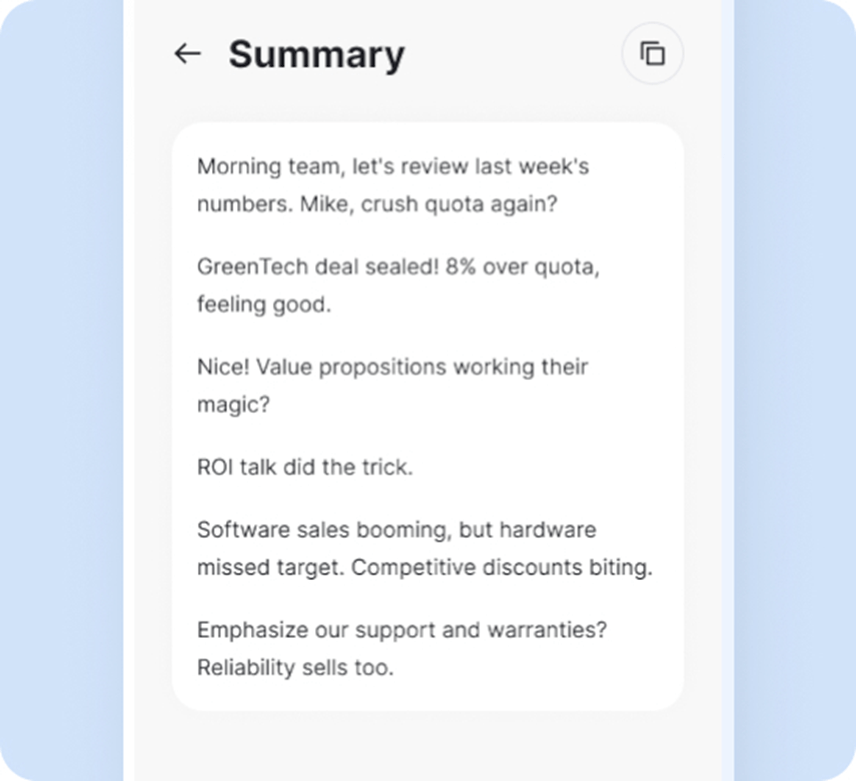
Sometimes ideas arrive when you least expect them—maybe during a late-night study session, a team brainstorm, or while you’re listening to a lecture. SoundType AI is built to catch those moments and make them easier to revisit.
What makes it feel different is that it gives you ways to organize, summarize, and share what you’ve captured, so you’re not left scrolling through long recordings trying to find a single detail.
For students, it can mean better focus in class. For professionals, it’s a way to keep meetings and projects moving without missing context.
This Reddit comment featured:
The only app I found that’s better at transcription than Braindump is SoundType AI — which is aimed at more complex uses than just making notes for yourself.
📖 Also Read: Best AI Meeting Summarizers
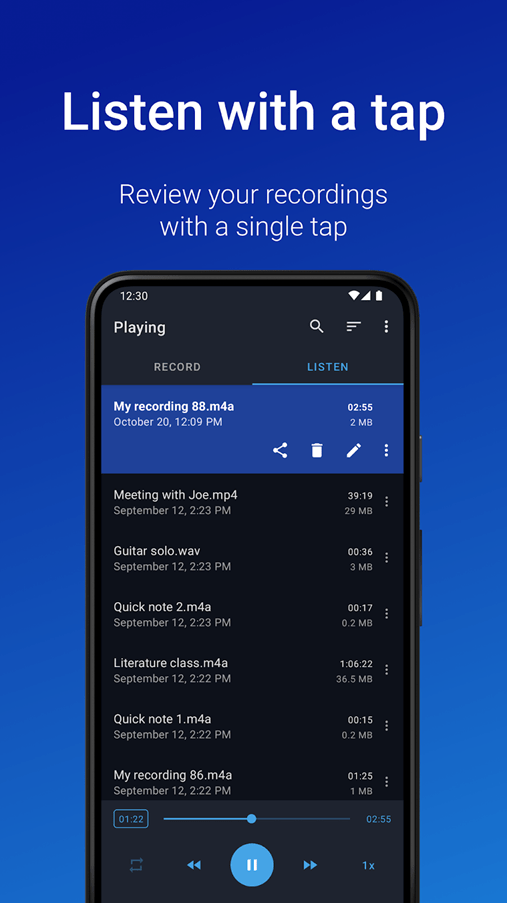
Sometimes all you want is a recorder that just works. Easy Voice Recorder lives up to its name.
Students appreciate how it can handle long classes without limits. Professionals appreciate the ability to share recordings with colleagues quickly. Musicians find it handy for catching rough song ideas before they disappear.
It doesn’t overwhelm you with extras, but it still offers thoughtful options like trimming, cloud backups, and transcription, if you need them.
This Reddit comment featured:
Easy voice recorder is great, it allows you to resume recording and also backs everything up to Google Drive, integrates with tasker too.
If you’re still exploring, here are three more voice note tools worth checking out, each bringing its own twist to recording, transcribing, and organizing audio:
Voice notes can be the easiest way to convey your thoughts, until little hiccups get in the way. A message cuts off, the sound is fuzzy, or you can’t find what you recorded last week.
These small moments can be surprisingly frustrating, but most of them have simple solutions.
At the end of the day, voice notes aren’t just about recording words. You’re capturing ideas before they slip away. The right tools can ensure that fleeting thoughts turn into something useful, whether it’s a task, a plan, or a reminder for later.
That’s where ClickUp shines. It brings your notes, tasks, and projects together in one place so your voice doesn’t just get saved, it gets acted on.
From turning quick memos into checklists to connecting ideas across your workspace, ClickUp makes it easy for your thoughts to find momentum.
If you’re ready to see how effortless it can feel, sign up for ClickUp today!

© 2026 ClickUp

There’s an easier way. Try a free AI Agent in ClickUp that actually does the work for you—set up in minutes, save hours every week.