



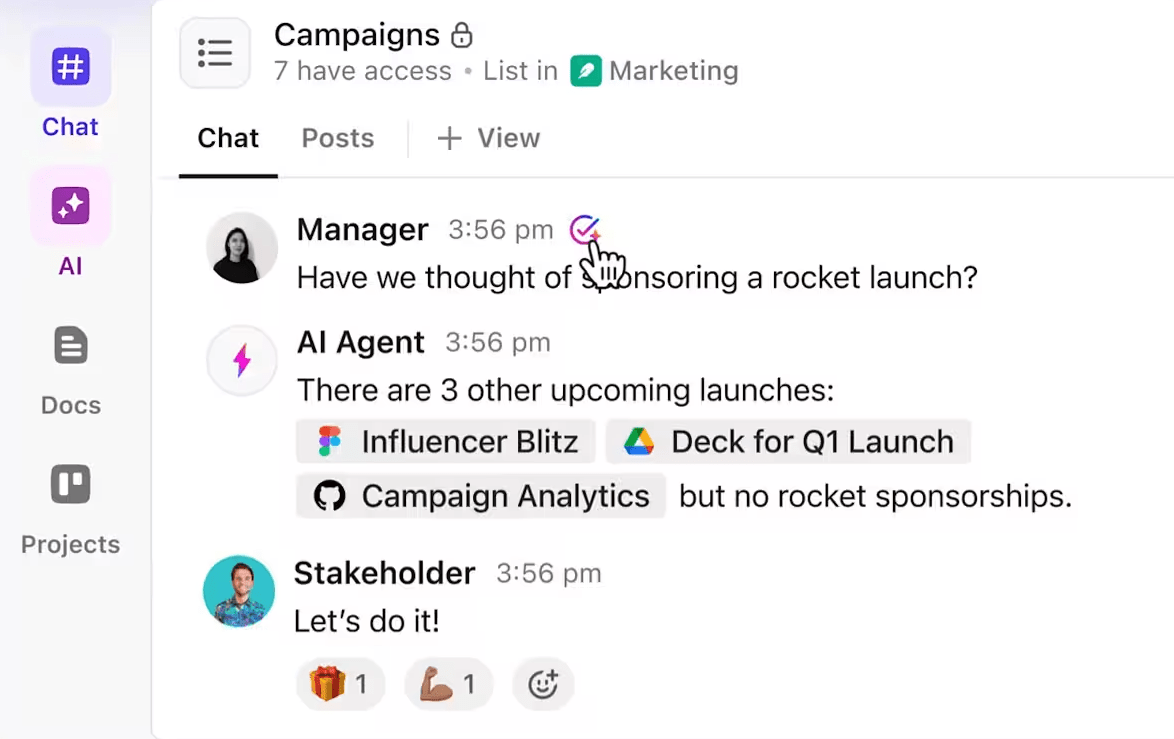



Still downloading templates?
There’s an easier way. Try a free AI Agent in ClickUp that actually does the work for you—set up in minutes, save hours every week.
Sorry, there were no results found for “”
Sorry, there were no results found for “”
Sorry, there were no results found for “”

You probably started using Proton Drive for the same reason most people do: privacy.
It’s secure and simple. But as your work grew, so did your needs.
Maybe you’ve run into roadblocks, such as limited sharing options in Proton Calendar, no real-time collaboration, or clunky syncing across devices with Proton Mail.
If that sounds like you, it’s time to explore other options.
In this blog post, we’ll explore the best Proton Drive alternatives that offer more control, smarter features, and a smoother workflow. 🎯
So, Proton Drive isn’t quite checking all your boxes, and now you’re on the hunt for something that fits just right.
Before you start using a new digital platform, consider these things. 👀
💡 Pro Tip: Embrace zero-trust models—every file access request, even from internal users, gets verified. It’s like a security check at every door.
Here’s a quick summary of the 10 best Proton Drive alternatives. ⚒️
| Proton Drive alternative | Best for | Key features | Pricing * |
| ClickUp | Smart file management with powerful search | AI-powered automation, real-time collaboration, centralized knowledge management | Free |
| Nextcloud | Building a self-hosted cloud with full control | End-to-end encryption, workflow automation, and secure communication tools | Starts at $77/year per user |
| MEGA | Sending large encrypted files with ease | Zero-knowledge encryption, real-time sync, and password manager | Free |
| Filen | Automatic, end-to-end encrypted backups | Client-side encryption, real-time sync, and markdown support | Starts at $2.26/month per user |
| Internxt Drive | Zero-knowledge file storage across platforms | Decentralized storage, cross-platform support | Free |
| Tresorit | Enterprise-grade compliance and secure collaboration | GDPR/HIPAA compliance and granular permissions | Starts at $5.99/month per user |
| Box | Integrating file storage with business workflows | Workflow automation, integrations with business tools | Free |
| pCloud | Lifetime storage with built-in media playback | One-time payment for lifetime plans, media streaming | Starts at $19.99/month per user |
| Sync.com | Secure team sharing with granular permissions | Version history, secure file sharing | Starts at $5/month per user (billed annually) |
| Cryptee | Private document and photo storage | Encrypted storage for documents and photos | Free |
Our editorial team follows a transparent, research-backed, and vendor-neutral process, so you can trust that our recommendations are based on real product value.
Here’s a detailed rundown of how we review software at ClickUp.
Let’s explore the top 10 picks for Proton Drive alternatives. 💁
Proton Drive gives you a place to store files—but what about your projects, tasks, notes, and communication?
When everything lives in separate tools, work becomes slow, siloed, and scattered—you’re fighting work sprawl.
ClickUp solves this. As the everything app for work that combines project, knowledge, and chat in one place, all powered by AI, it helps you work faster and smarter.
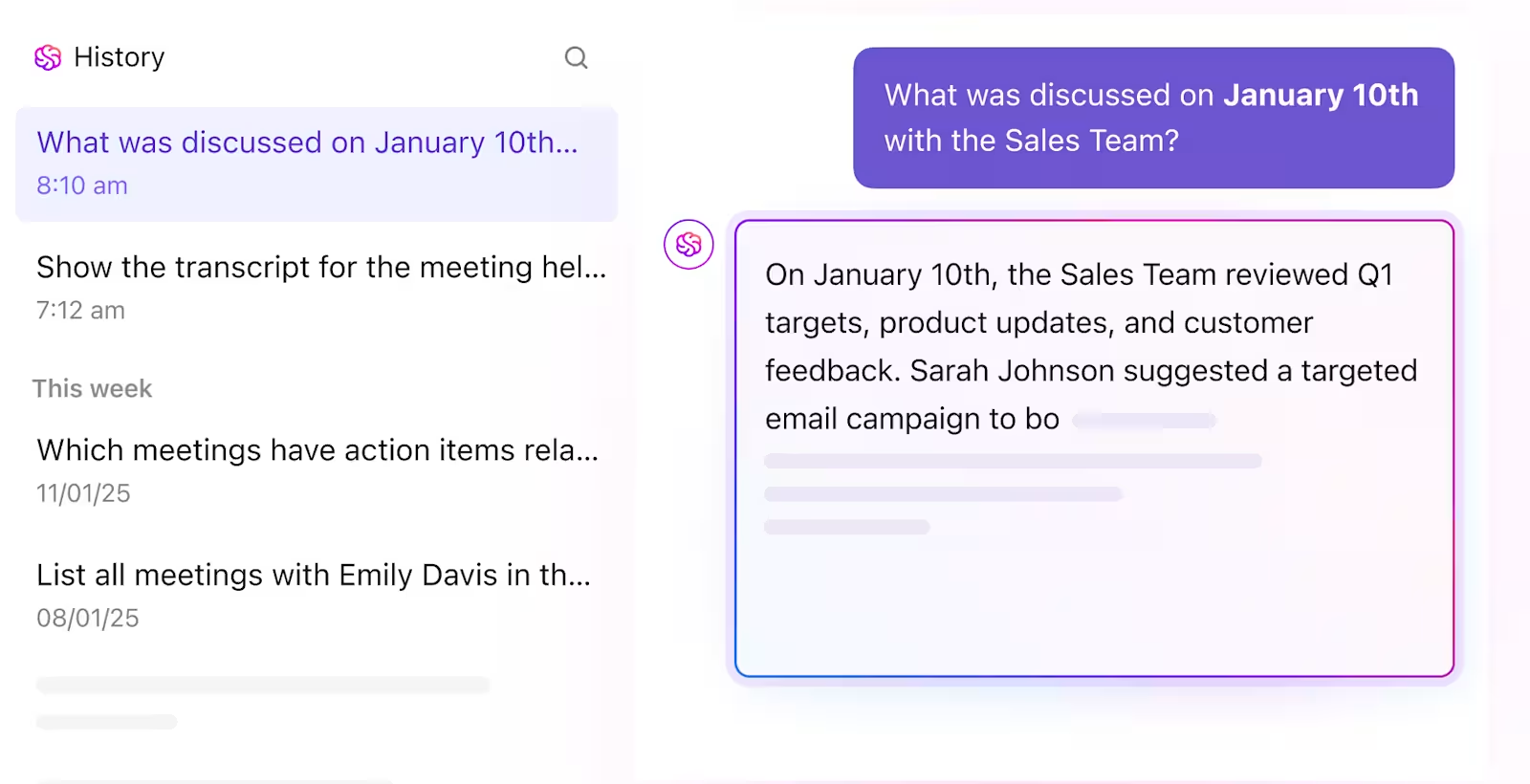
Start with ClickUp Brain, the AI engine that understands your workspace. Ask it questions like ‘What are the security protocols for client data?’ and it finds answers from Tasks, Docs, or wikis—even if the info lives deep inside a checklist or comment thread.
While Proton Drive is designed for privacy and file storage, ClickUp Brain takes knowledge management further with AI-powered automation. Instead of uploading a doc and forgetting it, you can:
But getting an answer only works when information is actually organized. ClickUp AI Knowledge Management takes over here.
You can group resources into wikis, SOP libraries, or team playbooks. Each one can link back to relevant tasks, updates, and Docs, so information isn’t floating in isolation. Best part? AI Agents in ClickUp can run the show here with little to no hand-holding. 👇🏼
Once you’ve got that structure in place, ClickUp Docs brings collaboration into the mix. They’re living, collaborative spaces fully integrated into your tasks, projects, and workflows. You can turn AI-generated insights into detailed briefs, SOPs, or meeting notes. Then, link them directly to tasks, assign contributors, and leverage real-time collaboration in one place.
Of course, your team likely already stores files in other tools. ClickUp Integrations connect platforms like Google Drive, OneDrive, iCloud Drive, and Dropbox directly into your workflow. You can link or preview these files inside tasks and Docs without switching tabs or losing version control.
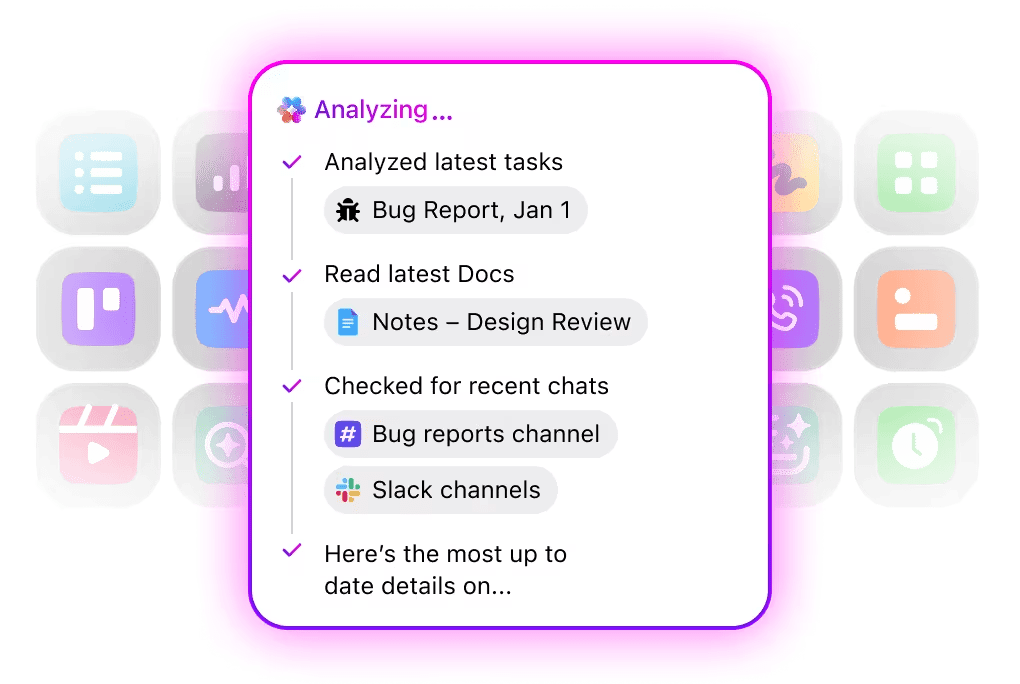
Finally, ClickUp Enterprise Search ties everything together. It makes context-aware discovery effortless by connecting various parts of your workflow, allowing you to quickly locate the specific doc, a comment from a team lead, or a task update from three months ago.
📌 Example: An associate uses the intelligent search system to quickly locate a comment from the content manager about the blog post deadline. They can also find related task updates from the designer about graphic revisions. Everything is connected to the original ‘Q2 Campaign Strategy’ Doc, making it easy to access, no matter when or where it was created.
Here’s what a G2 reviewer had to say about ClickUp:
The biggest pain I had with other tools was fragmentation… What sets ClickUp apart for me is how seamlessly it combines task management with real-time messaging and collaboration. Instead of switching from a task to a chat app, I can just click into a task and start a discussion right there. Every comment, file, and update is exactly where it needs to be, attached to the task itself.
💟 Bonus: Tired of juggling emails, files, and tasks across different apps? Meet Brain MAX—your AI-powered desktop companion that keeps work from sprawling across 10+ apps.
While Proton is great for secure email and storage, Brain MAX goes way beyond: it brings all your work—messages, docs, projects, and more—into one unified space. Just speak your thoughts or to-dos, and Brain MAX captures and organizes everything with voice-first AI.
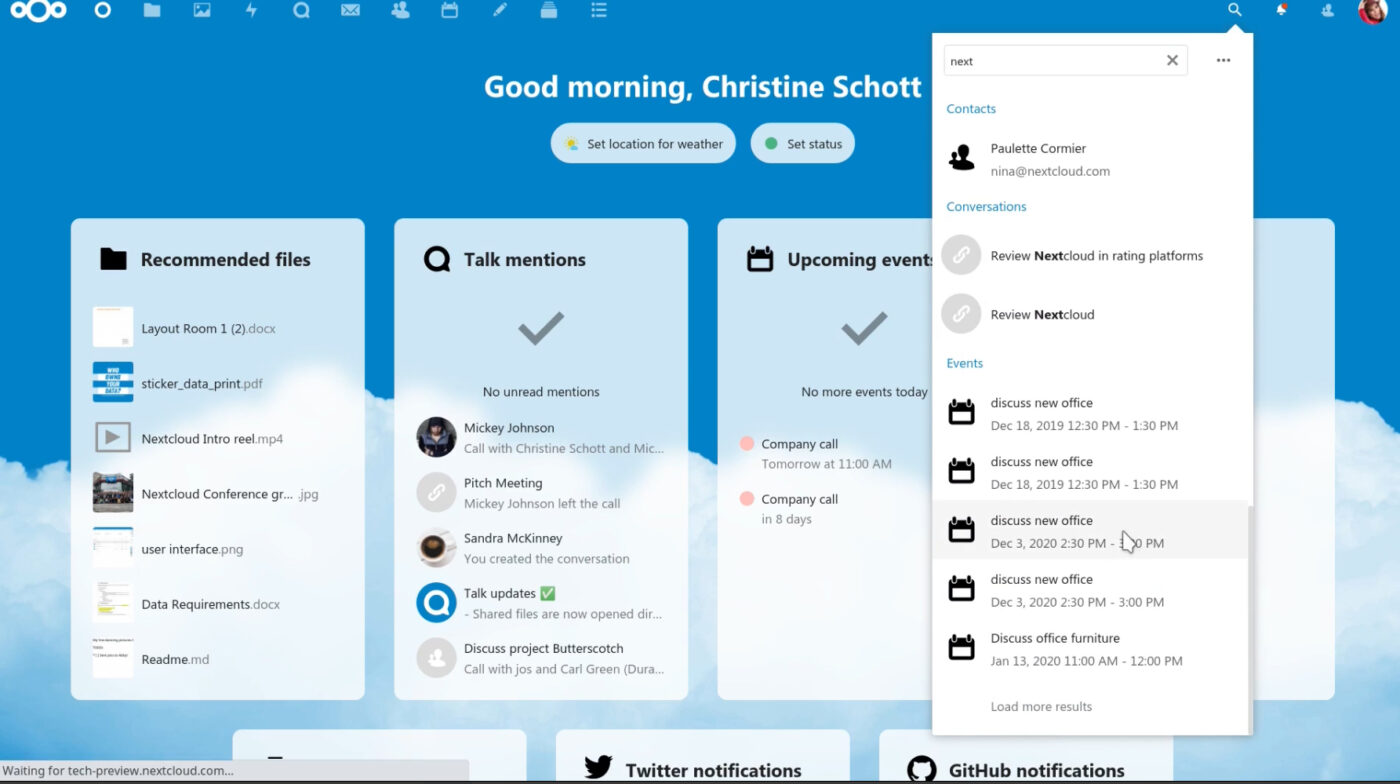
Nextcloud is an open-source platform that lets you build your private cloud for file storage, syncing, and collaboration. Unlike Proton Drive, a closed system hosted by a single provider, the platform gives you complete data ownership.
You can host it on your server or a trusted provider, making it ideal for individuals, teams, or large enterprises that care about digital sovereignty and data privacy.
What sets Nextcloud apart is its deep focus on compliance, customization, and integration. It’s HIPAA- and GDPR-ready, supports end-to-end encryption, and connects with everything from Microsoft tools to local network drives. With apps like Nextcloud Talk, Files, and Assistant, it’s built for people who want more than storage.
A user review says:
Overall, the software performs the specific task we needed it for, so have no complaints as a whole. As noted, there are a couple of “nice to have” things, though, that would make it much better.
We needed the ability to accept files (e.g., a file drop service), and this was easily accomplished with Nextcloud. It was fairly simple to set up and has worked very well.
I wish integrations like Microsoft 365 authentication were better built in. There is some support, but it’s extremely cumbersome. I had it working for a while, and then out of nowhere it just stopped. No clue what happened. I didn’t want to risk that in production, so for now, we’ve disabled that and created separate accounts. I would also like better local encryption options
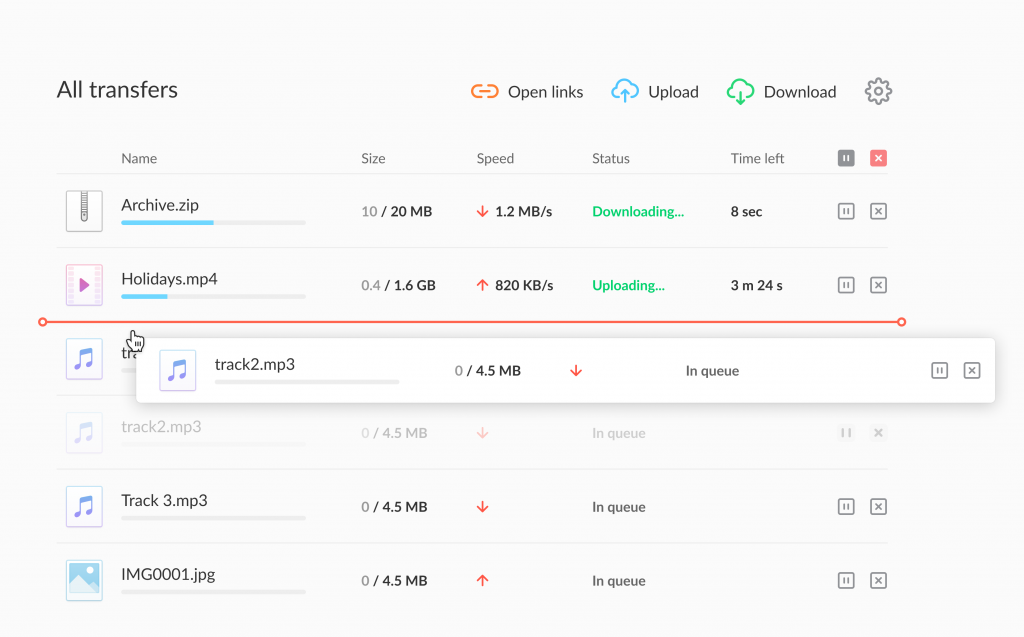
If you’re looking for a cloud storage platform that takes privacy seriously, you can trust Mega. It was launched in 2013 as the spiritual successor to the infamous Megaupload and has made a name for itself by leaning hard into end-to-end encryption.
That means your files are encrypted and decrypted only on your device, not on MEGA’s servers.
Even the platform itself can’t access your content, which is a big plus for privacy-conscious users. One standout is MEGA Pass, a built-in password manager that lets you generate, autofill, and audit strong passwords with ease.
Here’s a Capterra reviewer’s take on Mega:
Mega is extremely intuitive and easy to use. It is also a very cost effective cloud storage medium and I feel confident in its high level of security and data protection. They no longer have the ability to create a public dropzone where visitors can upload content without having to log in.
📮 ClickUp Insight: Knowledge workers spend an average of 25 messages daily searching for information, with nearly 1 in 5 employees sending over 50 messages.
That’s not collaboration, that’s chaos.
ClickUp brings everything in one centralized, searchable workspace. Tasks, comments, docs, project briefs, SOPs, it’s all there, connected, and easy to find, especially with ClickUp Brain to the rescue.
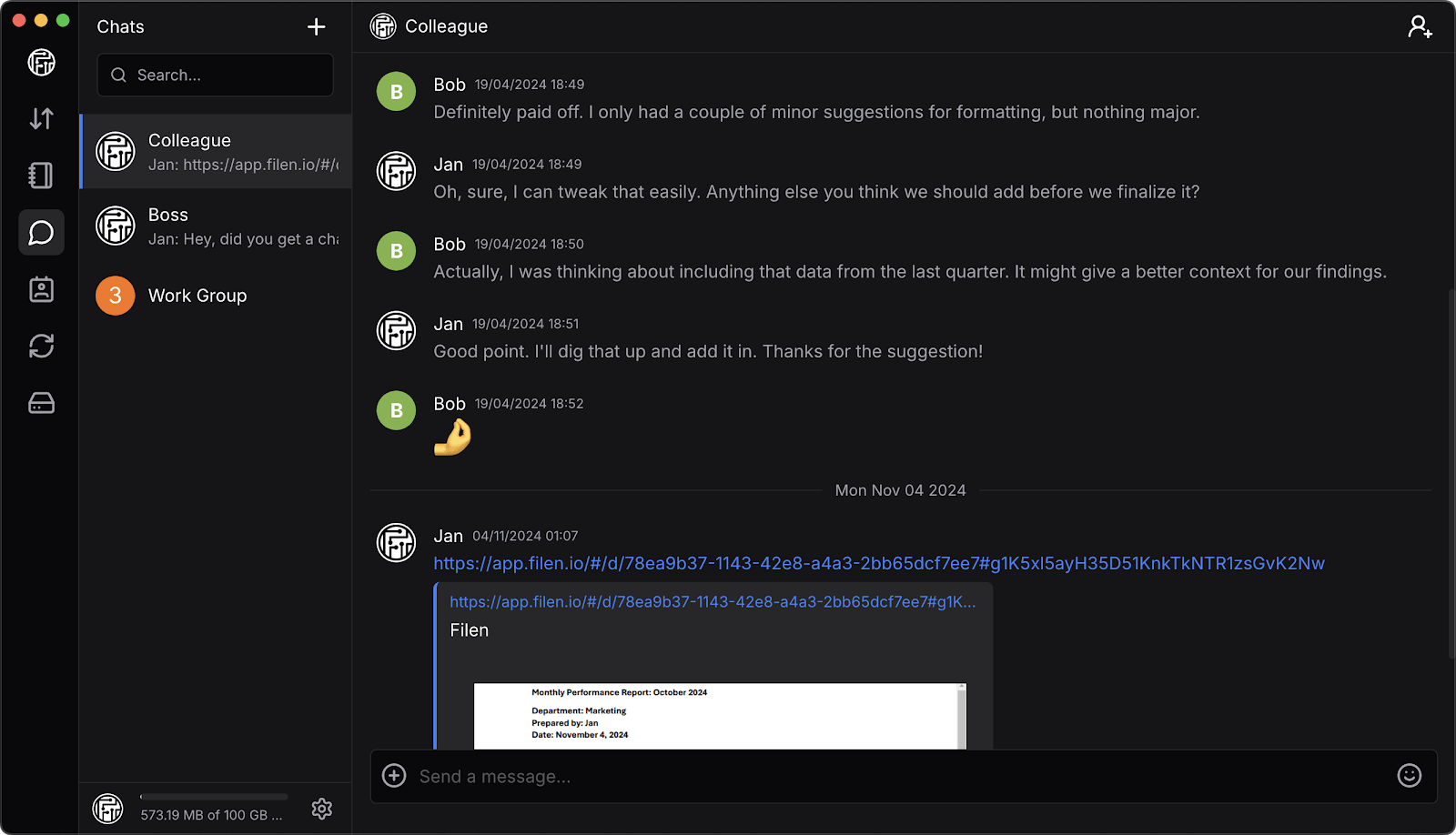
Filen is a clean, capable cloud storage solution designed for anyone who wants a smooth, secure way to manage files without unnecessary clutter. It offers client-side encryption so your data stays safe, but beyond that, it’s just an easy, efficient tool for organizing, syncing, and sharing digital content.
Plus, there are no bandwidth limits or hidden feature walls to worry about.
Built in Germany and open-source by design, Filen brings transparency and solid data handling without overcomplicating things. You can even host your own WebDAV server or run a local instance, which is great if you like having more control over your workflow.
A user review says:
I was shopping for a E2EE cloud storage that would replace by G-evil photos/drive. Tried with Nordlocker and ProtonDrive and they were extremely slow for uploading close to 300GB of pics/files. Very dissapointed how some companies throttle their upload speed leaving customers waiting and waiting for their uploads to complete. Once I read filen reviews I decided to use by testing the 10GB free account and then upgraded to Pro II (500GB) which allowed me to upload those files/pics in less than 12hr. Happy customer since last year.
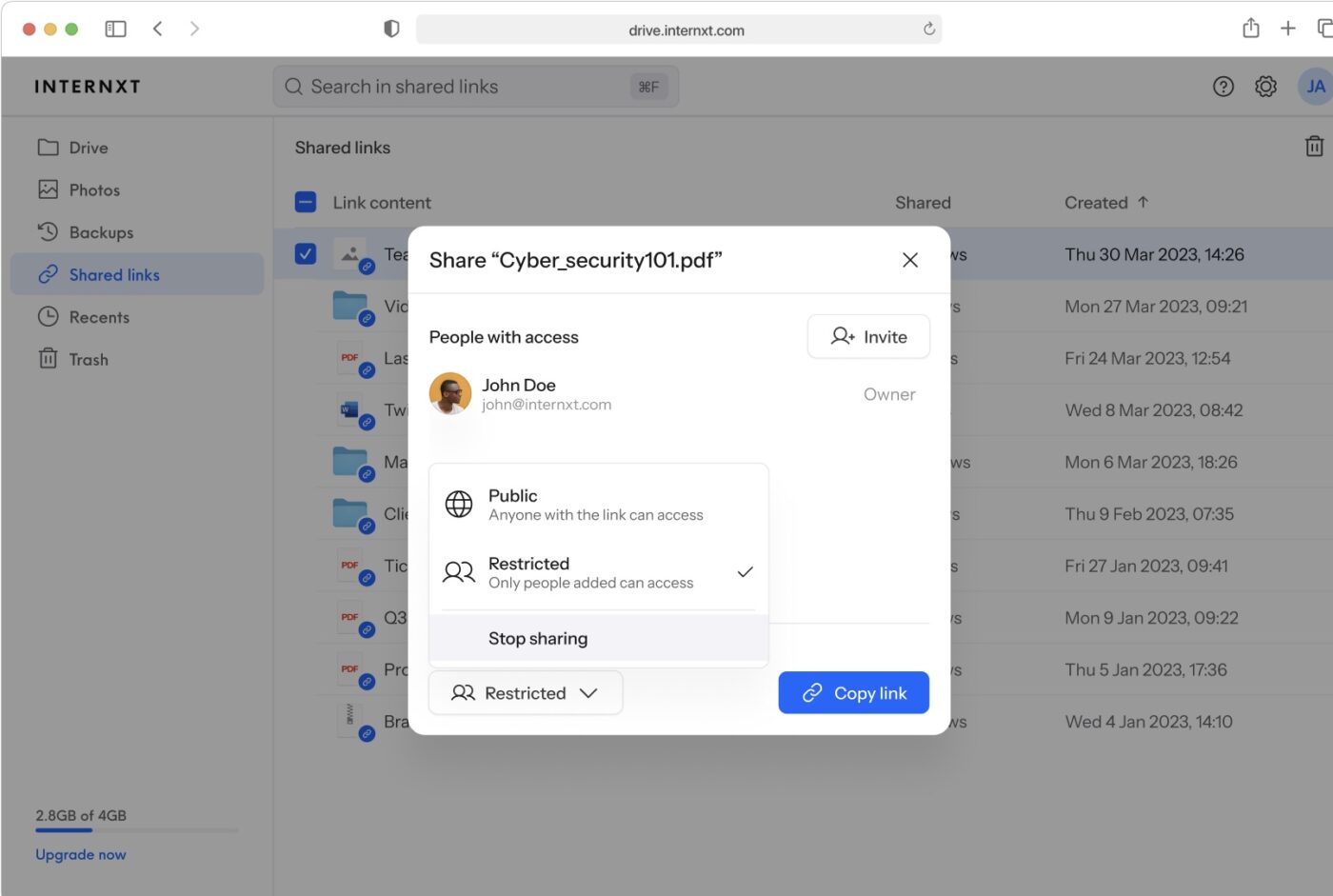
Internxt is a sleek cloud storage option that makes it easy to store, sync, and share client information across all your devices. It keeps things secure behind the scenes, but what you’ll notice most is how smooth and simple it feels to use.
The tool also offers features like cross-device access, smart backups, and a command-line interface for those who like to customize their workflow a bit more.
Let’s look at what a Capterra reviewer said about Internxt:
The affordability and the value. This software will help you protect your data. You can also keep track of the activity of the people who are accessing the files.It is pretty slow to upload. And sometimes there are errors and won’t upload at all. But then they release a new version and it works again. But even when it works, it’s slow to upload.
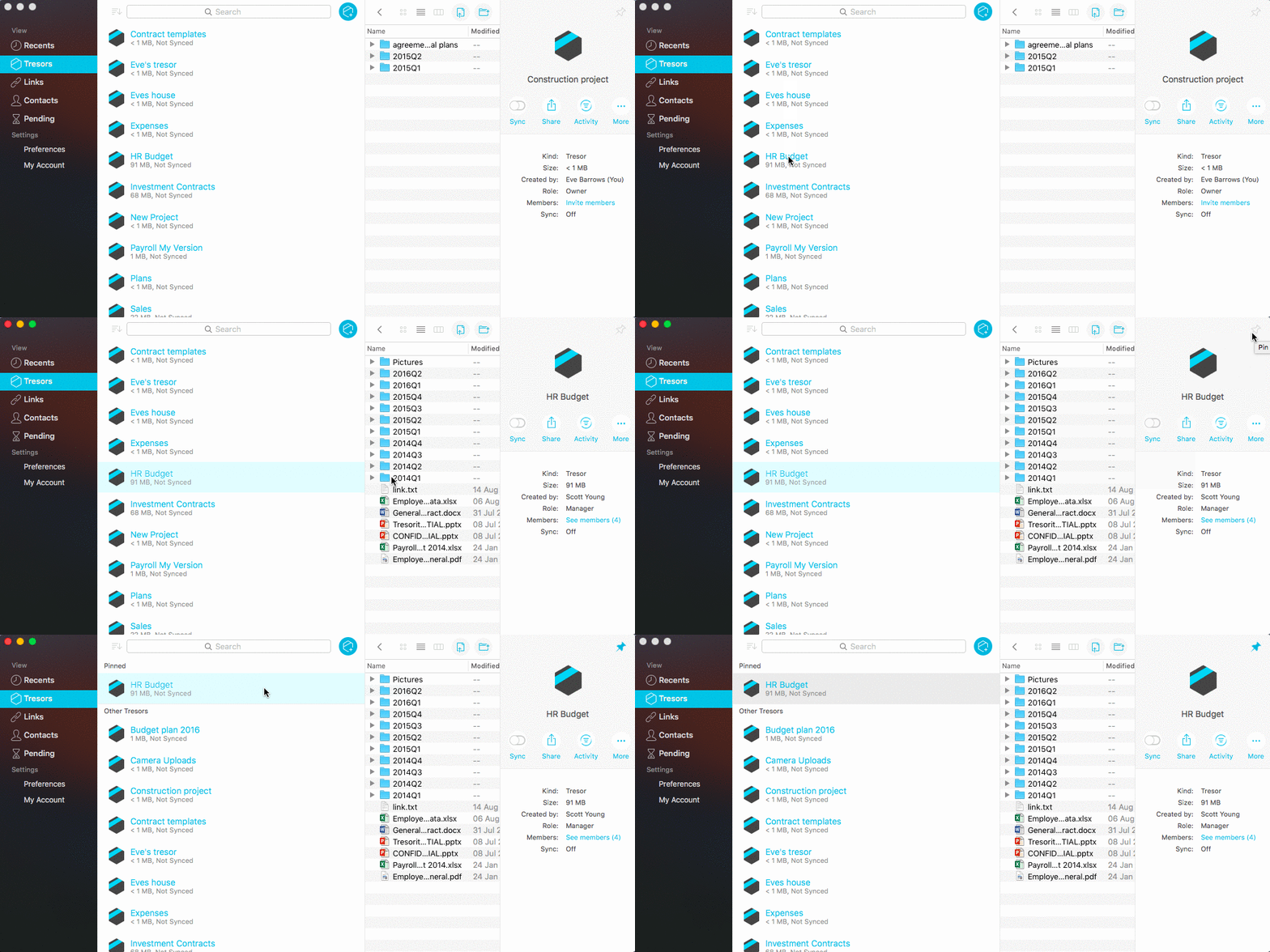
Tresorit is a secure cloud collaboration platform built for professionals who need secure file storage, sharing, and collaboration.
From sensitive contracts to confidential project data, everything is protected with encryption at rest, in transit, and on-device. Teams can work together across locations while complying with strict data protection requirements.
You control who sees what, how it’s shared, and where it’s stored, which is especially helpful if you work in a regulated industry.
A user review says:
Tresorit allows me to hold the line on confidentiality without sacrificing ease of use. I work with high-stakes professionals who expect (and deserve) discretion at every touchpoint. Tresorit makes it possible to offer a seamless, modern experience while upholding the highest ethical and privacy standards. The fact that I can share documents, request signatures, and manage secure client portals, all in one encrypted space, means I don’t have to compromise my values to stay efficient. That’s rare.
Their customer support has also been above and beyond anything I’ve experienced with other companies. I’ve never had a support team that’s as responsive, kind, and genuinely helpful. They understand what matters, and it shows in how they show up, how they communicate, and how they treat their users.
🔍 Did You Know? The knowledge management software market size is projected to reach $38.7 billion by 2030. This means it’ll grow at a compound annual growth rate (CAGR) of 12.3% during the forecast period (2024-2030).
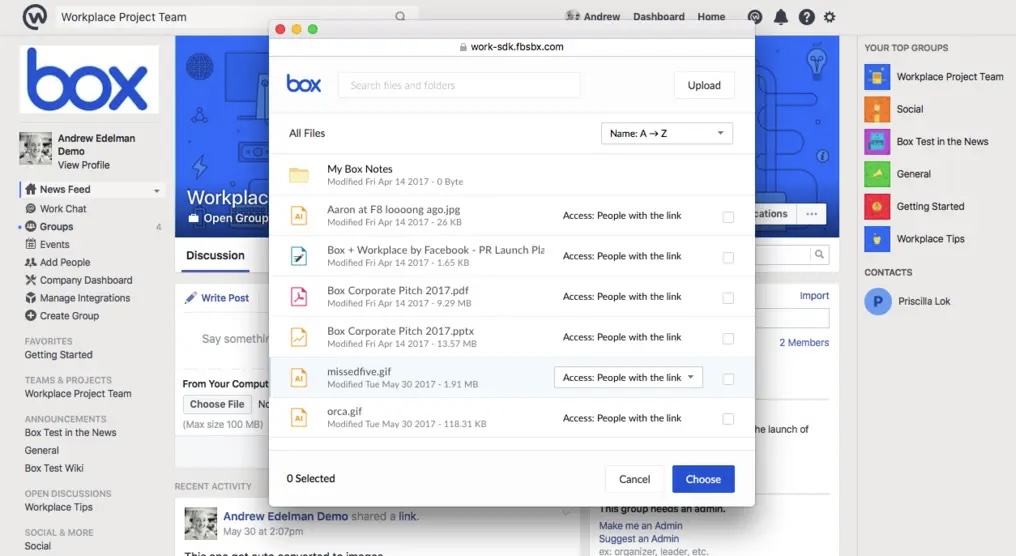
Box is an intelligent content management platform for teams with unstructured data, such as contracts, onboarding documents, research files, and sales presentations.
Its tools, like Box Shield, connected by AI, offer threat detection and smart access controls, while Box Governance ensures regulatory compliance with legal holds, retention schedules, and defensible disposition.
Plus, Box Zones allows organizations to meet data residency requirements by storing content in specific global regions, and Box KeySafe gives you control of your encryption keys.
Here’s what a G2 user said:
The cloud-based version (in Mac finder) often has bugs/struggles to sync even on secured networks
💡 Pro Tip: Set files to auto-expire with temporary access links. One-time downloads mean less risk and more peace of mind.
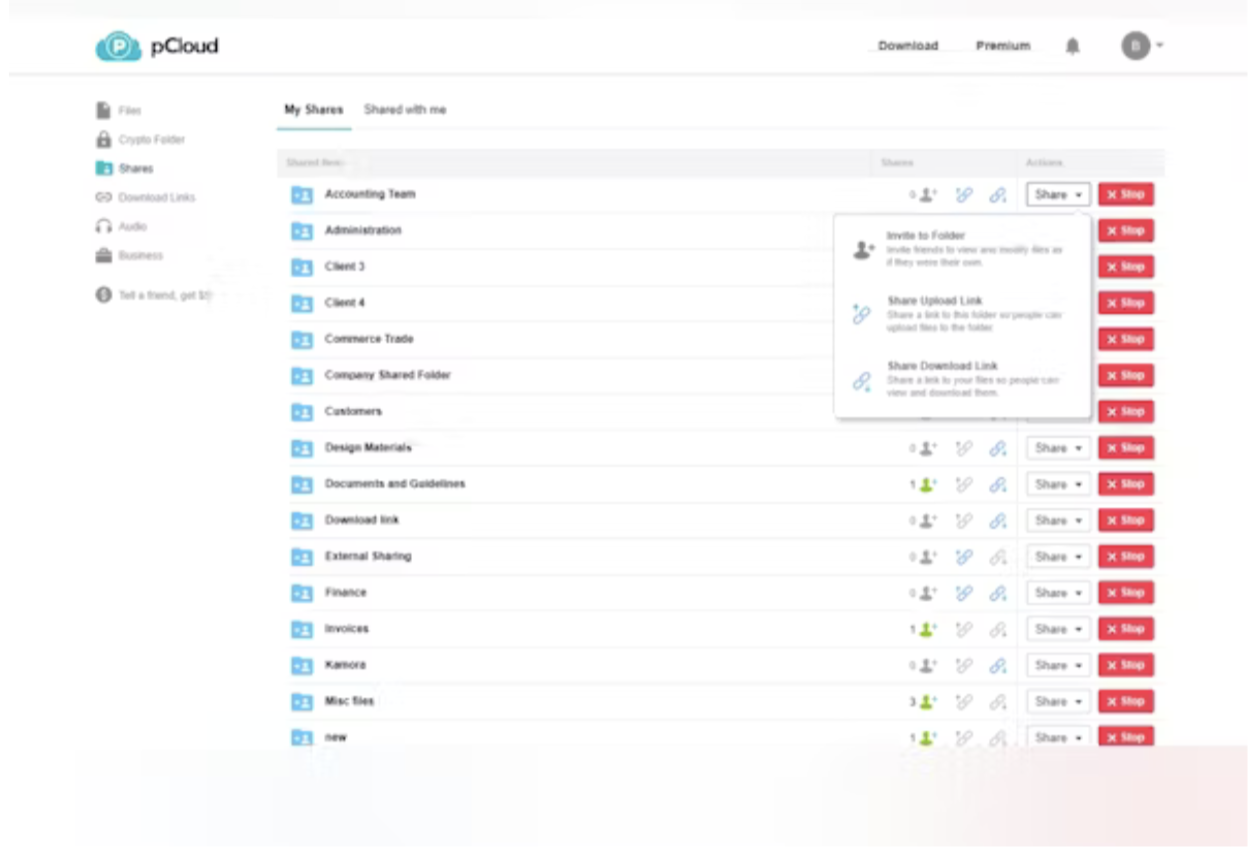
pCloud is a secure cloud content and knowledge management system built to streamline document handling, support custom business processes, and enable seamless internal and external collaboration. With native e-signatures, granular access permissions, and content governance, it creates a complete content operations hub.
The platform lets you recover previous file versions and deleted content with up to 365 days of Extended File History. You can also access a built-in media player to preview and stream audio or video files directly from your cloud storage.
A user review says:
pCloud has a lifetime subscription and pCloud Drive that saves local storage, strong security features like client-side encryption, robust file sharing and media playback capabilities, cross-platform compatibility with a user-friendly interface, file versioning and automatic backups including social media integration.
🧠 Fun Fact: The first known documents weren’t digital or even paper! Ancient Sumerians recorded medical recipes on clay tablets as early as 2400 BCE. Meanwhile, Egyptians used papyrus scrolls to treat migraines and manage mental health.
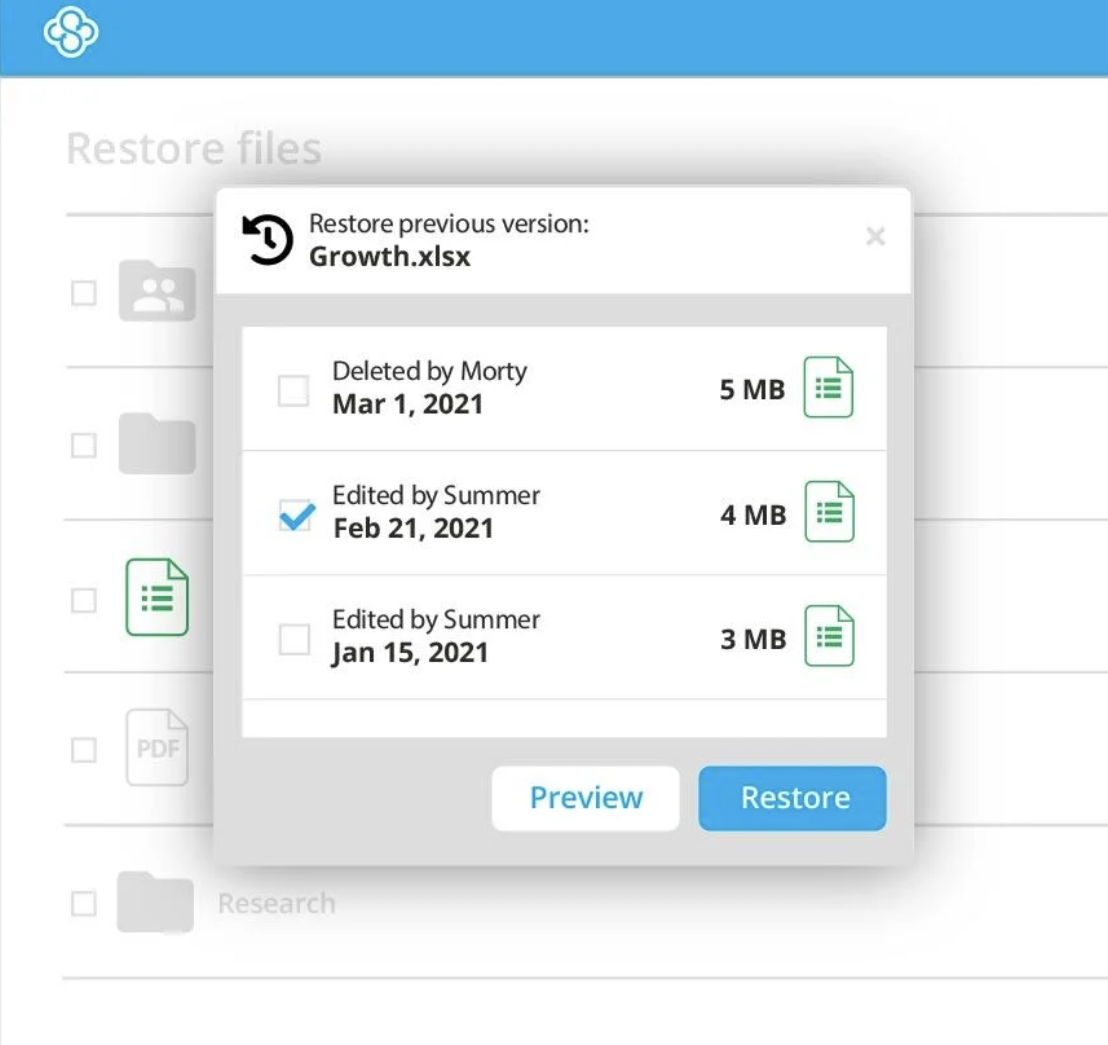
Sync is a cloud collaboration tool that centralizes file sharing across internal and external users with granular permissions, file link security, and branded client portals.
Real-time backup, file version recovery, and desktop integration ensure teams stay operational and protected, even during ransomware or accidental loss. Files can be restored instantly, rolled back to earlier versions, or archived long-term with no user-side data loss.
What’s more, it works seamlessly on desktop and mobile and integrates with platforms like Microsoft Office.
Here’s what a Capterra reviewer says:
The only significant downside I’ve run into, is that they don’t have a Linux based application (they support Windows and Mac). You can still use a web browser to access sync.com on Linux, but it’s not quite the same as a native application. Having said that, it’s still a great solution.
🤝 Friendly Reminder: Don’t just assume everyone knows how to share files safely. Host a quick security refresher every quarter—it goes a long way.
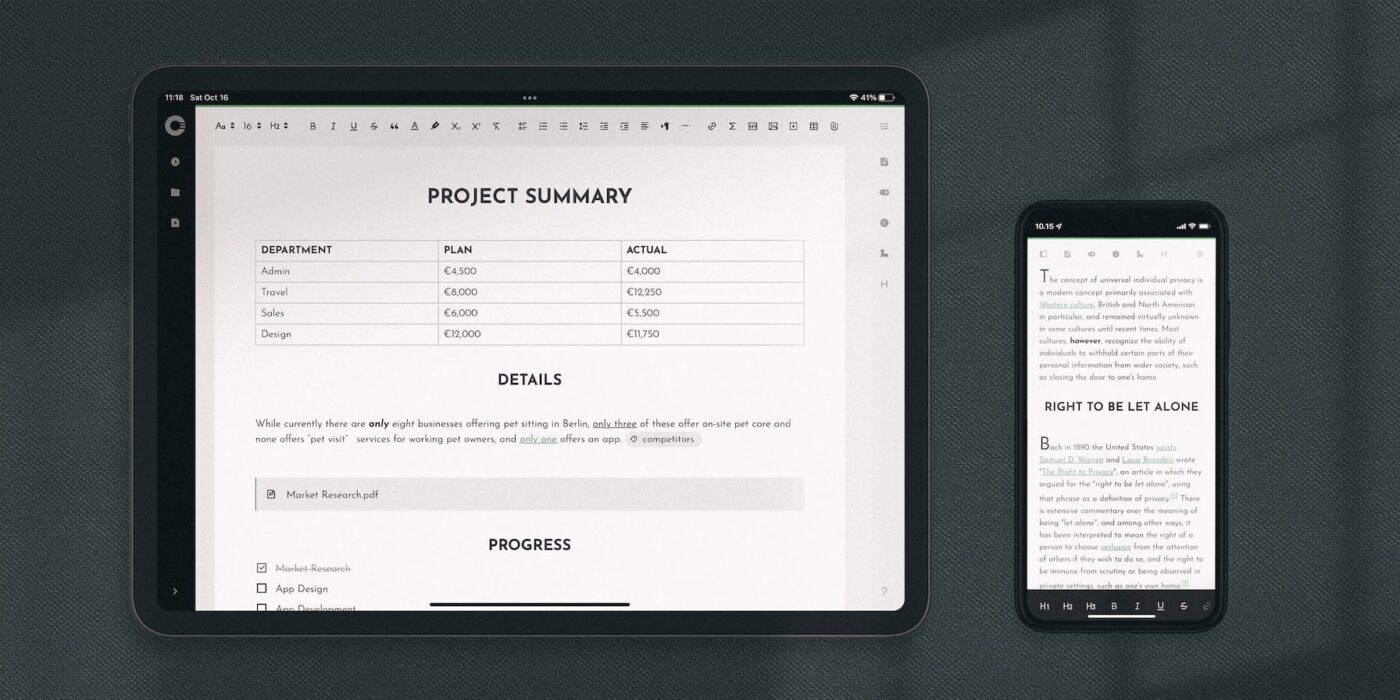
Cryptee is fully encrypted on your side, meaning only you can access your data, not Cryptee.
Its intuitive interface supports rich text editing, markdown, LaTeX, and even encrypted PDF handling, making it suitable for casual users and professionals. Plus, the platform’s open-source nature ensures transparency, allowing users to verify its security measures.
A user review says:
Cryptee is a privacy-focused, end-to-end encrypted note-taking app based in Estonia. It offers secure file storage, offline functionality, and multi-device syncing. While it’s not fully open-source and lacks global search, it’s simple to use and ideal for those who prioritize privacy and security. The app supports various file types and offers useful features like document tagging and linking. The main trade-off is that if you lose your encryption key, your files are unrecoverable.
📖 Also Read: How to Organize Google Docs
Choosing an alternative to Proton Drive often comes down to the need for more flexibility, collaboration, and control.
While each tool excels in its own area, ClickUp is a no-brainer. It stands out by eliminating siloed workflows and bringing everything—tasks, files, and communication—into one unified platform.
With ClickUp Brain, AI-powered Knowledge Management, and Connected Search, you can access and organize your information efficiently from other devices as well, all while boosting productivity.
Sign up to ClickUp for free today! ✅
Proton Drive focuses on privacy and security, offering end-to-end encryption for all files. Google Drive provides more collaboration tools, integrations, and larger free storage, but does not offer end-to-end encryption and may analyze your data for advertising or analytics. Proton Drive is ideal for privacy, while Google Drive is better for productivity and collaboration.
Proton Drive offers end-to-end encryption by default, making it a strong choice for privacy-focused users. Dropbox is known for its user-friendly interface, collaboration features, and third-party integrations, but it does not provide end-to-end encryption by default. Proton Drive is best for privacy, while Dropbox excels in collaboration and integrations.
ProtonMail is one of the most secure email services, with end-to-end encryption and strong privacy protections. Other secure alternatives include Tutanota (open-source and encrypted), Mailfence (encryption and digital signatures), and StartMail (privacy-focused, no tracking). The safest option depends on your specific needs, but ProtonMail and Tutanota are both highly regarded.
Proton Drive provides end-to-end encryption by default and is based in Switzerland, focusing on privacy and security. pCloud, also based in Switzerland, offers more features such as media playback and file sharing, and more storage options. However, full encryption in pCloud is only available as a paid add-on (pCloud Crypto), and not all files are encrypted by default.

© 2026 ClickUp

There’s an easier way. Try a free AI Agent in ClickUp that actually does the work for you—set up in minutes, save hours every week.