Project Management Software vs Excel: Which is Right for Your Team?

Sorry, there were no results found for “”
Have you ever felt like tracking tasks is just one big, scary nightmare? You’re not alone.
It’s easy to feel overwhelmed by tasks, dependencies, resources, and endless emails between team members.
And where do most of us turn? Good old Microsoft Excel.
It’s familiar, user-friendly, and ideal for organizing tasks, monitoring progress, and setting basic deadlines. However, as project complexity increases, Excel’s limitations start to surface.
The software could use some improvements in managing intricate task dependencies, effectively visualizing project timelines, and supporting real-time collaboration among team members. This would help tackle challenges and reduce errors.
So, here’s another option: Project Management Software. It’s packed with features specifically designed to address the complex challenges of project management.
The question is whether to continue with the familiar route of spreadsheets or try a specialized approach like project management software.
Let’s take a closer look before jumping to conclusions. We will dissect both tools’ features, benefits, and limitations in greater detail. If you want to switch to project management software, we’ll also outline some strategies for a smooth transition.
Let’s get right into it! 👇
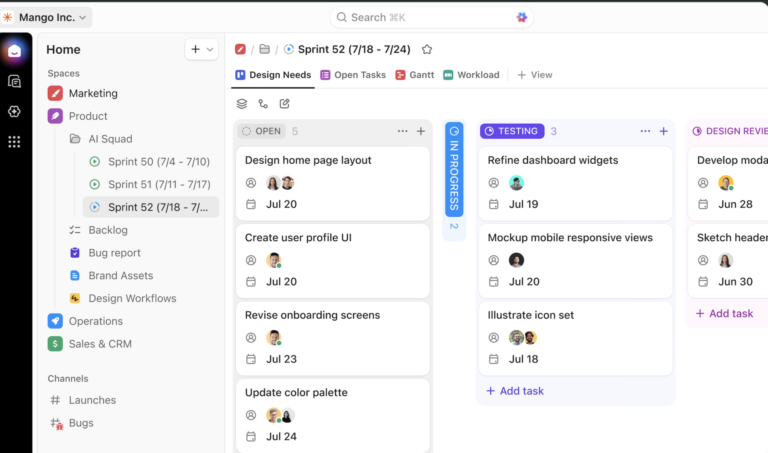
Project management software is a collaborative platform designed to streamline task planning, assignment, and tracking.
For example, you’re planning a marketing campaign. With this software, you can systematically define tasks, establish deadlines, assign tasks, and delegate responsibilities for various activities, including social media efforts, press releases, and influencer collaborations.
The software acts as a central hub for communication, ensuring that every team member is on the same page and well-informed.
This centralized approach to managing projects boosts productivity and increases transparency across the entire project, making it easier for everyone involved to stay aligned and focused on the common goals.
An Excel spreadsheet is like a digital notebook for your data. It organizes, analyzes, and stores data in tabular format. It offers various functionalities, from basic data recording to complex numerical analyses.
You can employ formulas and functions to calculate and analyze company financials, track project expenses, create budgets, and compare financial projections with actual outcomes.
Let’s explore a breakdown of the features of both tools.
Project management software streamlines your projects from conception to completion. It offers comprehensive features to improve collaboration, efficiency, and project success.
Here are the features in detail:
You can look at the list of best project management tools that top project managers use to streamline their workflows, collaborate effectively with project professionals, and ensure project success.
Excel spreadsheets are easy to learn and use for those comfortable with Excel. Its flexibility lets you customize as much as possible to fit specific project needs. Take a look at the breakdown of its features:
While you can use either project management software or Excel project spreadsheets to manage projects, they offer vastly different functionalities in analytics, dashboards, usability, and automation.
| Feature | Project Management Software | Excel Spreadsheets |
| Analytics | Provides comprehensive analytics and integrates with other tools, tracking metrics like task completion, resource allocation, and budget adherence for informed decisions | Offers basic analytics reliant on manual input, leading to time-consuming and potentially inaccurate data analysis |
| Dashboards | Features customizable dashboards showing real-time project metrics and KPIs for immediate insights and proactive decision-making | Requires manual dashboard creation and updating with limited customization, hindering real-time project monitoring |
| Usability | Tailored for project management with easy-to-use interfaces and cloud-based access, enhancing team collaboration | Created for general purpose and not specifically designed for project management, becoming unwieldy with scale and offering limited collaboration options |
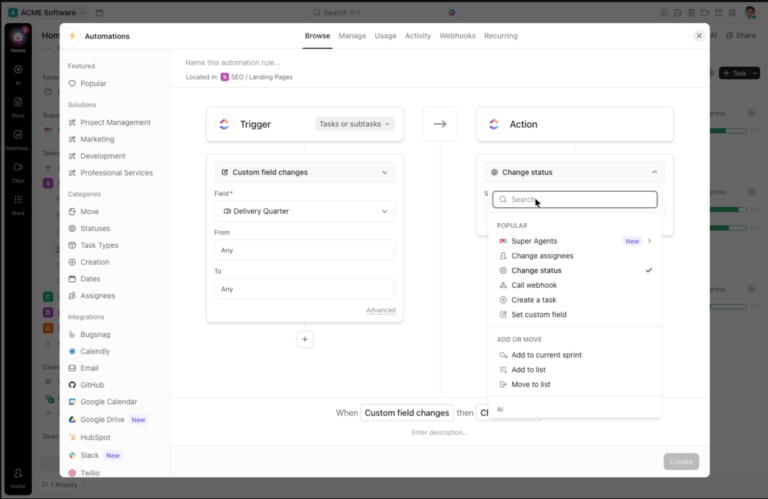
| Automation | Automates workflows, notifications, and task dependencies, reducing manual effort and focusing on strategic tasks | Provides basic, error-prone automation capabilities through macros and VBA, requiring advanced technical knowledge |
Check some of the key benefits of using an Excel spreadsheet:
Excel Spreadsheets have some limitations that can hinder their effectiveness for complex projects.
Let’s look at the benefits of project management software, which has various functionalities that simplify your complex project management workload:
While project management software offers a robust suite of tools, it has its drawbacks. Here’s a look at some limitations to consider:
Switching from Excel to project management software elevates your project handling from complex to streamlined, boosting team efficiency and clarity.
Here’s why you need to make this switch now:

As you transition from Excel spreadsheets to project management software, collaboration tools are crucial in bridging the gap and ensuring a smooth handover. Here’s how they contribute to a smoother shift and enhance team dynamics:
Transitioning from the familiar Excel spreadsheets to a feature-rich project management software can be daunting. However, the right approach will simplify the learning curve and activate the software’s full potential. Here are some strategies to make the climb smoother:
Don’t overwhelm your team by implementing the software for all projects immediately. Choose a small, well-defined project to pilot the software.
This lets your team learn the ropes in a low-pressure environment and identify any initial challenges.
Once your team is comfortable with the pilot project, gradually roll out the software to other projects. This phased approach allows your team to build confidence while incorporating the new tool into their workflow.
Many project management software vendors offer training resources, including video tutorials, user guides, and live webinars. Use these resources to familiarize your team with the software’s functionalities.
Identify team members who grasp the software quickly and designate them as internal champions. These champions can provide peer-to-peer support and answer basic questions for colleagues, reducing reliance on external resources.
Develop a central knowledge base with FAQs, how-to guides, and troubleshooting tips for your chosen software. This readily available resource empowers team members to find answers independently.
Encourage open communication about challenges or frustrations your team encounters while learning the software. Address concerns promptly and provide additional support as needed.
Recognize that there will be a learning curve. Be flexible and allow adjustments as your team gets comfortable with the software. Don’t be afraid to iterate on workflows and processes to optimize efficiency.
Acknowledge and celebrate successes as your team masters new features. Positive reinforcement motivates continued engagement and reinforces the value of the new tool.
Specialized project management software is a powerful Excel alternative for building project schedules.
Here’s a breakdown of how to build a project schedule:
Start by laying out your project’s main objectives, what you aim to deliver, and key milestones. This will set a clear direction and help everyone grasp what they’re working towards.
Use the Work Breakdown Structure (WBS) feature to split your big project into smaller, more manageable tasks. This makes it easier to figure out how much time we’ll need and who will do what
Assign realistic timeframes to each task within the software. Consider team member skills, resource availability, and potential dependencies between tasks.
Use the software’s dependency management features to define relationships between tasks. This clarifies the order in which tasks can be completed and avoids scheduling conflicts. For instance, designing a logo might depend on finalizing the brand name.
You can visualize your project timeline with Gantt charts or Kanban board features. These tools offer a clear overview of task durations, dependencies, and the project timeline.

Assign team members to specific tasks within the software to ensure clear ownership and accountability. The software also allows you to monitor workload distribution and potential resource bottlenecks.
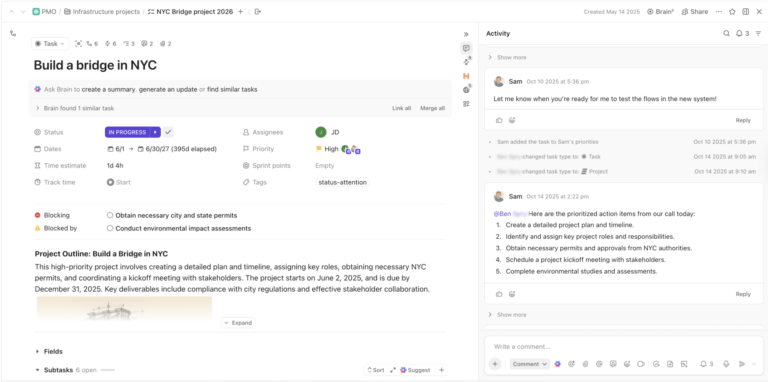
Project management software facilitates real-time collaboration. Team members can discuss tasks, update progress, and report issues directly within the software.
Finding a platform that seamlessly integrates project management and spreadsheet functionalities changes the game for your team.

With ClickUp’s Project Management Software, you can access a comprehensive suite of tools, eliminating the hassle of using multiple applications.
This integrated platform offers:
ClickUp can also help you with project management spreadsheet features that will wean you away from Excel and adopt enhanced project tracking and reporting capabilities and customizable views for data analysis.
Integrating spreadsheet functions directly into your project management workflows allows for a more dynamic and integrated approach to managing projects and data.
ClickUp’s Table View caters to spreadsheet enthusiasts like you within the project management framework, offering:
Are you thinking about switching to a different program for your complex projects? You’re in good company. Excel is fantastic for the basics, but you might need something more sophisticated when your projects get more complicated.
That’s where ClickUp steps in.
With ClickUp, it’s not just about managing tasks; it’s about creating a space where your team can collaborate effortlessly, access data in a snap, and dive into analytics that make sense. For those projects that need a bit more than a spreadsheet, ClickUp is your go-to.
Sign up on ClickUp today to turn your ambitious project goals into your team’s next big wins.
Specialized project management software keeps everyone on the same page with real-time updates. Clear visualizations and powerful analytics help you identify issues and make data-driven decisions. Unlike Excel’s limitations, project management tools are built to keep large-scale projects together and secure.
No, Microsoft Excel is not a traditional project management software. While it can be used for basic project tasks like creating to-do lists and setting deadlines, it needs the key functionalities explicitly designed for managing complex projects effectively.
Excel is excellent for solo work or simple projects, but complex tasks require more muscle. Project management software offers seamless collaboration, clear data views, and advanced analytics. These tools keep teams informed, organized, and focused on success.
© 2025 ClickUp