






Still downloading templates?
There’s an easier way. Try a free AI Agent in ClickUp that actually does the work for you—set up in minutes, save hours every week.
Sorry, there were no results found for “”
Sorry, there were no results found for “”
Sorry, there were no results found for “”
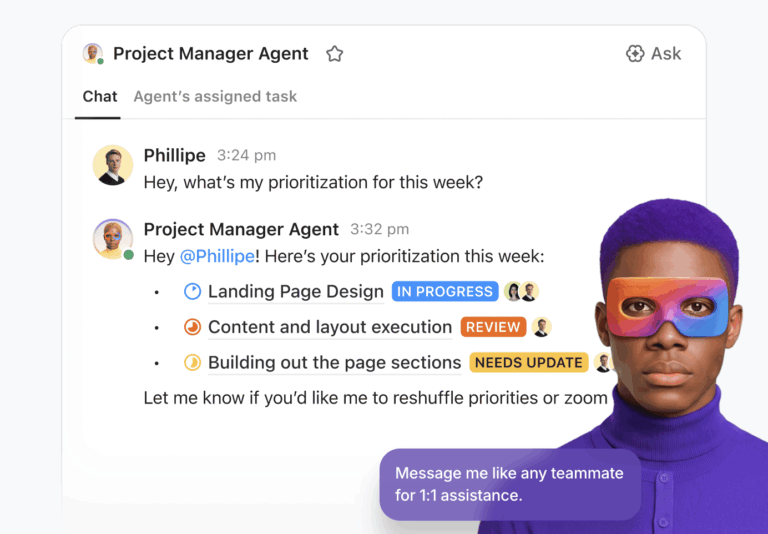
If 2024 was the year everyone got obsessed with AI chatbots, this is the era of AI agents. AI agents are having a big moment, especially the kind that don’t just answer questions, but actually take work off your plate.
🦾 51% of respondents in the LangChain State of AI Agents survey (2025) say their company already has AI agents in production.
It has its flipside. A lot of developers build agents like they’re just chatbots… with extra API calls. And that’s how you end up with something that sounds impressive in a demo, then falls apart the moment you ask it to handle real tasks.
A real Claude AI agent is built differently. It can act independently, just like a human teammate, without you micromanaging every step.
In this guide, we’ll break down the architecture, tooling, and integration patterns you need to build agents that actually hold up in production.
An AI agent is autonomous software that perceives its environment, makes decisions, and takes actions to achieve specific goals—without needing constant human input.
AI agents are often mistaken for chatbots, but they offer much more advanced capabilities.
While a chatbot answers a single question and then waits, an agent takes your goal, breaks it down into steps, and works continuously until the job is done.
The difference comes down to characteristics such as:
Here’s a head-to-head comparison between agents and chatbots:
| Dimension | AI chatbot | AI agent |
|---|---|---|
| Primary role | Answers questions and provides information | Executes tasks and drives outcomes |
| Workflow style | One prompt → one response | Multi-step plan → actions → progress checks |
| Ownership of “next step” | The user decides what to do next | The agent decides what to do next |
| Task complexity | Best for simple, linear requests | Handles complex, messy, multi-part work |
| Use of tools | Limited or manual tool handoffs | Uses tools automatically as part of the job |
| Context handling | Mostly the current conversation | Pulls context from multiple sources (apps, files, memory) |
| Continuity over time | Short-lived sessions | Persistent work across steps/sessions (when designed) |
| Error handling | Stops or apologizes | Retries, adapts, or escalates when something fails |
| Output type | Suggestions, explanations, drafts | Actions + artifacts (tickets, updates, reports, code changes) |
| Feedback loop | Minimal—waits for user input | Self-checks results and iterates until done |
| Best use cases | FAQ, brainstorming, rewriting, quick help | Triage, automation, workflow execution, ongoing operations |
| Success metric | “Did it answer correctly?” | “Did it complete the objective reliably?” |
📮 ClickUp Insight: 24% of workers say repetitive tasks prevent them from doing more meaningful work, and another 24% feel their skills are underutilized. That’s nearly half the workforce feeling creatively blocked and undervalued. 💔
ClickUp helps shift the focus back to high-impact work with easy-to-set-up AI agents, automating recurring tasks based on triggers. For example, when a task is marked as complete, ClickUp’s AI Agent can automatically assign the next step, send reminders, or update project statuses, freeing you from manual follow-ups.
💫 Real Results: STANLEY Security reduced time spent building reports by 50% or more with ClickUp’s customizable reporting tools—freeing their teams to focus less on formatting and more on forecasting.
Choosing the right large language model (LLM) for your agent can feel overwhelming. You bounce between providers, stack tools on tools, and still end up with inconsistent results—because the model that’s great at sounding smart isn’t always great at following instructions or using tools reliably.
So, why is Claude a strong fit for these kinds of agentic tasks? It handles long context well, is good at following complex instructions, and reliably uses tools so your agents can reason through multi-step problems rather than abandoning ship halfway.
And with Anthropic’s Agent SDK, building capable agents is way more approachable than it used to be.
🧠 Fun Fact: Anthropic actually renamed the Claude Code SDK to the Claude Agent SDK because the same “agent harness” behind Claude Code ended up powering way more than coding workflows.
Here’s why Claude stands out for agent development:
It’s tempting to jump straight into building and “see what Claude can do.” But if you skip the basics, your agent might lack the context to complete tasks and fail in frustrating ways.
Before you write your first line of code, you need to know the blueprint for every effective Claude agent.
No, it’s not as complex as it sounds. In fact, most reliable Claude agents come down to just three core building blocks working together: prompt/purpose, memory, and tools.
Think of the system prompt as your agent’s “operating manual.” It’s where you define its personality, goals, behavioral rules, and constraints. A vague prompt like “be a helpful assistant” makes your agent unpredictable. It might write a poem when you need it to analyze data.
A strong system prompt usually covers:
As with any AI system, the golden rule remains simple: The more specific you are, the better your agent will perform.
An agent with no memory is just a chatbot, forced to start from scratch with every interaction. This defeats the entire purpose of automation, as you find yourself re-explaining the project context in every single message. To work autonomously, agents need a way to retain context across steps and even across sessions.
There are two main types of memory to consider:
💡 Pro Tip: You can give your agent full context to make the right decision by keeping all your project information—tasks, docs, feedback, and conversations—in one place with a connected workspace like ClickUp.
An agent without tools can explain what to do. An agent with tools can actually do it.
Tools are the external capabilities you allow your agent to use, such as calling an API, executing code, searching the web, or triggering a workflow.
Claude uses a capability called function calling to intelligently select and execute the right tool for the task at hand. You simply define the tools available to it, and Claude figures out when and how to use them.
Common tool categories include:
If you’ve ever created a script that either stops after one step or gets stuck in an infinite, costly cycle, the problem lies in the agent loop design.
The agent loop is the core execution pattern that truly separates autonomous agents from simple chatbots. In simple terms, Claude agents operate in a continuous “gather-act-verify” cycle until they either achieve their goal or hit a pre-defined stopping condition.
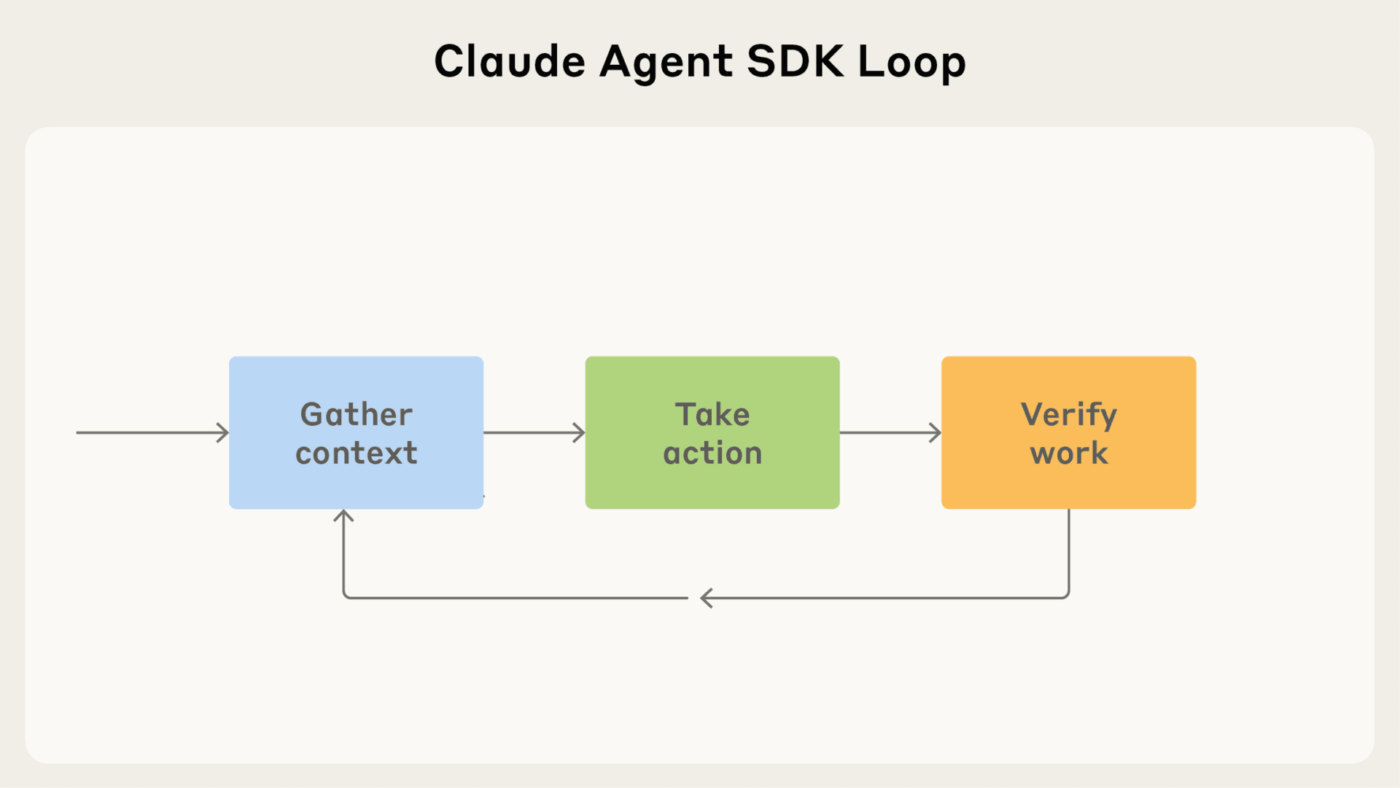
Here’s how it works:
Before your agent does anything, it needs to get its bearings.
In this phase, it pulls in the context it needs to make a good decision—like your latest message, the output of a tool it just ran, relevant memory, or files and docs it has access to.
This helps it understand the environment it’s working in, and tailor the output accordingly.
🤝 Friendly Reminder: When information lives across Slack threads, docs, and task tools, your agent has to waste a lot of time hunting it down (or worse, guessing). This is why Work Sprawl can be a productivity killer not just for your human team (wiping out $2.5B a year worldwide) but also your agents!
📮 ClickUp Insight: The average professional spends 30+ minutes a day searching for work-related information—that’s over 120 hours a year lost to digging through emails, Slack threads, and scattered files. An intelligent AI assistant embedded in your workspace can change that. Enter ClickUp Brain. It delivers instant insights and answers by surfacing the right documents, conversations, and task details in seconds—so you can stop searching and start working.
💫 Real Results: Teams like QubicaAMF reclaimed 5+ hours weekly using ClickUp—that’s over 250 hours annually per person—by eliminating outdated knowledge management processes. Imagine what your team could create with an extra week of productivity every quarter!
Once your Claude agent has the right context, it can actually do something with it.
This is where it “thinks” by reasoning about the available information, selects the most appropriate tool for the job, and then executes the action.
The quality of this action depends directly on the quality of the context that the agent gathered in the previous step. If it’s missing critical info or working off outdated data, you’ll get unreliable results.
💡 Pro Tip: Connecting your agent to where work happens—like ClickUp via Automations + API endpoints—makes a huge difference. It gives your agent real action paths, not just suggestions.
After the agent takes an action, it needs to confirm that it worked.
The agent might check for a successful API response code, validate that its output matches the required format, or run tests on the code it just generated.
The loop then repeats, with the agent gathering new context based on the result of its last action. This cycle continues until the verification step confirms the goal has been met or the agent determines it cannot proceed.
What does this look like in practice?
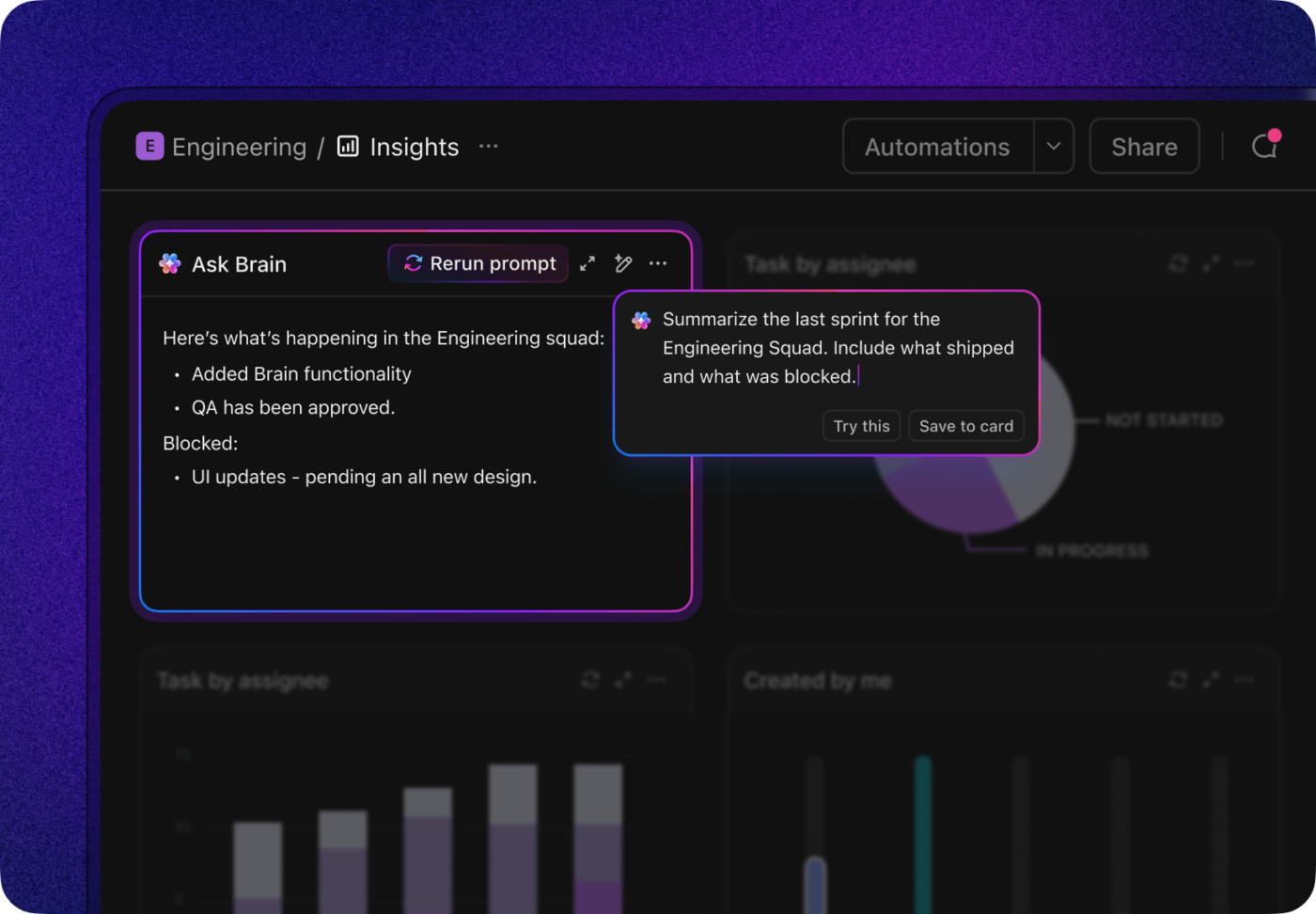
If your agent is connected to your ClickUp workspace, it can easily check if ClickUp Tasks are marked “Done,” review comments for feedback, or monitor metrics on a ClickUp Dashboards.
Let’s now look at the actual step-by-step process of building your Claude agent:
Getting your dev environment set up is way more painful than it should be—and it’s honestly where a lot of “I’ll build an agent this weekend” plans go to die.
You can end up wasting a full day fighting with dependencies and API keys instead of actually building your agent. To skip the setup spiral and get to the fun part faster, here’s a simple, step-by-step setup process to follow. 🛠️
You’ll need:
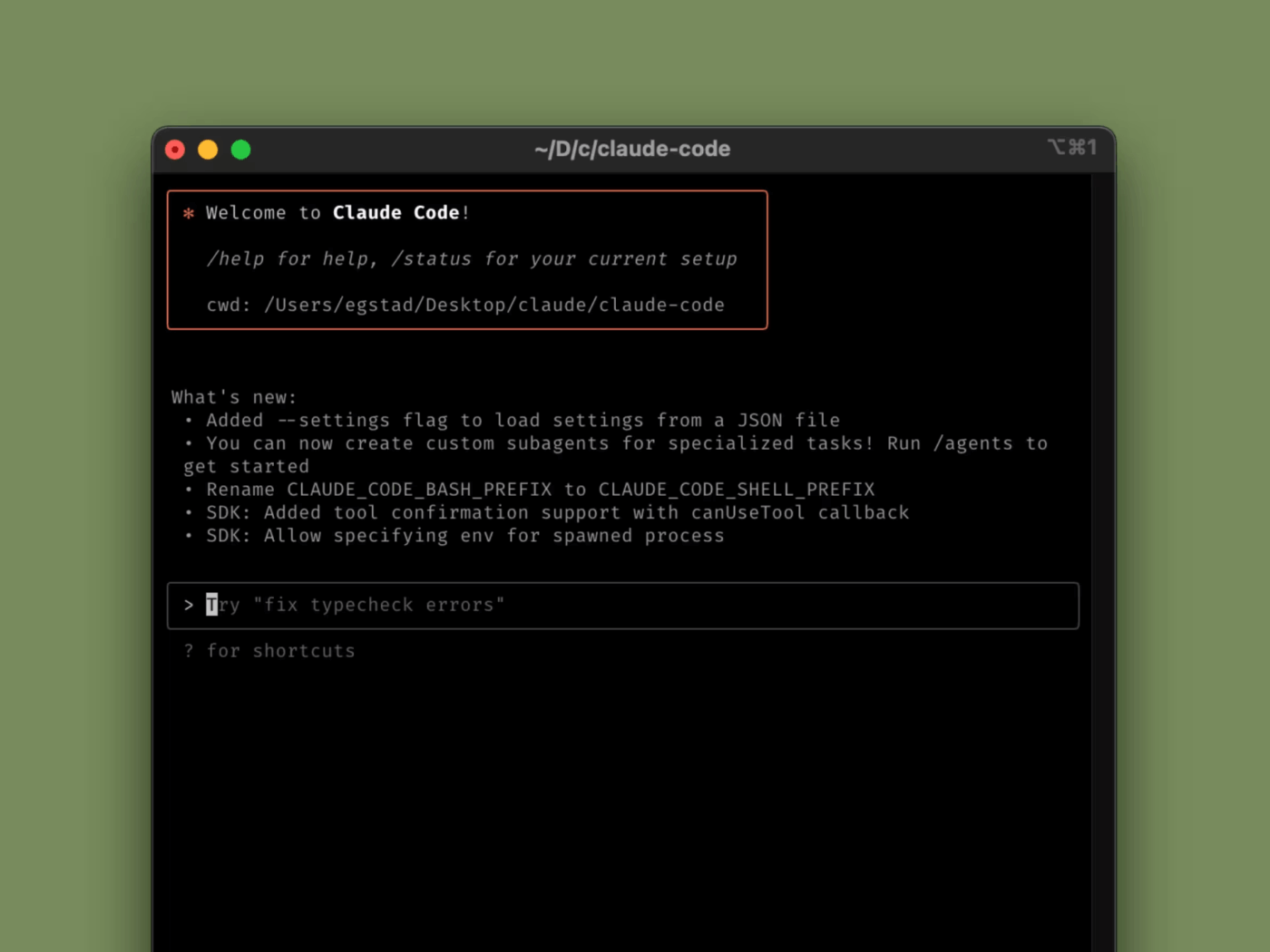
With the prerequisites ready, follow these installation steps:
pip install anthropic)We’ve said this before. We’ll say it again: Generic system prompts create generic, useless agents. If you tell your agent to be a “project manager“, it won’t know the difference between a high-priority bug and a low-priority feature request.
This is why you must start with a single, focused use case and write a highly specific system prompt that leaves no room for ambiguity.
A great prompt acts as a detailed instruction manual for your agent. Use this framework to structure it:
report_bug tool to create a new ticket.”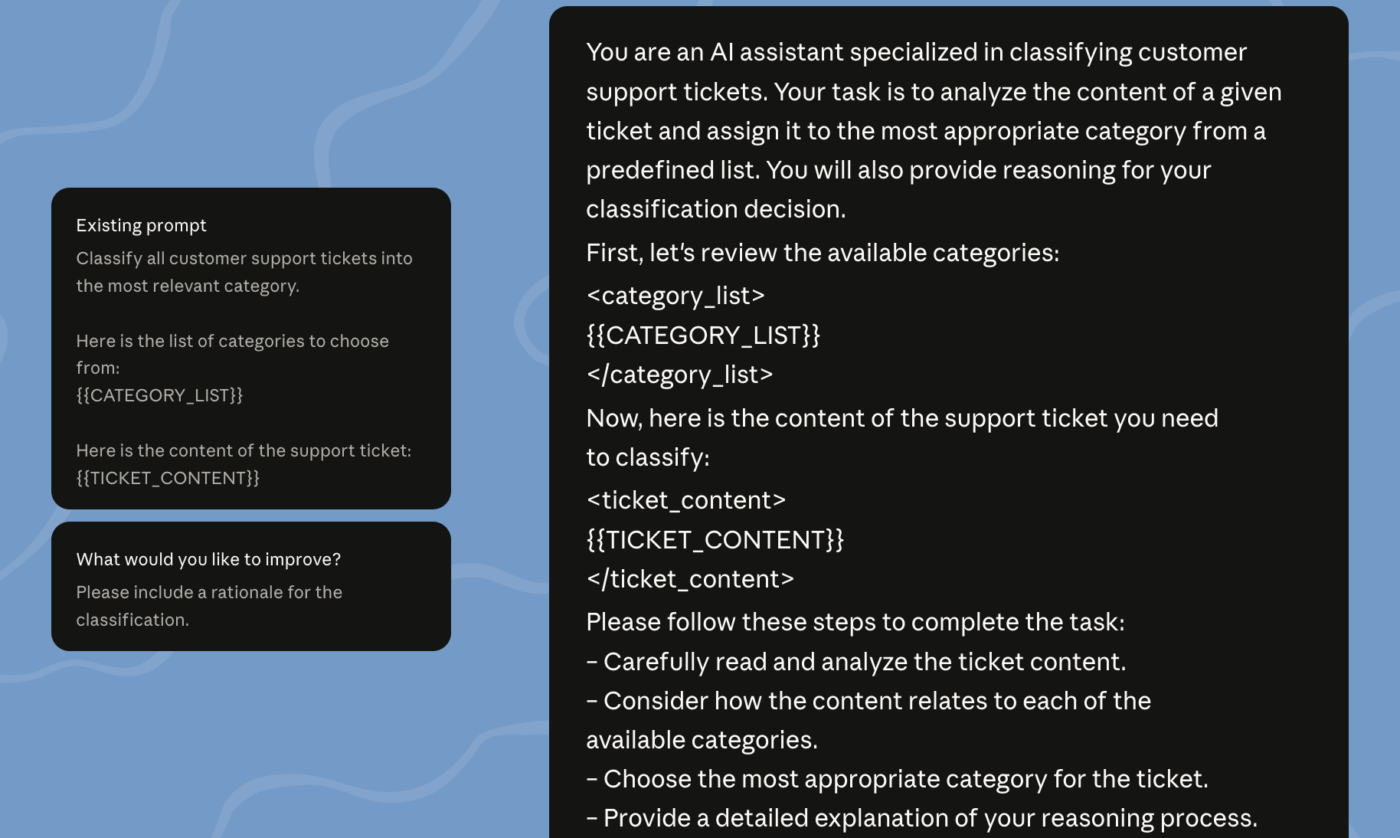
Okay, let’s make your agent truly useful, now. To do this, you need to give it the ability to perform actions in the real world. Start by defining tools—external functions the agent can call—and integrating them into your agent’s logic. The process involves defining each tool with a name, a clear description of what it does, the parameters it accepts, and the code that executes its logic.
Common integration patterns for agents include:
Untested agents are a liability.
Like… imagine you ship a Slack triage agent that’s supposed to create a ClickUp Task when a customer reports a bug. Seems harmless—until it misreads one message and suddenly:
That’s why testing isn’t optional for agents.
To avoid these issues, you need to build your gather → act → verify loop properly, then test it end-to-end—so the agent can take action, confirm it worked, and stop when it’s done (instead of spiraling).
💡 Pro Tip: Start with simple test cases before moving on to more complex scenarios. Your testing strategy should include:
Implementing comprehensive logging is also essential. By logging the agent’s reasoning process, tool calls, and verification results at each step of the loop, you create a clear audit trail that makes debugging much easier.
One agent can absolutely handle the basics—but once the work gets messy (multiple inputs, stakeholders, edge cases), it starts to crack.
It’s like asking one person to research, write, QA, and ship everything solo. When you’re ready to scale your agent’s capabilities, you need to move beyond a single-agent system and consider more advanced architectures.
Here are a few patterns to explore:
📚 Also Read: Types of AI Agents
Before you get all excited to have a working agent, remember: building an agent is just the first step. Without proper maintenance, monitoring, and iteration, even the most well-designed agent will degrade over time. The agent you built last quarter might start making mistakes today because the data or APIs it relies on have changed.
To keep your Claude agents effective and reliable, follow these best practices:
The hardest part of building an AI agent isn’t getting it to generate good output. It’s getting that output to actually turn into work.
Because if your agent creates a great project plan… and someone still has to copy/paste it into your PM tool, assign owners, update statuses, and follow up manually—you didn’t automate anything. You just added a new step.
The fix is simple: use ClickUp as your action layer, so your agent can move from “ideas” to “execution” inside the same workspace where your team already works.
And with ClickUp Brain, you get a native AI layer designed to connect knowledge across tasks, docs, and people—so your agent isn’t operating blind.
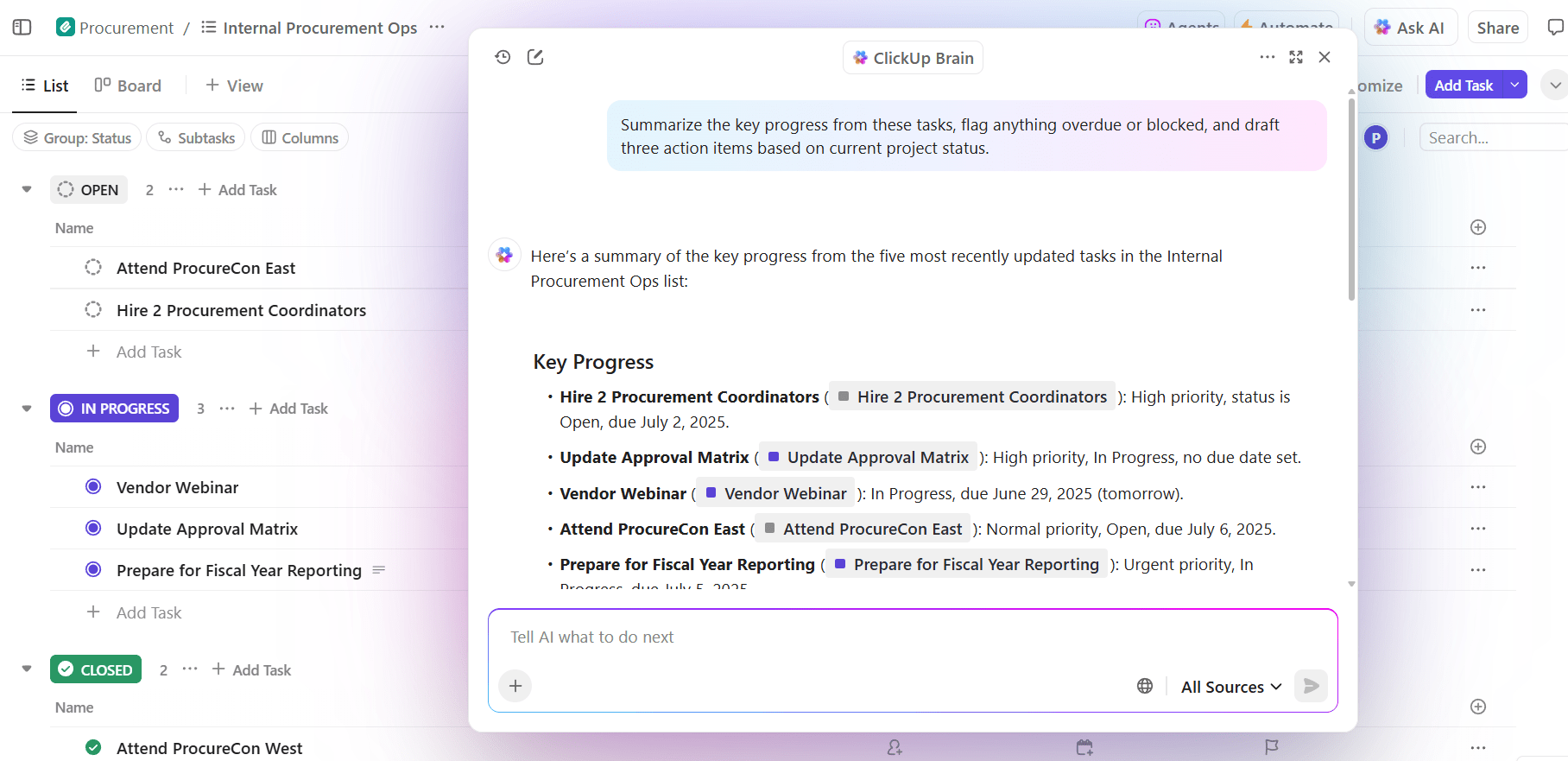
You’ve got a few solid options depending on how hands-on you want to be:
Once connected, your agent can perform real work:
This approach eliminates AI Sprawl and context fragmentation. Instead of managing separate connections for tasks, documentation, and communication, your agent gets unified access through a single Converged AI Workspace. Your teams no longer need to manually transfer agent outputs into their work systems; the agent is already working there.
👀 Did You Know? According to ClickUp’s AI Sprawl survey, 46.5% of workers are forced to bounce between two or more AI tools to complete a task. At the same time, 79.3% of workers report that AI prompting effort feels disproportionately high compared to output value.
If building an AI agent with Claude seems technical and a tiny bit complex, it’s because it can be tough for non-coders to get all the details right.
That’s why ClickUp Super Agents feel like such a cheat code.
They’re personalized AI teammates that understand your work, use powerful tools, and collaborate like humans—all inside your ClickUp workspace.
Even better: you don’t need to engineer everything from scratch. ClickUp lets you create a Super Agent using a natural-language builder (aka Super Agent Studio), so you can describe what you want it to do (in plain English) and refine it as you go.
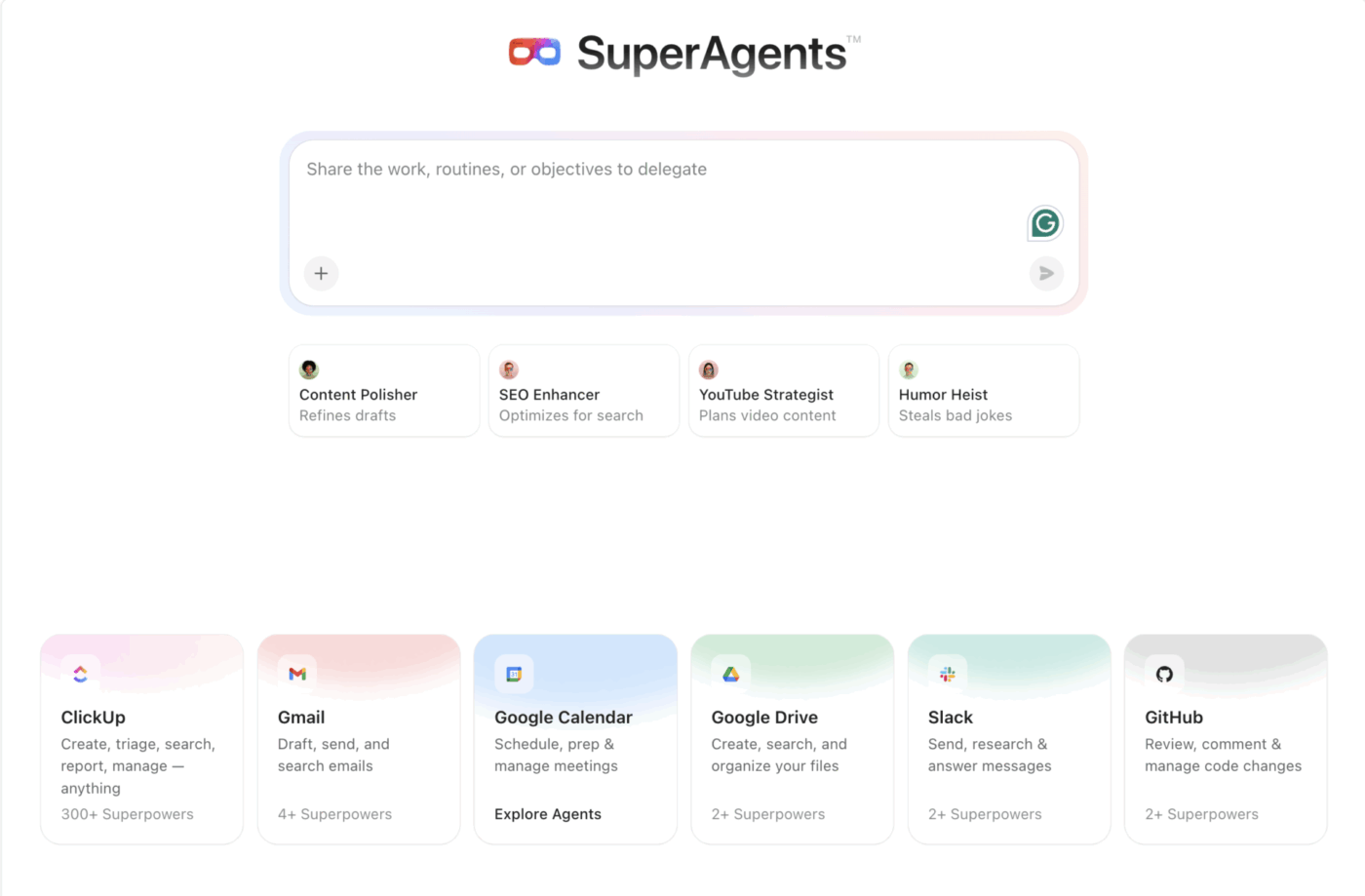
Let’s walk you through creating a Super Agent in ClickUp (without breaking real work):
Make a Space like 🧪 Agent Sandbox with realistic ClickUp Tasks, Docs, and Custom Statuses. This resembles your ClickUp Spaces where actual work gets done. So, your agent can act on real-ish data, but it can’t accidentally spam your actual team or touch customer-facing work.
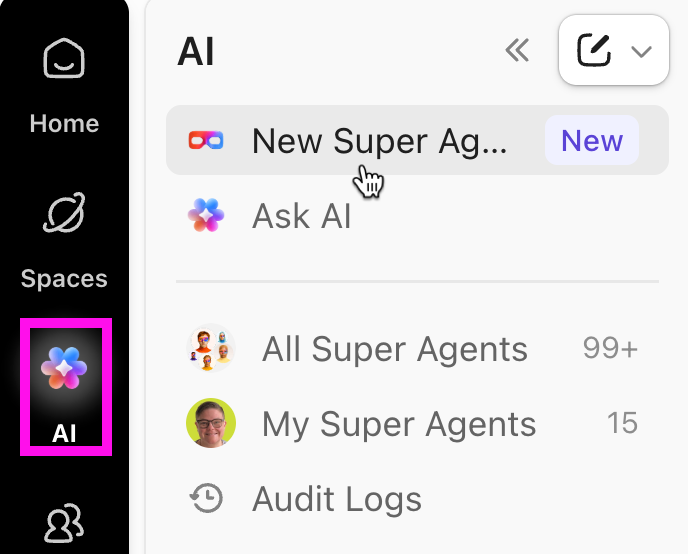
To create a ClickUp Super Agent:
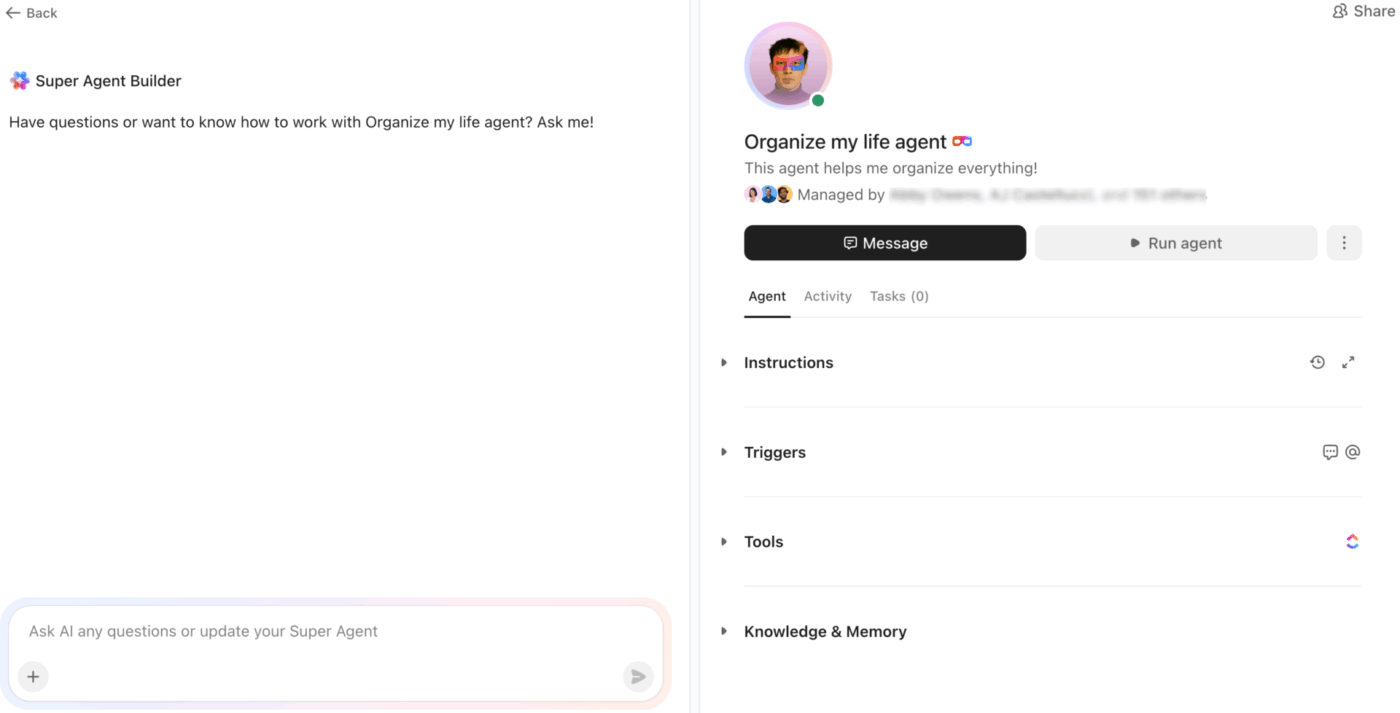
📌 Example prompt:
You are a Sprint Triage Super Agent. When a bug report comes in, create or update a task, assign an owner, request missing details, and set priority based on impact.
More of a visual learner? Watch this video for a step-by-step guide to building your first Super Agent in ClickUp:
ClickUp makes this super practical:
This is the big win: your agent is learning in the real environment it’ll operate in—not a toy CLI loop.
Once it behaves in the Sandbox, wire it to events like:
Instead of guessing what happened, use the Super Agents audit log to track agent activity and whether it succeeded or failed.
This becomes your built-in “agent observability” without building a logging pipeline first.
This setup is why Super Agents are easier to use than DIY agent builds with tools like Claude.
AI agents are quickly becoming the real productivity story of this decade. But only the ones that can finish the job will matter.
What separates a flashy prototype from an agent that you actually trust?
Three things: the agent’s ability to stay grounded in context, take the right actions with tools, and verify results without spiraling.
So start small. Pick one high-value workflow. Give your agent clear instructions, real tools, and a loop that knows when to stop. Then scale into multi-agent setups only when your first version is stable, predictable, and genuinely helpful.
Ready to move from agent experiments to real execution?
Connect your agent to your ClickUp workspace. Or build a ClickUp Super Agent! Either way, create your ClickUp account for free to get started!
The Claude Agent SDK is Anthropic’s official framework for building agentic applications, offering built-in patterns for tool use, memory, and loop management. While it simplifies development, it isn’t required; you can build powerful agents using the standard Claude API with your own custom orchestration code. Or use an out-of-the-box setup like ClickUp Super Agents!
Chatbots are designed to respond to single prompts and then wait for the next input, whereas agents operate autonomously in continuous loops. Agents can gather context, use tools to take action, and verify results until they achieve a defined goal, all without needing constant human guidance.
Yes, Claude agents are exceptionally well-suited for project management tasks like creating tasks from meeting notes, updating project statuses, and answering questions about your team’s work. They become even more powerful when connected to a unified workspace like ClickUp, where all relevant data and context live in one place.
Claude Code is a tool designed specifically to accelerate development with Claude models, but the architectural patterns and skills you define are transferable. If you require multi-LLM support for your project, you would need to use a more framework-agnostic approach or a tool that is explicitly designed for model switching.

© 2026 ClickUp

There’s an easier way. Try a free AI Agent in ClickUp that actually does the work for you—set up in minutes, save hours every week.