






Still downloading templates?
There’s an easier way. Try a free AI Agent in ClickUp that actually does the work for you—set up in minutes, save hours every week.
Sorry, there were no results found for “”
Sorry, there were no results found for “”
Sorry, there were no results found for “”

A study on the State of LinkedIn Outreach found that sales teams still overlook LinkedIn for B2B prospecting. Over 90% of their outbound efforts still go in email, while LinkedIn remains an afterthought.
The average cold email response rate is 5.1%. LinkedIn DMs get over 10.3%, double the engagement.
Your decision makers are already active on LinkedIn. So why not treat LinkedIn as your primary outbound channel?
For this, you need to get comfortable with LinkedIn automation—sending connection requests, scheduling follow-ups, and tracking engagement.
Below, we show you how to automate LinkedIn outreach with AI.
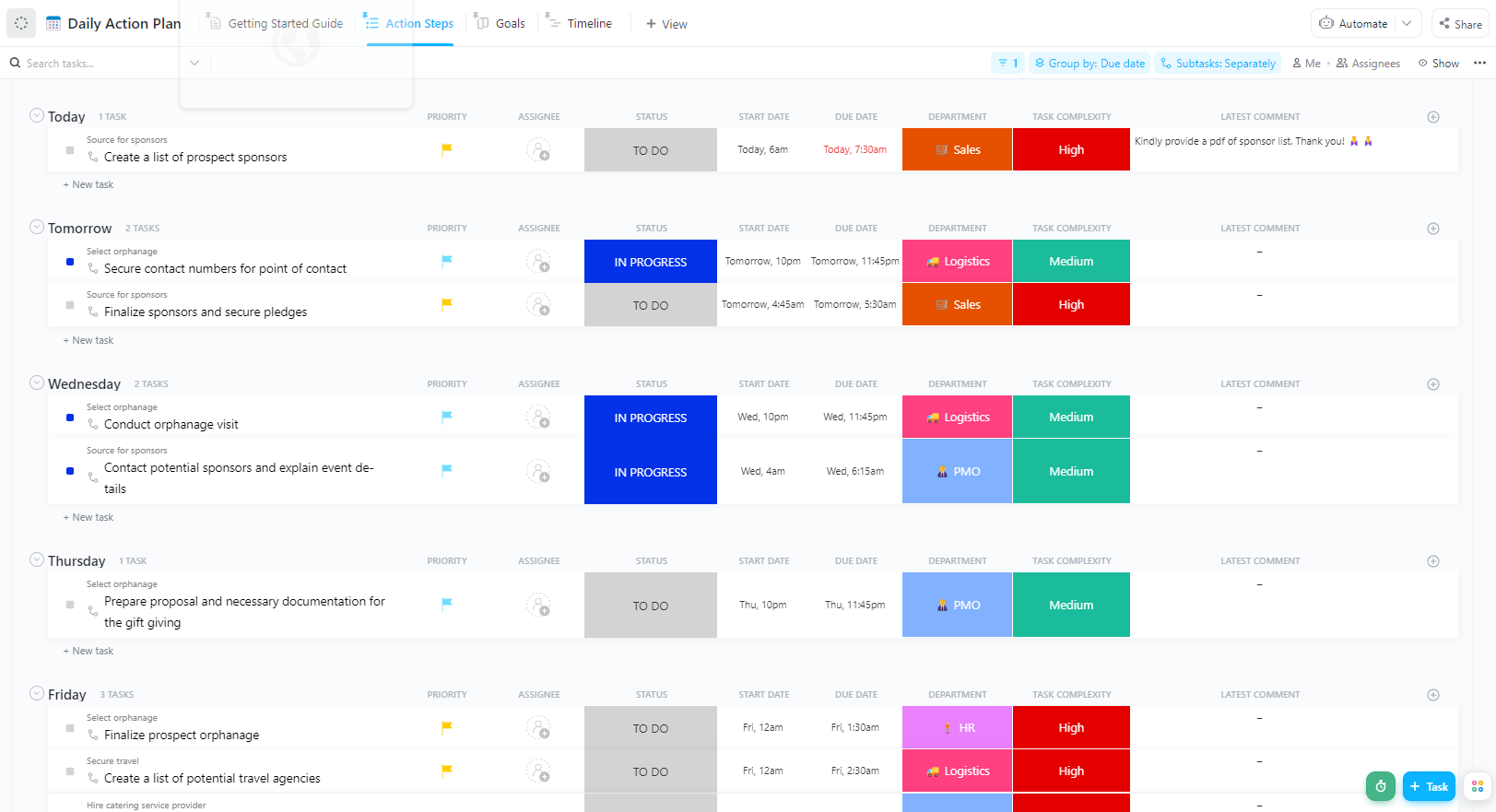
Are you constantly jumping between tools and spreadsheets just to keep LinkedIn prospecting organized at scale? It doesn’t have to be that way. ClickUp’s Action Plan Template for Outreach centralizes your campaign workflow in one place.
Color-coded statuses, department tags, and priority flags make your pipeline easy to read. Perfect when you’re handling personalized messages across 100’s of LinkedIn accounts.
Here’s why LinkedIn continues to dominate B2B lead generation:
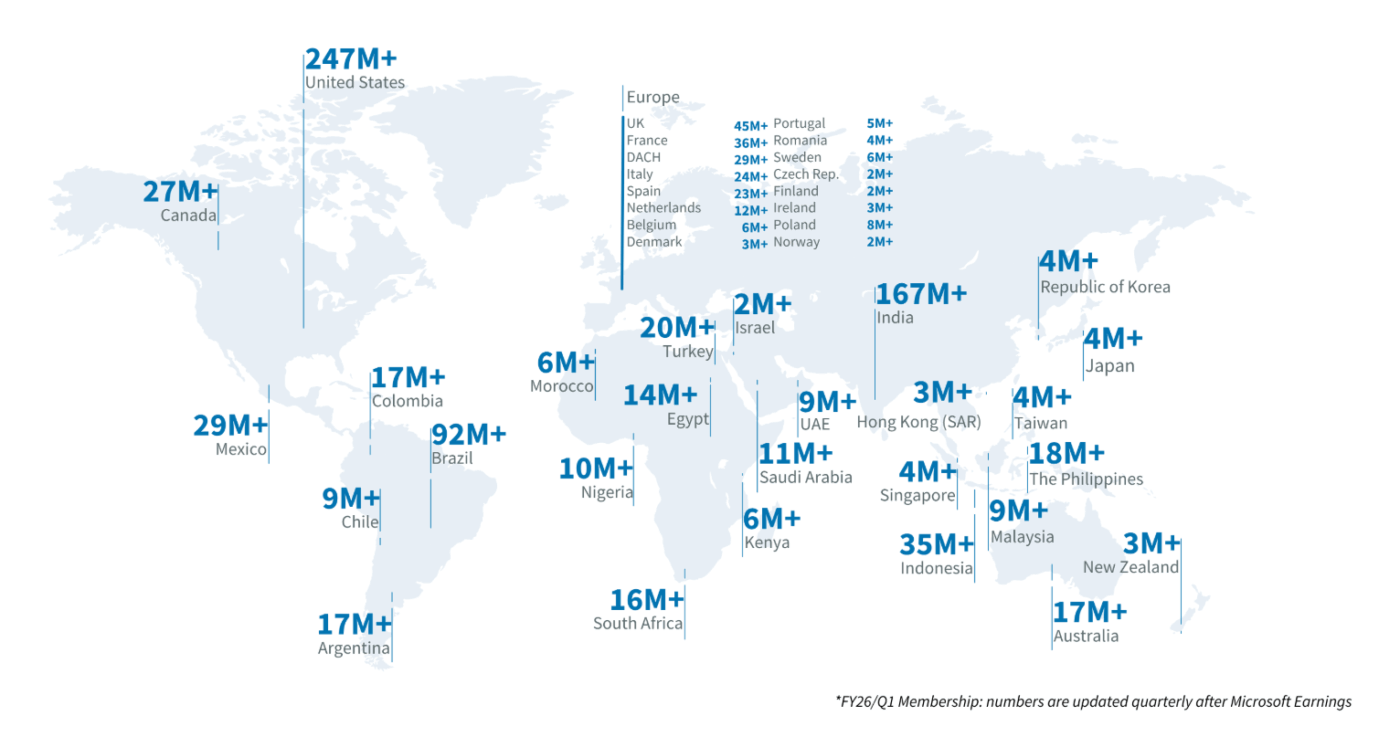
🤯 Did You Know? LinkedIn has over 1.2 billion members in 200 countries and regions worldwide.
LinkedIn automation works best when you have the right foundation. So, before you start automating your outreach efforts, here are a few basics you should get right.
It’s not like you can connect with every ICP in one shot. Here are the LinkedIn rules that you must know to avoid account restrictions and keep your outreach running consistently.
| Action | Free LinkedIn | Premium LinkedIn | Sales Navigator |
| Weekly Connection Requests | Up to 100 (80 recommended) | Up to 100 | Up to 100 |
| Weekly Connection Requests (High SSI) | N/A | Up to 200 | Up to 200 |
| Connection Request Message Limit | 200 characters | 300 characters | 300 characters |
| Connection Request Messages (Notes) | 5–10 per month | Unlimited (within weekly limits) | Unlimited (within weekly limits) |
| Weekly DM Sending Limit | ~100 messages | ~150 messages | ~150 messages |
| Message Length | 8,000 characters | 8,000 characters | 8,000 characters |
| Attachment Size | 20MB | 20MB | 20MB |
Ignore these limits, and you run the risk of being blocked temporarily or permanently.
👀 Did You Know? On March 6, 2025, two major sales-engagement platforms—Apollo.io and Seamless.ai—disappeared from search results on LinkedIn as part of its crackdown on data-scraping via Chrome extensions.
⚡ Template Archive: Free and Editable Social Media Templates to Free Up Your Time
It’s important that you build your personal brand on LinkedIn that highlights your skills and tells your unique story.
Here’s a quick checklist to optimize both your personal and company profile:
| Personal profile | Company page |
| ✅ Professional headshot ✅ Value-driven headline ✅ Complete experience section (with measurable results) ✅ Recommendations ✅ Posts that your prospects can engage with | ✅ High-quality logo ✅ Clear company tagline/ value proposition ✅ Recent company updates and posts ✅ Product and service highlight ✅ Contact information and website link |
👀 Did You Know? LinkedIn’s engagement increased 30% year over year in 2024, which is more than any other social media platform.
You can’t be sending requests to anyone. Firstly, there is a cap on weekly invitation limits, and secondly, you won’t gain any benefits by connecting with irrelevant people.
Before you scale your LinkedIn outreach, you need to know the people you plan to connect with—your ideal customer profile (ICP).
Here are a few questions you can ask to get a very specific understanding of your ICP:
The tighter your user persona definition, the better you can find prospects that are closely relevant to your offering.
👀 Did You Know? LinkedIn Intro was launched in October 2013 as an iOS feature that inserted LinkedIn profile info into email headers. Just months later, in February 2014, it was shut down due to mounting security and privacy concerns around how it accessed email data.
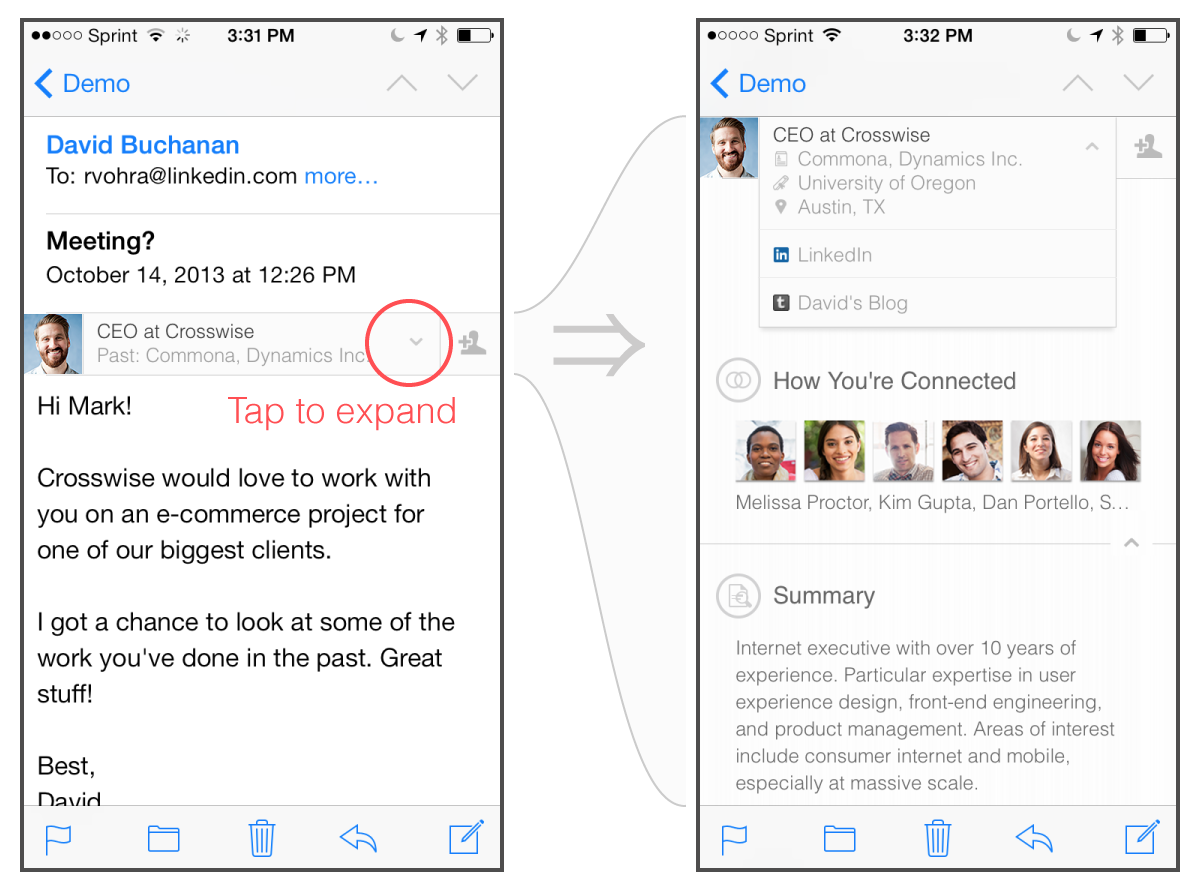
Scaling LinkedIn outreach is tricky.
Go too fast, and you risk account restrictions. Go too slow, and your pipeline dries up. AI allows you to personalize LinkedIn lead generation at scale. Here’s what it enables:
Let’s see how you can automate LinkedIn outreach using AI in a step-wise manner.
What are you trying to achieve with LinkedIn automation?
It could be to book discovery calls to drive direct conversations with prospects. Or promote a content resource and get people to download a guide. Or grow network density and increase connections within a niche ICP or industry.
Whatever your goal, define it.
Next, set measurable targets. Because without numbers, your automation has nothing to optimize for.
Use ClickUp’s Outreach Action Plan Template to structure your outreach campaign with clear objectives and measurable outcomes.
Why you’ll love this template:
You ned a well-defined prospect list. Why so?
AI can personalize, score, and sequence messages more effectively when your underlying data is organized.
Start with your ICP filters and identify who you actually want to reach: titles, industries, company sizes, and regions. Use LinkedIn Sales Navigator to narrow your list further using high-intent signals such as:
Enrich your list with basic context. This includes their headline, recent posts, company information, and pain-point signals to personalize messages meaningfully.
Use ClickUp Docs to create a single source of truth for your outreach assets: ICP definitions, message frameworks, automation rules, prospect segmentation logic.
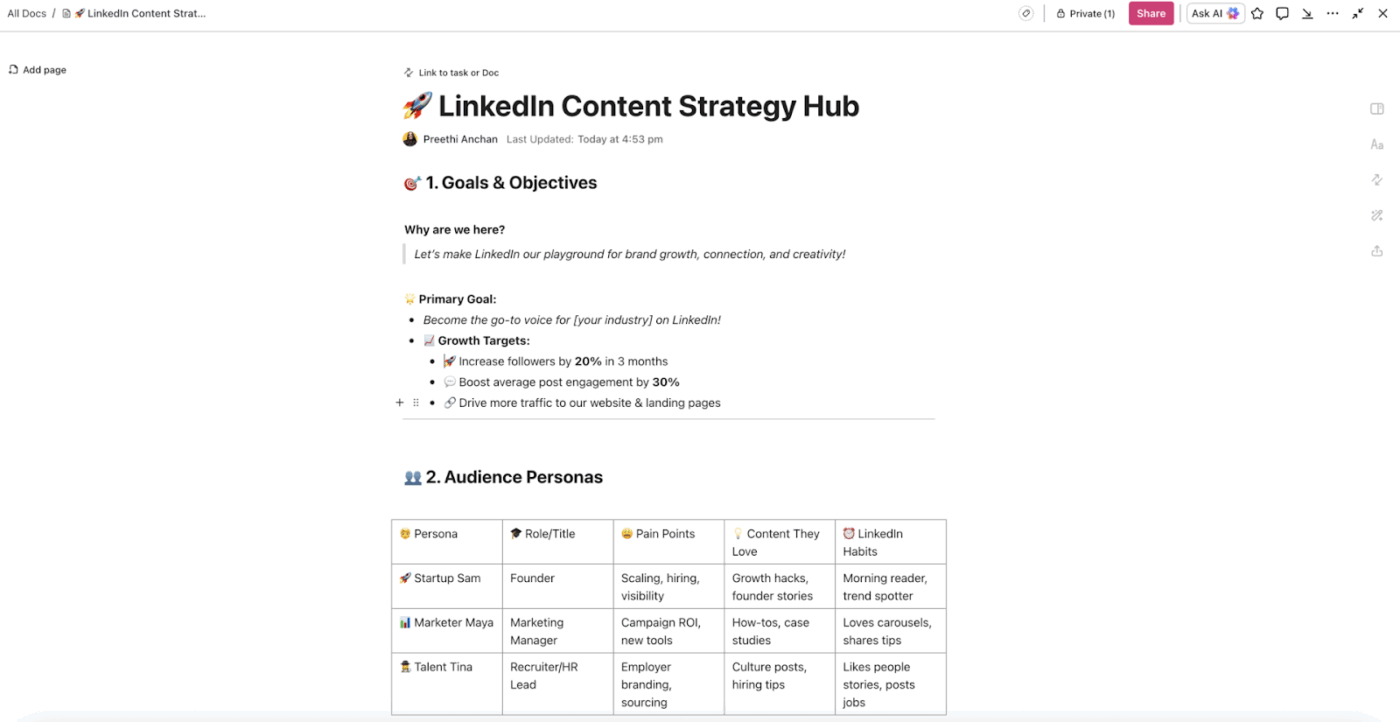
You can embed bookmarks, tables, images, links, and even dashboards to format your documentation exactly how you want.
Everyone on your team can collaborate. Tag others with comments, highlight feedback, and even convert text directly into tasks so your ideas become trackable actions.
💡 Pro Tip: Use LinkedIn Sales Navigator to get lead recommendations based on your saved searches. Your sales teams can find and connect with qualified prospects through advanced filtering that goes beyond the free version’s basic search capabilities.
Generic cold emails deliver a 2.8% response rate.
Add a bit of personalization, and the response rate jumps to 6.5%. In the same study, 73% of decision makers they they’re more likely to engage with cold messages when they feel personal.
In short, personalized messages get more replies. To boost your chance of receiving a reply on LinkedIn, follow these simple steps:
Manually personalizing all these messages is like a race against time.
Use AI tools to automate this step.
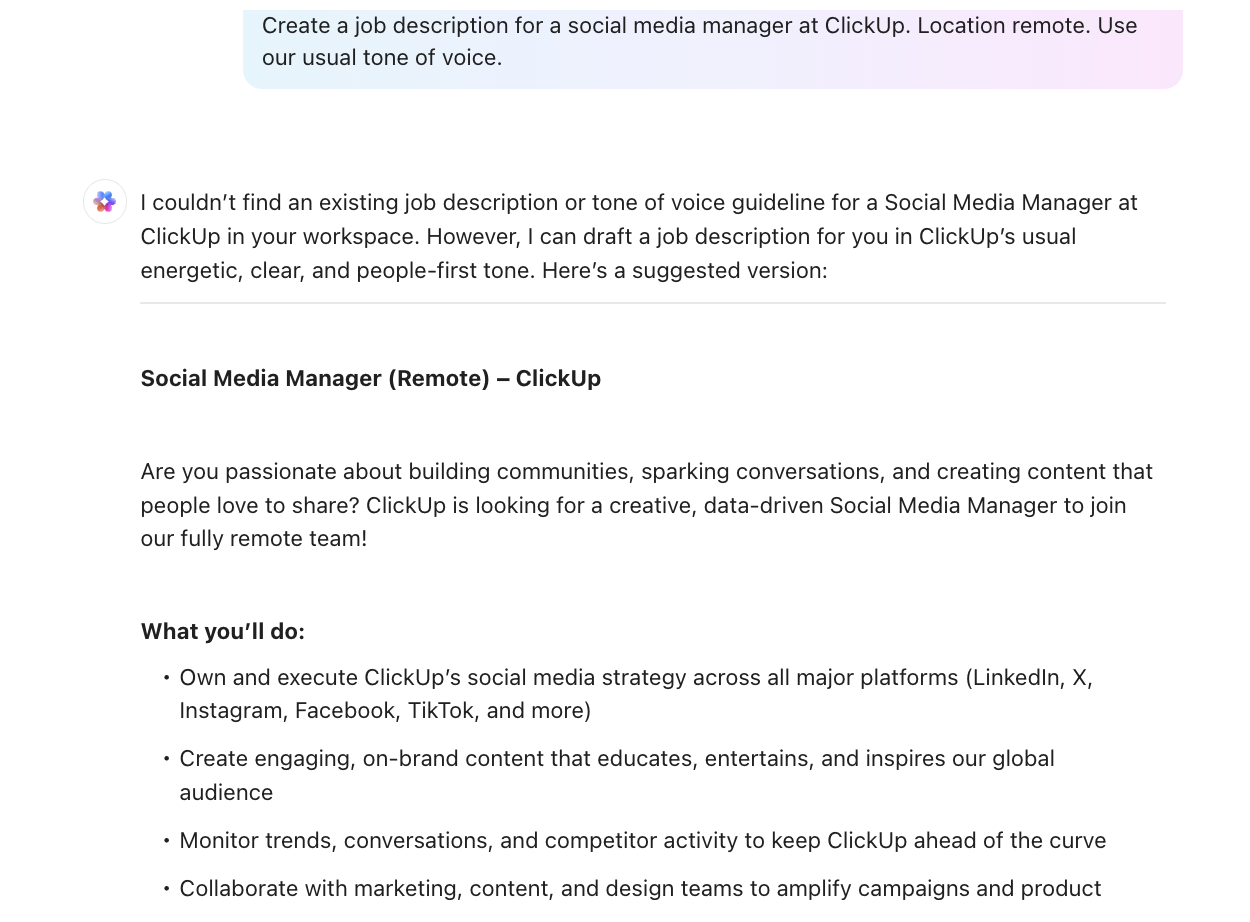
ClickUp Brain takes the heavy lifting out of personalization.
This AI understands your entire outreach system, as it resides within ClickUp. This AI tool has context from your Lists, tasks, Docs, CRM fields, and notes.
That means it can generate outreach messages, summaries, and follow-up tasks based on your actual workflow, not generic guesses.
The AI assistant summarizes LinkedIn posts, extracts role-specific pain points, and pulls out key details you can use in your message.
Then use BrainGPT to rewrite your outreach message in different tones, create short 2–3 sentence versions, or generate multiple angles (value-led, problem-led, insight-led). Test these variations to see what resonates with each ICP.
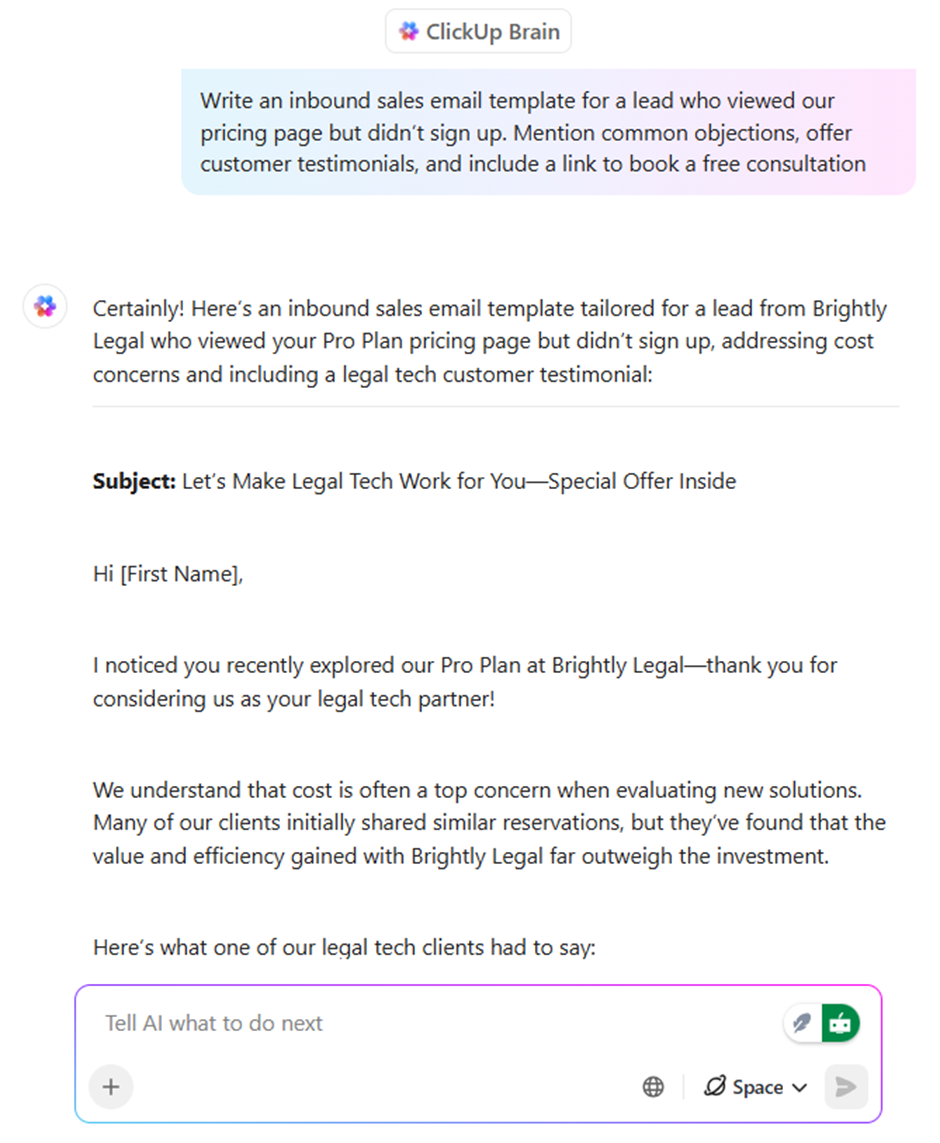
Don’t forget to humanize the AI-generated content and add your personal touches to the message with a hint of your personality.
And ideas can hit you at odd times—right after reading a prospect’s post, midway through a call, or as you’re reviewing your pipeline.
Typing everything out slows you down. Enter: ClickUp’s Talk-to-Text. With Talk-to-Text, you can:
📮 ClickUp Insight: 24% of workers say repetitive tasks prevent them from doing more meaningful work, and another 24% feel their skills are underutilized. That’s nearly half the workforce feeling creatively blocked and undervalued. 💔
ClickUp helps shift the focus back to high-impact work with easy-to-set-up AI agents, automating recurring tasks based on triggers. For example, when a task is marked as complete, ClickUp’s AI Agent can automatically assign the next step, send reminders, or update project statuses, freeing you from manual follow-ups.
💫 Real Results: STANLEY Security reduced time spent building reports by 50% or more with ClickUp’s customizable reporting tools—freeing their teams to focus less on formatting and more on forecasting.
LinkedIn automation isn’t a one-tool job. Different tools handle specific parts of your outreach process. For instance:
| Tools | Purpose |
| Lead finder tools | LinkedIn Sales Navigator automates LinkedIn prospecting for you. Use it to find LinkedIn profiles based on your ICP criteria, like job titles, company size, industry, and location filters |
| Data scraping tools | Some of the best LinkedIn automation tools, such as Phantombuster and Lusha crawl through LinkedIn profiles and extract useful information like email addresses, phone numbers, company details, and recent activity |
| Outreach tools | Expandi and Dripify allow you to send personalized outreach messages and create automated follow-up sequences that trigger based on prospect responses |
| Performance analysis tools | Use LinkedIn engagement tools such as Shield Analytics and Taplio to track your campaign metrics like connection acceptance rates, message open rates, and conversion data to show what’s working |
| Activity tracking tools | Lead Delta and WeConnect monitor prospect engagement with your profile, content, and messages to help you prioritize follow-ups |
When you’re just getting started with LinkedIn outreach, you don’t need an entire tech stack. Instead, you need one centralized workspace to run your process.
ClickUp, the converged AI workspace, brings all your outreach input together. This includes contact details, ICP criteria docs, message templates, prospect data, and performance metrics.
Import enriched data from LinkedIn automation tools into ClickUp. BrainGPT can summarize that data for each prospect, highlight pain points, and extract talking points for outreach messages.
It auto-updates your outreach playbook. As you refine your sequences or discover what works, AI becomes your documentation assistant, rewriting your SOPs and outreach templates.
Here’s how the difference between traditional LinkedIn automation tools and a converged workspace plays out:
| Traditional Stack | Converged AI Workspace (ClickUp Brain) |
| LinkedIn outreach scattered across 6–10 tool(Sales Nav, spreadsheets, message templates, trackers) | All outreach research, ICP notes, message templates, and tasks centralized in one secure ClickUp hub |
| Context lost between apps — you research in one tool, write messages in another, and track progress in a spreadsheet | AI assistants and AI agents act with full context from your Docs, CRM fields, tasks, and sequences |
| Hours wasted switching tools, updating sheets, and syncing information manually | Dashboards auto-update in real time with outreach status, follow-ups, and message performance |
| Point-solution AI with no memory of past messages or ICP rules | AI embedded across tasks, Docs, and conversations — carrying your ICP, templates, and personalization rules everywhere |
👀 Did You Know? LinkedIn is banned or heavily restricted in the following countries.
LinkedIn outreach doesn’t stop at sending connection requests. You need to track responses and follow up consistently to eventually turn your prospects into paying customers.
When you’re managing outreach for hundreds of prospects, there’s no way you can handle all of this manually. You need AI-automated workflows that keep running even when you’re not monitoring every response.
However, while automating, make sure to configure the following limits:
With ClickUp Automations, you can build no-code trigger-based workflows that activate when prospects move through different stages. They run your outreach system in the background.
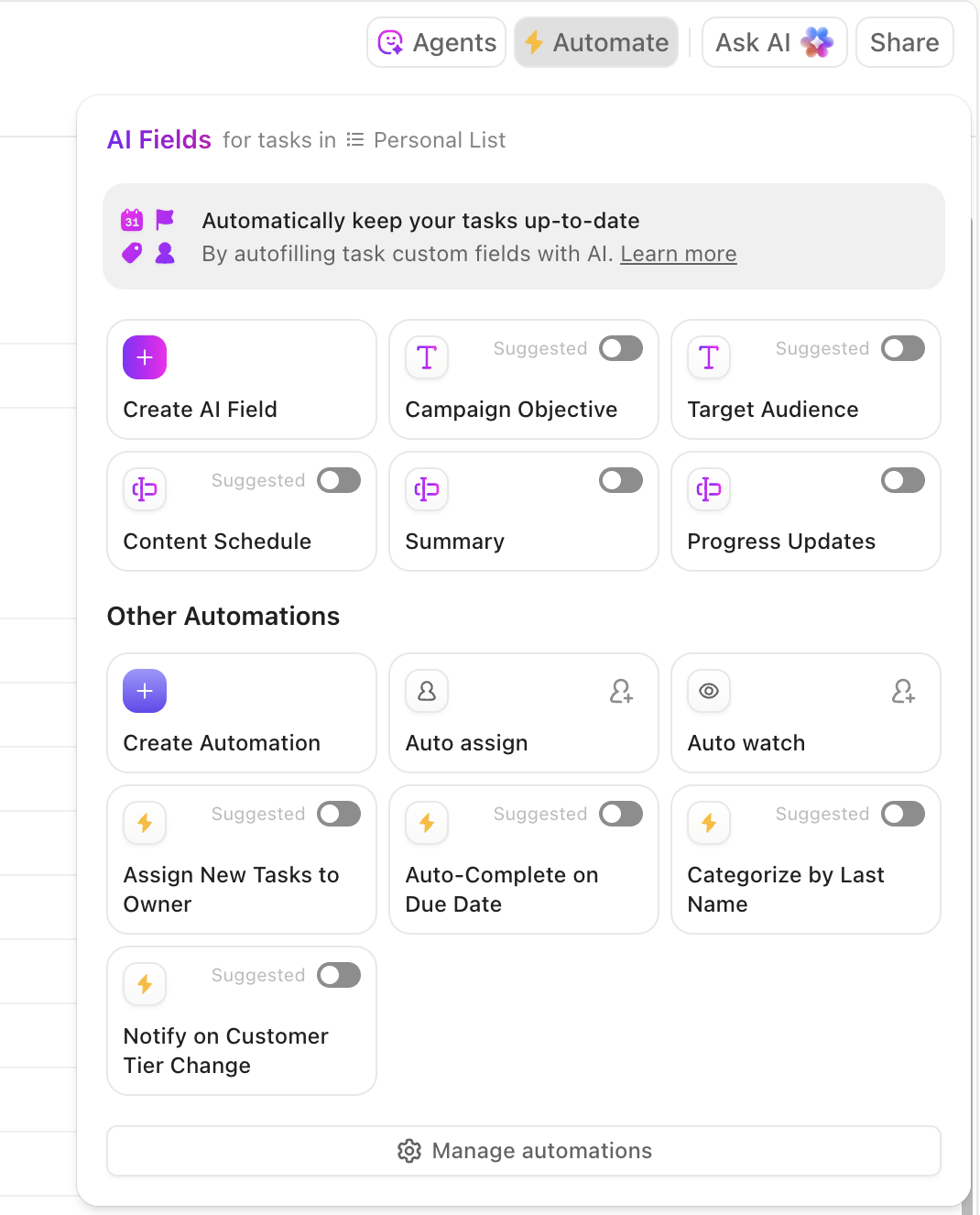
Define if this, then that rules in Automations that save hours and eliminate missed steps.
For example, you could set up an automation to apply a Connected tag as soon as a prospect moves to the Connection Accepted status, keeping your CRM up to date.
Automations can also be tied to upcoming due dates, assignee changes, or even time-tracking events, ensuring tasks remain consistently labeled.
⭐ Bonus: ClickUp Agents take your automation a step further. Unlike simple trigger-based rules, Agents can run ongoing, multi-step tasks on your behalf.
For example, you can create an Agent that:
Start your outreach campaign on a small scale and test its effectiveness before scaling it to your full prospect list.
During your test week, monitor the following key metrics:
Once your test campaign shows consistent results, gradually scale up.
Create multiple variations of successful campaigns. Test different industries, company sizes, or job titles while keeping your proven message templates and timing sequences.
Use ClickUp’s Dashboards to see what you’re already working on and turn it into charts and graphs.
Dashboards automatically pull data from tasks and fields you’re working in to create a unified high-level view in your Workspace.
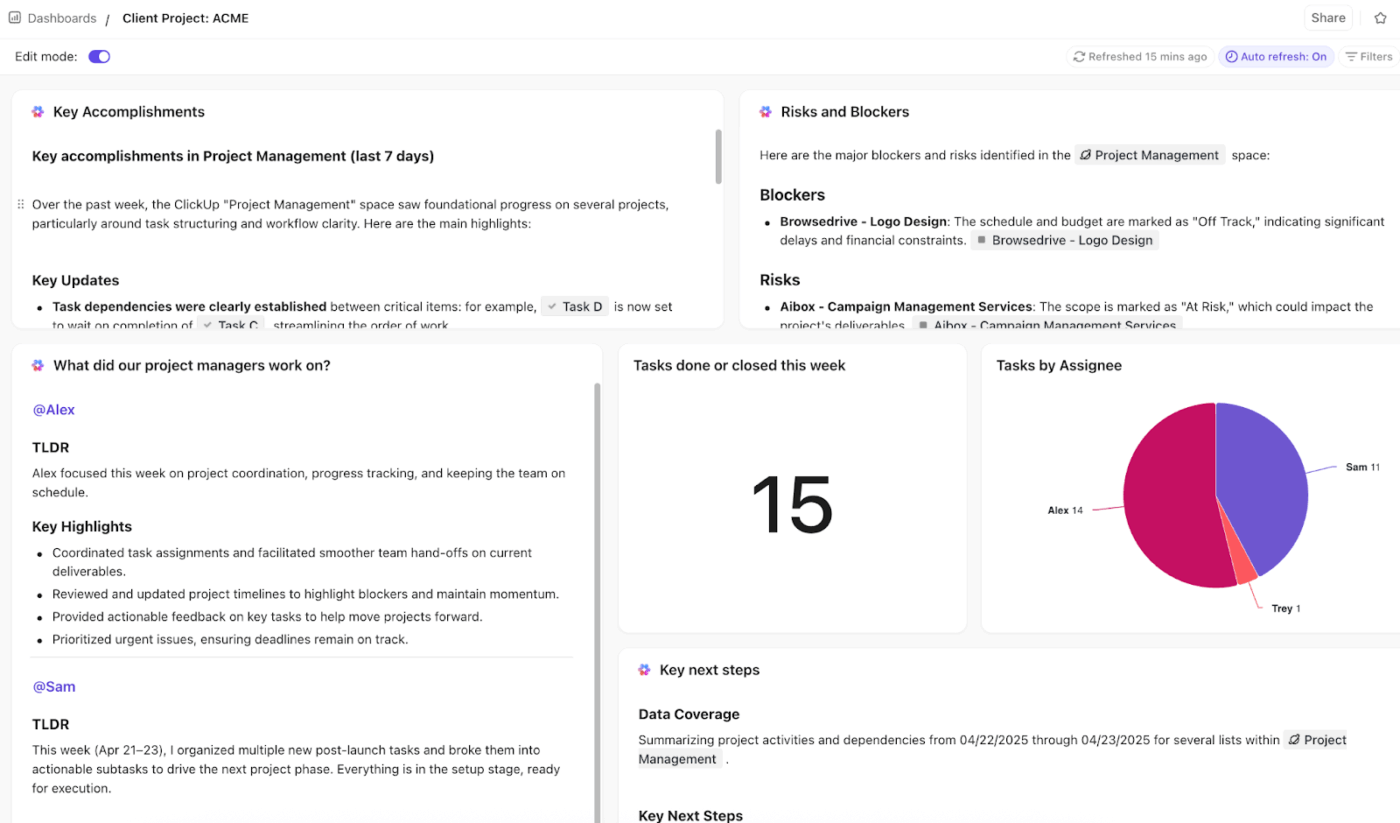
You can even create detailed internal and external reporting Dashboards for all your accounts. A master Dashboard for the C-suite and individual Dashboards for all SDRs.
Choose from Dashboard Cards to customize the Dashboard to your needs. Export them in PDF and send them to the respective stakeholders.
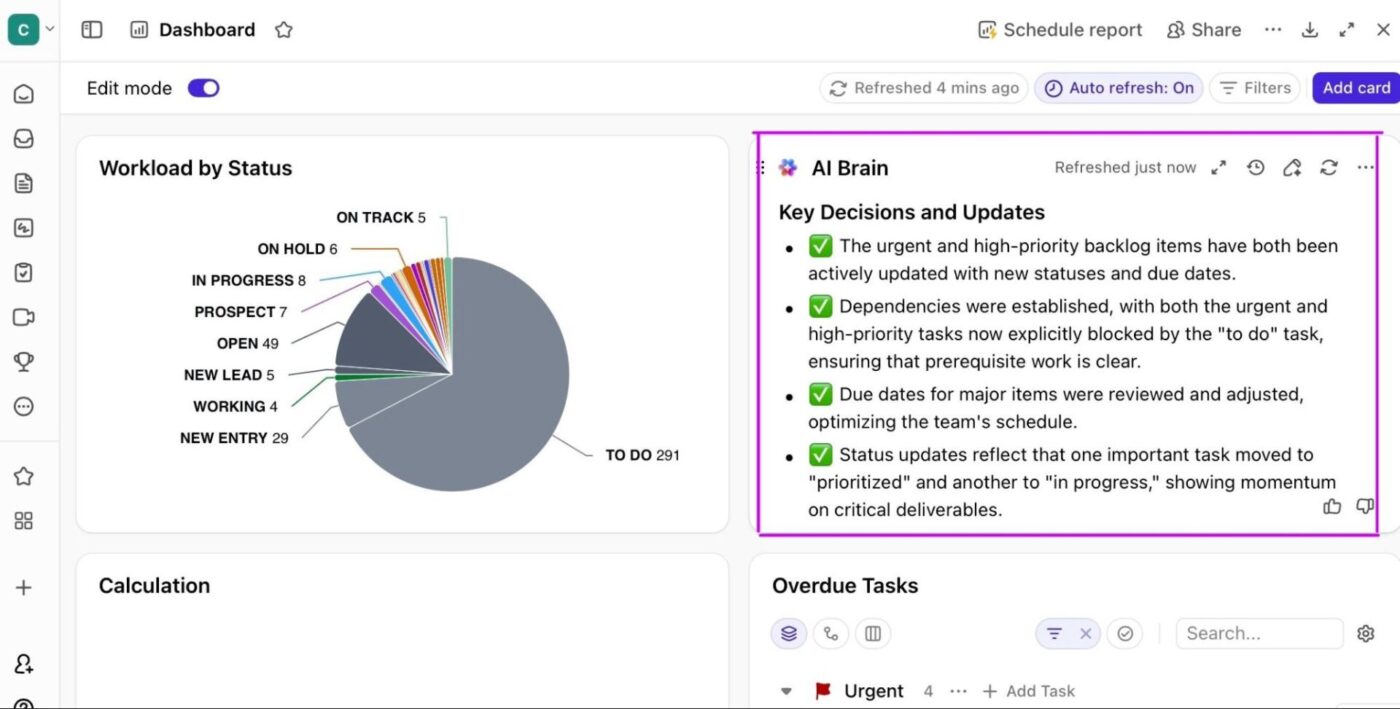
⚒️ Quick Hack: AI Cards give you real-time, auto-updating insights right inside your ClickUp Dashboard.
In the case of LinkedIn outreach, it translates to:
👀 Did You Know? According to Statista, over 84% of B2B marketers believe that LinkedIn delivers the best value for their organization compared to other platforms, such as Facebook and Twitter.
How do you avoid generic connection requests that people can spot from miles away?
Use thoughtful prompts so that every message is relevant and likely to help in your prospecting efforts.
Here are some helpful prompts.
Prompt: Write a 200-character connection note that ties my reason for connecting to a specific detail from the prospect’s recent post, company initiative, or industry shift. Make it feel like a peer-to-peer observation, not a pitch.
Prompt: Create a short connection note that references one uncommon detail from the prospect’s profile (e.g., volunteer work, side project, niche certification) to show genuine attention to detail. Avoid pitching anything.
If you’re new to AI in sales, this video shows you the tools, prompts, and templates you can plug into your outreach today.
Prompt: Write a 2–3 sentence message that uses a pattern interrupt (unexpected compliment, insight, or observation) drawn from the prospect’s activity or company news—something that makes them pause and think.
Prompt: Create an intro message that frames the conversation around the prospect’s current priorities based on their role and recent activity. Make it sound like thoughtful curiosity, not outreach.
Prompt: Rewrite this message into a concise, high-signal opener that references a specific metric, trend, or shift relevant to the prospect’s role.
Prompt: Draft a DM that continues the conversation from their recent post—add one contrarian or alternative viewpoint to spark a deeper exchange without being confrontational.
Prompt: Create a message responding to this LinkedIn post that highlights a nuance the prospect didn’t mention but would appreciate. Keep it conversational and intelligent.
Prompt: Write a follow-up that adds new value rather than repeating the first message. Pull one relevant insight from the prospect’s industry and connect it meaningfully to your earlier point.
Prompt: Create a follow-up that assumes positive intent (they’re busy), introduces a micro-insight, and asks a zero-pressure question they’d enjoy answering.
Prompt: Draft a message that shares a specific trend or signal relevant to their role, backed by one line of supporting logic. The message should feel like something they’d bookmark, not ignore.
Prompt: Create an insight-led DM that pulls a micro-trend from the last 30 days in their industry and presents it as a thoughtful observation. No selling.
Prompt: Craft a DM that asks a thoughtful, niche question based on the prospect’s background, company stage, or recent win—something they want to respond to because it shows real curiosity.
Prompt: Write a short opener that connects one element of their past experience to something relevant happening in their industry today.
AI makes LinkedIn outreach easier, but the stakes are higher than ever.
Everyone has access to the same tools. This means, unless you deliver hyper-personalized messages, your outreach won’t get a second look.
AI works best when it has something specific to latch onto. Feed it context from your target audience, including their recent post, role changes, hiring trends, or any other details you have collected in your LinkedIn CRM.
Ask it to generate a LinkedIn message that reflects those signals. With these data points, you’ll be surprised by how human the LinkedIn message sounds.
AI and automation platforms can make your LinkedIn outbound feel effortless, but LinkedIn’s algorithm penalizes any activity that looks unnatural.
Stay within weekly invitation caps, avoid sudden message spikes, and stagger activity across the day to mimic normal user behavior.
If you’re managing multiple LinkedIn accounts across your team (for SDRs, founders, or client-facing members), make sure every account follows its own safe limits. Each account must maintain its own sending rhythm, warm-up period, and daily activity pattern.
LinkedIn Sales Navigator or any LinkedIn prospecting tool should help you reach better prospects, not more prospects.
AI can score leads, extract context, and surface warm signals when your targeting inputs are sharp. Even great personalization can’t fix a bad list.
AI can draft intros, summarize profiles, rewrite your message, and build micro-insights.
Be careful not to turn your outreach into spammy volume. Use LinkedIn automation tools for follow-up, sequencing, and enrichment, but keep message logic and tone human-led.
C-Suite leaders respond to strategy; mid-level managers respond to practicality; operators respond to specifics. Ask AI to adjust tone, value, and angle based on who you’re speaking to.
LinkedIn outbound works best when your message matches the prospect’s current challenges.
When you automate LinkedIn prospecting, ask AI to give you several versions of the message. They could be insight-led, problem-led, or contrarian.
Identify the strongest idea and craft a hyperpersonalized message that’s more likely to stand out in a crowded inbox.
| Principle | What to do | Why it matters |
|---|---|---|
| Build every message around a real insight | Use AI with specific context: recent posts, role changes, CRM notes, or warm signals to generate tailored messages. | More context = more human, relevant, high-quality outreach. |
| Respect LinkedIn limits to keep your account safe | Stay within LinkedIn’s natural activity patterns; stagger actions; give each account its own warm-up and rhythm. | Prevents flags, restrictions, and protects deliverability. |
| Use prospecting tools for accuracy, not volume | Use Sales Navigator or your prospecting tool to refine target fit; let AI score leads and extract signals. | Great personalization can’t fix a bad list. |
| Treat automation tools as assistants, not replacements | Use automation for follow-ups, sequencing, enrichment; keep message logic and tone human-led. | Avoids spammy volume and maintains authenticity. |
| Align outreach with role, stage, and urgency | Ask AI to adjust tone and angle: strategy for C-suite, practicality for managers, specifics for operators. | Relevance increases response likelihood. |
| Use AI to explore multiple angles | Generate variations (insight-led, problem-led, contrarian) and choose the strongest idea. | Helps your message stand out in crowded inboxes. |
⚡ Template Archive: Best Influencer Templates to Manage Outreach
The best LinkedIn messages are those that feel like they come from you.
LinkedIn automation tools help you send them.
ClickUp helps you manage the entire system—your sequences, notes, personalization hooks, AI rewrites, and follow-ups.
What’s stopping you from automating your LinkedIn outreach? Sign up on ClickUp for free and get started.

© 2026 ClickUp

There’s an easier way. Try a free AI Agent in ClickUp that actually does the work for you—set up in minutes, save hours every week.