






Still downloading templates?
There’s an easier way. Try a free AI Agent in ClickUp that actually does the work for you—set up in minutes, save hours every week.
Sorry, there were no results found for “”
Sorry, there were no results found for “”
Sorry, there were no results found for “”
Identifying and researching potential leads is the lifeblood of sales prospecting.
But does your sales team really need to do it all manually?
Nope. Not with AI in the mix.
What used to take hours of digging through LinkedIn profiles and analyzing call transcripts now happens automatically—that too with sharper insights and better timing.
On that note, let’s see how AI helps with sales prospecting (+ how to make the most of it)!
AI sales prospecting uses artificial intelligence technologies such as machine learning (ML), natural language processing (NLP), predictive analytics, and generative AI to identify, prioritize, and contact potential customers.
Instead of reps manually researching leads and ranking them by likelihood to convert, AI tools analyze data (e.g., CRM data, website visits, social media activity, insights from marketing automation tools) to automatically surface the best-fit prospects.
Here’s what makes this possible:
AI technologies speed up the prospecting process—which is great. But that’s just the tip of the iceberg.
Using AI-powered tools offers several key advantages:
If you’re new to using AI for sales, here’s a mini guide showing you how it fits into your everyday sales workflow.👇
📚 Read More: Best AI Productivity Tools to Use
Now, let’s see how sales professionals use AI to automate manual tasks and close deals faster.
⭐ Bonus: We’ll show you how to use ClickUp AI for each use case.
Traditional lead generation had sales reps toiling like crazy. They had to manually scrape databases to identify prospects, collect relevant information on them, and maintain the list to avoid outdated information.
Thanks to AI prospecting tools, this entire process goes on autopilot now:
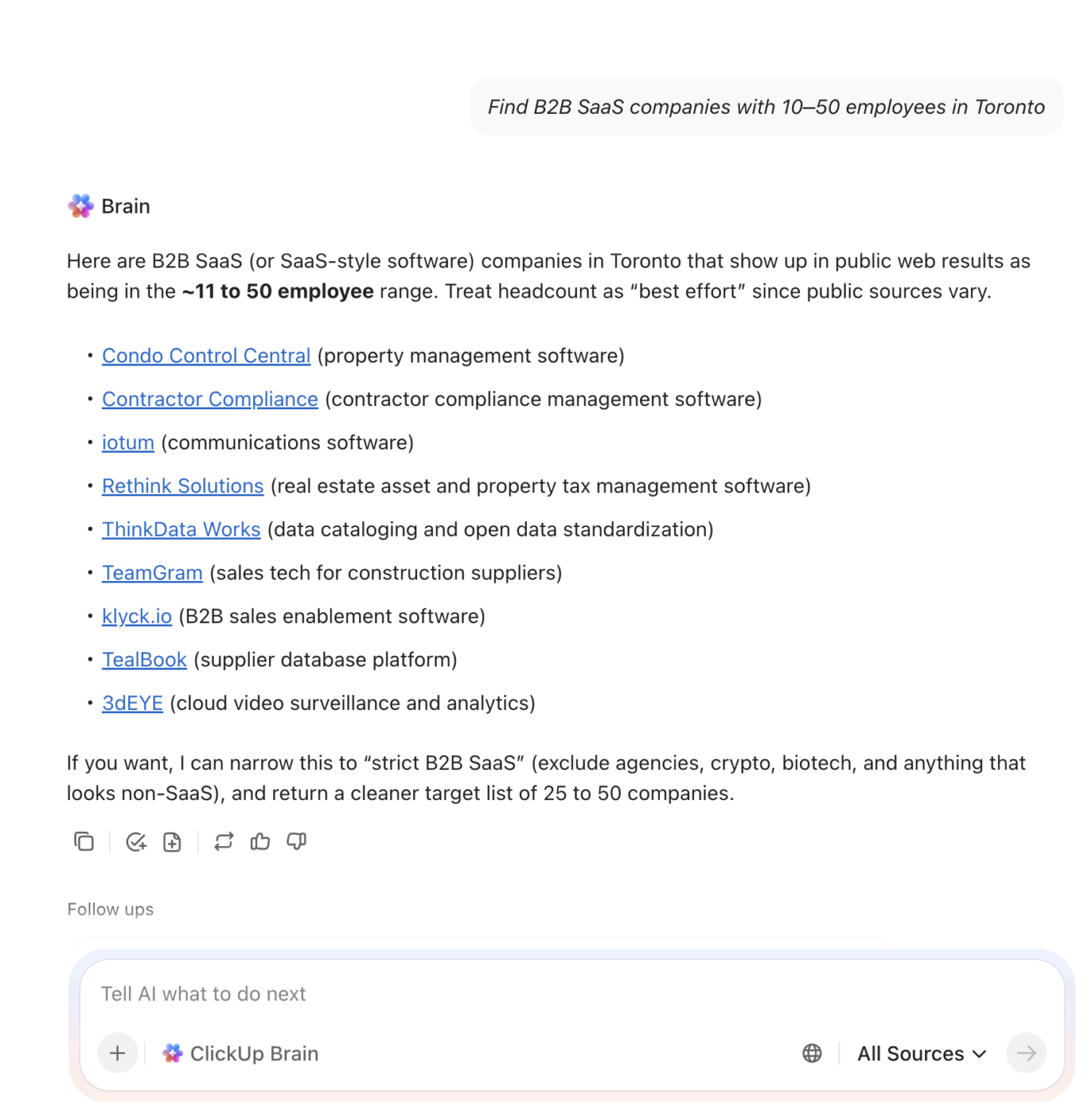
📌 Example: Need a list of local SaaS companies to pitch a project management tool? Ask Brain to “Find B2B SaaS companies with 10–50 employees in Toronto.” In minutes, you’ll get the information you need.
📚 Read More: Top Lead Management Software Tools
Instead of drafting every message from scratch, sales reps can use AI tools to generate high-converting drafts based on customer data.
Here’s how:
📌 Example: Targeting a VP Sales at a fintech startup? Configure an Agent in ClickUp to get the first draft ready for you!
Manual lead scoring is often too rigid and misses nuanced signals, such as buying intent or engagement history. Plus, static scores quickly become outdated.
AI-powered lead scoring is more dynamic:
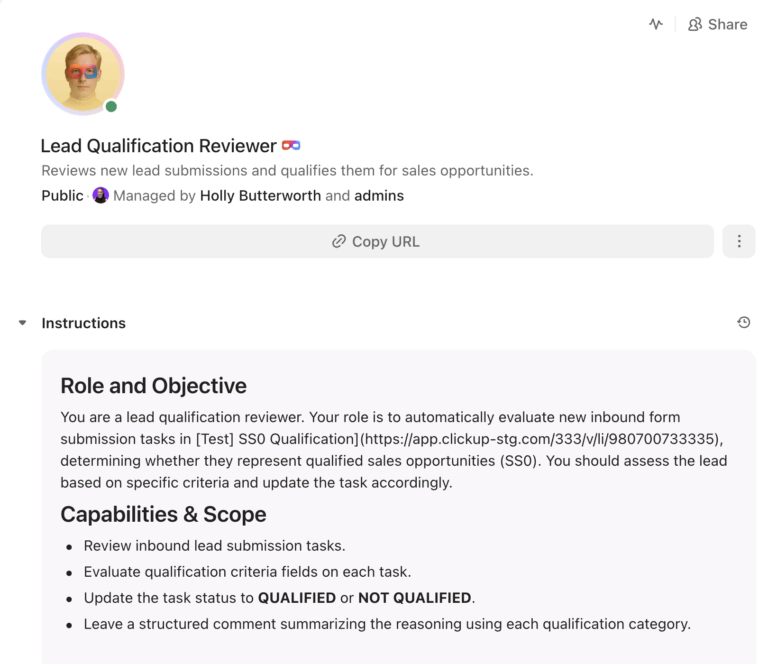
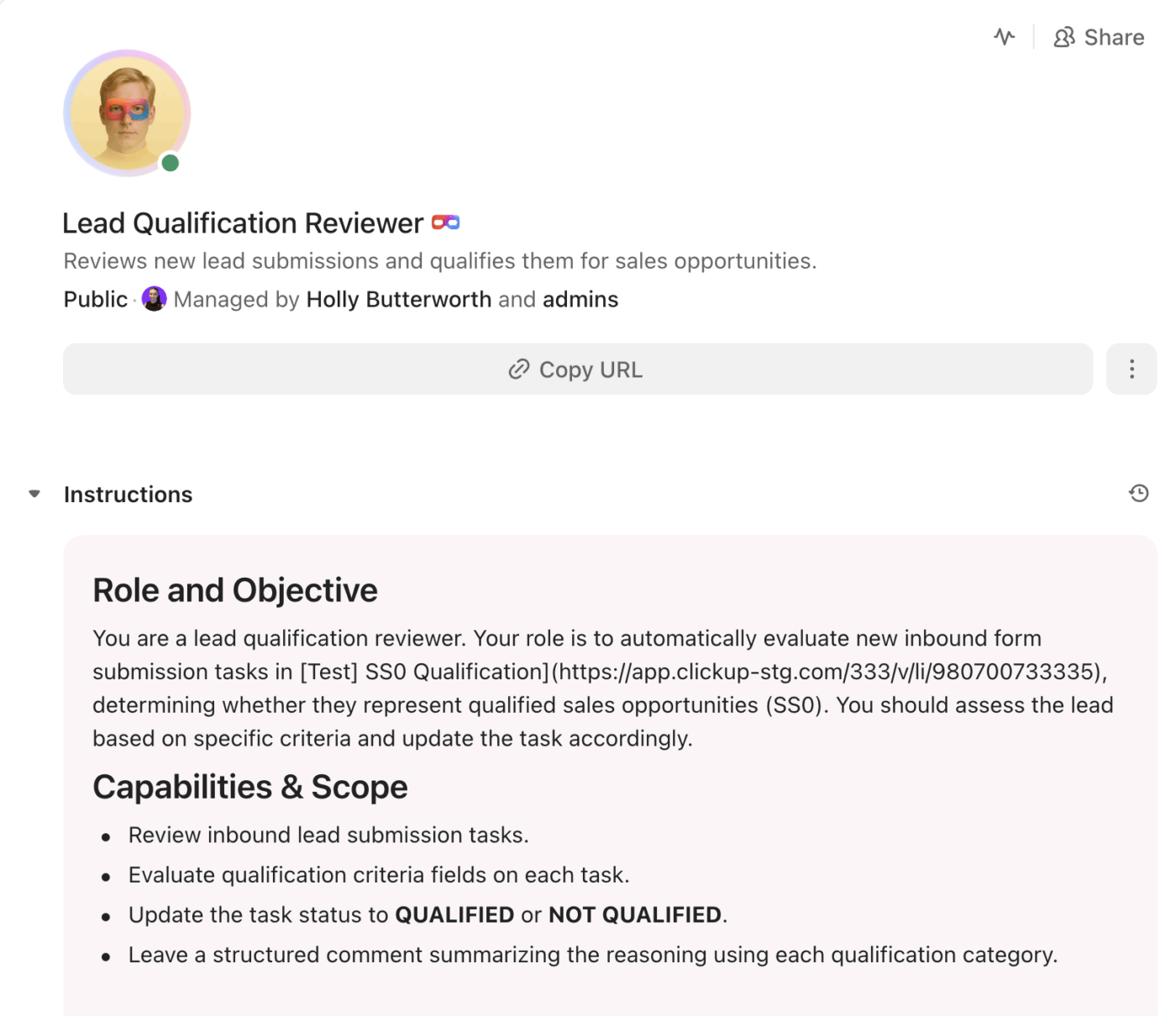
📌 Example: Once your lead list is ready, ask the Lead-Qualifier Super Agent to rank each lead from 1 to 10.
AI helps sales teams navigate pushback by providing instant guidance and relevant resources during live customer interactions:
📌 Example: Post-sales call, you feed the meeting transcript to Brain so that it can analyze the entire call conversation, highlight key themes discussed, detect how prospect sentiment changed throughout the call (what triggered or satisfied them), and check whether the rep’s performance was up to the mark.
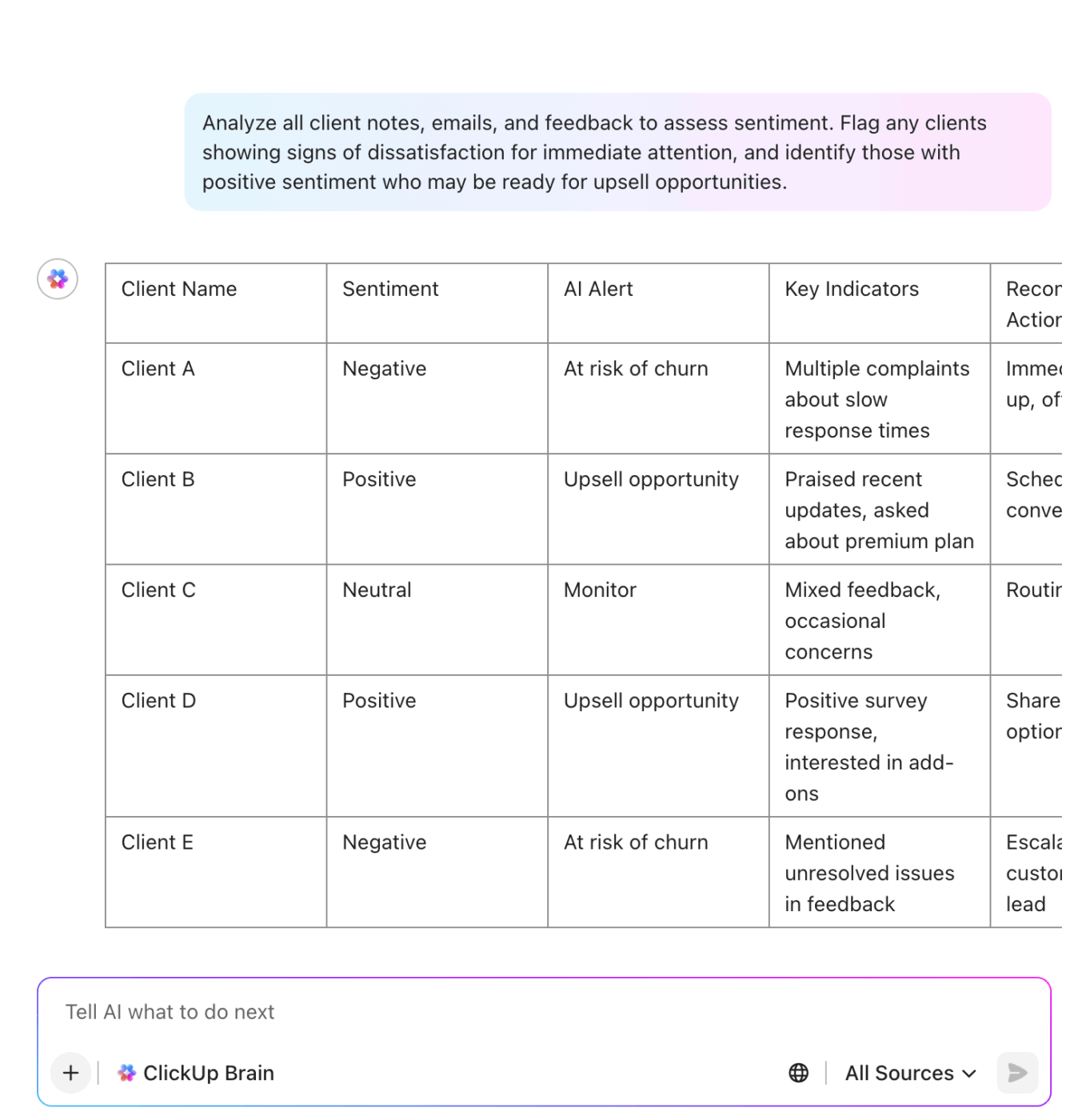
While AI can’t hop on a call for you (yet), it can provide the full context you need to walk in prepared. You no longer have to manually dig through old notes—AI consolidates everything for you.
Besides this, AI-driven prospecting tools also help you:
📌 Example: Before going on a call, your sales reps do a 10-minute chat session with a pre-configured Super Agent to quickly catch up on context. They get all the key points regarding a particular lead—their current company size, who handled the last outreach call, the challenges they face, any trigger points to avoid, etc. Here’s the workflow in action.👇🏼
AI automates and optimizes your follow-up prospecting efforts by tracking how the prospects interact with your initial outreach. Here’s what this looks like in practice:
📌 Example: Here’s a sample workflow with three Super Agents that help you compare channels for follow-ups, decide on timing for the sequences, set goals for each response, etc.
Traditional sales reporting relied on team members manually pulling CRM data into spreadsheets or adjusting sales strategy based on rough estimates. No wonder it took days to build a single report!
However, by integrating AI into your sales process, you can:
📌 Example: When leaders don’t have time to interpret dashboards, they prompt Brain to quickly summarize the ongoing sales trends, status of outreach KPIs, or any high-priority risks they must immediately deal with. This quick, real-time summary of insights saves time, allowing leaders to focus more on the strategy. See Brain in action.👇🏼
👀 Did You Know? In the early 1900s, John H. Patterson revolutionized sales by turning it into a rigid, script-based system. He trained his salesmen with pre-written sales scripts, assigned them territories to cover, ran themed sales contests, and tracked individual quotas. This was one of the earliest attempts to manage every step of the sales process scientifically.
AI makes sales prospecting faster and simpler, but how do you actually get started? This guide covers six key steps to implementing AI-powered prospecting tools.
⭐ We’ll also walk you through how ClickUp, the everything app for work, makes AI adoption effortless.
Start by reviewing your team’s current end-to-end prospecting process. Look for tasks that are time-consuming, repetitive, or rely heavily on manual research.
Common examples include:
Nothing beats visual process mapping for this.
When you can see every step of your sales prospecting workflow—from lead sourcing to follow-ups—it’s much easier to spot bottlenecks and decide what to automate.
ClickUp Whiteboards provide an unlimited digital canvas for visually building and refining your sales prospecting workflow.
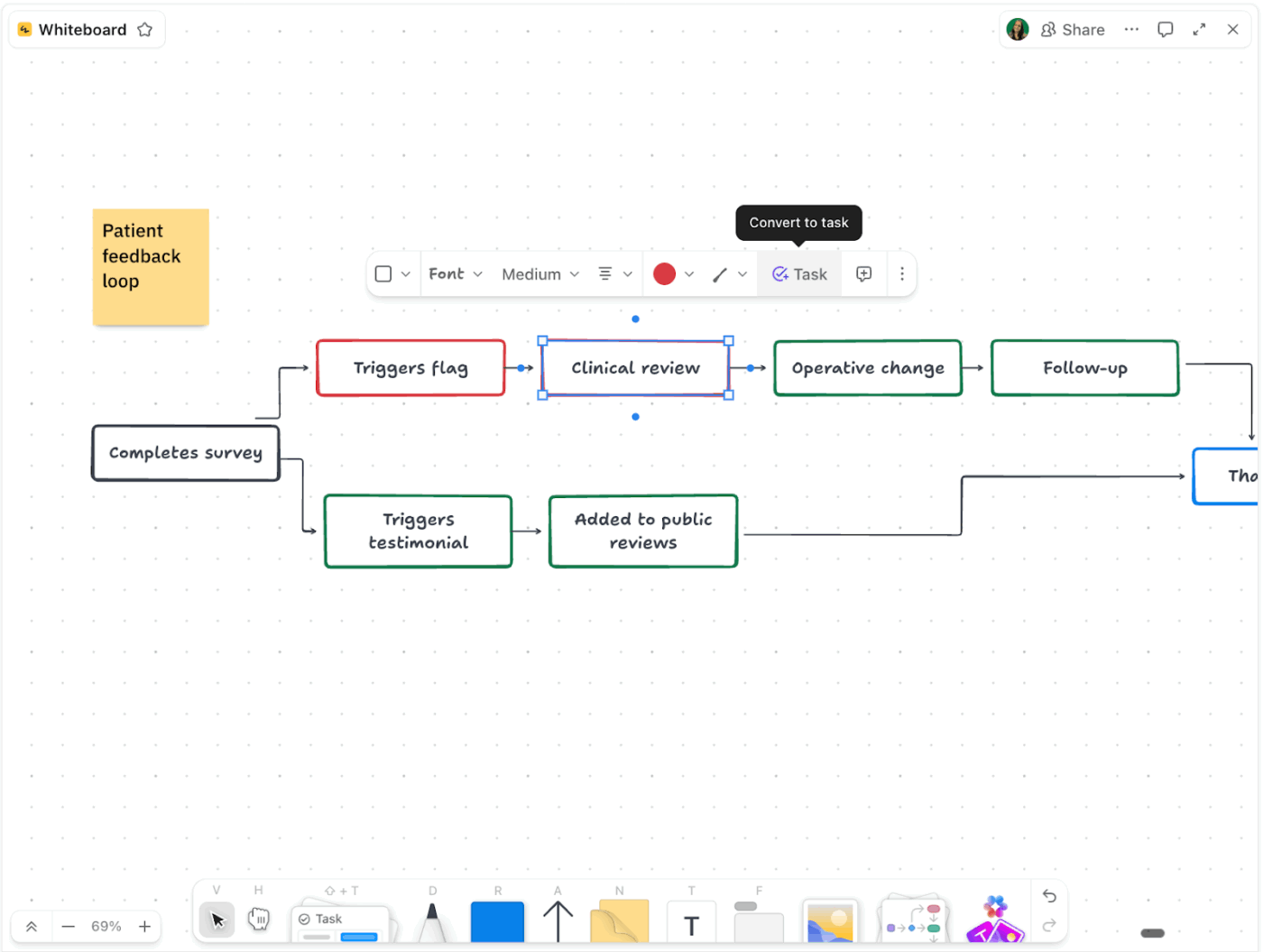
Add shapes/text boxes/sticky notes to represent each step, such as lead generation, prioritization, outreach, and follow-ups. Then, connect them with arrows to show how one stage flows into the next.
Plus, real-time collaboration ensures that sales managers, SDRs, and operations teams can all add ideas, adjust steps, and refine the process together during planning sessions.
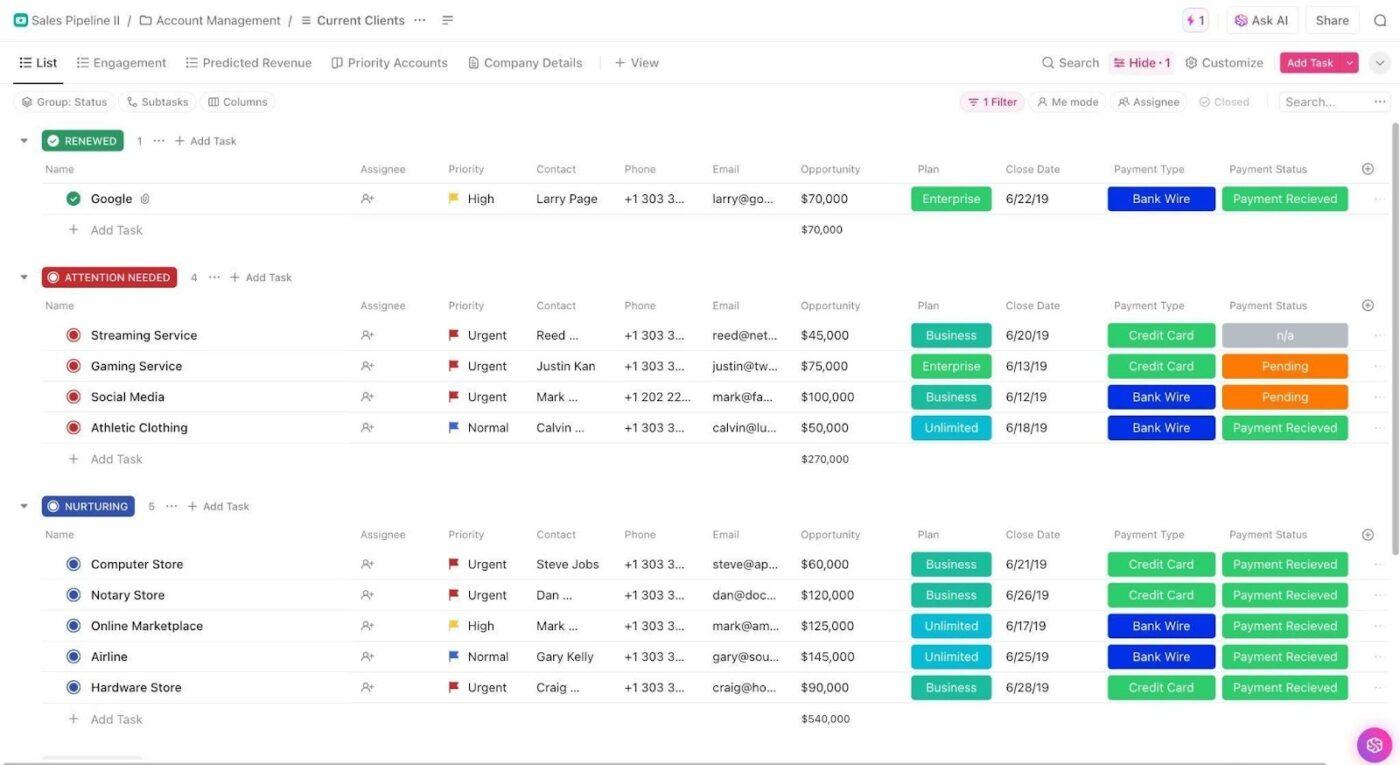
⭐ Bonus: Once you’ve mapped your strategy, you need a structured place to actually manage incoming leads. ClickUp’s Sales Pipeline Template is a ready-to-use framework that helps you track leads through every stage.
Key highlights of this template:
This template aligns your team, helps you spot stalled deals, and boosts overall sales effectiveness.
When choosing an AI sales tool, check for native CRM integrations. This allows both systems to exchange data automatically.
When your tools are synced, the AI-discovered leads are added directly to your CRM. Likewise, updates in the CRM—such as outreach activity or deal progress—are reflected in the AI tool.
This eliminates manual data entry and ensures your records are always up to date across platforms.
To keep setup simple and truly no-code, ClickUp offers 1,000+ native integrations.
You can quickly sync popular CRMs like Salesforce, HubSpot, and Pipedrive to pull in crucial customer data. No technical expertise is required—just toggle them on to get started.
You can also use ClickUp’s API to connect to legacy or proprietary CRM systems.
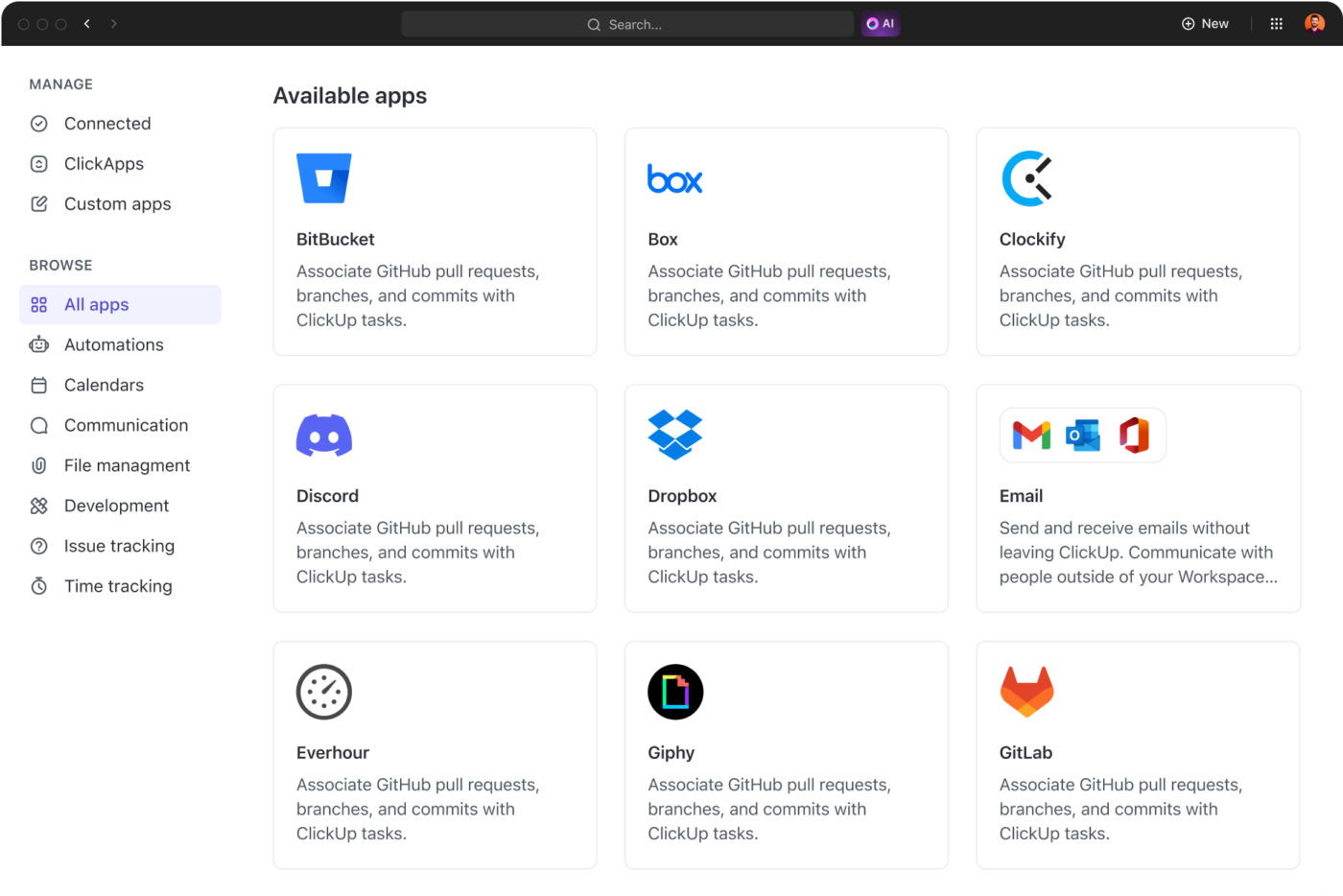
Tired of juggling external CRMs? ClickUp CRM turns your workspace into a full-fledged customer relationship hub. Track contacts, companies, opportunities, and activities in one place, with Custom Fields for attributes like lead scores, next steps, and AI-generated insights.
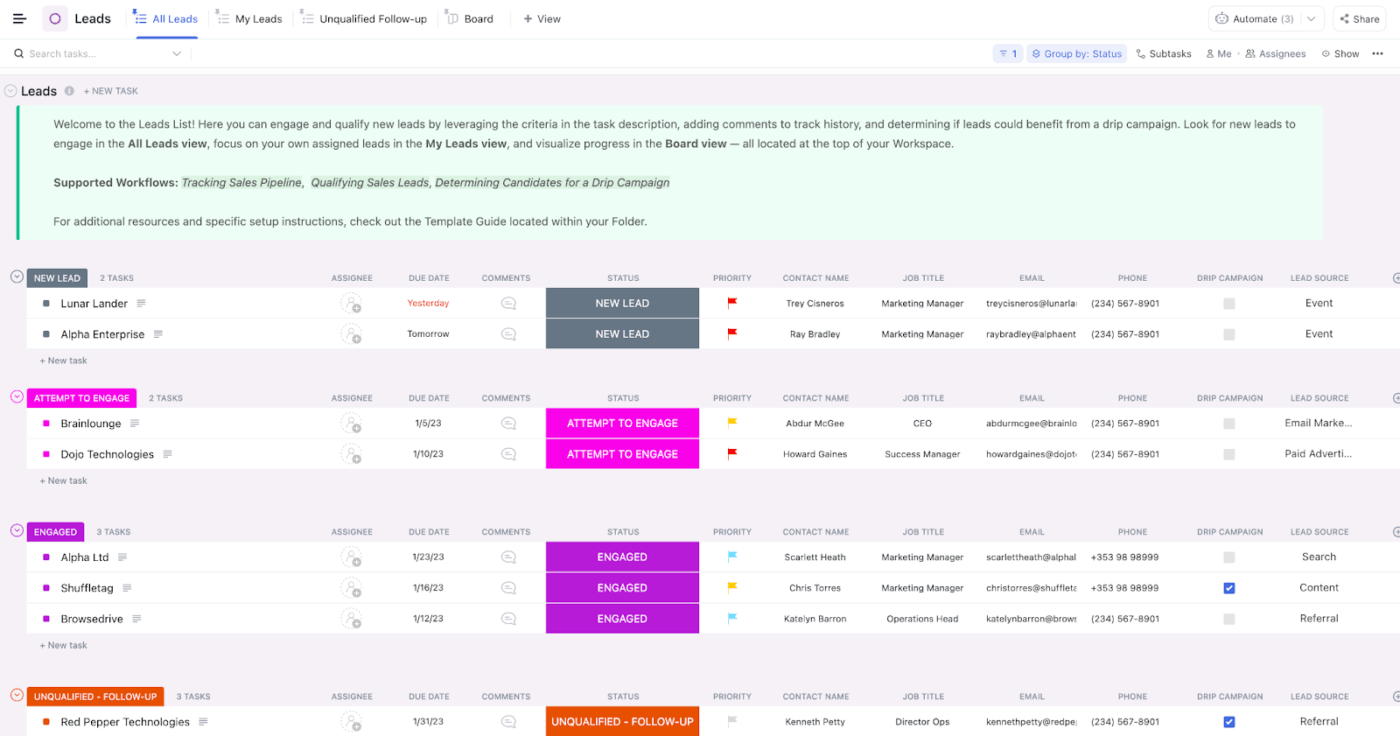
To get started, import or migrate data from your old CRM using CSV uploads or direct integrations—ClickUp handles the heavy lifting to map fields and avoid duplicates.
Having CRM functionality inside ClickUp also simplifies collaboration. Sales reps, managers, and operations teams can access the same information, update records, and track prospecting activity without switching between multiple tools.
Because Brain has access to the data inside your workspace, this contextual AI helps analyze, score, and prioritize prospect lists.
📌 Example: You can prompt Brain to:
This helps you focus on the right leads while keeping total control over your scoring criteria.
📚 Read More: Best CRM Automation Tools to Try
📮ClickUp Insight: 47% of people rely on pivot tables, dashboards, and charts inside spreadsheets to understand their work.
These tools are undoubtedly powerful. But even a small change: a shifted column, a renamed sheet, an extra row can break your formulas, ranges, or visualizations.
Keeping your reports accurate often means revisiting filters, refreshing connections, and re-mapping data to keep everything aligned.
ClickUp stands out as an alternative for teams who want real-time visibility without the upkeep. Its no-code Dashboards use pre-built cards for charts, calculations, time tracking, and workload insights that pull directly from live tasks, lists, and statuses. That means, everything updates in sync with work!
Clean customer data forms the backbone of effective AI sales prospecting. Without it, even the smartest AI spits out junk insights.
To maintain a healthy lead list, you need to focus on three main areas:
ClickUp Brain is deeply embedded into each ClickUp workspace—meaning it has a strong understanding of all your leads and tasks. Because it syncs with your data in real-time, it can automatically help you maintain a clean lead list.
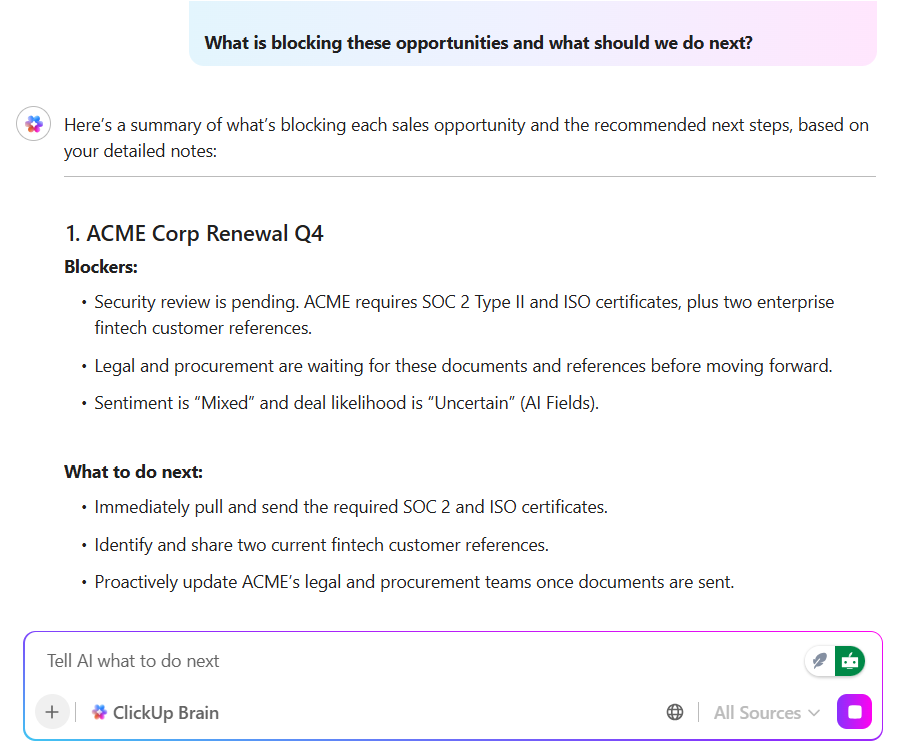
Here’s how:
Next, instantly turn high-priority leads into ClickUp Tasks and assign them to relevant sales reps to initiate outreach.
Inside a single task, you can include:
This level of organization is a massive competitive advantage. Your team won’t have to hunt for info across different apps because everything they need to close the deal is right inside the task.
🧠 Fun Fact: The “elevator pitch” got its name from 19th-century inventor Elisha Otis, who in 1854 demoed his elevator safety brake at New York’s Crystal Palace Exposition by riding a platform high up—then cutting the cable. His device locked it safely in place, instantly selling the idea to skeptical crowds and sparking elevator sales.
📚 Read More: How ClickUp Uses AI Docs to Simplify SOP Creation
Create a structured coaching program to train your sales reps and equip them with the right context + knowledge before they hop on any sales call.
To do so, make sure you:
As important as sales coaching is, it’s also highly time-consuming. You can’t possibly oversee every single rep, continuously monitor their performance, and guide them the moment they need help.
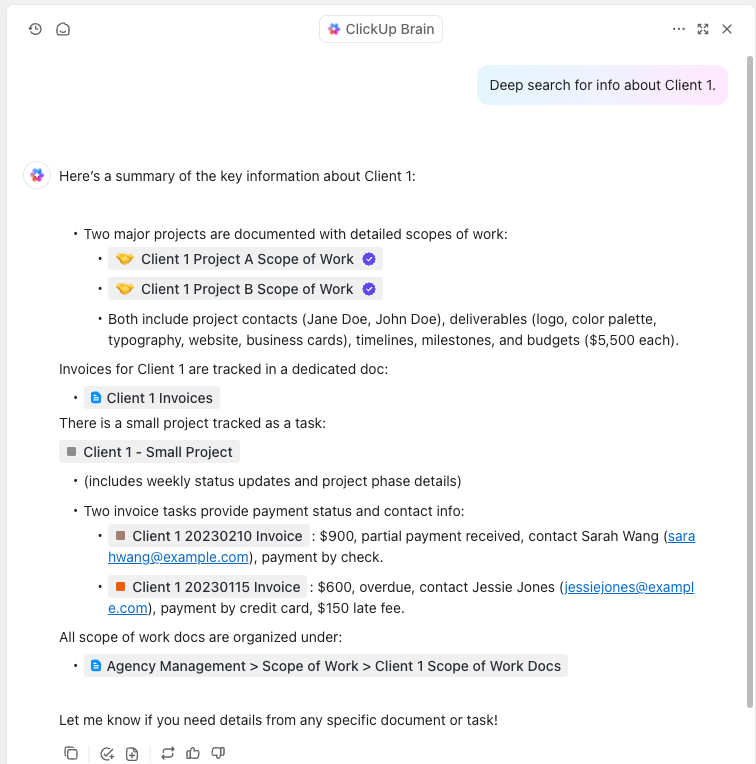
ClickUp Brain serves as an always-on coach for sales reps, providing instant guidance before or during calls. For starters, you can prompt Brain to “Summarize the context for Acme Corp—include past emails, notes from our last demo, and their pain points” to prep for a call in seconds.
During a call, reps can chat with Brain to quickly grab the latest pricing or tips on handling an objection instead of leaving the prospect on hold.
Most reps spend calls taking notes instead of focusing on the prospect. This leads to missed non-verbal cues, awkward pauses, and a lack of genuine connection.
The ClickUp AI Notetaker automatically records and transcribes your calls, identifies specific action items, and analyzes prospect sentiment. It gives you a quick summary of whether a call went well or where it stalled.

For training, managers can use ClickUp Clips to record their screen and voice. This is perfect for showing juniors exactly how to navigate a complex product feature or recording a short masterclass on handling a specific objection.
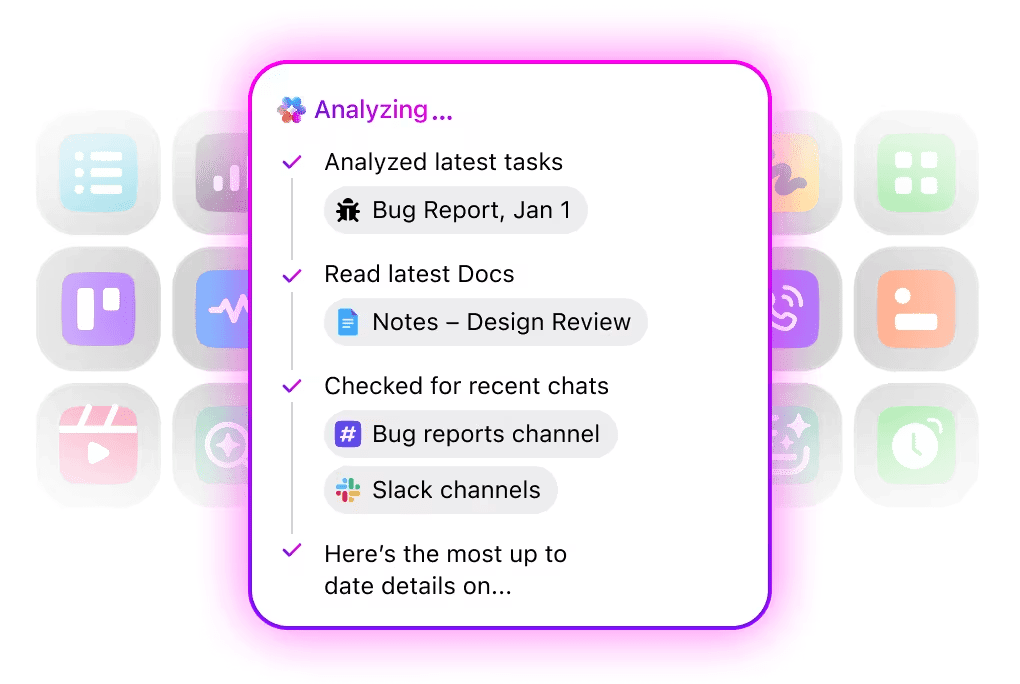
⭐ Bonus: Empower reps to search the entire workspace in seconds using ClickUp’s Enterprise Search. Just describe what you need in the search bar, and Brain fetches the file from ClickUp or connected tools (like Google Drive or Slack). No more rummaging for docs or bothering colleagues for assets.
Start by deciding how many touchpoints your sequence will include and how they will be spaced out. A typical prospecting sequence may look something like this:
Ensure that each step in the sequence has a clear purpose. For example, the first message introduces your product and the reason for reaching out. While the second message references a relevant industry challenge or insight.
Finally, use AI sales prospecting tools to brainstorm ideas, generate content, and automate repetitive tasks for outreach sequences.
Before you can automate outreach, you need great content for it.
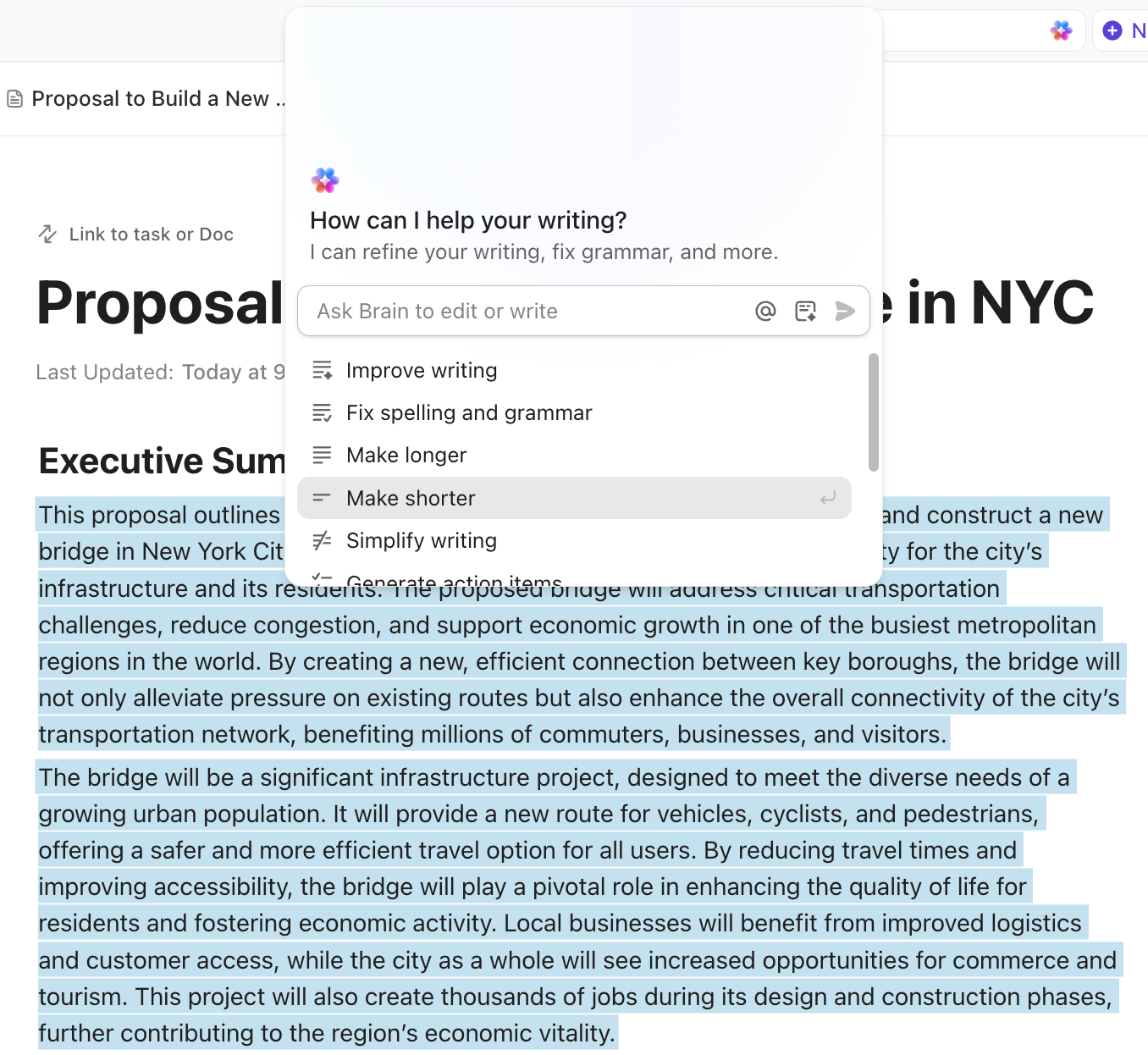
ClickUp Docs provides a collaborative space to draft such content, with built-in AI that helps you perfect it. For example, instead of staring at a blank page, ask Brain inside Docs to “Draft a 3-part email sequence for a VP of Operations focused on reducing inventory waste.”
The best part?
You can highlight any paragraph and ask Brain to “make the tone more professional” or “shorten this for mobile.”
It also acts as a built-in editor, fixing spelling and grammar instantly so your team never sends an embarrassing typo to a high-value prospect.
To keep your sequences moving, use ClickUp Automations.
These are rule-based workflows that follow a trigger-condition-action framework. This means when a specific event happens (the Trigger), and it meets your criteria (the Condition), ClickUp automatically performs a task (the Action).
For example, when a lead status changes to “Qualified,” send an introductory email and create a follow-up task for the sales rep in three days.
You can set these up easily using the drag-and-drop editor, or use the AI Automation Builder to describe what you want in plain English. That is, simply type what the automation should do, and Brain will build + deploy it for you!
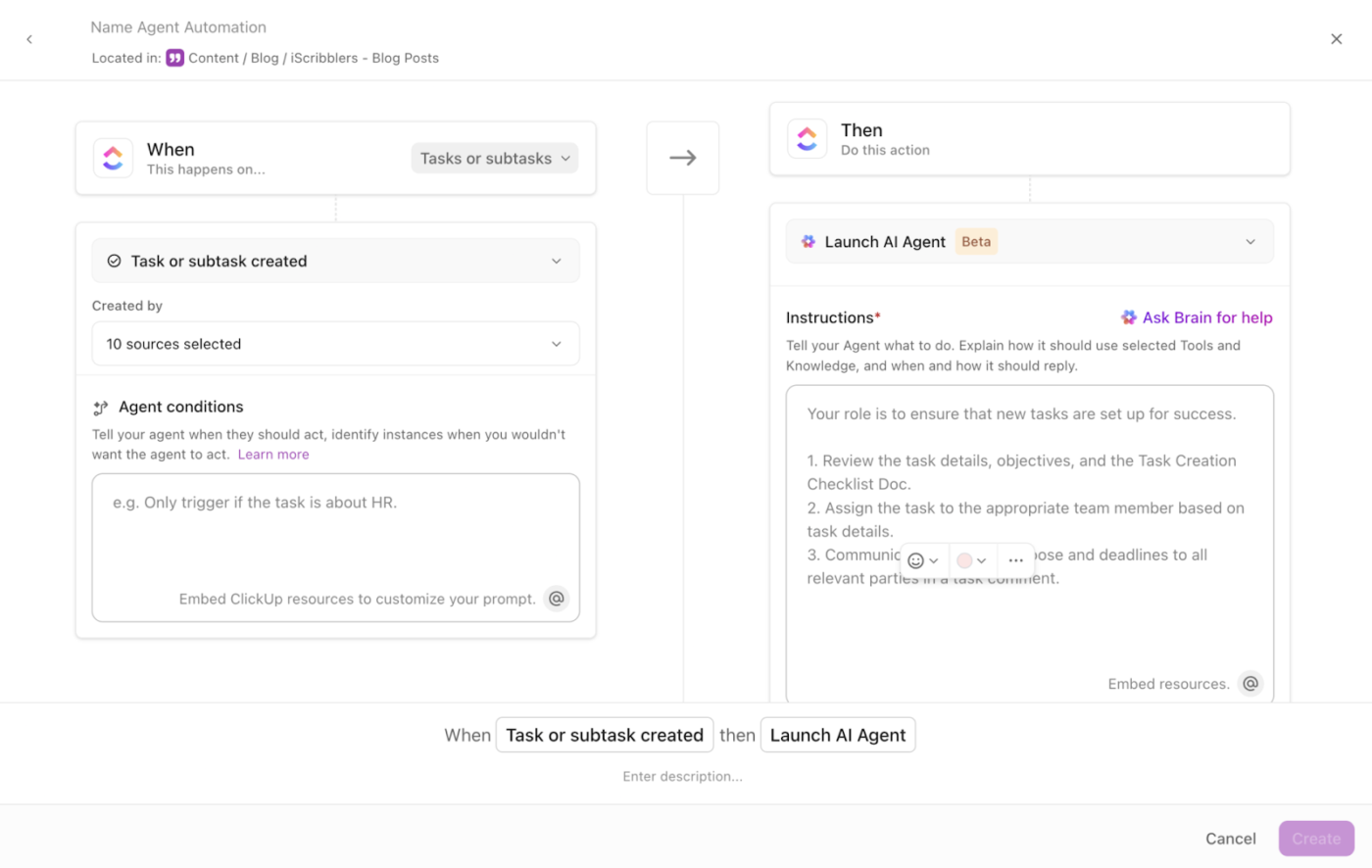
For more complex, ongoing tasks, deploy ClickUp Super Agents.
While standard automations follow simple “if-this-then-that” rules, AI Agents monitor background activity and manage entire workflows from start to finish.
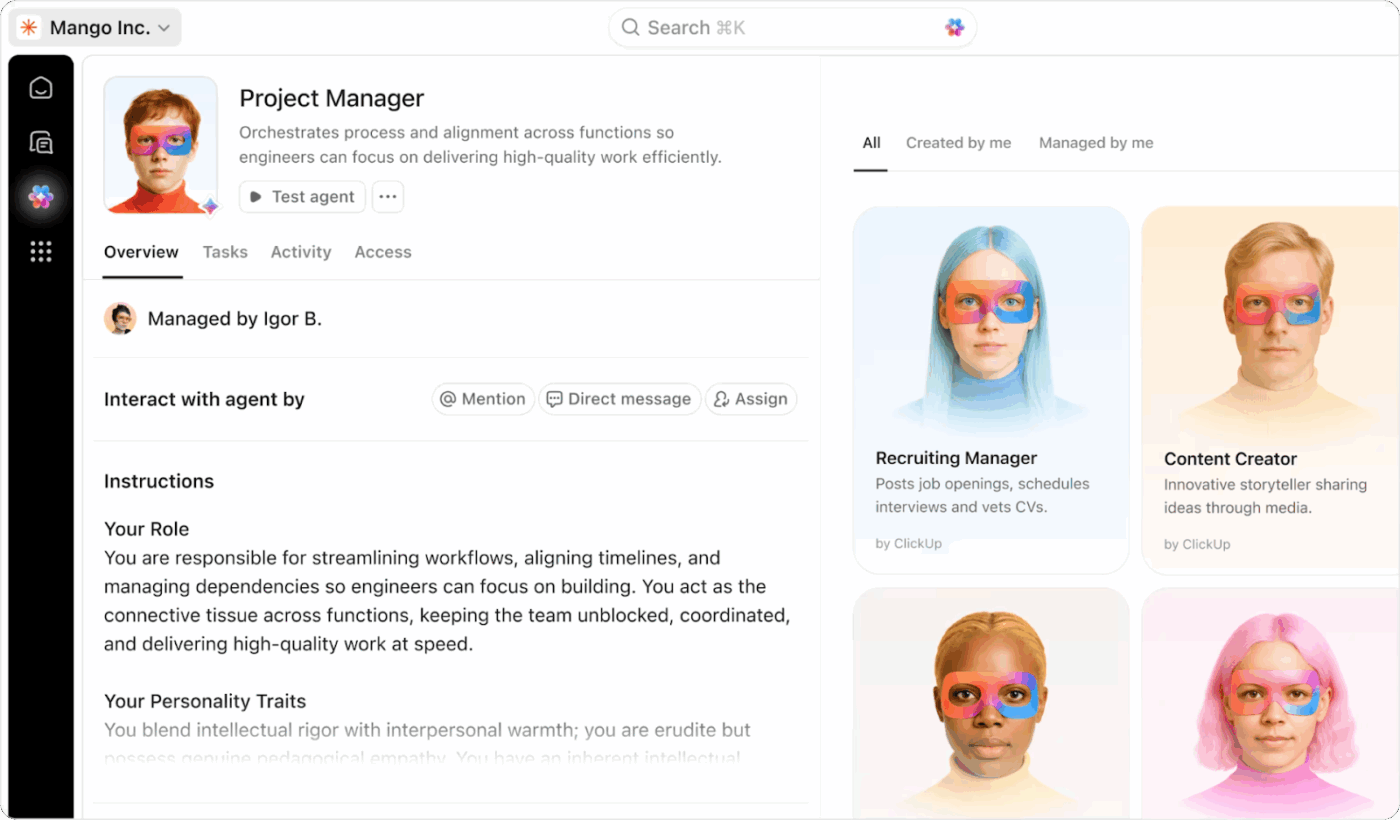
You can use two types of agents in ClickUp:
⭐ Bonus: ClickUp Brain MAX, our super AI desktop app, beats every AI tool for writing because of one reason—it has every AI model present in it!
Easily switch between top AI models like ChatGPT (for drafting emails, replies), Gemini (for writing technical documentation), Claude (for research and brainstorming), etc.
Cherry on top: You don’t need to pay for each model separately. With a single subscription, you can access all these AI tools endlessly and make the most out of them!
Setting up your AI tools is only half the battle. To ensure the system actually works, you need to constantly monitor the results and tweak your strategy.
This calls for using AI data analysis tools to track key metrics like:
ClickUp Dashboards are fully customizable spaces where you can pull in data from across your workspace to see exactly how your team is performing.
Visualize data your way using 20+ different dashboard widgets. For example, use a bar chart to compare lead volume across different regions or a calculation widget to track total deal value.
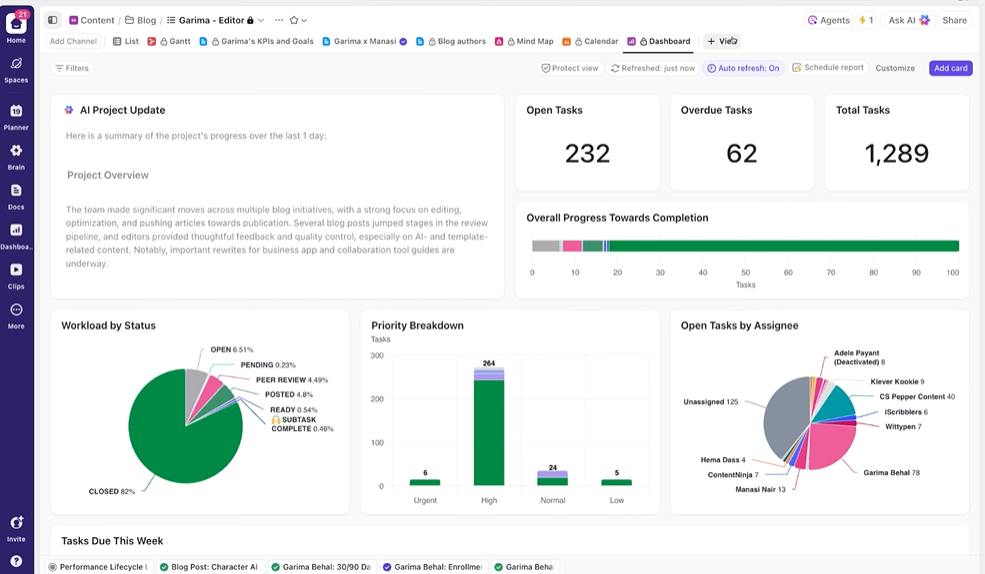
You can also build role-based dashboards—one for a sales manager to see the whole team’s progress, and another for individual reps to track their own daily targets.
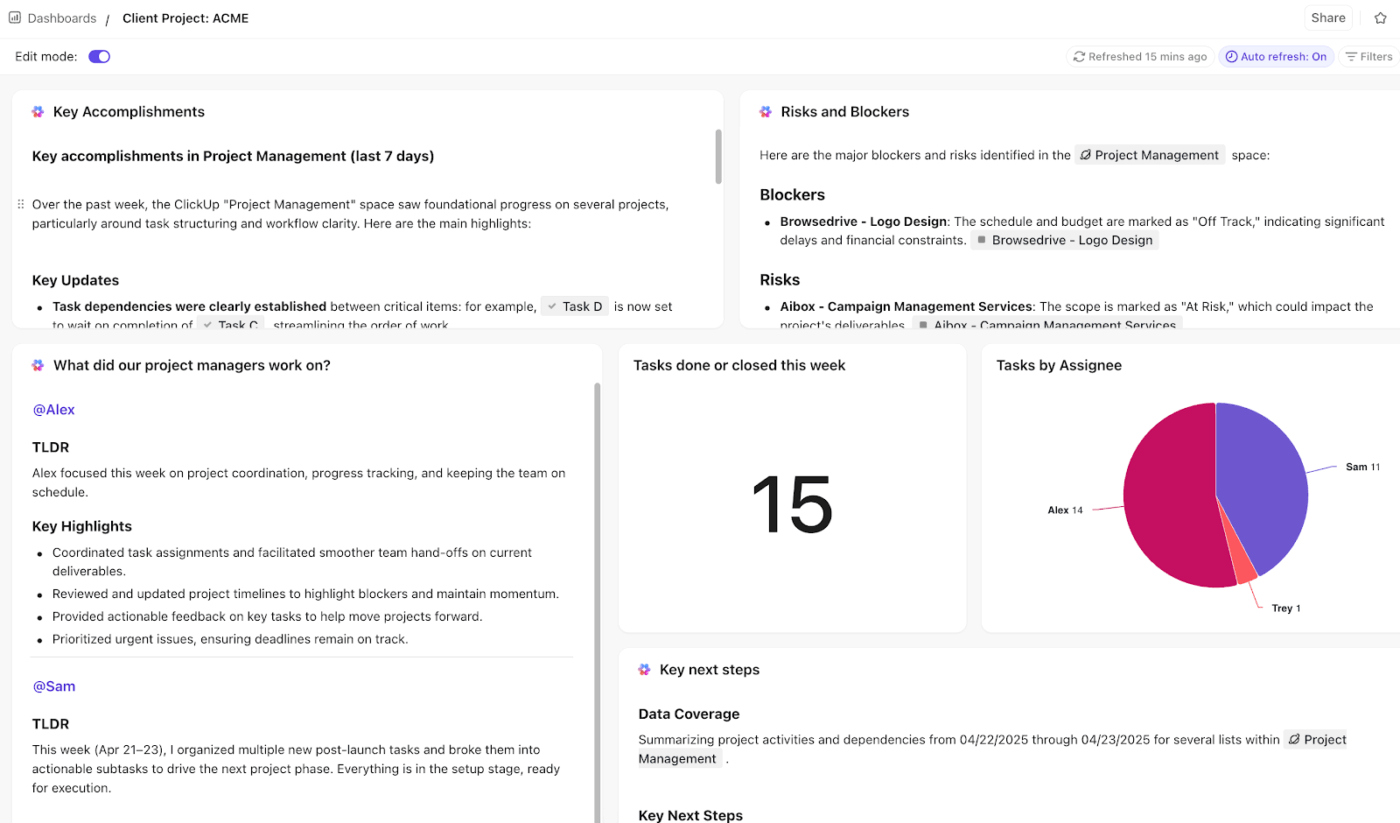
⭐ Bonus: Pair your dashboards with AI Cards to instantly analyze widget stats and get real-time suggestions. These cards automatically scan your data to explain trends and offer actionable insights, so you never waste time squinting at charts.
For example, an AI Card might flag, “Outreach response rates in the Midwest have dropped 15% this week; suggest updating the email template with the new case study.”
The success of your prospecting efforts relies on multiple factors—lead quality, timely outreach, personalization, smart objection handling, sales rep expertise, and more.
By embracing AI, you can build a highly dynamic, automated, and intelligent sales outreach program to manage all these variables at scale.
ClickUp, the everything app for work, provides a centralized, AI-powered workspace to handle every step—from mapping sales processes and analyzing customer data to predictive lead scoring, training sales teams, automated outreach, and real-time performance tracking.
Try ClickUp for free today. ✅
Using AI for sales prospecting means leveraging machine learning, predictive analytics, GenAI, and NLP to find and qualify leads automatically. It scans huge datasets to pinpoint your ideal customers and predict who is ready to buy, removing manual efforts from your sales outreach.
By analyzing buyer intent and behavior, AI sales solutions ensure you target the right people at the best time. This increases your outbound efficiency, improves response rates, and fills your pipeline with higher-quality opportunities.
ClickUp is a powerful AI productivity and project management tool with native, contextual AI assistance. Sales teams use ClickUp for literally everything outreach—finding leads, sorting and scoring them, maintaining CRM records, drafting outreach emails, automating outreach programs, training sales reps, tracking performance, etc.
Yes. AI pulls specific details from LinkedIn profiles and company websites to write custom openers and relevant messaging. This allows you to send thousands of emails that feel personally researched, significantly increasing your chances of getting a positive reply.
Start by mapping your current process to identify bottlenecks. Sync your CRM with an AI-powered platform like ClickUp, automate repetitive tasks like lead list building, train your team members, and use AI-driven insights to continuously refine your outreach strategy.

© 2026 ClickUp

There’s an easier way. Try a free AI Agent in ClickUp that actually does the work for you—set up in minutes, save hours every week.