10 Best Hootsuite Alternatives to Up Your Social Media Game in 2025

Sorry, there were no results found for “”
Social media isn’t just about posting regularly; it’s about being strategic, responsive, and deeply connected to your audience.
That’s where the right social media management platform makes all the difference. While Hootsuite has long been a go-to, many teams are outgrowing its interface, pricing, or limited support for multi-brand workflows.
If you’re looking for something more intuitive, scalable, or budget-friendly, you’re in the right place. We’ve tested the best Hootsuite alternatives to help you streamline content planning, automate social media posts, engage your audience, and analyze performance across multiple social media accounts—all without juggling tabs.
Let’s explore your options.
🔎 Did You Know? The first social media platform, Six Degrees, launched in 1997 and allowed users to create profiles and connect with friends—a concept that paved the way for today’s networks.
| Tool | Best features | Best for | *Pricing |
|---|---|---|---|
| ClickUp | – All-in-one work hub (tasks, docs, calendar) – ClickUp Brain for AI + automation – Custom Dashboards | Teams managing projects + social media in one platform | Free forever plan; Customizations available for enterprises. |
| Sprout Social | – Smart Inbox + social listening – CRM-like profiles – AI-assisted post creation | Mid-to-large teams focused on insights + engagement | No free plan; Paid plans start at $249/user/month. |
| eClincher | – Bulk scheduling + visual calendar – Social inbox with CRM – Supports Google Business Profile | Franchises, agencies, SMBs | No free plan; Paid plans start at $65/month. |
| Agorapulse | – Unified inbox + approval workflows – Queue-based scheduling – Advanced reports and competitor tracking | Agencies managing multiple brands | No free plan; Paid plans start at $79/user/month. |
| MeetEdgar | – Content recycling + AI auto-variations – Category-based queues – Evergreen scheduler | Solo creators, small businesses | No free plan; Paid plans start at $29.99/month. |
| Sendible | – Canva + Dropbox integrations – Client dashboards – Team workflows + analytics | Freelancers and agency teams | No free plan; Paid plans start at $29/month. |
| Buffer | – Visual calendar + AI assistant – Landing page builder – Simple UI for publishing | Small teams and startups | Free plan available; Paid plans start at $6/month/channel. |
| CoSchedule | – Unified calendar for blogs + social – ReQueue automation – Headline Studio | Content-led marketing teams | No free plan; Paid plans start at $29/month/user. |
| Pallyy | – Instagram grid preview – Social inbox + Canva integration – Hashtag tools | Visual-first solo creators, small brands | Free plan available; Paid plans start at $18/month. |
| Zoho Social | – Zoho CRM integration – Smart queues + brand monitoring – Custom reports | Existing Zoho users, growing businesses | No free plan; Paid plans start at $15/month. |
*Please check the tool website for the latest pricing details.
Hootsuite helped define social media management. But now, the expectations are higher: marketers want seamless UX, robust social media analytics, AI-powered scheduling, and value for money. Hootsuite often falls short in these areas.
That’s why many teams are shifting to tools that are easier to use, better integrated with digital asset management, and more powerful overall for running social media campaigns.
We evaluated dozens of social media management tools based on:
Each tool below offers a unique way to manage your social media presence, with strengths that go well beyond what Hootsuite currently delivers.
Our editorial team follows a transparent, research-backed, and vendor-neutral process, so you can trust that our recommendations are based on real product value.
Here’s a detailed rundown of how we review software at ClickUp.

Are you ready to take your social media game to the next level? Here are the 10 best Hootsuite alternatives.
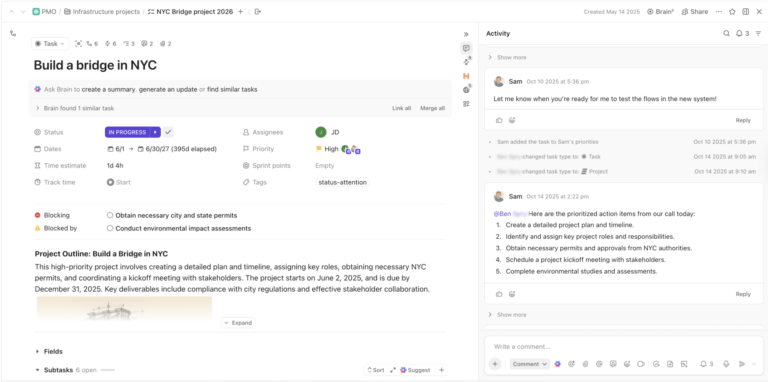
ClickUp is a robust Hootsuite alternative because it offers a unified platform for planning, executing, and tracking all your social media and marketing activities, plus much more.
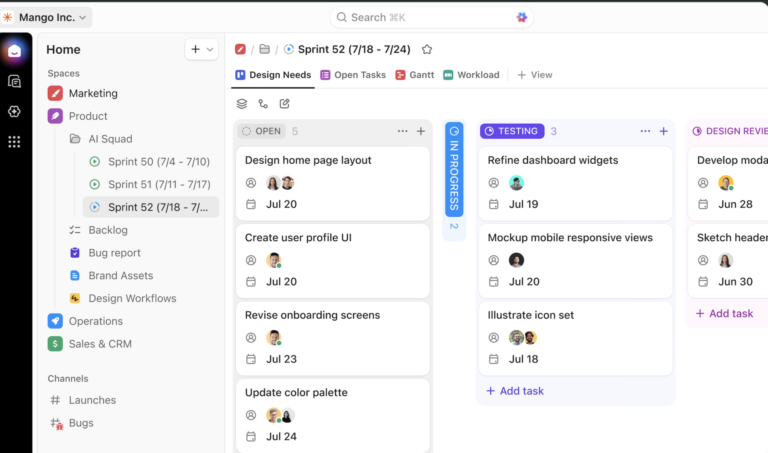
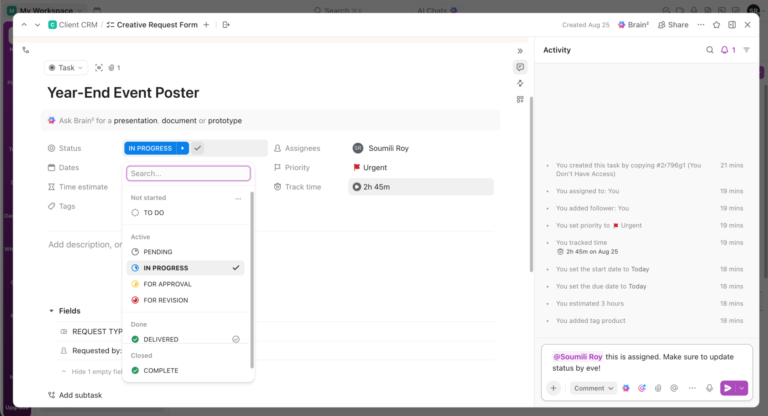
Unlike Hootsuite, which is focused solely on social media scheduling and analytics, ClickUp is a full project management platform. You can plan campaigns, assign tasks, collaborate with your team, and track progress using Lists, Boards, and Calendar views.
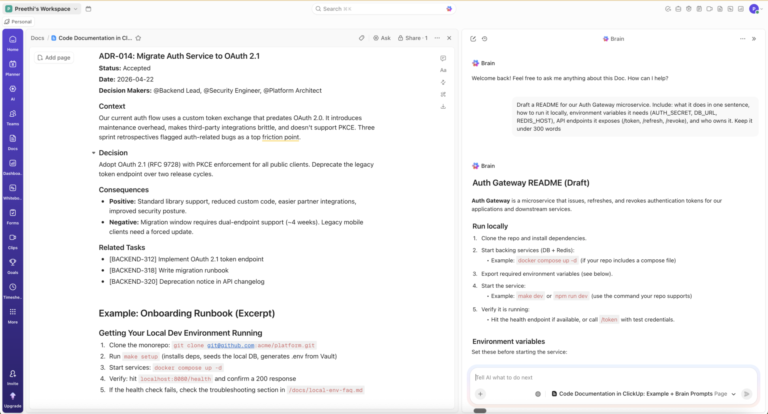
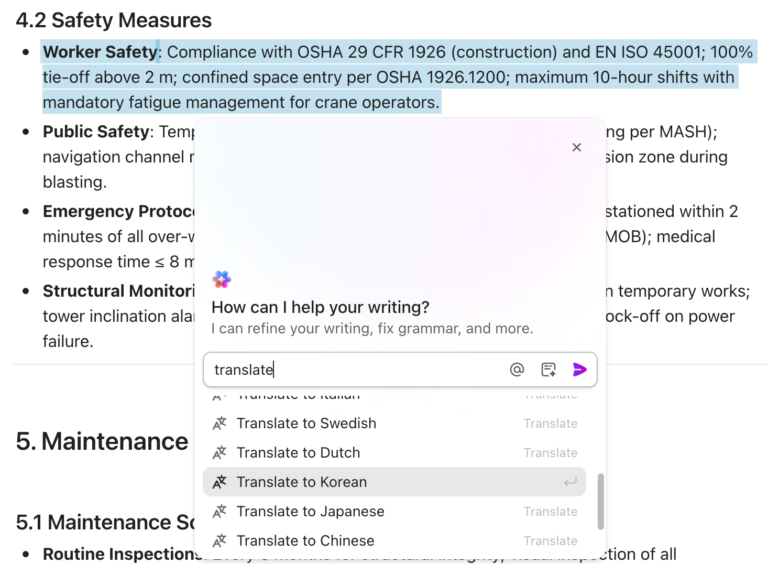
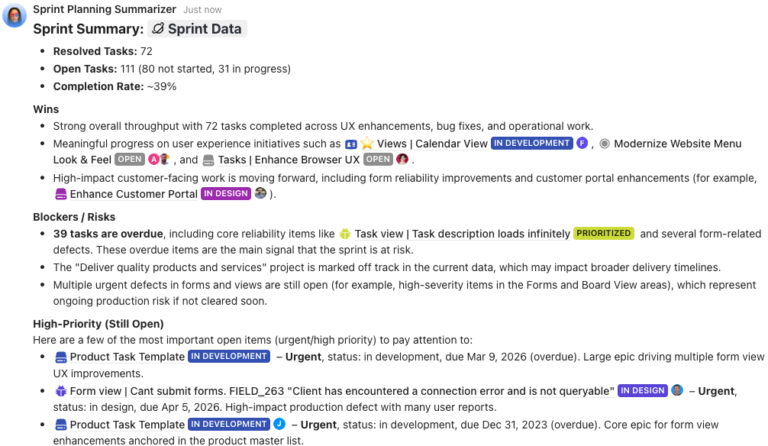
ClickUp’s AI features, including ClickUp Brain and ClickUp Brain MAX, help automate content creation, summarize feedback, and generate campaign ideas. You can also work with multiple AI models like Claude and Gemini right from your workspace, making it easy to draft posts, automate reporting, and boost productivity—all without leaving ClickUp.
Here’s an example of ClickUp Brain at work 👇

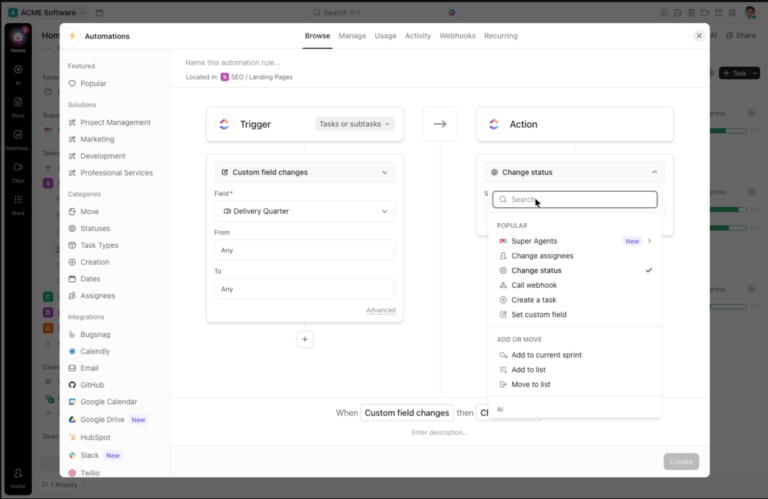
Automate repetitive tasks and approvals with AI Agents, keeping your content pipeline organized before pushing final designs to scheduling.
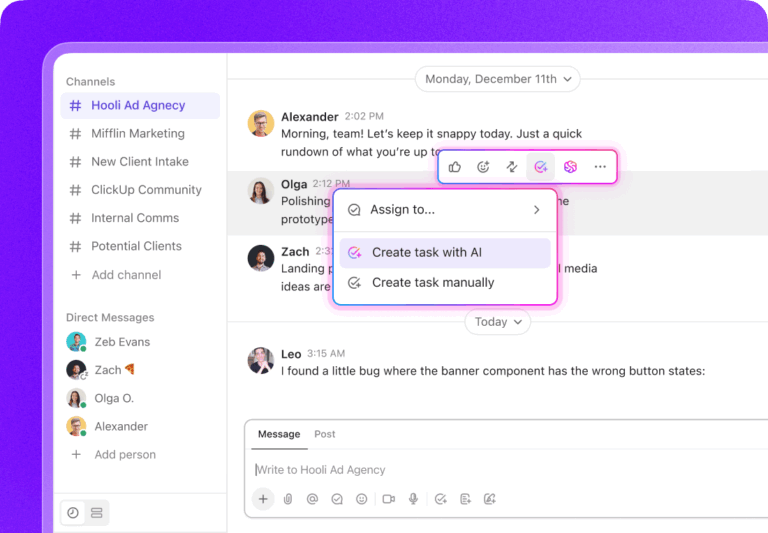
With powerful features like ClickUp Calendar for AI-led scheduling, customizable Automations, and collaborative ClickUp Docs for creative review, ClickUp streamlines the entire content lifecycle.

ClickUp also offers ready-to-use templates like the Social Media Advanced Template and the Social Media Posting Schedule Template for social media calendars, content approval workflows, and campaign management.
Team size: Small to enterprise-level teams
Who is Sprout Social a good fit for? Use it when:
A G2 reviewer says:
“I call Clickup my second brain because I wouldn’t be able to function without it. I have been using it for my marketing agency since 2021 and I have loved how it helps me keep focussed and on track.”
A G2 reviewer says:
“The learning curve of this tool is a bit steep, but it’s worth it.”
Yes, ClickUp is perfect for teams that want to manage content strategy, social media scheduling, and social media publishing without bouncing between tools. It’s not a one-click social scheduler, but it’s powerful when used as a content command center.
💡 Pro Tip: Streamline your next campaign with ClickUp’s ready-to-use Social Media Campaign Template. Plan posts, track performance, and collaborate—all in one place.
Sprout Social is an advanced social media management platform that helps businesses manage engagement, scheduling, social listening, and analytics—all from one place. It’s designed for marketing teams and social media managers who need detailed reporting, customer relationship management, and collaborative tools to support better social media marketing efforts.
Team size: Mid-sized to large marketing teams and agencies
Who is Sprout Social a good fit for? Use it when:
A G2 reviewer says:
“The analytics and listening tools are fantastic. We can finally see what’s working and tweak campaigns in real time.”
A G2 reviewer says:
“Some advanced features, like more granular competitor analysis or listening tools, are only available on higher-tier plans.”
Yes—for data-driven social media managers and agencies that need advanced reporting and social listening. It’s best for teams that manage multiple social media accounts and want deep insights, though smaller businesses may find the pricing restrictive.
📚 Also Read: Learn about Sprout Social’s top competitors!
eClincher is a feature-rich social media scheduling tool known for its automation capabilities, built-in media library, and unified social inbox. It’s especially useful for social media managers and agencies who want to manage multiple social media accounts, automate publishing, and track performance in one place.
Team size: Small businesses to large agencies
Who is eClincher a good fit for? Use it when:
A G2 reviewer says:
“I’ve been really delighted with how user-friendly it is, how frequently new features are added, and how well my account manager and the support staff can assist me. ”
A G2 reviewer says:
“Sporadically occurring posts that fail to publish for no apparent reason or losing access to specific channels due to infrequent manual reconnection.”
Yes—if you’re an agency or advanced social media manager looking for a powerful social media management platform with strong publishing automation, analytics, and client account support.
📚 Also Read: Ready-to-use social media templates
📮 ClickUp Insight: 1 in 4 employees uses four or more tools just to build context at work. A key detail might be buried in an email, expanded in a Slack thread, and documented in a separate tool, forcing teams to waste time hunting for information instead of getting work done.
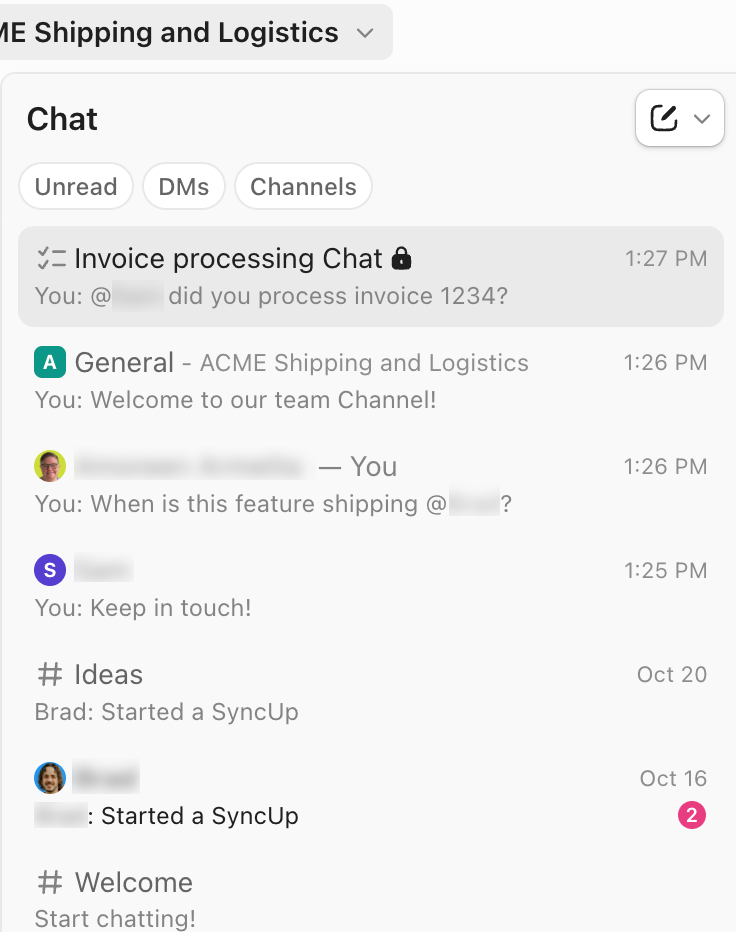
ClickUp converges your entire workflow into one unified platform. With features like ClickUp Email Project Management, ClickUp Chat, ClickUp Docs, and ClickUp Brain, everything stays connected, synced, and instantly accessible. Say goodbye to “work about work” and reclaim your productive time.
💫 Real Results: Teams are able to reclaim 5+ hours every week using ClickUp—that’s over 250 hours annually per person—by eliminating outdated knowledge management processes. Imagine what your team could create with an extra week of productivity every quarter!
Agorapulse is a powerful all-in-one social media tool that combines post scheduling, engagement, reporting, and team collaboration tools. Built for agencies, small businesses, and in-house teams, Agorapulse makes it easy to manage multiple profiles, track social conversations, and analyze performance—all from a single dashboard optimized for social media campaigns and daily content planning.
Team size: Small to mid-sized teams, agencies
Who is Agorapulse a good fit for? Use it when:
A G2 reviewer says:
“Agorapulse has the best social inbox I’ve used. It keeps everything organized and responsive.”
A G2 reviewer says:
“There are a few things I would like improved, such as the way posts are scheduled… sometimes the calendar can be difficult to navigate.”
Yes—for teams and agencies that need a social media management platform with strong engagement workflows, a unified inbox, and polished reporting. Agorapulse keeps multiple social media channels organized and even offers competitor tracking. Larger enterprises may want more flexibility or advanced AI tools.
📚 Also Read: Discover how to organize campaigns, schedule content, and track performance seamlessly—your guide to social media project management.
MeetEdgar is a social media scheduling tool focused on automation, evergreen content recycling, and queue-based publishing. It’s designed for solo creators, small businesses, and lean marketing teams looking to simplify their publishing strategy and maintain an active presence across multiple social media tools without constant manual scheduling.
Team size: Solopreneurs, small teams, content creators
Who is MeetEdgar a good fit for? Use it when:
A G2 reviewer says:
“MeetEdgar has allowed me to show up on social media in a consistent way without having to be “on” every day.”
A G2 reviewer says:
“Unintuitive UI, Inky Credits, and limited social integrations.”
Yes—if you’re a small team or creator who wants to maintain an active social media presence without spending hours every week scheduling posts. It’s not built for in-depth analytics or collaboration, but its strength lies in content automation.
🔎 Did you know? Social media algorithms prioritize content that sparks conversations, so asking questions in your posts can boost visibility.
Sendible is a robust social media management tool built for agencies and growing teams that need powerful scheduling, client management, and reporting features. With white-label options, approval workflows, and CRM-like integrations, Sendible helps streamline campaign planning across multiple social media accounts and platforms.
Team size: Agencies, mid-sized to large teams
Who is Sendible a good fit for? Use it when:
A G2 reviewer says:
“Overall, a reliable, efficient platform. The customer service has always been very quick to get back to me too.”
A G2 reviewer says:
“I would like to be able to drag posts around on any view, not just the monthly.”
Yes—especially for social media managers or agencies running campaigns for several clients. If your workflows depend on collaboration, scheduling, and approval systems, Sendible covers all those bases with the bonus of white-label features.
💡 Pro Tip: Repurpose your best-performing content across platforms, but always tweak it for each audience—what works on TikTok may flop on LinkedIn.
Buffer is a clean, intuitive social media management platform made for creators, startups, and small businesses. It offers content scheduling, publishing, engagement tracking, and basic analytics—all in a user-friendly interface that focuses on simplicity. Buffer is ideal for teams looking to manage their social media presence without the complexities of enterprise software.
Team size: Solopreneurs, startups, small teams
Who is Buffer a good fit for? Use it when:
A G2 reviewer says:
“Buffer is perfect for small businesses like ours—easy to use, visually clean, and reliable.”
A G2 reviewer says:
“It can be a little glitchy and often you have to go in to manually resend a post.”
Yes—especially if you’re just getting started with social media management. Buffer strikes a great balance between simplicity and effectiveness. It’s not built for deep analytics or AI-heavy campaigns, but it helps you stay consistent across platforms with minimal friction.
💡 Pro Tip: Use UTM parameters in your social posts to track exactly which campaigns drive the most traffic to your website.
CoSchedule is a marketing calendar and social media scheduling platform designed for content teams and marketers. It helps plan, organize, and execute social campaigns alongside blog posts, newsletters, and other marketing activities. With ReQueue automation and a visual calendar, it’s great for aligning marketing tasks and social media in one place.
Team size: Mid-sized marketing teams, content-led businesses
Who is CoSchedule a good fit for? Use it when:
A G2 reviewer says:
“I like the ease of planning and scheduling projects”
A G2 reviewer says:
“I dislike the lack of google business integration for social posts”
Yes—if your team publishes blogs, email campaigns, and social posts as part of a broader content strategy. CoSchedule helps centralize your planning, though you may need an additional platform for community engagement.
📚 Also Read: Find the perfect alternative to CoSchedule
Pallyy is a visual-first social media scheduling tool that caters to creators, influencers, and small businesses. Known for its clean interface and strong Instagram support, Pallyy offers features like drag-and-drop scheduling, comment management, and a customizable grid preview. It’s a lightweight yet efficient solution for managing content across social channels.
Team size: Solopreneurs, freelancers, small content teams
Who is Pallyy a good fit for? Use it when:
A Capterra reviewer says:
“It organizes all of my client’s google listing and every other social media platform for ease of access.”
A Capterra reviewer says:
“Hashtags dont save. People to tag dont save (if you want to tag them a few times). Uploading to stories never worked.”
Yes—if you’re looking for an affordable and visual way to plan and publish social media content, especially on Instagram. It’s best suited for individuals and small teams focused on aesthetics and simplicity.
💡 Pro Tip: Engage with your audience within the first hour of posting to maximize reach, as most algorithms reward early interactions.
Zoho Social is a feature-packed social media management platform from the Zoho ecosystem. It helps businesses and agencies manage multiple brands, track conversations, monitor keywords, and measure performance from a unified dashboard. It’s especially effective if you’re already using Zoho CRM or other Zoho apps.
Team size: Small to mid-sized businesses and agencies
Who is Zoho Social a good fit for? Use it when:
A G2 reviewer says:
“If you use Zoho CRM, this is a no-brainer. Everything connects well and saves us time.”
A G2 reviewer says:
“It’s powerful, but the UI isn’t as smooth—it takes time to learn everything.”
Yes—especially for businesses already using Zoho apps. It offers strong value, excellent reporting, and solid scheduling features, although the interface might take some getting used to.
⚡Insight: Social listening isn’t just for brands—monitoring mentions of your industry or competitors can reveal trends and opportunities before they go mainstream.
If Hootsuite is no longer serving your team’s needs, you’ve got plenty of smart alternatives. Whether you’re an agency looking for white-labeled reports and client workspaces, a creator automating evergreen content, or a large team that needs smart collaboration, the tools listed above offer solutions for every style of social media management.
Before committing, we recommend:
It really boils down to what your team values most: automation, analytics, scheduling, engagement, or ease of use. ClickUp helps you simplify your entire workflow.
🎯 Try ClickUp for free and streamline your social media game today.
© 2025 ClickUp