









Still downloading templates?
There’s an easier way. Try a free AI Agent in ClickUp that actually does the work for you—set up in minutes, save hours every week.
Sorry, there were no results found for “”
Sorry, there were no results found for “”
Sorry, there were no results found for “”
High school transcripts are basically a student’s academic highlight reel. They show what classes were taken, how many credits were earned, and how the student performed over four years—all on a single page.
Plus, 1,800+ U.S. institutions have dropped SAT/ACT requirements, which means course history, grades, and a clear grading scale carry more weight when someone reviews a student’s file.
This guide rounds up free, ready-to-use high school transcript templates. We will explore each template’s key features and outline what makes a good transcript form. As a bonus, we will share the best picks for teachers, school administrators, and homeschooling parents.
Here’s a summary table for our pick of the top 10 high school transcript templates (including those from ClickUp):
Here’s your table with the “Best features” column rewritten for clarity and consistency, following the style of the Weekly Coffee Chat template:
| Template name | Download template | Ideal for | Best features | Visual format |
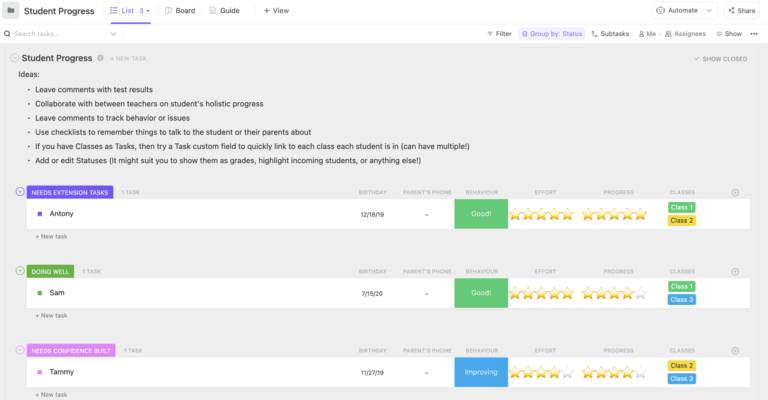
| ClickUp Student Progress Report Template | Get free template | Teachers and counselors tracking progress that rolls into transcripts | Tracks academic progress with Custom Fields, multiple views for needs attention and behavior, and easy export for reporting | List, Doc |
| ClickUp Performance Report Template | Get free template | Department leads, academic coordinators, project owners needing weekly or monthly snapshots | Combines goal tracking, status updates, and next steps with calendar and workload views for actionable reporting | Doc, List, Calendar, Workload |
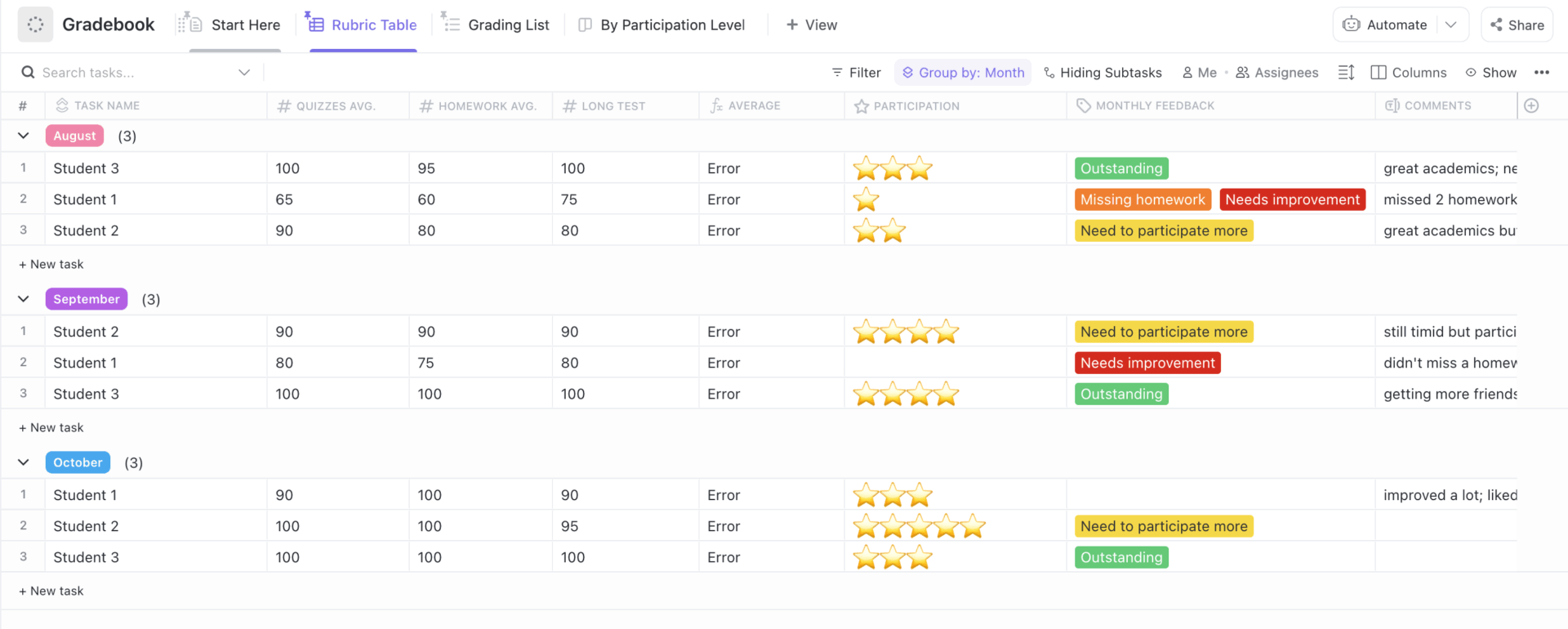
| ClickUp Gradebook Template | Get free template | Teachers who want a tidy, rubric-friendly gradebook | Supports rubric-based grading, Custom Fields for participation and tests, and exportable grade reports | List, Table, Doc |
| ClickUp Class Assignments Template | Get free template | Teachers planning, announcing, and tracking classwork | Organizes assignments by due date, task type, and grade, with priorities, subtasks, and multi-assignee support | List, Calendar, Table |
| ClickUp Attendance Sheet Template | Get free template | Teachers and coordinators logging daily attendance with context | One-tap attendance statuses, Custom Fields for class details, and filterable/exportable summaries | List, Form, Table |
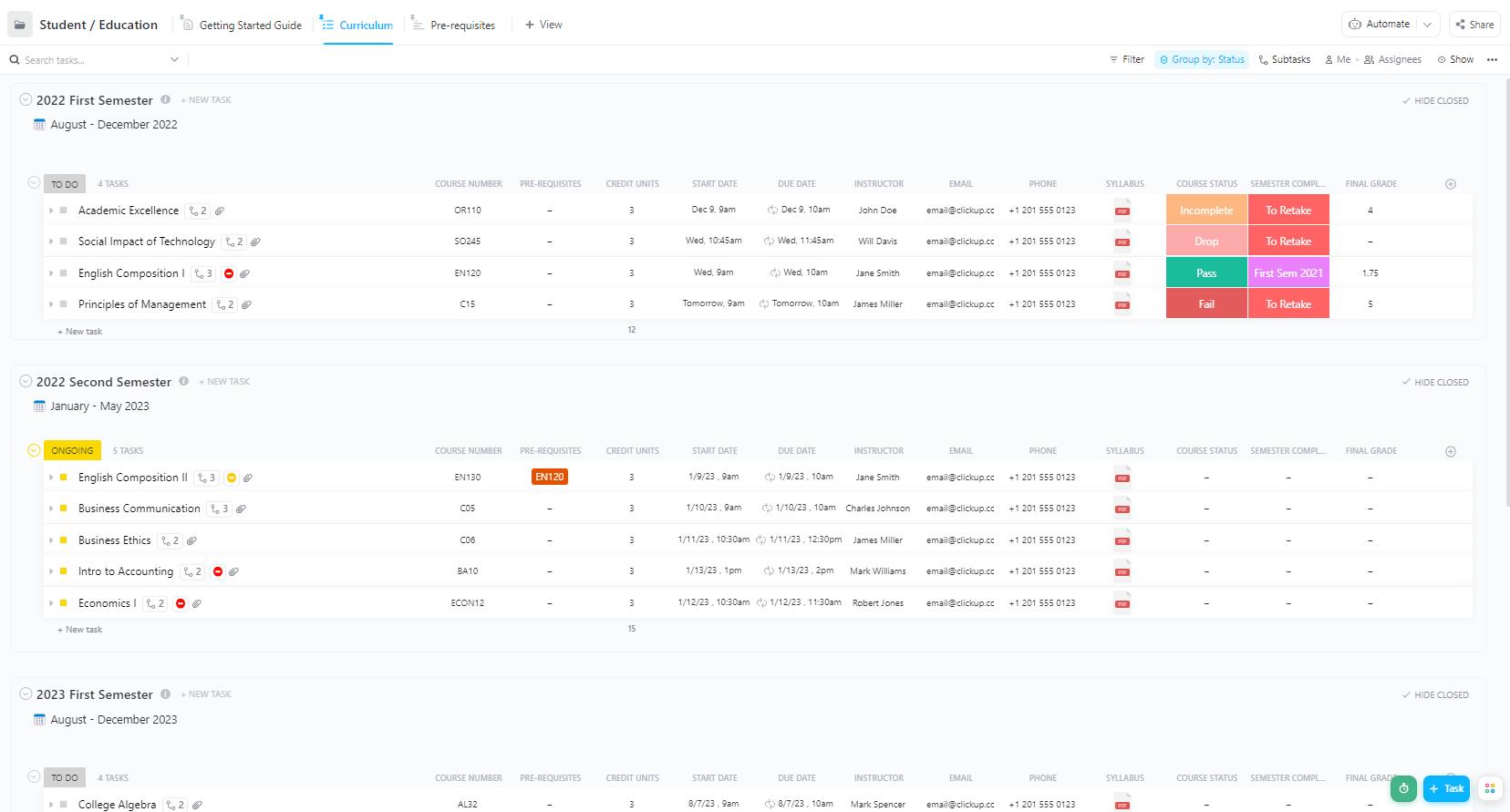
| ClickUp Student Education Template | Get free template | Students and advisors planning courses, credits, and timelines | Tracks curriculum, prerequisites, and credits with timeline and Gantt views for academic planning | List, Gantt, Doc |
| PDF Academic Transcript Template by Template.Net | Download the template | Teachers, registrars, homeschooling parents needing a printable transcript | Editable, printable transcript with term-by-term grades, GPA, and grading scale for official records | |
| High School Transcript Template by Scribd | Download the template | Counselors and homeschooling parents who need a quick, official-looking file | Includes student info, course tables, GPA, SAT/ACT, and graduation details in a traditional format | |
| Homeschool Transcript Template by Lone Star | Download the template | Homeschooling parents and graduates preparing admissions packets | Year-grouped courses, GPA fields, grading scale, and space for dual credit notes in a familiar format | |
| High School Transcript Template by Flanders Family | Download the template | Homeschooling parents who want a straightforward, college-friendly transcript | Classic layout with credits, grades, GPA, on-page grading scale, and editable fields for updates |
A high school transcript template is a ready-made document that standardizes how you record a student’s academic history.
This includes the essentials in one place: student information, high school courses by term, credits attempted and earned, letter grades, a grading scale, GPA calculations, and space for notes like honors courses, dual enrollment courses, or repeat classes.
Many versions also include fields for graduation date, counselor or administrator signature, and an optional seal for an official transcript.
These templates come in common formats like Google Docs, Google Sheets, and PDF, so you can print or share digitally.
Homeschooling parents can adapt the same layout for a homeschool high school transcript by adding the homeschool name, school year terms, and any course descriptions to clarify material covered.
Here’s what an ideal high school transcript template should do:
📖 Also Read: Best AI Tools for Students
School records are often distributed across multiple systems. A transcript draft is stored in one folder, course descriptions are kept in another, credits are organized in a spreadsheet, and GPA calculations exist only in reports.
That jumble is Work Sprawl, the scattered tasks, docs, and updates that hide details and steal time.
If you’re formalizing how records and course materials live together, a solid knowledge management system keeps everything searchable and consistent across the school year.
ClickUp pulls everything into one Converged AI Workspace, so your transcript data, course lists, grading scale, and notes live together. You can create a ClickUp Doc for the student’s transcript, attach course descriptions, track credits with Custom Fields, and keep a single source of truth that anyone on the team can review.
👀 Fun Fact: In the 2023–24 cycle, about 5% of Common App member colleges required SAT/ACT scores, which means transcripts and course rigor got even more attention.
The ClickUp Student Progress Report Template efficiently organizes student performance, behavior notes, and outreach in a single, easily manageable location.
The template uses structured Custom Fields for classes, effort, and parent contact, while built-in views like “Guide, Needs Attention, Behavior Issues, and List.” This makes it easy to scan the class and zero in on who needs support.
Clear statuses map the journey from Doing Well to Needs Attention or Needs Confidence Built, and you can export a clean report when it is time to update grades or share evidence for conferences.
✨ Ideal for: Teachers and counselors who want consistent progress tracking that rolls cleanly into report cards and end-of-term records.
💡 Pro Tip: If you’d like that progress tracker to plug into everything else you run for your class or campus, ClickUp for Education gives you the bigger picture.
You can build syllabi and knowledge bases in Docs, keep lesson plans and due dates in tasks, and manage coursework, student info, and admin work in one place. ClickUp Forms and surveys help you collect admissions requests, assignments, and supply needs, while dashboards surface classroom capacity, student performance, and other key metrics at a glance.
The ClickUp Performance Report Template, although built for work settings, is an excellent starting point for building a detailed high school transcript. You can log semester grades, track GPA (instead of KPI’s and milestones), and document course completion in a structured, easy-to-read format.
You can also add Custom Fields for standardized test scores, attendance records, and teacher comments, making it simple to capture all the information colleges and scholarship committees look for.
✨ Ideal for: Department leads, academic coordinators, and project owners who want clear weekly or monthly performance snapshots tied to the work.
📮 ClickUp Insight: The average professional spends 30+ minutes a day searching for work-related information; that’s over 120 hours a year lost to digging through emails, Slack threads, and scattered files. An intelligent AI assistant embedded in your workspace can change that.
Enter ClickUp Brain. It delivers instant insights and answers by surfacing the right documents, conversations, and task details in seconds, so you can stop searching and start working.
💫 Real Results: Teams like QubicaAMF reclaimed 5+ hours weekly using ClickUp—that’s over 250 hours annually per person—by eliminating outdated knowledge management processes. Imagine what your team could create with an extra week of productivity every quarter!
“Did I enter that quiz, and did I weigh it right?” Every teacher has had that moment before progress reports. When scores live in different tabs and sticky notes, calculating final grades takes longer than the grading itself.
A clear gradebook that totals, averages, and keeps notes in one place makes the whole week calmer. The ClickUp Gradebook Template centralizes scores, comments, and trends so you can track student performance in a single view. Use Custom Fields for “Participation,” “Long Test,” “Month,” and “Homework” averages, and let the template roll up totals without side math.
✨ Ideal for: Teachers who want a tidy, rubric-friendly gradebook that updates averages automatically and supports quick parent communication.
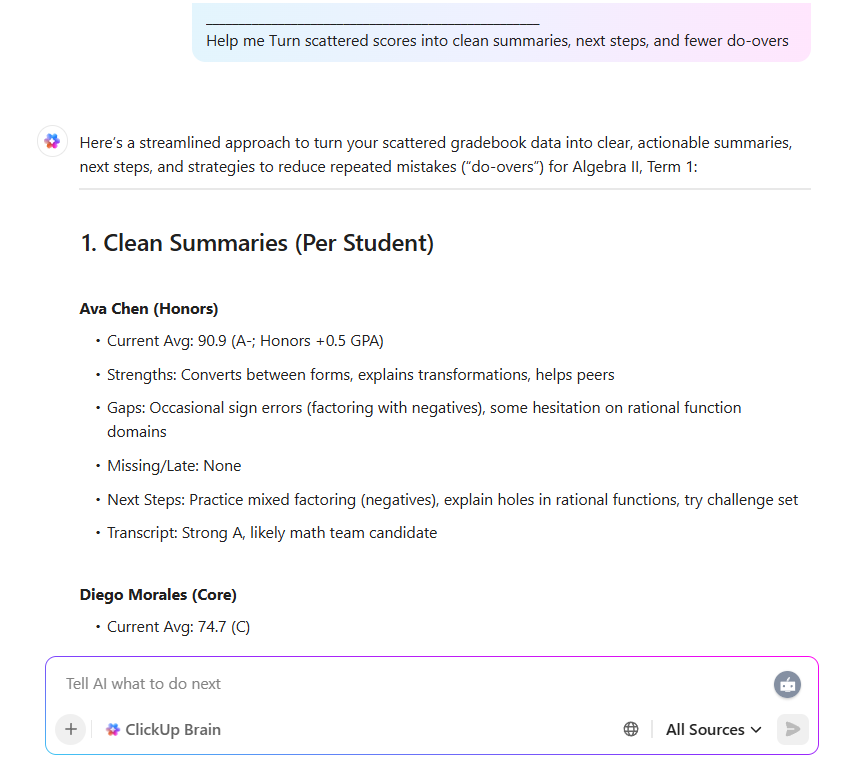
💡 Pro Tip: Use ClickUp Brain to summarize a student’s term scores into a short, transcript-friendly blurb, highlight weighting differences for honors and AP, and list missing or late items that affect final marks.
“Did I post the lab, move the essay deadline, and remind Period 3 about the quiz?” We have all had that scramble. The ClickUp Class Assignments Template puts your coursework in one tidy space. The template gives you “List, List by Due Date, Exams, Papers, and Start Here” views, so you can plan the week, and your students can see what is next.
Share due dates, attach rubrics, and filter by class or week when it is time to prep. You can also add additional notes, study tools, productivity apps for students, and other relevant information in one place.
✨ Ideal for: Teachers who want a friendly, organized system to plan, announce, and track classwork across sections.
Quick Hack: Try Brain MAX to level up your student performance tracking. Here’s how:
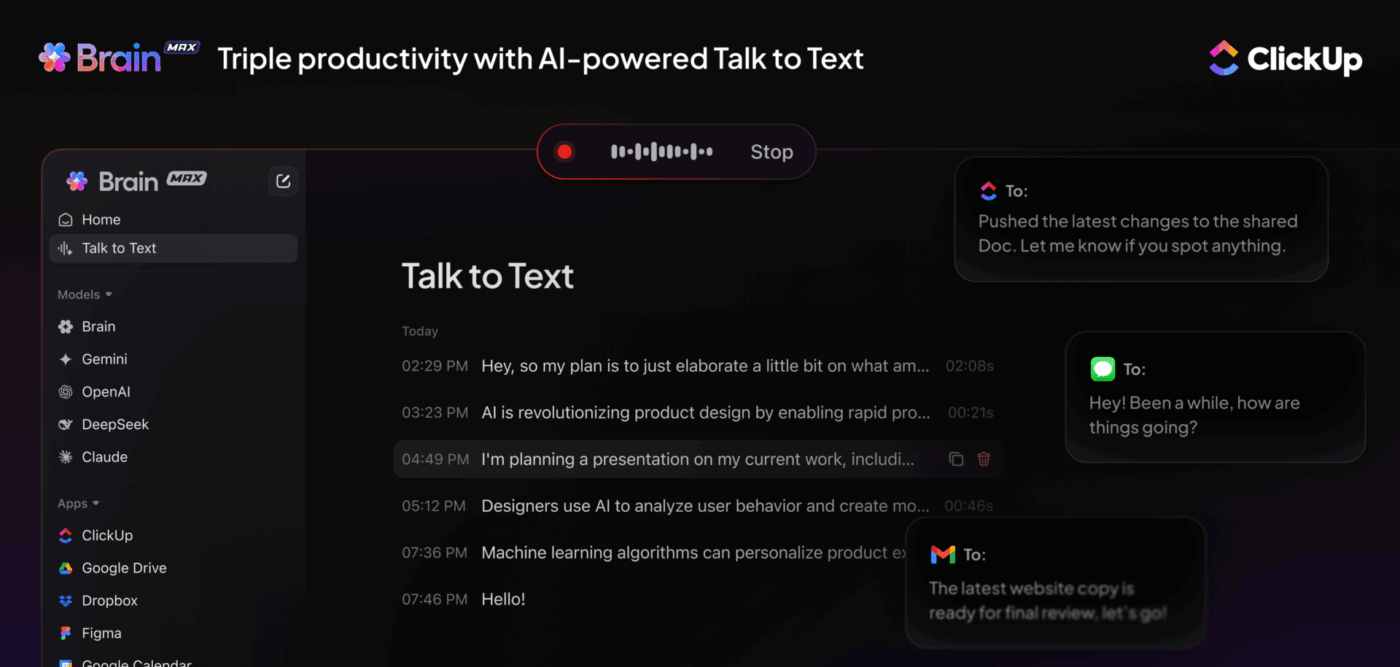
Remember that ClickUp Brain and Brain MAX learn from your workspace, so they can retrieve the official grading scale and convert percentages to letters, ensuring consistent GPA math across classes.
“Who is here, who is late, and who needs a check-in?” The roll call moment establishes the tone for the day. The ClickUp Attendance Sheet Template brings names, statuses, and quick notes into one simple roll-call view so you can move through attendance in seconds.
Mark students as Present, Late, Absent, or Scheduled, and add context with Custom Fields. If you need a snapshot for admins or families, filter by date, class, or status and export a clean summary without retyping anything.
✨ Ideal for: Teachers and coordinators who want immediate, reliable attendance tracking with useful context for follow-ups.
📖 Also Read: Best AI Tools for Teachers
Want to find out how to lock in consistent, mistake-free transcript layouts with reusable templates in ClickUp? Check out this video to know more:
Ever stared at a semester plan and thought, “This looks like three calendars and a dream”? The ClickUp Student Education Template organizes your courses, milestones, and credit units in one place.
Use “Curriculum” to map classes and due dates, “Prerequisites” to confirm what needs to happen first, and the “Getting Started Guide” to capture tips and resources.
Custom Fields like Course Number, Course Status, Credit Units, Email, and Final Grade keep details searchable. You can then add tasks for assignments, set timelines, and review everything on a Gantt chart when you need the big picture.
✨ Ideal for: Students and advisors who want a reliable system to plan courses, track workload, and keep credits on track.
💡 Pro Tip: ClickUp for Students turns “I’ll remember that later” into an actual plan. Learners can keep classes, assignments, exams, clubs, and personal projects in one workspace, using tasks, calendars, and checklists to stay ahead of deadlines.
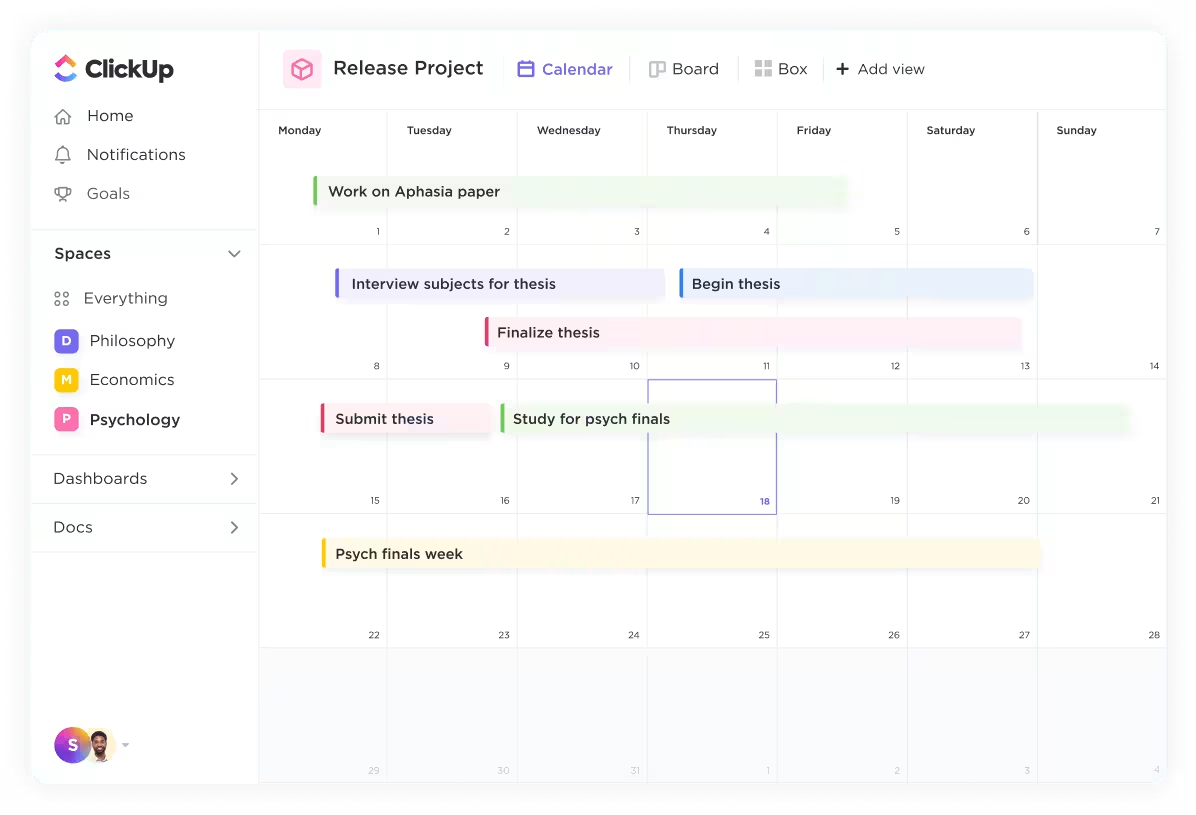
They can store notes in Docs, track long-term goals, and use different views (like List, Calendar, or Board) to see exactly what’s due and when.
Paired with your own ClickUp setup, it creates a shared language for progress—teachers track growth, students track commitments, and everyone works from the same organized system.
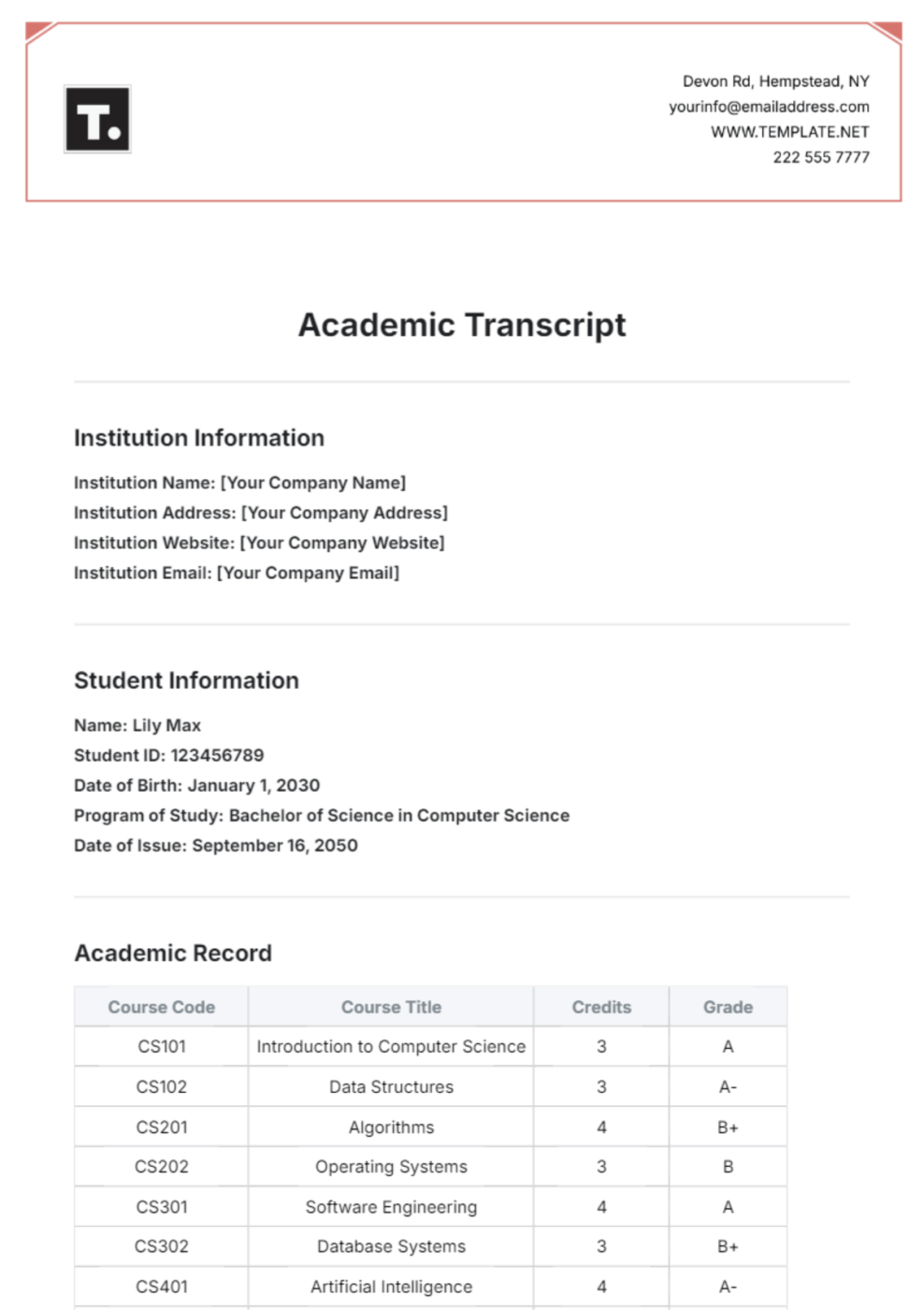
The PDF Academic Transcript Template by Template.Net gives you a professional layout with sections for student information, course lists by term, letter grades, credits attempted and earned, and space to show GPA.
It is editable and printable, so you can make quick updates in an editor and export a finished file for records. You can use it to keep the grading scale visible and total credits at the bottom, and add short notes when a course needs context. If you are compiling a student’s transcript for a transfer or a scholarship packet, this format keeps things clear and consistent.
✨ Ideal for: Teachers, registrars, and homeschooling parents who want a simple, printable transcript layout they can finalize quickly.
👀 Fun Fact: In 2019, about 35% of U.S. high school graduates took at least one dual-enrollment course, with participation notably higher in rural areas.
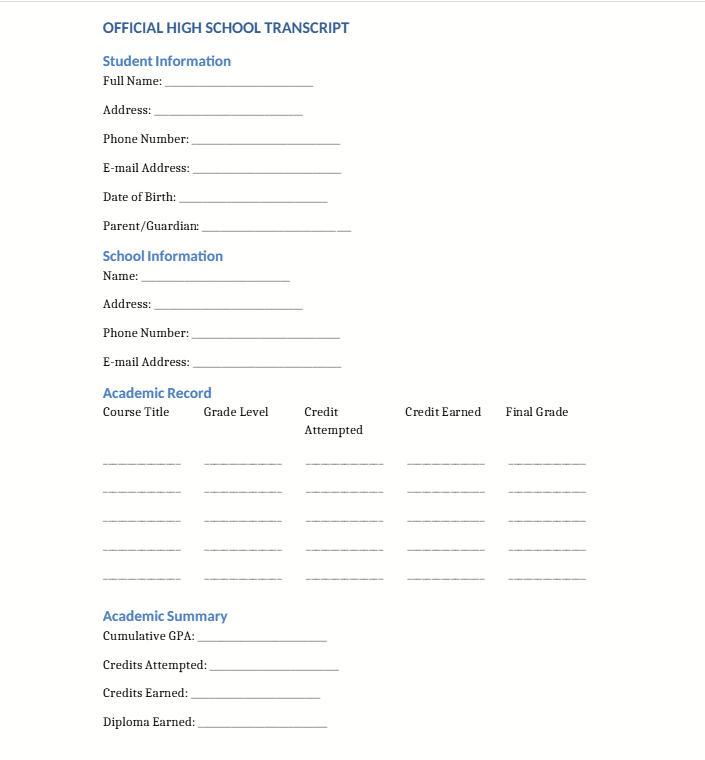
Ever need a quick, printable transcript that still looks official? When you are assembling records for a transfer, scholarship, or college admissions packet, a fill-ready layout beats wrestling with formulas. Scribd hosts several high school transcript templates you can open, edit, and export without starting from scratch.
The High School Transcript Template on Scribd typically includes student information, term-grouped course tables, credits attempted and earned, letter grades, and space for cumulative GPA and a grading scale.
Many versions include standardized test fields (SAT/ACT), graduation date, and administrator signature/seal areas, which are helpful when you need an official transcript format. You will find both traditional-school and homeschool layouts, including subject-style and year-by-year tables you can adapt.
✨ Ideal for: Counselors and homeschooling parents who need a clean, printable transcript fast, with space for GPA, test scores, and signatures.
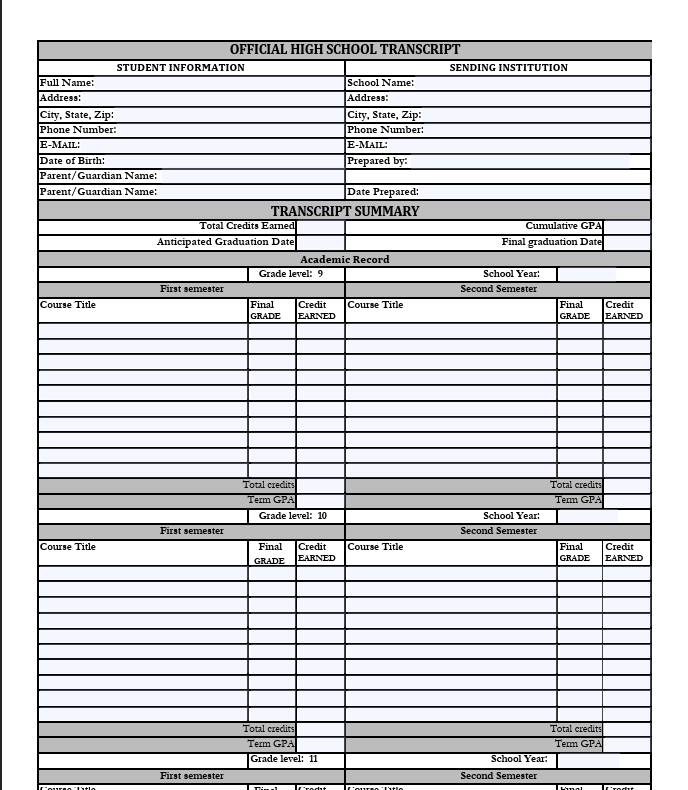
“Is this enough for college admissions?” is the question most homeschooling parents ask when they build a child’s transcript. You want a layout that looks familiar to admissions readers, shows high school credit clearly, and leaves room for course descriptions when a class does not match a standard title.
The Homeschool Transcript Template by Lone Star follows a school-style format that is easy to read, with student information and homeschool name at the top. The template then groups high school courses by year, displaying credits attempted and earned, letter grades, and grade point average fields.
You can mark one high school credit or half a credit for one semester, note dual credit classes taken at a community college, and list test extras like CLEP if relevant.
✨ Ideal for: Homeschooling parents and a homeschool graduate preparing a student’s transcript for scholarships, transfers, and college admissions.
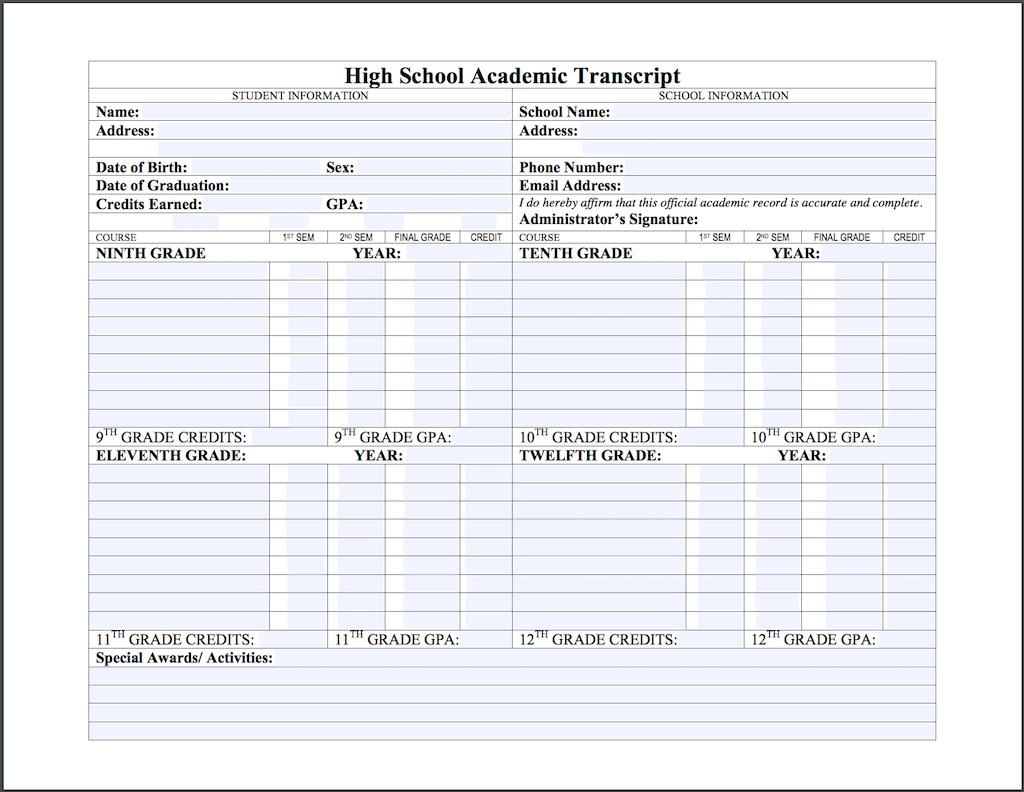
When you want a homeschool transcript that looks “official” without feeling complicated, simple wins.
The High School Transcript Template by Flanders Family keeps everything familiar and tidy. You can add your homeschool name and student information, then list high school courses by year with credits attempted and earned, letter grades, and space for cumulative GPA.
A visible grading scale is displayed on the page, and signature/date fields make it easy to finalize when someone requests an official copy. If you need context for a unique class, include short course descriptions on a companion page and attach it to the completed transcript.
✨ Ideal for: Homeschooling parents who want a straightforward, college-friendly transcript they can print and submit with confidence.
📖 Also Read: How to Use AI for Students (Use Cases & Tools)
If the high school transcript is the official story, ClickUp is the quiet editor that keeps the plot straight.
Courses line up, credits add up, and the grading scale does not change halfway through. You get one tidy place to build a student’s transcript without hunting for files.
Whether you are polishing a homeschool high school transcript or exporting a tidy PDF for an official transcript, pairing the right template with ClickUp means fewer surprises.
You can add short course descriptions when titles need context, keep notes next to the student’s transcript, and stop asking where last term’s numbers went.
Simple, tidy, done. ✨️
Ready to make “Where did I save that?” a thing of the past. Sign up for ClickUp and start your transcripts.

© 2026 ClickUp

There’s an easier way. Try a free AI Agent in ClickUp that actually does the work for you—set up in minutes, save hours every week.