






Still downloading templates?
There’s an easier way. Try a free AI Agent in ClickUp that actually does the work for you—set up in minutes, save hours every week.
Sorry, there were no results found for “”
Sorry, there were no results found for “”
Sorry, there were no results found for “”

Your first call of the day comes in, and the customer has a problem that seems simple. But the answer is hidden across policy documents, an old email thread, and a chat from last week.
Every minute spent digging for relevant information adds to handling time and increases the risk of providing incorrect or outdated information.
This isn’t a one-off problem. Every day, support agents navigate multiple tools and tabs just to answer basic questions. Calls take longer than they should; the average handling time shoots up, and escalations pile up because issues aren’t resolved properly the first time.
In this blog post, we’ll dive into some of the best call center knowledge management systems that bring all your policies, product specs, scripts, and troubleshooting guides in a centralized repository. These tools help your team resolve queries faster and make every customer interaction smoother.
Let’s get started ⏯️
For a quick comparison, the table below outlines the standout features, most suitable scenarios, and pricing models of leading knowledge management tools 👇
| Tool name | Key features | Best for | Pricing* |
| ClickUp | Real-time co-editing in Docs, AI-powered search and assistance with ClickUp Brain, rule-based Automations, collaborative Whiteboards, Chat, Dashboards, and deep integrations with CRMs and support tools | All-in-one converged AI workspace for call centers that need knowledge, workflows, automation, and accountability in one system | Free Forever; Customization available for enterprises |
| eGain | Context-aware knowledge delivery, AssistGPT for content creation and quality checks, federated and guided search, structured review cycles, enterprise-grade integrations | Large enterprise call centers that need role-based, guided knowledge and strict governance | Custom pricing |
| Document360 | Structured documentation editor, AI-powered search with Eddy AI, AI Writing Agent for fast content creation, analytics with Google Analytics and Segment | Enterprise teams focused on building and maintaining a scalable self-service knowledge base for customers and agents | Free trial; Custom pricing |
| Helpjuice | Channel-specific content within a single template, federated search across SharePoint, Drive, and web sources, Ask-the-Expert workflows, voice search, and detailed version history | Large teams that want a highly customizable internal or external knowledge base with strong search | Free trial; Paid plans start at $249/month |
| Shelf | Knowledge health monitoring, duplicate and obsolete content detection, reusable templates, decision-tree flows, performance analytics | Global call centers that need tight control over content accuracy, lifecycle management, and performance insights | Custom pricing |
| Guru | Verified knowledge cards, in-app and browser-based knowledge delivery, AI-powered content surfacing, deep integrations with daily work tools | Small to mid-sized teams that want contextual, in-the-moment knowledge inside the tools agents already use | Free trial; Paid plans start at $30/month per user |
| Knowmax | Google-like enterprise search, no-code Cognitive Decision Trees, visual how-to guides from PDFs, Chrome extension for multitasking agents, AI-assisted assessments and quizzes | Call centers or large support teams that rely on guided workflows, decision trees, and visual knowledge to support agents during live interactions | Custom pricing |
| KPSOL | Channel-specific template sections, external content indexing, Ask the Expert workflows, voice search, version control | Small teams that want to unify knowledge across multiple repositories without migrating everything into a new system | Paid plans start at $13/month per user |
| Zoho Desk | Multichannel ticketing with integrated knowledge base, AI assistant Zia for article creation, Blueprint workflows, article analytics and SEO controls | Small to mid-sized support teams looking for an affordable help desk with built-in knowledge management and automation | Free trial; Paid plans start at $6/month per user |
| Smart Tribune | AI-powered FAQ and intent detection, Agentic RAG for trusted responses, Smart Dashboard for content performance, integrations with LLMs and CRMs | Enterprises focused on AI-driven self-service and highly reliable automated support responses | Custom pricing |
Our editorial team follows a transparent, research-backed, and vendor-neutral process, so you can trust that our recommendations are based on real product value.
Here’s a detailed rundown of how we review software at ClickUp.
Choosing the right knowledge management solution directly impacts the customer experience. When the correct information is easy to find, you can build a high-performing team that resolves queries faster and reduces errors.
Here are the features of an ideal knowledge management software:
🧠 Fun Fact: According to McKinsey, 71 percent of Gen Z respondents believe live phone calls are the quickest and most convenient way to reach customer care and explain their issues.
Below, we’ll take a detailed look at the best tools for effective knowledge management in modern call center operations:
ClickUp gives call centers a converged AI workspace, where knowledge, actions, analysis, and automation work together. Teams can find the right answer, apply the correct process, and trigger the next step in real time without breaking the flow of the conversation.
This robust knowledge management solution eliminates work sprawl by giving call center teams a single system to manage information and accountability. Knowledge articles can be tied directly to tasks and follow-ups, keeping context intact at all times.
Let’s see how it helps you stay aligned without relying on scattered tools or manual coordination.
ClickUp’s Knowledge Management System helps call centers build and maintain a single source of truth that agents can rely on during live interactions.
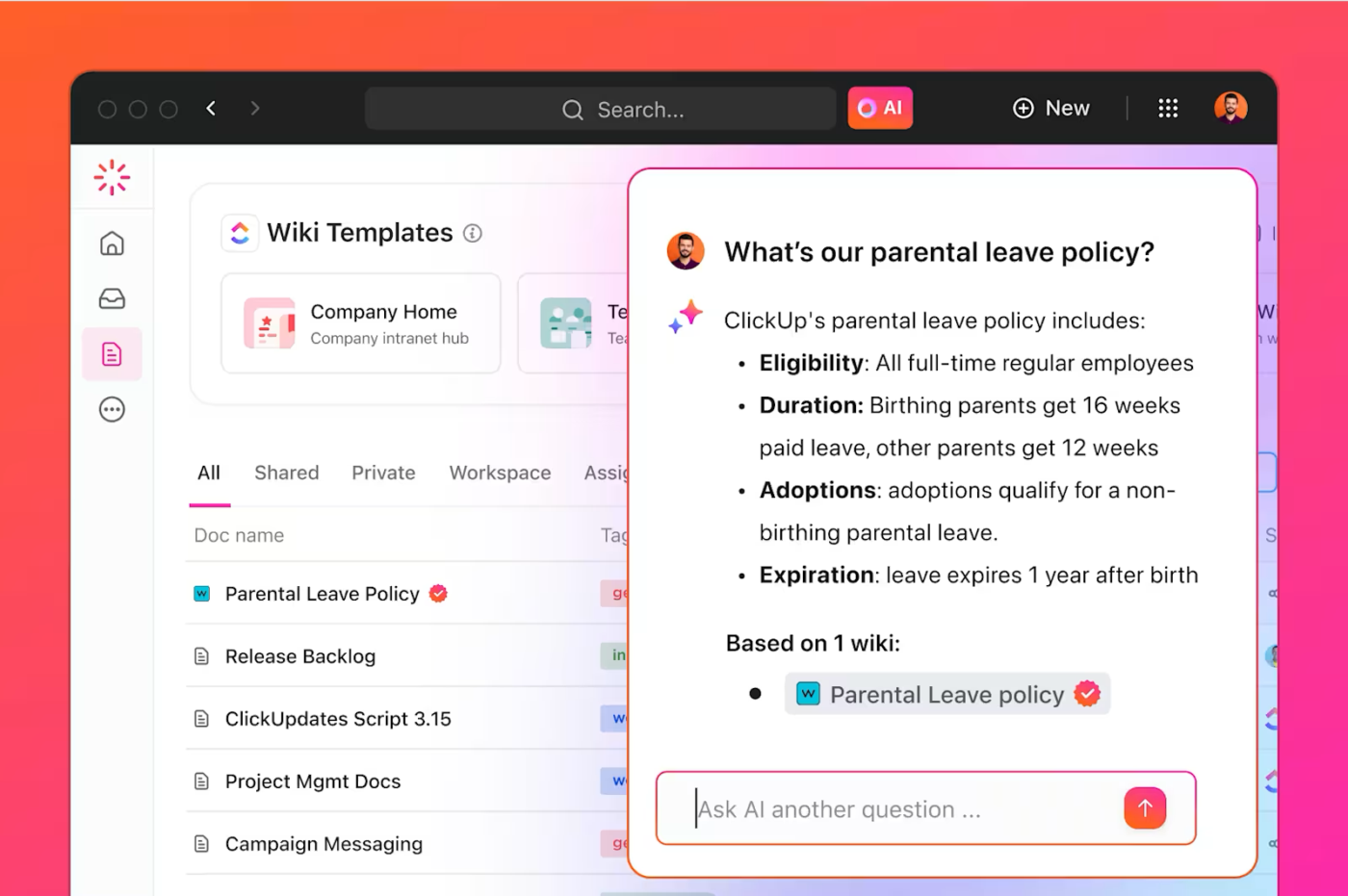
Rather than acting as a standalone repository, the knowledge management system in ClickUp connects information with workflows. This makes it easier to:
💡 Pro Tip: Keep your knowledge base active by collaborating directly inside your wiki. Edit content together, leave comments to provide feedback, and use quick video notes to explain changes. You can then convert follow-ups into tasks so updates are easy to track and complete.
With call volumes high and customers waiting, agents don’t have time to scroll through lengthy SOPs or search across folders.
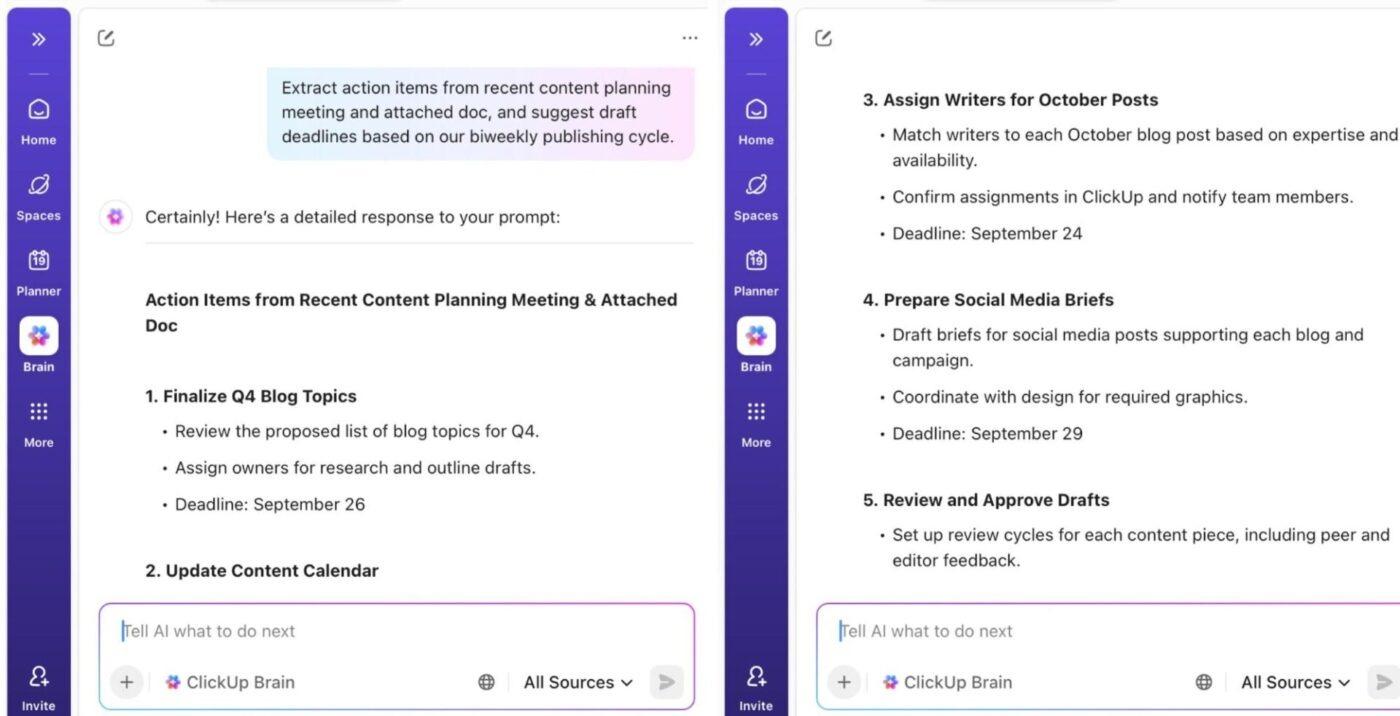
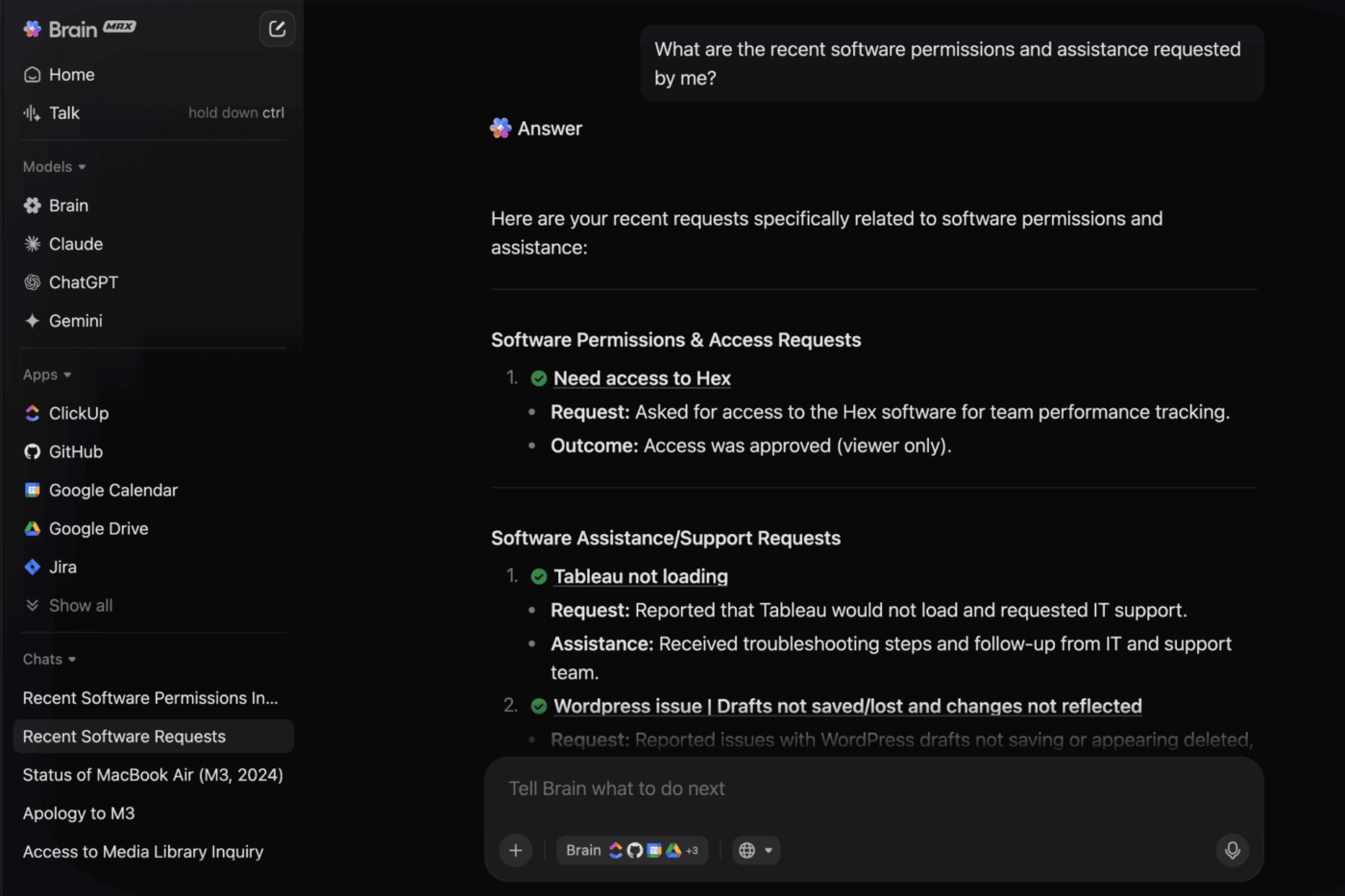
ClickUp Brain brings AI directly into the workspace. It pulls answers from Docs, Tasks, Chat, and past interactions, helping agents stay accurate and consistent during live conversations.
Watch the video below for a quick walkthrough of managing knowledge with ClickUp Brain 👇
Here’s how you can use ClickUp Brain to provide a good customer experience:
ClickUp’s Super Agents add an execution layer to your knowledge by turning answers into guided actions within contact center workflows. You can use prebuilt agents or configure custom knowledge-based agents based on your needs.
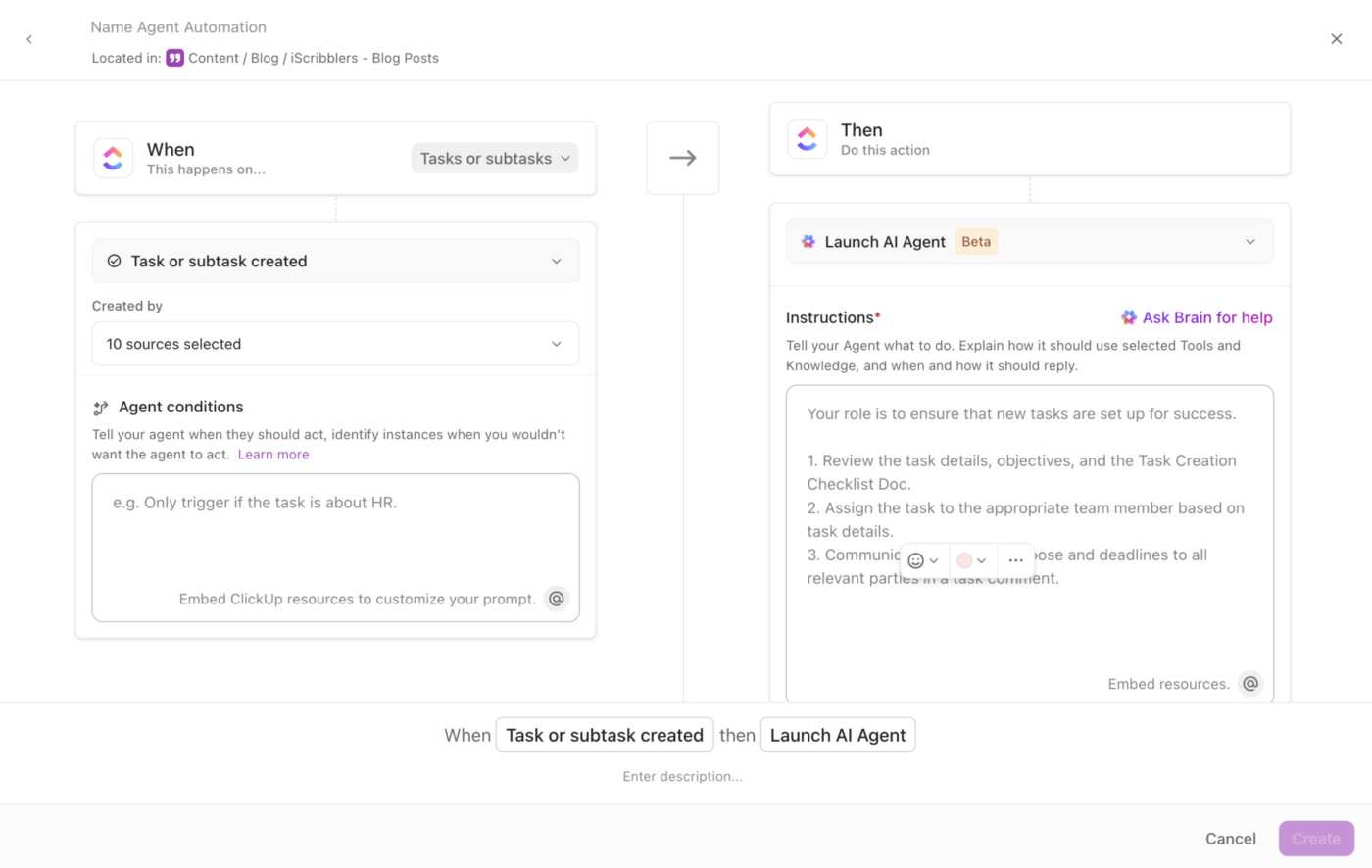
Here’s how you can use different types of AI agents to reduce manual effort and support agents during high-volume interactions:
ClickUp Automations handle predictable, repeatable steps. They work on rule-based triggers where you can define the rules once, and the system runs them every time.
For example, when a ticket changes priority, ClickUp Automations can automatically update statuses, assign follow-ups, change due dates, or notify the right team.
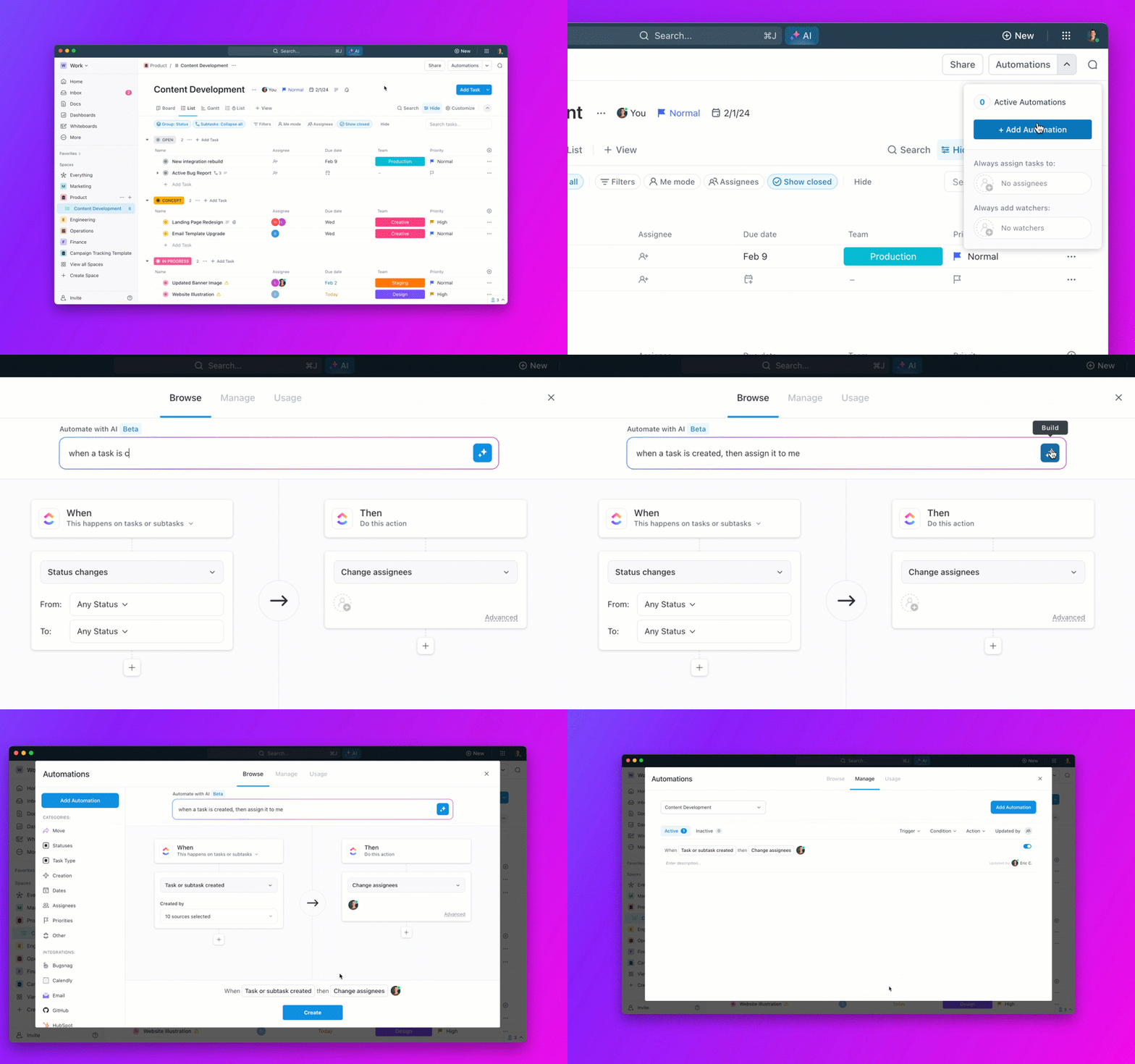
Instead of call center agents remembering what to update once the customer disconnects, actions run automatically based on call outcomes. Automations also help:
A G2 review says:
I particularly like the Brain AI feature, as it functions as an AI agent that executes my commands, effectively performing tasks on my behalf. This automation aspect is very helpful because it streamlines my workflow and reduces manual effort. Additionally, the initial setup of ClickUp was very easy to navigate, which made transitioning from other tools seamless.
📮 ClickUp Insight: Only 10% of our survey respondents regularly use automation tools and actively seek new opportunities to automate.
This highlights a major untapped lever for productivity — most teams are still relying on manual work that could be streamlined or eliminated.
ClickUp’s AI Agents make it easy to build automated workflows, even if you’ve never used automation before. With plug-and-play templates and natural language-based commands, automating tasks becomes accessible to everyone in the team!
💫 Real Results: QubicaAMF cut reporting time by 40% using ClickUp’s dynamic dashboards and automated charts—transforming hours of manual work into real-time insights.
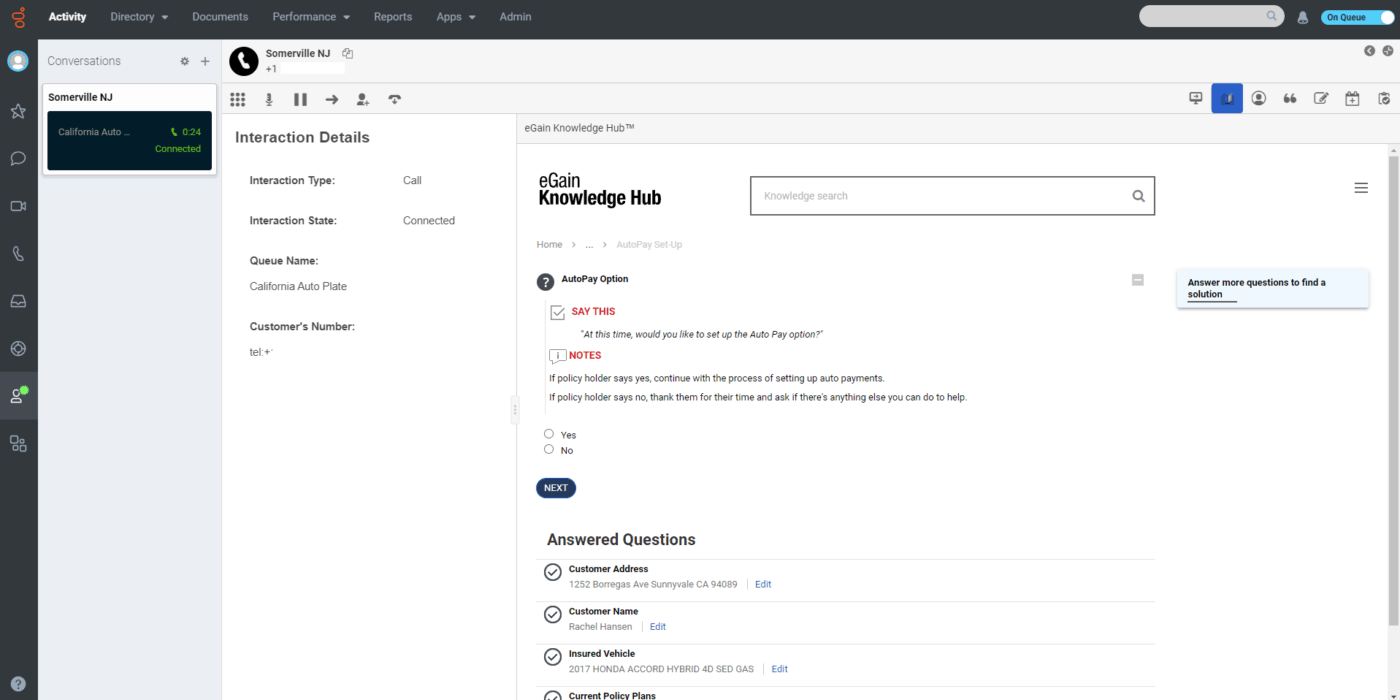
eGain is an enterprise knowledge management solution designed to support large customer service teams. It delivers knowledge based on the interaction in progress, the agent’s role, experience level, and language.
If you’re new, you get clear, step-by-step guidance to follow. If you’re more experienced, you can search or navigate content quickly in a way that matches how you work.
AssistGPT, eGain’s built-in AI feature, helps you surface relevant articles, automate routine knowledge tasks, and keep content consistent as it evolves.
When looking for answers, federated search capabilities across systems, faceted filters, and AI-driven responses help narrow down results. This makes it easier to find the right information, even when it is spread across multiple sources.
⚡ Template Archive: Free SOP Templates to Better Track Work Processes and Enhance Team Efficiency
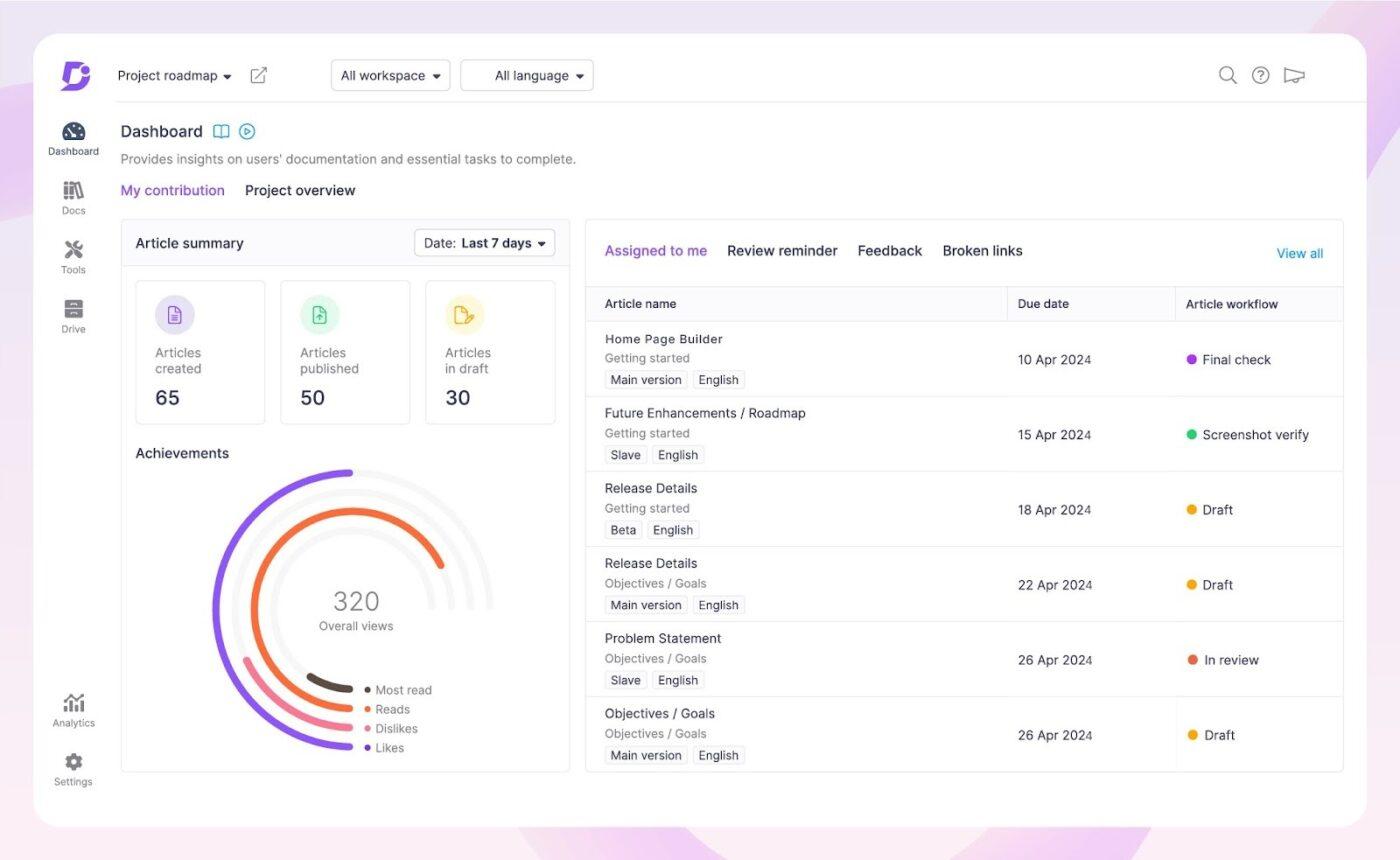
Document360 is a documentation platform built to help teams turn scattered information into well-structured content.
Its authoring environment encourages clean organization, letting you build articles with a clear hierarchy, reusable structure, and consistent formatting.
When customers type a question, Eddy AI responds with a clear, direct answer, often solving the issue before support even gets involved.
With its AI Writing Agent, Document360 transforms raw inputs like videos, voice notes, or text files into structured documentation automatically. It also supports text-to-audio functionality, giving you the flexibility to listen to articles instead of reading them.
A G2 review says:
As a software as a service company that frequently updates technology and procedures, it’s crucial for us to maintain up-to-date training materials for our external clients. Document360’s user-friendly editing capabilities and the organization of help center pages make it significantly simpler to update communications in a timely manner.
🧠 Fun Fact: Gartner predicts that 80% of customer service teams will use generative AI to improve team productivity and improve the customer experience.
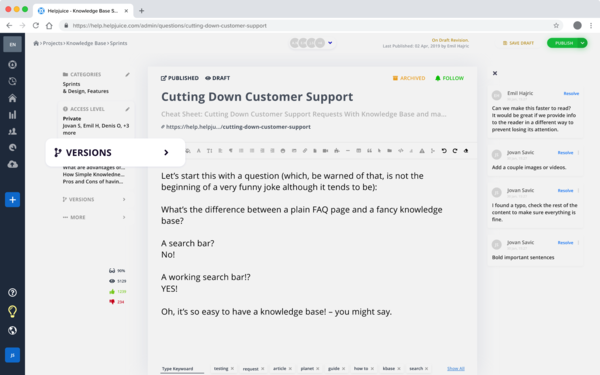
Helpjuice is a cloud-based platform designed to help teams document everything customers or employees need to know in one organized space. Instead of hunting through folders and outdated files, you can search a single knowledge base and instantly find accurate information.
The structure is highly adaptable to different types of businesses. You can set up layered categories, assign tags, and build a logical hierarchy so even expansive product documentation stays clear and easy to explore.
The tool also gives you complete control over how your help center looks. Match the design to your brand identity and choose layouts that suit your audience to create a smooth self-service experience.
To speed things up, you get AI capabilities that help produce tutorials and support articles faster. This makes it easier for you to keep information fresh and updated as products evolve.
A Capterra review says:
We are able to implement changes quickly and efficiently, pull records of previous updates, and pull analytics that are helpful for our business. The ability to automatically translate articles has helped us expand our content to a wider audience and the team has been easy to work with when it comes to customizations that we need.
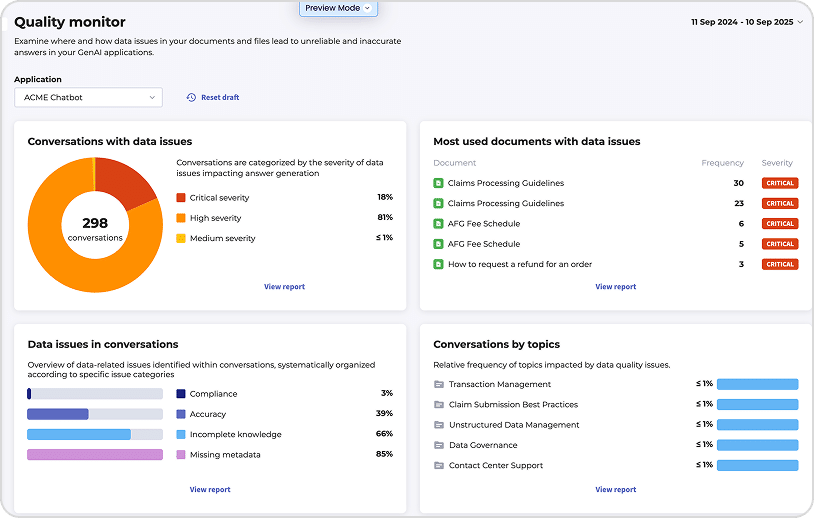
Shelf approaches knowledge management with a focus on reliability and control. Rather than waiting for content to become outdated or inconsistent, the platform constantly evaluates your knowledge base in the background.
It flags duplicate, obsolete, or low-value materials and shows where information is scattered across different systems. This helps teams clean up and organize knowledge without manual audits or moving everything into one repository.
The tool also gives agents easy authoring tools, decision-tree workflows, and quick edit options so information can be optimized for both human agents and AI assistants.
With performance insights broken down by audience segments, you can see exactly which content improves efficiency and customer satisfaction rates.
A G2 review says:
We’ve seen gains in operational efficiency through utilizing decision trees and having all of the information consolidated in one, easy to search, location. The team members that piloted the use of Shelf found it incredibly easy to use and were ecstatic about the new functions that supported their performance.
🧠 Did You Know? 85% of consumers are open to using automation, either preferring it initially or willing to switch from a human agent if it resolves their issue.
💟 Bonus: ClickUp BrainGPT, ClickUp’s desktop app, brings AI, search, and automation together in one unified workspace. Designed for high-volume environments, it helps teams access the information and tools they need without switching multiple apps or tabs.
For call center knowledge management, BrainGPT makes it easier for agents to handle live interactions. They can search across different tools from a single interface, use voice input for hands-free queries, leverage custom AI Agents, and generate instant reports. This reduces cognitive load and enables accurate customer support.
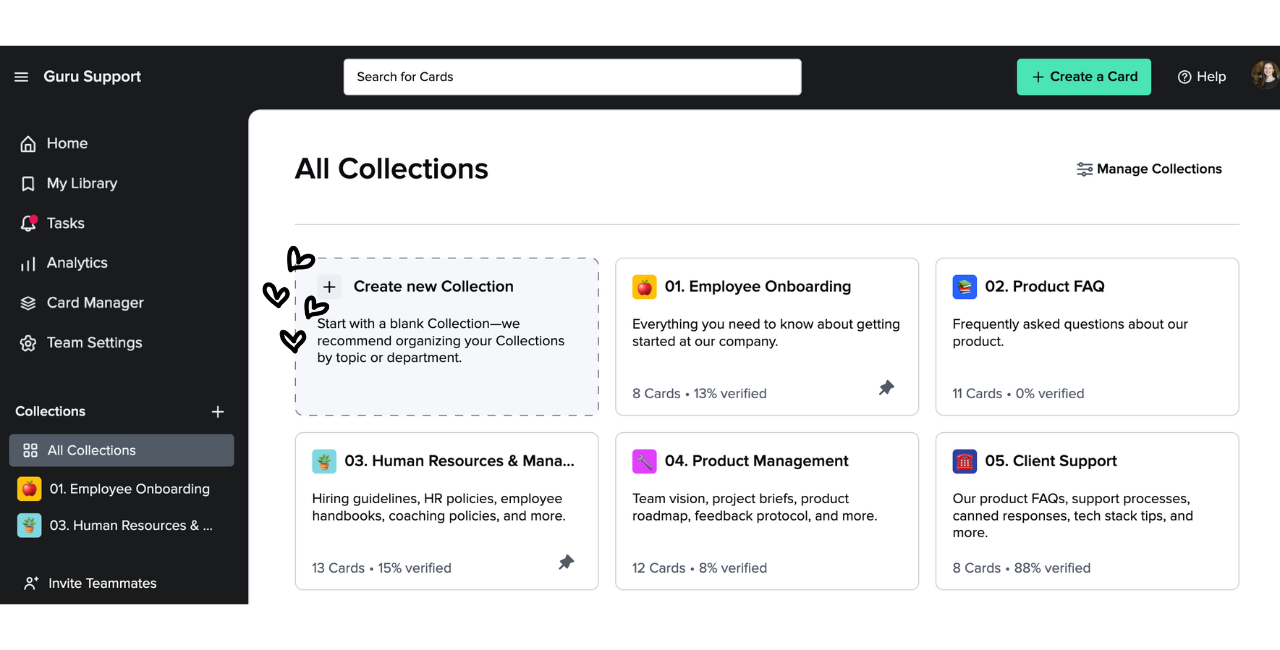
Guru replaces traditional lengthy documents with compact ‘cards’ that deliver information in bite-sized, easy-to-digest pieces.
Each card captures one clear insight or instruction, and experts can verify it or set reminders to review it later. Related cards are connected with tags and links, so even complex topics feel easy to follow step by step.
Guru’s browser extension and in-app overlays send verified knowledge cards directly to the apps your team uses every day. This includes tools like Salesforce for customer data, Zendesk for support tickets, or Slack for internal collaboration.
When an agent encounters a customer question or needs procedural guidance, the exact card they require pops up automatically in context.
A Capterra review says:
The Guru Library is user-friendly, and I’ve built up a great collection of resources I use daily. It’s easy to use, has important features, and integrates well with other tools.
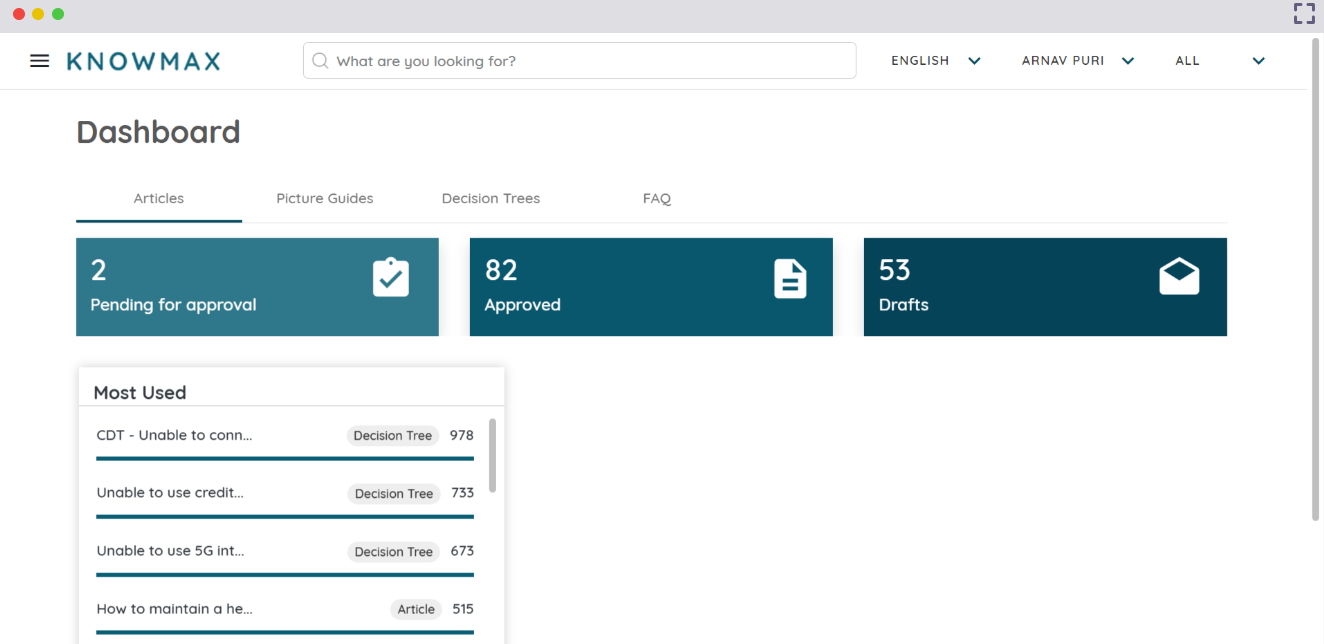
Knowmax is a customer experience and knowledge management software designed to make answers easy to find. Its Google-like search engine scans your knowledge base in seconds, giving agents what they need without sifting through files.
The platform also uses no-code Cognitive Decision Trees to guide agents through the next best steps. When connected to your CRM, these trees help deliver resolutions that are faster and more personalized.
The tool turns heavy PDF manuals into simple visual how-to guides that are easier for both call center agents and customers to follow. These guides can even be shared as short videos for self-service options.
For teams handling multiple chats, the Chrome extension keeps everything organized by opening separate tabs and syncing customer details from the CRM. This reduces mental load and helps agents stay focused on the conversation in front of them.
A G2 review says:
We’ve been using Knowmax in our contact center for almost two years. It’s a simple, easy-to-use platform that does the job when it comes to managing knowledge. The search works well, and features like broadcasts, notifications, and built-in quizzes are helpful for keeping our team informed and engaged.
🧠 Did You Know? About 33% of CX leaders struggle with siloed departments, where teams use separate customer engagement tools. This fragmentation makes it harder to get a unified view of the customer and deliver consistent experiences across channels.
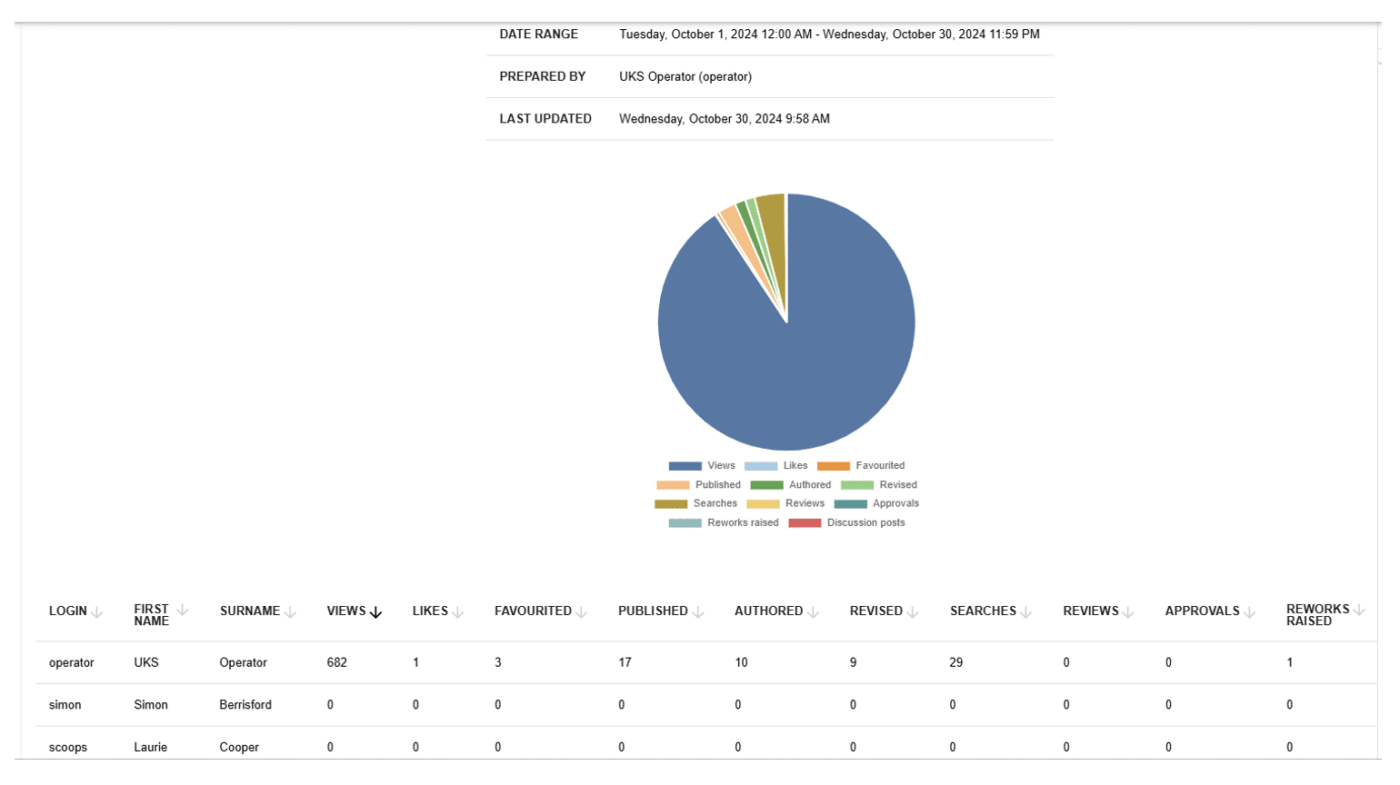
KPSOL goes beyond the standard article-only structure by letting you create channel-specific sections within a single template. You can keep phone scripts, email replies, and chat snippets together in one place, ensuring consistency without managing multiple versions.
You also don’t have to uproot your existing documents. KPSOL indexes content directly from SharePoint, Google Drive, Dropbox, or even public websites, allowing you to search across everything as if it were native to the platform.
When an article is unclear or missing, the built-in Ask the Expert workflow gives your agents an easy way to raise requests and get responses from the right subject matter experts. Each request is tracked with a proper review flow, helping teams maintain accuracy and fill gaps quickly.
📚 Also Read: Powerful AI Agents Examples Transforming Industries
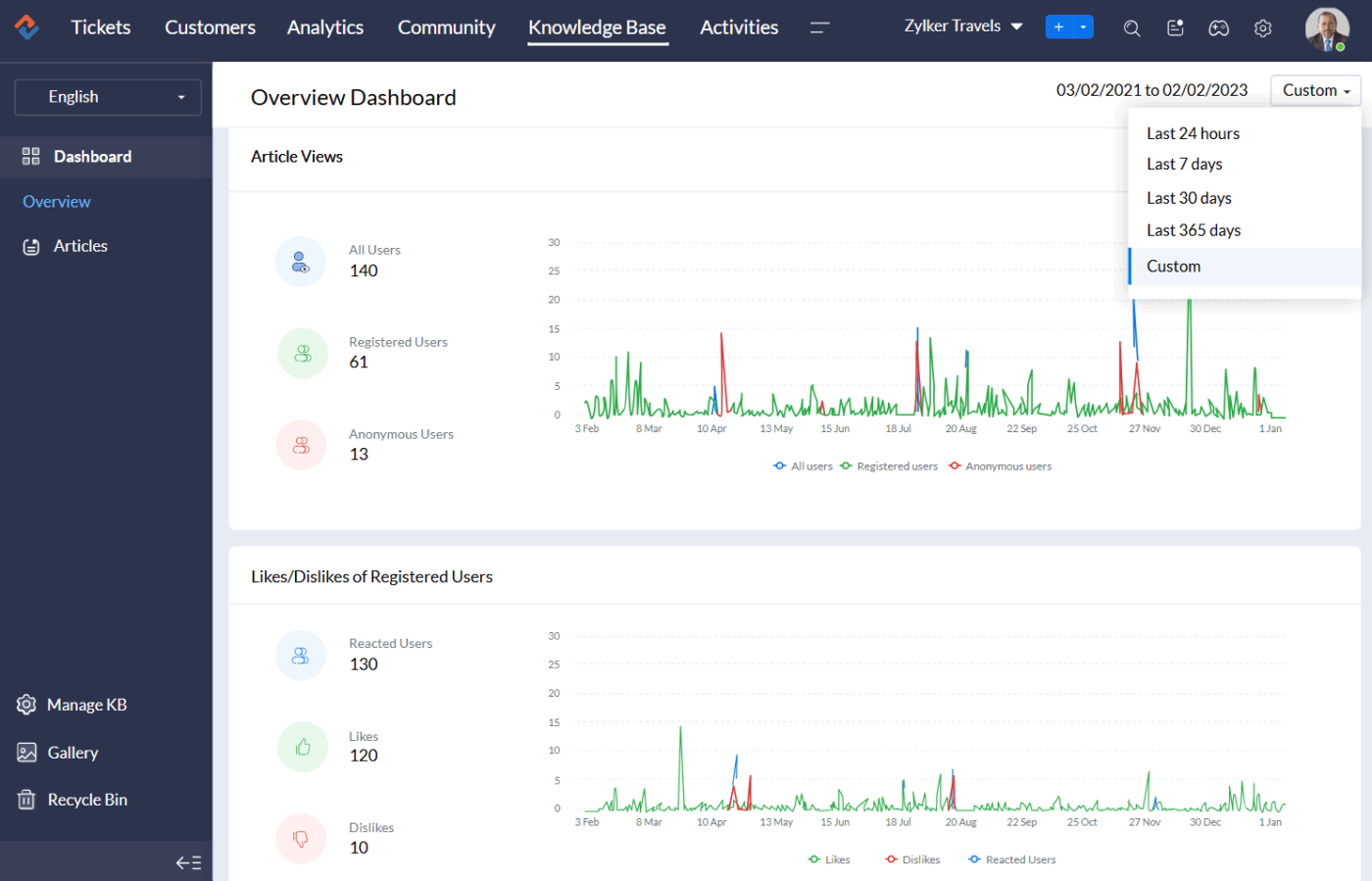
Zoho Desk is a cloud-based customer support platform that combines your tickets and conversations from every channel into one workspace.
Its built-in knowledge base can be published as a branded help center in multiple languages, giving your customers instant access to accurate answers without waiting in a queue. Articles support images, attachments, and other media to make setup guides and troubleshooting steps easier to understand.
When a request requires a specific sequence, Blueprint turns that workflow into a visual, step-by-step process. Additionally, Zoho’s AI assistant, Zia, keeps your knowledge base up to date by turning resolved tickets and past conversations into new help articles.
A G2 review says:
One of the biggest advantages is the multichannel ticketing feature. With emails, chat messages, web forms, and even social media messages all funneled into a single, centralized dashboard, our team never misses a customer query. I also value the automation rules, as they help eliminate much of the repetitive work.
🧠 Fun Fact: In the 1970s, Stanford created MYCIN, an early knowledge-based system that helped diagnose bacterial infections and recommend treatments. Even though it was accurate, ethical and legal concerns kept it from being widely used.
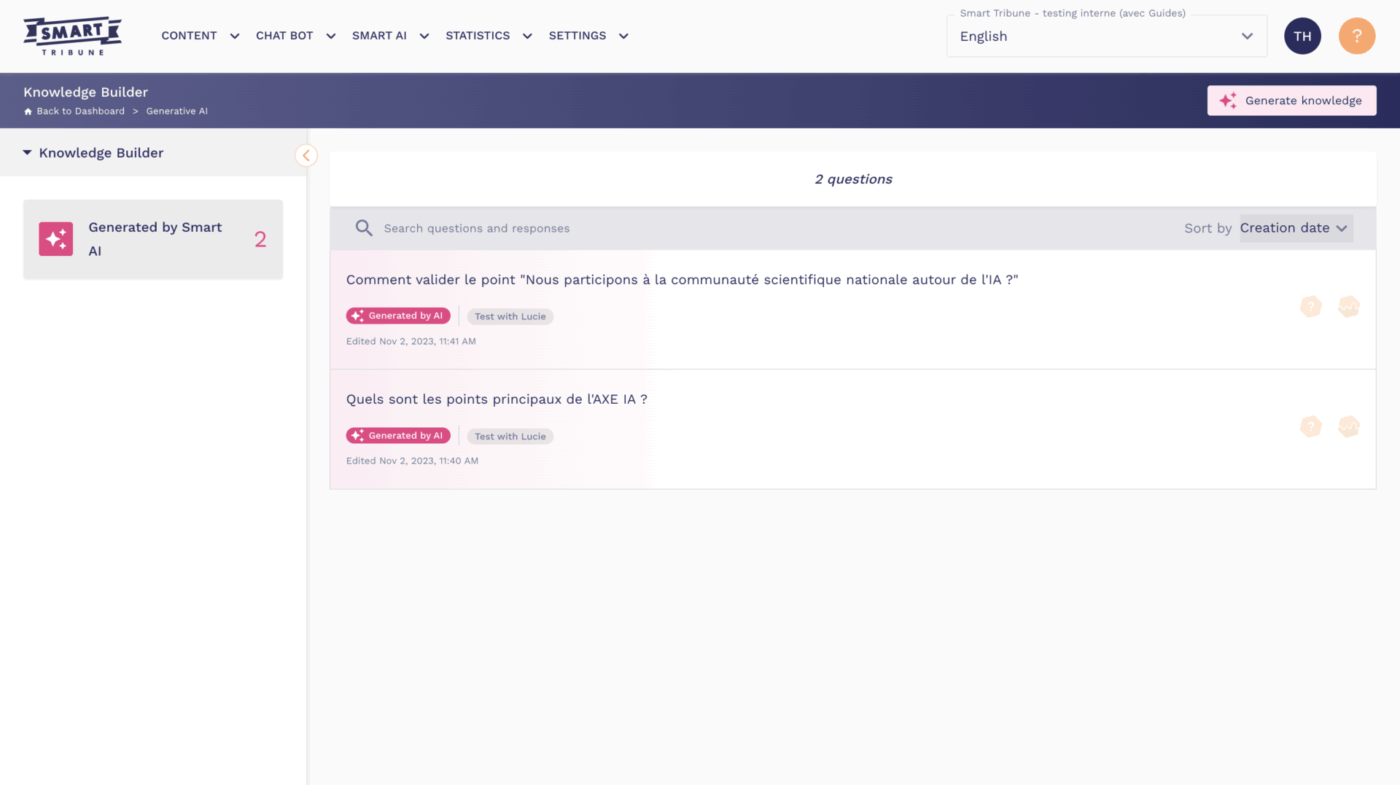
Smart Tribune is a cloud-based knowledge management system powered by AI, giving companies one place for both internal and customer-facing support content.
Its FAQ AI is designed to understand questions exactly as people phrase them. Even if a request is vague or incomplete, it interprets the intent and surfaces the correct answer right away. The platform is also built to work with advanced LLMs like ChatGPT, Perplexity, and Google’s solutions.
The tool uses an Agentic RAG framework to keep automated responses reliable. This ensures the AI only responds using approved knowledge and within your defined rules.
Through a Smart Dashboard, agents can track key metrics usage, response rates, and customer satisfaction to identify content gaps and keep support continually improving.
A Capterra review says:
The integration into our website (and our customer area with distinct technical configurations) for our private and professional FAQs (2 knowledge bases) is clear and hassle-free.
📚 Also Read: Best AI Agent Builders to Automate Workflows
Managing multiple tools and scattered knowledge slows down operations and frustrates both support agents and customers. While the knowledge management software we explored can help, ClickUp goes further by unifying AI assistance, knowledge management, and powerful automations.
Context-aware suggestions guide your team, organized content ensures consistent answers, and automated workflows take care of repetitive tasks. You can consolidate everything into a single workspace and give your team quick access to knowledge.
Sign up on ClickUp for free and turn scattered knowledge into a single source of truth.
A call center knowledge management system is a central library of process guides, troubleshooting steps, and customer policies that your agents can quickly search while handling queries. It gives every agent access to the same accurate information, keeping responses consistent and ensuring customers get faster resolutions.
The right knowledge management software provides your agents with a single place to find all the information they need. This reduces time spent searching, reduces mistakes, and helps new team members adapt faster. With fewer knowledge gaps and fewer interruptions during customer calls, your agents can stay focused and deliver a higher quality of service.
Yes. AI helps you surface the right answer from document management systems and team workspaces without searching through long articles or complex folders. It can also suggest relevant content based on the customer’s question and highlight policy updates agents need to know at the moment. And as your team uses it, the system learns from past interactions to improve search results over time.
The KM system should support every channel your agents use to help customers. This includes voice calls, chat, email, social media, and ticketing platforms. When the same knowledge is available across all channels, you can make it easy for agents to switch between interactions without losing context.
Many contact centers set a monthly or quarterly audit cycle to check accuracy, while fast-moving environments update content even more frequently. You should also update your KM content whenever a policy changes, a new product launches, or agents start raising the same questions. The goal is to make sure your agents always see the latest, approved information the moment they need it.

© 2026 ClickUp

There’s an easier way. Try a free AI Agent in ClickUp that actually does the work for you—set up in minutes, save hours every week.